Customer Ratings & Reviews
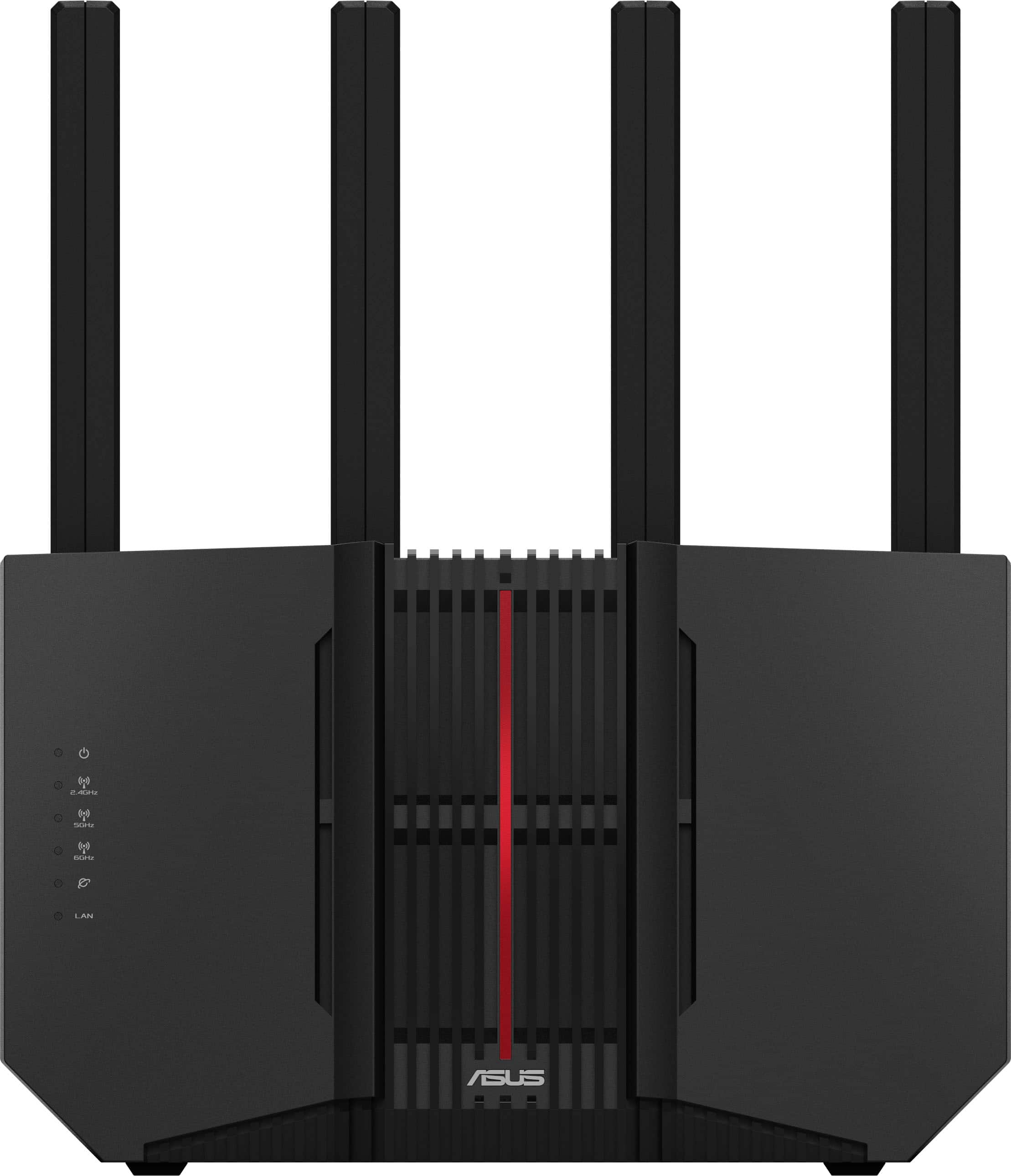
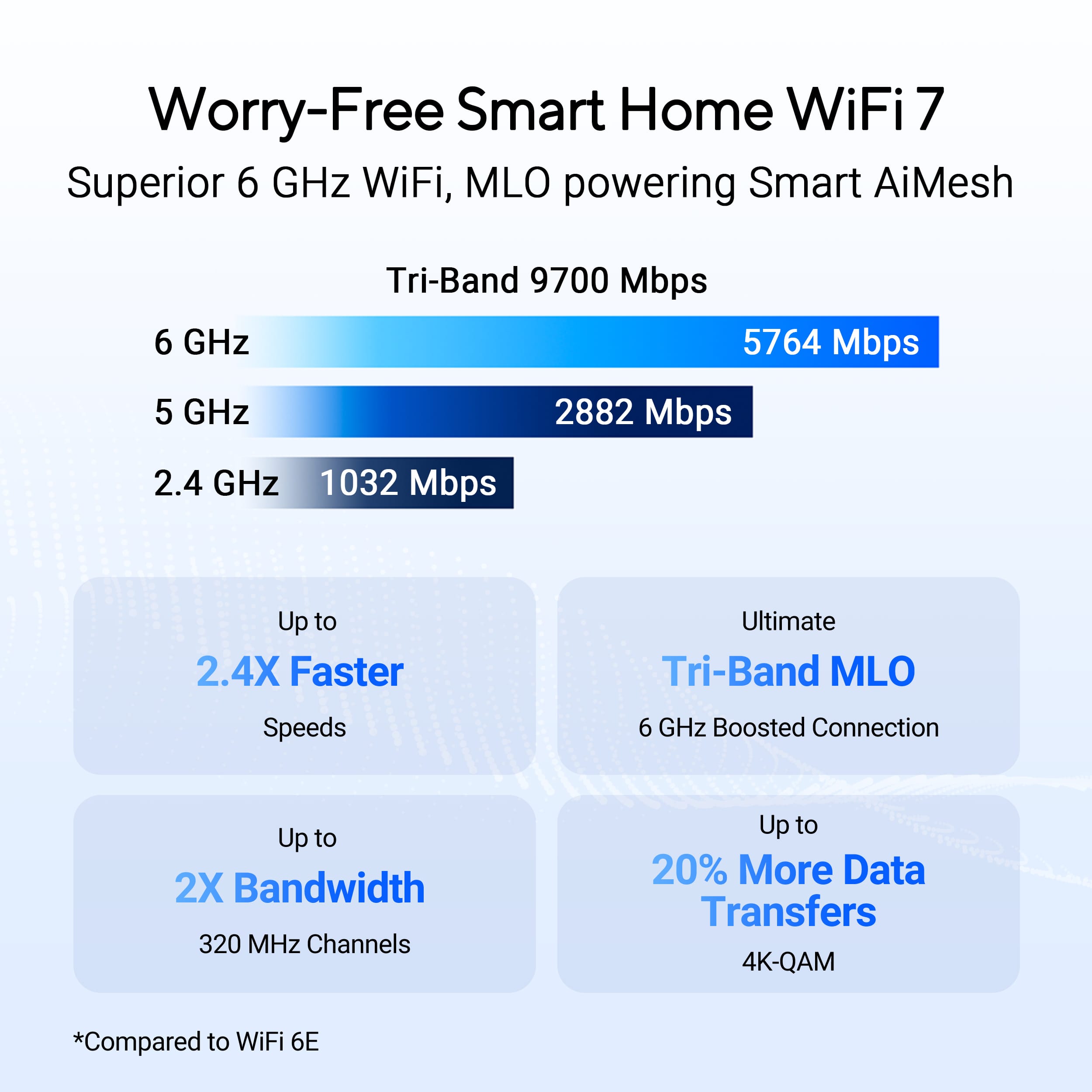
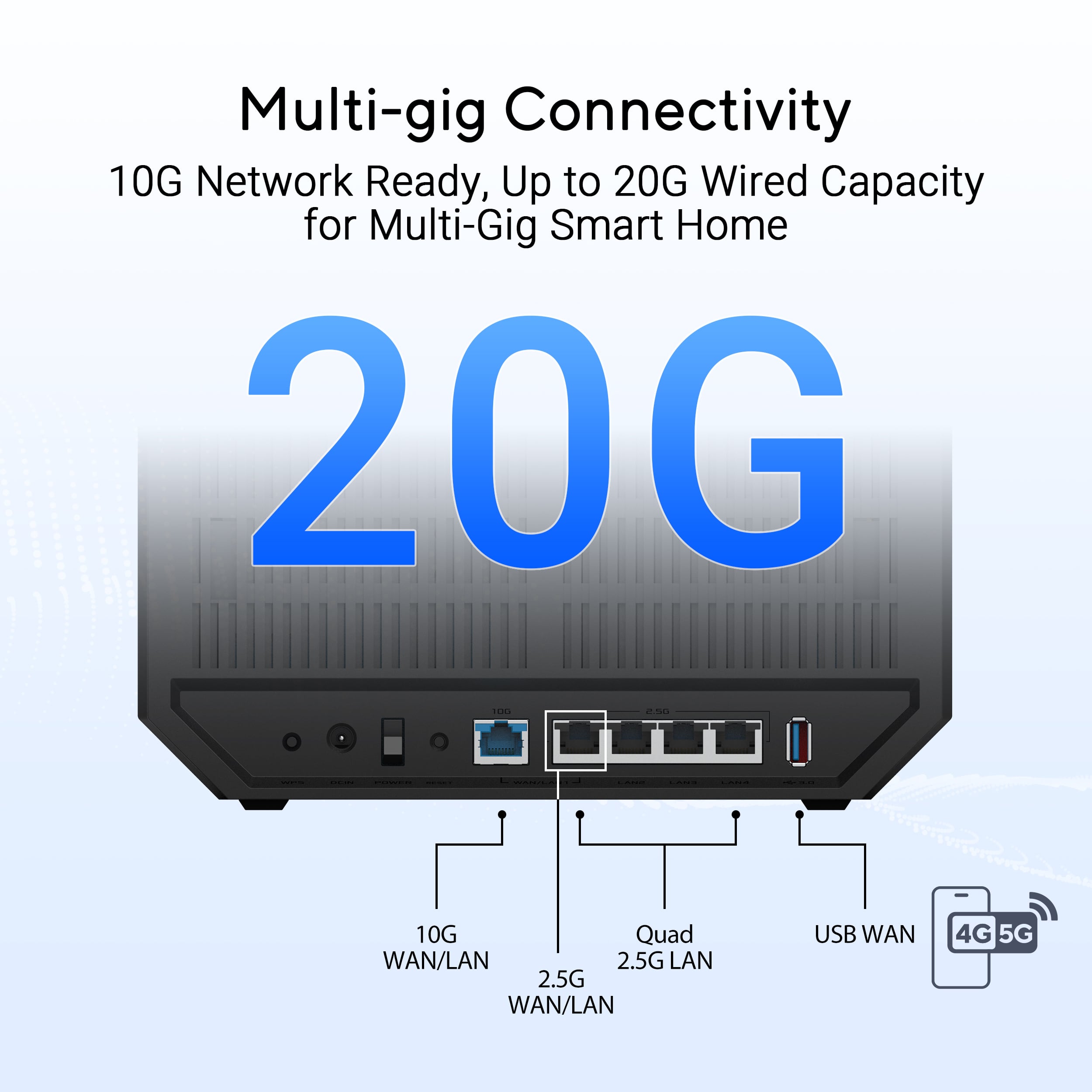
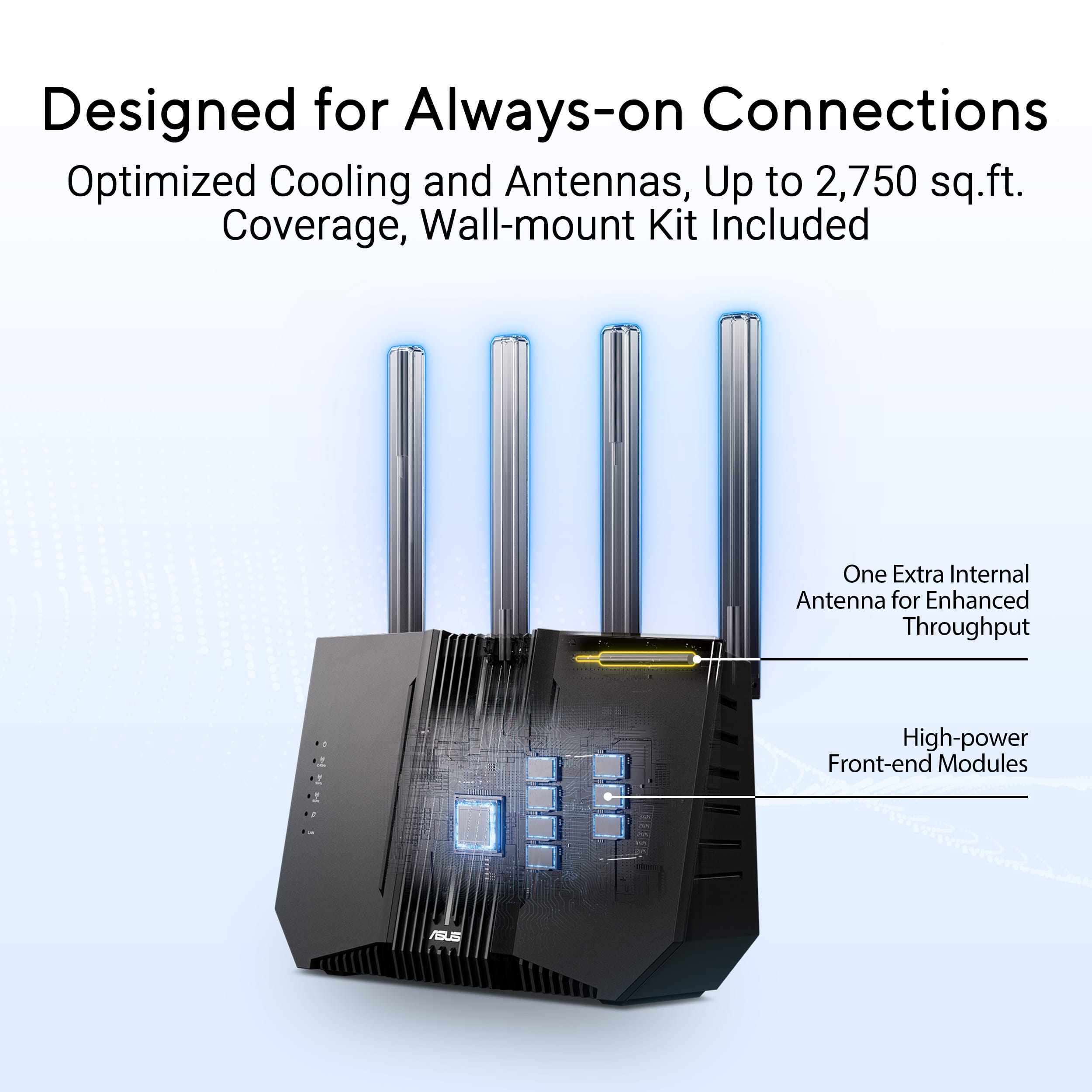



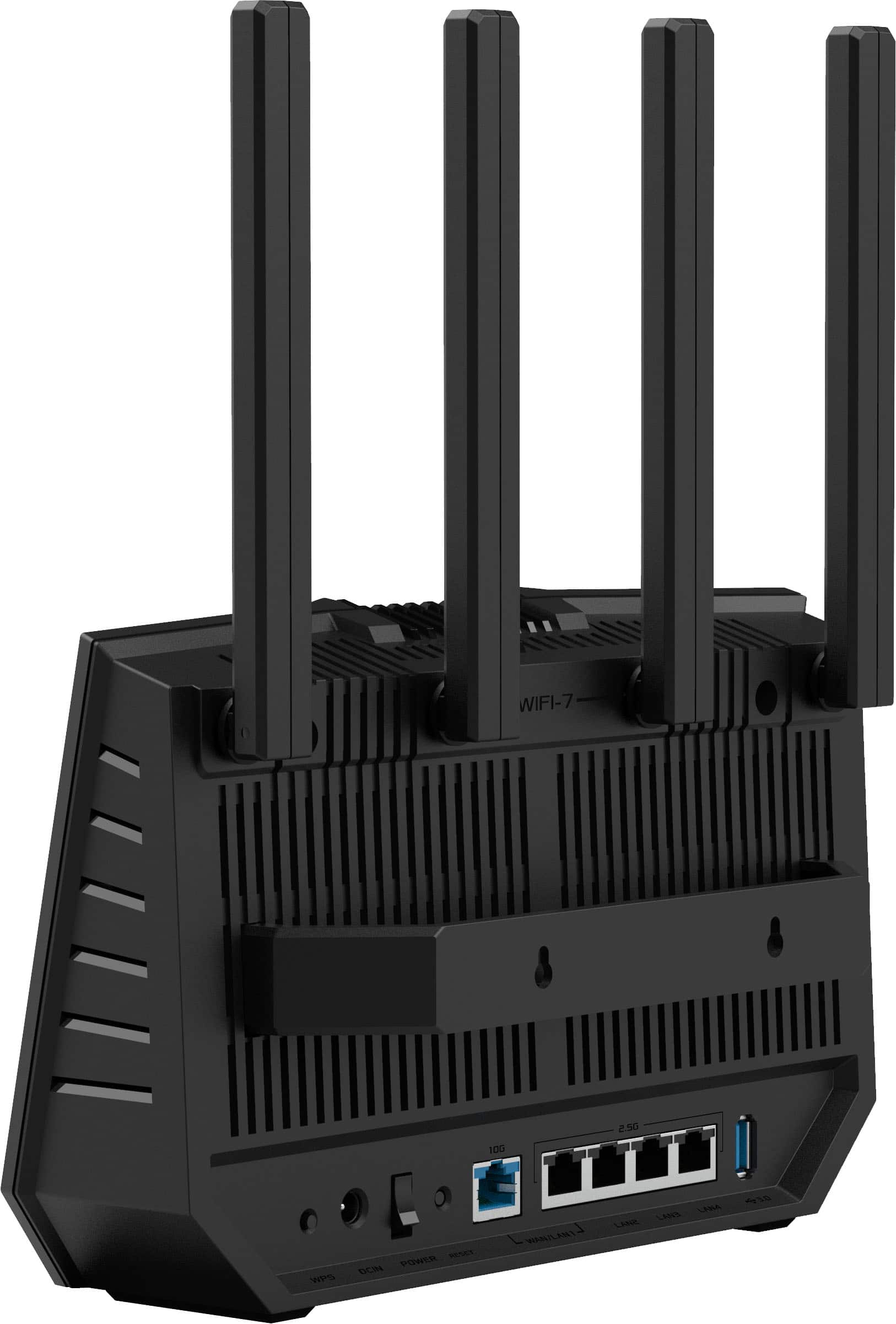
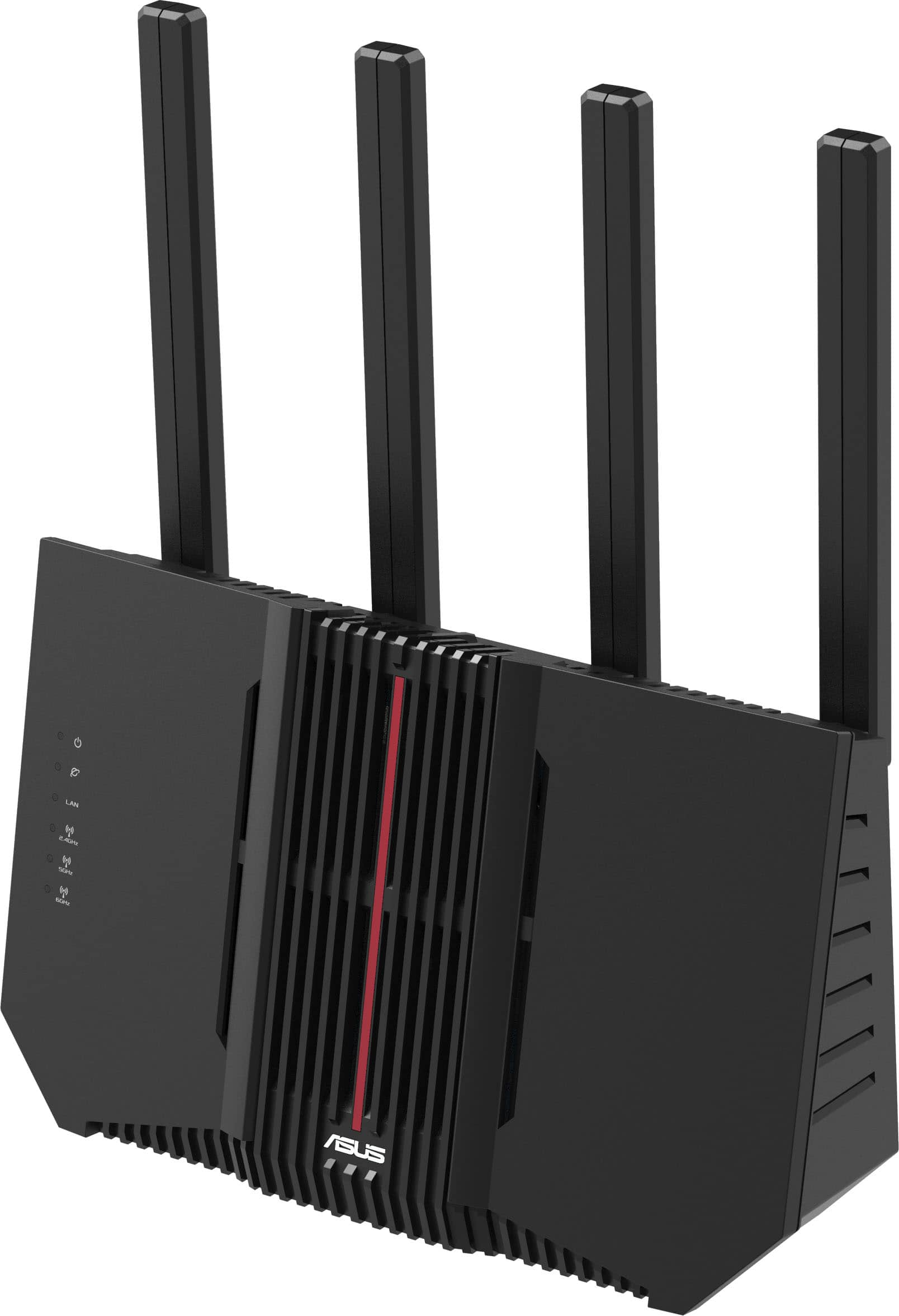
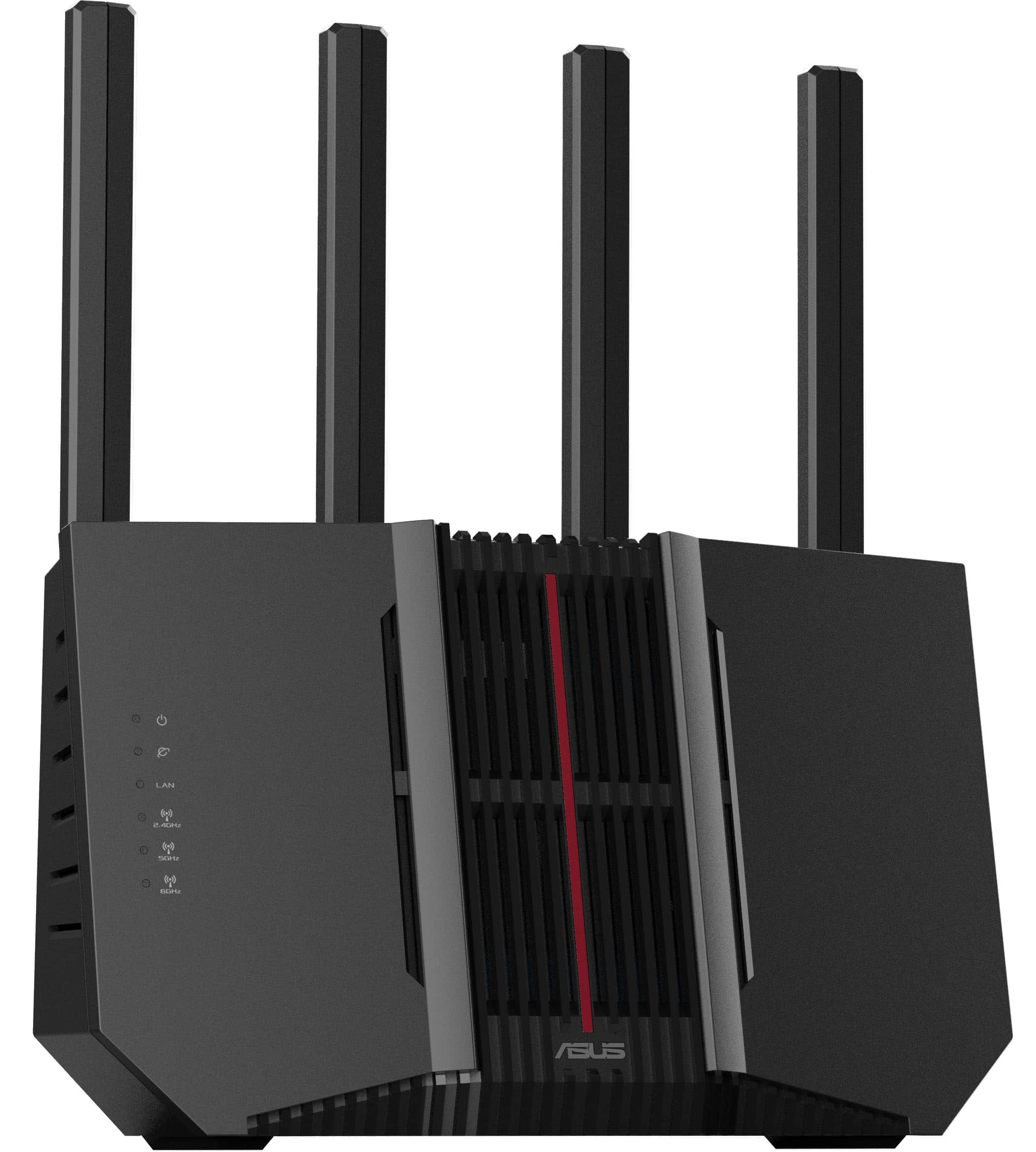
- Model:
- RT-BE92U
- SKU:
- 11065172
Rating by feature
- Setup
Rating 4.4 out of 5 stars
- Range
Rating 4.4 out of 5 stars
- Signal Strength
Rating 4.4 out of 5 stars
Excellent Tri-band WiFi-7 router at a good price
||Posted .This reviewer received promo considerations or sweepstakes entry for writing a review.This is a full-featured Wi-Fi7 tri-band router that works well as a single router or as the main router in a MESH configuration. The additional Wi-Fi protocols and the 6mHz band adds a good bit of connectivity and speed on newer devices that support them, but it is still solid as a strong router that connects well with older devices. This is the best overall router that I have installed in a number of years. It runs essentially problem free. For those that want to set or adjust the very detailed various settings, that's all available to you. I would definitely purchase again.
I would recommend this to a friendDon’t waste your money
||Posted . Owned for 3 weeks when reviewed.This reviewer received promo considerations or sweepstakes entry for writing a review.This router has an easy setup, a great range, and impressive speeds on the 6GHz band. However, my home devices require separate SSIDs for all three bands, which this router doesn’t seem to like much. As a result, the wireless radios would constantly drop, and the router needed to be rebooted every time. The provided app offered useful tools and insights, but occasionally, profiles and configurations would reset. After returning the router, I switched to a Nighthawk RS3000, and I haven’t encountered any issues since then!
No, I would not recommend this to a friendBrand response from ASUS Answers
Posted .Dear Darkslayer645,
We regret to learn that you are experiencing connectivity issues. To troubleshoot this issue, we recommend following the steps in the FAQ below. Should the issue persist, please contact our support team at https://www.asus.com/us/support/CallUs to further investigate the problem or assist with repairing the device.
We stand behind our products and continuously strive to improve our products and processes to achieve customer service excellence. For more information, email us at [email protected] and include the case number "N2410039925-0045" as a reference. We will do our best to resolve your case quickly. Your feedback is very important to us and enables us to improve our support channels. Thank you for choosing ASUS.
Best Regards,
Schottky
ASUS Customer Loyalty US Support
FAQ-How to improve Wi-Fi Connection https://www.asus.com/us/support/faq/1047919/
Excellent WiFi 7 router for the money!
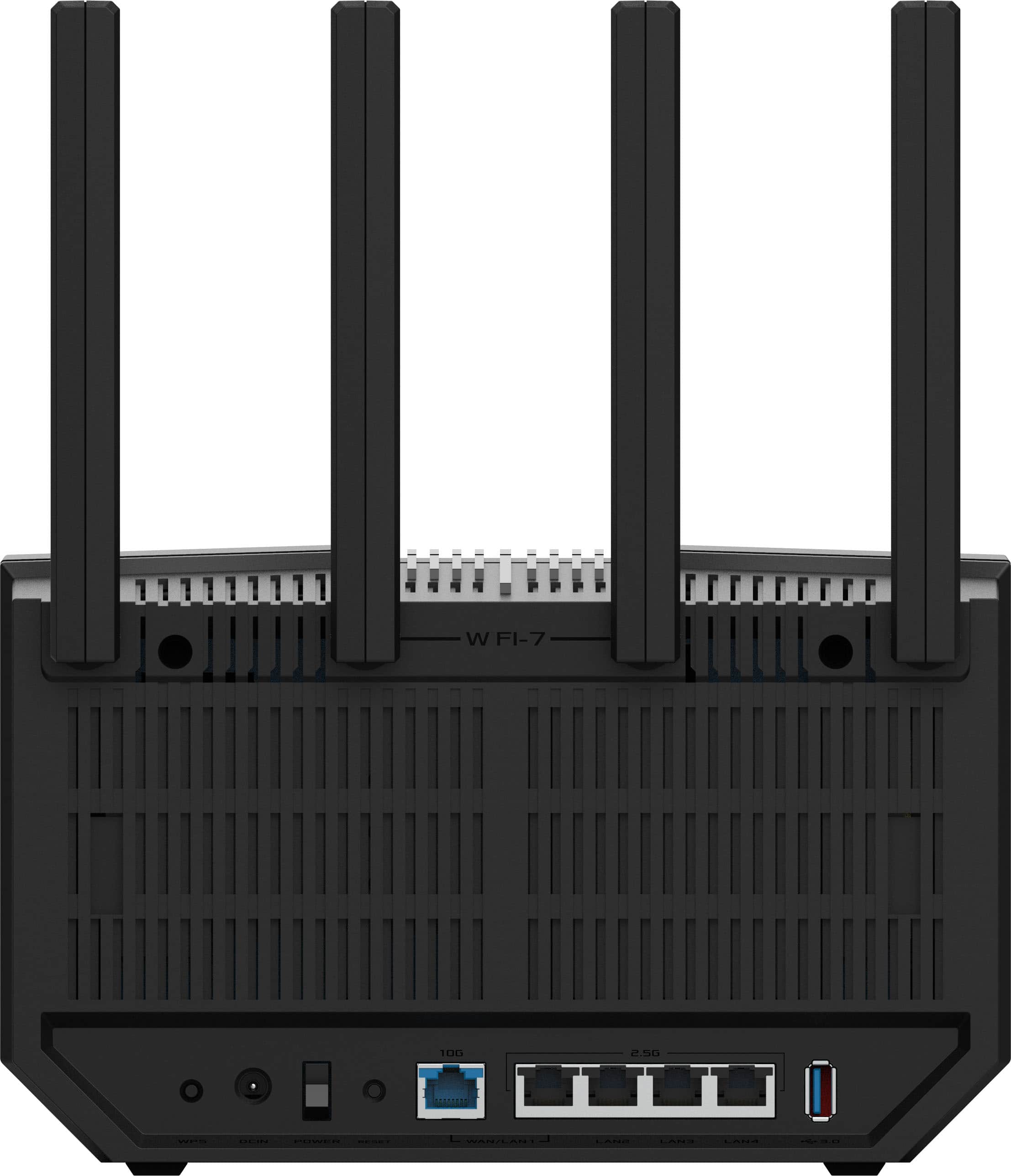
||Posted . Owned for 3 weeks when reviewed.This reviewer received promo considerations or sweepstakes entry for writing a review.I've been running this router for a few weeks as a replacement for an older WiFi 6 unit. I currently don't have need for the WiFi 7 capabilities, but the use of the 6GHz band (for those who have WiFi 6e devices) is still amazingly fast even when compared to 5GHz. The range for the 6GHz isn't as far, of course, but I have my router closer to where I work and browse so no issues. I switch over to the 5Ghz band if needed, but that's on a rare occasion. The fully adjustable antennas make it a breeze to zero in on dead spots. Easy to set-up and the software both on a PC and phone is easy to use. Only comment is that it could use some additional LAN ports. I have all 4 already occupied.
I would recommend this to a friendBEST $200 2.5GBs Router!
||Posted . Owned for 3 weeks when reviewed.This reviewer received promo considerations or sweepstakes entry for writing a review.This is the best $200 router I have ever bought. It has great range and speed and has super easy set up with the Asus App. I highly recommend anyone who wants an easy set up process and versatility when it comes to moving and or adding more router nodes to create a Mesh network in your home to do this Asus router or the Asus Routers in general. Was able to use my old Asus routers for my friends house and extend his wifi more than a block down the road with 2 of these hooked together. It is a great buy and value and performance.
I would recommend this to a friendPretty good so far
||Posted .This reviewer received promo considerations or sweepstakes entry for writing a review.Decided to buy even with all of the negative reviews. It worked great out of the box but I had some issues the second day with one of the networks not working. Thankfully a power cycle resolved the issue and it has been working well ever since. I'm cautiously optimistic that it will remain stable and the previous bad reviews have mostly been resolved through firmware updates.
I would recommend this to a friendMeh for the price.
||Posted .This reviewer received promo considerations or sweepstakes entry for writing a review.I will say this is not optimized or well suited for running a vpn client. It seems to keep one core of the CPU at max usage causing stability issues if running an open vpn client. I had random restarts and dropped connection issues even on machines not routing through the vpn until I turned if off. The UI is so so, responsive but not the best layout. They name things like VPN client "VPN Fusion", just stupid nonsense that's unnecessary and makes working with their product more difficult. I'm not sure the load balancing of the cpu cores is limited to an issue with VPN client running at this point, so we'll see how stable it stays during the return window if it's worth keeping. The number of dropped connections and random restarts so far is not promising, but hoping that's limited to the vpn being on. I replaced a much better performing similiar priced TP-LINK BE19000 that started consistently dropping connections after 2 months. I tried a netgear nighthawk RS600 which is way more expensive that I returned as it forces you into a dns subscription service or a monthly renewal of their partner free service for VPN client use. The lower specs on this I knew would be compromise and won't really support a future 5gig fiber connection, but none of the consumer manufacturers seem to be there yet.
No, I would not recommend this to a friendBrand response from ASUS Answers
Posted .Dear JakeB,
Thank you for your comment.
We do understand your disappointment with the product and the inconvenience this may have caused if you are experiencing random reboot and connection drops. To resolve a weak WIFI signal, place it in a central location within your home, away from walls and obstructions, keep it elevated off the floor and away from electronic devices that may cause interference. Check if the router is within 30 feet to the ISP's modem, if not wired with a network cable, and ISP's internet service or connection is working properly or stable. Legacy devices may not work properly with WIFI-7, please check updates for these devices. Also, try connecting this manually to either 2.4GHz or 5GHz. Also, we recommend updating the Mesh router firmware if it is running with an older version. Firmware is available for download at: https://www.asus.com/us/networking-iot-servers/wifi-7/all-series/asus-rt-be92u/helpdesk_bios?model2Name=ASUS-RT-BE92U . Regarding the random auto-restart, check if the router settings matches with the security cedentials from your ISP's modem. Furthermore, ensure the router was placed in a well-ventilated location to prevent overheating that will cause auto-reboot.
Should you need further assistance with the product, please email me at [email protected] and I would be more than happy to help. Or you are most welcome to call Product Support Hotline at: 1(888) 678-3688. Also, you can chat with an ASUS live support agent from the link: https://www.asus.com/us/support/article/1135/.
Thank you for choosing an ASUS product.
Regards,
Rodel
ASUS Customer Loyalty
Easy to setup
||Posted . Owned for 2 weeks when reviewed.This reviewer received promo considerations or sweepstakes entry for writing a review.My 11 yr old set it up all by himself out of the box. And connected to it several wired and wireless devices. Its fast and simple.
I would recommend this to a friendRecommended Router for good reliability
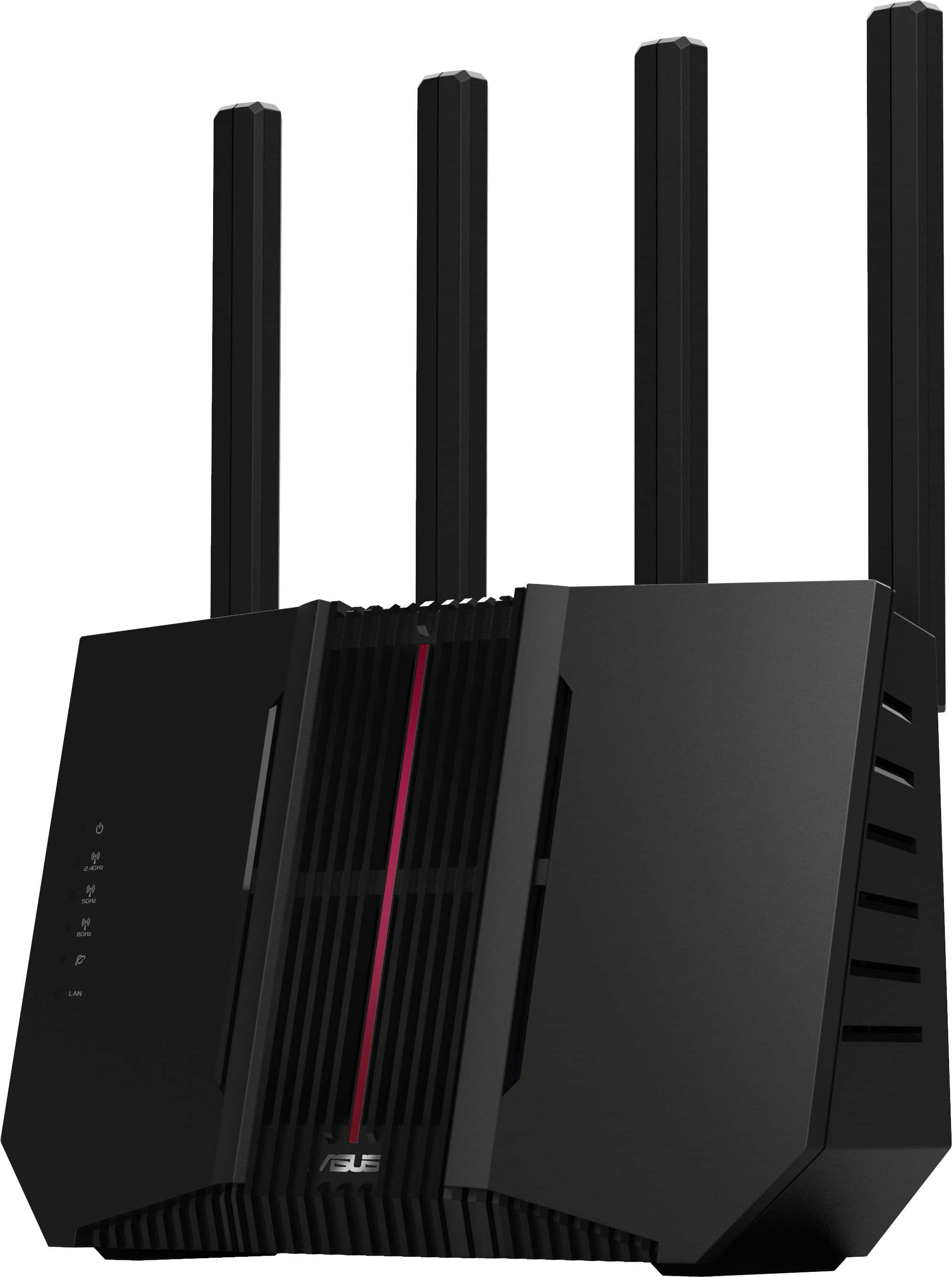
||Posted . Owned for 3 weeks when reviewed.This reviewer received promo considerations or sweepstakes entry for writing a review.This is my second ASUS router. My first one lasted about six years before it failed and became inaccessible. I’m hoping this new one will hold up even longer. So far, I like it better than the last model — the LED light indicators are much easier to see at a glance, which is a nice upgrade. Performance has been excellent, with strong coverage throughout my home and even reaching outside. The only downside is that I’m not getting a signal in my attached garage for some reason. Overall, I’m happy with the purchase and would recommend it.
I would recommend this to a friendCheap but powerful
||Posted . Owned for 3 weeks when reviewed.This reviewer received promo considerations or sweepstakes entry for writing a review.Easy to setup, great speed with fast ports. Bought multiple to create aimesh
I would recommend this to a friendTerribly Unreliable
||Posted . Owned for 7 months when reviewed.This reviewer received promo considerations or sweepstakes entry for writing a review.I had to purchase a new router as my old Asus RT-86 went unresponsive after years of reliability. I purchased the RT-BE92U about 8 months ago. I started being plagued by issues about 2 months ago. Devices show no internet connection. The modem indicates it is connected. Sometimes the router will show a red light for WAN, sometimes a normal white light. The router will reboot itself randomly. I have split the wifi networks, turned off: wifi 7, MLO, AI protection, QOS, automatic firmware checks/updates, and other settings I am sure I am forgetting. Sometimes a reboot helps, sometimes thave to reboot multiple times. I have tried soft reset and restore settings; hard reset and new setup. Different firmware versions. This router is absolute junk. My wife and I both work from home, and this is not a struggle I can tolerate further. The system logs show kernel panics and watchdog issues. After owning 4 Asus routers, I will look for a replacement from another brand, and do not recommend this to anyone.
No, I would not recommend this to a friendBrand response from ASUS Answers
Posted .Dear RhysW,
Thank you for sharing your experience with the ASUS RT-BE92U router. We are sorry to hear about the frequent connectivity issues, random reboots, and system log errors you’ve encountered, and we sincerely apologize for the disruption this has caused. This is not the quality of product performance we aim to provide, and we regret that your experience did not reflect our standards.
To further investigate the issue and explore possible repair options, we kindly advise you to contact our support team directly at https://www.asus.com/us/support/callus/ . Our specialists will be able to review your case in detail and provide the most appropriate assistance.
We stand behind our products and continuously strive to improve our products and processes to achieve customer service excellence. For more information, email us at [email protected] and include the case number "N2410039925-0046" as a reference. We will do our best to resolve your case quickly. Your feedback is very important to us and enables us to improve our support channels. Thank you for choosing ASUS.
Best Regards,
Chantae
ASUS Customer Loyalty US Support
Well done
||Posted . Owned for less than 1 week when reviewed.This reviewer received promo considerations or sweepstakes entry for writing a review.Great value. Many advanced features. Very easy setup. Has 6ghz/5g/2.4g bands. Much further range compared to my last router. I would recommend this to anyone looking to connect around 30 devices.
I would recommend this to a friendGreat speeds
||Posted . Owned for 2 months when reviewed.This reviewer received promo considerations or sweepstakes entry for writing a review.Easy to set up and the app is solid. Nothing crazy.
I would recommend this to a friendBest WiFi 7 router
||Posted . Owned for 2 weeks when reviewed.This reviewer received promo considerations or sweepstakes entry for writing a review.I have been running Asus routers for years and as of lately on my iPhone 17 pro max I had the WiFi bug hard so it was time to try any solution so I picked this WiFi 7 capable router and my speeds went over 1gb on WiFi from 459mb. The price is cheap for a WiFi router with this much capability you will not be disappointed.
I would recommend this to a friendmy review
||Posted . Owned for 1 month when reviewed.This reviewer received promo considerations or sweepstakes entry for writing a review.Had problem with original router. Took back and exchanged for a new one and that one was dead out of the box so i exchanged it and the new one had maintaining a connection until i changed some settings and downloaded new firmware. Its working ok now except after the firmware update it shows my laptop is connecting by 2 clients! Ugh! Overall it's a good router with plenty of features! Calling tech support at ASUS was not very helpful!
I would recommend this to a friendSuperb Home Network Router
||Posted . Owned for 1 month when reviewed.This reviewer received promo considerations or sweepstakes entry for writing a review.I have experience with at least three different routers. Basically, the more you pay, the greater the features and signal range. For the average home user, you do not need to pay the higher price. Thus, the Asus RT-BE92U is a well-priced router that offers excellent features and superb signal range. With a previous router around the same price, the signal strength was weak on the other end of my house. However, this Asus router provided excellent signal strength for the same end of my home. Also, each manufacturer's router interface is different. Some are more pleasing and easier for the user to navigate and understand than others. The user interface for this router is robust and splendid, and its explanations are usually coherent for anyone with some computer experience. I have learned one apparent flaw with the software in that the bug icon for a possibly infected device cannot seem to be removed once placed. Of course, I expect this to be resolved with a future software update since no application is perfect in its coding. While I have not explored the router's user interface extensively, this is my only complaint. Of the routers that I have used throughout my long career in the information technology field, the Asus RT-BE92U router is one of the best if not the best for its price. Unless you are a serious gamer with high hardware requirements, you cannot go wrong with purchasing this product.
I would recommend this to a friend
My Gaming router
|Posted .This reviewer received promo considerations or sweepstakes entry for writing a review.The device's exceptional performance immediately stood out, providing seamless connectivity for all my devices. Its user-friendly interface made setup and configuration effortless, even for someone with limited technical expertise. The router's robust features, including advanced security protocols, provided peace of mind while gaming online. Furthermore, its sleek design seamlessly integrated into the existing home entertainment setup, enhancing the overall aesthetic appeal. Overall, it's a reliable and high-performing router that significantly improved the online gaming experience.
I would recommend this to a friendRouter
||Posted . Owned for 1 month when reviewed.This reviewer received promo considerations or sweepstakes entry for writing a review.Really good router, no complaints. Easybinstall and easy use
I would recommend this to a friendWifi not as advertised... sort of
||Posted . Owned for 1 month when reviewed.This reviewer received promo considerations or sweepstakes entry for writing a review.Currently have Quantum fiber so I was able to get the two gig hardwired no problem. However, Wi-Fi from my desktop shows roughly 400mbps download and my phone is only 300mbps. I cureently only have use the desktop and my phone on the asus router, everything else is going through a tp-link deco mesh AP. when I switch to the deco's, which had the whole house on it including ring cameras, I get 900mbps wifi download when the only thing on the router is the desktop and phone. My main reason perching sing this in addition to the Wi-Fi 7, is the 1 gig download for 2.4 gigahertz Channel, majority of the routers on the market only avg 600 Mbps for 2.4 Channel. With that said, a bit overpriced in my opinion especially since I don't get good download, I have to use the deco
No, I would not recommend this to a friendBrand response from ASUS Answers
Posted .Dear Riceball,
We sincerely apologize for the slow wireless speed issue you're experiencing with the router and for the inconvenience this has caused you. To troubleshoot the issue described, we recommend following the steps in the FAQ below. Should the issue persist, please contact our support team at https://www.asus.com/us/support/CallUs to further investigate the problem.
We stand behind our products and continuously strive to improve our products and processes to achieve customer service excellence. For more information, email us at [email protected] and include the case number "N2501038506-0005" as a reference. We will do our best to resolve your case quickly. Your feedback is very important to us and enables us to improve our support channels. Thank you for choosing ASUS.
Best Regards,
Chantae
ASUS Customer Loyalty US Support
[Wireless Router] How to improve Wi-Fi Connection - https://www.asus.com/support/faq/1047919/
Avoid
||Posted .This reviewer received promo considerations or sweepstakes entry for writing a review.So there are a lot of reviews of this unit cutting or cycling when the cpu 100%. That’s true and it can happen anytime it wants. Because my work is crucial, I use direct Ethernet for my systems to but that doesn’t mean I am safe. Actually considering disabling the DHCP portion of the router and installing a wired router to handle those requests.
No, I would not recommend this to a friendBrand response from ASUS Answers
Posted .Dear AndrewMD,
We regret to learn that you are experiencing connectivity issues. To troubleshoot this issue, we recommend following the steps in the FAQ below. Should the issue persist, please contact our support team at https://www.asus.com/us/support/CallUs to further investigate the problem or assist with repairing the device.
We stand behind our products and continuously strive to improve our products and processes to achieve customer service excellence. For more information, email us at [email protected] and include the case number "N2501038506-0009" as a reference. We will do our best to resolve your case quickly. Your feedback is very important to us and enables us to improve our support channels. Thank you for choosing ASUS.
Best Regards,
Schottky
ASUS Customer Loyalty US Support
FAQ-How to improve Wi-Fi Connection https://www.asus.com/us/support/faq/1047919/
Mediocre Experience in a Smart-Home Setup
||Posted . Owned for 11 months when reviewed.This reviewer received promo considerations or sweepstakes entry for writing a review.I bought the ASUS RT‑BE92U hoping it would be a big step up for my townhouse network to replace my old Google Wifi mesh setup. I look at the ASUS because it had a lot of future-proof features and people seem to like the extensive customization you get through the ASUS software. But after trying it out in a three-story, ~1,250 sq ft townhome packed with multiple devices and about a dozen smart-home appliances (lights, sensors, etc.), I ended up returning it. What the Router Does Decently: The RT-BE92U has a strong feature set on paper: Wi-Fi 7 support, tri-band connectivity, and plenty of LAN ports including high-speed 2.5 Gbps/10 Gbps options. That looks great if you care about wired networking or future-proofing. It can deliver good throughput at short range, and for a small home or single-room use, maybe that would be enough. Setup was easy and ASUS’s software and feature-rich firmware are more comprehensive than most basic routers, so if you like tweaking settings, parental controls, and advanced options, there’s a lot under the hood to play with. Where It Fell Short: For me, it wasn't reliable enough with constant stability issues, dropouts, and reboots. In my townhouse with multiple floors and many devices, the connection simply wasn’t stable. It struggled to keep a consistent connection throughout the house. I’m not alone either; other users on ASUS forums report random disconnections, CPU spikes, and even unexpected reboots when using this router, and ASUS has even acknowledged it doesn't have any firmware fixes that completely solve the problem. Performance degrades over distance and with many devices. Though Wi-Fi 7 promises high speeds, the RT-BE92U’s real-world performance drops significantly at moderate range, which made it hard to cover all three levels of my home reliably. I got mixed results with smart-home gadgets. At first, I thought the tri-band might handle all my lightbulbs, sensors, and other IoT devices, but many struggled to stay connected, or dropped off the network entirely. This aligns with what some other users have observed with Wi-Fi 7 routers trying to support legacy smart-home gear. Bottom Line: If you have a small apartment or a modest number of devices, the RT-BE92U might be okay. But in a multi-level home loaded with smart-home gear, it was too inconsistent with frequent dropouts and weak coverage made it unreliable for daily use. For me, it simply couldn’t keep up with all the devices across three floors. And for the price, I would expect a lot better performance I ended up returning it and replacing it with a mesh-based system that handles my smart home and many devices much more reliably. If you’re looking for a “set and forget” router to support lots of devices across a larger home, I can’t confidently recommend the RT-BE92U.
No, I would not recommend this to a friendBrand response from ASUS Answers
Posted .Dear Steven,
Thank you for sharing your feedback on the ASUS RT‑BE92U router. We sincerely apologize for the stability and performance concerns you experienced, which ultimately led to a return. While we are glad to hear you found the setup process straightforward and appreciated the feature set, we regret that the router did not meet your expectations in a multi‑level home environment.
Your feedback is greatly appreciated and will be passed along to our product team for further review.
We stand behind our products and continuously strive to improve our products and processes to achieve customer service excellence. If you require any further assistance, please email us at [email protected] and include the case number "N2412010337-0012" as a reference. We will do our best to resolve your case quickly. Your feedback is very important to us, and it enables us to improve our support channels. Thank you for choosing ASUS.
Best Regards,
Chantae
ASUS Customer Loyalty US Support