Customer Ratings & Reviews
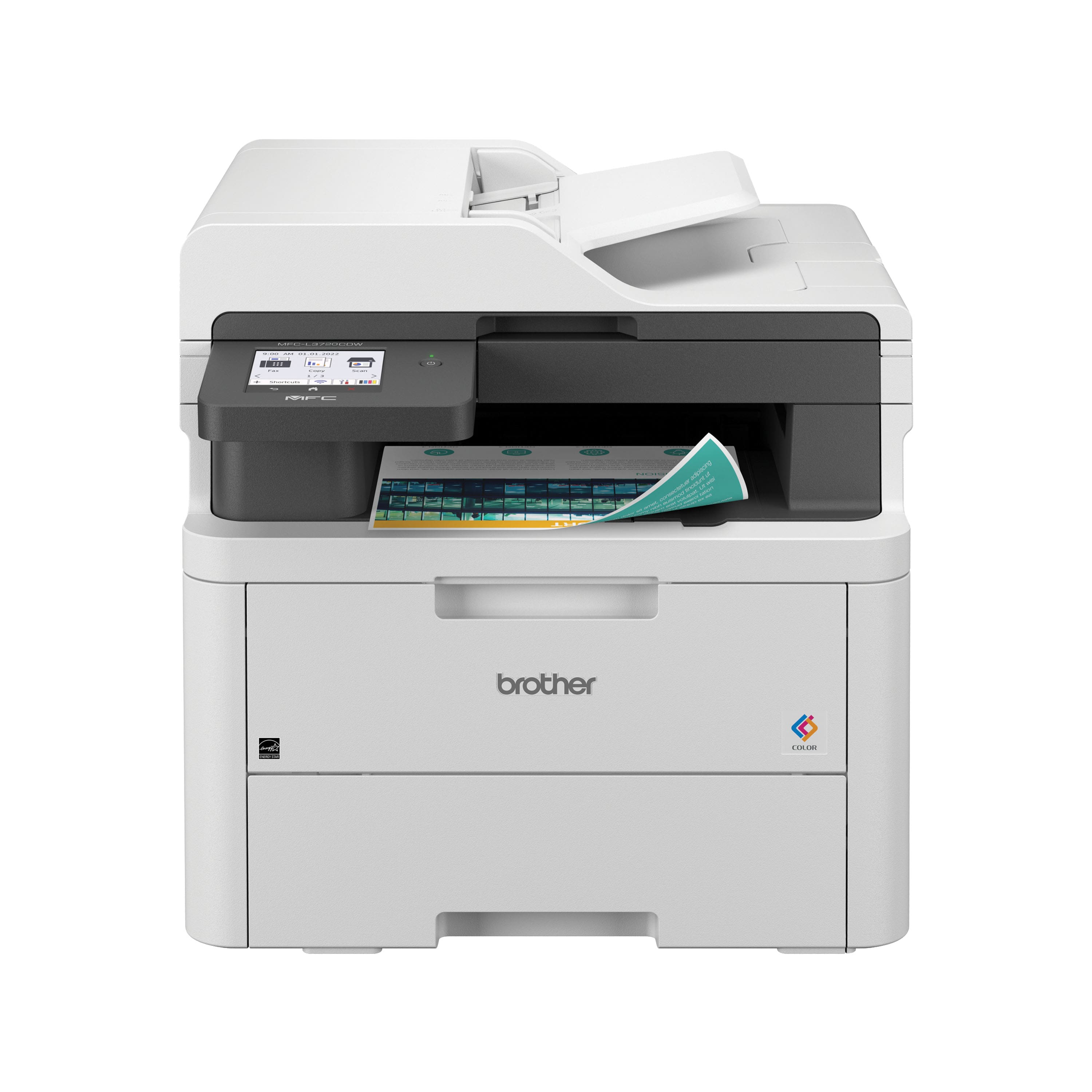
- Model:
- MFC-L3720CDW
- SKU:
- 10154938
Rating by feature
- Value
Rating 4.5 out of 5 stars
- Quality
Rating 4.6 out of 5 stars
- Ease of Use
Rating 4.5 out of 5 stars
Kris Parikh
||Posted . Owned for 8 months when reviewed.This reviewer received promo considerations or sweepstakes entry for writing a review.MFC-3720CDW has been a real lemon. I hardly had 40 pages printed and I had to replace ink cartridge twice. I have been trying to return for last 6 months no luck. The geek squad guy who had come to our place to repair MFC 8910 DW told us rather than replace a drum on 8910 we should buy a new color printer. He ordered and I am stuck with it. He also took away MFC8910 DW. I am a full service member for years. I am not happy with this geek squad purchase for me.
No, I would not recommend this to a friendwaste of time ordering
||Posted . Owned for 1 month when reviewed.This reviewer received promo considerations or sweepstakes entry for writing a review.I wouldn't know. The shipment was canceled by the seller and I never got the product.
No, I would not recommend this to a friendNo even 1, but 0 Stars!
||Posted . Owned for 3 weeks when reviewed.This reviewer received promo considerations or sweepstakes entry for writing a review.No even 1, but 0 Stars! After 8 years, My very basic HP printer stopped working. As a teacher I wanted to try something new and reliable to keep me going when I need it the most. Consequently, on Jan 14th, I ordered a Brother brand, a very sophisticated I heard, but this printer would not connect permanently to Wi-Fi, neither stays ON for a long period of time. So when I need to print I have to get up from wherever I am to turn it on again, then wait and set it up to Wi-Fi because it disconnects whenever it wants. I received it on January 20th, so after trying for two weeks without success, my daughter suggested to give it another chance. She patiently spent time trying to make it work, she even tried one way and another from website, but same happened; now on Feb 11th no even 30 days, I read that time to return it has passed. Therefore, VERY, VERY disappointed!
No, I would not recommend this to a friendBrand response from Brother
Posted .We would like to take this opportunity to thank you for your feedback. At Brother, customer satisfaction is something we take seriously. We would love to hear from you with more details to be able to better assist you. Our Brother Customer Support Team is available to assist you direct: www.brother-usa.com/brother-support


Brother Printers Continue To Amaze
|Posted .This reviewer received promo considerations or sweepstakes entry for writing a review.I have never met a Brother printer that I didn't like and the MFC-L3720CDW is no exception. Between the print quality, the accessibility of all of the important functionality, the common-sense layout of the controls, the multi-page scanning ability, the simple copy ability, and the compact form factor of the entire device, this Brother color laser printer is a must have for any small business owner, especially if you're working from home. If you handle a large number of documents, this will replace at least 3 of your devices (your standalone bulk scanner and copy machine and whatever you're currently using to print now). The handling of smaller form factor items like labels for shipping and envelopes is pristine. There's very little noise while it's operating and the printer itself is very responsive. The best part: the printer JUST WORKS. From AirPlay to Bluetooth to Windows to Apple... it's all ready go to. I have never had to fuss so little with a printer in my life. The connectivity to file systems (e.g. Google Drive or Dropbox, or even a stand-alone FTP server) along with the incredibly helpful app mean that you're pretty much good to go out of the box within 15-20 minutes. My sum total of two complaints: 1. Why can't this use the same toner as the previous models? It's practically a given that most of the market will be updating from the enormously popular hl-l3270cdw (which in and of itself is a fantastic printer!) Even an adapter would have been handy... it's just so silly and wasteful for a company that already does a ton to ensure you can recycle your print materials. 2. Why oh why must these things be packaged in hard foam? Again, Brother's environmental goals are well-known (https://www.brother-usa.com/environmental-programs) -- and yes, I get it, printers are heavy and fragile, but the amount of protective packaging was overkill and a partner program to help reduce the amount of tossed foam and packing material would be very, very welcome for the end-user who realistically won't be tossing the printer off a roof unless they really mean to. All told: stop shopping, you've found your all-in-one printer/scanner/copy workhorse.
I would recommend this to a friendSooo much better than inkjet technology! Love it!!
|Posted .This reviewer received promo considerations or sweepstakes entry for writing a review.The Brother MFC-L3720CDW printer is a phenomenal piece of technology that I would highly recommend to anyone in need of a high-quality, reliable printer. This device has quickly become one of my favorite printers due to its many fantastic features and overall excellent performance. First off, let's talk about the print quality - it's astounding. Whether you're printing documents with text or full-color images, this machine delivers sharp, crisp output every time. And if speed is important to you (it certainly is for me!), then you'll be happy to know that this printer can churn out up to 25 pages per minute - lightning-fast! Another great thing about this device are its connectivity options. You can easily connect via Wi-Fi, Ethernet or USB - whatever suits your needs best. Plus, there's even support for mobile devices like smartphones and tablets so you can easily print from anywhere at any time without having to worry about being near your computer. One feature that really stands out on the Brother MFC-L3720CDW is its intuitive touchscreen display which makes navigating menus and settings an absolute breeze. Even people who aren't tech-savvy will find it easy to use thanks to the simple interface. And let's not forget about convenience either - this machine comes equipped with automatic duplex printing which means you'll save money on paper while helping the environment by reducing paper waste. Finally, perhaps one of the most compelling aspects of this printer is its durability and build quality. It feels solidly built and designed for reliability over a long period of time which gives peace-of-mind knowing that it won't break down anytime soon. All in all, I'm thoroughly impressed with how well-designed and functional the Brother MFC-L3720CDW printer truly is – making it definitely worth investing in today!!!!!!!!!
I would recommend this to a friendHorrible photo quality
||Posted . Owned for 2 weeks when reviewed.This reviewer received promo considerations or sweepstakes entry for writing a review.Worst photo quality ever. Tried all the Brother recommendations but it didn’t make a difference. Couldn’t return it fast enough.
No, I would not recommend this to a friendPrints clear text and graphics, almost laser like
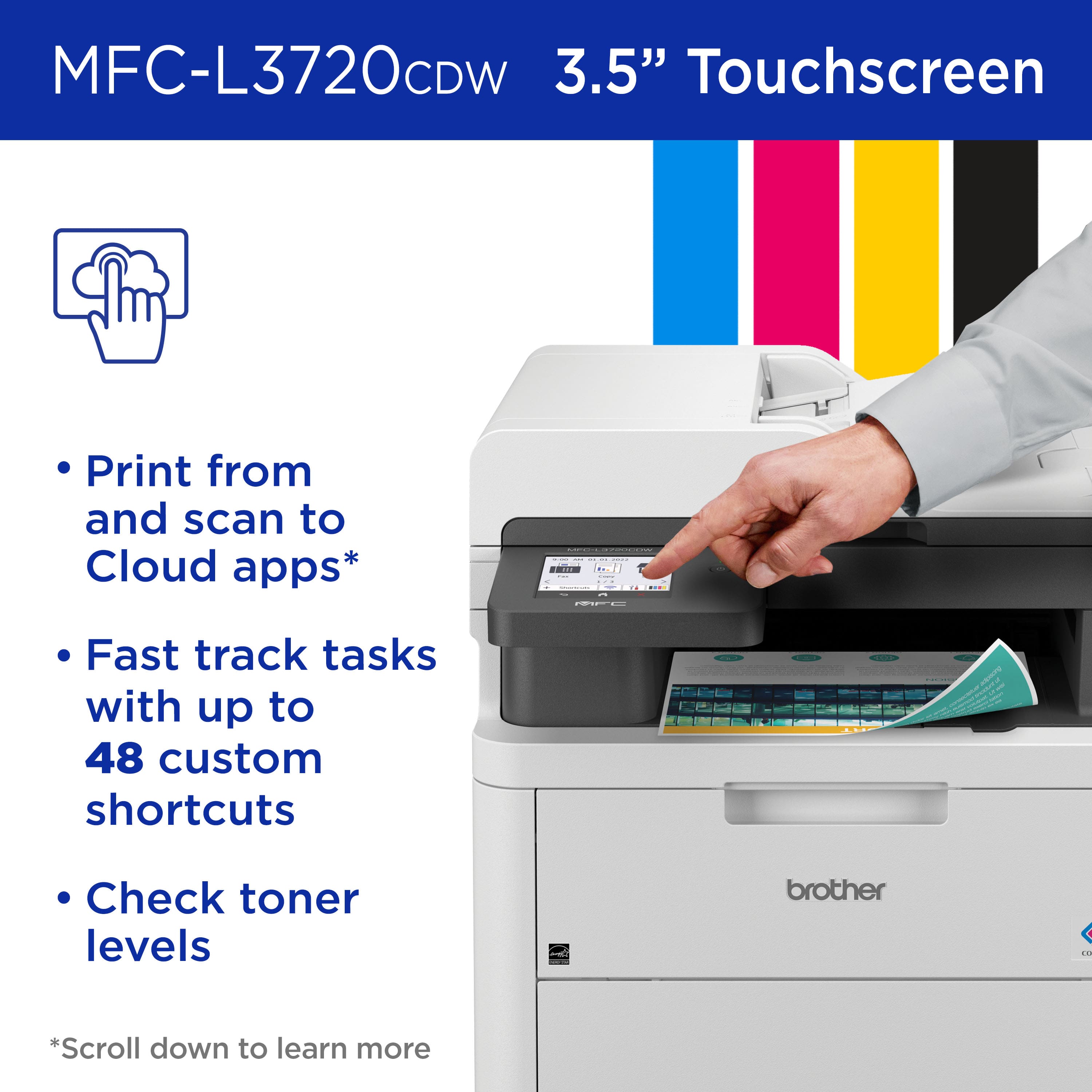
|Posted .This reviewer received promo considerations or sweepstakes entry for writing a review.Installation on Sonoma on Mac was confusing because software does not fully support Sonoma yet (as of this writing). You have to download iPrint&Scan software version for MacOS 13. It works fine so far. The software is really basic and really worth talking about. Start up until ready to print in about 20 seconds. First page out from sleep takes about 17 seconds and second page in 7 seconds. A page with colored graphics with text took about 20 seconds to print from sleep. Text print quality is sharp and clear. However, the black could be a bit darker, not solid black like a laser printer. The white text on a black background was nice and clean, no noticeable bleeding. According to the specs, this printer is not photo printing capable. I tried printing a photo on glossy photo paper and I have to admit that they’re right. It wasn’t bad but definitely not a photo printer. There’s only one setting for media quality, NORMAL. Maybe this is a limitation on Mac OS. This is not the fastest printer (19 PPM) but there is another model that has a faster print speed. Available connections: Wi-Fi, ethernet, USB and AirPrint. You can scan and save to Google drive, One Drive, Drop Box and other platforms. You can also print from anywhere using the Mobile Connect app. Scan to Word, Excel and PowerPoint or searchable PDF. Toner cartridges can be bought as needed or you can subscribe to Brother’s Toner Refresh. The cartridges are easy to install. Cons: - BOOOO! NO duplex (double-sided) scan feature. This is a big deal breaker for my work at home use. At the $400 price point, it should have duplex scanning. - I had a hard time getting the printed papers out. - The bottom part of the touchscreen that has the HOME, BACK and CANCEL buttons is not backlit so in darkness, you can’t see where those buttons are. - The 3.5” LCD screen is fixed, does not tilt. ** Note the machine password on the back of the printer before installation.
I would recommend this to a friendMulti Function Printer for Home or Office use
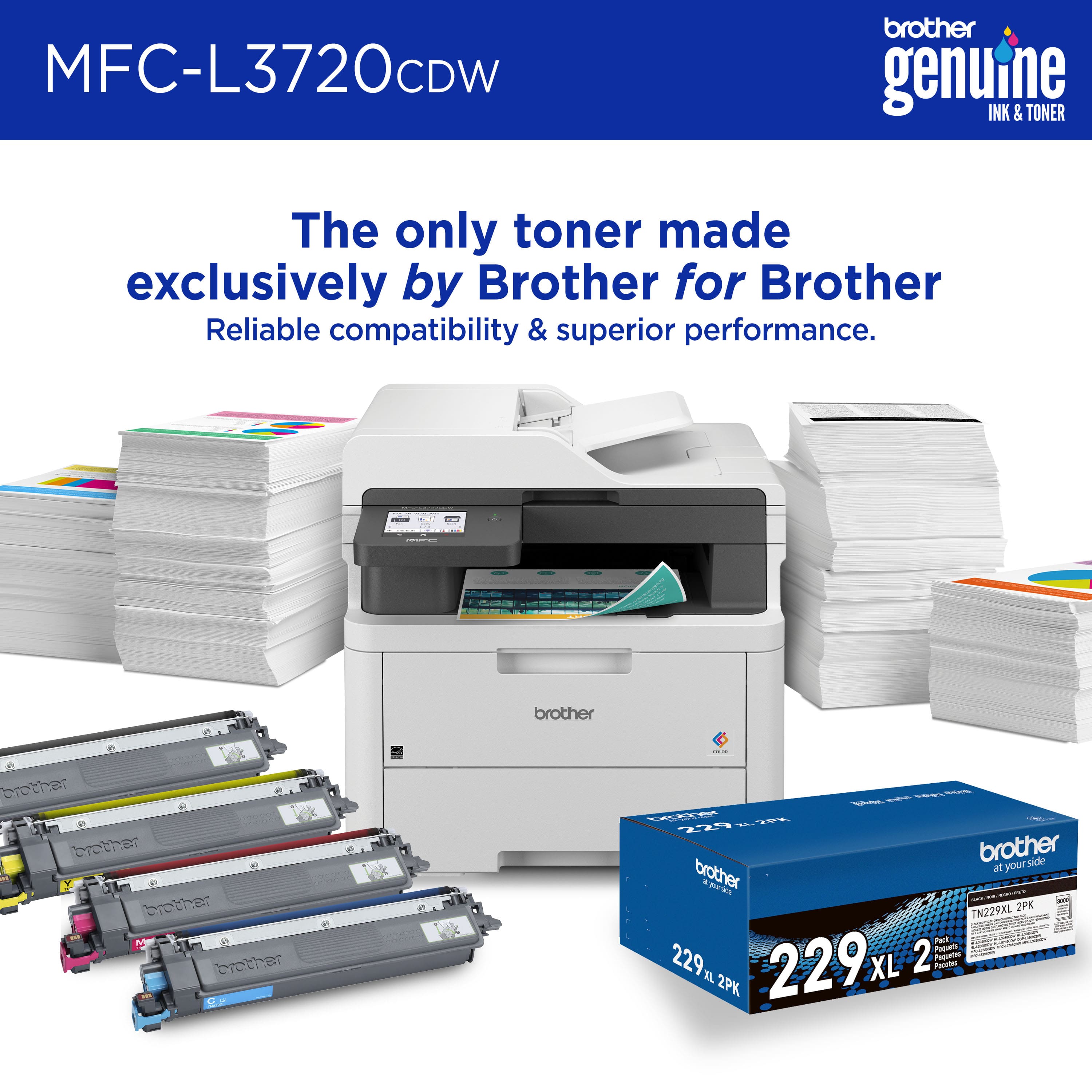
|Posted .This reviewer received promo considerations or sweepstakes entry for writing a review.I’ve always loved Brother printers. I’ve had a brother inkjet or laserjet printer for the longest time. They are long-running, easy-to-operate, economical, cheap to print, well-built, reliable printers. I currently have a Brother MFC9130CW and a Brother HL2270DW; both printers are over ten years old and still churning. However, the MFC9130CW was getting a bit long in the tooth and needed replacement parts, and I needed a newer, faster, more capable multi-function printer. When the opportunity to replace the MFC9130CW came about, I jumped at it. The new MFCL3720CDW is an excellent replacement. It has all the features that I would want and more. First, it is actually ‘smaller’ than the older unit, but not much smaller and a bit lighter. The design is reminiscent of the classic multi-function printers and is highly minimalistic regarding buttons. There is only one, and that is to turn it on. Once you’ve unboxed the MFCL3720CDW printer and removed the myriad of packing tape and other protective items, including the brackets on either side of the toner cartridges, you are ready to turn on the printer. Loading the paper with paper is easy, and it holds, by my estimate, 250 sheets. The printer setup is easy. One may choose to use an app by scanning the QR code and continuing to set up the printer via your mobile phone, or if you were like me, I just swiped over to the wireless connections page on the 3.5-inch touch screen control panel and signed into my wifi. That was it, and I was ready to print. By default, Windows 11 did print to this printer without installing drivers, but one can go to Brother’s website at support.brother.com and download the installer for your computer. The advantage of using the software is you get more control over your printers, including status checks, firmware updates, and even the ability to scan using the printer’s fantastic scanner. The overall print and scan speeds of this printer are fantastic. This is a duplexing printer, which means you can print on both sides, saving paper. The initial print is out within 3 seconds and will churn about 13-20 pages a minute. The specifications say 19 pages a minute, but I found that depending on what you are printing, it can slow down, especially on heavy-color full-sized image pages. That said, the print speed is not shabby and is much faster than the outgoing MFC9130CW. The scanning speeds are fast, crisp, and clear. I had no issues scanning 30-page documents using the auto document feeder. The scanner does feature the ability to copy and fax using the built-in fax modem (for those who use fax, it's a nice must-have feature). The copy feature also has an “ID” card copy feature, which scans two sides of an ID card to put it on one page. If you are looking for a multi-function printer that can also duplex scan, then the MFCL3780CDW model (one higher than this) has that feature. Given my past experiences with Brother, the interfaces on the administrative end are no different from before. You can log into the printer's IP address in your computer browser (the password is printed on a sticker on the back of the printer) and log in to change settings. If you installed the Brother printer drivers, many settings are available in the Brother Utilities app, but some advanced features are only available by logging straight into the printer. I, for one, appreciate the ability to make advanced changes. I like the option of scanning files directly to the network drive for later sorting; this feature can be enabled from the web control panel. There are a lot of advanced features, and unless you know what you are looking for, or have networking experience, it's probably best to stay out of this web control panel. The Brother MFCL3720CDW is a business-class machine. If you run an office out of your home or need to print lots of your children’s school notes, this is the printer to have. From my past experiences, the toner prices are affordable and extremely long-lasting. Buy a genuine Brother toner cartridge refill, and you will not be disappointed. I have never used a 3rd party toner on my printers, and you should not, as the print quality can vary. Brother recently introduced a ‘refill’ service called “Brother Refresh EZ Print Subscription,” and this printer comes with a 4-month trial that can be enabled when registering your printer. There are 3 different subscription levels for the amount of printing you use. The idea is to pay for a subscription that covers your supplies when the printer senses you are running low on toner, orders it and sends you a fresh set of toners for replacement. The Refresh toners are new, but judging by my past experience, my toners last me about 2500-3000 pages before needing replacement. While the primary consumable is the toners, there is also the Waste Toner Box, which needs replacement after a certain number of pages printed or years of use. While the parts are readily available, if your use case could use on-demand toner replacements without the hassle of driving to the store or ordering it online, the service is something you must consider. The subscription prices I’d say, are comparable to buying a full set of toners if you print regularly to justify the subscription. The good thing is that this is a service that can be canceled anytime. My final thoughts about this printer are that you should get this Brother MFC-L3720CDW if you are looking for a new printer, copier, scanner, or fax unit for your home or office. This fast printer prints bright colors and is easily used from a mobile device. Brother support is fantastic, and this printer is supported by all modern operating systems, including MacOS, ChromeOS, and Linux.
Highly recommended color printer
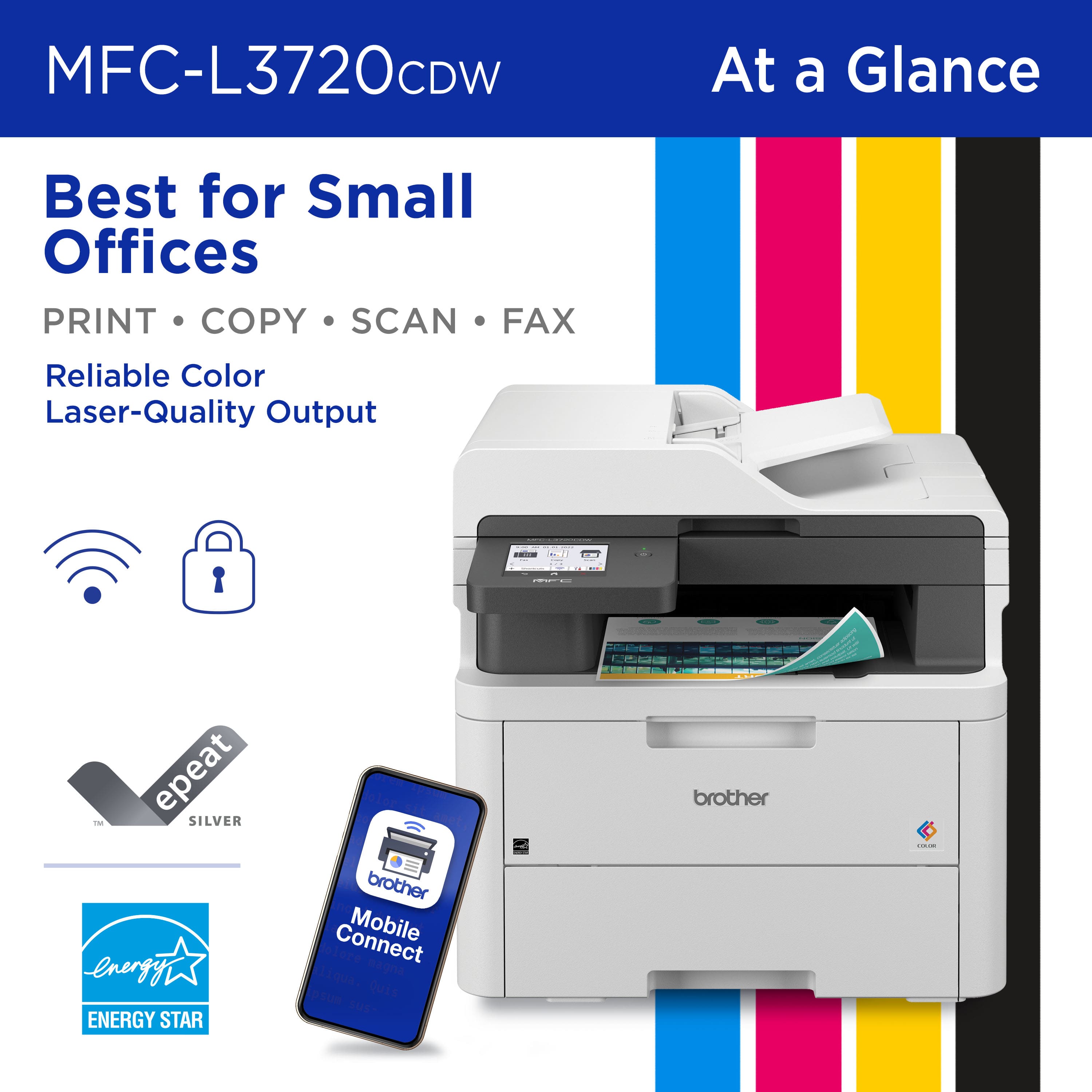
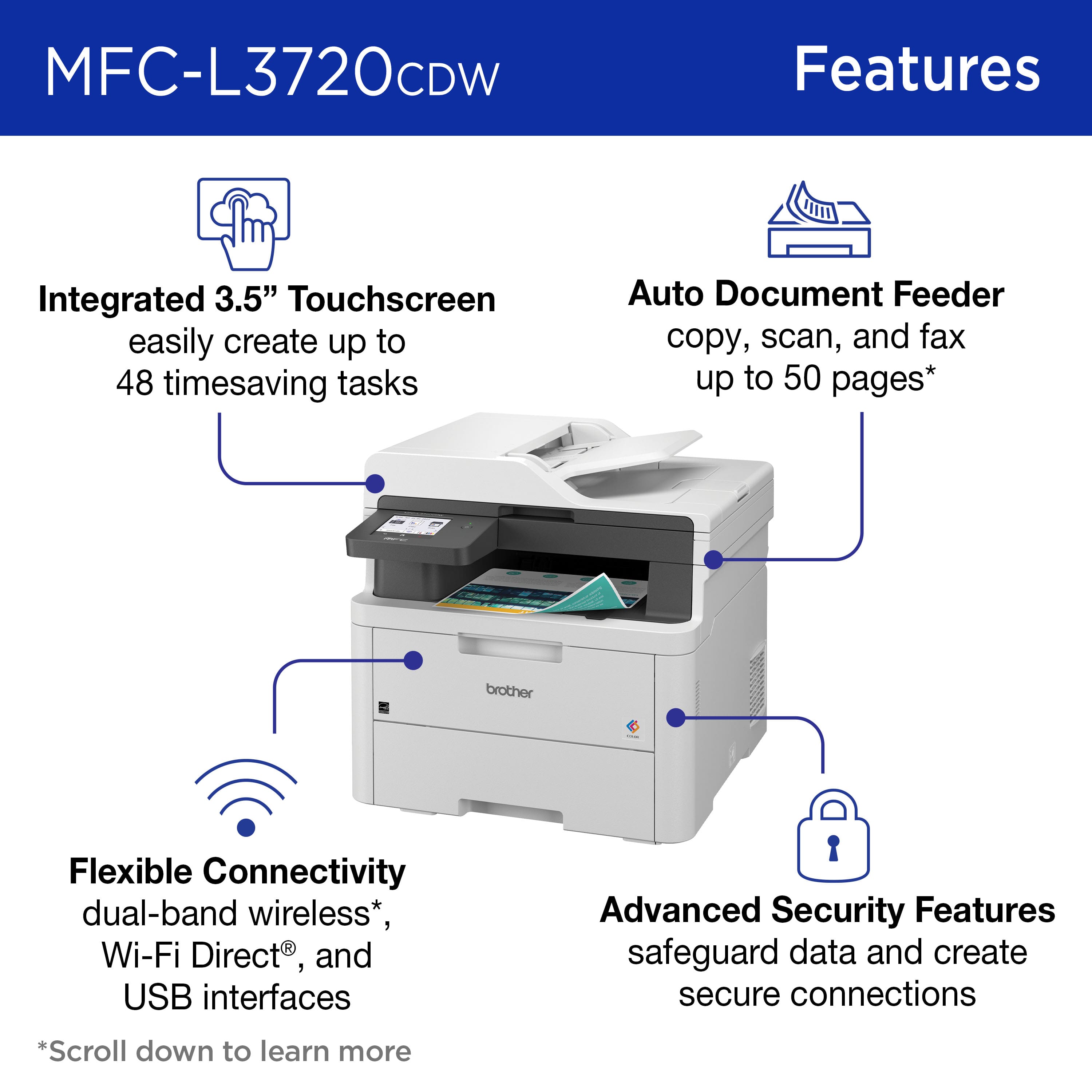
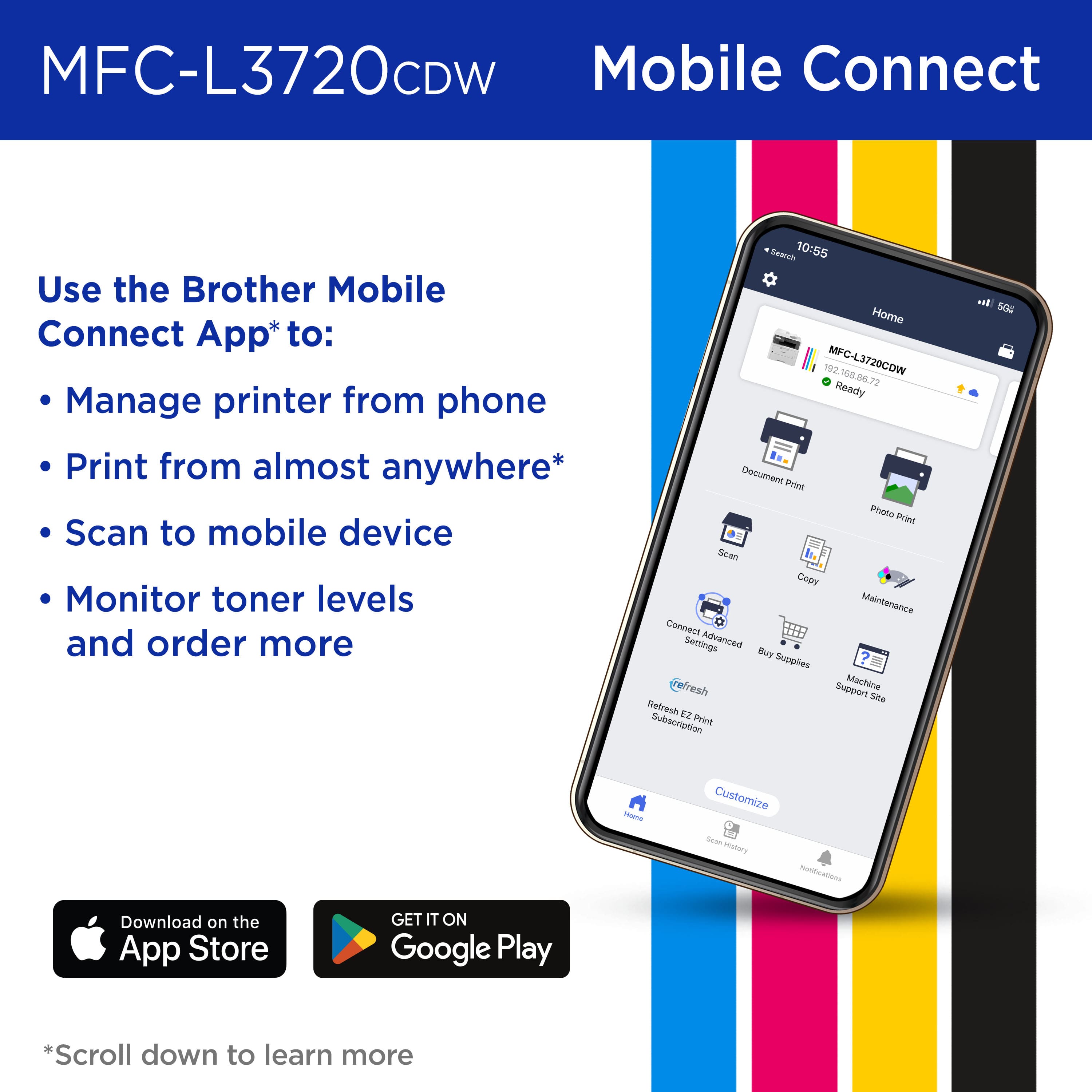
|Posted .This reviewer received promo considerations or sweepstakes entry for writing a review.Brother - MFC-L3720CDW color printer This printer is a Wireless Digital Color All-in-One Printer that also Copies, Scans, Faxes (when connected to a phone line), and prints in Duplex (double sided); it also prints from mobile devices such as smartphones. It has 512 MB of memory standard onboard for handling print jobs. It has an automatic document feeder on top that handles 50 sheets as well as a glass platen for manual scanning and copying of anything. Note: the document feeder will not scan double-sided originals automatically. That is a feature on a higher priced model. It employs LED light and not laser technology but produces very sharp “laser-quality” output on paper. It is rated at print speeds of 19 per minute and scan of up to 29 per minute. It holds a 250-sheet capacity paper tray and adjusts for letter or legal size. It has a front panel single sheet manual feed slot. It does not have an Ethernet network port but connects via built-in dual-band wireless (2.4GHz & 5GHz) and Wi-Fi Direct or connects locally to a single computer via USB 2.0 port using a USB printer cable to a computer. It is odd that Brother does not offer the option of direct network cable connection to a home Ethernet equipped router on all their printers. The printer works with Apple AirPrint. It works with Mopria Print and Scan for Android devices. It works with Brother iPrint&Scan which allows installing a Windows or Mac driver to computers and then scanning from the printer to your computer. It uses Brother TN229 or TN229XL higher capacity replacement toner cartridges. The Brother web site lists tons of specifications and one that caught attention is that the use of the “Quiet Mode” when printing and copying reduces power consumption from a normal 500 watts down to 310 watts. The printer powers down to a Sleep mode using 7 watts and then a Deep Sleep mode which uses less than 1 watt. It weighs 44 pounds with toner cartridges installed, something to be aware of when moving or initially unpacking and deciding where to place it. Quiet Mode also reduces noise while working from 46 down to 43 dB. I switched it to always use Quiet Mode. Brother has a free “Brother Mobile Connect app” that allows printing from a smart device from anywhere and also monitors toner levels and allows ordering toner cartridges as needed. That app worked fine also; one can print anything on a smart phone or tablet back to your home Brother printer from anywhere if there is a connection to the internet via WiFi or via a cellular wireless network. The printer has a 3.5" color touch screen which enables copying and printer functions and printer settings such as Quiet Mode; it also allows connecting to cloud-based apps such as Google Drive, Dropbox, Evernote, OneDrive, Box, OneNote, and SharePoint Online. It was tested with Google drive and it worked to retrieve and print a document using the touch screen. Brother also has a Web Based Management option to change some printer settings from a Windows, Apple, Android or iOS mobile device. It was used for printing web pages, Word and Excel documents, as well as Smartphone originated photos and it does an excellent job with all web pages, Word and Excel documents and a very good job with photos. Response is fast from waking up from sleep modes and ejects the first page in less than 20 seconds from when the printer receives the print command and starts flashing the LEDs and activates the touch screen illumination. As indicated, Quiet Mode was selected as default to save on power usage and is used for all print and copy jobs. The Brother iPrint&Scan was installed and used and it works fine to send scanned documents to a computer for use, emailing or modifying. This worked well in our tests of scanning documents which appeared in a computer folder. The option to scan a document to a USB memory drive plugged into the printer also worked fine. This printer has many features and is not difficult to set up and start using. The fax function was not utilized since I have been refusing to receive faxes as part of my work for over 15 or more years since everyone is also able to scan and email whatever they wish to send. I am not about to start using faxes in my home now. I highly recommend this printer to anyone who wants to start printing in color.
I would recommend this to a friendA great color printer for home or small business
|Posted .This reviewer received promo considerations or sweepstakes entry for writing a review.After owning a Brother black and white laser printer, I decided it was time to upgrade to a laser printer. This is a great option if you don’t need a top-of-the-line color laser printer or print hundreds of pages weekly. We don’t print a lot out on a weekly basis, but it’s nice to have a laser printer when inkjets are unreliable. Setup The setup requires downloading a Brother app on your iOS or Android device to get the printer set up on your network. The app setup did take a little bit of time to get completed, but I was able to get it setup in about 15 minutes. You can also use a computer to get the printer set up if you don’t want to deal with the mobile app. Aside from the app/connectivity setup, getting the printer plugged in and ready was easy. I like how easily the toner cartridges can be added and removed without too much hassle. Adjusting the paper tray took less than a minute for 8 ½ x 11 paper. Hardware The printer itself feels very high quality for the price. I was able to lift this myself and it does have a decent amount of weight to it, so you may want to ask for help if you don’t feel comfortable lifting it yourself. The touchscreen on this is full color and very responsive. It’s easy to navigate through the options and there’s no lag when pressing buttons and seeing the next menu. If you’re familiar with a Brother printer’s screens, it’s just about the same as other models. My black and white printer’s touchscreen was very small, but I expected that for the price point of that model. I don’t make as many mistakes tapping the options on the screen of this color printer. Print quality The print quality of this thing is great. I printed out some full color fliers and saw no issues with the print itself. I have not tested anything else such as photo papers or anything outside of your standard 8 ½ x 11 pages. I have no complaints about the quality. Mobile App Other than getting the printer initially set up via the mobile app, this has some useful features such as viewing toner levels, the ability to print to your printer from home without a wi-fi connection, printing a document or photo from your phone, starting a scan from the app itself, and access to the EZ Refresh subscription if you chose to start the free 4-month trial. The only criticism I have with this app is going to all settings on the app. It opens a website in the app that looks a little unflattering. Unless I was in a pinch, I most likely would use a computer to view all settings. EZ Refresh Subscription Brother offers a free 4-month EZ Refresh subscription that allows you to order toner which has several pages that you’re allowed to print per month. I chose the Occasional plan, which allows printing up to 75 pages per month for $9.99. There are higher plans that range from $19.99 – 29.99, but we can’t justify updating this since we don’t print 75 pages a month. There is also a rollover feature, which I will find out in a few weeks how many pages will roll over with my subscription. This isn’t a requirement to having the printer, but is a nice feature to potentially save you money on buying toner. Shipments of toner won’t go out until the levels are low. Brother also states that the Refresh Subscription does not work unless you have Refresh Subscription toner cartridges installed in your printer which they send to you. I’m guessing that if you decide to cancel this that you can still use the cartridges, this is most likely a way to make sure you don’t get other cartridges installed ahead of your subscription. I’ll determine in the next several months if the EZ Subscription is worth it to me and there is a possibility I might cancel after the 4-month trial is up. Overall, I am satisfied with this printer. It prints vivid colors and has amazing quality for what I need. If you need a great color laser printer for home or your small business, you can’t go wrong with this model.
I would recommend this to a friendExcellent Print Quality; High Build Quality
|Posted .This reviewer received promo considerations or sweepstakes entry for writing a review.This is a color laser printer with duplex (2 sided) printing, copy, scan, and fax capability. Setup was straightforward and easy. After basic removal of packing materials, it can be setup with a computer or mobile device. You have to download the Brother app and it walks you through setup and connection, which can be wireless or by USB cable. I used wireless to connect to my local area network, and there were no issues connecting or staying connected. The printer has a 3.5 inch color touchscreen that is easy to understand and navigate. Various settings can be changed both from this touchscreen or from the app, depending on the type of job being performed. The auto document feeder can hold up to 50 sheets, and the paper tray holds up to 250 sheets and there is a slot for individual sheet feeding. This printer's operations run smoothly and relatively quietly. All the functions, auto document feeder, paper feeding, duplex printing, run flawlessly. The color laser printing is very high quality and the speed is decent. It advertises a print speed of up to 19 ppm (pages per minute) and it easily does that. I printed a 10 page document that it completed in about 30 seconds. There's a couple of functions this printer does that I find especially useful. When copying a document, 2 single sided pages can be copied to one 2 sided page. Not all duplex printers will do that. Another function is with the use of the mobile app. Besides initiating printing from the mobile app on your phone, document scans can be done from the printer to the mobile app on your phone. If you needed a paper document you didn't have on your phone, you could have it sent to your phone from the printer. Overall, I found that this printer has all the functions that a home or small business office would need, has excellent print quality, and high build quality. There was one negative that could easily be fixed. Brother ships this machine with "starter" toner cartridges, meaning they're not full and will need to be replaced sooner than a standard cartridge would. I wish they would stop that practice. Not all printer manufacturers ship with "starters". On a final positive note, I had an occasion to contact their Customer Service through online chat and they were very responsive and helpful. I'd give them a "10" for that.
I would recommend this to a friendBrother once again provides a stellar product
|Posted .This reviewer received promo considerations or sweepstakes entry for writing a review.To get it out of the way, you aren't locked into a subscription, but that is the primary focus of this printer's capabilities and what Brother is bringing to the table for home and small business owners. 75 pages /mo is $9.99/mo. 200 pages /mo is $19.99/mo 500 pages /mo is $19.99/mo Even at it's most expensive, $20/mo is nothing if you are running a business out of your home or small office and need to have the peace of mind that you aren't going to be running out of toner mid-print. The included 4-month subscription is a nice add-on and something I plan to use once I just how many pages I get out of each cartridge. Unboxing went smoothly enough, it is a little heavy and awkward depending on the surface height you place it at, so likely a 2-person job just to be on the safe side. Wireless and USB setup was a breeze, all handled via the Brother app which made it a pain-free process. Just follow the prompts and put in your WiFi info when asked. Print quality is excellent whether black and white or color. Photos came out looking amazing, but this is largely dependent on the paper stock you are using, so keep that in mind that your results will vary if you aren't using the correct paper for the intended use. Being able to scan documents via multiple formats is an unexpected feature that I have quickly fallen in lock with. Not only do you have your typical jpg/png and PDF, but spreadsheet (Excel) and other options, too. Not having to use a program to convert something or import it do that is a great time saver as I work with spreadsheets based off of scans all the time. This alone would yield a 5-star rating for my usage case goes, the fact it does everything else so well is the cherry-on-top. The interface is simple but effective. You get a full color screen that had no dead-spots or areas that in my experience were problematic requiring a second/third push or a firmer press to get the point across. Each touch was recorded and the action was instant. The onboard interface is also much more appealing to use than the app, and thus more intuitive. So while setup was simple via the app, I will most likely be operating via the touchscreen going forward. Your mileage may vary. Brother is a trusted name and has a very strong reputation in the printer realm. None of that is put into question with the L3720CDW. And even if you forgo the subscription and do the toner purchases yourself, you will definitely be happy with your purchase. Easy recommendation for anything looking for a top-performing MFC.
I would recommend this to a friendLaser = Worth the upgrade
|Posted .This reviewer received promo considerations or sweepstakes entry for writing a review.I have always shied away from laser printers, simply because of the initial upfront cost. You can get an inkjet printer for so cheap these days. The catch with that of course is the cost of ink after you buy the printer. And if you print a lot…you need a lot of ink and out goes any savings you might have had buying an ink printer over a laser printer. Other brands seem to be focused on making themselves more techy, rather than improving their products. The last few non-laser printers I’ve had have all had issues, all related to the ink cartridges or cartridge carrier. With all of those headaches, I decided I was finally ready to try laser, and I can tell you, now that I have, I won’t be going back. This Brother printer is pretty big and definitely heavy, but how often do you move a printer once it’s set up anyway? It prints beautifully and it’s just so freaking fast! I can print 100 pages in the amount off time my ink printer would have taken to print 10 pages (that’s an estimate, don’t hold me to it, but it IS fast!) I don’t print a ton, so this will last a LONG time. The extra benefit of that is not only not having to worry about running out of ink but also that if the printer sits unused for a while, I also don’t have to worry about the ink drying up or clogging in the cartridges. When that happens, I either can’t print at all or end up with streaks and smudges on the pages. I do wish there was an extra tray for paper (considering the size, seems like it could have been done). However, it’s a small thing and does not take away from the easy setup, low maintenance that is this printer. It’s worth it to pay a little more upfront to save a lot more later.
I would recommend this to a friendA very nice digital laser printer
|Posted .This reviewer received promo considerations or sweepstakes entry for writing a review.I’m a big fan of Brother printers. Years earlier I used to be a number of other manufacturers’ products, but I started gravitating to Brother when I bought one and found how dependable they were, their ink usage was much more conservative than other products, and the Brother automatic document reader was enormously more consistent. I mean that I have never had a problem with their ADT, ever! I do a ton of scanning, and there is nothing more irritating than to find original document pages jammed in the ADT. Or the scanned images skewed and unreadable. All my older printers have been inkjet models, so this is my first digital printer. I rarely ever need to output professional-grade printouts, so inkjet models were the perfect choice for me. Not to mention that most older laser printer models were beyond my budget, and that I like color printouts and the laser printers I looked at were limited to black and white. Unboxing the printer. I really appreciate how this printer was packaged. I typically find it a pain getting the larger printers out of their shipping boxes. This one was easy as pie. The printer was surrounded by the usual styrofoam, but more importantly was cradled in a thick plastic material that looked like the plastic bags you bring home from the food store. Using this bag material, just lift the printer out of the box using its plastic handhold cutouts and set it down where you plan on using it. It has been a while since I’ve purchased a new printer, so perhaps this approach is more common now-a-days. I’m easily impressed and just wanted to share. The printer has a large display panel on it for entering and selecting information (greatly appreciate its size, Brother), making it very easy to configure the printer to my network. Before I got to this point, it was necessary to remove all packing tape strips and the like from the printer itself. The toner cartridges have a protective cap on either end, so those had to be removed as well. Once done, I downloaded the printer driver from the Brother website, registered the product, placed paper in the paper drawer, added it to my network, and got the iPrint&Scan app working on my cellphone. The real proof of the pudding for me was testing out the ADT. Once everything was ready to go, I placed a 10-page, single-sided document in the ADT and pressed Copy on the printer’s display screen. The ADT was impressively fast scanning in the pages, as were the printed copies. And the resulting documents looked perfect. Once I installed the new printer driver on my desktop and laptop, I tested out printing (wirelessly, from the laptop) and those print sessions finished without any issues. The iPrint&Scan app also sits on those systems, too. Everything I’ve tested out with this printer has worked seamlessly. And one very big improvement from using an inkjet printer, I never have to worry about the toner drying out. That is because digital toner is already dry. Brother is also pushing their EZ Replacement toner cartridge plan. While I know that I didn’t have to sign up for this plan this early, I know that I can cancel at any time if I’m not happy with it in the future. Essentially, this replacement plan allows Brother to monitor my toner cartridge capacity, such that they will send me new toner cartridges without cost whenever it gets low. They offer different plans depending on your needs. I chose the 75-and-under printed page plan, which is the lowest cost plan at $9.99/monthly. It allows me to roll over up to 150 unused pages from month to month. I don’t print nearly as much as I have in the past, so I’m hoping that this works well for me. If I go over my 75-page allocation each month, I get charged for the overage. I’m still looking to confirm this, but I believe printing on both sides of one physical page translates to printing 2 pages. Thus, printing on both sides of a 10-page physical document is the same as printing 20 pages. I had to question how many times I’ve printed draft reports where multiple pages have overflowed to the next page. This is akin to you printing a one-page memo only to find that the signature line at the bottom is now on its own page. Yep, you’ve just printed 2 pages. One benefit to signing up for this replacement plan is that Brother will push out my extended warranty another year from July 2024 to July 2025. That presumes, of course, that the EZ Replacement Plan stays in effect. Despite my uneasiness with the EZ Replacement plan, I’m actually very happy with the printer. As such, I am giving it a 5-star review.
I would recommend this to a friendFast Printer With Great Color
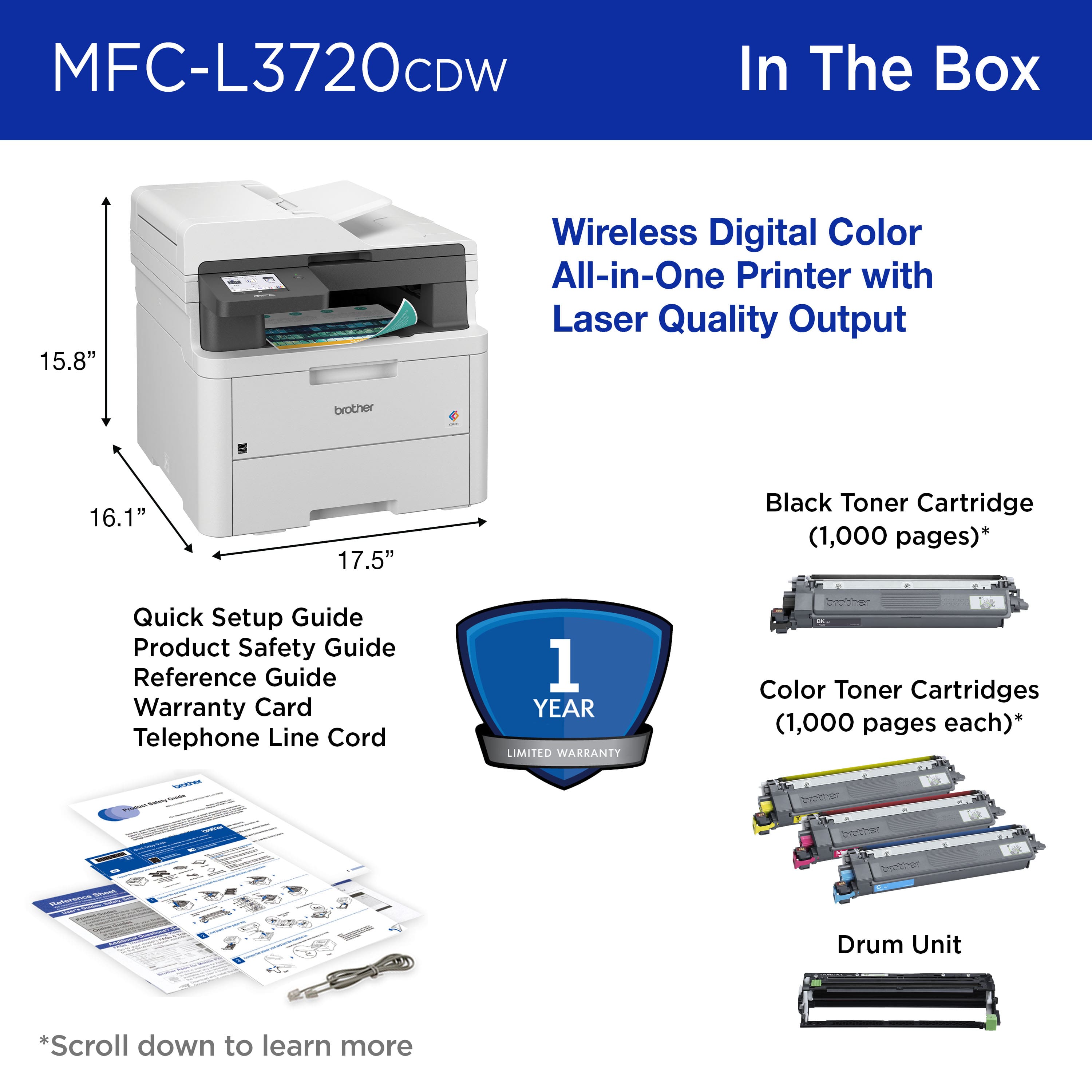
|Posted .This reviewer received promo considerations or sweepstakes entry for writing a review.This is a laser printer and is a bit larger and heavier than the average inkjet printer. The measurements are approximately 17.5 inches across and depth, so you will need to find a large enough spot for it. I have mine set up in my home office. This is an all-in-one printer. This will print, copy, scan and fax. Most people don’t really use fax machines anymore, but it is a nice feature to have just in case you need it. When setting up this printer, make sure to remove all the packing materials and tape (look everywhere) and reinstall the toner cartridges after removing some parts. Load up the paper tray, plug it in, turn it on and follow the instructions on the touchpad. It is so easy to install. This printer has an easy to use 3.5 inch touch screen for your use and you will be able to see your choices on this screen. Whether you are printing in color or black and white, it will print 19 pages per minute for one-sided prints. The paper tray holds 250 sheets. If you need to scan or copy documents, the automatic document feeder can hold up to 50 sheets. If you have more than that, you will need to divide it up. There are three color and one black toner cartridges that come with the printer. I like that you have the option of printing double sided. I find this helpful when trying to save on paper and I always look for this feature when buying a printer. I tried to scan pictures with this and they printed out very nicely. The optical scan resolution is 1200 x 1200 dpi resolution. I have not tried the fax feature on this, since I don’t personally have any use for it. If you download the Brother Mobile Connect app to your phone or tablet, you will be able to print pictures or documents from either of these devices. I recommend this printer for school, personal use at home or office and it prints fast and was easy to setup.
I would recommend this to a friendGreat printer and cheap to use so far
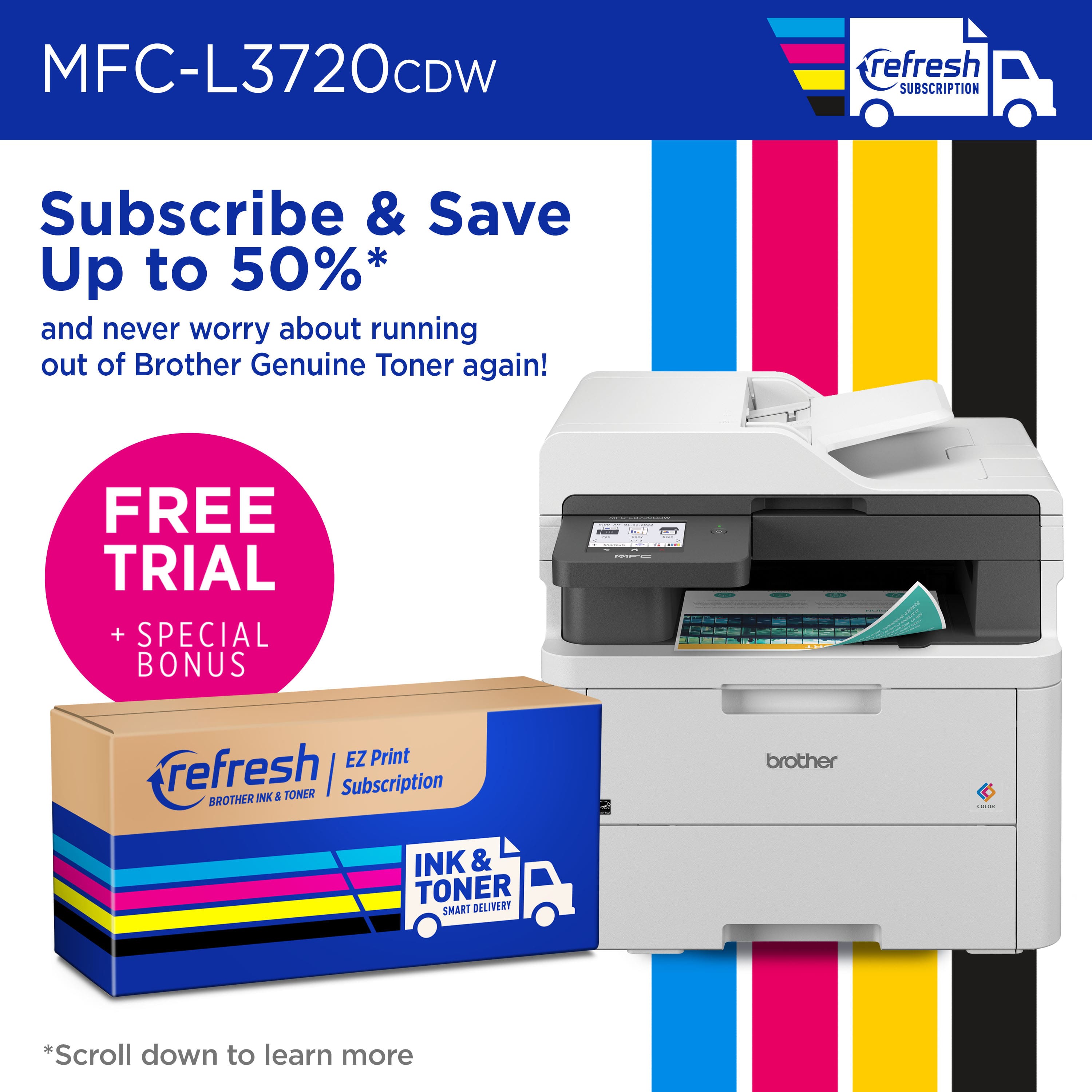
|Posted .This reviewer received promo considerations or sweepstakes entry for writing a review.Print FREE for 4 Months This printer is Refresh eligible! When you sign up for the Refresh EZ Print Subscription, the smart ink & toner service from Brother, you'll enjoy no-thinking-required ink & toner delivery to your door, when you need it. Zero-commitment, free delivery, and all the convenience. For a limited time only, enjoy a FREE 4 Month Trial So that is a nice bonus but make sure to cancel at the end or before the trial runs out. The plan has 3 price points from $10 to $35 depending on what you select for your monthly usage. Anyway the device can and does print at up to 19 pages per minute color or b/w. The included duplex 50 page feeder is to date not jam able…a big big plus so far. The 4 included ink cartridges are 1000 page capacity but less so far based on color printing. The included drum set supposedly needs to be replaced after 30000 pages but probably sooner but not too bad at under $200. For me not a problem since I am not a heavy user, the drum should last me forever. The overall setup took under 5-10 minutes, WiFi connection rock solid and fax capability same for reliability. The output via b/w is superb as is the color output. The images are photographic quality and suitable to frame if you use good paper. I love the app and how so far I can use air print very easily and never have to search for the printer like my prior unit. The overall cost for this unit if on sale to me is a bargain. So far the toners after almost a month still read for the color Very happy with the connectivity, speed, quality and durability and overall footprint.
I would recommend this to a friendThe perfect home office printer
|Posted .This reviewer received promo considerations or sweepstakes entry for writing a review.I’ve needed a wireless color AIO laser printer for some time now. I have now moved back into a in-person office again, even though half the week. So, I needed a laser printer for the days I would be at home and in need to print my daily census and slides for presentations. My kids also needed a laser printer for all of their projects this Fall semester. Set up was pretty simple, and the Brother app is easy to navigate. The printer was on my home Wi-Fi in no time and my computers and smart phones/tablets were able to locate it and print from it quickly. I was a,axed at how fast this prints in both color and black&white: 25 pages a minute, so roughly a page every 2 seconds. This was such a welcome work flow compared to my ink printers which took about 5 seconds for color and about 3 for black and white. This can hold about half a ream of paper (20-24 lb), and can take a 40 lb card stock through as well. The touch pad at the upper left corner near the top tray is a breeze to use. It is very responsive to to push and easy to navigate. This is a quality in Brother printers I wish all other brands would adopt. It is a rather good sized printer but does fit on top of the desk nicely, as it is vertically tall. The toners are costly to replace so be aware about how much you print. But the quality it prints is amazing and very professionally crisp looking. I don’t blame you if you want to keep printing. My son printed up some comics on line and they look just as good as buying the actually book in store.
I would recommend this to a friendSolid Performance, Great Value
|Posted .This reviewer received promo considerations or sweepstakes entry for writing a review.I have used Canon and HP for years in the multifunction printer space. They have always served me well, but they are generally more expensive in the laser printer space than many competitors. When my six year old HP gave out I decided to try something different and give Brother a chance. Brother has been making printers for years and is probably more popular than the bigger brands at this point. After a couple weeks with the new MFC-L3720CDW I can see why. This multifunction laser printer does everything my outgoing HP did at less than half the price. The printer is reasonably compact given the type of printer it is and usually the addition of an auto-document feeder adds to the size. Overall, I tested everything (minus the fax functionality) and it worked without a hitch. Printing is fast and reliable in both color and B&W. No jams and output quality is crisp and sharp. Full color documents looked every bit as good as my HP and I have zero qualms with the performance. The auto-document feeder worked reliably as well for scanning large volumes of documents and both my MacBook Pro and iPhone worked seamlessly with the device. The print function is definitely quieter than my outgoing printer and overall I feel the Brother is a winner. I can easily recommend the Brother MFC-L3720CDW as a solid multifunction laser printer for home or small office use. I can see why Brother has made the in-roads over the years it has in this space. Great job Brother!
I would recommend this to a friendGreat Brother
Posted .This reviewer received promo considerations or sweepstakes entry for writing a review.This machine is suitable for use in an office and I'm just one person - the quality of the print is great - very crisp - color is true and commands are easy to program. Over the top for me, but it's great!
I would recommend this to a friendBest all around printer out there
Posted .This reviewer received promo considerations or sweepstakes entry for writing a review.Excellent choice for jet printer. The wireless signal to print from your mobile phone, laptop and desktop is fast. If you print out a lot of paper, this is the one for you! Copy machine works fantastic also.
I would recommend this to a friend