Customer Ratings & Reviews

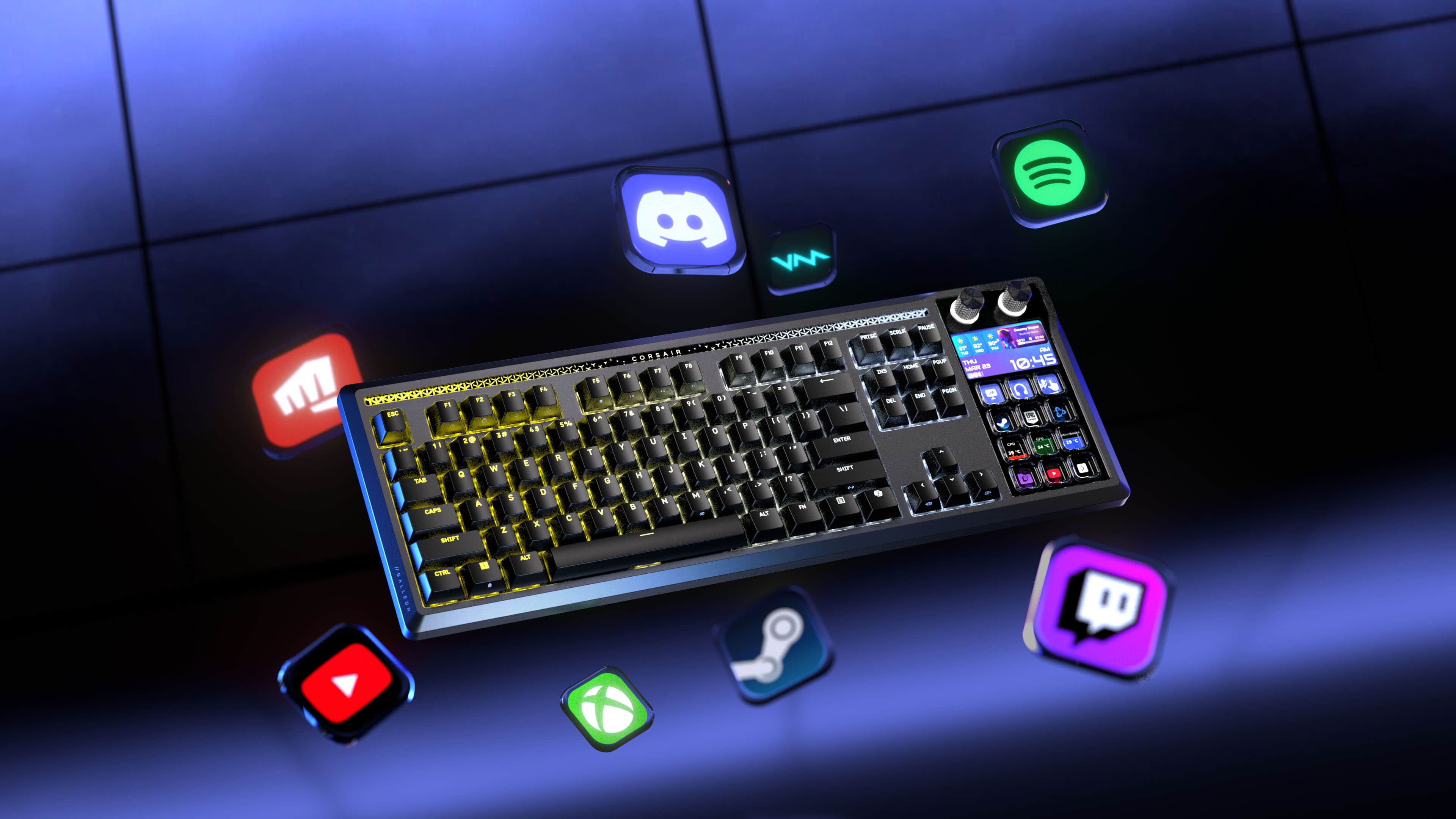

![ESC 1 2 3 4 5 6 7 8 9 0 - = Q W E R T Y U I O P [ ] \ A S D F G H J K L ; ' TAB CAPS SHIFT Z X C V B N M , . / ALT](https://pisces.bbystatic.com/image2/BestBuy_US/images/products/21038560-851b-423b-9007-a1edf2f82e7c.png)

![d { F11 d ] } Stupor Dreamy 1 Hiarria Beals 02:00 " 00:31 AM PAUSE 90 92 THU PRTSC SCRLK 91 TUE THU WED 10:45 23 PGUP MAR F12 O HOME t INS PGDN EPIC SAMES END Motherboard 29 C DEL GPU 54 C CPU C 39 ENTER SHIFT](https://pisces.bbystatic.com/image2/BestBuy_US/images/products/a4603906-b084-4803-a299-9bae0514bf6e.png)


- Model:
- CH-912A31I-NA
- SKU:
- 6667833
Rating by feature
- Value
Rating 4.6 out of 5 stars
- Quality
Rating 5.0 out of 5 stars
- Ease of Use
Rating 4.9 out of 5 stars
Amazing value and quality
||Posted . Owned for 1 week when reviewed.This reviewer received promo considerations or sweepstakes entry for writing a review.In love with this so far, the keys have a audible click that is super pleasing, everything is high quality, and the built in stream deck has been making my work extra streamlined while also taking up less desk space than having a separate device
I would recommend this to a friendA learning curve to keyboard, steam deck, awesome
||Posted . Owned for 1 week when reviewed.This reviewer received promo considerations or sweepstakes entry for writing a review.It’s confusing to set up at first with a person with disabilities. I can drag and drop most of the apps except for the MSI. Can’t get discord to work for some reason I could have it in the in a launch button and will not work. I would recommend you purchase one.
I would recommend this to a friendWorks like it should
||Posted . Owned for 1 week when reviewed.This reviewer received promo considerations or sweepstakes entry for writing a review.Perfect combo of a stream deck and keyboard. The stream deck works great and make tasks simple
I would recommend this to a friendGalleon.
||Posted . Owned for 1 week when reviewed.This reviewer received promo considerations or sweepstakes entry for writing a review.Fantastic keyboard makes automation much easier and less clutter on the desk.
I would recommend this to a friendVery good
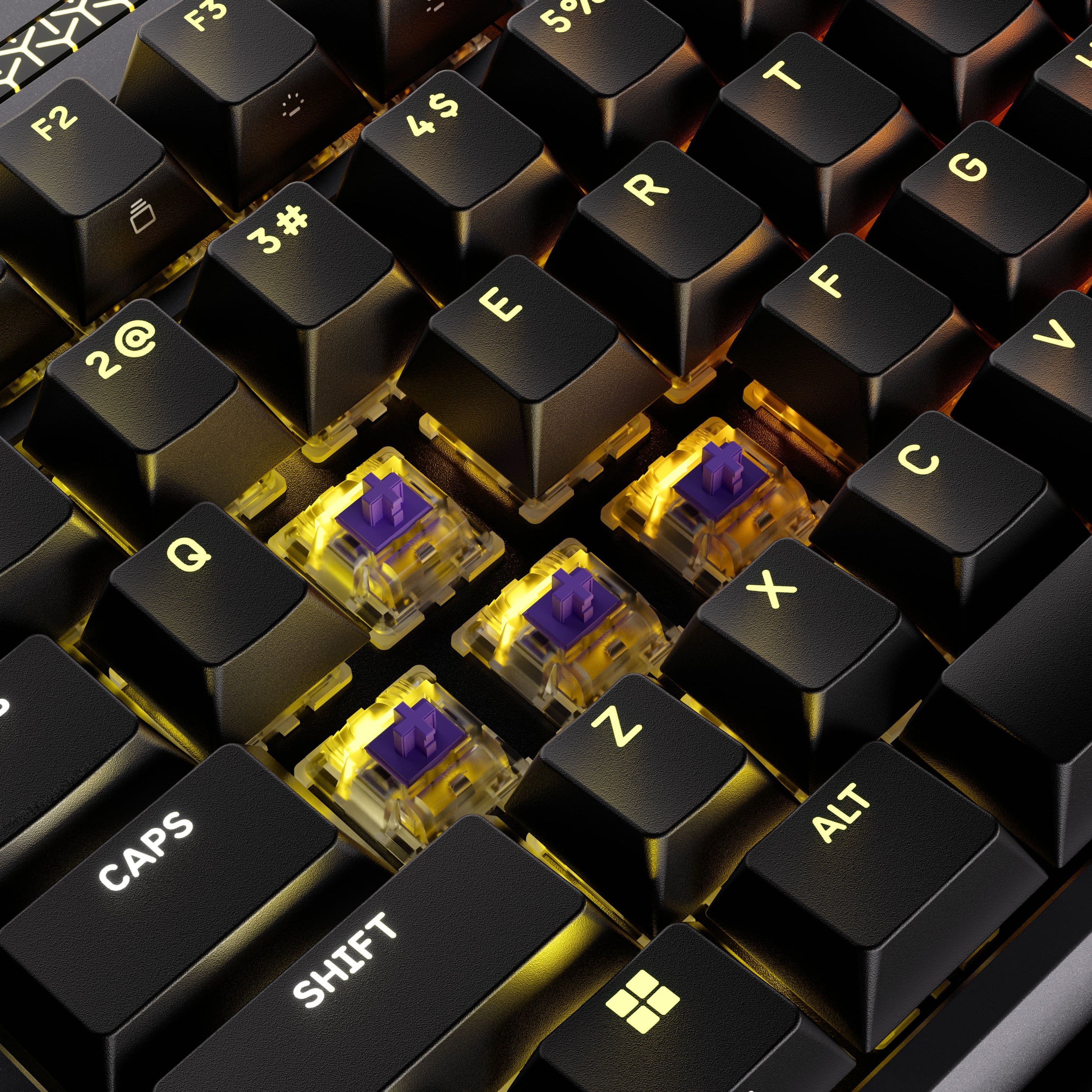
||Posted . Owned for 3 weeks when reviewed.This reviewer received promo considerations or sweepstakes entry for writing a review.It is a very good keyboard sounds great and the software is very easy to use
I would recommend this to a friendKeyboard
||Posted . Owned for less than 1 week when reviewed.This reviewer received promo considerations or sweepstakes entry for writing a review.Absolutely love Corsair and this keyboard is just as amazing as the rest!
I would recommend this to a friend- Pros mentioned:Build quality, Key feel, Noise level

The best typing experience I’ve ever had
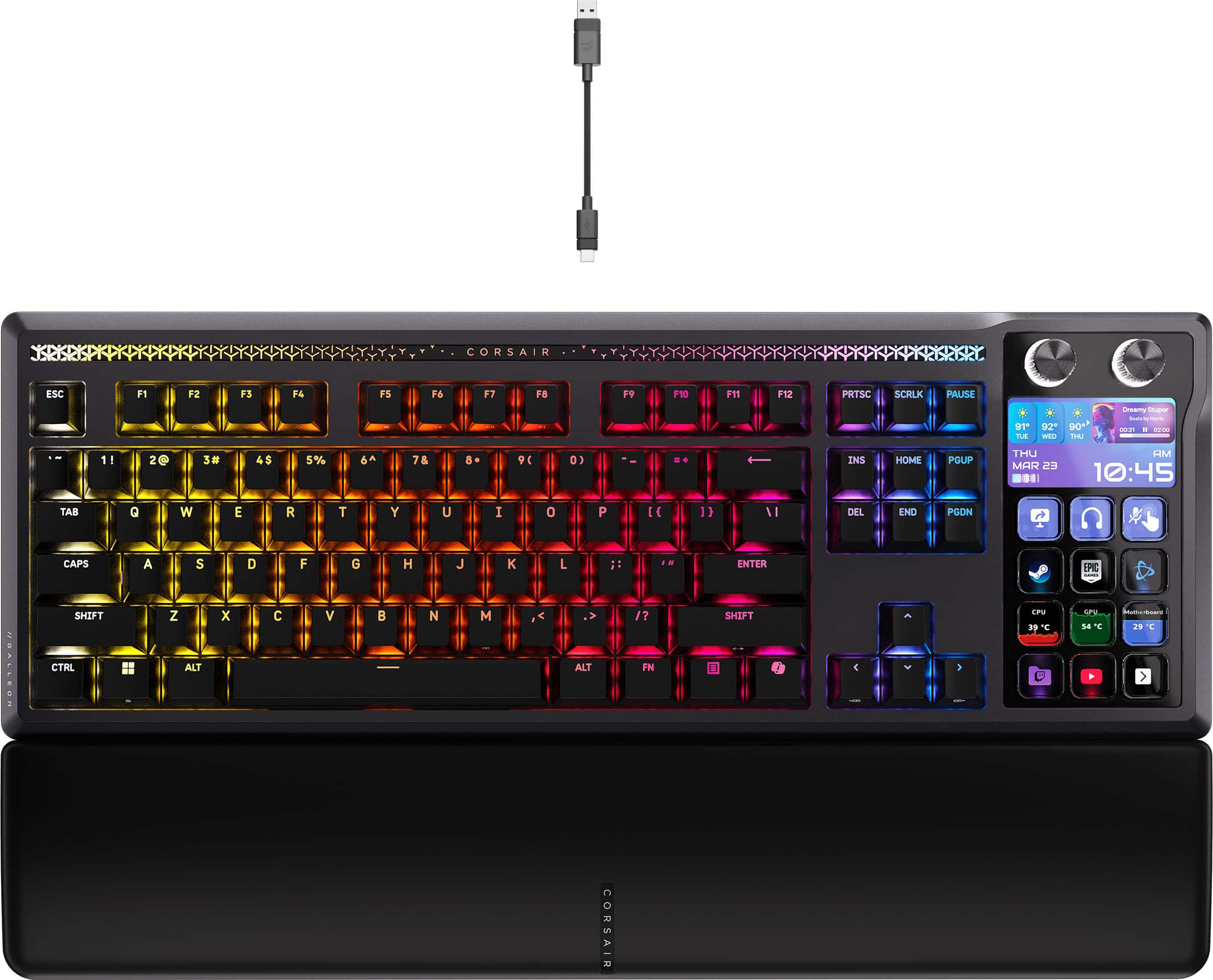
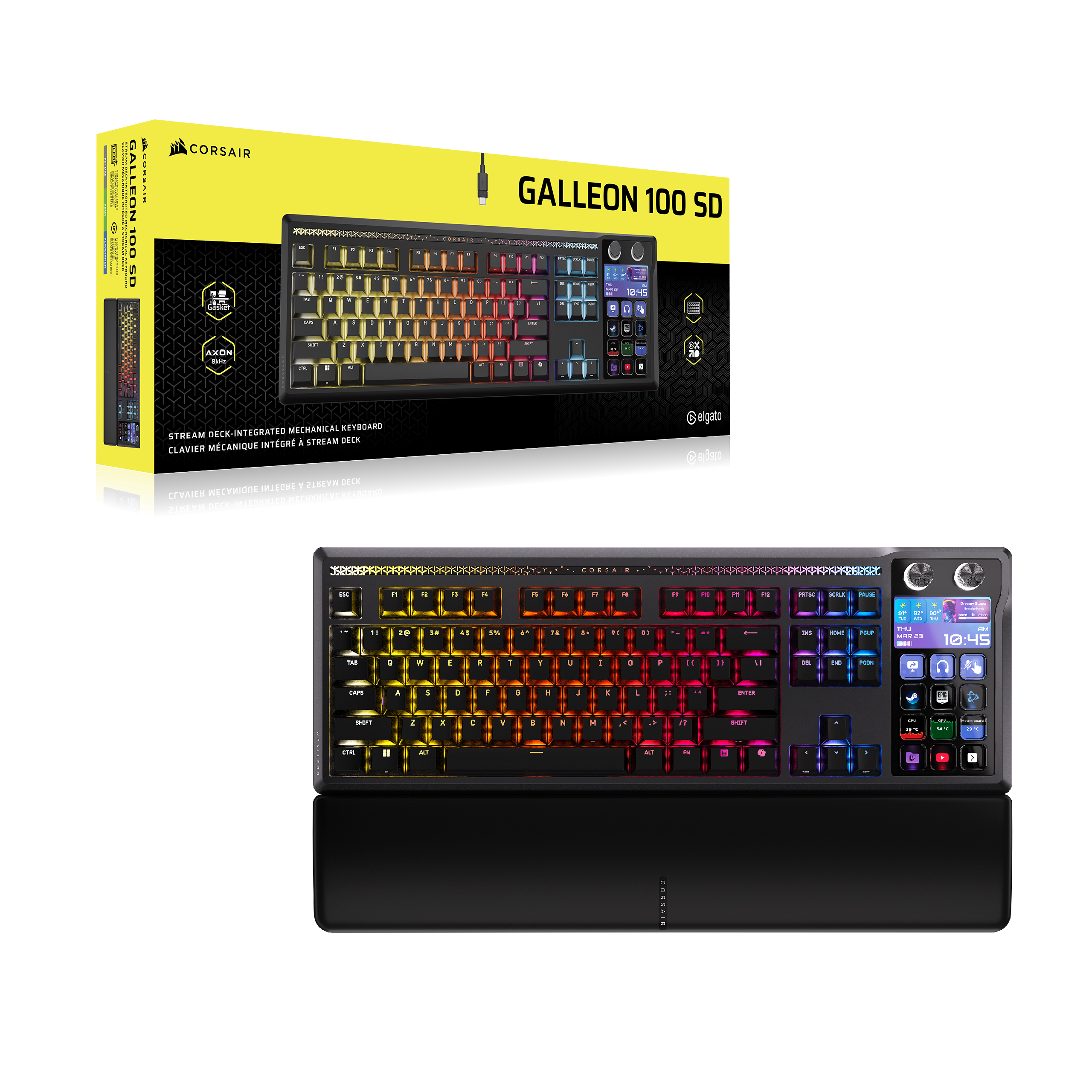
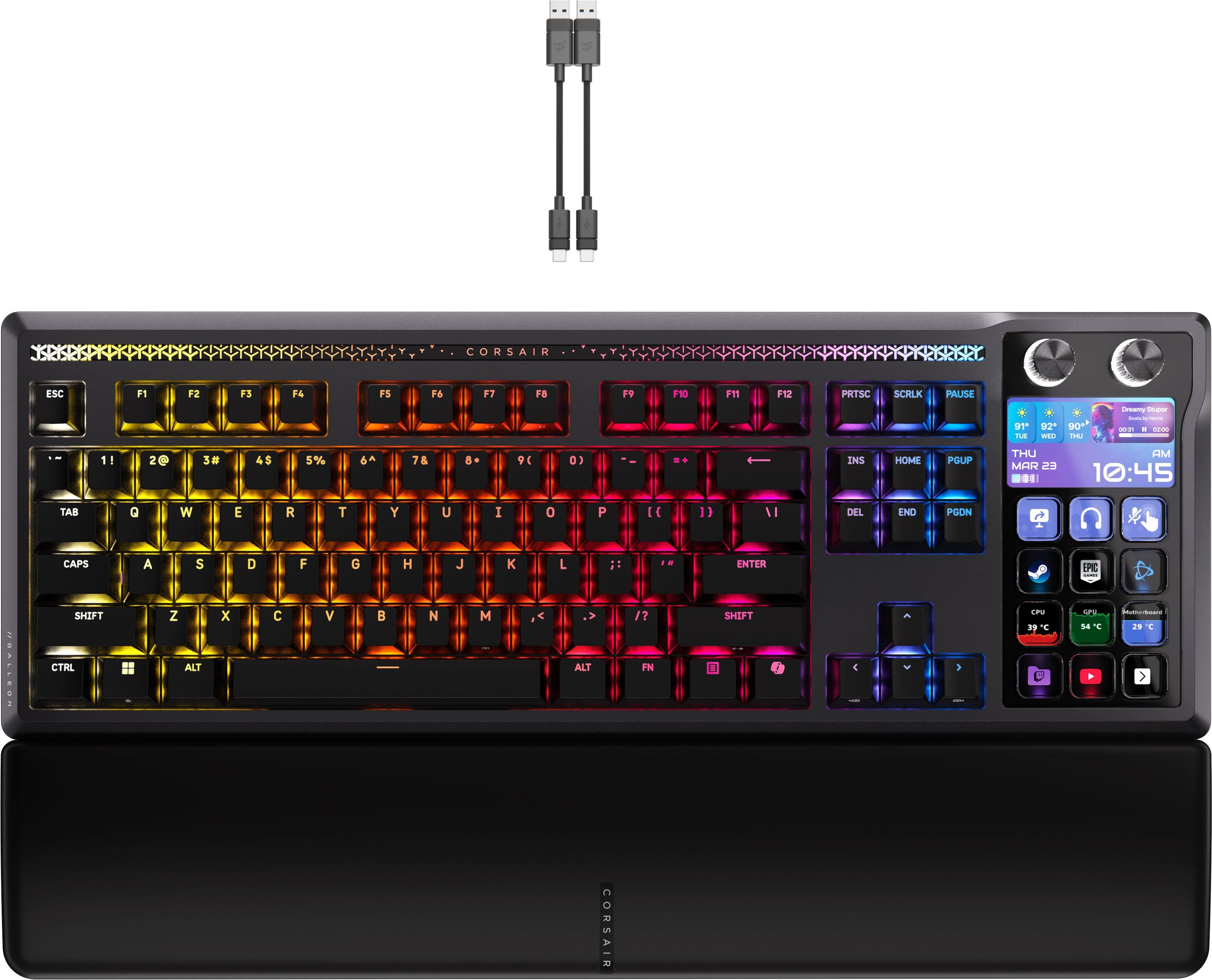
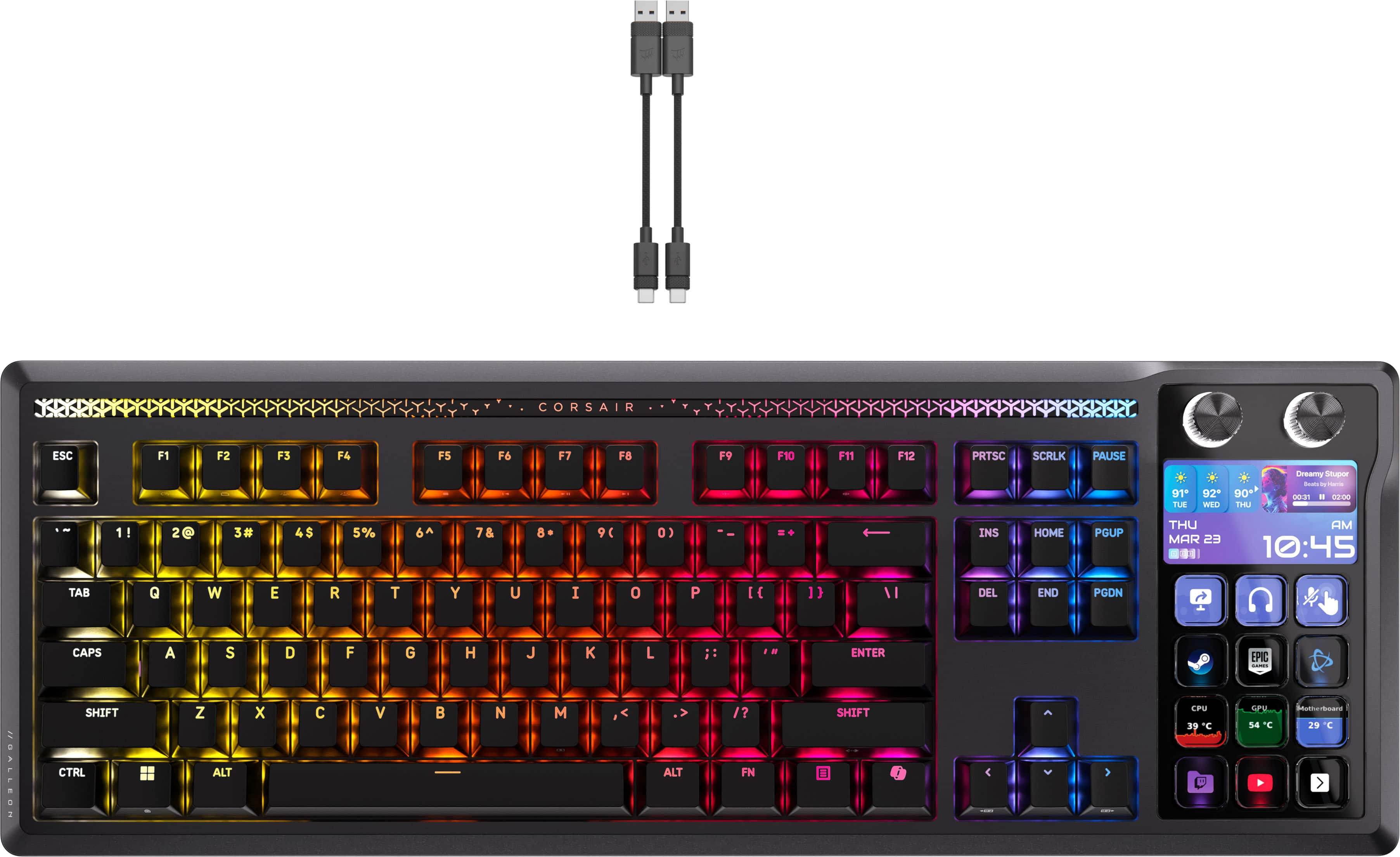
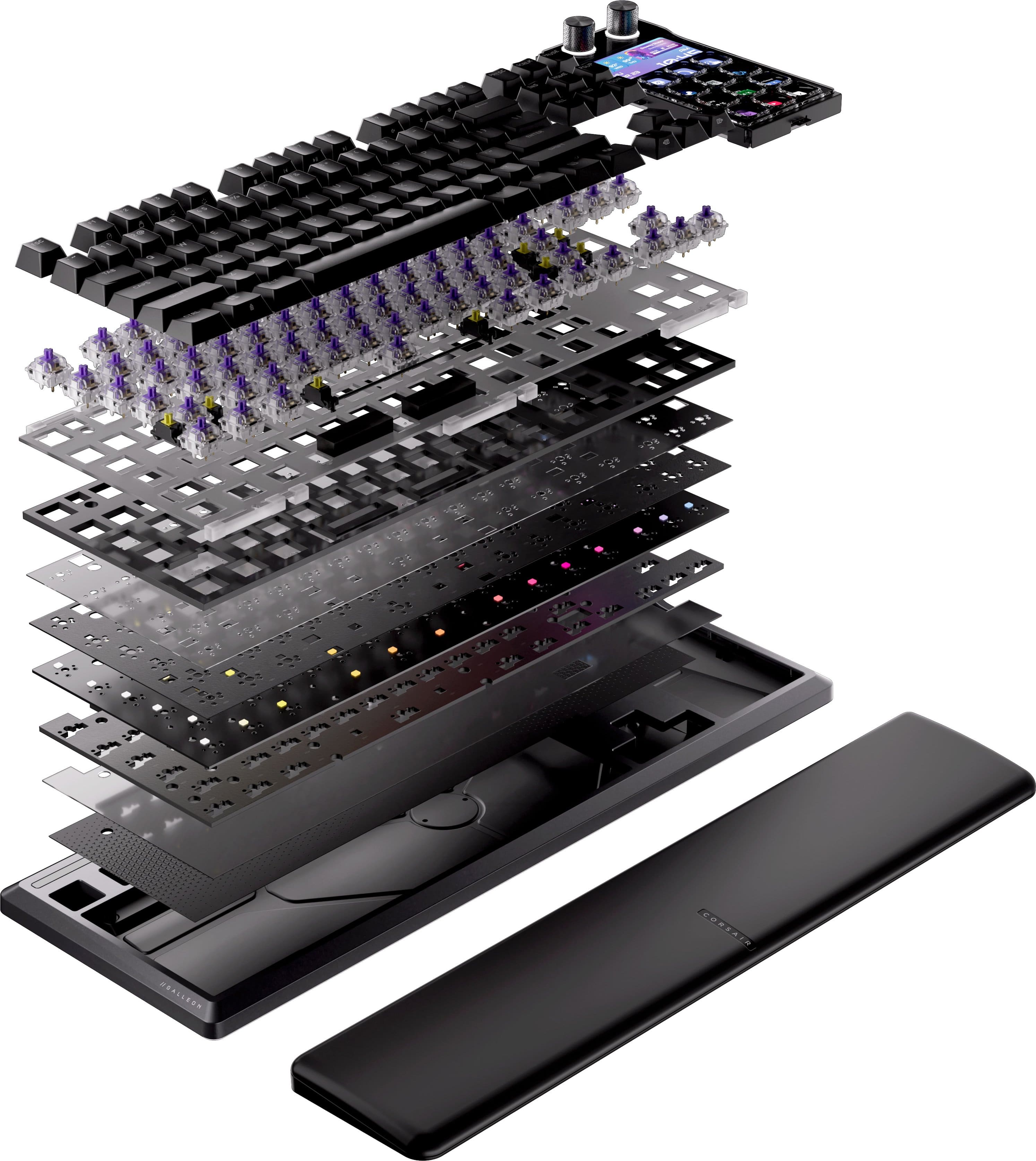
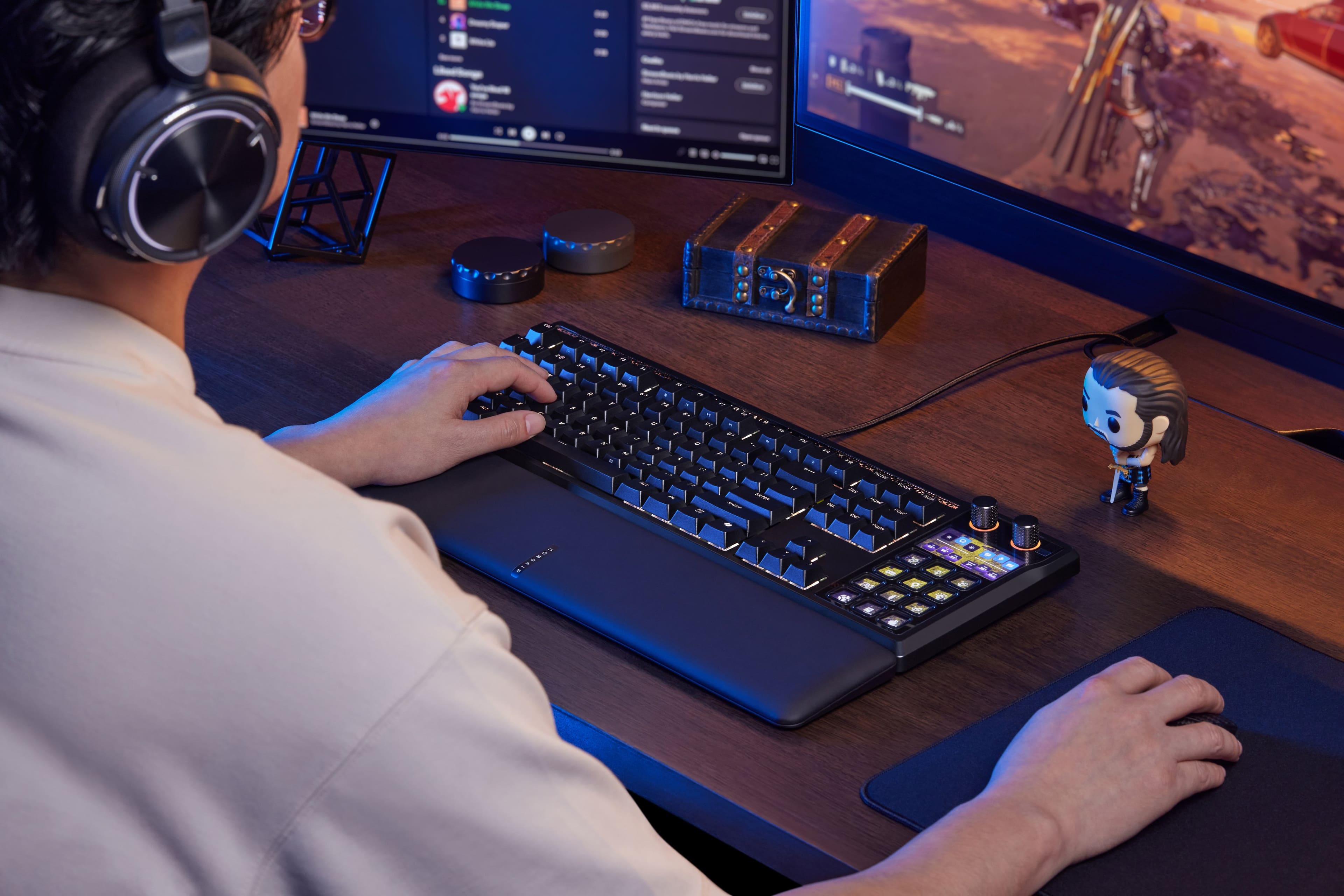
|Posted .This reviewer received promo considerations or sweepstakes entry for writing a review.For me, this is the keyboard that I’ve always wanted. The keys are so quiet, clicky and smooth that my typos have improved. I’m a hunt and peck typer and the keys on this keyboard are amazing. I have never typed on anything like it. The build quality is absolutely top-notch from the aluminum body to the integrated Stream Deck, it all comes together into one superior product. In addition to the keyboard, you also get a forward, thinking, magnetically attached wrist rest. To synergize a Stream Deck with a keyboard seems like the next step in desktop evolution as a Stream Deck really doesn’t jive with my set up, personally. I’ve always been a huge fan of multifunctional devices so the Galion is an amazing work desk edition. The only thing I’m sad to report is it is not intuitive to learn at all, but thankfully, there are plenty of tutorial videos on YouTube. It’s worth noting that you need two USB cables to connect this keyboard and thankfully, they are both included. They are braided, of course because what else would you expect from Corsair. If you’re looking for the absolute best typing experience, then look no further.
I would recommend this to a friend - Pros mentioned:Build quality, Key feel
The “everything” keyboard
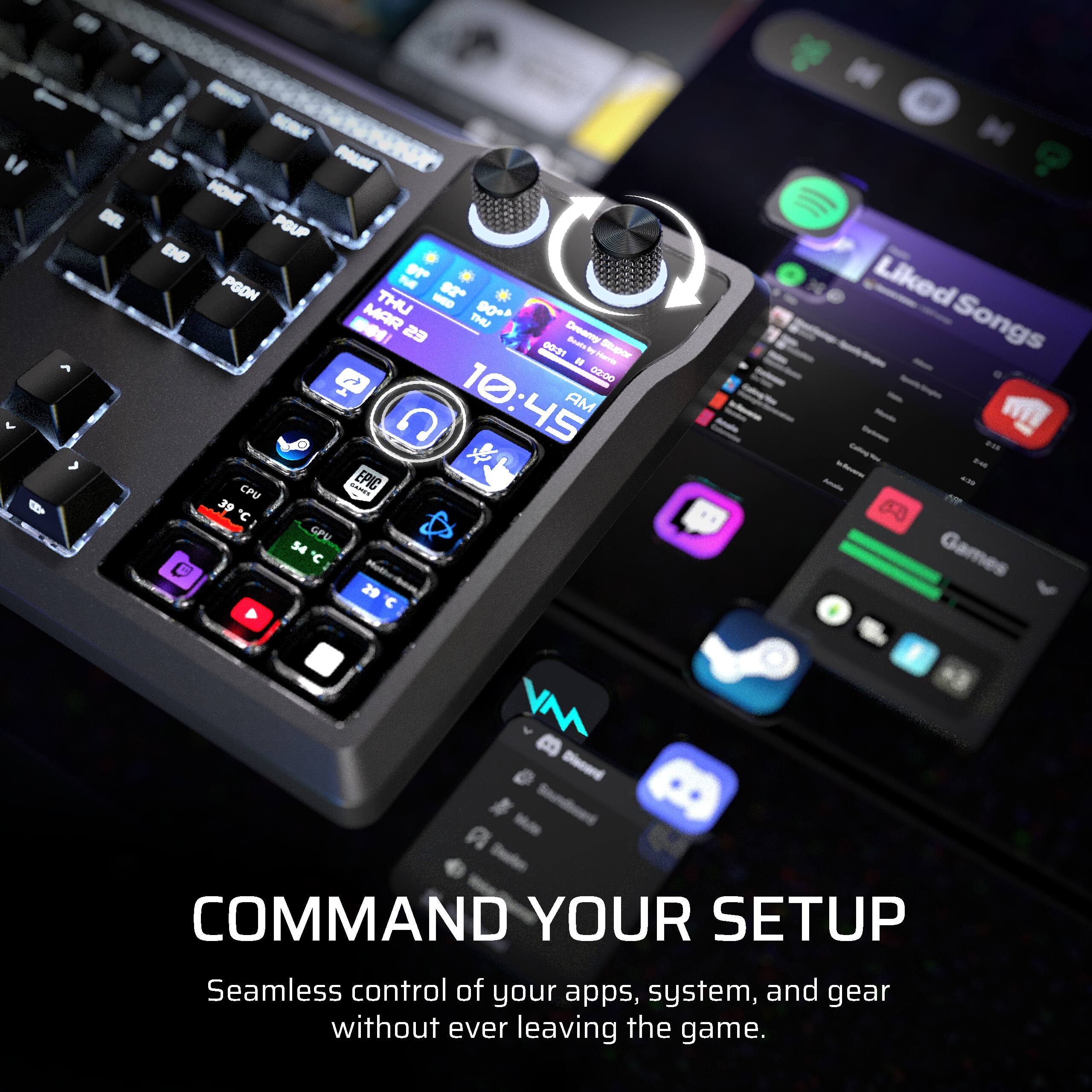
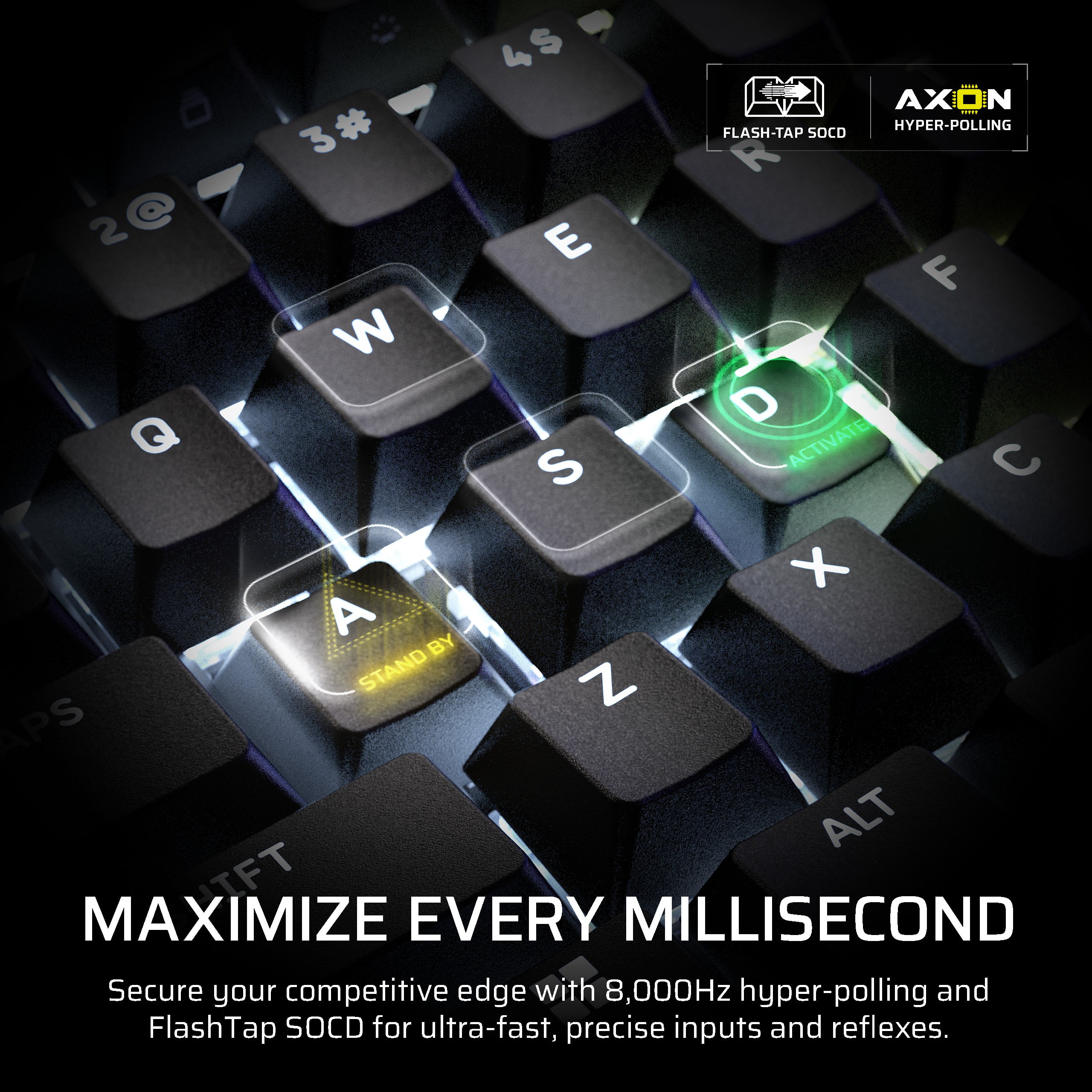
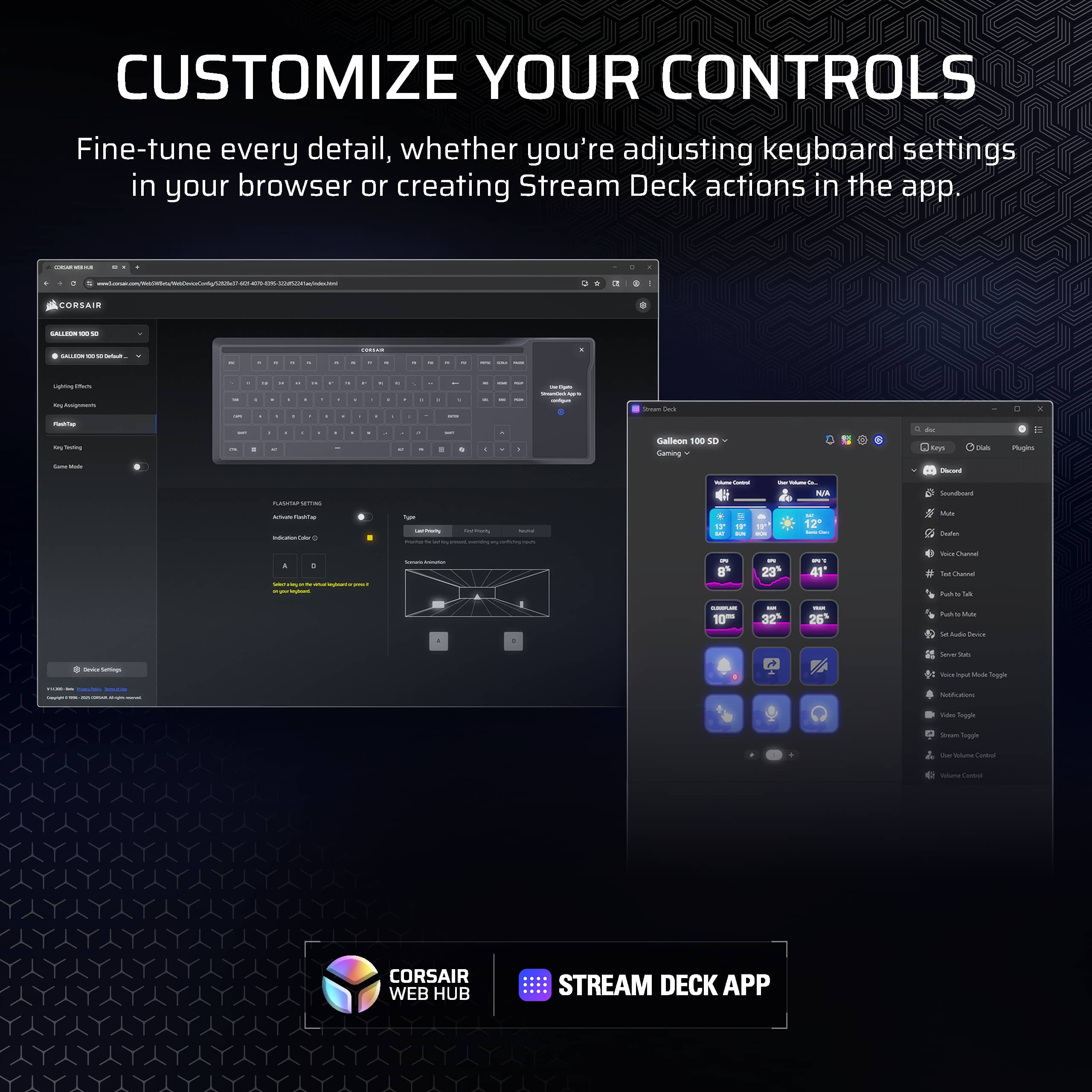
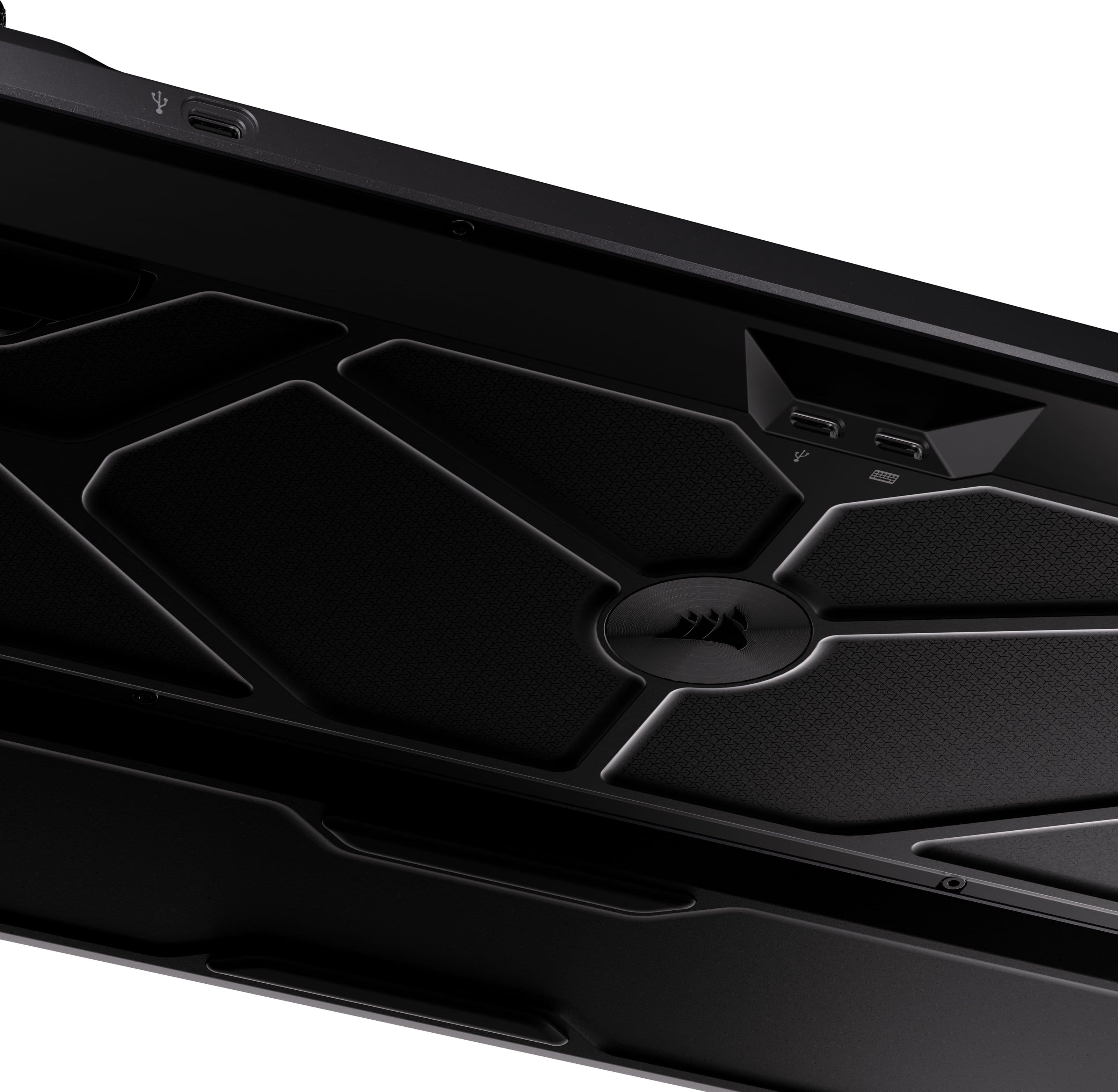
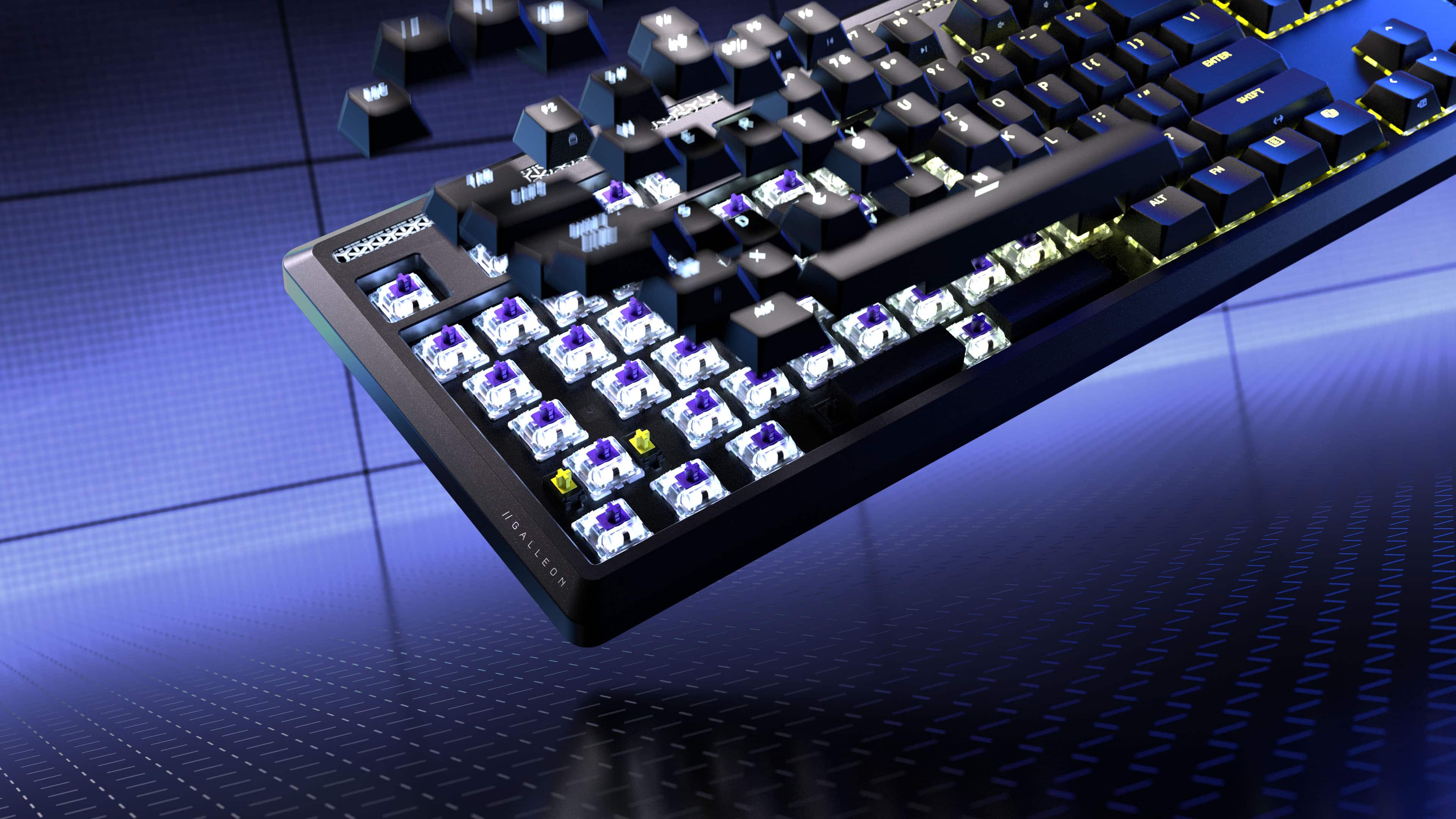
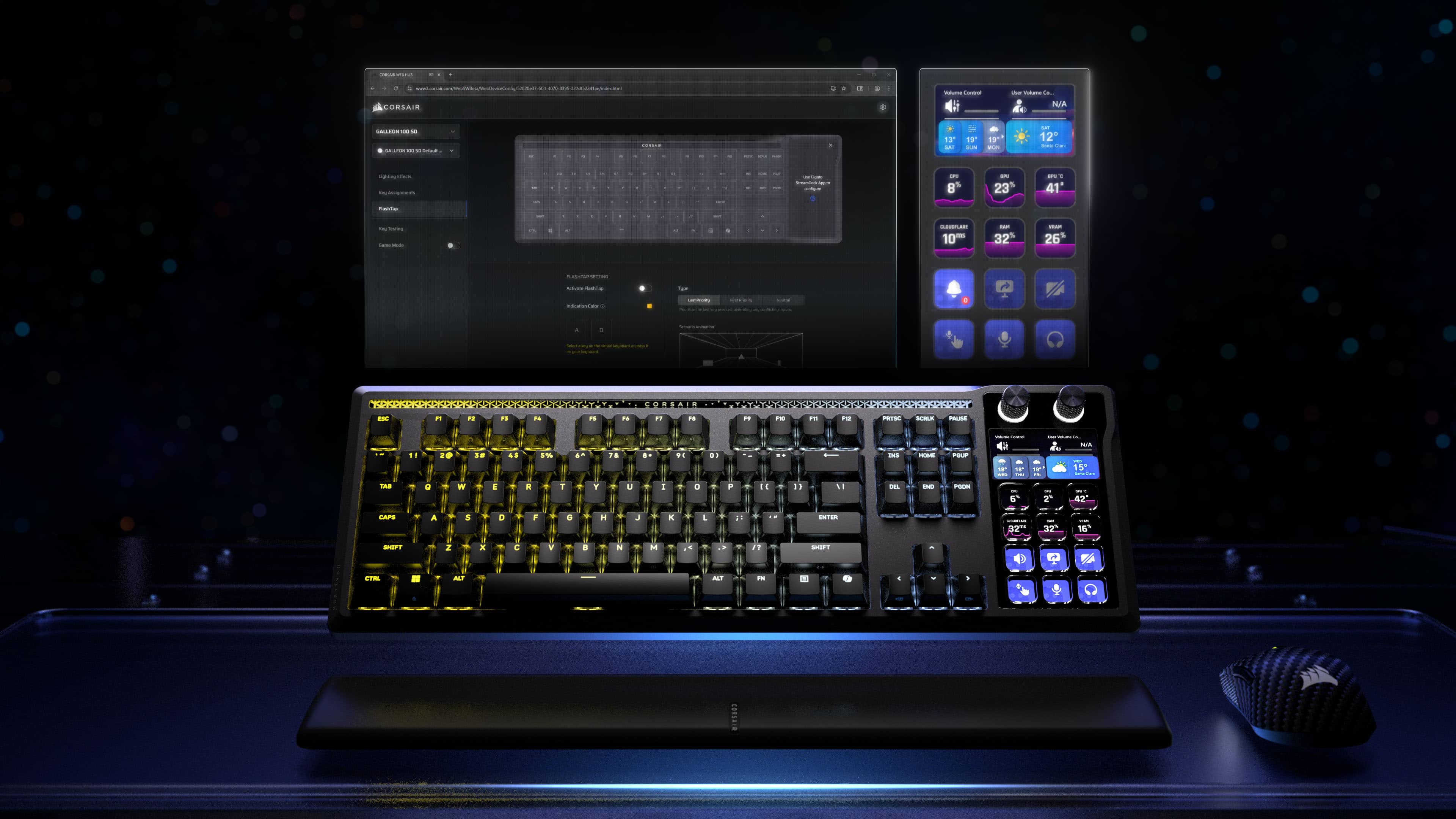
|Posted .This reviewer received promo considerations or sweepstakes entry for writing a review.Things I liked - Muted but clicky feel of the keys - Customization of Stream Deck - Removable/replaceable caps and switches - Good value prop for premium keyboard and stream deck combo Things to consider: - No dedicated num pad, but cleverly you can turn the Stream deck into one. This may not be ideal for people that use num pads often. - In practice I enjoyed the convenience of the Stream deck, but didn’t find myself using it games. Things I was confused about: - The USB passthrough is only 2.0 which is sufficient for something like a microphone or other desk accessory, but I don’t see myself using the keyboard USB for something that is going to stay on my desk and would rather use that for a flash drive, but 2.0 is too slow in 2026. - More of a personal preference, but braided cables eventually get caught and snagged on something and then they look awful. To Corsair’s credit, you can completely replace the USB cable if you want. It’s obvious that this keyboard has a lot going on. There is RGB, screens, clicky keys, clicky keys with screens, and knobs all over. It’s a lot to take in for sure and there is a lot to like in this premium piece of kit. The keyboard is solid and heavy – you aren’t going to work about this thing sliding on your desk. There is a padded leatherette arm rest that saves my wrists. The keyboard configuration is all done through Corsair’s web app which is great in the sense that it’s not another app you have to install, but potentially problematic if Corsair discontinues the portal. That being said, there are tons of different light configurations and options. I do like that they didn’t try and bundle everything together in one application and keep all the Elgato hardware in its own separate application. If you’ve owned a Stream deck in the past, this will be super familiar. They have done a great job adding a ton of configurability from contextual actions to having multiple pages for different applications and workflows. It’s not surprising that when everything is a screen, the options are pretty endless. In terms of performance – I played League of Legends and some other shooters and the keyboard felt super snappy. I have absolutely no concerns with the refresh rate and additional features like SOCD handling (basically intelligence regarding what key you meant to press when two opposing action keys get smashed at the same time) I notice some improvement when a typical panic scenario would lead me to do just that, but that is a hard thing to quantify. Overall, this thing is going to turn heads and if you’re looking to upgrade both your keyboard and get into the Stream Deck ecosystem this is a near perfect marriage of the two at a price that is actually competitive when you factor in the cost of buying an equivalent of both separately.
I would recommend this to a friend - Pros mentioned:Build quality, Comfort
Absolute beast!!!
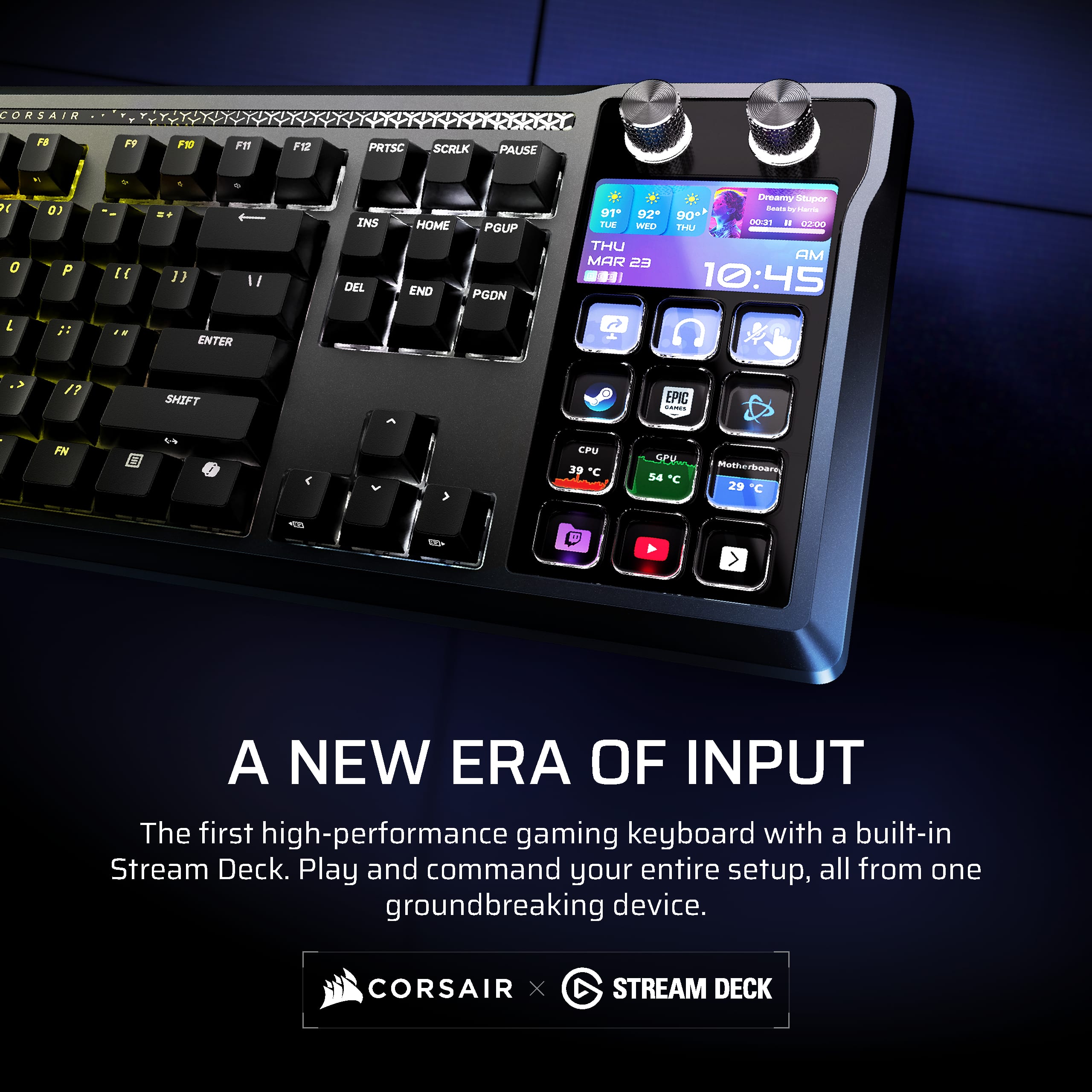
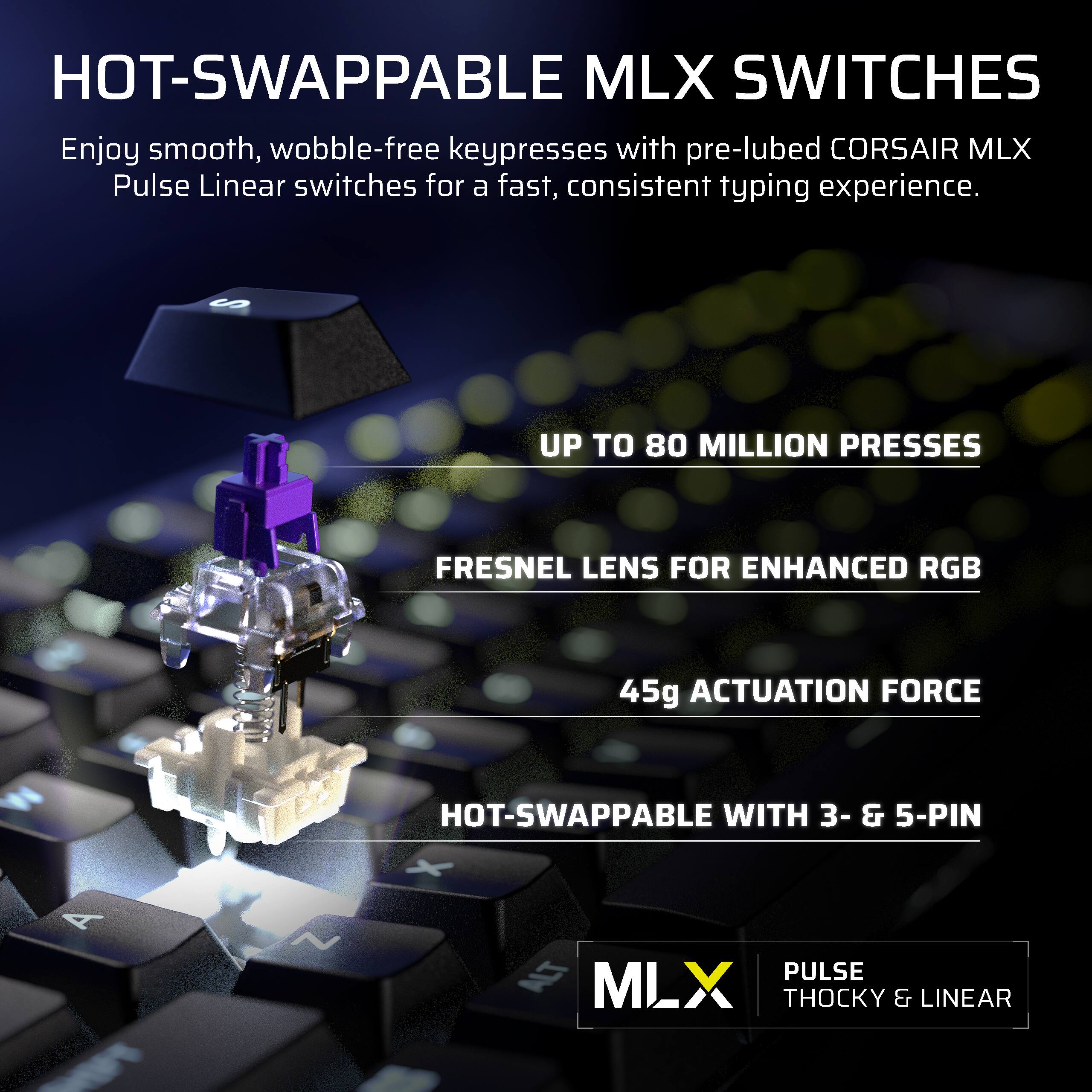
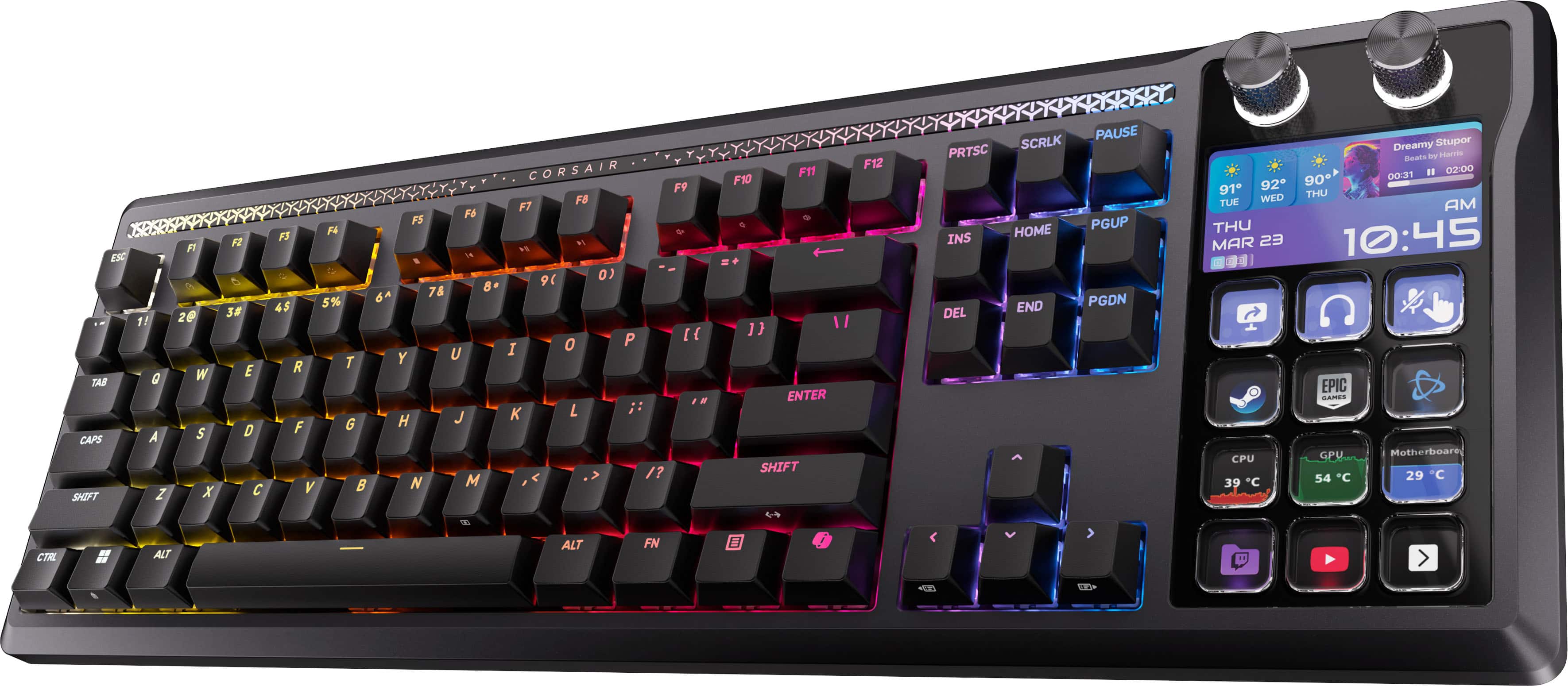
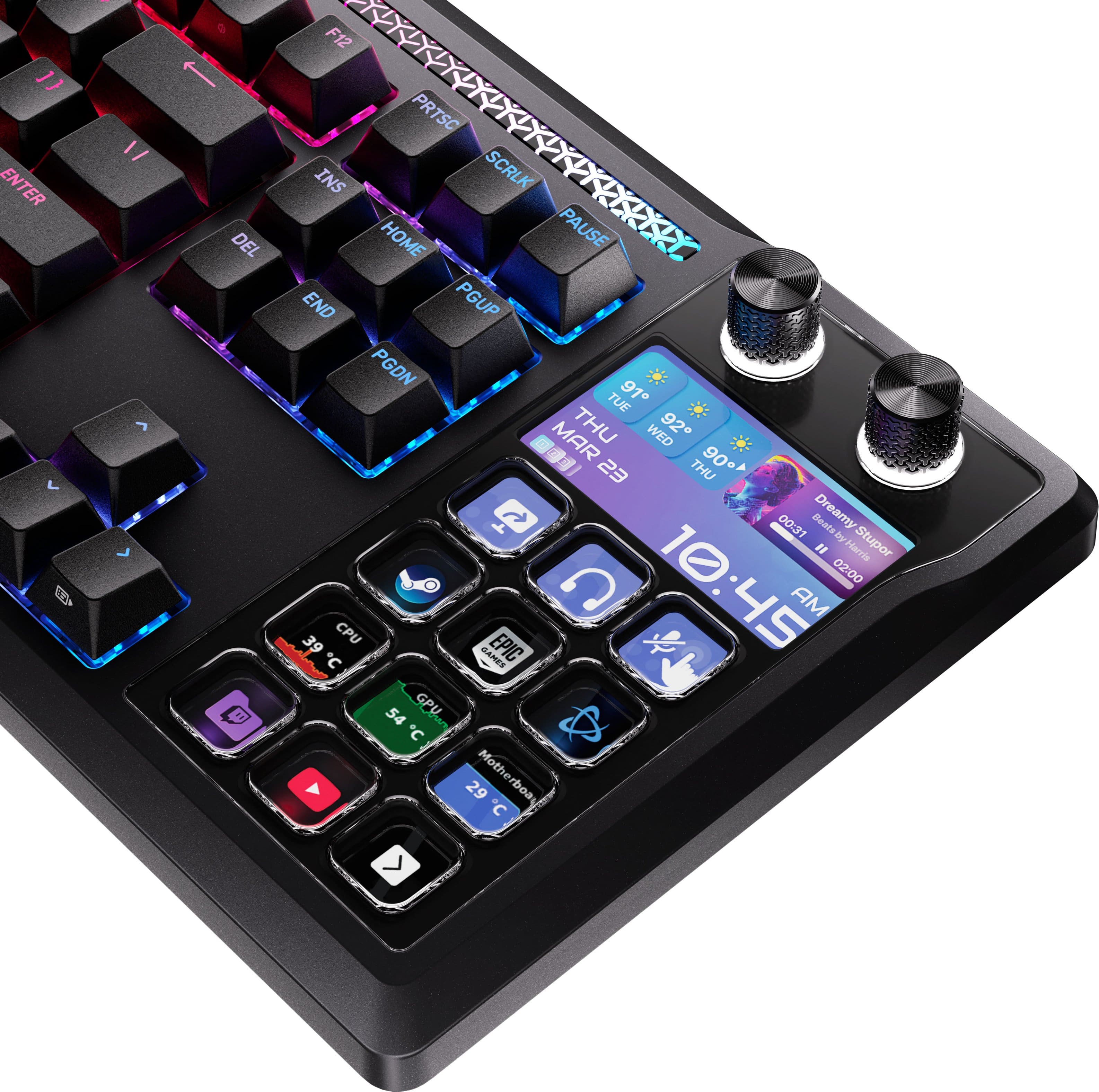
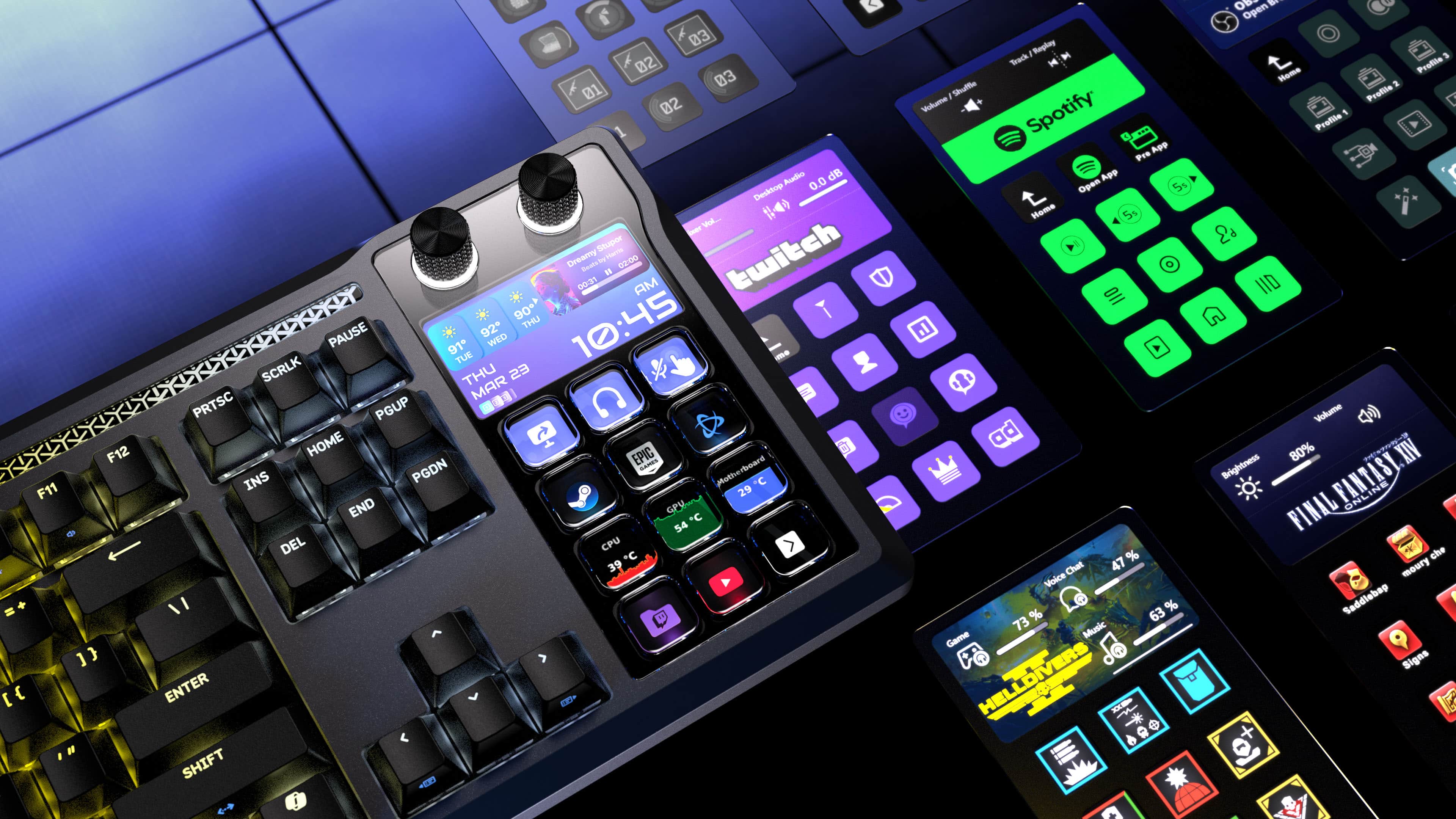
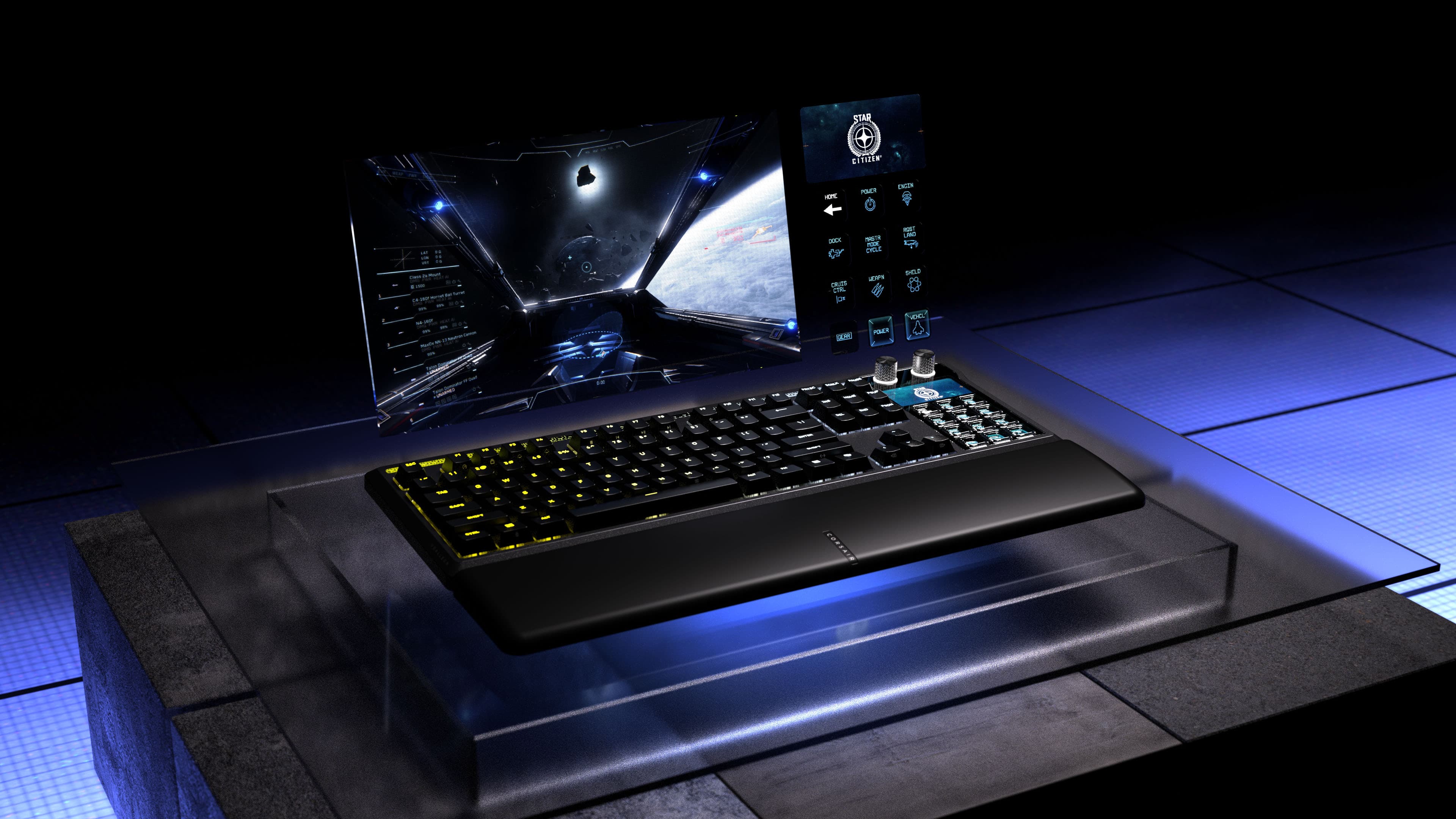
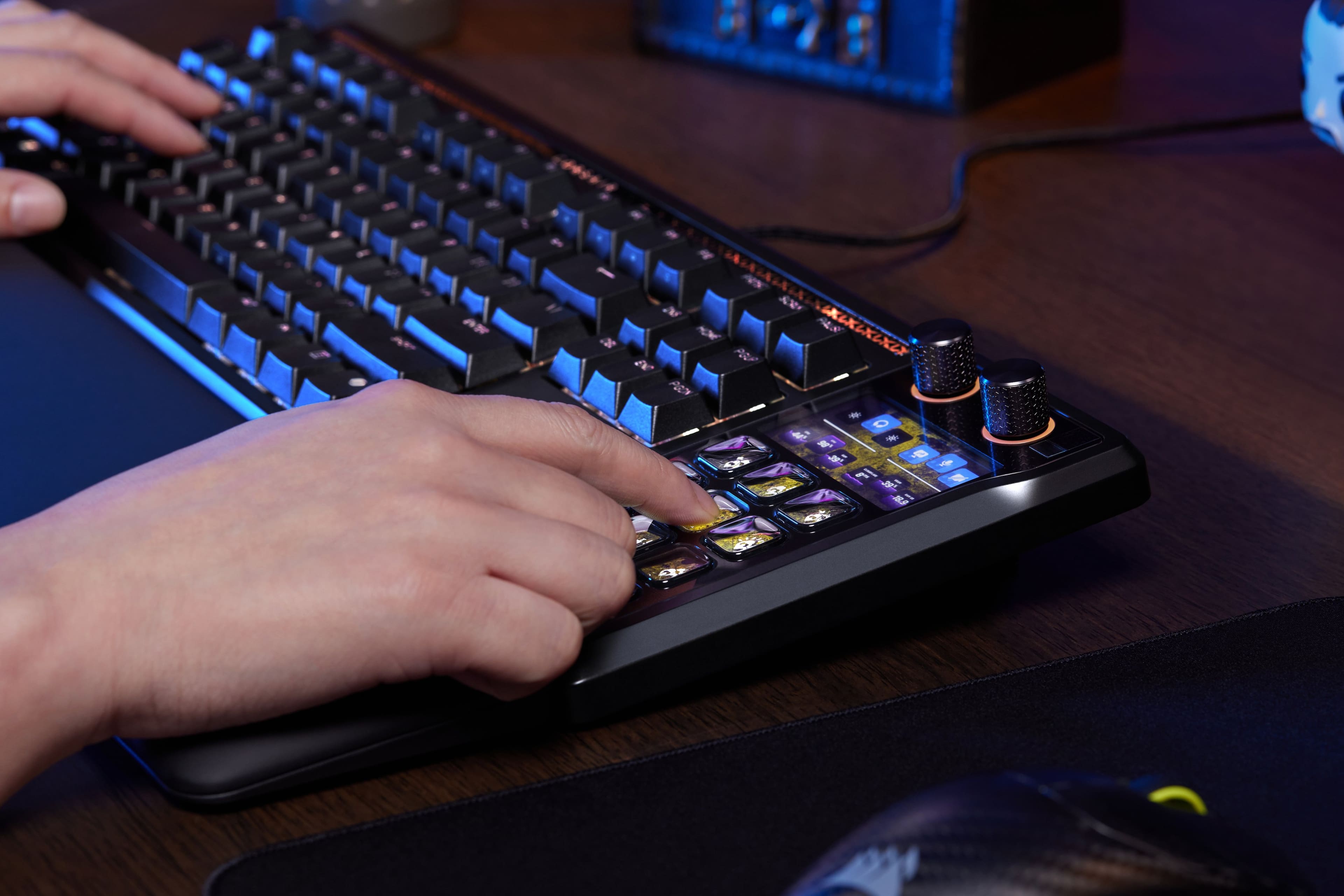
|Posted .This reviewer received promo considerations or sweepstakes entry for writing a review.Just when you thought mechanical keyboards were at their peak this absolute unit gets dropped by Corsair… wow. No stranger to mechanical keyboards from all the major brands, customs, and a stream deck but what I’ve never thought would come is one like this with a stream deck BUILT IN. I like to main a TKL or 75% normally as I’m a fan of more room for the mouse so I was worried this would be a big change but I can say it genuinely doesn’t bother me. The fact you can customize the stream deck area buttons is very cool! It even has a preset for an actual number pad if you need one. Those buttons are very grippy rubbery feeling even though plastic so they aren’t a hard press or anything but note you aren’t going to be doing data entry with those set to number pad mode. The star of the show is obviously the stream deck area and if you are a current user of one it will come as no surprise that they are very handy. I use it in games to mute my mic in chat programs, run funny sounds off soundboards and fire off macros. You can program so many useful tasks as well and the biggest kicker for me is unlike my main stream deck I don’t have to reach forward on my desk just to press buttons, or even shift my arm at all for that matter. That shoulder strain from the non keyboard one was always super annoying so this took that completely away. No icue to be found for this one due to elgato integration though there is a very good web based software for this and controlling. You have full access also to customize the SD portion with the stream deck app. The build quality and typing feel here are second to none for a pre built major box brand. The switches here are the MLX pulse which are linear. I however have a classic favorite of mine that I swapped in as this keyboard IS hotswappable. The ones I put in are actually NX snow switches as I like a more lightweight key press but still linear. The wrist rest feels very premium as does everything else with this keeb and I’d have to say the target audience knows who they are for this and if that’s you this thing is an absolute treat to use.
I would recommend this to a friend - Pros mentioned:Build quality
A must have keyboard!!!
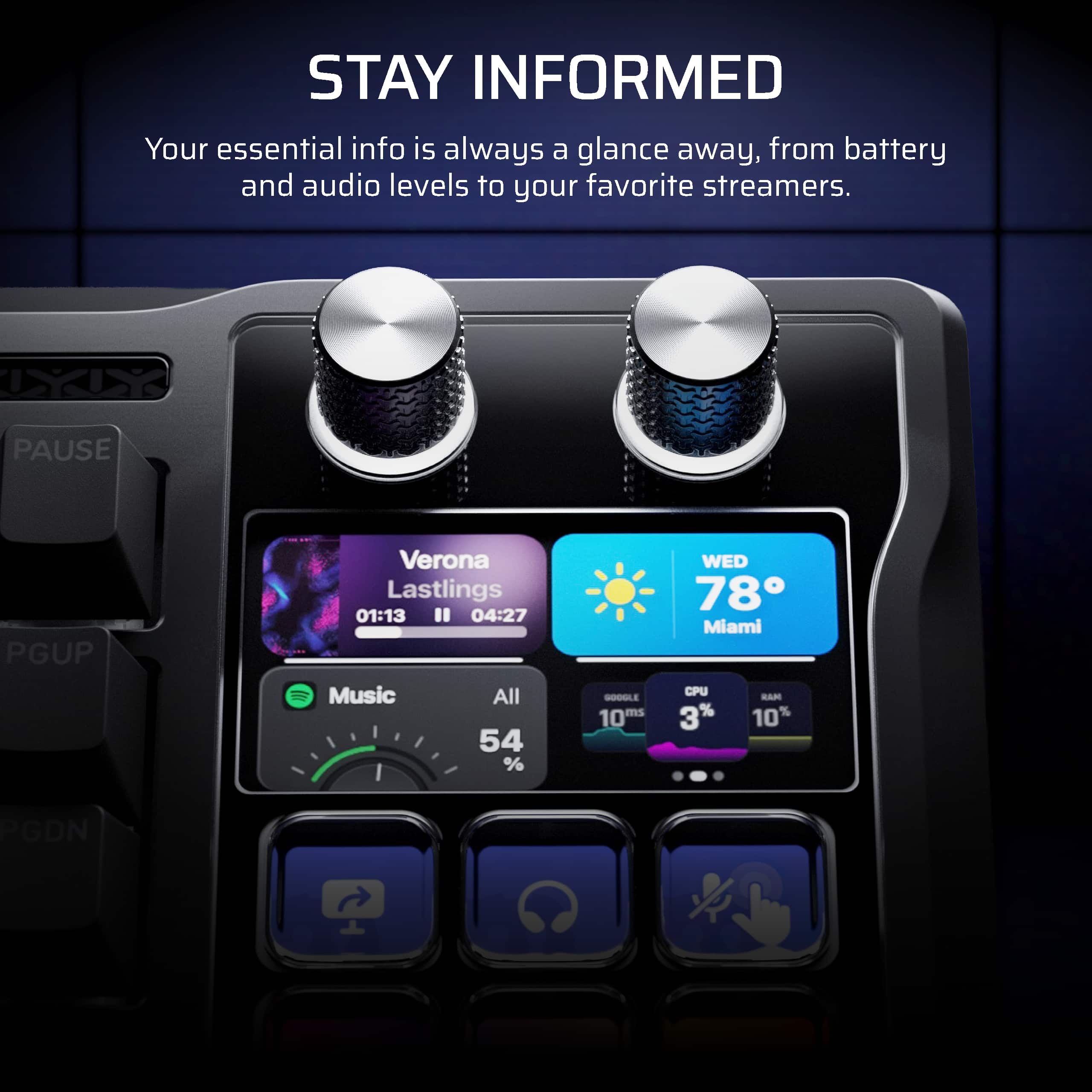
|Posted .This reviewer received promo considerations or sweepstakes entry for writing a review.Wow, where do I start with this keyboard... I've always had a Corsair keyboard and over the recent years have added a bunch of Corsair accessories to my gaming setup and a couple years ago added a Stream Deck for macros. I've always wished that Corsair would integrate with the Stream Deck and it's finally here. If you're like me and don't need tons of custom buttons but a few with an info screen that serves up macros and functions then this is it, you'll love it. Quality - Build quality is what you'd expect from Corsair - premium with a good touch/feel and look and this one is certainly no different. The RGB lighting is bright and consist with the colors from the other Corsair products, so this is a great upgrade if you're looking to free up some desk space. Software - Just like with the other products you get with Corsair you can set this up using iCUE and control the keys with the Elgato software. The integration is actually a lot better than I thought it'd be but if you're familiar with iCue and Elgato, you'll have no trouble setting this up and configuring it to your needs. The only thing I can complain about with iCUE is there needs to be MORE integration with other hardware and lighting and easier customization, the latest software almost simplifies it too much and makes it feel like you can't customize lighting in ways you use to. That said, I love the profiles and ability to change them on the fly. Keys - I love typing on this keyboard and for gaming I'd say it's great and tries to strike a happy balance of being a keyboard that appeals to a broader audience of people so I'd say unless you're a hardcore gamer that's looking for or requiring specific features you'll probably like it. It's responsive and for my gaming needs it's perfect with the right actuation and sensitivity. It is built for gaming but doesn't have all of the features that some of the Corsair keyboards have. The display on the keys and the right hand side of the keyboard is clear/easy to read and bright. There are a number of widgets and just like with the other Elgato Stream Decks, there are dozens of different integrations and options to customize keys. Having said all of that, I do miss my ten-key!!!! Adding this on with a 10-key would have made it huge but I think is a good sacrifice but if you are like me and you use the 10-key a lot you may want to look at getting a separate USB 10-key for when you need it. The biggest thing I am getting used to is not having an ENTER key on the lower right of the keyboard and I have a habit of using that key when doing different things so that's been an adjustment. You can of course customize on of the Stream Deck keys to be an enter key but it's not the same as that big enter key. Maybe Corsair can look at a future version of this keyboard that has a detachable 10-key that magnetically attaches to this keyboard for those like me that would sacrifice a bit more desk space for that keypad. Overall, I'm impressed, and this has to be the coolest piece of technology to start out the new year with. I'd recommend getting one, especially if like me you have Corsair stuff and want to seriously upgrade your setup and consolidate a few things in to one device - your keyboard. Even if you don't have Corsair stuff, I think you will like it especially if the Steam Deck integration is appealing.
I would recommend this to a friend - Pros mentioned:Key feel
Excellent feel, but needs a NumPad workaround
|Posted .This reviewer received promo considerations or sweepstakes entry for writing a review.As Stream Deck+ user, this keyboard allows me even quicker access to my macro and control buttons, but it comes with some trade-offs. What it gets right -------------------- The keys feel great. I had gotten so accustomed to low-profile keyboards that it took a few days to get proficient at typing on the Galleon. But now I just love how comfortable typing is on this thing. As a gaming keyboard, Corsair has made it easy to remove the keycaps if you need to. The overall keyboard size is standard and has good elevation. The Stream Deck keys are easy to access and you have many options to configure to what you need. Plus, the keyboard is incredibly responsive. If the Stream Deck software isn't running, they keyboard display operates in "hardware mode," with some basic functionality...but this goes into the other stuff: What it gets wrong --------------------- * Where is the Caps Lock indicator? Seriously, there's no way to tell if you have it active. I had to install a small 3rd party app to display my Caps Lock status on my control menu. * The keyboard has an RGB bar at the top called a "mood bar." It only seems to be active in hardware mode, and even then you can't configure it. * You configure the keyboard (not the Steam Deck) side via a webapp. I actually appreciate this, but I find the web app a bit buggy and unintuitive to use. * You can remap the keys using the Webapp, but only for PC. There aren't any Mac keys shown. Luckily you can configure this in MacOS. * You cannot switch to hardware mode while the Stream Deck software is running. * This keyboard has RGB colors! How in the world is it not showing up in Corsair's iCue software? It does show up in Windows Dynamic Lighting, but what you can do there is very limited. Also, the Stream Deck buttons take over where a numpad would be. I tend to use the numpad a lot, so this has probably been the biggest challenge for me. Luckily hardware mode has a "virtual" numpad and you can recreate that behavior in the Stream Deck software; but the Stream Deck display keys are a bit crunchy to type on, making fast key entry fairly unpleasant. Fortunately my numpad workaround is pretty decent - I just have to get accustomed to pressing an extra button to access arithmetic functions. Outside of that, this keyboard is a pleasure to use, made even more so using the included wrist pad. The loss of a dedicated numeric keypad and PC switching (especially for my setup that has both PC and Mac) requires some workarounds, but I think the keyboard is worth it.
I would recommend this to a friend - Pros mentioned:Comfort, Key feel
Great Keyboard filling multiple roles
|Posted .This reviewer received promo considerations or sweepstakes entry for writing a review.I’ll start with a note that I typically am someone who uses only keyboards without the number pad (tenkeyless). So, if I had any issues with the keyboard at all it’s mainly getting used to the size of it compared to what I normally used. Typically, I have a Stream Deck and the keyboard and whatever else I’m using at the time on the desk and with this keyboard I felt like even though the keyboard was larger it actually ended up saving me space overall because I did not feel the need to have the standalone Stream Deck. All of that said as a keyboard this board is pretty good. It has a good typing feel and overall, I’ve been happy with the overall comfort and feel of the keys. It’s not overly loud or anything either which is a nice touch as well. The novelty of having a Stream Deck where the number pad would normally be at first seemed odd to me but the more I’ve used it the more I think it just works and it’s a nice touch. And the way they implemented stuff is nice because if you want to have a number pad still it will function in that way too. If I had any real complaints, it may be that the initial setup for the keyboard half with the key lighting was not initially straightforward. I knew I needed to have the Stream Deck app which is fine, but the Stream Deck app only controls the Stream Deck part of the keyboard. To configure the actual keyboard items and lighting I would have figured it needed ICUE like the rest of Corsairs keyboards but that was not the case I had to use there webconfigurer which I was not aware existed until doing some searching. Now it’s totally possible it states that in some documentation that I missed someplace but once I figured that out everything else has been super smooth. Overall if you’re looking for a new keyboard and looking into getting a Stream Deck this is a great option for both in one package.
I would recommend this to a friend - Pros mentioned:Build quality
Streamlined Streaming
|Posted .This reviewer received promo considerations or sweepstakes entry for writing a review.Space, Efficiency, and Effectiveness. These are very valid concerns of gamers and streamers alike. Luckily, those are all areas in which the Corsair Galleon 100 SD Stream Deck addresses and excels at! First, out of the box not only will its aesthetics make you say "Wow!", but so will its weight! This peripheral device is a chonk! In a time of need, there is a chance you could use this as a home defender! Although it may not always be true, weight and quality definitely go hand in hand with the Galleon 100. Just like another adage, things worth while take time. Setup for the Galleon 100 is one of those things. You will need to make sure you have both the Corsair Hub and the Stream Deck app installed as both are required separately. First, The Corsair Hub. This program is fairly intuitive and allows you to program key assignments and lighting effects. If you are familiar with layering it will be very beneficial to you. I have my keys setup with groups of uses, such as my movement keys red, my background keys white, and a ripple effect when I push specific keys. If you put in the time, this customization is amazing! With the Stream Deck app, you essentially have to download a driver for each service, which is simple, but a little time consuming. The Stream Deck has several "pages" that you can program, and also has an option to turn the deck buttons into a 10 key number pad for when you need to be more studious. Most gamers have a very finite space for their gaming equipment and often share their gaming space with other more chore like tasks. With the Corsair Galleon 100, you can free up some space and make both your time and effort more efficient and enjoyable. Although this Keyboard/Stream Deck combo fetches a decent price tag, in my opinion it is worth every penny as its function, feel, and efficiency are beyond premium!
I would recommend this to a friend In a word, amazing
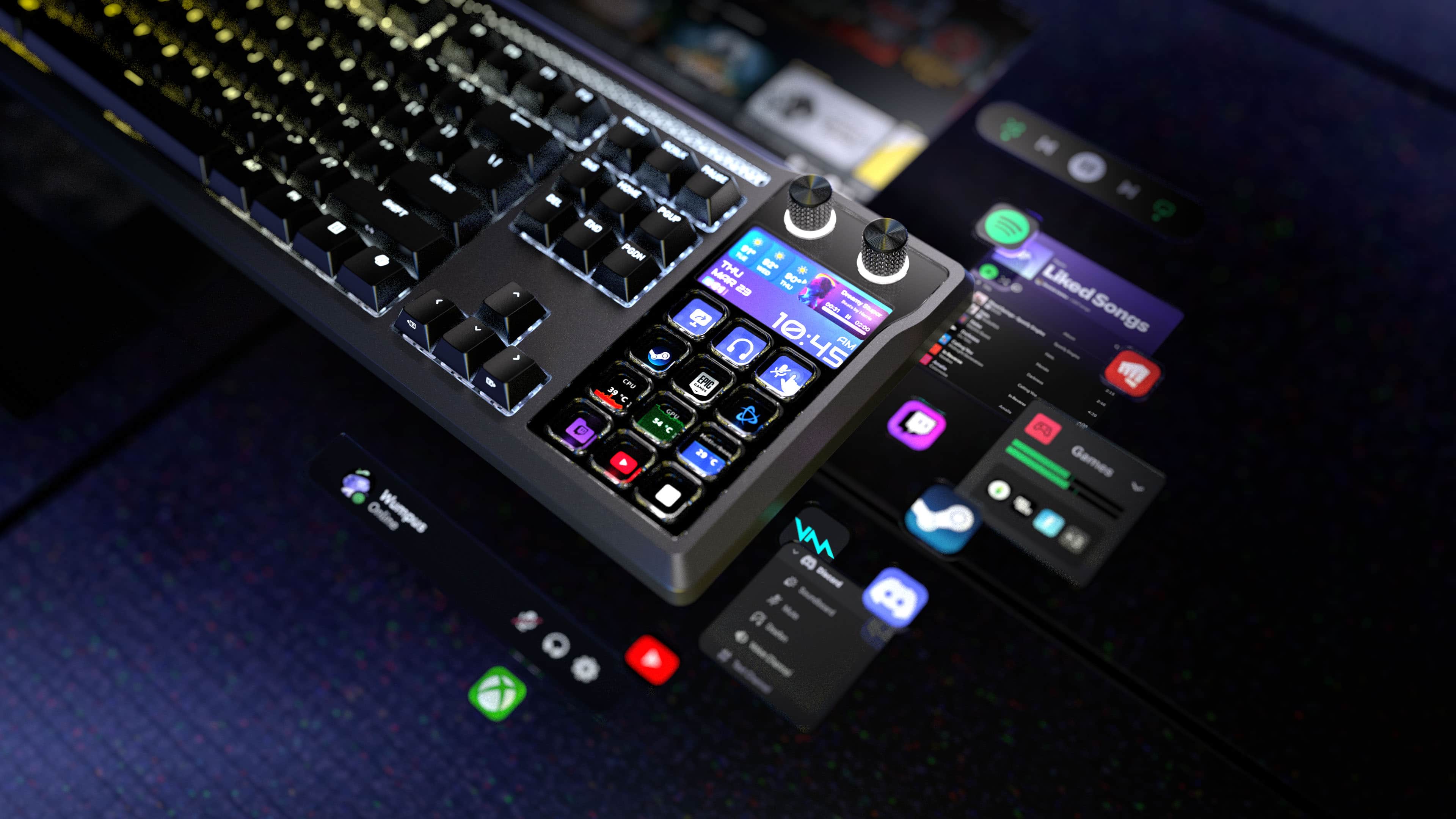
|Posted .This reviewer received promo considerations or sweepstakes entry for writing a review.I've had a million keyboards over the years and there's not really anything that makes any one of them really stand out, until now. Packaging: Nothing special here, keyboard and cable in a box with some literature, well packaged and traditional back and yellow Corsair packaging. Use: This is where it stands out, this is truly a unique keyboard, especially if you dont find yourself needing your number pad and truly have use for the integrated streamdeck. To have this all together without yet another accessory to plug into another USB port is something truly useful. I understand that there are larger streamdecks out there but some of us are limited in space and to have this integrated into a true mechanical gaming keyboard is quite a great experience. The functionality of the keyboard itself is superb, the keys are responsive, it has RGB functionality and a true Elgato streamdeck. Elgato is the defacto standard in streamdecks and it's really worthwhile having it so close at hand. It works every bit as well as a separate streamdeck and the customizable dials and screen are useful. Overall: Excellent, amazing. I really cant stress how great of an idea this is if you are a streamer that has need of a good keyboard and a streamdeck, especially if you are limited in desktop space or available USB ports, or if you are just starting out and do not want to invest in multiple expensive pieces of equipment. I strongly recommend it.
I would recommend this to a friend100 SD: More Than Just a Keyboard
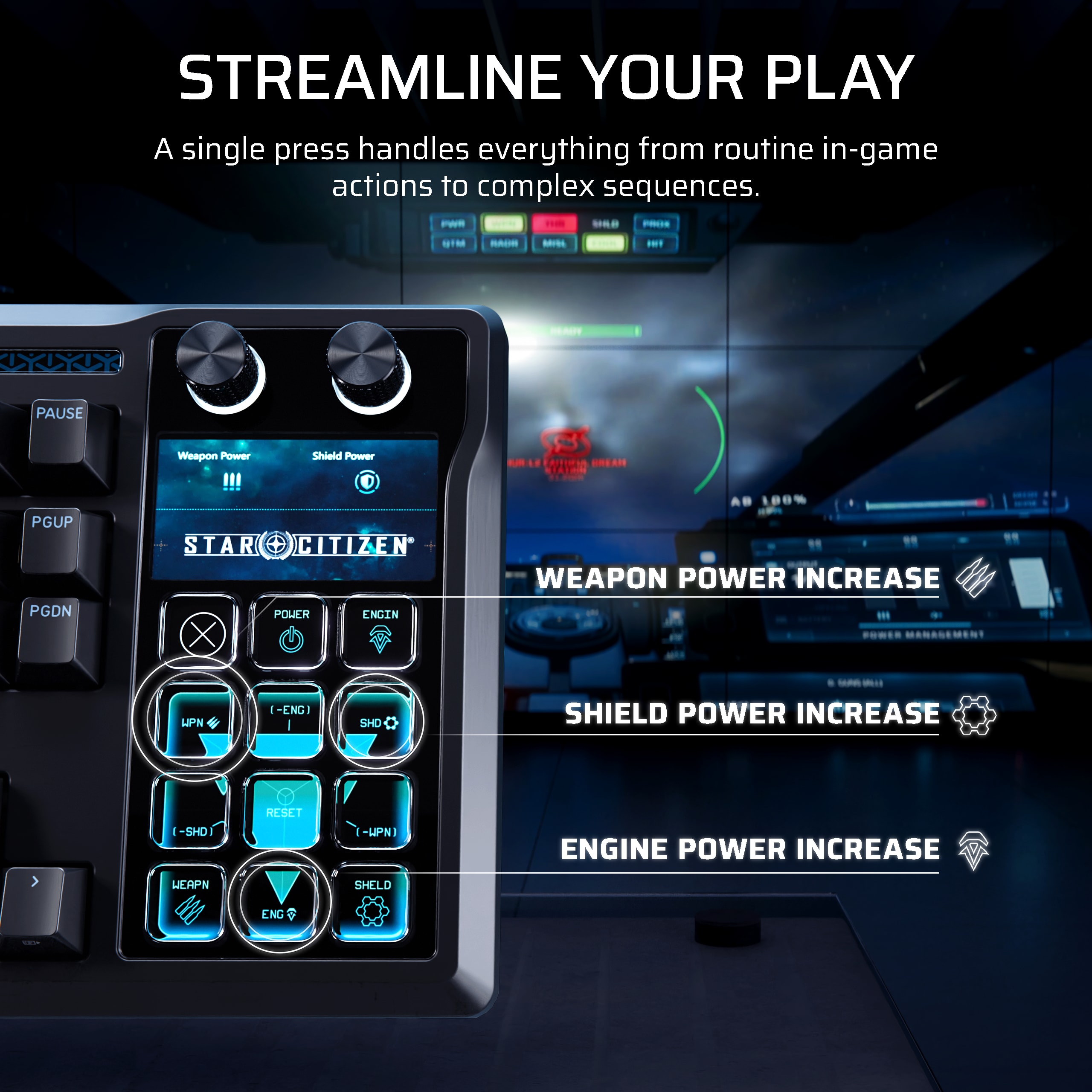
|Posted .This reviewer received promo considerations or sweepstakes entry for writing a review.Look, I’ve had the **Corsair Galleon 100 SD** on my desk for four days now, and honestly? It’s a bit of a flex. It’s basically a high-end mechanical keyboard that swallowed an Elgato Stream Deck whole. Here’s the "real talk" on what it’s actually like to use. ### The Good Stuff * **The Feel is Addictive:** This isn't that clattery, annoying "click-clack" sound. It’s got a deep, muffled "thud" when you type. It feels heavy, expensive, and really smooth. I found myself just looking for excuses to type things because it feels that good. * **Everything is Right There:** I love not having to reach across my desk for a separate Stream Deck. Having those 12 little screen-keys built right into the board is slick. I have one button for my Discord mute, one to launch Spotify, and one that literally just shows me a GIF of a cat. It’s fun. * **The Knobs:** Most keyboards just have a volume wheel. This has two actual knobs that feel like high-end stereo equipment. I used one for volume and the other to scroll through my open tabs. It’s way more satisfying than using a mouse wheel. * **Zero Lag:** If you play fast games, you’ll appreciate this. The response time is basically instant. It feels "snappy" in a way my old board didn't. ### The Not-So-Good Stuff * **Setup is a Pain:** You can’t just plug it in and go. You have to install two different massive apps (iCUE and the Stream Deck software) to get the screens and lights working. It took me a good hour just to get my shortcuts looking the way I wanted. * **The "Snake" Cable:** The USB cord is thick. Like, "powering a small appliance" thick. It’s not very flexible, so if you’re a stickler for a clean desk, you’re going to be fighting with it to stay in place. * **Stupid Expensive:** Let's be real—$350 is a lot of money for a keyboard. You’re paying a "convenience tax" for having the screens built-in. You could definitely get a similar experience for cheaper if you bought two separate devices, but it wouldn't look this cool. * **No Wireless:** I really wish I could move this thing around without the tether, but because of all the screens and lights, it has to stay plugged in. --- ### My Final Take After four days, I don’t think I can go back to a "normal" keyboard. Having my favorite apps and controls literally glowing on my board is awesome. If you’ve got the budget and want the cleanest-looking setup possible, it’s a beast. If you’re on a budget, it’s probably overkill.
I would recommend this to a friendGame Changer
|Posted .This reviewer received promo considerations or sweepstakes entry for writing a review.I’ve been gaming (PC and console) for a long time, and every once in a while a piece of gear comes along that actually changes how you play and interact with your setup — that’s exactly what the CORSAIR Galleon 100 SD does. The integrated Stream Deck functionality is that game-changer. Being able to map actions right onto the keyboard for things like quick audio adjustments, Discord mute, launching apps, switching profiles, or triggering macros mid-game is incredibly useful, especially when you don’t want to break focus or take your hands far from the keys. The Stream Deck integration feels natural, well implemented, not a gimmick tacked on at the last minute. Once you get your bindings set up, everything becomes second nature, and it genuinely speeds things up whether you’re gaming, streaming, or just multitasking between matches. On top of that, it’s still a rock-solid mechanical keyboard. The keys feel responsive and satisfying, build quality is exactly what I expect from Corsair, and it holds up well during long gaming sessions without feeling fatiguing. What really earns these five stars for me is how much it adds to a gaming setup without adding clutter. Instead of needing extra devices or reaching for separate controls, everything is right there in front of you. If you’re a gamer who likes customization, efficiency, and gear that actually enhances how you play, this keyboard absolutely delivers. Oh and come on… it just looks cool too. Easy recommendation. Easy five stars.
I would recommend this to a friendBest keyboard addition that I've seen!
|Posted .This reviewer received promo considerations or sweepstakes entry for writing a review.The Corsair Galleon 100SD is a great keyboard that removes the numpad and adds a much more useful addition with a built-in Elgato Stream Deck. The keyboard itself looks great with nice feeling keys and the built in Stream Deck adds limitless functionality with the ability to program each button with customizable commands using the Elgato Stream Deck software. The hot-swappable keycaps allow you to fully customize the look of the keyboard along with the programmable Stream Deck, making this an extremely customizable keyboard. The build quality of the Galleon 100SD is extremely durable, good looking, and comfortable to use. I appreciate the magnetic wrist rest and how comfortable it is, I also like the fact that the keyboard itself has USB passthrough, which makes cable management much easier since I can plug directly into the keyboard. The passthrough USB also features USB power, I am using it for a USB-C powered speaker and it works great. The Corsair Galleon is compatible with Windows, Mac, XBox, and Playstation with onboard memory allowing you to customize and configure to your liking and use on whichever platform you prefer. I would highly recommend this product to anyone looking for a great keyboard that features Stream Deck built in.
I would recommend this to a friend