Customer Ratings & Reviews






- Model:
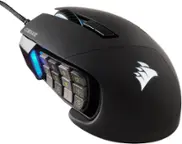
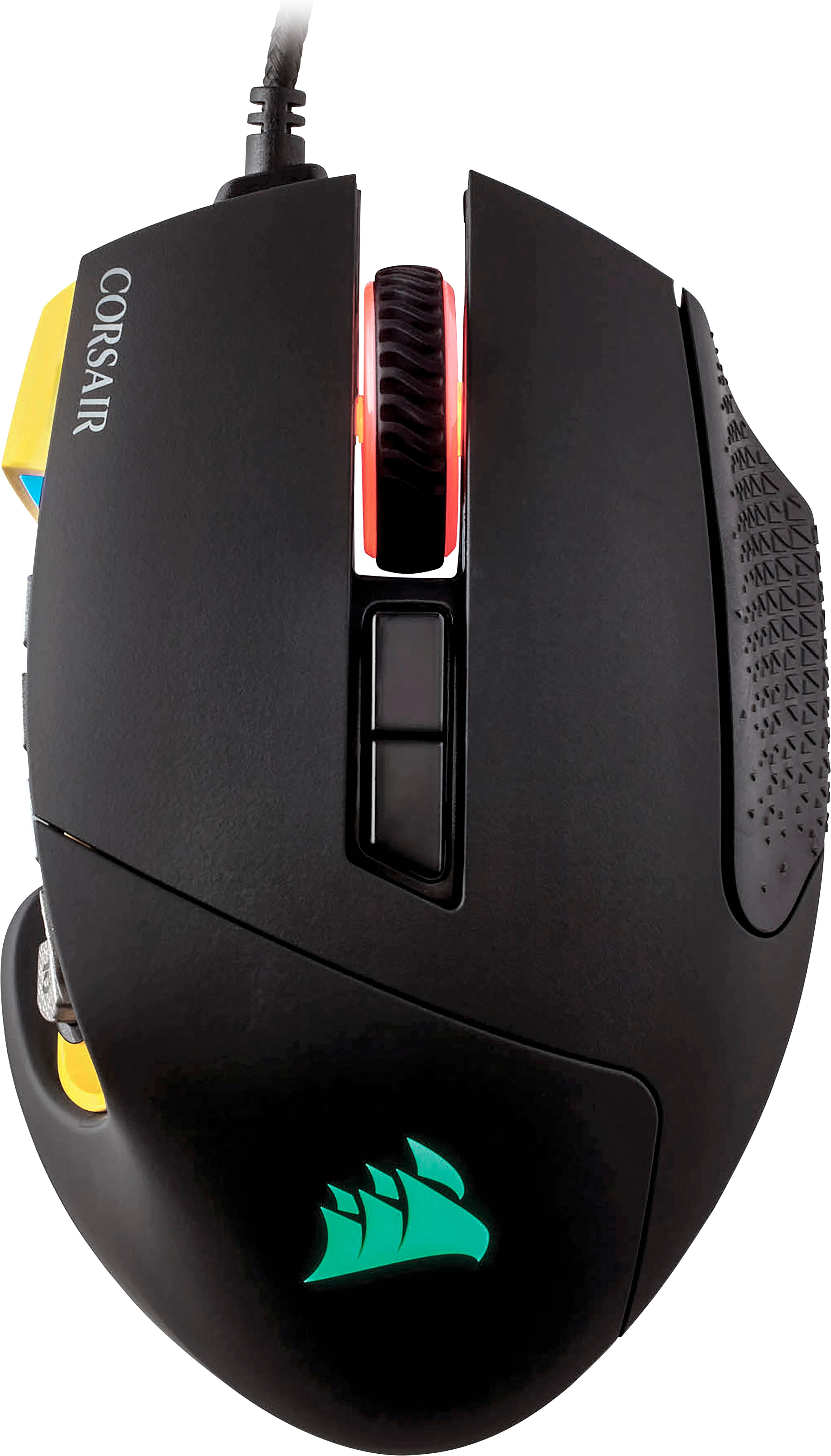
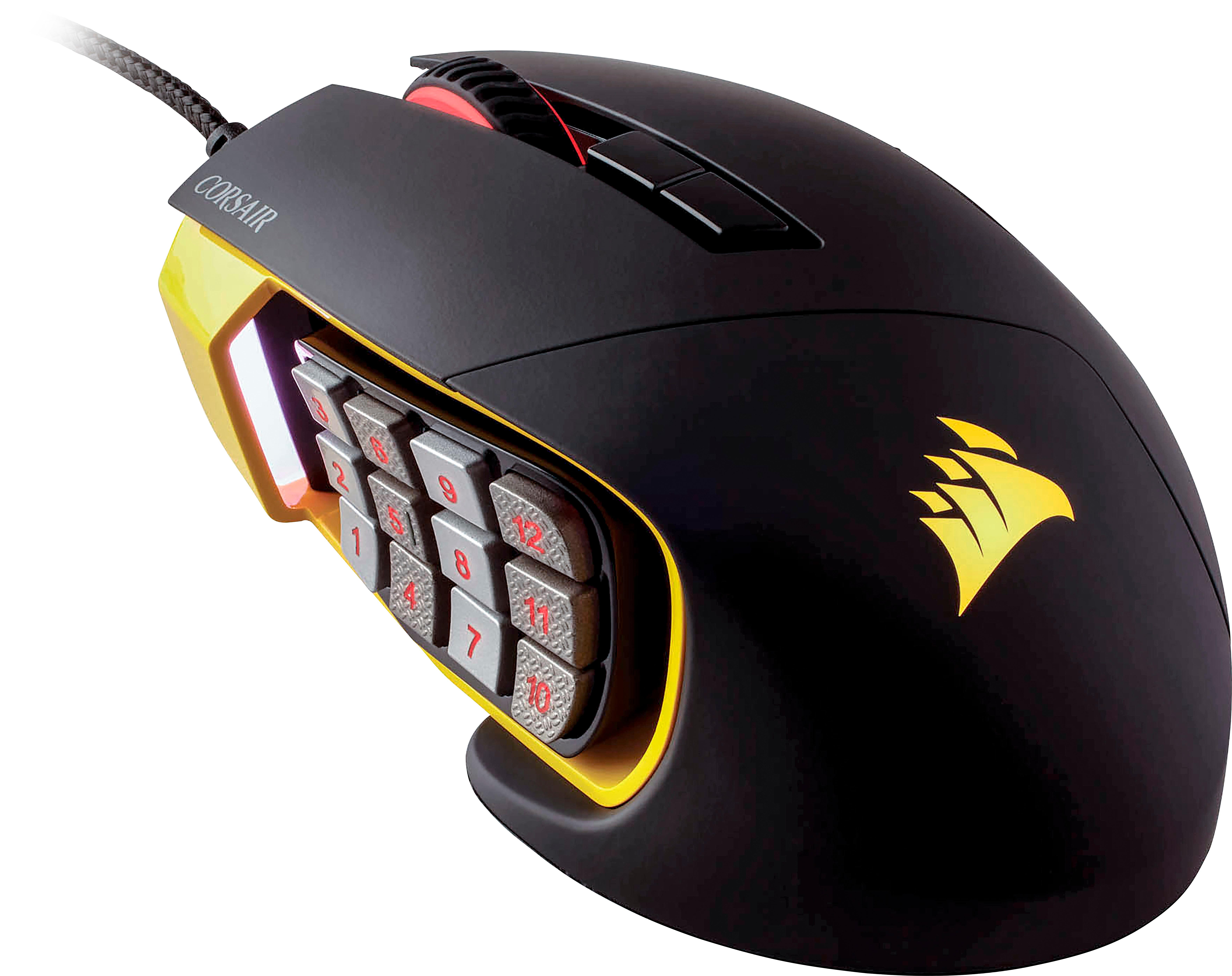
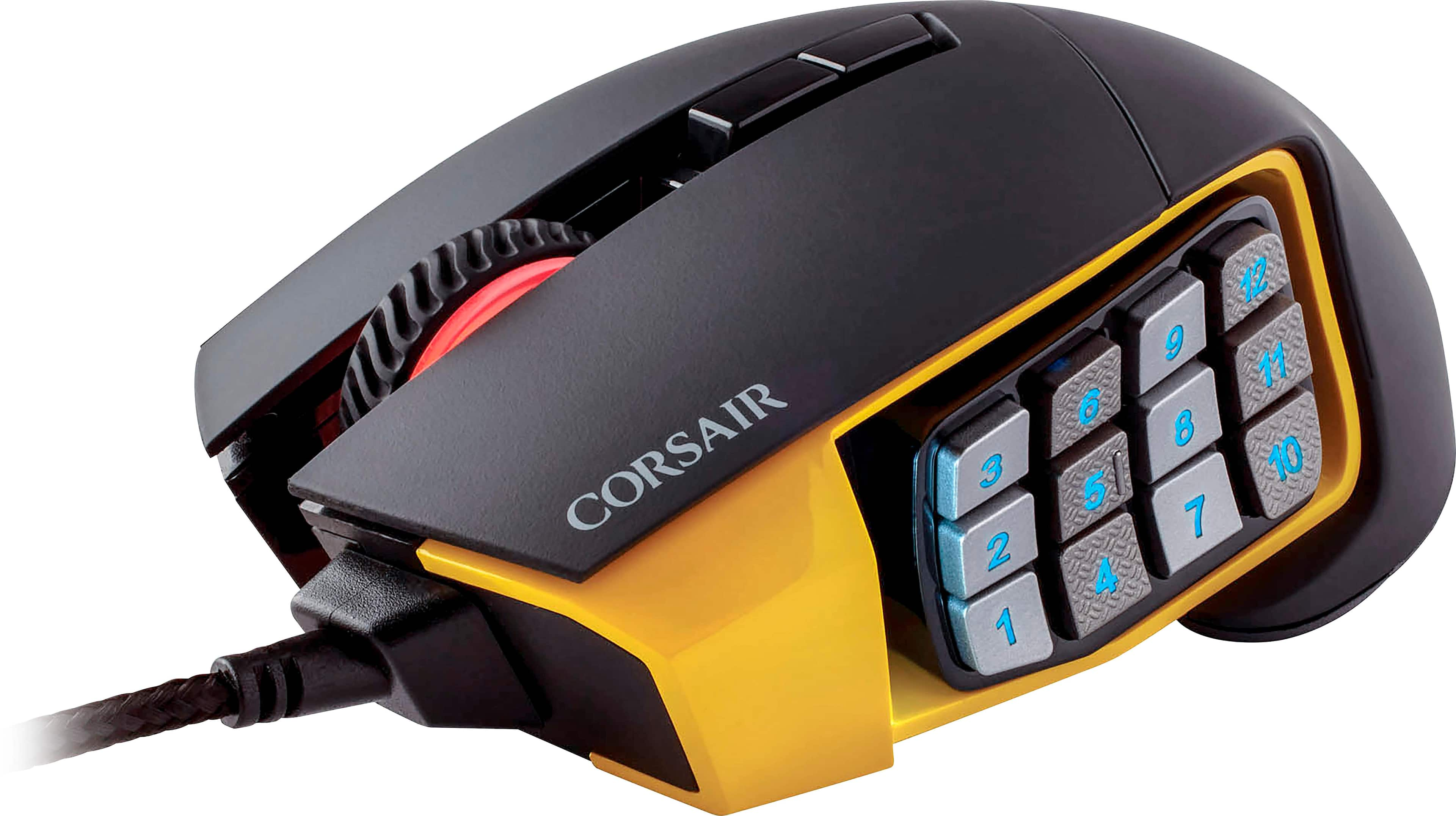
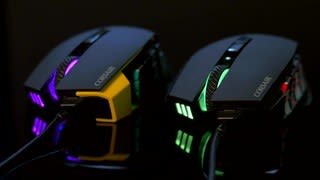
- SCIMITAR PRO RGB
- |
- SKU:
- 5708926
Customer reviews
Rating 4.6 out of 5 stars with 746 reviews
(746 customer reviews)Rating by feature
- Value4.5
Rating 4.5 out of 5 stars
- Quality4.6
Rating 4.6 out of 5 stars
- Ease of Use4.4
Rating 4.4 out of 5 stars
Customers are saying
Customers are satisfied with the Scimitar PRO's customizable side buttons, ease of use, RGB lighting, and overall build quality, frequently citing these aspects as positive features for gaming. Many appreciate the extensive customization options available, although some found the accompanying software somewhat complex. A few users noted the mouse's size and weight as potential drawbacks, while others experienced issues with the scroll wheel's functionality. Despite these minor concerns, the positive feedback on the Scimitar PRO's performance and features is significant.
This summary was generated by AI based on customer reviews.
- Pros mentioned:Gaming, Side buttonsCons mentioned:Software
Rated 5 out of 5 stars
Best Mouse I ever owned
||Posted .This reviewer received promo considerations or sweepstakes entry for writing a review.I bought this mouse to play games. I wanted to be able to set up repetitive things & click 1 button. This does the job. The iQue software is not really as user friendly as it should be. Other then that this thing is an AWESOME gaming mouse.
I would recommend this to a friend - Pros mentioned:Quality
Rated 5 out of 5 stars
High Quality
||Posted .This reviewer received promo considerations or sweepstakes entry for writing a review.Very high quality with fully customizable options through the Corsair software.
I would recommend this to a friend - Pros mentioned:Side buttonsCons mentioned:Software
Rated 4 out of 5 stars
Small-Hand Friendly
||Posted .This reviewer received promo considerations or sweepstakes entry for writing a review.One answer I did not find in the reviews I read: yes, it is small-hand friendly. The few cons: - Bit overwhelming to set up. - Software occasionally crashes. - No install CD; have to download the software online and it was not simple to find. - The button I am used to being the DPI Down botton is on this mouse instead the Change Profile button. Which leads to occasional grumbling as I realize I just lost all my binds until I get it back on the right profile. Yet, what I got it for was as a replacement for a mouse that had side buttons back too far for my small hands to reach. And, all in all, it has more than pleased me in that regard, which just means waiting for a bug-fix for the software and training myself to stop hitting the profile-change button! (Or, better yet, stop being stubborn and reprogram it to be what I expect...)
I would recommend this to a friend - Pros mentioned:Ease of use, Rgb lighting, Side buttons
Rated 4 out of 5 stars
Great mouse
||Posted . Owned for 3 weeks when reviewed.This reviewer received promo considerations or sweepstakes entry for writing a review.Use of mouse is easy and comfortable. Love the adjustable side buttons. Icue program is a bit of a pain at times but overall is easy to program button configuration. RGB is bright but not obnoxious, looks really good.
I would recommend this to a friend - Pros mentioned:Ease of use, Quality
Rated 4 out of 5 stars
Lots of features
||Posted .This reviewer received promo considerations or sweepstakes entry for writing a review.Good quality . Has a good key pad. Makes playing games easy and efficient
I would recommend this to a friend - Pros mentioned:Quality, Rgb lighting
Rated 5 out of 5 stars
Excellent Gaming/Work Mouse
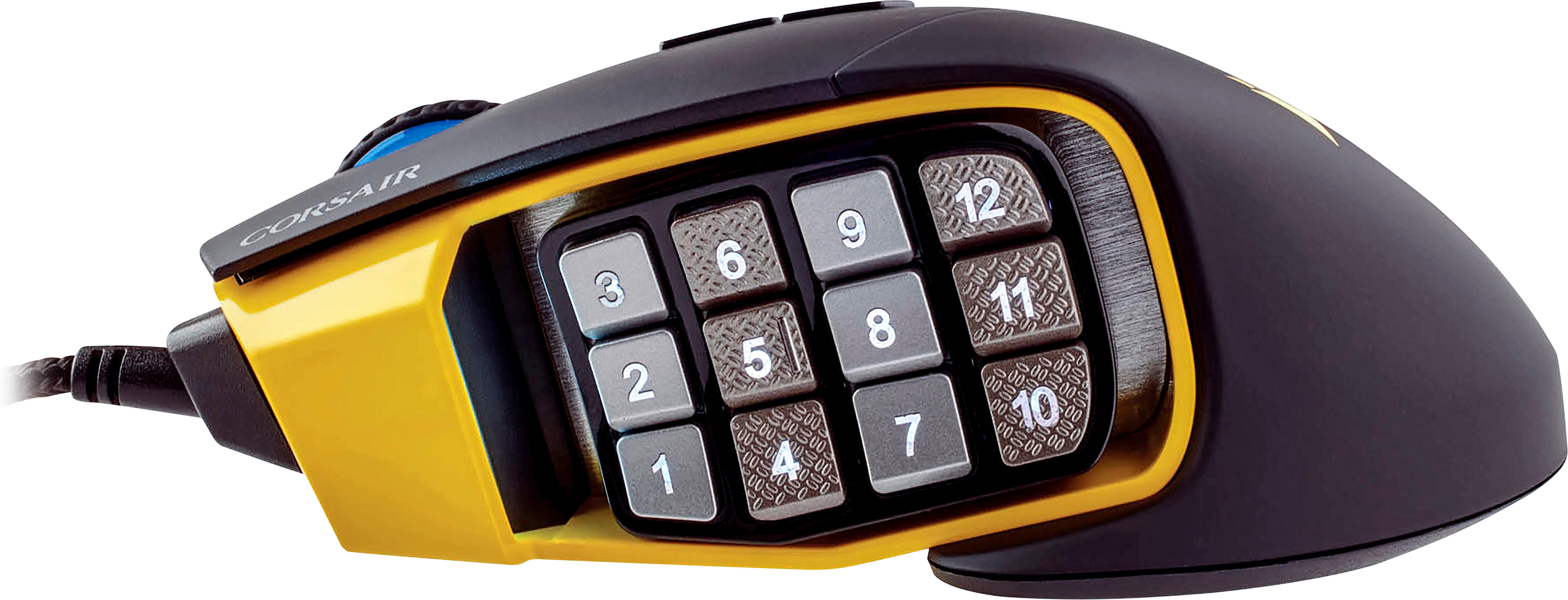
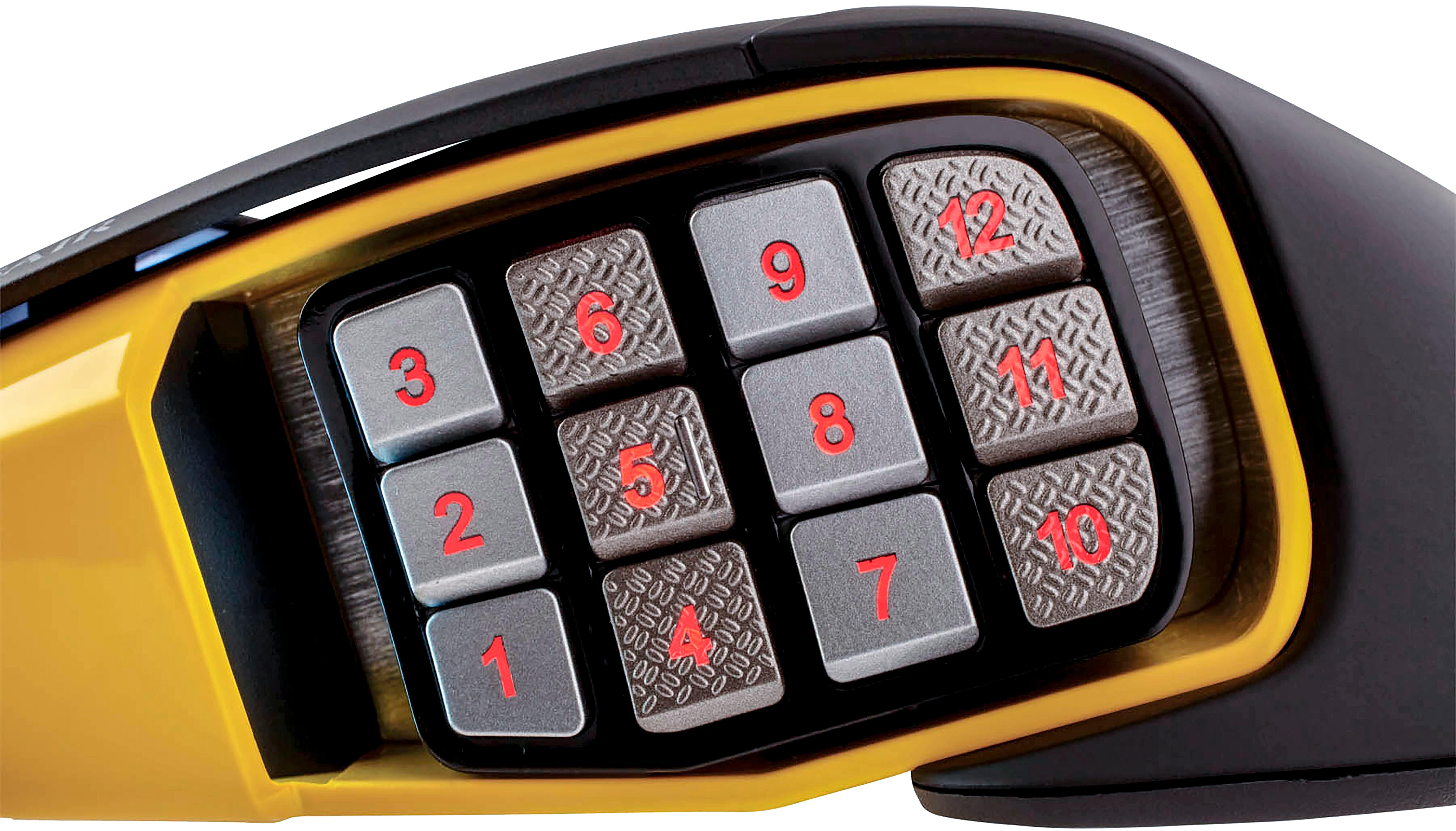
||Posted .This reviewer received promo considerations or sweepstakes entry for writing a review.The mouse is made of real good quality plastics with a nice amount of heft that give it that premium feel. The reason I purchased the mouse was for gaming and work. With 14 programmable keys, I’m able to use different tools in the software or game without having to reach for the keyboard. I love being able to customize the lighting on the mouse to my liking. The only complaint is that the 12 buttons on the side can be more individually pronounced and more clicks; since they are very flush to one another you can almost mistake one of the buttons for another unless you can quickly identify the textures on the buttons.
I would recommend this to a friend - Pros mentioned:Side buttonsCons mentioned:Scroll wheel
Rated 3 out of 5 stars
It is good, However...
||Posted . Owned for 1 year when reviewed.This reviewer received promo considerations or sweepstakes entry for writing a review.I picked up this mouse as a recommendation from a friend, whom also got this mouse. I tend to have a relaxed hybrid between palm and claw grip, and this mouse can fit my hand fairly well. The side buttons allow for some adjustment to help you reach a wide range of buttons from your thumb. Tracking is solid, where even with a mousepad that has contrasts of color, I've never lost tracking. The default settings on the mouse were fine, but using the iCUE program, gave a lot of freedom to using the mouse (albeit with a bit of a learning curve). Using the iCUE program, you can even have profiles that adjust based on what applications you have open, if you're willing to learn how to do it (YouTube is a godsend for this). All of this would lead to at minimal a 4-star rating. Good, but with minor nitpicks. However, this mouse has one flaw that I've been disappointed with--the center mouse wheel broke, giving no form of resistance or input after just a year. you can click down on the mouse-wheel, that works. But trying to scroll with the wheel itself simply does not work. This took a year before happening. An issue that a friend that had their mouse for easily twice as long, never did. Additionally, there appear to be a minor input issue when I use the left click after just a year, but this may just be me accidently clicking another input without realizing. Again, an issue that my friend hasn't had. Now I have contacted Corsair directly about this issue (do NOT remove the little label on the cable); although the automated response did feel a bit, insulting.. it did take some time for them to being willing to help with a replacement, as they appear to have a two-year warranty on these things. Depending on how that goes, this can bring my overall rating to a 4, maybe even 5 stars.. but we'll have to wait and see TL;DR? It's a solid mouse, but they seem to have an issue with a mouse wheel gear that can be somewhat fragile. While I cannot say they all do (mileage may vary), Corsair seem to be willing to accommodate as long as you do not remove the tag on the cable. Only time will tell if I would rate this better.
I would recommend this to a friend - Pros mentioned:Rgb lighting, Side buttonsCons mentioned:Scroll wheel
Rated 4 out of 5 stars
yeah this is good, get it
||Posted .This reviewer received promo considerations or sweepstakes entry for writing a review.only think im disappointed in, is that there is no scroll wheel left and right click..... kinda sucks. but the side button panel that moves is really cool, i can adjust it to my hand size and its supa comfy. also rgb lol get it
I would recommend this to a friend - Pros mentioned:Quality
Rated 5 out of 5 stars
What a Razer Naga should have been...
||Posted .This reviewer received promo considerations or sweepstakes entry for writing a review.Hi folks, pretty much never write reviews about products. I will not going into extensive details. Cosair makes quality products unlike Razer. I have used variations of the Naga over the year and loved the multi thumb buttons. Problem was Razer had no competition in this market and their products break too quickly. Eventually Logitech release a version to compete. I tried Logitech and didn't find it comfortable. Then Corsair came to the game.making a mouse very similar to the Razer Naga but better in every way. The parts aren't made with cheap plastics. The thumb buttons are adjustable for comfort. It is just a nice mouse. As mentioned in the title what a Razer Naga should be. I only have one minor complaint about this mouse which can easily be fixed through a firmware update on the device. When I game I use programs like Discord or TeamSpeak. My Push to Talk Key(PTT) is Mouse 5. Which is mouse forward on a standard mouse. They have a builtin feature where if you hold that button for about 8-10 second it resets the mouse to its defaults. Completely messing up on your key binds on the mouse. Other than that this is an amazing mouse. I expect it to last a long time. Would definitely recommend to people who want a quality MMO mouse.
I would recommend this to a friend - Cons mentioned:Scroll wheel
Rated 4 out of 5 stars
Almst Perfect
||Posted .This reviewer received promo considerations or sweepstakes entry for writing a review.First, I have large hands, mostly in the palm. Total length is 8 1/4". My palm is 4 3/4" long and 3 3/4" wide (excluding thumb) while my middle finger is 3 1/2" long. This is important because it alters my grip with most mice. I usually use a modified version of the claw grip. However due to how long my palm is, my wrist is usually anchored in place (on my poo pisiform bone) and most of my mouse movements are done by rotating my wrist and extending or contacting my fingers as the mouse moves. I really should learn to use my elbow. This causes a lot of pain in gaming on my pisiform bone, which its noticeably swollen (my right hand it 1/4" larger than my left). I'm 37 as of writing this, and I've had pain and swelling there depending on how much gaming I do since I was a teen (darn you LMCTF) This mouse does not help with that. I'm still looking for a mouse large enough to get my hand up and off the pad into a true palm grip. I'm currently using an IMAK RSI Smart Glove to provide some relief for the pain. I'm in IT by trade, but do more typing that mouse work, and use a trackball for working (MX Ergo as the excellent Optical Trackman has been long out of production). My previous gaming mouse was the Logitech G700 and my spare was a Logitech G602. However, size isn't something I usually hold against a mouse, they are all wrong for me. So lets talk about what this one does right and wrong. The moving slider pad: I thought at first a gimmick, but when I got the RSI glove I needed to adjust it further back as my hand got moved about half an inch further from the mouse. It was great to be able to adjust that to where I needed it. While the marked key helps me know where my thumb is, my thumbs are large enough that the other texture and key shapes don't quickly translate yet to my brain for super accurate clicking. I'll get there. Scroll wheel: Pretty, and serviceable, but scrolling feels it has just too much drag. Texture: A softened texture, but a little too slick for me I don't have quite the grip on the mouse that I want. Right grip: I didn't think I would use this. I do, I like the texture and the return grab it gives me. Wish more of the mouse had it. Lighting: Wish I had more individual lighting control on the pad, but then again, I'm not looking at it. I'd likely set only one light on as a quick visual check for where I am. I type almost completely by feel but occasionally use my eyes to reorient myself. iCue: I have Corsair's K95 and Void Pro, so this is ground I'm familiar with. I've had only one issue, says my mouse needs a firmware update, but won't let me do it. This mouse does not help with that. I'm still looking for a "Big" mouse that lets me use a real palm grip. That said, the adjustable slider on the thumb pad is pretty darn helpful for my grip style. However
I would recommend this to a friend - Pros mentioned:Rgb lighting, Side buttons
Rated 5 out of 5 stars
Better than razer
||Posted .This reviewer received promo considerations or sweepstakes entry for writing a review.Way better than the new Razer Naga. Not many people are a fan of the color scheme, but that's not important to me. The functionality of the mouse is what is important. The side buttons feel way better than any of the other mice I've tried and is adjustable unlike most. The RGB works flawlessly with my corsair keyboard. The cons are the top middle buttons are flushed to the frame where I can't really feel as if I'm clicking the buttons. It'll take some time to get used to but overall I'm a fan of this mouse and not looking to change any time soon.
I would recommend this to a friend - Pros mentioned:Side buttons
Rated 5 out of 5 stars
I LOVE THESE
||Posted . Owned for 7 months when reviewed.This reviewer received promo considerations or sweepstakes entry for writing a review.I've been a gamer my whole life. I've bought VERY expensive mice in the past, very cheap mice in the past, I've used all types of mice in between. Madcatz RAT7, Logitech, Razer, Corsair, etc. I've used it all. These guys are THE BEST mice. I loved it so much, I bought 5 of these, 1 for my main desktop, 1 for my laptop, 1 for work, 1 for my wife, 1 for my friend (who is a bigger gamer than I am) we all agree this is a very versatile mouse. Being "accurate" and precise is not good enough in the mice arena. We need to be able to use this on different type of surface, be customizable, needs to be compatible with different software/products. The driver and Corsair software needs to be fast, not take up too much memory, easily configurable, which is what I want and they deliver. I've been a Logitech fan for years, and I always use the highest end mouse for my gaming habits. I dropped it for these. The buttons are highly configurable: I have a profile for work, where I can push a button and a macro is recorded to submit my name and password, automate several of my work duties. I have another profile for Overwatch, dpi optimizable for up to 6 settings on the fly, I can change my dpi for Genji where I need to turn 360 degrees quickly, and a "slower" but accurate dpi for Widow/Hanzo, and I can change instantly with 1 button. I also use for Warcraft, there's 12 customizable buttons, each for a different spell, and up to 6 settings on the fly, so I can switch the buttons for different characters on the fly as well. I really don't care about the looks, but the customizable lights are fun too. For work it's a sad blue, for Overwatch it's blinking yellow/gold, for Warcraft a shimmer between red and orange.
I would recommend this to a friend - Pros mentioned:Rgb lighting, Side buttons
Rated 5 out of 5 stars
Takes some getting used to
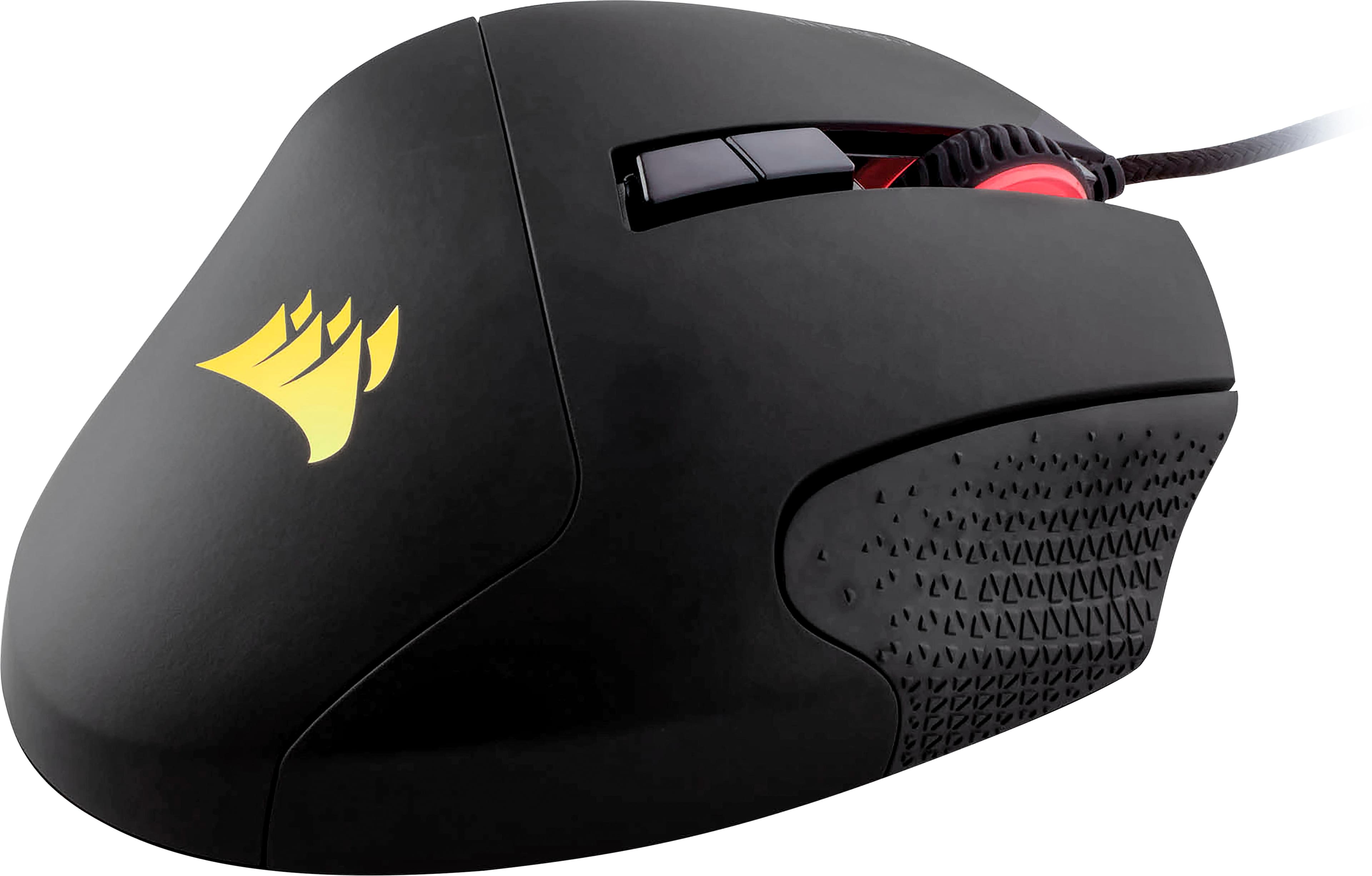
||Posted .This reviewer received promo considerations or sweepstakes entry for writing a review.Overall a great mouse, the key remapping is difficult to find if you are unfamiliar with this brands interface. On the mouse itself the adjustable 12 keys are wonderful and easy to adjust. The only complaint I have about the design is the texturing on the right, it was rather painful the fist few days using it and still bothers me sometimes, I may end up looking for something to cover it with for comfort. The color change works perfectly and is easy to customize through the desktop app.
I would recommend this to a friend - Pros mentioned:Quality, Rgb lighting
Rated 4 out of 5 stars
Great quality, looks like this one gave up too soo
||Posted . Owned for 9 months when reviewed.This reviewer received promo considerations or sweepstakes entry for writing a review.This mouse has a great build quality to it you can manage the macro keys easily via Corsair app iCue, DPI settings are amazing for FPS games which I do play the RGB settings is very customizable goes very well with other Corsair devices using RGB this mouse gave up on me in just about a year. Luckily I bought warranty and got a replacement for the same one just a different color and so far is more than a year and it's working amazing just like the first day I would recommend 100%
I would recommend this to a friend - Cons mentioned:Software
Rated 3 out of 5 stars
Highly customizable, but one flaw
||Posted .This reviewer received promo considerations or sweepstakes entry for writing a review.I liked how I could program any and every aspect of the buttons, lighting and scroll speed with the Corsair application. That being said, the Corsair application is also the main issue I have with it. The software has to be constantly running in order for your mouse to function how you set it up. This wouldn’t be a problem normally except when the application crashes or can no longer understand the profiles you set up for your mouse. I have had this mouse for nearly 6 months and had to redo the setup at least twice a month, which is a shame because the product performs well once you have it set up.
I would recommend this to a friend - Pros mentioned:QualityCons mentioned:Software
Rated 4 out of 5 stars
Great mouse for games
||Posted .This reviewer received promo considerations or sweepstakes entry for writing a review.I've owned 6 razer gaming mouses in the past 7 years and after i tried the scimitar pro i can safely say that i wont be going back to razer. So far I've had zero issues with this mouse, the sensor feels smoother then the razer, and overall is just a better quality product. The only draw back for this mouse is the software it uses to set up the buttons. It's not bad, it's just a little dificult until you get used to it.
I would recommend this to a friend - Pros mentioned:QualityCons mentioned:Software
Rated 4 out of 5 stars
Fantastic mouse, iffy software
||Posted .This reviewer received promo considerations or sweepstakes entry for writing a review.The mouse itself is fantastic. The build quality and responsiveness places this mouse above some of the other competitors. The only issue I had came from the the cue3 software deleting out macros I had in place randomly. Sometimes it would crash and I would have to restart cue to get some buttons to work properly. If the software can be fixed with some patches this mouse will be the best purchase I have made for my PC.
I would recommend this to a friend - Pros mentioned:Rgb lightingCons mentioned:Scroll wheel
Rated 5 out of 5 stars
So many buttons!!!
||Posted .This reviewer received promo considerations or sweepstakes entry for writing a review.Does a great job, at first i had to learn not to clench my grip. MMORPGs need this mouse. CUE program helps setup profiles for different games or loadouts. My scroll wheel broke after 11 months but Corsair is replacing the mouse. I have the matching K95 Keyboard too and the Mouse pad. Lights my desk up or doesn't if i turn them off.
I would recommend this to a friend - Pros mentioned:Ease of use, Side buttons
Rated 5 out of 5 stars
Great gaming mouse
||Posted . Owned for 3 weeks when reviewed.This reviewer received promo considerations or sweepstakes entry for writing a review.I purchased this for gaming after using a friends. Coirsair is a great product to begin with. Its comfortable, easy to use, and binding the number pad to the side buttons make gaming easier when needing to press a button on the keyboard without having to move a hand off the keyboard during intense battles
I would recommend this to a friend - Pros mentioned:Rgb lighting
Rated 5 out of 5 stars
Great for all games
||Posted .This reviewer received promo considerations or sweepstakes entry for writing a review.Has full rgb, moveable macro keys on the side of the mouse so you can adjust it to your likings, and very comfortable to hold
I would recommend this to a friend