Customer Ratings & Reviews
- Model:
- CH-9304211-NA
- SKU:
- 10873080
Rating by feature
- Value
Rating 4.4 out of 5 stars
- Quality
Rating 4.6 out of 5 stars
- Ease of Use
Rating 4.4 out of 5 stars

Really nice mouse for gaming
|Posted . Owned for 1 year when reviewed.This reviewer received promo considerations or sweepstakes entry for writing a review.I've unintentionally trained myself into needing a numpad on the side of my mouse since the early days of playing MMO's and have found that others wear down very quickly and need to be replaced often. This mouse has lasted longer than any others I've used and offers the same bells and whistles that you'd expect with any other numpad mouse.
I would recommend this to a friendGreat MMO mouse despite cheap construction
||Posted . Owned for 1.5 years when reviewed.This reviewer received promo considerations or sweepstakes entry for writing a review.Great mouse for MMOs, feels good, I like that you can adjust the positioning of the side buttons. A small piece inside the mouse that connects the scroll wheel broke after one year of heavy use, leaving the wheel to free spin and unable to scroll. I opened the mouse up to see if it could be repaired or replaced but it's a cheap piece of plastic that doesn't seem able to be repaired or replaced, necessitating buying another mouse.
I would recommend this to a friendWay better than expected
||Posted . Owned for 2 weeks when reviewed.This reviewer received promo considerations or sweepstakes entry for writing a review.Ive been using a Razer Mamba for a while now, but bought this mouse for diablo 4 and figured i might switch between them because i loved my mamba. This mouse is way better than i expected. Its way more comfortable than my mamba and the perfect size for my big hands. It has a soft and comfortable exterior snd the buttons all have a great click. Ive felt better scroll wheels for sure, but this one is decent. I highly recommend this mouse to anyone looking for a new one.
I would recommend this to a friendExcellent Mouse For Customized Control
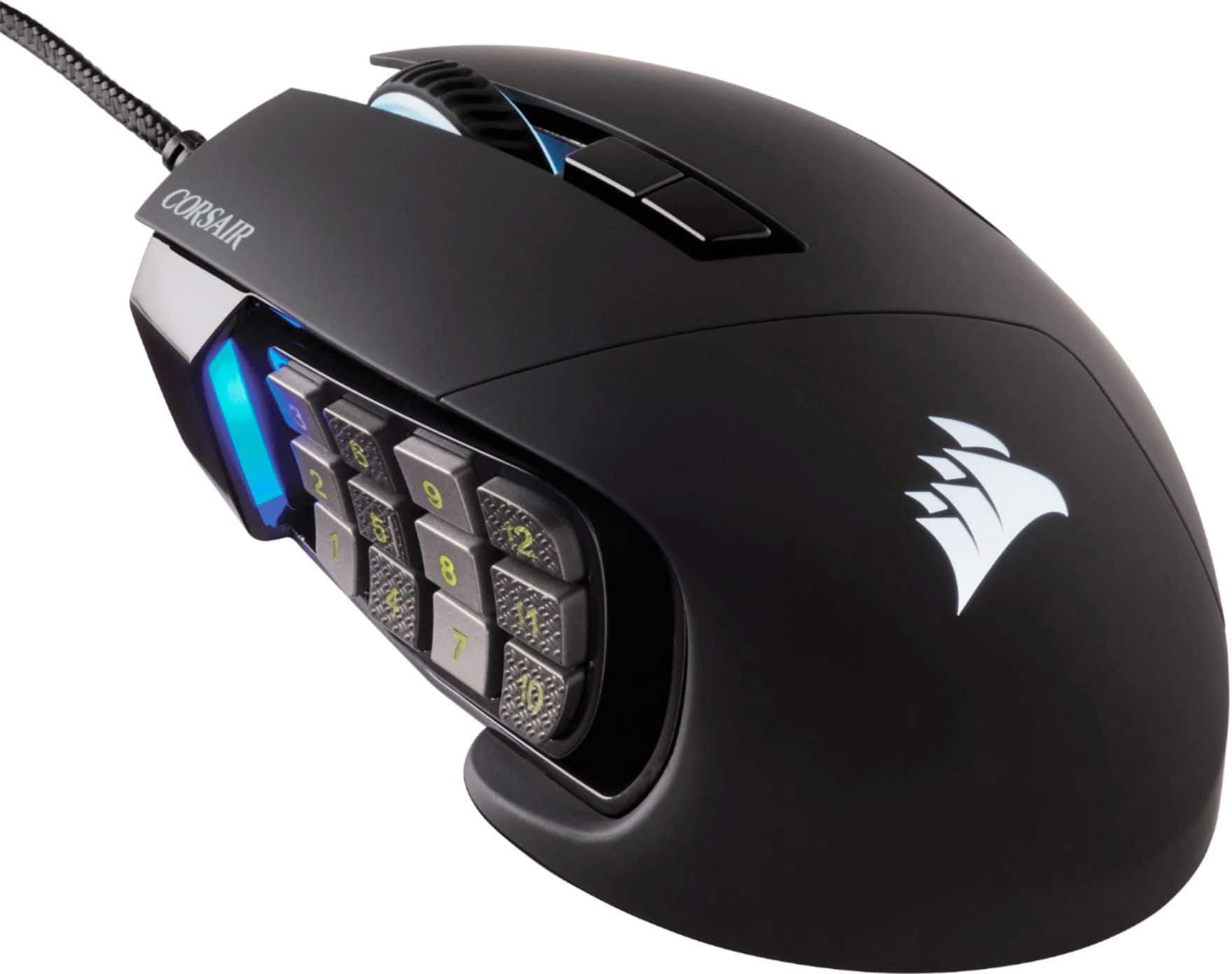
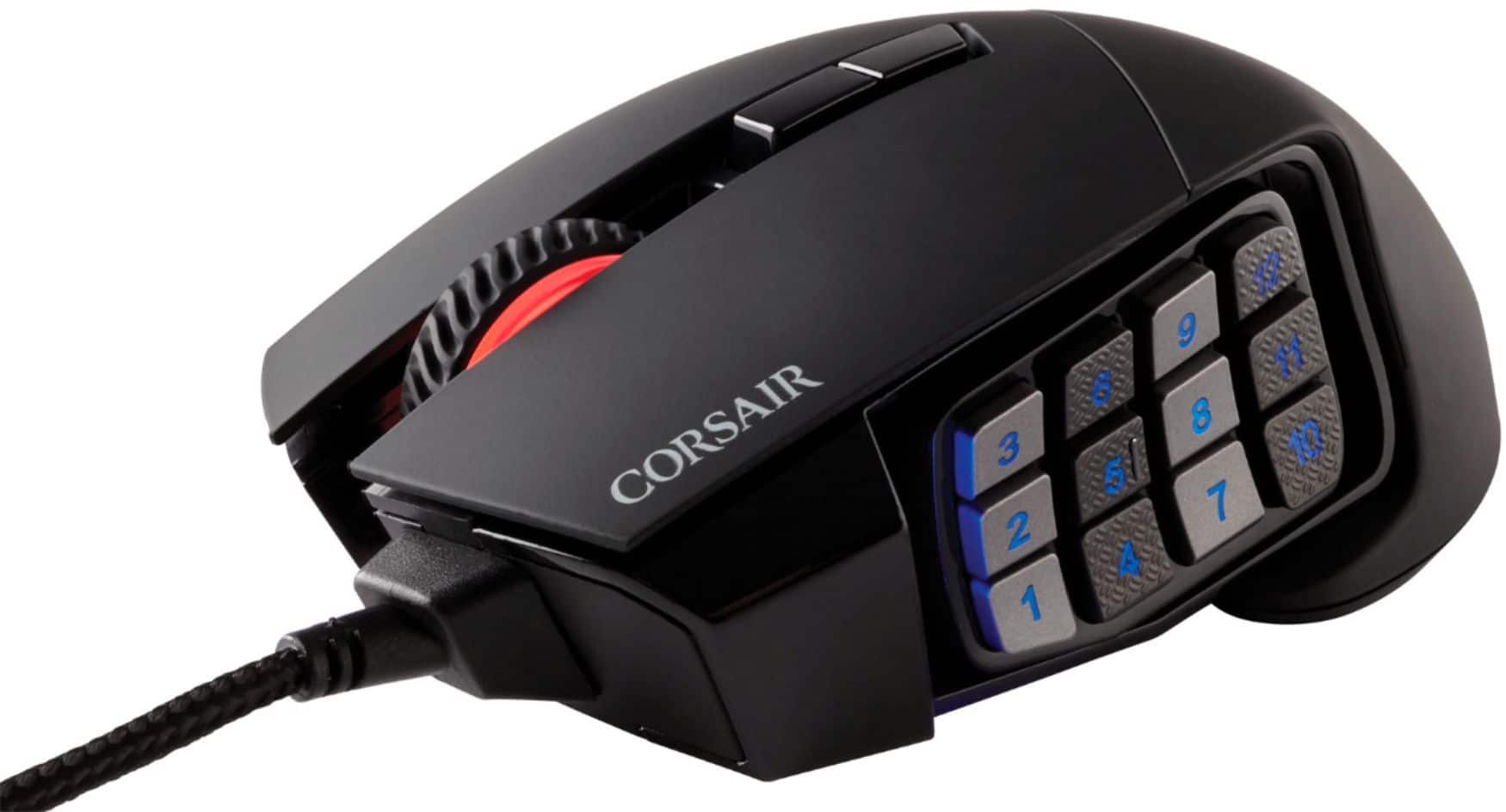
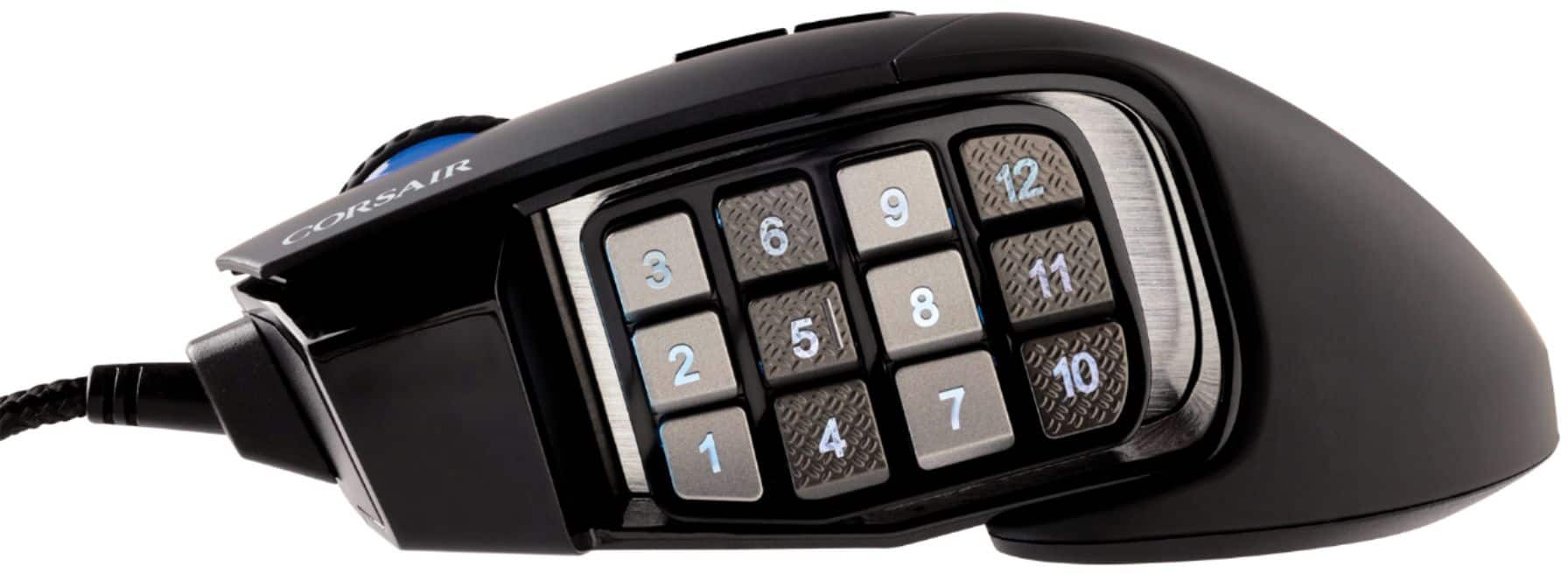
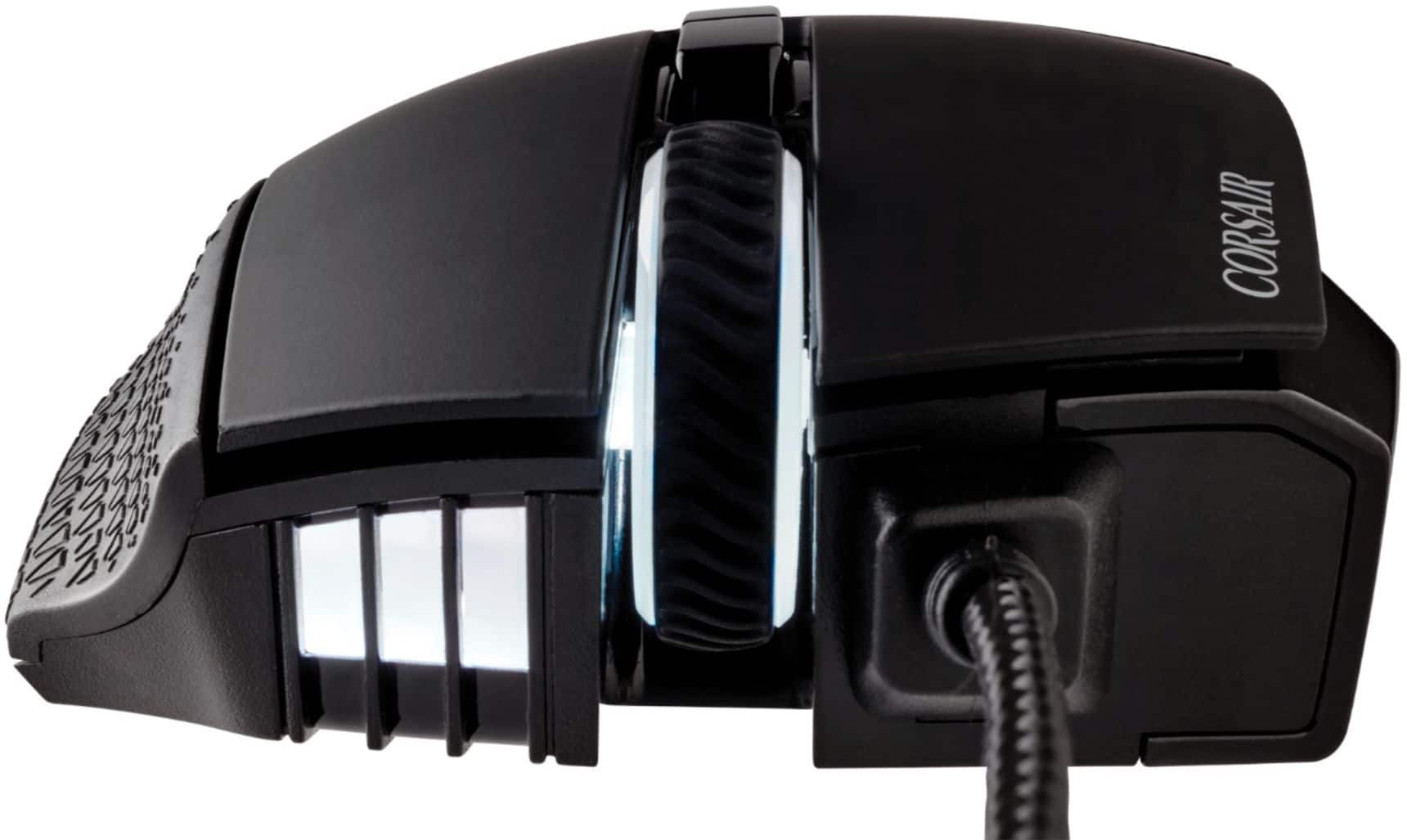
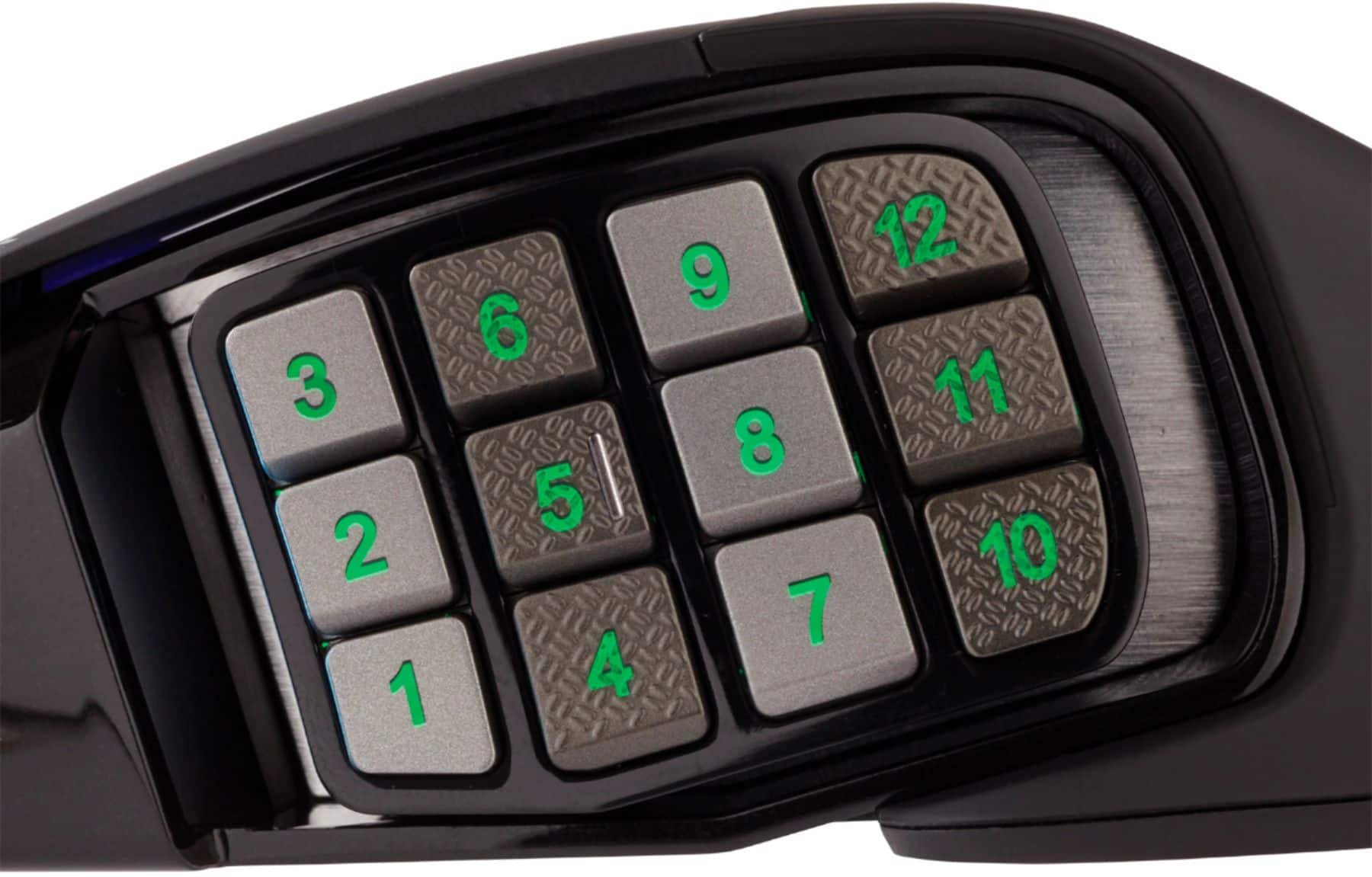
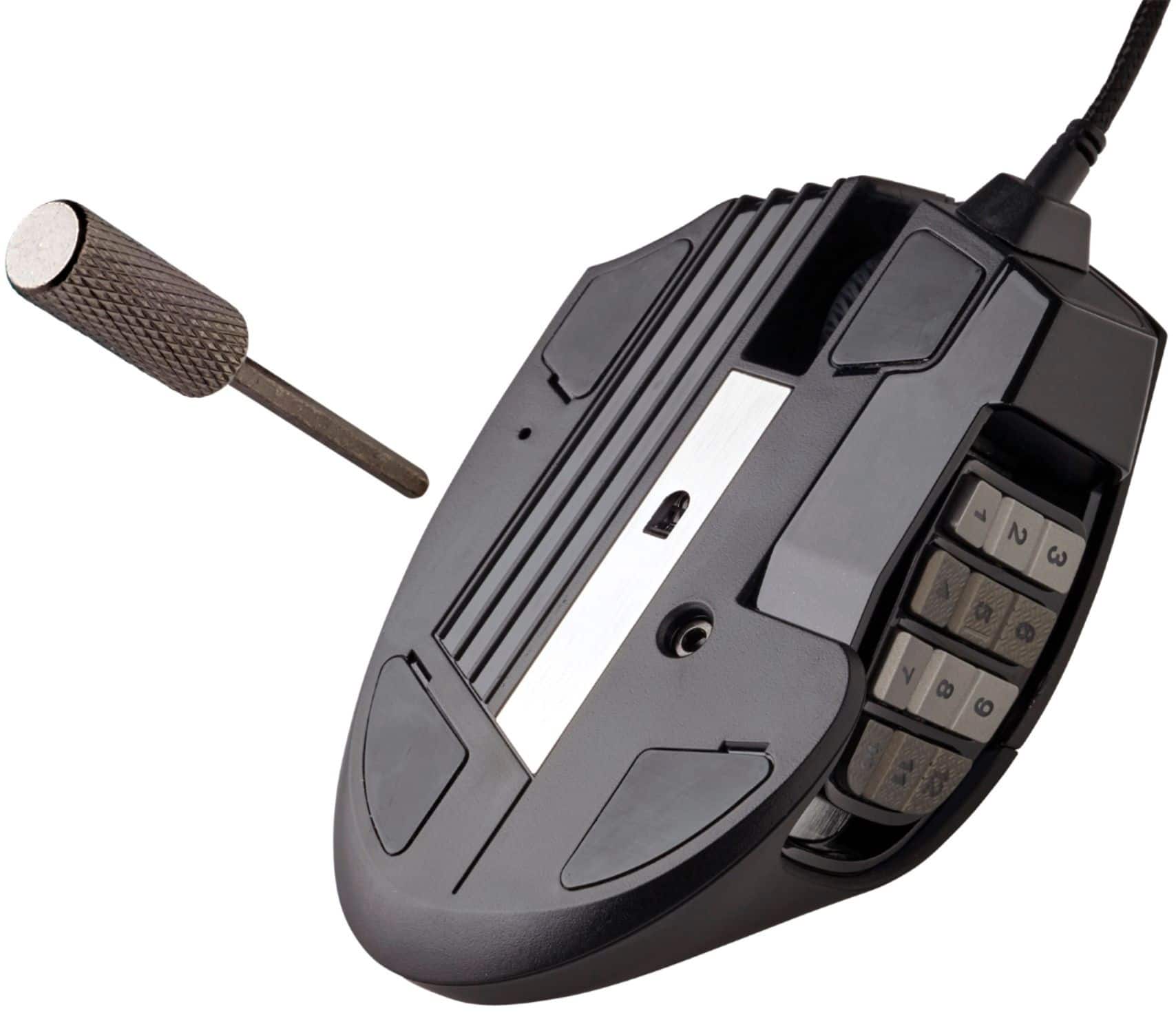
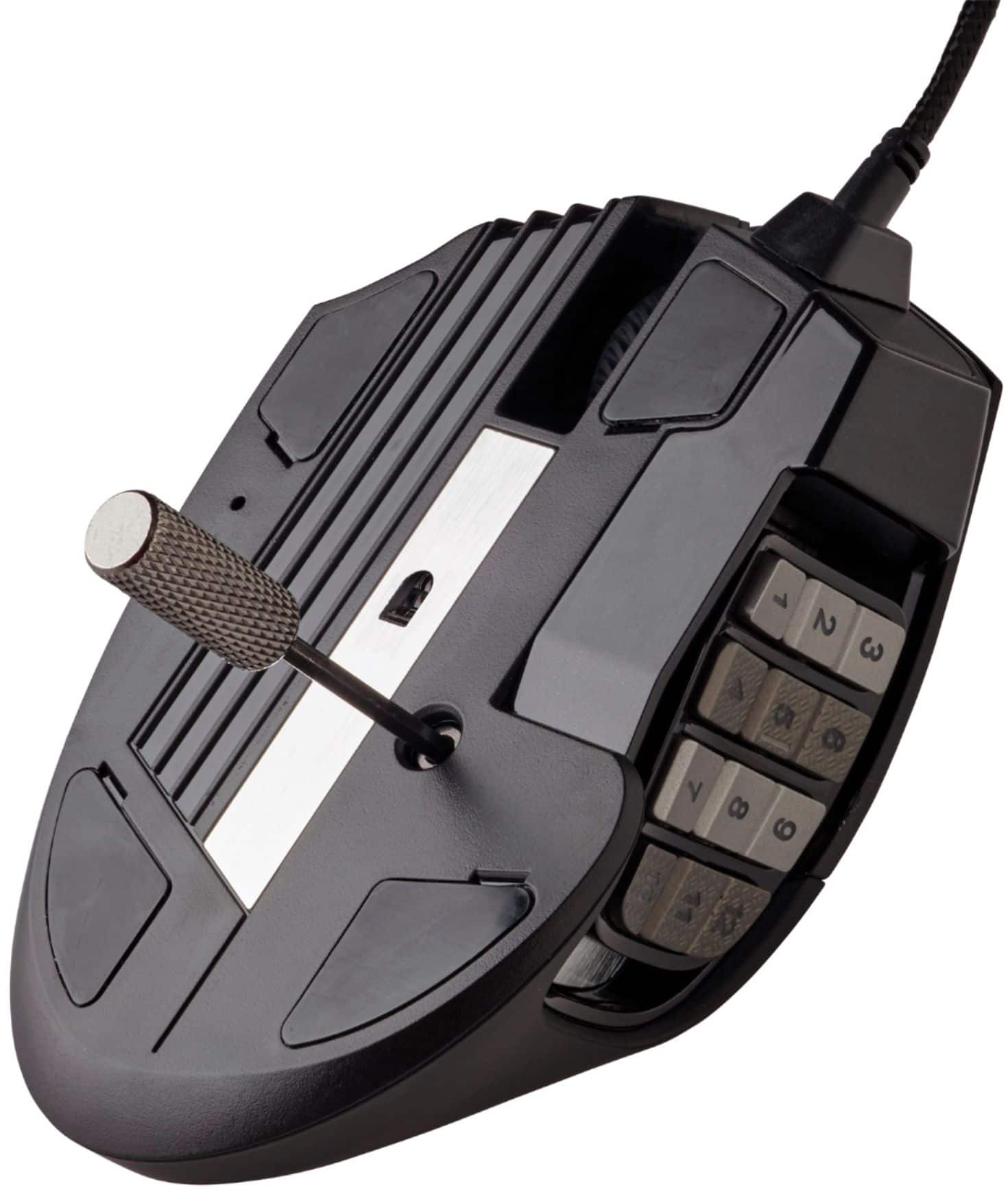
||Posted . Owned for 3 weeks when reviewed.This reviewer received promo considerations or sweepstakes entry for writing a review.This mouse has an extensive amount of buttons on its movable panel on the side where each button can be customized (through iCUE software) and assigned different actions or series of actions to execute when pressed (the panel can be slid higher or lower on the mouse's side and is locked into place when tightened through a hex screw on the bottom of the mouse; you are given the tool used to tighten/loosen it). This mouse is a bit larger than the average sized mouse you may be used to using, but I think it fits snug in my hand while using it and is comfortable when holding it and moving it around. The smooth accuracy and adjustable DPI (also through iCUE software) and DPI modes you can swap through on the spot with a button on the top of the mouse are a nice touch too.
I would recommend this to a friendA viable G600 rival
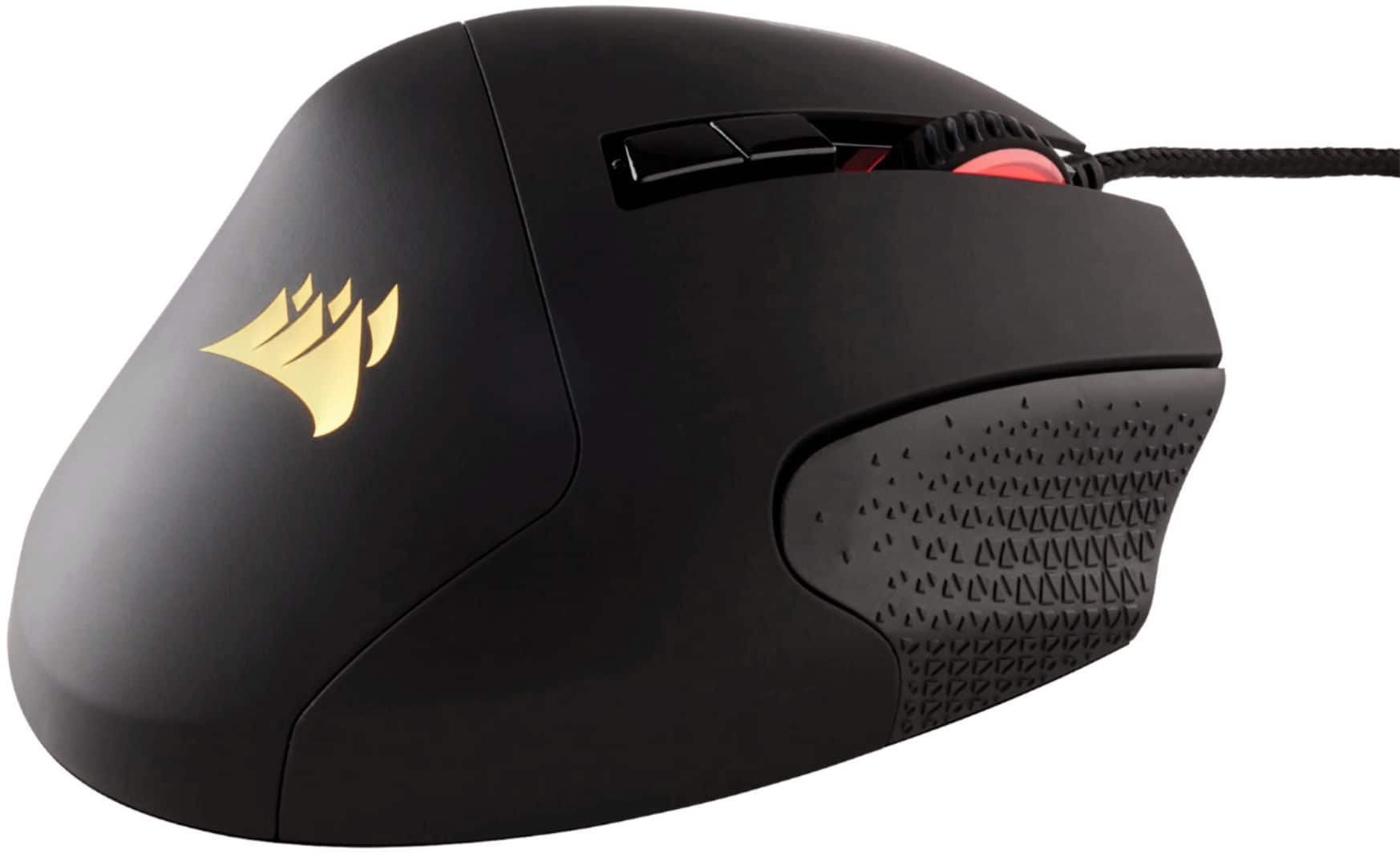
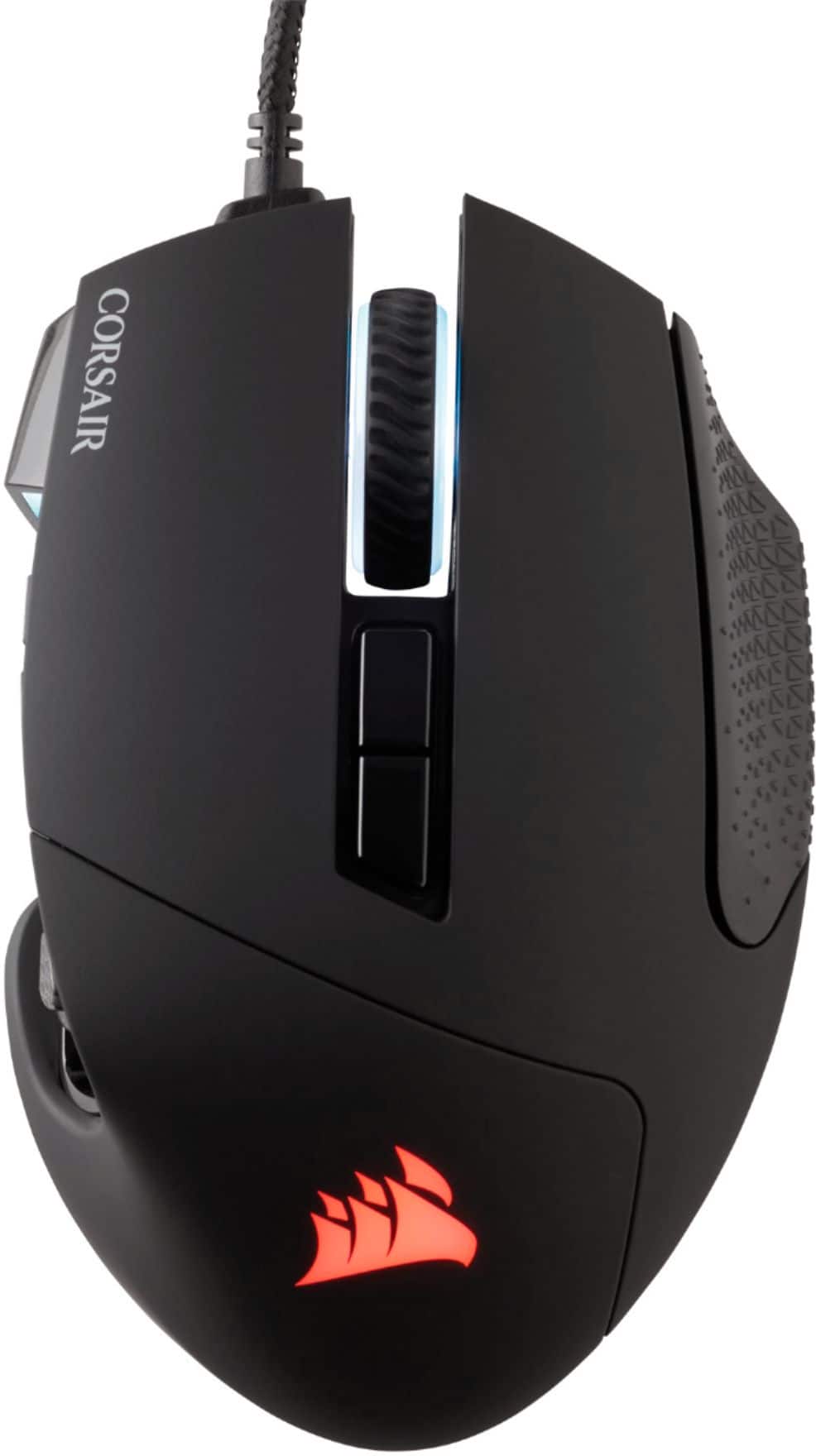
||Posted . Owned for 1 month when reviewed.This reviewer received promo considerations or sweepstakes entry for writing a review.This mouse compares very favorably to the Logitech G600 MMO mouse. Since I was looking for an alternative, I will couch this review in that context. This mouse lacks the pinky button that is located to the far right of the mouse on the G600, and is instead replaced by a textured rubber tile to help improve the grip a person has on the mouse. Since my hand isn’t really big enough to comfortably press a button with my pinky, this actually works out well for me. But some might miss the additional functionality. The numpad buttons on the thumb area can be adjusted to slide forward or backwards for better access to certain number buttons. Though you do have to use a special screwdriver included with the mouse to tighten/loosen a screw so you can slide it back and forth. Unlike the G600, this has RGB. I am indifferent to this. This mouse also uses Corsair iCUE to map buttons and mouse sensitivity etc, and the mouse itself only has very basic functionality if you don’t use iCUE. Unlike the G600, this mouse also lacks the preferences that can be stored onboard the mouse itself. I generally like the Logitech gaming software better than iCUE, which can be spotty sometimes if too many Corsair peripherals are active. But so far this hasn’t been a huge issue for me. Overall, this mouse is a viable alternative to the G600 if you don’t mind iCUE and the lack of a pinky button.
I would recommend this to a friendIt's an ok, mouse.
||Posted . Owned for 2 months when reviewed.This reviewer received promo considerations or sweepstakes entry for writing a review.This mouse is ok, I have it as a backup for when my razer mouse goes out. The software can be a huge pain to deal with if you aren't software literate but the color schemes you can make are amazing. The side buttons can fade and the scroll wheel will go out if you tend to use it a lot, if you want a mouse that will last you, you may as well go with a razer naga MMO mouse. I'd recommend it as your own risk.
I would recommend this to a friendBrand response from Corsair
Posted .Hi,
Thank you for your feedback. Considering our mice carry a 2-year warranty, please get in touch with us if you experience any sort of issues or have any questions - we'd be happy to assist: help.corsair.com
-Albert
Decent Naga Alternative
||Posted . Owned for 1 year when reviewed.This reviewer received promo considerations or sweepstakes entry for writing a review.I've used a Razer Naga pretty much ever since I discovered it. A little over 10 years, and in that time I had three of them. The latest one I purchased lasted maybe 6 months, so I decided to switch gears and try the Corsair Scimitar. Mostly because I have a Corsair keyboard that I absolutely love. A few things right off the bat that were different, it's lighter and a little wider. That took a bit getting used to, but wasn't an issue for me after a week of use. The adjustable keypad is awesome. It's my absolute favorite feature of this mouse. Beyond that, it's a mouse that does its job. It has programmable buttons just like the Naga. Using the iCue software to manage the RGB is nice and easy as well. After about 1.5 years of owning it, it is now showing signs of wear, not physically on the mouse, but my scroll wheel is beginning to malfunction. Scrolling through a webpage, it will randomly decide to start scrolling up when I want to go down. Not an issue when it comes to gaming, but pretty frustrating just trying to use like a basic mouse. Initial quality and impression, this was a 5 star mouse that had features I wish the Naga had. Current quality and Impression, for gaming, it's still a go, but for daily use, the scroll wheel should be one of the last things to fail. The left mouse button still rocks like a champ, and that's what failed first on all my Nagas. So It's a matter of how you use this mouse. Strictly game? You'll likely love it forever. If you dual purpose, game and work, expect to replace the mouse every 1.5-2 years.
I would recommend this to a friendBrand response from Corsair
Posted .Hi Encore,
Thank you for your feedback. Considering our mice carry a 2-year warranty, please get in touch with us - we'd be happy to help in regard to your scroll wheel: support.corsair.com
-Albert
Solid mouse.
||Posted . Owned for more than 2 years when reviewed.This reviewer received promo considerations or sweepstakes entry for writing a review.Solid mouse, owned two of these the mouse wheel is a bit cheap and kept breaking so I 3D printed a new one. Besides that, this mouse is solid for people with bigger hands who don't like their pinky dragging on the mouse pad. The Corsairs program that controls the mouse is HOT garbage unfortunately and will cause you more issues than the mouse ever will.
I would recommend this to a friendCORSAIR SCIMITAR RGB ELITE
||Posted .This reviewer received promo considerations or sweepstakes entry for writing a review.This is an excellent mouse to use for MMORPGs. It is very fast, responsive, great quality, and comfortable to use after long hours of playing. This is a must!
I would recommend this to a friendGreat mouse. Software for it is just ok
||Posted . Owned for 11 months when reviewed.This reviewer received promo considerations or sweepstakes entry for writing a review.The mouse itself works great. Feels good to use and responsive. Can have multiple profiles with different settings for different games with is awesome for me since with different games I really like being able to assign different buttons. Software acts up at times and really is the only issue. Sometimes it won't pickup and load the mouse or keyboard. Lighting settings needed some weirdly specific adjusting to not have the mouse and keyboard just have no lighting. Software quirks aside the mouse itself works great!
I would recommend this to a friendGood CAD mouse
||Posted . Owned for 3 weeks when reviewed.This reviewer received promo considerations or sweepstakes entry for writing a review.It’s a decent mouse that I use for work; the buttons help me design using a CAD program. The middle mouse click is a bit heavy and that can wear out your hand. But it’s good for what it is
I would recommend this to a friendFantastic buy (work or gaming)
||Posted . Owned for 3 months when reviewed.This reviewer received promo considerations or sweepstakes entry for writing a review.I love this thing, whether it be for gaming or work, this mouse is the best one I’ve ever had. The buttons are definitely big enough to be easy to locate and use, but not too big that you’ll have a hard time finding comfortable hand/finger placement when not wanting to use them. The iCue app is fantastic as well, it’s a great way to connect all of your Corsair devices and manage them with ease.
I would recommend this to a friendDefinitely one of the best mice I've seen yet.
||Posted . Owned for 1 week when reviewed.This reviewer received promo considerations or sweepstakes entry for writing a review.Got this for the lady because she plays alot of MMORPG game's. She absolutely loves it. They allow you to change the postion of the side buttons to fit your hand. Aswell as easy nice gliding on mousepads. Response is just great aswell. Highly recommend getting this if you like quality aswell as functionality. Thanks again!
I would recommend this to a friendCorsair is the way to go!
||Posted . Owned for 6 months when reviewed.This reviewer received promo considerations or sweepstakes entry for writing a review.Great mouse. Reactive. Easy to use. Fits your hand well, and I really like how the 12 buttons section on the side is moveable to compinsate for individual hand differences. Ive become a major corsair guy recently after some bad razer experiences. Ive been using their mouse, keyboard and headphones over the last 2 years. Im very satisfied!!
I would recommend this to a friendTrust Best Buy
||Posted . Owned for 9 months when reviewed.This reviewer received promo considerations or sweepstakes entry for writing a review.I had the great idea to buy directly from the Corsario store. They sent me a used mouse. According to them, the price was low at the time because they were selling recycled items. I returned the mouse to Corsario and immediately went to my trusted Best Buy store, where their customer service is exceptional. If you buy something and it arrives in poor condition, they'll replace it right away. If they sell you something in an open box, they'll warn you, but they never sell you something used for new. I love the confidence I have in shopping at Best Buy; everything has a solution. About the product, it worked very well, each key could be easily coded, for those who use Blender I recommend it, it is perfect.
I would recommend this to a friendSolid Mouse
||Posted . Owned for 1 month when reviewed.This reviewer received promo considerations or sweepstakes entry for writing a review.This mouse has held up through quite a bit of gaming, after 1yr plus the scroll wheel started reacting weird but much better than other mice I’ve owned that all seem to break around 6 months and double click. The iCue software is also very easy to use to custom map the extra buttons.
I would recommend this to a friendLots of Mouse
||Posted . Owned for 3 weeks when reviewed.This reviewer received promo considerations or sweepstakes entry for writing a review.This is a great mouse not just for gaming but for everything. One button controls all Corsair devices RGB. One button smpleing resolution and a bunch opf programable side buttons. I like the wired because i hate chasing down wireless devises that disconnect all the time. It's not inexpensiive but you should not expect that in a device thaty costs $80. Double thumbs up!
I would recommend this to a friendAn Unexpected Nice Upgrade
||Posted . Owned for 8 months when reviewed.This reviewer received promo considerations or sweepstakes entry for writing a review.I was a long time advocate for the Logitec G600, but the cost for the G600 has gotten out of control. With this in mind, I kept my eyes open for other options. When the G600 died, I tried this Scimitar. I was plesantly suprised, The Scimitar fits my hand better and still provides the functionality I like to have for work(believe it or not). The text entry capibility of the mouse software allows me to enter templates for emails. Push a button and the mouse fills in a basic template for an email I would otherwise write, or copy/paste several times a day. My only complaint is not really the mouse, but the itrusiveness and clunkyness of the iCue software. 9/10 for the mouse, 4/10 for the software. But, it works.
I would recommend this to a friendGreat MMO rpg or fps mouse
||Posted . Owned for 4 months when reviewed.This reviewer received promo considerations or sweepstakes entry for writing a review.Great alternative to the razer naga. The 12 keys under the thumb are game changing for MMO's or any game with a 'hotbar'. Using skills is SO much faster and more fluid using the mouse buttons
I would recommend this to a friendGreat MMO Mouse
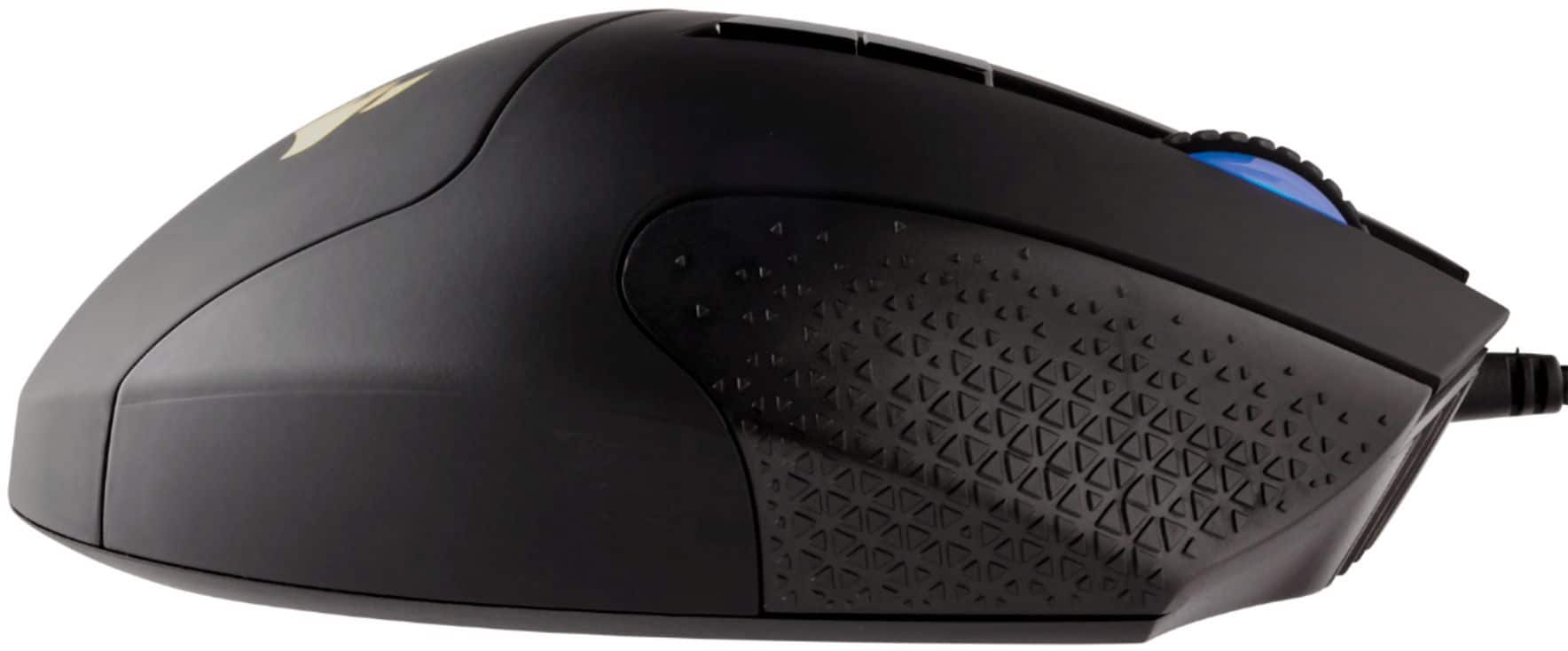
||Posted . Owned for 10 months when reviewed.This reviewer received promo considerations or sweepstakes entry for writing a review.Absolutely love this mouse. Being able to adjust the side buttons so my thumb can reach the last back 3 is a godsend. I used to have a razer mouse that I couldn't quite reach those, so they never got used. Love the feel and weight of it. My only complaint is the grip on the right side gets dirty quickly, nothing some alcohol swabs can't clean though.
I would recommend this to a friend