Customer Ratings & Reviews
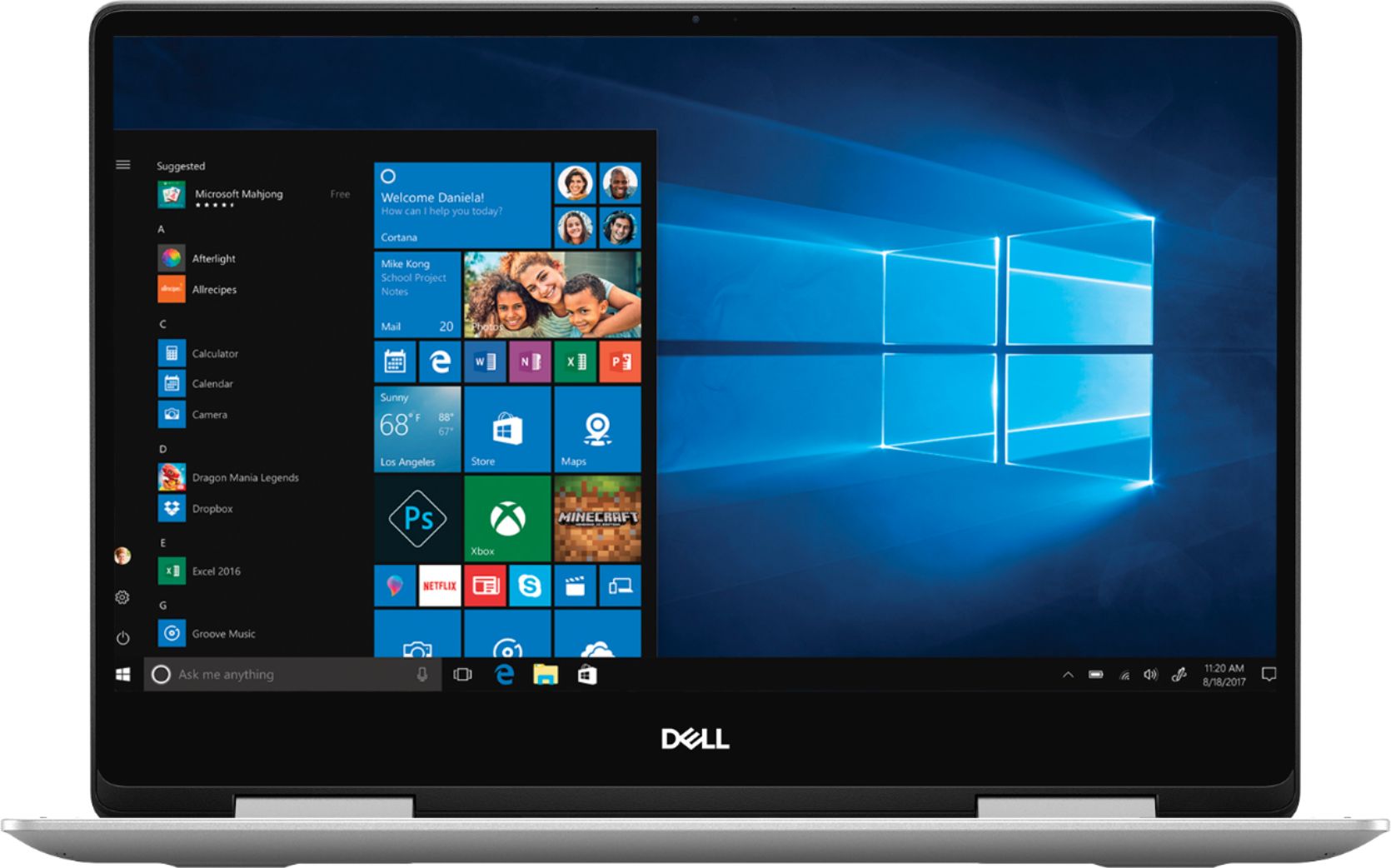
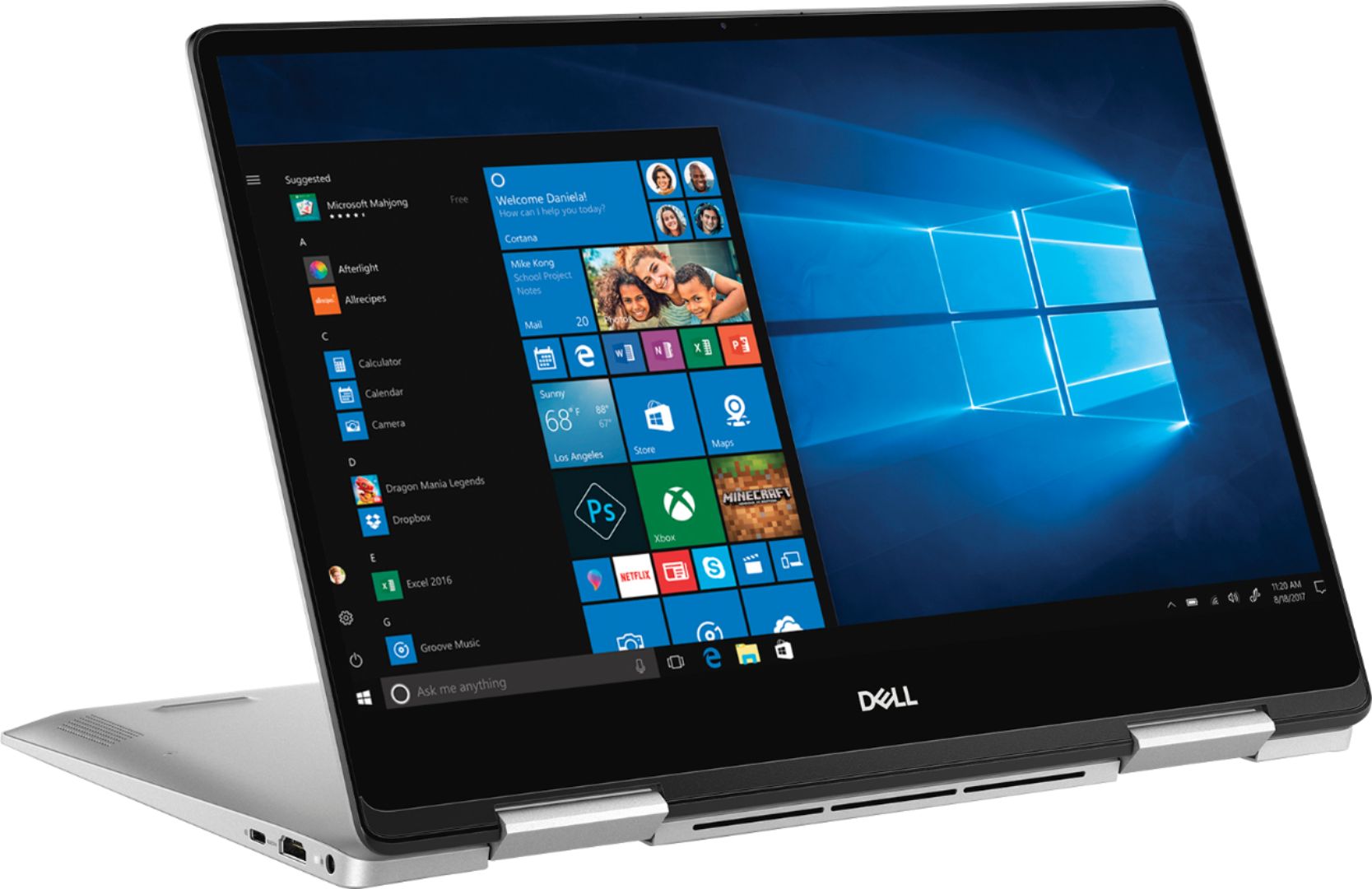
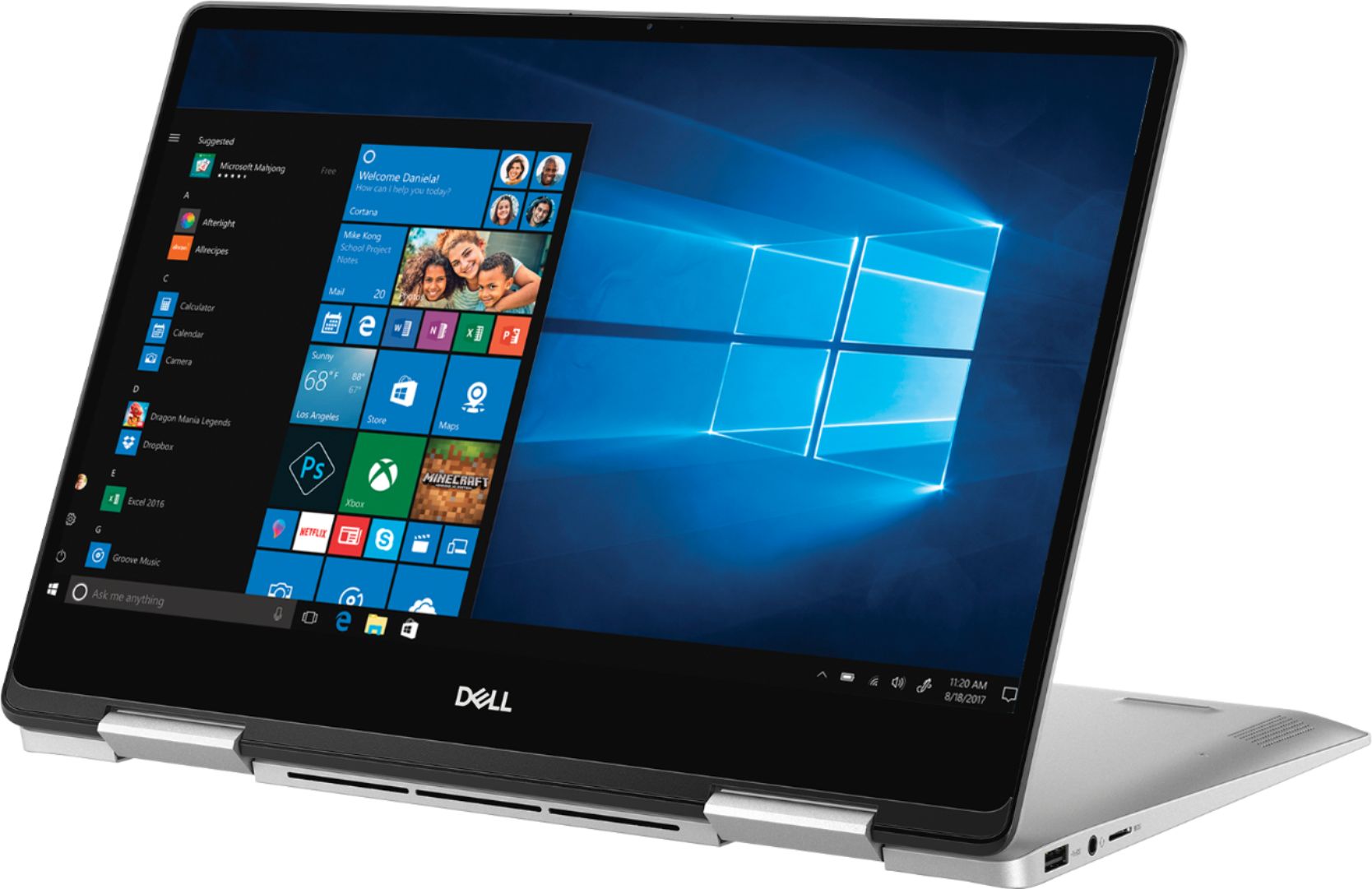
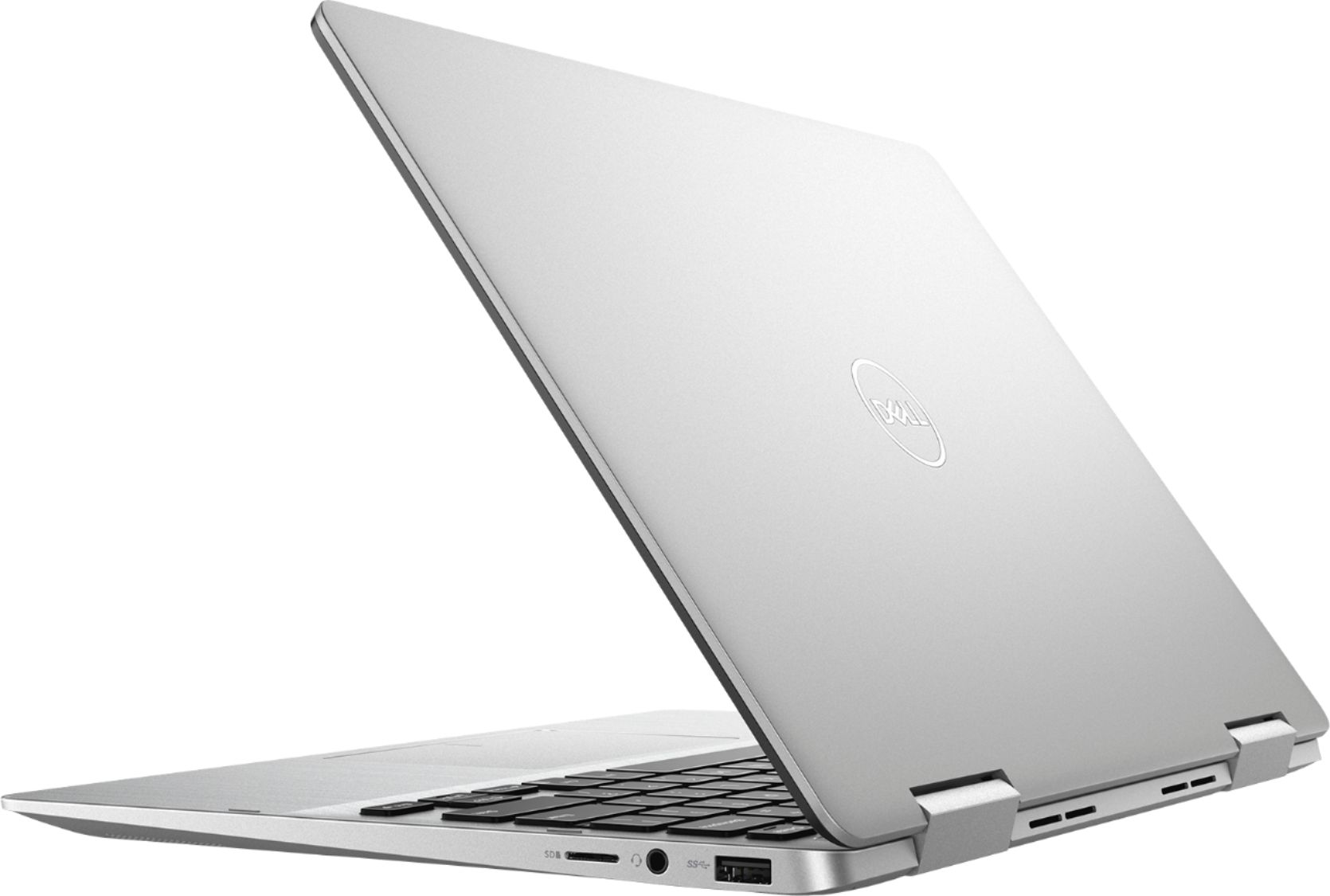
- Model:
- I7386-5038SLV-PUS
- SKU:
- 6295914
Rating by feature
- Battery Life
Rating 3.3 out of 5 stars
- Speed
Rating 4.2 out of 5 stars
- Display
Rating 4.3 out of 5 stars
Customers are saying
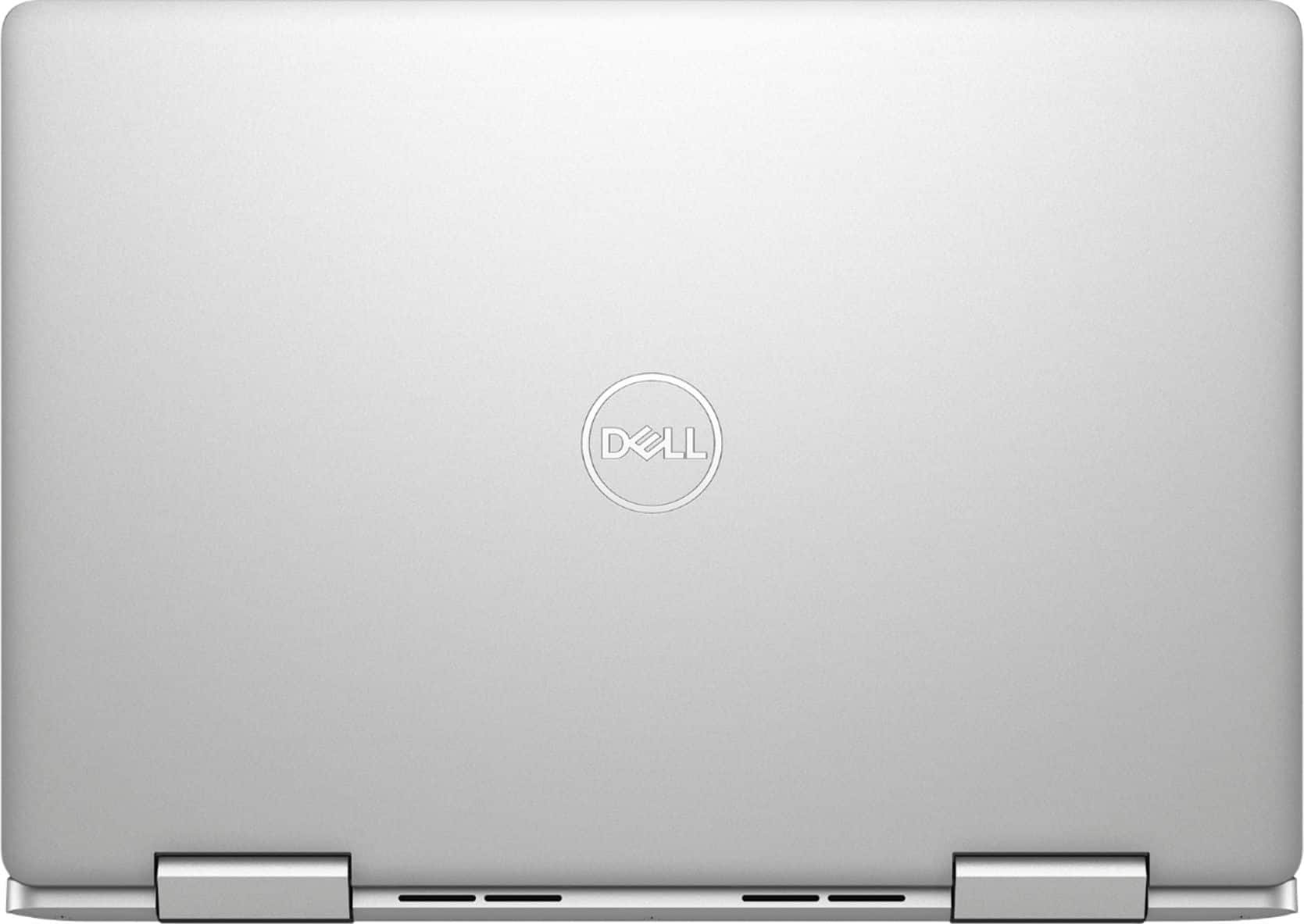
Customers have good things to say about the Inspiron 2-in-1 13.3" Touch-Screen Laptop. They appreciate its lightweight design, responsive touch screen, and affordable price. Many users also find it easy to use and are impressed with its overall performance. However, some customers have concerns about the battery life, fan noise, weight, fingerprint scanner, and overheating issues.
This summary was generated by AI based on customer reviews.
- Pros mentioned:Lightweight, Touch screen
Great laptop for traveling!
||Posted .This reviewer received promo considerations or sweepstakes entry for writing a review.Fast with touchscreen and was on sale! I usually don’t get dell but this is a great little laptop,with I5 and ssd. Really needed something for traveling. Best Buy had this computer for 150.00 off. Very small and compact with 13 inch screen but very bright!
I would recommend this to a friend - Cons mentioned:Fan noise

Upper Middle-Class Laptop
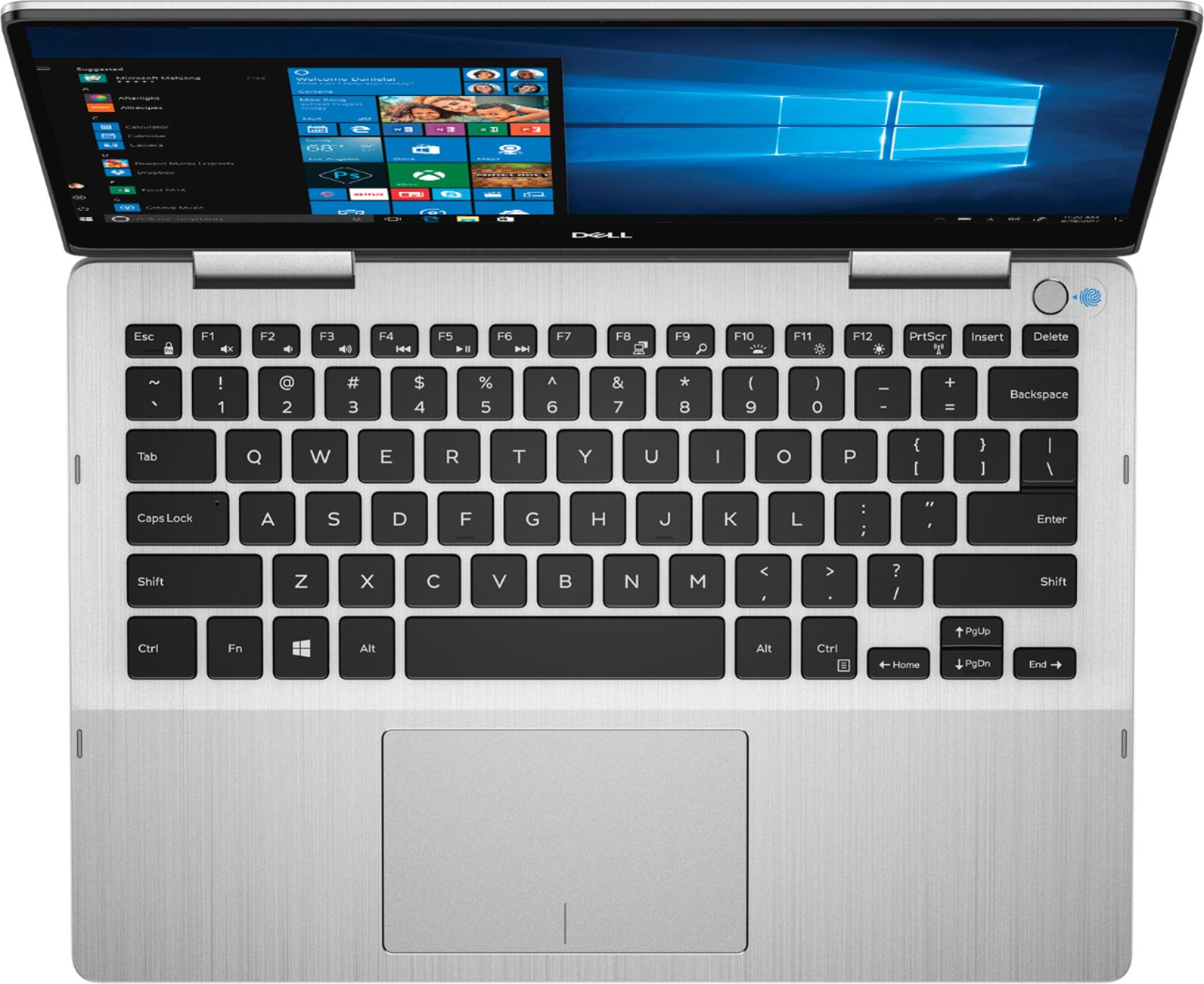
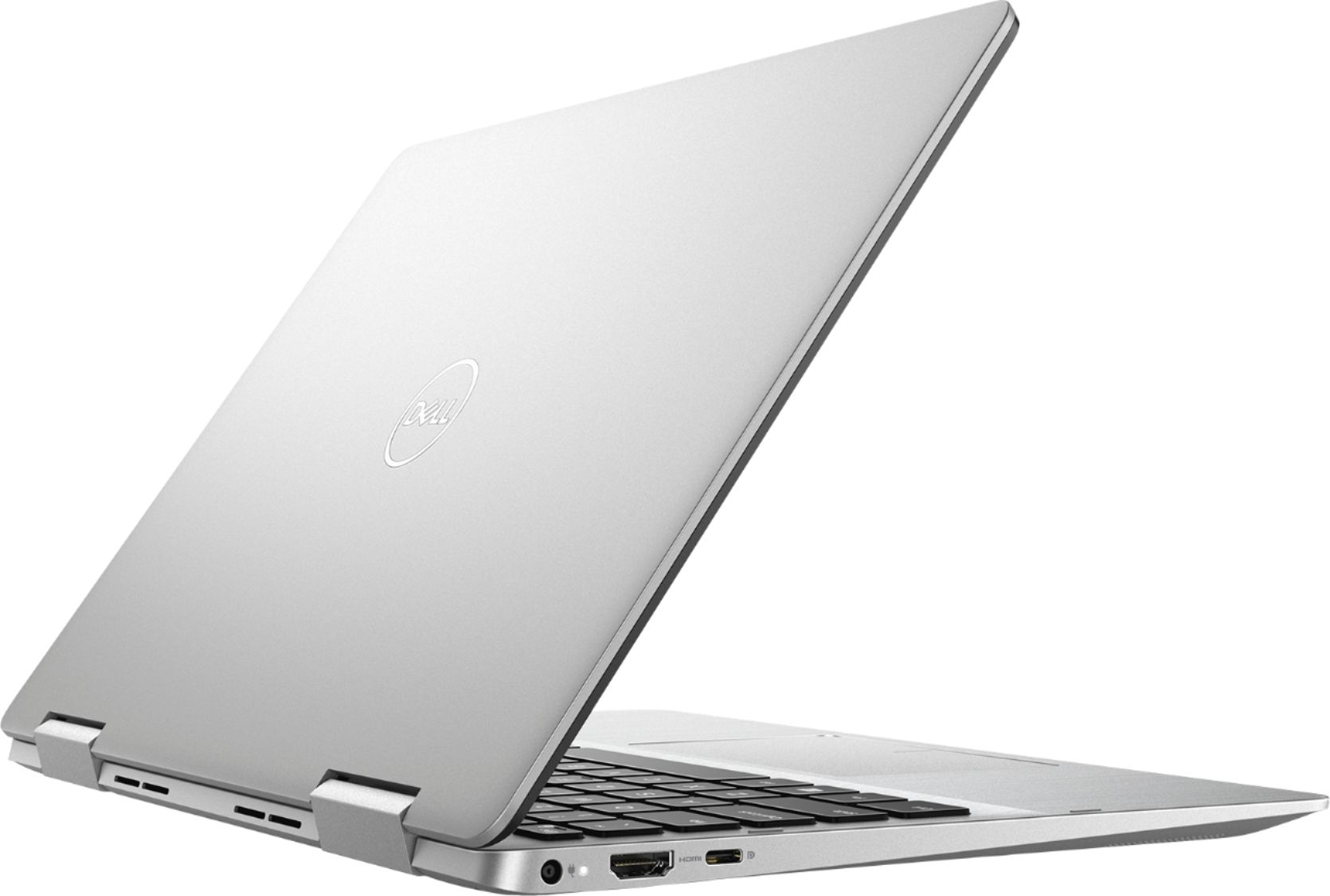
|Posted .This reviewer received promo considerations or sweepstakes entry for writing a review.A nice sturdy well-constructed laptop. If you want a sleek unit that will travel nicely and can do most any business processing - with the occasional game thrown in - this is definitely worth a look. Checking at Dells website there appears to be a few options for configuration such as drive size, memory, screen, etc. https://www.dell.com/en-us/shop/dell-laptops/new-inspiron-13-7000-2-in-1/spd/inspiron-13-7386-2-in-1-laptop/fncwro001h. This unit has the following specs; 13.3-inch 1080P ISP 2 in 1 touchscreen monitor with pen support. Intel 8th generation I5 1.6GHz Kaby Lake U/Y 14nm processor with 6MB cache, 4 cores and 8 threads. Info at https://ark.intel.com/products/124967/Intel-Core-i5-8250U-Processor-6M-Cache-up-to-3-40-GHz- 8GB DDR4 2400 MHz memory Dell 066T54 (U3E1) motherboard Intel UHD Graphics 620 (1920X1080@60Hz) WD 256GB PC SN520 NVMe hard drive Intel AC 9560 Dual Band Wireless and Bluetooth. No hardwire option Cinema Color, Stream, Sound 1 USB 3.1 connection 1 USB-C connection HDMI 2.0 out IR camera with 4 element lenses Universal audio jack 3 in 1 micro SD card reader Built in speakers (I believe 2 watts) Windows 10 home Exact dimensions are 0.54” height, 12.11” width, 8.36” depth at 3.08lbs. Positives; It was nicely packaged and was fairly easy to setup. Plug it in, start it up and Cortana (NOT a fan) will walk you thru the setup process. I was up and running within 10 minutes. It is very nice looking with the brushed aluminum case. Heavy duty hinges to allow for tenting, tablet, etc. modes. Screen is as edgeless as it can be for a laptop. The keyboard keys have nice tactile feel and it is backlit - but appears you can only turn on (bright/brighter)/off manually It doesn’t come on automatically if dark. No real “bloat” software to get rid of – mostly windows games. Boots fast – thank you SSD - but I disable anything not really necessary during startup. It is fast processing. Apps open quickly and having multiple windows open is no problem for this laptop. What can you say - its running windows 10 – and runs it well. 1080P screen resolution/color is great for me with nice viewing angle, but a tad “shiny/reflective” screen. Touchscreen works well Using Dell balanced power plan it stated over 9 hours use available fully charged. I got a little less than 8 hours but that was with Bluetooth turned on, which I really did not need during this “test”. With Bluetooth off I got over 10 listed as available processing hours of use The USB ports are fast – especially if you have a USB-C drive/connected device. 1-year mail in warranty Nit-picky negatives; Windows 10 was not activated. I had to run troubleshoot option and it activated. Not sure why? Power cord while a nice length and is 2 pieces with no power block to deal with at plug in – is not 90-degree where it plugs into the laptop? Not a huge deal but makes plugged in footprint larger than it needs to be as cord sticks out from the side of laptop. Also easier to "catch" it on something and damage cord or worse - the laptop. No built-in performance power option that I could find Since this uses I5 Kaby Lake processor and Intel 620 graphics – it falls just short of being a gaming machine but not by much. (See PCMark 10 attachment) No pen included. Only 2 USB connections and they are both a VERY tight fit to use. Make sure you have them all the way in. Also, you can easily get a multiplier and/or a USB C to USB 3.1 convertor to help add flexibility. As usual there is disk space used up for the “backup and reset” functions. In this case the 256GB SSD has 5 partitions; 650MB for windows system info – used by windows internally 224.47GB – actual area to be used by you. But it is bitlocker encrypted – which I find unusual but maybe this is always done by Dell? I may wind up turning this off but will have to do more research. I have windows 10 pro on 2 of my desktops but don’t use bitlocker on either of them. 990MB for WINRETOOLS – windows recovery partition – will be getting rid of this after full disk copy Image – 11.19GB. I will be getting rid of this as soon as I have made a full disk copy. DELLSUPPORT – 1.08GB – another partition that will be going the way of the dodo bird once I make a full disk copy (pic included) The keyboard is not full size – it is 13.3 screen. As such some keys have dual functions controlled by the Fn (function key). Not a big deal but want to mention as it takes a little getting used to especially if you only have used full-size desktop keyboards. Personally, I really like this size and this is my 3rd laptop at around 13”. You can’t beat using it on a plane. Fan can be a little loud at times and it can get hot if sitting on your lap if doing some intensive processing
I would recommend this to a friend - Cons mentioned:Battery life
HORRIBLE! DO NOT BUY!
||Posted .This reviewer received promo considerations or sweepstakes entry for writing a review.I bought this laptop as an emergency purchase because my last laptop (an hp) died a month before my college finals were due. Rather than borrowing one from a family member, or buying a crappy one to get by, I thought this one had all the specs I might need for a future career. This laptop worked great up until the New Year when the touchscreen began to show mysterious contact points. Multiple windows opened and when the internet loaded, multiple website links were clicked in such rapid succession that I was powerless to stop it. When the battery finally died, I recharged it then restarted it without the glitch. After a few moments it happened again! I managed to shut it down and restart before the "ghost tapping" took over, and disabled the touch screen. I had forgotten about the feature until today, 2 months later, and enabled it to see what would happen. Within a few minutes, the screen went haywire again, opening windows, zooming in on others. In the picture, you can see the pressure points above my icon in the center and to the left of the screen. I've HAD IT with this laptop and am taking it in to see what Best Buy will do for me. I want a full refund but we all know that's not likely.
No, I would not recommend this to a friendBrand response from YourDellTeam
Posted .Hi Natalie,
Thanks for your review. We're sorry to hear about the way that your computer has been acting with your touchscreen. If you'd like to try to recalibrate your touchscreen you can follow these steps:
1. Restart the Computer and the Monitor
2. Recalibrate the touch-screen. Steps to calibrate touch-screen:
3. Go to Control Panel and select Tablet PC Settings.
4. Under Display tab, select Calibrate.
5. Choose Pen or Touch input.
6. Perform the point calibration that appears on the screen to correct the linearity problems.
7. Save the calibrated data.
You can read the full article here - http://dell.to/2uLztub.
We hope that these steps help prevent the ghost tapping in the future.
Best,
Bryan
1-800-624-9896
Great 2 in 1 laptop
||Posted .This reviewer received promo considerations or sweepstakes entry for writing a review.Easy set up and use. Great size, 2 in 1 feature helpful and fun.
I would recommend this to a friend- Pros mentioned:Price
Dell has a winner here.
|Posted .This reviewer received promo considerations or sweepstakes entry for writing a review.While there is plenty of competition in this price range for laptops I have always had good experiences with Dell so I decided to give this one a chance, and I am so glad I did. This is my first 2-in-1 laptop, and so far the versatility has been amazing. You can use it in laptop mode for productivity, tablet mode for browsing the internet, or stand mode for watching videos. Really cool. The build quality is top notch. The inside of the laptop has a brushed stainless look, and feel to it, and it's really quite striking. The outside is a more flat silver. The hardware all seems very high quality - especially the hinges. I am sure they will stand up to years of opening, closing, and folding the laptop with no issues. The backlit keyboard is also a nice touch as it's become somewhat of a requirement for me these days. The performance of this computer is also outstanding. The solid state drive loads Windows very fast. My model has the Core i5 processor with 8gb of RAM, and it's handled everything I can throw at it. Great for multitasking. There is also a micro SD slot, an HDMI out, and a USB C port. If I have one complaint about this computer it was that Cortana guided me through the Windows set up process, and all of her talking was kind of annoying, and long winded to me. At least you only need to set it up once! Dell has a real winner here. They have found a perfect compromise between price, and quality. I would absolutely recommend this laptop to anyone looking for a laptop, a 2-in-1, or basically any computer in this price range.
I would recommend this to a friend - Pros mentioned:Touch screen
Pretty Good Upper-Mid-Range 2-in-1 Laptop
|Posted .This reviewer received promo considerations or sweepstakes entry for writing a review.The Dell Inspiron 2-in-1 laptop is a pretty good mid to upper range laptop. It has a minimalistic design in silver with black screen and keys. It has a full HD touchscreen display with about ¼ inch bezels on three sides (the bottom bezel is much larger). The screen is very receptive to touch. There is an integrated webcam, but it doesn’t feature a slider to manually close it when not in use, so you’ll need a piece of tape for that if you’re concerned about privacy. Tablet mode is nice, but when in tablet mode the keyboard is facing downward. I don’t like that design as well as others that fold the keyboard to the inside when in tablet mode. Facing down seems much rougher on the keyboard, especially if you set it on a table instead of your lap. The solid state drive enables fast start up and shutdown and the integrated fingerprint reader is a nice touch to quickly log into your machine. There is support for an active pen, but one is not included so that’s an extra expense if you want one. There is an HDMI port, USB 3.1 port, USB 3.1 Type C port, SD card reader and headphone jack on the sides. The fan is quiet and while the laptop did get warm with intense usage, it wasn’t burning hot. Processing power has been adequate and should be able to handle everything except graphics intensive applications like gaming or autocad. This isn’t the most exciting laptop I’ve used, but it does get the job done for most intents and purposes. I would have liked to have seen an active pen included in the box and a webcam cover, but otherwise it’s a pretty worthy 2-in-1 laptop.
I would recommend this to a friend Cheaply made.
||Posted . Owned for 1 year when reviewed.This reviewer received promo considerations or sweepstakes entry for writing a review.I'm giving this laptop a bad review. I am going to call Dell customer service, but my screen has slowly become detached from the screen backing. The first sign of it's poor quality was when the rubber feet came off just a few weeks after purchase. I am going to follow up with Dell's customer service reaction. My first time owning a tablet convertible laptop. I honestly barely used it as a tablet. Only buy for that feature if you are positive you will use it.
No, I would not recommend this to a friendGreat value! Could be improved..
|Posted .This reviewer received promo considerations or sweepstakes entry for writing a review.Over my 30 year IT career, I've had the chance to work with dozens of laptops and ultrabooks - each having their own strength's and weaknesses. This Dell 2-1 is very strong in most categories - performance, durability, weight, usability, etc but lacks two things. 1. Why did Dell not include an Active Stylus with this device? One of the main reasons I got a 2 in 1 is to work better on Webex presentations - so I can draw concepts and ideas more easily and accurately. Once I purchase a pen ($50-80), I can update the review but would have liked Dell to include one and make it magnetic (like the Surface) so I have a place to store it. 2. Three sides of the very nice screen have "narrow borders". I pretty much expect all devices to have an edge-to-edge display. The bottom margin is nearly 1 1/4" which to me is an incredible waste of screen space. I'm disappointed with this. Other than that - it's been a solid performing device. Touchscreen is responsive to my fingertips, fingerprint reader works well, touch pad is accurate and quick. Battery life is decent for a 3-cell battery but you'll usually need to carry the charger in your bag. The speakers are underneath on the left and right sides near the front and actually sound pretty good for the location and size. The 360 degree feature is cool - and prompts you to go into tablet mode while also disabling the keyboard at the same time. I'm getting used to using this - but will take time. Primarily - this will be my travel laptop - much easier to work on an airplane with this versus a bigger 15" or 17" laptop. The backlit keyboard will allow me to work without interrupting the next person next to me in the airplane without turning on the overhead light. I too had an Microsoft Windows activation problem initially, but it went away upon my second try. I signed in with my O365 account and installed the apps - and was rolling in no time at all! Overall - highly recommended but purchase an Active Stylus if you want to draw.
I would recommend this to a friendREALLY nice and capable Windows laptop!
|Posted .This reviewer received promo considerations or sweepstakes entry for writing a review.Got this laptop about a week ago and have been putting it through the paces. First off, I really like the sleek and slim design. To me, it's like a Windows version of a MacBook Air based on the fit/finish and weight (was 3.10 lb on my lab scale). Initial setup was a breeze as expected. Really fast speed too! Geekbench 4 trial came in at 4468/15162 which was really impressive for this CPU. After all the long Windows 10 updates, I've been browsing, Microsoft Office apps, photo editing, and little bit of Autodesk Inventor through a few battery cycles. Depending on my activities, I'm getting from a solid 4 hours to about 6 1/2 hours on a full charge. I really like the Touch ID power button. So much faster when logging into the machine! I played around with the touch screen in tablet mode, but really, I prefer my iPad for that and will likely use this more as a traditional laptop. Maybe fold back when watching a long video or something. But 3+ lb as a tablet actually gets a little tiring on the wrist. The screen is really clear and I crank it to high resolution and can still read very clearly. I prefer the glossy screen as well (I know many people don't). Keyboard and track pad, to me, are very comfortable and responsive. Windows customizations work great for gestures and scroll direction. And in the BIOS I toggled the FN keys. Anyway, great laptop for general and some light CAD use!
I would recommend this to a friendCheap built only lasted 1 month
||Posted . Owned for 7 months when reviewed.This reviewer received promo considerations or sweepstakes entry for writing a review.The screen started breaking off after a month! It’s cheaply made and after 1.5 yrs of owning it it finally broke off:/
No, I would not recommend this to a friend- Pros mentioned:Touch screenCons mentioned:Battery life, Weight
Fast, Nice Screen, Keyboard and Touchpad
||Posted .This reviewer received promo considerations or sweepstakes entry for writing a review.This is my first laptop, having used only PC desktops previously (still have 2 desktops as my primary computers.) I bought this laptop for portability. It is plenty fast for what I do with it (web browsing, Office documents, viewing video and photos.) It plays 4K video mp4 files from my camera at 100 Mb/s with no problem. I wouldn't try to use it to edit 4k video with Premiere Pro as I suspect it would be sluggish. But that's not what I bought it for. I've never liked touch pads on the few laptops I have tried over the years, but this one is actually pretty nice and is easy to use. The touch screen is a major advantage and reduces the need to use the touch pad. The screen looks good. The keyboard is good. Battery life isn't very good when set to performance mode, but changing it to balanced mode yields decent battery life. This laptop is a little heavier than some competitors with similar hardware (13.3", i5, 8GB RAM, 256 SSD). The Lenovo Yoga 730 feels noticeably lighter, and is in fact a few ounces lighter, and has a higher watt-hour battery which would seem to give the Dell a weight advantage, but doesn't. But the complaints about screen flicker on some samples of that particular Lenovo model scared me away. Although a bit heavier than some competitors, the Dell is reasonably light and is easy enough to carry around. All in all, I recommend this laptop when you can get it on sale.
I would recommend this to a friend - Pros mentioned:Lightweight, Speed, Touch screen
my very first 2-in-1 laptop and I am very pleased!
||Posted . Owned for less than 1 week when reviewed.This reviewer received promo considerations or sweepstakes entry for writing a review.5 stars for the looks, set-up, speed, and portability I bought this laptop to be used in online course and needed portable and fast laptop. I did a lot if research on what is available out there, taking into consideration the reliability, durability, portability, and the speed with decent amount of storage. This laptop fits everything I need and with extra features of being a 2-in-1 and with capability of using Windows Ink. The set-up was not too bad, and I was using the laptop to draw in a few minutes. This laptop is so fast to boot, I actually tested the unit at Best Buy before I grabbed it. I bought a Wacom - Bamboo Ink pen that complements this wonderful laptop. Dell is my goto brand for laptop and so far has NOT disappointed me. Really recommend this to a student, or even for all around laptop, you will not be disappointed.
I would recommend this to a friend - Pros mentioned:Lightweight, Touch screen
WARNING please read
Posted .This reviewer received promo considerations or sweepstakes entry for writing a review.Absolutely loved this laptop, the touchscreen is really nice for online textbooks, it's fast, smaller, and relatively light. If you have done any deep research on it you will see that the hinges (specifically right-side) tend to break, and it is not covered by the standard 1-year Dell warranty (to my knowledge). There is pressure/discoloration in the corner of the screen (hard to see in the picture), cracking noises when moved (even typing), and the layers of the top half are visibly separating. I have had mine for about 2.5 years, it happened on its own. I would've given 5 stars if it weren't for this issue.
No, I would not recommend this to a friend - Pros mentioned:SpeedCons mentioned:Battery life, Fingerprint scanner
Good 2 in 1, workable tablet
||Posted .This reviewer received promo considerations or sweepstakes entry for writing a review.This is a good 2 in 1. It won't knock your socks off but it seems to be very reliable and a good work horse. I haven't used the tablet function very much but it seems to work fine. The speed, memory and functionality are right on for my needs, but I do see two drawbacks. The battery life is a quite disappointing, it lasts about 3/4 hours tops if you are using it fairly regularly. It gets a bit warm as well and I would repeat what others have said that the fingerprint scanner works about half the time. If you are just looking for a regular 2 in 1 and you can get it on sale, as long as you are ok with those items mentioned above, you will do fine with this unit.
I would recommend this to a friend - Cons mentioned:Weight
Decent laptop for regular use but pricey
||Posted . Owned for 3 weeks when reviewed.This reviewer received promo considerations or sweepstakes entry for writing a review.Had it for about a month. It’s on the light side but not entirely lightweight. Build quality could have been better, the seam on the bottom side is uneven, I expected better from Dell but it doesn’t affect anything. Screen bezel is narrow on the sides but broad at the bottom with dell logo, they could have done better. Keyboard has a good feel, trackpad not as good as others but still gets the jobs done. Speakers are very soft, so I use a Bluetooth soundbar. Battery life is decent. Only 1 USB C and 1 USB A. Buy an adapter if required. No Ethernet port. I reset the laptop to remove all preinstalled bloatware which helps with startup and shut down times. I disabled most of the apps from startup as well. It’s not an outstanding laptop but fit for regular use without too much heavy processing. The price is just a little too much would have been great around the $500 range. Purchase when on sale. Definitely not worth forking out $849 at full price.
I would recommend this to a friend - Pros mentioned:Lightweight, SpeedCons mentioned:Battery life
Amazing little computer
||Posted . Owned for 7 months when reviewed.This reviewer received promo considerations or sweepstakes entry for writing a review.I absolutely love this little computer. It is fast, lightweight, and I have had absolutely no problems with performance. My only complaint would be the short battery life and the screen is very glossy and there is a great deal of reflection. This is an amazing little computer!
I would recommend this to a friend - Pros mentioned:Lightweight, Touch screen
Great so far
||Posted .This reviewer received promo considerations or sweepstakes entry for writing a review.Very nice 13" laptop. Comparable to my Dell XPS 13 at half the price. Lightweight, good battery life, Full HD touch screen, backlit keyboard. A little thin on external ports, but that's pretty common for ultra potables.
I would recommend this to a friend - Pros mentioned:Touch screenCons mentioned:Battery life
Great Laptop!
||Posted . Owned for 3 weeks when reviewed.This reviewer received promo considerations or sweepstakes entry for writing a review.I've had larger laptops before, but I wanted a smaller one, especially one that had the tablet features. This Dell is great, I love the size, weight, performance and touch screen. Buying this laptop from Best Buy was a great experience. The price went down by $50 on the holiday weekend, so I took my receipt into the store and Customer Service gave me credit for the $50. I was in and out of the store in 2 minutes! That was a great customer experience. The laptop is great, wonderful features and responsive. The only minus I would have with this laptop is the batteries, the charge time does not last too long.
I would recommend this to a friend - Cons mentioned:Weight
Great travel laptop
||Posted .This reviewer received promo considerations or sweepstakes entry for writing a review.Solid 4.5 stars. It's very small and I love the 2-in-1 feature. It provides much more used case options than a traditional clamshell design. The only downside of a 2-in-1 is a weight hot so I do wish it was a bit lighter. 13.3in is the perfect travel size. There's enough screen real estate to comfortably be productive with multiple applications open, but not so big that it's troublesome to lug around. I also have a 14in Dell and while the additional screen space is nice, I prefer the trade-off of size and weight of a 13.3in design. Processor, RAM, and SSD are all quick and have had no issues with performance.
I would recommend this to a friend - Pros mentioned:Speed
Like the 2-in-1; fast, touch display, versatile
||Posted .This reviewer received promo considerations or sweepstakes entry for writing a review.I'm pleased with this and got it on a great sale. It's the updated version of a laptop I previously used. The major change being that it has an SSD rather than a HD. This solved a problem I experienced with the previous computer. Since it's new & I haven't loaded a bunch of stuff on it, everything is much faster although it has also reduced the available storage space. Also, instead of 3 USB ports it has only 1 USB port & a USB-C port. I guess in time I will find that change is a positive one.
I would recommend this to a friend