Customer Ratings & Reviews


- Model:
- I3275-A356BLK-PUS
- SKU:
- 6334303
Rating by feature
- Value
Rating 3.7 out of 5 stars
- Quality
Rating 3.7 out of 5 stars
- Ease of Use
Rating 3.8 out of 5 stars
Customers are saying
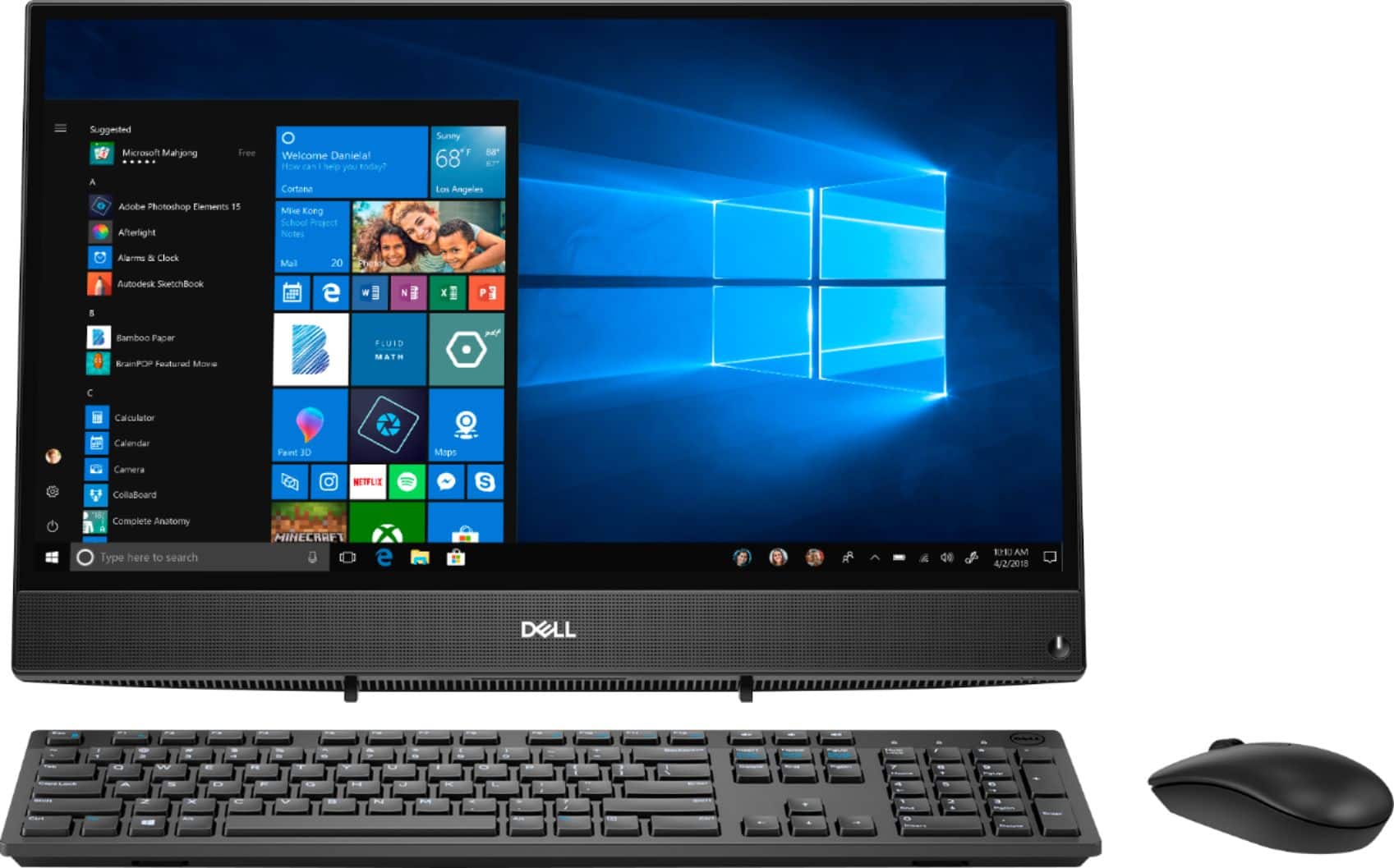
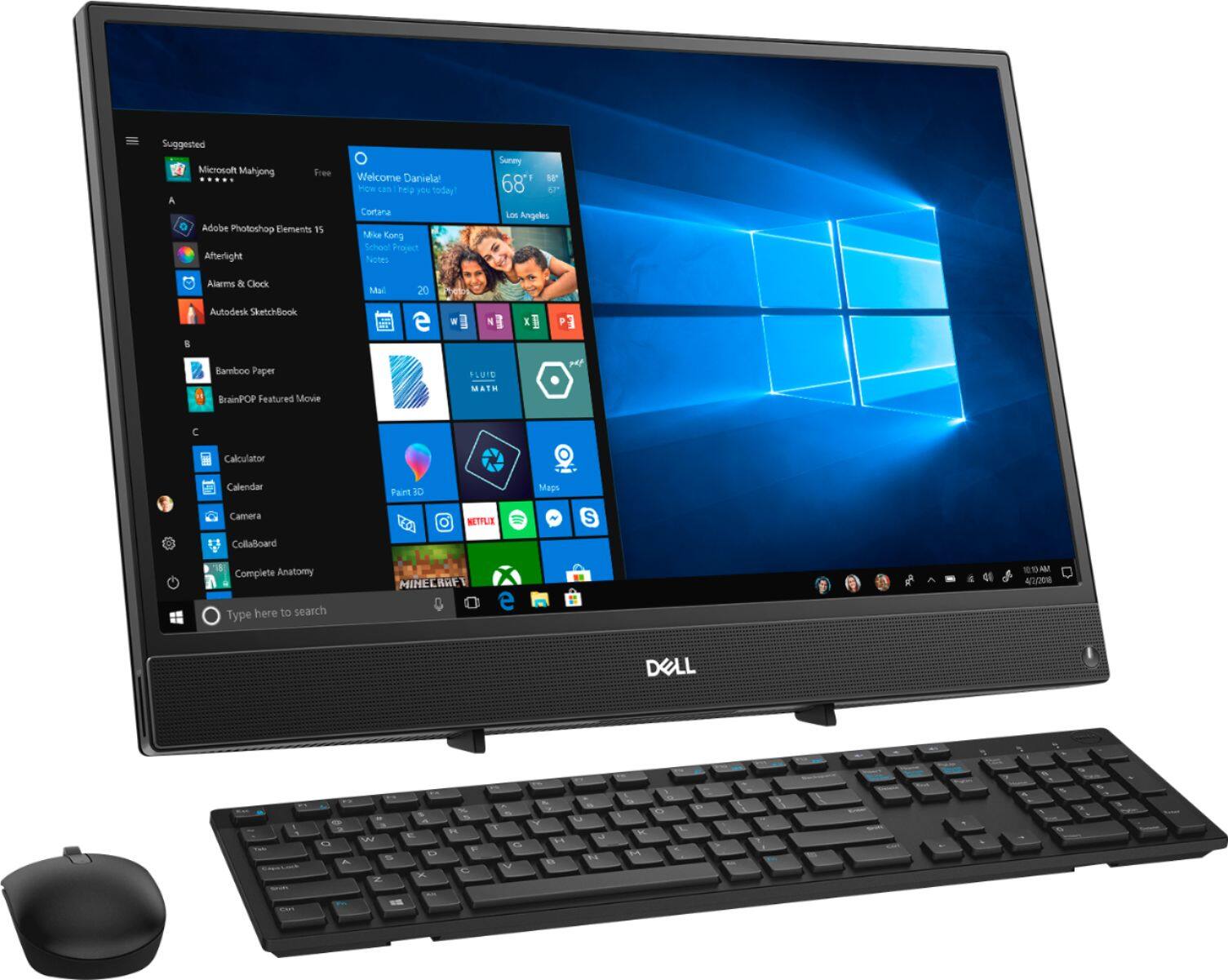
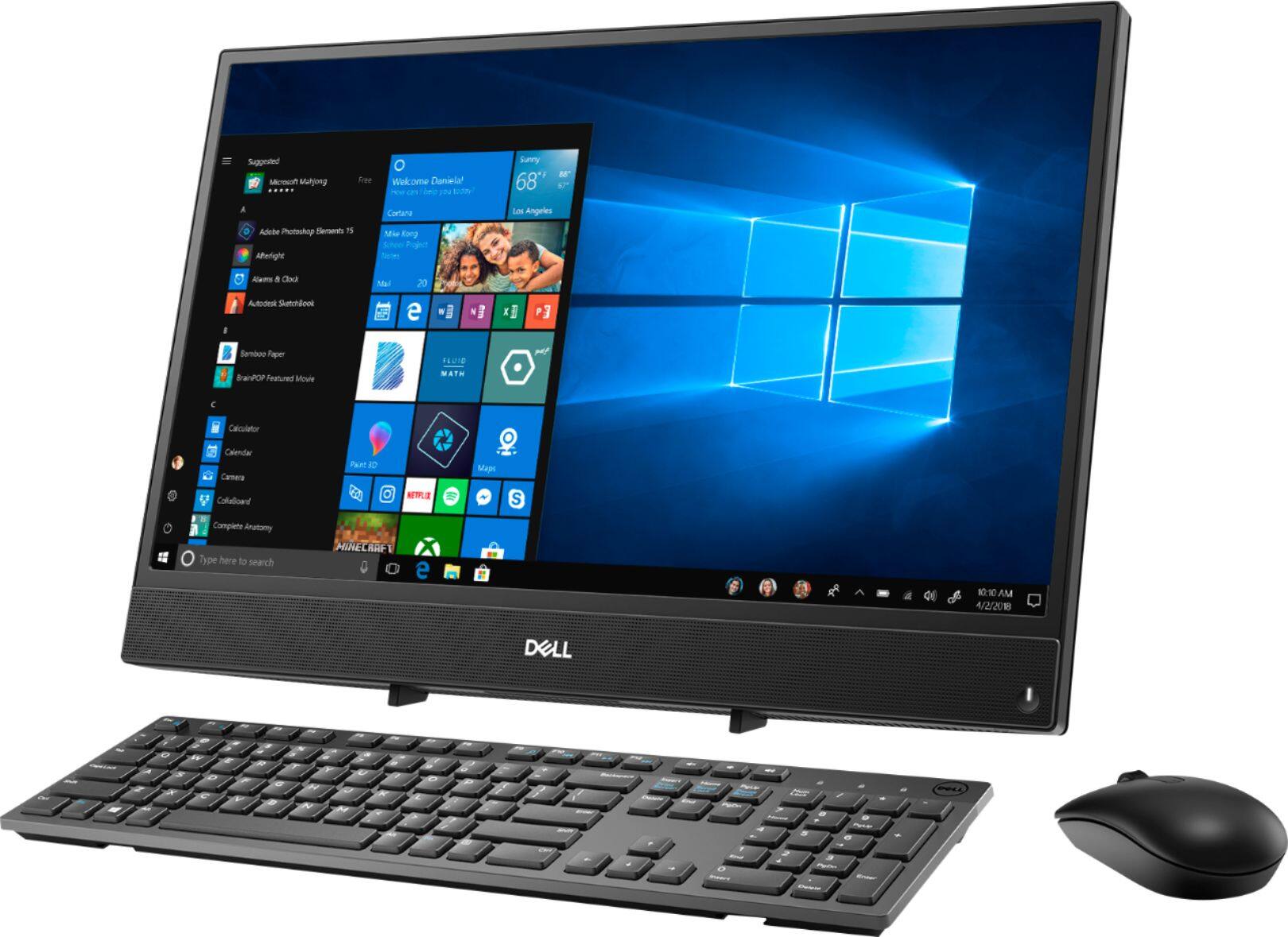
Customers highly value the ease of use and touch screen functionality of the Inspiron 21.5" All-in-One, with many praising its user-friendly design and responsive touch capabilities. The affordable price point is also frequently cited as a positive aspect. However, some users express concerns regarding the system's performance and limited RAM, suggesting potential limitations for demanding tasks. A few also mention issues with the included mouse and the absence of a built-in camera.
This summary was generated by AI based on customer reviews.
- Pros mentioned:Touch screen
So far, so good.
||Posted .This reviewer received promo considerations or sweepstakes entry for writing a review.Dell all-in-one is good but Windows is getting a bit challenging. I have to use a cleaner to get rid of so many conflicts in Word and I do not like Edge at all so have to delete it over and over; however, overall this all-in-one is good so far. In time, I will be watching for overheating issues as the monitor and hard drive are all connected which is awesome right now. Love the touch screen although do not use it all that much. I do not like the keyboard although I am always very fussy about that peripheral. Great for the price as well.
I would recommend this to a friend - Pros mentioned:Touch screen
Dell all in one
||Posted . Owned for 9 months when reviewed.This reviewer received promo considerations or sweepstakes entry for writing a review.Purchased this computer in May of 2020. So far everything has worked great. It is nice having it all in one screen on top of my desk without the bulky hard drive.
I would recommend this to a friend - Pros mentioned:Price
All their features are great and at a good price
||Posted . Owned for 1 month when reviewed.This reviewer received promo considerations or sweepstakes entry for writing a review.We need a PC because we already have a laptop, first my husband chose this once because the price and when we look for the features it esa great
I would recommend this to a friend - Cons mentioned:Mouse
MOUSE
||Posted . Owned for 3 weeks when reviewed.This reviewer received promo considerations or sweepstakes entry for writing a review.THE MOUSE SHUTS OFF ON ME AND I HAVE TO HIT THE RESET BUTTON ALL THE TIME HAVE NOT OWNED THIS VERY LONG AND IT DOESNT JUST CLICK RITE BACK ON IT TAKES SEVERAL TIMES TO RESET LIKE IT IS GETTING STUCK
I would recommend this to a friend Good solid computer
||Posted . Owned for 3 weeks when reviewed.This reviewer received promo considerations or sweepstakes entry for writing a review.Good computer with no frills. Good for the casual user that is not too tech savvy.
I would recommend this to a friend- Cons mentioned:Speed
Not worth the $$$
||Posted . Owned for 3 months when reviewed.This reviewer received promo considerations or sweepstakes entry for writing a review.I purchased this PC to work from home during the pandemic, BIG mistake! It is not only slow but even when you attempt to troubleshoot the PC it takes FOREVER to do so! I contacted geek squad and they went in there to “clean” the PC and remove start up apps to prevent the slowdown when first signing on, that did NOT work at all I then contacted customer service to see if they would let me exchange it or get store credit & they told me too bad so sad because it was past the return date. Stores only opened recently around my area so how could I have returned in during a pandemic?!
No, I would not recommend this to a friendBrand response from YourDellTeam
Posted .Bleh,
Thanks for your review and we're sorry that your system's speed is not meeting your satisfaction. One more solution that you could try is to run the Windows Performance Troubleshooter to see if it will help speed up your computer:
1. Close all open windows.
2. Press the Windows logo key + X key on the keyboard.
3. Click Control Panel.
4. Click System and Security.
5. Under Security and Maintenance, select Troubleshoot common problems.
6. Under System and Security, click Run maintenance tasks.
7. Follow the on-screen instructions and prompts to complete the process.
8. Restart the PC.
You can read the full article here - http://dell.to/2tSulGV.
Best,
Bryan
1-800-624-9896
- Pros mentioned:Touch screen
Nice computer
||Posted . Owned for 8 months when reviewed.This reviewer received promo considerations or sweepstakes entry for writing a review.I love it that this computer is all one and I don't have to carry a tower plus have to connect all these cables. The touch screen is so handy too.
I would recommend this to a friend - Pros mentioned:Ease of use
Nice easy set up. great for students.
||Posted . Owned for 1 month when reviewed.This reviewer received promo considerations or sweepstakes entry for writing a review.computer is easy to work with and set up. I would not recommend for business that would run multiple programs. but good for students up to senior in high school.
No, I would not recommend this to a friend - Cons mentioned:Speed
It’s a good computer just runs slow at times.
||Posted . Owned for 1 month when reviewed.This reviewer received promo considerations or sweepstakes entry for writing a review.I think the processor could be greater and it doesn’t have a web cam. I didn’t notice that at first so you will have to purchase a separate web cam but it’s ok in performance overall.
No, I would not recommend this to a friendBrand response from YourDellTeam
Posted .Coyia,
Thanks for your review. We're sorry that your computer is running a little slower than you hoped it would. We'd recommend running the Windows Performance Troubleshooter to see if there are ways for your computer to run faster:
1. Close all open windows.
2. Press the Windows logo key + X key on the keyboard.
3. Click Control Panel.
4. Click System and Security.
5. Under Security and Maintenance, select Troubleshoot common problems.
6. Under System and Security, click Run maintenance tasks.
7. Follow the on-screen instructions and prompts to complete the process.
8. Restart the PC.
You can read the full article here - http://dell.to/2tSulGV.
Please note that your All-In-One does have a built-in webcam with a microphone so you should not have the need to buy an external camera and attach it to your All-In-One.
If you have any additional questions you can check our Product Support Page here: https://dell.to/2u32zX8.
Best,
Bryan
1-800-624-9896
- Cons mentioned:Speed
Slow out of the box
||Posted . Owned for 1 year when reviewed.This reviewer received promo considerations or sweepstakes entry for writing a review.This computer looks great and works great.....sort of. It is slow, very slow. I upgraded the HDD to a SDD and that took care of the issue, it works as it should and I am very happy with it.
I would recommend this to a friendBrand response from YourDellTeam
Posted .Hello,
Thank you for taking a moment to share your feedback and review. We are glad to hear that you're happy and pleased with the design of your Inspiron. We greatly appreciate your feedback on the upgrade you've made. If needed in the future, we'd also suggest checking to make sure that your software and drivers are up to date on Dell's Product Page - http://dell.to/3hmUpRy.
If you come across any questions, issues, or concerns, please contact Dell Support at your earliest convenience at 1-800-264-9896.
Best regards,
Wendy C.
https://bit.ly/DellSupportTeam.
Phone number to Dell: 1-800-264-9896.
- Cons mentioned:Ram
Great pc. Has been dependable so far.
||Posted . Owned for 3 weeks when reviewed.This reviewer received promo considerations or sweepstakes entry for writing a review.The only thing I would change about it is the fact that it has only one RAM slot. 4gb is painfully slow but a simple upgrade fixed it right up.
I would recommend this to a friend System is nice
||Posted . Owned for 1 month when reviewed.This reviewer received promo considerations or sweepstakes entry for writing a review.if I had known that Dell would not honor any warranty because this item was an open box purchase i would not have bought it from Best Buy
No, I would not recommend this to a friend- Pros mentioned:Ease of use, Size
Great
||Posted . Owned for 1 month when reviewed.This reviewer received promo considerations or sweepstakes entry for writing a review.Awesome, easy to use! Doesn't take up much space. Great for gaming, office work and school projects.
I would recommend this to a friend - Cons mentioned:Mouse, Speed
Dell Inspiration 21-5" over rated.
||Posted . Owned for 3 months when reviewed.This reviewer received promo considerations or sweepstakes entry for writing a review.Had now for 3 month. Nothing but trouble. Slow as water flowing up hill. Ceases several times an hour. Not nearly as good as my old W7. Mouse decides to go crazy at time or not response at will. Big mistake to buy this . Touch screen not worth the effort. Also not able to repair at the shop, as I'm told it's a sealed unit. My next one once this COVID 9 is over. Will be of an other manufacture as my old one was . And a tower for sure. Nope, sorry will not recommend this to my worse friend if I had one.
No, I would not recommend this to a friendBrand response from YourDellTeam
Posted .mangetak,
Thanks for your review and we're sorry to hear that your computer is slower than you hoped it would be. If you'd like to run the Windows Performance Troubleshooter you may be able to find some ways for your computer to operate faster:
1. Close all open windows.
2. Press the Windows logo key + X key on the keyboard.
3. Click Control Panel.
4. Click System and Security.
5. Under Security and Maintenance, select Troubleshoot common problems.
6. Under System and Security, click Run maintenance tasks.
7. Follow the on-screen instructions and prompts to complete the process.
8. Restart the PC.
You can read the full article here - http://dell.to/2tSulGV.
If you'd like to re-calibrate your touchpad you can follow these steps: Some Notebooks and Tablets with Keyboards have added gesture features to the touchpad hardware and drivers. A few of these features are two or three finger scrolling, pinch zoom, circle zoom, rotate and swiping. These new features may be the reason for the erratic cursor movement since most are turned on by default. You can disable or modify the way the features work in the touchpad driver properties. Here are some tips to modify these settings:
1. In the Search box, type main.cpl.
2. Touch or click main.cpl in the list of programs.
3. Touch or click the Dell Touchpad tab.
4. Touch or click on the picture of the touchpad.
5. Touch or click Gestures (depending on your computer there may not be a Gestures option).
6. Change the options as preferred.
7. Touch or click Save.
8. Touch or click the X in the upper-right corner to close the Dell Touchpad Utility.
9. Touch or click OK on the Mouse Properties window.
10. If the touchpad still does not work after following the preceding steps, refer to Dell Knowledge Base article - http://dell.to/2iaiujA.
You can read the full article here - http://dell.to/2tqmS02.
Best,
Bryan
1-800-624-9896
- Cons mentioned:Performance
Good but not great
||Posted . Owned for 5 months when reviewed.This reviewer received promo considerations or sweepstakes entry for writing a review.It's not bad but it's certainly not a workhorse. I added new RAM to make it usable after the first two days. Good enough as is for internet and email, not good enough to work or do school from home.
I would recommend this to a friendBrand response from YourDellTeam
Posted .Hello GreenDad,
We are pleased to hear that your new Inspiron is meeting expectations. If you have any questions, don't hesitate to visit the support page for your Inspiron.
Best Regards,
Anthony P.
- Pros mentioned:Ease of use
Pretty good All in One
||Posted . Owned for 5 months when reviewed.This reviewer received promo considerations or sweepstakes entry for writing a review.I like the ease of having a unit that is small and pretty efficient, a little slow at times booting up but all in all a good unit.
I would recommend this to a friend - Cons mentioned:Ram
Good for my business needs. A little slow on down.
||Posted . Owned for 3 weeks when reviewed.This reviewer received promo considerations or sweepstakes entry for writing a review.Has all the features I could ask for in a computer. I only use it for business. I will evidituantly need to add more RAM.
I would recommend this to a friend - Cons mentioned:Performance
I would give 0 stars if I could!
||Posted . Owned for less than 1 week when reviewed.This reviewer received promo considerations or sweepstakes entry for writing a review.The second I hooked the computer up and started working with the internet it was freezing and had to be hard rebooted!! RIGHT OUT OF THE PACKAGE! I had it one full day and was so frustrated with how SLOW and laggy it was that I wanted to take it back. The next day I got on it with a fresh clear head and it started freezing 1 minute in. I work an online business and I can’t work with a freezing, slow and laggy computer. I don’t need much storage space and I am not a gamer, I just need the internet to work. You couldn’t run more than one thing at once and I need at least 2 pages to be able to run without freezing. Rediculous! I would NOT recommend to a friend. Very disappointed!!! It’s back in the package and I will be returning first thing in the morning.
No, I would not recommend this to a friendBrand response from YourDellTeam
Posted .Vickie,
We're so sorry to hear about the issues that you've been having with your new computer. We'd recommend the following tips for freezing:
1. Run a Computer Diagnostic. To determine if your computer is experiencing a hardware problem, run the Dell Preboot System Assessment (PSA) Diagnostics. For information on how to run Diagnostics, and to determine the issue, refer to Dell Knowledge Base Article: http://dell.to/2iaiujA.
2. Check Safe Mode for Symptoms. To boot into safe mode, please follow the instructions below:
a) Start the computer.
b) Tap 'F8' on the keyboard immediately and every one second until the Dell logo screen disappears. From there you will see the Windows Advanced Options Menu on the screen. (If the Windows Advanced Options Menu does not appear, restart the system and try again.)
c) Select Safe mode with Networking and press Enter.
d) Log on as the administrator or as a user with administrative access.
e) Open applications and test the computer in safe mode. If the symptoms exist in safe mode, please continue the troubleshooting steps in this article. If the symptoms do not exist in safe mode, the issue is likely related to a driver or software and you may wish to complete step 3 to see if you are able to resolve the lockups or freezing.
3. Check for Malware. Malware (Virus, Spyware, etc.) can definitely cause a Windows system to lock up or appear to hang. To check for malware on your system and to ensure that your computer is up to date on security software, visit Dell Knowledge Base Article: http://dell.to/2wWP1zI.
You can read the full article here - http://dell.to/2tW5m33.
If you'd like to improve the performance of your computer you can run the Windows Performance Troubleshooter:
1. Close all open windows.
2. Press the Windows logo key + X key on the keyboard.
3. Click Control Panel.
4. Click System and Security.
5. Under Security and Maintenance, select Troubleshoot common problems.
6. Under System and Security, click Run maintenance tasks.
7. Follow the on-screen instructions and prompts to complete the process.
8. Restart the PC.
You can read the full article here - http://dell.to/2tSulGV.
Best,
Bryan
1-800-624-9896
- Pros mentioned:Ease of use
Cant beat it for the price
||Posted . Owned for 1 month when reviewed.This reviewer received promo considerations or sweepstakes entry for writing a review.Very nice computer and easy to set up. All i do is little research and facebook and email. Some bill paying. Perfect for me.
I would recommend this to a friend - Pros mentioned:Touch screen
Great value
||Posted . Owned for 6 months when reviewed.This reviewer received promo considerations or sweepstakes entry for writing a review.This computer is amazing and fast and will do more than expected and the touchscreen helps out a great deal
I would recommend this to a friend