Customer Ratings & Reviews
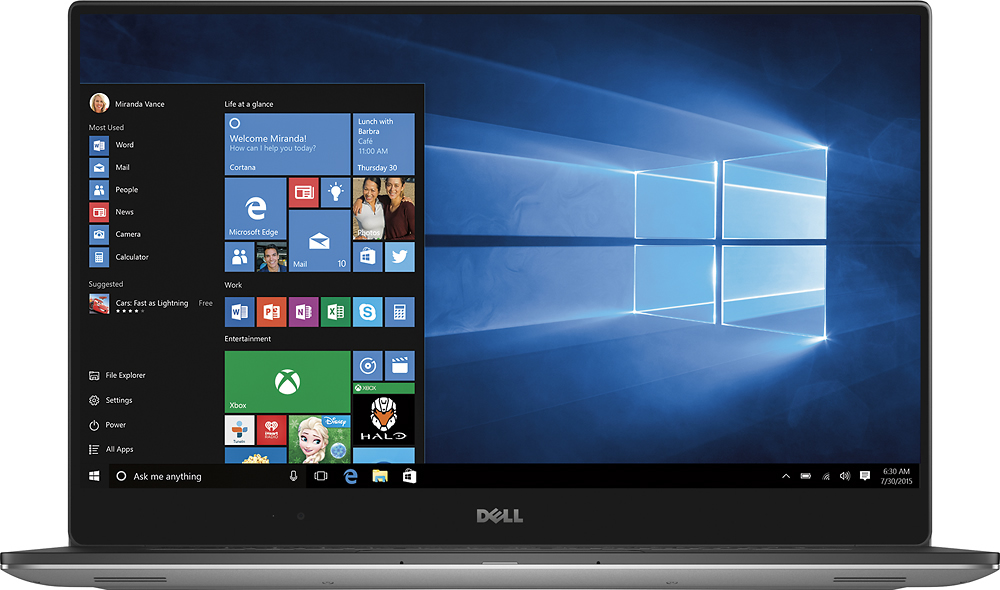
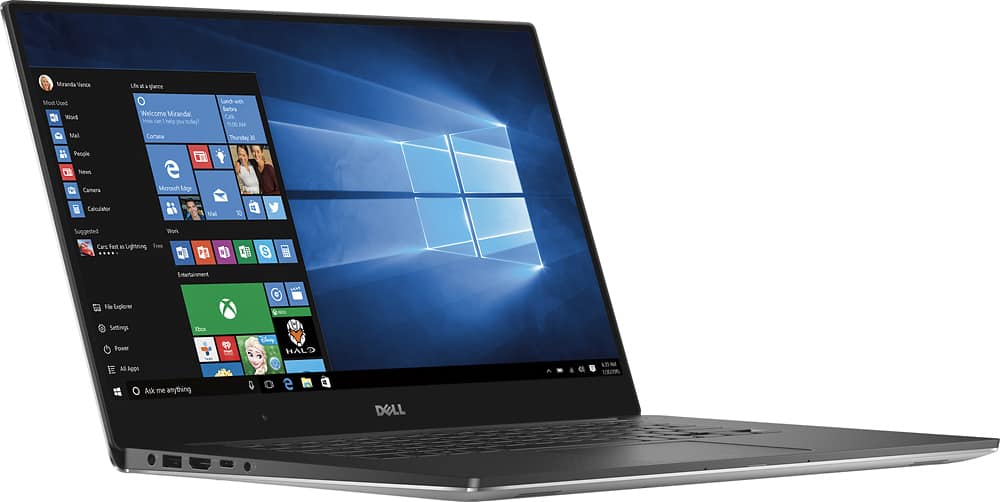
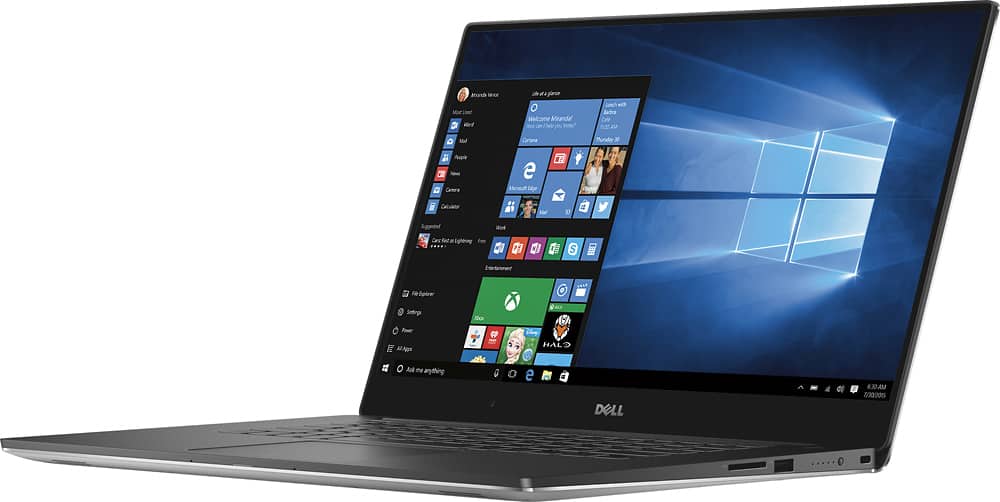
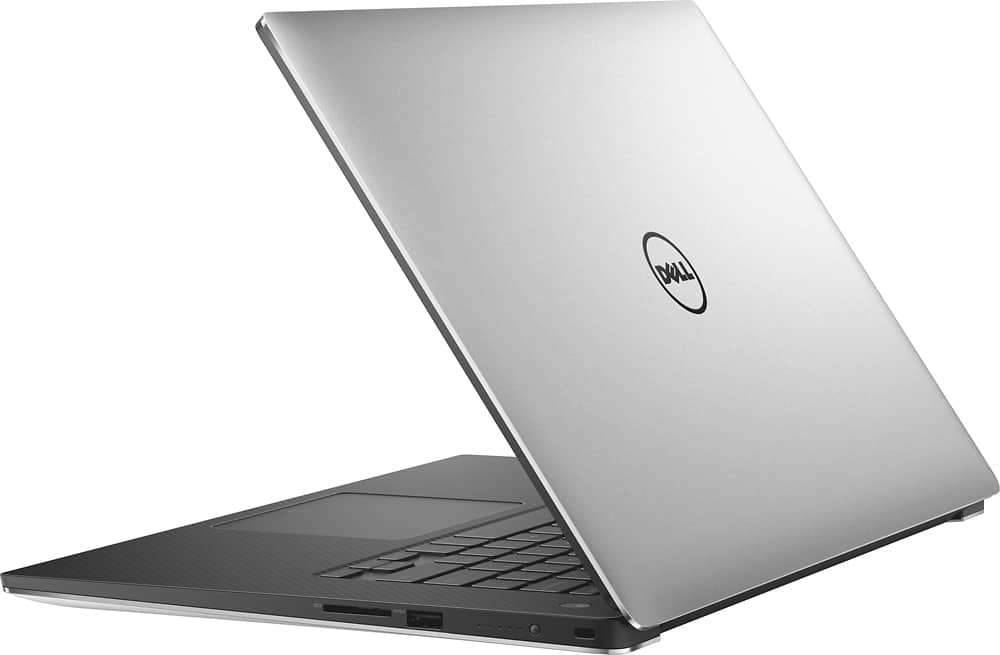
- Model:
- XPS9550-10000SLV
- |
- SKU:
- 4550500
Customer reviews
Rating 4.2 out of 5 stars with 428 reviews
(428 customer reviews)to a friend
Customers are saying
Customers recognize the XPS 15.6" laptop for its exceptional screen quality, with comments highlighting its fast response and sensitive touch capabilities. The laptop's performance is also widely praised, with users appreciating its ability to handle demanding tasks with ease. While some users express concerns about battery life and the lack of USB ports, the overall sentiment is positive, with customers acknowledging the laptop's excellent build quality, powerful processor, and impressive 4k display.
This summary was generated by AI based on customer reviews.
Rated 4 out of 5 stars
Great Laptop, Poor OS
||Posted .This reviewer received promo considerations or sweepstakes entry for writing a review.The Dell XPS 15 is a fantastic laptop. Especially this model, which features a supersonic-speed i7 processor, plenty of RAM and ROM, and the absolutely stunning QHD touchscreen, is quite a steal at 2k. That said, in the few weeks that I've owned and actively used this alternative to the macbook pro, I can say that I've had minor bugs/glitches multiple times daily. The Activity Pane freezes, as does File Explorer, and Shockwave Flash frequently crashes when using Google Chrome and Microsoft Edge. While a (lightning fast) reboot of the computer or restart of the program usually fixes these minor bugs, it is extremely annoying to have to experience with a $2000 laptop. My spider sense tells me that these are WINDOWS 10 ISSUES, not issues with the laptop itself. So, would I choose to buy the XPS again? Absolutely. It's an unparalleled workhouse of a laptop which will, hopefully, work flawlessly when Microsoft gets around to finishing Windows 10, ahem. I've used it side by side with a Surface Book and Asus UX501 with similar specs and was inwardly gloating that I paid about $1000 less than my friend with the Surface Book for a more powerful, better-looking laptop. What would make me completely satisfied with this laptop? No bugs, and if they made it into a 2-in-1. Those minor issues aside, this is a great laptop.
I would recommend this to a friendRated 4 out of 5 stars
Excellent features, easy to operate
||Posted .This reviewer received promo considerations or sweepstakes entry for writing a review.I find the XPS a great laptop, it's easy to use, great photos and sharp pixels
I would recommend this to a friendRated 2 out of 5 stars
Think twice
Posted .This reviewer received promo considerations or sweepstakes entry for writing a review.I was in love when i saw it. Got the 16 gb with i 7 and 1TB SSD. First time I loaded it there was a message that the hard drive wasn't installed/found. Although it worked fine. After installing Photoshop it started crashing with error "Kernell security check failure". From loading photoshop 10 times it crashed 8 times. I will upload the photo of the crash below. Went back and exchanged it for exactly the same laptop. Went home and the hard drive was fine. Before even opening photoshop it crashed again with the same error. After restarting ,the wifi adaptor failed loading so I could't connect to my WiFi. Had to restart it 3 times to load. Went to GeekSquad because I though I do something wrong. Was there for 2 days. They told me the problem was that Photoshop was opening with intel graphics( by default) and i had Invidia screen drivers instrad and thats why it crashed. They made Photoshop to open with invidia graphics. After taking it I started it and there was this blue screen again with the same error ecen that I touched only the start button. I like the computer but there is some misconnection somewhere. Maybe it is a bad batch? On my way returning it cause i lost hope :(.
No, I would not recommend this to a friend- Pros mentioned:Screen
Rated 5 out of 5 stars
Solid PC
||Posted .This reviewer received promo considerations or sweepstakes entry for writing a review.Purchased Dell's XPS 15 three weeks ago and love it. Solid build, flawless performance (so far), quality components. This laptop appears built to easily last the 5-6 years I hope to get from it. Near borderless UHD screen is gorgeous, the i765000HQ processor easily handles streaming music + web surfing + multiple open desktop apps without missing a beat. It's light and thin for easy mobility and the shell (aluminum I think) looks great and should take a beating. The only negative is the SSD drive. Though it is faster than the SATA drives in my other machines, isn't blindingly fast. If you want a laptop that will likely handle most everything you can throw at it (note I'm not a gamer) you will be happy with this laptop.
I would recommend this to a friend - Pros mentioned:Performance, Screen
Rated 4 out of 5 stars
I Love It
||Posted .This reviewer received promo considerations or sweepstakes entry for writing a review.My opinion of the XPS15 is that it's a solid, powerful, and beautiful machine. I am an entrepreneur, graphic & web designer, photographer, and music lover. The Good: It works wonderfully for all of my productivity and creativity, and the screen is perhaps one of the most beautiful I've ever seen. Coming from my Sony Vaio, which I picked up in 2012, I have to say that it was hard to find something that fit. That Sony had 12gb of ram, an SSD, IPS 15.6" screen, blu-ray burner,, 2gb dedicated nVidia GPU, and a Core i7. I LOVED it, but it couldn't handle what I do now. After a year of searching, I think that this Dell has actually surpassed my needs. The Not So Great: I'm not sure if it was just the GPU drivers (which it appears to have been), but my Adobe software was constaty causing the Windows 10 dreaded Blue Screen of Death (BSOD). I ended up resetting the PC to factory, and not installing the nVidia update. It works well now. Also, it had trouble connecting to my bluetooth mouses, but I found a setting under Device Manager-Network Adapters-Dell Wireless 1830-Advanced-Bluetooth Collab that had to be disabled (phew, that was a lot!). Afterward, my MS Arch BT worked flawlessly. Finally, some things do not scale properly (icons, font, etc) with the 4k screen, but that was to be expected and there are fixes out there on the www. Overall, I love it. It has a strong, quality finish, great screen, decent battery (I purchased the extra charger from Dell too), and runs super smooth (aside from third-party flaws).
I would recommend this to a friend - Pros mentioned:Screen
Rated 5 out of 5 stars
Powerful Laptop, only minor wireless problem
||Posted .This reviewer received promo considerations or sweepstakes entry for writing a review.Almost as powerful as a desktop, Outstanding screen clarity, good battery life, small overall size for screen size, solid build, decent keyboard, touchscreen useful for some situations, multiple USB ports, requires $30 adapter for RJ45, wireless card sometimes disappears after screen save or computer sleep mode a minor nuisance, overall outstanding laptop that could serve as desktop.
I would recommend this to a friend - Pros mentioned:Performance, ScreenCons mentioned:Driver issues
Rated 4 out of 5 stars
Nice Laptop, excellent screen however buggy
||Posted .This reviewer received promo considerations or sweepstakes entry for writing a review.Researched laptops for quite some time before deciding on the XPS15. Pros: -Screen is beautiful -Touchscreen works very well -Windows 10 integrates with my Xbox one and Smart tv very well (screen mirroring and streaming videos) -Nice build and quality, Laptop is slim and easy to carry -Powerful and fast (my last computer was circa 2007) Cons: -Dell Junkware is annoying. They really load this thing up with all kinds of bloatware. -I've experienced a couple blue screens because of intel graphics drivers and certain dell drivers not being compatible. -The touch pad is VERY sensitive. When I type, sometimes my palms touch the touch pad and cause the cursor to click off of the text area or click in a different area of the text field which messes up my typing.
I would recommend this to a friend - Pros mentioned:Screen, SpeedCons mentioned:Weight
Rated 5 out of 5 stars
Excellent Laptop.
||Posted .This reviewer received promo considerations or sweepstakes entry for writing a review.The Dell 15" XPS is a terrific laptop. It is a little heavy but I do not travel that much. But I preferred the 15" over the 13". The screen is awesome. The speed is awesome. The only issue I have is it keeps dropping the wireless printer and I have to reinstall it. I think that is a function is Windows 10. But I love the Laptop. Prior to this, I had an Inspiron for 10 years. That was a durable and finctional laptop, I primarily use it for home but I do a lot do documents and spreadsheet work. I am very happy with it.
I would recommend this to a friend - Pros mentioned:PerformanceCons mentioned:Speakers
Rated 5 out of 5 stars
Probably the most amazing computer I've used
||Posted .This reviewer received promo considerations or sweepstakes entry for writing a review.This laptop is simply amazing. For the past 12 years, I have had to build custom laptops to meet the requirements of my heavy duty usage. I multi task between many programs, often fairly demanding programs too. The laptop stops up in 11.4 seconds, no questions or hang ups, and is ready to go without waiting for everything to catch up once I see my desktop. It is a very quick machine with incredible graphics. I often have Adobe Premiere, Muse and Photoshop running while also a few web browsers, Outlook, Word, Excel and others, and the system won't even hiccup once. I did have issues after purchase with my graphics drivers quitting on me for no reason, however GeekSquad was great, removed and reloaded the drivers and what ever else they did, and I haven't had any problems since. The only 2 things that I really really wish this laptop has was a 10-key keypad and better speakers. But for the quality of the laptop and everything else it has to offer, I am just fine using external speakers and keypads. It's a small price to pay. While originally I felt the price was high, it is worth it!
I would recommend this to a friend Rated 4 out of 5 stars
Pretty nice
||Posted .This reviewer received promo considerations or sweepstakes entry for writing a review.For the most part, this laptop is great. The screen is sharp and the system performs well. I do have periodic video driver problems, which result in a blank screen for 1-2 seconds and then it resumes; I expect a future driver update will fix that. The 4K screen is nice but one has to zoom all applications 175-250% to make them readable. This can be done via the OS settings, but unfortunately the zoom feature applies to all apps and across all screens. I tried multiple desktops but the settings apply to all desktops. Perhaps there is a way to override the default zoom settings for specific applications (such as Adobe Photoshop) and I just haven't found it yet. If this is not possible, if all applications are going to be zoomed 175% or more, perhaps a 4K screen on a 15.6" laptop is not worth the extra cost. Another issue: I have had two occasions where I told the system to sleep but it did not, so I ended up with a very hot laptop in my backpack. I had put the system to sleep using the power button, but I also have Windows configured to sleep when the lid is closed, so it should not have been powered on. Dell should also have made a 'sleep' button but I do not see one (it was Function+something on my other Dell laptops). Also, Dell should have provided some way of notifying users when the system is in sleep mode. On my previous Dell laptops, the power LED would slowly flash on and off. This one has a power LED, but it's only function is to let you know whether the battery is charging. Poor design there. Maybe a BIOS update can fix this? On two occasions, I have also had the system resume from sleep with the screen remaining blank. I could never get it to resume operation and was forced to hold the power button down for 4(?) seconds until the system powered down, then rebooted it. If the above inconveniences were addressed, this system would be near perfect for a laptop.
I would recommend this to a friend- Pros mentioned:ScreenCons mentioned:Weight
Rated 4 out of 5 stars
Solid sleek workstation
||Posted .This reviewer received promo considerations or sweepstakes entry for writing a review.The new XPS 15 is a great laptop. It's a bit heavy, but to me that just reinforces how well made it is. I also wish it booted and resumed from sleep faster (takes about 30 and 10 seconds respectively, compared to my XPS 12 which resumed in a couple seconds), but this is a pretty minor concern overall. Keyboard, screen, and of course the power are all awesome.
I would recommend this to a friend Rated 1 out of 5 stars
Serious issues with BIOS and display drivers
Posted .This reviewer received promo considerations or sweepstakes entry for writing a review.I waited until 2016 to take the plunge on this ultrabook, because the reviews & social media comments have been pretty poor. With talk of Intel working on Skylake related issues - I thought it best to get a freshly built machine with better availability of updated drivers. I didn't wait long enough it would appear. Upon initially plugging this unit in to insure a full charge, the BIOS reported that the system could not detect the AC power adapter wattage and type. Very unsettling straight out of the box. Next I proceeded to setup Windows 10. During that 15 minute process, I received repeated Intel HD Graphics Drivers stopped responding. It became so bad at one point that the beautiful high-rez screen started to corrupt with the Windows 10 Start Menu flickering while the rest of the screen would draw in corrupted geometric shapes. I even captured a video of this behavior to show customer service. I know enough to head straight to the Reliability History and see what's going on under the hood and I observed repeated hits of an Intel graphics component - igfxext - failure. I also experienced a few Windows 10 crashes that resulted in the dreaded frowning face - blue screen exceptions. I proceeded to update all the system drivers - including the recent BIOS update - and graphics issues still persisted. Good looking device in hand but major flaws under the hood. Skylake ... yuck! Really disappointing considering the price commitment. This machine is the product of really poor quality assurance practices coupled with a hurry-to-market mentality. Returned it tonight and refused an exchange, Dell obviously released this product before it's time.
No, I would not recommend this to a friend- Pros mentioned:Screen, Speed
Rated 5 out of 5 stars
Dell XPS 9550
||Posted .This reviewer received promo considerations or sweepstakes entry for writing a review.Very nice light fast computer with touchscreen plenty of ram and I opted for the 1tb SSD so itso super snappy and starts right up unlike my old dell with an old school hard drive that u could go make a cup of coffee and it still wasn't completely started up... after this purchase I did breath some new life n to my old dell with a 500gb SSD and omg it's like a new computer almost as fast as thus new XPS 9550...
I would recommend this to a friend - Pros mentioned:4k displayCons mentioned:Battery life
Rated 5 out of 5 stars
Great High end laptop
||Posted .This reviewer received promo considerations or sweepstakes entry for writing a review.Was trying to decide between surface book and dell xps 15. After reading numerous launch issues Microsoft was having. The Dell XPS 9550 was a no brainer. Beautiful 4K display battery life is just ok but that is fine for me this is my desktop replacement.
I would recommend this to a friend - Pros mentioned:Screen, Speed
Rated 5 out of 5 stars
Hands down, the best laptop I have owned!
||Posted .This reviewer received promo considerations or sweepstakes entry for writing a review.Let me begin by stating that this review will focus on the Dell XPS15 (9550) laptop, not on Windows 10. Configuration Processor: Intel Core i7-6700HQ (3.5 GHz); Memory: 16 GB RAM; Disk drive: 1TB SSD; Display: 4K UHD touch screen; Graphics: NVIDIA GeForce GTX 960M (2GB GDDR5); Audio: Realtek ALC3266 with Waves MaxxAudio Pro (2x 2W speakers); dual array microphones Network: Wi-Fi 802.11ac/80211a/g/n; Bluetooth 4.1; I/O: SD card reader; 2x USB 3.0 (with PowerShare); 1x HDMI v1.4; 1x Thunderbolt 3 port with PowerShare (USB-C); The most demanding application for my laptop is photo editing. The XPS15 has plenty of speed and memory and the read/write speed on the SSD is more than adequate to handle my 44MB raw files. The 4K UHD screen is stunning! Calibrated, it achieves 98% and 94% of the Adobe and NTCS color gamuts, respectively. I don’t have a desktop monitor that performs that well. The SD card reader makes transferring photos fast and easy. The XPS15 has only two USB(3) ports and no Ethernet port or optical drive. These limitations are largely overcome by using the USB-C port to connect with a docking station (like the Dell WD15) or universal dongle (like the Dell DA200). I have one WD15 at home and another at work so there is just one cable to disconnect when taking it back and forth. I use a DA200 on the road to give me Ethernet and VGA connectivity and an extra HDMI and USB3 port while traveling. (Note: The WD15 and DA200 will only work after updates to the bios and drivers.) Also be aware that the WD15 provides 130W of power through the USB-C, eliminating the need for a separate power cord. I purchased two extra power cords that turned out to be unnecessary with the WD15. The keyboard is comfortable and responsive. Key travel is relatively short (compared with standard keyboards), but feels smooth and precise. I hate mouse pads, but this one is better than most I have used. I have only used the touch screen by accident ;-) The size and weight of the XPS15 make it ideal for travel. My old laptop was a monster (17.3” display and 9.4 lb). The XPS15 is remarkably thin (0.66”), light (4.4 lb), and easy to pack to and from work and on the road. Yet, it’s easily the most capable laptop I have ever owned. Highly recommended!
I would recommend this to a friend - Pros mentioned:4k display
Rated 5 out of 5 stars
High power laptop - fast and portable
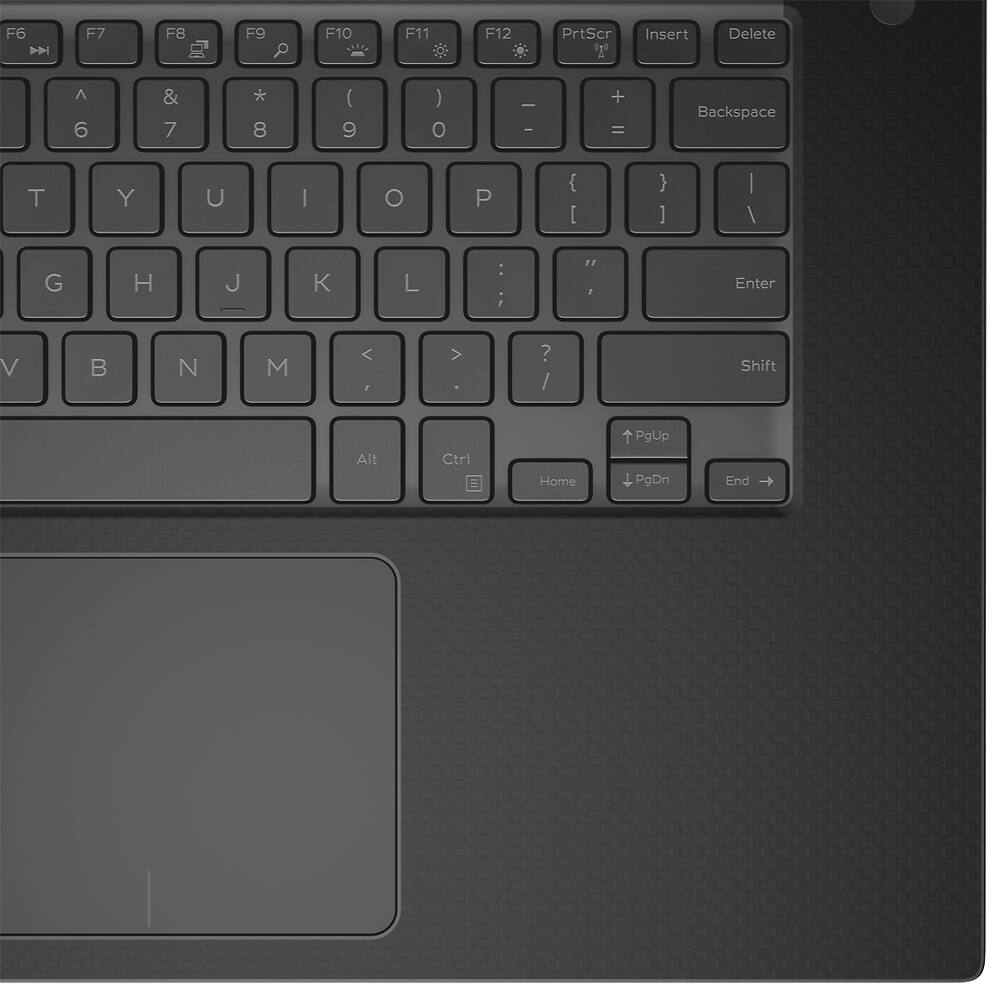
||Posted .This reviewer received promo considerations or sweepstakes entry for writing a review.Very fast easily portable laptop. 4K display is extremely high quality for photo editing and graphics work. CPU, memory, and SSD speeds are very fast for photo editing (and probably video editing) and software development. Had some BSODs the first few weeks but recent updates seemed to have solved the problem. Keyboard does take some getting used to, both layout and chiclet style keys and the Fn-Home/End/PgUp/PgDn keys. Not all software works well with the 4K display (Photoshop, Outlook, Word to name a few) and you have to use a Windows "trick" with an external manifest file to get them to be usable but it is a fairly easy thing to do. The touch pad is very sensitive so lightly brushing it may move the cursor. Have not found a way to adjust the sensitivity yet.
I would recommend this to a friend - Pros mentioned:Screen
Rated 4 out of 5 stars
Solid Laptop with Beautiful Screen
||Posted .This reviewer received promo considerations or sweepstakes entry for writing a review.I recently tried out a bunch of different laptops. Coming from a MAcBook Pro, I had a certain level in my head for terms of hardware quality. I tried out some cheaper laptops that had more powerful graphics cards, but they were all generally flawed, usually with terrible trackpads and battery life. The XPS sems to make up for it. The XPS has great battery life, edging out around 6-7 hours generally of regular browsing. When putting more pressure on the system such as watching HD shows and doing some light video editing, it edges out around 4 hours or so. The screen is a real beauty. 4K with the virtually invisible bezel makes this computer a real stunner. Colors pop and everything looks great. The reflective surface is a little annoying if there is a lot of light around me, but nothing that turned me away. Keyboard, trackpad and other hardware is great. Keyboard has a great solid feel that reminds me of my Mac keyboard. Trackpad is glass and is very responsive. It's pretty close to the MAcBook Trackpad, but not quite there. However, totally doable. Graphics are great. I've played everything from old school games from the 90's up through Gears of War 4 and everything is solid. Gears had to have the graphics toned down to a nice 1080p to be doable, but it looks great. Overall, its a bit more expensive than other laptop, but the SOLID body and build just screams premium. Worth the purchase.
I would recommend this to a friend Rated 4 out of 5 stars
Nice labtop
||Posted .This reviewer received promo considerations or sweepstakes entry for writing a review.The laptop is nice, light weighted and great screen. the graphic card is not the best for gaming, but it works OK. Sometimes when it heats up during a game, the computer slows. Other problem i have is with the software. it usually freezes when i turn it on first time, and needs to restart. I think this may be related to software update or conflict between a program and the hardware. I wish this laptop had LAN and more USB outlets.
I would recommend this to a friend- Pros mentioned:Screen
Rated 5 out of 5 stars
beautiful machine
||Posted .This reviewer received promo considerations or sweepstakes entry for writing a review.The 1tb ssd in this isn't even available on the del website, and it's a samsung p951 with insane speeds. This puppy is loaded and runs great. You may need to upgrade the bios though, it seems like it was shipped too early and that has some issues. Screen, keyboard, video card are all fantastic! This is definitely head and shoulders above the previous gen XPS15/M3800. When 16 GB SODIMMs are released this year, this beast is ready to support them for a whopping 32gb of ram. If you use linux, the support is a big shakey at the moment as it's so new. I am running Ubuntu 15.10 with 4.3 nightly kernel and it works good, except for dual displays are not reliable yet (not a fault of the machine though).
I would recommend this to a friend Rated 4 out of 5 stars
Overall Great Computer
||Posted .This reviewer received promo considerations or sweepstakes entry for writing a review.I needed a dedicated work laptop that could handle video editing and that was relatively easy to travel with. Due to my work environment, it also had to be a Windows machine. Overall I am very happy with this purchase. I would recommend it to anyone needing a powerful machine in a small size. In addition to this laptop, I purchased an LG portable Blu-Ray / DVD writer, Satechi Blootooth numeric keypad, and a Diamond USB / Ethernet hub. Here are the pros and cons if you are considering this machine. Pros: - Very light and compact - Graphics processor and screen resolution are amazing - Love the solid state drive - great work-horse - keyboard is descent - Stays cool and quiet Cons: - Windows 10 (maybe it is just because it is still new, but I am not a fan. This is the only reason I could not rate it 5 stars) - Screen resolution (the resolution is apparently too good for some Windows apps. As a result some input boxes and fonts are very tiny. You will have to lower the screen resolution to display things at a normal size. From what I have read, this is a Windows problem) - No optical drive (this was an issue for me because some of my work is sent on DVDs. The external drive works great, but I was bummed about the extra cost on such an already expensive machine.) - Expensive (but worth every penny if you need the extra power for your projects)
I would recommend this to a friend