Customer Ratings & Reviews





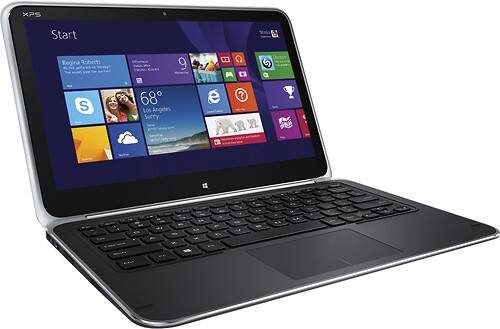
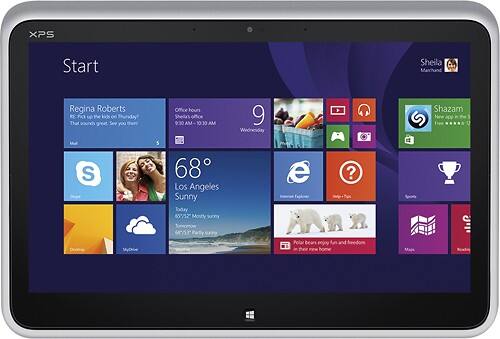
- Model:
- XPSD12-5335CRBFB
- |
- SKU:
- 7617041
Customer reviews
Rating 4.2 out of 5 stars with 165 reviews
(165 customer reviews)to a friend
Customers are saying
Customers frequently mention the responsive touchscreen, long battery life, and lightweight design as positive aspects of the product. The ease of use and fast SSD are also appreciated. Some customers have expressed concerns about the display quality, memory capacity, and the Windows 8 operating system. A few customers feel the price is a bit high.
This summary was generated by AI based on customer reviews.
- Pros mentioned:Touchscreen
Rated 4 out of 5 stars
Features are great...
||Posted .This reviewer received promo considerations or sweepstakes entry for writing a review.Overall great product we bought so that we could do demos at trade-shows and now I liked it so much that I use it for my own biz laptop. One issue is the wear of the left panel from palm which is odd as my Samsung took a year and this took 2 weeks to wear. Screen is great too yet if you do graphic software videos at all get the 8MB memory XPS. ~Clint @cazoomi
I would recommend this to a friend - Pros mentioned:Ease of useCons mentioned:Display quality, Price
Rated 1 out of 5 stars
Excellent device ruined by display flaw
Posted .This reviewer received promo considerations or sweepstakes entry for writing a review.This could have been a glowing review for a truly innovative convertible since the XPS 12 is second only to the Surface Pro for performance, flexibility, and portability, but the device has a fatal flaw that I have since learned is quite common. The high resolution display is extremely susceptible to image ghosting. By that I mean, the displays in many units retain the outlines of bright images if they remain on the screen for more than a minute or two. If you own one, you can easily test whether yours has the problem by doing the following: 1) Set the Windows 8 start screen background to blue (pretty much the default). 2) Go to the Windows desktop, and set the color to something akin to the old XP blue or any comparable color. This is not necessary but does make the resulting issue easier to see in less time. 3) Pin a few items to the task bar, and add a couple icons to the upper left portion of the desktop. 4) Work on the desktop for few minutes with the task bar and upper left corner visible (five to ten minutes is enough). You can even just leave the desktop open and on the screen - no need to run anything as long as the desktop and task bar stay visible. 5) After five minutes (mine was no more than a minute after a few days), hit the Windows button to jump back to the start screen. 6) Observe the bottom of the screen that corresponds to where the task bar is on the desktop, and the upper left where you placed the icons. 7) If you have the display issue, you will see the faint to vivid outlines of the taskbar and pinned items, and the same of the upper left icons showing through as ghosts. An example is attached to this review. These will fade in anywhere from a minute to up to ten minutes. 8) You can achieve the same result by opening a bright web page in a windows and then after a few minutes switching to a darker screen. While some may think this is trivial, the above is just a test to demonstrate. It does have a real world impact in functionality. For instance, if you are working on a bright object in something such as Photoshop, you can be stuck with the ghosting when you switch to editing a darker image. On that subject, no one should have to wait for the display on a $1000 laptop to fix itself so that you can complete a task. Even more importantly, I confirmed with mine over the course of a week that the effect takes less time to be triggered the longer it is used and takes more time to dissipate. That suggests at some point there is a potential for a memory effect and permanently marred display. I would write this off as just a single defective display except if you do a search you will find numerous complaints, with Dell's solution being to replace the laptops, sometimes with ones with the same problem. I also stopped by two Phoenix area Best Buys and checked their multiple demo displays and all had the same issue. I showed this to the staff in one store who were shocked by it and acknowledged it was pretty obvious if you were looking for it. This would be unacceptable for a low end bargain machine but the XPS 12 is definitely a lot more than that. It is a performance laptop with a $1000 price tag. Under the circumstances, I cannot recommend it. If you buy one (or already own one) I would further recommend checking for the problem. It will not go away, will worsen with time, and is not limited to early production units. You should not have to live with the problem, or suddenly realize it is there after your warranty expires. As I said, it is also not just some trivial little test such as looking for a bit of backlight bleed that has no effect on actual use. This can impact actual use in very inconvenient ways. BTW, do not let anyone convince you it is common to all 1080P displays. While early MacBook Pros with Retina displays had a version of the same problem they have fixed it. The equally high resolution Surface Pro which I also own is not susceptible to the problem at all. This is a Dell XPS 12 problem, not a universal high resolution display issue.
No, I would not recommend this to a friend - Pros mentioned:Battery life, Processor speed, Touchscreen
Rated 4 out of 5 stars
Excellent Value
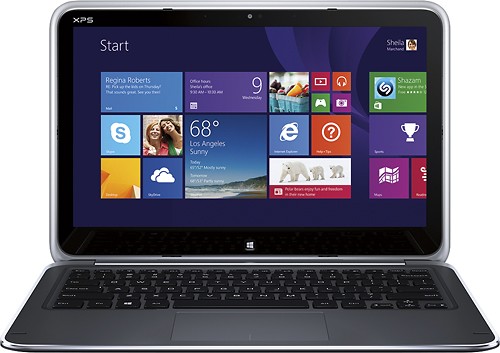
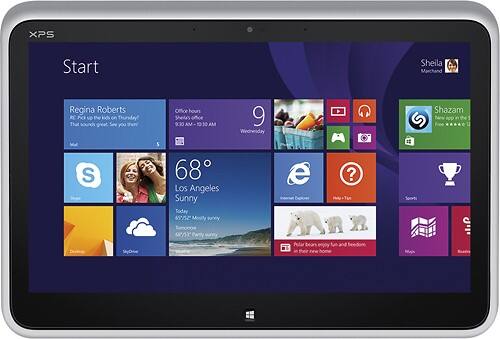
||Posted .This reviewer received promo considerations or sweepstakes entry for writing a review.I purchased this ultrabook convertible to replace a very good Windows 8 tablet, so I was a tad hesitant to spend the extra money. Now I am glad I did. The XPS 12 has a fast processor and plenty of RAM, so I'm running all my apps quite comfortably. It also features Intel WiDi capability, so I am streaming HD from the XPS 12 to my living room TV (using a Netgear WiDi adapter). Of course its greatest strength is the flip/swivel screen, which is a marvel of design engineering. I can convert from tablet to laptop in less than 5 seconds without skipping a beat, and then back again when I am ready. The mechanics of the screen are solid and clearly built to last, and provide a great sense of security that I am not going to break it accidentally. I was very careful about the flip conversion at first, but I now I do it almost without thinking about it. Another big plus: the screen itself. Beautiful, vibrant, crystal-clear 1080p HD. Unmatched in this price range, I am willing to bet. So what are the cons? Well, I have noticed that the system runs kinda hot under heavy app use, especially when I am watching video, and of course the fan kicks on - but it's not really loud at all. It just contributes to the battery drain. I am more worried about keeping the exhaust vents on the back/bottom clear. But in spite of this, and under some heavy usage, I am enjoying a solid 6+ continuous hours of battery life on average. But I keep my screen brightness down pretty far, too. (Tip: disable the automatic screen brightness function and set the screen to pretty low brightness. It's fine for most usage, and you can manually adjust when you need to.) OVERALL: this has proven to be an exceptional value for the price tag, and is a solid, well-built machine.
I would recommend this to a friend - Pros mentioned:Battery life, Touchscreen
Rated 4 out of 5 stars
Goodbye Lion: Back to Windows
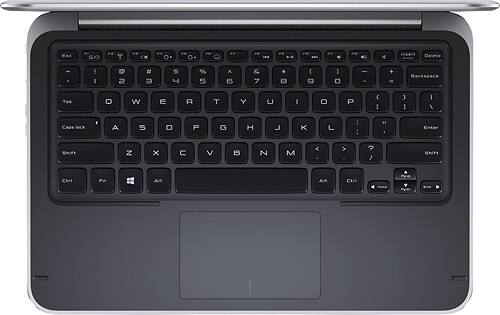
||Posted .This reviewer received promo considerations or sweepstakes entry for writing a review.For the past 2 years I've been using the first two generations of MacBook Airs as my portable device for work and personal use. The design, form factor, build, finish, reliability and portability are top notch. That ended one month ago when I spotted the XPS. You just don't realize how convenient a touch screen is until you start using one. In the case of the XPS, the ability to convert it into a tablet is cool, especially with its large, excellent screen. I was split between this and Lenovo's Yoga. While the Yoga offers a memory slot to complement the SSD, the backlit keyboard was essential for me to work on planes and other low light conditions. I also prefer the Dell's design. The metal frame and carbon fiber finish are nice. Build quality is excellent. In terms of performance, it runs cool, batteries last 4 to 5 hours with constant use, the i5 and 4GB are fast enough for my MS Office apps and for having multiple apps open. I no longer need to travel with my MacBook Air and Ipad...this takes up less space than those two combined. This a great machine but not perfect. It is heavy compared to the MacBook Air. There are few dedicated accessories compared to the Air. Case selections are limited (I bought the Dell leather portfolio). The charger is compact but not as nice as the Mac's. The keyboard is good but the Mac's works better (the XPS's is too recessed, occasionally causing me to swipe the touchpad, in turn causing the cursor to move unexpectedly). The Mac's touchpad is also smoother both literally and in terms of scrolling or moving the cursor. And the Win8 software is less stable than the Mac's...I use my machine constantly and find I need to re-start it every day or two because it stops responding as it should (i.e. the touchscreen feature stops working or I get stuck on a page). Despite these minor shortcomings, overall I am very happy with the XPS.
I would recommend this to a friend - Pros mentioned:Battery life, Processor speed, Touchscreen
Rated 5 out of 5 stars
Nice Combo Laptop/Tablet
||Posted .This reviewer received promo considerations or sweepstakes entry for writing a review.I purchased the Dell XPS 12 for my daughter primarily for doing school work. She absolutely loves the convertible touchscreen. Size and weight are excellent for her. Build quality is very good and it is fun to able to say that it is made out of carbon fiber... Overall the i5 processor is pretty good and 4 GB ram are fine for our needs. I am not that thrilled with the touch pad but the touchscreen is very responsive. A larger SSD would be a plus but with all of the cheap cloud storage this is not a big deal. Battery life seems pretty good so far. I purchased this as an open box for about $750 and at that price I think it is fairly good value for the money. You pay a premium for the flippy screen... Overall nice machine.
I would recommend this to a friend - Cons mentioned:Display quality
Rated 4 out of 5 stars
Great combination of laptop and tablet
||Posted .This reviewer received promo considerations or sweepstakes entry for writing a review.Best designed convertible laptop / tablet I could find. Future generations might come up with a better design, but the flip screen of this model seems to be the easiest and most secure of any design presently available. Easy to switch back and forth. In laptop mode you can still use the touchscreen, and in tablet mode and you are able to call up an onscreen keyboard. Have had an occasional freeze up in tablet mode, but not yet often enough to become annoying. Does seem to have adequate internal memory and hard drive for present needs, but if you want to build a music or video library on disk, you will have to buy an external disk drive. I would prefer if they included an internal disk drive. I am use to working on a desktop computer, and originally I was wishing this laptop came with a larger screen. However, I am finding that I use it in tablet mode more often than laptop mode, and must admit that if it were much larger or heavier, it probably wouldn't be nearly as handy. In hindsight, I think they probably came up with the right compromise. I guess for longer sessions where I really miss having a larger screen, I could sit at my desk and hook it up to an external monitor of whatever size I wanted. I have had this model for about a month, and so far I am more than pleased.
I would recommend this to a friend - Pros mentioned:Battery life, Touchscreen
Rated 4 out of 5 stars
Overall Good Design
||Posted .This reviewer received promo considerations or sweepstakes entry for writing a review.Pros:The XPS 12 is a very well built laptop with nice design and can convert into a usable tablet. It works well and seems very intuitive. The battery life is decent at around 3 hours in power saving mode and 2 hours on normal battery mode. Cons: The XPS 12 is a a bit pricey for the actual components youre getting within the laptop. If you have the extra cash go for the haswell version of the XPS since it will probably boost your battery life significantly. The touchpad can also be a bit tricky to start off with but it is highly configurable. That said, it'll probably take some time to get used to but the windows 8 interface really helps alleviate some of the irks of using a touchpad when you can be using the touchscreen instead. All in all I recommend the XPS 12 if you have the extra funds laying around and want a well built if not slightly under powered laptop/tablet hybrid.
I would recommend this to a friend - Pros mentioned:Battery life
Rated 5 out of 5 stars
A great PC with a super display
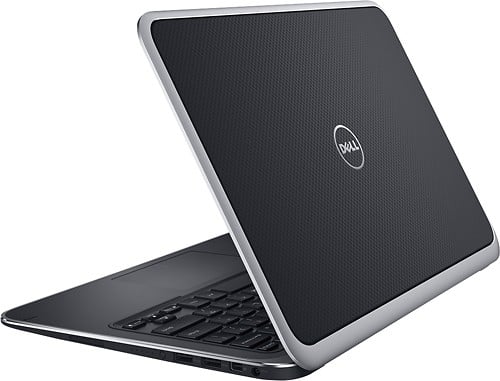
||Posted .This reviewer received promo considerations or sweepstakes entry for writing a review.I have owned numerous Dell laptops over the last 15 years and this one is tops. Some reviews criticized the touchpad but I have had no trouble. However, when you first use the PC, be sure to run the Dell utility that updates all of the firmware. While this is somewhat time-consuming, it ensures that all of your drivers, etc are up-to-date. The performance of the SSD combined with the Core I5 CPU is quite good. While Dell offers a Core I7 for this PC, I think the Core I5 is sufficient while saving battery. Also, the Core I5 will ‘burst’ to 2.4GHz when necessary so the performance is excellent. The unit boots from a cold start in 5 seconds; faster if coming off of sleep or hibernate. The display quality is outstanding and the ‘flip’ feature works easily and the construction is quite solid. If you are primarily looking for a Tablet, look elsewhere because this unit will be larger and heavier than a dedicated Tablet. It is really a Laptop that can also perform admirably as a Tablet at a flip of the screen which is just what I needed. Sound through the speakers is marginal and no SD card slot is unfortunate. Overall, however, it is a great product.
I would recommend this to a friend - Pros mentioned:Ease of use, Touchscreen, Weight
Rated 4 out of 5 stars
Great lightweight
||Posted .This reviewer received promo considerations or sweepstakes entry for writing a review.We were looking for a laptop that was light and a touch screen. This does both. Gives you the best of both worlds. You can use it as a laptop, or you can use it as a tablet. We also took this on our carry on, for a 20 hr flight. Was very compact in size, and easy to take out during security checks.
I would recommend this to a friend - Pros mentioned:Battery life, Processor speed, Touchscreen
Rated 5 out of 5 stars
Best of both worlds
||Posted .This reviewer received promo considerations or sweepstakes entry for writing a review.We bought this computer for my son for school. The whole family enjoys using it. My 6 year old nephew loves playing games on it, I love using it as a tablet, my husband and son like the laptop. It is fast. It comes up very quickly. The screen/picture is sharp and battery life is long. We have had it for almost a month, and really do LOVE it!
I would recommend this to a friend - Pros mentioned:Processor speed, Touchscreen
Rated 4 out of 5 stars
A Decent Laptop
||Posted .This reviewer received promo considerations or sweepstakes entry for writing a review.The laptop itself is fast and fluid, the screen is beautiful, and I really like windows 8. However sometimes the keyboard and or track pad will stop working for a minute or two with no explanation. The touchscreen also does this on occasion but to fix the touchscreen not working you have to restart the computer, while the keyboard and track pad will correct themselves eventually. Overall however i'm sure these problems will be addressed and solved, hopefully over an update. The laptop is a great laptop, works well(usually), and has good performance and speed. I do not regret the purchase even with the mentioned problems. A laptop/Tablet hybrid is a very interesting concept and the dell xps 12 is one of the best, if not the best.
I would recommend this to a friend - Pros mentioned:Battery life
Rated 4 out of 5 stars
Very Solid Hybrid Device
||Posted .This reviewer received promo considerations or sweepstakes entry for writing a review.This device is a bit to heavy to be a nice tablet and a bit to underpowered for graphically intense games or business software. However, it is an excellent all-around device for general use. The screen is bright and crisp, touch features are responsive, and the build quality is very high (even the hinge). I'm finding my battery life to be about 5 hours, +/- about an hour depending on what I'm doing. I know other people have complained about the touchpad being jumpy, but I have had no problems with it. The price is a little high, but I believe it to be a good value as the combined cost of a tablet and mid/high end laptop is comparable to the cost of this device. I am irritated that I had to buy a bunch of adapters and a USB optical drive due to the lack of on-board ports, so perspective buyers should be sure to budget for that. However I found this to be a reasonable tradeoff given the incredibly compact form factor. Windows 8 and its store are also still in their infancy at the time of writing, so don't expect a robust app ecosystem for at least a little longer. Hobbyists beware! The soldered RAM and 125 GB HD make upgrades, dual booting and other forms of tinkering difficult, if not impossible.
I would recommend this to a friend - Pros mentioned:Battery life, TouchscreenCons mentioned:Windows 8
Rated 5 out of 5 stars
Most of what I was hoping for
||Posted .This reviewer received promo considerations or sweepstakes entry for writing a review.I bought this computer to take notes at a conference. The full sized keyboard is great, and I used a mouse, although the touch screen works fine, too. Windows 8 is a pain, but having the touch screen makes it much easier. I had no trouble connecting to the hotel Wi-Fi. I charged the battery at night and got a full day's use without plugging in, even watching video. The sound is fine with my Bose ear buds. Converting to tablet is a nice feature but I don't know if I will be using it much.
I would recommend this to a friend - Pros mentioned:Touchscreen, Weight
Rated 5 out of 5 stars
Love it, need I say more?
||Posted .This reviewer received promo considerations or sweepstakes entry for writing a review.I originally wanted the Microsoft surface pro until I listened to the sound. The quality of picture and sound were very poor. I chose the xps instead and it is the best choice I have ever made!!! I have enjoyed learning windows and and I love switching from typing to touchscreen with ease. The speakers and picture quality are fanominal! It's so light weight I carry it around everywhere I travel even to work everyday!! I absolutely love my xps it's perfect for me but I'm not a big gamer but I love having the option to add game apps just like my iPhone! It also comes Equipt with widi software so you can use your tv monitor as your computer monitor if You want to watch netflux or abc family shows on the big screen verses the pc monitor. It's awesome!! I hope my review will help others to make a decision in their next laptop/tablet purchase!!!
I would recommend this to a friend - Pros mentioned:WeightCons mentioned:Windows 8
Rated 4 out of 5 stars
Great for those on the go...
||Posted .This reviewer received promo considerations or sweepstakes entry for writing a review.I love the computer itself, it's light weight, and the concept is great of converting from laptop to tablet... I just absolutely hate Windows 8 right now. Many of the sites/products I use for my business are not yet compatible with it so I find myself frustrated way more often that not. I avoid using this laptop as much as possible right now because I don't have time to try and figure out all the changes to Windows 8 and what the heck to do to make it work for my needs. I would recommend to someone who is pretty tech savvy at this point but not to someone like me who is not.
I would recommend this to a friend - Pros mentioned:Battery lifeCons mentioned:Windows 8
Rated 4 out of 5 stars
Windows 8 is a horrible mess
||Posted .This reviewer received promo considerations or sweepstakes entry for writing a review.The hardware on this computer is nice. The battery life is good as well. I also like the flip screen since it gives probably the most compromise between being a full laptop and a tablet than anything else I have seen on the market. Really my biggest complaint is windows 8. I feel like this is micrsoft's biggest failure. With all system upgrades there is a learning curve but windows 8 is almost like learning how to use a computer for the first time. If windows 8 doesn't intimidate you then this is a good buy.
I would recommend this to a friend - Pros mentioned:TouchscreenCons mentioned:Memory
Rated 4 out of 5 stars
Very Good and Sleek Device
||Posted .This reviewer received promo considerations or sweepstakes entry for writing a review.This is my first touch laptop/tablet. It is cool. There has been no blue screen of death. Applications made for the operating system seem lightweight and incorporates the touch features. Looking to upgrade the hard drive and memory. Lacks the true backup option which you would see in Windows Professional or Ultimate.
I would recommend this to a friend - Pros mentioned:Ease of use, Touchscreen
Rated 4 out of 5 stars
Good all in one computer
||Posted .This reviewer received promo considerations or sweepstakes entry for writing a review.I like this computer because I can use it as a laptop and as a tablet all in one device. It's lightweight, which I like because I transport it to several meetings a day. The touch screen is really nice! Sometimes the touch screen disables when I use a wireless mouse, but overall I really like it.
I would recommend this to a friend - Pros mentioned:Weight
Rated 5 out of 5 stars
Great for traveling and mothers
||Posted .This reviewer received promo considerations or sweepstakes entry for writing a review.I have a 5 yr old, a 1 yr old, & I am due to have another baby May 15! I am a full time woman and business woman. I need my laptop to be lightweight but have a lot of memory since I am always on the go. I did not want the laptop that converts into a tablet while the keyboard was exposed since I could see my 1 yr old damaging the keyboard in some way. I did not want the snap on keyboard since I was pretty sure it would get misplaced or something random would happen to it. This is definitely worth every single penny that I paid! When I see my 1 yr old lurking, I simply flip to the tablet option. There are free games my children can play, painting for the 1 yr old, racing and basketball for the 5 yr old. The only thing that upset me was the fact that my camera will not work. When I pull it up, it shows a lot of colors. I called Dell they said they would download another app to allow me to make videos and take pictures. I am going to call Microsoft since I feel the software on the computer should be working adequately no excuses! When I bought the device, they took their portion out of my account, down to the penny, so I expect every part of the device to be working, no matter how insignificant the part may seem. I did not know from the online reviews that it does not have a place for cds. Now this isn't a total set back since my husband has a traditional laptop so any software games, cds, dvds, or software I need to use, I use his laptop. But other than that, this is perfect! It is light and has everything I needed, besides the two things noted.
I would recommend this to a friend - Pros mentioned:Battery life, Touchscreen
Rated 5 out of 5 stars
Nothing bad to say
||Posted .This reviewer received promo considerations or sweepstakes entry for writing a review.I needed a laptop for school and a tablet for taking handwritten notes. This is the perfect combo. The swivel screen is very sturdy and the battery lasts a lot longer than I expected. High quality build and near flawless performance. I say near because windows 8 still has issues but not the computer itself.
I would recommend this to a friend