Customer Ratings & Reviews


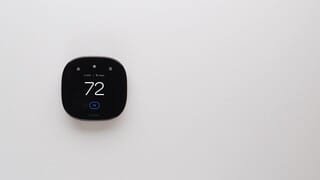

- Model:
- EB-STATE6-01
- SKU:
- 10736056
Rating by feature
- Value
Rating 4.5 out of 5 stars
- Quality
Rating 4.7 out of 5 stars
- Ease of Use
Rating 4.6 out of 5 stars
Love my ecobee
||Posted . Owned for 1 month when reviewed.This reviewer received promo considerations or sweepstakes entry for writing a review.This thermostat has it all. User friendly. Love it.
I would recommend this to a friendEnergy Saver
||Posted . Owned for 1 week when reviewed.This reviewer received promo considerations or sweepstakes entry for writing a review.Seams like they keep the house more warm. There good i like them.
I would recommend this to a friend
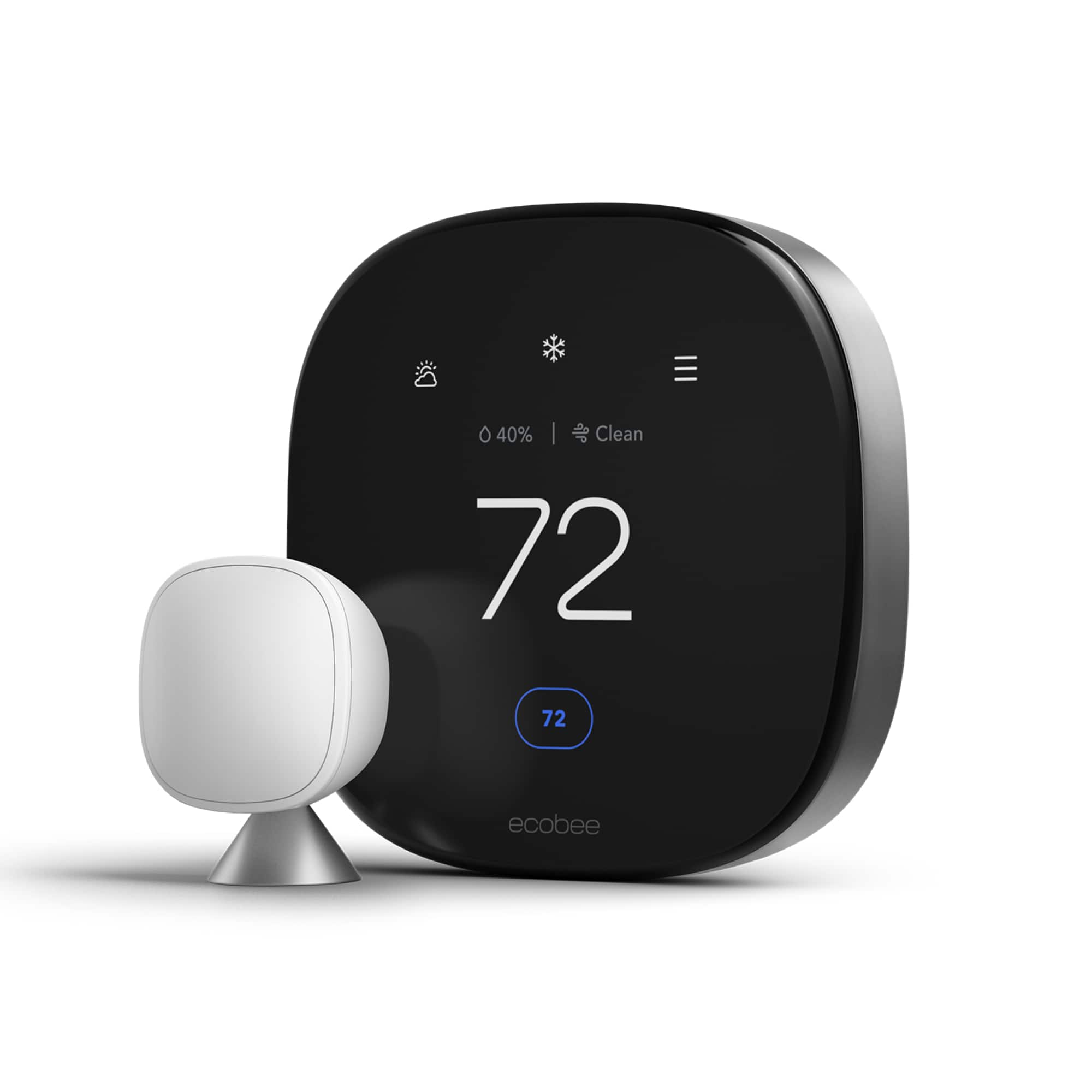
Premium is what you get with the Ecobee Thermostat
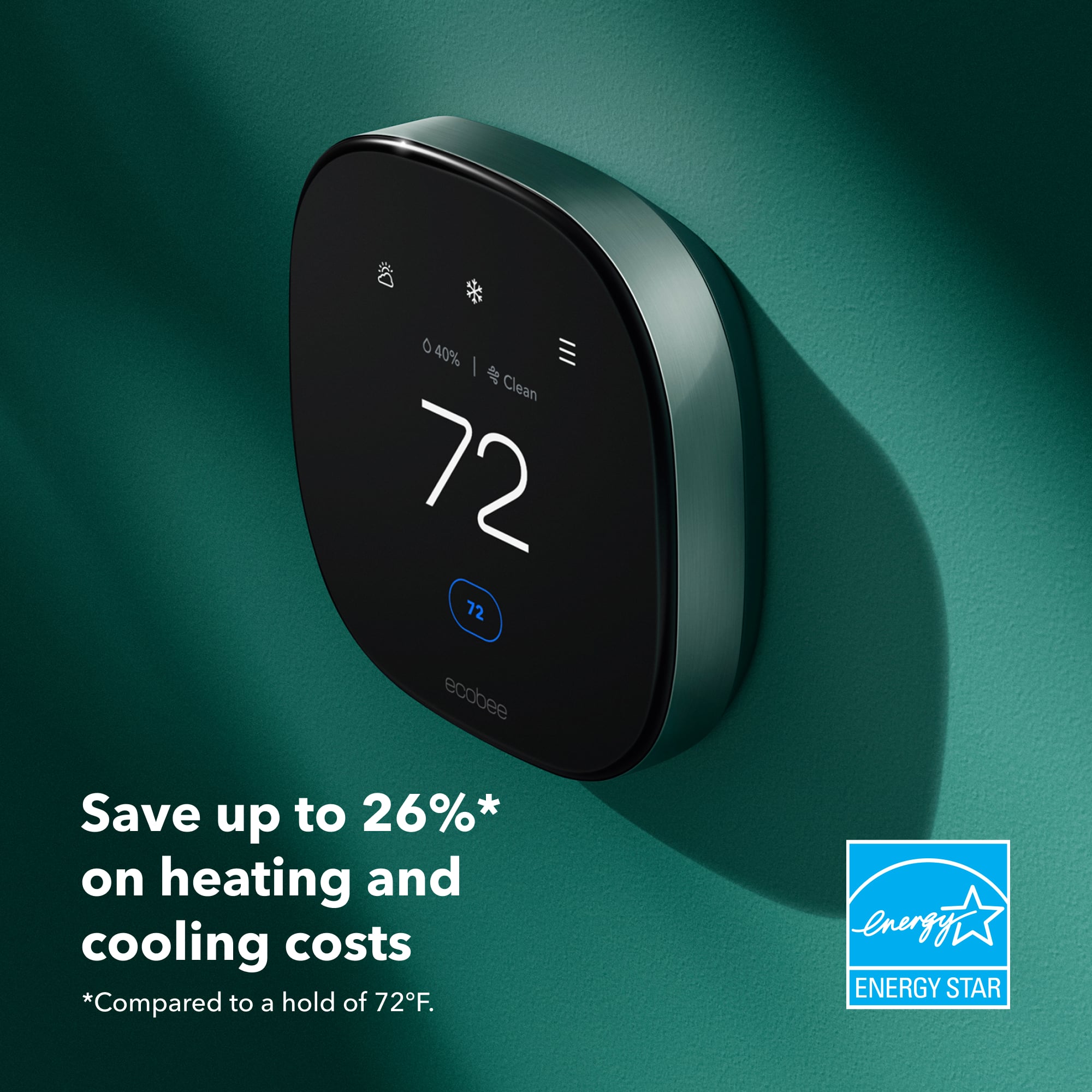
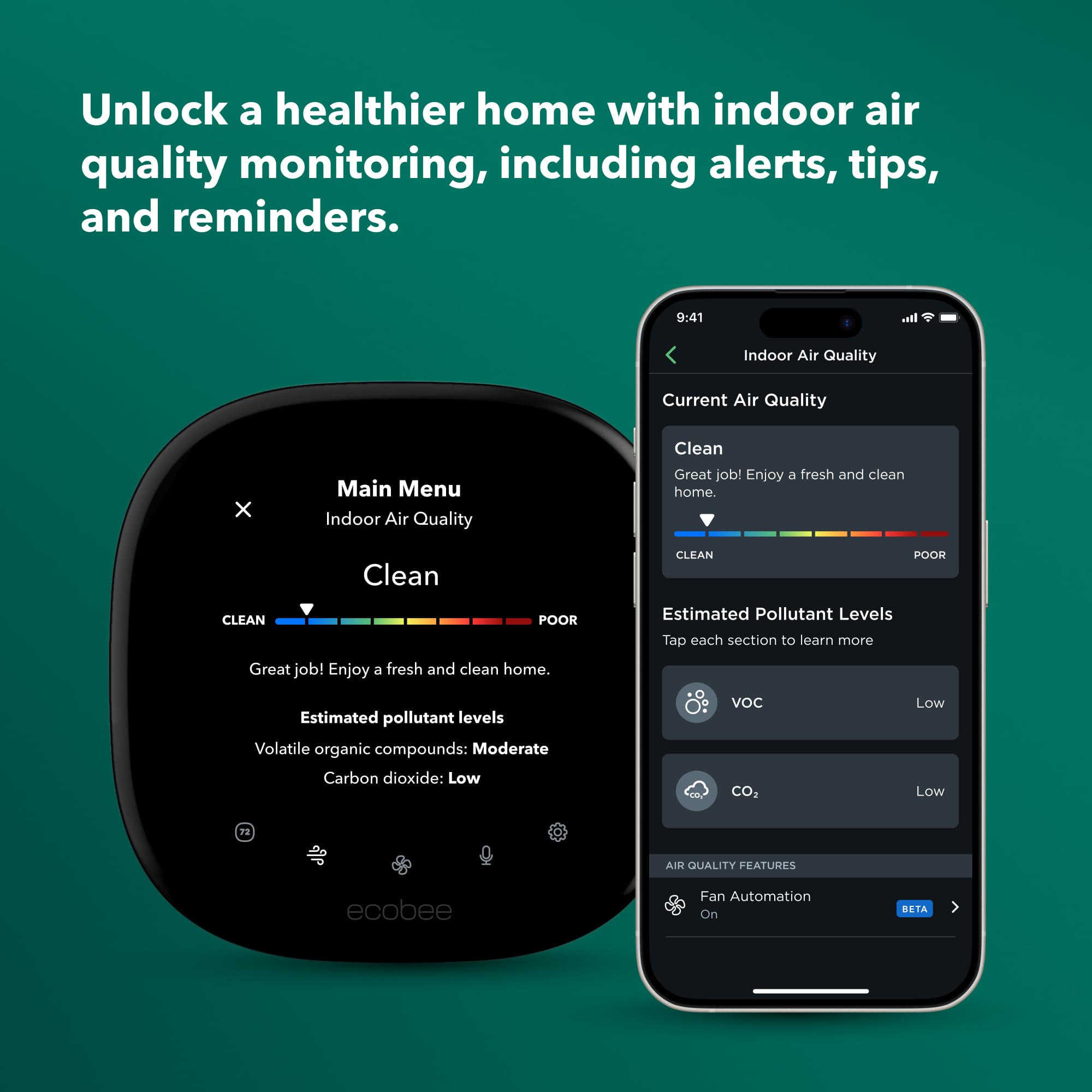
|Posted .This reviewer received promo considerations or sweepstakes entry for writing a review.The Ecobee Premium Thermostat provides an elegant, modern, and updated look compared to its previous models. The functionality of the thermostat is fine, but the smart app and user options are what both the thermostat and app lack. Pros: Quick Set up Elegant Design Large Screen Air Quality Control and Weather Smart Sensor Cons: Strange cooling and heating periods Limited app functions Font interface on thermostat The new Ecobee Premium thermostat features a larger touch screen, with an included microphone for Siri and Alexa integration. Additionally, there is an included speaker to listen to Spotify and for the thermostat to respond to requests (such as asking Alexa to set the thermostat to 67 degrees). Although the function of the speaker for listening to music on it is a cool function to have, I found it not very good for listening to music (not the best sound quality, but why would anyone use their thermostat to listen to music?) The newer glass on the thermostat with a metal body gives this updated Ecobee a premium look and feel (as the name implies). The set up of the Ecobee was simple, as long as you know your current wire set up. I took a photo (after removing my Nest thermostat) of the wire set up prior to installing the Ecobee Premium. Additionally, the "how-to" video online was easier to follow for installing rather than the "step-by-step" instructions inside the app. I would recommend watching the installation tutorial on their websie or Youtube channel if you are concerned with the installation. Other than that, drilling the anchors and placing the thermostat on the plate was simple and quick (it took me 10 minutes). The large screen provides plenty of visual space to read the temperature along with the other included features such as viewing the current weather, date and time. One of the best functions the Ecobee features over a competitor, such as Nest, was the new "air quality control" feature. From the thermostat screen itself, the Ecobee Premium displays the air quality control in your home. The thermostat gives you a chart of your air quality in your home, and the thermostat provides an explaination of why and helpful tips on improving the air (such as opening a window to remove high carbon dioxide levels). The included smart sensor was tricky (at first) to sync with the thermostat. However, I was able to pair it successfully with the thermostat, and I believe the thermostat works better with the smart sensor. Withouth the smart sensor, I felt that the temperature fluctuation in the home was off, and the thermostat did not act accordingly. The issues I faced with the thermostat was not on set up (this was easy, and the directions were simple to follow). When I began using it to cool down the home, after the syncing period (it takes ten or so minutes for the thermostat to adjust to your current room temperature when installed), the thermostat had odd cooling techniques. I changed the temperature on the thermostat to 68 degrees in the house (for cooling) from 70 degrees. What I found was that the A/C did not turn on right away; there was a lull period before the A/C came on in the home (we also recently had the A/C serviced, and it was working fine prior to the installation of the Ecobee Premium). Although strange, I found that once I installed the smart sensor in another room (after pairing), there was no longer a "lull" period. I am not sure if the Ecobee was still trying to calibrate and learn the home, but it was odd. The Ecobee smart app is a bit buggy, and it lacks functions. For instance, I accidentally changed my time to new york time during set up. I went into the app to try and change the time, and the app told me this was not possible and to log on online. I logged into my account online, and I was able to change this setting. Also, there were strange schedule settings that I was not able to change well on the thermostat and on the app. Meaning, I was not able to delete schedules from the thermostat itself with out, again, going online via a web browser. You would think that, from the app, you could do all of this, but I had issues with this. I again changed the temperature in the home (lower than my "comfort" settings), and the app did not show that it took. Then, the app froze, and I could not click around on the menus without force closing the app itself. Lastly, the interface is elegant and modern, but the font in the menus and settings are not that eye catching. Compared to my Nest, I found that the font was dated and harsh on the eyes when scrolling through the menus. Though this is not a complete deal breaker, you would think, with the work put into the design, users would have a more premium menu to look at, too. Overall, the Ecobee Premium is an upgrade over their previous models. The premium features a large glass and metal body design that provides an elegant and modern look. Although the app is quirky and functions on the app and thermostat are limited, logging in online is your best chance to really change your schedules and make subtle changes. Although not included in the thermostat, I would like to see Ecobee incorporate a "wake on approach" feature that nest already includes in their thermostats. Meaning, when you walk up or walk past the Ecobee, the thermostat will "wake up" and display the temperature, weather, and air quality control (currently, the thermostat has an always on display). I would recommend the Ecobee Premium Thermostat, once you get past the bugs and quirks, the newer updated thermostat should outshine the Nest on the current market.
I would recommend this to a friendInaccurate Temperate and Humidity Read Outs, Bad!
||Posted . Owned for 3 months when reviewed.This reviewer received promo considerations or sweepstakes entry for writing a review.Horrible. Had to replace an old Google Nest, and wanted to try something else. I had heard a lot about the ecobee thermostats. If you have had other thermostats, this does not come with a wall plate large enough to cover the foot print of the previous thermostat wall plates or even the old school cheap generics. Long story short. Cannot detect correct humidity. Cannot detect correct temperature. Tried three different thermostats. They're all junk. 20% off on humidity, temperature off 5-10 degrees. Calibration just corrects it for the moment. Customer support will tell you it's because there is a draft in the wall behind the thermostat. Ask you to fill the wire hole completely. Insulated walls. Newer construction. This doesn't fix it either. Horrible. Waste of time.
No, I would not recommend this to a friendBrand response from ecobee
Posted .Thank you for sharing your experience. We're sorry to hear about the issues you've faced with humidity and temperature detection, as well as the compatibility with previous wall plates. We understand your frustration and appreciate your feedback. Please know that your concerns are important to us, and we are continuously working to improve our products.

Buy this, not 7 year old Nest
||Posted . Owned for 3 weeks when reviewed.This reviewer received promo considerations or sweepstakes entry for writing a review.High quality product, easy installation and setup!
I would recommend this to a friendPop air quality sensor
||Posted . Owned for 1 month when reviewed.This reviewer received promo considerations or sweepstakes entry for writing a review.Air quality sensor is faulty. CO2 level is actually eCO2 base on the VOC level. Barely a month in and the sensor shows extremely high levels of VOCs and CO2 that would probably put anyone in a hospital. Wish I returned it when I could of to be honest.
No, I would not recommend this to a friendBrand response from ecobee
Posted .That doesn't sound right. Let's take a closer look at this together, Daniel. Please reach out to our Customer Support team directly at ecobee.com/contact.
The Best of the Best Smart Thermostats?
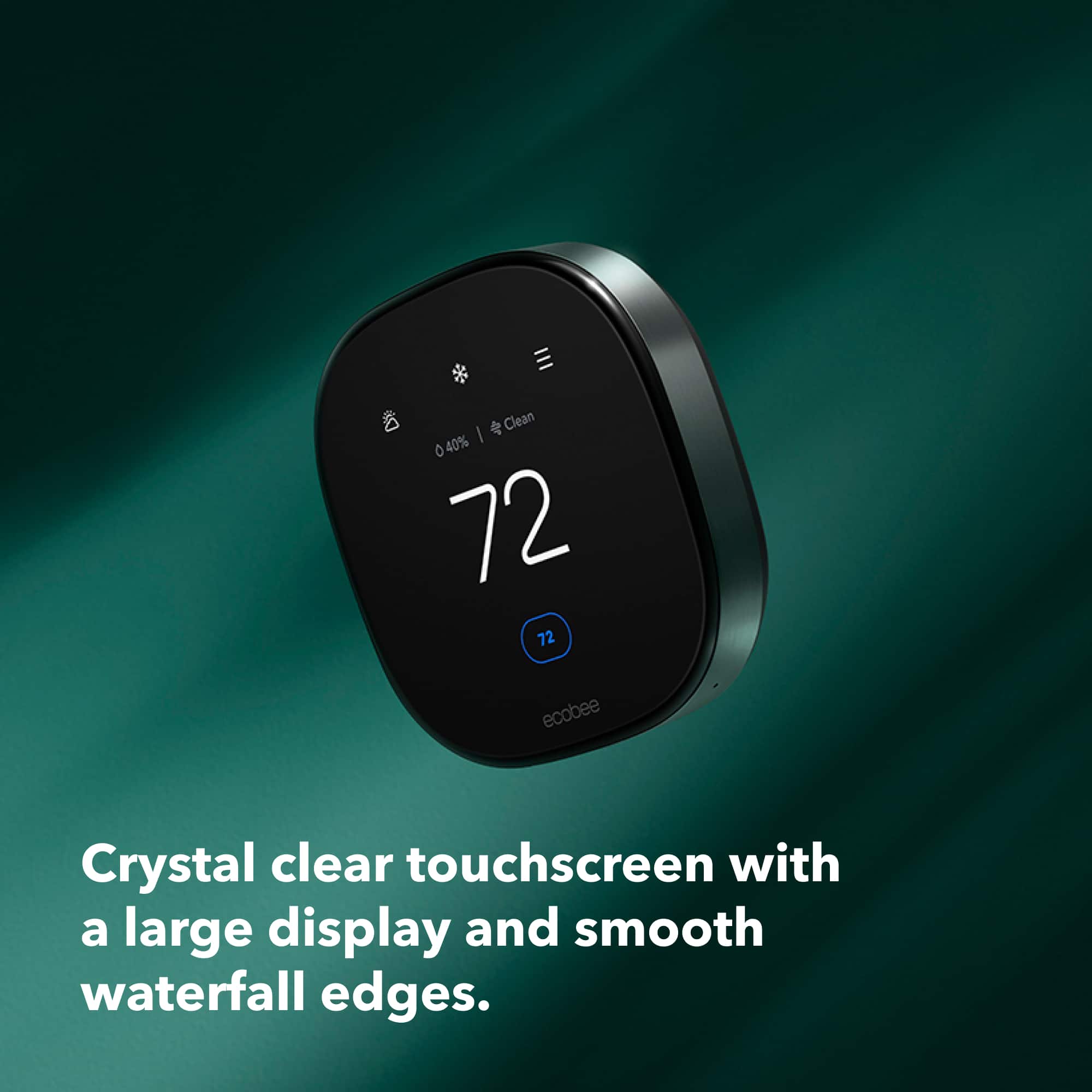
|Posted .This reviewer received promo considerations or sweepstakes entry for writing a review.I'm a little bit torn here, and the explanation makes this longer than my typical review, so please bear with me. Having had the previous ecobee Smart Thermostat Premium for a couple of years, I am definately a fan of the product. The build quality was very good, and it was not difficult to install, and has worked flawlessly. The latest version is more compact, while also having a larger display and sporting a new user interface (UI). It even feels more premium, if that's even possible. It also adds an air quality monitor not found in the previous version. Installing this newer thermostat was even easier as the connections were the same, although for some reason they changed the wire placement. Like the previous version, ecobee includes a secondary sensor for placement in a another room. My previous version actually came with two though. Inflation? At any rate the two I had prevously can be reset and used with the current thermostat. The extra sensors can be wall mounted with an included braket or with the cone style mount. The additinal sensor allows more granular automation of temperature control. For example, I placed a sensor in the bedroom and it helped it stay more comfortable than if I had only used a the thermostat sensors which is located in a hallway. As noted previously, one of the best on-device features of the ecobee Smart Thermostat Premium is the indoor air quality measurements. It not only tracked volatile organic compounds (VOCs) such as those found in plastics, cleaners, and other products. It did so in near-real-time. When I started cleaning the house -- vaccuming, dusting, etc. the air quality meter dropped. Unfortunately, the unit does not react by turning on the HVAC fan to filter the air. Seems a bit of a shortcoming. The system’s home screen shows more than simply the temperature. It also shows the time and the current humidity, current weather and a deeper forecast available at a touch. The system directly supports Alexa and Siri, not to mention Apple HomeKit, Google Home, Samsung SmartThings, and more. And the built-in speaker sound much better than one would expect from its size. There are a wealth of features available including reminders when it’s time to change the air filters, or alerts when the system is running for unexpected periods. And it all works as well as or even perhaps even better than expected. Now comes the part I'm torn about. While installation was easy, registration was a bit of a nightmare. When you install a new ebobee, you create a new account on their website and install an app on your phone. You set your "home" and tell ecobee what type of house you have, your location, how bit it is, etc. so it can all be taken into consideration when managing the heating and/or cooling system. I removed my old thermostat from the account, then took the steps to configure my new thermostat and register it to my existing account and existing home. Everything went fine -- the thermostat connected to ecobee's server, set the configuration, then took me to app's home screen. Except it stated there were no devices. I tried the web login, and it just stuck on "loading thermostat information". Strange... I had even received an email from ecobee confirming the new registration. I reset the registration several times to no avail, then reset the entire device several time to no avail. This was not an issue with anything I did, so it was time to reach out to ecobee's tech support. Reaching someone was a challenge. After being on hold for 30 minutes with multiple attempts to use their automated call back system, I was finally able to leave my number (it won't work if you leave your area code and number -- you also have to include the '1' in front). All told it took 1 hr and 40 minutes to reach a person. As dissapointed I was in the process so far, I have to say that person was very helpful. In the end it was a server issue, and once they reset my account I was able to reset my thermostat, set the configuration, and register it to my account in about 5 minutes. All was well, but I had invested over three hours when installation and configurationshould've taken about 30 minutes at the most by someone familiar with the process. So how does that influence this review? It was certainly a terrible experince as far as the issue I encountered and the response time to get in touch with the support staff, but the actual support person was great, and once I reached him it was resolved in about 30 minutes. Once resolved, the unit works great. In every other regard, this is arguably going to be the best smart home thermostat money can buy. Had the installation been uneventful, I would easily rate the ecobee Smart Thermostat Premium with five stars -- something I rarely do as that's reserved for the best of the best. So how much should my bad experience detract from the good? I'm going to go against my nature and be a "glass half full" kind of a guy by concluding mine was an isolated experience. I'm going to give the ecobee Smart Thermostat Premium five stars based on the fantastic build quality, included room sensor, easy to follow instructions, wide integration, the added CO2 and VOC sensors, and overall funcionality of the device. The only oversight in my opinion is that low air quality doesn't turn the fan on to filter the air, but that seems like a minor oversight. Given how my previous installation went, I believe that this rating is warranted. The ecobee Smart Premuim thermostat is in my opinion the best of the best.
I would recommend this to a friendLarge display … easy to read and operate
||Posted . Owned for 2 weeks when reviewed.This reviewer received promo considerations or sweepstakes entry for writing a review.Excellent thermostat - I have 3 … went with the newest version that has the remote sensor which I don’t use … but wanted the large easy to read display.
I would recommend this to a friendBig Upgrade from ecobee 4
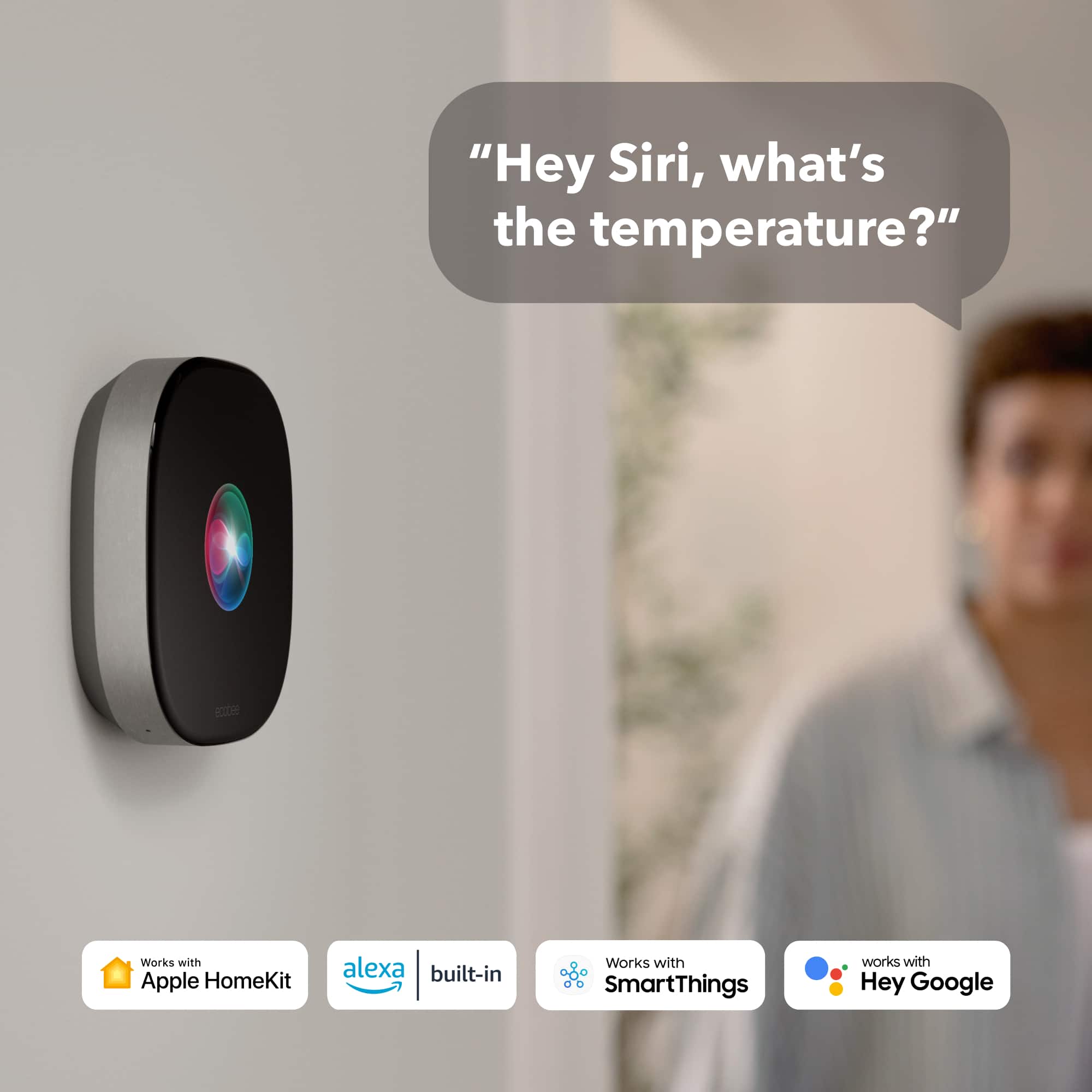
|Posted .This reviewer received promo considerations or sweepstakes entry for writing a review.I’ve had an ecobee 4 Thermostat since 2018 and really enjoyed its simplicity and features, but the new Premium model is such a huge upgrade in terms of technology and design. First thing was installation. Since I already had an ecobee thermostat, it was fairly straight forward to install. The new one uses a different mounting plate and the wire holes are labeled pretty much the same. It took me about 10 minutes total to get it wired and powered on. Using the ecobee app, I deleted my old thermostat and added the new one to my account. Once it was connected to my WiFi, it was ready to go. The Premium thermostat also includes a SmartSensor, which monitors temperature and motion in different rooms of your home. It can either be mounted to the wall or placed on a table with an included stand. Since I had some Room Sensors and SmartSensors from before, I also had to pair them with the new thermostat, which was fairly easy. Some of the immediate upgrades I noticed with the Premium thermostat was the build quality, with a beautiful metal body and sleek glass screen. Its a huge bump up from the full plastic of my ecobee 4. I also really like the larger display and new user interface. It’s much easier to read from across the room and more intuitive to change the temperature settings. Another thing with the ecobee Premium is the inclusion of an air-quality monitor. I can easily check to see the pollutant levels in my home. My smart home runs using Apple HomeKit, and the ecobee Premium works great with it. During the set-up process, it gives you an option to scan the HomeKit QR code to add it to your home. Not only do you get the main thermostat in HomeKit, but you also get the SmartSensors added as well (I’m having issues adding the older Room Sensors to HomeKit). You can then ask Siri what the temperature is in a specific room. Speaking of Siri, the ecobee Premium has built-in “Hey Siri”, meaning you can ask Siri questions directly on the thermostat, provided you already have a HomePod in your home. And what’s also neat with the thermostat and HomeKit is that you can make it into an AirPlay Speaker, so when you want to play music all around your home, it will also play on the thermostat as well. It is not going to be amazing quality sound, but its really cool. The ecobee Premium Thermostat is an awesome device. I really like all of the new features and its sleek, simple design. If you’re coming from any of the previous ecobee models or from any other smart thermostat, then the new Premium Thermostat will not dissapoint.
I would recommend this to a friendWiFi is a NO GO!
||Posted . Owned for 3 months when reviewed.This reviewer received promo considerations or sweepstakes entry for writing a review.This is the second time buying an ecobee for heating and cooling. There is something wrong with this one as it won’t connect to WiFi. I’m pretty tech savvy and I’ve tried several different methods. It’s really to bad as I liked the first one.
No, I would not recommend this to a friendBrand response from ecobee
Posted .Hi there, that is not the experience we'd like you to have. Give our helpful support team a call at 1-877-932-6233 or visit our Support page here https://www.ecobee.com/contact/
Easy Install product in this Hot Thermostat Market
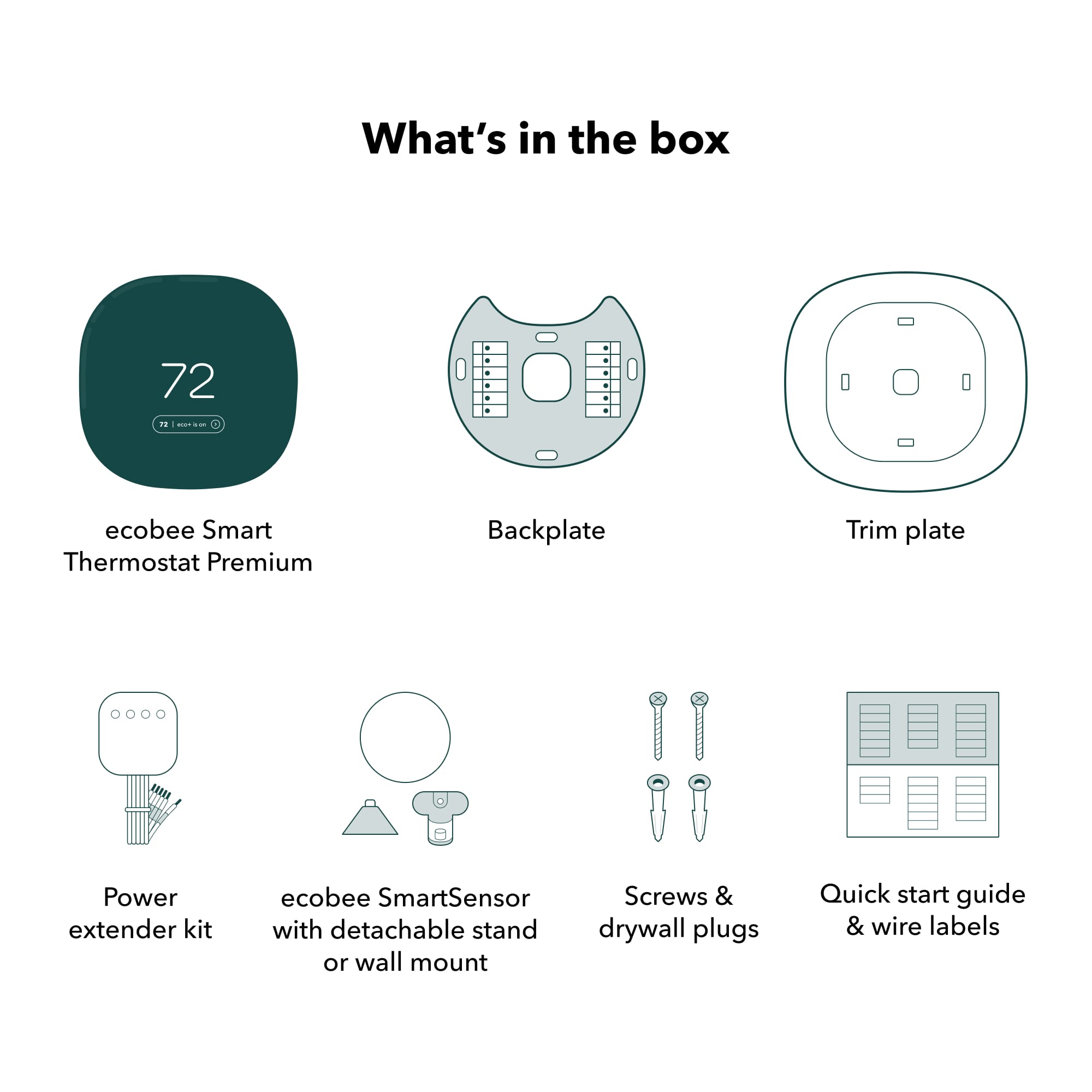
|Posted .This reviewer received promo considerations or sweepstakes entry for writing a review.The Ecobee Smart Premium model Thermostat is the hot ticket, (or is that cold?), for easy installation and great looks on your wall. I already have been using a competitors model for the past 4 years and my wife and I always thought something was never right with it. The temps read within the home were always off, never felt what was being ask for or displayed. Once I opened the package and seen the size of the unit along with everything you needed to install it was great to know I needed minimal tools to install this Ecobee Smart Thermostat. Included is the thermostat, backing plate, wire plate, power adapter for systems that do not have the needed power wire and the wall attachment hardware. Once everything was laid out, I downloaded the Ecobee app and headed to the new product add feature and picked the Thermostat. The app gives you step by step instructions the entire way through making it so easy I could have had my 15 year old do it. Make sure you utilize the cable labels when installing, it makes it 100% easier instead of trying to read small font on your phone with the picture you took, yes, I know some of you will still do this. The Ecobee Smart Premium Thermostat turned right on and I started the procedure to setup and register it with Ecobee. The first time it did not take and it was because I closed the app too soon, so make sure to keep the app open until it says it is successful. When I started the project, the old thermostat read 75 degrees, once the new one turned on 10 minutes later, the Ecobee read 71 degrees. This right here made me know for sure the old thermostat was never correct as we suspected the entire 4 years of use. What will this do for us? Save us money on gas and electric! Proper temperatures in the house will make for better living and attitudes! We added the remote temp sensor to our bedroom and set it up to utilize it at bed time and shut off about 4am to help keep the 2nd floor cooler at night when the sun is down for an amazing sleep. The sensor did lose connection 3 times the first hour and I could not figure out why, so I deleted it and added it back to the thermostat again and has been fine since. The Ecobee app has never been the best for Android, there is bugs almost always when adding new products but once it takes, the app works great. I have Ecobee door sensors, cameras and now this thermostat and all work fine within the app once the devices stay added permanently. This is a highly needed upgrade within the Ecobee atmosphere, proper working apps bring more customers, bad apps lose customers at a higher rate because reviews will kill a product and company. So far 5 days in, I am really loving the look and the way it has made my home feel, better temps, air quality meter built in is nice to see, helps us realize bad smog days so we close the windows and turn on the air purifiers. Ecobee hit a home run with this unit, just needs a little Android app polishing and they will be a top dog in the Home automation market.
I would recommend this to a friendAn Impressive Smart Thermostat
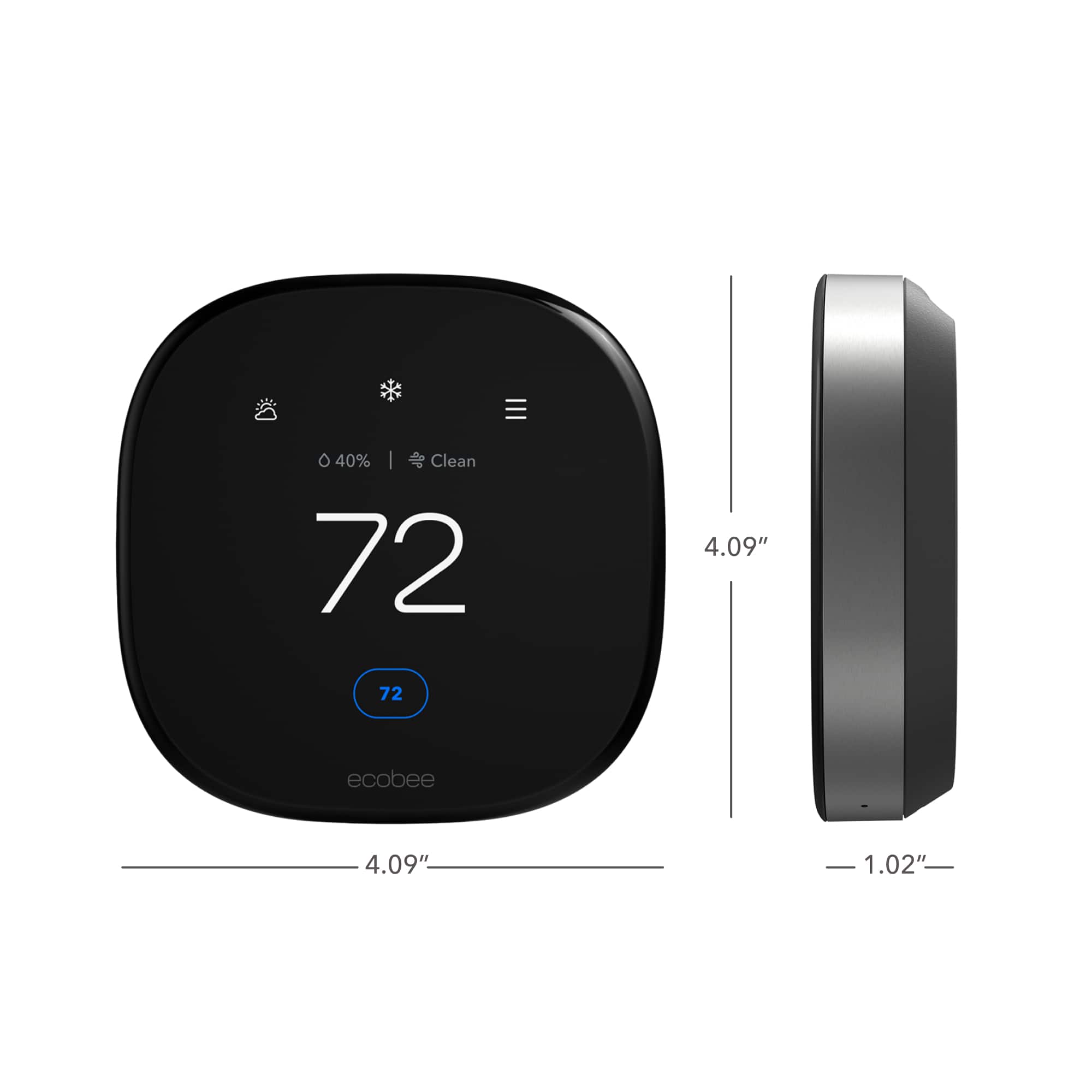
|Posted .This reviewer received promo considerations or sweepstakes entry for writing a review.Everything about this thermostat looks and feels high quality. The actual thermostat itself feels substantial, solid, and heavy. It comes with almost everything you need to install the unit with the exceptino of tools and directions. I was unable to find a link or QR code to scan to get them on or in the packaging. I ended up on YouTube to find an install video, which ecobee actually made just for this thermostat. I found it odd there was no mention of it. The ecobee even includes an easy to install adapter for your furnace if you don't have a "C" wire. The extra large base helps hide previous thermostat installs, which is a huge plus in my situation. After the installation of the ecobee, the setup is very straight forward and easy, but you must download the ecobee app. The extra sensor detects the temperature and occupancy of the area you place it in. I was also able to connect the ecobee to my Alexa service, and it has a nice sounding speaker built into it. The thermostat has a lot of bells and whistles. It has all the normal features a modern thermostat would have, but it also detects air quality, humidity, and occupancy. Setting schedules for the week required a slight learning curve, but can be done, lol. Overall I quite impressed with the ecobee thermostat. Likes: 1.) High quality with a very modern look 2.) Alexa smart features 3.) Easy to use app Dislikes: 1.) Lack of instructions or link to them.
I would recommend this to a friendUpgrade over Nest
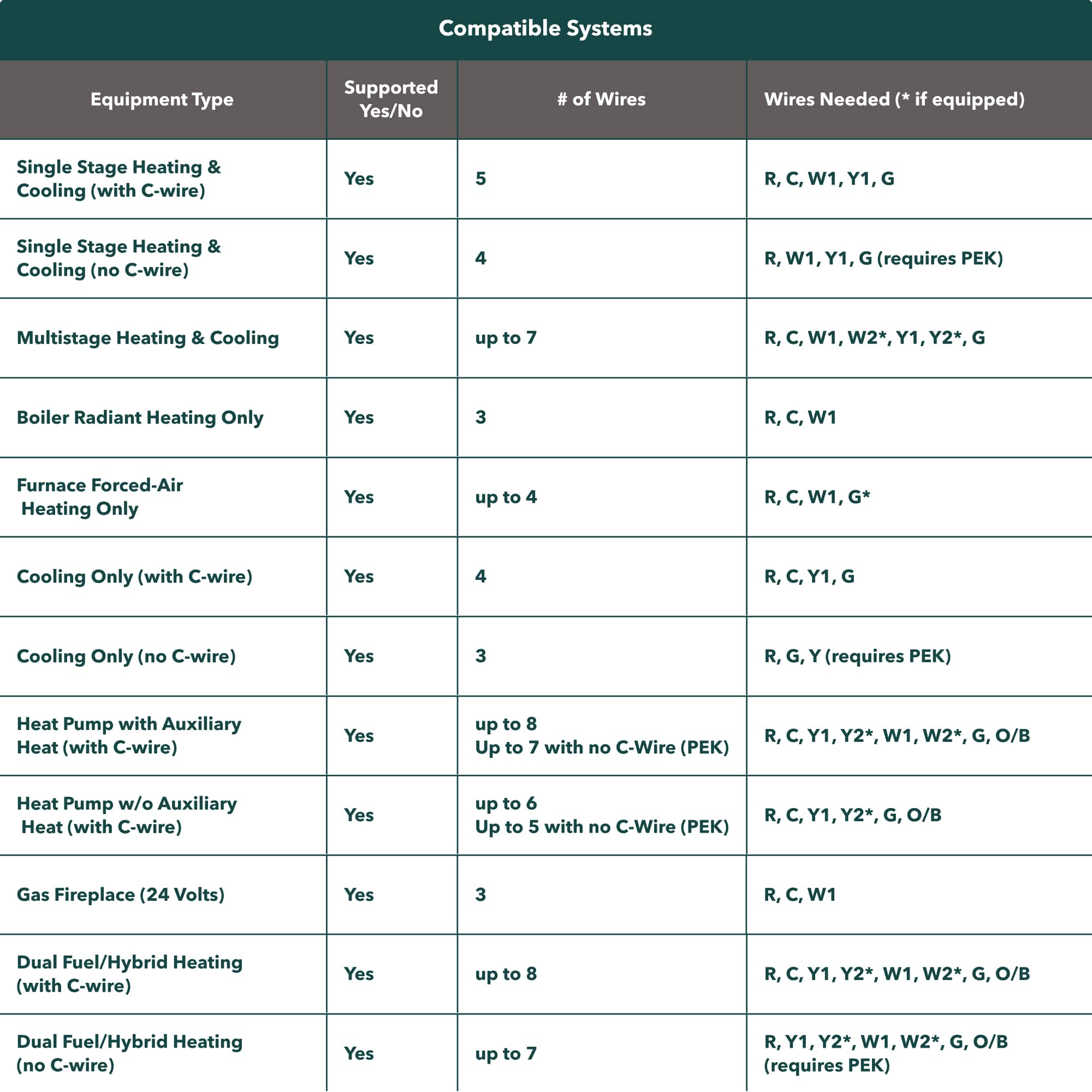
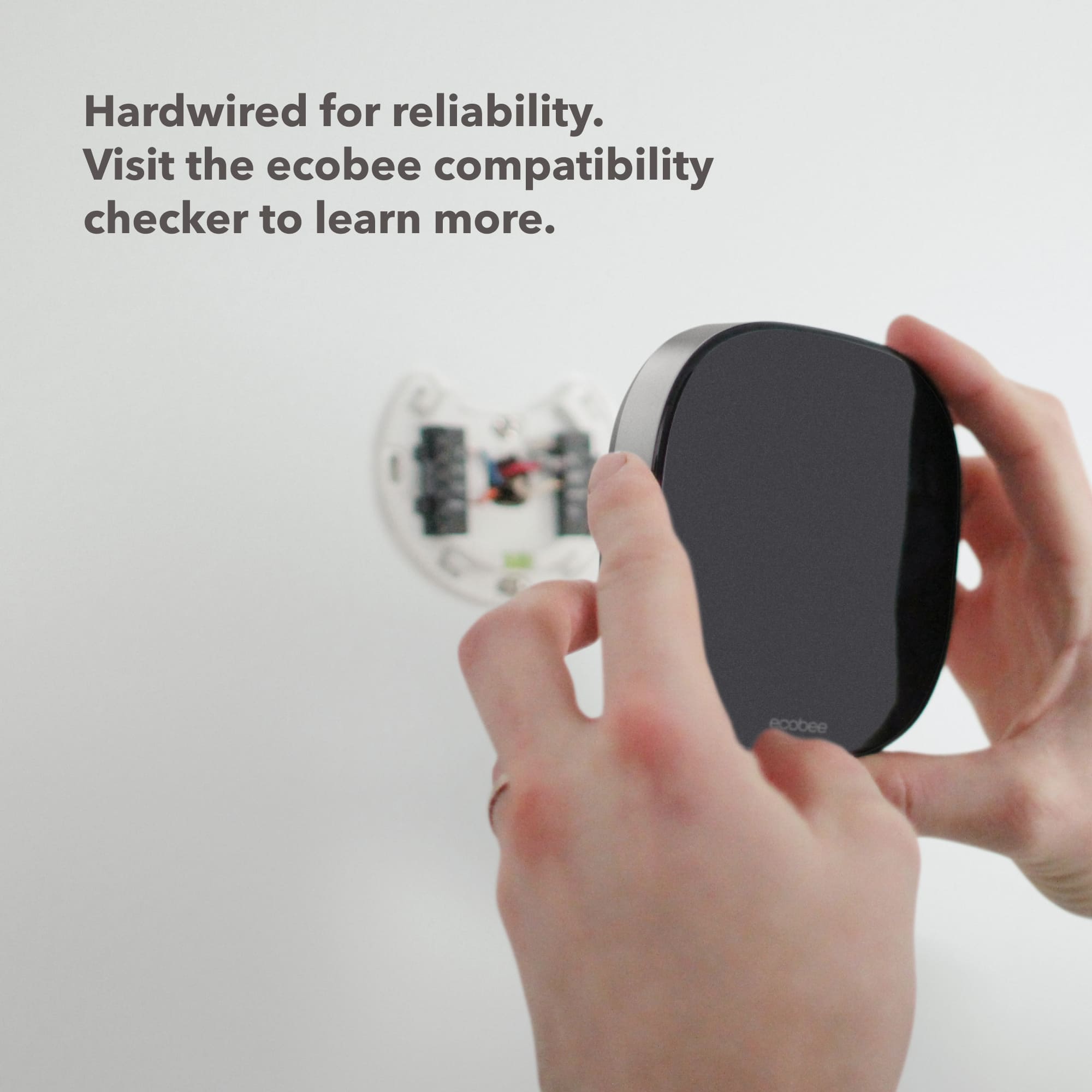
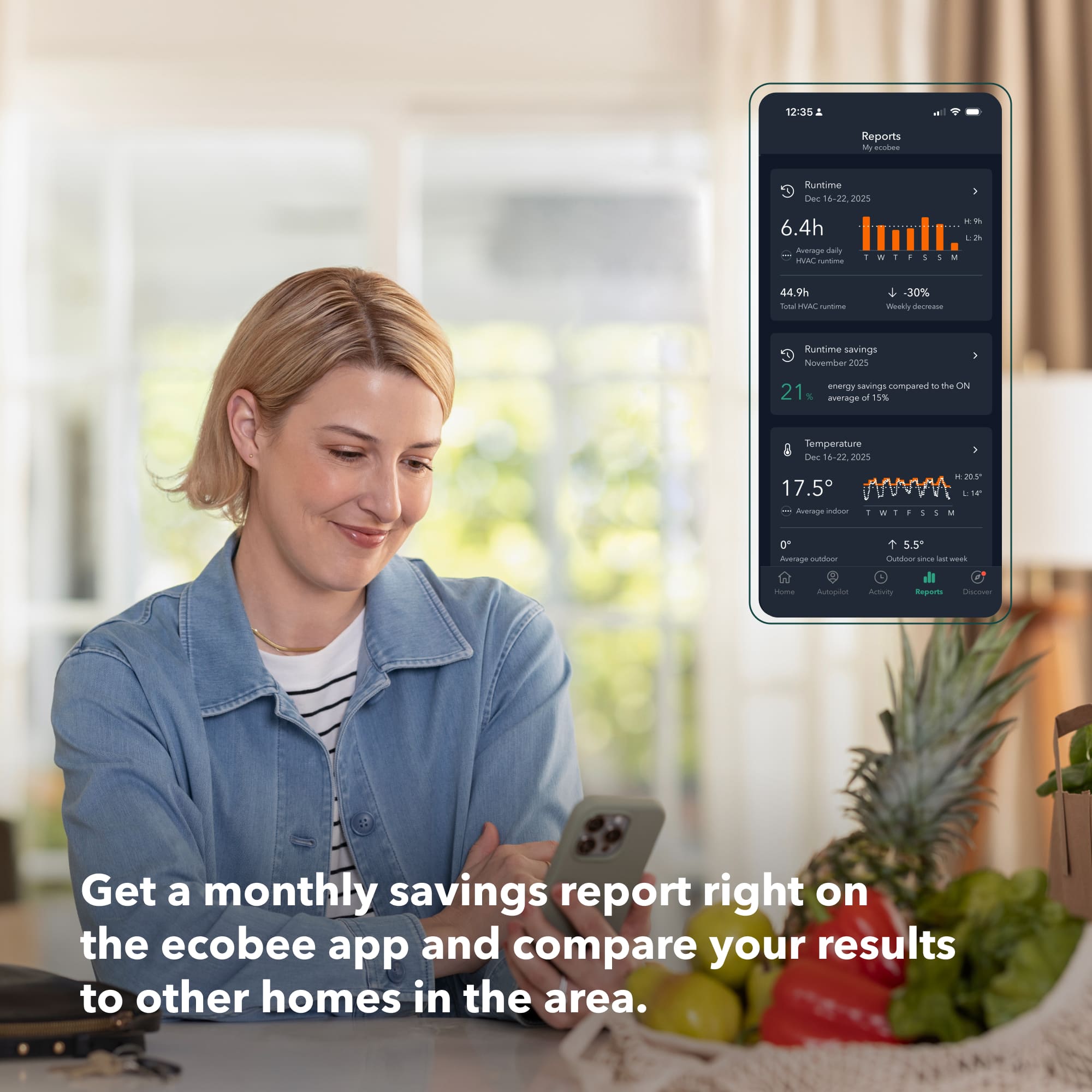
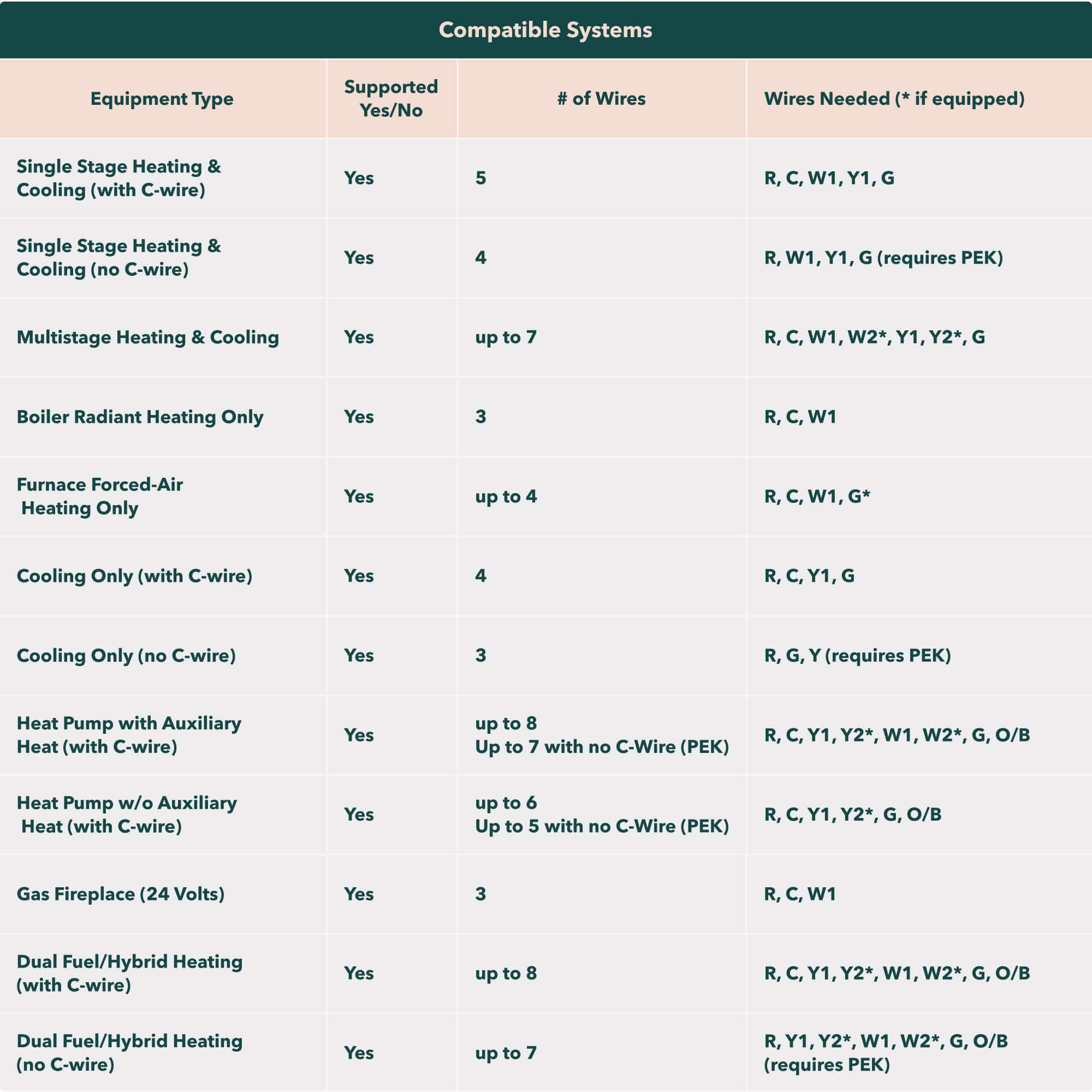
|Posted .This reviewer received promo considerations or sweepstakes entry for writing a review.We just purchased our new home and decided to try the Ecobee Smart Thermostat Premium instead of moving our Nest thermostat. Unboxing: The thermostat is packaged in a completely recyclable nicely logoed paper box. Inside was the thermostat, sensor, sensor base, mounting plate, mounting screws, wire labels, a power extender, and an installation manual. Pretty much everything you need to get up and going. The thermostat really feels well built and very sturdy in hand. Installation and setup. Installation is straight forward “unless you had someone wire your thermostat not following color coding”. Be sure to take a picture of your old thermostat wiring “while attached” so you can check colors and where they are connected. The mounting plate even has a small bubble level to help make sure your installation is nice and square. The connectors where you connect the wires are all push lever connectors and no screws involved making attaching those very simple Now this is where I almost had to reverse course, or so I thought, as I took the cover off the old thermostat to check wires I noticed the “Blue” C wire was not connected or being used “luckily it was physically there though” so I had to go to the HVAC unit itself and check the wiring and thankfully the “C – Blue” wire was attached and producing 24V “phew”, but I also knew the kit had a power extender that you can attach to existing wiring to provide power to the thermostat, so don’t worry too much if your blue wire is not attached “do worry if you are missing one completely. Setting up is much easier done with the App, “we use Android”, and that was all straightforward. You do have to set up an account with Ecobee and the App to use the device properly “no problem, just another one to add to the pile”. Use: We really like this thermostat, the display is almost the same size as the Nest, “a little bigger and square”, smaller than our original Honeywell I still had laying around. The remote sensor works like a charm and includes a motion sensor “not just temp” so it knows when you’ve entered a room. You can set a temp based on physically being in a room also, not just temp sensing like the Nest’s remote sensor. I’m planning on adding more sensors since these detect motion and we can set the temp differently depending on which room we are in. I was also surprised how well the speaker works, and hearing settings using Alexa, directly from the device and not from one of our Amazon devices around the house. Conclusion: If you are looking for a “all bells and whistles” thermostat then this is the one you want. There’s more settings and control with the Ecobee Premium over the Next. The remote sensors work great but the Ecobee includes motion sensing so it will adjust by ambient temperature and if you are physically in the room itself. The Nest design is a little more “modern” and has a stainless-steel ring you use for adjustment along with the touch screen, the Ecobee only has the touch screen, but I don’t see that as a disadvantage as we use the App to adjust anything 99% of the time. We also like the data the Ecobee collects over time, and you can see a chart for temperature settings, motion and even the weather, “neat if you like lots of information”. The Ecobee website also has a page where you can check your HVAC unit’s compatibility so be sure to check that before deciding if you want to upgrade to a smart thermostat. Hopefully you have a “C” wire to hook it up or use their extender kit “which we fortunately didn’t need”.
I would recommend this to a friendNext gen features make the best even better
|Posted .This reviewer received promo considerations or sweepstakes entry for writing a review.I am very familiar with Ecobee thermostats having owned a 4th generation version prior to getting this upgraded new premium edition. I’ve always been impressed with the quality of the device and the additional room sensors are extremely helpful for my multi-story home. This new Ecobee Smart Thermostat Premium takes everything my older unit did and improves upon it. From the larger, higher resolution screen, hiding the sensors so they aren’t visible from the front surface of the device, the new satin metal finish on the sides, and additional features like an air quality sensor, everything is better. Installation is a breeze, especially using the app for step-by-step instructions. It includes an optional mounting plate to cover up issues on the wall from a previous thermostat, mounting hardware, one room sensor with a wall mount and table mount, some paper materials, ID stickers for your wiring, and the wiring backplate and thermostat itself. The packaging is well thought out and uses eco-friendly materials. The app instructs you for every little detail such as how to identify your wiring, suggesting taking pictures for reference, mounting options, shutting off the HVAC system power as the first important step, and more. It took me under 30 min to get it installed and running. The new backplate is perhaps surprisingly a different shape than the one my previous generation unit had, but thankfully allows for mounting with screws either in a vertical or horizontal placement, and since the old model used vertical only and my existing wall anchors did not survive the removal, having the option to start over horizontally was welcome. Wiring it up is easy, and it snaps right onto the backplate with minimal force. Powering on the system again and continuing setup and registration via the app was also extremely easy. Even if you already had an Ecobee like I did it treats the new one as if you are starting from the beginning other than having a login already setup. Certain things will carry over to it such as time of day usage settings and other eco settings, but schedule and temperature preferences will need to be set for the new device even for existing owners. I have a full HomeKit smart home setup, and the integration with it has always been solid. This new version seems to have fewer issues syncing temperature settings than before which is great. I was also able to keep and sync my room sensor I already had from the 4th gen as it is identical to the one included with the new one and now run the two sensors which makes for an even better overall temperature in my 3-story home. It supports either Alexa natively, or now Siri integration with a HomePod somewhere else in the home to act as a hub. I really appreciate the fact that I have an additional point in the house to interact with a digital assistant without a separate device. I have used the built in Alexa on the 4th gen for a long time now and never had any issues, and that continues to be the case here. I intend to switch to Siri as an Apple and HomeKit user, but I need to pickup a HomePod to be able to do so. After a few days with this new Ecobee Smart Thermostat Premium, I am very happy to see that it is seemingly able to keep my summer temperatures under better control than its previous iteration, and the inclusion of air quality reporting is very nice to have. The much bigger and better-looking screen is extremely welcome for making it feel like a truly high-end device, and the built in voice assistant works like a charm. Anyone looking to keep yourself cool efficiently while knowing if your air is clean and being able to ask Siri or Alexa about the weather should pick one up. I highly recommend this device.
I would recommend this to a friendHigh Quality, Modern Style, But Not Perfect
|Posted .This reviewer received promo considerations or sweepstakes entry for writing a review.The Ecobee Smart Thermostat Premium is packaged nicely with everything you will need for installation included in the box. I already had the Ecobee app installed as I have other Ecobee products in my home. In the app you click on add a device, choose the thermostat and it will provide step by step instructions which are very easy to follow. You should only need a phillips head screwdriver. Ecobbe even includes identifying stickers to attach to the wires of your old thermostat before removing them. It is very helpful when attaching the wires to the Ecobee. The entire installation just took a few minutes. I needed the included wallplate to cover a rectangular cutout in the drywall from my old thermostat. Connecting to a wifi network is done on the thermostat, and it was quick and easy. It is important to turn all power to the a/c off prior to installation. After the power was on and the wifi was connected the Ecobee just took a moment to setup and it was ready to go. It also took just a moment to add the Ecobee to my Google Home app which allows me to control the thermostat by voice. For some reason Ecobee has not built in the Google Assistant. I don’t think this is too important as I have Google speakers all over my home, and would probably never use the thermostat as a speaker. Also included is a room sensor with a stand that magnetically attaches. After pulling the battery tab, the sensor connected immediately. This is the first time I have had a room sensor with a thermostat and I wasn’t sure if I would find it helpful. But I love it. It gives you a better understanding of how the temperature varies in parts of your home which are not located next to the thermostat, and it allows the thermostat to make adjustments to better cool the entire house. Both the thermostat and the room sensor can detect when a room is occupied or vacant. The Ecobee comes pre programed with 3 schedules for Sleep, Home and Away. But you can customize your own schedules. The screen of the thermostat is big. It has white font on a black background which is generally easy to read. However, I do have couple of gripes. First, the temperature reading is nice and large but the rest of the information is in a very small font. With so much screen real estate I would think they could make the rest of the information larger so that you don’t have to put your reading glasses on to see it. Secondly, I live in a high rise condominium where the thermostat is mounted just 4 feet from the floor in order to comply with disability requirements. What I discovered is that the screen dims rather quickly when viewed from above or off center. So I find myself bending down to view it at eye level in order to read the screen. I wish there was a brightness setting. Some features that I really like are: Air Quality readings, which includes VoC and Co2 readings. Humidity Levels (I live in South Florida) and weather Notifications for High Humidity and Maintenance reminders including changing of air filters. Overall this is an excellent product, simple to install and use. It has a very premium style and would look nice in any home. The positives definitely outweigh the negatives. I would recommend the Ecobee Smart Thermostat Premium.
I would recommend this to a friend
Easy installation, intuitive and user friendly.
|Posted .This reviewer received promo considerations or sweepstakes entry for writing a review.Easy installation, intuitive and user friendly. Easy connectivity to home wifi, and really a great looking design. I am hoping this ecobee smart thermostat will reduce my energy consumption in winter and summer.
I would recommend this to a friendSmart, Stylish, and Efficient
||Posted . Owned for 3 weeks when reviewed.This reviewer received promo considerations or sweepstakes entry for writing a review.be happier with the Ecobee Premium Smart Thermostat! It combines sleek design with incredible functionality, making it a game-changer for home comfort. The touch-screen interface is intuitive and responsive, and its compatibility with Siri, Alexa, Apple HomeKit, and Google Assistant makes it a seamless addition to any smart home setup. The installation was a breeze thanks to the clear, step-by-step directions provided. Even someone with minimal DIY experience could handle it confidently. The energy-saving features are outstanding—I’ve already noticed a difference in my utility bills. I also love how the room sensors ensure the temperature is consistent throughout the house. Setup was straightforward, and the app is user-friendly, allowing me to adjust settings remotely with ease. Overall, this thermostat delivers on both style and performance. Highly recommend to anyone looking to upgrade their home to smart, efficient comfort!
I would recommend this to a friendSmarter than simple schedules
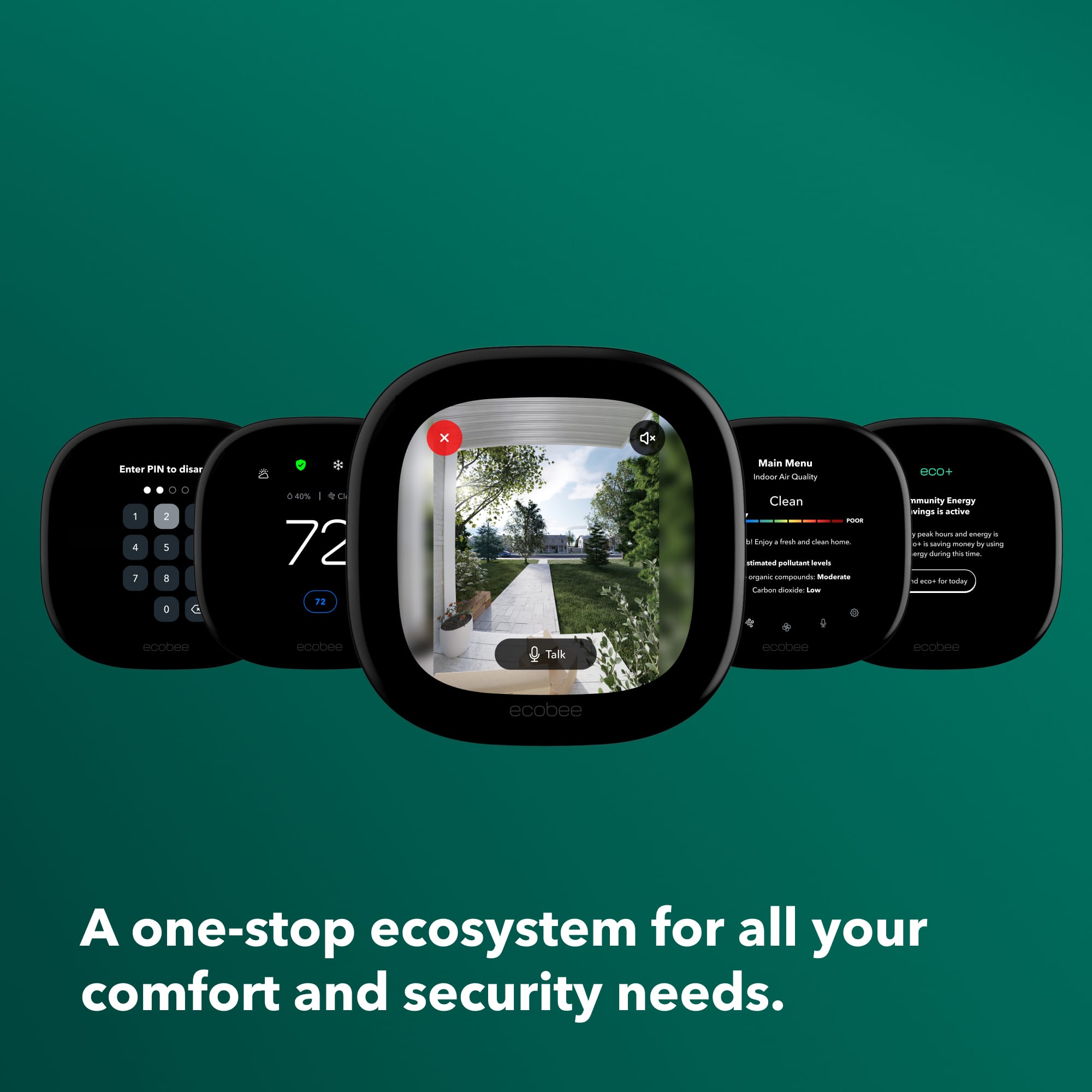
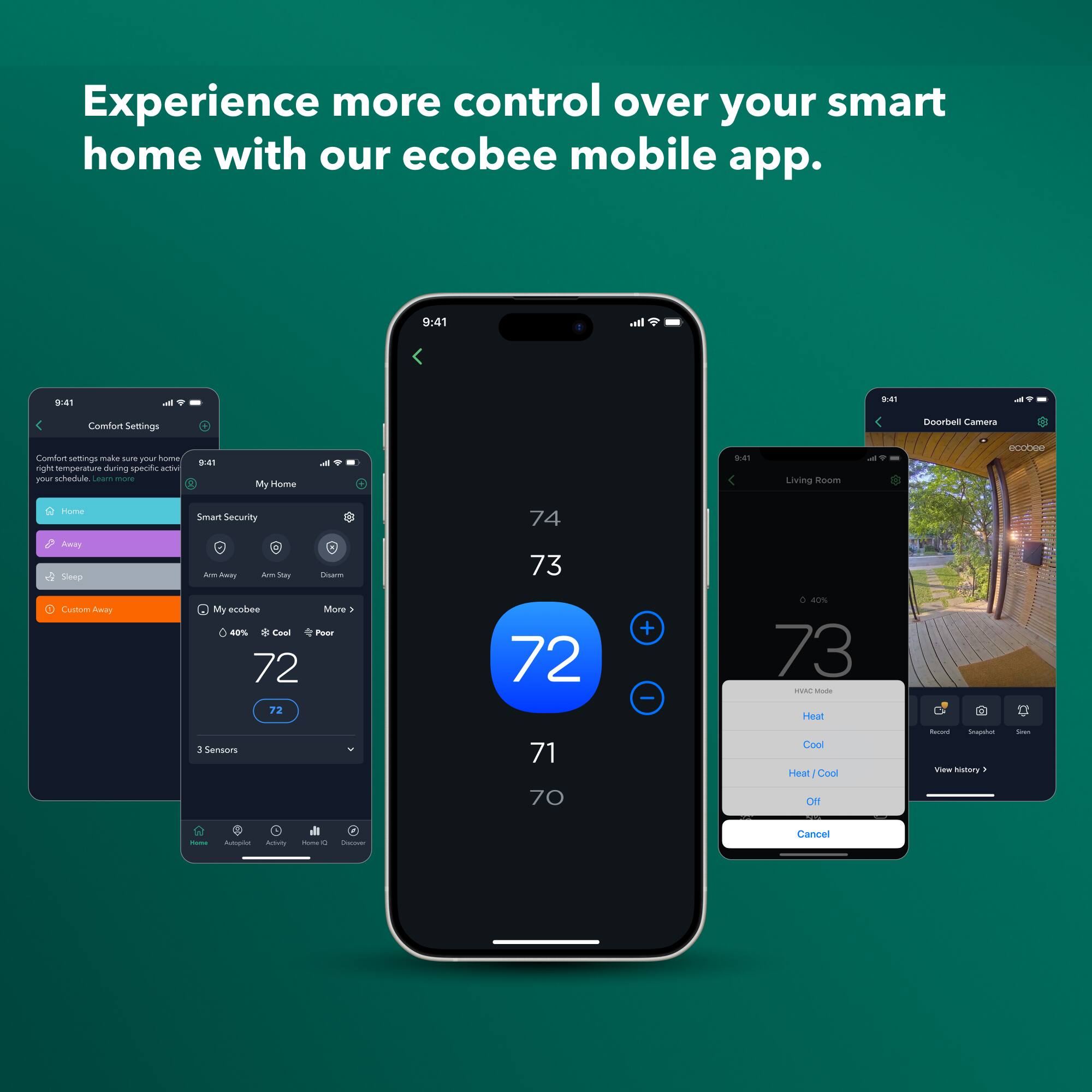
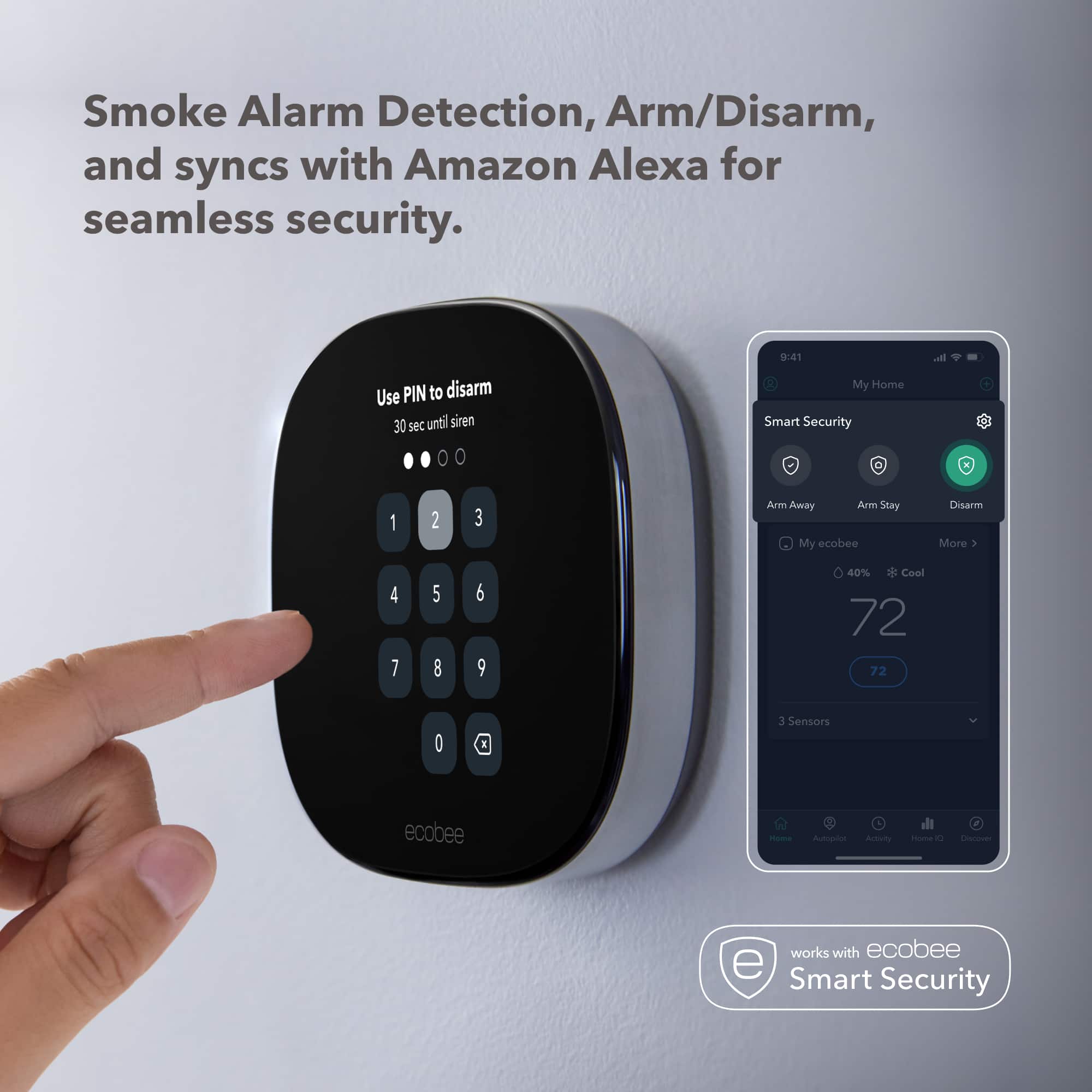
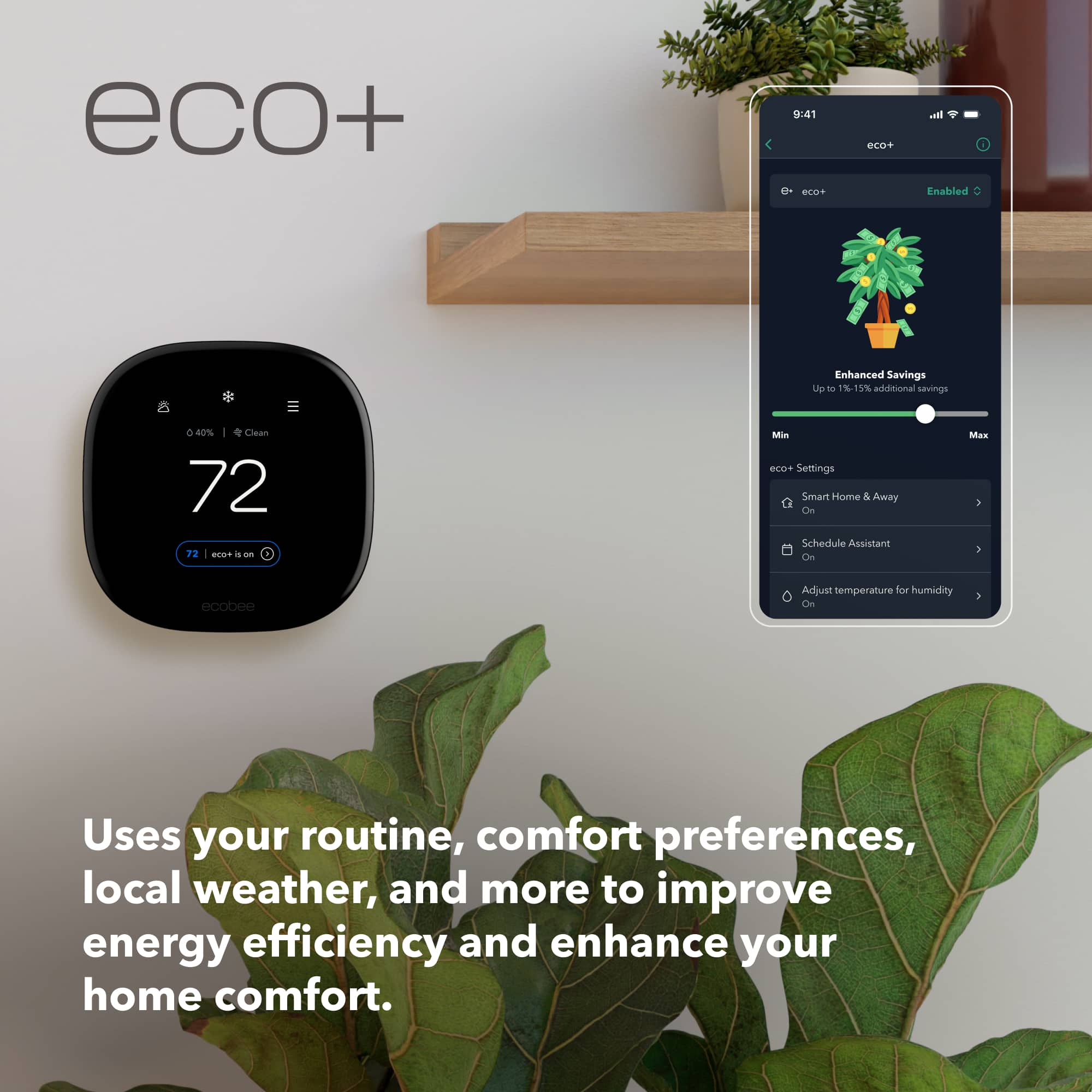
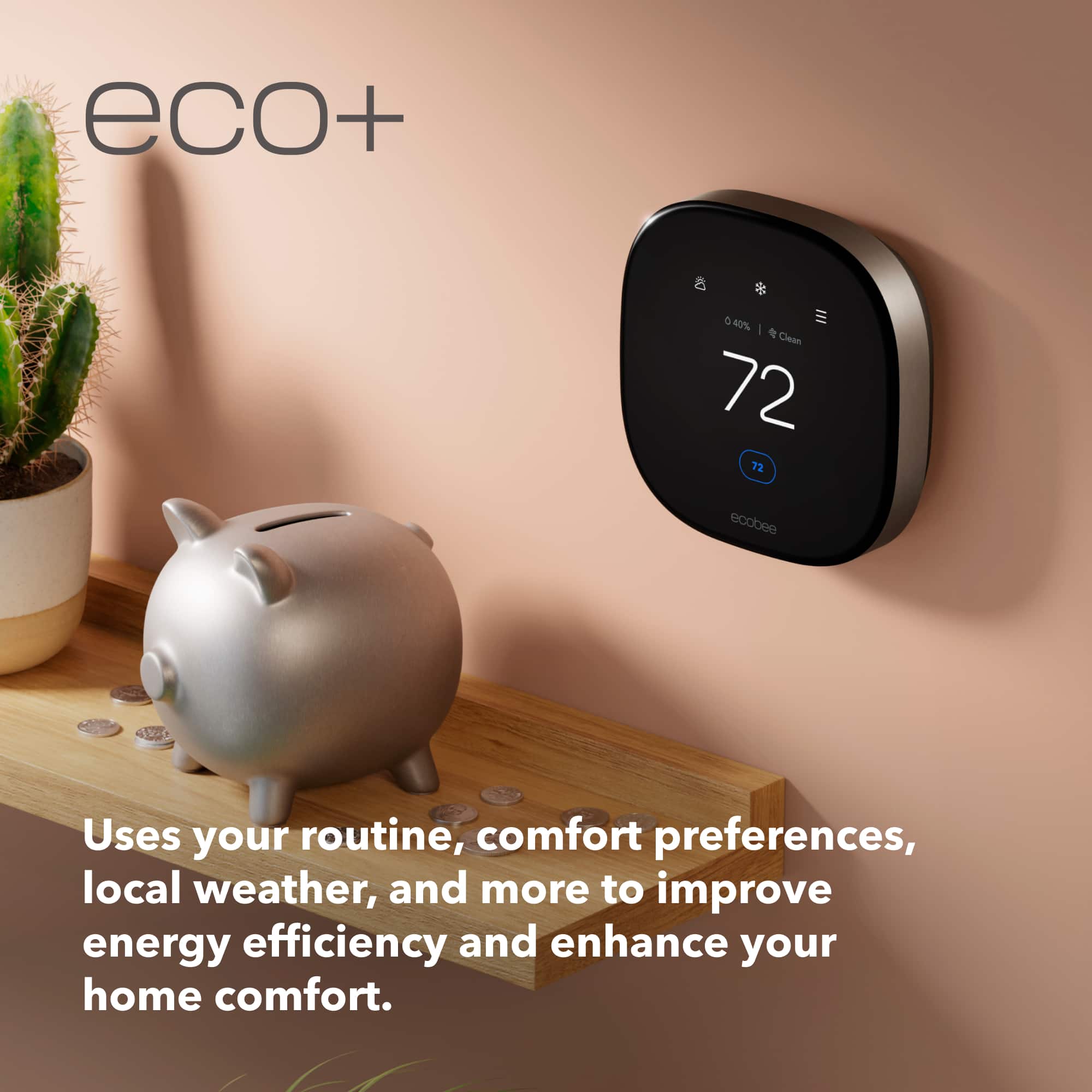
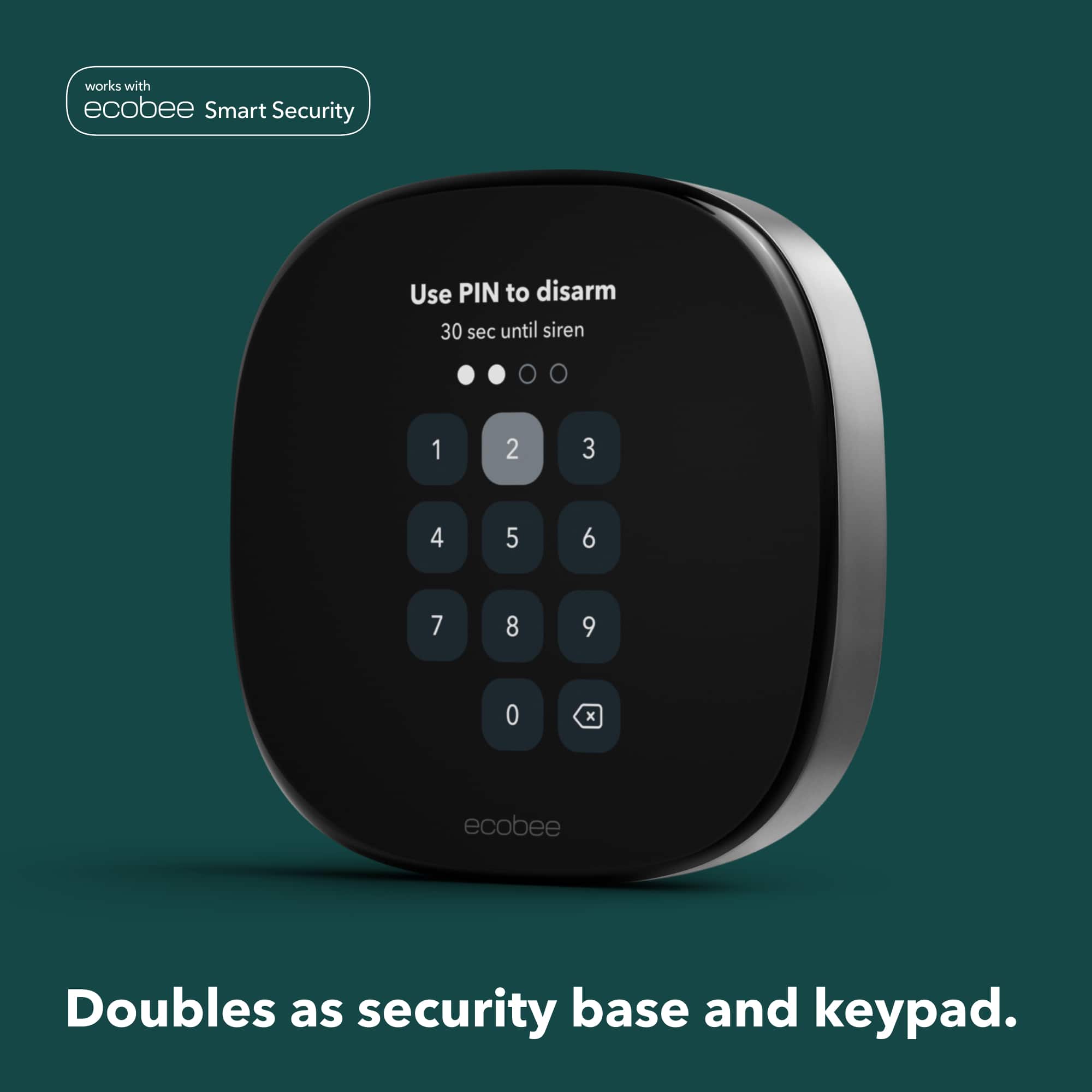
|Posted .This reviewer received promo considerations or sweepstakes entry for writing a review.Foremost, let me tell you that I'm reviewing this as a very technical user. Our home had major renovations in the past few years. We have two HVAC systems: One for the main floor and a separate unit for the upstairs where the bedrooms are. It is already a 'smart' home and all is centrally managed by a prosumer control system. Everything is locally controlled (it does not require a cloud or internet connection), but it's also linked with Alexa, Apple's HomeKit and Google Home. We use HomeKit and Alexa the most. This thermostat is replacing our upstairs thermostat. The industrial design is very nice, much improved from what I've seen in previous generations. The bezel is a dark gray aluminum and the front is a single surface. The screen behind It covers most of the front. There are no physical buttons and the touchscreen is very responsive; as one would expect by using a phone or tablet. Unboxing the thermostat, the packaging is well designed with no plastics and everything is recyclable. The thermostat comes with a large backplate that might be needed to cover holes from previous thermostats. Luckily I did not need to use it, and since our wall color is dark it would've clashed too much, although it should look nice on a wall that is white. Install: For the initial setup one requires a cell phone. Download the Ecobee app and it does a good job in guiding in every step. A C wire adapter is included for older HVACs that don't have the required wires (Ecobee calls this PEK), and de did not need it. In my case, the HVAC has a single R wire but our old thermostat required an Rc and Rh, with a jump wire on both. This is a very common setup but the app did not make this very clear to me. Once I sorted it out and all the cables are labeled, wiring the backplate is very simple. The wires are held by clamps on the backplate providing a secure connection without requiring a screwdriver. The only tool needed is a drill to mount the backplate to the wall. The thermostat comes with wall anchors if needed. Unfortunately, the holes for thermostats are not standardized so it will most likely require some drilling. Then I just clip the thermostat to the backplate and return power to the HVAC. From that the rest of the process is very straightforward. The thermostat will auto-detect its wiring and ask a few questions. Initial setup: It will then ask to pair the included remote sensor or it can be done later. If following the steps from an iPhone or iPad, the thermostat can be enrolled at setup with HomeKit and the WiFi credentials to connect it are managed through HomeKit (Or can be entered normally). The Thermostat uses Bluetooth during initial setup. The thermostat is dual-band Wi-Fi (5 Ghz and 2.4 Ghz). If using HomeKit only, it does not need an Ecobee account, although functionality will be more limited). This is great because it can be controlled from the phone without internet connection. However every other remote interaction will require an Ecobee account. Linking it with IFTTT, Samsung's SmartThings, Google Home or Amazon Alexa are Cloud-to-cloud connections. I was also able to connect it with our Home theater's Harmony remote (Hub based), but again the connection is over the internet cloud-to-cloud. Ecobee provides an open and clearly documented API (Search for Ecobee API), but it's cloud to cloud. Unlike other manufacturers, Ecobee seems to welcome everyone to integrate their projects with it. So this is my biggest peeve: The lack of local interfaces, except for HomeKit. It appears that this thermostat would become Matter compatible (And its sensors radio could be enabled for thread, but Ecobee didn't confirm so it's speculation at this point. Daily use: The interface on the thermostat is very intuitive. Touching the temperature readings on the screen lets you scroll the temperature or use + / - signs (This is a redesigned interface from previous models). It also shows exterior temperature (Via internet connection to Ecobee's servers). Automations: In general, the thermostat comes with pre-set schedules for home mode and sleep mode, and settings for 'away' modes. This can be changed from either the thermostat or the app, or from a web browser (Via Ecobee's service web pages). If enabled via the 'eco+' settings, if the thermostat detects no one is home via the presence and movement sensors on the thermostat and the remote sensor, it can automatically set to away mode. The away mode can be set up also via HomeKit or the other integrations. In our case our hub sets the thermostat to away when the rest of the house is in that mode. Eventually the thermostat will learn activity patterns and auto-adjust its schedule accordingly. It also starts setting the temperature in advance of the next scheduled adjustment, based on exterior temperature and historic data. This is something we could not do with our older system. It comes with one remote sensor that measures temperature, motion and occupancy. The thermostat also has a built-in humidity sensor and air quality (VOCs and CO2) sensor. Currently the air quality data can be seen from the thermostat or phone app. Everything else is also directly available on 3rd party interfaces (HomeKit, etc) and can be used to trigger scenes, etc. Note that it can also control auxiliary devices like a humidifier and heat pumps with aux systems. Assistants and media: Then it has a list of features that one would not necessarily expect in a thermostat: It can be uses as an either an Alexa or Siri assistant. For Siri, apple requires one to have a Homepod In the house (This is a requirement from Apple). It can then play any content from Alexa (if set up as the voice assistant), and also supports AirPlay2 and Spotify connect. It can even connect to an external Bluetooth speaker. All of this is included with the thermostat without any additional fees, but if one wants to add door or window sensors, or use the thermostat's microphone to listen to fire alarms, that's part of an optional security subscription. Several other temperature sensors can be added so it can take average temperatures through the house. Conclusion: Overall, I think it's the most full-featured thermostat there is with many more functions than I expected it to have. Its predictive and multi-sensor based temperature adjustments are far superior than what I could do with our remote-control (but not smart) thermostats (Which relies on the home hub which lacks the more finely tuned predictive logic that's in the thermostat). My only caveat is that while the thermostat will run autonomously though its schedule without internet connection, it requires it for any other change, like putting it in away mode (Besides what it can do with its sensors).
I would recommend this to a friendThe SmartSensor is a Game-Changer!
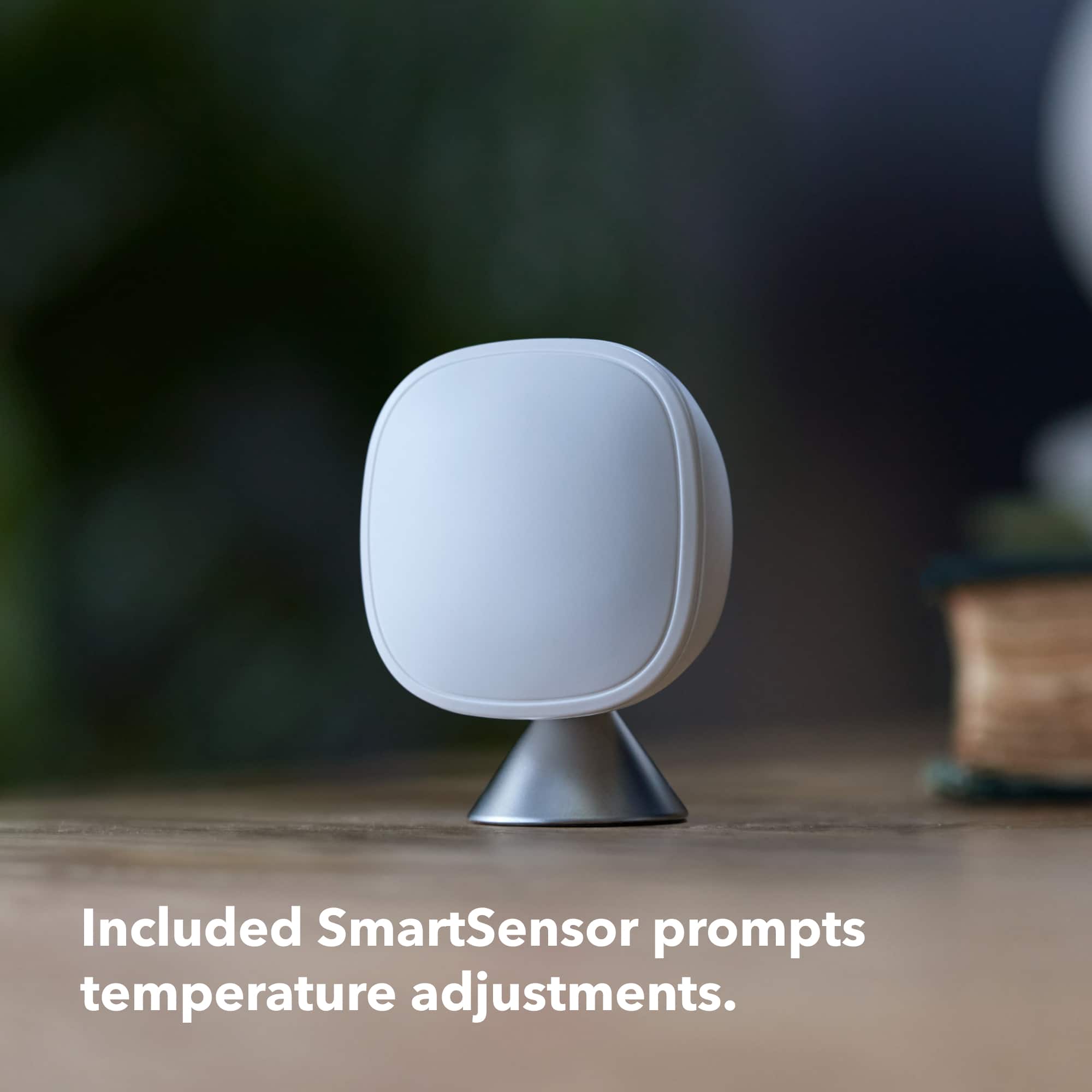
|Posted .This reviewer received promo considerations or sweepstakes entry for writing a review.With energy prices on the rise, we're all having to find ways to reduce costs. But you don't always have to make sacrifices to do so, sometimes it's just a matter of making things more efficient. In some cases doing so might even make life easier. This Ecobee Smart Thermostat does exactly that, making home heating and cooling more efficient, while providing some great added bonuses. Since thermostats aren't just plug n play, we're going to start with the installation process. Ecobee did an excellent job here with their app. This isn't your run of the mill installation guide where you just hope the instructions are applicable to your setup. The app actually takes your input and proceeds with the instructions based on your exact scenario. So whatever wires you have connecting your old thermostat, and there can be a lot of different combinations, the app will tell you exactly what wires need to go where. There's even some sticker tags provided to properly label the wires so that you don't get them mixed up. Then on top of that the app guides you to take pictures of the wiring for future reference. The installation overall is about as close as you could get to having an actual professional standing next to you telling you exactly what to do. And if you don't feel comfortable doing it yourself, the app gives you an option to locate a local professional to do it for you. Although I don't really know how good of a recommendation it gives since I fully did the install myself. As great as all that was it wasn't perfect. Behind my old thermostat was your standard size wall outlet box, but none of the holes for the screws lined up with them. I ended up having to first drill out some holes on the trim plate, which I needed to cover the larger hole in the wall. And then with the new placement of the screw heads, they ended up in the way of the backing plate that has all the wiring connectors. I ended up taking a dremel to trim the plastic down to make room for the screw heads. Once installed though, and power is restored to it, the thermostat greets you with a 'hi' and walks you through the rest of the setup, as well as getting it connected to your home network. Each step is about as easy as it gets and the thermostat is ready to go within minutes. One of the first things we did with this thermostat is set the schedule. Since my wife is a bit more temperature sensitive I let her set it how she likes it. Just about every thermostat I've ever had has been a royal pain to set a schedule, that even includes the 10 year old ecobee thermostat that came in my house which this new one replaced. That's no longer the case with this new ecobee. It is by far the easiest thermostat to set a schedule. So easy that when some friends were over and we were talking about this new thermostat, it was one of the top things we told them we loved about it. The #1 thing we absolutely love about this thermostat though is the SmartSensor. This little device, which we named 'Ice Cube', is an absolute game-changer. Both me and my wife work from home. Her office is converted from what's technically considered a 'sunroom'. Being in North Texas where we've already seen several triple digit heat days in the past week, this room can get hot. Trying to control the temp to cool down this corner room wasn't easy. Now though she puts the SmartSensor on her desk while she's working and the temperature is regulated perfectly. With the SmartSensor you can tell the thermostat to either regulate the temp based on the average between the main thermostat and the sensor, ignore the sensor, or base it on the sensor instead of the main thermostat. This setup is genius. And when she's done working she just grabs 'Ice Cube' and sets him in the living room where we mostly stay when not working. We really can't wait for winter though to use it for our daughter. Since we've moved into this house 3 years ago, we've had problems regulating the temperature properly during the winter. Where our daughter's room is located it constantly became a furnace and she had trouble sleeping. Now that we have 'Ice Cube' though, we can put it in there to make sure it stays perfect for her all throughout the night. Another thing we like about this thermostat is that when you make an adjustment, it kicks the system on almost immediately. Our previous thermostat along with others I've had always takes a while before things would turn on. That might be why it also seems like the air just feels more comfortable all of the time. Whereas before the temp would fluctuate a bit before it kicked the system back on, now it seems to stay much more consistent, and therefore more efficient. One of the benefits though of having a smart thermostat on your home network is being able to control it with the app. Talk about another convenience, no longer do we need to get up off the couch during a movie to make an adjustment, just open up the app and change it while being lazy! But that also means you can adjust it while away from home, so if you forgot to turn it down to save energy, you can do so from anywhere you are. On the topic of apps, you don't just have to use the ecobee app, you can also connect it to other smart home systems like Samsung Smart Things, Google, Alexa and others. I connected it to my Smart Things since I have other Samsung products and it worked exactly as expected. We do also have an Echo Dot so we connected it to Alexa which was easy enough, but anytime we try to tell Alexa to do something in regards to the thermostat we just get told, "It doesn't look like your device supports that yet". This is really the only negative experience we've had with this thermostat so far though. Hopefully I can get that figured out eventually but for now it's not that big of a deal for us, especially since we already use the Smart Things app anyway. Overall this is an excellent thermostat with no subscriptions and works better than expected. The real game-changer though is that SmartSensor, so if you have an issue where you have some part of your house that you need help getting the temp right, don't even hesitate, just get this immediately, you won't regret it. The positives outweigh the couple minor issues (trim plate install and Alexa) more than enough that this easily still gets a 5 star rating from me.
I would recommend this to a friendApple Home user
||Posted . Owned for 3 months when reviewed.This reviewer received promo considerations or sweepstakes entry for writing a review.I appreciate the premium experience with this thermostat. Nicer than the ecobee3 we had before. Built-in Siri is nice, but we have HomePods all over the house so we disabled the microphone. it works great for everything else. it might as well be a HomePod because you can stream music to it via airplay if you enable that setting for it
I would recommend this to a friend