Customer Ratings & Reviews


- Model:
- C11CF28201
- |
- SKU:
- 5732902
Customer reviews
Rating 4.4 out of 5 stars with 136 reviews
(136 customer reviews)to a friend
Customers are saying
Customers are impressed with the Expression Home XP-340 Small-in-One Wireless All-In-One Printer's print quality, ease of use, and compact size. Many appreciate its wireless functionality and straightforward setup process. Positive feedback also highlights the printer's affordability and quiet operation. The attractive design and effective scanner are additional features frequently praised by users.
This summary was generated by AI based on customer reviews.
- Pros mentioned:Print quality, Setup, Size
Rated 5 out of 5 stars
Great all-in-one for the price
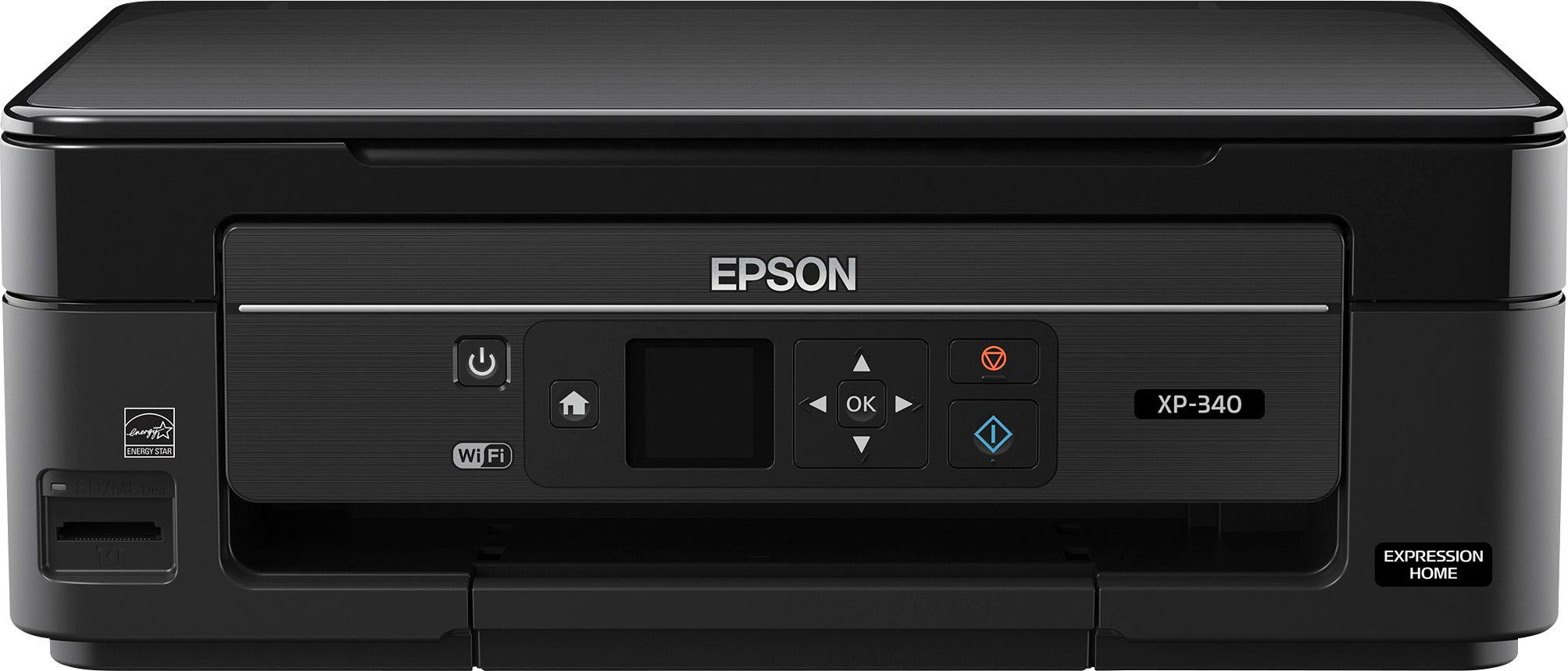
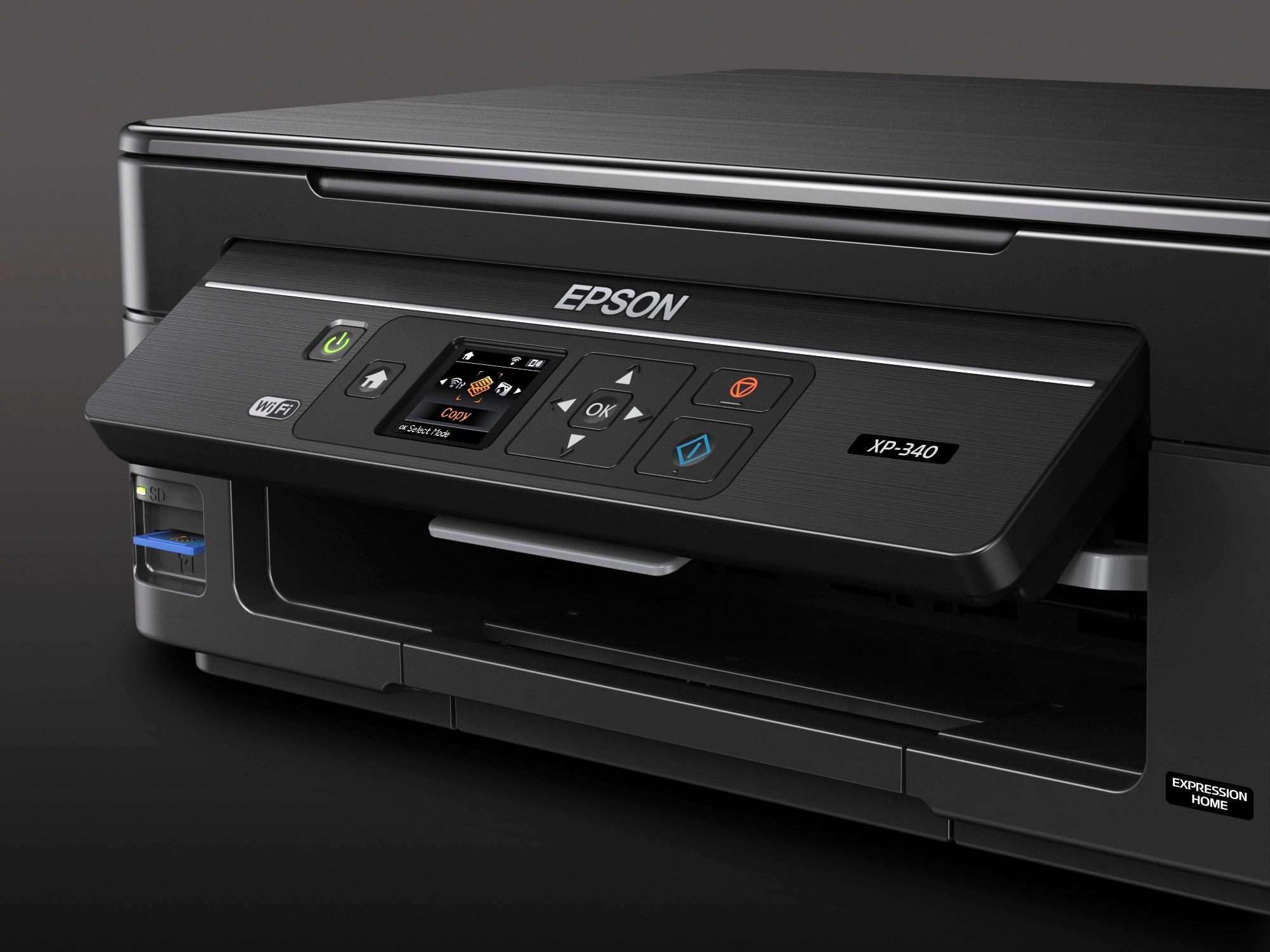
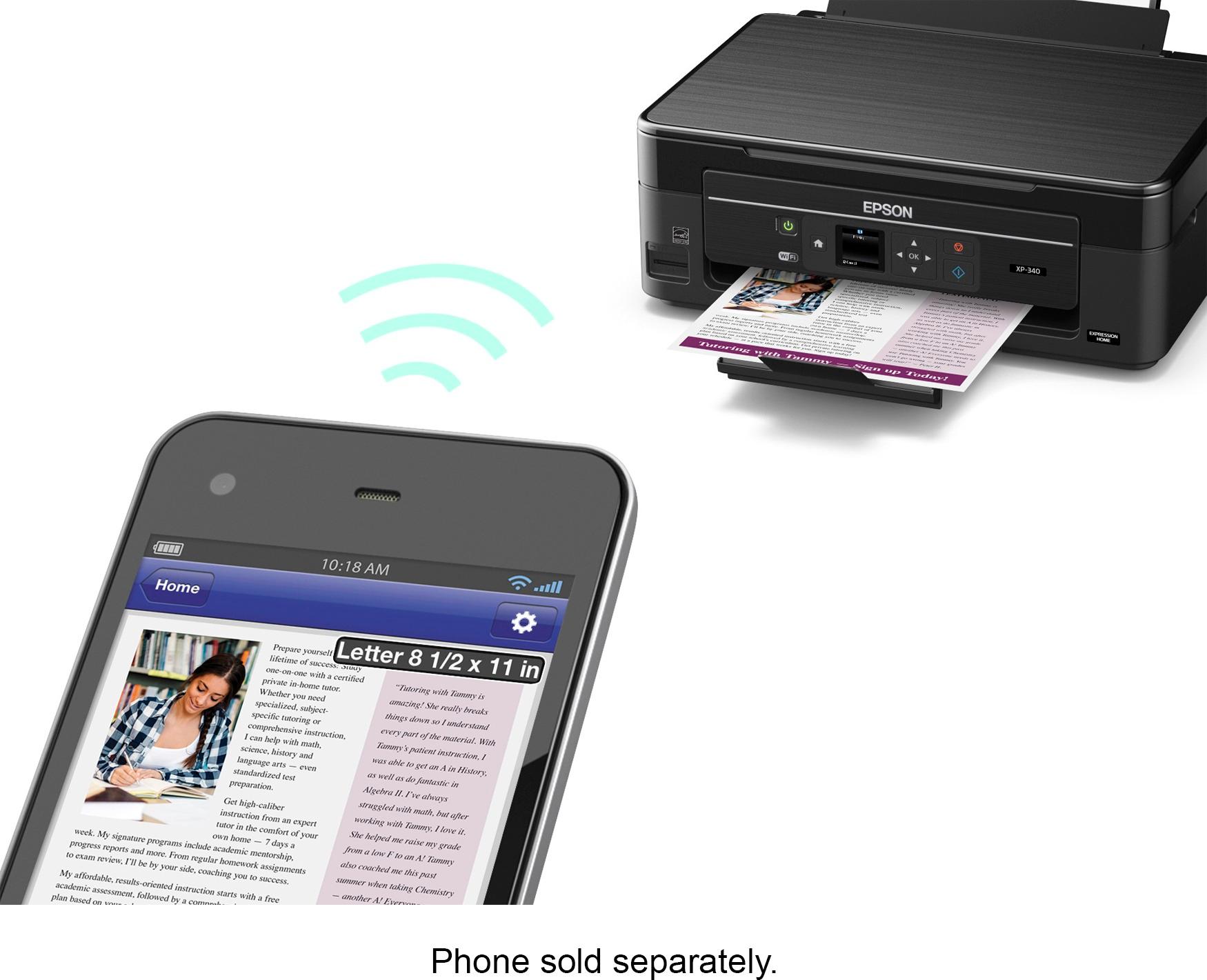
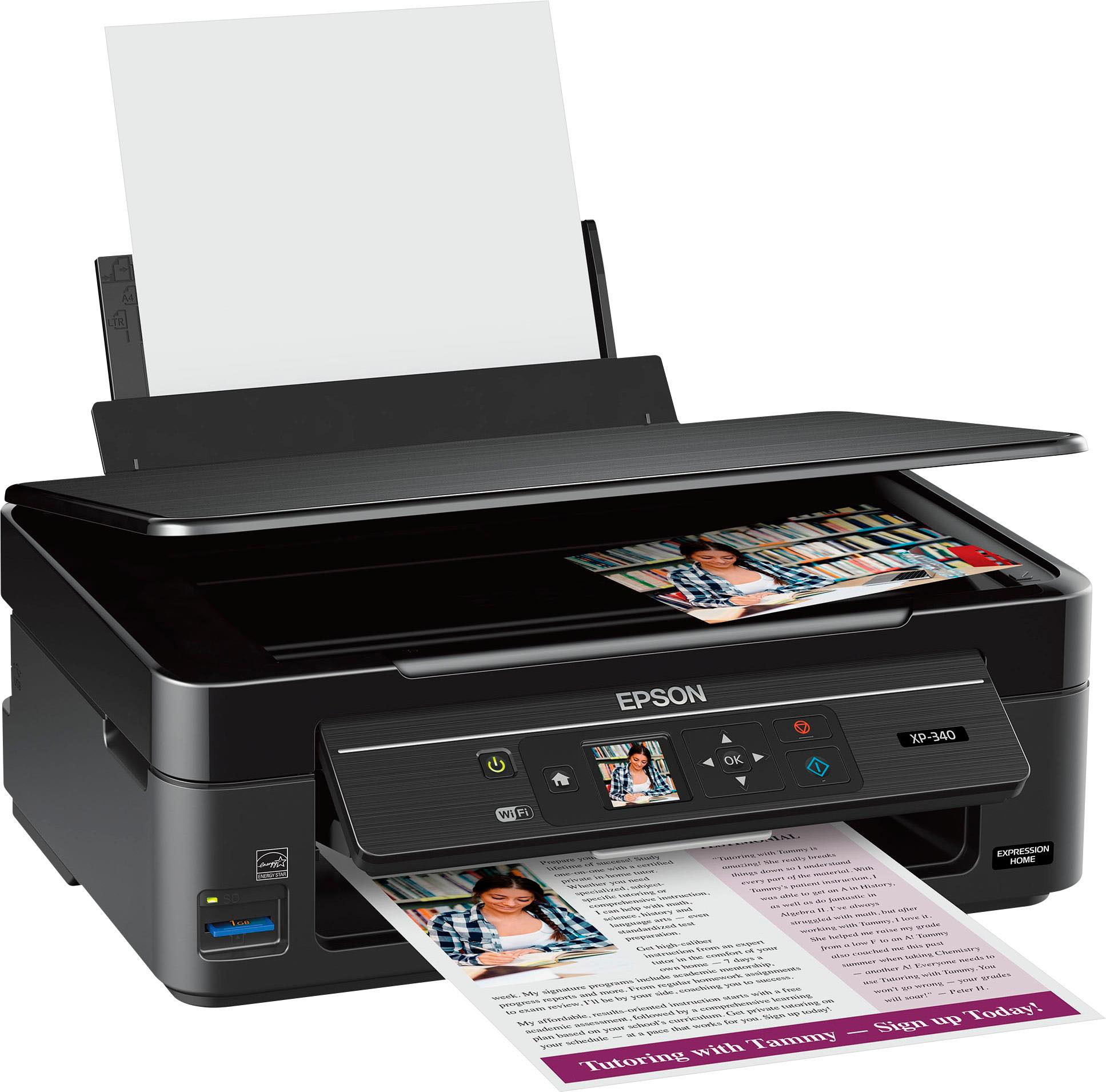
Posted .This reviewer received promo considerations or sweepstakes entry for writing a review.This is a review for the Epson Expression Home XP-340 All-in One Printer that I received free of charge to do a beta test and review. The Epson XP-340 does a very nice job at an affordable price. The unit is compact and fits easily on a desk or table top. Setup was completed quickly and easily. The XP-340 can be connected via wifi or usb. Wifi allows for printing from a tablet (Apple or Android) and even remotely. I especially like how quiet it is compared to my older printer. Scanning & copying produce great results. The only thing I would change is that the lcd screen could be a little larger for easier viewing. Other than that I have been very pleased with the performance.
I would recommend this to a friend Rated 5 out of 5 stars
Bought for my son
||Posted .This reviewer received promo considerations or sweepstakes entry for writing a review.No complaints so far. Likes wireless capability to link to phone.
I would recommend this to a friend- Pros mentioned:Ease of use, Print quality, Size
Rated 4 out of 5 stars
A good printer for a student
Posted .This reviewer received promo considerations or sweepstakes entry for writing a review.This is a review for the Epson Expression Home XP-340 All-in-One Printer that I received free of charge to do a beta test and review. It's small, no bigger than the box it comes in. The initial set was easy & simple, it didn't require an Ethernet cord to plug in, it's wireless so you can just press the WPS bottom on your router & it automatically sets up the wireless on the printer. This printer is perfect for college &/or high school students, it's small & out of the way. Unfortunately it doesn't have a fax, & scanning is tedious, it doesn't have an automatic feeder it's just a flatbed scanner. But it prints very well & fast.
I would recommend this to a friend Rated 5 out of 5 stars
Good printer for price
||Posted .This reviewer received promo considerations or sweepstakes entry for writing a review.Initial setup was a little bit difficult, but I got it.
I would recommend this to a friendRated 5 out of 5 stars
Great TV for lil price
||Posted .This reviewer received promo considerations or sweepstakes entry for writing a review.Crystal clear, hdr ready, great sound. No bluetooth
I would recommend this to a friendRated 5 out of 5 stars
Great printer
||Posted .This reviewer received promo considerations or sweepstakes entry for writing a review.3 in one printer. Does everything I need it to do.
I would recommend this to a friend- Pros mentioned:Ease of use, Print quality, Size
Rated 5 out of 5 stars
Affordable, Impressive Printer
Posted .This reviewer received promo considerations or sweepstakes entry for writing a review.“This is a review for the Epson Expression Home XP-340 All-in-One Printer that I received free of charge to do a beta test and review.” As someone who works on computers frequently, yet finds printers to be a pain, I was pleasantly surprised with this unique printer. When I opened it from the box, the first thing that I noticed was how it was much smaller than I anticipated. With that being said, I later found this to be a good thing. I followed the usual instructions, installed the programs for the printer very easily. This is usually the point where I'm contemplating pulling my hair out. This wireless printer, I found, was SUPER easy to set up. It took maybe 15 minutes maximum. Next, I moved onto photo paper, which was sent to me. Photos mean a great deal to me, as I have a family wall that I keep updated in my living room. I was quite impressed by the quality of these prints. I definitely will buy photo paper myself and do this from home for now on, because it was on par ( exceedingly so) with printing from various stores and websites. There is an app that you can download with this printer, also very user friendly. You can print with the press of a button from your phone. My kids were in awe by this, for sure. There's also an extension to the app called "Epson Creative Print." On this, you can do collages, coloring books, stationery, and more. This product is definitely worth purchasing, as it is the best printing tool I have used thus far.
I would recommend this to a friend - Pros mentioned:Ease of use, Print quality, Size
Rated 5 out of 5 stars
Great little printer.
Posted .This reviewer received promo considerations or sweepstakes entry for writing a review.This is a review for the Epson Expression Home XP-340 All-in-One Printer that I received free of charge to do a beta test and review. The printer is shipped a small box that is only slightly larger than the printer itself. Over all this is a nice small printer that does not take up a lot of space. It’s perfect if you don’t have a lot of desk space. The quick start guide was easy to follow. The printer was easy over all to install and setup. Wifi is a great addition to the printer. You don’t have to have it hooked to one computer all the time. Wifi also makes it easy to print from your smartphone or tablet. The printer has good quality for both papers and photos. The speed is not to bad either. The scanner works great. The only thing I wish it had was an automatic sheet feeder for scanning more than one document at a time. One thing that I do love about this printer is that you can print directly from your phone. This saves a lot of time. I cannot tell you how many times I will be on the couch looking up info on my phone and need to print it. This is a great entry all-in-one printer that performs great. I would highly recommend this for anyone looking for a small all-in-one printer. Thanks for reading.
I would recommend this to a friend - Pros mentioned:Ease of use, Print quality, Size
Rated 5 out of 5 stars
Excellent Home use printer for great price!!!
Posted .This reviewer received promo considerations or sweepstakes entry for writing a review.This is a review for the Epson Expression Home XP-340 All-in-One Printer that I received free of charge to do a beta test and review.” I received this printer last week as per the scheduled delivery date. The packaging was very secure with all the precaution to prevent the damage. After opening the package I found it all safe and secure. The size, color and all other features are meets my expectation. The printer has small-footprint and lightweight so it would easy to fits in small space and its transfer from one place to another is very convenient. Setup was quite easy just follow prompts on screen and you’ll be all set, compare to other printers I have used in past. The user guide helped me to set up the printer quickly. It was easy to follow with the pictorial presentation given. Epson Expression Home XP-340 All-in-One Printer was easiest setup I have done so far. Also liked the feature that allows you to print over wi-fi, quick and very convenient if you are in rush to print something. Print, Print quality also quite good compare to other brand printers. I would recommend this printer over all expensive printers in market. I am in love with this printer!! Scan, It’s fast and easy to scan your documents into laptop. I specially like that it has the feature of scanning to social site and photo-sharing sites to scan the photos or documents and can quickly upload them. Copy, Its very compact printer with small size and lots of feature. It was easy to make copy’s of document. Overall, I would highly recommend Epson Expression Home XP-340 All-in-One Printer. Quite cheap and with tons of features.
I would recommend this to a friend - Pros mentioned:Ease of use, Print quality, Size
Rated 5 out of 5 stars
Great Printer
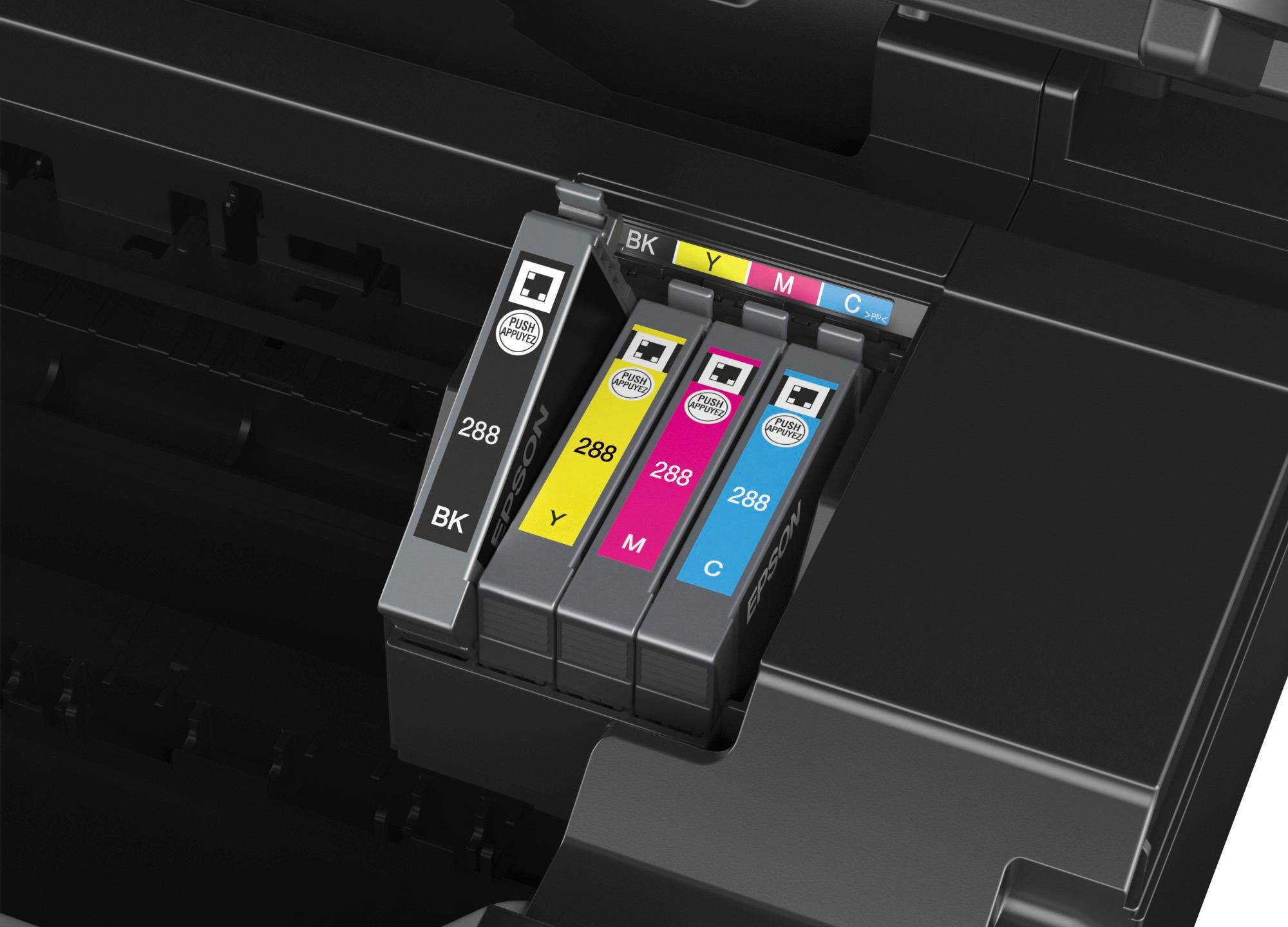
Posted .This reviewer received promo considerations or sweepstakes entry for writing a review.This printer’s installation process was easy user friendly and is an awesome product didn't take long to setup. The Epson - Expression Home XP-340 Small-in-One Wireless All-In-One Printer prints beautiful pictures and the price was very affordable. I would suggest it to anyone looking for a great wireless printer for a great price this is the one to buy. I was rather surprised by how quickly the scanner works on this. I'm very pleased with the small size, sturdy construction, and ease of replacement when it comes to the ink cartridges. I can also appreciate that they have been split up in to different colors, as opposed to having one color cartridge and one black. I am hopeful these cartridges will last longer than the standard. Crisp, clean output on paper. Easy to navigate and understand the menu. I'm very satisfied with this printer. I would recommend this product to my family and friends. This is a review for the Epson Expression Home XP-340 All-in-One Printer that I received free of charge to do a beta test and review
I would recommend this to a friend Rated 1 out of 5 stars
Hunk of Parts
||Posted . Owned for 1.5 years when reviewed.This reviewer received promo considerations or sweepstakes entry for writing a review.I’m not sure if I received I faulty printer or what. When I purchased the printer, it sat in the box for some time because I was so busy with work. When I finally opened it to set it up, everything looked and appeared fine until I turned the thing on. It kept making loud clicking sounds and to no avail I couldn’t figure out why. I had been meaning to send the thing back, but at this point it’s been long forgotten and currently occupy my closet floor in a box.
No, I would not recommend this to a friend- Pros mentioned:Print quality, Setup, Size
Rated 5 out of 5 stars
Great Compact All in One
Posted .This reviewer received promo considerations or sweepstakes entry for writing a review.This is a review for the Epson Expression Home XP-340 All-in-One Printer that I received free of charge to do a beta test and review.” The first thing I noticed when receiving the Epson XP-340 all in one printer, was the size. It is about the size of a basic printer. That to me is a huge plus for this printer, doesn’t take up much space for what it does. It is packaged well, everything is secure and nothing was broken. Setup was really easy and fast. You are supplied with an instruction booklet and the cd-rom so you have the needed drivers and the Epson Scan software, so no need to download it as with some other brands. Installing the ink tanks, which each color is separate, which is cost saving, was truly simple. Having each color separately is another plus for this printer and especially seeing this feature at this price point. The paper is loaded into the back tray, was straightforward and holds 100 sheets, plenty for most homes and even a small business. The larger LCD screen is clear, has easy to understand icons and text, plus guides you as you’re setting it up. It is also very responsive to touch, no issues with it no responding. The next feature, Epson’s WiFi Direct is really cool. This allows you to setup the printer so you can print from any WIFI device, your smartphone, tablet ( both Apple and Android systems) or laptop and you don’t need a wireless router to do this. You can add up to 4 devices; I added 2 so far and have not had any issues with sending things to be printed. The time it takes for the document to be sent to the printer is pretty quick, cannot complain. I really like this feature. The scanner has been working well for me. I like the quality of the output and the speed at which it scans and prints. I’ve scanned both photos and documents. You can also scan something right to Facebook using their software. The quality of all the printing is right up there with all the best printers out there. This is true whether you scan, copy or send something to the printer. When printing photos they dry instantly so no worries about smudging or waiting for them to dry. My only gripe would be it doesn’t have a fax, but that’s not something I use that often and wouldn’t affect my overall review of this printer, but had to mention it. If you’re looking for a very affordable all in one printer that gives you high quality prints at a very affordable price, this is the one.
I would recommend this to a friend - Pros mentioned:Print quality, Wireless
Rated 3 out of 5 stars
Perfect printer if you have a tight budget
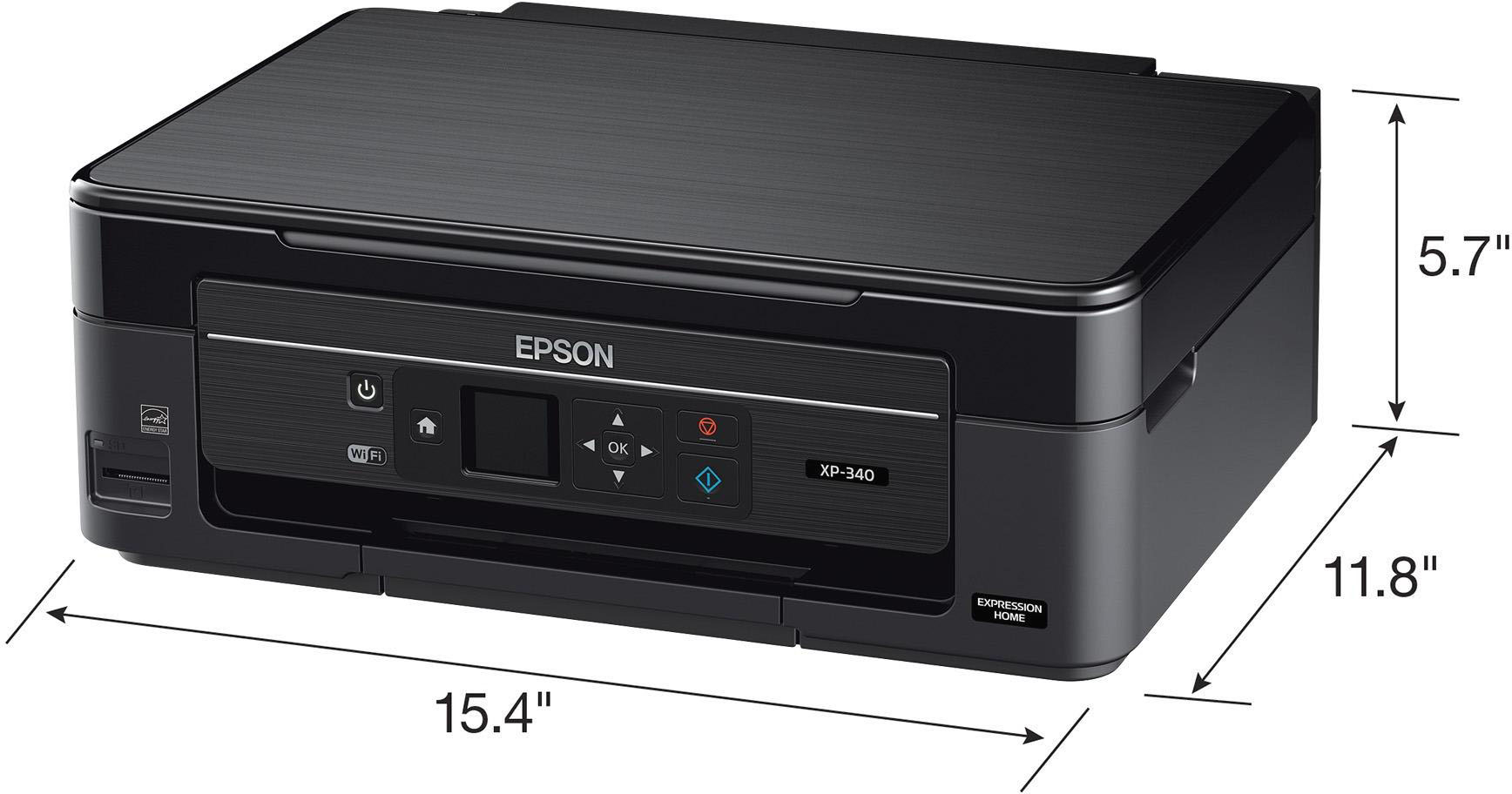
Posted .This reviewer received promo considerations or sweepstakes entry for writing a review.This is a review for the Epson Expression Home XP-340 All-in-One Printer that I received free of charge to do a beta test and review so with that in mind If you are planning to buy a printer, you must be aware of the fact that there is plethora of options available in the market. And choosing the best one out of them is quite a difficult task for us. Though the majority of printers offer almost the same kinds of features, the recently launched Epson XP-640 Expression Premium ‘Small-in-One’ Printer is one model that offers the maximum benefit at quite an affordable price. To know more about this, you can directly consult the professionals on Epson printer support number. Also, we have tried to discuss all the highs and lows of this printer; you can take a look: First Look Regardless of its reduced size, this is a printer that is actually capable of performing multitask. The printer is somewhat heavier than you’d expect, considering its minimized size. However, this printer is equipped with a huge amount of helpful features into that smaller little device, helping us to execute our tasks hassle-freely. Design and Built Epson XP-640 unquestionably looks modern and handy at the same time. While the printer is shut, it gives the impression of the small-cubicle shaped device at just 15.4″ by 13.3″ and 5.6″ tall. The centerpiece of the control board is the dynamic LCD show, which ensures the users to provide a chance to check the documents before printing. Despite of being a touch-friendly device, power button is quite like a traditional button. The whole top portion of the printer is made of extremely sparkly smooth plastic material, while the base is a somewhat sturdier matte finish. The corners are somewhat adjusted, giving it an exceptionally regular appearance. Connectivity Regardless of what kind of gadget you have, this printer is ensured to have more than one way to interface with it. If you essentially need to drop it into a place where your old printer was, you can utilize the standard USB port B connector that has been used throughout the previous 15 years. In the same way as other modern printers, it will likewise support the connection built with your Wi-Fi. Just in case that you have a camera phone but it doesn’t support Wi-Fi connectivity, The Epson XP-640 also gives you an option to print by building connection via USB. Also, it gives you a chance to print via SD card. Print Quality The Epson XP-640 can easily print photographs that are lab-graded. This is on account of the fact that it has a high resolution of the print heads, giving printouts up to 5760 x 1400 dpi. Also, you can be assured of the fact that the photographs are sharp and clear. Print Speed This is another territory where the printer truly deserves the applause. A standard 4″ by 6″ photograph will print in as fast as twenty seconds. And, the best part is while you are buying this printer, you are not supposed to choose between the printing quality and printing speed as both of them are at its best in this, unlike any other printers. Pros: Print Quality Print Speed Connectivity Options Cons: Bulky Just in case, if you still have any queries related to this XP-640 Epson Printer, you should immediately pick up your call and Epson customer service number. Well, if you don’t have this number, you shouldn’t be worried about it as you can get it from the website of a leading online directory
I would recommend this to a friend Rated 2 out of 5 stars
so so
||Posted . Owned for more than 2 years when reviewed.This reviewer received promo considerations or sweepstakes entry for writing a review.I had it only a few months and I had to buy a new one, this only gives a headache.
No, I would not recommend this to a friend- Pros mentioned:Ease of use, Print quality, Size
Rated 5 out of 5 stars
An affordable all in one for everyone!
Posted .This reviewer received promo considerations or sweepstakes entry for writing a review.This is a review for the Epson Expression Home XP-340 All-in-One Printer that I received free of charge to do a beta test and review. After using this as our home and part time office printer for the last week I can easily recommend it to anyone looking for an easy to use all in one, especially if you are limited on space. While the photos aren't quite as sharp as our canon unit (but they are VERY close) the XP-340 must be literally be half the size! Start up is SUPER quick, and my favorite part is the almost instantaneous printing from the moment I click print. I HATE ink-jet printers that sit, "wake up", make some noise, etc, and before you know it 2 minutes have gone by before its actually picked up a sheet of paper... Hint hint HP..... Printing is fast and we had no issues with paper jams, ink smears or anything despite the fact that we tried our normal paper stock and all of the demo paper Epson sends with the machine. Honestly, I was very surprised at the speed and quality of the machine at its price point. If I could change only 1 thing on this printer it would be the ability to keep 2 types of paper in the machine at the same time (ie 4x6 photo, and 8.5x11 plain) but its a trade off I'm willing to make based on the size of the machine alone. Setup was a piece of cake, I simply walked through the startup guide on the screen to get it connected to our wireless, all of our Windows 10 PC's picked it up without even having to install it! After I installed the Epson app on my phone I was able to print straight from various Android apps, including photos. No need to download them to PC to print! Epson really knocked it out of the park on this Small-In-One as they call it!
I would recommend this to a friend - Pros mentioned:Print quality, Size, Wireless
Rated 4 out of 5 stars
Great quality for price!
Posted .This reviewer received promo considerations or sweepstakes entry for writing a review.“This is a review for the Epson Expression Home XP-340 All-in-One Printer that I received free of charge to do a beta test and review.” I love this printer! It's very compact and yet still gives me all of the functions of a bigger unit. It's wireless, prints pretty fast and does a wonderful job on photos - just like my prior experience with Epson printers. You can also load up to 100 sheets of paper which is nice for lazy people like me :) The included software is a neat extra touch which allows one to automatically scan to Facebook. This printer linked up nicely with my laptop, phone and tablet. The ink cartridges are easy to install and replace - one at a time. Not sure how long the cartridges will last, but if this printer holds up against prior models, Epson won't let me down. I think this model and size is perfect for apartment dwellers, small offices and/or dorm rooms. I've been using Epson printers for years and have no reason to ever change!
I would recommend this to a friend Rated 1 out of 5 stars
It lasted for a little over a year
||Posted . Owned for 1.5 years when reviewed.This reviewer received promo considerations or sweepstakes entry for writing a review.It prints with ink smear all over the paper. I have replaced the ink (dumped more money on a broken printer) clean the printhead and run all maintenance tasks through the printer. I'm running out out reliable printer brands
No, I would not recommend this to a friend- Pros mentioned:Ease of use, Print quality
Rated 4 out of 5 stars
Compact and Efficient
Posted .This reviewer received promo considerations or sweepstakes entry for writing a review.“This is a review for the Epson Expression Home XP-340 All-in-One Printer that I received free of charge to do a beta test and review.” As someone who owns a Canon MG5220, I was pleasantly surprised with this printer. When I opened the box, I noticed it was much smaller than I anticipated and came snug in the box. Included with the printer is the power cord, ink, documentation and a sample pack of various types of photo paper. After removing from the box, following the instructions for set-up was quick and easy (about 10-15 mins). Printing photos left me quite impressed by the quality which were comparatively similar to photo printing companies standards . Also, you can print with the press of a button from your phone by downloading the Epson app. The "Epson Creative Print" is amazing and allows collages, coloring books, stationery, and more. I am slightly disappointed that this printer is a top-loader which limits where I can place it on a desk. Having a paper tray would have been a better idea, however, that is the only downside I have found. I would recommend this printer overall!
I would recommend this to a friend Rated 3 out of 5 stars
Not a bad printer for a street price of $49.99
Posted .This reviewer received promo considerations or sweepstakes entry for writing a review.This is a review for the Epson Expression Home XP-340 All-in-One Printer that I received free of charge to do a beta test and review. UNPACKING AND SETUP =================== Unpacking was pretty straightforward. There are several pieces of tape, used to secure parts of the printer during shipping, which must be removed. There is a piece of Styrofoam in the paper path which was a bit difficult to remove without breaking. The power cord plugs-into a plug in the back of the printer which is recessed about 1.5”, which was a bit of a pain for my man-hands. The ink cartridges come vacuum sealed, which I appreciated, to ensure the ink is fresh. I was disappointed but not surprised to see they are low-volume “starter” cartridges rather than full-capacity cartridges. My initial impression is the printer is cheap feeling due to the thin plastic panels used throughout its construction. I worry about the paper input and output trays especially as well as the cover for the scanner. Speaking of paper trays, the paper supply tray looks like it will hold about 50 sheets of standard 20# paper. As is my normal process, I did not install any software from the included CD-ROM because it’s usually out of date by the time it gets to a consumer. Instead I downloaded the "Drivers and Utilities Combo Package Installer" from Epson.com. Installation was straightforward. Not wanting to take the easy path, I skipped using a USB cable (NOT included) between my PC and the printer. Instead, I opted to use the built-in Wi-Fi and connect it manually to my router, not with WPS, Epson’s software-based Wi-Fi Auto Connect, or with Wi-Fi Direct, which directly connects a Wi-Fi-enabled computer directly to the printer. While a bit tedious on 1.44” display and with minimal buttons, it works well and has proven stable. SCANNING – PHOTO MODE ===================== I use Adobe Photoshop Elements for my photo editing. When I want to scan, I have always been able to access the scanner from within Photoshop via the Windows Image Acquisition (WIA) interface or via a TWAIN interface. For some reason, Epson has chosen not to support either of these industry standards. Simply put, you must use Epson’s software, Epson Scan 2, to scan. Pardon me, but this was a “WTF!” moment when I figured this out. Running a Preview scan is pretty fast. I was disappointed to see Epson Scan 2 does not make any attempt to find the edges of the photo and automatically crop. Without this common feature, it’s very easy to start a full scan of the entire scanning surface when all you want to scan was a small section. The actual scanning is quite quiet when compared to other scanners I’ve used. My test image was a 4x6 glossy landscape-oriented photo, which was printed from a negative. I scanned at 600dpi, which took 35 seconds. The scanner did a good job of pulling details out of the shadows though there was loss of details in the highlights. It had some difficulty on solid gray-colored areas as those areas were a bit mottled with colored “noise.” Very little stepping was visible in areas with a gradient. The bottom line is that it’s not too bad for a scanner on a value-priced printer. (Note: I have more than 25 years’ experience in the photographic and imaging industry.) SCANNING – DOCUMENTS ==================== My test document was Epson’s own test print page, an 8½x11 page which is mostly black text and also had some color. I scanned is as a color document. At 300dpi, it took 47 seconds to scan the entire page. This is very acceptable. I saved scans to TIFF, PDF, and greyscale PNG files. All images were very much acceptable. One of the file format options is “Searchable PDF,” which can be a very useful feature when it works well as you can copy the text from a scanned document and paste in into an email or other document. Unfortunately, it’s poorly implemented in Epson Scan 2. For example, the word EPSON at about 20-point "EPSON" followed by about 12-point "EXCEED YOUR VISION", both in a san serif typeface had issues. The OCR results was "EPSOM EXCEED YOuFI VISION". OCR of about 8-point serif type was unusable as perhaps 40% of the characters were wrong. By comparison, the OCR functionality of Adobe Acrobat Pro recognized 100% of the characters in the same document. This scanner, or more precisely its software, has a unique ability to scan and simultaneously save the resultant file in two different file formats, resolutions, color spaces, and other parameters. I’ve never seen this before. This means a photo could be scanned once to get a high-resolution image for archiving while simultaneously getting a smaller file to post on social media or to email. PRINTING – PHOTOS ================= My test image was downloaded from an internet site and is designed to test the color accuracy, neutrality of grayscales, smoothness of gradients, and the structure of printed images. Printing photos is quite confusing and has limitations. Oddly, you cannot change resolution above 360dpi; I usually print at 600dpi to achieve the best quality on a non-professional printer. I found it confusing to get 4x6 paper orientation correct such as which orientation of the paper I should select for my landscape image. The prints I produced have a moderate red-colored cast. For most people, this is probably acceptable and could be perceived as improving some skin tones. Grayscale gradients show stepping, especially in the mid-tones. Again. Most people will not notice. PRINTING – DOCUMENTS ==================== My test documents were made in Microsoft Word 2013. One was a mix of Lorem Ipsum text in several common typefaces and some text in the colors red, green blue, cyan, magenta, and yellow. A second page was four typefaces in sizes ranging from 8-point to 48-point, all in black. Each page printed quickly, especially the all-black page, which printed in less than 10 seconds. I could not see any obvious defects in either test page. CONCLUSION ========== I only opened the box containing this printer three days ago and have tested it for perhaps two hours. This is not at all an exhaustive test or review. I cannot comment on the life of the ink cartridges, the cost per page of the ink or photographic paper, or the long-term archival life of prints. The Epson Expression Home XP-340 All-in-One Printer is not a bad printer for casual home use, especially if it’s mostly used to print documents rather than photos. The quality of the photos is more appropriate for casual use rather than archiving with the best quality. The same is true for the scanner. Don’t buy this printer for its OCR capability as it’s terrible. The bottom line is that it’s not a bad printer for a street price of $49.99. I suggest you adjust your expectation if you are accustomed to a $150-300 multifunction inkjet printer.
I would recommend this to a friendRated 1 out of 5 stars
Stopped Working
||Posted . Owned for 1.5 years when reviewed.This reviewer received promo considerations or sweepstakes entry for writing a review.This was recommended for use with Apple devices, but after a while it stopped responding to our mobile devices. My husband has been working with computers since 1981 and even he could not get it to work.
I would recommend this to a friend

















