Customer Ratings & Reviews
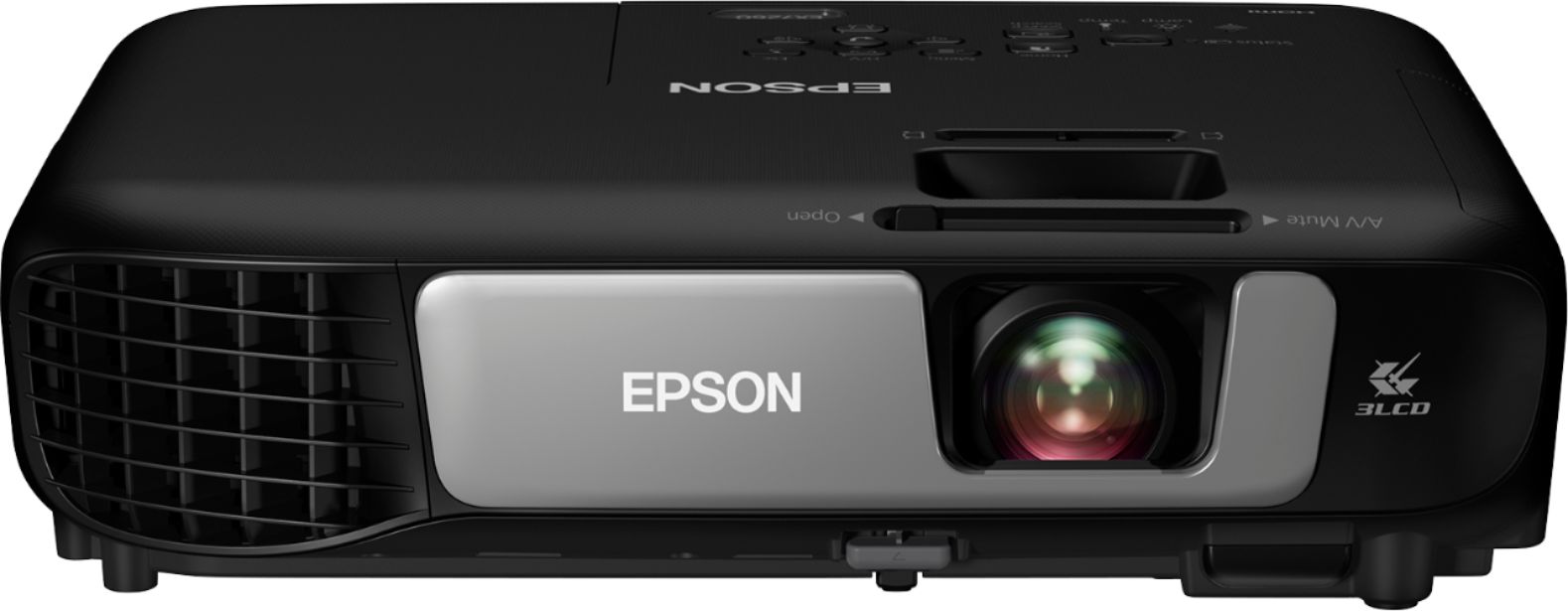
- Model:
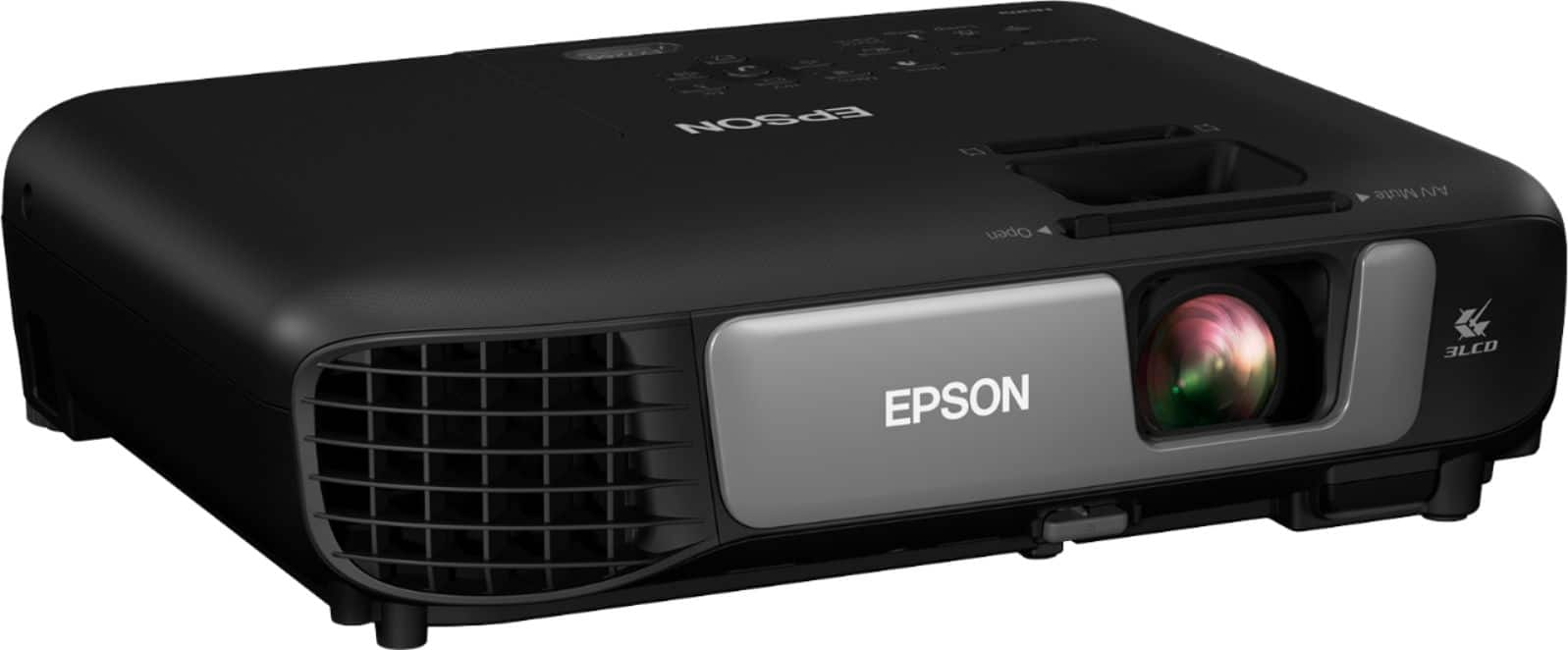
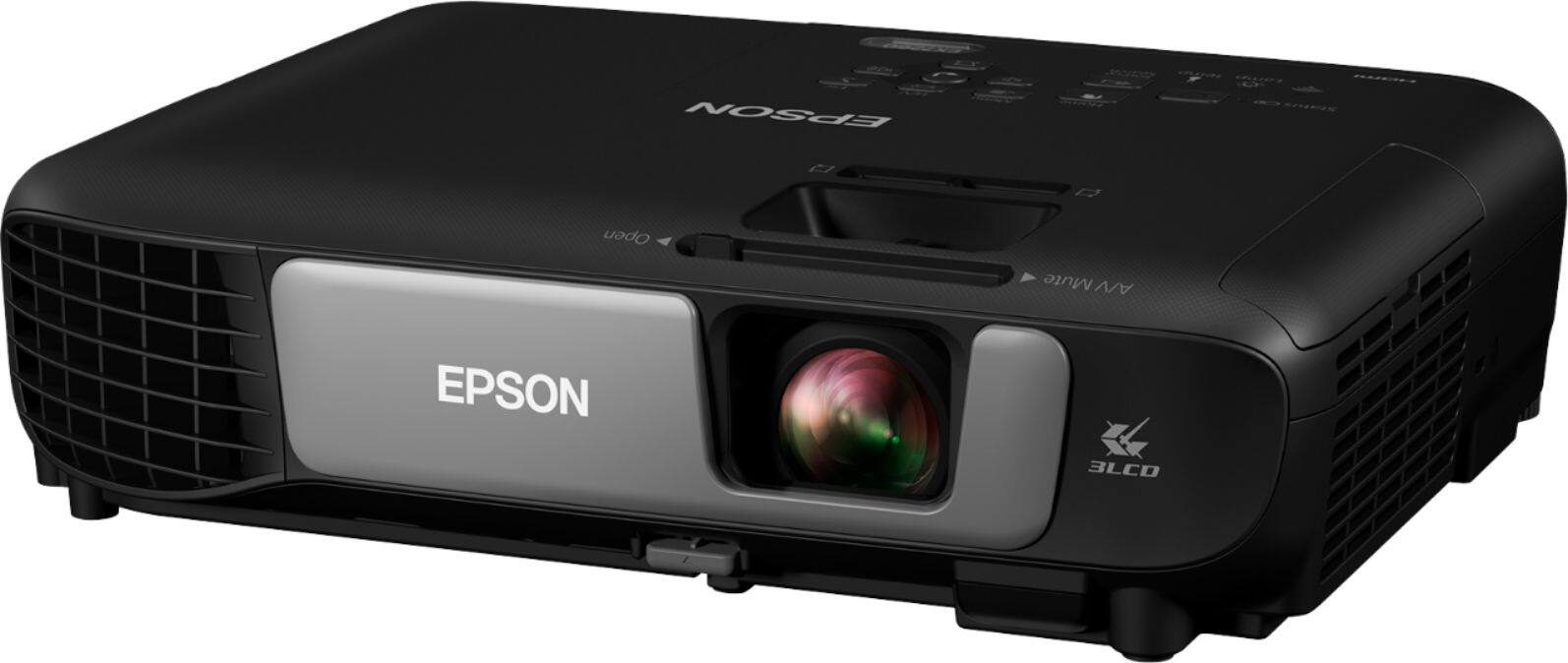
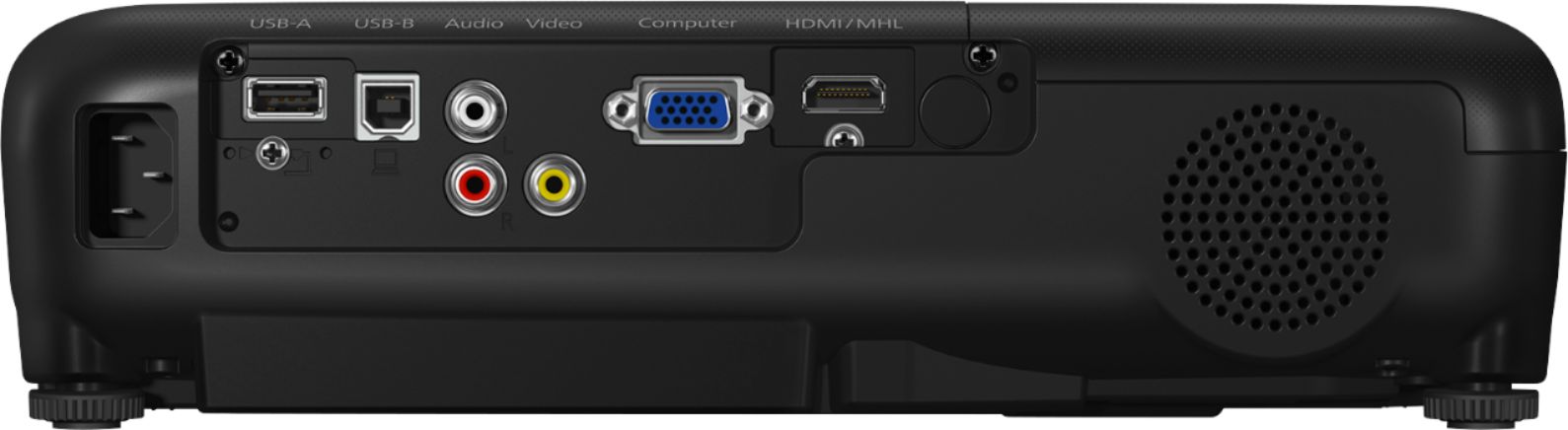
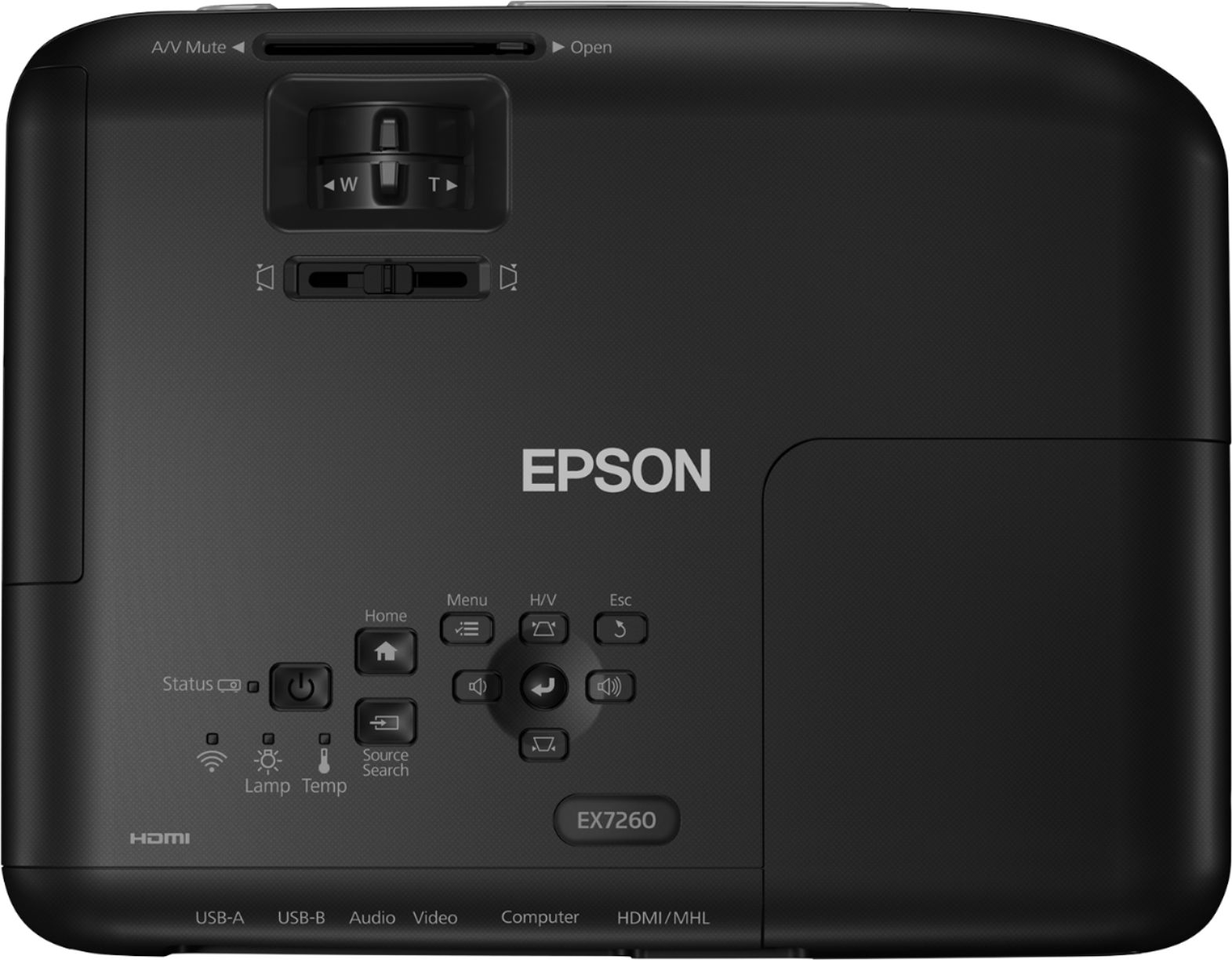
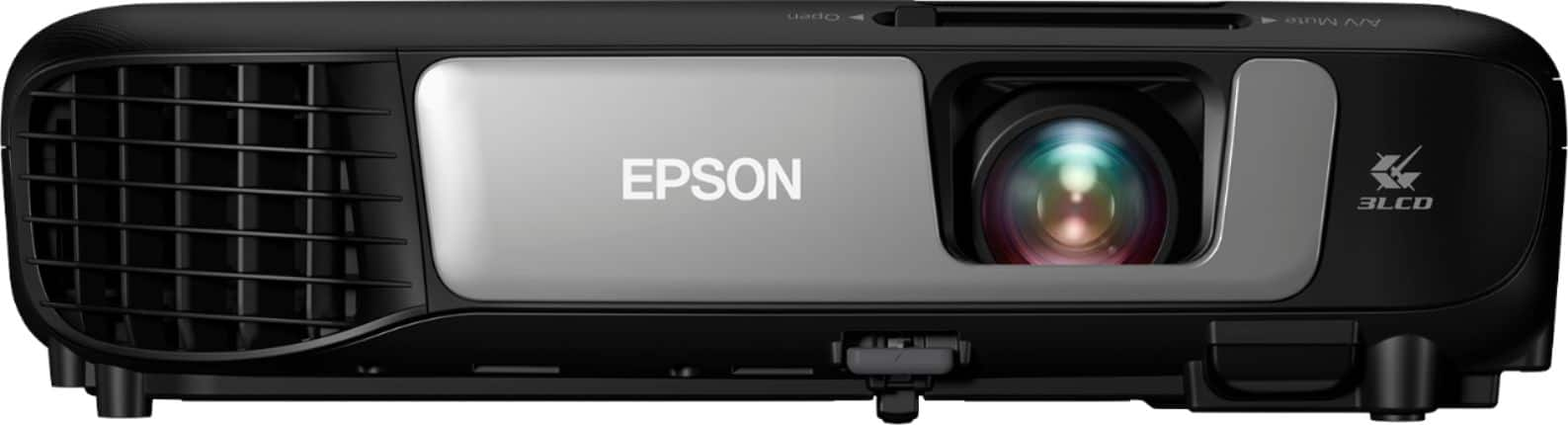
- EPSON EX7260 PROJECTOR V11H84
- SKU:
- 6162902
Rating by feature
- Value
Rating 4.5 out of 5 stars
- Quality
Rating 4.8 out of 5 stars
- Ease of Use
Rating 4.6 out of 5 stars
Customers are saying
Customers are impressed with the Pro EX7260 720p 3LCD Projector's picture quality, brightness, and ease of use. Many also appreciate its lightweight and compact design, making it convenient for travel. While some users noted the fan noise, the majority found setup to be straightforward and the projector's connectivity options satisfactory. The projector's size and portability were also frequently praised.
This summary was generated by AI based on customer reviews.
WiFi built in is garbage for so much money spent
||Posted .This reviewer received promo considerations or sweepstakes entry for writing a review.Trash product not worth the money. The WiFi is not good couldn’t even reach outside WiFi. Speakers are not loud my iPhone has better sound than this
No, I would not recommend this to a friendBrand response from Epson
Posted .Hi Rugs, thanks for taking the time to post a review, and we are sorry to see that you aren’t completely satisfied. We appreciate your business, and value your feedback. Your EX7260 includes free technical support for the life of your product, so if you’d like help optimizing your setup, feel free to contact us at (562) 276-4382; Hours: Monday – Friday, 6am – 8pm PT; Saturday, 7am – 4pm PT. Kind Regards, Marina – The Epson Team.

- Pros mentioned:Brightness, Weight

Good Projector for Everyday Use
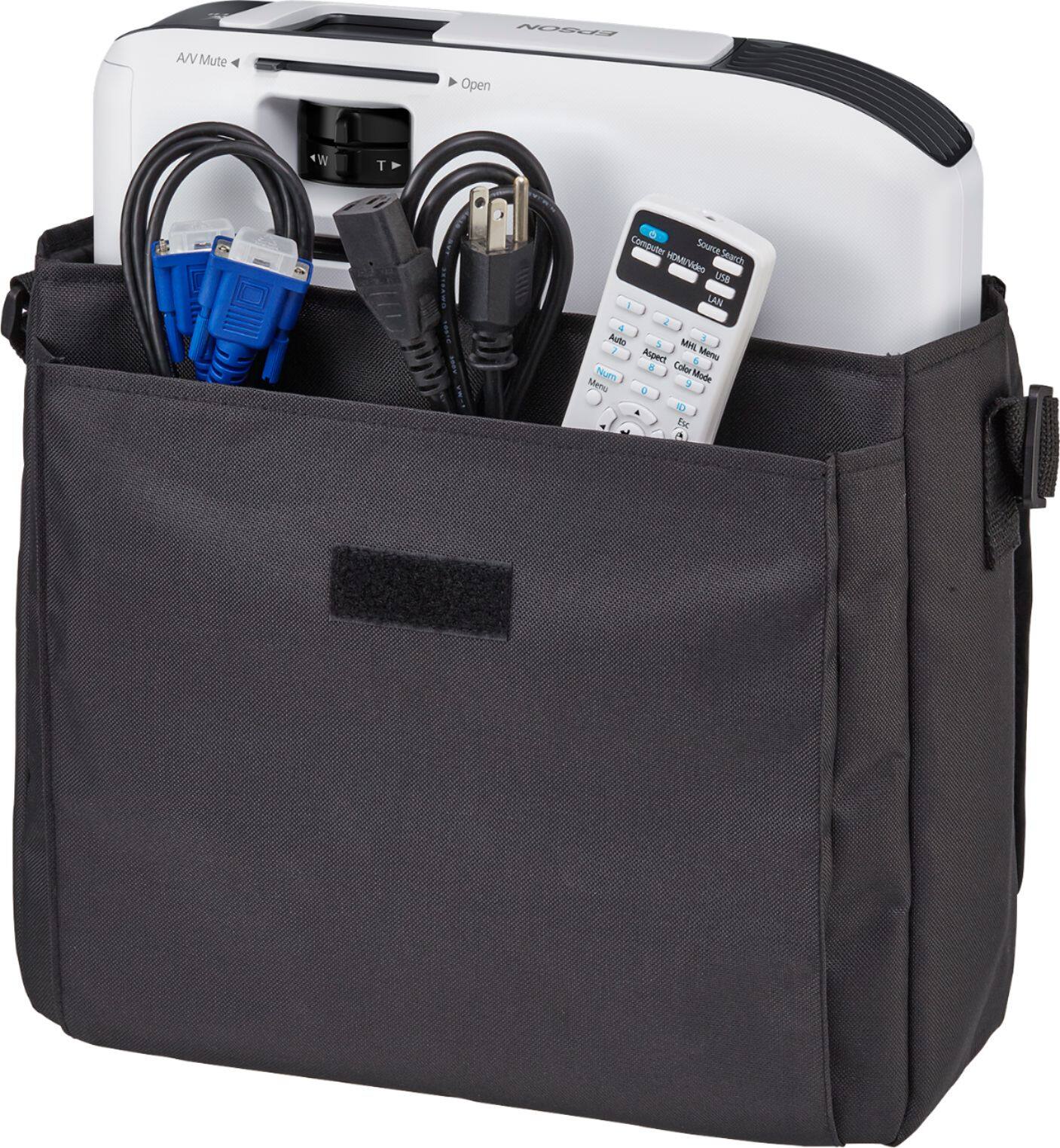
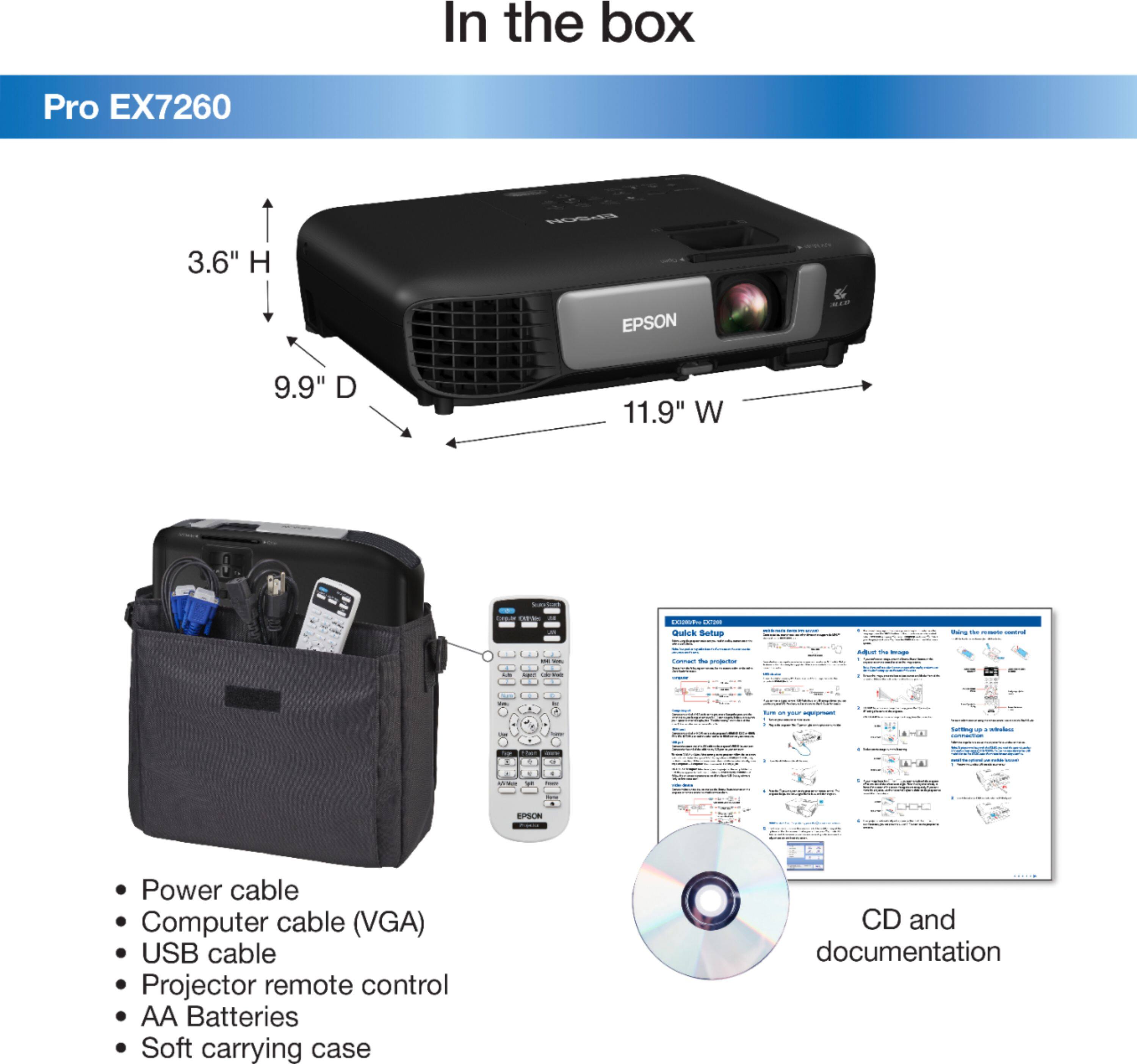
|Posted .This reviewer received promo considerations or sweepstakes entry for writing a review.The Epson Pro EX7260 is a very good projector for everyday use both in and out of the office. Note that this projector is intended primarily for office use. Because of this, it has a much higher lumen (brightness) output since most business projectors are used in bright conference rooms and need to be seen over the lights. That being said, there is nothing stopping you from using this at home or for other purposes. Just keep in mind, the contrast ratio and resolution aren't going to match that of those specifically designed for home theater use. Out of the box, the Epson Pro EX7260 was very easy to setup. It surprisingly comes with a soft carrying case, VGA cable, and USB cable along with the expected remote (batteries included), and power cord. At just over 5lbs, it's very light weight and wouldn't be a hassle if you needed to be mobile with it. I will say, I'm not a fan of the Epson iProjection system which can be used to project/screen mirror from your phone or other compatible device. I just don't find it as functional for what I use a projector for, but some definitely would--especially if all you are doing is reviewing docs, pictures, and websites. The project is plenty bright. Very bright, which you would expect from a business projector. The EX7260 also comes with a pretty long bulb life of up to 10,000 hours (ECO mode) and 6,000 hours (Normal mode). I found ECO mode to be completely adequate for my needs even in a very bright room with lit with florescent lights. The EX7260 does come with a 2 watt speaker built-in speaker that is, as you can imagine, underwhelming. It does what it's designed to, but is just so tinny. Great speakers can come in small packages and the laptop I'm using to write this review is no exception. Espon should've put a little more effort into the speaker. If using this on the road, you shouldn't have to drag a clunky pair of computer speakers along to make up for a speaker that sounds like it's been salvaged from the inside of a 1980s model PC. Overall, I think the Epson Pro EX7260 delivers solid performance as a projector and would be worthwhile investment for your office (or home) needs. The ease of setup and connection make it quick to use out of the box or carrying case. The connectivity features are sure to prove useful for most. Pros: -Brightness -Ease of setup/connection -Weight -Price for the features that you get Cons: -Speaker -MHL enabled devices really limits some functionality
I would recommend this to a friend - Pros mentioned:Ease of use, Wireless connectivity
Great projector with great features
|Posted .This reviewer received promo considerations or sweepstakes entry for writing a review.The Epson - Pro EX7260 projector is great for portability and performance. You get pretty much everything that you need to get it up and running. The projector comes with VGA and USB connectors. I'm really glad that Epson included a carrying case for the projector. You also get a remote and batteries. The case has enough room for everything that is included with the projector, so no need to worry about finding a place to store things. The Epson - Pro EX7260 is sleek and lightweight. When it comes to connectivity, you have options. For the best picture, I decided to connect my projector via HDMI, but you have VGA, USB, and Wifi. It took me less then 15 minutes to have this projector up and running, so pretty much anyone could set this projector up. In terms of usage, I don't think that I would dedicate the Epson - Pro EX7260 as a home theater projector, even though the video quality is decent. I feel that this projector is more "work" oriented. I am using this projector mainly for educational purposes. My son is into technology, so the Epson - Pro EX7260 was perfect for me because of how compact and lightweight it is. It is also very easy for me to connect to it via my phone. It's made capturing my son's attention far more easy. I do like to enjoy movies on the projector with my family, but that is not its main purpose. This projector does have keystone correction, so you do have adjustments. The picture is nice and bright, and the color clarity is great. Overall, the Epson - Pro EX7260 is a great projector that can be used to perform various tasks in mind. I would highly recommend it to anyone that is in the market for a projector.
I would recommend this to a friend - Pros mentioned:Brightness, Ease of use, Picture quality
Fantastic Projector A++
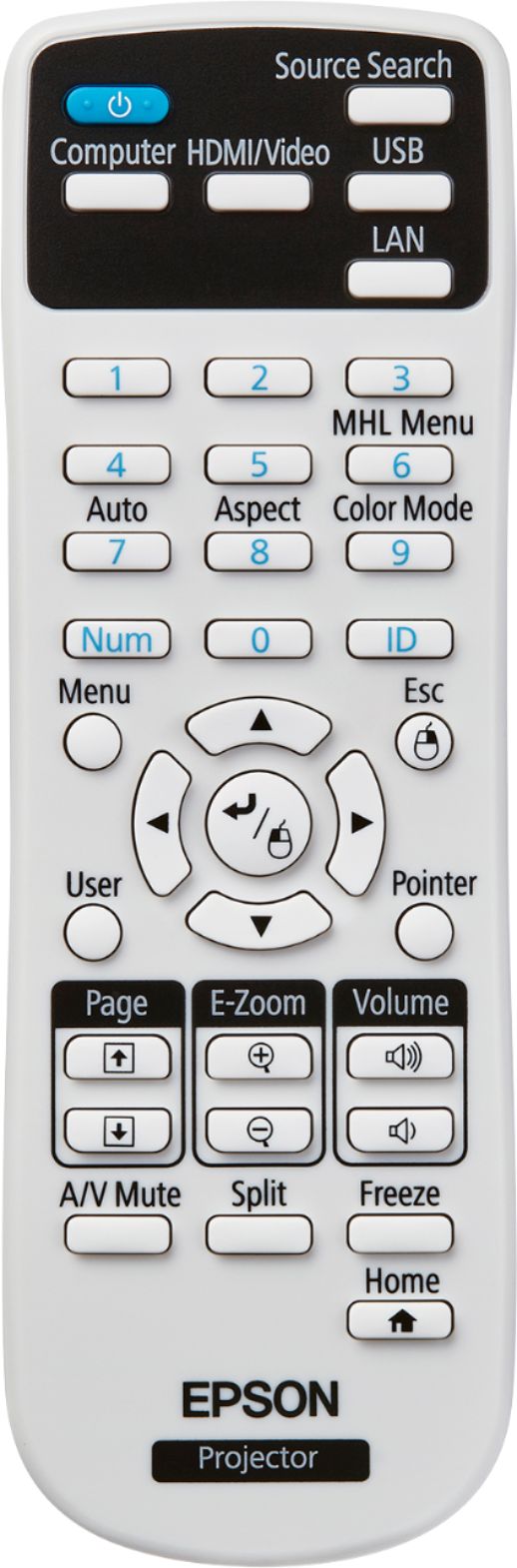
Posted .This reviewer received promo considerations or sweepstakes entry for writing a review.Excellent Business Projector “This is a review for the Epson EX7260 Wireless projector that I received free of charge to do a beta test and review." Wow where do I start this projector is great for on the go or in the office. It has great quality images very bright and quiet. It also has great connectivity options. I used this projector to display presentations and it was amazing but I learned it can also be used for media as well. The Pro EX7260 Wireless projector comes with A remote that doubles as a wireless mouse (with batteries),power cord,soft carrying case,USB (A to B) cable,VGA cable CDRom with docs and installables,Quickstart guide. Epson has been making projectors for a long time and you can tell with the care that goes into these products. Tests with an iPhone, an iPad and a laptop using the projector wireless capability proved to be very reliable and easy to use. It decreases cable clutter what a desirable feature for a projector. It was very easy to set up!
I would recommend this to a friend - Pros mentioned:Picture quality
Great performance with excellent features
|Posted .This reviewer received promo considerations or sweepstakes entry for writing a review.I do not have a lot of experience with personal projection systems. At work I always depended on the projectors provided in my classrooms, and at conferences I used the projectors that have been set up. But recently I have become interested in giving my own presentations (primarily based on PowerPoint), so I found that I needed my own projector. For the past month I borrowed a colleague's aging InFocus projector, which I found adequate. But it was so old that it not have an HDMI connection, so I had to buy a special adapter for my laptop to connect a VGA cable to my laptop's USB C/Thunderbolt port. It was time to get my own projector. After perusing reviews of the features and performance of projectors under $1,000, I decided that Epson seemed to make the best projectors in this price range. So when I had an opportunity to acquire the Epson Pro EX7260 in exchange for a review, I jumped at the chance. After interacting with the projector for awhile, I have concluded that I would be willing to pay full price for this excellent model. Its performance, features, and ease of use are outstanding. I discovered upon opening the box and reading the Quick Setup directions, I learned that the projector came with a CD. The purpose of the CD is to register the product and provide links to the product support page, optional software, and support manuals. I found it somewhat amusing that Epson provided a CD that directs you to the Web instead of installing software and manuals from the CD, but this does insure that everything is up to date. The Quick Setup directions also provide a simple URL for these things, but I decided to use the CD for fun, and was able to register and download everything without any problems. I decided to first test the projector without installing the additional software to see how well it worked on its own, in case someone who did not have the extra software wanted to borrow my projector. Setup with a cable was extremely simple. I tried an HDMI connection first. After connecting the cable and powering on the projector, a connection was immediately established. One can switch sources with the provided remote control if need be, but that was not necessary with one cable connection. The image from my PowerPoint was immediately projected. I was expecting a better-quality image than what I had obtained with the old InFocus projector, but I was not prepared for how much better the image quality was. I think I actually gasped out loud. With daylight pouring through my windows and my ceiling lights on, the image on my wall was huge, bright, and crystal-clear. (Well, crystal clear after a slight adjustment with the focus ring.) I purposely set the projector slightly off from square, head-on to test the keystone slider corrector, and the corrector worked perfectly. Next I decided to add a VGA connection while keeping the HDMI connection in place. The interesting result of having two connectors was that one connection displayed my PowerPoint presentation, and switching to the other connection with my remote control brought up my laptop's desktop. I am not sure whether this is an intentional feature or not, but it seems that one might be able to run two different apps on a Windows 10 machine and switch back and forth between them if you have two cables connected to the projector. Next I decided to test the wireless features of the projector. There are two wireless connection modes, quick and advanced. Quick is for a direct connection between a device and the projector, while advanced allows you to connect the projector to a wireless network. I tried quick first. Navigating through the projector's menu system with the remote, I placed the projector into quick network mode, which allowed it to be seen in the wireless settings of my laptop. I connected easily and experienced the freedom of projecting from my laptop without any cables tethering me to the projector. Next, I followed the instructions for connecting my Android-based Samsung mobile phone to the projector. I was instructed to first install the Epson iProjection app on my phone. Then I pressed the LAN button on the remote control, which projected a QR code on the wall. After several tries, I was able to read the QR code with my phone's QR code reader. (If you don't do this fast enough, the projector stops projecting the QR code and you have to try again.) After connecting my phone to the projector, I found I could do two basic things from the app's menu. I could turn the phone into a remote for the projector, or I could choose to project certain categories of images from my phone (photos, PDFs, Web pages, camera). Except that you cannot really project live Web pages in quick mode because the phone is connected wirelessly to the projector rather than your network. There is also an option to project whatever is on your phone screen. The first time I tried this, the iProjection app would not continue and I had to cancel the request. However, the next day I tried again and it worked fine. Finally, I connected the projector to my home wireless network through advanced mode. This took a few steps but was not difficult. I could imagine setting up the projector in someone else's network if need be, as it would take only a few minutes. The advantage of having the projector on a wireless network is that you can connect to it while maintaining an Internet connection for your device, allowing you to project Web pages. I was able to do this without problems. However, I found that I needed the extra Epson iProjection app for this connection. The instructions present an alternative for screen mirroring without the Epson app through Miracast, but the screen mirroring instructions seemed to be missing in the Network menu of the projector. I would recommend installing the iProjection app for an easy connection to the projector. I had a preconceived idea that image quality would be the best with a direct HDMI cable connection. But I honestly did not see much difference in image quality between HDMI cable, VGA cable, and wireless connections. All were excellent. I was able to project videos with great clarity by any of these means. The sound quality of the projector is nothing to write home about, but it is fine. Although I anticipate connecting mostly my laptop to the projector, I wanted to test one more special feature, the projector's ability to project files from a USB drive. So I placed some jpg images, and HTML file, a PDF, and a PowerPoint on a portable USB drive to see what the projector would recognize. It turned out that it saw only the jpg files, and it was able to do a nice slideshow of those images. But if you want to project anything except images, it looks like you'll need a laptop or other device. There is a way to turn the projector remote control into a mouse by joining the laptop and projector with a USB cable, but I think I will stick to my Bluetooth mouse and use the remote only as a remote. All in all, the Epson Pro EX7260 Projector performs well, projecting good-quality images and acceptable sound from a flexible array of connection methods and devices. I can certainly recommend it.
I would recommend this to a friend - Pros mentioned:Ease of use, Picture quality
Excellent Multi-Purpose Projector
|Posted .This reviewer received promo considerations or sweepstakes entry for writing a review.This is an excellent option for those looking for an affordable projector that can do a little bit of everything.While it is not 1080p, there is no need to pay a premium for that depending on what your needs are. The best things about this projector is it's combination of performance and portability. Picture quality is excellent and it has built in speakers so that you do not need to tote around a pair of speakers for presentations on the go. There are various ways to connect, whether you use the wireless feature, USB, HDMI, this projector gives you plenty of options. Another key feature is this projector's ability to project from virtually anywhere in the room. With previous projectors I have used, you generally need to be straight on for your image to be square. This projector has the ability to throw its image at an angle from short or long distance which can really come in handy based on the room you are in. Overall, this is an excellent and affordable projector that I recommend to anyone looking for a good all-around option.
I would recommend this to a friend - Pros mentioned:Picture quality
Easy to use quality image projector
|Posted .This reviewer received promo considerations or sweepstakes entry for writing a review.First let's say no matter how badly you would like this to be a multi-media projector, it is not. The best use of this machine is for simple presentations. The picture quality is really what sells this unit, bright and crisp. Wired connections are abundant. The standard features for screen control are easily understood. Size makes it a good travel companion and build quality is what I expect from Epson. A minor irritant as with many, the case quality is subpar but will get the job done. The wireless limitations with tech today has me a bit baffled?? The simplest way to connect wirelessly to the projector is to using the LAN button for QR Code to download their projector app Then you download their iProjector App. From there a wireless connection is automatically made between your phone and the projector. However since your phone/device is using its WiFi connection to communicate with the projector, you won’t be able to connect to the internet if you depend on the phone’s WiFi for internet access. If you have the ability to still utilize your cellular’s data connection for internet, you will be able to simultaneously use the internet and wirelessly connect to the projector. A similar limitation involves connecting your computer using the direct connection feature. Using this feature you won’t be able to connect to the internet using your laptop’s WiFi connection. In order to maintain an internet connection, the projector will need to join your office’s local network. Thank goodness most places I visit have guest networks as this eliminates the problem. The wireless connection lags so if your presentation involves a lot of animation or movies I may look elsewhere. All things considered this is a good business use projector and I would recommend for that purpose.
I would recommend this to a friend - Pros mentioned:Ease of use, Picture qualityCons mentioned:Fan noise
Excellent Value!
Posted .This reviewer received promo considerations or sweepstakes entry for writing a review.This is a review for the Epson EX7260 Wireless projector that I received free of charge to do a beta test and review. First let me preface this by saying I’ve had very limited experience with projectors up until now. The Epson EX7260 Wireless projector is lightweight and has excellent picture quality showcasing a bright and sharp picture for theater-like quality viewing. It isn’t bulky at all and only takes a couple seconds to find the signal when switching inputs. The contrast is striking for the price point! We’ve used this projector on an untreated eggshell colored wall in a dark room, as well as outside on a matte grayish white portable pop up projector screen on a sunny day. Image quality has never faltered and we’ve never experienced any lag when streaming. We enjoy a wide range of programs with our projector but even though I’m not a personally gamer, watching my husband play Madden is closely comparable to watching a game in real life. I’m so pleased with this projector, I recently purchased a new TV before receiving this and after seeing the quality of the picture side by side with the television, I returned my TV and the projector is what we use every day now. Setup is simple and the instructions are very easy to understand. The built in speaker is mediocre and puts out a pretty low sound, but if that’s all I can complain about for the price, then so be it. We purchased a pretty high grade Bluetooth speaker that we use with the projector now so sound is no longer an issue. We really enjoy the range of screen sizes to choose from and the fact that it is so portable. We literally can unplug it; put it in the protective bag that came with it, along with our Bluetooth speaker and go! We have taken this to friends’ houses and camping and I have used it in business presentations. I also absolutely love that there is an app for your phone or iPad that helps to make business presentations and pitches seamless! The fan isn’t very loud either which I have noticed to be an issue with other projectors. Epson even provided batteries for the remote control! One thing I wish came with this was a mount for the ceiling but I found a good one at Home Depot for an affordable price. I highly recommend this projector for a regular living room or even a home theater. The price is unbeatable for the quality you get!
I would recommend this to a friend - Pros mentioned:Picture quality, Wireless connectivity
Top Notch
|Posted .This reviewer received promo considerations or sweepstakes entry for writing a review.I’m a believer that Epson is top notch when I comes to producing projectors. I have used several Epson projectors and with the addition of the Pro-EX7260 they have really put together an excellent piece of equipment. I used this projector with a presentation I had at work. It was a PowerPoint presentation with embedded videos. With blinds closed this Epson had no problem competing with the morning sun. The colors it presented were magnificent. My coworkers raved about the clarity and vibrancy of my presentation. It’s was nice to see that with the right equipment, and not to mention this was all done wirelessly, that I came out looking like a true professional. This is a must for anyone wanting to impress.
I would recommend this to a friend - Pros mentioned:Brightness, Ease of use, Weight
Crisp and Clear Picture!
Posted .This reviewer received promo considerations or sweepstakes entry for writing a review.This is a review for the Epson EX7260 Wireless projector that I received free of charge to do a beta test and review. This projector is such an upgrade, and a very welcomed one at that. I had an older projector that was just too bulky to continuously carry with me to work meetings across the city. This Epson EX7260 is perfectly lightweight, and I really enjoy the black carrying case (straps included, bonus!) it came with. I can easily transport this wherever I go, which so far has been business and personal use. The projection is so bright, which I was not expecting. It’s perfect for everything I need to do work wise, like showing off presentations and streaming important videos and information that my clients need to see. Setup is so easy! The included remote makes presenting a breeze as I can control my presentation easier, and quicker! It’s also very quiet while running which is a huge plus. I have also used it at home while entertaining! My husband is an avid gamer, and we hooked it up so that he could project a bowling game onto our garage while entertaining. It was clear, bright, and the added speakers on the projector are perfect for when you don’t have access to a speaker system. The streaming to the projector from your phone or laptop is so priceless and I’m glad to have this feature as it makes my life a lot easier work wise! I also like that it includes an HDMI input as I have children who want to project their games onto the screen in the garage. Needless to say, everyone is incredibly happy with this Epson projector!
I would recommend this to a friend - Pros mentioned:Picture quality
Yes, you should get one
|Posted .This reviewer received promo considerations or sweepstakes entry for writing a review.As you can probably tell, I really like this projector. I’ve had this for 3 days and have not been able to quit playing around with it. First off, I don’t have a business presentation anytime soon, so I spent the first day reading everything I could on this projector. No paper Manual is included, but a CD with a Manual is included, and I would recommend you read it first. I wanted to try a wireless connection to my phone first, so I downloaded the app and got my phone and projector linked. I was only able to see a few pictures, but they are huge, brilliant, and rich in color, so that is good. Today I went to Joann’s and bought 3 yards of black out fabric and made myself a nice big screen. I then plugged in my Amazon Fire Stick and to my surprise, there was my home page on a 80 + inch big screen. I opened Netflix and found a few programs to watch and instantly I had a at home theatre. This is great! The picture is so clear, bright, sharp and the color is incredible. Just one problem, the sound from the projector does not do justice to the viewing. It’s like being in a theater and just having a small transistor radio speaker for sound. It is probably good for slide shows and business presentations, but for movies, not very good. I thought to myself how can I get more sound? Then it struck me, Bluetooth speaker. I connected my Sony Bluetooth speaker to the Fire Stick, and WOW! I now have my own private theatre in my house, the experience is incredible, sound in stereo, big brilliant picture, my wife and kids are in awe at our new home theatre. Yes it is great, and I can’t recommend this highly enough. I can’t think of one reason anyone would not like this projector. The sound is so easily fixed, it is no longer an issue. I’ll be using this for outdoor summer movies, and my next business presentation will be a home run with this great Epson.
I would recommend this to a friend - Pros mentioned:Brightness
Solid Projector for On-The-Go
|Posted .This reviewer received promo considerations or sweepstakes entry for writing a review.Projectors have always been one of those "Why do I need this?" categories for me. For home use, you have to worry about mounting, people's heads/bodies blocking, fan noise....the list goes on. Of course, you can get a huge 1080p screen for not a huge investment. In the work place, with large flat-screen displays costing nearly peanuts, they don't seem to be all that common. Of course, there's always that one room that doesn't have a display yet. My role recently changed to where I'm doing more customer presentations and not all customers have displays or projectors and well, I need to be prepared. So here we are. Setup is easy. Connect power, connect HDMI, power on the projector, adjust focus and that's about it. You can also use USB or VGA as well as connect the Pro EX7260 to your wireless network. Because I'm working in a mostly corporate environment with strict rules as to what devices can connect to the network, I opted for HDMI. The 3600 lumen rating is great for bright rooms. No need to kill the lights and make it an uncomfortable situation for everyone involved. with this projector, you're only getting 720p resolution, which is very satisfactory for presentations. If you're primary purpose is to watch movies or other HD sources, you might want to consider a 1080p alternative. For my purposes, it works well. It also comes with a carrying case, which was a nice touch. Also included, a remote control, a VGA cable and a USB cable. You will have to source your own HDMI cable. If you decide you want to use USB, you have to download a program from Epson which I'm sure opens up some configuration menus. It also has an eco mode, which will dim the screen a bit as well as slow the fans down a bit. But, for those trying to watch their carbon footprint, this is a nice option.
I would recommend this to a friend - Pros mentioned:Brightness
Excellent Brightness. Sharp Picture Quality.
|Posted .This reviewer received promo considerations or sweepstakes entry for writing a review.Upon opening the box I found everything easily in sight from the remote to all the cables and documentation. The projector itself is packed well and securely with foam inserts and projector bag. I installed the Epson App on my iPhone to utilize the wireless function of the EX7260. To be clear to everyone, this projector is not ideal for watching films or TV shows; it is more intended for a professional setting and business presentations. First off this thing has an amazing brightness level. We have some quality projectors at work for presentations in the conference rooms and they are not as bright as the EX7260. Even with all the lights on, the image being thrown on my screen is extremely clear and concise. Powerpoint and Excel graphs looked perfect. The built-in speakers are another matter, they are not good. Sound comes out somewhat weak and distorted, especially when increasing volume to higher levels. The EX7260 offers a nice selection of inputs: VGA, HDMI, RCA composite, USB-A and USB-B. There is also Quick Connect via QR Code which is convenient. The projector is relatively quiet when in operation is similar in noise to my desktop computer ~30dB. Streaming videos via the app is often laggy and slow at times so stream utilizing wired connections is optimal. Wired streaming of videos is good and stable with 720p HD resolution. Overall the EX7260 is a very solid wireless projector that is easy to set-up each time and even easier to use. The speaker could use a lot of improvement and the Epson app could be better. Again this projector is not designed nor marketed toward the gaming or movie watching audience; it is optimal for business environments and office settings.
I would recommend this to a friend - Pros mentioned:Ease of use
Very simple to set up for presentations, and other
|Posted .This reviewer received promo considerations or sweepstakes entry for writing a review.This projector can be set up just like any monitor. Plug in the power, connect a computer (HDMI or VGA) and you're good to go. The settings on the body of the projector are very easy to adjust, allowing you to correct for showing on a bias (not directly at the screen/wall), and adjusting focus and size. If you dig a little deeper, you can make other adjustments to colors, connections, etc. in the menu. One nice feature is that there are built-in speakers. They are fairly hollow sounding, but it is a nice inclusion. It does appear to work well for video, however, so if you want to use this as a TV, you'll just have to change the settings on your computer to send audio to a different output (if you're using an HDMI connection). Since I've just received this, I haven't had a lot of experience with it yet, but I think it will work well for hosting bar trivia games (my ultimate idea in getting it).
I would recommend this to a friend - Pros mentioned:Picture quality, Wireless connectivity
Awesome Projector, Great for business
Posted .This reviewer received promo considerations or sweepstakes entry for writing a review.This is a review for the Epson EX7260 Wireless projector that I received free of charge to do a beta test and review. I am a photographer and use a projector when I am showing clients their photo sessions. Everything was so easy to setup and it is small and compact compared to other projectors I have used. The projector comes in a padded bag with a strap and had a small footprint in my opinion. The initial setup out of the box was a breeze, really simple and I had it going within a few minutes. It comes with a variety of connectors including HDMI so it can be hooked to a computer, Roku, or just about any devices that use HDMI. You can also hook the projector wirelessly as it makes its own wireless network and you can use the Epson app on your phone to send photos or documents directly from your phone to the projector which is really awesome. If you are wanting to use it to stream a movie from a device, this works also but it has a USB slot which it can play files from but the Epson is limited on the types of videos it can play with a certain codec. It is best to use a device like a Roku. The sound is pretty good for presentation, but for a movie, I would suggest hooking it up through your av receiver through HDMI to your external speakers. The picture quality is very bright and pretty amazing for this device. I have not seen a projector for the price that had this good of quality with color. The fan on the projector is pretty quiet. I streamed some tv and movies off Netflix and was very impressed with the quality of this projector. This is definitely an all-around portable projector which can be used for office and home and have some amazing results.
I would recommend this to a friend - Pros mentioned:Picture qualityCons mentioned:Fan noise
Semi-frustrating setup, but worth it! Great image!
Posted .This reviewer received promo considerations or sweepstakes entry for writing a review.This is a review for the Epson EX7260 Wireless projector that I received free of charge to do a beta test and review. Upon opening the Epson EX7260 Wireless projector, we were pleased to see a quality case (with a strap) for the product. Along with the bag and projector, we also received neatly packaged cables, remote, and batteries for the remote. (Plus!) Additionally, the owner receives a CD manual … which isn't of value to us because our computer doesn't have a CD insert. Once out, the projector is lightweight, but doesn't feel cheap. A few reviews said the fan was loud … we didn't find that to be true. We could, of course, hear the fan, but we didn't find it loud. As we started the device, the color was great, and it stayed amazing as we tested it with our computer, Netflix, and phone. We connected it to Mac devices. We did receive the error, "USB Displayer Installer is not optimized for your Mac. This app needs to be updated by its developer to improve compatibility." Additionally, the Keyboard Setup Assistant couldn't identify my keyboard. For a new user, the experience became frustrating, however, once we restarted the computer, it connected just fine. I am just not sure why those errors came up. Also, connecting to wireless to connect an iPhone was not quite user-friendly, but we did finally figure it out. We didn't experience any wi-fi connectivity issues. Again, once working, the picture quality was outstanding. We are pleased with the product and would recommend it to others.
I would recommend this to a friend - Pros mentioned:Wireless connectivity
Brilliant color and brightness!
|Posted .This reviewer received promo considerations or sweepstakes entry for writing a review.This is one amazing fully loaded projector in the market. I love the whiteness with accurate and vivid color from this projector which makes watching movies at home feeling like you are at a theater. With the unit mounted to the ceiling, the unit also eliminates the need for corded connection to all of our devices. I can stream any movies from my laptop via wireless connection and never any choppiness. If you are a movie buff and like to have the theater experience from home, I highly recommend getting the Epson vs other brands. It's absolutely amazing!
I would recommend this to a friend bad product
||Posted .This reviewer received promo considerations or sweepstakes entry for writing a review.not worth the money. bought it for a presentation. wish i would have gone with another.
No, I would not recommend this to a friendBrand response from Epson
Posted .Hi daltex, thanks for taking the time to post a review, and we are sorry to see that you aren’t completely satisfied. Your Epson EX7260 includes free technical support for the life of your product. If you need help, please contact Epson Support at (562) 276-4382; Hours: Monday – Friday, 6am – 8pm PT; Saturday, 7am – 4pm PT. Sincerely, Marina – The Epson Team.
- Pros mentioned:Brightness
A budget projector
|Posted .This reviewer received promo considerations or sweepstakes entry for writing a review.This projector is def shows good values for the MSRP price. I like the brightness of the projector because I can use the projector in a fully lit room. I also like how I can connect me laptop and use the projector as a second monitor if needed. The way around getting full surround sound is to connect my laptop and then connect the laptop to the speakers via Bluetooth. I don't use the remote much but it does come with a remote. I stressed test this projector for four hours straight and the temp light did not come on or showed any sign of over heating. Another plus is able to watch movies even though the projector is not built for that at all because the resolution is much lower than 1080p. I would def recommend this for anyone needing a budget projector.
I would recommend this to a friend - Pros mentioned:Ease of use, Wireless connectivity
Great projector!
Posted .This reviewer received promo considerations or sweepstakes entry for writing a review.I got this projector about two weeks ago and I have used it at work and at home. It came with a nice padded carry bag and is easy to setup and move around so moving from work to home was a snap. At work I have used it for a couple of power points sent wirelessly from my phone to the projector. Connecting the phone was easy, I just scanned the QR Code on the screen with my phone app and it connected automatically. At home I used it at first wirelessly to stream a movie from my phone but it was a little laggy at times this way. Once I connected it via HDMI it was awesome, no lag and a great video quality! The only down side is that I wish it had ports on the front, the lens side, so that it could be used for a clean hook up for home entertainment without having to see the wires but even with the current setup it is a fantastic choice in its class. This is a review for the Epson EX7260 Wireless projector that I received free of charge to do a beta test and review.
I would recommend this to a friend