Customer Ratings & Reviews
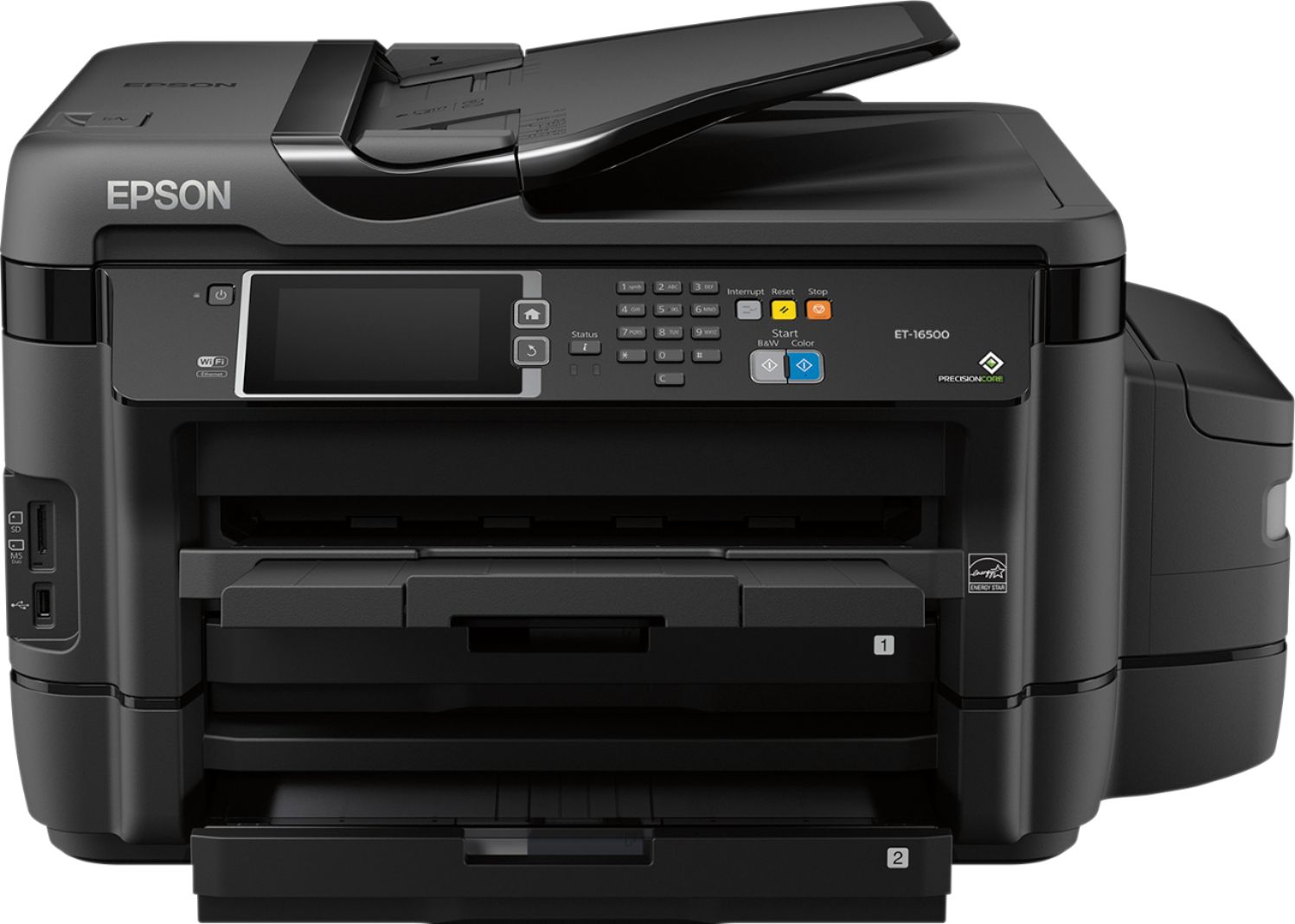
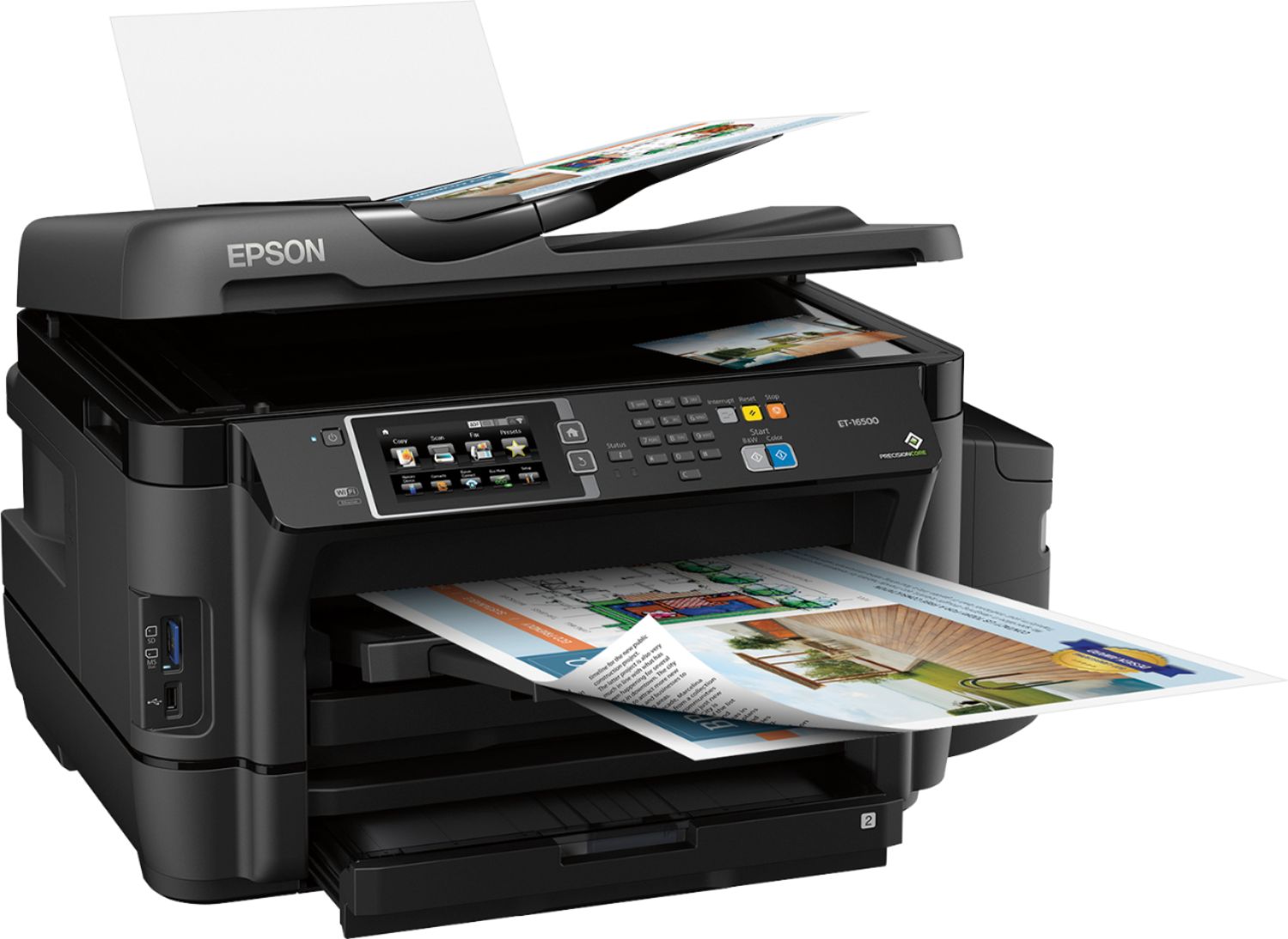
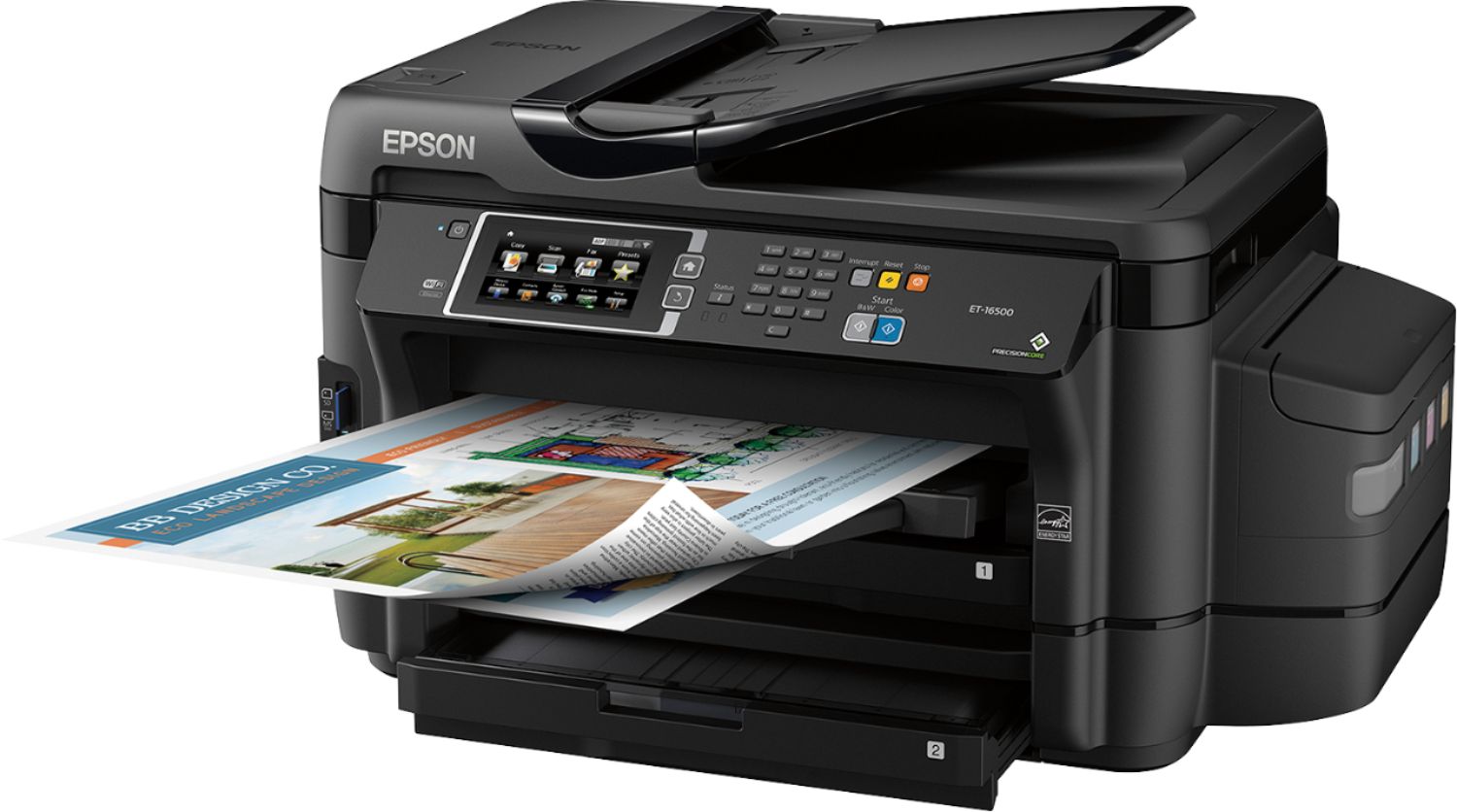


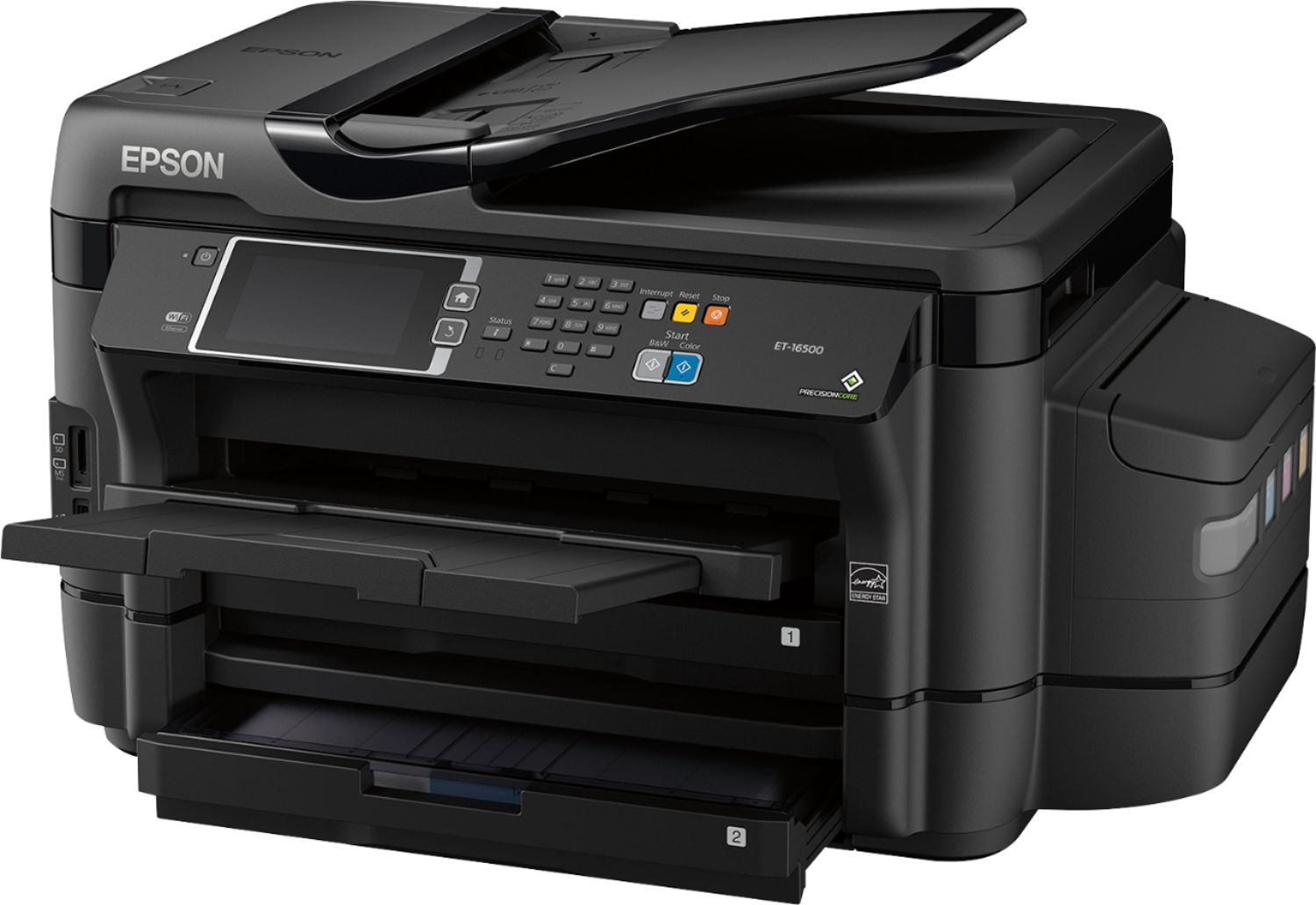

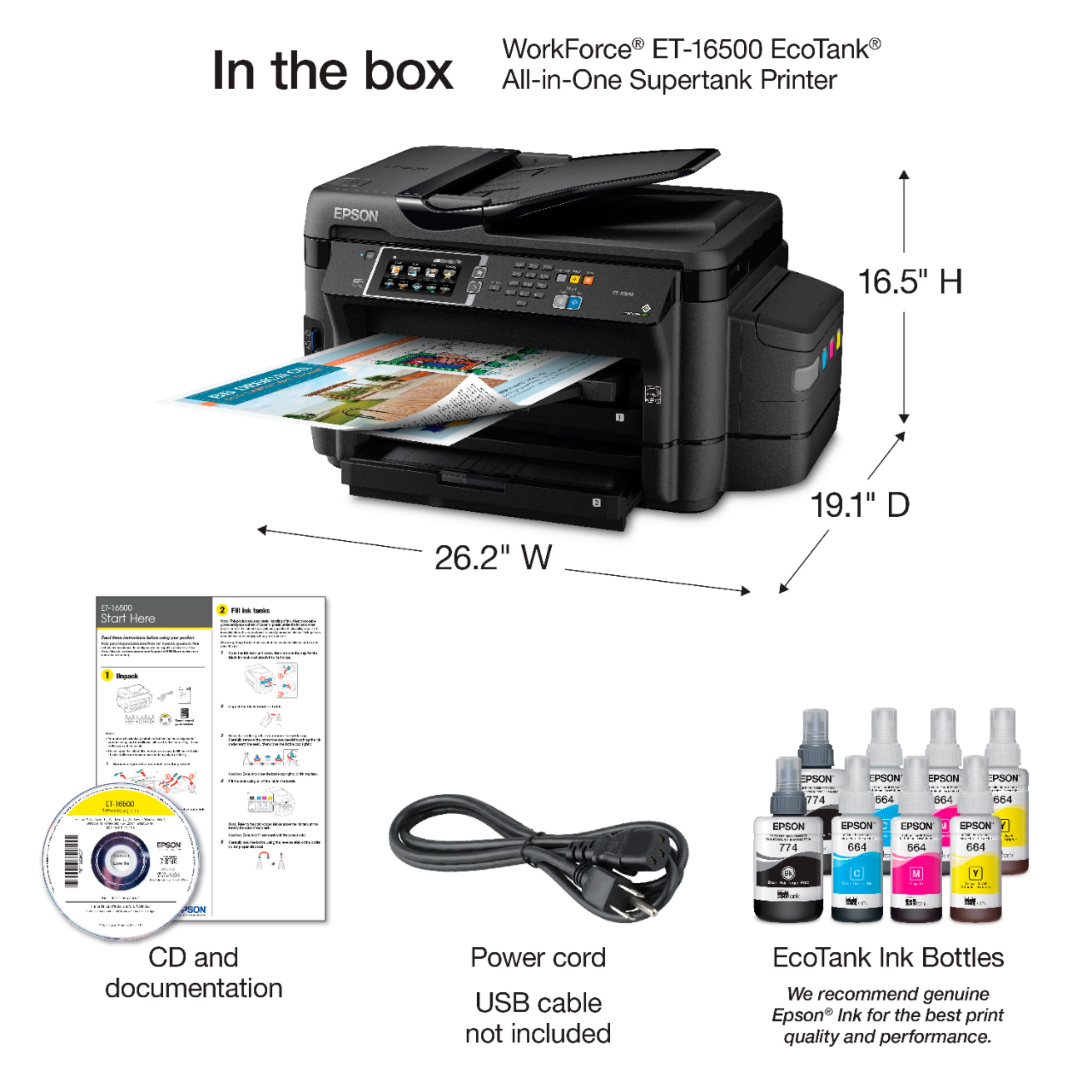

- Model:
- ET-16500 ECOTANK C11CF49201
- |
- SKU:
- 5512500
Customer reviews
Rating 4.5 out of 5 stars with 119 reviews
(119 customer reviews)Rating by feature
- Value3.9
Rating 3.9 out of 5 stars
- Quality3.8
Rating 3.8 out of 5 stars
- Ease of Use4.0
Rating 4.0 out of 5 stars
Customers are saying
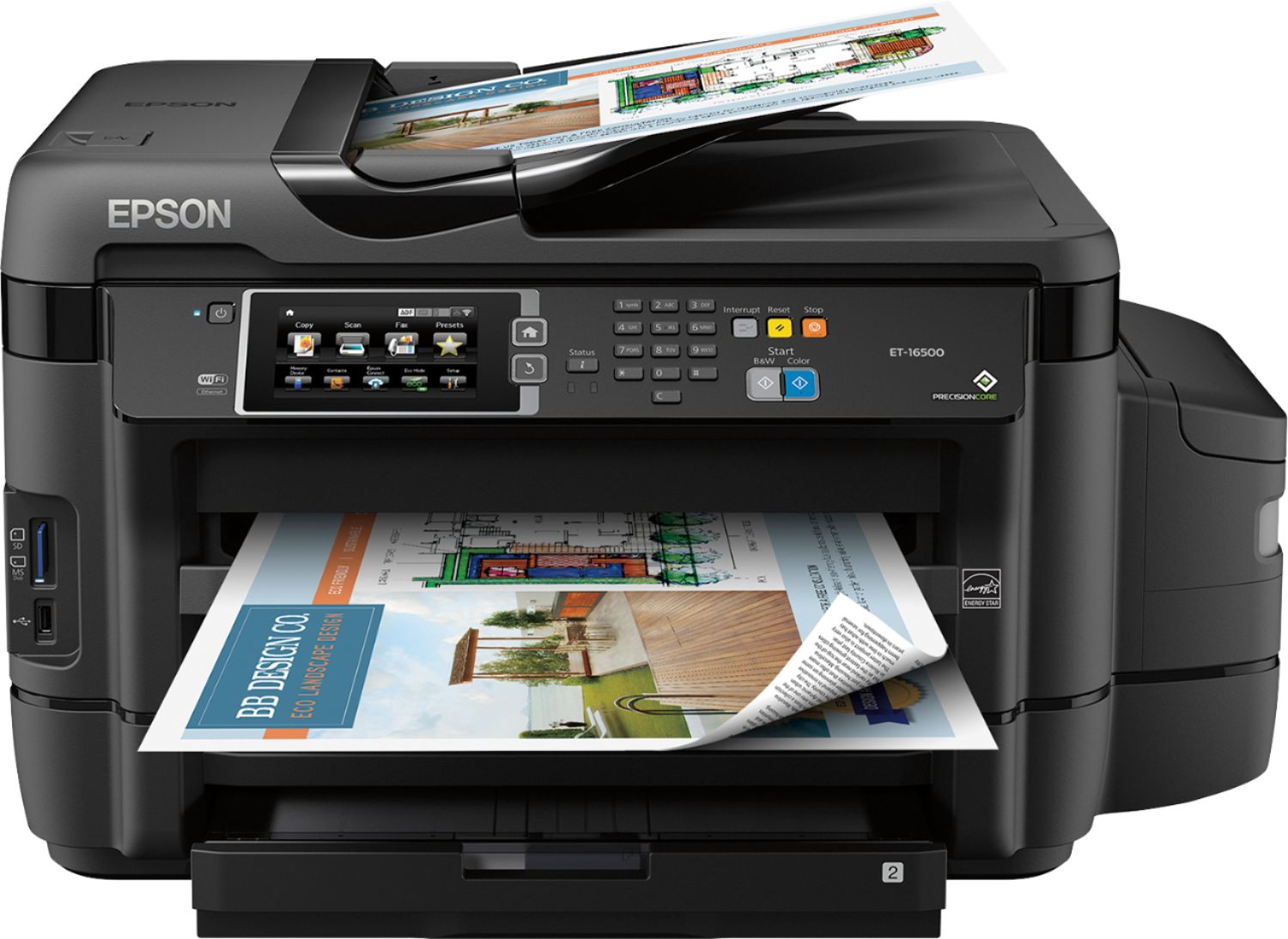
Customers praise the WorkForce ET-16500 EcoTank printer's impressive print quality and ease of setup and use, highlighting its intuitive touch screen and convenient wireless connectivity. The printer's large paper trays are also frequently cited as a positive feature. However, some users note that its size and weight may be a consideration for certain users.
This summary was generated by AI based on customer reviews.
- Pros mentioned:Print quality
Rated 5 out of 5 stars
Perfect inkjet printer for photo and other prints
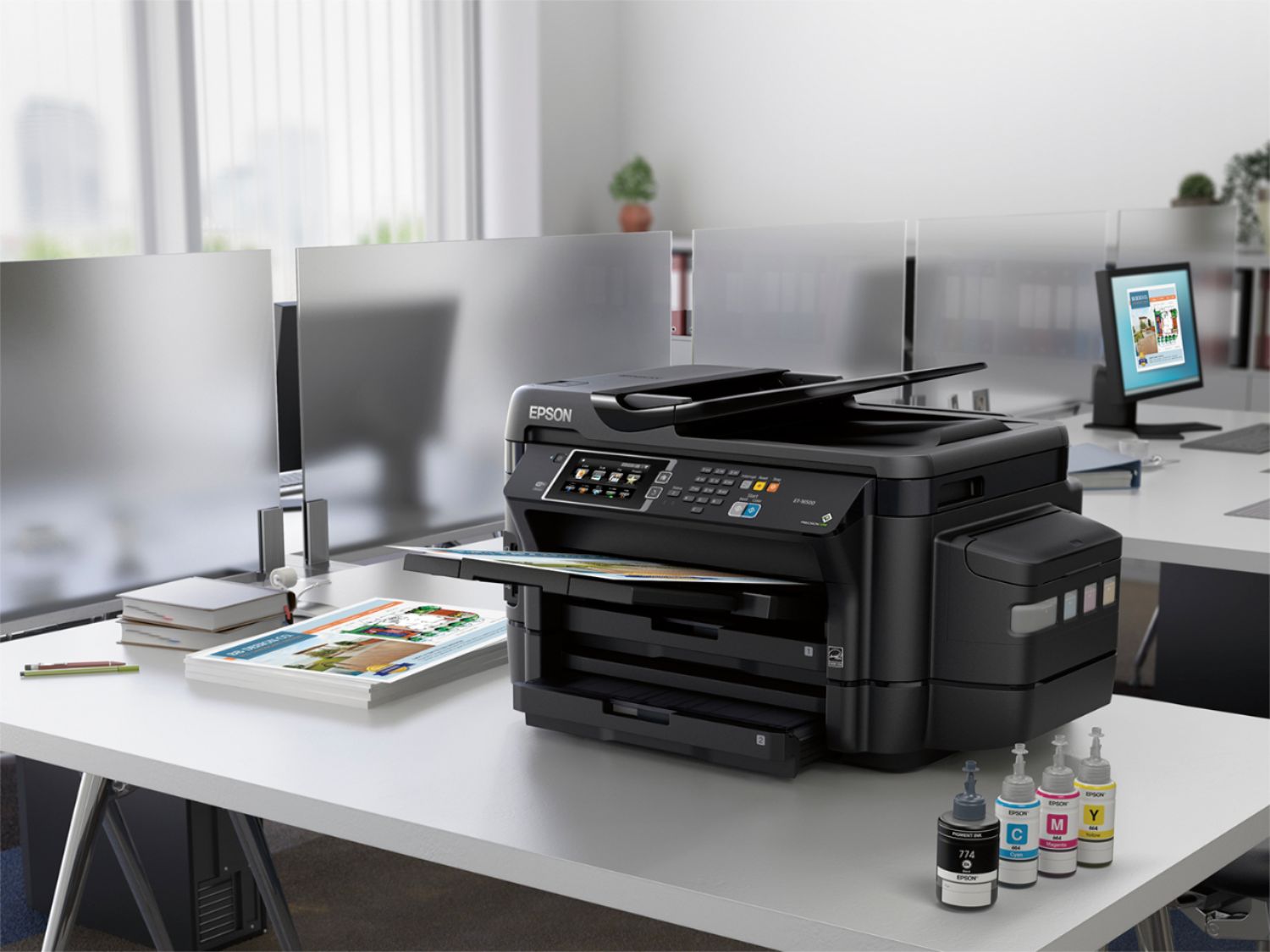
Posted .This reviewer received promo considerations or sweepstakes entry for writing a review.This is a review for the Epson ET-16500 EcoTank that I received free of charge to do a beta test and review. So I am here and very excited to write my experience about Epson ET-16500 EcoTank. It has a lot of plus points. First of all, it has very user friendly set up, I connected this printer with my computer and smart phones via Wi-Fi very easily and without any hectic. It gives better experience with Epson iPrint app for smart phones. Second, the most exciting thing about it is that it accepts larger size papers i.e. up to A3 or A3+ size papers (mostly 13”x19” or 13”x20”). Third, It has given even more convenience with the help of cloud printing (send print command from wherever you are). Last, but not the least, it has Eco-tank for inks, so no need to spend lots of money on ink cartridges, print more economically; it also comes with 2 years of ink supply. I printed a lot of pictures in all sizes with different types of paper. It gives best result on glossy paper I ever saw from inkjet printer and it gives perfect print on matte paper; however I like mostly matte finish paper for my pictures. For every day office prints it is very efficient and reasonable choice.
I would recommend this to a friend - Pros mentioned:Print quality
Rated 5 out of 5 stars
Great printer for any need!
Posted .This reviewer received promo considerations or sweepstakes entry for writing a review.First off, the installation process was SUPER easy and I am no where near technologically inclined. In fact, I was nervous when I opened the box because of how big and sleek and fancy it was...well I was wrong!! The instructions are extremely easy to follow and there was no hiccups what so ever. The only problem I encountered, which had nothing to do with Epson, was the software installation. My desktop and laptop have no disk drive so I had to install online. Still no biggie! That too was easy. The prints are sharp and colorful. I have never used an ink printer before and I have no complaints about them. The only thing I noticed, compared to my other office printer, is that the prints come out slow. Like an old printer with the line by line printing. Not a deal breaker but I do like the fact that my other printer can bust out projects quickly where as I could see this printer taking a little longer. But hey, the prints are so nice it's worth the wait. To top it off, I received this printer free of charge in a beta test and dang it, thank you Epson!!!! I really appreciate it and this printer will definitely be put to use.
I would recommend this to a friend Rated 5 out of 5 stars
Excellent Product
Posted .This reviewer received promo considerations or sweepstakes entry for writing a review.So let me first start off by saying this printer is huge. But its actually not very heavy which was surprising. The printer is well packaged and is very easy to remove from its box. Setting up the printer is an absolute breeze just follow the directions that come with it and you will be up and running in no time. The longest part of the setup is when the unit is setting up the ink for first use. This process takes 20 minutes so please be patient with it . Also make sure to use the proper ink this printer comes with ink for 2 years of use. There are 2 bottles of each color and 2 bottles of black ink. One of each bottle is labeled initial use. Make sure to use that first. Putting the ink in the tanks is very straightforward and easy. Just make sure to follow the step by step set up guide. Now as far as paper this unit holds a lot of it so if you keep it stocked it will take quite a bit of time before needing more paper. The printing speed is incredible and the quality is excellent. I printed a photo from a wedding i was at recently just to see how it looked. I printed it on plain white paper and the photo quality was astounding. As far as the software cd for the printer its easy and straightforward just follow everything it asks you to do and you will be fine. The fax works exactly like it should with no problems at all. I use vonage for phone service and have had no issues at all. The scanner is also very impressive as i scanned a bunch of photos and all of them came out excellent in quality. The unit has a card reader in the front so you can print straight from a media card. It also has a usb port in the front to take photos from your device. All in all this unit is excellent and with 2 years of ink included its an excellent buy especially if you run any type of business that requires alot of printing. This is a review for the Epson ET-16500 EcoTank that I received free of charge to do a beta test and review.
I would recommend this to a friend- Pros mentioned:Ease of use, Print quality
Rated 5 out of 5 stars
Great all in one printer
Posted .This reviewer received promo considerations or sweepstakes entry for writing a review.This is an excellent printer that prints high quality presentations and flyers for my small business. It was easy to set up and supports all my small business demands. I like the feature that lets me print in grayscale to save ink. I am very happy with this printer and recommend it for other small business.
I would recommend this to a friend - Pros mentioned:Print quality
Rated 5 out of 5 stars
Beautiful printer
Posted .This reviewer received promo considerations or sweepstakes entry for writing a review.I run a small business which requires many copies of schedules and flyers to be printed on a weekly basis. This printer allows me the opportunity to print without running out of ink or buying ridiculous amounts of cartridges to refill after only a few uses. It has a very sleek design which sits beautifully and is easy to operate. I especially liked the ease to which the wifi connects. The picture quality is amazing which is helpful for the projects and flyers that I display. As a small business owner it is important to me to work efficiently and make sure that costs are not being wasted unnecessarily on items such as ink. I feel the freedom with this printer that not only is it cost efficient but environmentally friendly as well. This is a review for the Epson ET-16500 EcoTank that I received free of charge to do a beta test and review.
I would recommend this to a friend - Pros mentioned:Print quality
Rated 5 out of 5 stars
Awesome printer, love it!
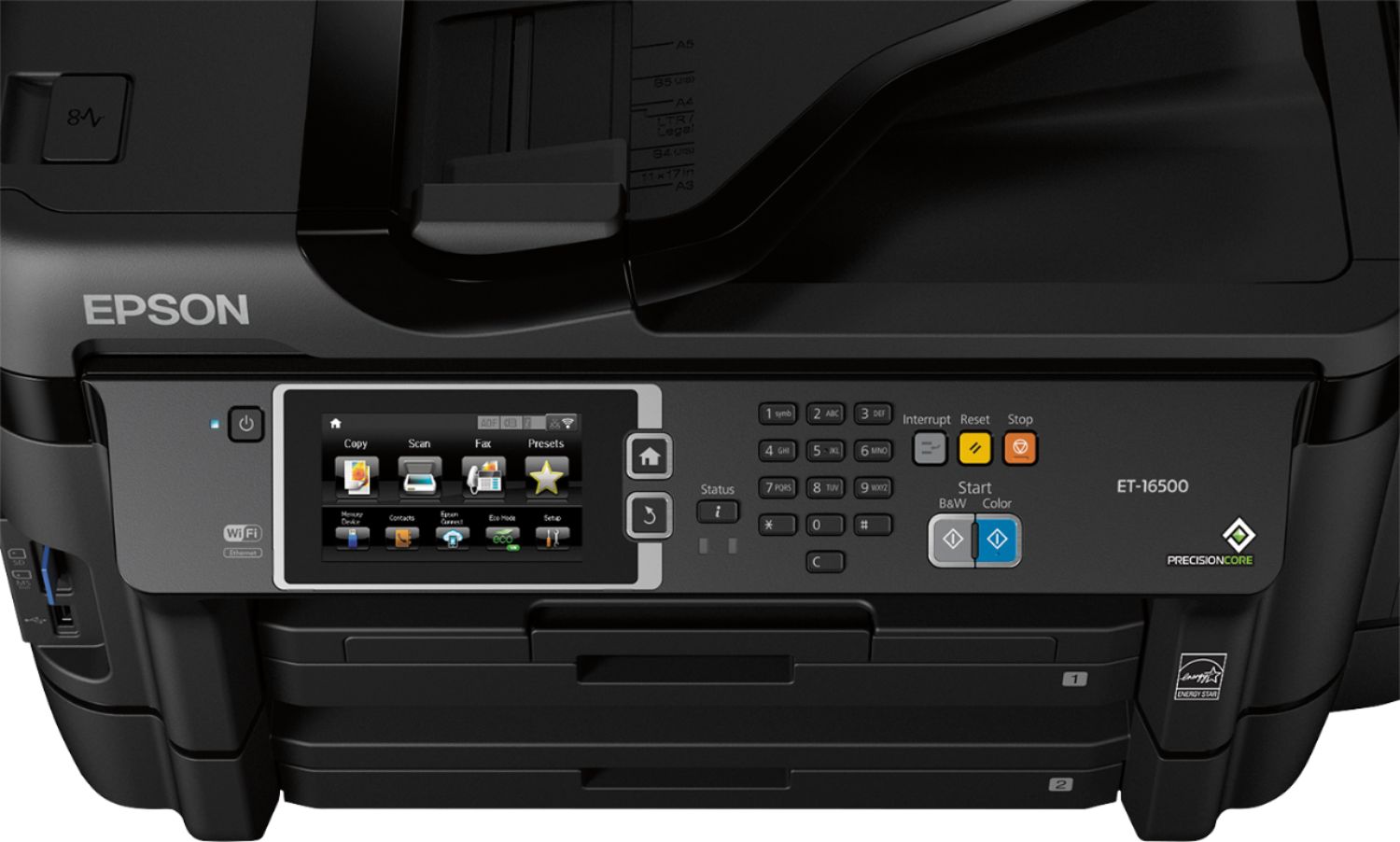
Posted .This reviewer received promo considerations or sweepstakes entry for writing a review.The printer, right out of the box is impressive. It has a large 4.3” display and is a multifunction machine (Copy, Print, Fax, Scan). I plan to use to use it for two main purposes: Work: Collateral, white papers, and flyers. I plan to use it for marketing materials for my business. Personal: Art projects with kids, memory journals as Christmas presents for next year, craft and school projects. Education: This printer is fantastic for school needs and double sided printing along with the 2 years of ink in the box, makes it very cost effective and we have a child and myself at school right now. I am really excited to use this printer for business and personal needs. This is a review for the Epson ET-16500 EcoTank that I received free of charge to do a beta test and review.
I would recommend this to a friend - Pros mentioned:Print quality
Rated 5 out of 5 stars
Best Epson Printer
Posted .This reviewer received promo considerations or sweepstakes entry for writing a review.This is a very large printer but it is definitely worth the size. The set up was very simple and did not take very long. I printed a photo and was pleasantly surprised by the quality of the print and that I’m able to print many different sizes. I no longer have to order my photos online! The best part of this printer is that it comes with two years of ink. I don’t normally print many things since replacement ink is so expensive but since I know this ink will last I will definitely be printing more photos, etc. I’m also excited to be able to print documents and photos from my smartphone. This is the best all in one printer I’ve ever used. This is a review for the Epson ET-16500 EcoTank that I received free of charge to do a beta test and review.
I would recommend this to a friend Rated 5 out of 5 stars
Perfect AIO for large format small office
Posted .This reviewer received promo considerations or sweepstakes entry for writing a review.Beware this printer is LARGE. I have another little laser printer I use for firing off tons of text documents at blazing speed, though it only does B&W and it is just 8.5 x 11. Using this in a small office would be fine, but if you have a home office, double check the footprint if you are replacing another printer. The box showed up a little banged up so I was expecting it to be a little thrashed inside also. To my shock, it was not. The packing inside was a little beat up, but the printer was no worse for the wear. Wonderful! I lifted it out, set it on my desk, and started pulling the blue tape off. There is a ton of it so take a few mins and really go over it on initially unpacking it. Once that was done, I grabbed the ink bottles, popped the tops off and started filling it. After cleaning up the drops I inevitably spilled and stained some fingers with, I plugged it in. It walks you thought the setup with a little wizard on the large touchscreen. I left it sit and "charge" the ink for about 20 mins while I made lunch. Once I had finished eating I came back to an error on the screen that said to turn the printer off and on again. Error Code:0xEA. I turned it off and back on and it went through the ink charging process (again maybe?) and after this time it was up and running. It comes with 2 bottles of each color ink (black obv being the largest). One bottle fills up each tank. I started by printing a picture my son had drawn on his iPad. What? No Airprint. Argh. I went and downloaded the EPSON app in the app store and printed using that without a hitch though. It would be nice to have native AirPrint support in a thousand dollar printer, but alas, the EPSON app will have to do. I then went and scanned a copy of my license to see how it worked. Very simple and quick. You even get a little preview right on the touchscreen. No computer needed. Awesome! You can also scan a stack of documents using the auto feeder. I haven't had that on any of my other home office printers as of yet. Next was to print out some large stuff. I do Auto CAD work for home wiring. Oh how nice it is to have this printed on large paper now instead of having to squint to read stuff! It printed super clear and quick also. I was thoroughly impressed. I then loaded up Excel on my Mac to print out some spreadsheets I needed. The built in printer finder is normally killer on OSX. IT found the printer but said I needed to get drivers for it. That is the first time I've had that happen with a printer, but okay. I typed "EPSON 16500 drivers" into Google and low-and-behold, the first link was the software download page. A couple mins later it was installing. I then ran the software updater and it grabbed new software. Already? I just downloaded the installer! Whatever. I then auto-added the printer in the native OSX printer finder thing and boom. It printed my spreadsheets without a hitch and just as fast as my laser printer! I was double-siding my spreadsheets with no issue also. It's nice to be able to just hit go on that and let it run. I hate flipping paper since I get it wrong more often than not when feeding it back in to print the even numbered pages. I didn't use the fax capabilities since I don't have a phone line in my home office that supports that. People still use fax? There are also a plethora of ports on the front to load things to print from USB drives and memory cards of different shapes and sizes. I have never used that on any printer I have had though over the past 10 years. You can set this up to use Google Print, but this is going to take some reading to figure out. I added the printer to my account, but it shows in the status screen of the printer as not setup yet. Weird. This is a review for the Epson ET-16500 EcoTank that I received free of charge to do a beta test and review. Overall, I would recommend this printer. It has printed everything I have thrown at it without a hitch and I didn't even have to bust out a manual once to get it working which was a little surprising for a printer that is this capable (save for the Google Print, but I don't fault it for that)
I would recommend this to a friend- Pros mentioned:Print quality
Rated 5 out of 5 stars
To think, actual INK!!
Posted .This reviewer received promo considerations or sweepstakes entry for writing a review.Out of the box this printer is a thing of beauty. Super easy setup and install. We have a small office with multiple computers and its running seamlessly. Being able to print and scan 11x17 is also a huge plus. And two paper cartridges make it effortless to print both. But what really stands out is Ink! Actual ink! Liquid ink! Who would've thought? After a week of printing, the ink levels have not gone down a bit. Replacement ink is really affordable as well. Just take care when filling the tanks. If the eco-tank performs as they say it should, it will pay for itself in under a year. This is a review for the Epson ET-16500 EcoTank that I received free of charge to do a beta test and review.
I would recommend this to a friend - Pros mentioned:Paper trays
Rated 5 out of 5 stars
Epson ET-16500 - a fantastic printer !
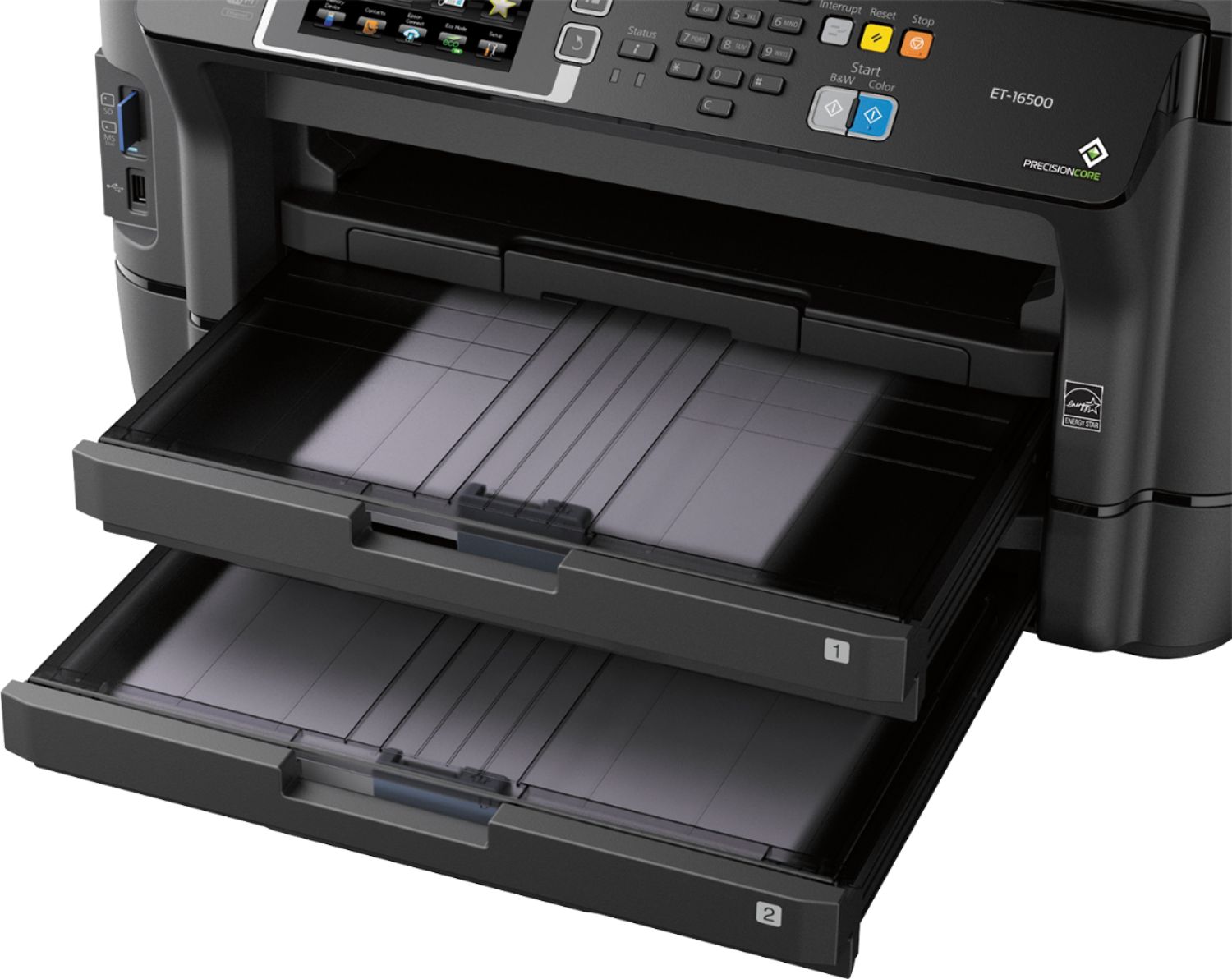
Posted .This reviewer received promo considerations or sweepstakes entry for writing a review.This is a review for the Epson ET-16500 EcoTank that I received free of charge to do a beta test and review This is such a user friendly printer. The Ink quality is better than expected and the general set up for this printer was easy to follow. Once I loaded the ink, and set up the printer, the WI-FI configuration just took a few minutes to install. The paper cartridges have plenty of room to load a decent amount of paper without having to reload often. The touch menu is very legible and easy to use. This is a great printer for all paper formats. We are very happy with this printer!
I would recommend this to a friend - Pros mentioned:Print quality
Rated 5 out of 5 stars
Great printer!
Posted .This reviewer received promo considerations or sweepstakes entry for writing a review.This printer works great. I haven't had any issues with it so far. The only thing that was bad about the entire experience was the set-up. While the set-up is very easy (just follow the directions that are provided) it took about an hour to get it all set up. Otherwise though this thing will print, scan, copy, and fax without issues. Oh and the ink lasts forever. I have used this printer a lot (500+pages) so far and have yet to have to refill the ink. I love this printer. This is a review for the Epson ET-16500 EcoTank that I received free of charge to do a beta test and review.”
I would recommend this to a friend Rated 5 out of 5 stars
Best Printer I've ever owned!
Posted .This reviewer received promo considerations or sweepstakes entry for writing a review.This is a review for the Epson ET-16500 EcoTank that I received free of charge to do a beta test and review. When I received this product, it was nicely and securely packaged. It came with two full-size sets of each color ink (an initial and refill). I was extremely pleased by how beautiful this printer looks. I can tell Epson put the top pros in constructing and designing this printer. Now for my experience in actually using the printer. The printer has easy step-by-step instructions. I followed every step and encounter an error of "paper jam" when I had never even put any paper in the printer. It took me a few hours of looking for any tape (used to secure the printer during shipping) I might have missed or any problems that could be causing a paper jam error to occur while attempting to charge the print head. Finally, I figured out what the problem was! The print head would go along the track about four or five inches when charging and then I'd get the paper jam error. It turns out, the print head was hitting its own ink tubes/electrical wires on the inside of the printer directly under the bevel at the front-inside of the printer. So, I just pushed those tubes/wires out of the way (closer to the front-side of the printer) and it was then able to complete the charging process. Other than that easy to fix issue, everything was perfect! The actual use of the printer after setup has been super easy! I can print from my phone! I can email the printer for it to print stuff! I can connect it to google cloud print and print from my Chromebook or almost anything from almost anywhere in the world. It's exciting to have such a functional and connected printer! The print quality is the best I've seen from any ink printer and the replacement ink is super inexpensive. The printer also has a color touch screen display to control the printer. This touch screen makes it incredibly easy to use and setup without a computer, if you so choose to do so. The touch screen has troubleshooting help for any errors you may encounter. It makes it easy to use as a stand-alone unit, if you want a stand-alone type printer/scanner/copier/fax.
I would recommend this to a friend- Pros mentioned:Print quality
Rated 5 out of 5 stars
The best Printer i've ever owned
Posted .This reviewer received promo considerations or sweepstakes entry for writing a review.I received this printer to beta test and i have to admit this printer is extremely pleasing to have!! I have printed over 300 pages at one time and not once did the printer flinch or ink level drop printing is extremely fast and quality is not lost at all i would highly recommend
I would recommend this to a friend Rated 5 out of 5 stars
Awesome for at home workers!
Posted .This reviewer received promo considerations or sweepstakes entry for writing a review.I'm in sales and have no office, just my car and my home. Having to go to kinkos is such a hassle for my constant printing of presentation documents, contracts, invoices and purchase orders. I needed a printer but avoided purchasing. I read about the features of the Epson and the boasts about the printing capacity and I was impressed! I also love the idea of an inkwell instead of a cartridge. I can honestly say that I have been so pleased with this product. It was easy to install (I did it myself!), filling the ink cartridges was a little different than I am used to but easy none-the-less. The paper loading was simple and I LOVE a top loaded and scanner. The scanning quality is impeccable as well. I would highly recommend this printer to others who need an efficient way to work from home and still present quality work.
I would recommend this to a friend- Pros mentioned:Print quality
Rated 4 out of 5 stars
Love the consistency
Posted .This reviewer received promo considerations or sweepstakes entry for writing a review.I've always loved Epson printers because of the printing consistency that it delivers, vibrancy of color and quality construction. I am happy to bring this printer into the workplace to handle our company's needs
I would recommend this to a friend - Cons mentioned:Airprint
Rated 2 out of 5 stars
Ipad/iphone users be aware
Posted .This reviewer received promo considerations or sweepstakes entry for writing a review.I did not buy this printer from Best Buy, but did view it here, and it says that the ET16500 is AirPrint enable, THIS IS INCORRECT. Be aware that this printer does not use AirPrint, and the iPrint mobile software you are supposed to use is designed like it is from the 1990s. For mobile devices, you cannot print out of Mail, you have to log into your email through a browser, and I have yet to be successful in printing an email, it calls up the page before the one I want to print. POOR interface. There is another piece to the puzzle "iConnect" which tells you that the printer has an email address, and you can email the printer to print your emails/photos/etc. What a confusing mess. I would send it back to Epson, but would have to pay to ship the monster.
No, I would not recommend this to a friend Rated 4 out of 5 stars
Great printer for any business or marketing needs
Posted .This reviewer received promo considerations or sweepstakes entry for writing a review.Great printer for any business or marketing needs. Prepare, it takes some time to set up initially. This is a review for the Epson ET-16500 Tank that I received free of charge to do a beta test and review.
I would recommend this to a friendRated 1 out of 5 stars
Can see why they discontinued
Posted .This reviewer received promo considerations or sweepstakes entry for writing a review.This thing was poor out of the box. Poor print quality, noisy
No, I would not recommend this to a friendRated 1 out of 5 stars
3 years then trash
Posted .This reviewer received promo considerations or sweepstakes entry for writing a review.Stopped working after light work in 3 years. Fortunately Asurion insurance refund me 999.99 dollars. If you have to buy it, buy assuroion insurance 4 years (100 dollars extra) because it is sure will stop working within this time.
No, I would not recommend this to a friend
People also viewed
- $299.99Your price for this item is $299.99$379.99The comparable value for this item is $379.99
- $699.99Your price for this item is $699.99$849.99The comparable value for this item is $849.99
- $129.89Your price for this item is $129.89$179.89The comparable value for this item is $179.89
- $79.00Your price for this item is $79.00$140.00The comparable value for this item is $140.00
- $99.99Your price for this item is $99.99
- $189.89Your price for this item is $189.89$259.89The comparable value for this item is $259.89
- $239.99Your price for this item is $239.99
- $69.00Your price for this item is $69.00$107.00The comparable value for this item is $107.00
- $49.89Your price for this item is $49.89$89.89The comparable value for this item is $89.89
- $99.89Your price for this item is $99.89$159.89The comparable value for this item is $159.89
- $79.89Your price for this item is $79.89$149.89The comparable value for this item is $149.89
- $86.99Your price for this item is $86.99
- $59.00Your price for this item is $59.00$107.00The comparable value for this item is $107.00
- $269.89Your price for this item is $269.89$369.89The comparable value for this item is $369.89
- $149.00Your price for this item is $149.00$215.00The comparable value for this item is $215.00
- $499.99Your price for this item is $499.99
















