Customer Ratings & Reviews
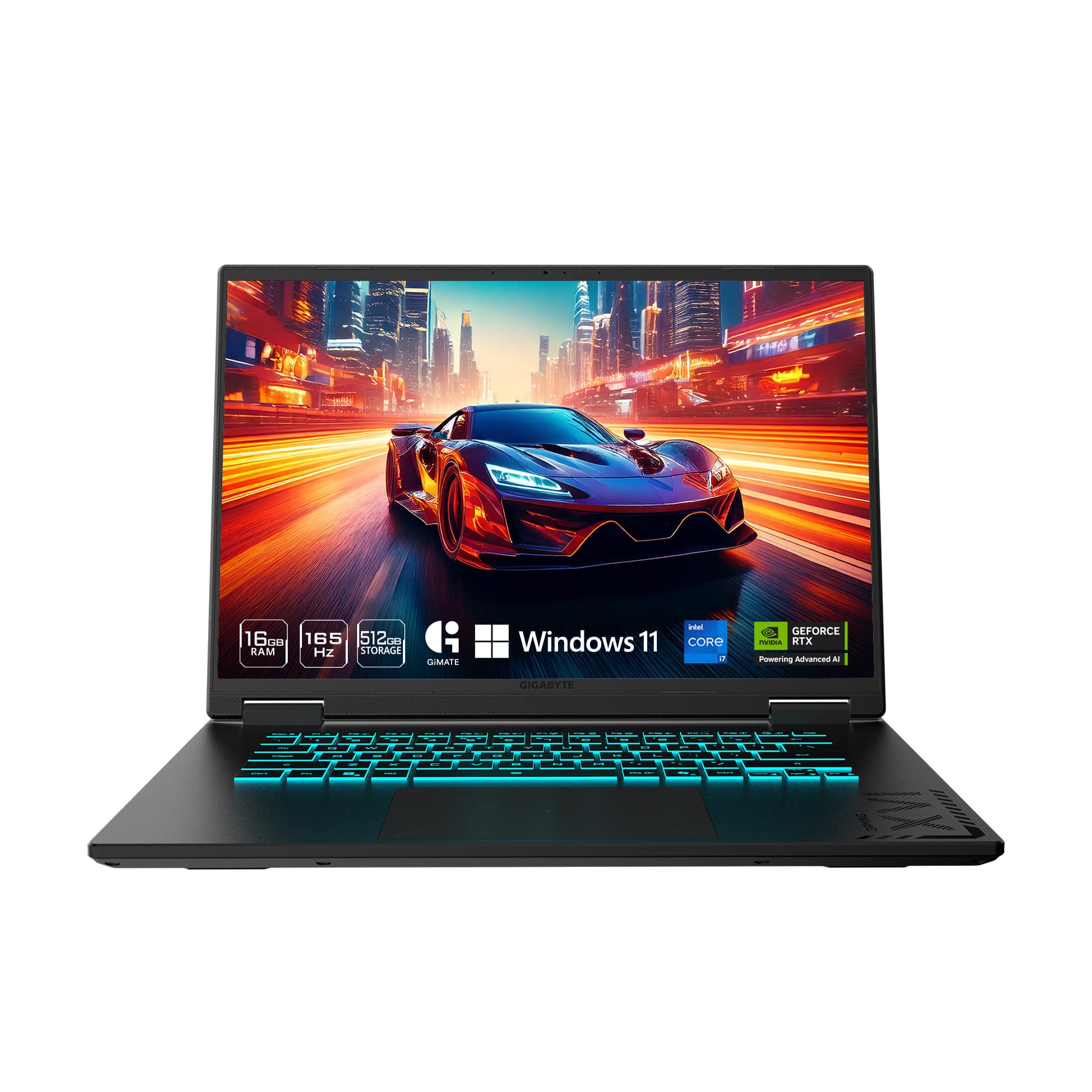
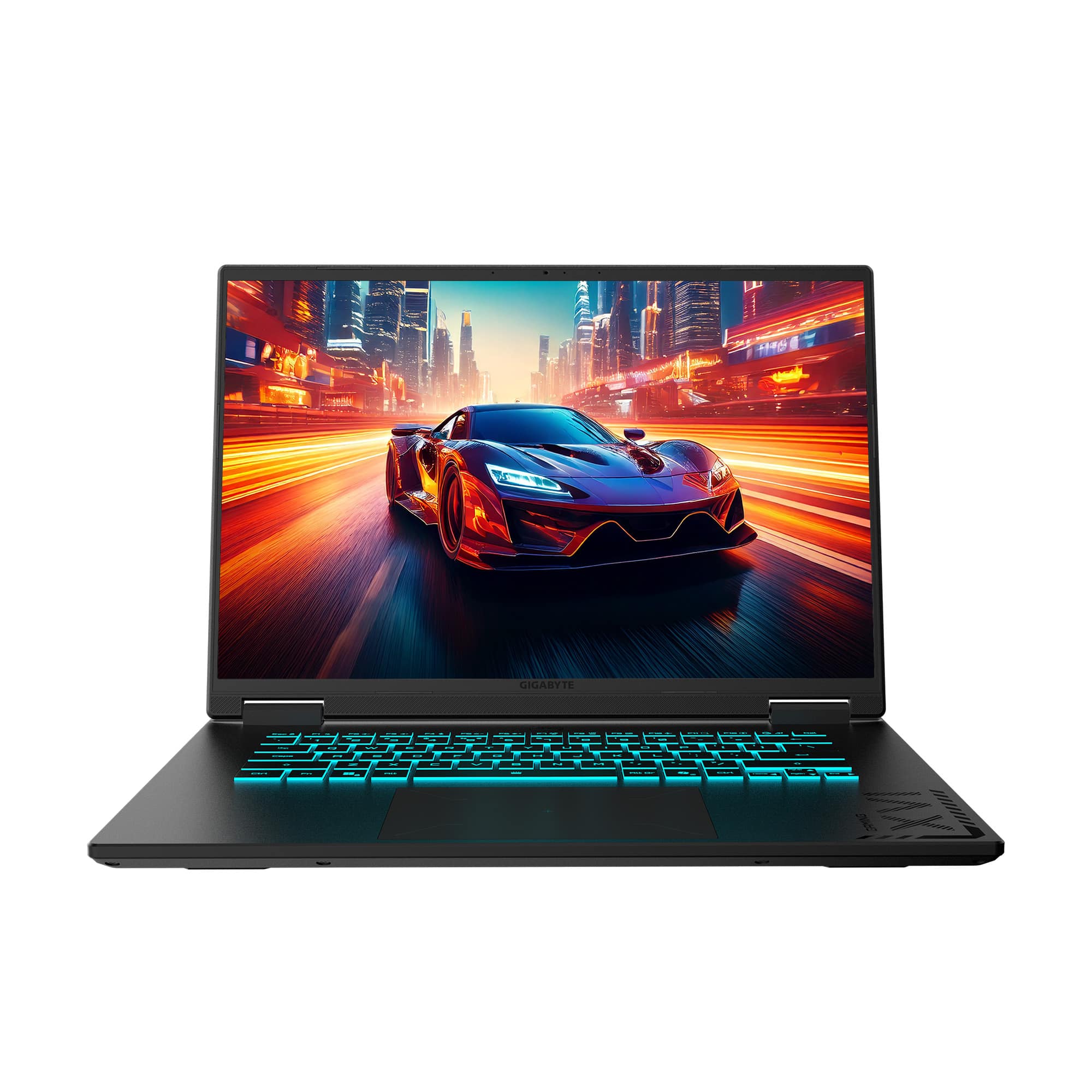
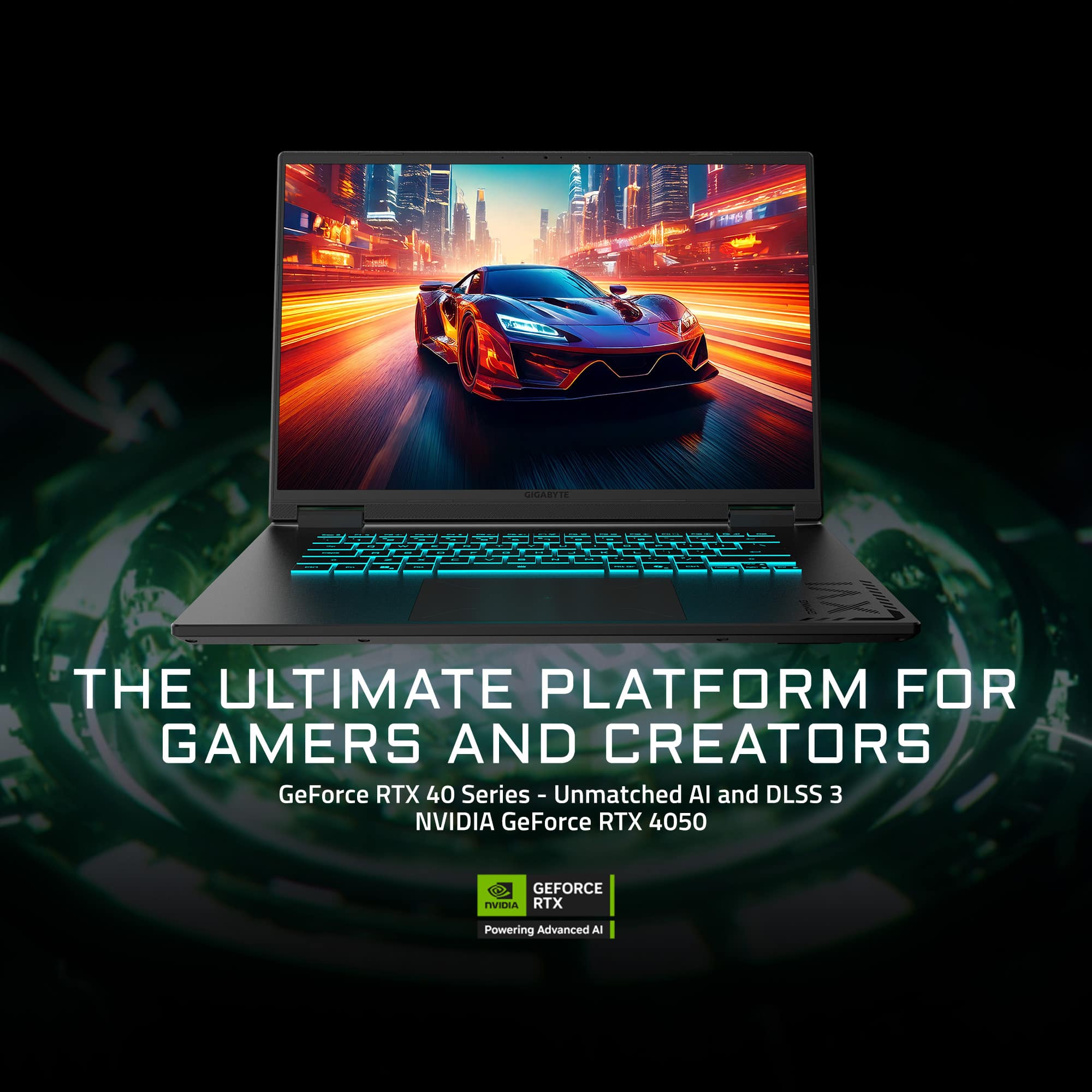

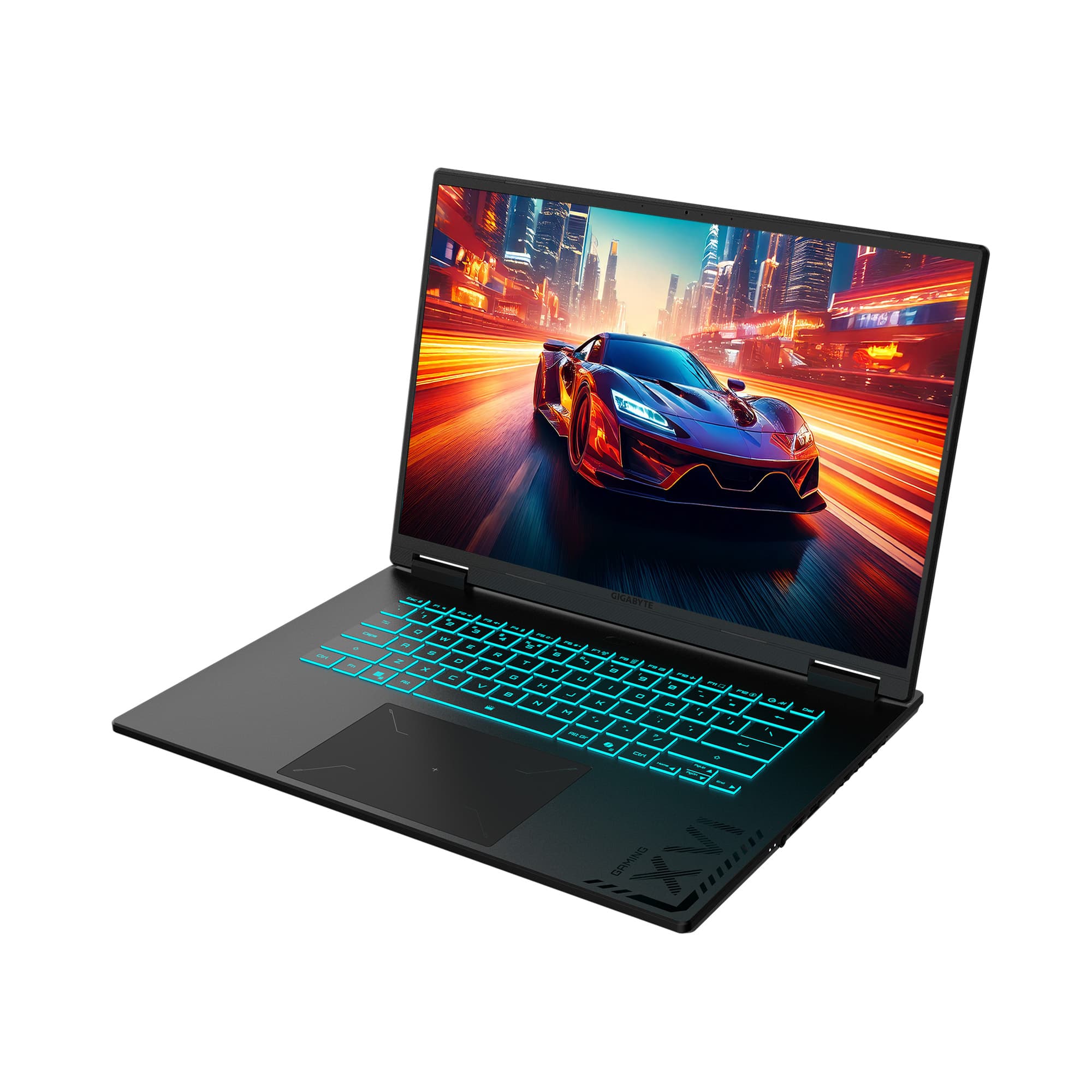


- Model:
- GAMING A16 CMHI2US893SH
- SKU:
- 6632144
Rating by feature
- Battery Life
Rating 4.2 out of 5 stars
- Speed
Rating 4.3 out of 5 stars
- Display
Rating 4.5 out of 5 stars
Customers are saying
Customers love the GAMING A16 for its overall performance and fast processor speed. Many appreciate its portability and are generally satisfied with the battery life. Some customers have noted the fan noise and weight, while a few mentioned that it can run hot.
This summary was generated by AI based on customer reviews.
- Pros mentioned:Overall performanceCons mentioned:Fan noise
Great gaming laptop that still works for school
||Posted .This reviewer received promo considerations or sweepstakes entry for writing a review.We bought this laptop for our son’s birthday, and it’s been a huge hit. He uses it primarily for gaming, and it runs everything smoothly with great graphics and no lag. The 165Hz display is gorgeous and makes a noticeable difference, especially for fast-paced games. What we really appreciate is that it’s not just a gaming machine—it also works well for schoolwork. It’s fast, responsive, and handles multitasking easily. The build feels solid, and it doesn’t feel flimsy like some laptops in this price range. Setup was easy right out of the box, and so far it’s been very reliable. The fans can get a bit loud when gaming (which is expected), but temperatures have stayed reasonable. Overall, this has been an excellent purchase and feels like a great balance of performance, quality, and value. It was a perfect birthday gift, and we’d absolutely recommend it to anyone looking for a capable gaming laptop that can also handle everyday use.
I would recommend this to a friend Good budget-ish gaming laptop
||Posted . Owned for 2 weeks when reviewed.This reviewer received promo considerations or sweepstakes entry for writing a review.Has great overall performance and works for both my gaming and work needs. Has a good amount of storage too. Nice backlight keyboard and good screen resolution. Only complaint is that battery life could be better.
I would recommend this to a friend- Pros mentioned:Overall performance
Quality laptop
||Posted .This reviewer received promo considerations or sweepstakes entry for writing a review.So far this laptop has been enjoyable to use. The keyboard feels nice, which is important to me, and the system performance overall is quite good. The screen looks quality, and there's not much bloatware (other than what Microsoft includes by default now).
I would recommend this to a friend Gigabyte gaming A16
||Posted . Owned for 2 weeks when reviewed.This reviewer received promo considerations or sweepstakes entry for writing a review.Was delivered when it wasr to be. Ean was a huge help!! At the Jimmy me Smith store in Hiram. After going to the Douglasville store and being disappointed I decided to try this store. Ean was very helpful, to his time looking up a computer I wanted since one was not there. From now on I'll go to the Hiram store!! I'm very pleased with my purchase, easy to set up and works like a charm!! Thanks a bunch Ean!!
I would recommend this to a friend- Pros mentioned:Overall performance
Ms Minecraft
||Posted . Owned for 3 weeks when reviewed.This reviewer received promo considerations or sweepstakes entry for writing a review.Excellent product. I'm very happy with this laptop. It's so fast and beautiful. I truly recommend.
I would recommend this to a friend - Cons mentioned:Weight
Gamer pc
||Posted .This reviewer received promo considerations or sweepstakes entry for writing a review.The product is in perfect state, it is heavy so have that into consideration but has great space, really easy to use and works for many programs.
I would recommend this to a friend - Pros mentioned:Overall performance
Not just gaming, its an all in one.
||Posted .This reviewer received promo considerations or sweepstakes entry for writing a review.Perfect for all your needs in gaming, business, and home projects.
I would recommend this to a friend - Pros mentioned:Overall performance, Processor speed, RamCons mentioned:Fan noise, Weight

Decent specs, good for casual games
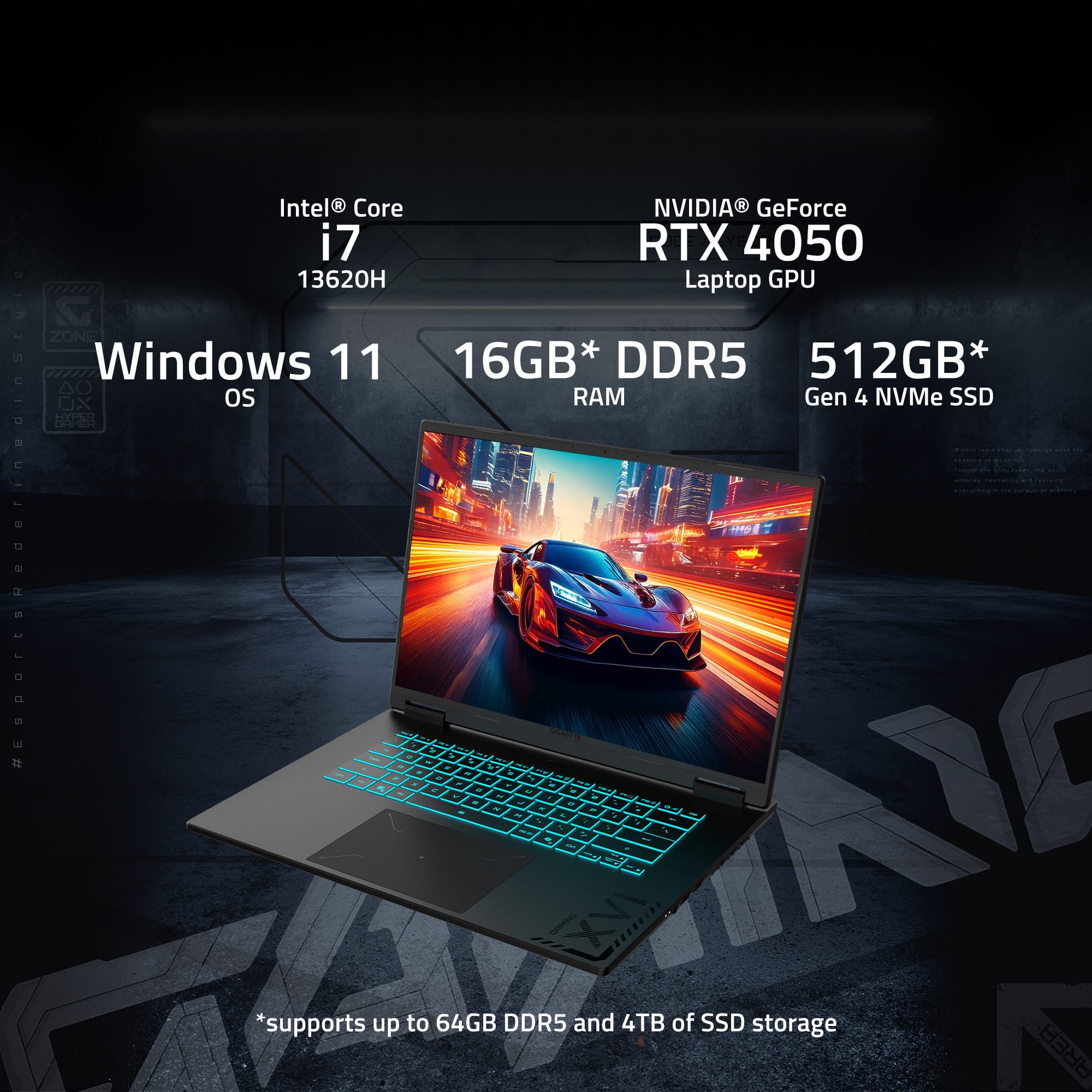
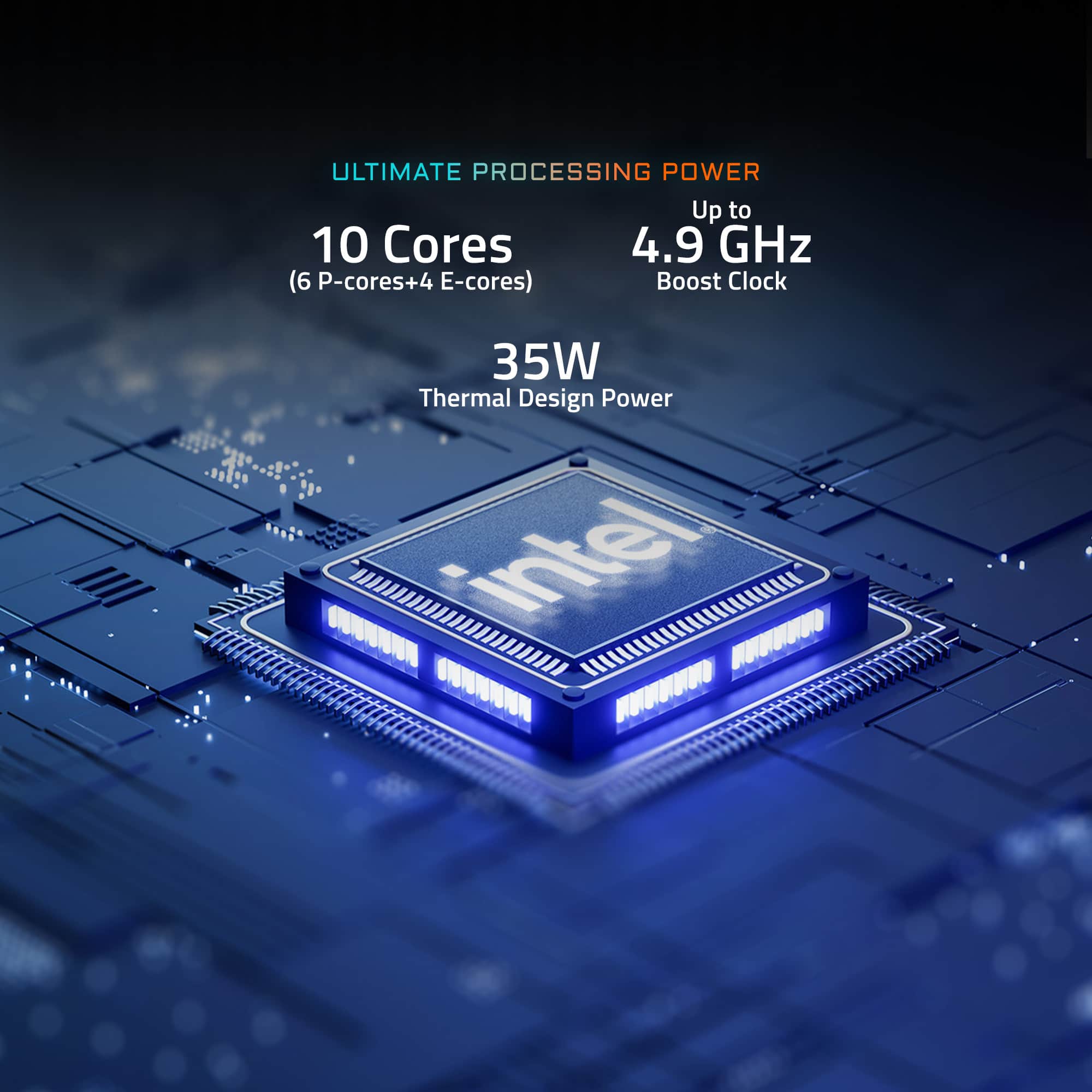
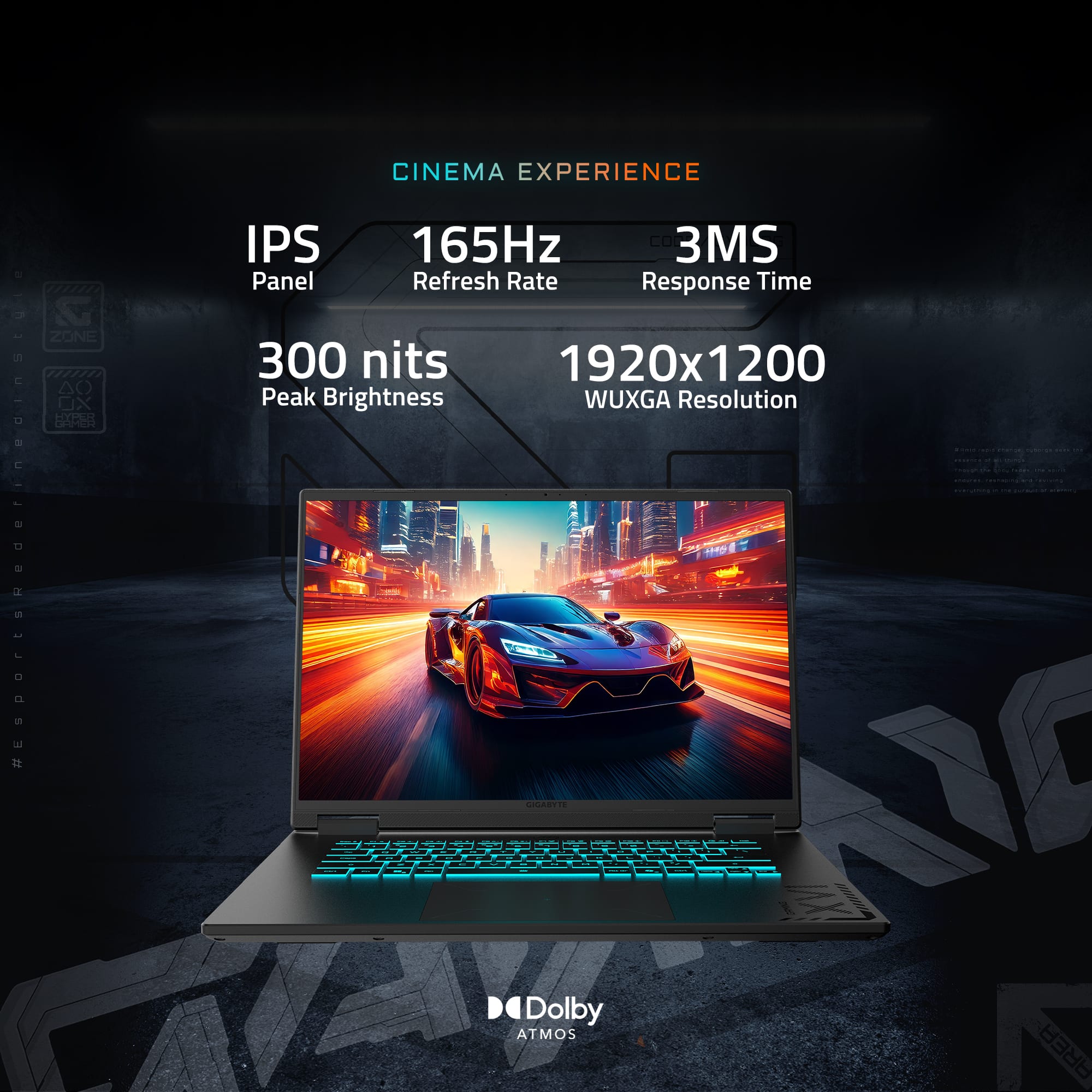
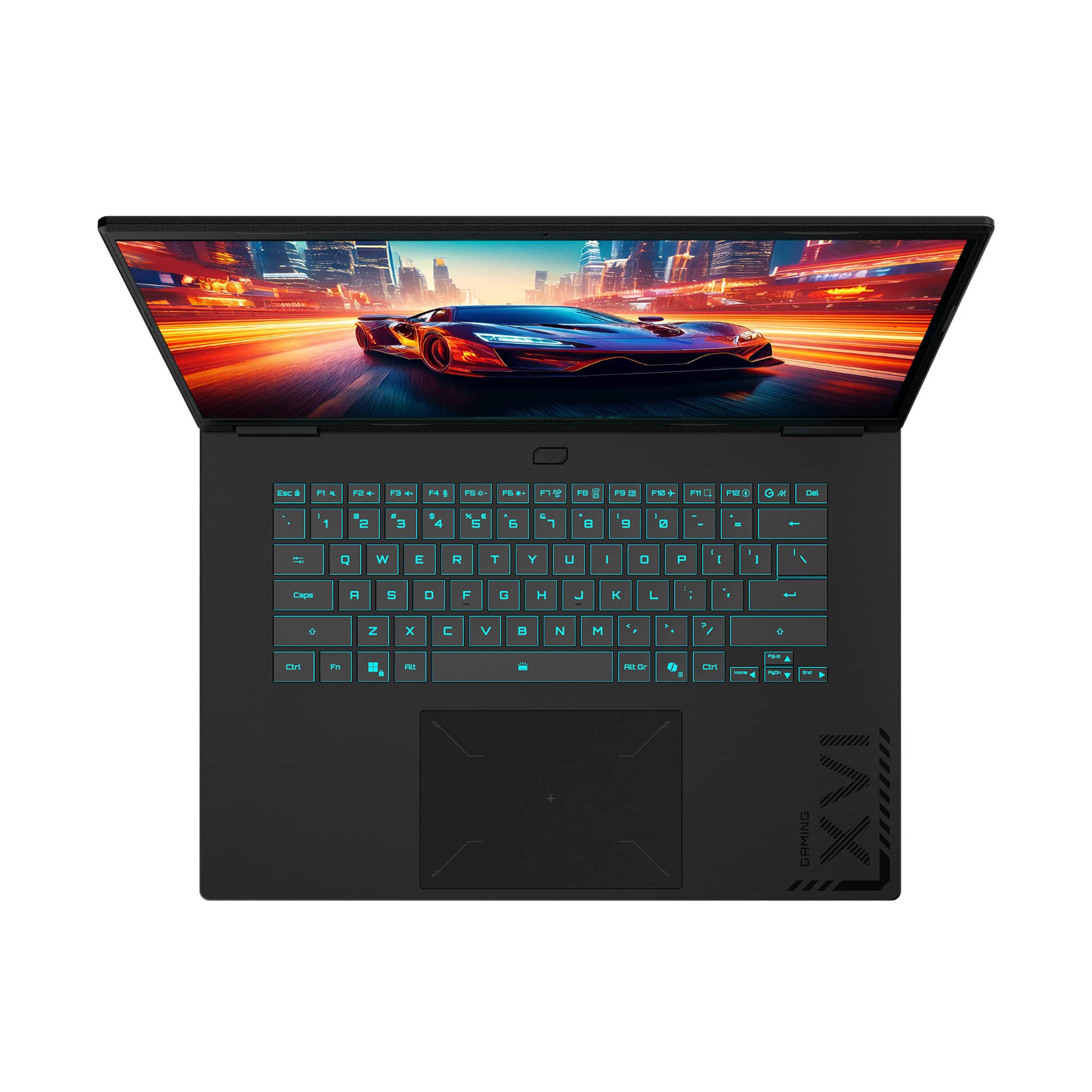
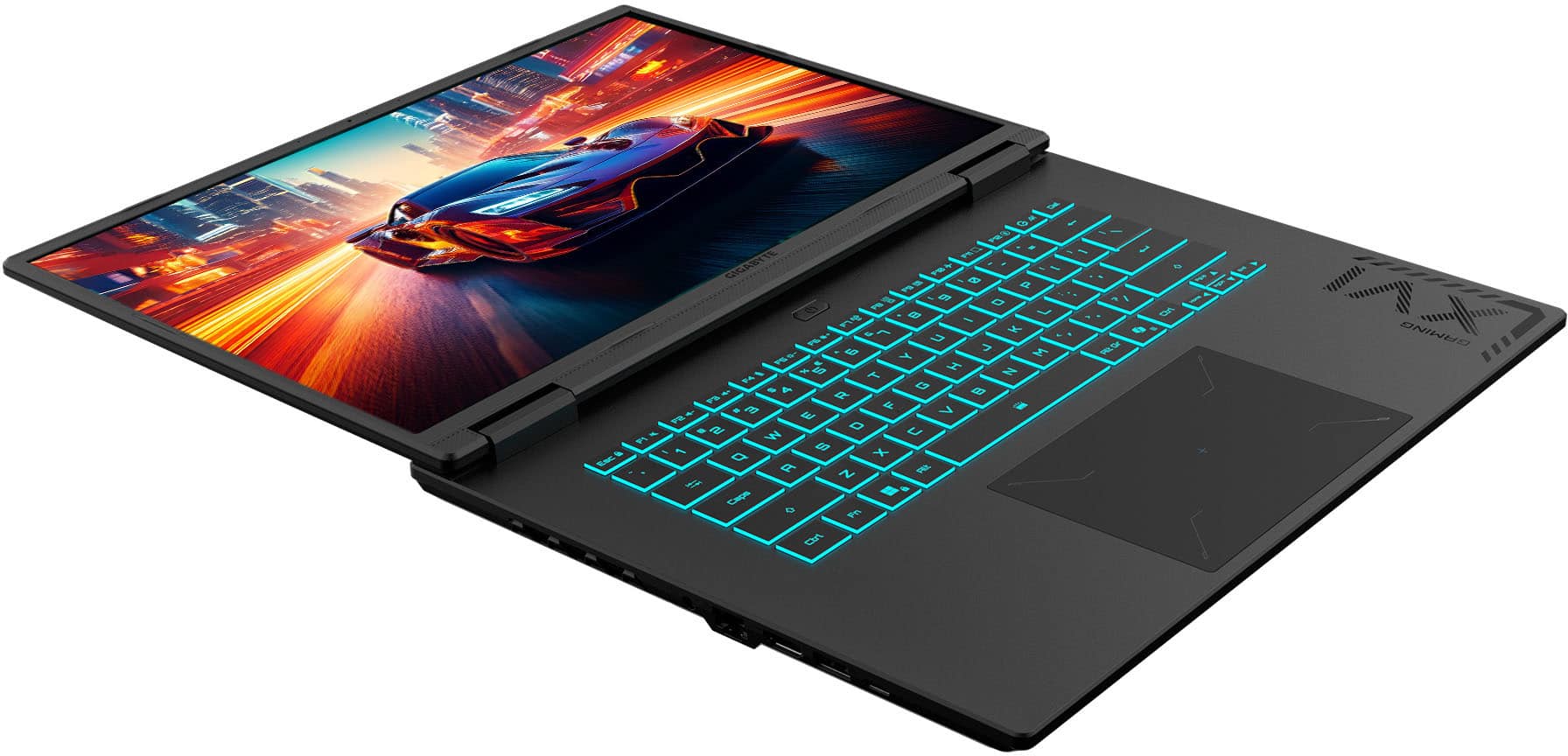
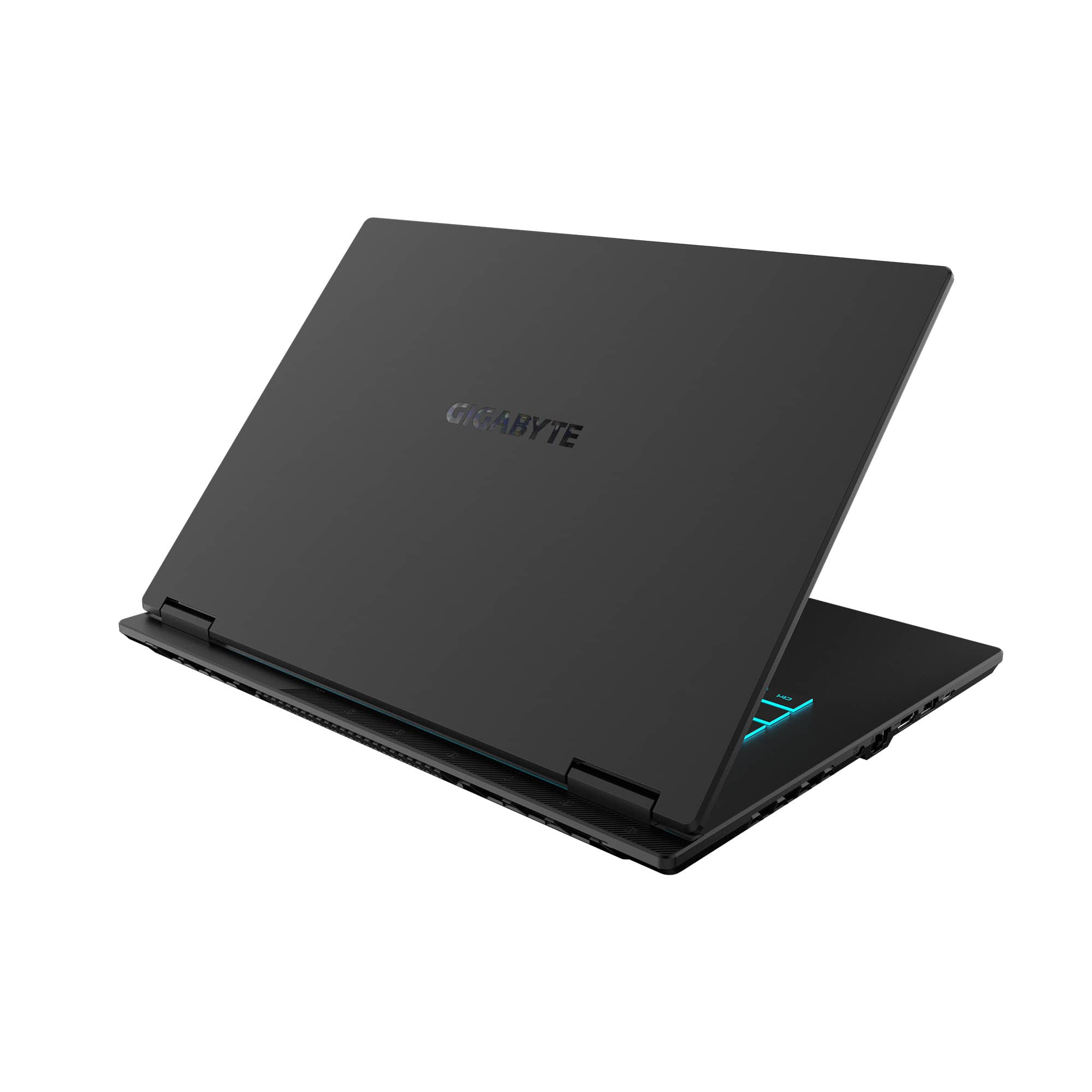
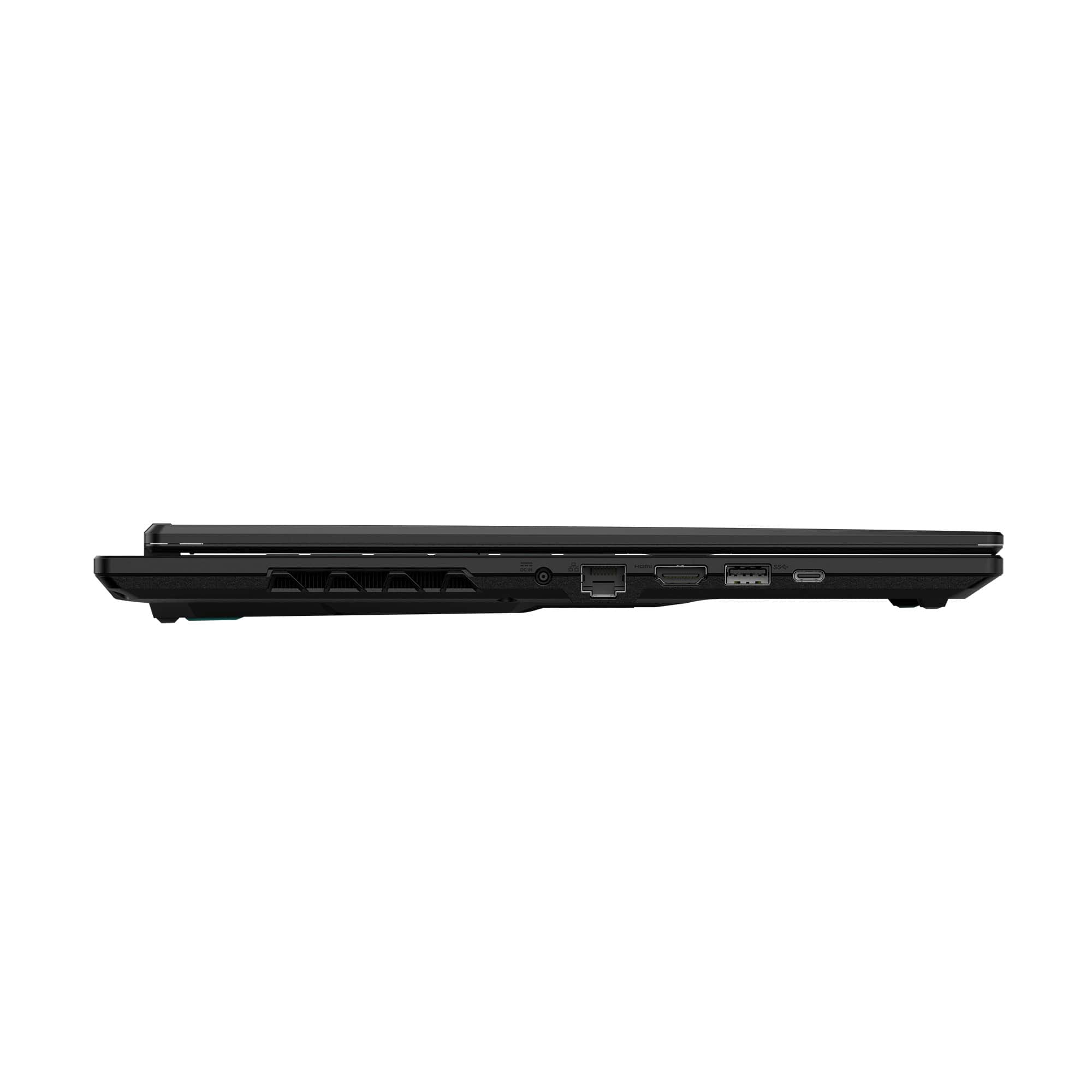
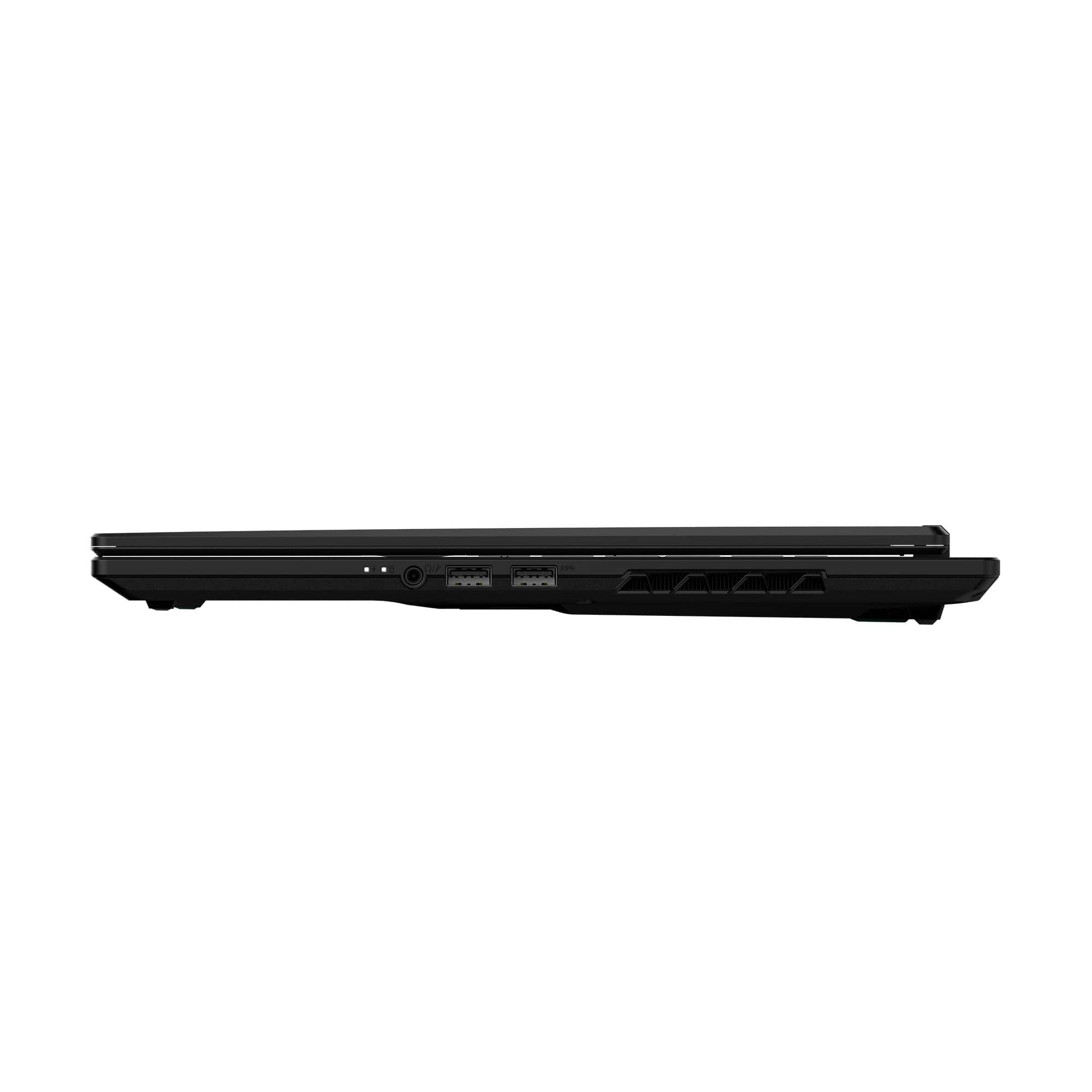
|Posted .This reviewer received promo considerations or sweepstakes entry for writing a review.This is my first gaming laptop from Gigabyte, and this entry-level device has adequate specs for an enjoyable casual gaming experience. The outer lid is a metallic-looking black plastic with a tiny bit of shimmer and glossy engraved ‘Gigabyte’ logo that looks pretty cool. The laptop weighs around 5 lbs with the 150Watt AC charger weighing an additional pound. This particular build runs on an Intel Core i7-13620H CPU with 2.4GHz base clock and 4.9GHz Turbo, 16GB of DDR5 5200MHz RAM, GeForce RTX 4050 discrete GPU (80W), and ships with a 512GB SSD (PCIe Gen4). The RAM is upgradable to 64GB, and there is a second internal m.2 SSD slot for adding another drive. For I/O, the left-hand side has the power port, Ethernet, HDMI 2.1, USB-A and USB-C 3.2 Gen1 ports with the latter supporting DisplayPort 1.4 out and Power Delivery 3.0 charging (up to 100 Watts). The right-hand side has the LED indicators, combo mic and headphone jack, and additional USB-A 2.0 and 3.2 Gen1 ports. The 2W stereo speakers are located on the underside towards the front corners and support Dolby Atmos. Their quality won’t wow you though with a tinny boxiness that struggles to compete with the noise from the fans running at max speed. They’re fairly serviceable for consuming media, however, when set to ‘silent’ and the 5.2.1 virtualized surround sound helps create more balanced audio. The display for this laptop is a 16” diagonal IPS panel with 165Hz max refresh rate, 1900 x 1200 resolution, and 300 nits brightness. It opens to a 180° layflat orientation and has slim bezels with a 90% screen to body ratio, as well as an integrated 720p webcam with dual-array microphone; note, however, that there is no built-in privacy cover for the webcam, although the indicator LED next to it lights up when it is activate, and it can be disabled in the device settings. The screen also supports variable refresh rates of 30-165Hz but is not compatible with G-sync. For gaming, plugging the laptop in is a must for the best performance, as I found that refresh rate was capped to 60Hz in some games while on battery power. That said, frame rates regularly hit 125-165 fps in games like Path of Exile and Warframe while set to the highest power and performance settings and 165Hz refresh rate. I also found that the system runs the smoothest at medium to medium-high graphics. When set to Ultra video settings I experienced frequent dropped frames, stutters, and lag when loading new maps and areas. The laptop is super silent thanks to its 0 dB ambience Windforce cooling, so much so that the first time I turned it on, I had to check the status LEDs on the side to make sure I’d pressed the button hard enough, as there is no LED indicator in the power button itself. The heat management is pretty impressive with the internal components rarely exceeding 75°C, and the upper keyboard deck staying comfortably cool to the touch even during intense or longer gaming sessions. Setting up the laptop was straightforward and took about 10 minutes. The system runs on Windows 11 and has Window’s Copilot AI built-in, which can answer questions and generate text or image content. Copilot also has its own dedicated quick launch button on the keyboard. You can fine tune your system using the GiMATE app, which is Gigabyte’s control console with its own AI-powered assistant and quick launch key; however, its functionality is pretty limited, and its ability to ‘understand’ command variations isn’t particularly strong. GiMATE primarily helps you manage your hardware by adjusting settings like fan speed, brightness, and power consumption. It can also adjust audio output based on the surface your laptop is on and cancel out background noise picked up by the mic for enhanced vocal clarity on video calls and live streaming. There is a MUX switch that automatically switches between the discrete and internal GPU for higher performance or longer battery life depending on which applications are being used. While you can disable the discrete GPU to maximize runtime, you cannot set the screen to always use the discrete GPU. In Eco mode with power saving settings enabled, the 76Wh battery estimated around 9 hours of use for non-resource intensive activities like web browsing, word processing, and streaming content at 30% brightness. When the performance settings were maxed out for gaming, battery life dropped to about 90 minutes. The full-size keyboard is ten-keyless and backlight, though note that the arrow keys are half-sized. The LED backlight can be toggled off but the light blue color and brightness cannot be changed. The keys have a 1.7mm travel distance and feel springy and responsive without generating a lot of noise from typing. The mouse trackpad is suitably large and has a printed pattern on it that suits the gamer aesthetic. Overall, I found the Gigabyte A16 to be a fairly good entry-level gaming laptop for casual gaming. The screen is bright, and it handled the games that I play nicely at relatively high, but not maxed out, graphics quality. The fans are a bit loud, but in exchange you get great temperature control, so you won’t experience hardware throttling or a hot keyboard while gaming. There are a couple upgrade paths via RAM and SSD that you can perform to improve the system. The speakers are just okay, and the keyboard backlight is appreciated, even if it’s not customizable.
I would recommend this to a friend - Pros mentioned:Overall performance
Valuable product
||Posted .This reviewer received promo considerations or sweepstakes entry for writing a review.Do not miss this product because amazing and fast!!
I would recommend this to a friend Received defective product
||Posted . Owned for 1 week when reviewed.This reviewer received promo considerations or sweepstakes entry for writing a review.*I returned this item less than 1 week from receiving it* Weird power button that took awhile before showing any signs of life. Screen worked fine, build quality felt good, but the laptop ran slow right out of the box and gave me some trouble when doing the first setup. I eventually got it working before realizing I had a bigger problem. I downloaded the Nvidia app to get latest drivers but the installer notified me that in order to use their software, I needed to have an Nvidia GPU. Windows did not see the gpu in the laptop. It only registered the CPU integrated graphics - 128 MB Intel(R) UHD Graphics. Inside windows device manager, only after showing hidden devices, was the gpu found. The GPU was either unplugged or there was a faulty connection. Either way it was a hardware problem. Rather than grab a screwdriver and take apart my brand new laptop, I instead chose to return it. The manufacturer must have pretty poor quality control if they don't have a way to check that the advertised hardware is functional.
No, I would not recommend this to a friend- Pros mentioned:Overall performance
Gaming laptop
||Posted .This reviewer received promo considerations or sweepstakes entry for writing a review.I don't have any problem with that i playing games every day
I would recommend this to a friend ITS A GOOD CHOICE
||Posted .This reviewer received promo considerations or sweepstakes entry for writing a review.Excellent budget gaming. and i fell its very quiet
I would recommend this to a friend- Pros mentioned:Battery life, Overall performance, Processor speed
Solid gaming & all around performance
|Posted .This reviewer received promo considerations or sweepstakes entry for writing a review.Overall, this new Gaming A16 model from Gigabyte is a strong contender in the packed field of entry level discrete GPU gaming PCs. Personally, I really like the 16" screen size for a gaming and productivity laptop - it's a nice mix between having great screen real estate to get work done or to be immersed in your game while still maintaining some degree of portability. Make no mistake about it, this isn't a "lightweight" ultrabook, but it's still considerably less than an inch thick and highly portable, even at nearly 5 lbs without the substantial charging brick. The outer shell of the laptop is plastic, though in a nice touch, it's not TOO gamery - no crazy lighting or RGB on the outer shelly, just some interesting textures. Once you open the laptop, you see main attraction, the 16" 165Hz 1920x1200 screen. It's not an OLED to be sure, but has good range of brightness and color/contrast and is certainly good for gaming. The keyboard is comfortable for long typing or gaming sessions (and backlit - it seems like a single color and brightness of light blue) and the touchpad is generously sized and has good feedback on clicks. I was able to quickly hit my normal speed and accuracy ratings in a speed test after just a bit of getting used to the new keys. With a 10 core / 16 thread (6 dual threaded P cores and 4 single threaded E cores) Intel Core i7 13th Gen CPU, you get strong processing performance paired with high speed 3600Mts RAM and a 512GB SSD. If you'e looking to upgrade, the lower part of the case is easy to (11 small philips head screwdrivers and a credit card or pry tool to pull the two halves of the case apart and you're in (see picture I've attached). Once you have the case open, you can replace the battery, if you like, or upgrade the WiFi card (it does come with a solid WiFi and bluetooth module, but nice to know you could potentially upgrade the connectivity in the future if you want). More importantly, you can also access the M.2 SSD slots - there are 2 total, both in size 2280 and one is pre-populated by the 512GB system drive (easy to replace if you'd like) - and the RAM (only ONE stick in a dual channel set up really does beg to be fixed with a second stick) is likewise easy to replace / add to. In use, the laptop is quite the snappy performer. I did have some issues with Windows Updates taking a long time but was able to download a few of the updates directly from Microsoft (not through the update tool) and install them. Once I got through the initial set of updates, I was able to clear the update cache and it works much better now. The 4000 series of nVidia GPUs is a true jump forward with great features and software support that make it a solid choice, even in the relatively lower end 4050 6GB version we have here. Performance (and battery life) have been strong throughout my testing, both in day to day use in the office and in the periodic games that I use it for. And when you don't need the GPU, the laptop will turn it off to save power. So all in all, very pleased with this Gigabyte laptop for both gaming and productivity on the go. If that's you're use case, give this one a try today - you won't be disappointed.
I would recommend this to a friend - Pros mentioned:Battery life, Overall performance, Portability
Delivers solid gaming experience and more
|Posted .This reviewer received promo considerations or sweepstakes entry for writing a review.As an entry-level gaming laptop, this Gigabyte laptop delivers solid gaming experience within reason and the build quality is actually great. It is well suited for playing Roblox, Counter Strike and AAA titles with some setting adjustments. The RTX 4050 and i7-13620H combo are capable enough to play AAA games in medium to high settings at Full HD resolution. I enjoyed playing Helldivers 2 in mixed medium and high settings (pictures enclosed). FPS performance was averaging about 60ish and that was plenty enough to get smooth and very enjoyable gaming experience out of the latest AAA title. An entry-level gaming laptop would usually offer an i5 processor and 8 GB of RAM with even less powerful GPU, so this Gigabyte laptop offers a great value offering i7 processors, 32 GB of RAM and RTX 4050. The SSD capacity, which is 512GB is average for a gaming laptop within the same category. Of course, the SSD is user upgradeable and there is one free slot available to use without replacing the old SSD. I/O port supports Power Delivery 3.0 protocol that supports up to 100 watts of power, while the included power supply inputs maximum of 150 watts. Though it is possible to supply power through a USB-C laptop charger, gaming performance will certainly be affected. Setting up is easy enough and upgrading drivers, and firmware as needed, are a smooth experience through the Gimate windows app. The 16-inch panel was good enough and performed well within expectation of an entry level gaming laptop. At the typical rating of 300 nits of maximum brightness, the monitor is bright enough for indoor gaming. The 165hz refresh rate is responsive enough to make gaming experience for first-person shooter games enjoyable and competitive. The monitor also effectively reduces glare, which I like a lot. The audio quality is also quite reasonable. The speakers don’t output the oomph and fidelity of much more expensive gaming laptop but they are loud enough to make them useable for gaming and watching streaming contents. The laptop is slim enough and it is actually slimmer than my other entry level gaming laptop that uses RTX 4060 laptop GPU. It also helps that the power brick is compact and slim enough. So, it is a big win in terms of size and portability for a 16-inch monitor class laptop. Also, the design and quality of material are great. The laptop looks and feels premium enough to pass as a mid-grade large business laptop. Actually, since the laptop supports MUX switch, user can choose to use integrated GPU instead of dedicated RTX 4050 GPU when operating on battery. In which case, the battery life will be greatly improved. Overall, this laptop offers a very solid laptop experience for an entry level gaming laptop category. Like: Design and built-quality Portability as a 16-inch monitor class gaming laptop AAA title gaming performance for an entry level gaming laptop MUX switch PD power delivery capability Don’t really like: 512 GB SSD Average sound quality
I would recommend this to a friend - Pros mentioned:Processor speedCons mentioned:Fan noise
Solid Gaming Laptop.... Once I Reinstalled It.
|Posted .This reviewer received promo considerations or sweepstakes entry for writing a review.The Gigabyte A16 CMH is an entry level gaming laptop with solid performance and features. However, the initial setup process was far more difficult than I had expected it to be. I spent hours with the laptop stuck in update loops that never progressed. After hours of waiting, the machine would give an error and then proceed into Windows. But once in Windows, the situation did not improve much. Updates would regularly give error messages. System update downloads from Gigabyte and Microsoft would stall out or produce errors. Still, once I got the machine up and running (read on for details!), I enjoyed the laptop. It is a good gaming laptop with a solid screen, keyboard, and processor. The 4050 NVIDIA GPU is okay. The audio with Dolby Atmos support is good. There was not much bloatware pre-installed on the machine. If it were not for my horrible setup experience, this would be a five-star machine for the price. Unboxing: Gigabyte includes the laptop, a few print materials, and a charger with cable in the box. Experience: The hardware makes a good impression. The screen looks nice. I had a minimal amount of light bleed, but overall, I thought the screen looked good. The keyboard is backlit, but I could not find a way to customize the color of the lighting. Hope you like that shade of blue. But, as I noted above, I had a horrible time getting the machine operational. When you first turn the laptop on, it will want to connect to the internet and proceed with updates from Windows. I tried that. But updates would not download or repeatedly failed. So, after a couple of hours waiting on that update, I got into Windows, but I could not download updates after I got into Windows, either. Internet connection on wired and wireless was fine, but system updates, Gigabyte updates, and NVIDIA updates failed every time I tried to update the machine. I spent over seven hours trying to get things up and running without any real luck. I had no other computers with similar problems. I do not know the complete cause of why I had these problems. I tried using Windows shell commands to clear some cache and fix errors on the drive, but I never got any further with those techniques. I noticed that Gigabyte included a lot of out-of-date software and drivers with the machine out of the box. For instance, the NVIDIA drivers come with the “NVIDIA Experience” which NVIDIA had swapped out for the “NVIDIA App” over seven months ago. I felt like a lot of the problems I experienced could have been resolved if the imaging used to set up the machine had not been quite so dated in the first place. Solution: I did a complete clean installation. I created a Windows 11 USB drive using Microsoft’s Windows Media Creation tool. I then reset the computer and booted it from that USB drive. Now, reinstalling Windows 11 was not entirely straightforward because you need to activate storage drivers (which you can download from Gigabyte’s website) during the installation process. Without those drivers, the Windows 11 installation cannot find the hard drive. But once the hard drive was recognized, I immediately removed every partition that Gigabyte had installed. Why? Well, the Gigabyte recovery partition, which I will never use, was taking up a good chunk of the hard drive space. I went from 432GB available to 472GB of available space after deleting the excess partitions created by Gigabyte. I would never use those partitions anyways. Microsoft will install most of the drivers during the Windows install process, but, if you are forced to take the same steps as I did, you will need Realtek drivers to finish setting up the audio features for the device. Once the system is up, you should also download the NVIDIA App to make sure you are using the latest version of NVIDIA drivers and features for gaming. Any other missing driver is available on Gigabyte's support website. You can download the GiMATE utility for system customization from Gigabyte’s support page as well. While that sounds like a lot of steps, I had the machine reinstalled via this method in less than forty-five minutes versus the hours of pointless frustrations I had prior to the reinstall. I had no problems with system updates after that. Everything has worked great. It is not the fastest laptop, but for a system in this price range, performance has been good enough to play the games I have thrown at it. I have been back into “Hell Divers 2” and the machine handles it well. 3D Mark tests showed under load that the GPU hovered around 73 degrees Celsius. The machine has powerful fans, but they were never terribly loud in my experience. I guess I should mention Gigabyte's AI companion tool. It gets a dedicated button on the keyboard, but I really do not understand why Gigabyte included this "feature." There is already a Microsoft CoPilot button. If I have to pick an AI assistant it is not going to be Gigabyte's. It was not really effective in my testing and I just do not see the point of developing and including it in the first place. I cannot imagine anyone needing or wanting it when we have so many better alternatives. UPGRADES: In terms of upgrades, the machine currently is only using one of two DDR 5 SoDIMM slots and one out of two Gen 4 NVME slots. The RAM is upgradable to 64GB. I would strongly recommend adding another hard drive and boosting the RAM to 32GB. You will run out of storage quick at less than 512GB of useable hard drive space. Most games today average 50 to 60GB. Some take over 100GB. Conclusion: This is a good entry level gaming laptop if you can get it to boot up and update. If you struggle as I did, I would strongly recommend reinstalling the operating system. That is the easiest way to be sure you are using the latest software. Unfortunately, I feel like that is too much of a hassle out of the box for me to give the machine a perfect score. But now that it is working as expected, I do like it. 4/5
I would recommend this to a friend - Pros mentioned:Overall performance, Processor speed
Balanced power and price.
|Posted .This reviewer received promo considerations or sweepstakes entry for writing a review.Really nice laptop. Its not the fastest you can get out there, but its definitely good enough for some light gaming, work and school. Came in a small cardboard box with a handle (reminded me of a briefcase) and the laptop itself was inside a cloth type of carrying case (not sturdy enough to really be used as a case, but at least it protects the laptop from scratches, get a real carrying case), the charger and a power cable. The laptop has a nice backlit keyboard (blue), its not a full keyboard, is what its called a ten keyless (does not have the numpad). Keys are responsive and feel nice to the touch. There are ton of secondary functions (activated by pressing the Fn key plus any of those), like increasing/decreasing screen brightness, keyboard light brightness, volume up and down etc etc. Upon turning up the laptop and going the through the Windows setup process, I was highly surprised to not see any bloatware at all. Not a single Gigabyte program. This was nice in way but I was also surprised there was no proprietary software to control de RGB, fans, cooling etc.... Upon looking online, it appears that they do and its called Gigabyte control center. I found it online and installed it. With it I can control the fans and other Gigabyte specific settings. I don't know if this app was supposed to be installed and it was an oversight, but anyways, just pointing that out. There is also an Ai "gimate" app you can ask it questions like an AI assistant to change things. I have not used it much, I rather prefer a manual approach, but it is there if you want it. Performance was great and noise (even when plugged in) was low. The intel CPU is very fast and has 16 threads available. It has two GPUs, one an Intel UHD integrated one (handles low power tasks like the desktop etc) and an nVidia 4050 GPU for more demanding tasks like 3D games. Granted this is no the fastest GPU out there, but its fast enough for light 1080p low-medium quality gaming. Plus it has 6GB of Video ram. The 1080p screen is great to and has a fast refresh rate of 165hz. It worked fine for e-sports titles on the go, indie games and emulation on my case. So its a great laptop if you are student/work to work on it and do some light gaming on the side on your free time. Highly recommend it if you don't want to spend a ton, this laptop strikes me as the perfect balance of performance for the buck!
I would recommend this to a friend - Pros mentioned:Processor speed
Solid build, dated hardware, great upgradability
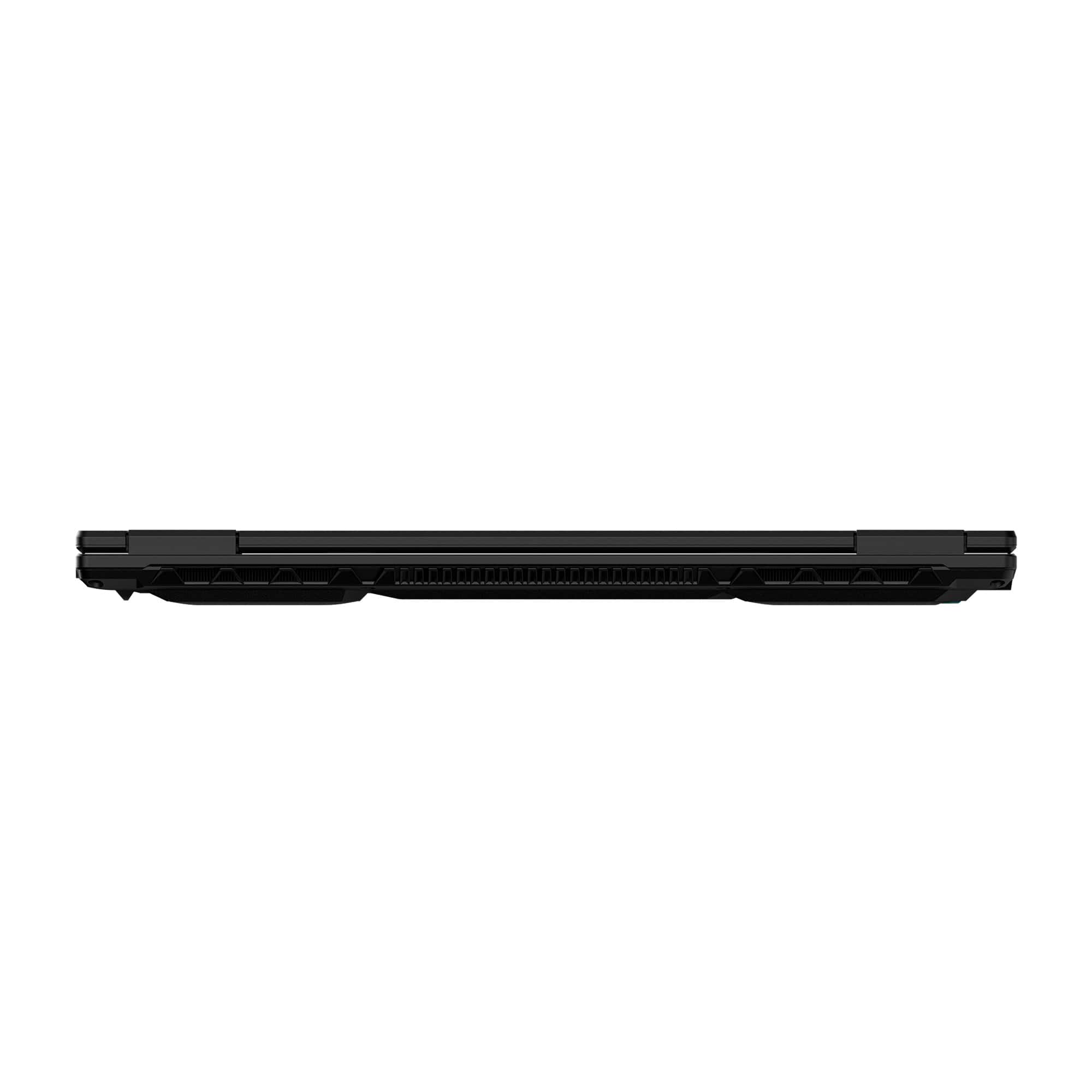
|Posted .This reviewer received promo considerations or sweepstakes entry for writing a review.Gigabyte has been making laptops for years now, but I’ve never really looked at them or considered them until now. Gigabyte has been my go to for motherboards, and even GPUs over the years, so I am excited to give them a shot from a laptop perspective. While the base model A16 isn’t what I would call a true gamer laptop, it is a good competent device, despite last generation hardware. First impressions of the device are quite positive. You get a matte black chassis that isn’t a fingerprint magnet. The lid and deck are both aluminum, while the screen bezel and chassis bottom are plastic. The bottom is covered in some gamery designs, and even flairs some baby blue rubber foot pads. However the garish styling is limited to the underbelly, with a very professional look otherwise. The keyboard font, while definitely a bit ‘gamery’ is still quite clean looking, including the backlight style, which leaves each key outlined by the backlight color, as well as the letter. The trackpad is large, and accomplishes smooth taps, scrolls, and gestures. Inside the box is simply just the 150w power brick. This isn’t a USB PD brick, or some proprietary connector, but rather an old fashioned barrel jack. The lid and deck are both aluminum and have a nice finish that isn’t as prone to fingerprints as some I’ve seen. The port arrangement is less ergonomic than some - with dual USB-A ports on the right along with a headphone jack. On the left is the barrel connector, realtek gigabit network port, HDMI, USB-A, and the single USB-C port. Despite the ports being a bit awkward, there’s a clear focus on cooling, with the entire back half of the laptop dedicated to cooling. Starting the laptop up is where some initial issues present themselves. The startup is fairly quick, and Windows gets you in without too much hassle. Once on the desktop, Gigabyte’s software stack is pretty basic, with GiMate (and a dedicated button for it) being the software used for tweaking hardware, and monitoring it. It also has a limited set of LLMs (llama 3.2 3B) for an AI tweaker, which I had little luck with. Furthermore, given its limited scope, I found it yet another instance of AI being used for AI’s sake. Another piece of software I was unimpressed with was cFosSpeed - which is network software that should be uninstalled immediately. The performance difference before and after was substantial. This software is junk, and should be removed. Beyond the initial setup hiccups, I also noticed that the dated hardware also had some dated software. Out of the box, Nvidia drivers were from late ‘24, and while 24H2 was installed, there were plenty of updates. Hardware wise, this laptop is an interesting mix. While its sister models sport blackwell generation GPUs, this is the only model that brings a 40 series GPU to the mix. The 4050 is by far the bottom of the barrel when it comes to newer GPUs, sporting 6GB of VRAM, a 96-bit memory bus, and 2560 Cuda cores. This leaves the 4050 at disadvantage in newer titles where both the lack of Cuda cores and memory bandwidth and amount contribute to less than stellar gamer laptop level of performance. At least the 4050 is given a generous 80w power budget. The CPU is no spring chicken either, with a 13th generation that launched over 2 years ago, it’s hard to argue this laptop is bleeding edge in any way shape or form. That said, the i7 13620h is a powerful CPU w/ 6p cores and 4e cores hitting 4.9 and 3.6 GHz respectively. This makes this cpu fairly power efficient while packing the chops for games. Interestingly the laptop ships with 16gb of memory on one stick. This is a great thing for people who are comfortable spending $40 on amazon and picking up a matching stick of ram; as it lets them upgrade to 32gb without breaking the bank. However out of the box, the single channel ram situation does impact performance in a negative way. After upgrading to 32GB I found gaming performance and stuttering improved. The screen is fairly nice, coming in at a 1920x1200 resolution (16:10). It also sports 165Hz refresh rate, which is nice for competitive shooters and esports titles. Of note, the GPU is implemented through a hardware mux. This means that the 4050 can be completely turned off on battery if no apps are using it, further improving battery life. Speaking of battery life, I didn’t do a full rundown test, but I found basic usage to give me 4-6 hours. This isn’t bad for a gaming laptop, but it’s not amazing either. Don’t buy this laptop for long battery life. Also don’t buy this laptop for its webcam, which is mediocre at best. It’s there to say this machine has a webcam. So, given the configuration and hardware how does it perform? Well, I was able to get around 8400 points in Timespy (8900 with an auto overclock curve and mild memory overclock on the gpu). Benchmarks like Shadow of the Tomb Raider yielded over 100 FPS at native resolution and Ultra settings. That lowered a bit after enabling ray tracing, with 67 average FPS. This is both without upgrading the RAM, which while only improved FPS by maybe 2-4%. Adding the RAM was noticeable in stuttering. I’d highly recommend upgrading the RAM as it’s quite affordable, and the Crucial stick inside is commercially available. Speaking of upgrades, I found this laptop to be a gem. Not only was it easy to break into, with only 11 phillips screws to remove, but it also left a lot of room for upgrades. Inside are 2 very standard DDR5 so-dimm slots, 2 NVMe 2280 PCIe gen 4 x4 (one populated with the 512GB SSD), and a 2230 WiFi slot. I tested this out by upgrading to 32GB of ram, adding an additional 2TB nvme ssd, and even upgrading the WiFi 6e card to a WiFi 7 BE200 card. All this was fairly easily accomplished. While I wouldn’t recommend upgrading the WiFi from 6e to 7 in most cases, it’s nice to know it can be upgraded in the future. The CPU and GPU are not upgradable, which means that you’re stuck with both the 13th generation Intel and RTX 4050. That said, there’s a lot of So overall is the A16 worth its MSRP? Well that’s an interesting question. The laptop hardware is decidedly last generation. If this were a Core Ultra 7 and RTX 5050 instead of 2 generation old i7 and two year old 4050, I’d not have any criticism - despite the performance difference not being overly dramatic. My thought is that this laptop will be positioned as a budget back to school option; and in this position it’s a great machine. While dated, it still brings plenty of power with a hefty H series CPU, and dedicated GPU. This will play pretty much any major game out there at either 1080p or 720p medium settings comfortably, and is quite upgradable for down the road relevancy. In about 4 years, this laptop will lose its relevancy, but that’s perfect for college students looking for a workhorse laptop that can also play Fortnite, Minecraft, Counter Strike 2, DOTA 2, or other esport title. Given a decent sale price, this offers great portability, weight, size, and performance for the money. While I’d be hesitant to recommend this to anyone looking for the latest and greatest; the chassis is strong, the parts are well balanced and capable - if entry level - and it offers the ability to add both more ram and storage easily.
I would recommend this to a friend Why all the case tattoos? Otherwise GREAT!
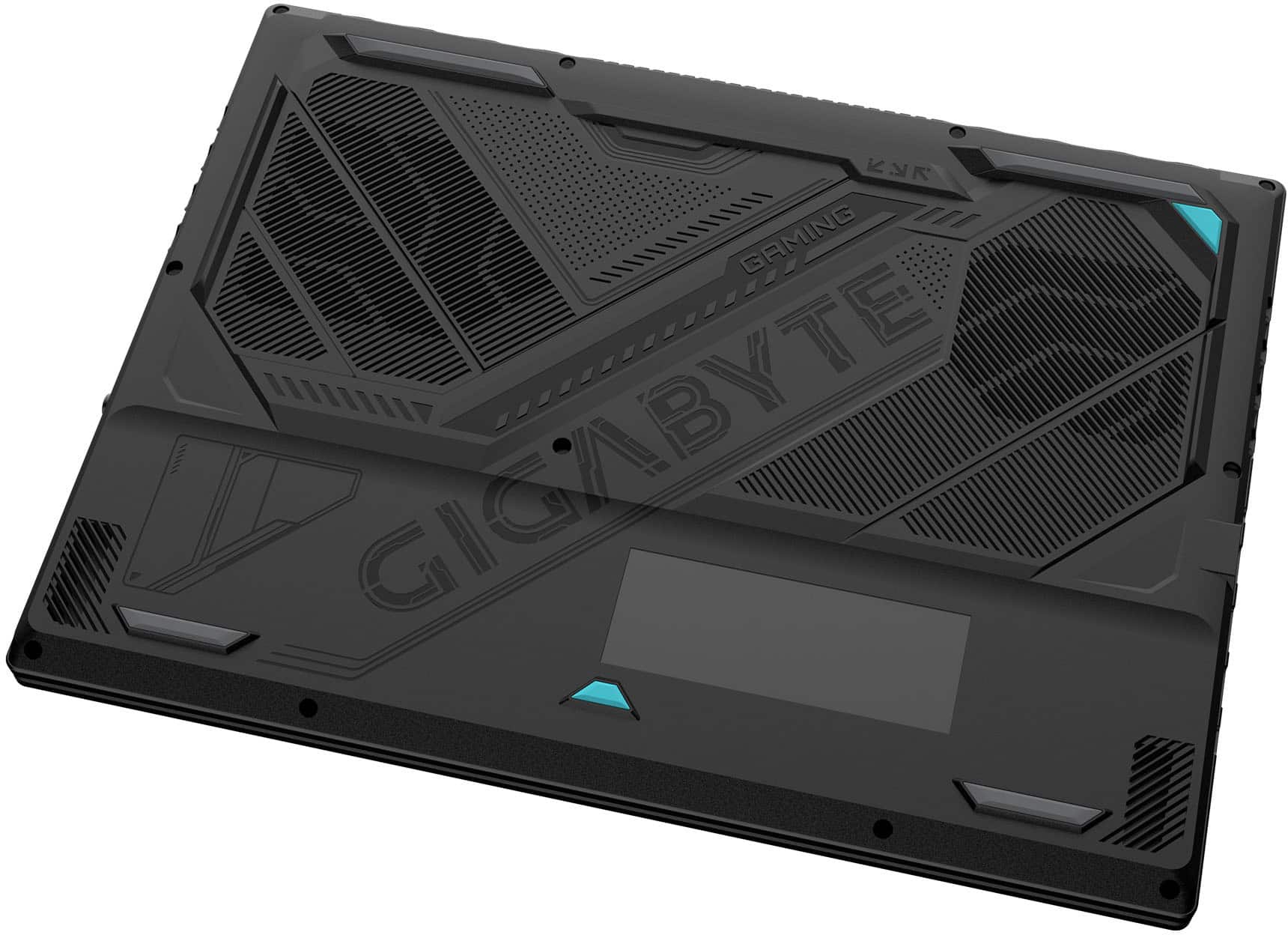
|Posted .This reviewer received promo considerations or sweepstakes entry for writing a review.The GIGABYTE GAMING A16 has a clean, modern look that I actually like—it’s subtle and fits in just about anywhere. The black steel finish is understated and doesn’t scream “gamer,” which is a plus. The physical build is fairly great and is pretty attractive, which kind of gets ruined by the type all over it. Really, do we need a mega huge roman numeral 16 on the top deck of the case? I guess it makes it play games more betterer-est, right? Fortunately all these markings are fairly subdued. You can’t get away from the gamer typeface on the keys though. I don’t like that gamer square techy typeface because the letters aren’t that distinct. If you touch type, that doesn’t matter so much. But I’d still prefer something less angular. I’m a bit skeptical about the case durability. The chassis feels especially thin, and there’s a noticeable amount of flex if you press on the lid or palm rest. It keeps the laptop light, but I’m not sure how it’ll hold up to heavy use, travel, or a drop. The bottom of the case is useless stamped art. There’s also huge label with all the certifications and regulatory info plastered across it-what is this 1990? Honestly, is that really necessary these days? It feels like wasted effort and resources, especially since it’s the part of the laptop that’s always pressed against the table. I’d rather see that attention go into reinforcing the chassis or improving cooling, not embellishing the side nobody sees. Startup Experience I ran into some headaches getting the laptop started for the first time. It took several restarts before I could get through the system setup, and the whole process felt especially slow. Not the best first impression—if you’re expecting to boot up and get right to work or gaming, be prepared for a little frustration out of the gate. And then there’s “GIMATE.” When that popped up on the screen, I was honestly confused and thought maybe the unit had been swapped out for something else. It’s not clear to me what GIMATE is supposed to mean, and it just adds to the initial confusion. A little more clarity or branding consistency would go a long way here. Display and Performance The 16-inch, 165Hz display is pretty standard these days for a gaming laptop. The brightness is good enough, has slim bezels, and the 16:10 aspect ratio gives you more vertical space for work or gaming. Colors are okay—not the most vibrant, but good enough for most uses. Viewing angle is fairly poor, shifting colors dramatically when viewed from 45 degrees, so not great for a couple people sitting in front of it playing a multi-player masher. Performance is very good for the price. The Intel Core i7-13620H and RTX 4050 combo handles modern games at high settings in 1080P. Fortunately, that’s the max resolution. The 16GB of DDR5 RAM is more than enough for max HD rez with space to spare for broadcasting apps. Boot times (after that first setup) are quick, and the Gen4 SSD keeps things moving. The 4050 is more than enough GPU to run most games at close to maxing out the display refresh; As long as you’re willing to stay at medium-high to high graphics settings. That said, this is the most basic of the 40-series mobile graphics chips so if you’re looking for more you gotta pay more. Modern games will easily max out the GPU but it won’t affect gameplay most of the time. This laptop will suffice for everything up to the most complicated AAA games and some shooters if you’re playing competitively. The first time setup was super terrible for me because I had to restart several times to get through it. The first time was frozen and the second time was a blue screen. Somehow it sorted itself out and made it through the initial setup. Beyond that rocky start, I didn’t have any issues with the unit with slowdowns, crashes, issues Everyday Use The keyboard is comfortable, with a nice amount of key travel and a backlight (though you can’t change the color). The trackpad is large and responsive, with a subtle printed pattern that doesn’t makes sense because it looks like it would do something but it doesn’t. Ports are plentiful—USB4, HDMI 2.1, Ethernet—but the layout isn’t perfect, and one of the USB-A ports is slower. Battery life is typical for a gaming laptop. Browsing and officework won’t tax the stamina at all. I l played some modern pixel based games for three hours before warning, but Minecraft took down the battery for me at less than two hours, but that is not unusual for this type of laptop. The fans can get loud under load, but cooling is effective and the laptop doesn’t get uncomfortably hot. Downsides -Case feels thin and flexes more than I’d like. -Huge certification label on the bottom is unnecessary and ugly -Startup was slow and required several restarts. -“GIMATE” branding is confusing and made me question if I had the right unit. -Some port placements and choices (like USB 2.0) are questionable. -Speakers are just okay—loud enough, but lacking in bass. GIGABYTE GAMING A16 is a decent-looking, competant gaming laptop that covers the basics for performance and daily use. Just be ready for a possible rocky first setup and some quirks with the case design. If you want a lightweight, modern gaming laptop and can live with those trade-offs, it’s worth a look. Recommended by me!
I would recommend this to a friend- Pros mentioned:Battery life, Overall performanceCons mentioned:Heat dissipation

Runs strong
|Posted . Owned for 6 months when reviewed.This reviewer received promo considerations or sweepstakes entry for writing a review.[Employee of bestbuy] Runs strong, decent battery life. Plays games on the go at 1080p on low-medium settings depending on the game. Runs hot when used on lap, as expected.
I would recommend this to a friend - Pros mentioned:Battery life, Overall performance
Nice Low Budget Gaming Laptop.
||Posted .This reviewer received promo considerations or sweepstakes entry for writing a review.This is a nice entry level, low budget gaming laptop. The RTX 4050 is more than capable of playing games like Fortnite, Call of Duty, Battlefield 6, and Delta Force. I've played them all with this laptop and they run fine. This model comes with 2 DIMM slots and only 1 is used by the 16GB module that it comes with. So, you can easily upgrade to 32GB by just buying an additional matching 16GB memory module. I also use this laptop to do programming in ruby and run multiple services on it in Windows WSL without any issue. The keyboard layout on this laptop is good. A lot of gaming laptops come with a ten key pad and an offset touchpad. This causes the user to sit offset to the left due to a useless ten keypad that I never use anyway. I really wish manufacturers would stop putting 10 key pads on laptops. The battery life is fine for a gaming laptop.
I would recommend this to a friend