Customer Ratings & Reviews










- Model:
- T3007ES
- SKU:
- 4346501
Rating by feature
- Value
Rating 4.5 out of 5 stars
- Quality
Rating 4.7 out of 5 stars
- Ease of Use
Rating 4.7 out of 5 stars
Customers are saying
Customers are enthusiastic about the Nest Learning Smart Wifi Thermostat, particularly its ease of use and overall performance. Many appreciate the convenience of remote control via smartphone and the straightforward installation process. The thermostat's design and connectivity also receive positive feedback. However, some customers have reported compatibility issues with their systems and concerns about battery life, while a few desire more intuitive scheduling features.
This summary was generated by AI based on customer reviews.
Errors drains battery
Posted .This reviewer received promo considerations or sweepstakes entry for writing a review.I’ve never had a thermostat that drains the battery before leaving you stuck in the cold with no heat! This thing worked great for a few weeks and then get code e73/4... Searched online it takes power to charge internal battery but can’t get enough. Seems a common problem... no advertising stating this is common and may happen and you may need a special dedicated C line wire installed! It needs too much power! No low battery warning, just dead! The old digital thermostat works great! What if this happened when I was at work or on vacation and the temperature is below zero?! Angry!!!! Ridiculous!!!!
No, I would not recommend this to a friendBrand response from Nest Support
Posted .We're sorry to hear about the issues you've experienced with your Nest. If the Nest is not detecting power from the wires, then there will be no power for it to take a charge from. If you're experiencing a power error, this means that the Nest base isn't able to read the proper 20-30 volts needed for the Nest to power the HVAC unit properly.
If the error persists, please reach out to our live support so we can assist with troubleshooting the issue and determining the proper resolution.
Nest.com/help
Unit did not work.
Posted .This reviewer received promo considerations or sweepstakes entry for writing a review.I removed a fully functioning Honeywell programmable thermostat and installed a Nest. Unit would not call for heat or fan during heat cycle. Could manually turn the fan on and off from the unit. Called customer support. Spent over an hour on the phone running up and down the stairs moving wires and implementing their check list for the unit. Nest concluded that I had a defective unit. Within five days I received a new base wiring plate - not a new unit. I reinstalled it. No change. It had the same problems. I called customer support. They said Nest wouldn't work with my furnace. I could take it back to the store for a refund.
No, I would not recommend this to a friendNest
Posted .This reviewer received promo considerations or sweepstakes entry for writing a review.Great Nest Thermostat product easy to install and simple instructions
I would recommend this to a friendWouldn't buy
Posted .This reviewer received promo considerations or sweepstakes entry for writing a review.Couldn't get it to work with my AC unit. It was a disaster
No, I would not recommend this to a friendBrand response from Nest Support
Posted .Hello P3Arizona, thanks for the feedback you shared about the Nest Learning Thermostat, and it’s unfortunate to hear of your difficult experience with the installation. We can imagine how hard you tried, and we’re sorry for the inconvenience this could have caused. It would be best to get in touch with us so we can guide you through checking its compatibility, all the way through installation and setup. You’ll find us always available and ready to help you here: https://support.google.com/googlenest/gethelp
Wife hates these thermostats!
Posted .This reviewer received promo considerations or sweepstakes entry for writing a review.Bought based in large number of great reviews. However, these are just not good in a large house with multiple zones. I have three units in a two story house. I am constantly having to tinker with settings to keep the house comfortable. 1. "Away" feature behaves totally randomly. 2. No "temp hold" feature. We have guests frequently. You cannot just tell the Nest to hold temp for a while without it trying to be 'smart' and changing the programming. 3. Unconventional fan control is very annoying. 4. No local control interface for home automation. 5. Smart features result I really stupid thermostat behavior. Complelely bogus schedules that I have to keep fixing with that app. Looking for something else. As these things cause me to think about my thermostats too much.
No, I would not recommend this to a friendEasy on the eyes...poor when you deal with support
Posted .This reviewer received promo considerations or sweepstakes entry for writing a review.The first few months of owning this thermostat were pretty good. It was nice to be able to control away from home through the app on my phone. Then Google pushed through an update that "fried" the wi-fi ability on it. When dealing with their support, they admitted the issue was on their end. However, they have been a complete and total nightmare. After an agreed upon resolution, nothing has come of that and now they are trying to go back on what was agreed upon. If it was something I did, I would be fine. But given they admitted that the issue is known and on their end, they need to take care of this. Backing out two months later on an agreement isn't the way to do it. While the product is good when it works, the follow through on it negates all the positives it could have. At the moment, I have just a very pretty and expensive thermostat on the wall with no ability to control it outside of the dial. I won't be making the same mistake with other products from them now going forward.
No, I would not recommend this to a friendPoor customer support experience
Posted .This reviewer received promo considerations or sweepstakes entry for writing a review.Bought a Nest almost one month ago. It required a common wire from my furnace to work (after over 3 hours of experimenting on the phone with customer support with different wiring connections). Customer support requested I arrange for an installer to add a common wire to furnace and connect to Nest, and the cost would be reimbursed by Nest. Work was completed within a week of purchase (this was about 3 weeks ago). I sent an invoice to Nest and received no response. Called after a few days and was told they could not read the invoice. Asked to take a photo and send to cust support. Took photo, got PDF from electrician and sent to cust support. Again no response from them. Had to call again tonight (mind you, each call takes at least one hour because you have to wait to get basic support staff, and then the basic staff has to call senior specialist to approve the invoice). This time I was told he invoice was "made up." In other words, they did not believe an electrician really did the. work. I explained the work the electrician did, it took about one hour to add a wire in the furnace control box, pull out cable in wall and connect to the extra wire in the cable to the Nest, total cost of $100. Customer support asked if they could call the electrician directly. I said of course. Customer support then said after they confirm with the electrician, they would have to send the request for reimbursement to the "finance people" to pay me. This they said could take between 4 to 6 weeks. So, I'm now looking at minimum of about 2 months to resolve this issue. I cannot recommend this product with this kind of slow, tedious, oppressive customer support. Honestly, if I had not already spent $100 and knew what was coming, I would have returned the product for a full refund. Not worth the hassle.
No, I would not recommend this to a friendFine - when it works.
Posted .This reviewer received promo considerations or sweepstakes entry for writing a review.TLDR: Your house will be too cold or too hot for at least a day if you have even the slightest issue with the mounting system or WIFI connection. I’m a renter, so I’m stuck with the Nest I have. It was a selling point for us but has become more of a hassle than anything. Device goes through the same cycle every 3 months. Device turns off in the middle of the night and I am unable to regulate temperature. Device and app are completely unresponsive. Nest support recommends running it through a power cycle and manually charging it for 2 hours, which does not work, and also is the first thing that comes up if you google the problem, so these are steps one would have obviously already tried by the time they contacted support. Have gotten it working before with ideas NOT provided for customer service, but only after a full days worth of trying ~everything.~ Maybe I have a fluke product, but support has me running around in circles - even verifying that I am in the same country where the thermostat was bought, which makes me feel like they are scrambling for answers to explain a faulty product. Not worth the hassle. I’ve spent too many hours troubleshooting this product, multiple times per year. Not worth it if you or your pets are sensitive to changing temperature.
No, I would not recommend this to a friendOk thermostat
Posted .This reviewer received promo considerations or sweepstakes entry for writing a review.We have had lots of issues with ours. It works great then one day its off line factory reset and good again. If you are tech sabby this might work great for you, however I know enough to get me by and sometimes I think I know enough to get me by. I wish it was a little more user friendly
No, I would not recommend this to a friendGreat product
Posted .This reviewer received promo considerations or sweepstakes entry for writing a review.Love this item, it's so great. I almost saved more than $500 in my energy bills with this product.
I would recommend this to a friendBest Home Automation
Posted .This reviewer received promo considerations or sweepstakes entry for writing a review.Best Home Automation by Nest. I already have one, this this one to have complete automation.
I would recommend this to a friendTerrible - RMAs every unit!
Posted .This reviewer received promo considerations or sweepstakes entry for writing a review.Allow me to regale you with the saga of my ongoing tryst with the Google Nest—an experience that can only be described as a comedy of errors, though not the kind one willingly signs up for. In the span of four months, I've exchanged pleasantries with the Google Nest team no fewer than four times through the RMA process. Alas, the recurring protagonist of this tale is an error code that appears to be as persistent as it is unyielding, steadfastly refusing to yield to my earnest attempts at resolution. The primary function of any technological device, especially one graced with the Google moniker, is to seamlessly connect to WiFi. Regrettably, this Nest seems to have enrolled in the School of Selective Connectivity, demonstrating a penchant for obstinacy that rivals the most intransigent of algorithms. Troubleshooting has become an unwelcome pastime, eclipsing the actual utility of the device. In my quest for a harmonious relationship between the Nest and my router, I have traversed the labyrinth of customer support, diligently following each prescribed step in vain. One might be forgiven for assuming that this device, in its sheer audacity, harbors a disdain for the very concept of a wireless connection. In the realm of smart home technology, where reliability is paramount, this Google Nest has managed to distinguish itself—not for its prowess, but for its uncanny ability to elude the embrace of WiFi. It's as if the device has chosen a path of technological asceticism, abstaining from the digital communion it was designed to facilitate. If only the Nest were as adept at fostering connections as it is at generating error codes, we might find ourselves in a state of technological bliss. Alas, the reality is one of perpetual frustration, prompting me to consider alternative means of communication—perhaps carrier pigeons or smoke signals would prove more dependable. In conclusion, the Google Nest, with its error-ridden escapades, has earned a dubious position on the roster of ill-fated purchases. Here's to hoping that future iterations will be more inclined towards harmonious cohabitation with WiFi networks, sparing others the exasperation that has defined my own journey.
No, I would not recommend this to a friendBrand response from Nest Support
Posted .Hello there, BrokenArrow. We appreciate you taking the time to share your feedback on Nest Learning Thermostat, and we're sorry to hear that your experience is below your satisfaction. We'll use your feedback to work on improving our products and services, including how we handle customer concerns with accuracy and efficiency. In the meantime, we'd like to have another opportunity to help you with your concerns. Please share with us your recent case number so we can continue our investigation, here: https://support.google.com/googlenest/gethelp
Useful information, works great
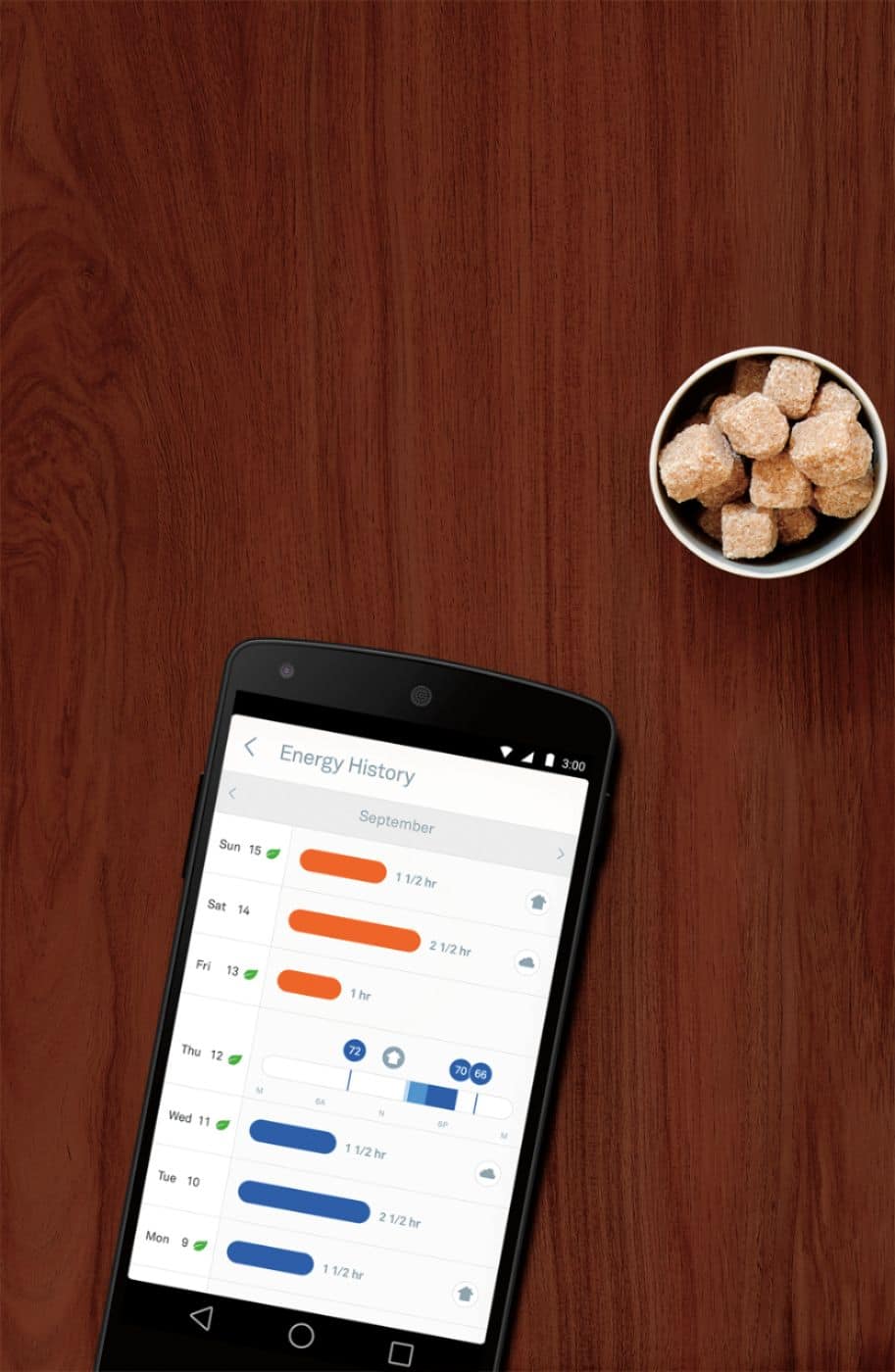
Posted .This reviewer received promo considerations or sweepstakes entry for writing a review.Love how it can track the usage (e.g. 1.5 hrs AC on Mon; 2 hrs AC on Tuesday, etc.). Very useful when we are driving home and wanted to start the AC while we're driving home so the house isn't scorching hot when we get into the house.
I would recommend this to a friendawesome
Posted .This reviewer received promo considerations or sweepstakes entry for writing a review.great product,saves me tons of money a month,i would recommend this thermostat
I would recommend this to a friendProduct constantly reverts to old schedule
Posted .This reviewer received promo considerations or sweepstakes entry for writing a review.We played around with our comfort levels throughout the day and throughout the week with times that we were home and when we were away. At first it was working great. Then after we set up the schedule to have a different temp at different times, or deleted temp changes throughout the day, the product would save the new schedule and the next day revert to one of the older schedules. At first I thought maybe I didn't save it properly, so I changed the schedule again. I exited the app and relaunched it to make sure the new schedule was saved, which it was. Once again, the next day it reverts to an older schedule for the remainder of the week. I thought maybe it was a defective nest, so I asked a couple of co-workers about their experiences and they had the same issues going on and felt the same frustrations. Next I will try a factory reset, however even if this fixes it, that should not have to be the solution. Ease of use is terrible if that is the case.
No, I would not recommend this to a friendBeware, go to Nest Community comments before buyin
Posted .This reviewer received promo considerations or sweepstakes entry for writing a review."Smart functions" are not great. I've had this for 3 months. Never worked as advertised. 4 software updates in that time that you can't refuse and they are riddled with bugs. "Early on" has only worked once. Either fails to work or doesn't reach temp by the set time. "Auto away" is only good if it sees motion all the time. "Time to temp" only works with a manual change of the dial, not at a programmed change. Don't be fooled by the display. The large temp looks pretty but that is the set temp, not the room temp and you can't change it. Customer services is great and they are polite and try to help but they get no backup from programmers. Customer suggestions are ignored. No response since 2013. End result, no better than my programmable thermostat which was less than half the price. And that worked much better at reaching the set temp on schedule. Also, Nest does not control 2 stage heating reliably. Check out the horror stories at the Nest Community comments.
No, I would not recommend this to a friendEven better than 2nd Gen - The best of the best
Posted .This reviewer received promo considerations or sweepstakes entry for writing a review.I had a two second gen Nest Thermostats which were awesome but these are even better. Bigger screen and brighter and more capabilities plus the White (Home Depot carries white) bezel is awesome and blends with my wall colors. Do it!
I would recommend this to a friendHappy with Nest
Posted .This reviewer received promo considerations or sweepstakes entry for writing a review.Perfect addition to my smart home, helps monitor and save energy.
I would recommend this to a friendAnything but “smart”!!
Posted .This reviewer received promo considerations or sweepstakes entry for writing a review.Do not use the Google Nest Thermostat unless you want your utility bills to double! I leave the thermostat set at 72 year-round. In the summer, Google Nest will readjust the temperature to below 70 on its own. In winter it will readjust the temperature to 75 on its own. There is a “lock” option but this only keeps other humans from messing with it - it doesn’t stop the thermostat itself! The ONLY way I can get the thermostat to stop doing this is to turn the air or heat OFF which isn’t a good option when it’s an extreme temperature outside. This thing is not “smart” in the least and has not helped us “save money” on our utility bills at all, it has only driven the bills up. So stick with your current “stupid” thermostat as at least it will follow your instructions and stay at the temperature you set it!
No, I would not recommend this to a friendBrand response from Google Nest Support
Posted .Hey there, AnneK420. We hear your concerns on needing to keep your Nest Learning Thermostat at a specific temperature. Here’s a few things to try so you can get the most out of your device:
First, turn off Auto-Scheduling learning: When you turn off Auto-Schedule, your existing schedule will remain but your thermostat will stop learning from your future adjustments.
Second, turn off Automatic switching with presence sensing: If you've enabled Home and Away routines or Home/Away Assist, your thermostat might still switch to its Eco Temperatures automatically when it senses that everybody has left the home. If you don't want it to do that, disable Eco Temperature auto-switching for your thermostat.
Here’s a guide with more details: https://support.google.com/googlenest/answer/9209007?hl=en-GB&ref_topic=9361874&sjid=16868515096229767063-NC
We’re just a click away if you need more help: https://support.google.com/googlenest/gethelp?
Not a very “smart” thermostat
Posted .This reviewer received promo considerations or sweepstakes entry for writing a review.I’ve had my Nest thermostat for over a year and was SHOCKED to find my energy costs going UP and increased maintenance required on my Lennox Furnace system. I spent so much money on this system because I thought it was “smart,” but honestly it’s got some of the dumbest, unintuitive features and settings. I started paying more attention to why my furnace was working so hard and found out it was short-cycling. Meaning that even though I have my furnace on a schedule, the heat clicks on throughout the day for about 1 minute, shuts off for 2-3 min, then turns BACK on for another min, and so on. (The schedule I have set is supposed to heat to 68 degrees at 9 am then drops to a set temperature of 62 degrees during the day, then heats back to 68 degrees at 6 pm and drops to a set temperature of 62 degrees overnight - sidenote: if you choose to set a temperature schedule through the nest, you can’t set a different temperature on the schedule within an hour of the initial set temperature, otherwise I would have my house heat to 68 at 9 am and then drop to 62 at 9:30 am, but no, the earliest I can set the next, lower temperature, is 10 am, a full hour after the house heats and has been maintaining the initial set temperature, so dumb!) After I realized my system was short-cycling due to the nest thermostat, I spent hours searching through convoluted “help” articles from Nest. This is how I found out that the thermostat is constantly trying to heat the house and keep it set to the TENTH OF A DEGREE. Meaning that if I set my thermostat to heat to 68 degrees, the thermostat will assign a temperature of 68.6 degrees Fahrenheit. After it heats to that temperature, anytime it drops down to 68.5 degrees Fahrenheit, the whole system clicks on and heats the house back up to 68.6 degrees. Ideally, you’d be able to set the “hysteresis” or a timer on the thermostat (especially on a $200+ thermostat equipment) so that the temperature could be set to something like 72 degrees, heat to that temperature, and then not switch back on to heat the house for a set period of time or until the temperature in the house drops to a certain temperature like 68 degrees. This lack of intuitive settings on the Nest is costing me a FORTUNE between furnace maintenance and increased energy costs (kind of crazy when the Nest is supposed to be so “eco friendly”!) and I’m considering switching back to my $15 Honeywell thermostat which is insane. Until they add this feature to the Nest thermostat, I warn you to steer away from this equipment!
No, I would not recommend this to a friend