Customer Ratings & Reviews
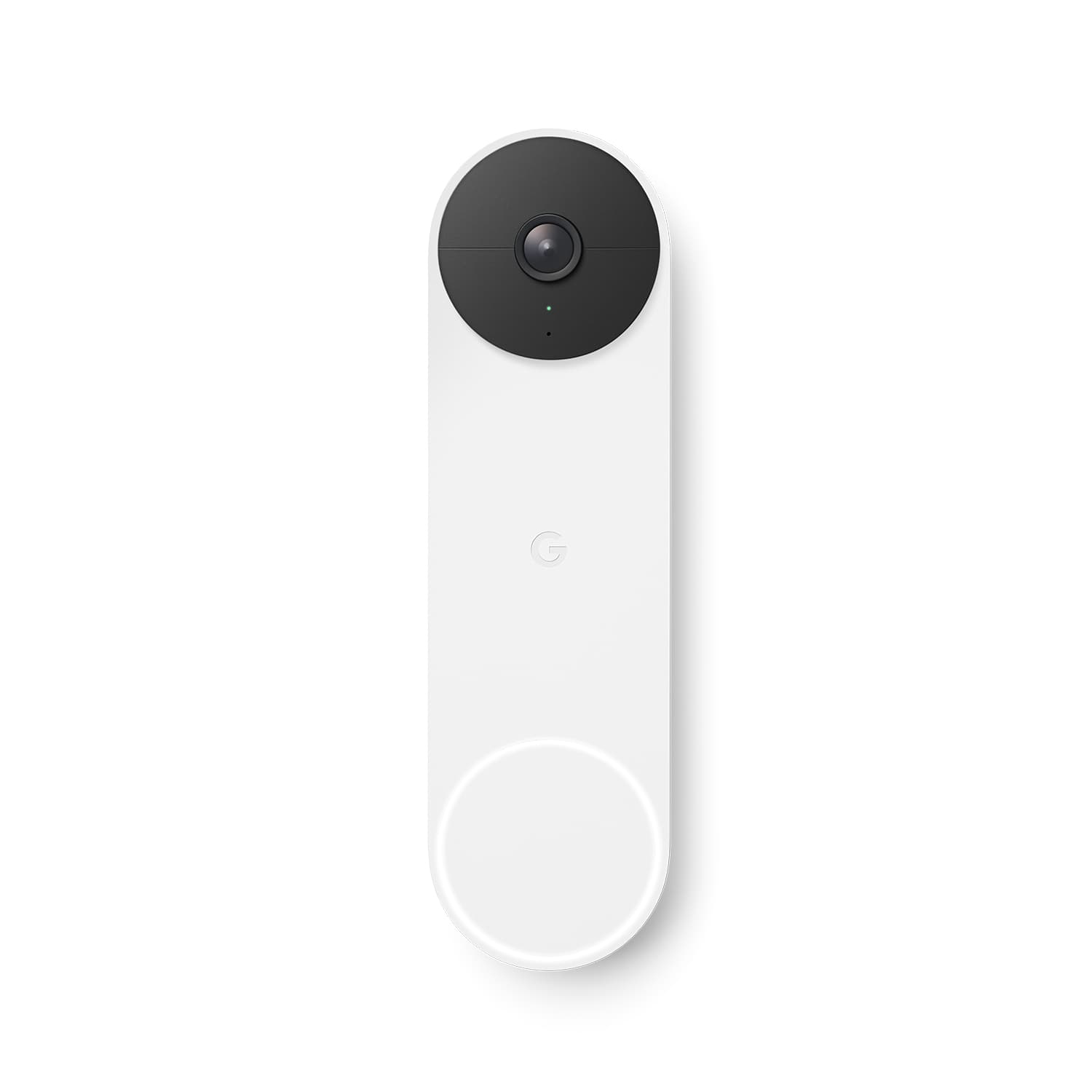




- Model:
- GA01318-US
- SKU:
- 11123926
Rating by feature
- Video Quality
Rating 4.6 out of 5 stars
- Mobile App
Rating 4.4 out of 5 stars
- Sound Quality
Rating 4.5 out of 5 stars
- Cons mentioned:Battery life
Battery issue
||Posted . Owned for 7 months when reviewed.This reviewer received promo considerations or sweepstakes entry for writing a review.I have to charge it once every other week, and now once a week. Then I went back to read it should last 2.5month. I only have it for few months, asked google for refund, they refused, they only can do replacement, will not trust google provlem anymore.
No, I would not recommend this to a friendBrand response from Nest Support
Posted .Hey there, Blackspear. Your feedback here on your experience with Nest Doorbell (battery) is appreciated. It's unfortunate to learn that you're having battery issues with the device and wanting to return it. You can extend the battery life of your camera by adjusting video quality, length of video clips, time between recorded events, and using activity zones.
Here's how to lower the battery usage:
-Open the Home app.
-Touch and hold your device's tile.
-Tap Settings > Battery.
-Tap Battery usage > More battery life.
If you've done the steps here before or if the issue still persists and you're willing to give it another go, please reach out to our support specialists with your Case ID from your previous interaction with us. We'd like to redeem ourselves and help find a better resolution for you. Please contact us on our Google Help page here: https://support.google.com/googlenest/gethelp
Good product
||Posted . Owned for 3 weeks when reviewed.This reviewer received promo considerations or sweepstakes entry for writing a review.Great service it helps me get my home control good view
I would recommend this to a friendNice product!
||Posted . Owned for less than 1 week when reviewed.This reviewer received promo considerations or sweepstakes entry for writing a review.Will worth it if purchased on sale. Good value for the price.
I would recommend this to a friendNest Doorbell (Battery)
||Posted . Owned for 7 months when reviewed.This reviewer received promo considerations or sweepstakes entry for writing a review.Nest Doorbell (Battery) is a great addition to every house. Gives you access to your front door when you're not home.
I would recommend this to a friendHighly recommended
||Posted . Owned for 3 weeks when reviewed.This reviewer received promo considerations or sweepstakes entry for writing a review.Best is the market. With no plans no BS, this is best in the market now.
I would recommend this to a friendGreat Buy
||Posted . Owned for 8 months when reviewed.This reviewer received promo considerations or sweepstakes entry for writing a review.My daughter uses this and she loves it and we are all able to login and see who comes to the Home even when we are away
I would recommend this to a friendPeace of mind
||Posted . Owned for 1 month when reviewed.This reviewer received promo considerations or sweepstakes entry for writing a review.Lets me know when someone comes to door or a package arrives Battery operated and rechargeable
I would recommend this to a friendWireless doorbell
||Posted . Owned for 1 month when reviewed.This reviewer received promo considerations or sweepstakes entry for writing a review.Much more attractive than the Ring doorbells. Somewhat difficult to snap into place on the mounting bracket. Have been using it for about a month and has dropped camera streaming connection quite a few times, so not the greatest reliability so far. Hopefully that will improve.
I would recommend this to a friendBrand response from Nest Support
Posted .Hi cougar9397, thanks for appreciating the design of our Nest Doorbell (Battery). We do apologize for the difficult experience in snapping it into place with the mounting bracket, and the connectivity drops.
You may try out some suggested troubleshooting steps below:
- Check your Nest Nest Doorbell (Battery)’s distance from the router or access point.
- Restart your Nest Doorbell (Battery). Locate the reset button on the back of the camera. Press and hold for 5 seconds. Your camera will restart, and the status light will be steady, solid white.
- Restart your router.
- Check for interference. Almost every network is subject to wireless interference which can cause problems when connecting your camera to the Google Home app. Check for any wireless interference that may be caused by thick walls and floors, competing Wi-Fi networks, from other electronics in your home.
- Check for possible congestion. Removing some of your devices that's connected to your network may help relieve some bandwidth space.
If you will allow us, we'd like to work with you on improving your experience. You may reach out to our support team here: https://support.google.com/googlenest/gethelp
- Pros mentioned:Video qualityCons mentioned:Battery life
Battery life sucks
||Posted . Owned for 1 year when reviewed.This reviewer received promo considerations or sweepstakes entry for writing a review.Video quality is cool. Battery life sucks. Going with the wired
No, I would not recommend this to a friendBrand response from Nest Support
Posted .Hey there, KdaFonzarelli. Thanks for letting us know about your experience with the Nest Doorbell (battery). We're glad you find the video quality to be cool. It's definitely a great feature for keeping an eye on your doorstep. Battery life can be a factor with wire-free video doorbells. The good news is that the Google Home app offers ways to optimize battery use, such as adjusting motion detection settings. However, if you'd prefer not to worry about charging, then the wired Nest Doorbell might be a better fit for your needs. It provides continuous power and eliminates the need to manage battery life. If you have more questions and concerns, we recommend reaching out to our dedicated team of specialists on the Google Help Center here: https://support.google.com/googlenest/gethelp
Google Nest doorbell
||Posted . Owned for 1 month when reviewed.This reviewer received promo considerations or sweepstakes entry for writing a review.Prefer this over the Ring doorbell that it replaced. Integrates well with the Google apps and devices we use.
I would recommend this to a friend- Cons mentioned:Battery life
Would look for better option
||Posted . Owned for 3 weeks when reviewed.This reviewer received promo considerations or sweepstakes entry for writing a review.Not my favorite. Battery needs to be charged every few days. Cuts off video. Has 3 minute max. My neighbor got in his car then drove away. It shows him get in the car after that there is no video. Very inconsistent.
No, I would not recommend this to a friendBrand response from Nest Support
Posted .Hi Angela, thanks for your feedback on Nest Doorbell (Battery). We apologize for any inconvenience you may be having with having to recharge it every few days.
The battery life for Nest Doorbell (Battery) will depend on factors including activity, temperature, and camera settings that you select. Users can extend the battery life of their camera by adjusting video quality, length of video clips, time between recorded events, and using activity zones to monitor specific areas. Here are some typical scenarios:
Busy: About 1 month battery life (About 25 - 30 recorded events per day)
Typical: About 2.5 months battery life (About 13 - 16 recorded events per day)
Quiet: About 6 months battery life (about 2 - 5 recorded events per day)
We recommend checking the frequency of events (per day) that you get with your Nest Doorbell (Battery). If the short battery life isn´t related to the frequency of events, then we may need to have a closer look at your device and understand what may be causing it.
We recommend contacting our support team for further assistance by visiting us here: https://support.google.com/googlenest/gethelp
Great camera
||Posted . Owned for 1 week when reviewed.This reviewer received promo considerations or sweepstakes entry for writing a review.Nice integration into a Google system. Great quality with solid performance. Would recommend to anyone looking to add security.
I would recommend this to a friendEasy to install and charge every 6 months
||Posted . Owned for 1 month when reviewed.This reviewer received promo considerations or sweepstakes entry for writing a review.Bought this after a package was stolen. Days are much less stressful now! Easy to install and charge only once every 6 months.
I would recommend this to a friendSmall door jam, fits perfectly!
||Posted . Owned for 8 months when reviewed.This reviewer received promo considerations or sweepstakes entry for writing a review.This was a Christmas present for the wife. She loves it. But I think I use it more than she does! LOL
I would recommend this to a friendGood doorbell .. returned for Ring
||Posted . Owned for 2 weeks when reviewed.This reviewer received promo considerations or sweepstakes entry for writing a review.This product was great but I returned it since I have ring cameras and I wanted to have all security devices on the same app.
I would recommend this to a friendNest Doorbell
||Posted . Owned for 1 month when reviewed.This reviewer received promo considerations or sweepstakes entry for writing a review.happy with my Google Nest doorbell, The set up was pretty easy and I'm happy so far :)
I would recommend this to a friend- Pros mentioned:Ease of use
mr
||Posted .This reviewer received promo considerations or sweepstakes entry for writing a review.installed 19 September 2021 installation easy. setup instruction confusing --- still no audible signal when bell rung / phone to bell speaker no audio)
No, I would not recommend this to a friendBrand response from Nest Support
Posted .Hi CoZy, thanks for contacting us to inform us about the issue. We´re sorry to hear about your confusion with the audible chime for your Nest Doorbell (Battery).
Here are some recommended troubleshooting steps:
- Check the battery charge. The app will send multiple notifications to let you know that your doorbell’s battery charge is running low and that you should charge it. But if you didn’t have a chance to charge it before the battery got too low, simply take it off the backplate and charge it with the included USB-C cable.
- Check chime settings in the app. Your current settings may be preventing the chime from ringing. For example, someone who shares access to your Nest home may have turned the chime off, or changed the chime duration in the app.
- Check Wi-Fi connection. Check that your doorbell isn’t listed as offline in the app. If it is, use the articles linked below to troubleshoot.
- Very hot or cold weather. If it’s extremely hot or cold outside, or if your doorbell is installed in direct sunlight, the chime (and video or Wi-Fi) may turn off automatically to help protect its internal circuitry. The chime will automatically turn on again when your doorbell’s internal temperature returns to its normal operating range.
If none of the steps above work, please consider reaching out to our support team for further help on the issue. Our support channels are always open and you may reach out to us here: https://support.google.com/googlenest/gethelp
great product
||Posted . Owned for 3 weeks when reviewed.This reviewer received promo considerations or sweepstakes entry for writing a review.gift for my bother and loved it, works well with the google ecosystem
I would recommend this to a friendGreat Buy
||Posted . Owned for 3 weeks when reviewed.This reviewer received promo considerations or sweepstakes entry for writing a review.Looks great and works great at my front door of my new home
I would recommend this to a friendLove this little doorbell
||Posted . Owned for 7 months when reviewed.This reviewer received promo considerations or sweepstakes entry for writing a review.LOVE this doorbell. Having had one of the competitors and changing to this one, I'm MUCH more happy!
I would recommend this to a friend