Customer Ratings & Reviews

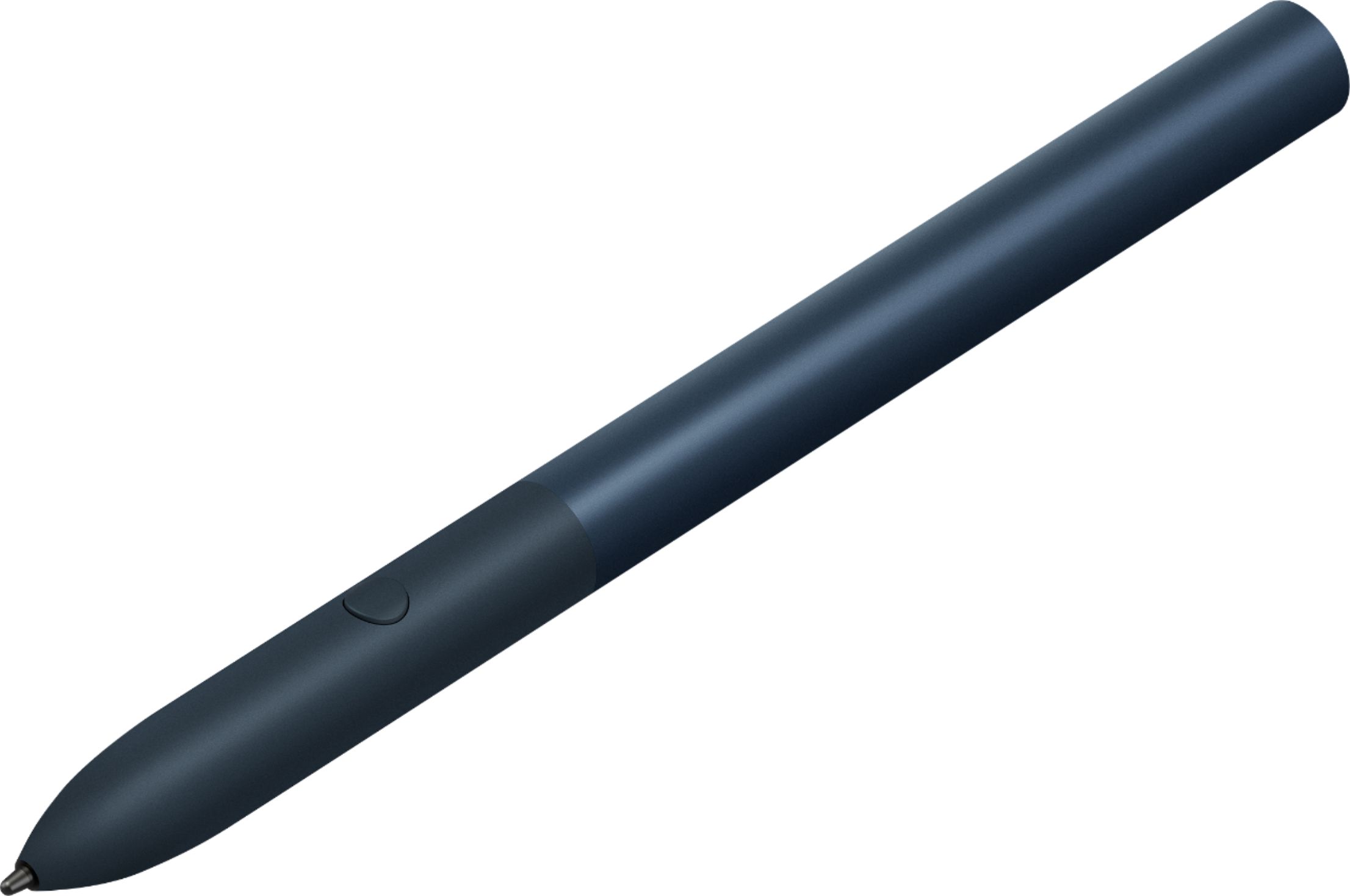

- Model:
- GA00561
- SKU:
- 6306364
Rating by feature
- Value
Rating 3.9 out of 5 stars
- Quality
Rating 4.6 out of 5 stars
- Ease of Use
Rating 4.5 out of 5 stars
Customers are saying
Customers praise the Pixelbook Pen's ease of use, responsiveness, and compatibility with various devices. Many appreciate its comfortable feel and accurate stylus functionality, while some find the battery life and lack of a storage mechanism to be drawbacks. The price point also received mixed feedback.
This summary was generated by AI based on customer reviews.
Great Input device
||Posted . Owned for 3 weeks when reviewed.This reviewer received promo considerations or sweepstakes entry for writing a review.After my white 1st edition Pixelbook Pen cracked, this new revision was a must get. The redesign is much stronger at the joint. Also, the cool black/blue color matches the Pixel Slate perfect. Thanks Google & Best Buy.
I would recommend this to a friend- Cons mentioned:Battery life

Not a Must Have, but nice!
|Posted .This reviewer received promo considerations or sweepstakes entry for writing a review.While I do not consider this accessory to be a “must have”, it certainly makes using the Pixel Slate a lot better. Simply put, the tip at the end of the Pixel Pen is far more precise than the tip of your finder. It is faster than using a mouse or touch pad on a keyboard. Most Practical Use: Signing documents or drawing/designing. These are the two main reasons someone would want this accessory. If you sign a lot of documents or do any type of illustration, photo editing, or design work, this makes things a lot easier. Even for the couple times a year you may sign a document, this is an extremely nice to have addition. Least Practical Uses: You can use the Pixel Pen to highlight or circle objects in a Chrome browser tab to get more information. This is activated using the only button on the device near the tip. This this has a “cool factor” it is not something I ever see myself doing. Most of the information on the website is already being explained so this added “get more information” isn’t that useful. It can however, using Google Lens technology, identify photographs and other pictures and tell you what they are if it can identify it. Simply as a pointing and navigation device for more precision. Performance: Using the Pixel Pen to write on the Slate feels almost as if you’re actually writing on the device. It feels extremely fluid and precise. The moment the tip hits the glass, it is picked up on and works instantly. My Pen was detected by my Slate instantly and didn’t require any special pairing to make it connect. Unfortunately, the Pen required a AAAA battery for power (No, that isn’t a type, it actually used AAAA batteries). This is included in the box which is nice, but the fact it cannot recharge is a bummer. These are also an obscure size and not easy to find in a store, though can be ordered online fairly easily. I do not know how long the batteries last, though I’ve seen various differences in length of time, but a couple months to perhaps a year shouldn’t be out of the question. The weight of the Pen is great and the size in both length and thickness is perfect. It is composed of metal and feels very premium. The Midnight Blue color is also spectacular. Would be nice if Google Thought of: A place to attach it… The keyboard for the Slate offers no place to store the Pen nor if the Pen magnetic and it cannot attach to the tablet. It is easy to separate the two. Would have been nice if Google considered how to keep all the pieces together. Rechargeable Batteries would have been nicer or a way to just plug in the pen and charge it, but given the likelihood of the battery lasting a while, it wouldn’t be a deal breaker. Overall this is a nice accessory that makes using the Pixel Slate more enjoyable. It maximizes the experience and should be considered by even the casual user.
I would recommend this to a friend - Cons mentioned:Battery life
Nice active stylus, but no loop for a Slate
|Posted .This reviewer received promo considerations or sweepstakes entry for writing a review.With a Pixel Slate and the keyboard in-hand, last piece of this bundle is the Pixelbook Pen - which is an active-stylus, not one that you can use on phones or other tablets that don’t have the ability to support a Bamboo-style stylus. I got about 4 days of use before I was alerted to “low battery.” The pen uses AAAA (Quad-A) batteries, which I didn’t have any, so I had to order some. Since then, no more battery alerts … that single AAAA must have just been old. The pen doesn’t have a clip and there’s no place to connect it to on the tablet or keyboard. I find this quite an oversight, even if the pen was designed for the Pixelbook and not the Slate, there should still be a way to keep it attached, so it doesn’t get lost. I had to tear apart my backpack looking for the stylus, as I went to sit down and button up this review. The closest thing we get to pen storage, Is a small magnetic strip on the underside of the keyboard case that stops the pen from rolling. If you’re using it in keyboard mode, the loose fabric area above the menu buttons of the keyboard can hold the pen; just don’t try to close it up with the pen there - you’re reminded quickly that it doesn’t belong there. The pen does have Google Assistant features, whereas you can press the button on the pen and circle something on the screen. To me, it seems that the more popular and well-known search terms and images are what it matches the most quickly. For example, the icon of a Google docs document is not found when using the pen search feature. However, if I Circle the face of a well-known actress which finds that very quickly. This is a nice accessory for the Pixel Slate / Pixelbook, but beware that it's easily lost without any way to keep it attached to the device, especially when there's a case in play.
I would recommend this to a friend - Pros mentioned:Ease of use
Great, if you have the use cases for it.
|Posted .This reviewer received promo considerations or sweepstakes entry for writing a review.I like the Pixelbook Pen, but to be honest I really haven't found enough uses for it yet. I haven't had time to do a lot of drawing or diagramming with it, but I feel like that will be one of the killer apps for me once I do. It’s not that it's a weak link or anything, I just personally have not found enough use cases for it at the moment. Certain things work really well with the pen, for instance screen and screen segment capturing and annotation worked exactly as you'd imagine, first time and consistently afterwards. Other things, like integration with Google Assistant seemed to be a touch and go affair only working half the time for me. When it did work, it was very cool to simply highlight some text on the screen and have it offer search results. But honestly I think I would be more likely to simply use voice with Assistant instead. Handwriting worked better than I expected with most misinterpretations of my writing being negated by the optional choices being displayed above the keyboard; in every test except one, one of the choices displayed was the correct one and it was simple to tap it with the stylus to correct it. But there again, I feel like I'd be more likely to use either the keyboard or voice dictation. The stylus itself feels good in the hand and is comfortable to use. As a simple stylus, it works as well or better than any other stylus I've used with a tablet. I'd certainly recommend it, but I would ask first if the person had definitive use cases for it since it's not a cheap optional accessory. If you DO have use cases though, I can't imagine a better choice.
I would recommend this to a friend - Pros mentioned:Ease of use
Simple, comes in handy, productive.
|Posted .This reviewer received promo considerations or sweepstakes entry for writing a review.The Google Pen is ideal for those who enjoy drawing, editing photos, multi tasking, writing. It's fluid to the touch on the screen, accurate and easy to use. It enhances the productivity experience of the Google Pixel Slate or Pixelbook. It can be used as a laser pointer, which is great for programs like Google Slides. You can even activate Google Assistant from it which comes in handy. I recommend this pen to anyone that thinks they would utilize any of the above - or if your someone looking to get more out of your standard tablet/laptop experience, this gives you a different experience.
I would recommend this to a friend - Pros mentioned:Feel
Well designed option for Pixel Chromebooks
|Posted .This reviewer received promo considerations or sweepstakes entry for writing a review.After going without the Pixel pen for a few months, I finally decided it was time to try the pen out and see what it could do. It fits comfortably in your had and is lightweight. The pen feels very smooth across the screen whether you are writing, drawing or highlighting areas of the Pixelbook or Pixel Slate screens which is my favorite part of the pen. You can simply hold the button on the pen and highlight something you may want Google to search for you. I will say this is a welcome addition to the family although may not be necessary depending on what you are using your Pixel Chromebook for.
I would recommend this to a friend - Cons mentioned:Battery life
Fat fatty
|Posted .This reviewer received promo considerations or sweepstakes entry for writing a review.This little chubby pen works really well easy to pair I’m not a fan of having to use batteries but when you’re not using the pen make sure it’s off so you don’t drain the battery the tip is replaceable which is good and the pan does not have a magnet so it needs a place to be stored. The connectivity from the pin to the screen is instant very accurate.
I would recommend this to a friend Beautiful and Functional
||Posted .This reviewer received promo considerations or sweepstakes entry for writing a review.I bought the pen because I had one specific use case for it. It performs that function well. I do not like the large size, that's all because Google chose to use a AAAA battery. The pen has no home of it's own, and being so dark, it's very easy to misplace. I do fear that the beautiful metal will dent and scratch easily.
I would recommend this to a friend- Pros mentioned:Responsiveness
Must have!
||Posted . Owned for 1 week when reviewed.This reviewer received promo considerations or sweepstakes entry for writing a review.I purchased this with my pixel slate and it is very worth it. It has weight to it which makes it very nice to hold on. It isn’t slippery and very responsive as well.
I would recommend this to a friend - Cons mentioned:Attachment
Works very well but no place to store
||Posted .This reviewer received promo considerations or sweepstakes entry for writing a review.The pen works very well. Comparable to my Surface Pro 4 pen. However, the huge difference between the two is that the pixelbook pen does not magnetically attached to the pixel slate. That is an oversight in my opinion. Still, it is a product worth having if you have the pixel slate.
I would recommend this to a friend Fun addition
||Posted . Owned for 2 months when reviewed.This reviewer received promo considerations or sweepstakes entry for writing a review.This isn't necessary...but wow is it great when you've got it. The pixel is great for those that work on the go and want a light weight interface. It's awesome, especially for people that do a lot of signature forms and other PDF fill outs. ( Real estate agents, contractors, etc.)
I would recommend this to a friendGood pen
||Posted .This reviewer received promo considerations or sweepstakes entry for writing a review.It is a little big compared to a MS Surface pen but works just as good.
I would recommend this to a friend- Cons mentioned:Attachment
Beautiful but unnecessary
||Posted . Owned for 1 month when reviewed.This reviewer received promo considerations or sweepstakes entry for writing a review.I got this because of a packaged deal but I really don't find much use for it. It works well and very comfortable to hold but there is no way to attach it to the device itself which can make it inconvenient.
No, I would not recommend this to a friend - Pros mentioned:Feel
Solid!
||Posted . Owned for 1 week when reviewed.This reviewer received promo considerations or sweepstakes entry for writing a review.The pen is awesome! Great response on the Apps Google Keep and Squid as well as a couple others! The only thing is there is no where to dock it with the Slate, so it can be lost easily if not careful! Also, replacement tips have to be bought through the Google store! But other than that, it's got an awesome feel and is premium! Highly recommend for the Slate! (You can browse on the web, draw, magnify, edit screenshots, and a ton more! Worth it!)
I would recommend this to a friend - Pros mentioned:Ease of use
It does what it's supposed to do.
||Posted . Owned for 1 month when reviewed.This reviewer received promo considerations or sweepstakes entry for writing a review.It's a nice pen with several functions. I probably didn't need this pen, but it was on sale and I had $40 in rewards that were about to expire. I think I'm still finding ways to use this pen and I'll grab for it more and more.
I would recommend this to a friend - Pros mentioned:CompatibilityCons mentioned:Price
Nice but pricey
||Posted .This reviewer received promo considerations or sweepstakes entry for writing a review.Expensive for what it does, but works well with my Slate.
I would recommend this to a friend - Pros mentioned:Responsiveness
Great Stylus!
||Posted . Owned for 1.5 years when reviewed.This reviewer received promo considerations or sweepstakes entry for writing a review.The Google Pixelbook Pen was an excellent stylus. It was comfortable to hold and was very responsive. The biggest issue for me was not having a dedicated dock or spot to hold the pen on the Pixel Slate. Overall the performance of this stylus was top notch and it was well designed.
I would recommend this to a friend - Pros mentioned:Feel, ResponsivenessCons mentioned:Attachment, Lag
Pricey accessory for the Pixel Slate
|Posted .This reviewer received promo considerations or sweepstakes entry for writing a review.I'm not much of a stylus person but I can see the multitude of uses that they have to offer with a tablet. Where precise input is needed for sketching, drawing or painting applications it's the only way to go. The Pixelbook Pen does have a solid feel to it although a bit on the chunky side in contrast to my Galaxy Note 9 stylus. Even so it does feel comfortable in the hand. How the pen behaves does get some getting use to. Depending on pressure on the screen you can get lightweight lines with a light touch or thicker with more pressure. I found while writing I could get a variety of stylish sweeps resulting in a pleasing visual. I found the pen to work best when it is the only thing touching the screen. If you like to rest your palm on the screen while writing your results might not be as expected. While the software is supposed to have palm canceling my mileage did vary. I found that the best results were when my palm was not resting on the tablet. Just like many others I did experience a significant amount of cursor lag while drawing swirls. As the lines got longer the gap between the stylus tip and the on-screen swirls grew in distance. Practical... not really but it might be annoying for some. There are a few modes that are pretty cool. Laser pointer mode allows you to touch the screen as if you were pointing a laserpointer. The red streaks or dots show up but disappear quickly. There doesn't seem to be a setting to adjust duration however. The Assistant is very useful as you can use it to circle stuff, like in a browser, and it will bring up additional links for the object. For an old guy that has to wear glasses the magnifying glass tool is also very helpful to enlarge the area under the stylus. The other tools I don't see much use for and there seems to be a lack of apps that utilize the pen. Maybe more are forth coming. One other thing I really don't care for is there is no place to attach the pen to the Pixel Slate and no clip for it to be secured in a pocket or in a backpack. I've got a Samsung tablet that at least has a removable tube to put it's stylus in. I started out the review stating that I'm not a stylus person and the Pixelbook Pen hasn't converted me. I couldn't recommend the Slate so I really can't recommend the pen, especially at a $99 price point. If you are an artist or illustrator I could see where this combo could be useful but there are other devices out there with better apps that could make use of the stylus.
No, I would not recommend this to a friend - Pros mentioned:Ease of use
great pen
||Posted . Owned for 3 weeks when reviewed.This reviewer received promo considerations or sweepstakes entry for writing a review.I love the color of this pen, easy to use, light weight
I would recommend this to a friend - Pros mentioned:Feel
Good, but expensive.
||Posted . Owned for 10 months when reviewed.This reviewer received promo considerations or sweepstakes entry for writing a review.The pen does well with writing. There aren't many features that are practical. I haven't used to very much since I've purchased it. Feels nice in my hand, however.
No, I would not recommend this to a friend