Customer Ratings & Reviews
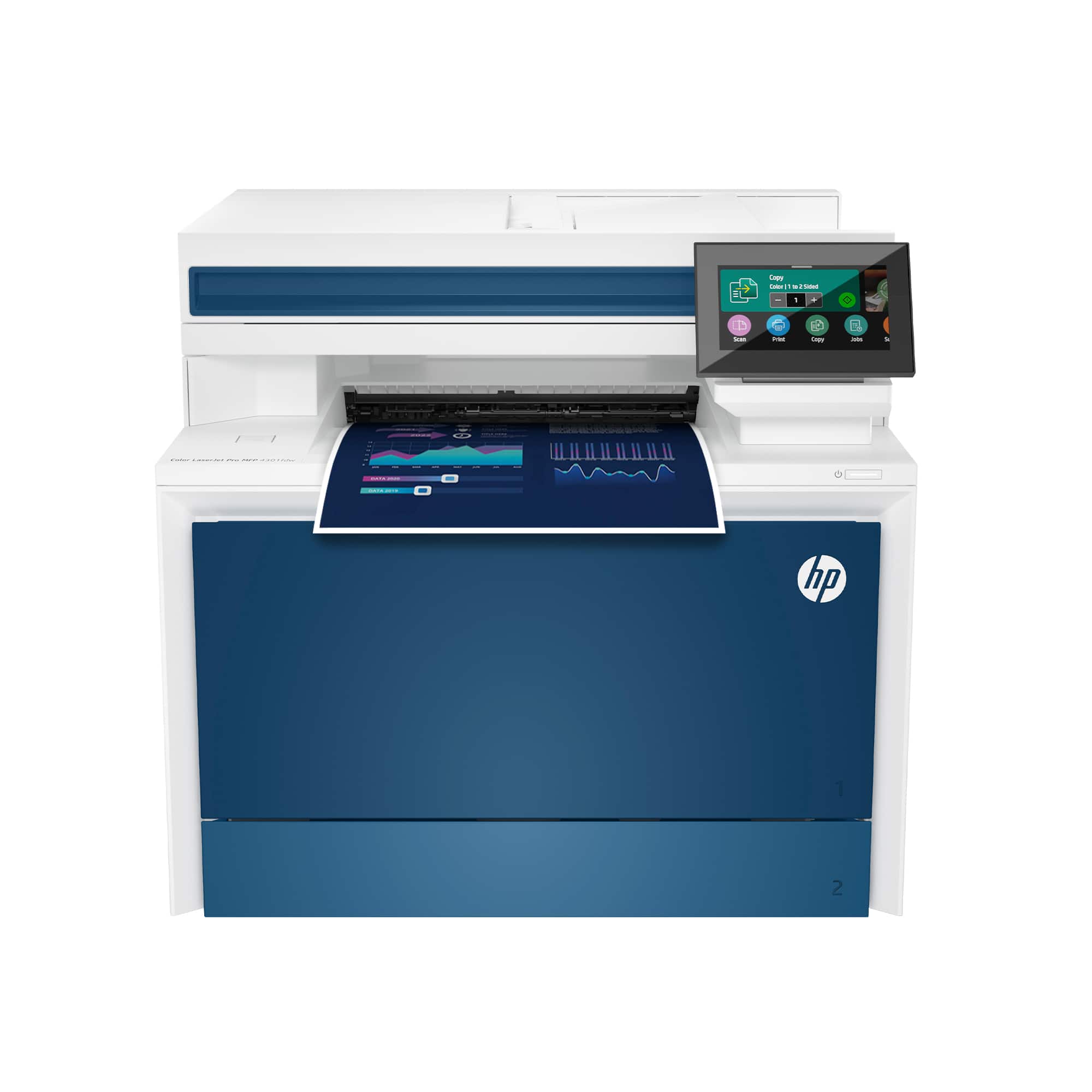
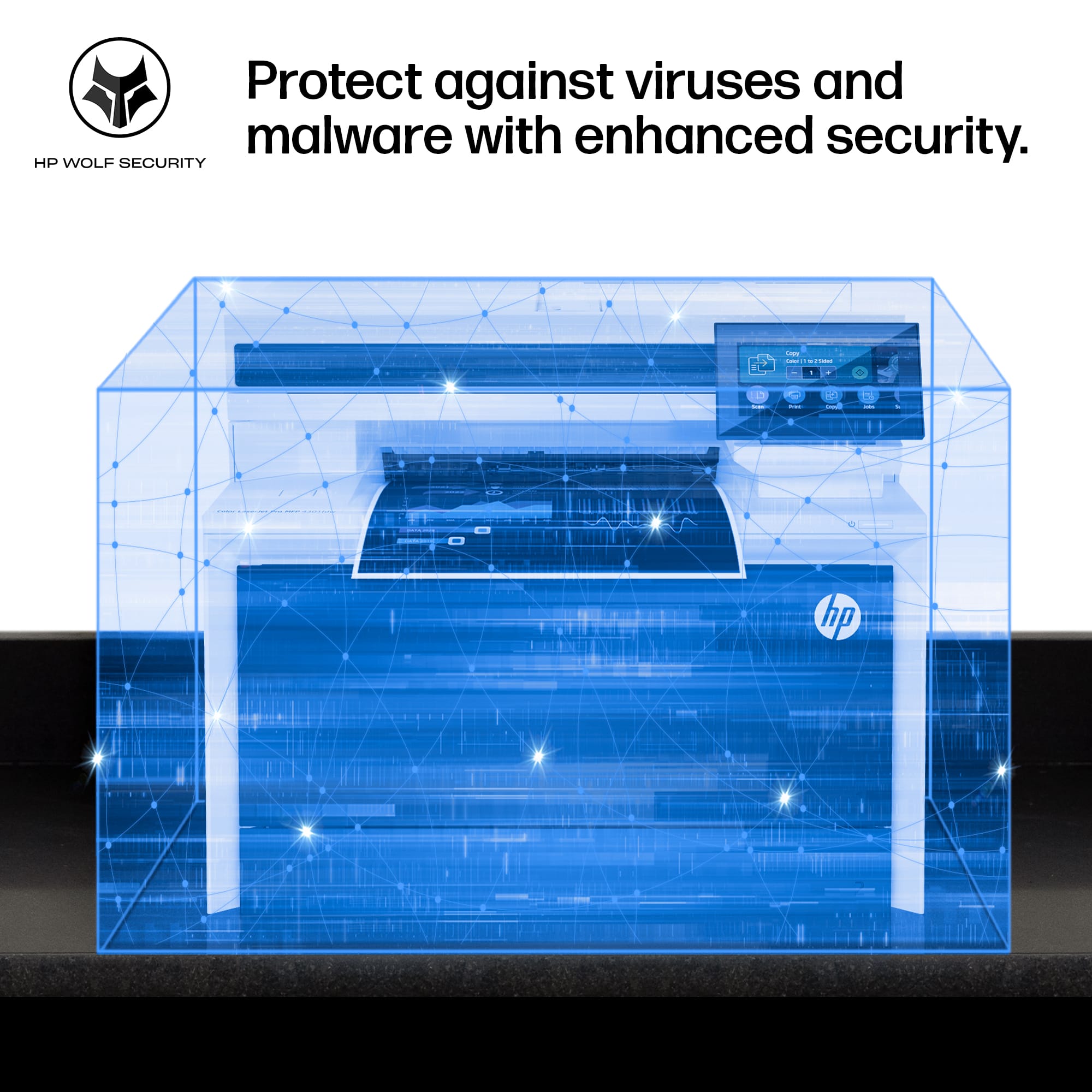

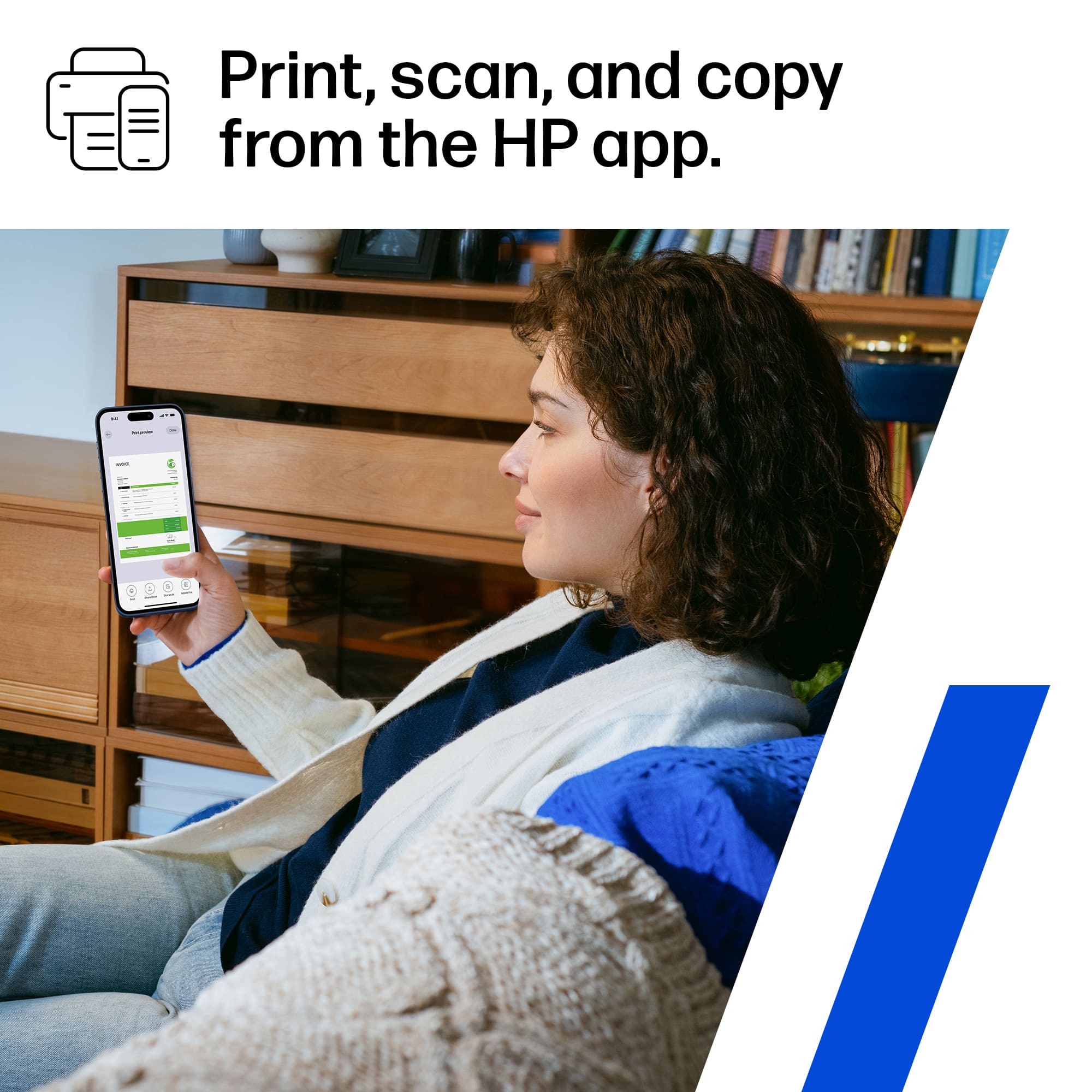
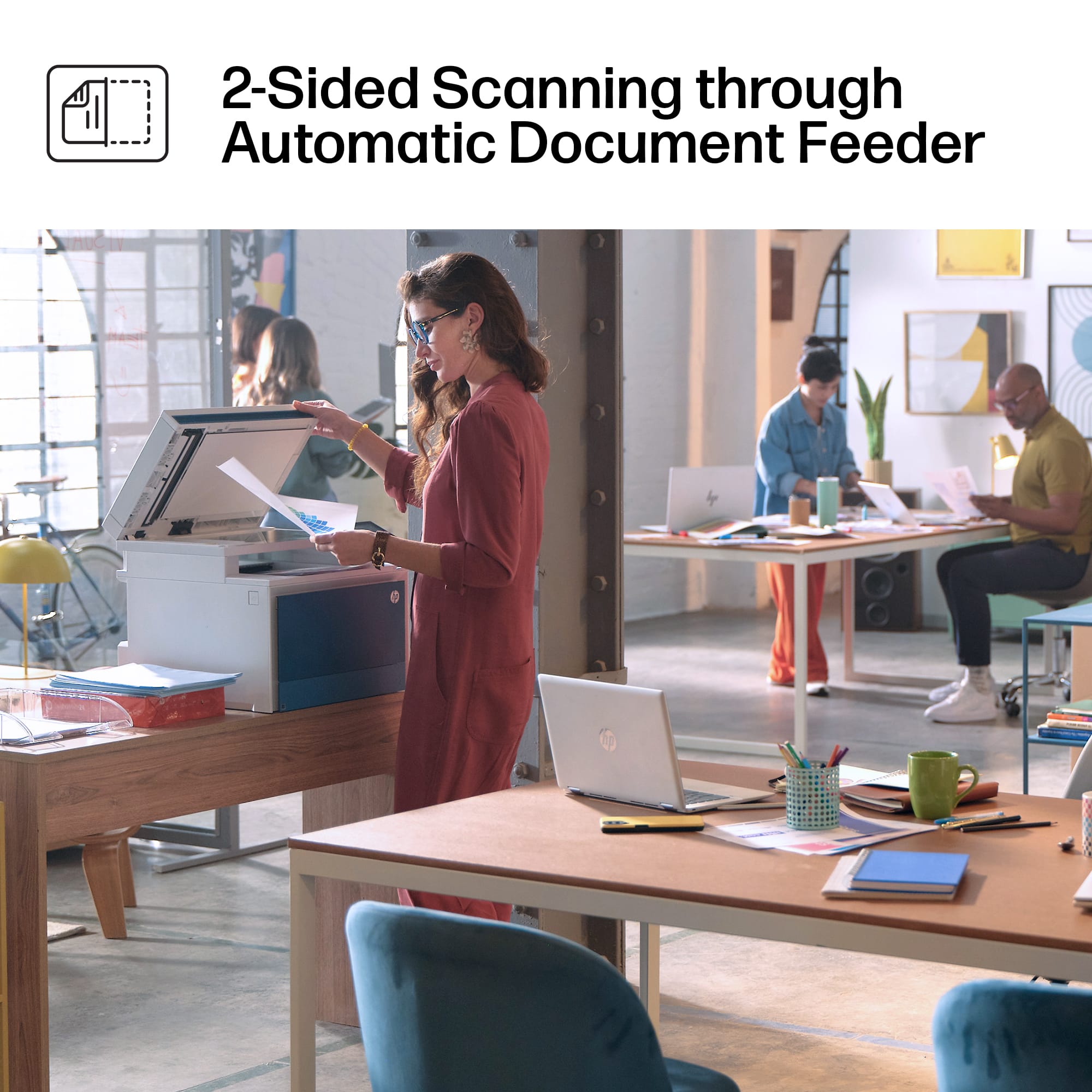
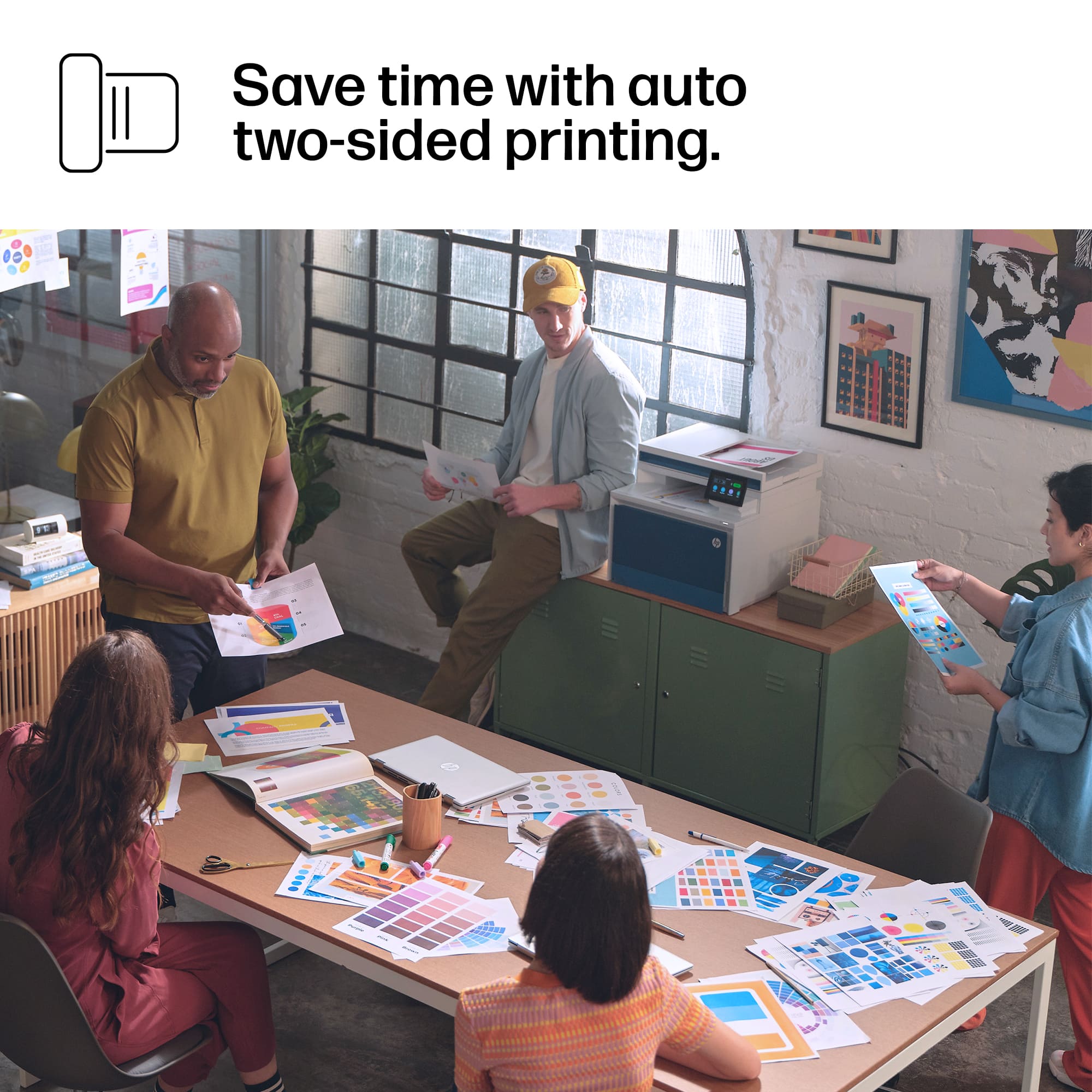




- Model:
- LJP 4301FDW/4RA82F#BGJ
- SKU:
- 11144355
Rating by feature
- Value
Rating 4.4 out of 5 stars
- Quality
Rating 4.5 out of 5 stars
- Ease of Use
Rating 4.4 out of 5 stars
Customers are saying
Customers value the LaserJet Pro 4301fdw for its impressive print quality, ease of use, and overall performance. Many appreciate the simple connectivity, fast printing and scanning speeds, and relatively quiet operation. Some customers find the printer heavy, and a few have concerns about the paper tray design and software.
This summary was generated by AI based on customer reviews.
- Pros mentioned:Print quality
Recommend
||Posted . Owned for 3 weeks when reviewed.This reviewer received promo considerations or sweepstakes entry for writing a review.Have had this printer for about a month and, so far, it functions as advertised. My first color laserjet and I'm pleased.
I would recommend this to a friend - Pros mentioned:Print quality
Stopped printing for awhile :(
||Posted . Owned for 2 weeks when reviewed.This reviewer received promo considerations or sweepstakes entry for writing a review.Stopped printing after less than 50 prints. Got some weird error on the LCD and unit became unresponsive even after multiple restarts. Waited a few hours and it started printing fine again. When it does work, it works great, but if you are buying this for a business, maybe buy an older model with a proven track record.
No, I would not recommend this to a friend Disappointed, but hope to have it fixed soon
||Posted . Owned for 3 weeks when reviewed.This reviewer received promo considerations or sweepstakes entry for writing a review.It was working great for the first two weeks, then Memory Error codes started coming up and we couldn't print large files... Still haven't figured out how to clear the memory, but can print smaller files.
I would recommend this to a friendPrinter
||Posted . Owned for 1 month when reviewed.This reviewer received promo considerations or sweepstakes entry for writing a review.Great reliable printer that was cost effective. Does everything you need it to do.
I would recommend this to a friendNetwork Card Failed in three monts
||Posted . Owned for 2 months when reviewed.This reviewer received promo considerations or sweepstakes entry for writing a review.I love HP Printers, but the network card in this printer died within three months of me owning it. It was not a surge or other network failure. It took me two weeks of arguing with HP to get it fixed, they shipped me a new unit. I just asked them to send the NIC/Mainboard.
No, I would not recommend this to a friendPrinter
||Posted . Owned for 1 month when reviewed.This reviewer received promo considerations or sweepstakes entry for writing a review.Printer is great but screen has small keys for typing filenames.
I would recommend this to a friend- Pros mentioned:Print quality, SetupCons mentioned:Weight

Fast and high-quality printing
|Posted .This reviewer received promo considerations or sweepstakes entry for writing a review.Easy to set up, easy to connect to, and very fast at producing high quality prints. After unpacking, removing the tape, and powering up the printer, you only need a few minutes to configure its wireless access, load paper, connect to it from a phone device or laptop/PC and print your documents. In a few minutes the HP LaserJet Pro 4301fdw was up and ready to print/scan/copy. - Pros: Fast, great looking color prints, easy to configure and access. - Cons: Heavy. >> Setup << The printer is very heavy, so plan in advance to have a sturdy table or desk available to place it on. The first thing I noticed, after opening the box and following the description printed on one of the flaps about how to extract the unit from the box, was how well packed the unit was. The second surprising thing was that there was not really anything to assemble or insert, besides removing the tape holding the parts and adding paper to the trays, there was not even need to install the cartridges as they already came installed in the printer. After powering the printer on, just follow the different screens on the printer’s Control Panel. Nothing really prominent to mention about all of this except that the only “major” configuration step I needed to do was to provide wireless access to the printer, just that. I might add a wired network connection and local connection to a computer later, but currently, the printer is in one room accessible to anyone that wants to print/scan/copy something. >> Connecting << Once the printer is on Wi-Fi, connecting to it with my Windows 11 PC and laptops was as easy as it gets. I just had to select the option to add a printer, and the printer would show up ready to be added. There is also the option to install the HP Smart App if you want to. On one of my Windows 11 laptops, after I added the printer, a pop up showed up asking me to launch the HP Smart App. I recall on other devices I had to click on the "Get App" option after adding/installing the printer. The other type of devices we use for printing are phones. It was easy to connect to the printer and print documents effortlessly from mobile devices. In fact, my first document printed was done using my Android cell phone, it was a pdf doc I needed right after setting up the printer. Very pleased with the experience. >> Copy, Scan and Print << Copy, Scan and Print are the three things I’ve tried on the HP LaserJet Pro 4301fdw and I am more than pleased with the results so far. I haven’t set up the fax yet as I have another fax machine, I might give it a try at some point in time; well, I am not too fond of having someone faxing lots of things to print and spending my precious toner (see below on discussion on toner replacement.) Scan using the predefined settings of the Windows Scanner App is sufficient for what I need to do. I only had to change settings a couple of times; for example, to adjust the DPI. Nothing out of the ordinary when compared to other scanners. Copy has lots of options reachable from the printer’s Control Panel. One I particularly liked was the one to enhance exposure and light, I used it when copying a dark color picture from a magazine. The initial copy came out too dark, a quick adjustment on the control panel, and boom, a nicely copy of the original picture was produced. I now appreciate the Control Panel on the printer, which I didn’t think at first that I would make too much use of beyond using it to configure the wireless access. Print is crazy fast, not your typical home printer. I think this printer is ideal for businesses where documents need to be available promptly. I have used desktop and laptop computers running Windows 11 to print with this printer, and all have been fine. Printing from a phone is also very easy to do. In summary, printing documents from different sources is going to be the main use for this printer. >> HP Smart App << According to the HP Smart App, you can use it to print documents from anywhere. I haven’t used this feature yet as it requires you to create an account on HP. It looks useful if you need to print different things for your personal or small business and have them ready for other people. I haven’t used the HP Smart App too much, as the default Windows and Android software/drivers have been working great for our needs. Nevertheless, I gave the HP Smart App a try multiple times. The only annoying thing I encountered the first time was the Phone App asking for a PIN, which was supposed to be found on the back of the printer (according to the message in the App). With no PIN info on the back of the printer, next I went to the HP support site which was of no use. So, I used Bing and the most helpful advice/answer was given by the AI chatbot that said to “…locate the label inside the cartridge door to view the factory default credentials…” Well, I didn’t find that information at the door, by I did find the username and PIN on the side of the cartridge itself. I looked carefully at the booklets that came in the box, but I found nothing (or perhaps I didn’t look properly.) Anyways, I was not excited about this experience. >> Photo Printing << I am impressed with the color and quality that comes when printing photos with this device. Without adjusting any parameters, just what is set by default, colors are vibrant and the little details in the pictures are noticeable. I haven’t played too much with the settings, just adjusted paper type, size, photo size, color, or b/w. We’ve already printed several photos that we have placed in frames that we have gifted to friends and family. I have only one complaint, though. I haven’t been able to print on 4x6 glossy photo paper from another manufacturer (not HP), the paper gets stuck in the printer. I had no luck searching online looking for others facing a similar situation with the same or similar printer. This means that I will need to buy specific HP branded glossy photo paper to give it a try. I am also worried that other non-HP paper sizes might get trapped as well, so I stopped printing in other manufacturer’s photo papers until I buy HP branded ones and determine what is going on. >> Cartridge replacement << Although I haven’t replaced cartridges yet, I gave a quick look at the replacement toner prices on the HP website. They are expensive, well, crazy expensive, to the point that it made think (after recovering from the shock) about limiting printing on this device and to be extra mindful of what we print. The HP Smart App suggests getting on the HP Instant Ink subscription service to get the toners at savings up to half the price, which I may end up doing to save my hard-earned money.
I would recommend this to a friend - Pros mentioned:Print quality, Speed
I love this printer!
||Posted .This reviewer received promo considerations or sweepstakes entry for writing a review.I love this printer! It is awesome for small business use. I have had no connectivity issues between my Mac or PC computers and the printer, and I only have wifi internet. I don't know how good the fax feature is because I don't have a line for it, nor have I purchased the access I need to use it because I haven't needed it yet. The copies are crisp and the speed is super fast. I keep regular copy paper in the main tray for daily use, and use the feeder tray for any special type of paper. I have printed on sticker paper and lightweight cardstock and had no problems. It prints just as fast as the regular copy paper. The only drawback I can speak of so far is the cost of the toner cartridges. The cartridges that came in the printer were the 210A. The cyan and yellow ran out very quickly. The magenta is low, but still printing fine. It does seem to keep printing a while after notifying you the toner is low, giving you plenty of time to order more. I would recommend the 210x cartridges. That is what I replaced them with, and the monitoring app doesn't even register a drop in supply yet. It is definitely worth the extra money I paid for the printer along and cost of the toner. Compared to the ink jet I had less than 2 months and returned because of constant calls to support about connectivity issues and operating system compatibility, it is 110% the better option.
I would recommend this to a friend - Pros mentioned:Ease of use, Print quality, Setup
Small buisness
||Posted . Owned for 1 month when reviewed.This reviewer received promo considerations or sweepstakes entry for writing a review.Well packaged , super easy to install setting up was a breeze, quick printing , good quality, nice scanning both tray loaded and glas scan .
I would recommend this to a friend - Pros mentioned:Print quality, Speed
Great color laser printer for business use
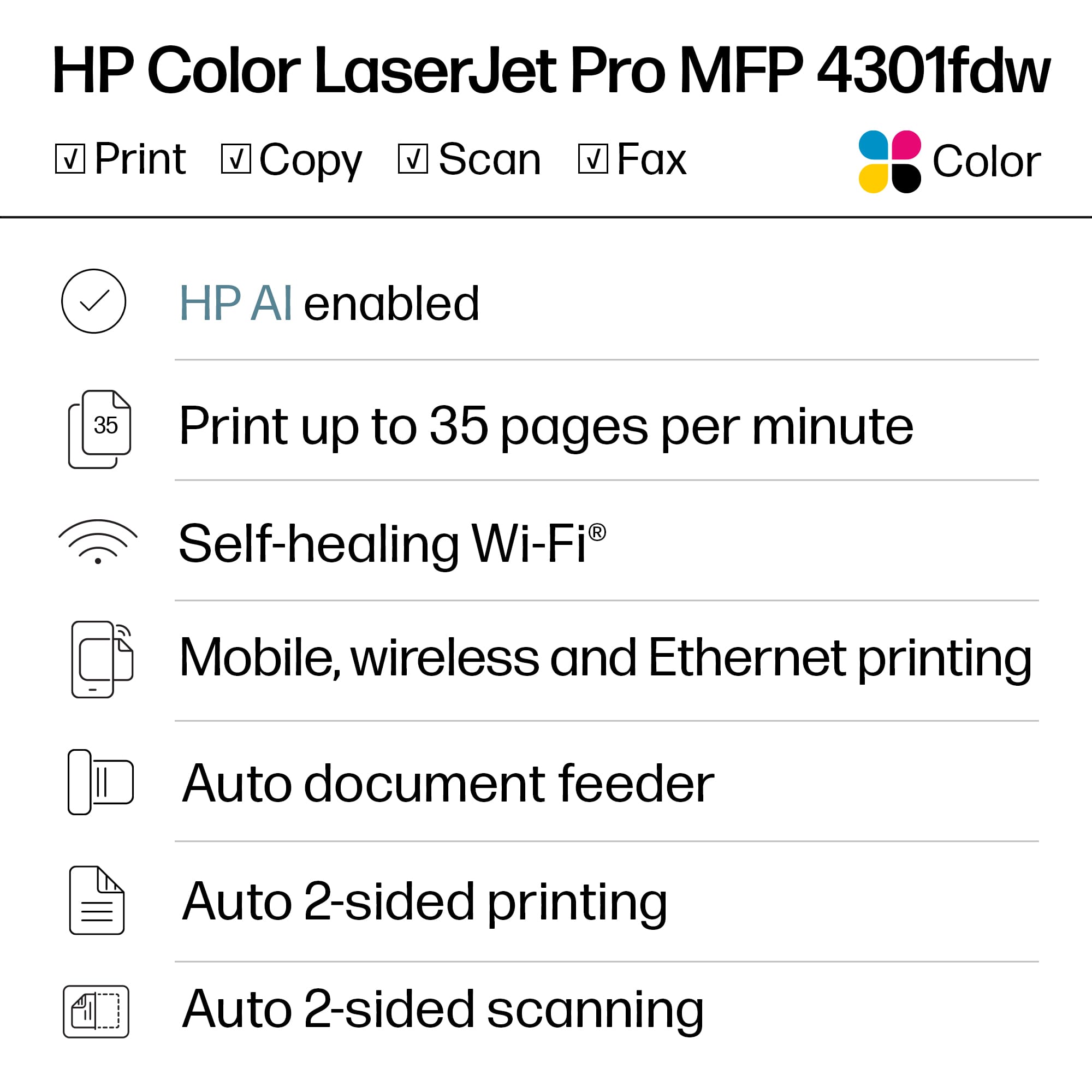
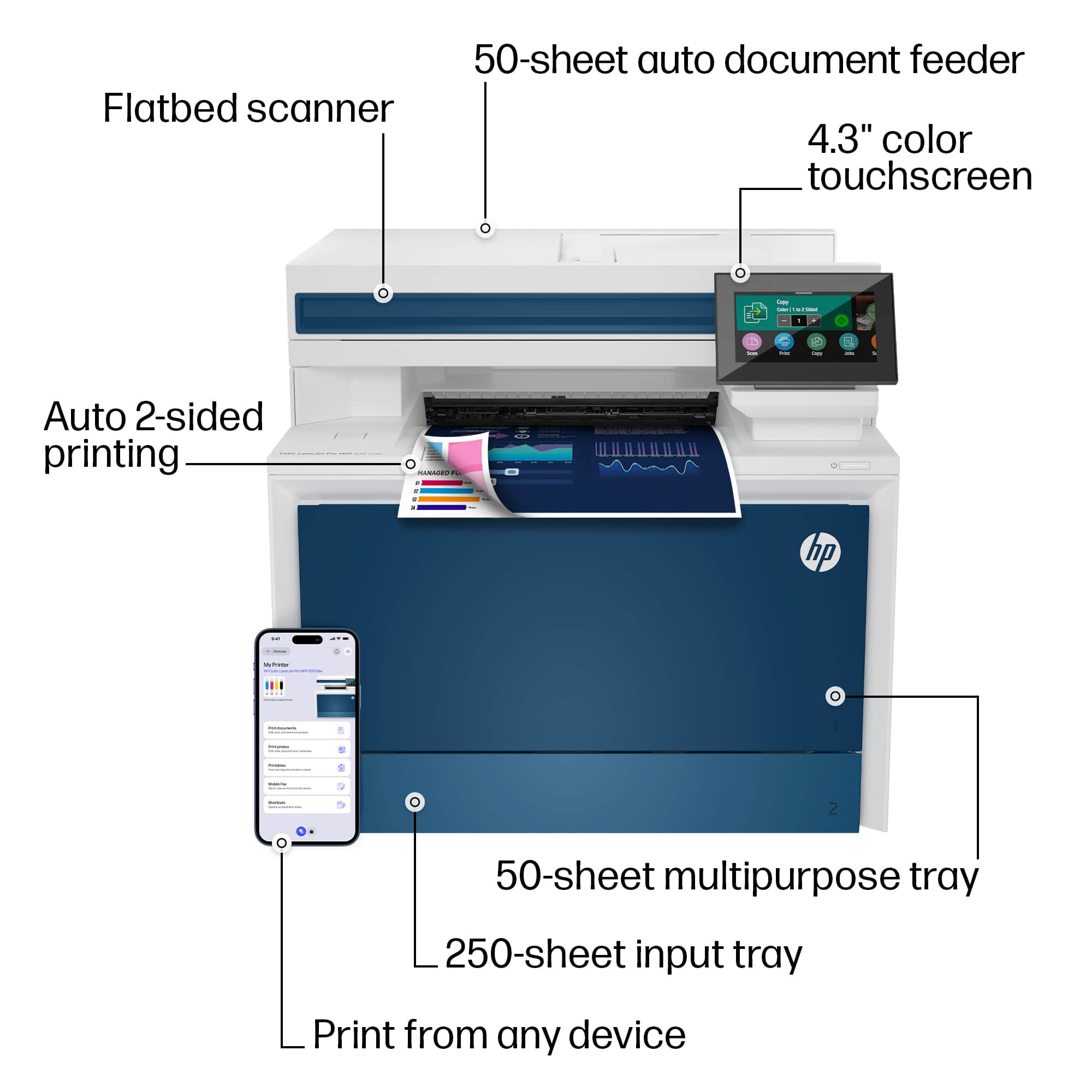
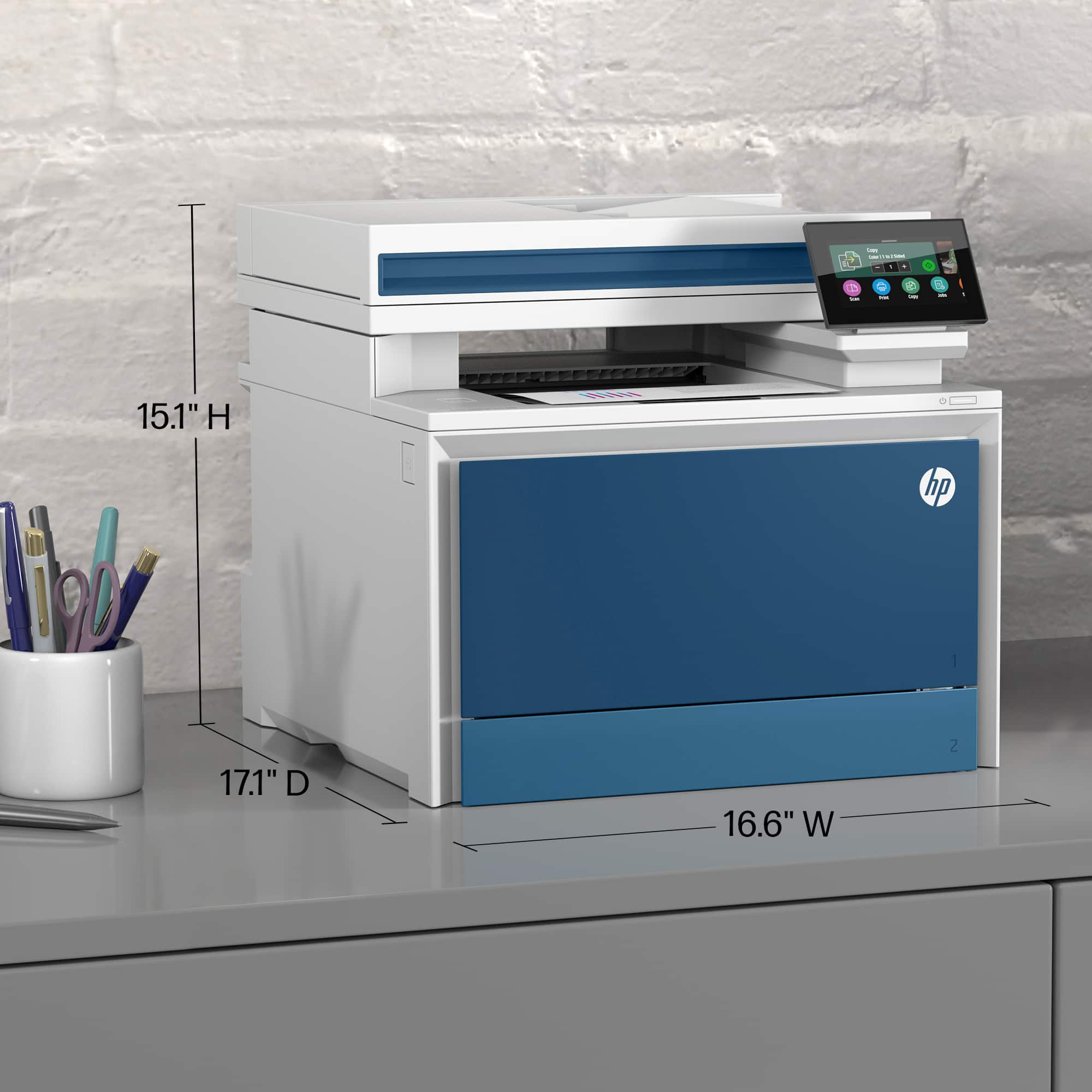
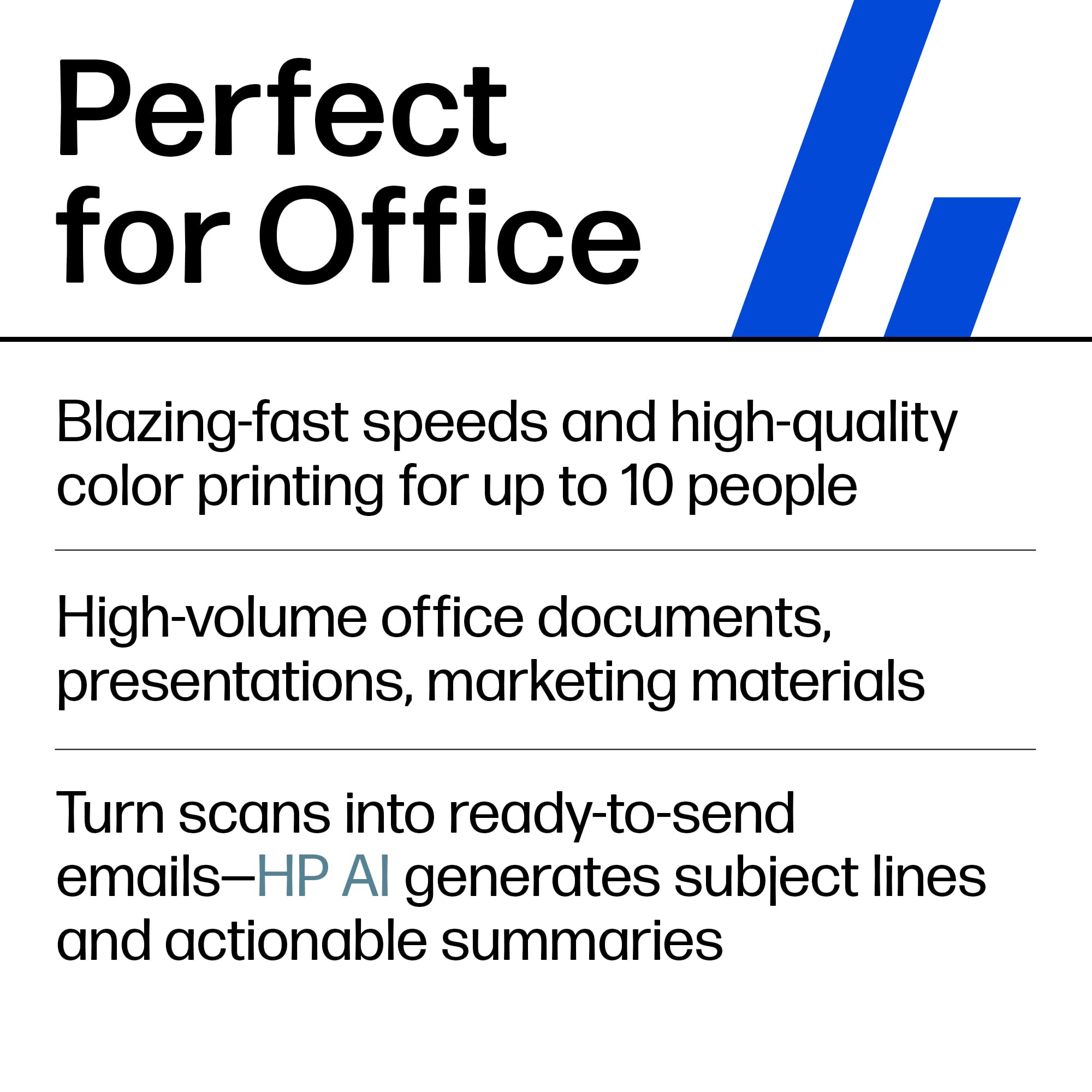
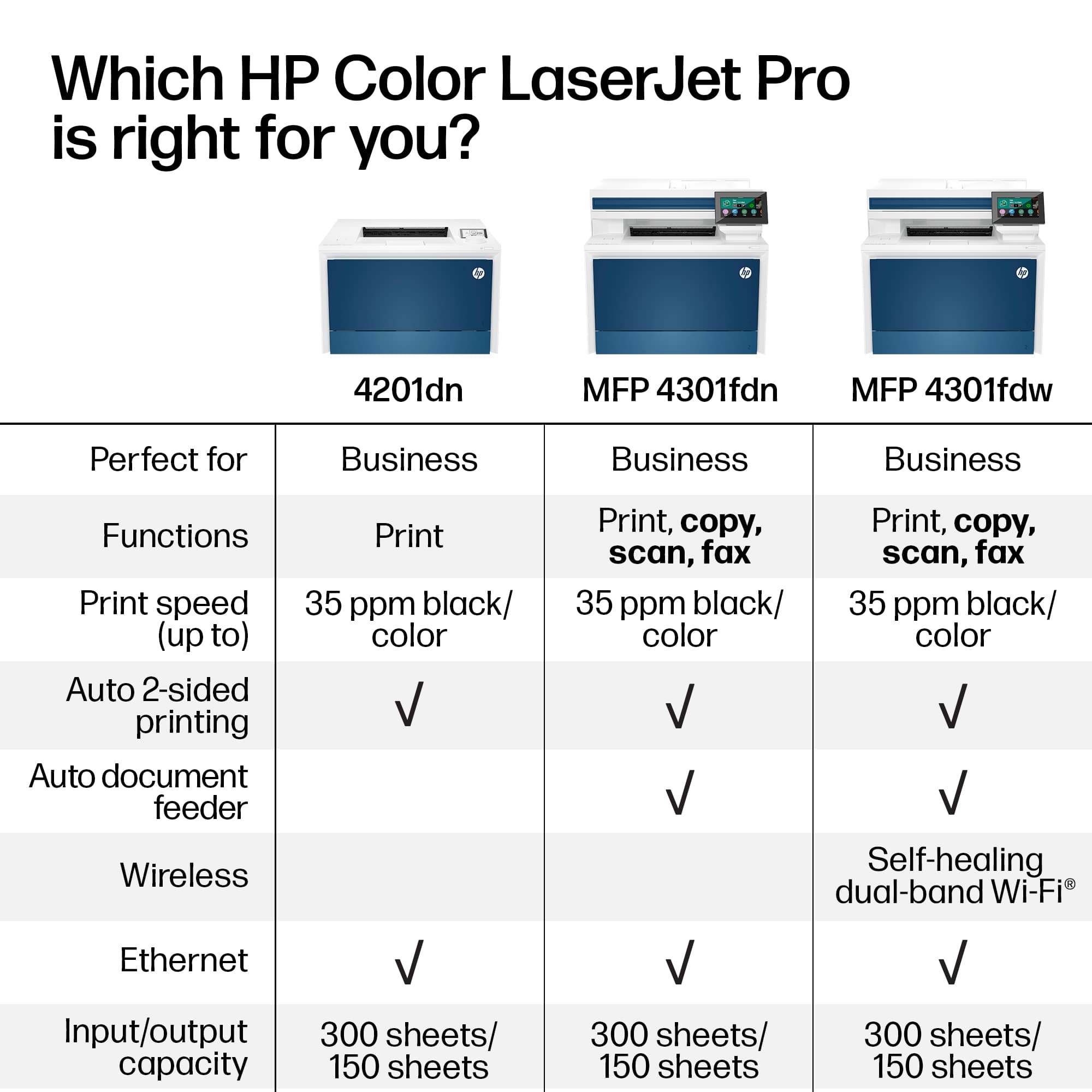
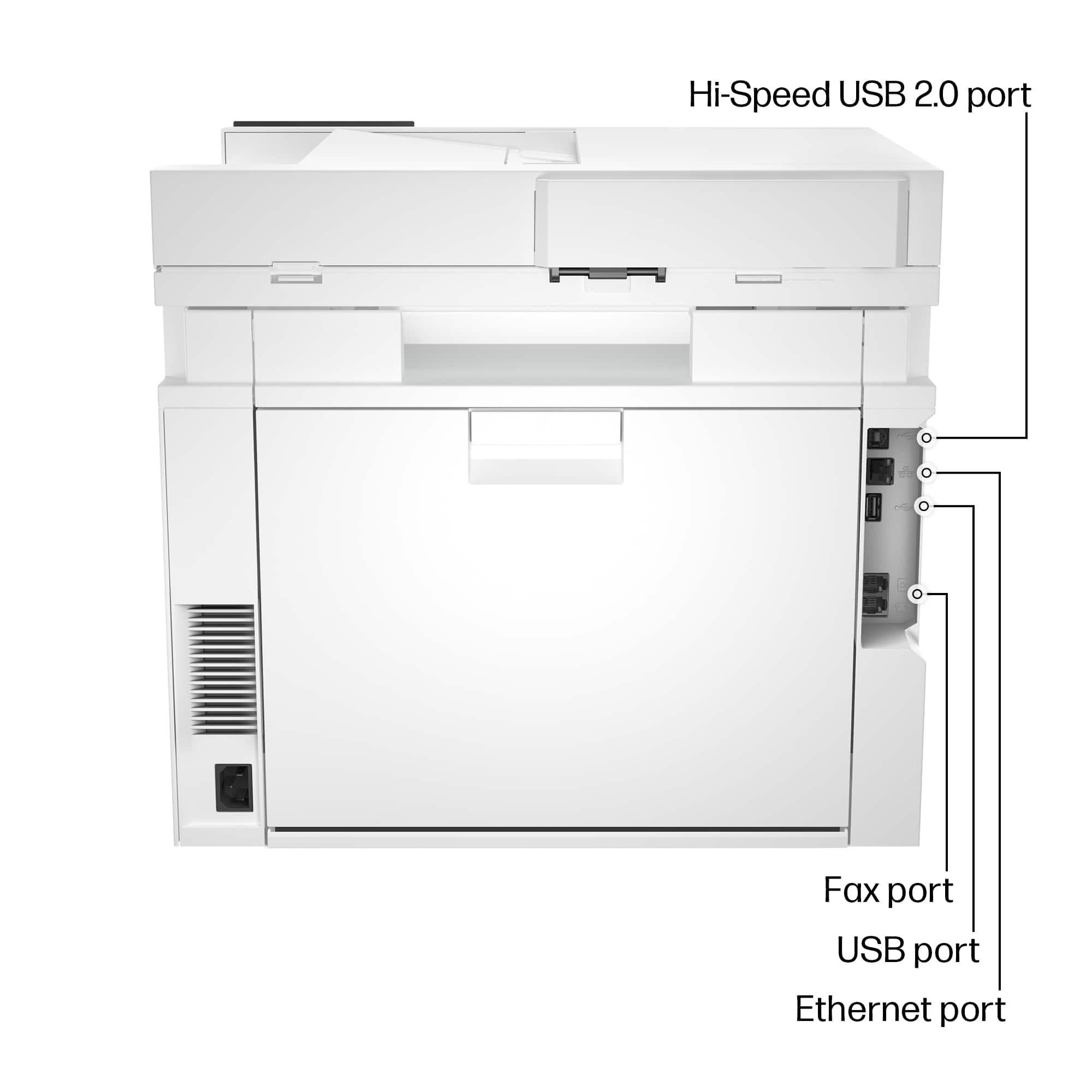
|Posted .This reviewer received promo considerations or sweepstakes entry for writing a review.I received an HP LaserJet Pro 4301fdw Wireless Color All-In-One Printer a few weeks ago. I’ve had a lot of time to give it a good shakedown. Here is what I can tell you about the printer. This is one of many multifunction printers in the HP line. This particular printer is a color laser printer, scanner, copier, and FAX machine. It is designed primarily for business use. It is a big printer measuring16.6 x 15.1 x 17.1 inches, and weighs 45 pounds. Tray 1 has a capacity of 50 pages and tray 2 can hold 250 pages of 20# paper. Both trays are adjustable width and able to handle up to standard letter paper. Tray 1 is kind of a manual feed tray and can hold up to legal size paper It can also be used for things like envelopes or labels. The printer has an output tray capacity of 150 pages. While it has a duty cycle of 50,000 pages per month, the recommended usage is 750 – 4,000 pages per month. It has a black print resolution of up to 600 x 600 dpi; up to 38,400 x 600 enhanced dpi and color resolution of up to 600 x 600dpi. The 4301fdw can duplex print (print on both sides of the page) from both paper drawers. The printer has a tilting 4.3" diagonal LCD touch display that you can use to configure and use the device. The printer has a USB port of the top of the unit. You can attach a flash drive and using the display, browse the drive and print directly from it. The back of the unit has in and out phone ports, an ethernet port, and a USB printer port. You can also attach the printer via Wi-Fi and Bluetooth. You will use HP Smart on your computer or smartphone to get the best use of the device. Using the software you can print, scan, copy, fax, configure, and troubleshoot. The printer uses HP 210A standard yield or 210X high yield toner cartridges. The 210A black toner cartridge is rated to print approximately 2,000 pages. The 210A color cartridges (Cyan, Yellow, and Magenta) are rated to print about 1,800 pages. The 210X black toner cartridge is rated to print about 7,500 pages, and the 210X color cartridges are rated to print about 5,500 pages. It prints at 35 pages per minute and the first page out (ready) speed is 9.1 seconds for black and 10seconds for color. The scanner has an automatic sheet feeder or you can scan from the glass. When copying from the sheet feeder, you can output either 1 side to 1 side or 1 side to 2 side. When copying from the glass, you have multiple options of printing including 2 side to 1 side, 2 side to 2 side, and any other combination. When doing 2 side to 2 side copies, the scanner will pause after scanning the first side. You then turn the page over and hit the continue button on the display. It will then print both sides of the page. Copies, as well as scanning, can be done in multiple resolutions, and in black & white or color. Faxing can be done from the device itself, or using the HP Smart program. You can create a contact list on the printer control panel of just enter the FAX number you want to send to. The FAX can transmit in standard, fine, and super fine resolutions. The scanner has a sheet feeder or you can scan from the glass. It has an optical scanning resolution of 600 x 600 dpi. It’s pretty good at being able to reproduce the original but some quality is lost depending on what type of media you are scanning. My only disappointment with the printer is the quality of the color printing. While it may be fine for things like graphs and lower quality photos, it doesn’t have the photo printing quality of a good inkjet printer. I printed a high-resolution photo of the “Pillars of Creation” shot by the James Webb Space Telescope. I printed it on both the HP 4301dfw and an inkjet printer at their best resolution. While the HP printer output looks nice, it is missing a lot of the details that you see in the inkjet printer copy. (See photos below.) Overall, the HP LaserJet Pro m4301fdw Wireless Color All-In-One Printer is a very nice business printer. It will work great for groups of 3 – 15 users and I can recommend it for business use.
I would recommend this to a friend - Pros mentioned:Print quality
HP Beautiful High Performance Color Laser Printer
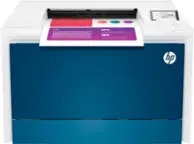
|Posted .This reviewer received promo considerations or sweepstakes entry for writing a review.HP released a new All-in-One Color Laser Printer: the LaserJet Pro MFP 4301fdw. Unlike the usual industrial looking all white or black casing, this stunning beauty is cased in blue & white & is the showpiece in my well-appointed home office. Another Plus: this color laser printer is slightly smaller than the HP laser printer from 3 years ago; it measures 15 1/10” H X 16 6/10” W X 17 1/10” D. What a performer! Maximum Print Speed (Color or Monochrome): 35 pages/min. Maximum Scanner Optical Resolution: 600 dpi; the flatbed scanner measures 8 ½” X 11 ¾”. Maximum Color Scan Speed: 37 impressions/min. (Monochrome 46 impressions/min). Recommended monthly print volume is from 1001 – 6000 with monthly duty cycle of 50,000 sheets. The generous input tray holds 250 sheets, making this printer an excellent choice for large jobs. The automatic document feeder features 50 sheet capacity. This printer carries the highly coveted Energy Star: EPEAT Silver Certification. It handles double-sided printing & scanning. This printer can enlarge copies up to 400% & can reduce copies down to 25%. The HP Pro MFP 4301fdw is a quiet performer. It is noticeably quieter than prior HP printers. It prints directly from MacOS, PC, iOS & Android. Set-up is the easiest of any printer I have owned. Simply plug it in, enter Wi-Fi & Password and install HP Smart app on your devices! CONCLUSION: This HP is a beautiful addition to my Home Office, built with stellar quality on which HP has built it's reputation. It earns my highest recommendation.
I would recommend this to a friend - Pros mentioned:Ease of use, Print quality, Setup
Laser Printer
||Posted . Owned for 2 weeks when reviewed.This reviewer received promo considerations or sweepstakes entry for writing a review.Easy to set up and connected to our wi-fi quickly. Printed documents meet our expectations.
I would recommend this to a friend - Pros mentioned:Overall performance, Print quality, Speed
HP laser pro 4301fdw
||Posted . Owned for 1 month when reviewed.This reviewer received promo considerations or sweepstakes entry for writing a review.I have started a small business and found that the new ink jet printer I purchased was not what I needed. Going to best buy and talking to the store representative I found this printer. It is fast, wireless, scans on both sides of the page, prints on both sides of the page. It has a paper feeder for scanning as well as a flat panel you can scan material with binders. I am completely satisfied with this high quality printer.
I would recommend this to a friend - Pros mentioned:Print quality
Great printer with a few small concerns
|Posted .This reviewer received promo considerations or sweepstakes entry for writing a review.The last time I had an HP printer I truly hated it. So, I was a bit unsure about taking the plunge on another one having had such a bad experience before. So far, I can say that I think HP has taken great strides at improving their product if this one is any indication. It is not perfect however but has a lot going for it. This new laser printer is what they for some reason call a laser jet even though it has no jets at all unlike an ink jet which literally pushes ink through jet nozzles. Laser printers use dry toner, so they have very little in common. Naming convention aside, it was clear upon opening the box that it is big and very heavy. So, keep that in mind first and foremost, you will need some space for this thing and that space needs to be able to hold some weight as well. It is nice looking, with a high-res color touchscreen, and white with blue accents. I do find the choice to add those blue accents odd as nothing else I’ve ever owned in electronics has been that color before so it will always stand out, but there it is. I set mine up on top of a side of my corner desk since it is too large to fit on the pull-out tray my desk has intended for printers and plugged it in to my network hardwired rather than via wifi or usb which are also options. My first order of business was to ensure AirPrint worked since that is how I interact with my printers most of the time. Unfortunately, it was a challenge to get that working and took several tries to get it to respond to my sending print jobs from my iPhone 14 pro max. It had been setup, connected, updated, and my phone could see it and send jobs to it, but it would not receive them and print anything until after a couple power cycles. Since then, I have had no further problems printing documents from my phone, but it was an issue at first. Then I spent some time with the various settings and options on the touchscreen and found that you cannot scan anything unless you use a web browser or the HP Smart app on your computer. This prompted me to get my laptop setup with the printer which went smoothly by finding it on my network in windows settings, adding it, and following the prompts that followed to download and install the HP Smart software which I did. From there you have to setup an HP account, or you cannot use the full features even for scanning which I find bizarre. Finally, after doing that I printed some things and scanned them to see how it would do. Print quality is phenomenal, everything is crisp and professional grade. It also does double sided printing and color or black and white, and all those options are very fast. It is shockingly quick at spitting out pages and pages of high-resolution prints. Laser printers are fairly loud and this one is no exception, but it will go right back into standby about a minute after completing a job so that saves energy and keeps the noise down to a minimum. The nice high-quality prints I did I then used to scan right back in to see what they would look like, and it did so fast, but the quality of the scan was lacking a lot compared with the original print. Increasing the dpi to maximum brings that quality back up substantially but is very slow and creates an enormous file that is significantly bigger than what I used to print it originally. I’m not sure it proved anything but did get the point across that it can scan very well or very fast but not necessarily both, which is par for the course for scanners in my experience. It can also make copies and send Faxes. I was very impressed with how fast it made some copies and how close to the original the copies were in quality. The copies I made were of a color print as well and they still looked wonderful. I haven’t sent a fax in over a decade so I may never use that feature but it can do so as long as you have a hard phone line attached to it. Once again printing is what we’re really here for and that is where it shines. I’m able to print from my phone or computer without using the HP software and that is great. I prefer to keep the interactions simple and straightforward so I spend less time messing around with it and getting back to my life. It seems to let me do that so I’m happy. I do have reservations about HP’s instant ink program since toner lasts so much longer than ink, I’m not sure it is beneficial at all. There is no indication of how long the starter toner that it included will last, and replacements are extremely expensive. But having to pay a subscription fee for future toner when I don’t know how long it will be before I need more is a hard ask. I could end up paying $14/month for years before finally getting more sent out and that might not be a very good deal. I suppose it depends on your use case. I don’t print more than a dozen or so pages per month so I may not the best audience for that program. Overall I’m happy with how this printer performs, it is fast, smooth and has very high quality print capabilities. I’m not sure I like how many extra steps there are for scanning since you have to have their software and an account just to do that, and the toner is expensive, but the instant ink program is a bit vague on how long you may end up paying for it before receiving any benefit from it. If I keep things simple by printing from my phone primarily and only scanning when I have to, I’ll enjoy high quality color prints from here on out and that’s what I was primarily looking for. If you are familiar with HP’s products and services, you’ll probably find something you like but there are some real caveats to owning this printer because of how intrinsically tied to the software and services it is.
I would recommend this to a friend - Pros mentioned:Ease of use, Print quality, Setup
Great printer and impressive output
||Posted . Owned for 2 weeks when reviewed.This reviewer received promo considerations or sweepstakes entry for writing a review.Great printer and easy to purchase from Best But. Setup went smoothly and our office staff are very happy with it. I saw an auto registration and license plate tags on a desk at work and reached to grab the tags so I could put them on the work truck and quickly realized I was grabbing a photo color copy. The copy was very realistic.
I would recommend this to a friend - Pros mentioned:Ease of use, Print quality
HP Laser Jet
||Posted .This reviewer received promo considerations or sweepstakes entry for writing a review.Scanning as well as ease of use, speed and print quality are exceptional. The ability to scan to a computer, file is very good. I am not considered as "tech savy" but setup was easy. Really like the laser jet portion as the quality and ink is much better than ink jet.
I would recommend this to a friend - Pros mentioned:Ease of use, Print quality
A very good quality laser printer w many functions
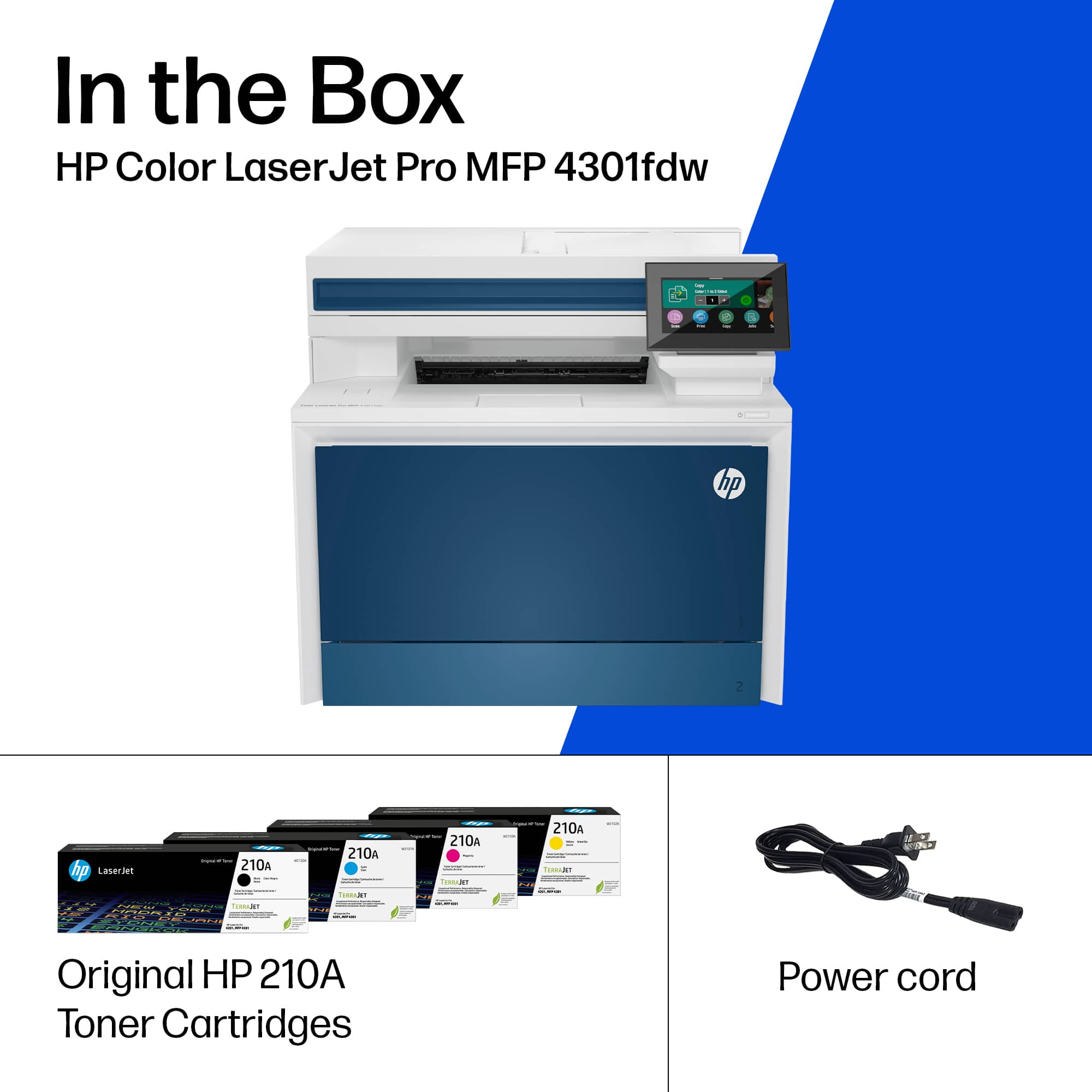
|Posted .This reviewer received promo considerations or sweepstakes entry for writing a review.Summary: A very easy to use and setup HP laser printer with great resolution that I can recommend to any one looking for a more commercial grade printer for a small office, multi-functionality, and easy to operate user interface. The printer can be a bit on the heavy side so make sure you get a friend to help move or get this in to the right place. What's in the Box: HP LaserJet Pro 4301FDW printer Laser toner (already installed) Power cable Manuals Setup: The printer setup was very simple, getting the printer to where you want it can be more of a challenge, this is a heavy printer. As mentioned setting up the printer was relatively easy, all it really needs is just to be plugged in to a standard 120v outlet and remove all the protective tape securing it for shipping. Software Setup: Since I previously owned another HP Laserjet printer, I already had the HP Smart app that allows your phone/computer to wirelessly print from anywhere in the house, just as long as you're on the same network. The app is easy to use and simple to navigate. I did however encountered a small issue since my HP Smart app was tuned for another HP printer. No sweat, just make sure you reconfigure your computer or phone to add the LaserJet Pro 4301FDW. Functionality: Probably you'd expect from any other HP printer, multiple use of different functions. This printer comes with the ability to print from your computer/phone, copy, scan and even fax. I can't say much on the fax function but I often use my printer to make scans for any document I need to go digital. I've gotten so much use from this printer with the scan and copy functions as well as being a laser printer.
I would recommend this to a friend - Pros mentioned:Print quality, Setup, Speed
Just OK
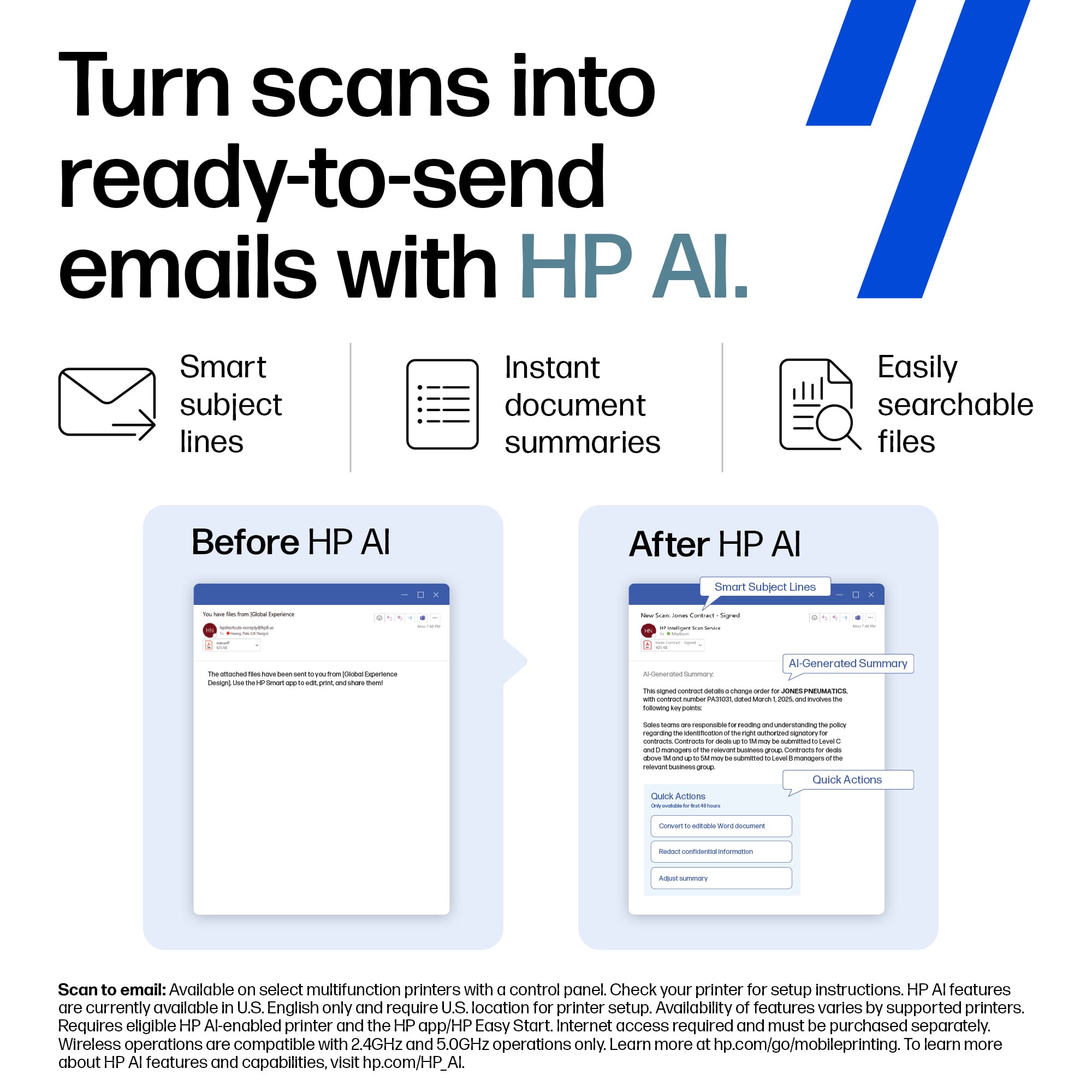
||Posted . Owned for 2 weeks when reviewed.This reviewer received promo considerations or sweepstakes entry for writing a review.AirPrint doesnt really require any set up, came up automatically. Still have not been to sync this printer with the HP smart app and plugging it into the latest version of the MacBook Pro has not helped set it up either. Scan to email doesnt really work either. Would pass if a Mac user and need those features. It does print really fast, is quite and produces high quality print outs. Just wish it had better software.
No, I would not recommend this to a friend - Pros mentioned:Print qualityCons mentioned:Weight
Great all-in-one printer!
|Posted .This reviewer received promo considerations or sweepstakes entry for writing a review.The LaserJet Pro 4301fdw… The TLDR - great all-in-one printer! Pros: > Wireless feature…once hooked up to your network, it's almost pretty seemless to print from any device (e.g., computer, tablet, phone, etc.). Very easy and straightforward to set up and get running. > Great color space when it comes to printing. Heavy weight paper and photo prints look great. Save on trips to the store or ordering online prints. > Duplex printing and scanning! Need I say more? > Speed of printing and scanning… pretty much on par with other laser printers, not to say it's slow but it's just as fast or faster than the competition out there > Multiple trays for loading various paper types and sizes > Design and build quality feel top notch Cons: > Heavy! This thing is not meant to be moved or to be portable. Setting it up can be a hassle (in terms of us permanent location but not actually the setup process itself). > Won't print when running low on ink (different from actually out of ink)... Ink is expensive (I won't mention the price but just say a couple sets of ink will go over the price of the printer itself).... Overall, this is a great all-in-one printer. It's a bit pricey, but definitely geared more towards small to medium sized businesses.
I would recommend this to a friend - Pros mentioned:Ease of use, Print quality
Premium Home or Small Office Color Laser
|Posted .This reviewer received promo considerations or sweepstakes entry for writing a review.My previous color laser printer was on its last legs when the opportunity to pick up the HP Laserjet Pro 4301 came up, and I would say the timing was quite serendipitous. One of the things I appreciate most about this model is the completely seamless ability to print wirelessly - and INSTANTLY - from my mobile device. I print a lot of shipping labels for my home business that are generated in email, and they spit out faster than I can walk across the room to the printer. Setup, outside of one very important detail, was very easy and the HP Smart app makes accessing all of the device functions quite easy. Where I had to remove a point is the complete lack of instructions for where one finds the admin passcode. Without that, configuring the printer is an ordeal that will make you think you’ve done something wrong or lost something from the box. I’m attaching a photo to save you this pain! The touch screen is far larger than my last printer and is very responsive. Manual feeding for both printing and scanning work extremely well without jamming, and with the speed you’re able to print it would be ideal for a small business with consistent printing volume. You’ll also be able to set up individual user access for each employee. All in all, if it weren’t for the initial setup pains I would absolutely give this HP a 5 and I do highly recommend it
I would recommend this to a friend