Customer Ratings & Reviews







- Model:
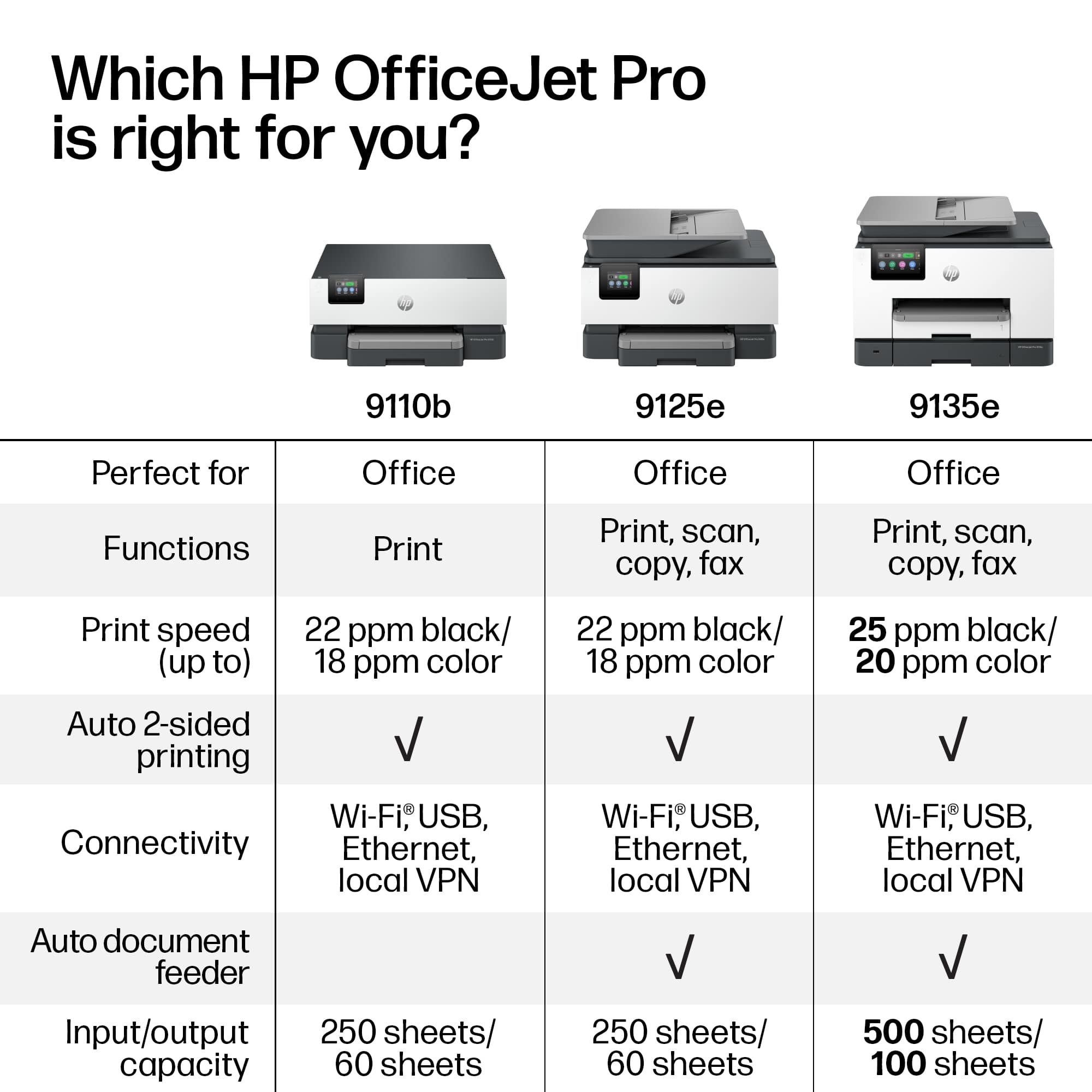
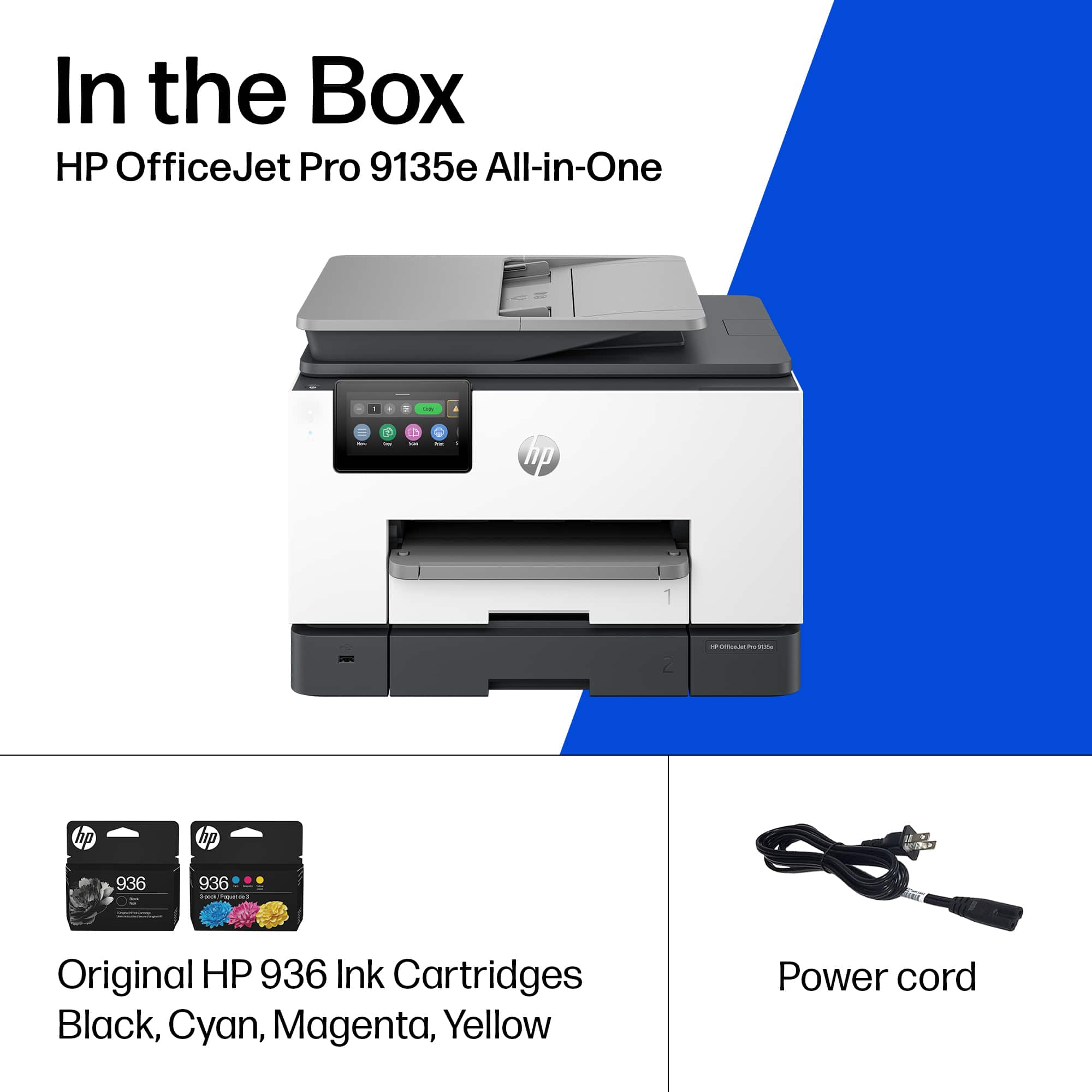
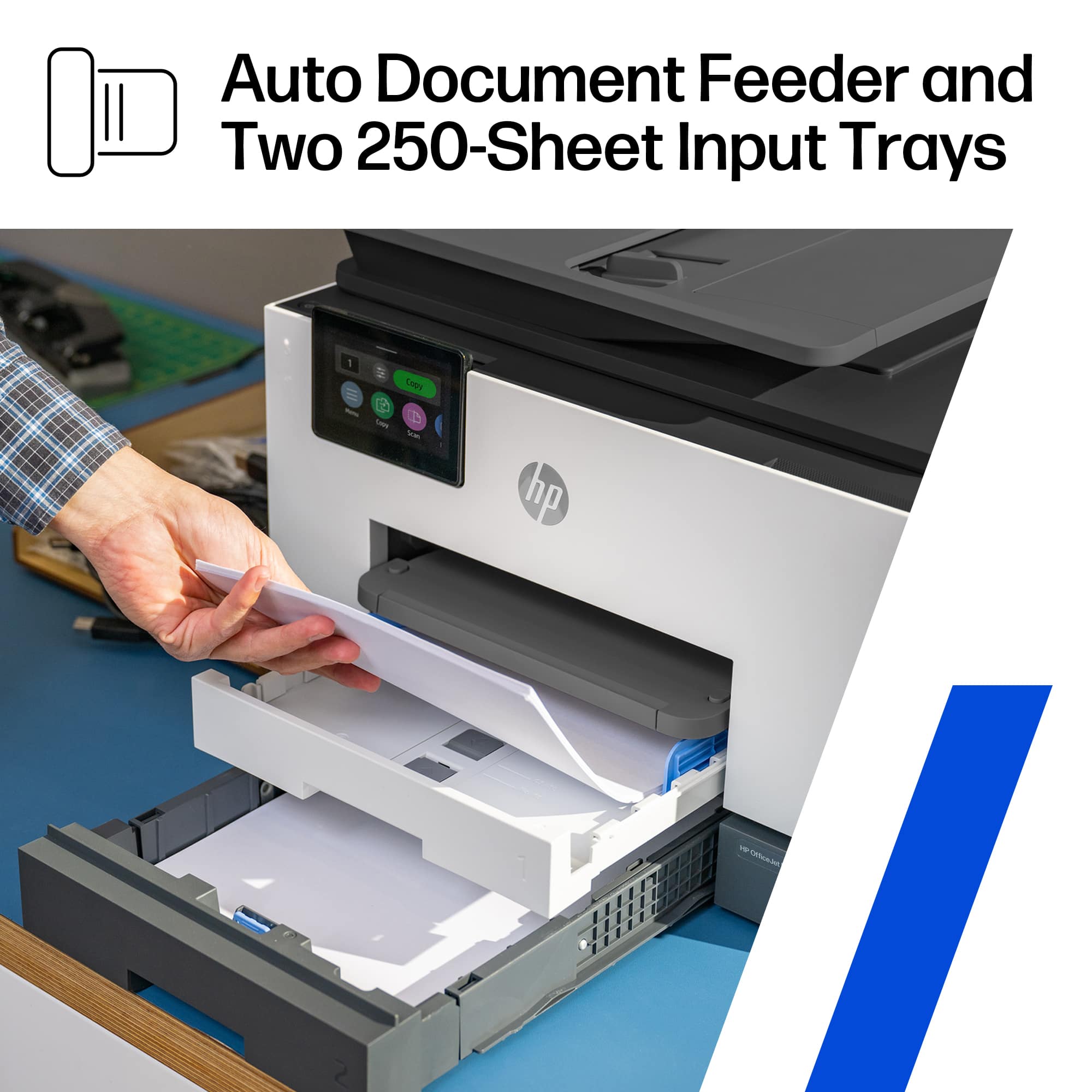
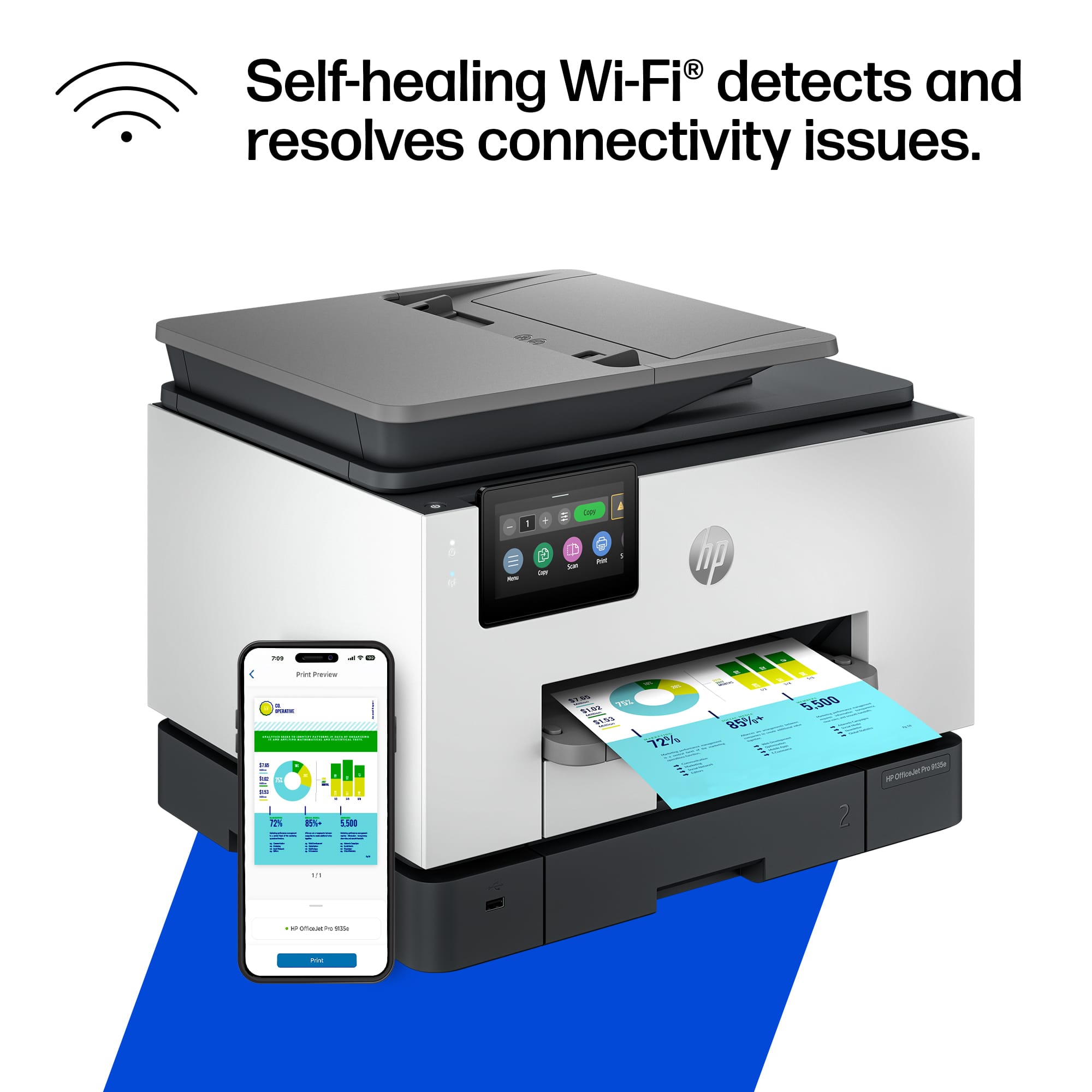
- OFFICEJET PRO 9135E/404M0A#B1H
- SKU:
- 10757528
Rating by feature
- Value
Rating 4.3 out of 5 stars
- Quality
Rating 4.3 out of 5 stars
- Ease of Use
Rating 4.2 out of 5 stars
Customers are saying
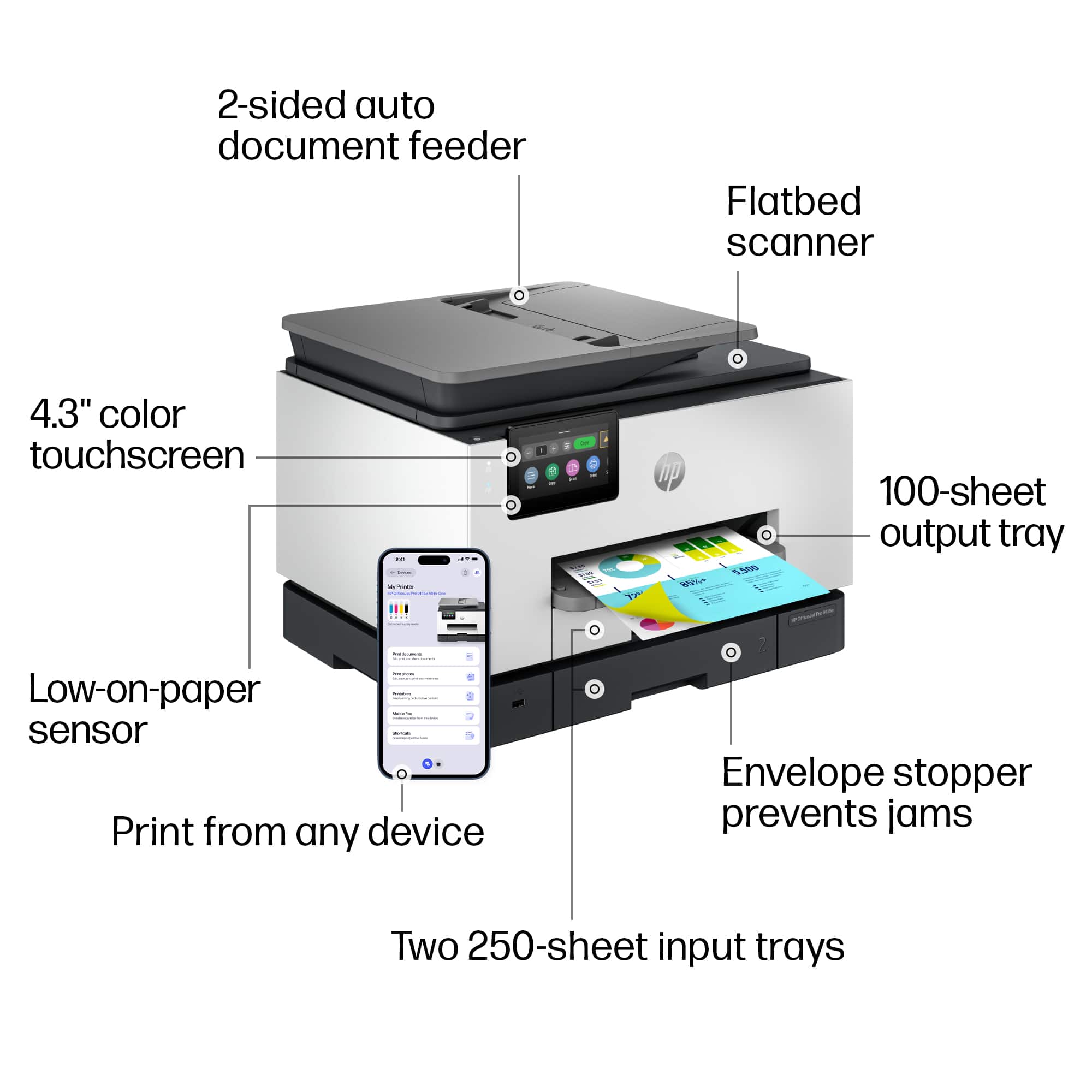
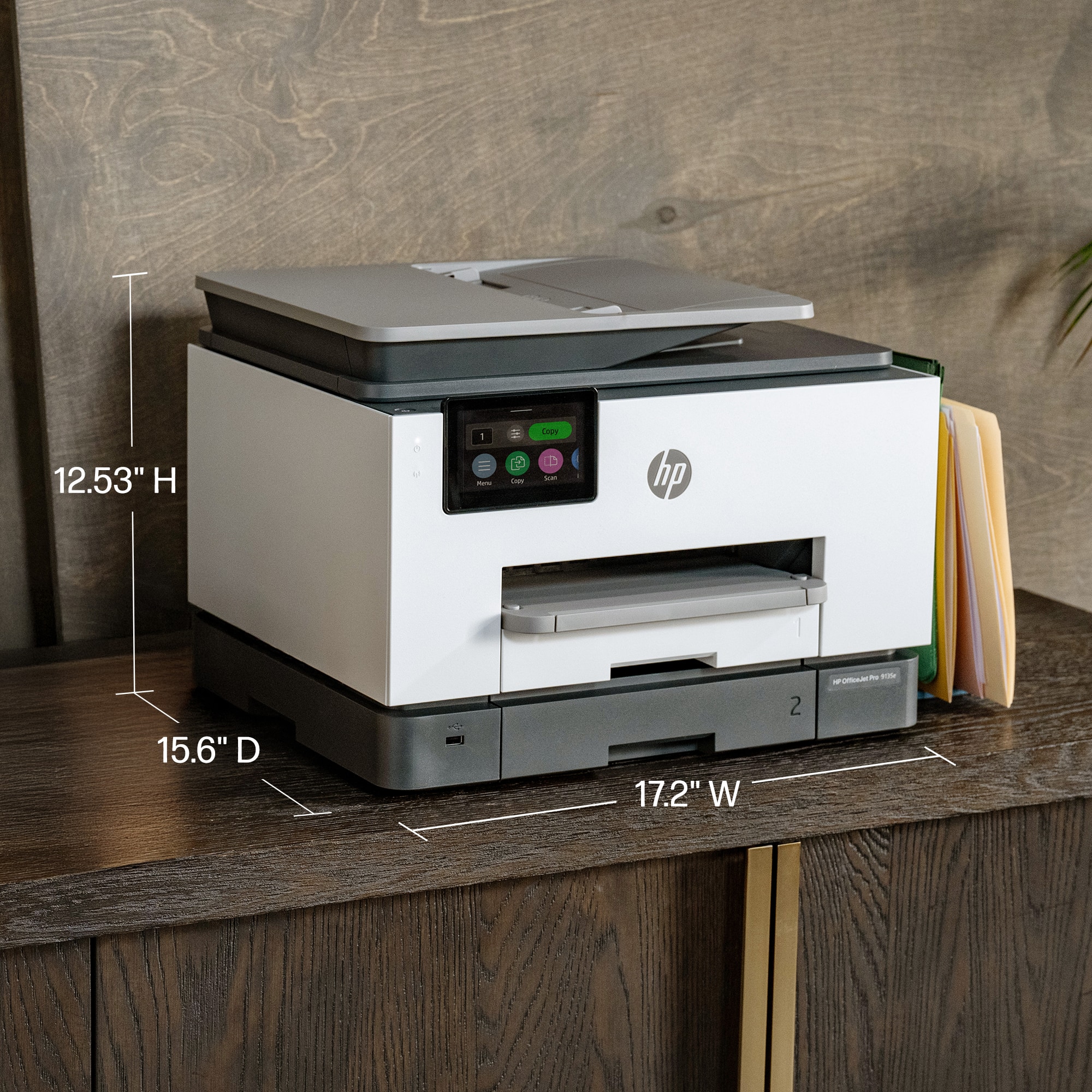
Customers are pleased with the OfficeJet Pro 9135e's print quality, ease of use, and overall performance, making it a great printer for various needs. The printer is also praised for its easy setup, suitable size for small offices, and impressive speed. However, some customers have noted concerns about the printer's noise level and connectivity issues. Additionally, a few customers reported issues with the printer's software.
This summary was generated by AI based on customer reviews.
Defective unit and poor shipping from Best Buy.
Posted .This reviewer received promo considerations or sweepstakes entry for writing a review.Poor shipping, defective unit. Shakes violently when printing.
No, I would not recommend this to a friendVery capable printer in today’s time.
||Posted . Owned for 1 month when reviewed.This reviewer received promo considerations or sweepstakes entry for writing a review.Very capable printer with a lot of options no matter what your situation.
I would recommend this to a friendHP 9135e
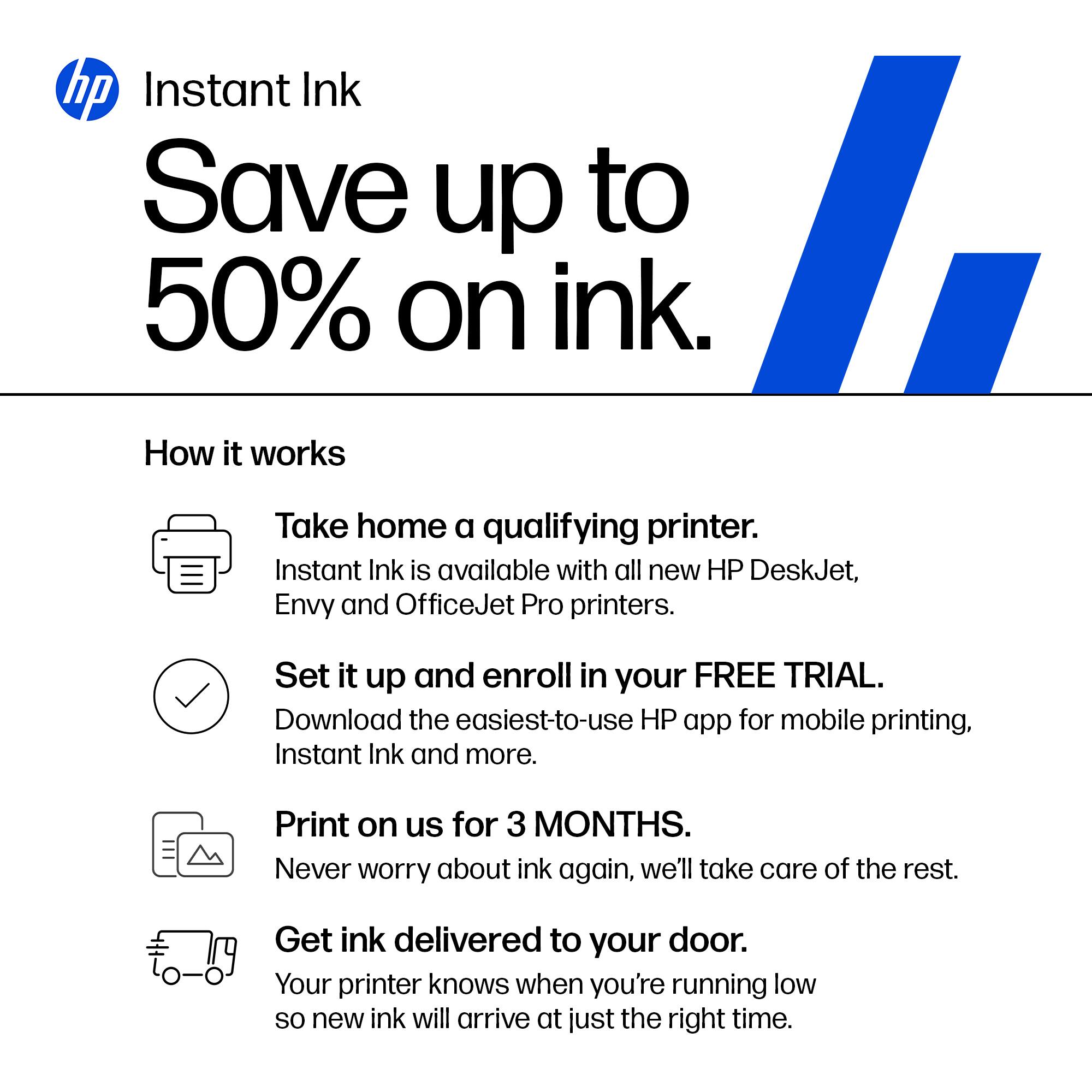
||Posted . Owned for 1 week when reviewed.This reviewer received promo considerations or sweepstakes entry for writing a review.This is perfect for the at Home office. I just wish the Ink was cheaper.
I would recommend this to a friendChuck Long....Owner....A Niche in Tyme
||Posted . Owned for 3 weeks when reviewed.This reviewer received promo considerations or sweepstakes entry for writing a review.Horrible overall experience. Except for your technician who installed the printer and Assistant Manager at Best Buy who set up second appointment to correct malfunctions, very disappointed in this whole ordeal. Fax machine does not work properly....printer has sporadic episodes where doesn't print properly...."update" shows on screen but won't allow me to perform updates...only way to unfreeze screen is to turn machine off and then on again. I have a true "lemon"....Please give me my "Brother" printer/fax/copier back!!!!! And, someone please come out and either replace this machine or correct the problems.
No, I would not recommend this to a friendPrinter review
||Posted . Owned for 3 weeks when reviewed.This reviewer received promo considerations or sweepstakes entry for writing a review.This printer is awesome It is performing better than I anticipated
I would recommend this to a friendBusiness Owner
||Posted . Owned for 2 weeks when reviewed.This reviewer received promo considerations or sweepstakes entry for writing a review.It is working very nicely and networked with my computer very easily
I would recommend this to a friendNo Issues
||Posted . Owned for 1 week when reviewed.This reviewer received promo considerations or sweepstakes entry for writing a review.Quick set up and does what I needed it to do with no issue.
I would recommend this to a friendHP
||Posted . Owned for 1 month when reviewed.This reviewer received promo considerations or sweepstakes entry for writing a review.Easy to use. Good price. Good quality. Good value.
I would recommend this to a friendNot the HP Products I relied on once upon a time!
||Posted . Owned for 1 month when reviewed.This reviewer received promo considerations or sweepstakes entry for writing a review.Disapointed in this model of HP printers. After 20 years of using HP at home and in my business, this model has been nothing but a challenge. Also, I do not like having to use the HP Smart app to print everything. Sorry I bought this printer
No, I would not recommend this to a friendNot for my small business.
||Posted . Owned for 1 week when reviewed.This reviewer received promo considerations or sweepstakes entry for writing a review.Most Printers allow Microsoft Word to set up the type of Document being used. You have to assign a tray and the type of paper, envelope size, etc that you are using. Lot of effort that should not be necessary. Jammed several times. purchased another printer for back up. I think I will have to return and buy something less cumbersome to work with.
No, I would not recommend this to a friendBrand response from HP Team
Posted .Dear LarryH,
Apologies for the bad experience.
We'll like to help. Here's a detailed video on fixing paper jam issues:
https://www.youtube.com/watch?v=8tdq2jYveFo
If a 2nd Device needs to be added, this resource will be useful:
https://www.youtube.com/watch?v=dq4pjCA-xSo
Hope that helps!
Sincerely,
Teo
Won't stay connected to WIFI
||Posted . Owned for 4 months when reviewed.This reviewer received promo considerations or sweepstakes entry for writing a review.Won't stay connected to WIFI. Tried Everything! I have updated all software, have updated hardware and it still won't stay connected. Turns off and on by itself. If I try to turn it off, it sometimes takes 3-5 minutes to turn off and then reboots by itself and still won't stay connected to WIFI.
No, I would not recommend this to a friendWARNING!! DO NOT PURCHASE THIS OR ANY OTHER HP PR
||Posted . Owned for less than 1 week when reviewed.This reviewer received promo considerations or sweepstakes entry for writing a review.Called for technical support and was advised that the issue was with the operating system and that I should CALL MICROSOFT!! Who is the manufacturer??? If I was foolish enough to call Microsoft, what are the chances that Microsoft would immediately say I need to call HP???? I'm soooooooo disappointed; I'll be returning this and purchasing a Brother or Epson --- nothing personal... just business!!
No, I would not recommend this to a friendNot ready for Win 11- Snapdragon
||Posted .This reviewer received promo considerations or sweepstakes entry for writing a review.Total nightmare - stay away from Windows Snapdragon and HP. Between MS-HP, someone screwed up a driver and I've spent hours online on tech and chat support. One person said, "The device doesn't support 2 sided auto printing' and, yet, it says it right in the BestBuy listing. There's a reason I buy Apple - US based English speaking and phone support. Good riddance, Snapdragon not ready for prime time. Oh, HP, you tried to upcharge me with your friend service on the weekend, yeah, that's a hard 'no',, I'll be switching to Mac and Epson/Canon. Peace, out.
No, I would not recommend this to a friendInk cartridge issue
||Posted .This reviewer received promo considerations or sweepstakes entry for writing a review.Ink cartridge loading issue, returning to geek squad to take a look. Brand new out the box haven't being able to use
No, I would not recommend this to a friendDud. Let's see if HP comes through
||Posted . Owned for 1 week when reviewed.This reviewer received promo considerations or sweepstakes entry for writing a review.During set up it wouldn't recognize the yellow print cartridge. By the end of my 45 minutes on the phone with tech support it wouldn't recognize any of the cartridges. Now HP is sending me a new one. But it won't arrive until 3 weeks from now. This is on top of a disastrous set up attempt with the 7301 Eco Tank model. I'm either cursed or HP printers are something to run away from.
No, I would not recommend this to a friendHorrible
||Posted . Owned for 1 week when reviewed.This reviewer received promo considerations or sweepstakes entry for writing a review.Setup was horrible, HP wants all your informationan and wants you to setup an account to just do basic things. Installed on a windows 11 unit. Took forever. Worst install i have seen. I have setup 100s of small desktop all in ones. The process for this unit is ridiculously over complicated. I would never recommend to a friend or customer to go this route.
No, I would not recommend this to a friendHP 935e Printer
||Posted . Owned for 2 weeks when reviewed.This reviewer received promo considerations or sweepstakes entry for writing a review.Unfortunately the quality of HP printers has significantly eroded. The 9135e didn't work from the time I took it out of the box. Setup software in the unit had an error in recognizing the ink catridges no matter how many times I tried OR how many cartridges I got from HP to try and make it work. Finally gave up and returned it
No, I would not recommend this to a friendPrinter
||Posted . Owned for 1 week when reviewed.This reviewer received promo considerations or sweepstakes entry for writing a review.Out of the box it said the ink cartridges were missing or broken! Had to return for refund.
No, I would not recommend this to a friendUnknown
||Posted . Owned for 1 week when reviewed.This reviewer received promo considerations or sweepstakes entry for writing a review.There was a problem with the printer and the ink was producing an error that resulted in an hour setup and call with hp. Hp is sending another printer but it will take 7-10 days and I had to pay a $1 deposit. Hopefully, second time is a charm.
No, I would not recommend this to a friendWorst Printer Ever
||Posted . Owned for 3 months when reviewed.This reviewer received promo considerations or sweepstakes entry for writing a review.The worst printer you could ever buy. I have been having issue after issue since I bought it. Don't waste your money or time getting this printer.
No, I would not recommend this to a friend















