Customer Ratings & Reviews



- Model:
- 16-as0023dx
- SKU:
- 11277485
Rating by feature
- Battery Life
Rating 4.7 out of 5 stars
- Speed
Rating 4.8 out of 5 stars
- Display
Rating 4.8 out of 5 stars

High-quality HP OmniBook X Flip 2-in-1
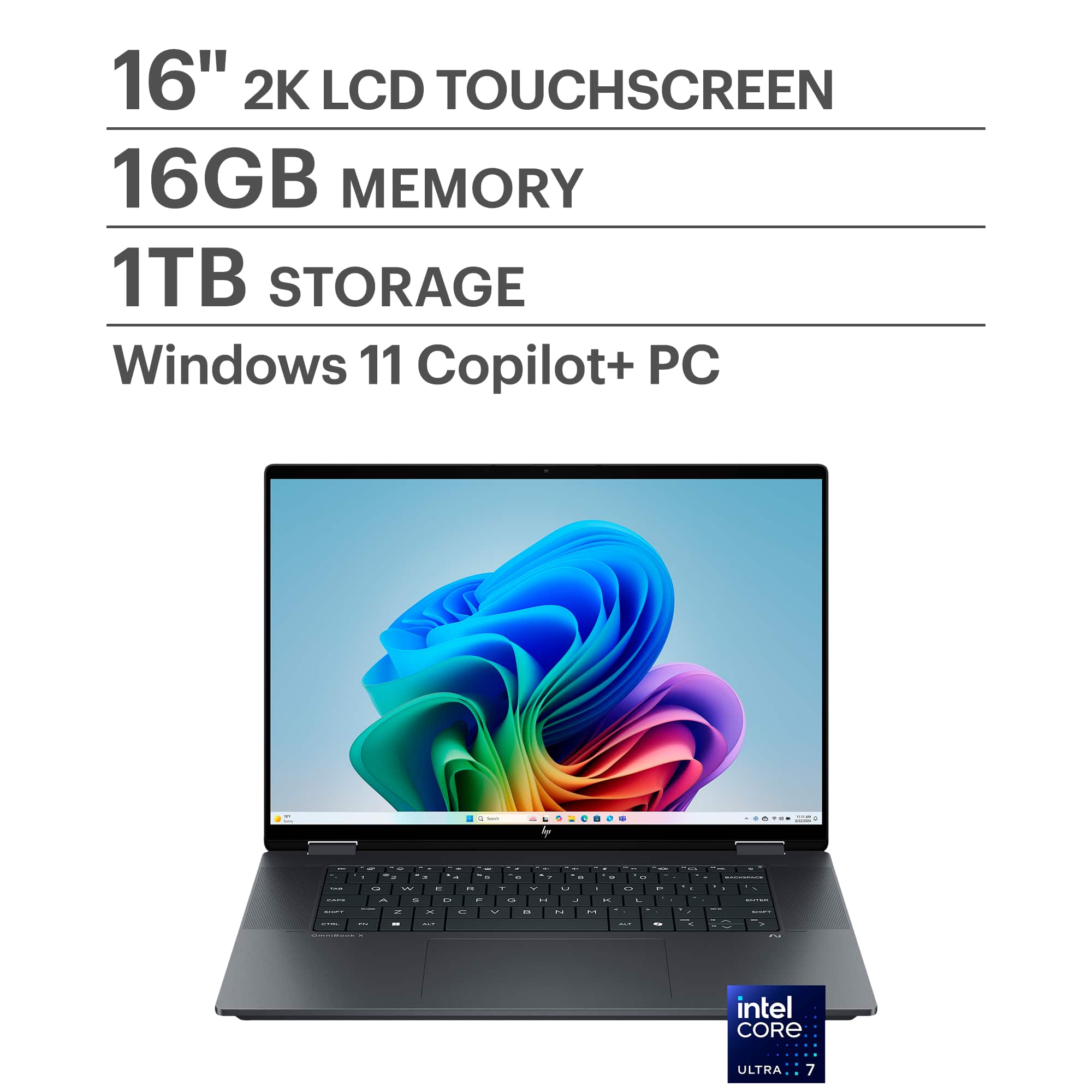
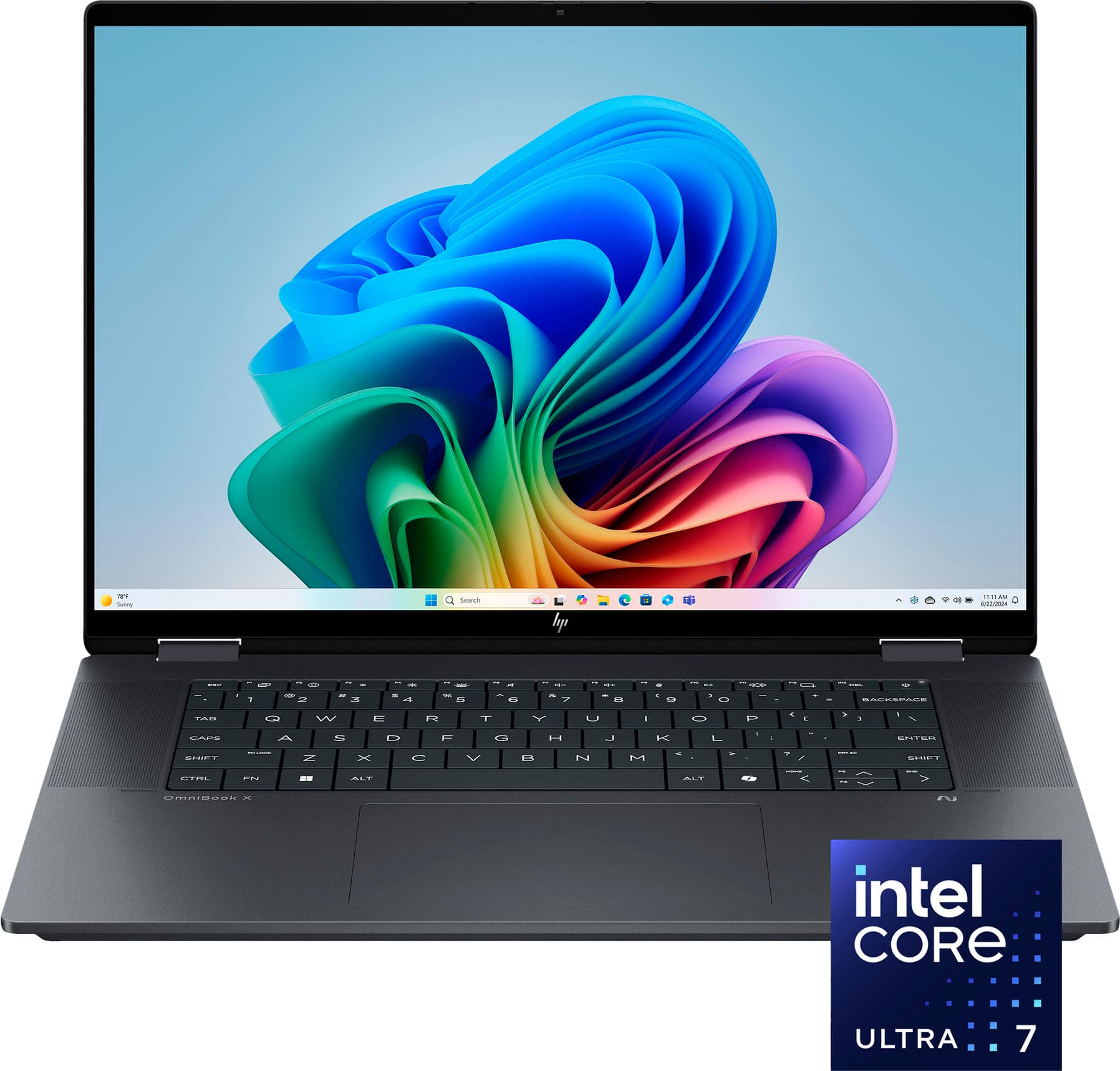
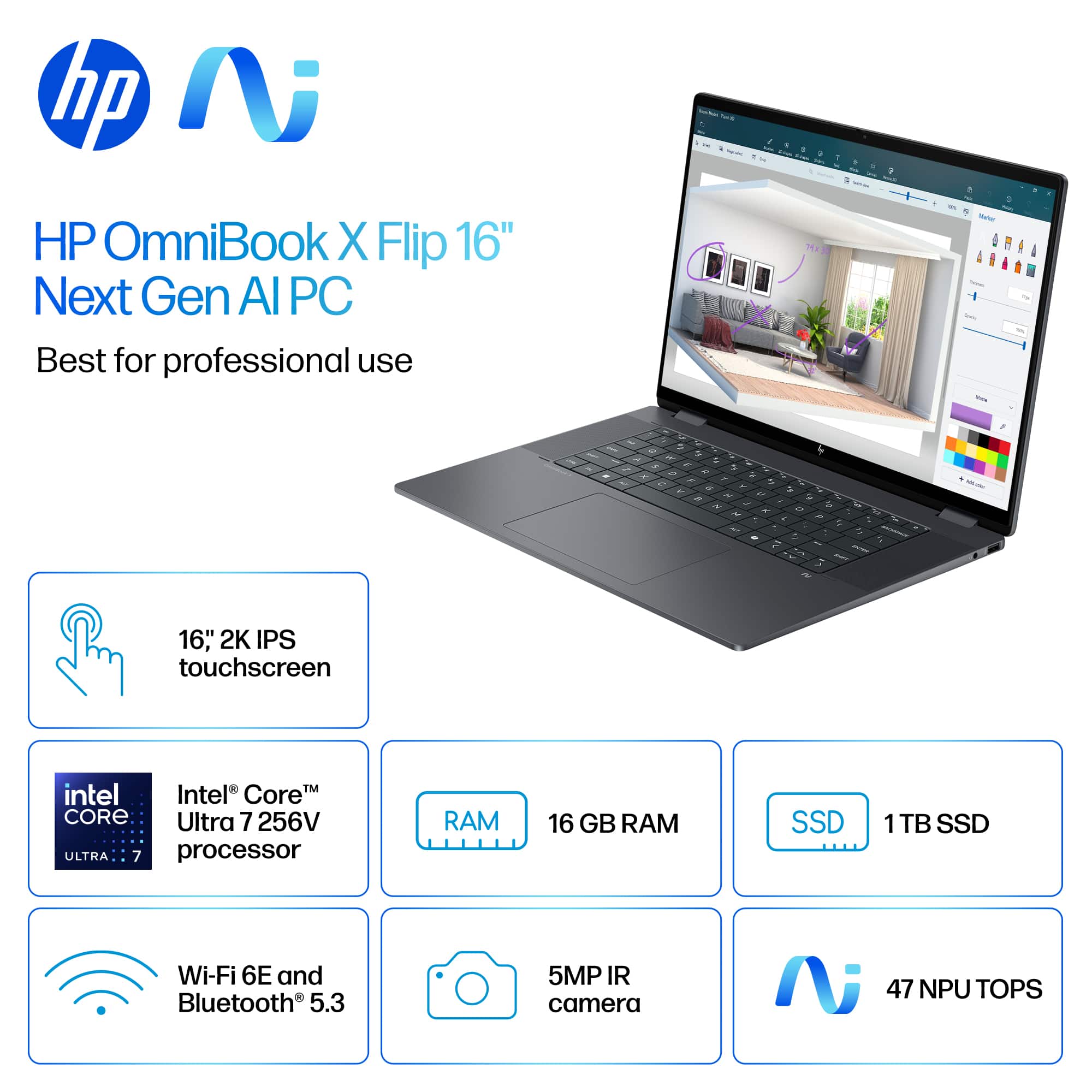
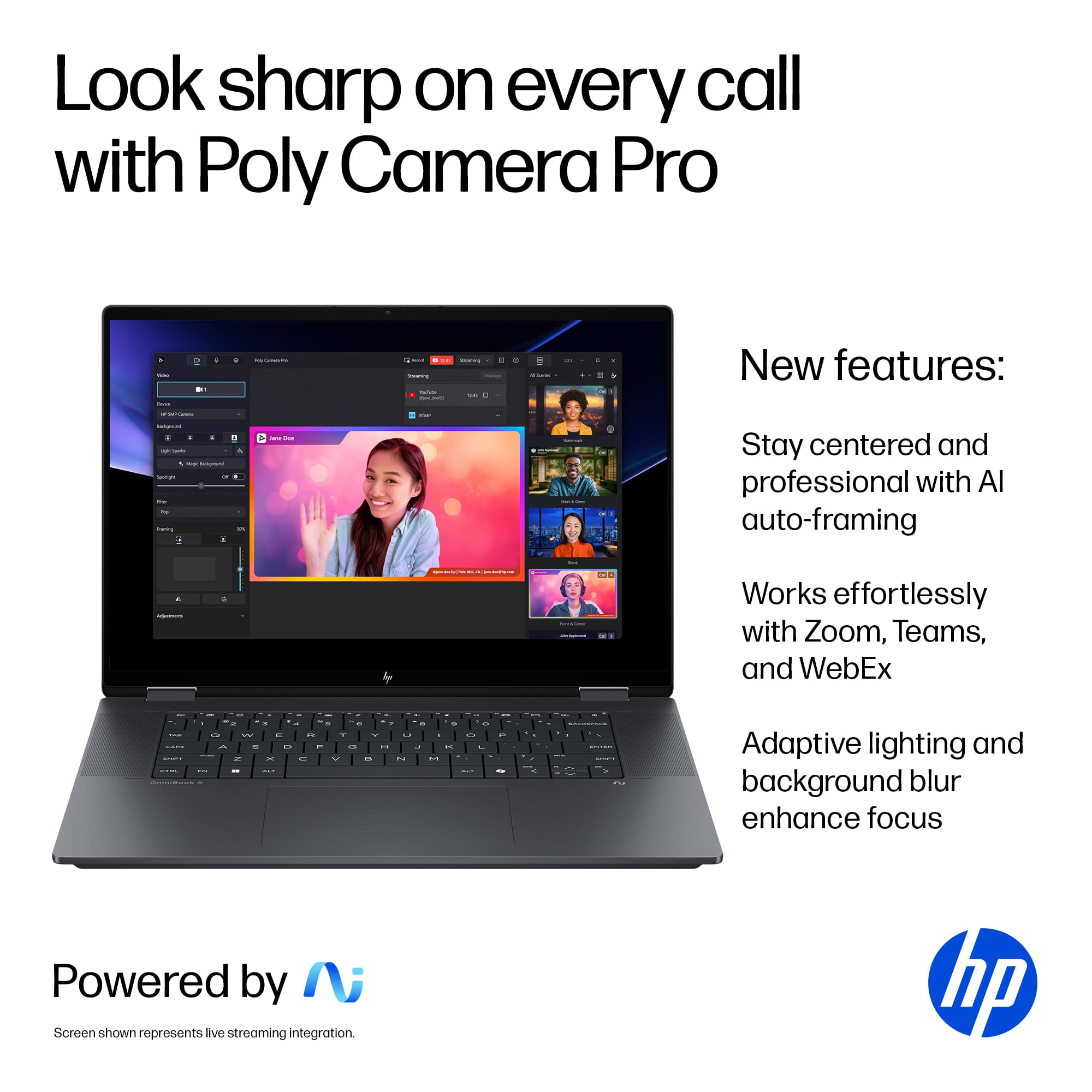
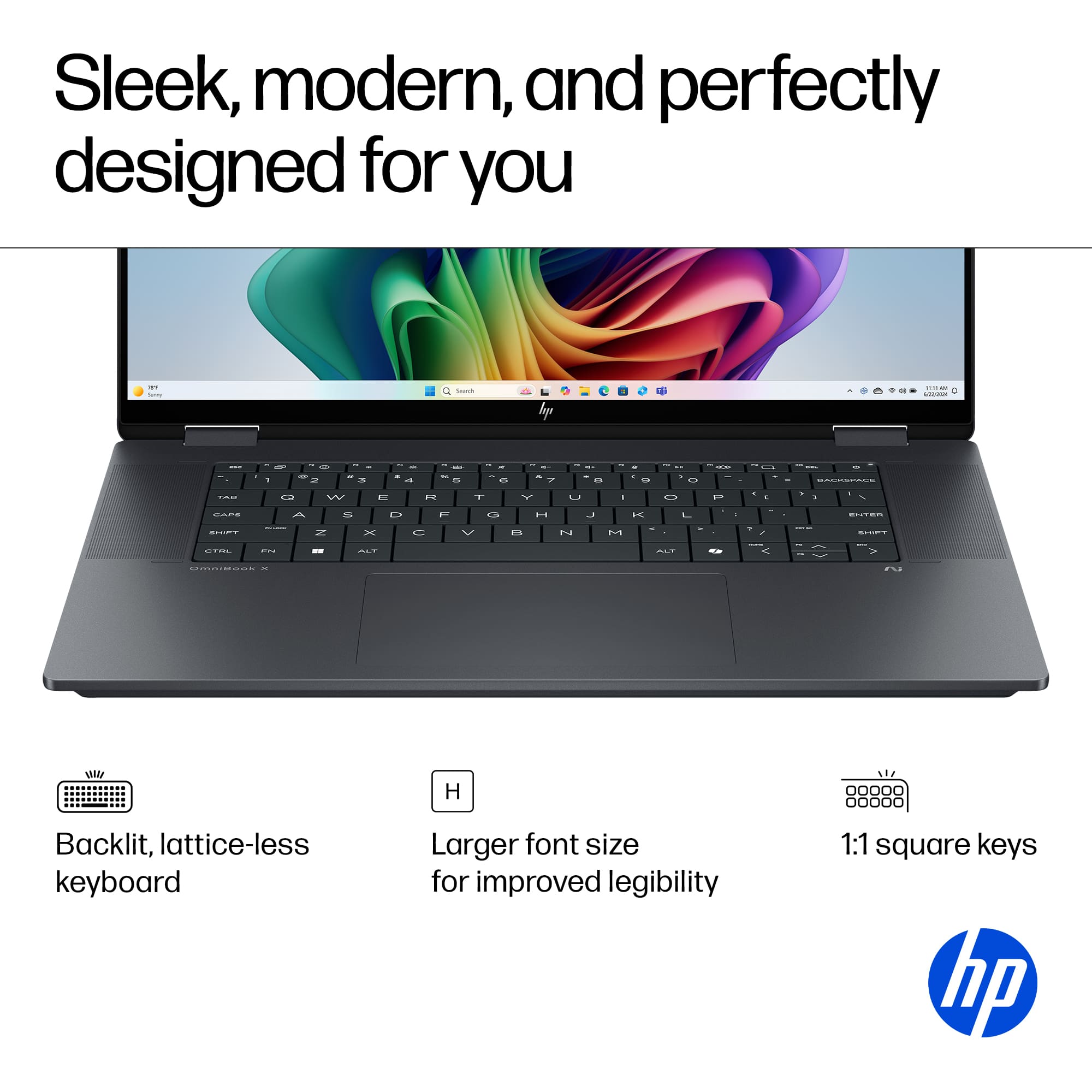
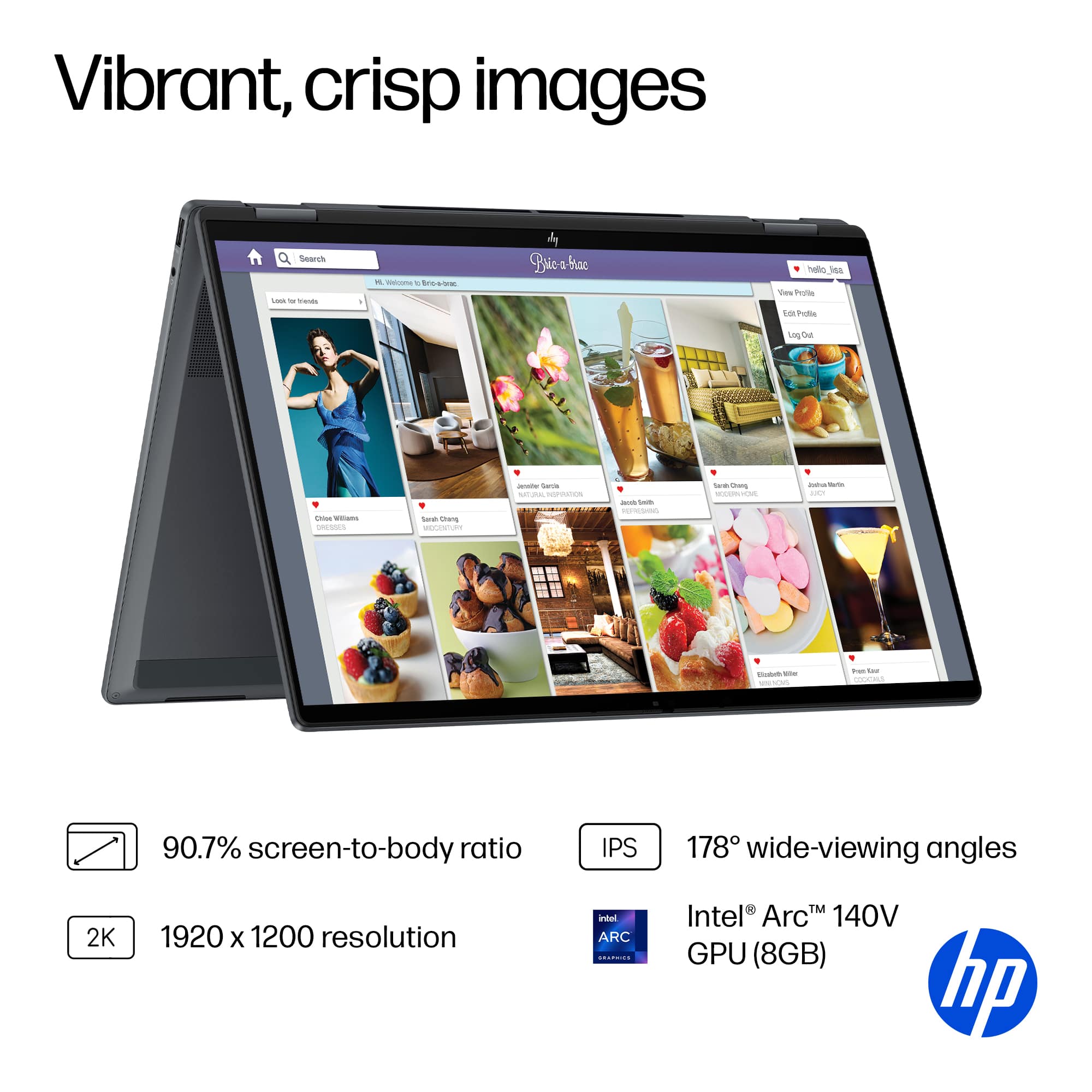
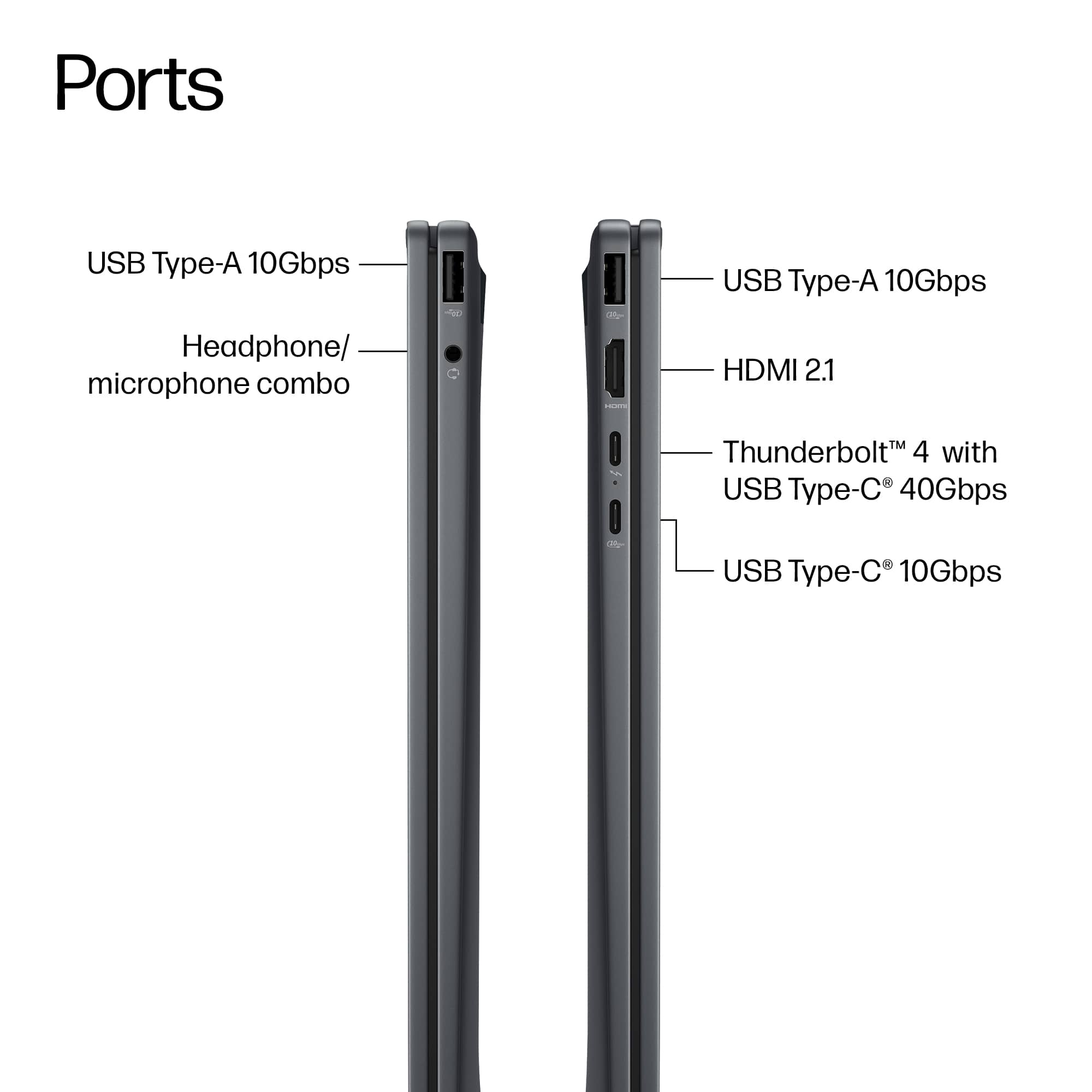
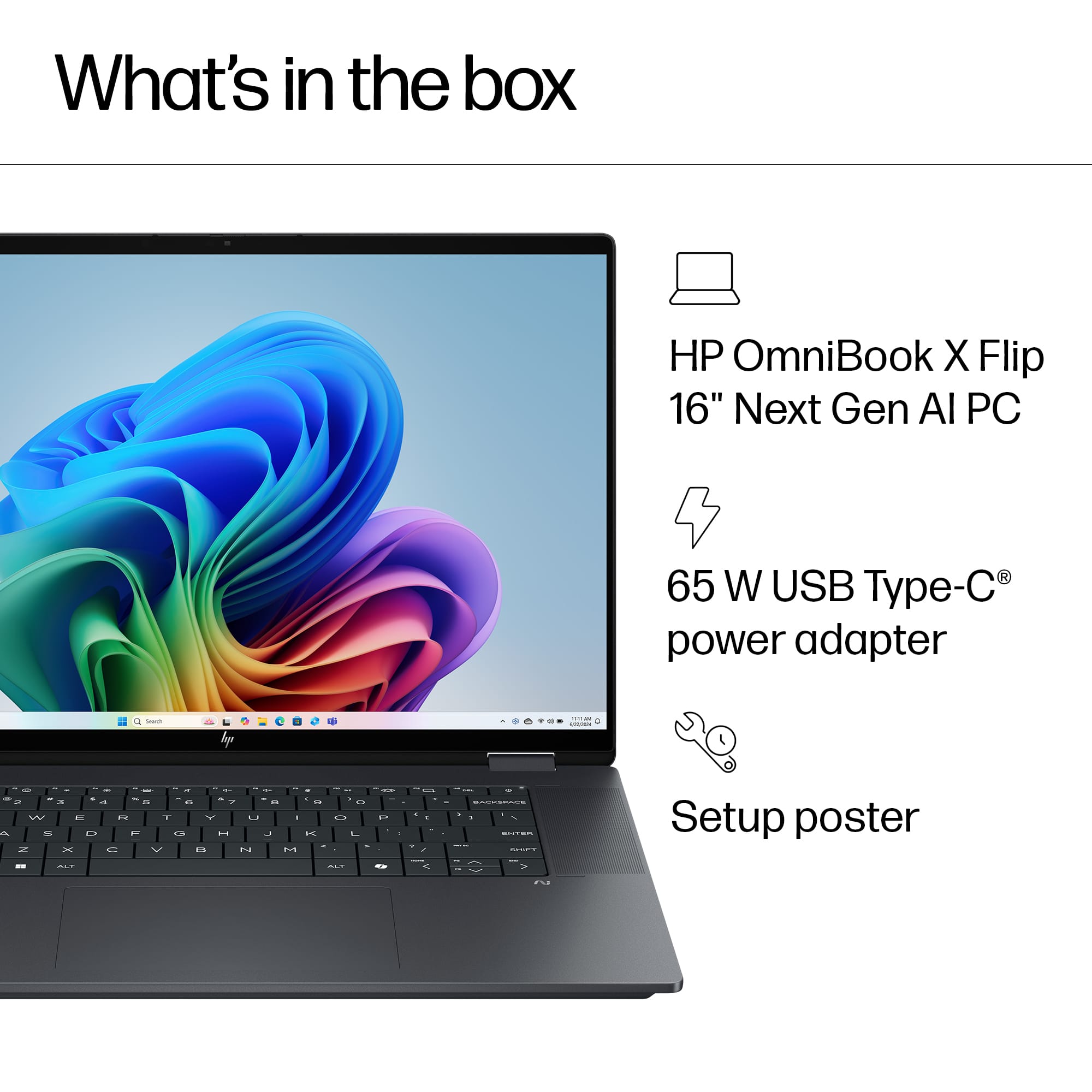
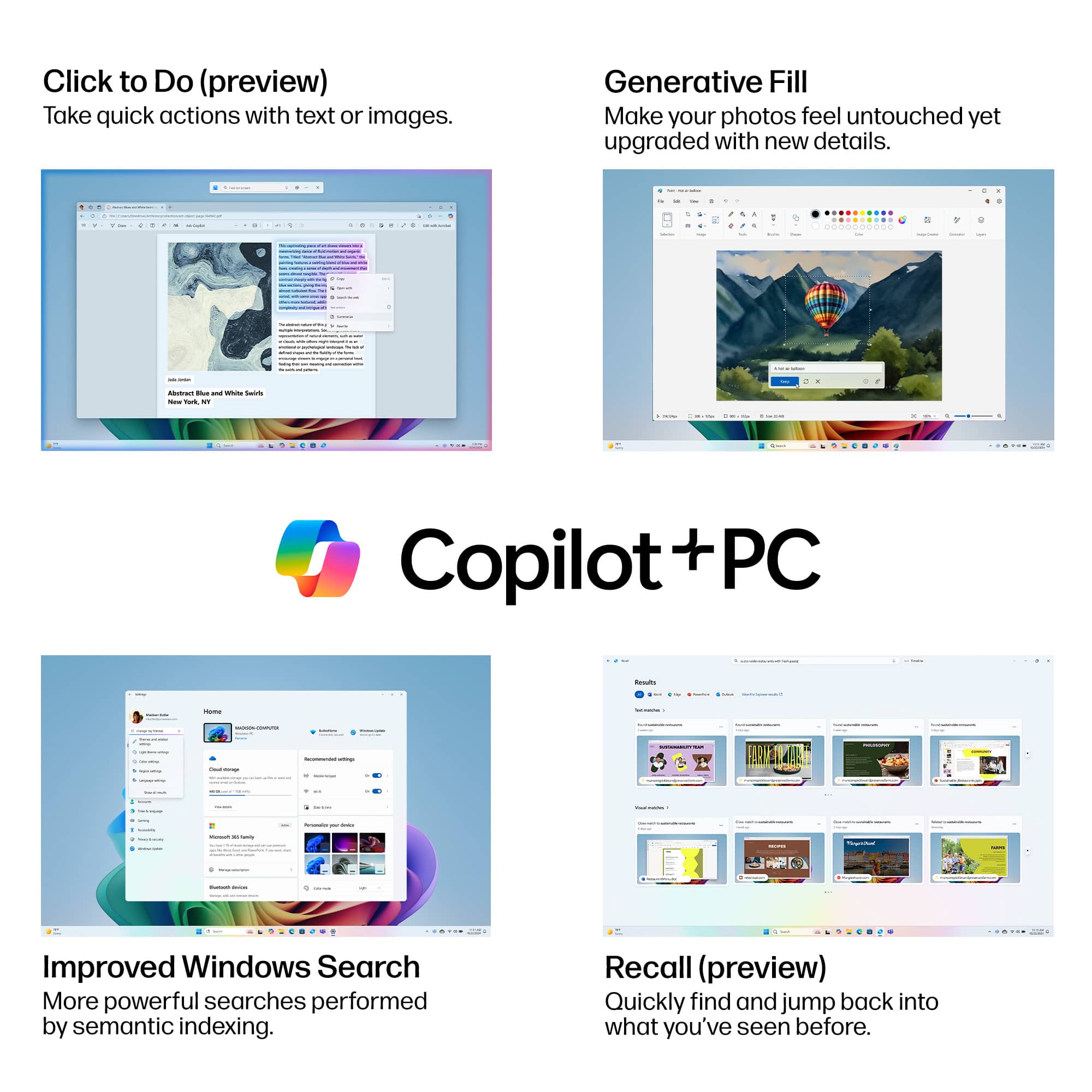
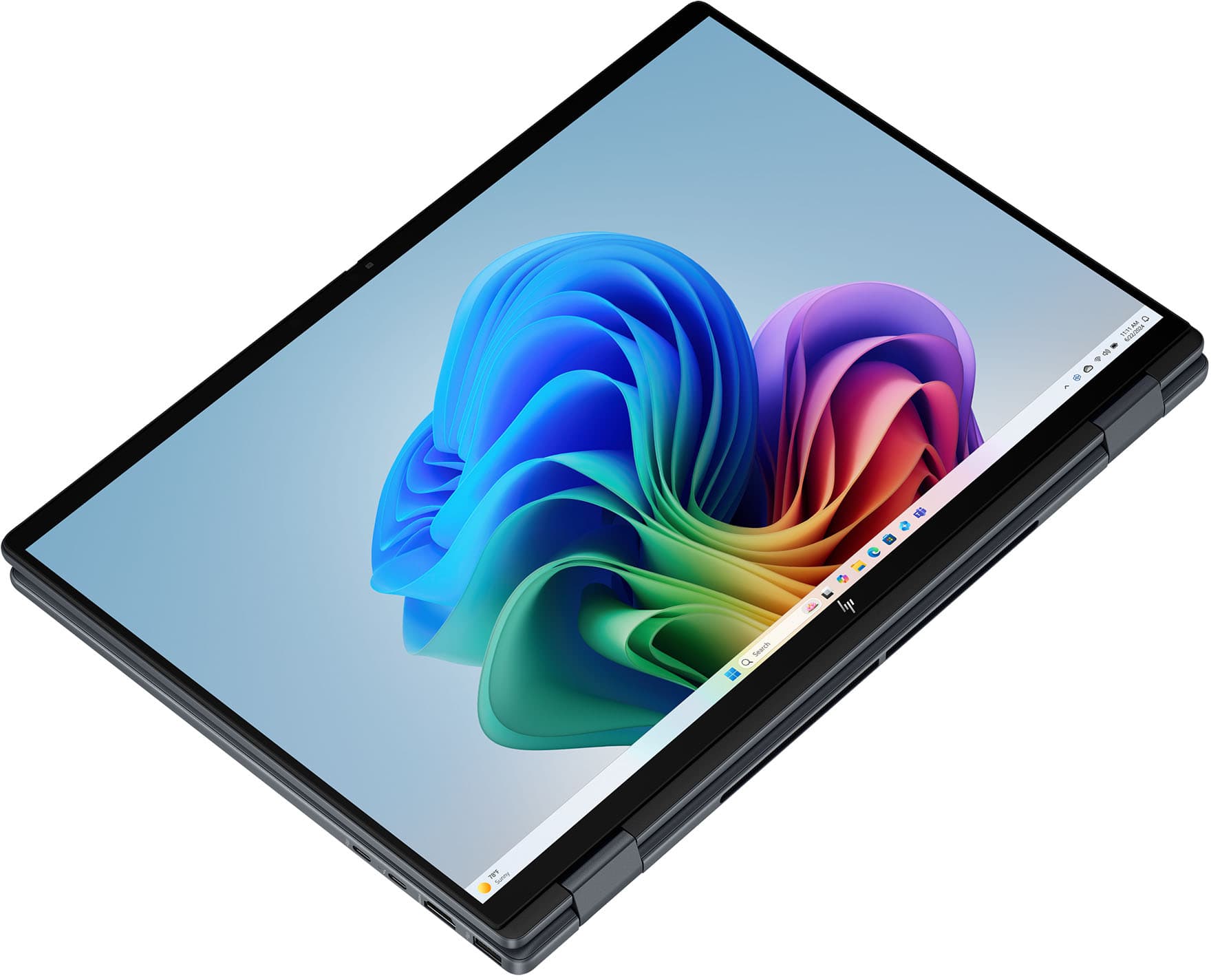
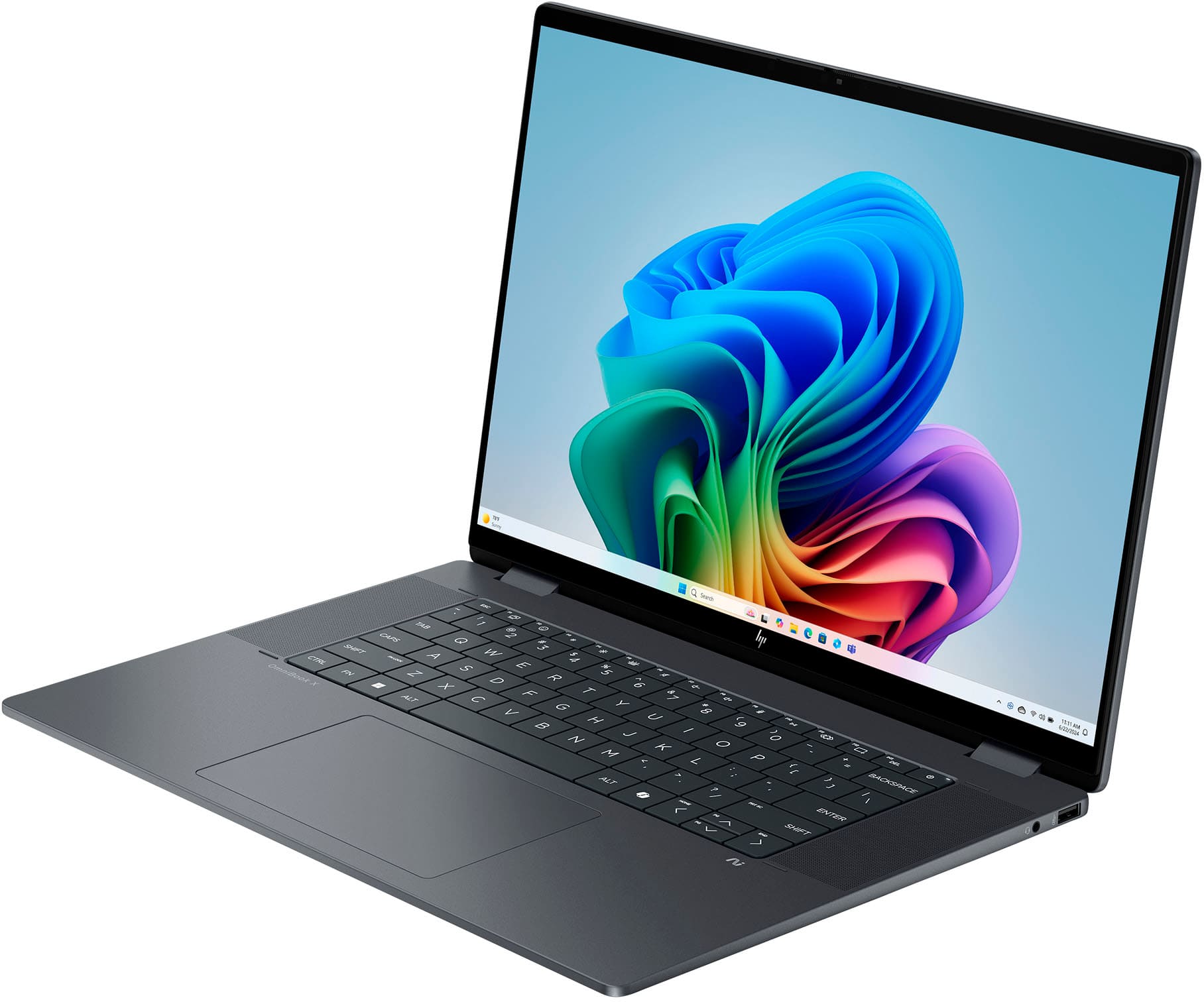
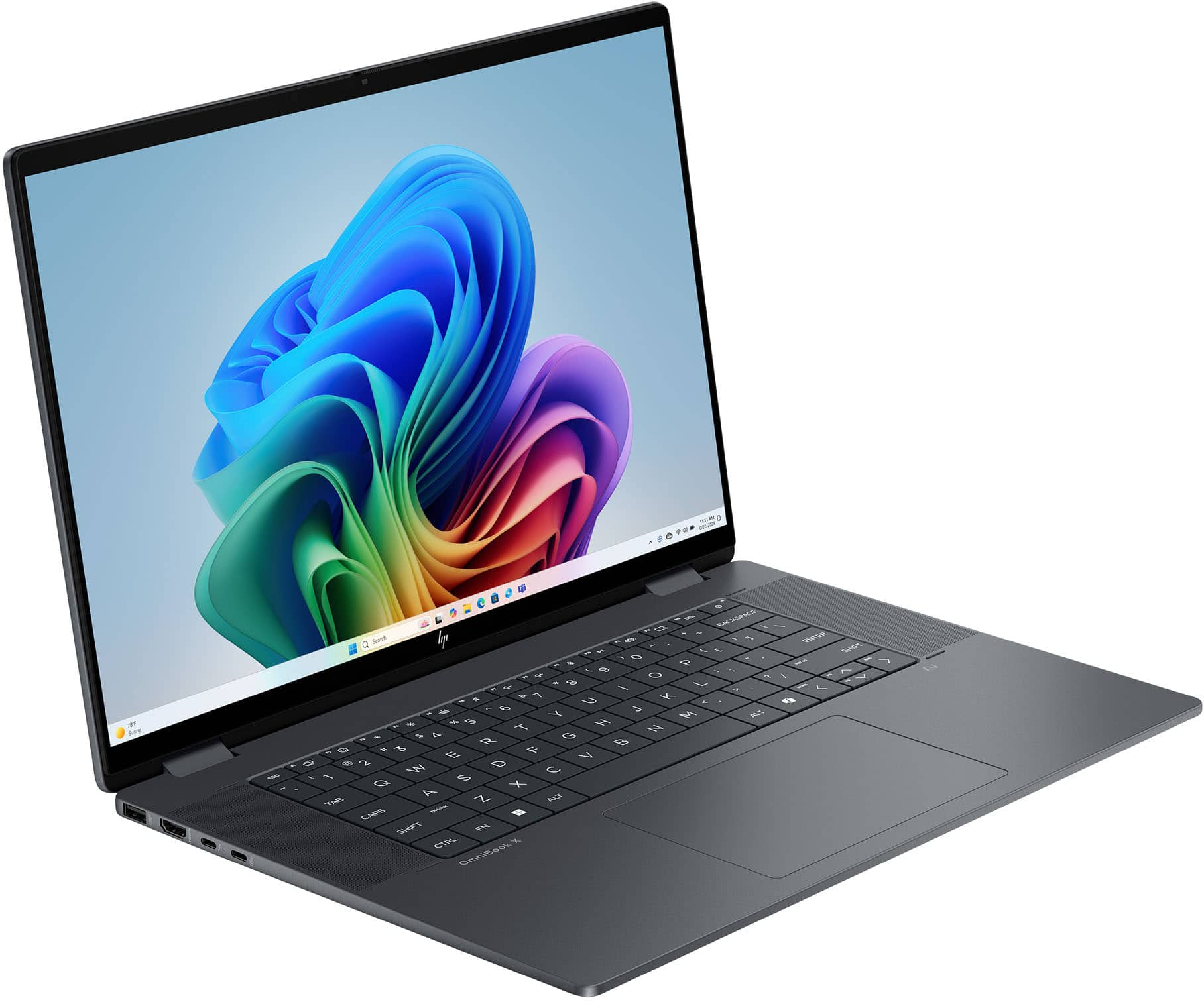
|Posted .This reviewer received promo considerations or sweepstakes entry for writing a review.I have been a long-time fan of HP brand of laptops and even desktops prior to that. I appreciate the high-quality work and parts that they use when manufacturing their latest touch-screen laptops. I had a good HP laptop that was about 5 years old prior to obtaining this brand-new HP OmniBook X Flip 2-in-1 which has Copilot+ on it but also HP’s own version of an AI tool that comes in handy for the work I do. I was impressed when I unboxed this laptop and saw how beautiful the touchscreen appeared and that it was easy to flip it from a laptop to a tablet type of laptop with a great touch screen. This is my first flip version of an HP laptop so I was hoping it would meet and exceed my expectations with the graphics and sound quality, and it did. I was impressed with the wide16-inch 2k Touchscreen with Ips because it produced a sharp enough image that was a pleasure to stream movies on as well as playing occasional games and then producing my regular work. I do like using the windows Copilot product since it is available on laptops and my mobile devices as well. I was hesitant to use it at first but over time I have become more at ease by making sure the settings are at a level I am comfortable with as far as sharing or storing any of my information. The processor that HP decided to put in this model is the Intel Core Ultra 7 256v Processor with Intel Ai Boost (47 Npu Tops) that is perfect for power users, people who create multimedia presentations, along with those who need to multitask on several programs at once without causing the laptop to get bogged down. They also loaded the laptop up with 16gb Lpddr5x Memory (ram) which makes it run smoothly no matter the task you are performing. I also liked that for the high-quality graphics card they chose is the Intel Arc 140v Gpu (8gb), which they combined with more AI abilities to create even better-looking images. One of the most important features I look for in a laptop is the available storage and this one has 1 TB SSD storage which is my favorite and I have still not been in a situation where a 1 TB was not enough storage, for me it is plenty and if for some reason in the future I end up saving too many large multimedia creations I might just switch to storing some of the date in a cloud service I subscribe to. In regard to the sound setup they used DTS: X Ultra Technology which they claim is spatially accurate, that makes it sound like 3D sound in whatever type of media you are watching. They added in a special sound system called the Poly Studio with dual speakers that is a mix of AI that can be pitch perfect according to the company literature but stood out to me when I was testing the webcam and trying out the settings available in the Poly Studio. Now in terms of Wi-Fi the laptop comes with a 6e (2x2) standard setup that can also operate in the 6 GHZ band which I use the most on my home network but also use Wi-Fi 7 which is backwards compatible and works great with this laptop. In terms of Bluetooth technology they used a 5.3 Wireless Card. The last area of importance from the company specifications is all the various ports they have included on the laptop. 1 Thunderbolt 4 With USB Type-C 40Gbps signaling rate, USB Power Delivery, DisplayPort 2.1, HP Sleep and Charge), 1 USB Type-C (10Gbps signaling rate, USB Power Delivery, DisplayPort 1.4a, HP Sleep and Charge), 2 USB Type-A (10Gbps signaling rate), 1 Headphone/microphone combo, 1 HDMI 2.1. They included a 65 W USB Type-C power adapter, and the dynamic laptop only weighs a little more than 4lbs which is a nice relief to carry vs heaver older models. I have had so much fun exploring all the various features of the new laptop but also the next gen AI apps that they included for entertainment and creativity. I would recommend this laptop to my friends and family because of how much HP packed into the lightweight laptop yet used the latest technology to make it stand out even more.
I would recommend this to a friendA Slick, Nearly Great Machine. Not The Best Screen
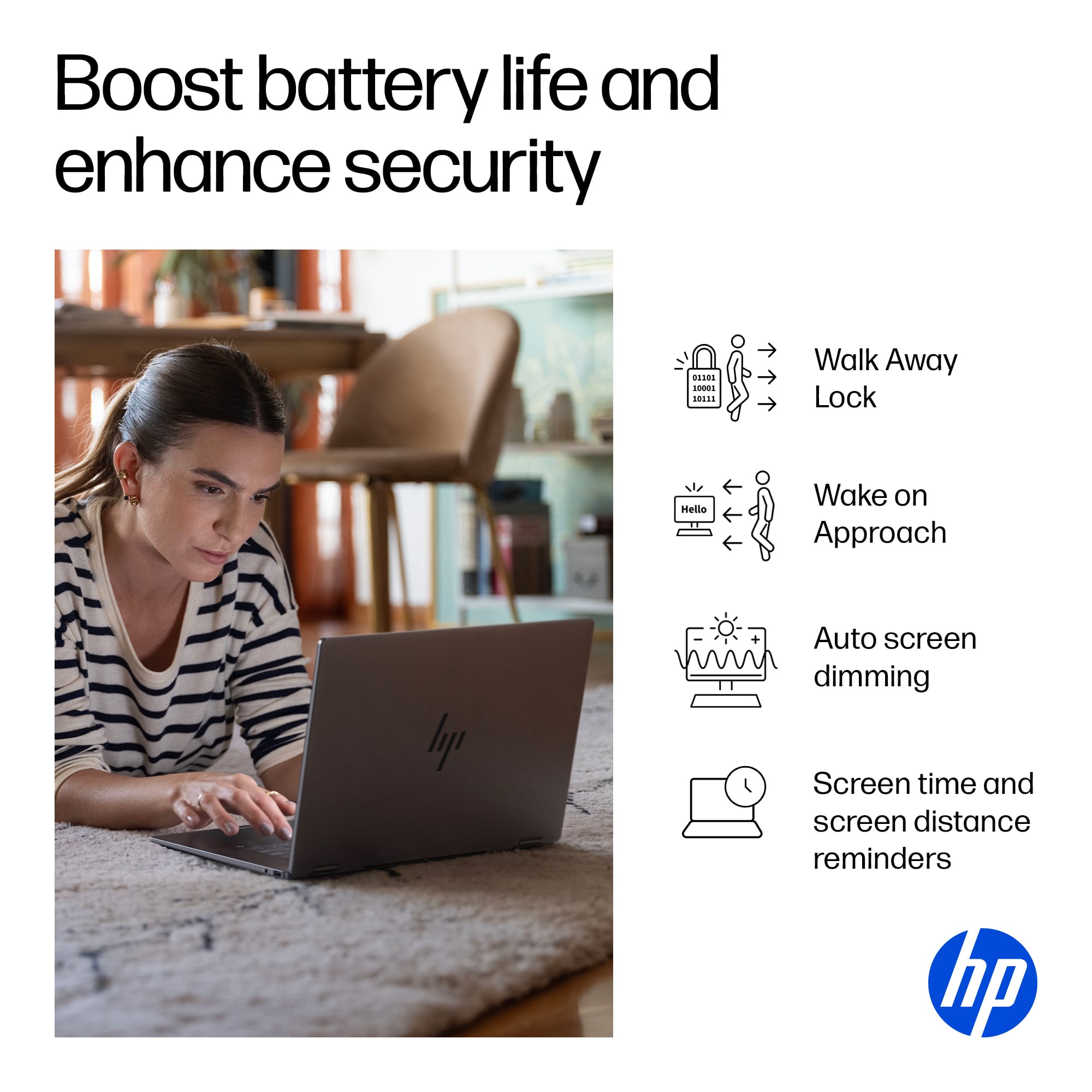
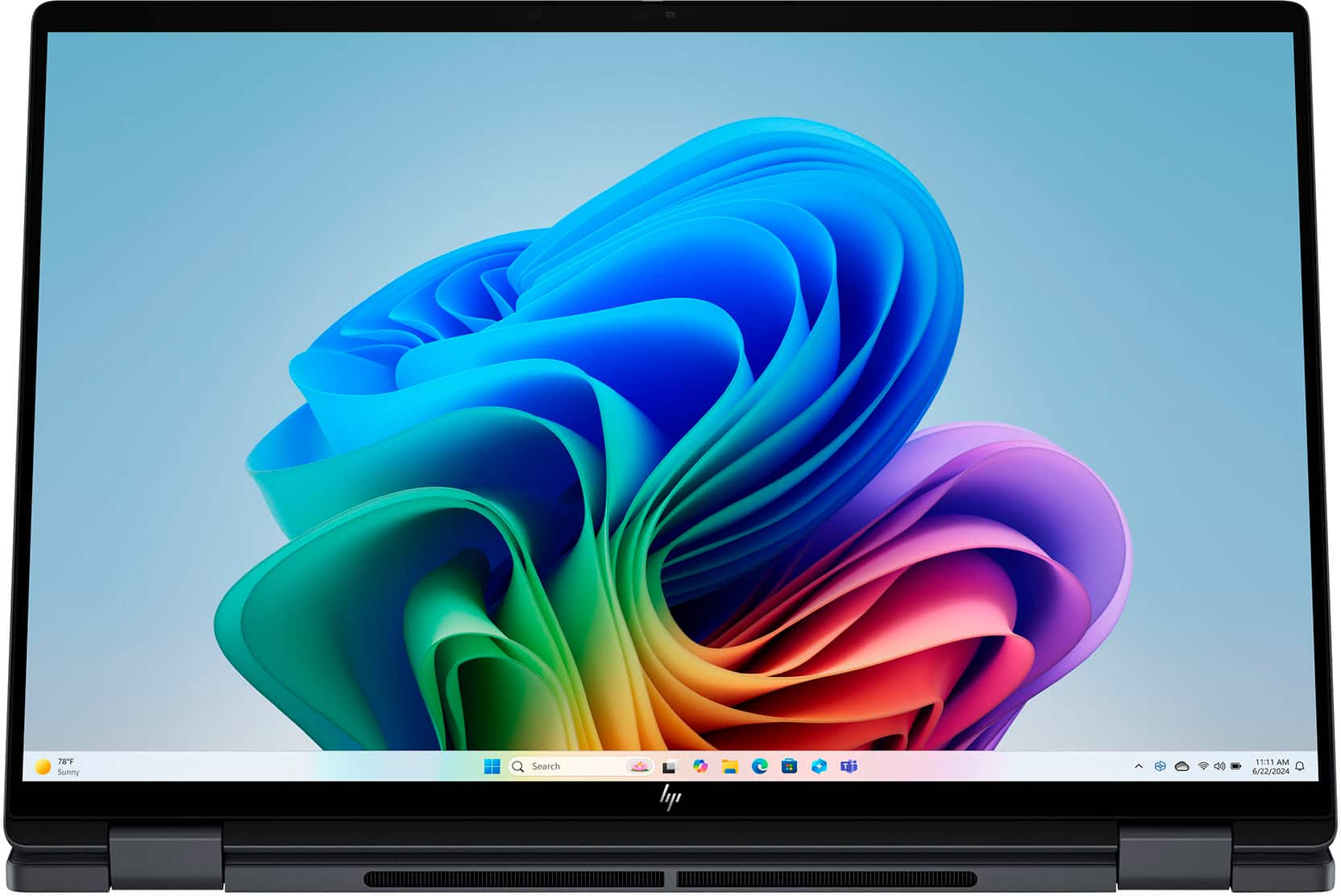
|Posted .This reviewer received promo considerations or sweepstakes entry for writing a review.The OmniBook X Flip is an attractive machine. It feels fairly light, has a spacious keyboard and respectable trackpad, and had an ‘edge-to-edge’ style screen with thin bezels - all of which create a nice impression for a new laptop in 2025. A quality processor and Windows’s Hello compatibility (and the conveniences that come with it) are also solid inclusions… It’s unfortunately in the screen quality and speakers that hold this machine back from achieving greatness. __ Screen and Speakers: __ Before getting into more of the positive aspects of this machine, I want to call out the main detractors that make me unlikely to recommend it, despite it otherwise being a well designed and capable machine. - At 1920 x 1200, it’s not quite the true 2K resolution that HP lists, but really a standard 1080 HD screen with a bit more height to it (i.e. 1200 instead of that 1080). That added height can let you see a bit more of a webpage before scrolling or feel more natural if holding it as a tablet in portrait, but at 16” in size, the density of those pixels start to be noticeable in a way that it wouldn’t on a smaller, say, 14” screen. I’d say it’s actually ok and passable here, but that’s not the end of my gripes with the screen. The panel quality is mid-tier in general, achieving only 400 nits, a point at which you’ll probably be fine in most circumstances, but under bright lights, it may not feel bright enough. It’s also edge-lit, and while that’s not terrible, it can leak light in from the edges slightly irregularly on a black screen. Viewing angle is also not the best (despite being an IPS panel), getting a bit blown out when viewed off-angle. I’d argue that the screen is one of the most important aspects of any new machine, and while I appreciate that much of the cost of creating this laptop went to improving other aspects, like fast Ram and a good, AI-ready CPU, the screen is equally important not to skimp on, IMO. Similarly, my next point of contention… the speakers. I didn’t experience audio at the quality that HP states in their description. Despite firing up Poly Studio and taking all of the suggested software updates, audio remained flat in a signature ‘laptop speaker’ kind of way, lacking bass, but otherwise able to get loud enough without terrible distortion. In comparison to my other machines, it’s near the bottom in terms of sound quality. Despite its large screen, these two misses makes this machine better for productivity than media or games. __ Design & Portability: __ Even with my emphasis on the above, this laptop otherwise excels in a lot of other ways. First in its design. It simply looks the part of a modern machine. While large at 16", if feels good and fairly light in the hand. The rear hinges seem solid and it has an overall, professional look - including its dark grey metallic body, large keys, and modern typeface on each key. Despite being only 5MP, its webcam is fairly respectable, capturing my lighter skin tone well and in better clarity than some of my other machines. And maybe more importantly is its inclusion of Window’s Hello compatibility, allowing you to easily sign in with this webcam by simply positioning yourself in front of the machine. This convenience went even further as Chrome made it easy to use this feature to fill in passwords online as well. These little things can really add up in a positive way. The included charging cable is also attractive, though much more bulky than it needs to be. Luckily, charging vis USB-C means that more compact third-party chargers will work just as well. And finally, an integrated webcam shutter is icing on the cake. __ Quality CPU, Ram, and Integrated Graphics: __ Much of the other internal components are quite respectable. It’s modern Intel Core Ultra 7 processor with NPU make it AI ready, while 16GB of fast DDR5 ram is plenty good enough for the vast majority of people. Intel’s integrated Arc 140V graphics can handle some mid-tier 3D games much better than earlier versions of integrated graphics could. I saw frame rates around 40-50fps, but not without some ‘tearing,’ skipped frames or stuttering at times. In other words, gameplay with a lot of motion was not a smooth as it could be, but still performing without issue on less intensive games. Wifi 6E is good for higher speeds and handling places where wifi may be saturated or where interference with other machines may be a more likely. Lastly, the included Thunderbolt 4 allows for connecting up to two 4K displays with a single cable - not bad if you want to set this up as your desktop as well. __ Summary: __ HP has created a modern, attractive machine with a lot of good components, but without a better screen… and to some extent, better speakers, I would personally aim to spend a bit more to get improvements there. If you’re looking for a machine for work, these aspects may not matter as much to you. It still excels in a lot of ways with small design features that will add up to a better experience than you might have otherwise had - from Windows Hello login, presence sensing, an integrated webcam shutter, a large screen in a taller aspect ratio, and more. *** The Good Stuff *** - Professional looking modern design, relatively lightweight. - Large keyboard with larger typeface on keys. - Higher tier CPU. - Fast DDR5 Memory. - Long battery life. - Windows Hello convenience in its decent webcam. - Integrated webcam shutter. *** The Less Than Good Stuff *** - Mediocre screen and pixel density. - Speakers lack bass, sound a bit tinny or hollow.
No, I would not recommend this to a friendSmart, Sleek, and Ready to Geek!
||Posted .This reviewer received promo considerations or sweepstakes entry for writing a review.Ideal for the modern student—versatile, powerful, and stylish I purchased the HP OmniBook X Flip 2-in-1 for my wife as she heads back to college, and it’s been a perfect fit. The 16.2K touchscreen is vibrant and responsive, making note-taking and multitasking a breeze. The Intel Core Ultra 7 processor and 16GB RAM handle everything from research to creative projects with ease. Plus, the 1TB SSD ensures she has ample space for all her coursework and media. The sleek Eclipse Gray finish adds a touch of elegance, and the lightweight design makes it easy to carry between classes. It’s a fantastic blend of performance and portability for today’s student.
I would recommend this to a friendA Versatile Powerhouse
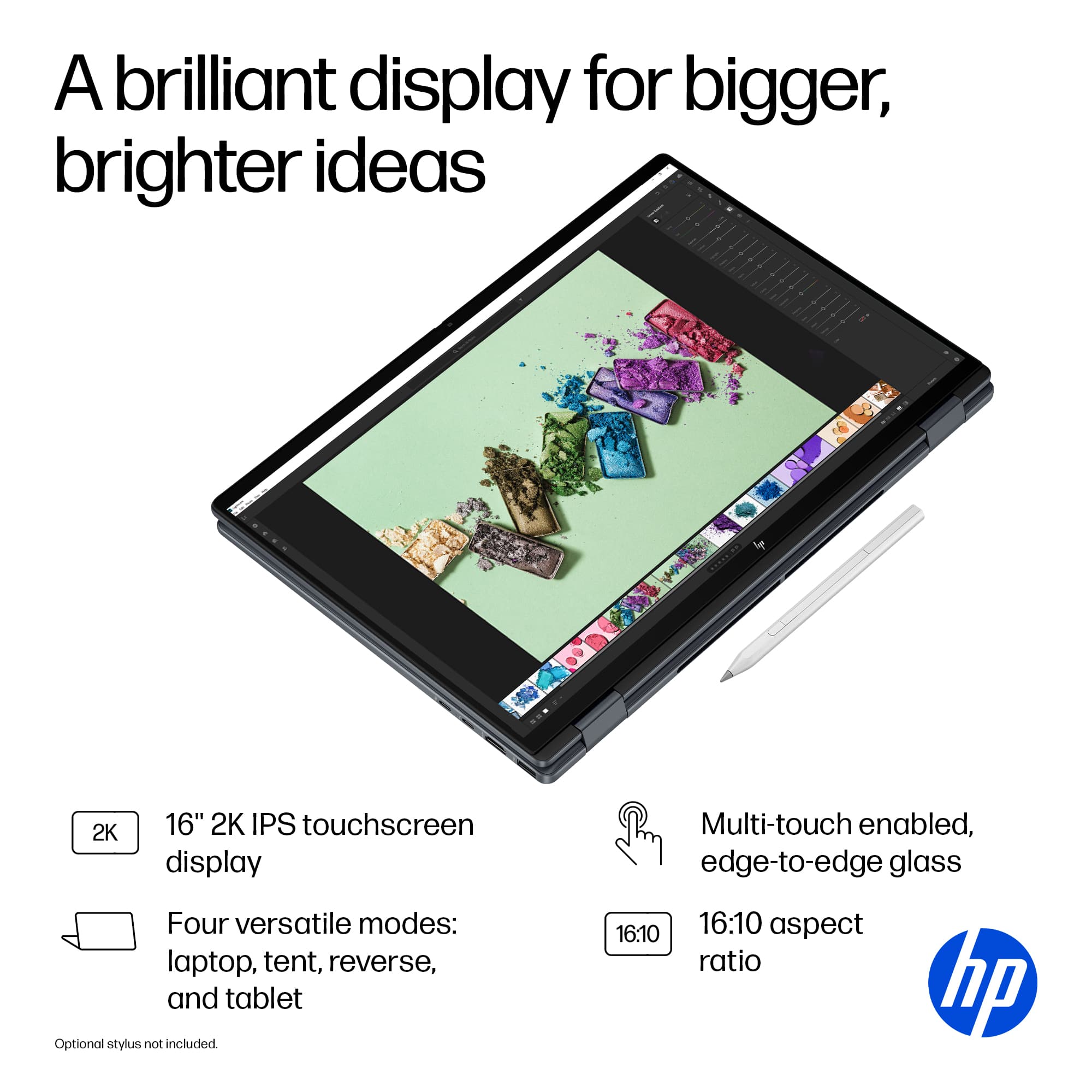
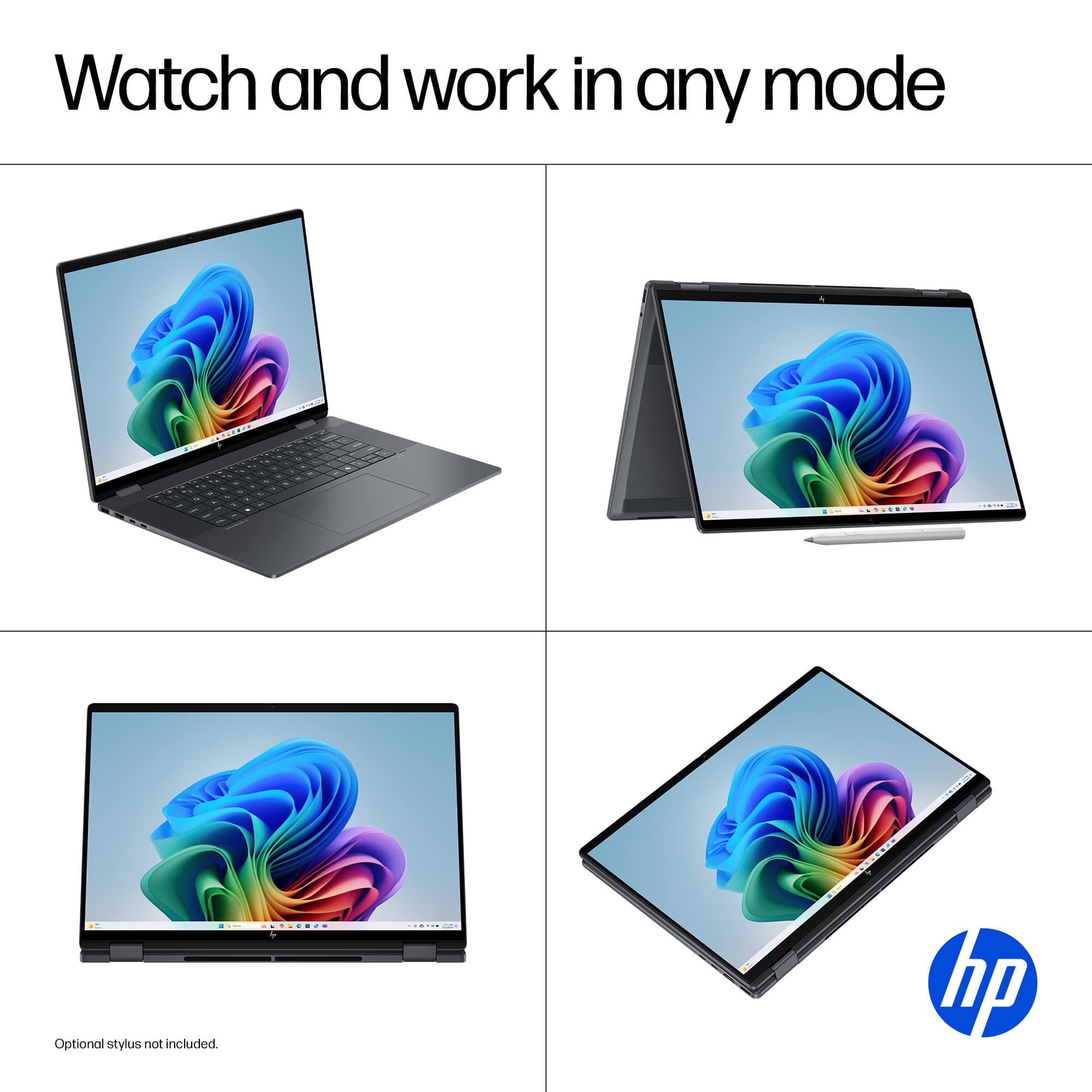
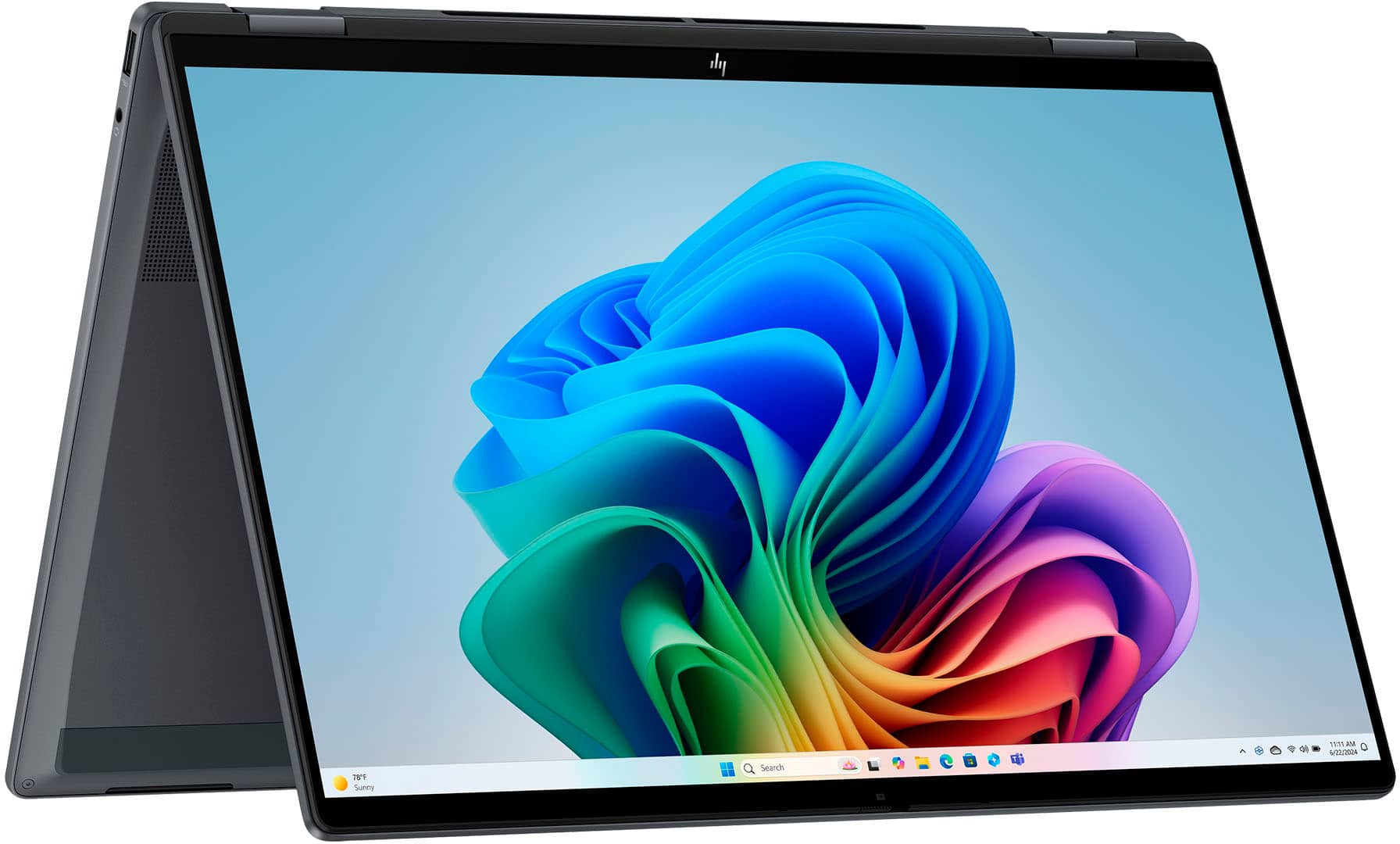
|Posted .This reviewer received promo considerations or sweepstakes entry for writing a review.The HP OmniBook X Flip 16-inch Laptop Next Gen AI does a good job at blending power and adaptability. Unlike a traditional laptop, its “Flipping” ability makes it a versatile machine with good hardware for many applications, and its AI feature is a welcome addition. This model has 16GB of RAM, a generous 1TB Solid State Drive and comes equipped with the Intel Core Ultra 7 256V processor that is powerful enough to deliver a responsive and smooth experience for most common applications and projects. Embedded in this processor is the “Next Gen AI” feature that handles some AI-related tasks such as improving productivity within Windows, enhancing video calls experience and upgrading content creation. This is done through the AI Companion app; I tried a few features and they work as intended but I think it’s just scratching the surface of what AI assistance can truly do. It’s a bit limited in my opinion. The 16-inch display looks big next to my 14-inch laptop. It’s a 2K IPS LED touchscreen that is responsive to the touch and provides clear visuals and dynamic colors. I’ve been enjoying watching movies and the sound quality is surprisingly good, and make long listening hours a pleasure. I also use it for work, and it handles documents and graphics images with good clarity. It can get bright enough in a well-lit environment. For external connection, it offers 2 USB-A ports, 2 USB-C ports, 1 HDMI connection and 1 audio out connection for wired headphones. The 2-in-1 design of the OmniBook X Flip with its 360-degree hinge, provides great versatility. From the traditional clamshell configuration, you can flip the screen to tent mode, or go further to tablet mode complete with the touch experience, or to reverse mode for collaboration. The hinge is solid, well built and easy to flip back and forth. It has a good build quality overall, and some people might have issues with its size at 16 inches but it’s light enough to be easily carried around in a sleeve or a backpack. The HP OmniBook has good ergonomics suitable for everyday use. The large, well calibrated touchpad responds well to the touch. The backlit keyboard is made of good quality plastics, and is comfortable to type on and looks high-end when lit. The absence of a numeric pad is not a deal breaker, but would be welcomed. The battery has a decent duration and can go a couple of days of heavy usage before needing recharging. Only area of weakness for me was the camera that had a few issues and would sometimes not recognize me in low light environments. My other laptop cameras never had such issues. In its defense, the “AI” offered to help by registering my face; a neat feature that seemed to improve the camera’s performance. In conclusion, the HP OmniBook X Flip laptop won me over for its versatility, solid quality build and its overall performance. Its big clear screen displays beautiful colors and its sound outshines many higher end laptops. The AI features are a plus but a bit limited for now. As long as you are not looking to play high end games or run graphic intensive software, the OmniBook X Flip comes close to being the perfect device for everything from work tasks to creative projects and entertainment.
I would recommend this to a friendGreat Laptop
||Posted .This reviewer received promo considerations or sweepstakes entry for writing a review.I recently bought the HP OmniBook, and I’m really happy with it. It’s lightweight, easy to carry, and great for work or school. The battery lasts a long time, so I don’t have to keep it plugged in all day. The design looks modern and clean, and it runs smoothly for everyday tasks. Overall, it’s a solid, reliable laptop that feels worth the price.
I would recommend this to a friendExcellent Performance & Display Worth Every Penny
||Posted . Owned for 1 month when reviewed.This reviewer received promo considerations or sweepstakes entry for writing a review.I’ve been using this laptop for a few weeks now and I’m beyond impressed. The speed is blazing fast thanks to the Intel Core processor, and multitasking is effortless,even with several heavy apps open. The display is crisp and vibrant, which makes it perfect for both work and streaming. Battery life easily lasts a full workday. I also love the lightweight build, which makes it super portable. This laptop exceeded my expectations. Highly recommended for students, professionals, and casual users alike!
I would recommend this to a friendThe laptop that changes everything!
||Posted . Owned for 3 weeks when reviewed.This reviewer received promo considerations or sweepstakes entry for writing a review.Since I got my Hp OmniBook X Flip 2 in 1, my productivity has skyrocketed. It's incredibly fast and its battery lasts all day, which is perfect for studies, work, gaming, everything. The design is sleek and the weight is ideal for carrying it everywhere! I love the bright screen, comfortable keyboard, and audio. It is the ultimate tool. I recommend it 100%!
I would recommend this to a friendOmniBook X Flips Brings Do-It-All Style
|Posted .This reviewer received promo considerations or sweepstakes entry for writing a review.I really think computers that can fit into that "laptop" / "tablet" space really bring a lot to the table and are a great buy. But HP steps it up with their latest OmniBook X Flip as it adds some awesome specs plus the power of CoPilot AI! PROS: - Onboxing this laptop, it's a very visually appealing laptop! The color looks great, the material feels very upscale, and just has a nice look to it. - My favorite part of this laptop is going to be the screen for a number of reasons! First, the bezels are super thin and I love the look it it. It also has a 2K screen which gives the color and clarity a lot of pop! Of course, the big selling point too is the touchscreen and it's very responsive and fun to use for both work and play. Lastly, it's a huge screen! 16" on a laptop makes it great to work on either at a desk or on the go. - On that topic, the 2-in-1 aspect works great with this. The hinge on it does not feel cheap but you can easily flip it around to go from laptop to tablet and you can put it in a number of different positions that help for creating content or viewing content. - HP brings the typical awesome specs on top of all of that as well. It has a great processor, tons of memory, plenty of SSD storage, and just overall feels like it zips between programs while using it. - Windows 11's CoPilot+ I have found really useful too. It helps simplify some of my work, navigate questions easier, and makes me more confident in what I am trying to accomplish. I think its a nice way to incorporate AI into every day use or specific tasks. CONS: - This is a great size laptop but I do think it would benefit from being even thinner and lighter than it is. Of course I understand the trade off would be less ports, but just my thought. BOTTOM LINE: - Having a computer that is great for sitting down and getting stuff down, as well as enjoying yourself, is something I think a lot of people want. And the HP OmniBook X Flip really brings that level of fun and work. It has a tremendous screen, awesome flip style with the touchscreen, and is loaded with top level specs. I think this will be a daily driver for a lot of people!
I would recommend this to a friendThe Screen Ruins An Otherwise Wonderful Laptop
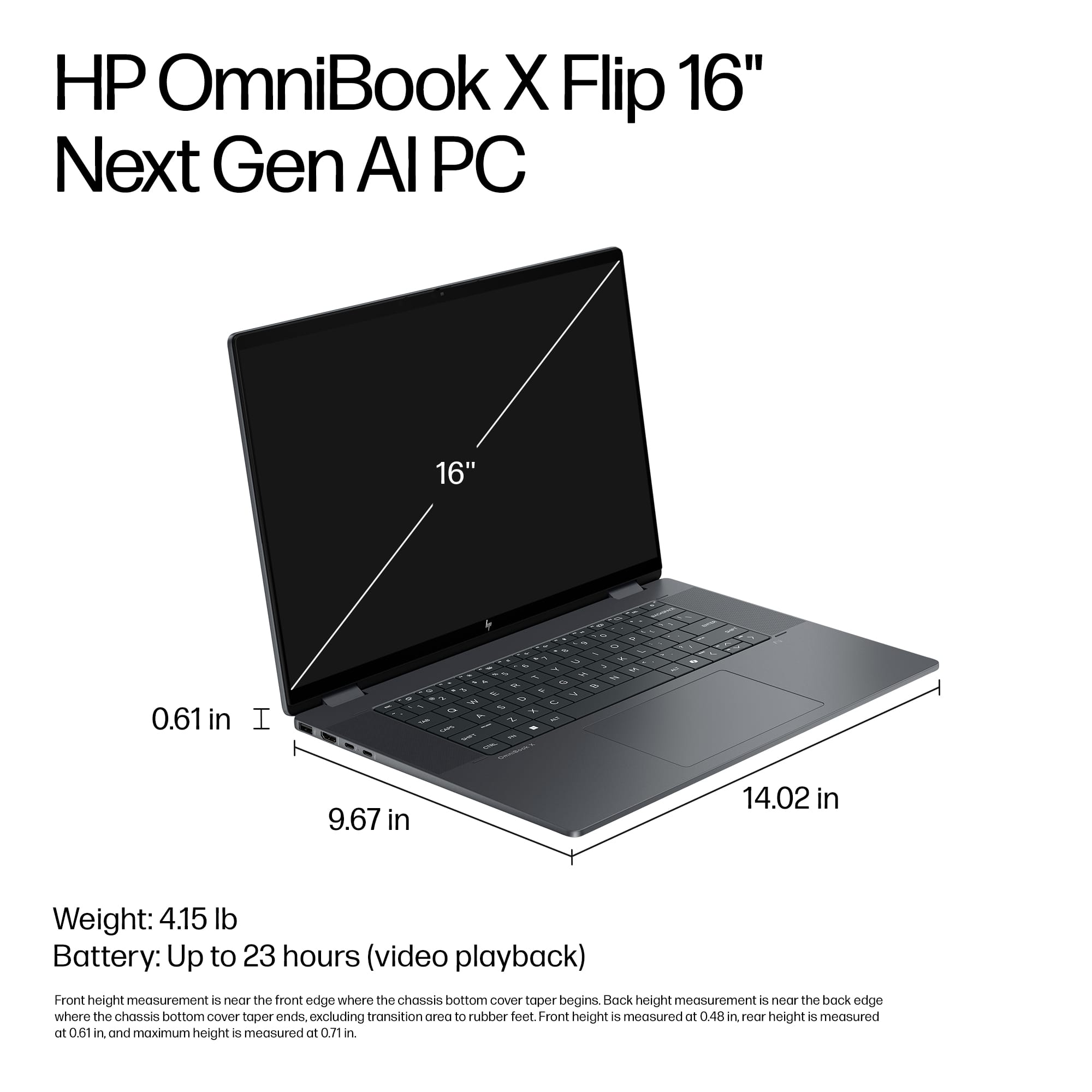
|Posted .This reviewer received promo considerations or sweepstakes entry for writing a review.CONCLUSION 7.35/10: I think one of the most important metrics in a laptop is how it feels to use. Do you look forward to opening it up and getting on it or not? And for this guy I do enjoy using it. It has a sleek look. Made from aluminum. It is relatively lightweight for its size. I really enjoy the keyboard. The trackpad is good enough. The 2-in-1 feature is nice in certain scenarios. The main weak points are the speakers and screen resolution/color accuracy/refresh rate. You’ll need to decide what your priorities are. If it’s a high-quality screen, with high refresh rate, and high color accuracy, then look for the OLED model. If you are looking for a large 16-inch laptop at a very respectable price for the amount of storage, RAM, CPU, and battery life then this is a good choice. Overall, this device does more things right than it does wrong making it a solid choice. But maybe not the best choice for the money. SCREEN 5/10: The screen is the most important aspect to me as it is the thing you interact with the most. This screen is quite the conundrum. Doing some things well but other things poorly. It’s a 16-inch IPS, LED, 1920x1200 (full HD), 16:10, 60 Hz, touchscreen, edge-to-edge glass, micro-edge, up to 400 nits, and 62.5% of the sRGB color range. 62.5% sRGB is unacceptable seeing as almost all other laptops near this price range support 90 – 100% of the DCI-P3 range (which is about 15% more colors which is a lot). Making everything look washed out. Which for a 16-inch screen that most will want to watch media on seems like a massive L. Contrast is much better than expected, which helps save it. 1920x1200 is a bit low just because it makes things a bit fuzzy on this big of a screen. This also helps save battery life. It comes with all the pros/cons of typical IPS screens. 60Hz seems low to me in 2025. Overall, this is a low-end display. But performs very well in its low end display category. And is the thing I dislike the most about this laptop. As if this was better, this would be such a better machine. I recommend looking for the OLED variant. As it would be worth the upgrade in the long run. With it being IPS I would have liked to see higher brightness than 400 nits which is OLED territory. TRACKPAD 6.5/10: They trackpad is the second most important aspect, as if it sucks, the laptop is useless, as I use laptops for their portability and carrying a mouse around limits that greatly. This one is large, with a unique plastic-like texture, non-uniform click, where the bottom it is easier than the middle, with nothing on the top. Despite how it feels, which I think is lower end, it is still accurate. It has a hybrid feel where it feels like the bad old-school windows trackpads, but has the new-school accuracy. But lags behind MacBook’s force touch trackpad or the Microsoft Surface 7’s precision haptic touchpad. KEYBOARD 8/10: The keyboard is the third most important aspect to me. With the size of this laptop, I’d expect full-size keys, but that isn’t the case. The delete key being left of the power key is frustrating. Thankfully, the power key requires more force. Shortcuts are unique and include: projecting your screen, emoji, screen brightness, backlight (its white, low or high brightness, 30 sec, 3 min, always on options which is great) that is very uniform, volume mute (has LED when muted), volume up/down, mic mute (has LED when muted), play/pause, quick launch Omen or MyHp app, screen shot. All keys are perfectly flat, requires moderate/severe pressure to depress, and very strong spring back up which I love. It is louder than a lot of other laptops. Where if I’m in a quiet room (work, school lecture) people can hear me typing. Overall, the more I use it the more I enjoy it. BATTERY LIFE 9/10: Battery life is also critical in a portable machine. The latest chips have significantly improved this. I had a hard time testing this adequately. Which is a good thing. Out of the five days of testing I never ran out of juice. I was able to get through 4 hours or work (50- 60% brightness, keyboard backlight on, doing nothing to the stock settings, mixed use of watching videos, word documents, emails, multiple things open, webpages, not caring what I was doing, etc.) and it would be at like 70 – 80%. Making me expect with mixed usage and light/moderate workloads probably leading to 8 – 10 hours of battery life easy. Probably closer to 12 – 13. With much more if watching battery and just doing video playback. So this will easily get you through a workday and/or school day without any issues. HP claim 23 hours of video playback and 15 hour and 45 minutes with mixed usage. Also, supports up to 50% quick-charge in 45 minutes. SPEAKERS 6.5/10: With a big chassis I expected better. They get very loud but are very tinny. They lack bass. Making it so I can understand things just fine. They get plenty loud. However, due to their treble focus they can start to hurt my ears after a while. It comes with Bluetooth 5.3 and a headphone jack so they should fix/mediate that issue if you have those. 2-IN-1 FUNCTIONALITY 9/10: This I would say is one of the main selling points of this laptop. As if you aren’t going to use it then its better to go with an alternative as I think part of the price is tied up in this. The touchscreen on this is excellent. Very accurate and the glass is smooth making it enjoyable to interact with. Switching to “tablet” mode is quick, easy, and works every time. If you rotate the device it will automatically rotate the screen. I found this is awesome for three tasks. 1. When you are watching something being able to get a different angle or closer and then go through touch is a unique and pleasurable experience. 2. When you are reading a document, scrolling, or browsing content going into tablet mode is a lot of fun. But this device is big and heavy which detracts a bit. 3. If you buy the stylus from HP (which I think is like $60) you can also take notes on this device. Which may work great for some people depending on their workflows. For a student I think that would be great if you aren’t buying an iPad and wanting digital notes. I also found that when using this as a secondary screen (for example I’m referencing something often while doing something) this 2-in-1 feature really shines. PERFORMANCE 7.0/10: This comes with the Intel Core Ultra 7 Series 2, 256V, 8-cores, 8 thread, w/ 4.8 ghz boost, and 47 NPU TOPS. Which equates to an upper-mid range to high-end laptop. Being similar in performance to Apple’s MacBook Air M3 on Cinebench at least. It also comes with Intel Arc 140V graphics card with 8 GB of VRAM. Meaning you’ll be able to play a lot of modern games at around 30 – 60 fps at very low settings. But the cooling may be an issue as single fan that I never heard. Along with being able to video edit simple to moderate complexity (one to two video streams ideally at 4k or less with minimal/moderate effects) without any problems. However, RAM may be a limitation at 16 GB. Also, with the display having poor color accuracy you can’t trust what you’re seeing. Testing on Cinebench showed: POWERED: Balanced: Single 1874, Mulit 10,440, High Performance: Single: 1890, Multi: 9557 BATTERY: Balanced: Single: 1094, Multi: 8498 High Performance: Single 1899, Multi-core 9698 In comparison Very High-End/premium Laptops are going to be getting 1800 – 2200 single core and about 20,000 – 30,000 multi-core. But that is usually plugged in. As for the SSD. It is a 1 TB SSD. In Crystal Mark I got 6139 read and 5344 write. Which is excellent for a stock SSD. The max speed you can get on Gen 4 SSD is Read of 7000 - 7500 and write of 6000 – 7000 MB/s. So we are almost there. The 16 GB of LPDDR5X 8533 megahertz RAM is solid. That is the minimum I would recommend but also enough that most users shouldn’t have any problems. Is the sweet spot. No complaints here. It boasts Wi-Fi 6E. Wi-Fi 7 is the latest standard technically. But this is awfully close so there is no real loss here. I didn’t have any problems with connecting after sleep/restart or any drops of connection. Speeds were excellent at 1484 down and 1635 up. FEATURES 8/10: - It has 1x HDMI 2.1 port which I was able to get 4K @144Hz with. But couldn’t get 2560x1440 @240 Hz only 144 Hz. - 1x USB-C Thunderbolt 4. Able to get 4K144Hz and achieve 2560x1440@240Hz. Which also worked on the other USB-C non-thunderbolt port. - Via HDMI and USB-C. I was able to get my laptop display, 4K60 hz (not any higher refresh rate as it wouldn’t work), and 2560x1440 at 144Hz at the same time. For Dual USB-C I could get laptop, 4K@94 Hz and 2560@240 Hz at the same time. Which is interesting… Note with other laptops/PC I am able to get full Hz ranges and resolutions with these cables. - 1x USB-C 3.1 (would have preferred this to be another thunderbolt port but support same resolution as thunderbolt for external displays) and - 2x USB-A 3.1. Which is appreciated. Again, would have preferred to see USB-A 3.2 ideally. Love to see a headphone jack, which it has. - Along with manual privacy camera shutter. - Already discussed the backlit keyboard. - Comes with a 65 watt USB-C power adapter. - Does NOT have a numpad. - Windows Hello facial: Which worked like 50% of the time for me for some reason. BUILD QUALITY 8/10: Built out of aluminum. Some flex to the top and bottom, not the trackpad, where you rest your hands, or keyboard. I like that the edges are kind of tapered making it appear a lot thinner than it actually is. As where you grip is thin but where it sits is not. It requires four screws to open up. RAM is soldered. SSD is replaceable. Only one slot. As is the wireless/Bluetooth card. Otherwise stuck with what you have. Weight, for size is respectable at 4.15 lbs. Hinges are solid. With it being a 2-in-1 you have full movement. Screen stops wherever you place it. Does not bounce when typing or anything.
No, I would not recommend this to a friendHP Omnibook
||Posted . Owned for 2 weeks when reviewed.This reviewer received promo considerations or sweepstakes entry for writing a review.Super fast, sleek, and versatile! The 16” 2K touch screen looks amazing, and the Intel Core Ultra 7 with 16GB RAM handles everything smoothly. Great battery life and love the 2-in-1 flip design — perfect for work, streaming, or on the go.
I would recommend this to a friendA Large 2-In-1, Beautiful Display
|Posted .This reviewer received promo considerations or sweepstakes entry for writing a review.The HP OmniBook X (Intel Core 7 Ultra, 16GB RAM, 1TB SSD) is a large 2-in-1 with a really nice IPS display that will satisfy many users. One thing I've learned over the years of owning laptops and servicing them is that everyone likes different combinations of features. What I like, you might not like, and vice versa. So the key when shopping for a laptop is to learn what you like and then finding one that has those features. I've always been a big fan of 2-in-1 laptops. One of the main reasons is for travel. On an airplane, you don't have to power them down like a laptop during takeoff and landing if it is folded flat, like a tablet. So you can continue to be productive for those extra 40 or so minutes, which can be handy. And as long as the touchscreen functions well (which this one does), the experience can be very good. Most of the 2-in-1 laptops I have owned have been on the smaller side--13.3" or 14". I do find the 16" to be a bit big for a 2-in-1, and a little heavier than I would like. The weight of the laptop alone is 4 lbs, 9 oz. It still fits nicely in my backpack, but without a resting surface, it can get heavy for the hands and arms over time. However, I do appreciate that the power supply is not an enormous brick like so many other larger laptops. That makes the overall package easier and lighter to carry. The total weight, including the power supply, is 5 lbs, 3 oz. The screen is IPS technology at 400 nits of brightness. I found the display to be plenty bright with rather deep blacks and bright whites. The screen is not quite OLED level, like on more expensive laptops, but it is very nice--and as I mentioned before, the touch function is responsive and works very well. The keyboard is a zero-lattice keyboard, meaning there is no space between the keys. This is the latest styling cue of some more expensive laptops. This HP integrates the speakers on both sides of the keyboard to fill in the extra space. Personally, I think the keys are a bit too big and they also have a lot of travel. I would have rather had smaller keys and a dedicated number pad. This is a personal preference. Regarding the speakers, the sound quality was OK. I did not feel there was enough bass, and the clarity was average. Volume range was good. I would have preferred more premium speakers, with the speakers mounted on the underside of the laptop--again, so I could have a dedicated number pad. For speed and usability, the OmniBook X has the Intel Core 7 Ultra, which is a step above the Core CPUs (formerly the i7, for example). Intel ARC graphics are a step above the typical Intel Iris graphics. I ran GeekBench on the system and was a bit underwhelmed with the results. One of my other laptops has an Intel Core 5 Ultra with 8GB of RAM and the Intel Iris graphics. The HP having the Intel Core 7 Ultra with 16GB of RAM and the ARC graphics, I expected the GeekBench numbers to be a bit better. The HP clocked in at 2369 for single core and 10443 for multi-core, with graphics at 27130 with OpenCL. The other laptop with the Core 5 Ultra was about the same at 2244 / 10480 / 25424. Further investigation found out exactly why. The Core Ultra 7 in the HP is running at 2.2GHz with 8 cores and 8 logical processors. The other laptop with the Core Ultra 5 is running at 3.6GHz with 14 cores and 18 logical processors. More cores / logical processors means more applications can run simultaneously without bogging down the laptop. That includes multiple browser tabs. However, the HP in general functioned well with good scrolling on the internet, no lag with multiple browser tabs open, and good performance with multiple applications running simultaneously. So for the everyday user that is not overloading the laptop with heavy tasks, it will perform just fine. I just would have expected more of a jump in the GeekBench numbers, that's all. The ARC graphics would come into play more with AV-intensive work, like photo or video editing. However, the Core Ultra 7 is a bit more power efficient, and it shows with the battery life. While not nearly as long as the new Snapdragon chips, this laptop did stay powered up for the entire workday with plenty left in the tank when I plugged it in for overnight charging. During operation, there was some fan noise, but overall it was minimal and not loud. The laptop also ran nice and cool. I do like the number of ports on the laptop. The right side has a USB-A and headphone jack, while the left side has another USB-A, an HDMI out, and 2 USB-C ports (one of whcih is Thunderbolt). The matte finish of the laptop case gives it a sleek and modern look. Out of the box, there was a lot of HP bloatware. While some of it is useful, I found a lot of it to not be useful. Uninstalling it took a few minutes and was easy. Overall, the HP Omnibook X 2-in-1 is a nice package. It has a premium feel and a really nice display. The battery life is very good and the system overall is peppy. 1TB of storage is also very generous. I would have preferred a dedicated number pad and more premium speakers. I also thing the laptop is a little heavy for a 2-in-1.
I would recommend this to a friendI made a wise choice
||Posted . Owned for 3 weeks when reviewed.This reviewer received promo considerations or sweepstakes entry for writing a review.I purchased my laptop a few weeks ago from Best buy. I like the way that it looked from the very beginning, but you know when you're purchasing you look at it you play with a little bit and you don't really have the opportunity to know all of his features. After the purchase I was very pleased with the selection. The thing I like most about it is the keyboard! The keyboard is lighted and the letters are easy to see. It is also a very light touch and I can type without using as much pressure as I had on my old laptop. I also like the size, the weight, and the speed. I would purchase this product again and the recommended to my friends and family.
I would recommend this to a friendHighly Recommend!
||Posted .This reviewer received promo considerations or sweepstakes entry for writing a review.Runs very smooth, has a touch-screen feature, long lasting battery, and a 16'' display. This is the perfect laptop for work, studying, and even entertainment. Not only that but the whole thing can actually fold in reverse! So yes, dear reader, I'd say this is worth every penny.
I would recommend this to a friendSlick laptop
||Posted . Owned for 3 weeks when reviewed.This reviewer received promo considerations or sweepstakes entry for writing a review.Excellent Laptop – Reliable, Fast, and Sleek! I’ve been using my HP laptop for a while now, and I couldn’t be happier with the performance. It starts up quickly, runs smoothly, and handles everything from work tasks to streaming without slowing down. The display is crisp and vibrant, making videos and documents easy on the eyes. The keyboard is comfortable for long typing sessions, and the touchpad is responsive. Battery life is impressive—it lasts through my workday without constantly needing a charge. I also appreciate how lightweight and slim it is, making it easy to carry on the go. Overall, HP delivered a great balance of performance, quality, and value. If you’re looking for a reliable laptop that won’t let you down, this is definitely the one to get!
I would recommend this to a friendA Solid Start for Beginner Coders
||Posted . Owned for 2 weeks when reviewed.This reviewer received promo considerations or sweepstakes entry for writing a review.As a beginner in the world of coding, I was looking for a reliable, budget-friendly laptop to learn and practice programming. After some research, I chose the HP Omnibook, and so far, it’s been a great choice for getting started. Smooth Performance for Basics: For learning Python, HTML/CSS, JavaScript, or even running lightweight IDEs like VS Code or Sublime Text, the HP Omnibook handles things smoothly. Comfortable Keyboard: As someone who types a lot while coding, I really appreciate the keyboard. It’s quiet and comfortable, which makes long coding sessions less tiring. Good Battery Life: I can work for hours without needing to plug in, which is great for studying or coding on the go. Lightweight & Portable: It’s thin and light, which is convenient if you’re taking classes, going to the library, or working from a café. ❤️❤️
I would recommend this to a friendThe best of the best co
||Posted . Owned for 3 weeks when reviewed.This reviewer received promo considerations or sweepstakes entry for writing a review.Absolutely thrilled with my new HP Omnibook! From the sleek design to the lightning-fast performance, this laptop has exceeded all my expectations. The display is crystal clear, making every video, document, and project look stunning. Battery life is impressive – I can work for hours without worrying about recharging. The keyboard is comfortable, and the overall build feels solid and premium. Whether for work, study, or entertainment, the HP Omnibook is a powerhouse that delivers reliability, speed, and style. I couldn’t be happier with this purchase – truly a game-changer!
I would recommend this to a friendTony Deonarine
||Posted .This reviewer received promo considerations or sweepstakes entry for writing a review.The HP OmniBook X Flip 2-in-1 is a versatile and powerful 16-inch touch-screen laptop, ideal for both productivity and entertainment. It features a sharp 2K display, an Intel Core Ultra 7 processor, and 16GB of RAM for smooth multitasking. The 1TB SSD ensures fast storage and quick load times, making it suitable for demanding tasks. Its flip design adds flexibility, allowing it to be used as a tablet or laptop. Overall, it's a stylish and high-performance device perfect for professionals and creatives.
I would recommend this to a friendPerfect Laptop for Work and Travel
||Posted . Owned for 3 weeks when reviewed.This reviewer received promo considerations or sweepstakes entry for writing a review.Excellent laptop, I love the flexibility in turning it into a pad for easy access while on the move. I love the back lights on the keyboards, memory is sufficient, and overall, the touch screen is my favorite part.
I would recommend this to a friendHP OmniBook X Flip: Premium 2-in-1
|Posted .This reviewer received promo considerations or sweepstakes entry for writing a review.I was excited to get my hands on the Omnibook X Flip 16, a 16-inch touchscreen laptop that also flips into a tablet. It's one of the new AI PCs, that has built-in AI tools to help with things like writing, organizing, and analysis. I put it to work with a variety of productivity tasks and entertainment. The Omnibook X Flip showed little weakness, HP did a great job here! *Design and Build* Right from the start, this laptop's build feels premium. It’s got a dark gray metal body that looks clean, weighs about 4 pounds and is a little more than half an inch thick. Even with a 16" screen it’s still pretty slim and not too heavy. The 360 degree hinge lets you fold the screen all the way around, so you can use it like a regular laptop, flip it into tent mode to stream videos or watch movies, or even turn it into a tablet with a touchscreen. Typing on the keyboard is a smooth experience. The keys are big and easy to see thanks to the backlighting (a few customizations on backlighting too), and feel great with satisfying feedback and a smooth click. The trackpad is large and responsive too. There are several ports to choose from which is nice considering all of the peripherals I use: (2) USB-A 10Gbps ports, (2) USB-C ports (one with Thunderbolt 4 at 40Gbps and one at 10Gbps), an HDMI 2.1 port, and a headphone/mic jack. It is missing a media slot if you are a photographer. The webcam does a great job for video calls. You can set it as high as 1080p, and even 4K if you are recording videos. It has a physical privacy shutter and supports facial recognition, which makes logging in fast. The camera can track your face and blur the background, which is great when I’m in video meetings. There is a significant amount of customization for video calls. Overall, the design and feel is premium. *Specs and Features* This laptop comes with an impressive hardware suite. An Intel Core Ultra 7 155H processor, which is part of Intel’s lineup focused on performance and AI capabilities. It has a separate NPU that can handle certain AI tasks without using the cloud. The laptop also comes with 16GB of LPDDR5x memory, which helps with multitasking and opening several apps at once. The 1TB PCIe Gen 4 NVMe SSD is quick when loading apps or opening files, and there’s plenty of space for storage. It uses Intel Arc integrated graphics, which are better than your typical built-in GPU. It won’t replace a gaming laptop, but it’s good enough to play some casual games and handle creative tasks like video editing or digital art. The Arc graphics also handled creative suites with no problems. There’s a dedicated key to launch AI tools, along with the usual media keys and an emoji key. The 16-inch 2K touchscreen (1920x1200) is vibrant, responsive and is approximately 400 nits. The screen is glossy, which makes colors pop and movies look great indoors, but can be more reflective outside if you plan on taking it out in the sun. It also supports a stylus, unfortunately you will have to buy the style/pen separate. *Software* The camera has extra features like HP Enhanced Lighting and HP Camera Control, which help make video calls look better. There were a couple of preinstalled apps I didn’t need, like antivirus trial software, but those were easy to remove. *Performance* This laptop runs really smooth. I can have a ton of tabs open, listen to music, and work on creative suites at the same time without lag. The CPU, NPU, and memory do a great job handling multitasking. I tested a few light games on medium settings and they ran well. It’s not made for heavy gaming, but it’s good enough for casual gaming and creative work. The laptop stays cool most of the time, and the fans only spin up when doing something more intense like video editing. Even then, it’s not too loud and it's definitely safe for your lap. These new Intel Ultra processors are very efficient but also run very cool. Battery life is solid and HP claims more than 20 hours but that depends on what you're doing. I'm getting about 15 to 20 hours on a charge with regular use. That covers a full day for me. It also charges quickly, about half a charge in 30 minutes, which is great if you’re in a rush. *Pros and Cons* Pros: Strong build and premium design Big, bright 16" 2K touchscreen Powerful CPU & NPU for AI Long lasting Battery Comfortable keyboard and large trackpad Fast ports *Suggestions/Needs Improvement* Speakers are average No Pen/Stylus After spending time with the HP OmniBook X Flip 16, I can say it’s a great all-around laptop. It’s fast, it's efficient, it's powerful, and it looks great. The 2K screen is perfect for work and entertainment, and the fact that it folds into different modes makes it even more useful. I’d recommend the HP OmniBook X Flip 16 to students, work professionals, or those looking for a versatile laptop with AI features/capability.
I would recommend this to a friendReview of the HP OmniBook X Flip 2-in-1 Copilot P
||Posted . Owned for 3 weeks when reviewed.This reviewer received promo considerations or sweepstakes entry for writing a review.HP OmniBook X Flip 2-in-1 Copilot PC – My Experience I’ve been using this laptop for a bit and honestly, I’m impressed. The build feels solid and premium, and the 2-in-1 design is super handy—I switch between laptop and tablet mode all the time. The touchscreen is bright, sharp, and really responsive. Using the stylus feels smooth, though the screen can get a little reflective in bright light. Performance has been great—fast boot-up, smooth multitasking, and no lag even with a bunch of tabs and apps open. Battery life is just okay (about 7 hours for me), and the fan can get noticeable under load, but nothing too crazy. The keyboard is different (flat keys instead of the usual raised ones), but I got used to it quickly. Overall, I think it’s a great pick if you want a single device that works for school, work, and entertainment. Definitely worth it—especially if you catch it on sale. Pros: sleek build, responsive touchscreen, fast performance, versatile 2-in-1 design Cons: average battery life, reflective screen, keyboard style not for everyone.
I would recommend this to a friend