Customer Ratings & Reviews
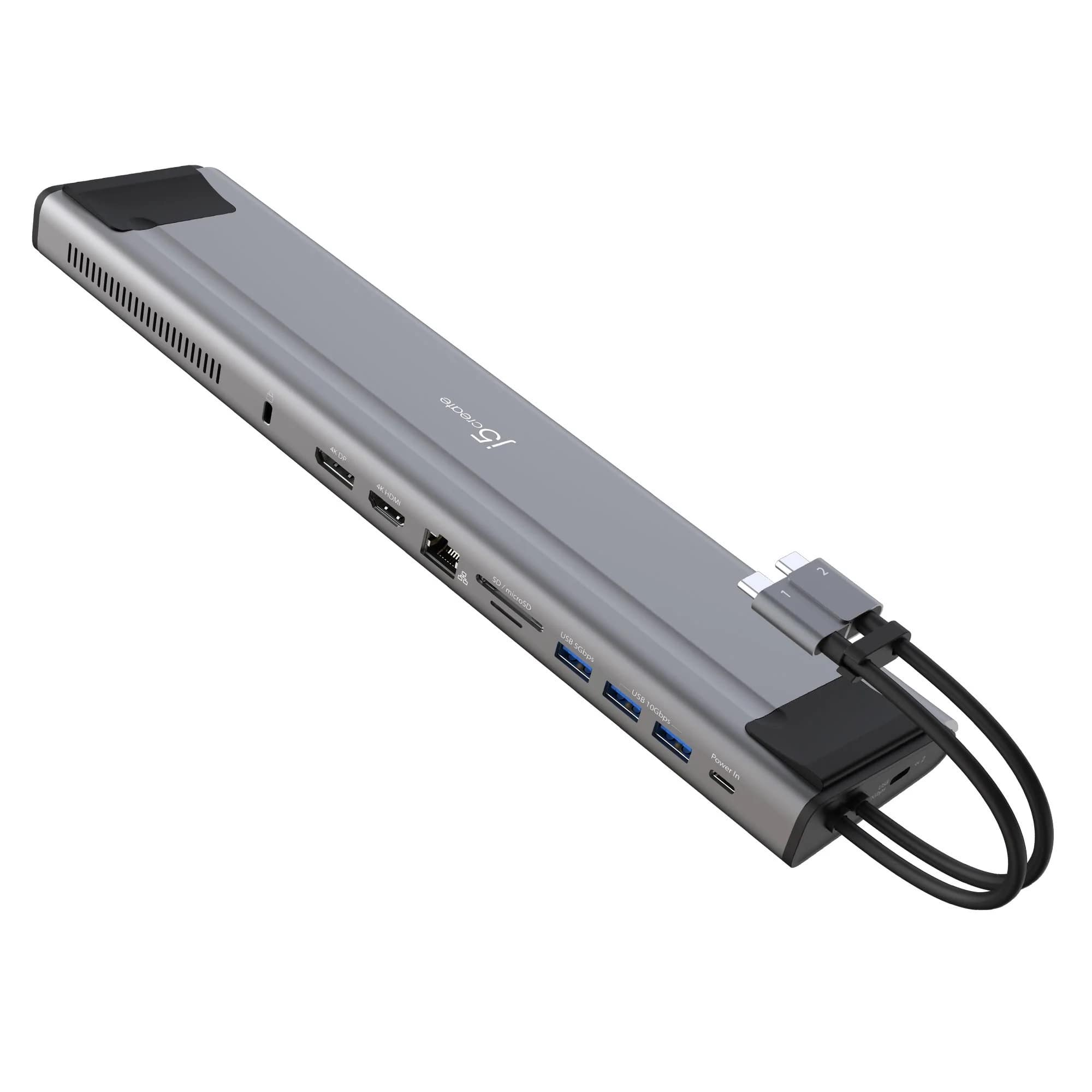
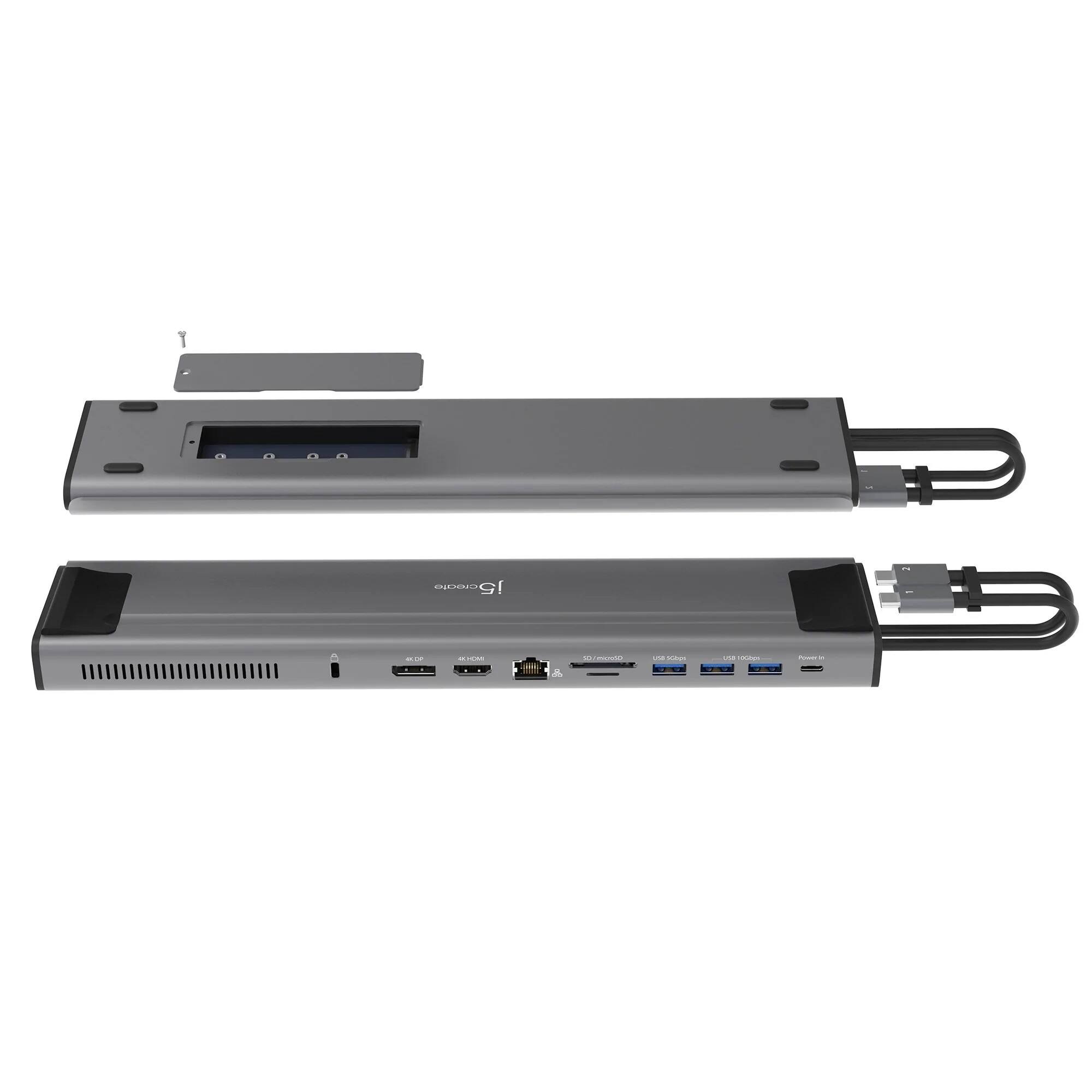
- Model:
- JCD552
- SKU:
- 6469971
Rating by feature
- Value
Rating 3.5 out of 5 stars
- Quality
Rating 3.9 out of 5 stars
- Ease of Use
Rating 4.0 out of 5 stars
Customers are saying
Customers frequently mention the compact size as a significant advantage. However, many users experienced issues with the USB-C ports and compatibility with certain devices, particularly Apple M1 chips and Windows machines. Problems with the display port functionality were also reported. Overall, the product's functionality appears inconsistent across different operating systems and devices.
This summary was generated by AI based on customer reviews.
Perfect buy and look
||Posted . Owned for 1 month when reviewed.This reviewer received promo considerations or sweepstakes entry for writing a review.Works perfect with my Mac and pc parts. No lags or anything
I would recommend this to a friendWith m.2
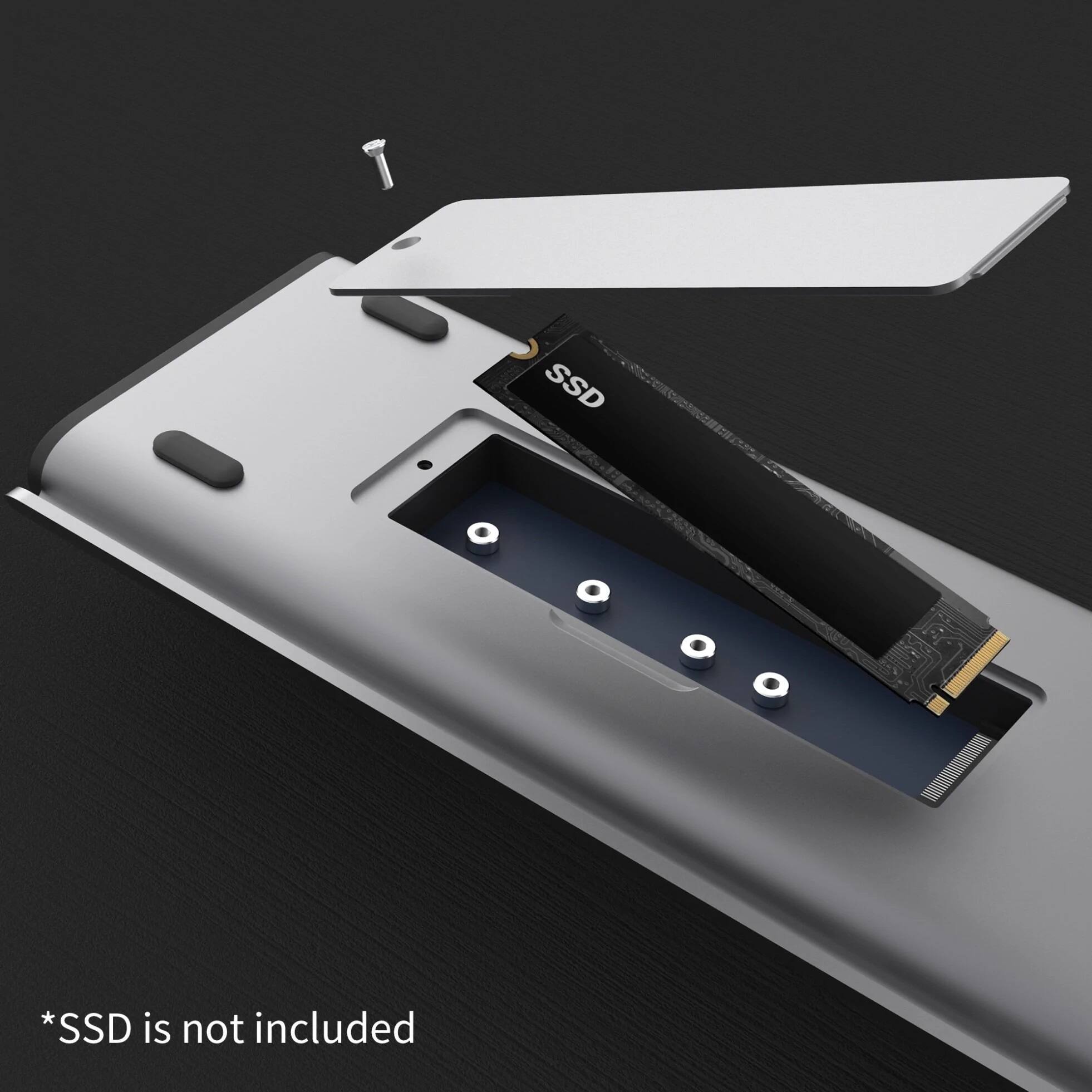
||Posted . Owned for 1 week when reviewed.This reviewer received promo considerations or sweepstakes entry for writing a review.If you need to add m.2 capabilities then this will work for you.
I would recommend this to a friendDocking station
||Posted . Owned for 1 month when reviewed.This reviewer received promo considerations or sweepstakes entry for writing a review.Hands sown the best bang for your buck docking station for M1 MacBook Pro.
I would recommend this to a friendBrand response from J5create Team
Posted .Multiple connectivity options for greater efficiency. Thank you for your review. Enjoy!

Productivity
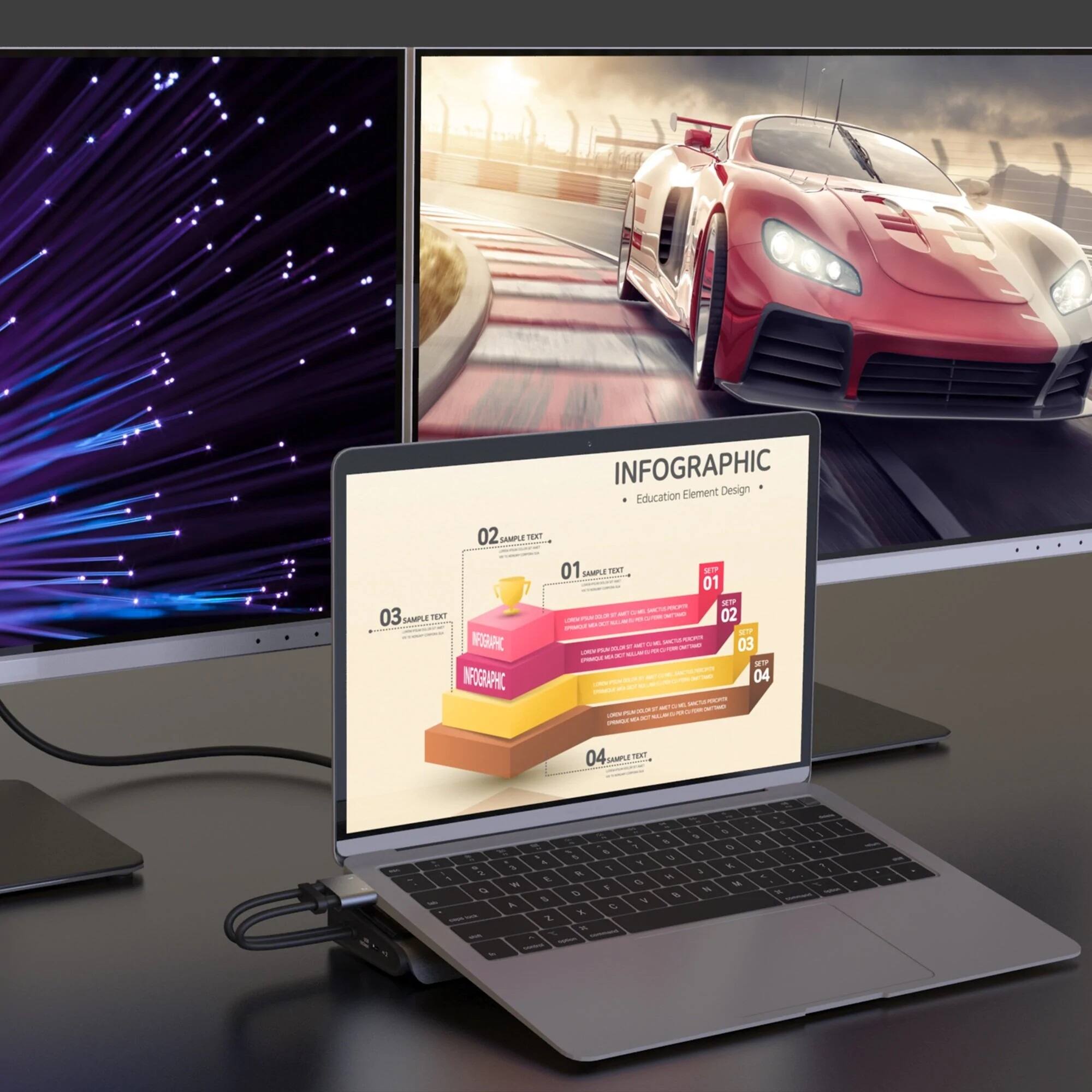
||Posted . Owned for 1 month when reviewed.This reviewer received promo considerations or sweepstakes entry for writing a review.Excellent does what it was intended to do, I love my dual monitors
I would recommend this to a friendGreat item
||Posted . Owned for 1 month when reviewed.This reviewer received promo considerations or sweepstakes entry for writing a review.This works great with my laptops to connect as a docking station!
I would recommend this to a friendGreat option
||Posted . Owned for 3 weeks when reviewed.This reviewer received promo considerations or sweepstakes entry for writing a review.Very nice dock, its great for a mackbook pro. I have tried many.
I would recommend this to a friendGreat
||Posted . Owned for 3 weeks when reviewed.This reviewer received promo considerations or sweepstakes entry for writing a review.Good device, works quite well, would buy again if needed
I would recommend this to a friendGreat dock
||Posted . Owned for less than 1 week when reviewed.This reviewer received promo considerations or sweepstakes entry for writing a review.Great product works great well with Apple MacBook Pro
I would recommend this to a friendGreat Buy!
||Posted . Owned for 3 weeks when reviewed.This reviewer received promo considerations or sweepstakes entry for writing a review.Love it, nice to be able to connect several devices at once.
I would recommend this to a friendReview
||Posted .This reviewer received promo considerations or sweepstakes entry for writing a review.Great product, it’s working as advertised. Plenty of ports.
I would recommend this to a friendJ5 Docking station
||Posted . Owned for 1 month when reviewed.This reviewer received promo considerations or sweepstakes entry for writing a review.It works great for my photography business………………..
I would recommend this to a friendEasy to setup
||Posted . Owned for 2 weeks when reviewed.This reviewer received promo considerations or sweepstakes entry for writing a review.Works great, easy to setup, connects my Mac Book Pro
I would recommend this to a friendGreat
||Posted .This reviewer received promo considerations or sweepstakes entry for writing a review.Great item and I would def Italy recommend it to any one.
I would recommend this to a friendBrand response from J5create Team
Posted .Increase your productivity with the M.2 NVMe USB-C Gen 2 Docking Station.
Do not purchase
||Posted . Owned for less than 1 week when reviewed.This reviewer received promo considerations or sweepstakes entry for writing a review.This device is compatible with me trash barrel. Waste of money returned it, stay away get the proper docking station for your device
No, I would not recommend this to a friendBrand response from J5create Team
Posted .This Docking Station works with computers that support Plug n Play devices through the USB Type-C port connection. Without PnP support, the Dock will not function. Please refer to the manufacturer of your hardware for more information on your device. If you have any questions regarding our device, please contact the j5create Technical Support team and we will be glad to assist you. Thank you.
- Cons mentioned:Compatibility
Don’t buy it if you are a Mac user
||Posted . Owned for 1 month when reviewed.This reviewer received promo considerations or sweepstakes entry for writing a review.Doesn’t work with a MacBook. Overheats and doesn’t save the settings
No, I would not recommend this to a friendBrand response from J5create Team
Posted .Please contact our Technical Support Team, so that they can get more information from you; in order to narrow down the exact issue you are experiencing. Their information can be found on our website under the "Support" tab and a specialist will be ready to assist you. Thank you.
Worse dock ever
||Posted . Owned for 1 month when reviewed.This reviewer received promo considerations or sweepstakes entry for writing a review.Terrible broke in less then 30 Days and now I am out of docking station
No, I would not recommend this to a friendBrand response from J5create Team
Posted .Please contact our Technical Support Team, so that they can get more information from you. This product does have a 2 year limited warranty and they should be able to help you troubleshoot or set up a solution. Their information can be found on our website under the "Support" tab and a specialist will be ready to assist you. Thank you.
Overpriced and bulky. Things slide off.
||Posted .This reviewer received promo considerations or sweepstakes entry for writing a review.Way too expensive and a port-filler. Also very large.
No, I would not recommend this to a friendBrand response from J5create Team
Posted .Please contact our Technical Support Team, so that they can get more information from you. Their information can be found on our website under the "Support" tab and a specialist will be ready to assist you. Thank you.
Great dock, works with MacBook M2 chips
Posted .This reviewer received promo considerations or sweepstakes entry for writing a review.I use this as a docking station for my personal MacBook M2 chip, and my work MacBook 16 Intel. It's great to swap out which computer is connected to my monitor, mouse, and keyboard. The built-in storage is very convenient too since I have the cheaper / less storage version it can be expanded with this.
I would recommend this to a friend- Cons mentioned:Display port
j4 docking station
Posted .This reviewer received promo considerations or sweepstakes entry for writing a review.I went and bought the docking station, went home a and tried to set up dual monitors. One of my monitors uses display port. It was not working, so I went to PC repair shop and asked to check the display port. They confirmed that it is not working and advised me to exchange the unit for another one. I went back to Best Buy store and bought a new unit. Before I left I decided to let Geek Squad person in the store to check if display port is working. They plugged one of their laptops thru docking station and connected display port to the monitor. The port didn't work again. They refunded my money. All other ports were working. This unit cost $150 and I expected ALL ports to be in the working order.
No, I would not recommend this to a friendBrand response from J5create Team
Posted .Depending on the computer, for example, Mac computers running a M1 chip will only display 1 external monitor. Macs with a M1 Pro and M1 Max chips are capable of displaying dual monitor setup. Windows computers with a USB-C port must support "DisplayPort Alt Mode" for video out. Please refer to the manufacturer of your hardware for more information on your device. Both HDMI and DP video ports are Plug n Play, no software required.
Use Caution With This Dock
Posted .This reviewer received promo considerations or sweepstakes entry for writing a review.Had this dock for 2 weeks. 1st week it worked great on my 2019 MBP i7 and MBA M1. Had 2 monitors, one through HDMI and the other through USB-C on the side, along with external HD and music gear. No issues at all. I'm extra cautious with my gear. swapped power supplies when changing MacBooks, 61W/MBP and 30W MPA. Had everything plugged into a APC PSU (also have $20k worth gear) I have never had noise, power spikes, or electrical issues. My grounds are good at my home. All of a sudden the dock stopped working and gave a "USB Accessories Disabled" on both MB. Went through all trouble shooting steps including a SMC reset, still doesn't work. It also killed power to my external HD, killed my right air pod pro, and gave an error on a Akai MPC X. I have had all of these thing minus the dock for at least 2 years besides the M1 and have never had these issues. Now my USBC #1 is working intermittently . It took 2 days to get everything back to normal. I would avoid this dock. I had high hopes for this dock with the M2 SSD drive. On J5's website they have drivers for most of their docks, but not this one. Seems rushed to market.
No, I would not recommend this to a friendBrand response from J5create Team
Posted .The JCD552 is a PnP device, there are no drivers available. Please contact our Customer Service Department, so that they can get more information from you; in order to narrow down the exact issue you are experiencing. Their information can be found on our website under the "Support" tab. Cordially, j5