Customer Ratings & Reviews
![esc F1 F2 F3 F4 F5 F6 F7 F8 F9 F10 F11 F12
Num Caps Mac Win
1 2 3 4 5 6 7 8 9 0 - = backspace
tab Q W E R T Y U I O P [ ] \
caps lock A S D F G H J K L ; '
shift Z X C V B N M , . /
control option fn control
del home pgup num clear / * -
end pgdn 7 8 9 +
enter 4 5 6
shift 1 2 3 enter
control option 28
option fn control
> o](https://pisces.bbystatic.com/image2/BestBuy_US/images/products/71a1417b-3d5f-45c1-99f0-24ab3c6d41b9.png)

![Here is the corrected and grouped text from the image:
- esc
- F1 F2 F3 F4 F5 F6 F7 F8 F9 F10 F11 F12
- 1 2 3 4 5 6 7 8 9 0 - =
- tab Q W E R T Y U I O P [ ] \
- caps lock A S D F G H J K L ; ' enter
- shift Z X C V B N M , . / shift
- control option space
- control option
- num clear / * - + enter
- 7 8 9 4 5 6 1 2 3 0 . enter](https://pisces.bbystatic.com/image2/BestBuy_US/images/products/d4438ba0-8fe4-4ee6-97d7-684d7f1b72ef.jpg)
- Model:
- K10H-F1
- SKU:
- 6644852
Rating by feature
- Value
Rating 4.5 out of 5 stars
- Quality
Rating 4.9 out of 5 stars
- Ease of Use
Rating 4.5 out of 5 stars
Customers are saying
Customers admire the K10 HE 100% Custom Hall Effect Mechanical Gaming Keyboard, especially its sound quality. Many users feel it is an amazing keyboard for the price.
This summary was generated by AI based on customer reviews.
- Pros mentioned:Build quality

So far its been great
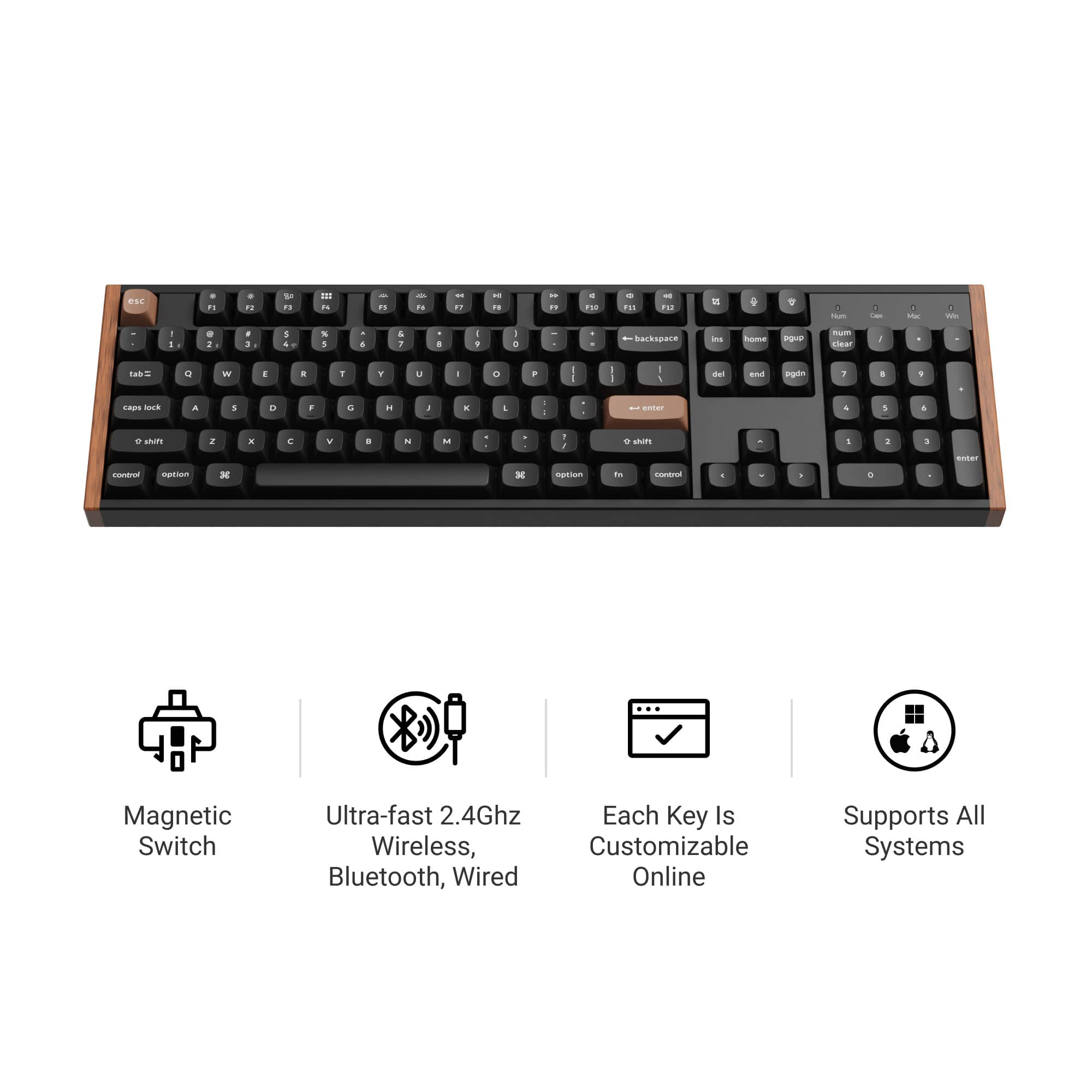
|Posted . Owned for 2 weeks when reviewed.This reviewer received promo considerations or sweepstakes entry for writing a review.Ive had some time to spend with this keyboard and so far its been solid. The sound is also top tier compared to the many other keyboards ive bought before. Theres very little that compares to building your own board to get an even better sound. But right out of the box and prebuilt, this sounds thocky and smooth. I game on fps like battlefield 6 and graphic design in adobe illustrator. Butter smooth for each application. The hall effect switches are worth it for gaming. Theres nothing that stops the keys from turing shiny especially when playing fps games. But i dont mind that really. The RGB is lowkey and ambient. And finally thr build quality is 10/10 wood grain and aluminum case sides are unique.
I would recommend this to a friend - Pros mentioned:Build quality, Connectivity, Software

Great feel and customizability
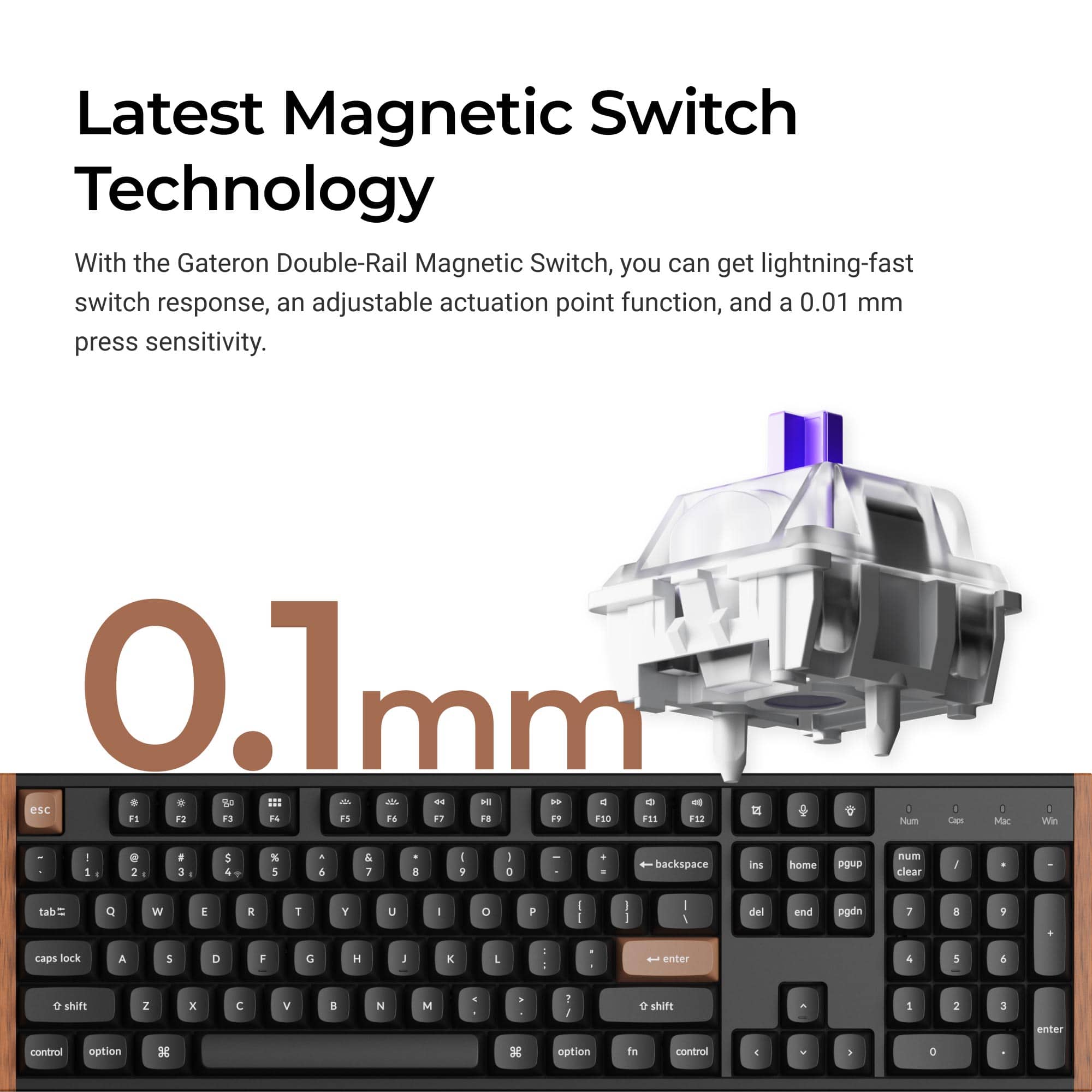
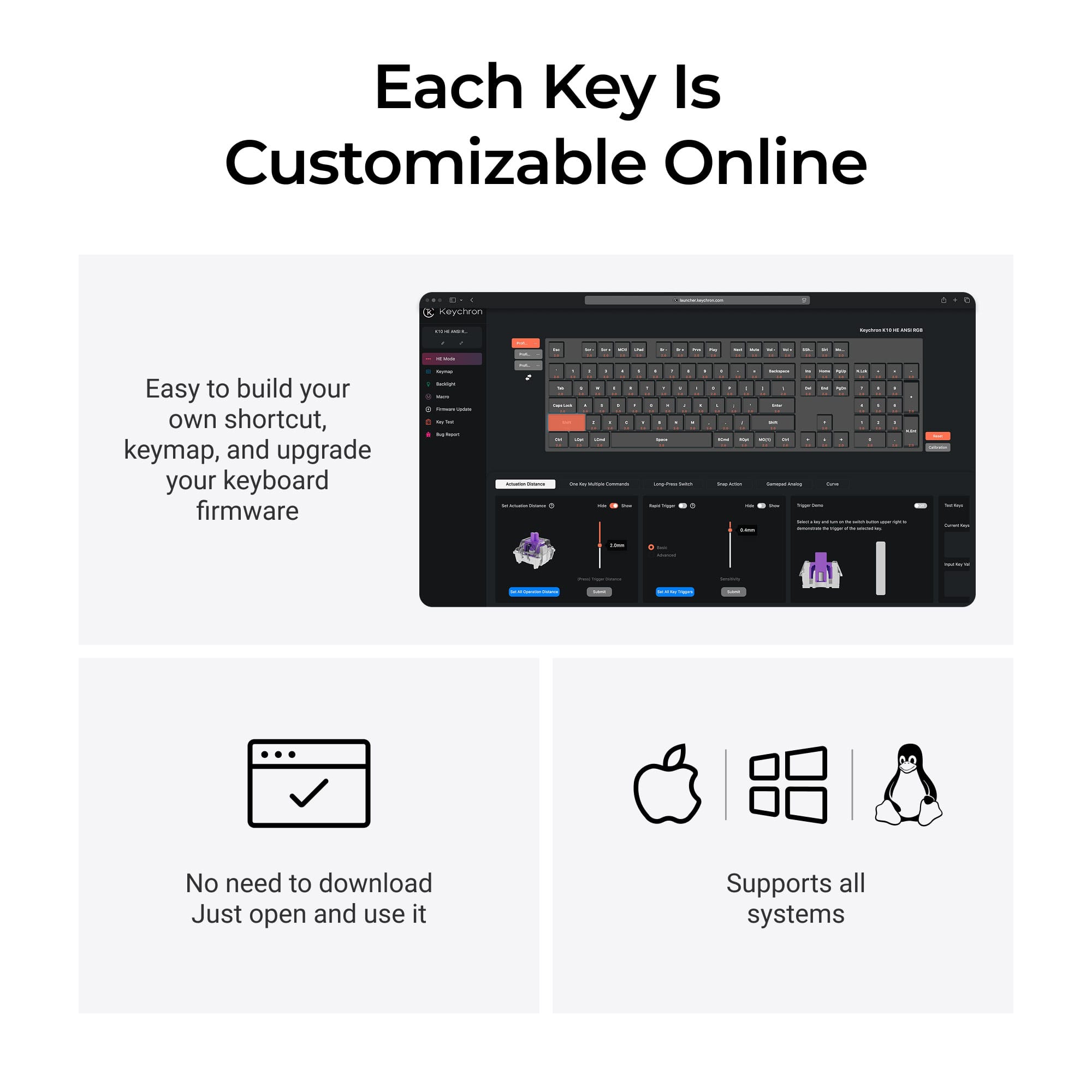
|Posted .This reviewer received promo considerations or sweepstakes entry for writing a review.I've been bouncing around a couple keyboards trying to find one I really like. I spent a long time with silver "speed" switches which have a really short activation travel and I think I just really like that style of typing because you can basically customize this keyboard to act just like that and I really love it. Setup was pretty simple. Plug in the keyboard and it should just work. I'll just add a little anecdote of my own that might help someone in the future. Since this keyboard doesn't have a wrist rest and my last one did, I decided to just slap the old wrist rest in front of this keyboard. I failed to remember that the old wrist rest "attached" to the keyboard with magnets, which aren't the best things to place around a hall effect keyboard. So I spent some time trying to figure out why certain keys weren't working or were firing randomly because I understood what the magnets were doing. Don't do what I did. Keep the magnets away from this keyboard. After getting the magnet situation sorted out, everything worked really well. There is a "helper" app that you can download that assists with launching applications from hotkeys if you want, but almost all of the setup and customization of the keyboard is done via a web application. No need to install anything to use OR customize the keyboard. This is a HUGE win in my book because it feels like every device now will work fine without an app but as soon as you want to change or customize anything, you're going to need that app running 24/7. You get asked to download a generic "driver" that helps connect to the keyboard and that's it. But if you use Firefox, you'll need to use Chrome or Brave (or any other Chromium based browser) to use the app. You can customize pretty anything you can think of for keyboards. Because it's hall effect, you can set the activation travel distance for every single key. If you want everything to activate really quick, you can do that. If you want to press the ESC key harder than all the other keys for some reason, you can do that. Settings up macros and rebinding keys is all doable straight from the app and the only time you need to use the "helper" app is if you're trying to launch other applications. As far as the hall effect nature of this keyboard, you can also customize your keys to find to analog gamepad inputs so you have actual analog control of your keys. Sadly, this just simulates a gamepad and you have to set up the keyboard to your liking beforehand (there is a preset "Gamepad" setting that sets this up for you if you're fine with their settings). I'd really love it if keyboards started presenting the ability to be analog to the system and any key could be set up in game to support analog movements. Imagine still having your WASD keys available but when you're driving in GTA, you can steer with analog controls automatically. As it stands, the keyboard translates "key" presses as digital on and off when it gets passed to the OS unless they're set up as a gamepad input. Lighting has a lot of preset effects. You'll probably be fine with the offerings available. If you're coming from a corsair or similar keyboard with ultra lighting customization, you might feel like you're limited. I would love to see the ability to layer lighting effects so you can stack things as well as being able to set different effects for any number of groups of keys (currenty, you were only able to fully customize two different sets of keys). Being able to overlap, layer and create as many sets of keys as we want would open up the lighting options so much. As is, the lighting is mostly just the couple dozen effects you'd find anywhere. Typing feels really good to me. I set all of my keys to activate after 1mm and it really feels like my old "speed" switches. If you're looking for bumpy clicks, this isn't for you. This is a linear keyboard. The weight and feel of the keyboard in general also feels very nice and not cheap. It's also always nice to have a numpad again. I've been using the keyboard wired but there's also options for bluetooth or their own wireless dongle. The dongle even comes with an extension cord so you can move it to be closer to the keyboard so it maintains a great connection without any interference. There is also a switch to move between Windows/Android and Mac/iOS so you can make sure you maintain full compatibility with whatever system you're connecting to. Bottom line, I'm a big fan of this keyboard. Loving the hall effect feel and how customizable everything is. I could do with some more options for customizing the lighting but I'm fine with most of their defaults. If you're in the market for a new keyboard, you want something a little different, and you're OK with linear switches, give this a look.
I would recommend this to a friend Clack clack
||Posted . Owned for 3 weeks when reviewed.This reviewer received promo considerations or sweepstakes entry for writing a review."Clicky clacky Click clack click clack clacky clacky clack" - me typing this review
I would recommend this to a friend- Pros mentioned:Build quality, Connectivity, Noise level
Solid HE unit from Keychron
|Posted .This reviewer received promo considerations or sweepstakes entry for writing a review.I have to be honest, this is my first Keychron keyboard, and I've had/used LOADS of different keyboards. I'm usually into the firm ultra clicky "blue switch" style keyboards, but I may have been converted by this K10 HE. I honestly thought I wouldn't like the soft-ish linear switches as much as others, but this Keychron is so buttery smooth, and even when I type fast, the click is still there, but just muted. (if you want a premium keyboard to use in a cubicle, look at this unit, your nearby coworkers will thank you for this one vs something ultra clicky) When you open the box, you know you're dealing with a solid, premium product. My only gripe is that I had to swap on Windows keys, like it came out of the box with the Mac keys installed...This is supposedly marketed as a gaming keyboard, and everyone knows you can't game on Mac's (/s) The ability to run in Windows specific mode with just a switch is great, plus it works wirelessly with the included dongle, or via Bluetooth which is always welcome. The RGB is noticeable but very muted, which makes sense given the brand, the wood looking trim doesn't scream "gamer" at all. This keyboard didn't make me any better at video games, but I sure enjoy losing while using it!
I would recommend this to a friend - Pros mentioned:Build quality, SoftwareCons mentioned:Weight
Heavy switches will create strong fingers
|Posted .This reviewer received promo considerations or sweepstakes entry for writing a review.TL;DR Heavy switches will create strong fingers… pause. Pretty premium bezel but very heavy, you could knock someone out if you chunk it at someone. Very minimalist aesthetic for those looking for that, and personally just love the Web based software with no installation for customization. If you are a gamer looking for RBG galore, this will not be for you *****PROS***** -Premium heavy design/feel -Various options to connect -Wood aesthetic -Browser based customization -No proprietary launcher *****CONS***** -Heavy press switches *****Opinion -This keyboard is heavy Ok let me start my review by mentioning this keyboard feels like a brick since it’s so HEAVY. Ok with that out of the way let me get started. I had head of Keychron in the past, but I had never owned any of their products previously. I had never really considered myself a mechanical keyboard connoisseur or enthusiast, but I can see how this keyboard is aimed at that audience first and everything else second. The sound coming from the keystrokes definitely have a nice crunch, not clacky, they are not loud but not quiet either, personally a middle ground for me. All the little nit and gritty details can be found on the flyers and probably do a better job at explaining things than me. Packaging is simple but nice, you get your extra keycaps, the 2.4GHz adapter, the key puller, cable, manuals and the keyboard. Setting up is easy, just plug and play or pair and play. I’m not familiar with these types of switches but when I tell you they take some force to press oh lawd. Anyways the actuation points can be adjusted on the software along with lighting, gaming mode, and rapid mode. I can see the vision and what one could do in the future with this keyboard. This specific model definitely yells minimalism, with some greenery on the desk and such and no loud knobs, colors, and buttons, just a few tiny lights that let you know the mode and if it’s on. Would I recommend this keyboard, oh yeah specially if you are chasing after a certain aesthetic or if you want to transition to a more enthusiast modular route.
I would recommend this to a friend - Pros mentioned:Build quality, Connectivity
Seriously nice keyboard, just fantastic.
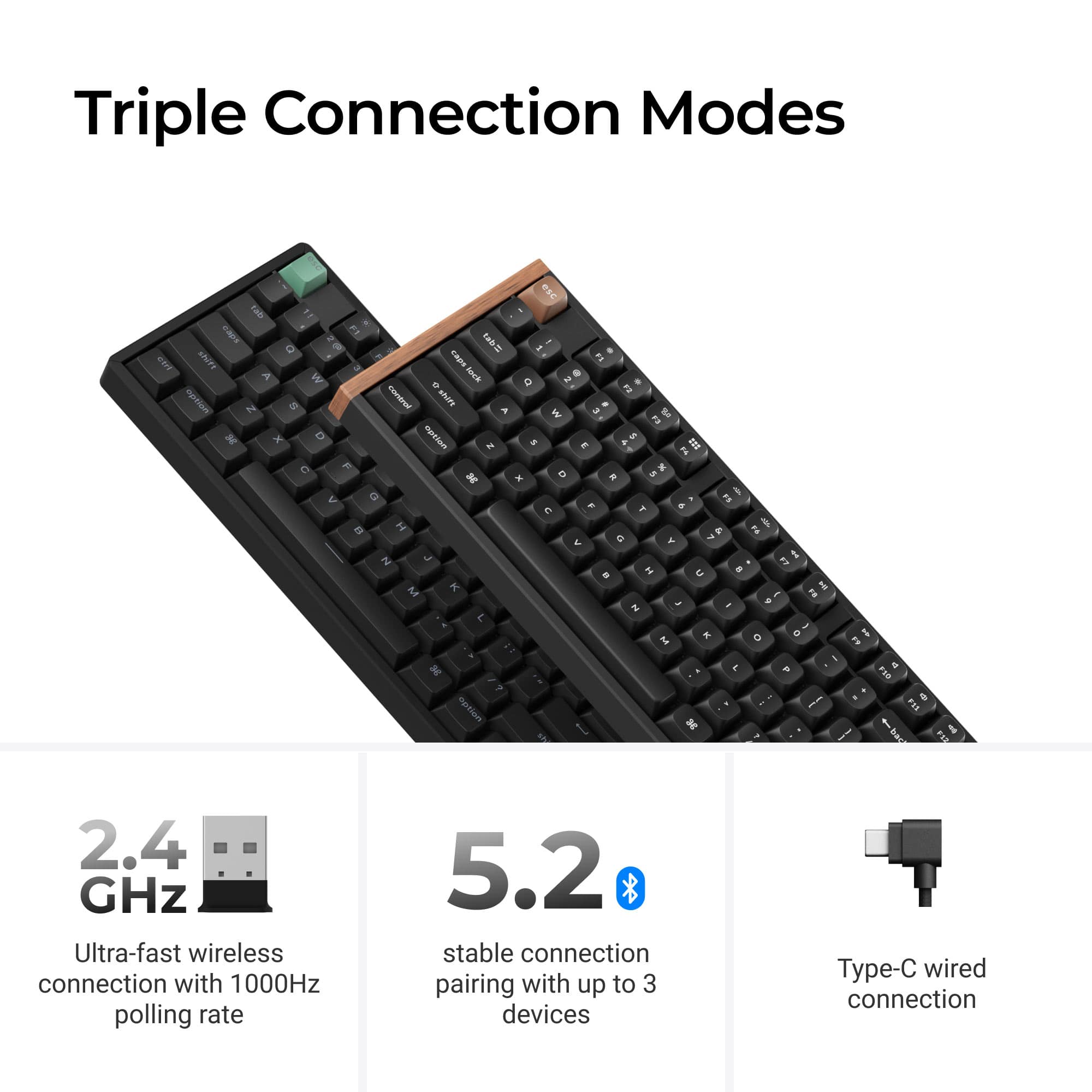
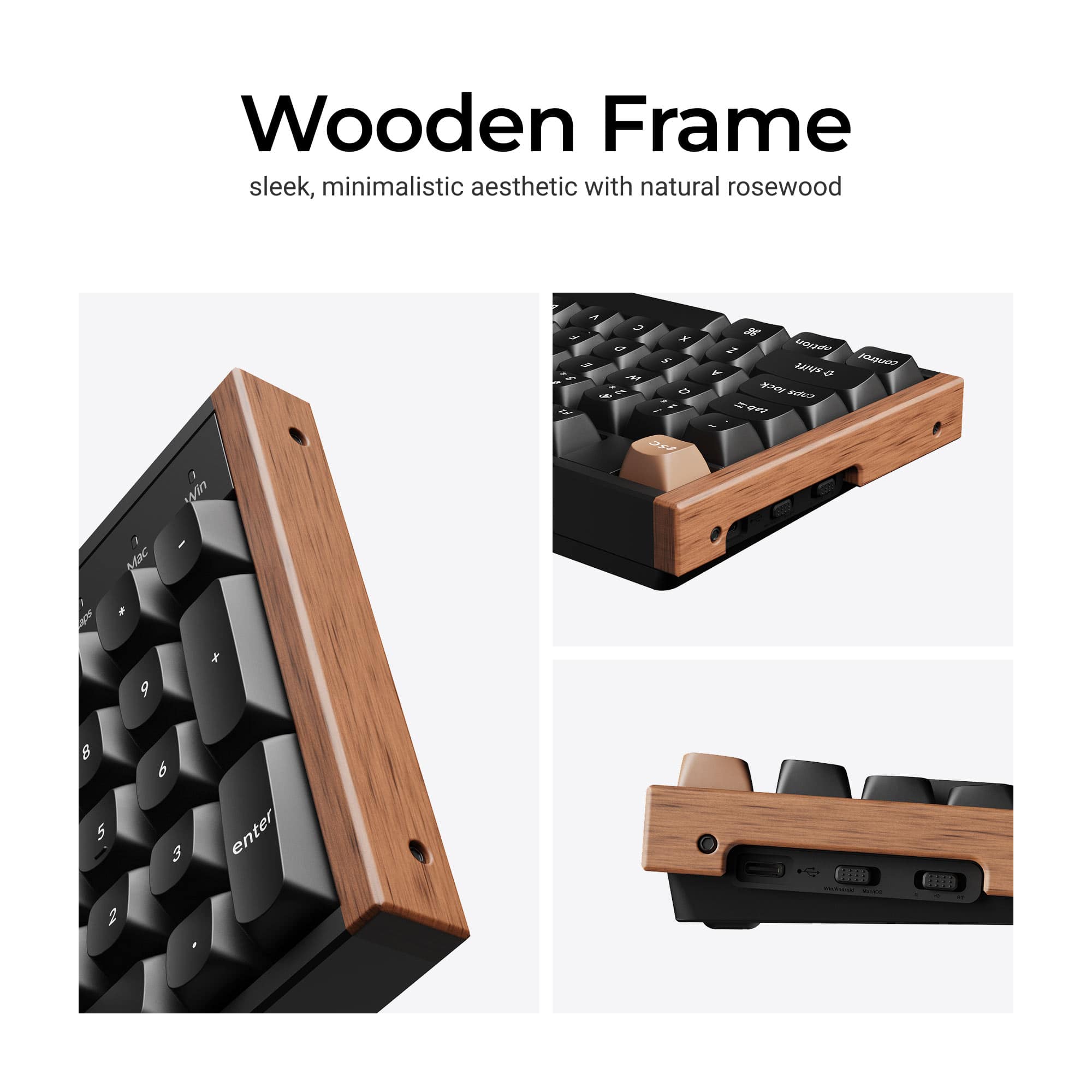
|Posted .This reviewer received promo considerations or sweepstakes entry for writing a review.I got this keyboard to go with my new office laptop setup. I am going to use this for business only, and this keyboard looks like it means business. Wood grain on the sides (rosewood) with an escape and enter key that match the color to give it a little pop, this is a nice looking keyboard. Underneath, it is very much a gaming keyboard. Mechanical with a solid nice range of movement, firm push with soft finish and a good click. The weight of this keyboard is similar to old school 80's keyboards, and just feels solid and premium build, like built to last with metal instead of plastic. It does have LED lights, with many settings. To adjust these, keys, and create hot keys and macros/shortcuts, there is a website you connect to and change the settings when connected by USB cord. This site is easy to navigate, friendly. The quick start guide tells you all to know to get up and active. It came preset with Mac keys, but it came with swappable buttons and a puller tool to switch to windows. The app allows you to actually control how sensitive keys are by adjusting the magnetic switch. I have not ever thought about doing that, but it’s here and I can see how valuable that may be to a gamer. This can be connected by USB A dongle, or with a USB c dongle converter to 2.4ghz, Bluetooth up to 3 devices, or connect by USB cable. All methods work well, by my default will be Bluetooth for the office. We'll see how long the battery life is over time, but charge by usb-c. There is a switch on the side to toggle between connections, and Mac/ios or win/android. The angle and feel of the tilt of the keyboard is good ergonomically with my wrists. This thing can be torn down and cleaned, and comes with a screwdriver and hex wrench to do that if you want. Overall, this thing is a beast and the pricing on this is excellent I have a few more expensive keyboards at home, but this to me is a better value, and just more solid. The other keyboards are excellent, but this seems to be on it's own level. I highly reccomend this keyboard. 5 stars easily.
I would recommend this to a friend - Pros mentioned:Build quality
So smooth and versatile!
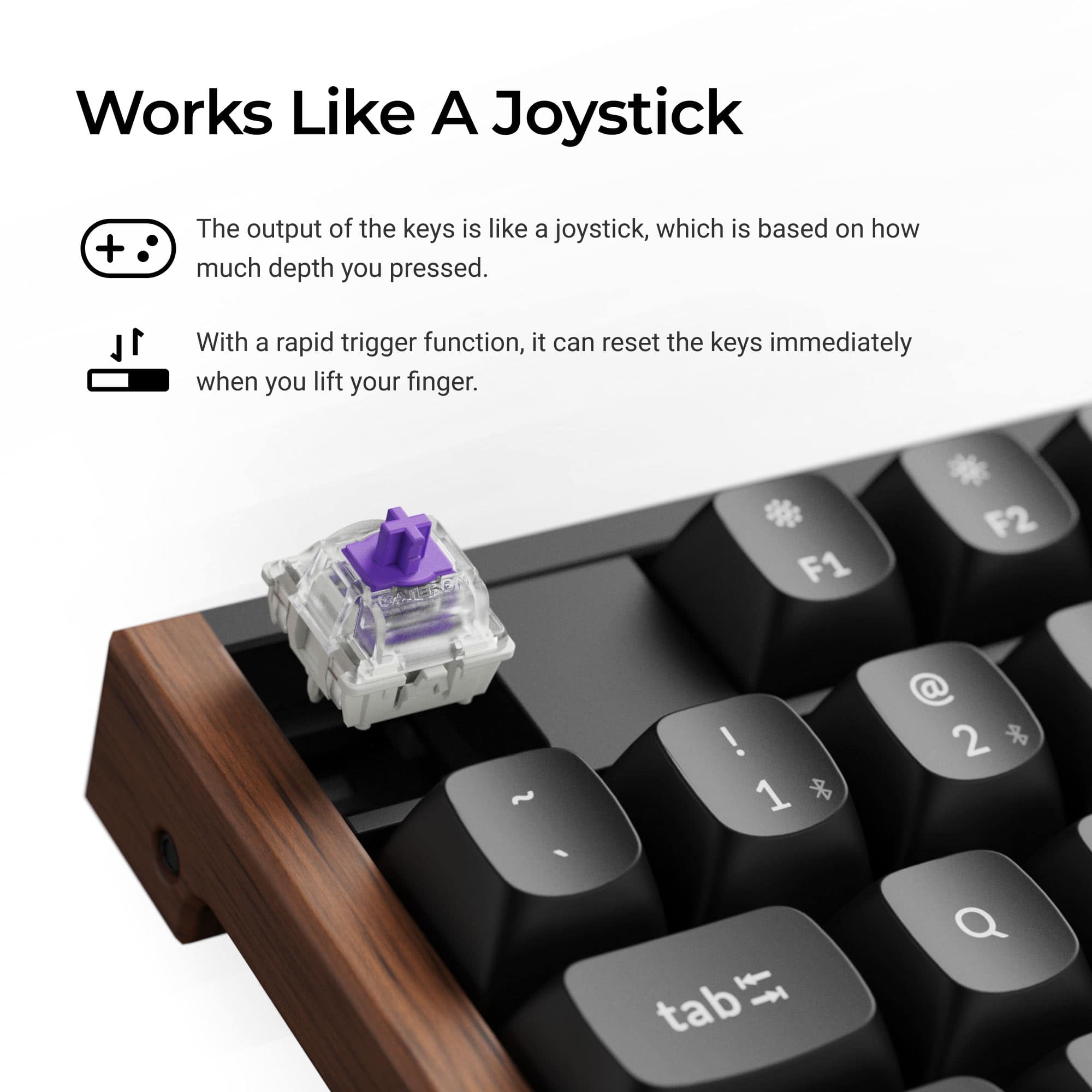
|Posted .This reviewer received promo considerations or sweepstakes entry for writing a review.The K10 HE is hands down the best keyboard I’ve tried in a long time. While the classic design with wood accents may be subjective, I certainly appreciate it. The keyboard is on the heavy side and not very portable due to the frame, layers, and aluminum plate. However, this makes it quite sturdy and stable. The double-shot PBT keycaps feel great, and I have not noticed any significant finger oil smudges on them (especially on the space bar). The north-facing backlit illumination is appreciated, although I would have preferred only lettering to be highlighted instead, as there is quite a bit of light bleeding. The keyboard can be connected via 2.4Ghz dongle, Bluetooth, and wired via USB-C to USB-A. It can be connected to 3 devices at the same time via each option. Also, it is compatible with Windows, Mac OS, and even Android through a physical switch toggle. Keychron included keycaps for both ecosystems. This is a very versatile keyboard. Speaking of keycaps, they are easily replaced with an included keycap pull tool. Even the switches are hot swappable! Out of the box, the Gateron double-rail magnetic switches are so smooth, firm, quiet, and super responsive. In many games, it feels like pressing an analog stick. The great experience is not just in gaming, but also in office and productivity work. The dampening solution is very effective. It is just so satisfying and a joy to type on it. Software options are handled quite uniquely. Instead of using or installing an app, all updates, options, and adjustments such as switch sensitivity, are made through a website (Keychron Launcher). I prefer this to installing software as I can connect my keyboard to any PC, including my work laptop. At the end of the day, I am really impressed with the overall look, feel, performance, and experience. I find it great value and easy to recommend.
I would recommend this to a friend - Pros mentioned:Build quality, Connectivity
Incredible keyboard that just fits in.
|Posted .This reviewer received promo considerations or sweepstakes entry for writing a review.You ever run into those situations where a product is so good, and fits so seamlessly in with your day-to-day, that it's hard to find things to say about it? That summarizes how I feel about this keyboard. Every single thing about it is well made and high quality. From the packaging to the included keycap puller to the wonderful, gentle thocky sound it makes when you type, this thing just works. You have plenty of options for how you want to use it. You can use it via bluetooth, the included 2.4ghz dongle (which not only has standard USB A, but USB C as well, so you can use it on many different devices), or you can use wired (which uses a USB C cable to connect the keyboard to the computer). I will mention, regarding wired mode, that, the plugin is on the left edge of the keyboard. Included is a right angle USB C cable for connecting it more easily, but it's somewhat short, so I wasn't able to use it, with my computer being on the right edge of my desk. No big deal, but it's something worth mentioning. The keyswitches in this keyboard are wonderful. They're nice - they don't take too much force to actuate, but you still have to be intentional with your keypresses to get an input. it sounds wonderful, and the included keycaps are simple and lovely. The keyboard looks great. It feels like it could fit in anywhere without standing out. I love the wood accents on sides, and the weighty metal case. This thing is built like a pretty brick. This is a fantastic device. If you're looking for something to use - whether that's between several different devices, or just one - you'll be able to use it, and it will be a pleasant, enjoyable experience.
I would recommend this to a friend - Pros mentioned:Noise level
Built like a tank and hyper customizable
|Posted .This reviewer received promo considerations or sweepstakes entry for writing a review.There are so many things to love about the Keychron K10 from the moment you take it out of the box. The first thing is actually taking it out, since you quickly realize that this keyboard has quite a bit of heft! The design is absolutely beautiful, mixing a bit of nostalgia with a lot of technology. The wood accents are a great touch of class, and the key doing is perfect. This is one of the better products out there in terms of setup because it doesn’t require installing an application. Everything is web based and pretty simple to follow along with. Like any gaming keyboard, it has a ton of adjustments you can make. Even the inclusion of a really useful quick start card felt like a nice touch over a lot of products i get where instructions just feel optional these days. The K10 works for both Mac and Windows; just be prepared to swap out some key caps to make it work. The thing i love most is the Hall effect. Magnetic dampening allows you to hyper tailor the keyboard to respond the way you want it to. It’s also quieter than a mechanical keyset, which keeps people from attacking me on Teams calls about my multitasking being too loud. That level of tailoring is also incredible for gaming; you can truly adjust the keys to be ‘hairtrigger’ in battle.
I would recommend this to a friend - Pros mentioned:Build quality, Feel
Excellent unassuming keyboard
|Posted .This reviewer received promo considerations or sweepstakes entry for writing a review.Great feeling and great sounding keyboard. The wood accents make it feel very premium, which it is. Excellent build quality and a pleasure to type on. Note that the backlight keys are less bright than you'd expect, they don't shine through the key caps like you might expect a Razer RGB keyboard. But that isn't a concern for me, I rarely use the backlit feature.
I would recommend this to a friend Keychron - K10 HE 100% Custom Hall Effect Keyboard
|Posted .This reviewer received promo considerations or sweepstakes entry for writing a review.If you are in the market for a highly customizable keyboard that can fit virtually any use case, you may not need to look any further than the Keychron K10 HE. This keyboard is equipped with Hall Effect keys, which essentially means the actuation is triggered magnetically, allowing for precise control of when the key press registers as a keypress. This allows for complete control over sensitivity and pressure detection down to the millimeter! Having this much control allows for special use cases within gaming or better control over typing as a programmer, writer, or even just a casual user. Practically any preference for responsiveness is captured here. It is easily adjustable via the Keychron configurator. Select the key you want to change, select the actuation response and click save. It's that simple. The Keychron configurator is accessed via pulling up a webpage and allowing the browser to interact with the operating system to detect the keyboard is connected. There is no software to install making this OS agnostic and super easy to configure. The settings themselves are stored on the internal memory of the K10 so settings travel along with the keyboard itself. The Hall Effect also lends itself to some other gaming features such as last key priority or snap click. Different brands name these things differently, but essentially, last key priority allows for a new key to be pressed before fully releasing the last key pressed. This can make movement in games more responsive as a result. Just be aware any keyboard alteration in functionality beyond just actuation can result in anti-cheat being triggered in games. These features should be used during solo play only, or, if you have 100% sure a game does not ban the function as these give players an unfair advantage over competitors. They can also be useful in masking typing behavior to prioritize a unique way you may type. The features alone work flawlessly on the Keychrom K10. The construction of the K10 is extremely solid and the use of acoustic foamss between the layers allow for an extremely quiet operation. Key presses feel extremely solid and defined while also being smooth and premium feeling. The backlight can be adjusted using many presets giving a wide range of effects. Any color in the RGB spectrum can be selected or variations of colors. The included keycaps do not allow illumination to shine through, which I personally found odd, but alternative keycaps which do allow for numbers to shine through are available for extra purchase on Keychron's website, adding further to the customization. Keychron also includes a key puller tool in the box to make swapping key caps even easier. Th K10 can be used on any operating system and includes key caps for both Windows and macOS. Additional keycaps also include a "super" key for Linux. This allows for a perfect keyboard layout regardless of the OS you choose. It also allows for swapping the keyboard between different OSes if you work in a multi-OS situation, making the value proposition even higher. The K10 can operate via bluetooth, USB or 2.4ghz dongle. The HE is special in the fact there is Rosewood accents on the left and right of the keyboard. This adds a bit of organic element to the design which I found to be spectacular. It also happened to match a wood grain on my PC case, which coincidentally worked out in my favor. This is a spectacular keyboard offering a full range of customizable options beyond what most other keyboards can offer. It truely has something for every taste and preference. It is OS agnostic and super easy to configure. This is a stand out option for literally, anyone looking for a premium accessory for their computing needs.
I would recommend this to a friend- Pros mentioned:Build quality, Feel
Perfection
||Posted .This reviewer received promo considerations or sweepstakes entry for writing a review.The keyboard is perfect! Great sound, great feel, great battery, usable multiple ways with multiple pcs.
I would recommend this to a friend - Pros mentioned:Feel
One of the best 100% KBs for the price right now
||Posted .This reviewer received promo considerations or sweepstakes entry for writing a review.For the price at discount last holiday season, for double-shot keys, bluetooth switching, and the HTML-based keychron launcher for HE customization, I am incredibly satisfied with my purchase. This was to upgrade my workstation at my office and I am happily clicking away on it all day. The linearity of the HE switches is like butter. I enjoy being able to adjust my keystrokes, light patterns, and pretty much every aspect of the keyboard's functionality via the HTML-based launcher. I would absolutely buy another one of these if I needed to, but honestly since it is connected to both my work PC and home PC I just take it with me and switch it over when I get home. No need for a second one. My wife also has her iMac hooked up to it right next to my home PC, allowing both of us to minimize the clutter and use this one keyboard if desired. I have not gauged battery life since it only at most lasts two days in periodic use over the weekends, and all week at work it is plugged in. But seriously for the money, you will probably not find a more complete 100% keyboard as far as feel and customizability. Heck, even the unboxing experience felt executive. 10/10.
I would recommend this to a friend - Pros mentioned:Build quality
Premium keyboard but too many sacrifices.
||Posted .This reviewer received promo considerations or sweepstakes entry for writing a review.This keyboard feels very sturdy and premium. The switches feel wonderful and are a pleasure to type on but that's really about it as far as positives go. I do not understand why they included RGB but no shine-thru keycaps. What's the point? The battery life is awful. I had to charge it 1-2 times a week with RGB on and about once a week with it off and it took hours to charge. The USB port being on the left side instead of in the middle made plugging it in difficult for me given how my setup is. I am also uncomfortable with there being a lipo battery in this thing. I've seen too many horror stories with those. The Keychron Launcher is also pretty bad. To make any changes to the keyboard using it, you have to be plugged in. You can't change anything in wireless mode. It will also not show the battery percentage at all. The only way to see it is to use a keybind on the keyboard but it apparently isn't always accurate. If Keychron released a version of this keyboard that is wired and has backlit keycaps, it'd be endgame. Until then, the search continues.
No, I would not recommend this to a friend - Pros mentioned:Build quality
Backlight is Decieving
||Posted .This reviewer received promo considerations or sweepstakes entry for writing a review.Its a solid keyboard, and im liking it, but I was under the impression that it was backlit, as in the lighting would illuminate the keycaps, which it does not. I dont understand why you would have backlighting and then add solid keycaps? So now I either return it or buy all new keycaps.
No, I would not recommend this to a friend - Pros mentioned:Feel
Impressive keyboard
||Posted . Owned for 1 month when reviewed.This reviewer received promo considerations or sweepstakes entry for writing a review.Great feeling, long lasting charge. Great colorway.
I would recommend this to a friend - Pros mentioned:Noise level
Excellent keyboard
||Posted . Owned for 3 weeks when reviewed.This reviewer received promo considerations or sweepstakes entry for writing a review.I have used mechanical keyboards for a while. The magnetic keys in this keyboard made the whole experience so much better. The minimized sound of clicking seemed appealing to me.
I would recommend this to a friend Nice but still had to use a cord
||Posted . Owned for 2 weeks when reviewed.This reviewer received promo considerations or sweepstakes entry for writing a review.The keyboard is actually a great addition to a new set up on Linux. I bought it because it advertised being compatible to the system. I expected a bluetooth connection and that is what I wanted, however, it will not connect that way only through a cord. Evidently Linux only wants corded keyboards
I would recommend this to a friendGot it for it's looks, but loved the keys.
||Posted . Owned for 4 months when reviewed.This reviewer received promo considerations or sweepstakes entry for writing a review.This was an impulse purchase as my case has the same wood accents and I just needed it. I'm know the basics about keyboards, I've managed to take advantage of the most common features of the keyboard but there are some that I don't really care about since I just use it casually. That being said, its a night and day difference between my old corsair keyboard and this one.
I would recommend this to a friend- Pros mentioned:Connectivity, Software
Excellent Gaming and All Purpose Keyboard
|Posted .This reviewer received promo considerations or sweepstakes entry for writing a review.TLDR: Gaming keyboard with rosewood end panels, it connects via Bluetooth, wired and 2.4Ghz WiFi, pick one. Illuminated keycaps with multi colors or solid single color with 25 pre-programmed patterns to choose. Solid key stroke response, changeable switches and very solid performance. Full sized with numeric keys also. The K10 works with Windows, Linux and Apple systems. The keyboard has 2 dedicated LEDS to indicate when an OS is chosen. The top function keys are toggled, using a dedicated FN function key, to also control audio volume, keyboard illumination, media controls, and other choices. For example, with the Fn function control switch the speaker volume, media playback, illumination and your microphone, among other functions, can all be controlled with keyboard strokes. I used it with Windows 11. Some uses of the top row keys: Keys 1 & 2 on the top row facilitate the Bluetooth, keys 3 & 4 the WiFi, F7, F8 & F9 are media FastFwd, Rewind and Pause/Play, F10 & F11 are volume up & down. There is a dedicated microphone toggle key. Users can utilize a KeyChron Launcher Web Configurator by visiting a website. This is a web based utility to adjust settings such as key colors, choosing pre programmed lighting sequences, customize keys, create macros to streamline repetitive keystrokes, and other functionality and modalities. With this app a user can customize the keyboard in endless ways. There are 25 pre-programmed color effects, all of which can be customized in the Keychron Launcher website that recognizes your keyboard and allows you to change rhythms, colors, effects, macros, the HE switches, everything. I chose to settle on solid colors instead of the various effects and patterns for now but who knows, that may change later. The configurator application requires no downloading, just visit a website to run using a web browser and it instantly lets you customize to any whim as it instantly recognizes your keyboard. Very impressive. This web based configurator needs Chrome or a Chrome based browser to work so don't try it with Firefox. No need to find and download anything! The left edge of the keyboard has 2 slide switches: They allow to toggle between Wired, Bluetooth or WiFi connections, and for use with either Mac OS/ios or Windows/Android. The device is solid and very stable in use both for gaming, typing, or web browsing. I wrote this review using the K10 and the keyboard is very comfortable and fits my fingers very well. It has heft so will not slide around while in use which is an issue with small bluetooth lightweight keyboards I have used previously. I used the wired connection but also tried the Bluetooth and the WiFi 2.4 Ghz connections and they work fine. BTW, the USB-C has an efficient 90 degree right angle connector. The device arrives with a WiFi dongle with an extension wire to insure a very strong WiFi connection to your router. The KB uses a 4000 mAh rechargeable li-polymer battery with a rated charge life of 240 hours in use with no keyboard illumination, per the KeyChron website specs.. It charges via the USB-C cable. Some fast computation tells me that is 48 days if used 5 hours per day. I use it for personal use at home so it should last 2 months dark and 1 month fully illuminated month on a charge in my estimation when used wirelessly. The K10 arrives with a key puller since some of the keys need to be changed per your preferred operations system if you use a Apple Mac, a Windows Computer, or an Android or Linux device. It is an easy task to swap out keys and to choose your OS by the web based KeyChron Launcher as described above. In gaming use I had no issues whatsoever. Play was never lagged due to any keyboard issues. The keystroke action is precise and instant, with solid feel at all times to enable fast response and advances when needed. No one should fear not being able to meet any gaming insurgency, attack, or situation when using this keyboard. The nicely finished rosewood end caps add a stylish uniqueness to this keyboard that most gaming keyboards lack. I like it both in aesthetics and in use. Yes, highly recommended to everyone.
I would recommend this to a friend