Customer Ratings & Reviews


- Model:
- 82DE002XUS/82DE0009US
- SKU:
- 6426711
Rating by feature
- Battery Life
Rating 4.2 out of 5 stars
- Speed
Rating 4.6 out of 5 stars
- Display
Rating 4.6 out of 5 stars
Customers are saying
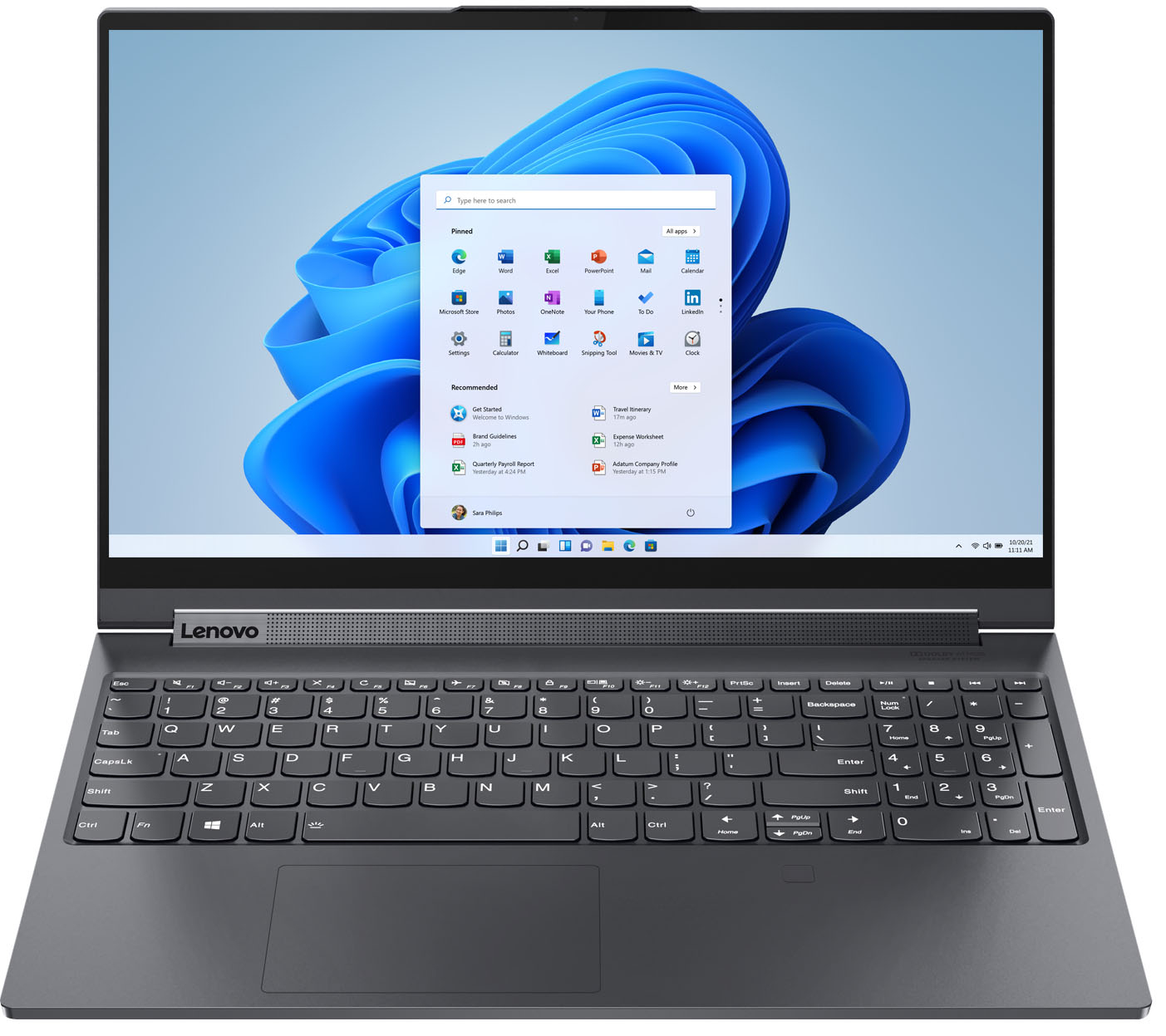
Customers frequently mention the excellent performance, impressive screen size, and ample SSD storage as major strengths of the Yoga 9i 15" laptop. Many appreciate its ease of use, light weight, and good graphics capabilities. However, some users point to the battery life and fan noise as areas needing improvement, along with a limited number of ports. A few also commented on the price point.
This summary was generated by AI based on customer reviews.
Works great!
||Posted . Owned for more than 2 years when reviewed.This reviewer received promo considerations or sweepstakes entry for writing a review.I have been using this computer for three years. No problems!
I would recommend this to a friend- Pros mentioned:Screen size
Great multi-purpose workhorse
||Posted .This reviewer received promo considerations or sweepstakes entry for writing a review.Excellent display and sound. The screen size makes this ideal for use in its tablet configuration and the stylus makes the experience all the better. Watching movies on this is a dream with the help of the sound bar and incredible screen fidelity - although can be a bit of a glare magnet under certain conditions.
I would recommend this to a friendBrand response from Lenovo Product Expert
Posted .Thank you for choosing the Lenovo Yoga 9i 15. We are pleased to hear that the features and performance of the Yoga 9i 15 meets your computing needs so well.

- Cons mentioned:Ports
Great Laptop
||Posted . Owned for 1 month when reviewed.This reviewer received promo considerations or sweepstakes entry for writing a review.Excellent computer. Fast, and has enough memory for anything you need to do. The only negative is that I would like to see more ports rather than always having to buy a docking station or similar to expand the number and type of ports available.
I would recommend this to a friendBrand response from Lenovo Product Expert
Posted .The Lenovo Yoga 9i-15 model number 82DE0009US, is an ultra-portable, 2 in 1 device, that is configured as a high performance system that delivers great computing power while only weighing 4.40 lbs. The Yoga 9i-15 gives you the ability to run the most demanding software from creative tools for photo and video editing, music production, and PC gaming, for boundless creativity and entertainment. Supercharge your performance with powerful NVIDIA GTX 1650Ti graphics, which will accelerate the apps you use every day, all in a light-weight, convertible - 2 in 1 form factor. You can use a Thunderbolt 3.0 docking station to set up a workstation when you are in the office then disconnect one cable and be on the move with the Yoga 9i-15.
- Pros mentioned:Speed
Lenovo Yoga
||Posted .This reviewer received promo considerations or sweepstakes entry for writing a review.Great computer, use for business and personal. Slim, lightweight, and fast!
I would recommend this to a friendBrand response from Lenovo Product Expert
Posted .Thank you for choosing the Lenovo Yoga 9i-15. We are pleased to hear that the Yoga 9i-15 meets your computing needs so well.
Great laptop, but awful battery life!
||Posted . Owned for less than 1 week when reviewed.This reviewer received promo considerations or sweepstakes entry for writing a review.I had a 14" Yoga 920 and figured it was time to upgrade. One of the things I loved about the 920 was that battery could last the entire workday without a charge. The 15" Yoga 9i is not even in the ballpark. I am currently getting less than 4 hours in battery! Other than that everything is great...beautiful screen and runs well. A little heavy for a 2 and 1, but not enough to get a workout.
I would recommend this to a friendBrand response from Lenovo Product Expert
Posted .The Lenovo Yoga 9i-15 model number 82DE0009US 4CELL_69WH_INTERNAL, Lithium Polymer Battery, with a battery life of up to 13 hours, depending on the work the device is performing. If you are getting substantially less battery life, be sure Battery conservation Mode is turned off. This power management setting should only be used when the laptop is plugged in all the time. It will prolong overall battery life by only charging the battery to 60-percent of capacity. Here is a link to instructions for turning off Battery Conservation Mode: https://support.lenovo.com/us/en/solutions/ht103159. Also check what programs are running in the background on the computer. Be sure only the programs you want running in the background are. These programs will drain the battery. Here is a link to information about how to find out what programs are running in the background on your Windows 10 computer and how to manage them for better system performance: https://www.windowscentral.com/how-prevent-apps-running-background-windows-10. Then, finally, be sure any software you installed is compatible with Windows 10. Incompatible software will drain the battery at a faster rate. There is no need to install Microsoft Office software. The software is already part of the operating system, you just need to activate the software with a purchased product key. If you have installed a copy of Microsoft Office, this is conflicting with the existing copy on the system and this will slow your system down. If you have installed a 3rd party anti-virus program, be sure that Windows Defender is turned off and that the trial version of McAfee Anti-Virus software is uninstalled. There can only be one anti-virus program on the system. You may need to restore your system to original factory default settings if any of the programming errors have occurred. You can do that by typing "restore" in the Cortana search window. Just click on the magnifying glass icon at the bottom left of your Windows 10 Desktop. Click on "Reset This PC" Then click on "Get Started" and follow the on screen directions to restore to factory defaults. If the problem persists, we recommend you contact Lenovo Tech Support at: 877-453-6686.
- Cons mentioned:Battery life
I like it a lot.
||Posted . Owned for 1 week when reviewed.This reviewer received promo considerations or sweepstakes entry for writing a review.I like it a lot. Does what I wanted it to do. Plays fallout 76 just fine and sims 4. Load speeds are pretty great. My only thing is that the battery could last longer. But I can generally keep it plugged in so it's not an issue for me personally. But if you plan to do anything aside from browsing and basic stuff, don't expect much from the battery life.
I would recommend this to a friendBrand response from Lenovo Product Expert
Posted .The Lenovo Yoga 9i-15 model number 82DE0009US, ships with a 4CELL_69WH_INTERNAL, Lithium Polymer Battery, which within this configuration, has a battery life of up to 13 hours, depending on the work the device is performing. If you are getting substantially less battery life, first, set your screen brightness at less than 100-percent - try 80-percent to start with. Then, be sure Battery conservation Mode is turned off. This power management setting should only be used when the laptop is plugged in all the time. It will prolong overall battery life by only charging the battery to 60-percent of capacity. Here is a link to instructions for turning off Battery Conservation Mode: https://support.lenovo.com/us/en/solutions/ht103159. Also check what programs are running in the background on the computer. Be sure only the programs you want running in the background are. These programs will drain the battery. Here is a link to information about how to find out what programs are running in the background on your Windows 10 computer and how to manage them for better system performance: https://www.windowscentral.com/how-prevent-apps-running-background-windows-10. Then, finally, be sure any software you installed is compatible with Windows 10. Incompatible software will drain the battery at a faster rate. There is no need to install Microsoft Office software. The software is already part of the operating system, you just need to activate the software with a purchased product key. If you have installed a copy of Microsoft Office, this is conflicting with the existing copy on the system and this will slow your system down. If you have installed a 3rd party anti-virus program, be sure that Windows Defender is turned off and that the trial version of McAfee Anti-Virus software is uninstalled. There can only be one anti-virus program on the system. You may need to restore your system to original factory default settings if any of the programming errors have occurred. You can do that by typing "restore" in the Cortana search window. Just click on the magnifying glass icon at the bottom left of your Windows 10 Desktop. Click on "Reset This PC" Then click on "Get Started" and follow the on screen directions to restore to factory defaults. If the problem persists, we recommend you contact Lenovo Tech Support at: 877-453-6686.
- Pros mentioned:Screen size, Speed
Lenovo’s are dreaming fast
||Posted . Owned for 3 weeks when reviewed.This reviewer received promo considerations or sweepstakes entry for writing a review.Awesome computer. Super fast and I love the touch screen
I would recommend this to a friendBrand response from Lenovo Product Expert
Posted .Thank you for choosing the Lenovo Yoga 9i-15. We are pleased to hear that the performance of the Yoga 9i-15 meets your computing needs so well.
- Pros mentioned:Performance, Speed
Impressive
||Posted .This reviewer received promo considerations or sweepstakes entry for writing a review.Great lap top. Really fast. Desktop like power in a notebook.
I would recommend this to a friendBrand response from Lenovo Product Expert
Posted .Hi there! Thank you for choosing the Lenovo Yoga 9i. We are so happy to hear the amazing performance, features, premium look, and feel of the Yoga 9i is meeting your computing needs so well.
- Pros mentioned:Speed
Great computer
||Posted . Owned for 1 week when reviewed.This reviewer received promo considerations or sweepstakes entry for writing a review.This is an upgrade from my Dell XPS. So far it works perfectly. It's fast. I love that I can flip it and use a wireless keyboard and mouse. The sound bar in the hinge is a great idea. I use my computer mainly for video meetings and the sound quality is excellent. Loud enough on a lower volume setting, unlike my previous computer.
I would recommend this to a friendBrand response from Lenovo Product Expert
Posted .Thank you for choosing the Lenovo Yoga 9i 15. We are pleased to hear that the features and performance of the Yoga 9i 15 meets your computing needs so well.
Laptop
||Posted . Owned for 9 months when reviewed.This reviewer received promo considerations or sweepstakes entry for writing a review.Excellent laptop!!!!!!!!!!!!!!!!!!!!!!!!!!!!!!!!!!
I would recommend this to a friendGood for science majors
||Posted . Owned for 3 weeks when reviewed.This reviewer received promo considerations or sweepstakes entry for writing a review.Great computer for a college student, although it's a little bit heavy. My daughter's program was requiring certain specifications but it's hard to get exactly what the school wanted. This one fit the bill except for the RAM, but I think the RAM will be fine. It's just upsetting that you can't expand it. It used to be easy to drop in more chips but now everything is soldered. The computer is great, boots up instantly, and so far so good. I bought the extended warranty because students need the extra protection.
I would recommend this to a friendBrand response from Lenovo Product Expert
Posted .Thank you for choosing the Lenovo Yoga 9i 15 for your daughter. We are pleased to hear that the Yoga 9i 15 meets your daughter's computing needs so well.
- Cons mentioned:Battery life
Lenovo - Worst Customer Service
||Posted . Owned for 3 months when reviewed.This reviewer received promo considerations or sweepstakes entry for writing a review.First let me say, I don't usually write a negative review, but this is ridiculous... I purchased the laptop 4 months ago and was very happy with it until it failed. The battery stopped holding a charge and one day it simply wouldn't power up. I called Lenovo thinking I would get a live person to help me trouble shoot the problem. Nope! They replied that technical support would contact me in 24-48 hours. When they did call 4 days later they confirmed that the computer would not power up and they would send a technician to my home for repairs. The local technician would contact me within 48 hours to set up an appointment. (What did I do? I was forced to go out an purchase another laptop!) A week goes by, no technician called me. I contacted Lenovo again and requested that they cancel the request for a service technician. I would prefer that they send me a box so that I could send the laptop in for repairs. (This turned out to be a 60 minute phone call!) Another week goes by, no box arrives... I contacted Lenovo again. This call only takes 55 minutes! The representative said it would be better if Lenovo just emails me a mailing label and that I provide my own box to mail my laptop for repairs. The mailing label finally came via email, and the return address is incorrect! At this point I have been without the Lenovo laptop for over 3 weeks, and haven't even been able to send it in for repairs. If you buy a Lenovo, hope that nothing goes wrong with it! (I've had one other laptop break down in the past. The repair process was pretty easy. The company shipped me a box. I sent the computer off, and it was returned within a week's time repaired.)
No, I would not recommend this to a friendBrand response from Lenovo Product Expert
Posted .We are sorry to hear that you are having issues charging your Lenovo Yoga 9i-15 model number 82DE0009US. First, plug the computer in and roll your onscreen cursor over the battery indicator icon in the lower right side of the bottom of the Windows 10 Desktop Screen. With the computer plugged in the current battery level should be visible. If the battery level is greater than 50-Percent, unplug the computer and let the battery level drop below 50-Percent. You will be able to use the computer while it is unplugged and the battery drains. Just check the battery level occasionally to see when it drops below 50-Percent. Once the battery level is below 50-Percent capacity, plug the computer back in. The computer battery indicator should now read "Plugged In and Charging".
The battery will continue to charge to a full 100-Percent capacitiy charge. It should take about 90-minutes. If the battery indicator still registers "Plugged In Not Charging" and the battery life has not changed or gone down since you plugged the computer in, now check to be sure you have the latest version of Windows 10 on the computer. Then update all the BIOS files and drivers up to that latest version of Window 10. You can easily accomplish this by scanning the computer with the Lenovo Utility software available on this computer. This system has Lenovo utilities installed to help maintain the health of the device and keep the operating system software up to date. Type "Lenovo Vantage" in the Cortana Search window (if Lenovo Vantage is not installed on your device, you can download the APP and install it now). Select Lenovo Vantage from the list. In the window that opens, click on "Health and Support". In the expanded menu, select "Hardware Scan" In the window that opens, select "Run Quick Tests". This will scan your entire system for errors. Follow any directions that may pop up. If the problem continues after this scan, now click on "System Update". First select Windows update from the menu. Scan your system to be sure you have the latest version of Windows 10. Once that scan is complete, select "Additional Updates". This will scan your device to be sure there are no new BIOS/Driver updates needed. Follow any instructions that may pop up. After updating all of the Operating Software on the computer, run your onscreen cursor back over the battery indicator icon, with the computer still plugged in, the battery indicator should now read the current battery capacity (now less than 50-Percent) and say "Plugged In, Charging". If your battery indicator still reads "Plugged In, Not Charging with a battery level less than 50-Percent, resetting the computer back to original factory settings may not only reset the computer Operating System files but also reset the internal battery firmware to allow the battery to once again take a normal charge. Leave the computer plugged in. Here is a link to instructions for resetting your Windows 10 computer back to original settings: https://support.microsoft.com/en-us/windows/recovery-options-in-windows-10-31ce2444-7de3-818c-d626-e3b5a3024da5. If for some reason you can not reset the computer through these normal recovery steps, this system is equipped with OneKey Recovery System. There is a very small pin hole on the bottom right side of the device, right near the top right corner of the cooling vent on the bottom of the device. You will need a pin to push this reset button. Plug the device in. Let the battery charge for about 15 minutes. Push the reset button. The system should boot to a choice screen where you can choose "Restore To Factory Default". Select this. It will delete everything from the hard drive except the original factory install of the operating system. You will need to reinstall all programs and files after the reset. If you don't have copies of the files, try to make one before you restore by selecting "Boot to desktop" and trying to back up your files. If the problem persists after the factory reset, we recommend you contact Lenovo Tech Support at: 877-453-6686.
- Pros mentioned:Speed
Would definitely purchase again.
||Posted . Owned for 3 weeks when reviewed.This reviewer received promo considerations or sweepstakes entry for writing a review.A really nice laptop. It’s quick, love the display and great ergonomics. This is third Lenovo laptop I’ve had, always with great results. The battery life is the best of any laptop I’ve had. Easy to setup. Everything went flawlessly.
I would recommend this to a friendBrand response from Lenovo Product Expert
Posted .Thank you for choosing the Lenovo Yoga 9i 15. We appreciate your loyalty to the Lenovo Brand and we are pleased to hear that the Yoga 9i 15 meets your computing needs so well.
Great for Gaming, Streaming and Design
||Posted . Owned for 1 month when reviewed.This reviewer received promo considerations or sweepstakes entry for writing a review.We purchased this https://www.bestbuy.com/site/lenovo-yoga-9i-15-2-in-1-touch-screen-laptop-intel-core-i7-16gb-memory-nvidia-geforce-gtx-1650ti-1tb-ssd-slate-gray/6426711.p?skuId=6426711 Laptop for my son, a freshman in college, who is majoring in Landscape Architecture Design. It checked off all the spec requirements needed to run the software design programs that he will be using throughout college and hopefully into his career. He is loving this laptop so far!!! Bonus for him… he says it’s awesome for gaming and streaming in his dorm room!!! Bonus for us…when we found an excellent deal through Lenovo, Best Buy customer service came through with their price match promise without any hassle!!!
I would recommend this to a friendBrand response from Lenovo Product Expert
Posted .Thank you for choosing the Lenovo Yoga 9i 15 for your son. We are pleased to hear that the features and performance of the Yoga 9i 15 meets the computing needs of your son so well.
Great Computer for the Money!
||Posted . Owned for 1 week when reviewed.This reviewer received promo considerations or sweepstakes entry for writing a review.So far so good! I'm extremely Pleased with the computer. I like that it has USB-C for easy Connection to my External Monitor. I've played a few games on it such as Rocket League / Mortal Kombat 11 and it seems to handle those games like a champ. Mostly using for Business / Productivity Use. Build Quality is great and the SoundBar sounds better than most Windows Laptops I've used. Screen is excellent. I bought the open box version and saved quite a bit! Definitely been pleased!
I would recommend this to a friendBrand response from Lenovo Product Expert
Posted .Hi there! Thank you for choosing the Lenovo Yoga 9i. We are so happy to hear the amazing performance, features, premium look, and feel of the Yoga 9i is meeting your computing needs so well.
- Pros mentioned:Ease of use
good bye
||Posted . Owned for 1 month when reviewed.This reviewer received promo considerations or sweepstakes entry for writing a review.working great easy to set up using it to do notary with a scanner so I can send the documents back with no delay
I would recommend this to a friendBrand response from Lenovo Product Expert
Posted .Thank you for choosing the Lenovo Yoga 9i 15. We are pleased to hear that the easy setup and performance of the Yoga 9i 15 meets your computing needs so well.
- Cons mentioned:Battery life, Fan noise
Battery and fan issues
||Posted . Owned for 6 months when reviewed.This reviewer received promo considerations or sweepstakes entry for writing a review.Battery lackluster. Noise in right fan. A bit on the heavy side. Case not as solid
No, I would not recommend this to a friendBrand response from Lenovo Product Expert
Posted .This Lenovo Yoga 9i 15, model number 82DE002XUS, ships with a Integrated 69Wh, Lithium-Polymer Battery, which within this model configuration, has a battery life of up to 13 hours, depending on the work the device is performing. You can use Lenovo Smart Power to manually control fan and system performance, lowering the fan sound level during light workloads: ( Fn + Q ) option to change the fan speed by undervolting the processor. This Lenovo Yoga 9i 15 is a high performance, full-size convertible, 2 in 1 configuration, weighing approximately 2.0 kg (4.41 lbs). The Yoga 9i 15 has case material made of: Aluminum for light weigh but durable design. If you are getting substantially less battery life first, set your screen brightness at less than 100-percent - try 80-percent to start with. Then, be sure Battery Charge Threshold is turned off. This power management setting should only be used when the laptop is plugged in all the time. It will prolong overall battery life by only charging the battery to 60-percent of capacity. You can turn off Battery Charge Threshold within the Lenovo Vantage APP installed on this computer. In Vantage select Battery Settings and turn off Battery Charge Threshold, if turned on. Also check what programs are running in the background on the computer. Be sure only the programs you want running in the background are. These programs will drain the battery. Here is a link to information about how to find out what programs are running in the background on your Windows 11 computer and how to manage them for better system performance: https://websiteforstudents.com/how-to-find-what-is-running-in-windows-11/. Then, finally, be sure any software you installed is compatible with Windows 11. Incompatible software will drain the battery at a faster rate. There is no need to install Microsoft Office software. The software is already part of the operating system, you just need to activate the software with a purchased product key. If you have installed a copy of Microsoft Office, this is conflicting with the existing copy on the system and this will slow your system down. If you have installed a 3rd party anti-virus program, be sure that Windows Defender is turned off and that the trial version of McAfee Anti-Virus software is uninstalled. There can only be one anti-virus program on the system. You may need to restore your system to original factory default settings if any of the programming errors have occurred. You can do that by typing "restore" in the Cortana search window. Just click on the magnifying glass icon at the bottom of your Windows 11 Desktop. Click on "Reset This PC" Then click on "Get Started" and follow the on screen directions to restore to factory defaults. If the problem persists, we recommend you contact Lenovo Premium Care for additional help at: 888-278-9707.
- Pros mentioned:Screen size
Versatile laptop
||Posted . Owned for 8 months when reviewed.This reviewer received promo considerations or sweepstakes entry for writing a review.Bought for daughter who is studying computer science when her MacBook Air kept failing her. Can be used sort of like an iPad where you can write with a stylus. She prefers this in some situations for taking notes in class.
I would recommend this to a friendBrand response from Lenovo Product Expert
Posted .Thank you for choosing the Lenovo Yoga 9i 2-in-1 14in. Touch Screen Laptop with Intel Evo Core i7. We are very pleased to hear that the specifications and features of the Lenovo Yoga 9i 2-in-1 14in. Touch Screen Laptop with Intel Evo Core i7 meet you and your daughter's computing needs so well.
- Pros mentioned:Speed
More capability than I expected
||Posted . Owned for 1 month when reviewed.This reviewer received promo considerations or sweepstakes entry for writing a review.Steady, stable and reliable, yet resouses enough to be able to incorpoate a new project or mission. Wish I had had a machine like this in the 'ole days' before I retired. I got more than I hoped for- happily.
I would recommend this to a friendBrand response from Lenovo Product Expert
Posted .Thank you for choosing the Lenovo Yoga 9i 15. We are pleased to hear that the performance of the Yoga 9i 15 meets your computing needs so well.
- Pros mentioned:Speed
Speedy
||Posted . Owned for 1 month when reviewed.This reviewer received promo considerations or sweepstakes entry for writing a review.I'm very happy with the speed of this laptop. It wakes up immediately and connects right away with my Bluetooth mouse. It has a comfortable keyboard and the numeric keyboard is really handy. This is a great upgrade from my old Yoga
I would recommend this to a friendBrand response from Lenovo Product Expert
Posted .Thank you for choosing the Lenovo Yoga 9i 15. We appreciate your loyalty to the Yoga Product Family and the Lenovo Brand. We are pleased to hear that the performance of the Yoga 9i 15 meets your computing needs so well.