Customer Ratings & Reviews










- Model:
- 81JX0000US
- SKU:
- 6295998
Rating by feature
- Value
Rating 4.4 out of 5 stars
- Quality
Rating 4.6 out of 5 stars
- Ease of Use
Rating 4.5 out of 5 stars
Customers are saying
Customers find value in the Yoga C630's large screen size, ease of use, and long battery life. Many appreciate its performance and lightweight design, along with its competitive price point and ample RAM. The positive feedback highlights its overall quality and suitability for various tasks. However, a common complaint centers on the lack of a backlit keyboard.
This summary was generated by AI based on customer reviews.
- Pros mentioned:Performance, Screen sizeCons mentioned:Keyboard backlight
Great Chromebook As Desktop Replacement
||Posted .This reviewer received promo considerations or sweepstakes entry for writing a review.I’m kind of a screen nerd. like the screen on this one. Gets just bright enough. Color is excellent. Good contrast. I had the Chromebook x360 14 inch and found that display to be dim, drab and colorless. I hated it. But this one is enjoyable. I also like the bigger 15.6 size. Really expands your real estate when you go into settings and display and change the scaling. The speakers are meh. I do wish, for such a big laptop, why not put some good speakers in here? They're downward firing and don't sound great. Dialogue might be better than music. The keyboard feels and looks good but needs more travel but I’m getting used to it. The trackpad is very good. Very smooth and scrolls fast. Very responsive. Touchscreen is great but it does wobble a bit when you poke it - probably because it’s a yoga. The build quality is excellent. Feels premium because it is. Sleek and fits in a business environment. Performance: You won’t be able to slow this down. It’s got ample processing power and memory. Decent selection of ports. It’s also a helluva deal if you can get it on sale or open box. I got mine for under $500 open box. Summary: I really like this laptop. It makes a great desktop replacement. I setup my Windows desktop for Chrome Remote Desktop and I can remote into when I need to to manage it for Plex. I enjoy the quickness and simple interface of ChromeOS. I get sick of Windows and enjoy using other operating systems. I hope ChromeOS continues to grow because I believe in and support cloud computing. Great laptop!
I would recommend this to a friendBrand response from Lenovo Product Expert
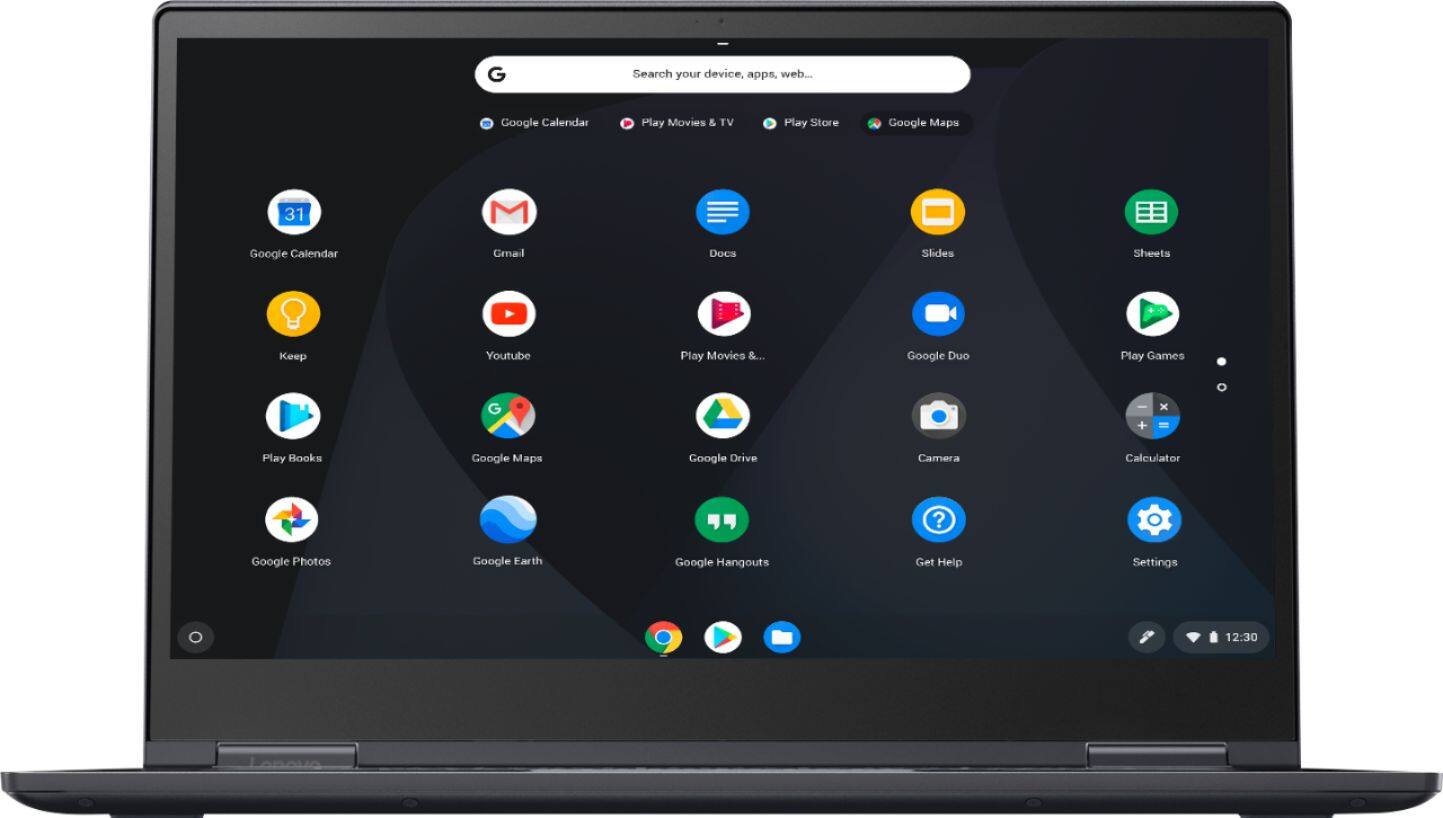
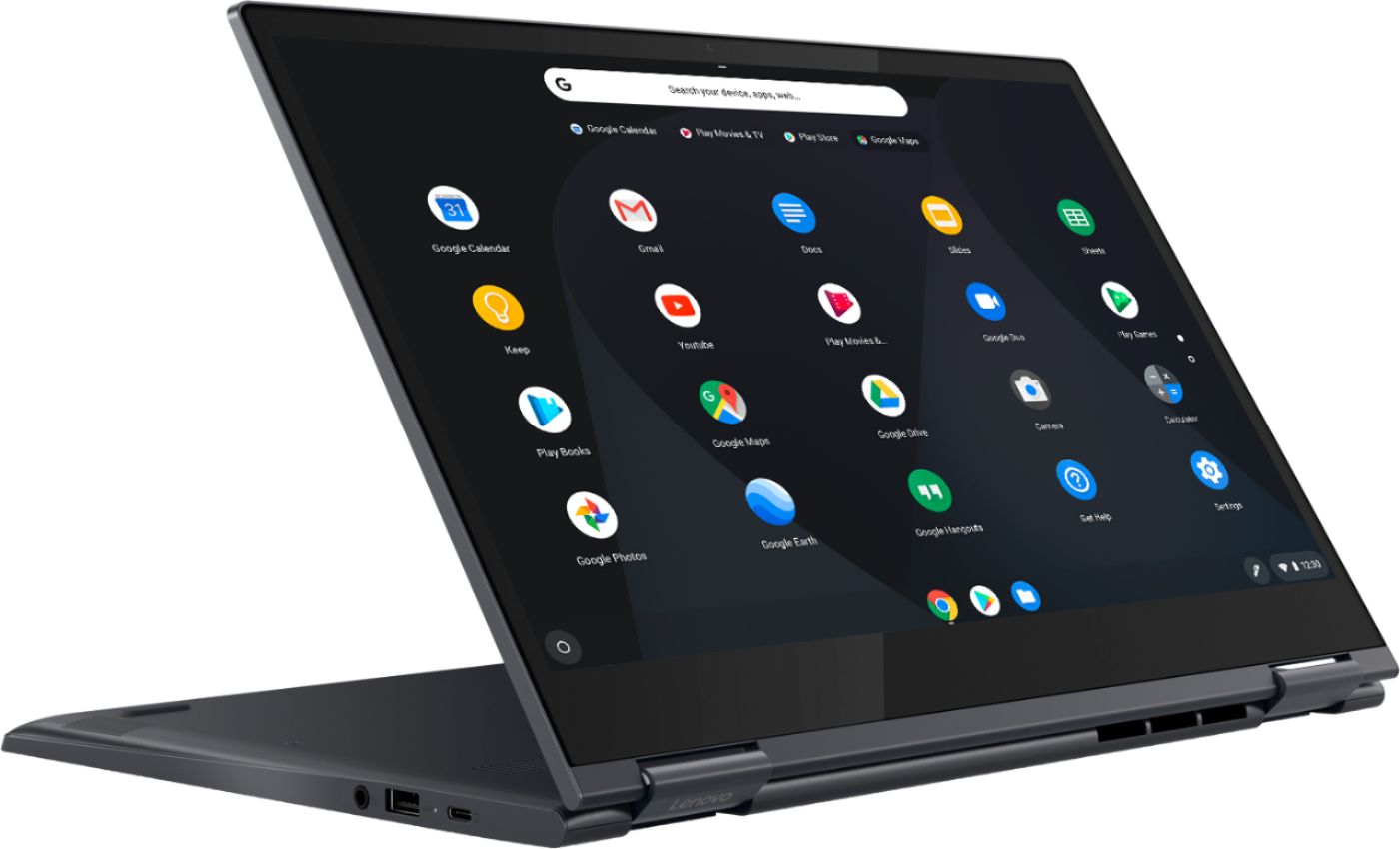
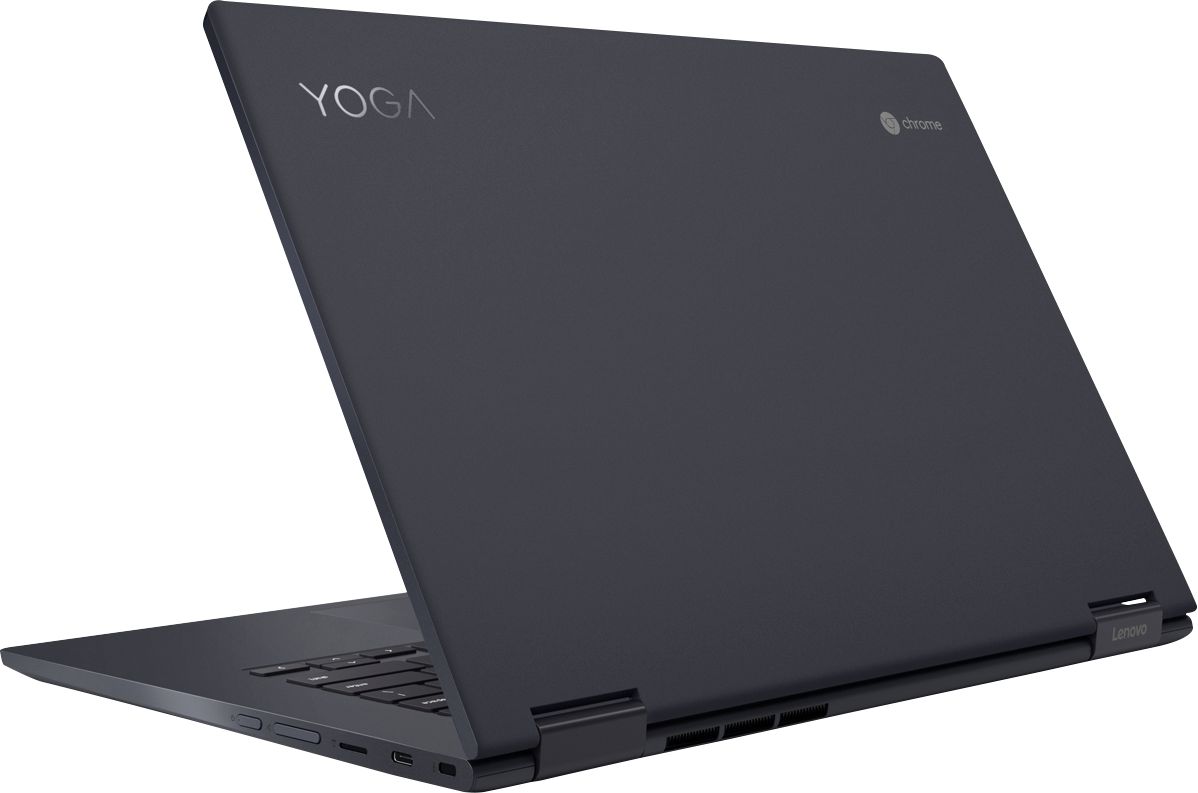
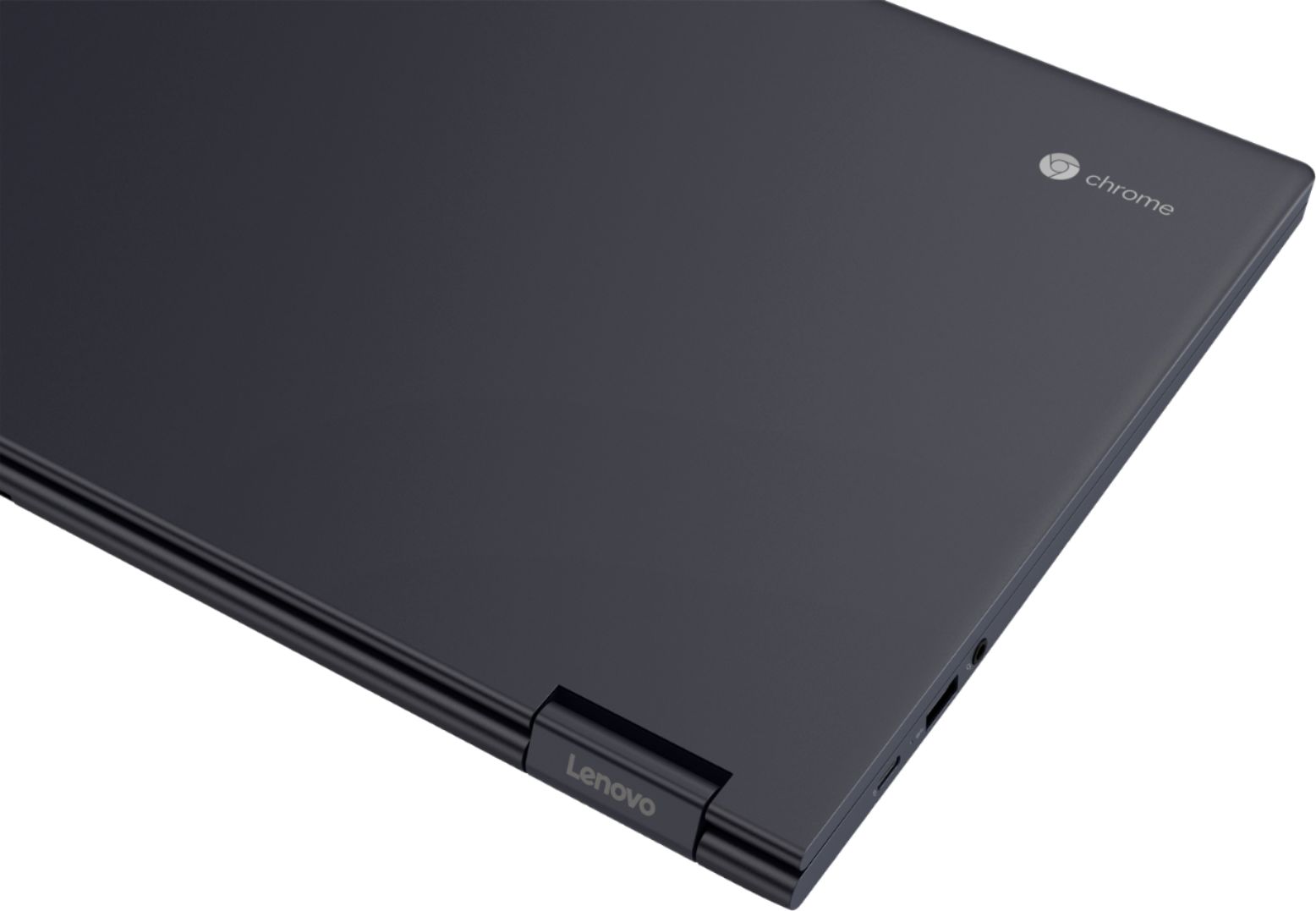
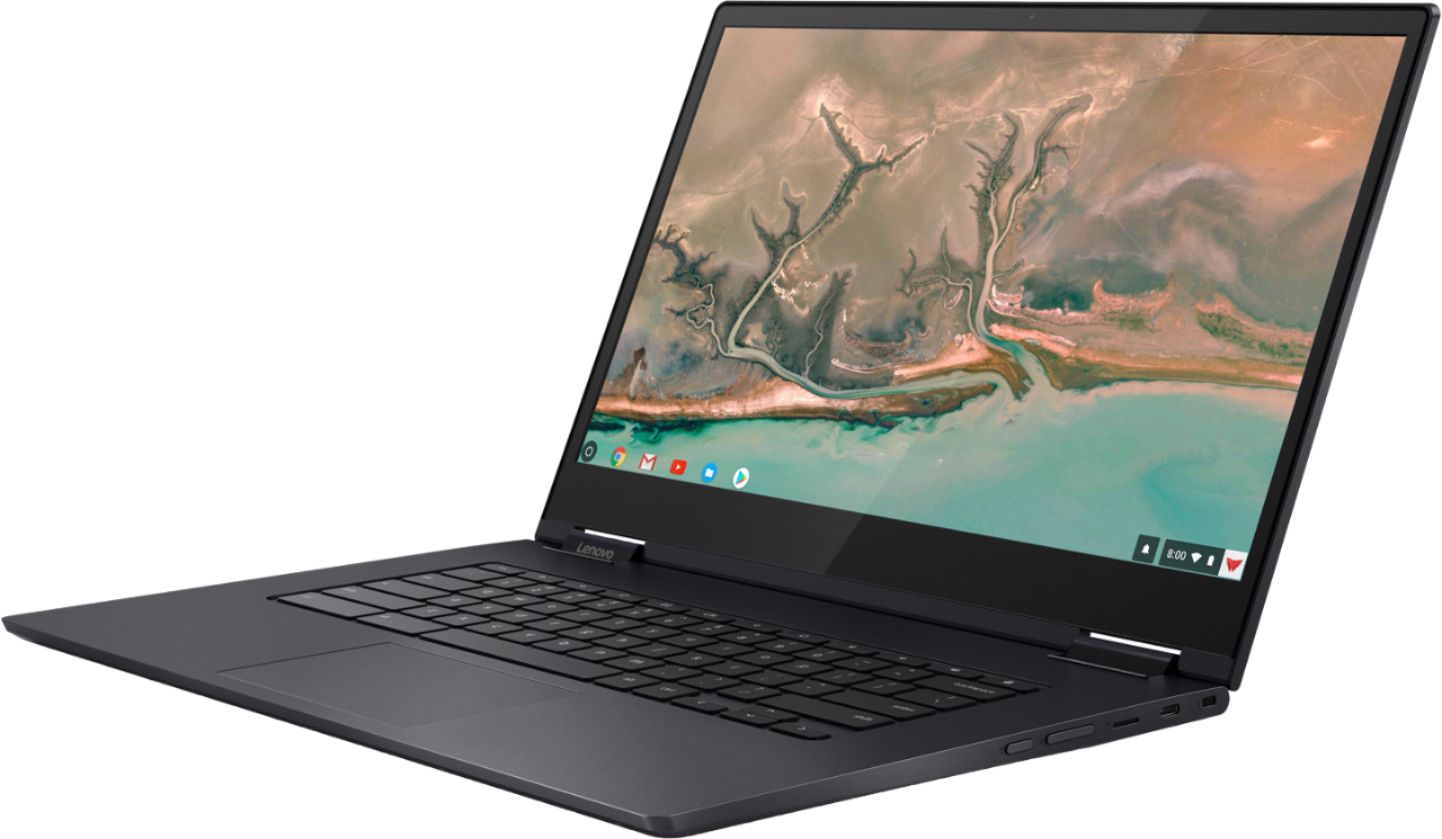
Posted .Thank you for choosing the Lenovo Yoga C630 Chromebook. We are pleased to hear that the features and performance of the Yoga C630 Chromebook meets your computing needs so well. From tablet to tent, to stand to laptop mode, the Yoga Chromebook is a 360-degree convertible 2-in-1. Wrapped in an anodized aluminum, Midnight Blue finish, it's elegantly thin at .70-inch and surprisingly light at 4.2lbs. As well as a 15.6-inch near-edgeless, 10-point touchscreen. It also places the latest, streamlined Chrome OS interface at your fingertips—including the Google Play Store, custom Google Maps wallpapers, images, and more.

Great Product
||Posted .This reviewer received promo considerations or sweepstakes entry for writing a review.Hello, I am totally sold on the Lenovo C630 Chromebook. When I first looked at it at Best Buy, I was basically looking at some cheaper HP and Samsung models, just to test out and learn on. But the Customer Service agent "Steve" did a great job of working with me and possibly giving me the feedback that I needed to make this purchase. I initially looked at the battery life as a concern because most of the cheaper systems were stating above 12 hours of battery life, while the Lenovo only showed up to 10 hours. After taking the product home, I guess during the first week or so, this Lenovo C630 Chromebook averaged over 12 hours every time. A few times I took screenshots, because it was getting all the way up to 17:30. That was when I forwarded my screenshots to Lenovo. I also went back to the Best Buy store and "Steve" was hoping nothing was wrong with the device, to his complete amazement, he was totally delighted to hear the excellent functionality of the device. The device is really fast and has a lot of features. I really did and do like the Bluetooth 4.1 option for me to hear other than the built in speakers. The speakers are okay, just that they are on the bottom, and an external bluetooth speakers just enhances the video and audio playback greatly. My only downside to this unit is, it does not come with a "Backlit Keyboard" and if you like your product the way it is out of the box, for heaven sake "DO NOT RUN THE UPDATE" !!! If you are into the Goth aspect, then it won't matter, but if you like the Clean setup that Lenovo ships the product as, don't click on restart for update. The Core i5 processor with the onboard 128gb of storage, and the I/O's upgrade ability of the Micro SD card, there is a lot of room for improvement. I recently purchased an additional 512gb sd card to put in it along with purchasing an external WD Pro Passport Wireless Storage Device, and an Altec Bluetooth External speaker, that synced right up. The setup is pretty much straight forward, and after a month I am super happy with this device. Like I said, if it had Backlit Keys, It would have gotten 5 stars. Enjoy
I would recommend this to a friendBrand response from Lenovo Product Expert
Posted .Thank you for choosing the Lenovo Yoga C630 Chromebook. This configuration actually does ships with a backlit keyboard. To turn on the backlighting try this: 1. Locate the alt and the screen brightness adjustment buttons. 2. Press and hold down on the alt key. 3. Tap on either the screen brightness up or down buttons.
- Pros mentioned:Screen size
Good for the price
||Posted . Owned for 1 year when reviewed.This reviewer received promo considerations or sweepstakes entry for writing a review.It’s a wonderful computer for the price but after about a year of owning it for college it didn’t hold. For example it would glitch a lot and it got a lot slower I understand things get worst as time go on but it got a lot slower. What I like about the computer was the size I like big screens because I watch a lot of videos and movies but the storage is not a lot. Overall it an okay laptop but if you want something long term I wouldn’t consider it.
I would recommend this to a friend - Pros mentioned:Battery life, PerformanceCons mentioned:Keyboard backlight

A fast, strong computer system
|Posted .This reviewer received promo considerations or sweepstakes entry for writing a review.I’ve been a steady macOS user for many years now. My main computer has been the 2016 MacBook Pro for the past couple of years now and while I end up using a Windows machine at work and sometimes a Windows machine at home for various tasks, macOS is my standard operating system of choice. With that said, I do enjoy learning other systems and exploring what different operating systems have to offer. I’ve been most intrigued with Chromebooks since that system makes you operate almost entirely ‘in the cloud’. A few years ago, I had the opportunity to use a Lenovo Yoga laptop and so when the option to try out the Lenovo C630 Chromebook, I jumped at it. Lenovo makes a solid machine and I was eager to test it out. STYLE: The laptop feels awesome. The keyboard is responsive and the body of the computer is substantial. The laptop does have a bit of weight to it, but it looks sleek and it is still quite portable. PERFORMANCE: I will typically run a benchmarking software with a new system, but because the Chromebook is web-based, I was unable to install anything to check any benchmarking scores. I did end up finding an online option for benchmarking called Octane. There was a note on the website that mentioned that Octane had been discontinued and even though I was able to get a score from it, I’m not sure how accurate the score is or where it makes the system stand up against other laptops. I ran several apps and used the cloud-based apps (Google Docs, etc.) for several hours and found that the Chromebook was blazing fast. The system was very responsive and didn’t hesitate to do anything I asked it to do. BATTERY LIFE: I have been very happy with the battery’s performance. While I haven’t used the laptop for 10 hours straight yet, I have used it for several hours at a time and found that power wasn’t a problem. TOUCHSCREEN: While I really enjoy having the touchscreen as an option, it is not very practical for tasks other than scrolling and drawing. It is quite responsive, and I would even liken it to an iPad’s touch screen, but typing on it just isn’t very practical. Overall, the Lenovo Yoga C630 is a very capable laptop. I really love how the ChromeOS makes you rethink how your workflow is structured. I love utilizing cloud services and a Chromebook definitely makes you rethink that.
I would recommend this to a friendBrand response from Lenovo Product Expert
Posted .Thank you for reviewing the Lenovo Yoga C630 Chromebook. We are pleased to hear that the features and performance of the C630 Chromebook meets your computing needs so well.
Love my Chomebook
||Posted . Owned for 2 weeks when reviewed.This reviewer received promo considerations or sweepstakes entry for writing a review.This is the first time I've owned and worked on a Chomebook. At the beginning it was confusing because is slightly different than a windows. I gotta im surprise and happy with my decision. Lightweight, super functional with touchscreen and flip screen. Absolutely love my Lenovo Yoga Chromebook. Recommended
I would recommend this to a friendBrand response from Lenovo Product Expert
Posted .Thank you for choosing the Lenovo Yoga C630 Chromebook. We are pleased to hear that the performance of the Yoga C630- Chromebook is working out so well for you. Here is a link to tips for getting the most out of a chromebook: https://www.howtogeek.com/342625/how-to-get-the-most-out-of-your-chromebook/
- Pros mentioned:Battery life, Screen sizeCons mentioned:Keyboard backlight
Fast, Solid Premium Chromebook
||Posted . Owned for 1 week when reviewed.This reviewer received promo considerations or sweepstakes entry for writing a review.Pros: - Solid, premium feeling construction. - Comfortable, solid keyboard, even though it isn’t backlit. - Excellent specs, with a Core i5, 8Gb of RAM and 128Gb storage - Clear, bright 15.6” display - Excellent battery life under light - moderate use - The legacy USB-A connector is nice to have for plugging in legacy devices, like an external webcam. Cons: - Poor speaker quality. The speakers are mounted on the underside and downward firing. - Horrible webcam, with very poor light sensitivity. - No Backlit Keyboard (I actually got used to it, though). I purchased the Yoga C630 Chromebook the last time it went on sale at Best Buy. It was a toss-up between the Lenovo, or the identically specc'ed HP Chromebook 15. Its primary use right now is for my son to use during the day for accessing Google Classroom to do his schoolwork while schools are closed. On sale at $150 off, I felt it was worth getting as an upgrade from our existing Chromebook, a three year old Asus C302, which while great when it was new, is beginning to feel a little slow First things first: There is no backlit keyboard. And that was really annoying at first, especially since the contrast between the characters on the keys and the rest of the keyboard isn’t the highest. The Asus has black keys against a silver body, and they’re backlit. But you know what? I got used to it. After a couple of days of use, I really don’t notice it much at all anymore, unless the lights in the room are turned down really low. But as for the keyboard itself, backlight not withstanding, The keyboard has an excellent feel to it. It is easy to type on, and the keys have a nice, solid feel. This thing is big, and I actually like it. I was a little worried initially that a 15.6” Chromebook might be a little too big, and maybe something along the lines of a 14” would be better. I couldn’t be happier though. Even at four pounds, it really doesn’t feel too heavy considering its size. And the display is bright and crisp. Indoors, it is plenty bright at about 75% brightness. Cranked all the way up, it’s really bright. The old Asus now feels downright tiny now by comparison, at 12.5”. Battery life so far has been excellent. Under light - moderate use during the day, it is easily reaching 8 hours of use, and still has plenty of battery to spare. My previous Chromebook was starting to fall down on this as well. And the Yoga has really, really good specs. An Intel Core i5, 8Gb of RAM, and 128Gb of eMMC make this Chromebook fly. It does have a fan for active cooling, but under normal use, you’re never going to hear it. And ChromeOS updates are guaranteed from Google on this model until June 2025. There are of course a couple of downsides to this Chromebook, which are the typical things almost all Chromebooks, and laptops in general tend to suffer from. The speakers are not very loud, and the sound quality isn’t all that great. There are only two speakers, and they’re located on the underside of the device, and downward firing. So the sound primarily gets sent into whatever surface it’s laying on. Also, the built-in webcam is pretty bad. Even in bright light, you get a dim, grainy image. Not very useful for video conferencing. These aren’t really deal breakers for me. Overall, I am extremely pleased with my purchase.
I would recommend this to a friendBrand response from Lenovo Product Expert
Posted .The Lenovo Yoga C630 Chromebook ships with a 720p (HD) webcam. The Yoga C630 Chromebook provides a full size 15.6-inch screen (screen size measured diagonally) but only measures a total of 14.23 x 9.80 x 0.70 inches and weighs just 4.18 lbs. This model ships with a 4CELL_56WH_INTERNAL, Lithium Polymer Battery, with a battery life of up to 10 hours, depending on the work the device is performing. The Yoga C630 Chromebook ships with stereo 2W system speakers.
Fast!!!
|Posted .This reviewer received promo considerations or sweepstakes entry for writing a review.Chromebooks are pretty amazing and after Google introduced their idea of a premium device many others have followed in suit. This Yoga chromebook is pretty great and I am glad that I have it. It is a step up from my previous device which had just half the specs this Yoga has to offer. That being said lets have a detailed look into the Lenovo Yoga chromebook 15.6. :::Hardware::: The Yoga CB has a lot to offer the screen is a FHD touchscreen display that has great colors and is a great size at 15.6. While this display size may be too big for some it is just right for those who have visual impairments. An 8th generation Intel i5 Quad core CPU is under the hood and oh boy is this fast. I was unable to slow down this Yoga CB no matter what I was doing thanks to the 8GB of DDR 4 Ram that works in tandem with the i5. As far as storage goes there is 128GB of on board storage. I really appreciate that because of the ability to install android apps they do tend to take up a lot of disk space due to the constant app updates. I put in a 128GB micro SD card and that just adds more storage who doesn't like having expandable storage? You will find a full size USB 3.0 port, & two USB C ports and a headphone jack. The Yoga CB is crafted out of Aluminum and is a little heavier when compared to other CB.It is 4lbs and you definitely feel how hefty this CB is in the hand. The Aluminum feels great but is somewhat of a finger print magnet. Dual band Wi-Fi is available, and Wireless AC speeds which are awesome should your home network support it. I have managed to get 8 to 8 & 1/2 hours of battery life with my mixed use.It is great not having to be tethered to a charger all the time.With the recent update to Chrome OS you now have access to a few features such as "Night Light" which is easier on your eyes in the night hours which essentially does away with blue light. Keyboard and track pad are solid. There is a good amount of travel on the full sized keyboard and the keys do not stick but they are loud though but that doesn't really bother me. What did bother me is the fact that the keyboard is not backlit. Speakers are down firing and are located under the CB. That is not such a bad thing but I suppose my Lenovo Yoga book with the sound bar spoiled me as I now prefers that speakers not be in the bottom of my devices. The speakers are plenty loud and sound good I keep it at about 50-65%. The web cam is decent I rarely find myself ever using it. :::Pros & Cons::: Pros: - Fast 8th generation Intel i5 - Generous 128GB of storage - Fast DDR 4 2400 RAM - FHD display is has good colors and is bright enough for me. - Expandable storage - Aluminum body Cons: - No backlit keyboard TL:DR This Yoga CB is a solid device no one can deny that. It is fast and has great hardware as far as CPU, RAM and memory goes. I love my Yoga I only found one minor thing that I did not like. This is comparable to the Pixel line of Chrome books but at a better price. While this CB is a little big and heavy it is still something I recommend you consider if you like 15 inch devices.
I would recommend this to a friendBrand response from Lenovo Product Expert
Posted .Thank you for choosing the Lenovo C630 Chromebook. We are pleased to hear that the features and performance of the C630 Chromebook meets your computing needs so well.
- Pros mentioned:Performance, Screen sizeCons mentioned:Keyboard backlight
Offers way more than the asking price
||Posted .This reviewer received promo considerations or sweepstakes entry for writing a review.To provide a little context, I am a MacBook Pro user for my main workstation, and I have purchased this chromebook for a secondary laptop for going to the Cafe, doing light work. I was looking for good performance, screen, and battery life. This laptop sure does deliver. The body is a solid piece of aluminum and honestly feels about the same as a MacBook Pro 15 for 4X less (Very impressive). i5, 8GB of ram combined with the light Chrome OS just absolutely blazes, this thing is an absolute beast in performance, feels as fast as a quad core i7 windows laptop due to it running chrome. Trackpad is super accurate not sticky. The keyboard is tactile with great feedback, not mushy and actually feels better than my 2018 MacBook Pro. It is not backlit but really not a big deal considering everything else this has it is worth the trade off. Speakers are okay not facing upwards. Color is not flashy but it has a nice finish. Weight is just over 4 pounds so not the heaviest thing, but not your ultra portable. This is about standard 15 inch weight. The display is great, not the brightest ever, but still very good and 1080 is enough for a laptop like this. Not everything is perfect though and the cons are this; not class leading chromebook battery life (this is due to the processor being much faster than most, therefore requiring more power) the body attracts a ton of finger oil and you will notice it from the first day you start using it. Some android apps are not properly optimized (but this goes for all chromebook) All in all, this is the best chromebook you can get if you want power, premium, and good design. Nothing even comes close in performance. Skip the Acer Spin 15, Dell inspiron 14 had both and both don't even come close to the Yoga overall. Good luck deciding hope this helped!
I would recommend this to a friendBrand response from Lenovo Product Expert
Posted .Thank you for choosing the Lenovo Yoga C630 Chromebook. Model number 81JX0000US, ships with a 15.6" (screen size measured diagonally) IPS LCD w/LED Backlight (Anti-glare) screen, with a resolution of 1920 x 1080 (FHD) and a brightness level of 300 nits. This ultra portable 2 in 1 format measures just 14.23 x 9.80 x 0.70 inches and weighs just 4.18 lbs. The Yoga C630 Chromebook ships with a 4CELL_56WH_INTERNAL, Lithium Polymer battery, with a battery life of up to 10 hours, depending on the work that the device is performing.
Power without being bogged down with MS!
|Posted .This reviewer received promo considerations or sweepstakes entry for writing a review.The Lenovo - Yoga C630 2-in-1 15.6" Touch-Screen Chromebook - Intel Core i5 - 8GB Memory - 128GB eMMC Flash Memory - Midnight Blue offers amazing power, usability, productivity, and accessibility all without being bogged down by a painful window-based OS. This Google OS Chromebook is fast and responsive, yet versatile enough to take on most of your computing needs. PERSONAL INSIGHTS I have always been reluctant to engage the Chromebook or Google OS due to so many applications and software being exclusively available on a MS OS. I was pleasantly surprised with the overall performance and accessability with this Yoga and how quick and responsive it was when I first turned it on. Complete 180 from the MS computer bog down that is typical for these systems. I liked the versitility of the Yoga having a laptop mode, tablet mode, and a hybrid as a tent display. The touch screen is easy to use and responsive, yet fingerprints will likely be a running issue. It is of solid construction, metal, compared to many competing devices which are primarily made of plastic and cheap feeling. PROS - Solid construction and design - Fast, Responsive OS - Google Play apps abound and most are free to use - Versitile designs allow for multiple uses - Lenovo name and quality - Huge 15.6" display with minimal bezel - Intel Core i5 is more than sufficient to power everything you can throw at it - 8GB RAM is fast and responsive - 128GB Flash memory is nearly instantaneous when accessing information stored on your Yoga - Micro SD slot lets to instantly expand your onboard storage - Cloud storage makes this devise torage limited only by your choice CONS - I am not a fan of the UBS-C type power cord and plug. I can foresee this being a problem and breaking with heavy usage. - Price seems a bit high for a Chromebook OVERALL An excellent device with tons of upward potential and long-term useage.
I would recommend this to a friendBrand response from Lenovo Product Expert
Posted .Thank you for reviewing the Lenovo C630 Chromebook. We are pleased to hear that the features and performance of the C630 Chromebook meets your expectations so well.
Lenovo Yoga C630 2-in-1 Chromebook Review
Posted .This reviewer received promo considerations or sweepstakes entry for writing a review.I purchased it few years ago... the Lenovo Yoga C630 2-in-1 Chromebook, and it has exceeded my expectations in every way. With its Intel Core i5 processor, 8GB of memory, and 128GB eMMC flash storage, this laptop delivers excellent performance without any lag. The 15.6" touch-screen is responsive and offers a vibrant display, making both work and entertainment a pleasure. The 2-in-1 functionality is incredibly versatile, allowing me to switch seamlessly between laptop and tablet modes. This feature, combined with the lightweight design, makes it perfect for on-the-go use. One of the standout aspects of this Chromebook is its speed and efficiency. Boot times are fast, and multitasking is handled smoothly, which is crucial for my productivity. Whether I'm running multiple tabs, streaming videos, or using demanding applications, the Yoga C630 handles it all with ease. In summary, the Lenovo Yoga C630 is an excellent laptop that serves its purpose exceptionally well. Its combination of performance, versatility, and reliability makes it a fantastic choice for anyone in need of a high-quality Chromebook. --- Feel free to adjust any part of the review to better match your experience!
I would recommend this to a friend- Pros mentioned:Battery life, Processor speedCons mentioned:Keyboard backlight
Reliable Chrome PC , Fast , plenty of memory.
||Posted .This reviewer received promo considerations or sweepstakes entry for writing a review.My Samsung S Tablet finally overheated and rebooted constantly after 5 years. With all the negative issues with samsung new tablets doing the same thing, I decided to buy this Lenovo C630 2 in 1 chromebook. Loving it so far I have it had for 2 months and no issues. Did get the extended best buy warranty just in case any issues arise, I use it mostly for gaming , music and watching videos. Pros Plenty of HD space and memory. Fast, Does not get hot, Battery last pretty good. Screen is bright and clear. Videos and Movies play good. Con's Keyboard needs the keys lit up for sure. I knew that purchasing it but I can deal with it. I had 2 games that will not load from Play Store due to device not compatible . I contacted App Maker never heard anything of course. Playing in om my cell for now. Touchscreen touch is not always really responsive or quick when swiping could be improved, but manageable. Bit heavy and I dont like flipping the screen around to use as a tablet as the keyboard is exposed underneath and I dont want to damage the keys or keyboard,, Been nice to have some cover to put over the keyboard for protection. So I use it as a laptop using the mouse pad and touch when gaming, Sits better in the lap this way. Some of my games will not go full screen neither, they are viewed as if you were playing on a cell phone. 4" width and to top and bottom of screen. Speakers could be better. Does not go very loud thru the laptop or , even when hooked up to a TV or sound system to play sirus or you tube music videos. Samsung was way louder, clearer and crisps sounding. I was looking for awhile on what to buy and I am glad I made this purchase. IBM has been around and is usually reliable product. So far I am impressed with this C630 and feel it was worth the $499 bucks. Got it on sale. 2 games I had issues with was Last Shelter Survival Sniper Hitman loaded from app store, but wont load keeps crashing.
I would recommend this to a friendBrand response from Lenovo Product Expert
Posted .Thank you for choosing the Lenovo Yoga C630 Chromebook. With regard to the issues you are having with the games downloaded from the Google Play Store, The Yoga C630 Chromebook is compatible with APPs from the Google Play Store, but not all of the APPs there have been optimized for a Chromebook screen or the Chrome Operating System. It sounds like there is an issue with the two games that will not load with compatibility with Chrome. Concerning the APPs that are formatted for a phone screen, they are not yet configured for a Chromebook screen. Look for updates from the APP provider. The Yoga C630 Chromebook ships with a full size 15.6" (screen size measured diagonally) screen but only weighs 4.18 lbs. When in tablet mode, the keyboard and touchpad are automatically turned off so there can be no inadvertent entries. The Yoga C630 Chromebook ships with stereo 2W speakers. The Yoga C630 Chromebook is made by Lenovo. Lenovo purchased the PC Division of IBM in 2005.
- Pros mentioned:Performance, Screen sizeCons mentioned:Keyboard backlight
Fast but HUGE
||Posted .This reviewer received promo considerations or sweepstakes entry for writing a review.We use GSuite for Business at work so 99% of my work is done in Google Docs/Sheets etc and use Gmail and Google Meet. After meeting with my Google partner he sold me on the idea of giving a Chromebook a test. The Pixelbook, which he wanted me to buy, just didn't appeal to me with those big bezels. I looked around for Chromebooks using the new gen of intel chips and landed here. The learning curve was pretty small and I dont even use android, but I am tech oriented. The screen is large and very nice and the performance is rather snappy and spec wise its the best out there... but it is a BEAST! It is not very portable at all and very heavy. This is meant to sit on your desk at work and then at home. Because of the size and weight it does not make a great 2-1 because the tablet mode is awkward and again, heavy. If you are looking for a chromebook to sit on your desk and want a nice large media experience... this is your machine. If you travel or fly... this will not be a good choice. I would of loved this machine in a 13" more in the ultrabook category. Pros: -Screen quality -Worked out of the box with my Dell USB-C dock which had my Razer headphones, 2 monitors, Razer mouse, Cat-5 network connection, keyboard, and mouse. Even charged it quickly. -Performance -Build Quality Cons: -Huge (bigger than my 15" macbook pro) -Heavy -No Back-Lit keyboard Note- I ultimately exchanged for the Dell Inspiron 14" Chromebook
I would recommend this to a friendBrand response from Lenovo Product Expert
Posted .The Lenovo Yoga C630 Chromebook measures 14.23 x 9.80 x 0.70 inches and weighs just 4.18 lbs in a full size 15.6" (screen size measured diagonally) screen size format.
- Pros mentioned:Processor speed, Screen sizeCons mentioned:Keyboard backlight
Lacks keyboard backlight.....Boo!!!
Posted .This reviewer received promo considerations or sweepstakes entry for writing a review.Quality is good. Seems well built. The tablet feature and screen size are very nice. Value is very good considering the processor speed and memory. Ease of use is acceptable during the day or in a bright room. We just sat down to work with the laptop and were immediately disappointed by the fact that someone somewhere at Lenovo chose not to include a backlit keyboard. For the price, quality and value a backlit keyboard would have put this unit over the top. (BTW: I'm using a cellphone to type this review because it's dark in the room and I can't see any of the keys on the laptop.) If you have units like cellphones and tablets where you can see letters, numbers, and symbols, you will be disappointed by this model of Lenova Chromebook. To the Lenovo designer: why leave out the backlit keyboard??????????
No, I would not recommend this to a friendBrand response from Lenovo Product Expert
Posted .The Lenovo Yoga C630 Chromebook does not ships with a backlit keyboard.
- Pros mentioned:Processor speed, Screen sizeCons mentioned:Keyboard backlight
Almost Perfect, ALMOST.
||Posted .This reviewer received promo considerations or sweepstakes entry for writing a review.First off, this laptop is amazing. I was skeptical at first, but after using it for a few hours, I was sold. PROS: - Amazing Build Quality - Screen Is Beautiful - Hinges Are Strong - Trackpad is among the best I've ever used - Very Fast - Solid I/O ports CONS: - Keyboard could be a little better. It's not bad, but not great either - No Backlit Keyboard (This should be STANDARD at this price) - Speakers are too quiet and thin sounding - Screen needs to be a little brighter Overall, I'd highly recommend this laptop, ESPECIALLY if you can find it on sale. The cons listed weren't a deal breaker to me. It's definitely a SOLID laptop.
I would recommend this to a friendBrand response from Lenovo Product Expert
Posted .Fast, secure, and easy to use, the Yoga C630 Chromebook 2-in-1 laptop boasts the latest features in a beautiful convertible design. Its sleek all-aluminum midnight blue chassis houses a breathtaking near-edgeless IPS LCD w/LED Backlight (Anti-glare) touchscreen display, with 1920 x 1080 (FHD) resolution and a brightness level of 300 nits. Always up to date, this 15.6” Chromebook combines the latest in digital security, enhanced WiFi, and powerful, seamless performance. Ideal for everyday work, multitasking, entertainment, and more. For 2018, Lenovo retained its place for a second year as the best laptop vendor:
https://www.laptopmag.com/articles/laptop-brand-ratings
- Pros mentioned:Battery life, Processor speed, Screen size
Super fast chromebook.
||Posted . Owned for 1 month when reviewed.This reviewer received promo considerations or sweepstakes entry for writing a review.I originally bought this for surfing the web, but quickly found that it is actually just as good as my custom built PC. It is super fast and the battery lasts twice as long as any laptop that I have ever used. I can also use my MS Office files on it. I wasn't sure if I was going to like using a chromebook, but it is not loaded down with junk software to slow it down. I actually prefer to use this over my PC. Other pros: Tablet mode. Very nice touch screen. Solid and well built. Cons: My wife likes it so she keeps taking it. Even after I just bought her a new laptop (pc). Price was a little more than I would like.
I would recommend this to a friendBrand response from Lenovo Product Expert
Posted .Thank you for choosing the lenovo Yoga C630 Chromebook. We are pleased to hear that the features and performance of the Yoga C630 Chromebook meets your computing needs so well. Fast, secure, and easy to use, the Yoga Chromebook 2-in-1 laptop boasts the latest features in a beautiful convertible design. Its sleek all-aluminum midnight blue chassis houses a breathtaking near-edgeless, touchscreen display. Always up to date, this 15.6-inch Chromebook combines the latest in digital security, enhanced WiFi, and powerful, seamless performance. Ideal for everyday work, multitasking, entertainment, and more.
- Pros mentioned:Screen sizeCons mentioned:Keyboard backlight
The big screen is great!
||Posted . Owned for less than 1 week when reviewed.This reviewer received promo considerations or sweepstakes entry for writing a review.I bought mine as an "Open Box - Excellent" model, and I would agree with that statement. It has no signs of wear, booted up just fine and works exactly like a new machine. I was a bit shocked, however, to find that it was shipped without any type of packaging - just thrown into a shipping box with a couple pillows of bubble wrap. That's it. Nothing to protect it from the abuses of UPS. Doesn't seem to have caused any issues, yet, thankfully. I'm coming from an i3-4MB model of a Chromebook, so this one feels much faster in every way. The display quality isn't quite as good as my previous, but it is hard to beat a display on a Samsung device. This display definitely could go brighter; there's no way you could use this machine outside. With typical indoor home lighting, it is sufficient. The speakers aren't loud but they sound really good. I usually use headphones so that isn't an issue for me. The touch screen is very responsive, no lagging. I asked a Lenovo support person if there is an active pen that works with this CB - they gave me the model, and I found the pen on Amazon and ordered it. However, that pen was not recognized by this CB. So, either the Amazon product is incorrectly listed, or this CB does not support Lenovo Active pen. I will order the pen directly from Lenovo and see what happens. A regular, generic capacitive type pen/stylus works fine, since it just mimics finger input, but lacks the precision fine point of the Lenovo pen. Haven't had it long enough to comment on battery life, I usually just leave it plugged in when using it. Yea, it is kind of heavy, but it has a large screen and feels very solid. The hinge is really firm, in a good way. I don't picture this hinge getting floppy and loose like my Samsung CB did. Keyboard is nice & average. Backlight would have been nicer :) The fan keeps things running cool enough to keep this on my lap, even when I'm in the throes of Stardew Valley. All in all, this feels like a good CB for the 'open box' price. I would have been a little disappointed if I had paid full price.
I would recommend this to a friendBrand response from Lenovo Product Expert
Posted .The Lenovo Yoga C630 15 Chromebook is not compatible with any active/digital pen. The Yoga 630-15 Chromebook provides a full size 15.6-Inch (screen size measured diagonally) IPS LCD w/LED Backlight (Anti-glare) screen, with a resolution of 1920 x 1080 (FHD) and a brightness level of 300 nits, but only measures a total of 14.23 x 9.80 x 0.70 inches and weighs just 4.18 lbs.
- Pros mentioned:Performance, Processor speed
Powerful, Fast
||Posted .This reviewer received promo considerations or sweepstakes entry for writing a review.At first I was reluctant to consider a chromebook vs Mac or Windows machine, but when I heard chrome 69 would run Linux programs, I went with this Lenovo. Great choice. Have all my favorite Android apps, never available on Windows. Downloaded Linux free software including Gnome, Libre office, Pixlr. Machine easily interfaces to both Amazon echo or Google home. Boots in 5 seconds. No problems and rapid performance with Citrix receiver for my work. Nice connectivity with two usb-c and one usb-a 3.0. Thus can charge, have second monitor and have a usb connected printer all at same time. I move from three to four work locations, have 27 inch monitors and bluetooth logitech mouse-keyboards so can use full size equipment in the office with convenience of picking up the laptop and going out quickly. Simple to backup anything on Google drive.
I would recommend this to a friendBrand response from Lenovo Product Expert
Posted .Thank you for choosing the lenovo Yoga C630 Chromebook. We are pleased to hear that the features and performance of the C630 Chromebook meets your computing needs so well.
- Pros mentioned:Battery life, Processor speed, Screen size
Elegance and Power
|Posted .This reviewer received promo considerations or sweepstakes entry for writing a review.The Lenovo Yoga Convertible Chromebook is elegantly designed to function as either a powerful laptop or tablet. It has the system memory, feature set, and processing power to handle my daily productivity and entertainment needs with ease. --Setup-- Was as simple as charging it for a short time and turning it on. I was then prompted to sign on to my Wi-Fi network and then Google. I already have a Google account, so my saved settings synced right up, and I was up and running immediately. Included is a 45-watt power brick that attaches to a USB C charging cord. Because USB C is becoming widespread I don’t have to bring the power brick with me on the go and can instead charge it with the same power adapter that I use for my phone, wireless earbuds, and Bluetooth speaker. Using a phone or tablet power adapter will charge slower but is a useful trade off for the added versatility. --Design and Features— There are four different modes: Notebook, Stand, Tent, and Tablet. I found the Stand, Tent, and Tablet orientations to be especially useful for watching videos and using Apps. The display orientation automatically adjusts when the laptop is transformed to a different mode. Lenovo cleverly placed one USB C port on both the right and left side. Both can take a charge, so the charging side can be adapted to the side has an available power outlet. The battery charges fully in a few hours and lasts the rated 10 hours. The flash hard drive greatly improves the system speed. If you have never used one before you will immediately notice the improvement as opposed to a solid state hard drive. The screen is 1080P HD capable. The color, contrast, and sharpness are superb. Exactly what I would expect at this price point. The touch screen is responsive and works well. Above the numbers keys are a row of dedicated shortcut keys. They are: Back, Forward, Reload, Full Screen, Switch, Brightness Up/Down, Mute, Volume Down/Down, Lock, and Search. The dual band wireless adapter worked flawlessly and was able to provide a very strong connection. --Build Quality and Appearance— The build quality is impressive. The aluminum chassis makes it thin, light, and easy to handle. The color (midnight blue) is a very attractive blue/gray hue. --Verdict— Equipped with processing power and system memory that far exceed the minimum requirements for the Chrome Operating System, this hybrid laptop/tablet is an excellent choice for the user that wants premium performance, capability, and features.
I would recommend this to a friendBrand response from Lenovo Product Expert
Posted .Thank you for choosing the Lenovo C630 Chromebook. We are pleased to hear that the features and performance of the C630 Chromebook meets your computing needs so well.
- Pros mentioned:Processor speed
Great specs for the price
||Posted .This reviewer received promo considerations or sweepstakes entry for writing a review.This Chromebook has an i5 Intel chip with 8 GB of RAM. That's almost unheard of for a Chromebook unless you're looking at the Pixelbook. Plus the price is much less than a Pixelbook and you get more ports.
I would recommend this to a friendBrand response from Lenovo Product Expert
Posted .Thank you for choosing the Lenovo Yoga C630 Chromebook. We are pleased to hear that the features and performance of the Yoga C630 Chromebook meets your computing needs so well. For 2018, Lenovo retained its place for a second year as the best laptop vendor:
https://www.laptopmag.com/articles/laptop-brand-ratings
- Pros mentioned:Ease of use, Processor speed, Screen size
A box for those tired of buying software
||Posted . Owned for 1 month when reviewed.This reviewer received promo considerations or sweepstakes entry for writing a review.Fast, efficient and easy to use. If you find having access to hosts of apps that reside in the cloud no matter which data box you're using the Chromebook is a fine solution. Having a portable, large screen makes ones work very pleasant.
I would recommend this to a friendBrand response from Lenovo Product Expert
Posted .Thank you for choosing the Lenovo C630 Chromebook. The Yoga C630 Chromebook is engineered for powerful performance both now and in the future as its designed to improve over time with future Chrome OS enhancements. Key features include a 8th Generation Intel Core i5 processor with integrated graphics for seamless processing and 128 GB of flash storage for wickedly fast boot-up times and app launching.