Customer Ratings & Reviews


- Model:
- JVAPCM00430
- SKU:
- 6361782
to a friend
Customers are saying
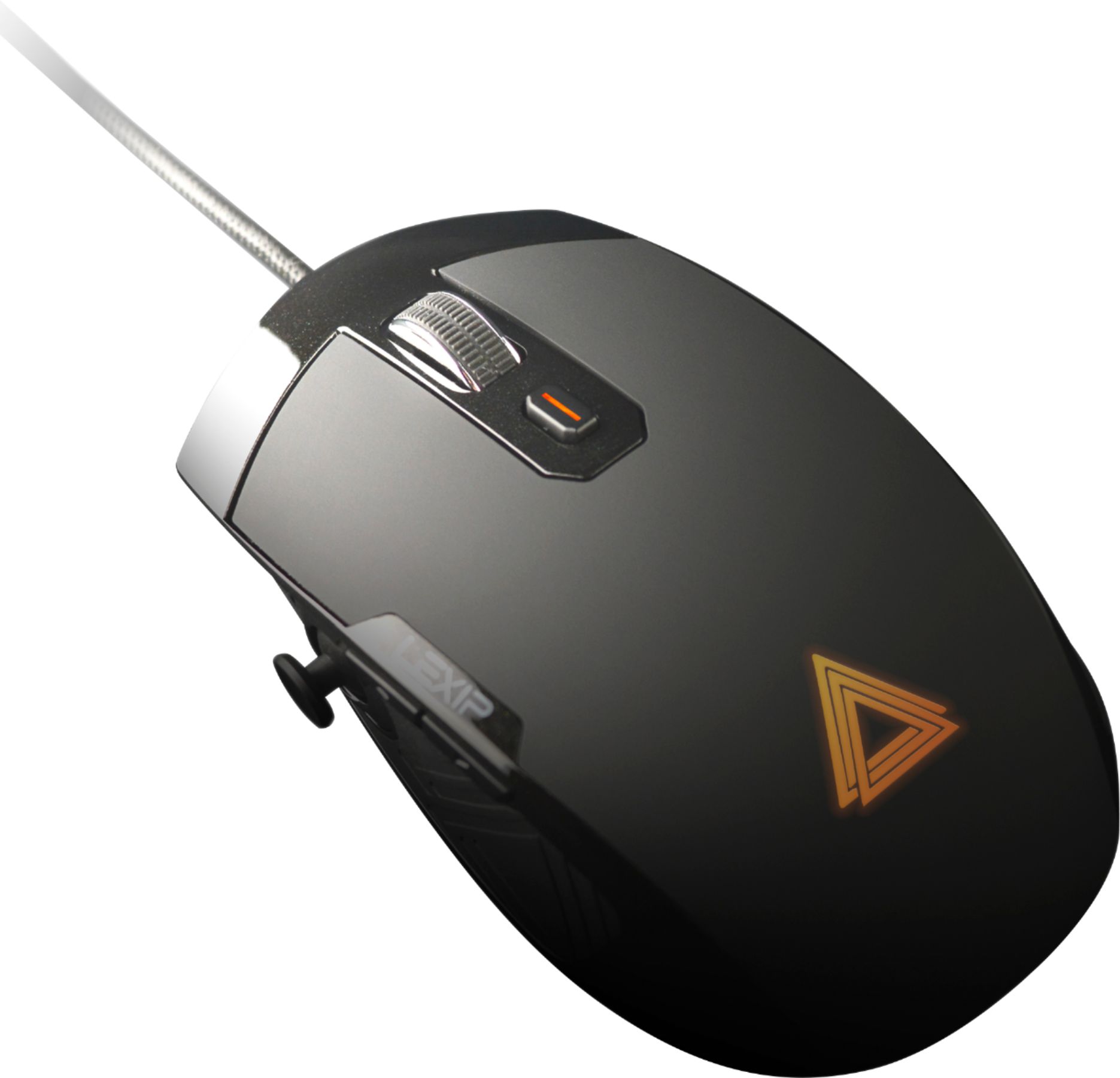
Customers are pleased with the Pu94 Wired Gaming Mouse's smooth glide, precise movement, and comfortable design, praising features like the ceramic feet and high DPI settings. However, some users found the software needed improvement and the side joystick challenging to master. The unique design, while appreciated by some, presented a learning curve for others.
This summary was generated by AI based on customer reviews.
- Pros mentioned:CableCons mentioned:Joystick, Software

Lot of potential, but user interface needs work
|Posted .This reviewer received promo considerations or sweepstakes entry for writing a review.This is a computer mouse with loads of potential, but the software really holds it back. IN THE BOX The packaging is well designed and put together. Included is the mouse itself and a braided (always appreciated) micro-USB cable. I wish it were USB-C, but since it’s not wireless and I’m not trying to minimize the charging cables I have to keep with me, that’s not too big of an issue. I simply treat it as a wired mouse and never unplug the cable. SETUP Pretty simple, it’s plug and play and my computer had it ready to use immediately. While it would work right then and there just fine, you need to download the LEXIP software to customize it. A quick Google search was all you need (although you are generally taken to the French website). But it won’t take you long to find the download file for the software. LEXIP SOFTWARE Now, before I go into my take on the software, I have to add that while I consider myself to be very much tech proficient, I’m no PC whiz. I can certainly figure things out, but in the past I’ve had little experience customizing the controls/keyboard/gaming mouse. Although I must say it’s mostly because I stick with general defaults from the game developers. I knew there was going to be a learning curb (both in retraining muscle memory and setting this mouse up for use). I mean, I didn’t expect to just plug in play a computer mouse that has two separate joysticks. Having said all of that, I found this software clunky and difficult to use which ultimately makes this mouse difficult to recommend. I use PCs (like most people) for a variety of things, from work to play. The work parts includes Excel spreadsheets, Powerpoint, Word, and the play part includes PC games and Sketchup and Adobe Elements. I was excited at what new innovative ways this mouse could help me utilize these programs. Unfortunately, I simply was never able to fully master the software. First I decided to download the profile for Sketchup. I could find it on the European version of the website, I could then find the downloaded file on my computer through the LEXIP software. What I could not, for the life me, figure out how to “link” it to the correct software. Same for Sims 4 and Far Cry 5. When adding a profile you are supposed to “link” the profile to the program you want to use it for, but either it didn’t work or I couldn’t find the right program to associate it with. CAVEAT: this could very well be user error, so I’m only talking to those with my level of experience and proficiency. This was a big letdown as I felt I could never get the full functionality of the mouse. Sure, I figured out how to modify certain profiles (Excel as an example) and utilize the joystick that rests on the side of the mouse to scroll and other similar types of movements, but this was underwhelming because it was essentially replacing the horizontal/vertical scroll that my old Logitech Master MX already had. I tried assigning the mouse’s internal joystick to perform various functions, but again, all I could figure out was to replicate a new way to perform a task I could already do with my old mouse. Now, that’s not to say you couldn’t map a button to the joysticks that would make work more efficient for you, but I found changing (I’m using scrolling as an illustrative example, maybe not the best) scrolling function to the joystick made it difficult to break my old habits of doing things. I found this remapping a little better in Word, where I could assign shortcuts like high cutting and pasting. So when I moved sentences around in a Word document I could do it without using a keyboard shortcuts. But to me, this isn’t worth the price of admission as it doesn’t radically change or speed up how I do things. It’s a different way and in some instances it was a bit quicker but it wasn’t quite the fundamental change I thought this mouse could unlock in my work/play flow. USE AS A MOUSE As a straight up mouse, this guy performs admirably. Joysticks and software aside, this is a highly responsive and accurate mouse. You can easily change the DPI in the LEXIP software to suit your needs and I found all of the buttons to be responsive. The ceramic pads on the bottom of it ensure a smooth experience no matter the surface. At first I didn’t think it mattered and that the ceramic pads were a gimmick, but I have to say, they certainly reduce friction (note that I still use an old school “normal” mouse pad, not one of the new fancy gaming pads). My only minor complaint has to do with the internal joystick. I generally rest my finger tips at the edge of the mouse for right and left click, but on this mouse, the buttons stop short of the end as a place to rest your fingers to allow you better control of the internal axis movement, which is a necessity when rotating the entire mouse on the internal joystick and not be pushing buttons. To that end, this mouse isn’t always the best for FPS. Yes, it works just fine and is responsive, but it has this “looseness” about it as a result of the internal joystick. Nothing you can’t eventually get over and ignore, but when you first use it, it’s a noticeable feeling across all applications. CONCLUSION I’m not ready to write this mouse off. I truly am excited to see what possibilities the two joysticks bring in different applications. But the software needs work (or you just need to have a firm belief in you’re knowing what you’re doing). I’m not giving up on trying, but it’s a steep learning curve (to me). But if the user experience improves and the ability to add specific profiles to various software comes around, which I think it will, then this mouse could present new and better opportunities to get things done and improve the PC experience. I don’t think it’s a gimmick (the joysticks) but the interface and accessibility to guys like me just needs to improve.
No, I would not recommend this to a friend - Pros mentioned:Comfort
Niche use
|Posted .This reviewer received promo considerations or sweepstakes entry for writing a review.This mouse is an interesting design for specific users. It excels when it comes to using the joysticks for programs that use 3D modeling or even drawing like autoCAD and Adobe Illustrator. It takes some getting use to the palm movement, but I will say its definitely very comfortable to use for work. Gaming: Theres limited uses for the joy stick, but flying games like Elite: Dangerous, No Man's Sky, and EverSpace are fantastic with these controls! A lot easier to play with precision. I do have to mention that Planet Coaster is great as well for moving around and building your coasters and parks. Overall: It's a unique mouse with specific uses for the design. If youre only looking for a gaming mouse, skip this one. However, if you are really into flying simulation or design.. pick this bad boy!
I would recommend this to a friend - Pros mentioned:DpiCons mentioned:Price
A capable gaming mouse, but wired
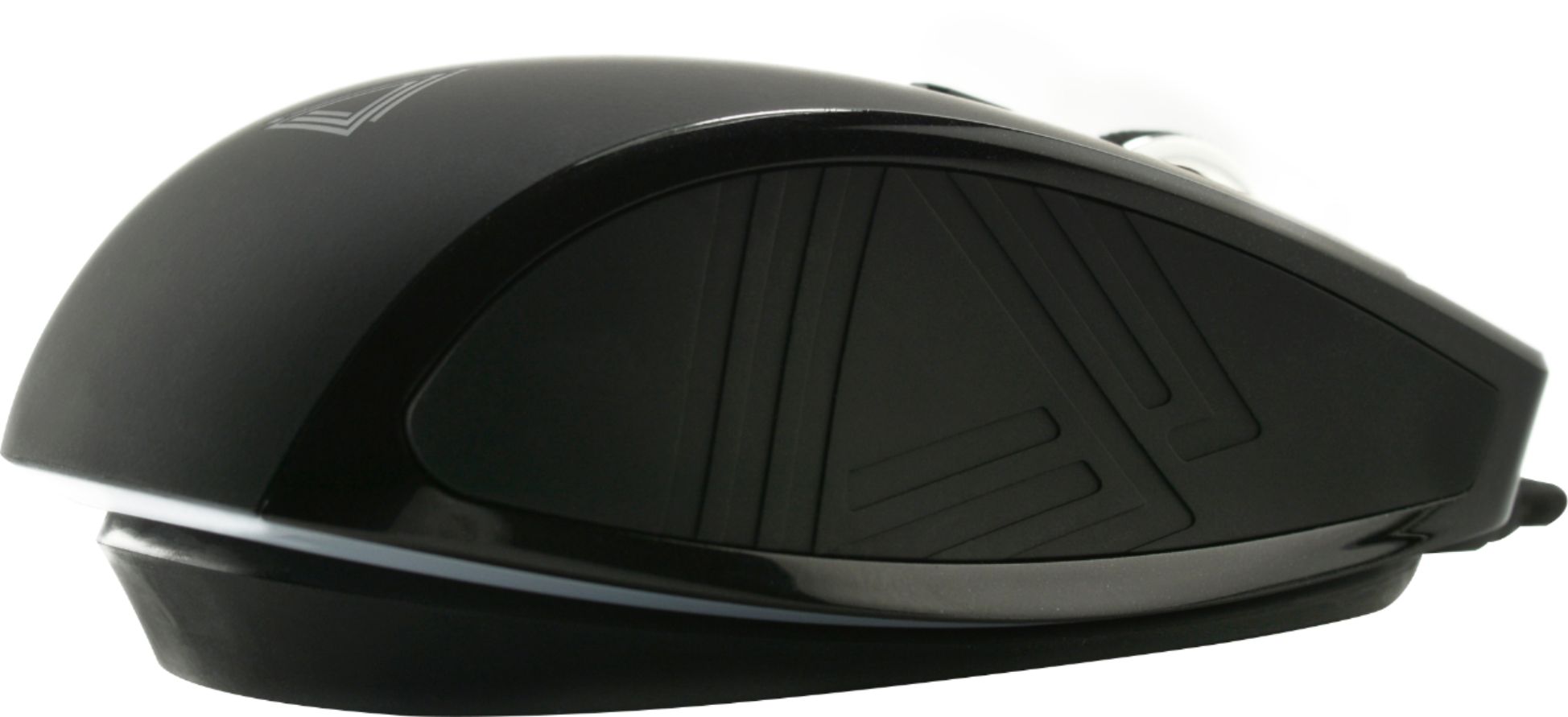
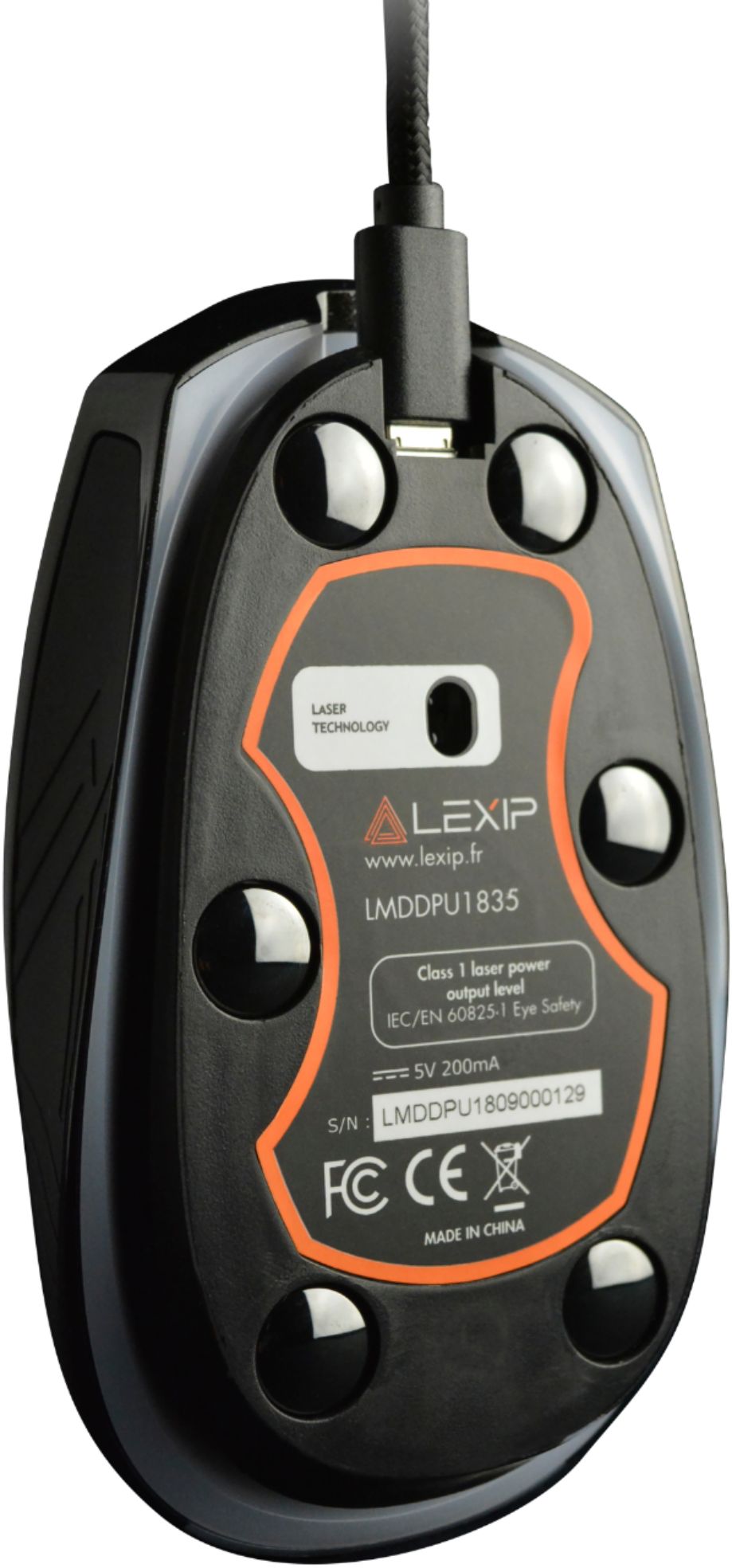
|Posted .This reviewer received promo considerations or sweepstakes entry for writing a review.Whats in the box —————————————— 1. Lexip Pu94 mouse Pros —— 1. Easy to use 2. Extremely customizable mouse buttons 3. RGB Color 4. Adjustable all the way up to 12,000 DPI Cons ——— 1. Not ambidextrous 2. Its a wired mouse Review ———- DESIGN & BUILD Build quality is great. Its got 6 programmable buttons and 2 joysticks (one on the left side of the mouse and one is a mouse itself). With the ceramic pads, the mouse glides like air hockey on the table. The mouse also feels very high quality with rubberizes sides and it helps in having a great grip. The laser is configured at 12000 dpi which can be adjusted down for say a shooter game. The wire is detachable at the mouse, I guess that’s a good thing for storing… USAGE The mouse is basically a plug and play. You can connect the mouse to the computer and you can get started immediately. For configuring the mouse, you need to download the control panel software The mouse is not ambidextrous and it is meant for a right handed person because the joystick is on the left of your mouse for your thump. This is however the secondary joystick though.. All the buttons can be configured using the software which can be downloaded from the lexip website. The ceramic pads under the mouse helps in a smooth glide. FINAL WORD Its an expensive mouse for a wired gaming mouse. Its a good mouse but is it worth the money?
No, I would not recommend this to a friend - Pros mentioned:Cable, Comfort
Extremely verstatile, took some getting used to
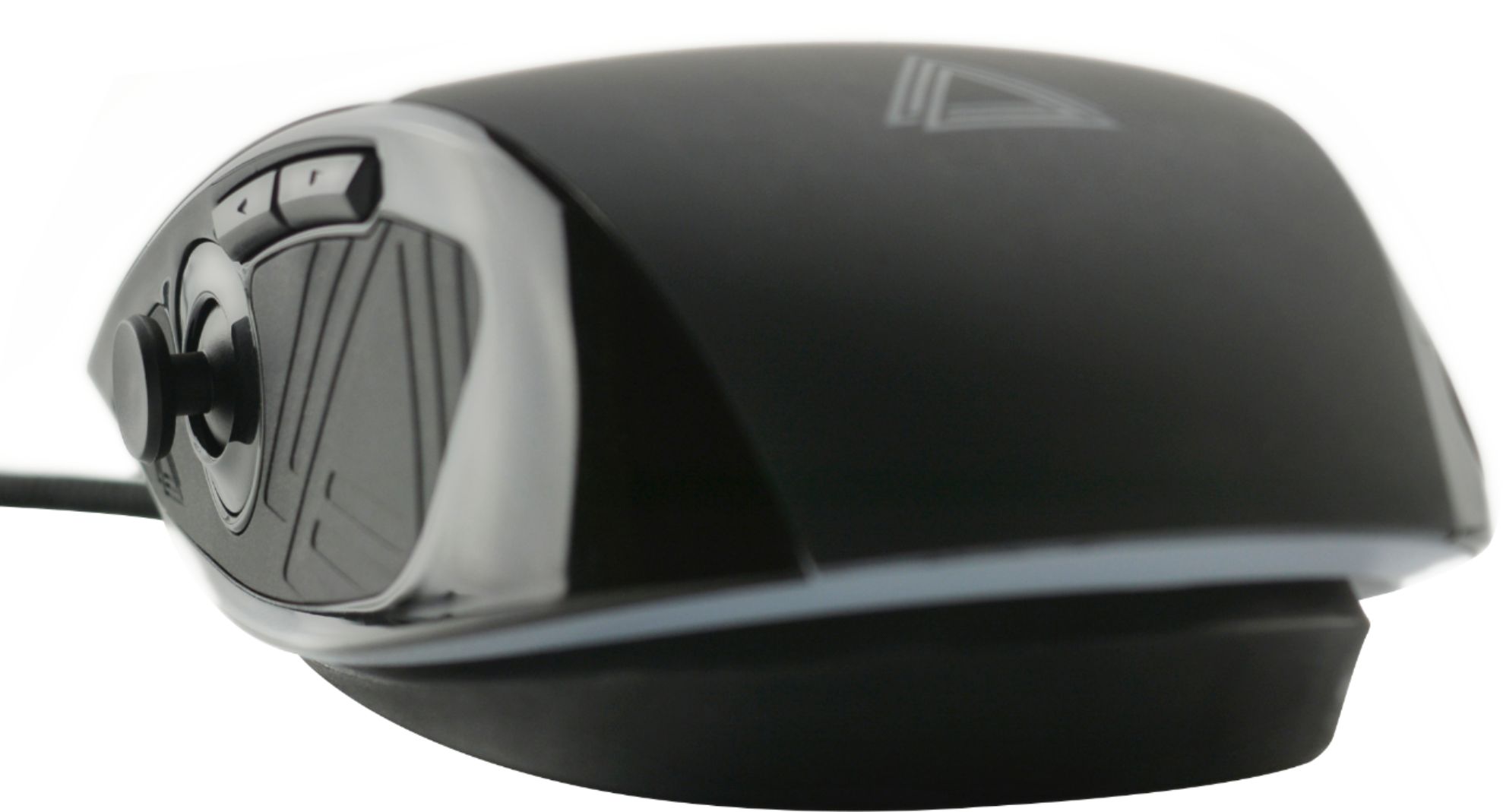
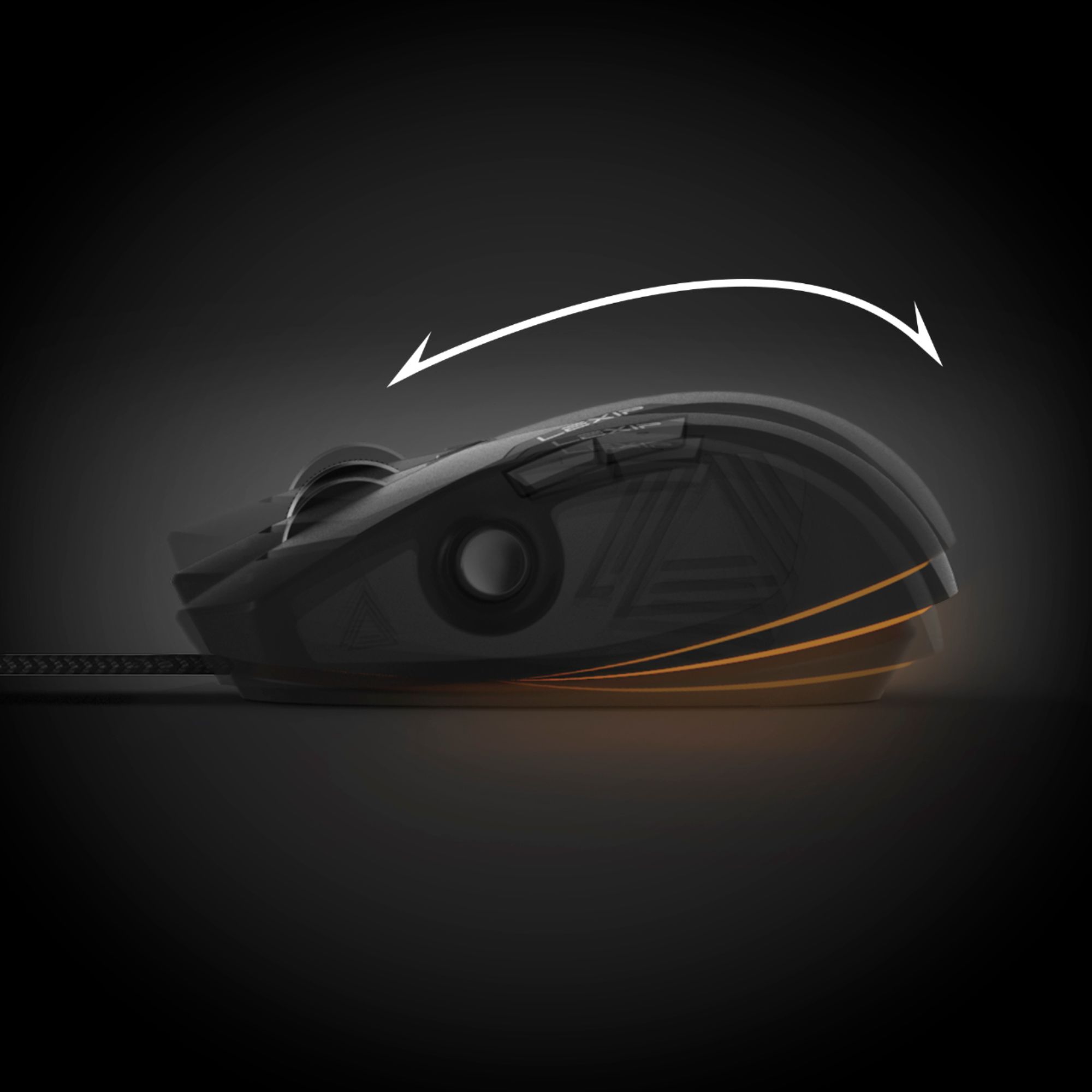
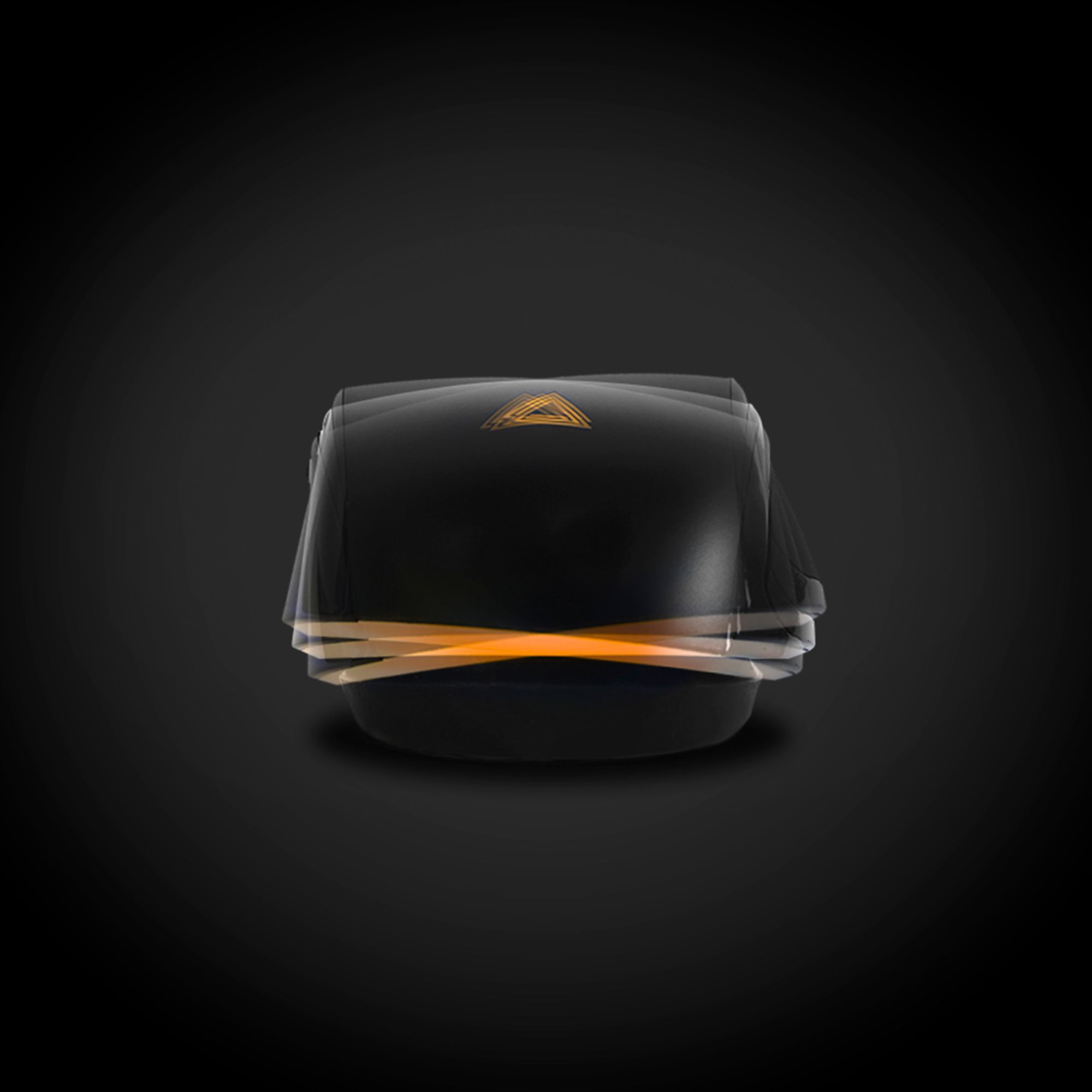
|Posted .This reviewer received promo considerations or sweepstakes entry for writing a review.Having said what I said in the review title, the Lexip Pu94 wired gaming mouse is a highly-programmable, comfortable-to-use mouse. It has six programmable buttons, two joysticks (one on the side), a scroll wheel of course, and to top it off, the mouse itself pivots on its base. It’s this last aspect that took me some getting used to as I found myself constantly thinking that, as the mouse itself tilts left or right or forward or back as I push it around, that I’ve pushed it off the edge of my desk. All of these buttons, joystick positions, and tilt positions of the mouse itself are programmable, so you can control pretty much anything you can think of with just this mouse. The ceramic feet, which really do decrease the mouse’s “rolling” resistance and really do make the mouse very easy to push around, are something I’ve not experienced before, and they also took a little getting used to. Again, this is because the mouse moves so easily on the smooth surface of my desk that I have to be careful not to let it get away from me as I push it around. But after you get used to them, these features are what make the mouse so comfortable and so versatile. In comparing this mouse to my current every-day mouse, high-end wired gaming mouse, I find that both are very similar for everyday computing tasks. I used this Lexip mouse with several programs and websites (Audacity, Chrome, Excel, Photoshop, Google Earth, Star Trek Online), and I found it to be everything I could want. It will probably take me a year to fully explore all of the mouse’s features, get it programmed the way I like, and make full use of the downloadable control panel software that allows you to control pretty much every aspect of the mouse’s operation, including even the resolution of the mouse’s laser motion sensor. If you’re looking for a quality gaming mouse, right down to the classy-looking and feeling braided cable, you won’t go wrong with the Lexip Pu94.
I would recommend this to a friend - Cons mentioned:Joystick, Software
Not for me
|Posted .This reviewer received promo considerations or sweepstakes entry for writing a review.There are a few good things about this mouse, but for me, they didn't make up for its shortcomings. On the plus side the build quality is high, the resolution can be set amazingly high, and the ceramic feet really let it glide easily across any surface. Perhaps too well since the cursor didn’t anyways stay where I wanted it. The big shortfall is the Lexip Control Panel software which is exceptionally buggy and sometimes unstable. Without the software, this is just a standard mouse, so there is no alternative. First-person support is non-existent at Lexip leaving you with only a couple of YouTube tutorials for guidance. However, the videos were outdated and didn’t show the current software version which has a very different interface. Although pleasant to the ear, the French accent of the narrator did not make the learning experience any easier. I found trial and error to be the basic tools to work through an incredible number of variables and settings. It did work fine in programs where all you want to use is the side joystick for scrolling and the forward and back buttons for navigation. However, my real test and the reason I wanted to try this mouse was for use with Sketchup Pro … one of the programs listed in their promotions. Once you figure out how to download and load the application’s profile, it shifts to that profile when the program starts. Whoever wrote the profile couldn’t have been a serious SU user because it was a hot mess. The intention was to use the two joysticks for 3D navigation, but some basic controls were lost. Overall, Sketchup works much better and has better control with a standard mouse or one with a few programmable extras. Perhaps I don’t have the patience and motor skills, but the second joystick function which is implemented by tilting the mouse body front to back and side to side was hard to control and tended to be accidentally activated. This mouse may be a great concept, but for my use, it was not ready for prime time. It’s primarily marketed as a gaming mouse, and there may be some great applications in that area.
No, I would not recommend this to a friend - Pros mentioned:Ceramic feetCons mentioned:Joystick
Unique mouse
|Posted .This reviewer received promo considerations or sweepstakes entry for writing a review.I'm sure I'm not the first to look at this mouse and think "What the heck???" A joystick on a joystick in a mouse??? What would I ever want to use this for? The answer, quite a lot! My first use of the mouse was at work. I wanted to give it a good 8hr transition period because you have to get used to new mice shapes, button placements, joystickception! I loaded up the Adobe CC suite and began work. My first test was to see how this joystick would work in PS on a large image. I set the thumbstick to mouse scroll and got to work. It was a bit awkward because of the stick placement I had to shift my grip a bit to use it properly; kinda angle it more to get it in position. Moving around was nice. I was able to scroll and edit a photo nearly one handed and didn't have to switch tools. I later switched the mouse tilt to scroll because it felt a little more natural to me. Downside is that I had to switch to a hybrid palm/claw grip in order to press the mouse down. I also had to figure the best placement of my hand. If I held it too high up on the rest in the front then I had to curl my fingers to a near fist to hit the l/r mouse buttons. After a few hours I found my comfort zone and got back to work. I used the same scroll on Indesign and Ill and really liked how it all worked out. When I got home I didn't have much time after cooking dinner but I was curious how well this would work with a XIM Apex and a PS4. I was surprised at the result. Finally analog control with a KB/Mouse set up. Downside is that the analog stick is bound to the body tilt and not the thumb stick. But at least this gives me an option to switch to analog when I need to do sneaky stuff! Very happy about this discovery! One feature that I love with this mouse is that it has ceramic feet! It's almost like you're mousing on ice! I wish more companies would make the switch that way heavier mice wouldn't be a problem if they offered very little friction. I did play about 10 minutes of CoH with the mouse and found it suitable for MMO playing. You can map the joysticks to actions as well as movements. It almost makes me not miss the side scroll buttons. I'm pretty impressed that someone decided to make something different and succeed in making a mouse that works for gaming and production. It's rare to see a company take a chance but Lexip did and made a remarkable mouse!
I would recommend this to a friend Love it!!!
||Posted . Owned for 1 month when reviewed.This reviewer received promo considerations or sweepstakes entry for writing a review.Love the mouse! It makes gaming so much easier and fun!
I would recommend this to a friend- Cons mentioned:Joystick, Learning curve
A little too niche for my taste
|Posted .This reviewer received promo considerations or sweepstakes entry for writing a review.The Lexip - Pu94 Wired Gaming Mouse is a uniquely design mouse that has features that really no other mouse has. At this point, you probably have read enough about the mouse that to see that it has an internal mouse and mini thumb stick mouse on the right-hand side. Right off the bat, this is a mouse that you will love or hate. It has all the best features you would expect of a high end mouse – precise , well crafted and responsive. It is wired mouse, which I like. There are many great wireless mice on the market but I always feel the wired mouse offers the best responsiveness. Let’s look at what separates this mouse from others – the joysticks. The internal joystick whereas the whole mouse “floats “on the mouse base. This enables you to manipulate the mouse to move within a game. Think a space game like Star Conflict where you fly a spaceship. This mouse enables you to move on all axis. It works fairly well but take some getting used. The second joystick on the side worked with some functions on games but I was never able to get the hang of it with most games. In conclusion, this is a mouse with a steep learning curve that takes a lot to get used to . For me, it is not a mouse I would use on a regular basis. However, I can see the attraction for niche group of gamers. The main problem is it is just too complex and has a feel of an unfinished product. Do a lot of research before you buy, for me I will stick to traditional gaming mice.
No, I would not recommend this to a friend - Cons mentioned:Joystick, Software
Quirky.
|Posted .This reviewer received promo considerations or sweepstakes entry for writing a review.I had such high hopes for this mouse, which is probably why I dislike it more than I like it. I was really excited because of the sensor location. Most mice now-a-days place the sensor in the middle of the mouse. I prefer mice with the sensor towards the front of the mouse. Having the sensor near the front makes it more responsive with less movement, which is ideal in FPS games IMO. While playing FPS games, the whole mouse joystick option makes it less responsive, because in many instances the mouse would tilt first translating to loss of movement. Think of it as lag or a delay. As far as the mouse layout goes, my normal grip places my finger past the left/right click button, which forces me to adopt a different grip. Once you adjust your grip, and you want to use the thumb joystick, you have to re-adjust again. It's honestly quite a pain. Now let's talk about the software. Sometimes it's throwing errors at you while launching, sometimes it doesn't, it's random. When it does launch properly it's pretty straight forward and easy to navigate. I especially like the individual profile setups that are detected upon launch. The RGB lighting section is very limited, and the mouse will automatically start in an orange/yellow color I don't care for. Sometimes the lighting follows how you set it, but sometimes it doesn't. It's been hit or miss with me thus far, which is probably related to the software not launching properly at times. Now on to DPI. I usually set my mice to about 5200 DPI. The 5200 LEXIP DPI vs 5200 DPI of just about any other brand I've tried is way different. I use small movements but have very good accuracy it other brands. To get close to the same response with the LEXIP mouse I have to set it much lower, like 2500-2600 dpi. This is not a con, just and observation. The LEXIP sensor may just be more sensitive. A limiting factor in the software is you should be able to turn "precision" on or off depending on the profile. That is not the case. What I like: Sensor placement Rubberized coating for grip Ceramic mouse feet that slide across any surface. What I don't like: Price. Left/right buttons don't go all the way to the end, forcing you to use a weird grip on the mouse. Constantly having to change grip to use mouse buttons or side joystick. Whole mouse joystick, not very accurate because it's hard to use. Glitchy software Having to connect the mouse with a micro USB, even though it's not wireless Odd shape, not very ergonomic Whole mouse joystick reduces precision/response, especially in FPS games.
No, I would not recommend this to a friend - Pros mentioned:Ceramic feetCons mentioned:Price, Software
Gimmicky and awkward, not innovative
|Posted .This reviewer received promo considerations or sweepstakes entry for writing a review.THE GOOD -Ceramic feet are glass smooth -Programmable buttons with multiple application profile support THE BAD -Expensive for what it offers -Thumb joystick has limited uses -Near impossible to not accidentally trigger base tilt joystick -Poor button layout and dimensions -Confusing software -One key map per application profile -Unhelpful documentation THE DETAILS The concept of a programmable input peripheral ( keyboard, mouse, keypad, or gamepad ) is quite old. I've been using a programmable gaming mouse for over ten years ( they're quite good for productivity and creative software in addition to games ). What is new, or at least rare about the Lexip Pu94, is the concept of putting joysticks on a programmable mouse. However, just because something is new or different doesn't automatically mean it's useful or better than what is already available. So, three important questions about the Pu94 are: 1) How does it perform as a mouse? 2) How do the programmable features stack up against the competition? 3) Are the joysticks useful? For the first question, I can't speak to the mouse's comfort for everyone because that's subjective. For myself, I found the shape pleasant to use. It's a little larger overall than the average mouse, which I tend to prefer. The back is elevated and curved, which fits nicely in the palm for those that grip their mice in their whole hand rather than just their fingers. On the base are six ceramic pads which are fantastic. The mouse glides across a desk, glass, or mousepad incredibly smoothly. However that's about the extent of the good in the physical design. Despite it being a decidely right-handed mouse, Lexip decided to go with an almost symmetrical ambidextrous design. And though the mouse isn't wireless, the cord is detachable ( the manual also calls it a USB-C connection when it's actually a micro USB ). Those are minor annoyances, admittedly. However the button layout leaves a lot to be desired. The scroll wheel doesn't tilt, something I've come to rely on for horizontal scrolling in spreadsheets and other applications. The thumbstick, instead of having a soft grip texture, is slick hard plastic. And unlike every mouse from every brand I've used for the past 20+ years, the Pu94's top main buttons don't extend to the front edge of the mouse. They stop about 1/2" from the edge. In a normal grip, the pads of my index and middle fingers are half on the button, half on the frame. In this position, my thumb is right below the forward and back buttons, which is good, but well back of the thumbstick. In order to comfortably use the thumbstick, I have to choke up on the mouse. Doing so puts my fingers well past the front edge of the mouse. To use the main buttons I either have to curl my fingers back or flex down with the middle knuckle. This also means my hand is resting more on the back of the mouse which tilts it down on the base joystick axis, which brings up the mouse's biggest problem. If you use a palm or claw grip, it's almost impossible to not tilt the base sensor by accident. If you just use your fingertips to move the mouse, it's probably not too bad. But whether gaming or working, a bunch of errant keystrokes or controls isn't helpful. You can disable the base tilt, but that's also half the main reason to buy this mouse over another one. Even if the tilt isn't being used, the mouse will still rock a little when using it, giving it a mushy feel. For basic work and productivity it doesn't matter, but the mushiness in gaming is far from desirable. Overall I don't find the design to be very good. Onto the second question, the Pu94 is very similar to programmable mice from Microsoft, Razer, Logitech, and others. Its driver software suite lets you re-program each button and joystick axis to many different commands and supports multiple profiles that can be assigned to different applications on your computer and the profiles automatically switch to match your current active application. It even adds some features I've not seen elsewhere, such as the ability to mix keyboard and mouse commands to a single button and to set up progressive schemes so that a button changes behavior the more you press it or longer you hold it down. Sadly, the customization software isn't terribly intuitive ( largely because the poor translation from the original French to English ). The printed documentation in the box doesn't give many details or instruction on it either. All in all, I'd call it adequate, but not good. Finally, the big question: are the joysticks useful? I'd say, "Possibly, but mostly no." Each joystick, the side thumbstick and the tilting base, can be mapped as either mouse movement, four keystrokes ( one for each direction ), or an analog joystick. Changing the joysticks to mouse control is pointless unless you want to hold the mouse still and use it as some kind of trackball. Using them for keystrokes is fine, but that's functionally no different than just using four regular mouse buttons instead. So, the real difference is whether or not you use applications or games that can use ( or you want to use ) analog joystick control. Some 3D or CAD design software can use it for camera control, unfortunately the Adobe Creative suite can't use joysticks for pressure sensitivity control. For gaming, as already said, it's hard not to accidentally trigger the base tilt so I disable it there. The thumbstick has a few cases where it can shine. If you play flight or space simulators with a mouse instead of a full joystick or HOTAS, the Pu94 thumbstick is useful for two of your control axes, or looking around the cockpit if the game supports that. Speaking of looking, if you play tactical shooters that have peeking controls, the thumbstick is not bad for that. And I guess you could map your walking controls to it, and use your mouse for moving AND looking, but that would require a lot of retraining I don't want to do. But in general I don't find the thumbstick to be as useful as my regular gaming mouse with 12 buttons on the side. The nail in the coffin here is the price of $130. That's more expensive than a premium mouse from Razer, Logitech, or anywhere else. And nearly all of those mice will have better programming software and better ergonomics. The ceramic base feet are the one bright spot on this mouse, and you can buy them separately. If you want a mouse with a lot of control options for both productivity and gaming, try a Razer Nage, Logitech G600, or Corsair Scimitar.
No, I would not recommend this to a friend - Pros mentioned:Cable, Dpi
A more precise mouse.
|Posted .This reviewer received promo considerations or sweepstakes entry for writing a review.This is unlike any other peripheral I've ever used. It's a combination of a joystick, an oddly satisfying moveable base, and the smoothest gliding mouse I've ever used. The package included the mouse and a USB cable that plugs into the mouse for use with your PC. The cable is nicely braided, making it seem built for heavier use, without fear of the cable fraying. It's also a plus that it's user replaceable. Just buy another cable if your pet chews this one up! The only weird thing about this, is getting used to the movement of the joystick with your thumb, and the many different configurations you can set with the app. The Lexip Software allows you to customize EVERY SINGLE button! It has some really nice LED back lighting, which can be customized in the app as well. Once I had all the settings customized for my experience, I launched Elite Dangerous. After configuring the joystick for the game, I was amazed with just how much movement I could set. The precision with the higher DPI settings really shine in the movement. I can't compare this to any other mouse I've EVER used. Flying, looking around, and targeting was more fluid using the joyticks. The internal joystick really shines in these kinds of gaming environments, and I can't applaud Lexip enough for it's design. Also, the ceramic feet on this thing make it glide effortlessly on every surface I tried it on. I took this mouse on the road with my gaming laptop, and played on a coffee table, a lap board at the hotel, and on an older desk in a room and it didn't skip a beat. Overall, I'm VERY impressed with this mouse. I didn't know what to expect, but you won't either if you don't buy it. I can tell you, it's changed the way I play "Space Game."
I would recommend this to a friend - Cons mentioned:Joystick
Something very different
|Posted .This reviewer received promo considerations or sweepstakes entry for writing a review.This is a very different type of mouse. Not only does it have a joystick on the side, but the whole mouse body can move and pivot. Giving you two different axis of movements. It is different, and not your standard mouse. This is a project mouse. This is a mouse for someone who wants to tune the mouse and how its used. It's not for someone who wants a mouse to plugin and click, this is a mouse where you want to fiddle and configure. ***Setup*** Fairly easy, plug into the computer and it was seen by Windows 10 with no issues. The cable fitting is nice and tight and I don't think it will come loose, had a great fit. The software that will allow the mouse to be configured installed with no hassles and started up easy enough. Now this is where it gets interesting. Since you have not only six buttons, a scroll wheel, joystick and the mouse body that pivots you can setup the buttons do a lot, save different profiles. It will take time to figure out what you want, what this mouse can do and get the profile right, also since the mouse body pivots lefts and right and back and forth, dialing in your deadzone is important. However if you like to tune your experience this is a great mouse for that. Only major issue I found, with my larger hands is that the left/right mouse buttons end a good distance from the front of the mouse and I had to adjust my grip to account for that. ***USE*** Once you tune your mouse and the profile, color, what the buttons do, it works great. It can take time to get used to the mouse, the joystick, pivoting the body, but I didn't have any issues with the mouse and using it once I had my profile locked. Yes there is a learning curve if you use the joystick to remember it's there etc. But after a bit it became second nature. This is a great mouse if you want to tinker and if the front mouse buttons went the whole length of the body it would be the perfect mouse for me and even with that one flaw I'm still happy with it, just expect to spend time tuning your mouse to work the way you want.
I would recommend this to a friend - Pros mentioned:Rgb lightingCons mentioned:Joystick
Creative
|Posted .This reviewer received promo considerations or sweepstakes entry for writing a review.I have several mice (mouses/?) that I have either bought or received for testing and or personal use. This one is a unique take on the traditional design. I would use the cliché, Lexip has reinvented the wheel. Most companies, change the "Ergonomic" design more than anything else and through these changes they say they have revolutionized the PC peripherals world... Well Lexip, actually has changed the expectation. This mouse is like any other. You of course can change the sensitivity, set the color scheme (one of my favorite things with a peripheral), and customize buttons. The Pu94 is a game changer with the addition of the joystick and the tilting shell joystick. I will start by saying that we were requested to try certain software, games, or apps first and after a few days of complete use I know why. The aforementioned that I used the mouse in worked pretty well. Meaning you were able to experience the overwhelming changes they have made to the mouse. However, most other uses take tweaking the mouse "Buttons" via the downloadable control panel. This has made me put the mouse on the back burner for my everyday driver, but I bust it out to give myself the upper hand on my gaming. I would like to see if other companies will adapt the design (which they SHOULD). Because most of the apps I use are not ready for the additional features provided by the Pu94 and I get tired of changing button mapping. As of right now I would not recommend this mouse to a novice because of the need to change the button mapping to get the full value the mouse. However, for the seasoned PC'er OH YEA! :^) this is the go-to.
I would recommend this to a friend - Pros mentioned:Cable
Invest the time and you'll love the features
|Posted .This reviewer received promo considerations or sweepstakes entry for writing a review.I've been using the Lexip Pu94 Gaming mouse for several days now, which is honestly how long it takes to find the "sweet spot" of whether this mouse will work for you. You absolutely must use this with Lexip's Control Panel software. Out of the box, the Lexip Pu94 feels like a quality gaming mouse. The wired cable is made of material, so it promises a tangle-free experience. I'm not sure why Lexip decided to make the cable removable from the mouse. They don't sell different cables and the mouse isn't wireless. The cable plugs in firmly, this is more a heads up if you prefer your cables permanently attached. The big selling point of the Lexip Pu94 is that you have multiple joysticks. The first is obvious, a little thumbstick sticking out from the left-hand side. The second, not so - the whole mouse moves on its body. Hard to explain but you can basically tilt the mouse left-right and forward/backward in addition to your normal mouse movements. I tested this with a few games (No Mans Sky, Fortnite, Overwatch, CoD, Rocket League) and it takes a bit of getting use to - map the buttons, change the way you play. But after a few days, I got the hang of it. And that's the thing, what seems like a novelty to begin with suddenly becomes second nature but you HAVE to give it time. There's a couple of things to love about the joystick motion. In FPS if you want to lean left/right or duck/stand the ability to tilt the entire mouse is a lifesaver. I seriously wonder why more mice don't have this and kudos to Lexpi for the concept. The left thumb joystick took longer for me to work out the perfect way to use. I have not the best thumb dexterity (more PC gamer than console gamer) so for me, it's not a replacement for asdw. I DID find the joystick useful for shortcutting moves/key sequences and found myself using more combinations. The joystick is far more natural for sequences than trying to find the right button on those ridiculous mice that have almost a keyboard worth of buttons on the side. lol Overall, I love the mouse. I can't seem myself going back to a standard mouse although I do wish they made a wireless version. As it is, it's a 4/5 but if it was wireless it would be closer to 5. Do I recommend this to a friend? Yes, but ONLY if you're prepared to invest time getting to take advantage of the features and adjust to the learning curve. Important: This mouse absolutely requires the Lexip Control Panel Software, you can download it here: https://lexip.us/ (Click on the Control Panel link) Trivia: PU94 is the atomic symbol and number of Plutonium.... not sure why this is in the model number. But now this knowledge is stuck in your head too!
I would recommend this to a friend - Cons mentioned:Software
Innovative mouse that's not just for gaming
|Posted .This reviewer received promo considerations or sweepstakes entry for writing a review.The Lexip Pu94 is easily the most unique mouse I have used. It feels like a high quality device with an accurate, high-resolution sensor. But what really sets it apart from similar gaming-oriented computer mice from other companies is the multiple two-axis control mechanisms. Although Lexip primarily advertises these extra controls for use when playing video games, I feel they can be even more useful for certain types of productivity applications - CAD programs, for instance. (Full disclosure - I was provided with a Pu94 in order to write this review, which is my honest impression.) I found the Pu94 to be well-packaged, and that created a favorable impression from the start. It includes a good-quality USB (type A to micro B) cable with a braided jacket. The cable is detachable, but the mouse is not wireless; it does require the cable to function. (The included cable doesn't seem likely to wear out too quickly from rubbing on a sharp corner, so eventual replacement is probably not a major concern here - but being detachable does make it easier to source alternatives if you want a longer or shorter one.) There is a comfortable soft-touch coating applied that I felt provides a pleasant amount of "grippiness." The functional mechanisms of the mouse (like the buttons) didn't feel like there was any unintended "play" in them. I personally found the in-hand weight to be pretty satisfactory (though it does not come with adjustable weights, which may disappoint people who use other high-end mice that allow this to be customized). Of course, you can't handle the Pu94 without immediately noticing the marquee feature - the additional controls. There is a little joystick to use with your thumb, as well as some other buttons on that side that are commonly found on other mice, like for forward/back. (This joystick also makes the Pu94 decidedly not for left-handed use. It would be nice if Lexip could someday offer a mirrored form factor to accommodate this type of user.) In addition to the "thumb-stick," the whole top shell of the mouse can tip front-to-back as well as side-to-side, like a second joystick. (A "joy-shell" if you will.) Each of these extra controls is indeed tracked independently as an additional joystick control, though Lexip's driver software does need to be installed to access the full configurability of these. Without the Lexip software installed, as a regular mouse, the Pu94 works fine, albeit without the additional joystick functionality. The default configuration for the thumb joystick did mimic the mouse scroll wheel on one of its axes, and some simple DPI mode-switching functionality for the sensor is also available. Unfortunately, for non-Windows users, the Lexip software is not yet available, so this is really as far as the Pu94 goes. It would be great to see Lexip support Mac and Linux users someday. On Windows, the Lexip software is still just a bit rough. I encountered some alert messages in the installation process that were still in French. Perhaps related to these alerts, the installer failed to place an icon for the configuration utility on my Start menu so I had to find it in my Program Files directory and launch it manually. Once running, it does provide pretty comprehensive customizability for the mouse - including the default behavior of all buttons and the unique additional "joysticks." Multiple profiles (using the French word "profil" in the interface) can be created, and the Lexip software will switch between them based on the path of the program in the foreground window. Lexip has links on their Web site to download some preconfigured profiles for popular applications. However, the set of downloadable profiles is fairly limited and I could not find profiles for several applications I use. Even for the ones I downloaded, I also needed to manually enter the path to my .exe file. I really hope Lexip will add a more robust feature for matching the running program in the future (even if that just means supporting regular expression matching against paths, for advanced users that understand what this means; this would allow the profiles to accommodate programs where updated executables are kept in unique subdirectories). I have spent a lot of time tinkering with profiles and trying out various assignments of functionality to the extra joysticks. I have actually not found these to be as "game-changing" (hah) while playing video games as Lexip envisions. I tried out their downloadable Cities: Skylines profile, as well as custom ones in a few other games. Sometimes, the extra functions (mostly the "joystick" trigged by moving the shell of the mouse as a whole) are just in the way, and seem better off not to have assigned behavior. However, once you find just the right function to apply to one of the extra joystick controls, this mouse feels amazingly useful. Thus far, I'm most in love with the thumb joystick as a way to manipulate the camera in CAD programs that have a 3D view. I primarily like this when using Autodesk Fusion 360. I have also been configuring it for use in software used to prepare 3D models to be 3D printed, since these have a 3D view of the model as well. In the end, the Pu94 requires some commitment to unlocking its potential. As a plug-and-play mouse, it's well built but the extra controls are just a non-factor. However, for a power user that invests the configuration time, these unique controls definitely have their uses. It's this unique functionality that sets the Pu94 apart, and makes it worth purchasing. My verdict? If you want a high quality computer mouse that doesn't require tinkering, there are probably other mice that would be better for you than the Lexip Pu94 (even though it is well-made and works as standard mouse out of the box). On the other hand, if you want a uniquely rewarding experience and don't mind spending time figuring out the configuration that works best for you, the Lexip Pu94 is absolutely one of the best computer input peripherals I'm aware of on the market (even considering the improvements that could still be made to the configuration software). I would definitely recommend anyone in the latter set of people consider purchasing this mouse, and that's the audience to whom my final rating of 5-stars is directed.
I would recommend this to a friend - Pros mentioned:Ceramic feet
Unique Gaming Mouse
|Posted .This reviewer received promo considerations or sweepstakes entry for writing a review.The Lexip - Pu94 Wired Gaming Mouse is a unique gaming mouse that sets itself apart from many other gaming mice out there by adding a few unique features. Notably there is a small thumbstick on the left side of the mouse that gives you extra control over games and other programs such as AutoCAD for more precise controls. The other unique feature is the whole body of the mouse can also be used as a tilt control. You can tilt the body of the mouse forward, back, left and right. This is a good feature but in itself and does take time getting used to. Another feature the Lexip Gaming mouse has are its ceramic feet. There are six of them on the bottom of the mouse and I was pleasantly surprised by them. They help the mouse glide across my desk surface and feel very smooth. I want this on every mouse I use now. Setup is easy, you do have to use Lexip mouse software for mapping all your mouse buttons. Which is easy and has tons of options. I did use this with several types of games and found it worked well. It feels good with sim type games and RTS games for the most part. FPS games took some getting use to but I am sure that has to do with this mouse being new and with more time it will only get better. Overall this mouse is more than just a gaming mouse, it serves several functions and uses and I appreciate the product itself for its technology.
I would recommend this to a friend - Pros mentioned:Dpi
Innovative Mouse
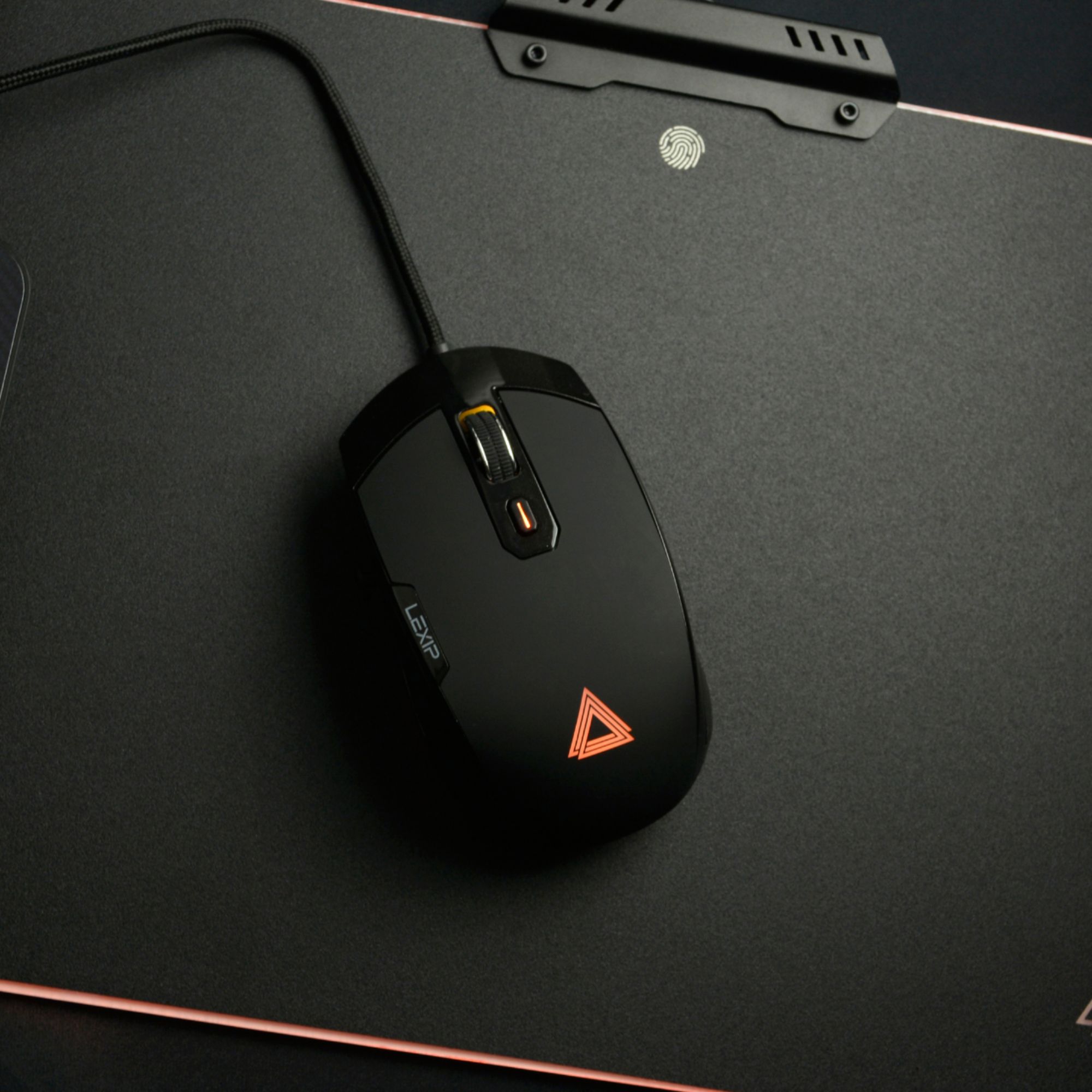
|Posted .This reviewer received promo considerations or sweepstakes entry for writing a review.The Lexip Pu94 gaming mouse is the most innovative mouse I have seen with 2 joysticks, ceramic glide feet, and RGB lighting. It is different than all previous mice I have used. This mouse fits comfortable with grippy rubber sides and an ergonomic feel. It also features ceramic mouse feet which makes for one of the smoothest mice I have ever used. Appears the ceramic feet will not wear out over-time, unlike rubber feet. It weighs in at 118 grams, which is about median weight for a gaming mouse. The two programmable joysticks can be changed to do virtually anything through the Lexip Control Panel. Quite helpful when playing games like Rocket League. The mouse performs great in FPS games with a DPI range from 200 to 12000. One feature which needs improvement is the scroll wheel. The resistance on it is too light and there is no way to adjust to scroll smoothly. Overall, the Lexip Pu94 gaming mouse is packed with inventive features and is great for any type of gaming.
I would recommend this to a friend - Pros mentioned:Rgb lighting
Interesting mouse!
|Posted .This reviewer received promo considerations or sweepstakes entry for writing a review.The 3D mouse is interesting but for gaming has its flaws as well. The mouse is difficult to click due to the positioning of its clickers and my hands are what most would consider petite. My fingers seem to hang from the front of the mouse. The joystick is easy to reach and I like how it scrolls through pages. Slightly tilting it makes page reading comfortable, while hard tilting it makes the page go by lightning fast, but never at a pace in which you feel it's out of control. Any sort of tilt is easily stopped, and it feels quite natural. The software is easy to use, and having controllable rgb is always a plus. The mouse is mappable, however, I first went into gaming without realizing this. Mapping is a must, especially if one wants to use wasd to move. It's perfectly doable in games (I tried it with Minecraft.) I feel that in an environment where one does 3D modeling and 3D art, this mouse would be amazing for that purpose. Overall I would give it a 4/5.
I would recommend this to a friend - Pros mentioned:Comfort, Rgb lighting
Smooth and responsive mouse
|Posted .This reviewer received promo considerations or sweepstakes entry for writing a review.This is by far the most comfortable mouse I've ever used. It fits your hand very well and has a tilt function that makes it more responsive. The glide feet are what it make special. No mouse pad required. Just lay it on a smooth surface and it effortly glides. The buttons are very response and the entire controls are easily adjustable in the software. The lights on the mouse can be adjusted and look really neat. There is a side joystick if you have a program that supports it. If you play games with a mouse, this is the best controller you can get to give you an edge over the competition. It is wired only, but this is a benefit to provide a stable connection.
I would recommend this to a friend - Pros mentioned:Comfort
Amazing Control In One Hand
|Posted .This reviewer received promo considerations or sweepstakes entry for writing a review.In all honesty, it has probably been about 10 years since I had a mouse that really changed the way I used a mouse. Naga and its 12 buttons of joy. I am not saying there haven't been new ideas or gimmicks, just nothing that changed how I used a mouse outside of DPI settings and I have a comfort level that has not change in at least 5 or 6 years. That changed last week when I got the Lexip PU94. At first it really seemed overwhelming. Having a mouse, joystick and thumb stick all in one device working all at once. Mind was completely overwhelmed. After maybe 10-15 minutes, everything seemed natural. Yes it took some playing with the settings, but that was a smooth and easy affair due to a really well designed control panel. I have only run into one issue, and it is so minor that I almost feel it is nitpicking to point this out. My color preferences keep resetting to default. I don't realize it until I let go of the mouse, which really is almost never. I have large hands, thus I cover most light coming out. This mouse is so comfortable in hand, no matter my grip style, I really never feel like my hand is getting tired nor ready to cramp. I do find a fingertip grip does work best for me because of the design of the left and right buttons. If I go claw or any full handed control, my fingers roam beyond the top of the left and right buttons. I have used this as my daily driver for about a week at home. I have covered everything from spreadsheets and office docs to Rocket League to No Man's Sky. When I go into the office, I have a real hard time using my normal style mouse (MX Master 2S). I really notice it the most in precision movements. Currently I am waiting on my ceramic feet to take the mouse to the next level. I am really blown away by this mouse. I may need to grab a second to take in the office, but it would probably disappear. Trust me, if you are on the fence… Jump over and get ya some. You can control almost everything in one hand. It kind of reminds me of the old flight stick and keypad combos when they first became popular. I would recommend this to anyone and everyone who wants a top notch mouse, not just a gaming mouse.
I would recommend this to a friend