Customer Ratings & Reviews
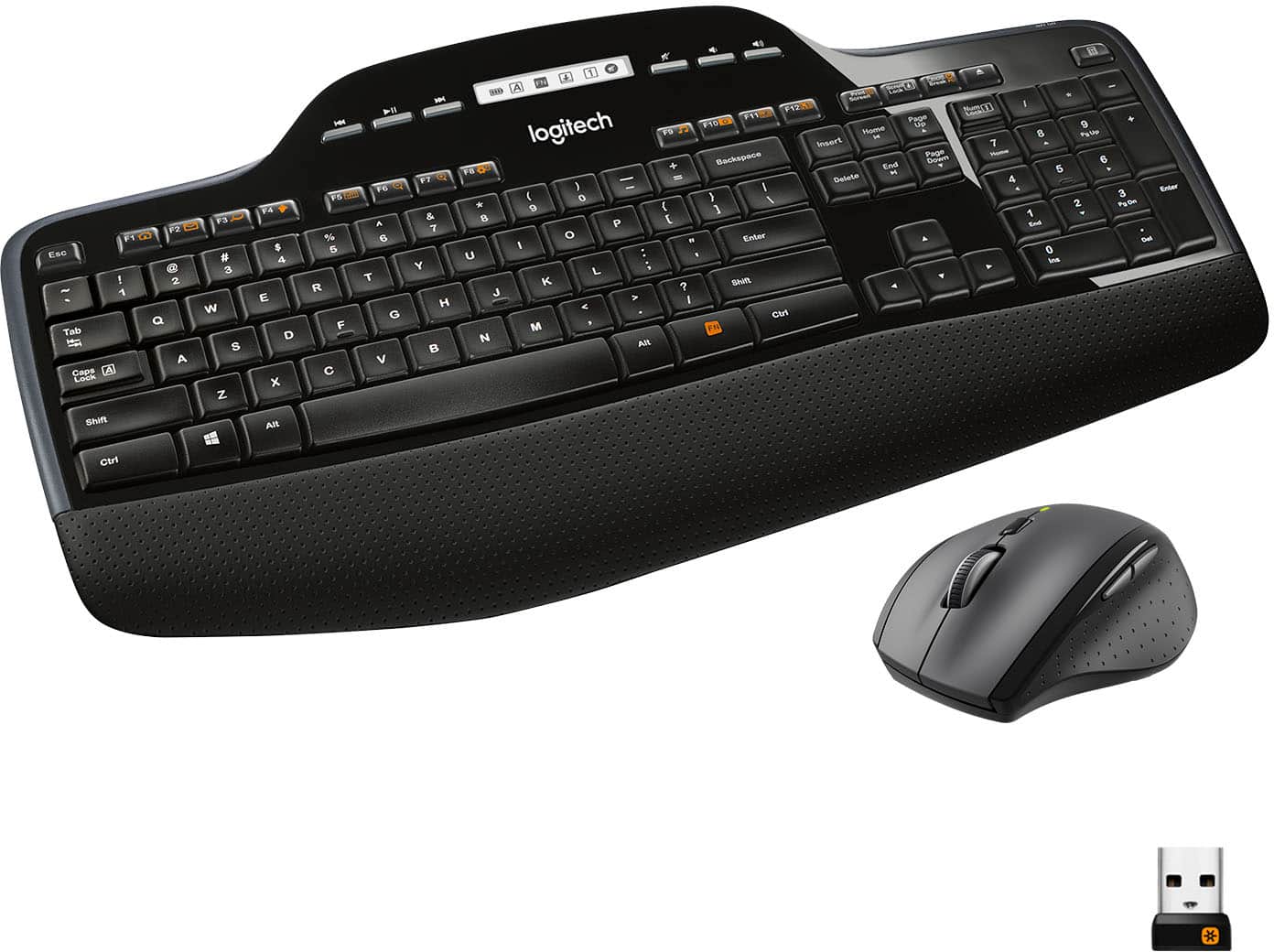

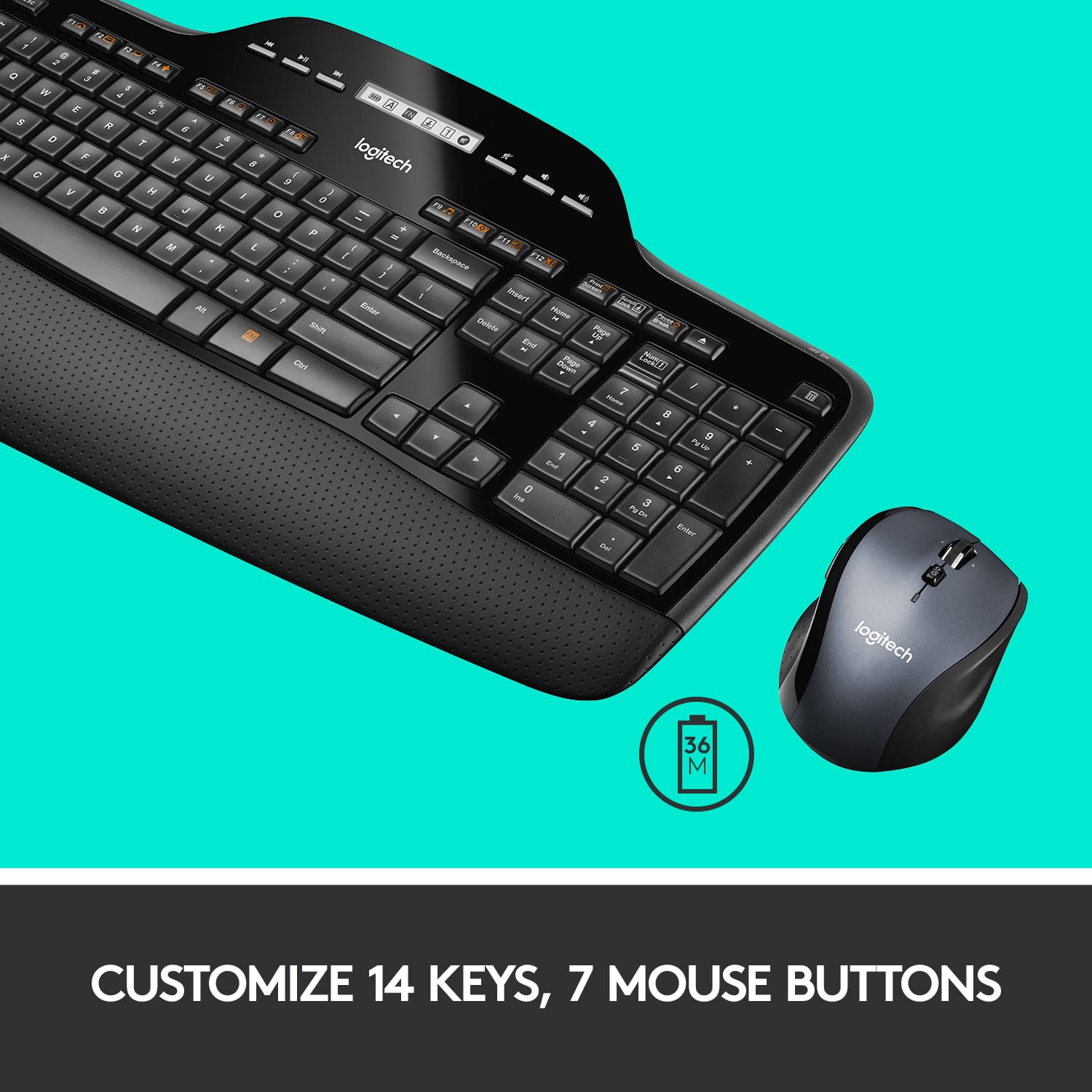
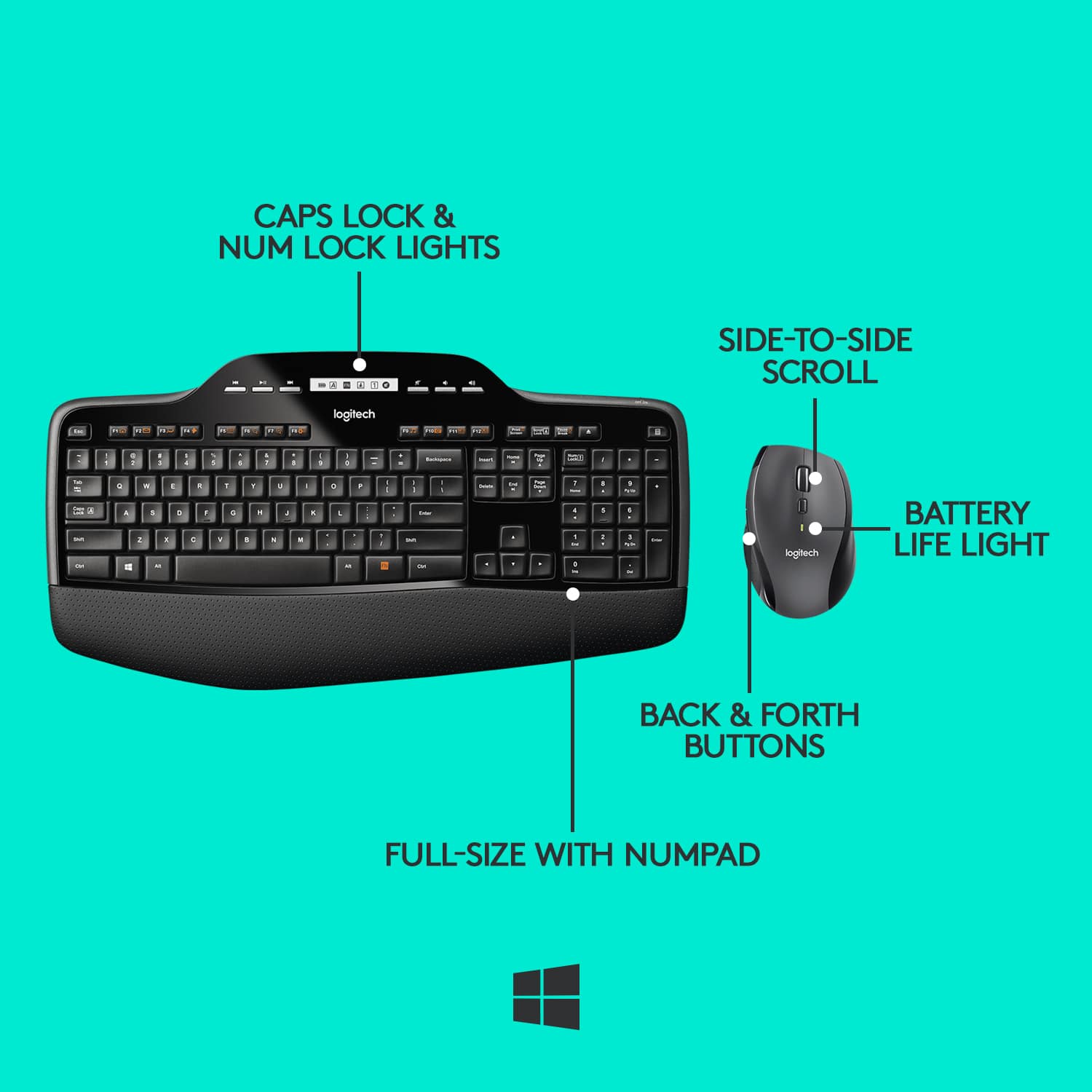
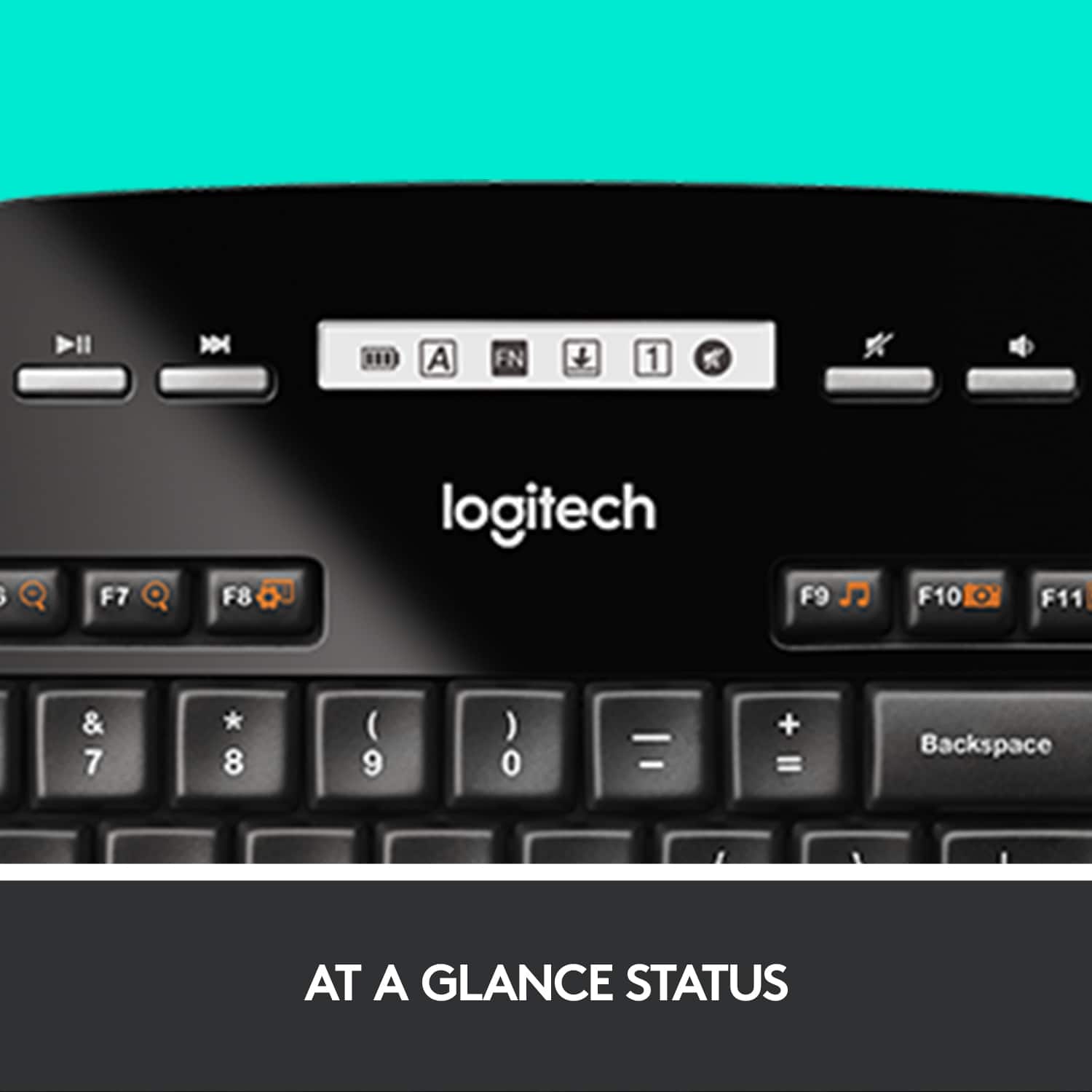
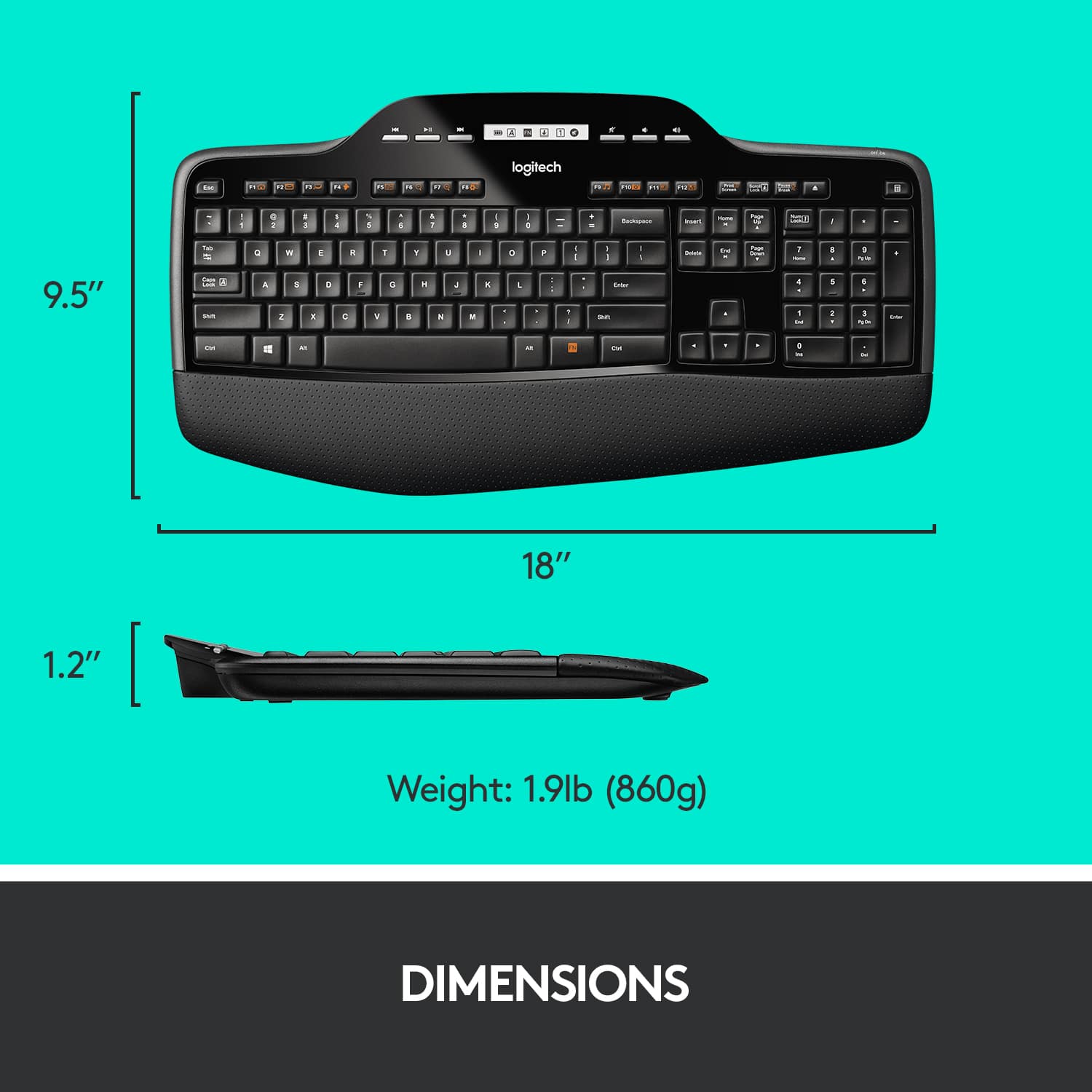


- Model:
- 920-002416
- |
- SKU:
- 12159160
Customer reviews
Rating 4.6 out of 5 stars with 2775 reviews
(2,775 customer reviews)Rating by feature
- Value4.6
Rating 4.6 out of 5 stars
- Quality4.7
Rating 4.7 out of 5 stars
- Ease of Use4.7
Rating 4.7 out of 5 stars
Rated 4 out of 5 stars
Keyboard
||Posted . Owned for 1 month when reviewed.This reviewer received promo considerations or sweepstakes entry for writing a review.Not as responsive as earlier version purchased but still like design of both keyboard and mouse. Going to put fresh batteries in to see if makes difference.
This review is from Logitech - MK710 Full-size Ergonomic Wireless Membrane Keyboard and Mouse Bundle for PC with 3-Year Battery Life - Black
I would recommend this to a friendRated 5 out of 5 stars
Logitech is winning me back.
||Posted .This reviewer received promo considerations or sweepstakes entry for writing a review.I used to be all about MS products but they just don't seem to hold up for the price. This set has nice range too which is very important as I use it from across a room.
This review is from Logitech - MK710 Full-size Ergonomic Wireless Membrane Keyboard and Mouse Bundle for PC with 3-Year Battery Life - Black
I would recommend this to a friendRated 5 out of 5 stars
Excellent.
||Posted .This reviewer received promo considerations or sweepstakes entry for writing a review.If you are looking to go wireless, this combo works great. It only takes one USB port to work both the keyboard and mouse. I have had no problems with the connection.
This review is from Logitech - MK710 Full-size Ergonomic Wireless Membrane Keyboard and Mouse Bundle for PC with 3-Year Battery Life - Black
I would recommend this to a friendRated 5 out of 5 stars
Great product
||Posted . Owned for 6 months when reviewed.This reviewer received promo considerations or sweepstakes entry for writing a review.I purchased this Logitech wireless keyboard and it does exactly what it should do! Works very well!!
This review is from Logitech - MK710 Full-size Ergonomic Wireless Membrane Keyboard and Mouse Bundle for PC with 3-Year Battery Life - Black
I would recommend this to a friendRated 5 out of 5 stars
Logi Keyboard
||Posted . Owned for 3 weeks when reviewed.This reviewer received promo considerations or sweepstakes entry for writing a review.The keyboard comes with a lot of features and the keys are very easy to type
This review is from Logitech - MK710 Full-size Ergonomic Wireless Membrane Keyboard and Mouse Bundle for PC with 3-Year Battery Life - Black
I would recommend this to a friendRated 5 out of 5 stars
Great Keyboard
||Posted . Owned for 3 weeks when reviewed.This reviewer received promo considerations or sweepstakes entry for writing a review.I love it! Very reactive keys and much easier to type than my other keyboard.
This review is from Logitech - MK710 Full-size Ergonomic Wireless Membrane Keyboard and Mouse Bundle for PC with 3-Year Battery Life - Black
I would recommend this to a friendRated 4 out of 5 stars
Nice keyboard and mouse
||Posted . Owned for 1 month when reviewed.This reviewer received promo considerations or sweepstakes entry for writing a review.Very responsive and feels great to the touch. Your recommen to anyone.
This review is from Logitech - MK710 Full-size Ergonomic Wireless Membrane Keyboard and Mouse Bundle for PC with 3-Year Battery Life - Black
I would recommend this to a friendRated 5 out of 5 stars
Excellent Keyboard and Mouse Combo
||Posted .This reviewer received promo considerations or sweepstakes entry for writing a review.I use this for work, not gaming. It's hard to find keyboards with Caps Lock indicators and this is the best I found. I would definitely recommend it.
This review is from Logitech - MK710 Full-size Ergonomic Wireless Membrane Keyboard and Mouse Bundle for PC with 3-Year Battery Life - Black
I would recommend this to a friendRated 5 out of 5 stars
Keyboard & mouse combo
||Posted . Owned for 3 weeks when reviewed.This reviewer received promo considerations or sweepstakes entry for writing a review.This keyboard and mouse has been wonderful to use. I highly recommend the duo!
This review is from Logitech - MK710 Full-size Ergonomic Wireless Membrane Keyboard and Mouse Bundle for PC with 3-Year Battery Life - Black
I would recommend this to a friendRated 5 out of 5 stars
Logitech Desktop MK710 Keyboard and Mouse
||Posted . Owned for 1 week when reviewed.This reviewer received promo considerations or sweepstakes entry for writing a review.The keyboard and mouse work very well. The key board offers many options to maximize work and time.
This review is from Logitech - MK710 Full-size Ergonomic Wireless Membrane Keyboard and Mouse Bundle for PC with 3-Year Battery Life - Black
I would recommend this to a friendRated 4 out of 5 stars
Perfectly Adequate Keyboard
||Posted .This reviewer received promo considerations or sweepstakes entry for writing a review.Once in a great while I swear I'll notice a "wake up" delay of a half second or so if I haven't used the keyboard in a while. Other than that, it's comfortable and quiet, but provides a good tactile keyboard experience.
This review is from Logitech - MK710 Full-size Ergonomic Wireless Membrane Keyboard and Mouse Bundle for PC with 3-Year Battery Life - Black
I would recommend this to a friendRated 5 out of 5 stars
Great product at a great price
||Posted .This reviewer received promo considerations or sweepstakes entry for writing a review.I'm a computer enthusiast ,I build gaming systems and my wife wanted a great keyboard and mouse and I knew by reputation just what to buy and she loves it
This review is from Logitech - MK710 Full-size Ergonomic Wireless Membrane Keyboard and Mouse Bundle for PC with 3-Year Battery Life - Black
I would recommend this to a friendRated 5 out of 5 stars
Nice
||Posted . Owned for 1 week when reviewed.This reviewer received promo considerations or sweepstakes entry for writing a review.Have one just like that's 8 years old but the letters have worn off the keys. Still a great keyboard and mouse.
This review is from Logitech - MK710 Full-size Ergonomic Wireless Membrane Keyboard and Mouse Bundle for PC with 3-Year Battery Life - Black
I would recommend this to a friendRated 5 out of 5 stars
Good value and performance
||Posted . Owned for 1 year when reviewed.This reviewer received promo considerations or sweepstakes entry for writing a review.Purchased this to use with my son’s laptop at college. Good basic keyboard and mouse. Seems to be reliable.
This review is from Logitech - MK710 Full-size Ergonomic Wireless Membrane Keyboard and Mouse Bundle for PC with 3-Year Battery Life - Black
I would recommend this to a friendRated 5 out of 5 stars
Does what it supposed to
||Posted . Owned for 1 month when reviewed.This reviewer received promo considerations or sweepstakes entry for writing a review.Purchased this keyboard and mouse combo because I don't need anything fancy. It does what I bought it for.
This review is from Logitech - MK710 Full-size Ergonomic Wireless Membrane Keyboard and Mouse Bundle for PC with 3-Year Battery Life - Black
I would recommend this to a friendRated 5 out of 5 stars
Durable and reliable
||Posted . Owned for 4 months when reviewed.This reviewer received promo considerations or sweepstakes entry for writing a review.Excellent choice for the money. They even hold up well to minor spills and drops. I have purchased 3 for my sore so gar
This review is from Logitech - MK710 Full-size Ergonomic Wireless Membrane Keyboard and Mouse Bundle for PC with 3-Year Battery Life - Black
I would recommend this to a friendRated 4 out of 5 stars
Logicombo
||Posted . Owned for 1 month when reviewed.This reviewer received promo considerations or sweepstakes entry for writing a review.Good except for the fact that the display in the keyboard is dark. Picture is misleading. The rest is good
This review is from Logitech - MK710 Full-size Ergonomic Wireless Membrane Keyboard and Mouse Bundle for PC with 3-Year Battery Life - Black
I would recommend this to a friendRated 5 out of 5 stars
Wonderful keyboard and mouse
||Posted . Owned for 5 months when reviewed.This reviewer received promo considerations or sweepstakes entry for writing a review.Upgraded to this bundle and love it! If you’re in the market, please give this a try. You won’t be sorry!
This review is from Logitech - MK710 Full-size Ergonomic Wireless Membrane Keyboard and Mouse Bundle for PC with 3-Year Battery Life - Black
I would recommend this to a friend- Pros mentioned:Keyboard quality
Rated 2 out of 5 stars
Great Keyboard - Poor Connection
||Posted . Owned for 1 month when reviewed.This reviewer received promo considerations or sweepstakes entry for writing a review.I really like the ergonomic keyboard. Unfortunately, I didn't read every line on the box before purchase and didn't realize that the mouse is right-handed. Also unfortunate is the wireless connection which is unreliable. I am currently working with Logitech in an attempt to resolve this. I hope they can also help me turn off the side "back" button that I keep hitting.
This review is from Logitech - MK710 Full-size Ergonomic Wireless Membrane Keyboard and Mouse Bundle for PC with 3-Year Battery Life - Black
No, I would not recommend this to a friendBrand response from Logitech
Posted .Hi Kelly A,
Thank you for your feedback. Sorry you are having issues with your keyboard. Here are possible solutions:
If your keyboard is not working, the problem is likely to be a lost connection. The connection between the keyboard and the USB receiver can be lost for several reasons. Make sure you have fresh batteries in your keyboard. Make sure your keyboard is turned on. Make sure the USB receiver is securely plugged directly into a working USB port on your computer. Turn your computer on download the correct version of Logitech SetPoint Mouse and Keyboard Software.
The connection between the keyboard and the USB receiver can be lost for several reasons, including:
• Low battery charge
• Moving the USB receiver from one USB port to another
• Moving the USB receiver to another computer
• Plugging the USB receiver into a USB hub, KVM switch or other unsupported device. (NOTE: Your USB receiver must be plugged directly into your computer.)
• Using your wireless keyboard on metal surfaces
• Radio frequency (RF) interference from other sources
If you need further assistance, please contact Logitech Support on the website.
LaShonda from Logitech
Rated 4 out of 5 stars
Great
||Posted .This reviewer received promo considerations or sweepstakes entry for writing a review.Everything good except the odd shape doesn't fit well into the keyboard holder built into my computer desk. So it loses some of its ergonomic benefit. I am constantly adjusting to ensure max comfort.
This review is from Logitech - MK710 Full-size Ergonomic Wireless Membrane Keyboard and Mouse Bundle for PC with 3-Year Battery Life - Black
No, I would not recommend this to a friend
People also viewed
- $49.99$49.99The price was $59.99
- $24.99$24.99The price was $29.99