Customer Ratings & Reviews
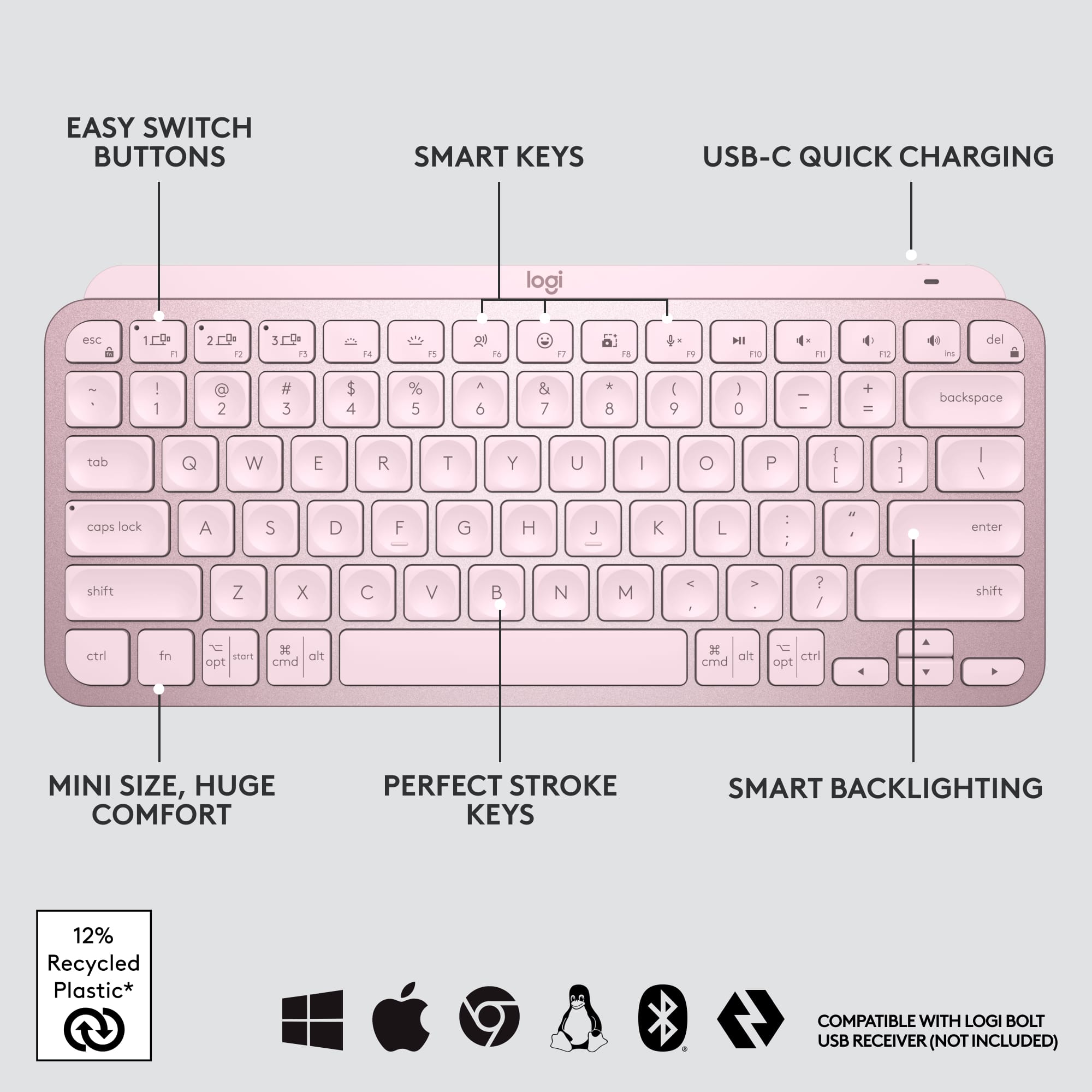
![The text on the image is a list of keys on a keyboard. Here is the corrected and grouped text:
1. Esc
2. F1
3. F2
4. F3
5. F4
6. F5
7. F6
8. F7
9. F8
10. F9
11. F10
12. F11
13. F12
14. Ins
15. Del
16. ~
17. !
18. 1
19. @
20. 2
21. #
22. 3
23. $
24. %
25. ^
26. &
27. 7
28. *
29. 8
30. (
31. )
32. 0
33. -
34. +
35. =
36. backspace
37. tab
38. Q
39. W
40. E
41. R
42. T
43. Y
44. U
45. I
46. O
47. P
48. {
49. [
50. ]
51. caps lock
52. S
53. D
54. F
55. G
56. H
57. J
58. -
59. K
60. L
61. :
62. ;
63. "
64. J
65. enter
66. shift
67. Z
68. X
69. V
70. B
71. N
72. M
73. ,
74. >
75. ?
76. /
77. shift
78. ctrl
79. fn
80. start
81. opt
82. H
83. alt
84. cmd
85. H
86. alt
87. cmd
88. ctrl
89. opt](https://pisces.bbystatic.com/image2/BestBuy_US/images/products/6478/6478159_sd.jpg)


![1. logi
2. esc 1 2 3 4 5 6 7 8 9 0 - = backspace
3. tab Q W E R T Y U I O P [ ] \
4. caps lock A S D F G H J K L ; ' enter
5. shift Z X C V B N M , . / shift
6. ctrl fn opt alt cmd
7. MULTI-DEVICE, MULTI-OS](https://pisces.bbystatic.com/image2/BestBuy_US/images/products/e563c254-4b09-453f-a596-db8b270b59a9.jpg)
![USB-C QUICK CHARGING
F9 F10 F11 F12 ins del
( 9 ) 0 - + = backspace O P { [ } ] \](https://pisces.bbystatic.com/image2/BestBuy_US/images/products/4ba47143-9573-4c40-9018-df94b6892919.jpg)

![IN THE BOX
logi
esc 1 2 3 4 5 6 7 8 9 0 - = backspace tab Q W E R T Y U I O P [ ] \ caps lock A S D F G H J K L ; ' enter shift Z X C V B N M , . / shift ctrl fn opt alt cmd
Responsible Packaging FSC™ FSC® N003028](https://pisces.bbystatic.com/image2/BestBuy_US/images/products/6177db92-9bf5-4933-9264-5b70b886f806.jpg)
- Model:
- 920-010474
- SKU:
- 10111145
Rating by feature
- Value
Rating 4.5 out of 5 stars
- Quality
Rating 4.8 out of 5 stars
- Ease of Use
Rating 4.7 out of 5 stars
Keyboard Extraordinaire
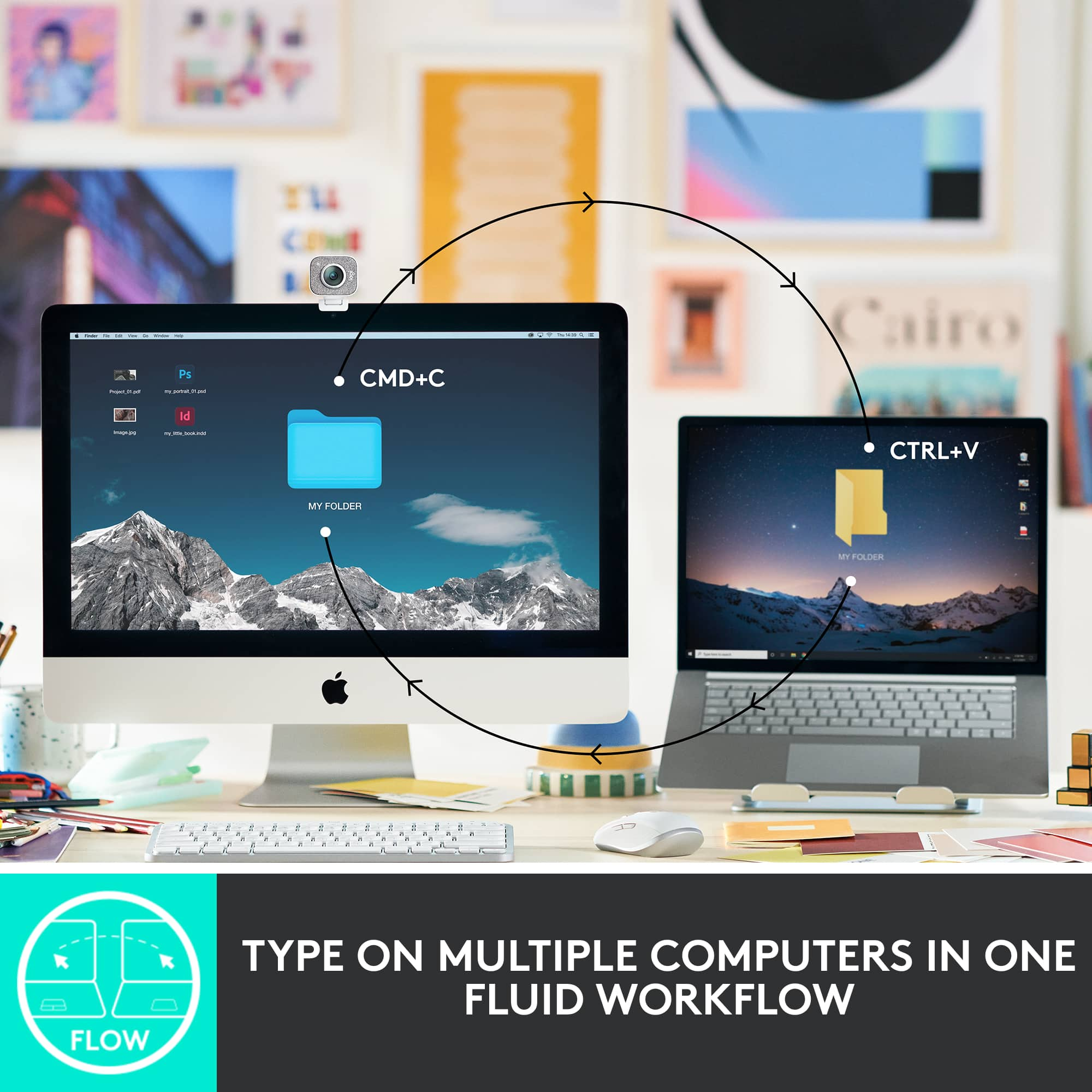
||Posted . Owned for 2 weeks when reviewed.This reviewer received promo considerations or sweepstakes entry for writing a review.Keyboard is easy to use and it allows me to connect to 3 devices with the push of a key! Syncs beautifully with my monitor.
I would recommend this to a friendBrand response from Logitech
Posted .Thanks for sharing your experience—it’s always a pleasure to hear from happy customers. We’re delighted that our product is serving you well and making a difference in your day-to-day routine. We appreciate your trust in Logitech.

Excellent operation, but Bluetooth issues
||Posted . Owned for 1 year when reviewed.This reviewer received promo considerations or sweepstakes entry for writing a review.I really like the feel of the keys, the substantial construction, and the small form-factor. The reason for 3 rather than 5 stars is connectivity issues. I've had to reset and reconnect the bluetooth several times, and sometimes it's so slow to connect when I wake up my computer that I keep a second wireless keyboard around to use when it's slowing me down.
No, I would not recommend this to a friendBrand response from Logitech
Posted .We appreciate your feedback on the MX Keys Mini TKL, and we're glad you're enjoying the feel of the keys and its form factor. We're truly sorry to hear you're experiencing Bluetooth connectivity issues, including slow connection times and the need for frequent resets. To address this issue, we recommend reaching out to our social care team via email at [email protected] with your
- Name:
- Email Address:
- Country:
- Product Name:
- Brief description of issue:
Enjoying this as a Tablet Keyboard!
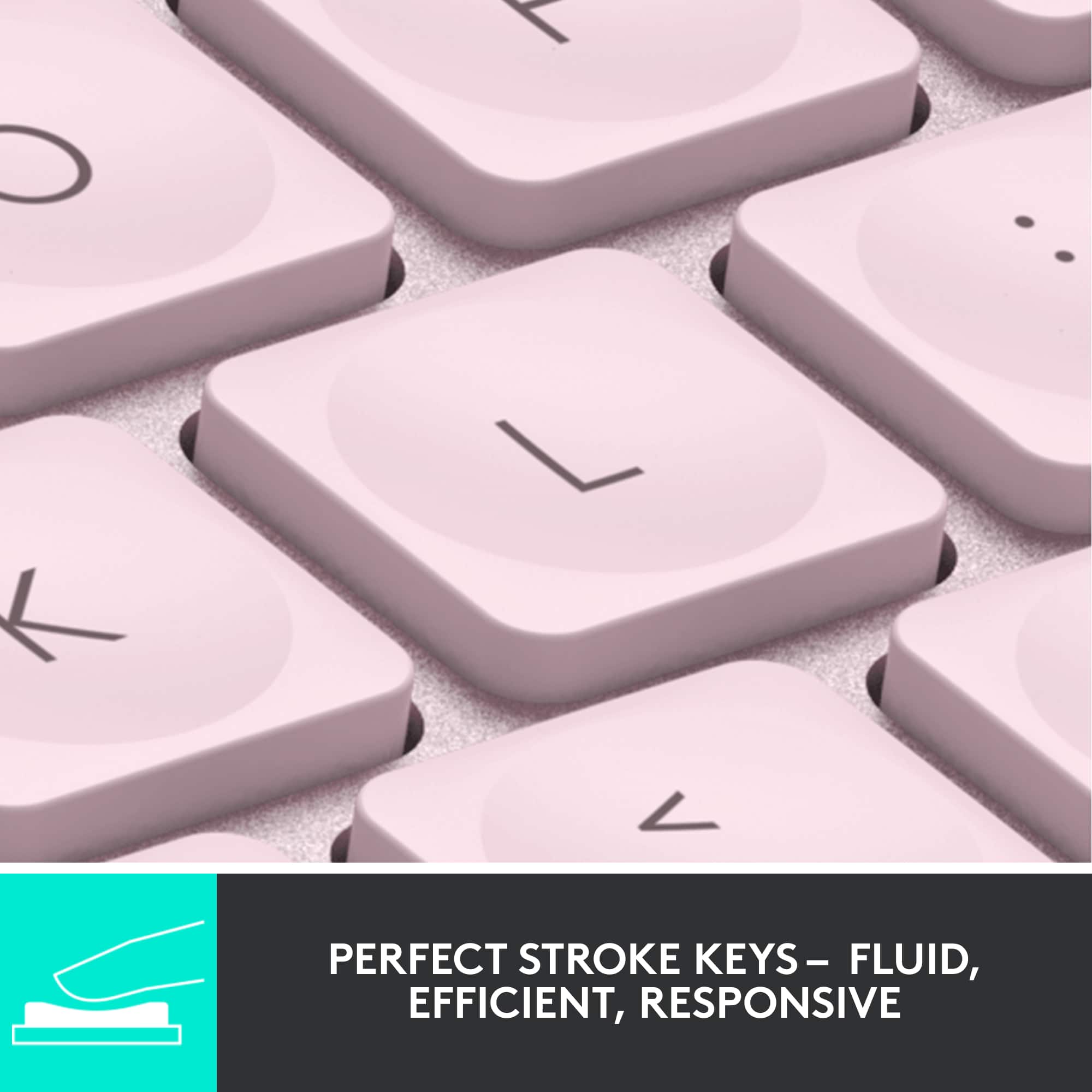
||Posted . Owned for less than 1 week when reviewed.This reviewer received promo considerations or sweepstakes entry for writing a review.The features on this are pretty neat. I like how it works well with my Samsung Galaxy Tab S9+ with the functions on the keyboard. In terms of how it feels to type, I do really enjoy the indents for your fingers and makes a smooth and satisfying way to type. It looks great too. To my surprise, it has some weight to it, just a bit than what I imagined but feel like it's sturdier or more quality made. Glad I went with this keyboard instead of opting for a more expensive one that are fixed into cases.
I would recommend this to a friendBrand response from Logitech
Posted .Hey! We're glad you're enjoying the MX Keys Mini TKL! It sounds like a perfect fit for you and your Samsung Galaxy Tab S9+. The indented keys and smooth typing experience are some of the most popular features users love, and we're happy to hear you find the quality build surprising and sturdy.
Very comfortable and durable.
||Posted . Owned for 3 weeks when reviewed.This reviewer received promo considerations or sweepstakes entry for writing a review.Awesome keyboard! I am using it with my Windows 10 desktop PC connected via bluetooth and it works perfectly. The backlit keys are great and I really like that the backlit is not always on but as soon as you move your hand over the keyboard the backlit comes on. Battery life has been great.
I would recommend this to a friendLove it.
||Posted . Owned for 1 month when reviewed.This reviewer received promo considerations or sweepstakes entry for writing a review.Purchased this to use a full keyboard for a Macbook. Love the feel. Soft touch keys. Very quiet. Backlit feature is fantastic. Need to have a USBC handy to charge every couble of days. Bit more expensive than others, but I enjoy it.
I would recommend this to a friendBrand response from Logitech
Posted .Thank you for the wonderful feedback! We're delighted to hear that you love the soft touch, quietness, and fantastic backlighting of the MX Keys S and that it's been a great addition for your MacBook. We appreciate you sharing your positive experience and mentioning that you still enjoy it despite the charging needs and higher price point.
Excellent keyboard!
||Posted . Owned for 1 week when reviewed.This reviewer received promo considerations or sweepstakes entry for writing a review.Long lasting battery life, easy connections, and the back light makes it a winner over Apple keyboards!
I would recommend this to a friendBrand response from Logitech
Posted .We're thrilled to hear that the Logitech MX Keys S for Mac has exceeded your expectations! Its combination of long battery life, seamless connectivity, and backlit keys make it a fantastic alternative to Apple keyboards. Thank you for sharing your positive experience.
Great keyboard option for Mac
||Posted . Owned for 1 week when reviewed.This reviewer received promo considerations or sweepstakes entry for writing a review.Keyboard works great on Mac perfect fit and finish. Also like how easy it was to setup
I would recommend this to a friendBrand response from Logitech
Posted .Thank you for your amazing review of the Logitech MX Keys S for Mac keyboard! We're thrilled to hear that it's a perfect fit for your Mac and that you appreciate its ease of use and performance. Your positive feedback means a lot to us as we continue to provide exceptional products that enhance your computing experience.
Great Product for the Price
||Posted . Owned for 1 month when reviewed.This reviewer received promo considerations or sweepstakes entry for writing a review.This Keyboard is amazing for the price. Compact, Easy to use, lights up in low light, stays charged for a long time! Love it! Simple to add to any computer!
I would recommend this to a friendExcellent keyboard
||Posted . Owned for 1 month when reviewed.This reviewer received promo considerations or sweepstakes entry for writing a review.Very happy with this keyboard. It’s super quiet and smooth. Had I known how much easier it would make using my laptop, I would have bought it a year ago! No more straining. Now I can easily control my keystrokes with the keyboard in an ergonomic position.
I would recommend this to a friendBrand response from Logitech
Posted .We appreciate your feedback and are glad to hear the product is working smoothly. Thanks for being part of the Logitech family.
Disappointed
||Posted . Owned for less than 1 week when reviewed.This reviewer received promo considerations or sweepstakes entry for writing a review.I'm not satisfied with the fact that there is no USB receiver included with this keyboard. My PC doesn't support Bluetooth, so I am unable to use it at the moment. Besides, I'm so used to every Logitech device I've ever purchased including a USB receiver in the box, so I can plug it in and use with no fuss. Am I crazy for expecting that to be the case here as well, especially if I'm spending $100 on a keyboard? I'm only not returning it because I'm upgrading my PC soon anyway, with a motherboard that has Bluetooth integrated, so I'll still be able to use it in the future. I'm just bummed that I can't use it right now. The build quality is fantastic, to be clear. It feels very solid and premium, and works well when paired with my Galaxy tablet. But I can't help but wish Logitech would either include a USB receiver in the box with this keyboard, or make it more clear that it doesn't. I bought this keyboard with the presumption that it would, and for that I'm rather disappointed. The build quality, again, is well worth $100 I spent. But the user experience absolutely is not.
I would recommend this to a friendBrand response from Logitech
Posted .We appreciate you taking the time to share your detailed feedback on the MX Keys Mini. We understand your disappointment regarding the missing USB receiver, especially given your past experiences with our products and the immediate inability to use it with your PC. It's good to know you appreciate the fantastic build quality and its performance with your tablet. We'll certainly take your comments about the USB receiver inclusion and clarity in product information to heart, as we aim for a seamless user experience right out of the box.
Productivity Enhancing
||Posted . Owned for 2 months when reviewed.This reviewer received promo considerations or sweepstakes entry for writing a review.easy to transport and use daily. ability to connect to multiple devices makes multitasking easy. use for both Mac and PC is a win. Great to pair with MX Anywhere. Keys feel snappy and easy to use,
I would recommend this to a friendLove my keyboard
||Posted . Owned for 1 month when reviewed.This reviewer received promo considerations or sweepstakes entry for writing a review.This keyboard has every feature that I am looking for. My keyboard is well lit in the evening. I don’t have to strain my eyes to see. The color coordinates with my computer too!
I would recommend this to a friendBrand response from Logitech
Posted .Thrilled to hear you love your Logitech MX Keys Mini TKL! We're so glad it has every feature you need, especially the backlit keys for easy evening visibility, and that the pale gray matches your setup perfectly. Enjoy!
Quality small profile external keyboard.
||Posted . Owned for 3 weeks when reviewed.This reviewer received promo considerations or sweepstakes entry for writing a review.A superb item. My 88 y/o Mom wanted a replacement for her old worn-out keyboard that did not take up as much room on her desk. The MX Keys Mini met the compact size requirement well while also hitting the mark on touch and weight/stability. The indentation on the keys just feels good to the touch and the keyboard as a whole is nicely weighted, providing a sense of stability on the desk. I noticed the feel and weight as I examined the store display model and was confident Mom would appreciate them as well. The keyboard lighting is an added bonus as Mom sometimes goes online very early in the a.m. darkness. She was most pleased seeing the keyboard light up when she touched it the morning after we brought it to her assisted living center. The price point is certainly above bargain keyboards, but we are well-satisfied with the value of the MX Keys Mini. We strongly recommend it to anyone needing a quality external keyboard with a small profile.
I would recommend this to a friendWorks great with Quest 3 headset
||Posted . Owned for 1 month when reviewed.This reviewer received promo considerations or sweepstakes entry for writing a review.Great simple/not too many frills keyboard. I use this to work in my Meta Quest 3 and it works wonderfully for that. Never had connection issues, the keys feel nice, and it is considered a supported keyboard for the Quest headsets which means it can be tracked, which is a great feature.
I would recommend this to a friendBrand response from Logitech
Posted .Thank you for your positive feedback on the MX Keys Mini! We're thrilled it's working so well with your Meta Quest 3, especially the tracked keyboard feature. We appreciate you highlighting the reliable connection and comfortable key feel.
Excellent Keyboard for Programming/gaming/typing
||Posted . Owned for 1 week when reviewed.This reviewer received promo considerations or sweepstakes entry for writing a review.I got this at the recommendation from a friend who uses this version at home and the larger version for work. Took some getting used to since I normally use a microsoft ergonomic keyboard, but it works well for programming. I don't have to constantly move my keyboard to use the mouse comfortably. I do have particularly big hands and I don't have any issues typing which was something else I was worried about. Battery lasts quite awhile. Its long enough that I forgot when I charged it last until it started flashing red. I don't turn it off at night and I use it a lot for both work and gaming. It would last longer if I just disabled the lights on it, but I quite like the subtly lighted keys when its used since I tend to work in the dark. Swapping between laptop and pc takes a second with the switch keys F1 to F3. I also have one assigned to my linux fedora 36 beta install and I've had no issues. I didn't reassign any keys so I have no feedback on that. I thought using the home/end/pgup/pgdown would take longer to get used to, but overall works seemless after using them. My only complaint so far isn't even the keyboard's fault. Works out of the box with bluetooth like any other bluetooth device, but that also means you can't use the keyboard until its at an OS login screen or to the desktop. So for fedora I need to login first, and for windows I can use it to actually login. I have my old keyboard connected for logging into fedora and for anything I need to access in BIOS or changing between dual boot systems. Once its in an OS, its fine. Again, this isn't the keyboards fault exactly. Its because it needs Bluetooth drivers to be loaded for the pc to make Bluetooth connections. Logitech does have its Bolt dongle which probably would fix this issue since it'll probably connect as a normal usb keyboard with that dongle. I just haven't bought it yet. That's another product and I'm just guessing how it would work, so that's not included in my scoring. The keyboard sold as is with its description and all works quite well. No complaints. Price is iffy at shy of 100$, but still, its very reliable, sturdy, feels good to type on without hurting my wrists. So I don't regret buying it. It's worth it to me. I do have a large 36" desk/mouse pad. I'm not sure to what extent that matters. Highly recommend if you need a TKL/mini keyboard. Side Note: For the purpose of testing for this review, I did connect this keyboard to my phone just now and it works flawlessly. I'm quite surprised. Moto G7 Power I think it is. I've no doubt it'll work with an apple phone as well.
I would recommend this to a friendBest Wireless/Bluetooth Keyboard
||Posted . Owned for 1 year when reviewed.This reviewer received promo considerations or sweepstakes entry for writing a review.I love my MX Keys TKL Wireless Bluetooth Keyboard. Soft-touch and durable case. Battery life is several months and I use it every day when I travel.
I would recommend this to a friendwell-built work keyboard!
||Posted . Owned for 1 week when reviewed.This reviewer received promo considerations or sweepstakes entry for writing a review.keyboard is well built and sturdy. the keys are responsive and connects to any device seamlessly. you can choose to connect up to three devices via bluetooth or the included logi bolt.
I would recommend this to a friendGreat MX Keys Mini, just no USB dongle.
||Posted . Owned for 1 week when reviewed.This reviewer received promo considerations or sweepstakes entry for writing a review.Switching Devices: Pro: Great and ideal. Con: It is in FN mode, so you have to do FN+ESC to enable F1-12 mode. Easy to accidentally switch devices without trying. Battery Life: Pro: Excellent battery life. Haven't charged it yet and it still going strong. Con: Color light indicate the battery life, so it won't give you a rough estimate of battery life. Typing: Pro: So smooth and nifty. Evenly spaced, and have a nice feel to it. Con: None Backlight: Pro: Nifty sensor that detect the lights and auto backlight if needed. Con: No way to enable or disable it. USB Dongle: Pro: None Con: No USB dongle were included, so if you already have a MX Mouse, you can use that to pair it. The only negative part is that, unlike some of their better series, there also no way to store that USB dongle on the go, so you either have to buy a carry case for your mouse and USB and hope you don't forget it.
I would recommend this to a friendIt works…
||Posted . Owned for 4 months when reviewed.This reviewer received promo considerations or sweepstakes entry for writing a review.This keyboard is great, it connects to any Bluetooth enabled device, such as my iPad Pro & MacBook Pro M4. Just make sure you have the latest iOS release to ensure the keyboard works properly.
I would recommend this to a friendBrand response from Logitech
Posted .That's great to hear! We're thrilled that your Logitech MX Keys S for Mac Keyboard is working so well for you, providing seamless Bluetooth connectivity with both your iPad Pro and MacBook Pro M4. Thanks for the helpful tip about ensuring the latest iOS release for optimal performance!
Works great, better than Apple keyboard
||Posted . Owned for 3 weeks when reviewed.This reviewer received promo considerations or sweepstakes entry for writing a review.Works great, as advertised. Sync'ed to three devices without any problem. Feels better and more natural than the Apple keyboard I was using with the iMac.
I would recommend this to a friendBrand response from Logitech
Posted .That's fantastic to hear! We're thrilled your Logitech MX Keys S for Mac is working great, syncing seamlessly across your devices, and providing a more natural feel than your previous keyboard. We truly appreciate you sharing your positive experience!