Customer Ratings & Reviews




- Model:
- 910-007561
- SKU:
- 6640829
Rating by feature
- Value
Rating 4.5 out of 5 stars
- Quality
Rating 4.9 out of 5 stars
- Ease of Use
Rating 4.6 out of 5 stars
Customers are saying
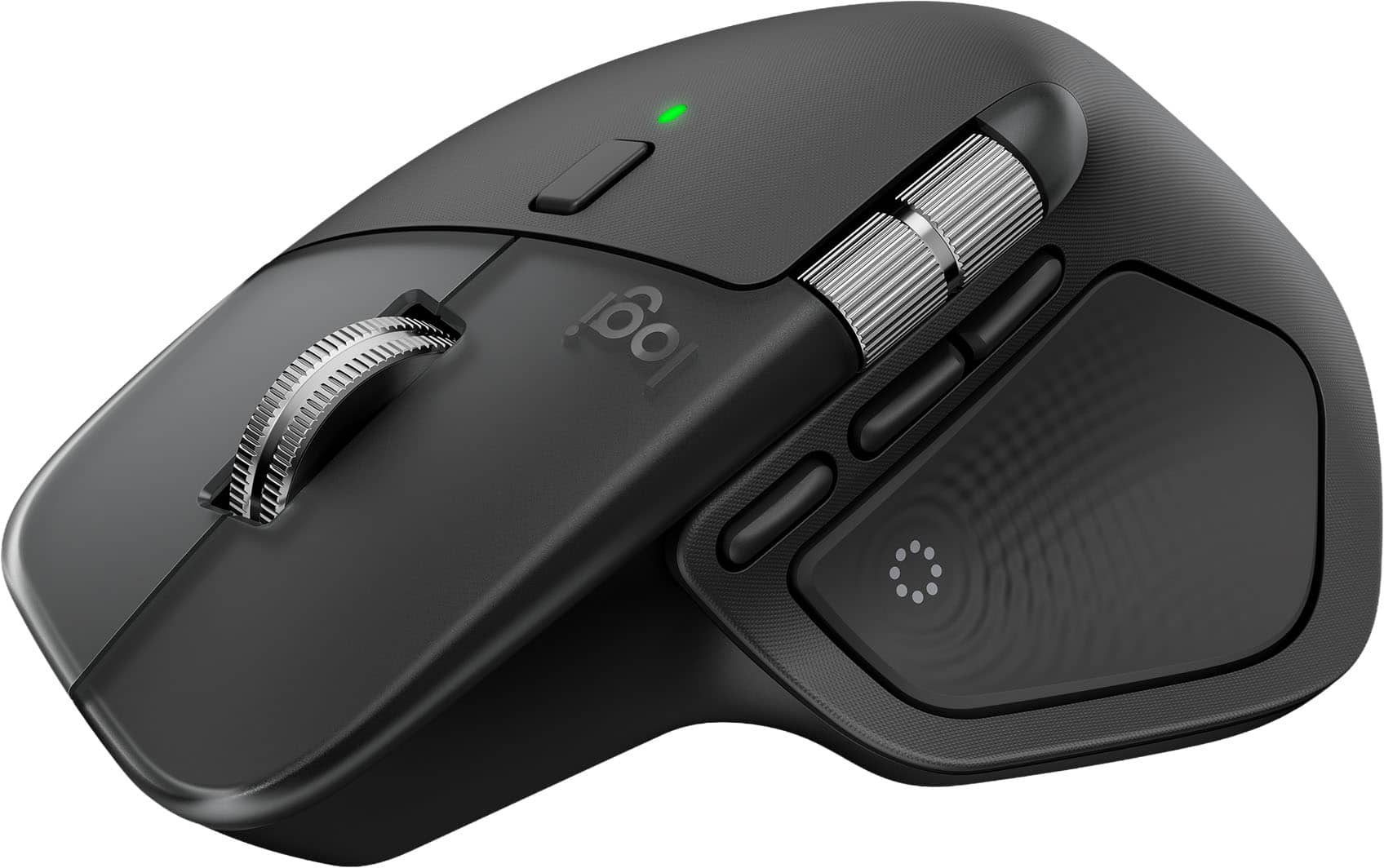
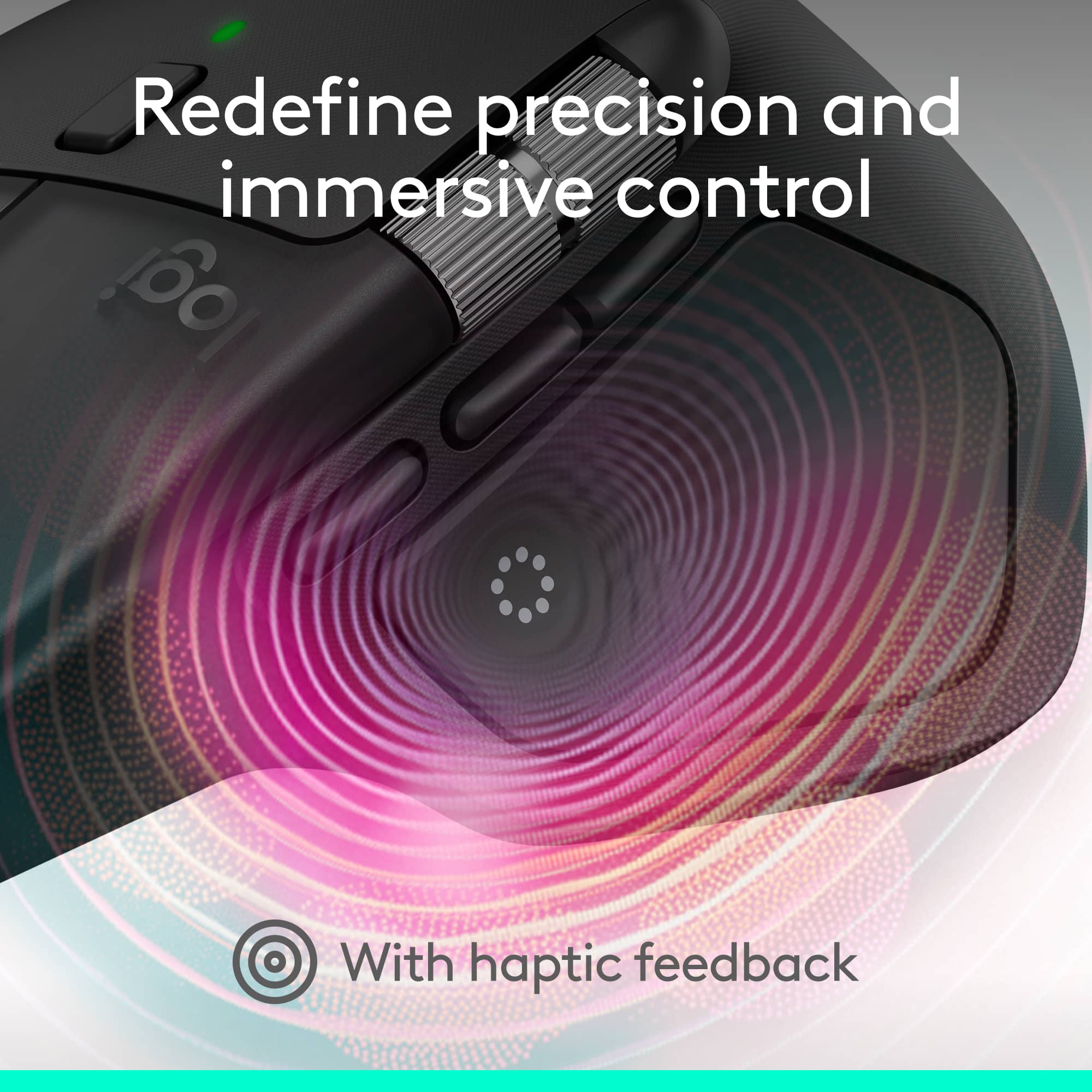
Customers often highlight the MX Master 4's exceptional button functionality, ergonomics, and haptic feedback. The mouse is also praised for its impressive battery life, build quality, and seamless connectivity. However, some users find the size and weight to be a drawback.
This summary was generated by AI based on customer reviews.
- Pros mentioned:Battery lifeCons mentioned:Size

Hefty. Solid. Minimal Haptic Support.
|Posted .This reviewer received promo considerations or sweepstakes entry for writing a review.TLDR: A well-built mouse that is smooth as glass. Sparse haptics support limits overall appeal. PROS Outstanding battery life Switches are smoothest in the business Haptic feedback panel is a unique novelty Fully Customizable CONS Large size makes natural button reaches hard Haptic feedback is more of a novelty than necessity CONFIGURATION & SOFTWARE 5/5 Logitech's Logi Options + software is a marvel of simplicity and execution. I've sampled gaming and productivity-oriented mice from nearly every manufacturer and the Logi Options + may very well be the new standard I measure all others' offerings by. Logitech's software is the easiest I've used to date. It is simple to learn and intuitive to configure the mouse. I've always liked Logitech's G Hub software, but the Options + software is even better and easier to use. Excellent work Logitech. I wish all manufacturers' software was this easy to understand. The MX Master 4 is one of the first products I've received in a long time that didn't need a firmware update immediately after connecting. Not only has it not prompted me for a firmware update, its firmware and software has worked flawlessly since installation. Kudos to Logitech for releasing a product that is so well sorted right out of the box. BUILD QUALITY 5/5 Like I stated earlier, after testing close to a dozen different mice from nearly every manufacturer, the MX 4 stands out among the competition. While I get peoples' desire for a light mouse, especially for gaming, I like a mouse that has some meat on its bones. The MX 4 is not a lightweight and that is a complement. Its heft gives it a nice, substantial feel. While gaming mice strive to shave every gram off them, the MX 4 is the exact opposite. The MX 4's switch gear and scroll wheels are also some of the best I've used to date. Every part has a quality feel in its operation. No cheap, clicky sounds. Just smooth, silky operation. The scroll wheels in particular are some of the best I've ever used. Even better than my old MX 2. HAPTICS 3/5 This is the one area that the MX 4 leaves me disappointed. I was hoping when I selected the MX 4 for review that the haptics panel would have a broader integration than it does. I was anticipating that the haptics panel would have integrations like gaming peripherals do. Honestly, the haptics panel has an extremely narrow and limited app support. Haptics are mostly limited to Adobe products (hence the reason this is the Adobe addition) and Zoom. Its Zoom integration is pretty slick. The haptics vibrate when someone raises their hand in a meeting. It's very slick and is great at getting your attention to something that often goes missed during meetings. Haptics do show up on the quick action buttons, but don't expect gaming integrations. I was. One area that the haptics panel really shines is its quick launch feature. Pressing in the haptics panel launches a quick access ring that surrounds your mouse's pointer on screen. These quick actions options are fully customizable by the user, or can be changed via downloading a pre-defined set of commands from the Logitech website via the Options + software. There are many already curated actions pre-made. Productivity, social media, Google, Office, downtime, Logitech has made many pre-defined downloads easily and readily available. Once you try the quick action command and get it configured, you will wonder why no one has ever thought of this before. I've found it particularly useful in Office applications like Excel. ERGONOMICS 4/5 The only real complaint I have with ergonomics is the shear size of the mouse. I love the heft and quality feel, but I find the haptics pad and quick action button hard to reach. I find myself having to reposition my hand each time I want to press one of the side action buttons as they always seem to fall slightly out of reach for me. Granted I've been using the mouse exclusively for several days now & it is becoming less awkward, but it is still an issue. BATTERY LIFE & CONNECTIVITY 5/5 I've been using the MX 4 exclusively for days now, mostly via Bluetooth, and battery life still shows at 100%. While this doesn't have the 2000Hz or greater polling rate that most gaming mice have, it doesn't need it. I've used the MX 4 for gaming. I find it works just fine with the included 2.4GHz dongle even with its slower polling rate. While I love playing video games, I am in no way a professional. I've chased the lightest mice for gaming. The MX 4 is opening my eyes in that maybe there is such a thing as too light of a mouse. Who would have thought. CONCLUSION 4.5/5 Even with the issues I noted, they have done nothing to diminish my overall attitude towards the MX 4. The MX 4 is one of the best mice I have used to date. The mouse has a top-notch, premium feel and Logitech's software is simple and intuitive. If you need a mouse for work or creativity, you would be hard pressed to find a better offering on the market. Well done, Logitech. HIGHLY RECOMMENDED
I would recommend this to a friendBrand response from Logitech
Posted .Hey! It’s rewarding to hear that our product is working well for you. Your review helps us grow and improve. Thank you for sharing your experience.

- Pros mentioned:Button functionality, Haptic feedback
Perfect Upgrade to the amazing MX Master 3
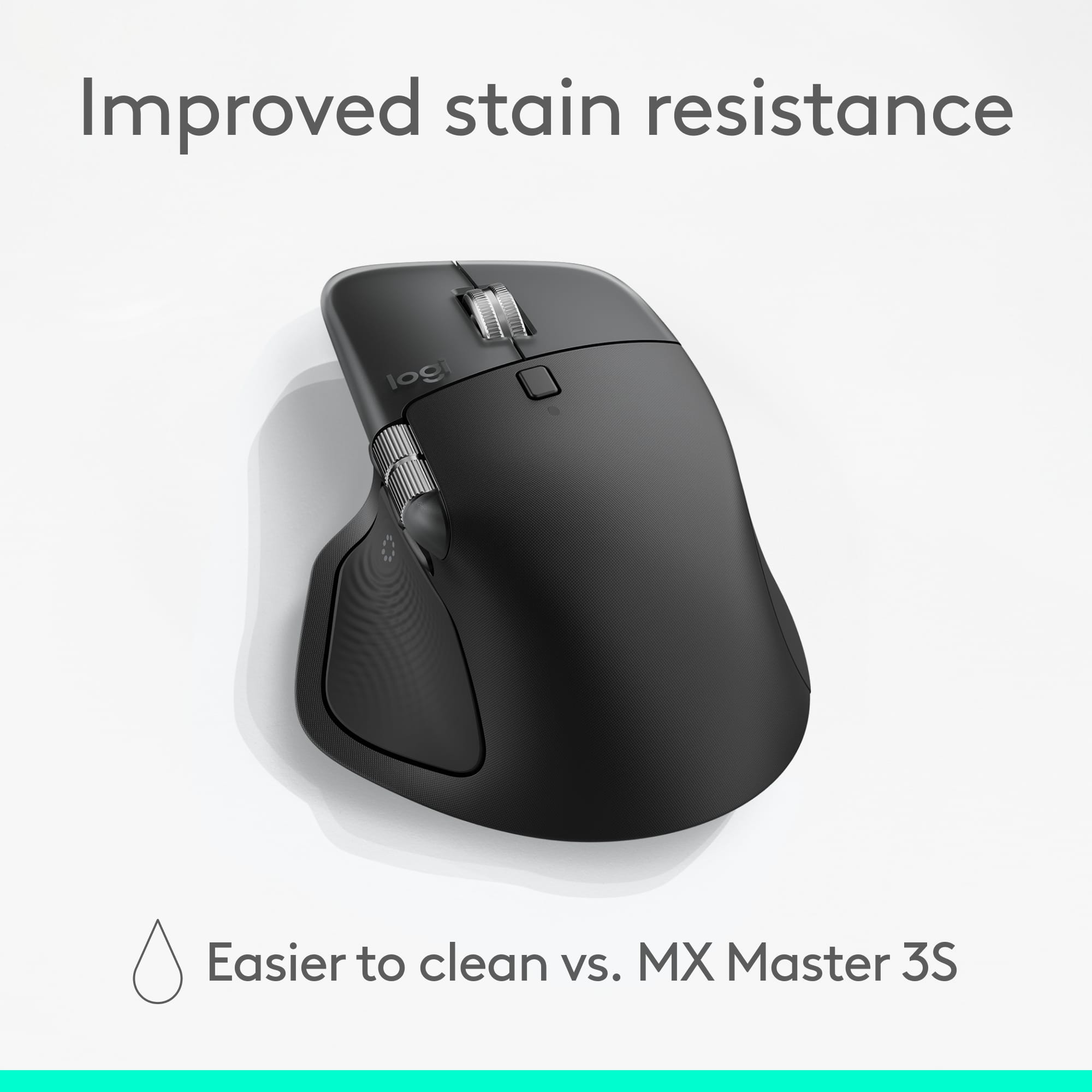
|Posted .This reviewer received promo considerations or sweepstakes entry for writing a review.Iterating already great products must be difficult, as would be the case for Logitech improving upon their insanely great MX Master 3 and iterative Master 3S mice. I’ve used the Master 3 for nearly the last 5 years and has been the most comfortable and smooth mouse I’ve ever used in that time. Needless to say, I wasn’t sure what Logitech could do to make the experience even better. Luckily, they didn’t fix what wasn’t broken, rather, they’ve created a new intuitive way to interact with your computer with new haptic feedback. First off, in terms of design, the Master 4 isn’t a drastic departure from the design of its predecessor. The updated design features more curves around the part of the mouse you’ll cup your hand around. There’s also a nice clean transparent bezel around the front of the mouse. And gone is the rubberized texture of the Master 3 that made cleaning the mouse difficult. The left and right buttons are larger on the new mouse compared to the Master 3, as is the horizontal scroll wheel on the side of the mouse giving your thumb more real estate to work with. And in case you’re wondering, the toggle-able fast scroll wheel remains speedy as ever. As for battery life, that remains unchanged at up to 70 days of battery life before needing to be recharged. I’m guessing that hasn’t gone up due in part to the new haptic motor in the mouse. The new haptic motor in this mouse gives you new ways to interact with your mouse and computer. When you turn on the mouse, the subtle vibration patterns will let you know whether it’s searching for your computer and when it’s connected. After installing Logitech’s software, you can find a bunch of downloadable haptic feedback extensions that give you things like precision feedback in photo editing apps, feedback for drag and drop in video editing and photo editing apps, and a ton of others you’d never even thought about before. But the new experience makes it seem like all computer mice should have had this for years. Anyway, this is a great update to a legendary mouse in the MX Master 3. The MX Master 4 is a worthy and modern successor that, in my opinion, is the new king computer mice.
I would recommend this to a friendBrand response from Logitech
Posted .Thank you so much for this in-depth and incredibly detailed review of the MX Master 4! We are thrilled you see it as a worthy successor and "new king" in the line. Your appreciation for the design updates and the new haptic feedback experience is fantastic to hear.
- Pros mentioned:Button functionality, Haptic feedback
I didn't know I needed this until I tried it!
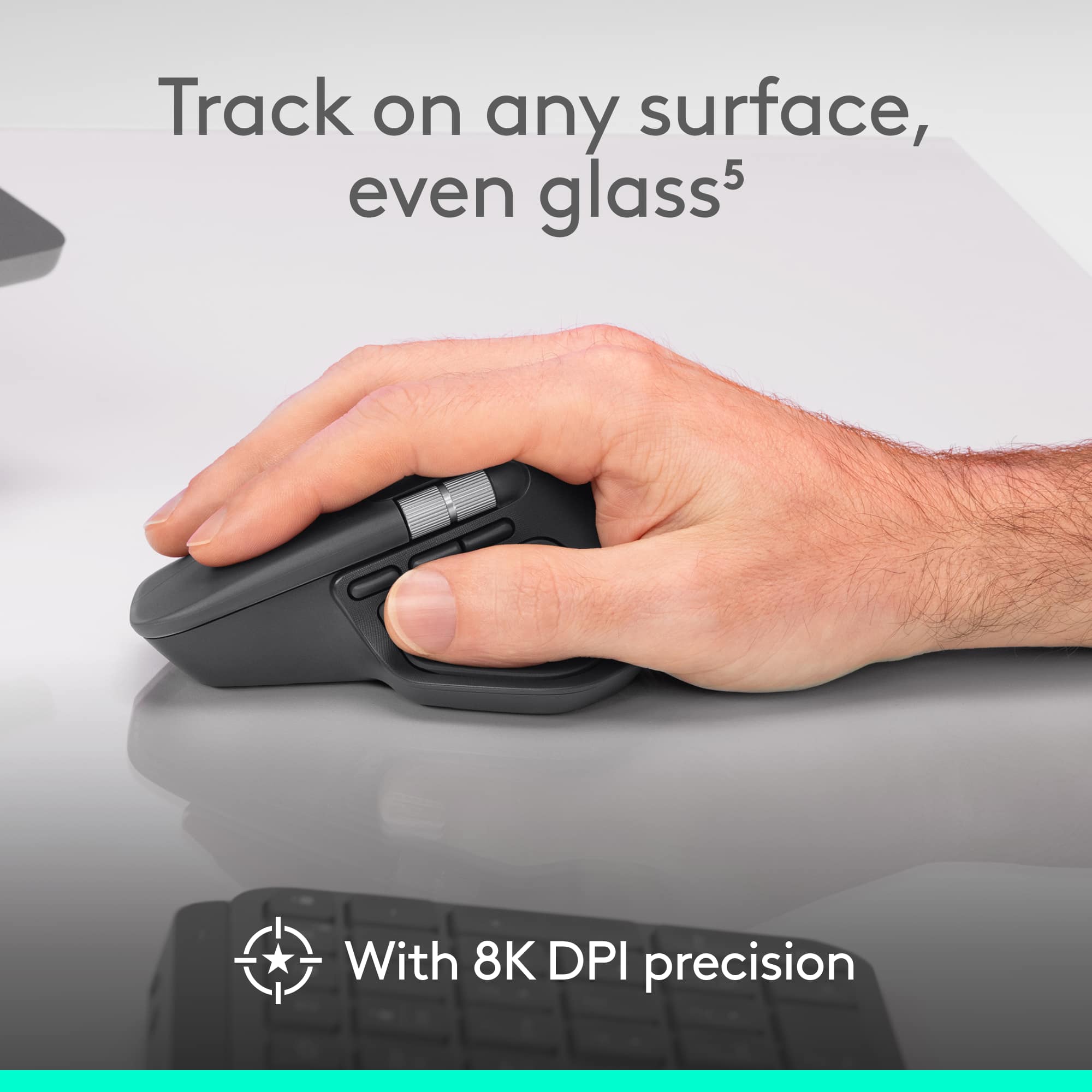
|Posted .This reviewer received promo considerations or sweepstakes entry for writing a review.This is my first MX series mouse and I had no expectations, its another mouse right? Out the box it felt hefty and good, I have been a Logi user for decades and this is by far the best one yet. I replaced a mouse from a Logi mouse and keyboard combo and the mouse automatically connected before turning the other one off. the difference in tracking and scrolling is amazing. the action button with the customizable shortcuts is great, easy to use and really saves time. the scroll wheel is great and can switch scrolling speed and feel based on my finger movement. the pointer speed is adjustable and the thumb wheel is very comfortable. Haptic feedback feels really good and is also adjustable. the feature that blew me away is the Easy switch between devices. I alternate between 2 laptops connected to the same screens at home and it was seamless, I also decided to take it and make it my daily work mouse between the offices I work at and it is so easy to just start my laptop and the mouse just works. it works on wood, glass, matt, marble... you name it. this is the best mouse I owned so far and regarding durability, time will tell but Logi have a good reputation when it comes to that. so my mind is at ease.
I would recommend this to a friendBrand response from Logitech
Posted .Wow, we love hearing that the MX Master 4 exceeded your expectations! It's fantastic to know the Easy-Switch feature is making your work life seamless across multiple devices and surfaces. Thank you for making us your new "best mouse" yet!
- Pros mentioned:Battery life, Haptic feedback
Simply the Best
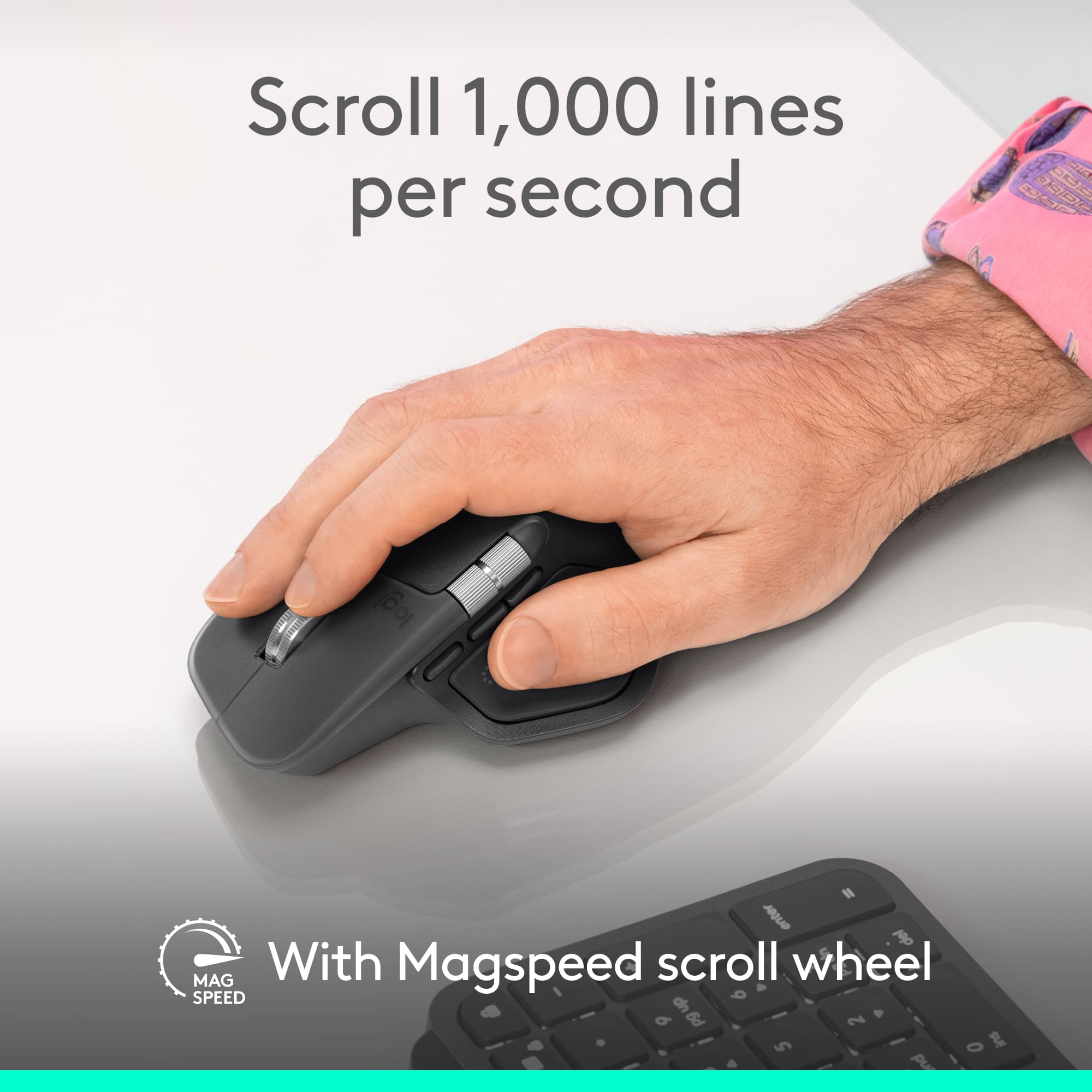
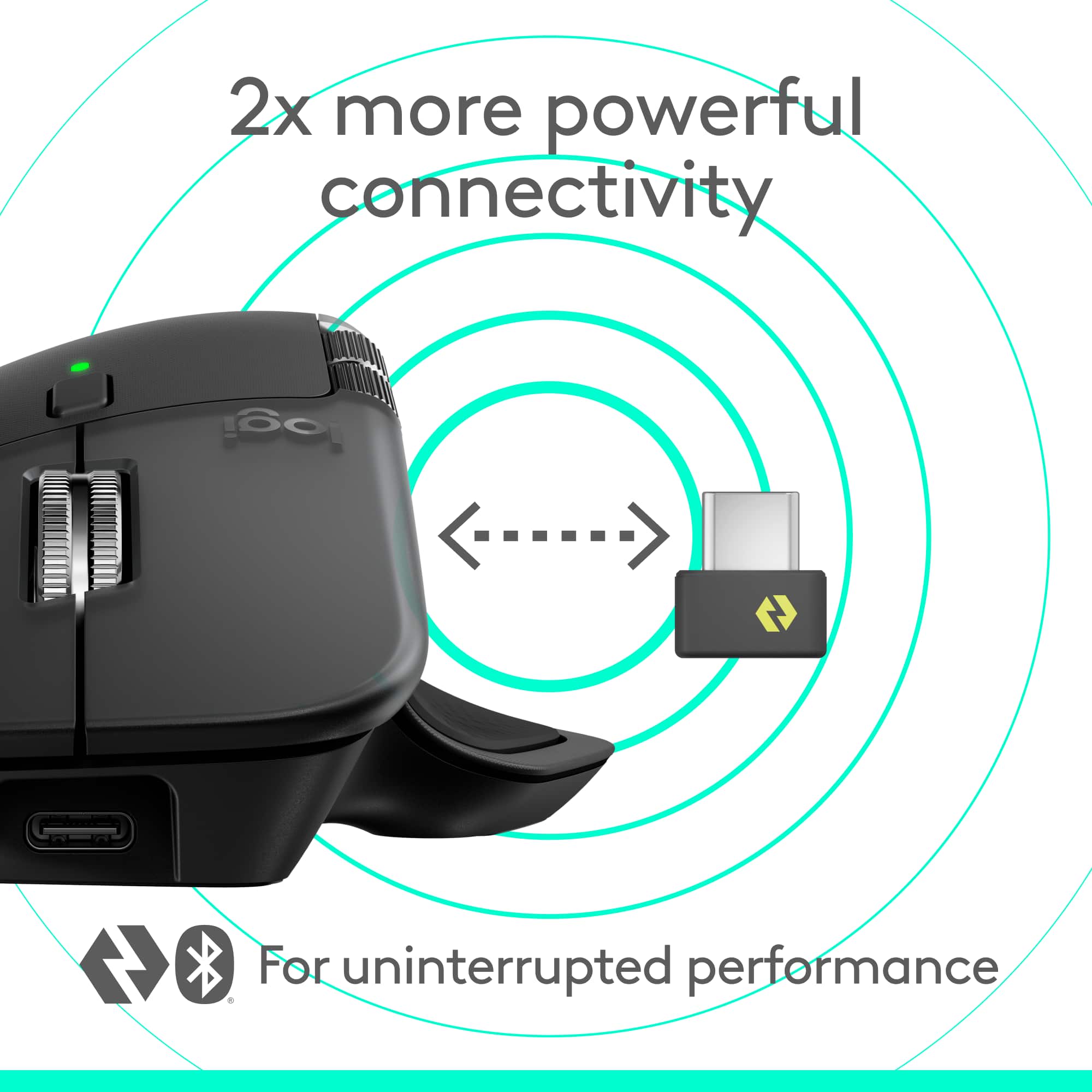
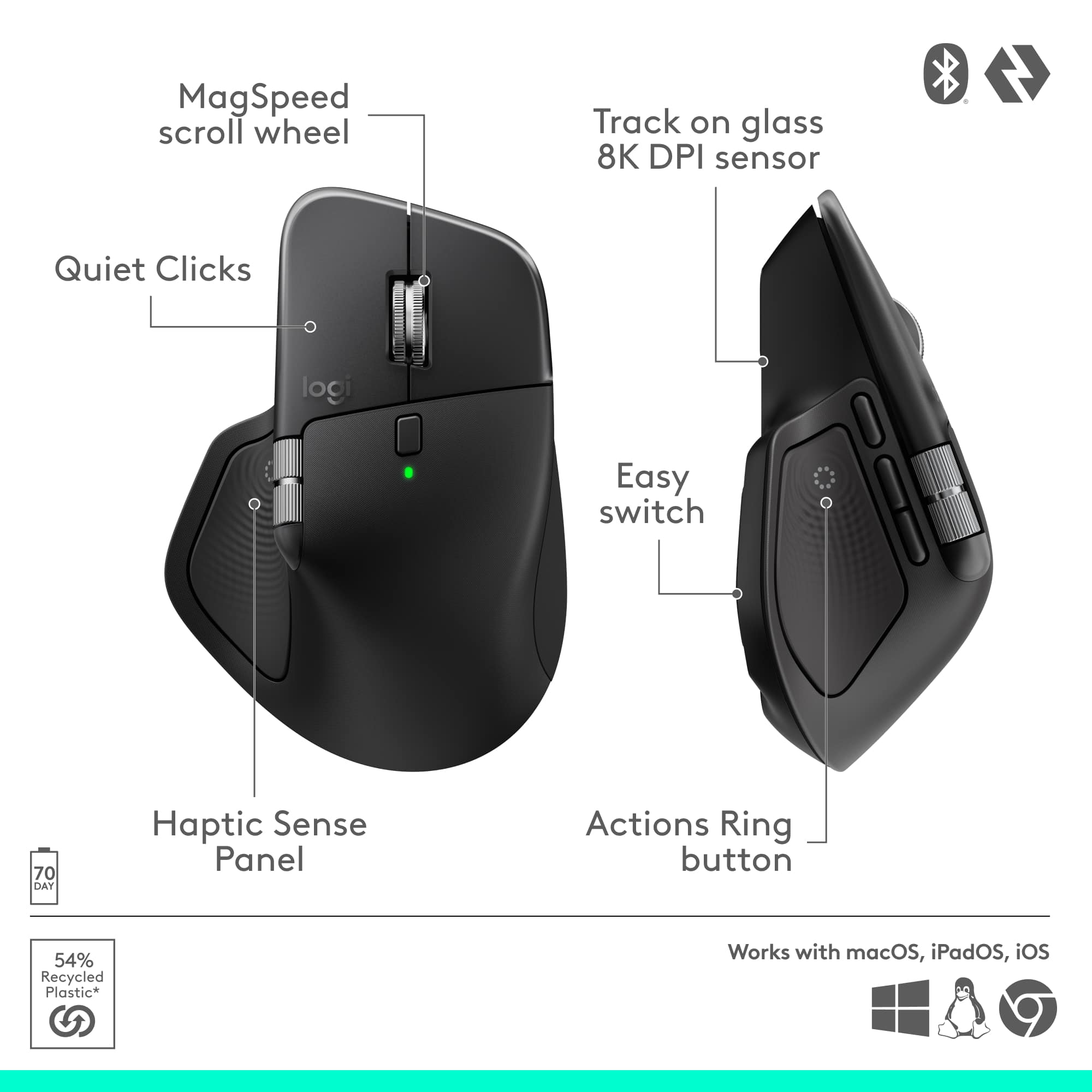
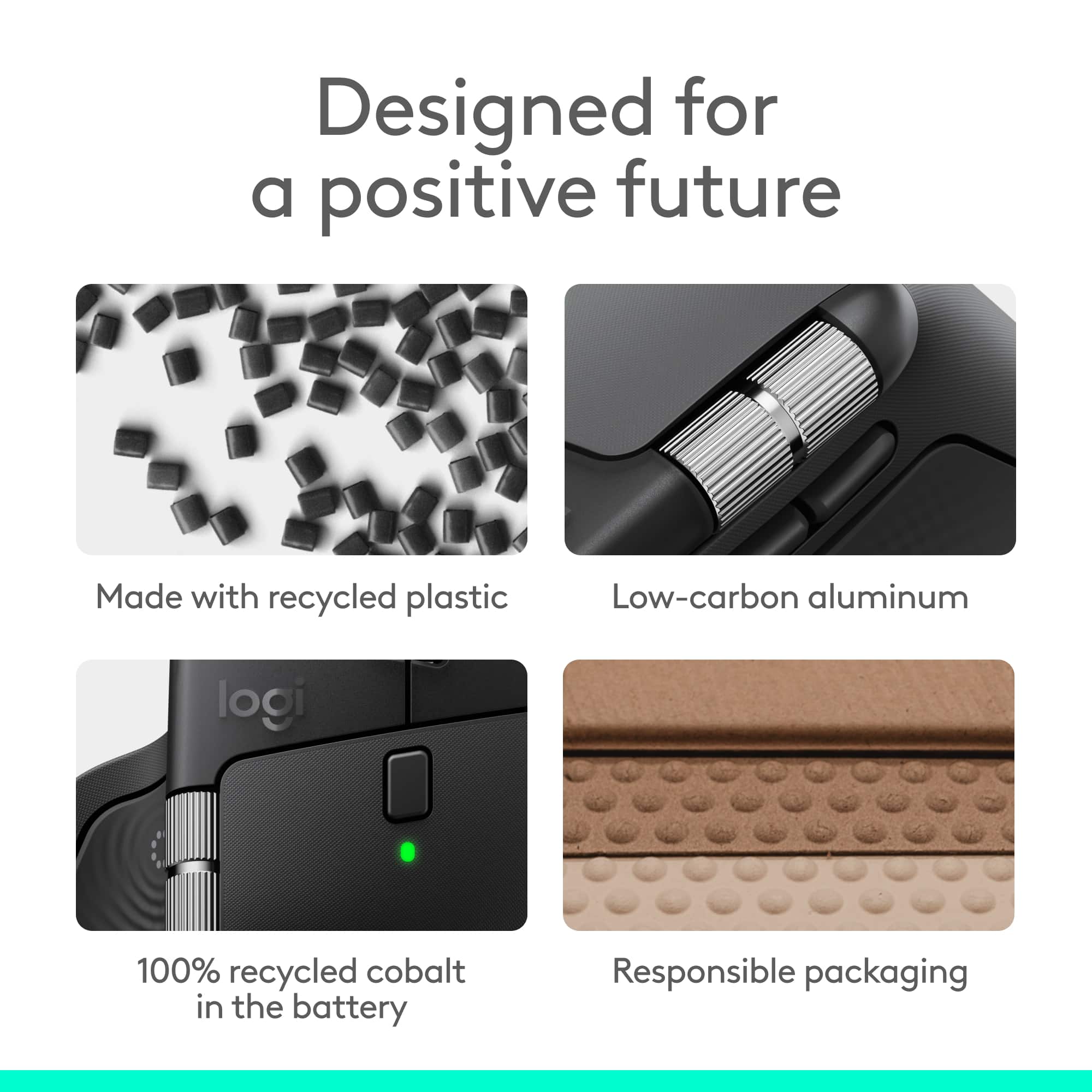
||Posted .This reviewer received promo considerations or sweepstakes entry for writing a review.Initial Inquiry & Decision: I needed a wireless mouse with superb comfort for long sessions and advanced features for work and creativity. The MX Master 4 drew my interest with its haptic feedback, customizable controls, and premium build, promising a blend of precision and workflow efficiency. Unboxing, Build Quality, & Testing: The MX Master 4 fits naturally in the hand, with an ergonomic contour, wide thumb rest, and thoughtfully placed buttons making it easy to navigate for hours. The centerpiece is the new Haptic Sense Panel—a thumb rest area that provides tactile feedback and opens the dynamic Action Ring overlay. This overlay adapts to each app, putting commonly used actions and shortcuts right at the cursor, and the vibrations can be customized through the Logi Options+ software for a more personalized experience. The dual scroll wheels shine: the MagSpeed wheel is silent, fast, and lets you scroll 1,000 lines per second or pixel-step for detail work, while the thumb wheel provides intuitive horizontal navigation. Quiet Clicks reduce distractions, delivering a soft, satisfying press—ideal for office or late-night use. Connectivity is excellent, with an upgraded USB-C dongle, advanced RF chip, and optimized antenna for robust, lag-free performance, plus seamless Bluetooth switching between multiple devices. The MX Master 4’s battery delivers up to 70+ days on a charge depending on settings—fast charging nets hours of use in just a few minutes. The mouse is built to last, with dense plastics, metal, and a battery that uses 100% recycled cobalt. Owners even get two months of Adobe Creative Cloud free with certain editions, enhancing its value for creatives. Some features, like haptic functions and gesture controls, require the Logi Options+ app—so installation is a must for full customization. Overall Impressions and Recommendation: The MX Master 4 is an outstanding productivity mouse—responsive, comfortable, and full of customizable features like haptics and the Action Ring. Its build quality, advanced scrolling, and quiet operation set a new standard for daily work and creative projects, easily justifying its place on any serious desk.
I would recommend this to a friendBrand response from Logitech
Posted .Hey! Your feedback made our day! It’s always rewarding to hear that a customer is satisfied with the effort we put into design and quality. Thank you for being part of the Logitech family and for reminding us why we’re passionate about delivering the best possible products.
- Pros mentioned:Haptic feedback
Comfortable and Feature Rich
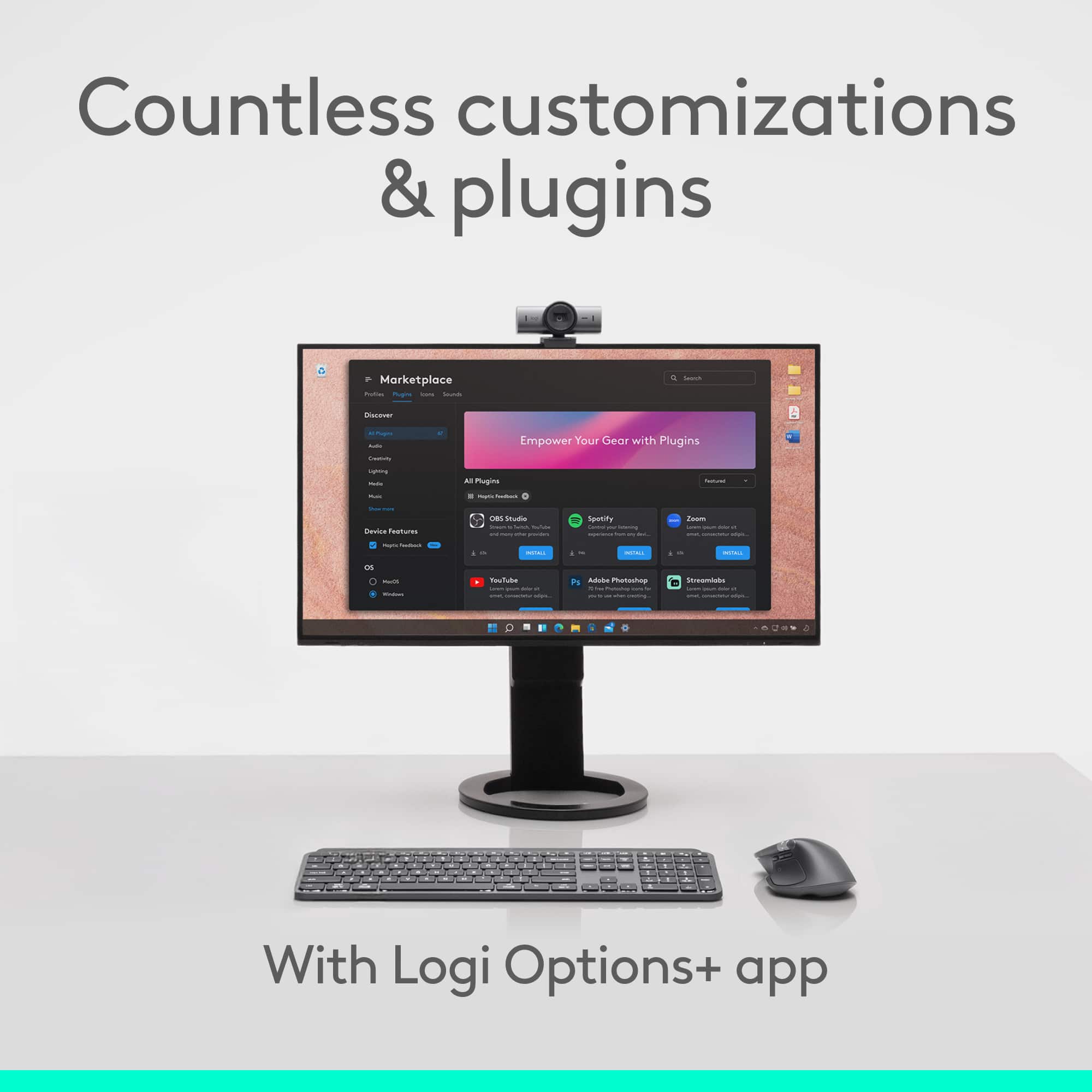
|Posted .This reviewer received promo considerations or sweepstakes entry for writing a review.The MX Master mouse has been my go-to for many years now. The MX Master 4 has continued this trend easily too. The comfort and features introduced are still unmatched. Every click feels good, and it isn't loud or obnoxious when using it. The introduction of haptics is a cool addition as well. Even if it still may be a bit early, I can already see it being useful. - Setup Setup, like with most Logitech products is pretty straightforward and easy. Out of the box, the mouse is ready to pair with your computer. And I didn't have any trouble whatsoever. And while you don't necessarily have to use the Logitech software, it's the best way to truly unlock the full potential of the mouse. - Software Speaking of the software. It is where the mouse truly starts to shine. Setting profiles for different software is very useful. Especially if you work in a creative environment. Editing videos in Premiere pro, for instance. Some may prefer to scrub side to side when using the side wheel. Other may prefer to zoom in or out of their timeline with this wheel. The software makes setting and saving a profile per app very easy. It also introduces the haptics and letting you configure their intensity and when they're used (if the app supports them). The action ring is a useful addition to your workflow, if you're unfamiliar as well. You can click the button with your thumb, pulling up a ring of customizable shortcuts. This can be very useful, and are a great introduction to the haptics as well, since the mouse will vibrate when you move over them. - Hardware The layout of the mouse itself hasn't changed too much from previous versions, if you have used one before. However, the new version's introduction of haptics is a great inclusion. I did find that the actions ring button (on the side of the mouse, where your thumb rests) is a bit more abrasive of a texture this time. It's not uncomfortable by any means, but it is a bit more tactile and grippy. The scroll wheels feel great, and the buttons are as good as ever. The mouse is very comfortable to use for extended periods of time as well. Pros: Very comfortable, easy setup, great features, haptics are an innovative new feature, great software Cons: Thumb/Action Ring button may be a bit too rough or abrasive for some.
I would recommend this to a friendBrand response from Logitech
Posted .Hey! We’re thankful for your review and the trust you’ve placed in us. It’s rewarding to know our product is working well for you.
- Pros mentioned:Haptic feedback
GREAT MOUSE, VERY VERSATILE
|Posted .This reviewer received promo considerations or sweepstakes entry for writing a review.Amazing mouse, I have had the opportunity to use various mice from different makers- gaming, office, creator centered devices and this is by far has the best response and feel. INSTALLATION The initial installation was slightly difficult due to the logi software being outdated, it would not let me update and install. I had to remove the software and install the updated software from scratch to be able to customize the buttons and use all the available features. Once this was done the rest was easy. ERGONOMIC FEEL The build and feel is very comfortable in your hand and the new haptic feedback has a new and unique feel. The vibration does somehow register with my brain faster when receiving alerts or making changes. The matte nonslip feel should be standard on all devices. BUTTONS The button customization still seems pretty standard across the board with their line of MX devices. There are a few new buttons that can be customized specifically foy personal taste depending on the software being used. The scrolling wheel is still by far the smoothest feature, spins effortlessly and somehow slows down smoothly as it loses momentum. The file transfer is something i use sparingly with the mouse as the transfer times are still a bit slow for me, I usually download on a usb and just transfer it over. The feature that has been useful for me is the action ring, it displays a quick access ring with shortcuts for useful apps. It does take some getting used to but once you get the hang of it, its pretty cool feature. The ACTION shortcuts are nice as well, but more involved in creating. You can create a multifunction shortcut that will run various commands/actions in order to start an activity. I have used it a few times but I still need to tweak my settings to get it to work perfectly but I can see a lot of promise.
I would recommend this to a friendBrand response from Logitech
Posted .Thank you for sharing your detailed feedback on the MX Master 4! We appreciate you taking the time to share your thoughts on the installation process, ergonomic feel, buttons, and file transfer, including both the positive aspects and areas for improvement.
- Pros mentioned:Button functionality, Ergonomics, Haptic feedback
Best office mouse!
||Posted . Owned for 1 month when reviewed.This reviewer received promo considerations or sweepstakes entry for writing a review.Love this mouse. This is an upgrade from my previous MX Master 3. Same ergonomics and feel as previous versions. but with some nice added functions. Vibration feedback! programable buttons for different functions. AI integrations!
I would recommend this to a friendBrand response from Logitech
Posted .Thank you for your kind words and for letting us know how our product is working for you. We’re thrilled that it’s meeting your needs and making a positive impact. Your feedback is incredibly valuable to us, and we’re grateful you chose Logitech.
- Pros mentioned:Battery life, Button functionality
A really good mess overall for everyday use
||Posted . Owned for 3 weeks when reviewed.This reviewer received promo considerations or sweepstakes entry for writing a review.This mouse is really good but it does have some bugs to work out. For gaming. It's not my first choice, but if you know how to change some of the settings, you can quickly make it. The mouse that you always wanted. The side scroll is really nice and the buttons are conveniently placed. If you just need a good mouse for the office, the battery life is exceptional and the silent clicking is something you'll realize that you always wanted but didn't realize it until you have it.
I would recommend this to a friendBrand response from Logitech
Posted .We truly appreciate you sharing your thoughts. It’s fantastic to hear the product is delivering as expected. Your feedback helps us grow and refine what we do. Thanks for choosing Logitech!
- Pros mentioned:Button functionalityCons mentioned:Weight
Review, from a long time MX3S video editor.
||Posted . Owned for 3 weeks when reviewed.This reviewer received promo considerations or sweepstakes entry for writing a review.As a long time MX3S user, I have found that it is the best editing mouse on the market, it truly is amazing. So I was really looking forward to the MX4. Although it looks very similar to MX3s there some differences. 1) Its bigger then MX3S and doesn't fit the hand the same. 2) The rubber parts can be a little slippery and now being heavier than MX3 it does not give you the same control 3) The Haptic feedback is a not supported on enough program's let. 4) The action ring is great, but it's also available on MXS3 5) The additional button is great 6) The overall build is better 7) The thumb wheel is higher bigger works great. 8) The thumb button is great, the way it should have always been. 9) There are exposed screws on bottom for perhaps battery replacement. 10) The Option + software is what brings this mouse to a new level of productivity. Bottom line if you have the MX3S I would stay with it. If this is going to be your first MX mouse go for the MX4
I would recommend this to a friendBrand response from Logitech
Posted .Thank you for taking the time to share such a detailed review! Your long-term experience with the MX3S and thoughtful comparison to the MX4 provides valuable insights, and we truly appreciate your perspective on its features and usability.
A perfect mouse. Haptic Feedback is next level!
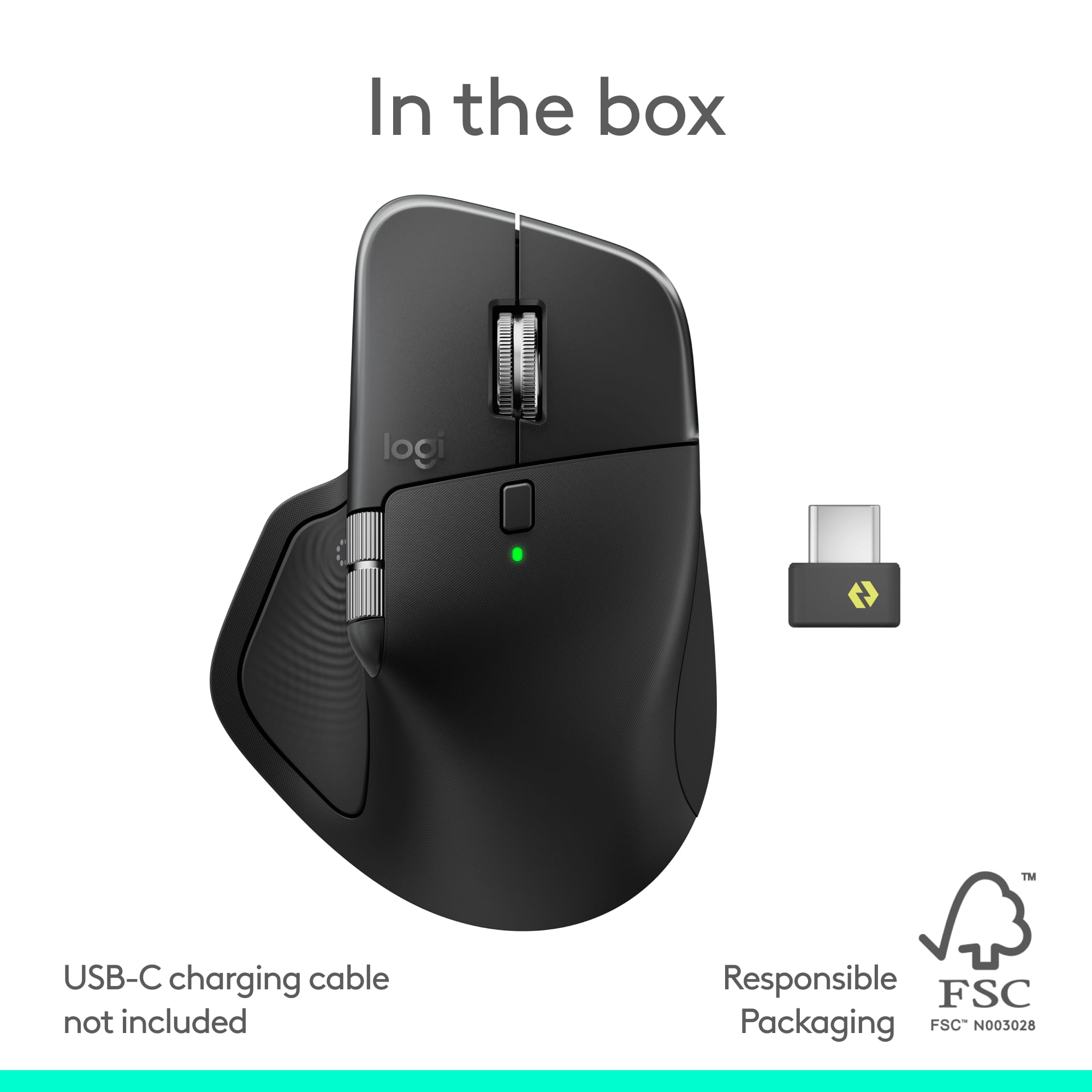
|Posted .This reviewer received promo considerations or sweepstakes entry for writing a review.I’ve been a fan of Logitech’s MX Master series since the second generation. I’ve used the MX Master 3 for a few years now, and it’s been my go-to mouse for just about everything, editing photos and videos, working in Adobe apps, browsing the web, and even a little gaming. When the MX Master 4 came out, I knew it was a good time to treat myself to an upgrade! I was excited to see what Logitech could possibly improve on something that was already near perfect for me, although there are always improvements to be made. And after using it, I can confidently say that the MX Master 4 is everything I hoped it would be and more. The Logitech MX Master 4 Adobe Edition arrived in a box that protects it perfectly. The packaging is cardboard and I think it’s completely recyclable, which I appreciate. It’s very minimal, just the mouse, the Logi Bolt dongle, and a few papers. Inside you’ll find a small card that doesn’t really tell you much, plus the usual safety, compliance, and warranty information. There’s no quick-start guide or setup booklet, but honestly, it doesn’t need one because on the underside of the mouse is a simple sticker showing three steps with two ways to connect, either through Bluetooth or the included Logi Bolt adapter. I connected mine through Bluetooth right away and it was super easy. Just hold the pairing button, open your computer’s Bluetooth menu, and select the mouse. It connected instantly and registering it with Logitech was just as easy, which I always like to do with my new tech. One thing I noticed right away, there’s no onboard storage for the dongle. For a premium mouse like this, that feels like something Logitech should have included. I use Bluetooth 99% of the time, so I’d still like a place to tuck the dongle away instead of keeping it in the box or plugged into a port just so I don’t lose it or have to keep yet another box. Once the mouse was connected, within moments of using it, I immediately loved how it felt. It glides effortlessly and is incredibly smooth and precise. The haptic feedback adds a unique feel that actually helps you stay connected to what you’re doing. You get subtle vibrations when you use certain shortcuts or switch through the Action Ring, it’s not gimmicky at all, it’s satisfying. Another layer to the engagement of your content, a way to make it more immersive as you create.. I love it. The scroll wheel is also amazing. You can flick it to free spin through long documents, or use the tactile mode for fine control. The thumb wheel on the side makes horizontal scrolling and timeline scrubbing in Adobe apps feel natural and fast. The overall design and ergonomics are just perfect for me. I have larger hands, and this mouse fits like it was molded for them. It’s one of those mice that feels so natural you don’t even want to set it down. I lift my hand from the desk and I want to carry the mouse with me. LOL It becomes part of your hand, comfortable, balanced, and smooth. The materials feel high quality too. The switch from soft-touch rubber to textured plastic makes it easier to keep clean and less likely to get that sticky buildup the older models sometimes had. Performance-wise, it’s flawless. I’ve used it for creative work in Adobe, some light online gaming, and everyday productivity, and it performs beautifully across all of it. The battery life is superb, and the quick-charge feature is a nice touch.. and works really well. The haptic panel feels subtle but adds a level of tactile precision that’s hard to describe until you experience it, and I really think you’ll be happy you did. It gives little confirmations that make navigating between windows, editing, or designing just feel better. The best I can compare it to is gaming controllers before haptic feedback, and then after. Once you go haptic, you won’t go back. Overall, I think this is one of the nicest mice I’ve ever used. Logitech keeps improving on something that already seemed perfect to me, it almost feels like a palm rest, rather than a tool.. But that’s exactly what it is and I’ll keep buying this line, the MX Master 5, 6, 7, 8, whatever comes next, because this series continues to be one of the best tools ever designed.
I would recommend this to a friendBrand response from Logitech
Posted .We truly appreciate you sharing your detailed experience with the MX Master 4! Your feedback, especially regarding the ease of setup and your enthusiasm for the improvements, is incredibly valuable to us as we continue to refine our products. Thank you for being a loyal Logitech customer.
- Pros mentioned:Button functionality, Haptic feedback
Good But Grip Was Too Slippery For Me
||Posted .This reviewer received promo considerations or sweepstakes entry for writing a review.I used the mouse for about a week and ended up returning it as the mouse texture was too slippery (ironic I know given the complaints of the 3/3S) and the moving resistance was noticeably higher versus my MX 3 and MX 3S (which I purchased to replace the 4). The features of the mouse are great; haptic feedback was interesting and the additional buttons were very useful. Again, the main issue for me was the mouse texture was too slippery and caused me to constantly have to re-grip it and this coupled with the higher moving resistance caused me wrist discomfort after a day of using which never happened with my MX 3 or 3S.
No, I would not recommend this to a friendBrand response from Logitech
Posted .Thank you for sharing your detailed feedback, especially highlighting the grip texture and moving resistance issues with the MX Master 4. Your insights are valuable as we work to improve our products.
- Pros mentioned:Button functionality
As a middle school teacher, I love this mouse.
||Posted . Owned for 3 weeks when reviewed.This reviewer received promo considerations or sweepstakes entry for writing a review.I received this mouse as a Christmas gift. I previously owned the Mx Master 3 and it was a very nice mouse with nice features. I was sort of debating upgrading to this mouse, but after I got it, I was very pleased with my purchase. This mouse feels so smooth to use. As a current middle school teacher, it is nice to have a mouse that is built for productivity. Sometimes when I would use the previous Mx Master 3, I would notice how loud the clicks were, which would bother me especially when I would have my students working quietly on an assignment. With the Mx Master 4, every time I click, it is pretty much silent, and I love that. The extra buttons for things like smooth scrolling, the horizontal scroll wheel, and the extra side buttons are very useful to me on the daily. I definitely do not regret buying this, and the Best Buy workers were very helpful in buying this product.
I would recommend this to a friendBrand response from Logitech
Posted .We’re really grateful for your thoughtful review. It’s wonderful to know that our product is delivering the performance and ease of use you were hoping for. Hearing from satisfied users like you keeps us motivated. Thanks for choosing Logitech!
An office pro
|Posted .This reviewer received promo considerations or sweepstakes entry for writing a review.The MX Master 4 is clearly designed for heavy office use. As someone who’s always used gaming mice in office environments, and always bought them for my staff, I’ve learned a couple of things. First, gaming mice can work in the office, but they’re not necessarily the best tools for the job. Second, I now understand why my staff keeps griping about the gaming mice I’ve been buying them. The first thing I noticed when I pulled this mouse out of the box was the sheer weight. It’s easily the heaviest mouse I’ve ever used and feels almost like it’s filled with lead. That’s been my biggest adjustment so far. I’m used to feather-light mice that zip effortlessly across the mousepad, but this one doesn’t. It’s not a bad thing, just different. At first, I couldn’t figure out what the side wheel was for. Then, almost by accident, I discovered it works as a horizontal scroll wheel, and that’s been life-changing. I spend half my day in Excel spreadsheets, and I’ve never once thought about having horizontal scroll. This alone makes me love the mouse. The haptic feedback is also fascinating and a bit addictive. There’s an invisible button on the thumb rest where the feedback triggers, and it’s perfectly placed. It activates when you open the shortcut menu, giving a subtle, satisfying tactile response. The vertical scroll wheel is another standout. When you spin it slowly, it offers resistance, but give it a quick flick and it releases into a smooth, free spin that feels incredibly satisfying. I catch myself spinning it just because it feels good. Comfort-wise, this mouse is top-tier. It’s shaped beautifully for long hours, and it doesn’t seem to get grimy over time, which was apparently a big complaint with the previous version. One odd thing I noticed though, is that there’s no built-in storage for the dongle. You can plug it directly into the mouse’s USB-C port, but it’s awkward to insert and remove because of how small the dongle is. It feels like something I’ll lose eventually. Another concern is the polling rate, which is only 125 Hz, which is pretty low compared to modern standards. I’m not sure why Logitech didn’t bump it to at least 1,000 Hz. The low polling rate is very noticeable in gaming, and even occasionally noticeable on a 4K monitor during video editing. Overall, the MX Master 4 is an excellent office mouse. The horizontal scroll wheel alone is worth the price of admission, and the haptic feedback feels fantastic. Logitech has packed a lot of satisfying sensory touches into this design. It’s smooth, responsive, and genuinely enjoyable to use. The few downsides are the low polling rate, lack of dongle storage, and the hefty weight that still takes some getting used to.
I would recommend this to a friendBrand response from Logitech
Posted .Thank you for sharing your detailed feedback on the Logitech MX Master 4! We appreciate you taking the time to provide such insightful thoughts on its performance in an office setting.
- Pros mentioned:Button functionality, Ergonomics, Haptic feedback
Great edition to the line up
||Posted . Owned for 3 weeks when reviewed.This reviewer received promo considerations or sweepstakes entry for writing a review.Had the 3 before this totally worth the upgrade. The extra button comes in handy and the haptics are a nice touch. Customizability is also improved.
I would recommend this to a friendBrand response from Logitech
Posted .We appreciate your thoughtful review. It’s great to know our product is meeting your needs. Thanks for being a valued customer.
- Pros mentioned:Button functionality, Ergonomics
Worth every penny
||Posted .This reviewer received promo considerations or sweepstakes entry for writing a review.The added improvements from previous generations aren't leaps and bounds, but are absolutely great. I have a love hate relationship with the action ring button placement, where as it's an absolutely ergonomic position and super easy to press, it always feels "slippery" for lack of a better word to describe it. Not sure if it's cuse it's smooth and not textured like the rest of the area or what, but it's just "off". As for the gestures button movement... that's a night and day difference better placement.
I would recommend this to a friendBrand response from Logitech
Posted .It’s always a pleasure to hear from satisfied users. Thanks for sharing your experience—it helps us keep doing what we love. Thank you so much for choosing Logitech!
- Pros mentioned:Button functionality, Ergonomics
Best Mouse
||Posted .This reviewer received promo considerations or sweepstakes entry for writing a review.The Logitech MX Master 4 feels incredibly well designed with excellent ergonomics, precise tracking, and smooth scrolling that makes long work sessions comfortable. The customizable buttons and smart wheel are perfect for productivity, and switching between devices is seamless.
I would recommend this to a friendBrand response from Logitech
Posted .Your feedback means a lot to us, and we’re so glad to hear you’re enjoying your Logitech device. We work hard to create products that make life easier and more enjoyable, and it’s great to know we hit the mark. Thanks again for your support!
- Pros mentioned:Button functionality, Haptic feedback
Game changing, must have mouse
||Posted .This reviewer received promo considerations or sweepstakes entry for writing a review.This sounds insane, but this mouse is a GAME CHANGER. The haptic action button lets you change between 6-8 apps seamlessly in seconds. It makes everything you do faster. It’s so good that I bought 2 - one for work and one for home. The haptic feedback makes it even more awesome.
I would recommend this to a friendBrand response from Logitech
Posted .Your feedback means a lot to us, and we’re so glad to hear you’re enjoying your Logitech device. We work hard to create products that make life easier and more enjoyable, and it’s great to know we hit the mark. Thanks again for your support!
- Pros mentioned:Battery life

Greatest Office Mouse!
|Posted .This reviewer received promo considerations or sweepstakes entry for writing a review.I really love the Mx Master 4 mouse and how it can easily switch between devices. The charge lasts for several months with normal use. I’m impressed by the customization you can get that go with different apps like adobe photoshop and illustrator. I also really like the side scroll wheel as it helps me immensely when I’m zoomed in and working on a design.
I would recommend this to a friendBrand response from Logitech
Posted .Thank you for sharing your positive experience with the MX Master 4! We're thrilled to hear how much you're enjoying its features, especially the device switching, long battery life, customization options, and the helpful side scroll wheel.
- Pros mentioned:Battery lifeCons mentioned:Weight
Excellent Mouse for Work
||Posted .This reviewer received promo considerations or sweepstakes entry for writing a review.Excellent … the feedback on the buttons is pretty fire … smooth workflow , and custom button assignments for me .. excellent .. I use the haptic button as an Enter button … excellent mouse , excellent battery … excellent aesthetic. If we can make it lighter .. that would be awesome :)
I would recommend this to a friendBrand response from Logitech
Posted .We’re thrilled to know you’re satisfied with your Logitech product. Your input helps us shape better experiences for everyone. Thanks for your continued support!
- Pros mentioned:Battery life, Ergonomics
Productivity at Its Best
||Posted . Owned for 2 months when reviewed.This reviewer received promo considerations or sweepstakes entry for writing a review.The MX Master 4 delivers exceptional comfort, and customizable controls that elevate everyday productivity. The best things about are: Build quality, battery life, and its multi-device support.
I would recommend this to a friendBrand response from Logitech
Posted .We’re grateful for your kind words. It’s wonderful to know our product is helping you out. Thanks for choosing Logitech!