Customer Ratings & Reviews
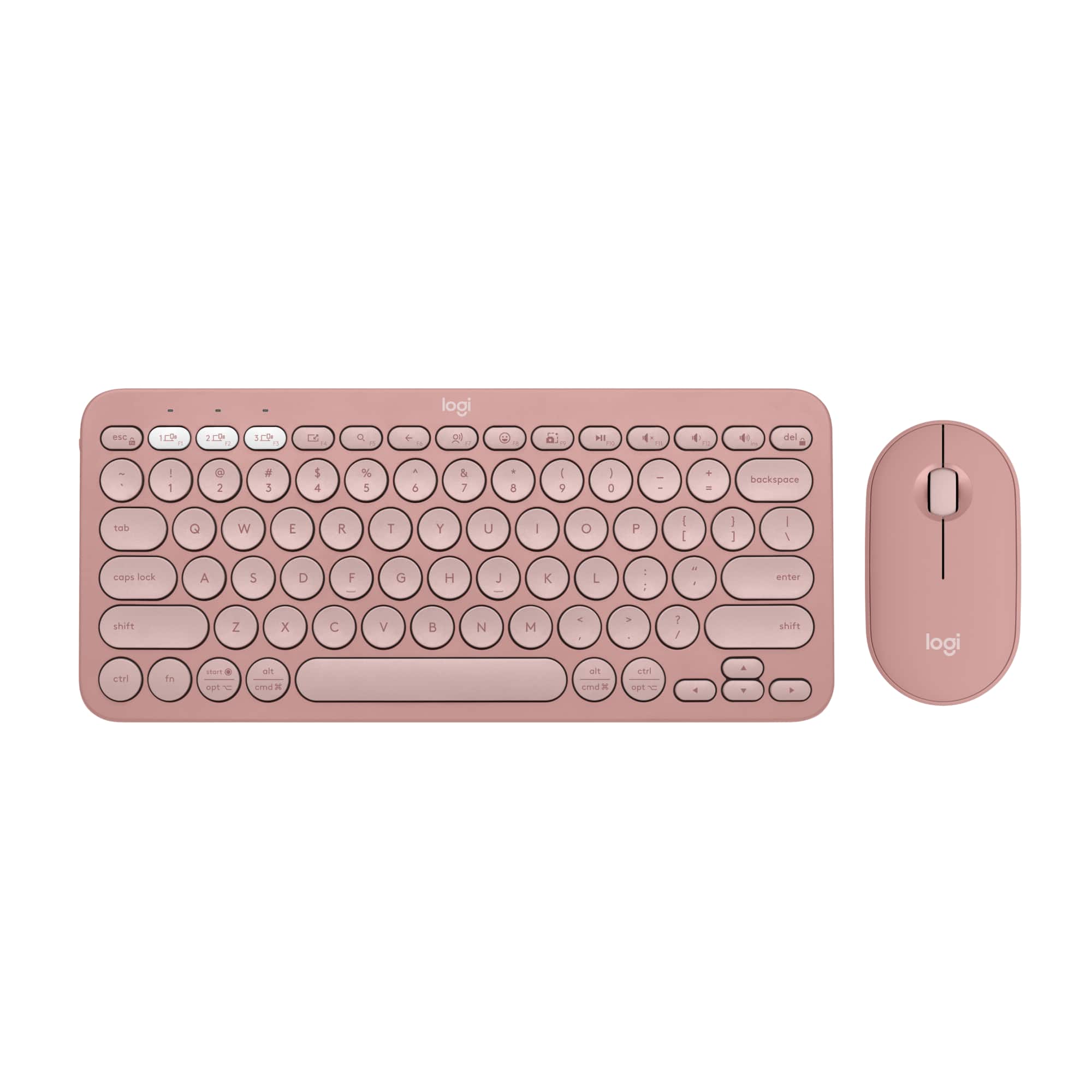


![A customizable pair with customizable keys & button with Logi options+ app [2].](https://pisces.bbystatic.com/image2/BestBuy_US/images/products/6f3b629c-ab31-4d08-9b94-191ff77139bb.png)
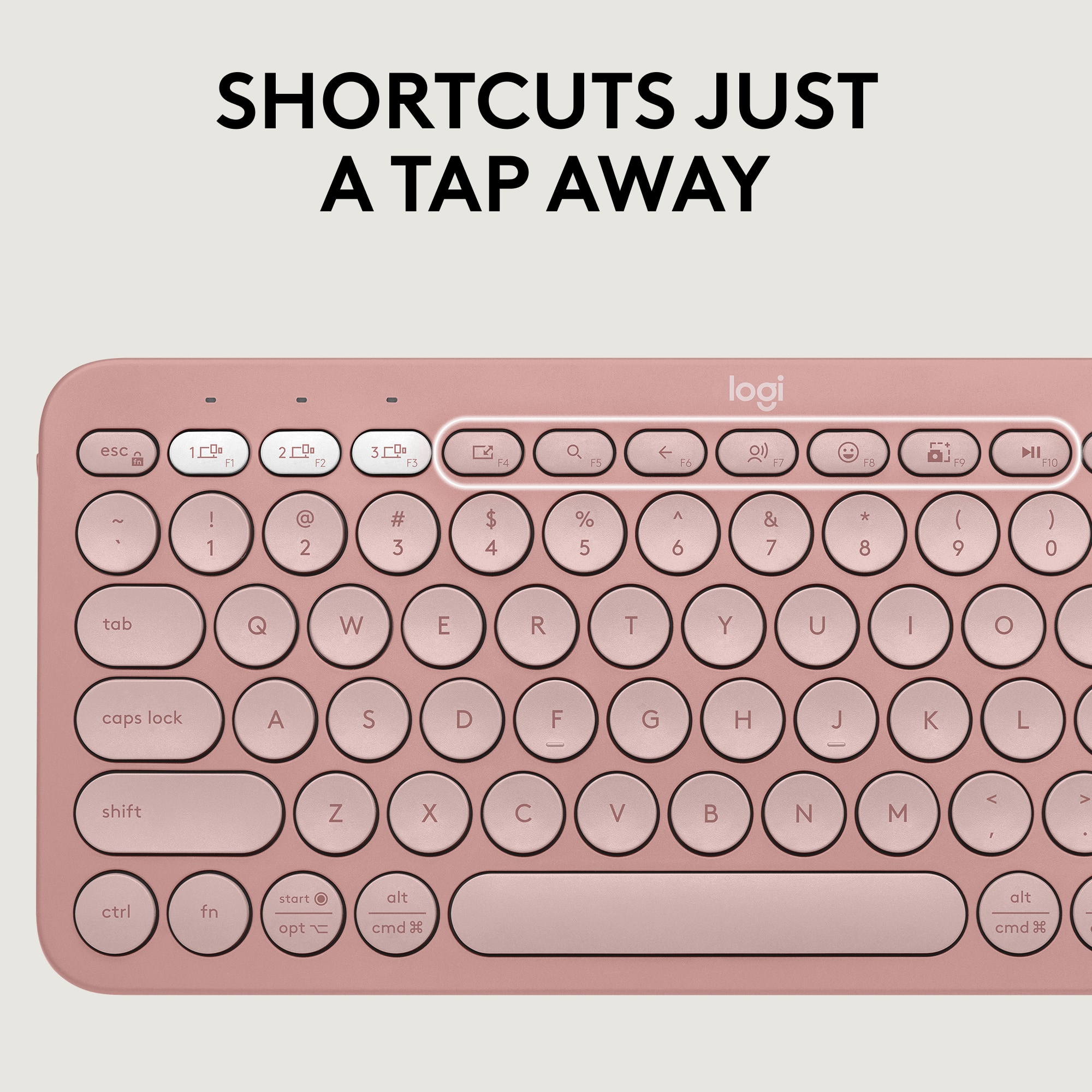
![Silent clicks [3] and quiet scrolling [58% Recycled Plastic] Customizable middle button with Logi Options+ App [2] Connect up to 3 devices Pebble Mouse 2 M350s logi Slim, ambidextrous design Works with macOS, iPadOS and Chromebook [24]](https://pisces.bbystatic.com/image2/BestBuy_US/images/products/a15bf8ad-3f0d-429e-a639-aba31ea52af1.jpg)



- Model:
- 920-012199
- SKU:
- 11230925
Rating by feature
- Value
Rating 4.6 out of 5 stars
- Quality
Rating 4.7 out of 5 stars
- Ease of Use
Rating 4.7 out of 5 stars

Perfect for my living room
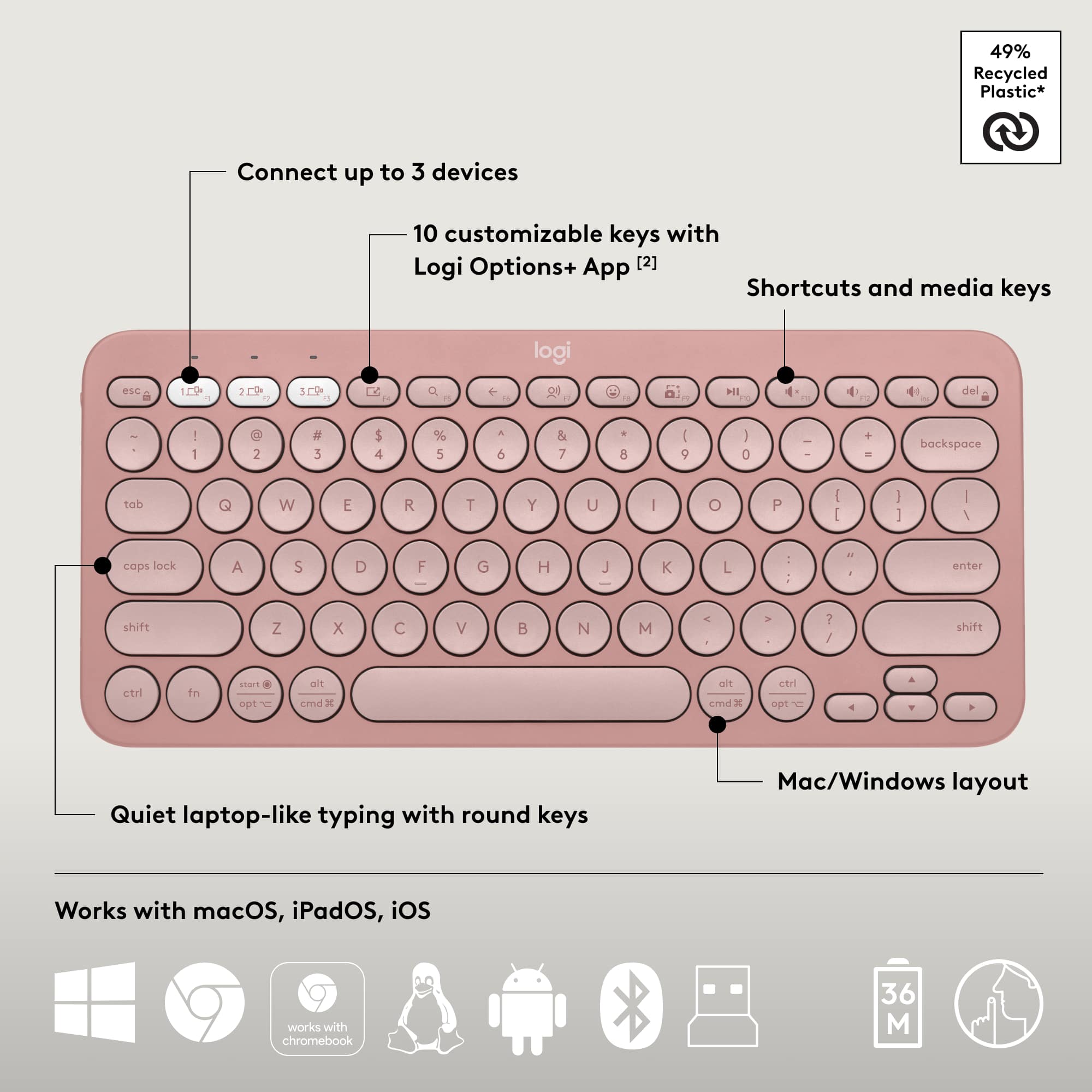
|Posted .This reviewer received promo considerations or sweepstakes entry for writing a review.I was excited to get this keyboard/mouse set to use in my living room because it can connect to three items, I can use it for my television (who likes using tv controller to type in streaming passwords ?). Also handy with my tsblet which sits next to my recliner. Just a flip of the selector and you are on a new machine. I also have a desktop wired to the television, so now I am set. The size and weight of the set is small and featherlight. But typing on Logitech keyboard is always smooth, with no jitters and double letters. I really e joy using it with my tablet because I can ga e the keyboard in my lap and the tablet on the table. This feels more natural to me than using a case keyboard while in a recliner. Blue tooth connections were a snap and li can see other uses for the set, such as throwing in the backpack with a laptop when giving a presentation at a conference or at a work training. Being untethered from the lsptop (which is usually cabled to the projector) allows me to stand to the side and not block participants view. This set is perfect for folks who are connected to lots of devices even phones! It’s easy to take a device off and add another. Get this set and you won’t regret it!
I would recommend this to a friendLove the MX series
|Posted .This reviewer received promo considerations or sweepstakes entry for writing a review.I’ve been on board with the MX series for a while now. This is replacing a Master 3. Love the MagSpeed scroll wheel. Handling the 4 takes some getting used to from a grip and lift standpoint. The M3 seems to have a bit more curvature than the M4. Curvature, or the buttons below the horizontal scroll protrude more. Either way, picking up the M3 with a light grip is easier than the M4. Function wise, it all feels the same as what I’m use to. Precise movements and decent ergonomics. Though I wish they’d move the MagSpeed to the vertical mice, for the best ergonomics and features. The price point might be high for some. The action ring is a nice option, but I can’t get the screen shot option to work correctly with it, so for me, I just have the thumb pad button routed for a keyboard shortcut. I’m missing out on the feel power of the action ring, but how I have it set up is most practical for me. It’ll take a little more experimenting to figure out and evaluate how to route each button for my other workflows.
I would recommend this to a friendBrand response from Logitech
Posted .Thank you for sharing your detailed feedback on the MX Master 4! We appreciate you taking the time to compare it to the previous model and highlight both the positive aspects and areas for improvement.

small, light, quiet, easy to set up
|Posted .This reviewer received promo considerations or sweepstakes entry for writing a review.The combo shipped well packaged and "batteries on board". The usb / bluetooth dongle plugged right into the tablet and after pulling the battery tabs it was ready to go. The mouse is light and both the shape and the size are good. The keyboard design and layout is very portable and it easily fit into the pocket of my backpack. Switching between devices was seamless as well with dedicated keys on the keyboard - this was a very nice feature. The keyboard layout is meant to conserve space and people with somewhat larger hands my need to get used to this. I have large hands and found that It was a bit of an adjustment and I found the backspace key pretty quickly. The low profile keys are quiet - if you are used to a mechanical keyboard this may bother you or seem an improvement. I do find myself missing the 'home' and 'end' keys though - maybe there is a hot key combo to do that but I have not found it yet. For a quick and easy option when travelling or working at a restaurant, this is a very handy combination. I am very happy with this.
I would recommend this to a friendlight, small and great!
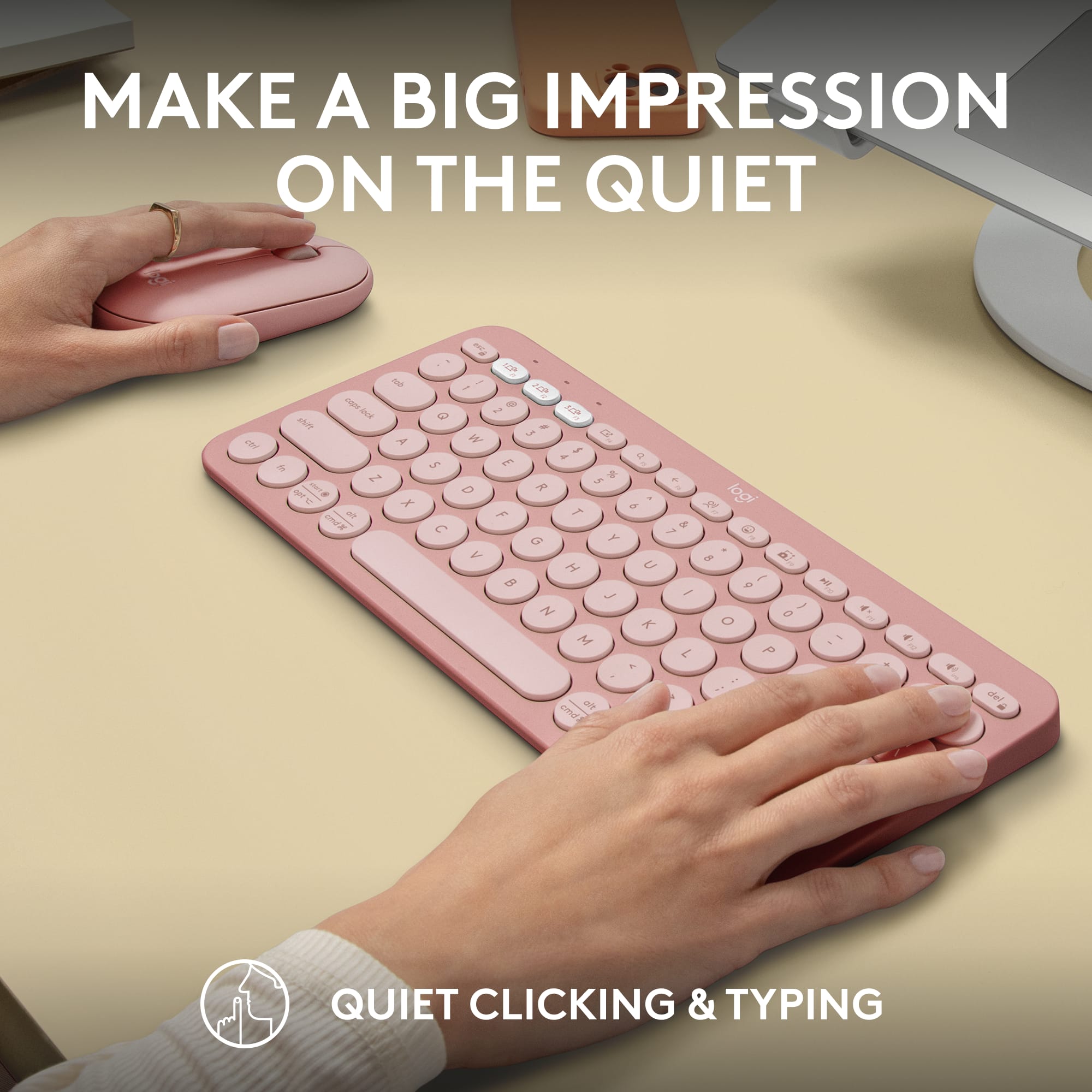
|Posted .This reviewer received promo considerations or sweepstakes entry for writing a review.The Logitech Pebble 2 combo came with both the keyboard and mouse. We attached it to my husbands work computer and his personal one. The Key points: the keyboard and mouse are both super light, making it easy to take with you on a trip, or move around the room. Both devices can switch between 3 different devices with the press of a button. it hooks up with either Bluetooth or the USB receiver. Bluetooth was super easy to set up and took just seconds to complete! it typing sounds are very quiet and you definitely do not hear clicking of keys or the clicking of the mouse like you do in other systems. the battery is suppose to last 3 years, I am excited to try this out. we all know the pain of the mouse jumping around on our screen screaming at you to change the battery! The only downfall is that it is compact and small, so it is missing the key pad to the right side. this is OK for my husband since he can key numbers quickly from above. But this would be a turn off for me considering how much I use the Keypad in my day to day career.
I would recommend this to a friendProductivity Booster
|Posted .This reviewer received promo considerations or sweepstakes entry for writing a review.The MX Master 4 is the latest flagship mouse in Logitech’s lineup. The highlight new feature for this mouse is its ability to provide haptic feedback. While haptics don’t necessarily increase productivity, they do enhance feedback and give you confidence that the action you’re trying to do is successful, for example, snapping to smart guides in Photoshop. PROs • The center wheel allows precise scrolling when rotated slowly or at normal pace. But if you flick it quickly, it rotates freely for rapid scrolling. There is also a center button that by default activates rapid scroll, but there’s really no reason to use it when the flicking motion works just fine. Fortunately, that button can be configured for another function. For example, I have set the button to close browser tabs when in Chrome or Safari. • Charge port on the front means that it can continue being used while charging. If in a rush, one minute of charging is supposed to provide about 3 hours use. Fully charging, however, should last 70 days. • The haptic button can be pressed to bring up the Actions Ring by default. The Actions Ring is a menu wheel of selectable functions for general use or based on the app you’re in. You can even create a folder to nest additional functions. If you’re doing anything that requires a lot of mouse interaction like photo/video editing, the Actions Ring has the potential to boost productivity immensely. • Premium feel and mouse click sound. • The function of just about every button can be customized to truly let you get the most out the mouse. CONs • Note that the front port is only for charging, not for wired operation. That means it still needs to be connected via Bluetooth or via Logitech’s Bolt receiver, which inexplicably is not included in the Mac edition of the mouse despite being the same price as the non-Mac edition that does include the receiver. • The Logi Plugins Marketplace is confusing. There are plugins and there are profiles, and at a glance, it’s hard to tell what the difference is and what you should be using when. • Despite all the flexibility in configuring the buttons and wheels per application, there is no way to configure them per website. I spend most of my working day in Gmail. It would be nice if I could further configure the settings with shortcuts for deleting, archiving, replying etc. while in Gmail. But the settings only apply to the browser, not the website. OTHER • Logitech has really gone all-in on their Logi Options+ software. Firstly, it serves as a hub for configuring many Logitech devices including mice, cameras, and keyboards. Many of the buttons on these devices can be repurposed for different settings. But secondly, the Logi Options+ also allows customization by app, both by your own settings and by downloading app specific plug-ins in the Logi marketplace. • The long term usefulness of haptics is TBD. It requires software apps to incorporate it in meaningful ways. At launch, Photoshop, Lightroom and Zoom have incorporated haptics. The Logi marketplace will have additional plugins over time. I would not purchase this mouse based solely on the haptics feature, but it does give you an additional button to configure as you’d like. • The thumb wheel—unlike the scroll wheel—is always free rotating. You can adjust the sensitivity so, for example, horizontal scroll speed is faster or slower. But it’s also a natural wheel to use for switching browser tabs or Excel workbook sheets, and having some “clickability” like the scroll wheel would be useful. • One other functionality I wish the mouse had was the ability to use the scroll wheel to scroll application window menu items. This would be a killer feature and really improve productivity. I’m coming from using an Apple trackpad, so comparisons to the prior version of the mouse don’t mean much to me. I’ve been using a third party utility to customize my trackpad. Since that utility also customizes other peripherals and apps, I won’t be giving it up. But the MX4 and Logi Options+ will be my go to to configure anything mouse related. Overall I give this 4.5 stars, rounded down for not including a Bolt receiver in the Mac edition.
I would recommend this to a friendBrand response from Logitech
Posted .Thank you so much for your detailed feedback on Logitech - MX Master 4 for Mac! We’re thrilled to know it’s meeting your expectations. We truly appreciate you taking the time to share your experience! Your support means a lot to us.
Still the Productivity Mouse to Beat
|Posted .This reviewer received promo considerations or sweepstakes entry for writing a review.There isn't a terrible amount to be said about the new MX Master 4 that probably hasn't already been said. For a productivity mouse, Logitech has built hands down the best mouse for the job. The biggest change from the MX Master 3 for me was the haptic feedback. The positive feedback when clicking is satisfying and reminds me of Apple's trackpads. The mouse is incredibly well built, ergonomic, and a great alternative to the trackpad. The Options+ software allows you to pretty much customize everything about the mouse from what the button actions will be to the feedback amount. The mouse also has the option to be paired to up to three devices which is great for those with more than on Mac or maybe an iPad Pro in the mix. Battery life is still incredible and despite using the mouse for three weeks it is still rocking the initial charge. The mouse is precise and seems to work on all surfaces I have tried including a glass mousepad. I don't really recommend the mouse for any kind of competitive gaming, but it would work in a pinch. It feels fast and responsive, but compared to a true gaming mouse you can feel the difference. Overall, the mouse is my daily workhorse and has gotten me away from my Magic Trackpad. For a productivity mouse you simply cannot go wrong with the Logitech MX Master 4 for MaC. Easy recommendation.
I would recommend this to a friendBrand response from Logitech
Posted .Hey! We’re honored that you’ve taken the time to share your experience. Positive feedback like yours not only lifts our spirits but also reinforces our commitment to continuous innovation. Thank you for choosing Logitech and for trusting us to be part of your daily setup.
This is a no brainer, just buy it.
|Posted .This reviewer received promo considerations or sweepstakes entry for writing a review.If you’re in the market for a brand new mouse for your computer, looking no further, this is the one. I’ve used all the previous versions of this mouse, and this one is by far the best. The upgrades that they’ve done with the hectic feedback simply takes it to another level, and I think you’re really gonna be happy when you start to use it. Hardware is amazing a little heavier, but still good. The other others were somewhat weighty as well, but this one kinda to be done this way. The internals are different on this mouse because of the haptic feedback, so that’s why the weight has been increased. Traveling feedback on the buttons are all good, very solid and nice and clicky. The scroll wheel seems to have been improved as well, making it easy to transition from page to page. This mouse is for the Mac, and I believe the ones where the PC would probably operate the same as well. The price is fair considering the upgrades that they’ve done from the previous generations, but some people will still be priced out. Connection was nice and simple, just turn on Bluetooth and you’re all set. My computer found it right away, and connected instantly. If you have connection issues, all you have to do is flip the mouse over, and long press the button on the bottom. Make sure your Bluetooth is turned on on your computer or device, and select the mouse. Give it a second to connect, and you’re all good. I highly recommend this mouse, and this brand.
I would recommend this to a friendBrand response from Logitech
Posted .This is an absolutely fantastic and incredibly helpful review!
We truly appreciate your deep dive into the Logitech MX Master 4 for Mac. It’s wonderful to hear that after using all previous versions, you find this one to be by far the best, especially highlighting the haptic feedback that "takes it to another level."
Your detailed comments on the hardware (including the weight change and its reason), the improved scroll wheel, and the nice and simple connection process are invaluable for others considering this purchase.
Thank you so much for the high recommendation—hearing "This is a no brainer, just buy it" is the highest compliment we could receive!
Good on the go solution
|Posted .This reviewer received promo considerations or sweepstakes entry for writing a review.A sweet spot solution when you need a keyboard and mouse on the go. I don't see this as something to use instead of a laptop or desktop keyboard although the form factor of the mouse is ideal for tossing in a backpack. The compact nature of the keyboard however would make me lean more towards using a standard laptop or desktop keyboard. If using for a desktop it there are probably better solutions out there... including many from Logitech. However if you only want to invests in a single keyboard/mouse combo then you could do much much worse than this economy offering by Logitech. What I would use this keyboard for is a great solution for tablets and smartphones. I hate screen typing on those devices, especially smartphones. With the ability to pair to 3 different devices it's perfect for my use because I have an iPhone for my personal phone, an Android phone for work and an Android tablet. 3 devices and I can use the same keyboard and mouse! The combo does come with a 2.4mHz transmitter/receiver to connect to a USB-A port on your laptop or desktop. I haven't checked to see if that still counts towards your 3 device connectivity. The little adapter resides in the mouse next to the battery. A quick pop of the mouse cover and everything is neatly stowed away. Once you pair with up to 3 devices it's really easy to switch between them with the quick select keys (F1, F2, F3). I did have issues with pairing and finally found by accident the method to reset the keyboard so it would take pairing mode. To reset the keyboard press Esc and letter O, and then Esc and letter O, and then Esc and letter B. Info may be in the manual but who looks at a manual when you have Youtube videos :) The Logi Options+ software has some slick macros pre-loaded and you can create your own on the fly. By programming a "trigger" Options will load applications, like go to your email, start up Youtube or your favorite music app, or at work you may have a trigger open up Outlook and Teams and a spreadsheet. Pretty slick and have usually been done with macro software however Options+ makes it really easy to do so. The keyboard takes 2 AAA batteries while the M350s has a single AA battery... hmmm... why not the same? I know AA is pretty standard for wireless mice and the keyboard uses AAAs to keep the thickness down. It would have been more convenient to have them the same size battery so you don't need to lug around different size batteries. This actually might be a great solution for college or high school students that are space limited but need a solid performing input combo. It's small enough to toss in a backpack for on the go folks, especially if you are using a tablet. Some of the tablet keyboards can be pretty pricey so this combo would be a great fit. All in all the perfomance is good, the size is great for on the go and the Logi Options+ app adds a lot of convenience for PC (and assuming the Mac). I don't see Options+ for Android so maybe Logitech can make that happen.
I would recommend this to a friendPerfect Size with Great Customizable Options
|Posted .This reviewer received promo considerations or sweepstakes entry for writing a review.The Logitech Pebble 2 combo containing a K380s keyboard and an M350s mouse is an excellent accessory for my bag when I am traveling with either my tablet or laptop or both. Once unboxed and battery strips removed, both devices easily paired to my laptop via the Bluetooth option. To try it on multiple devices, I took advantage of the buttons that allow you to pair to another two devices. This worked just as well as it did for the first time and was usable on my tablet very quickly. This combo kit also comes with the USB Bolt Receiver in case you do not have, or choose not to use, Bluetooth. To be sure it worked, I tried that option as well and, after going through a couple of setup directions via the Logi Options+ app, they also worked very easily. This Pebble 2 keyboard and mouse are extremely quiet. The buttons on both devices are very absorbent and really make little to no sound while in use. Both devices are highly customizable using the Logi Options+ software. The software allows you to update the firmware of each of them. For the mouse, you can change the button actions including what happens when you press the scroller. For the keyboard, there are several buttons dedicated to various actions such as screen capture, dictation, play, pause, volumes, etc. The one other item within the software that comes in very handy are the smart actions. You can configure a specific button to trigger a set of actions, i.e., mute a zoom call, stop your camera, and change a status message to “Be Right Back” all at once or open certain applications in a specific order and other quick activities that you may do every day but in separate clicks or actions. Really good mouse and keyboard combo that you can really use anywhere.
I would recommend this to a friendNice, Compact keyboard paired with an OK mouse
|Posted .This reviewer received promo considerations or sweepstakes entry for writing a review.If you’re looking to stretch a little from your laptop keyboard, Logitech’s new Pebble design is just what you’re looking for. The rounded buttons are responsive, yet soft to the touch. They allow for a slight amount of weight before activating, (unlike some gaming keyboards I’ve used) which ensures the keys are only pressed when you want them to be. It’s a compact design without a numeric keypad, but that should work for most people. It lines up nicely with my compact 13” laptop. It doesn’t take any unnecessary space away from papers or other things I have on my desk. It works particularly well when I have my laptop on a sloping stand which helps with viewing the screen without my having to type on an angle. It’s also small enough to throw in a backpack, so I can bring it with me when I want to work from a coffee shop or the library. Each of the function keys can be reassigned as needed based on what’s most useful to you. By default, there’s a decent mix of productivity tools (like screen shot or voice typing), along with standard entertainment functions like pause/play and volume control. I got the keyboard in a combo pack with the Pebble design mouse. In retrospect, I prefer the MX Anywhere mouse. The Pebble mouse matches the style of the keyboard, but overall is too flat for my hand. There’s also no ‘back’ button or horizontal scroll option which are both nearly essential for how I like to work. You can program these as ‘gesture’ controls, but it’s not as convenient as having a dedicated button. Like the MX Anywhere, the keyboard and mouse can be programmed with Logitech’s excellent Options + software. The Pebble mouse has 2 buttons, plus a scroll wheel button which can be programmed for nearly any purpose, including a multi key macro. By comparison, the MX anywhere mouse has five buttons plus the scroll wheel button. The MX Anywhere is also taller and is more comfortably textured. While more money, I find it worth it no matter how long I’m using the mouse for. White the combo pack is a good value, I’d stick with just the keyboard and leave the mouse on the shelf. Summary: Easily connects to up to 3 devices (including PC/Mac, Chromebook, or phone) with Bluetooth or uses Logitech’s new Bolt nano transceiver. One dongle works with keyboard and mouse. It's small and portable, so you can take it with you on the go. It's comfortable to type on. 2 year life for the keyboard and 3 years for the mouse.
I would recommend this to a friendGreat highly portable keyboard/mouse combo
|Posted .This reviewer received promo considerations or sweepstakes entry for writing a review.The ability to quickly and easily switch between devices with a single button press is great for using this keyboard and mouse with multiple devices. This multi-device mouse and keyboard is compatible with a wide range of devices, including laptops, desktops, tablets, and smartphones. The mouse and keyboard have strong, reliable connections to the connected device. Battery life should be around two years. Unfortunately to achieve this the keyboard is not backlit. This multi-device mouse and keyboard combo are designed to be comfortable to use, even for extended periods of time. The ability to customize the settings of your mouse and keyboard to your desired functionality is a great feature. Multiple connection options are great using their proprietary technology or BlueTooth. Although being small (keypadless) and light the construction is quite durable that can withstand everyday wear and tear. The light weight and small size make this a highly portable design. An affordable price for a quality combo like this is a great nice asset. The programmable buttons are a true timesaver. The buttons that are not commonly named on both PC and Mac have both IDs on them – nice touch.
I would recommend this to a friendGreat for tablets, too small for laptops
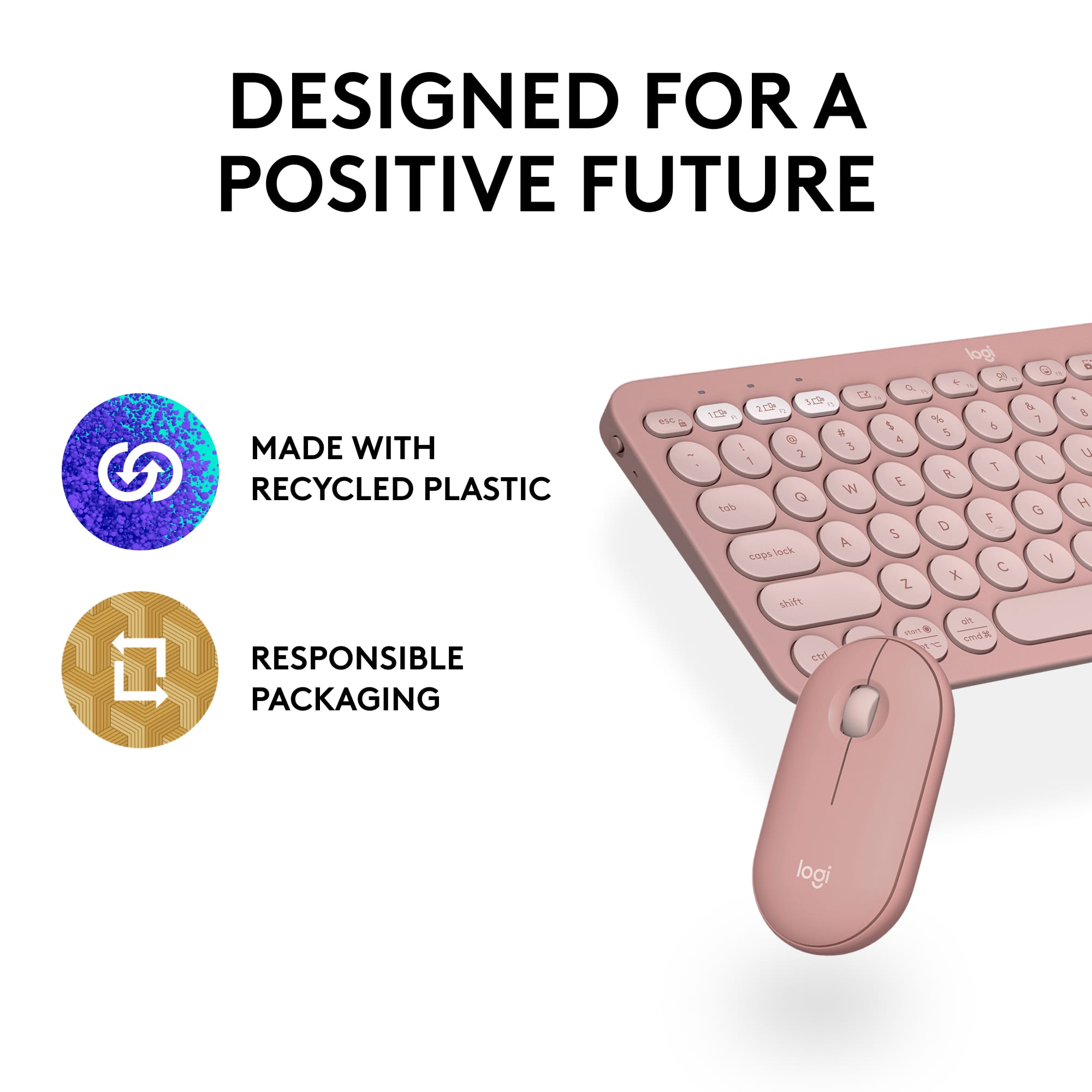
|Posted .This reviewer received promo considerations or sweepstakes entry for writing a review.I liked the keystroke and the circular slightly concave keys. The keyboard is very comfortable to type with, but it is a little small, small enough that I have to think to type. I have a few different laptops and only my 13" has a smaller keyboard than this. If you use a full size keyboard with any regularity I think you will notice the awkwardness of the smaller size. Where I do think this keyboard is extremely useful is with tablets: this keyboard offers great functionality especially compared to onscreen keyboards. One of my nits with wireless keyboards is delayed typing or repeat characters and while I won't say neither has happened its among the best. I liked the mouse for its portability, much like the keyboard its compact and designed to travel, its the first one I've had that I can keep in my desk keyboard drawer and slide in and out. It is very responsive and smooth but ultimately I couldn't use it because it was just uncomfortable. For a compact mouse I still prefer vairiations on the logitech M317. Both mouse and keyboard feel premium, and its great to know that there is recycled materials in them. Ultimately I probably won't use the mouse owing to the discomfort but the keyboard has two great uses: use with pads or other tablets where its allows for faster typing and has more functionality than the on screen keys and for connecting to a smart tv to make it easier to find your favorite shows on streaming apps or reentering all the passwords. To sum up: they keyboard is comfortable, if small, and has great uses just not with laptops: forget about the mouse logitech has lots of better options.
I would recommend this to a friendAmazing mouse
Posted .This reviewer received promo considerations or sweepstakes entry for writing a review.Best mouse I’ve ever purchased to us with Mac. The programmable buttons and mouse feel are the best.
I would recommend this to a friendBrand response from Logitech
Posted .We’re thrilled to know you’re satisfied with your Logitech product. Your input helps us shape better experiences for everyone. Thanks for your continued support!
Keyboard is Decent, Mouse Did Not Work for Me
|Posted .This reviewer received promo considerations or sweepstakes entry for writing a review.First, let me say that I am a long-time fan of Logitech keyboards and mice. I’ve used nothing else for more than 20 years. So, I was a little surprised with my creeping disappointment during my evaluation of the Logitech Pebble 2 Combo. To summarize, the K380s is a well-made and interesting wireless keyboard that you can easily switch between three different computing devices. However, I found it to be much too small for me to ever consider it as a full-time keyboard for any of my devices. The Combo’s big disappointment was the M350s mouse which was a complete bust for me. It is just much too small to be of any serious use to someone with larger hands like an adult male. The Logitech Pebble Mouse 2 may be stylish with its minimalist and compact design, but it is miserable to use, at least for me. The biggest issue I have with it is its very small size and extremely low profile. It has the lowest profile of any mouse I’ve ever wrapped my hand around. The M350s wireless mouse does not fit the hand of an adult very well. I have to butt the back of the mouse up against the heel of my palm and then scrunch my fingers up just to click the mouse keys. To me, it seems like the M350s mouse is sized for a small child, definitely not an adult male. After trying to use it for a while I found it cramped my fingers. Another negative is it takes quite a bit more finger pressure to click the mouse keys than my other Logitech mice. When used for a long time this gets fatiguing on the fingers. One final negative comment about the mouse is that it is noisy on a metal mouse pad with a gaming control surface. I have other Logitech mice that slide very quietly on Best Buy’s metal gaming mouse pad. It looks like the sliders under the M350s are made from a different compound which is astoundingly noisy when the mouse is being moved around on the mouse pad. Very irritating to the ears after even just a few minutes of use. I was able to pair the mouse via Bluetooth to my Apple iPad Pro and my Dell Win 11 laptop. I was also able to connect it via the Logi Bolt dongle to my Win 10 desktop computer. I was then able to easily switch back and forth between the three devices using the button on the underside of the mouse. My use of the Logitech Pebble Keys 2 K380s Wireless Keyboard left me with a more favorable impression than the mouse. I was able to pair it via Bluetooth to my Apple iPad Pro and my Dell Win 11 laptop. I was also able to connect it via the Logi Bolt dongle to my Win 10 desktop computer. It was kind of interesting to be able to press a button and switch between three different devices. I quickly found that this is not a suitable keyboard for an Apple iPad as it lacks several of the necessary keys peculiar to an iPad. This was disappointing because I had hoped to use this keyboard with my iPad Pro. It is possible that I may be missing something and will have to do more research pertaining to using this keyboard with an iPad. If you are accustomed to using a full-size keyboard to run your desktop computer or larger laptop, then you will probably be frustrated by the much smaller size and key layout of the K380s keyboard. I’ve only used it for about a week but so far have yet to feel comfortable with it. I doubt that it will ever become the preferred keyboard for any of my tablet, laptop, and desktop devices. However, for someone who uses their smartphone as their main computing device for longer correspondence or document creation, will undoubtedly find this keyboard to be a welcome change from doing all their typing on a phone keypad. In that case it would be money well spent. Kudos to the Logitech engineers for designing the four nonslip rubber feet on the bottom of the keyboard. They work well and it doesn’t appear that they will ever fall off. I absolutely hate it when rubber feet fall off of the bottom of electronic devices and small kitchen appliances. Overall, I found the Logitech Pebble 2 Combo to be a well-made keyboard and mouse package suitable for a select demographic. It is not for everyone and is not suitable for all computing scenarios. If you’re not sure, then it would be best for you to check out this keyboard/mouse combo in-store where you can touch it and evaluate it for yourself. Each person would have to decide whether the smaller size of the keyboard and mouse is appropriate for them and their computing purposes. If you find it is suitable for you, then the build quality of the keyboard and mouse will not disappoint you. The keyboard and mouse are very well-made, especially considering their very reasonable price.
I would recommend this to a friendGreat!
Posted .This reviewer received promo considerations or sweepstakes entry for writing a review.Excellent quality and responsive overall. Small enough that it’s easy to pack and carry anywhere.
I would recommend this to a friendBrand response from Logitech
Posted .Sounds like the Pebble 2 is a winner! We love that it travels well thanks to its compact size, and you haven't sacrificed quality or responsiveness. Perfect for on-the-go productivity! Happy clicking!
Best compact keyboard and mouse EVER!!
Posted .This reviewer received promo considerations or sweepstakes entry for writing a review.Another unexpected surprise! I just love this keyboard and mouse. It's size and weight were key to the purchase. It's perfect for on the go working remotely from a car, in a restaurant or cafe, anywhere where work space is limited.
I would recommend this to a friendBrand response from Logitech
Posted .Sounds like the Pebble 2 Combo is your work-from-anywhere BFF! The compact size and light weight make it perfect for mobile work stations, from cars to cafes. Enjoy the portability and convenience!
Good When Travelling With Mobile Devices
|Posted .This reviewer received promo considerations or sweepstakes entry for writing a review.This keyboard and mouse was easy to setup. I chose to use blue tooth since I did not have anymore available USB ports. As soon as I removed the paper from the battery area the computer recognized each device and asked me if I wanted to connect. For the keyboard I also had to enter a code to connect. The keyboard seems sturdy and does not take up a lot of space which is nice for my desk. I also like that even though the keyboard is very small, it manages to have all of the different function keys that you would see on a full size keyboard. The big con for me is also the size of the keyboard, it slows down my typing speed considerably. Typing is not natural and it makes my hands hurt. I can not recommend this keyboard if you have a lot of typing to do or need to use it for an extended period of time. I'm using it to write this review right now and my hands are kiling me. The mouse is ok, but it has the same problem as the keyboard, your hand will hurt after an extended period of use. This combo is good if you need to use it with a tablet or a mobile device while travelling, but there is no way this can be used for a work from home setup.
I would recommend this to a friendBrand response from Logitech
Posted .Thanks for providing us with detailed feedback; we appreciate every form of feedback. Your feedback is important to us, and we'll make sure to share it with the right team.
Compact and quiet.
Posted .This reviewer received promo considerations or sweepstakes entry for writing a review.Best keyboard with the ease to easily switch between three devices.
I would recommend this to a friendBrand response from Logitech
Posted .Thank you for your kind words about the Logitech - Pebble 2 Combo! We're delighted to hear that you're enjoying the ease of switching between devices. We appreciate your feedback and hope you continue to enjoy using the Combo.
Good Bang for the Buck
Posted .This reviewer received promo considerations or sweepstakes entry for writing a review.Great keyboard, easy to set up and easy to use. This is the perfect keyboard if you need something at a decent price point and without any flashy features.
I would recommend this to a friendLove this
Posted .This reviewer received promo considerations or sweepstakes entry for writing a review.So easy to connect and use. In love with this little keyboard and perfect to use with my laptop!
I would recommend this to a friendBrand response from Logitech
Posted .We're thrilled to hear you love the Logitech Pebble 2 Combo! It's designed for easy use and portability, so it's fantastic to hear it's perfect for your laptop. Enjoy your new setup!