Customer Ratings & Reviews

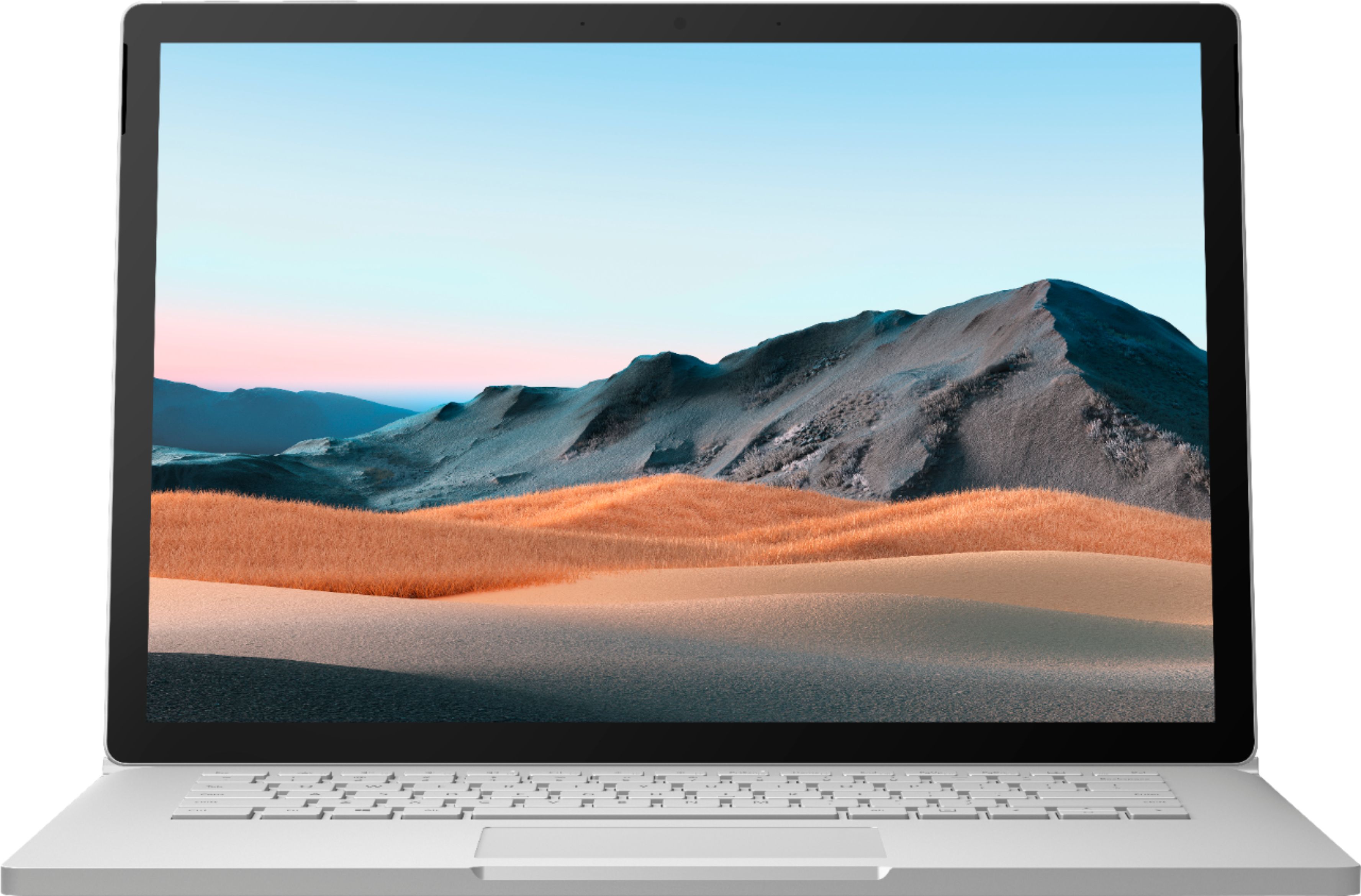
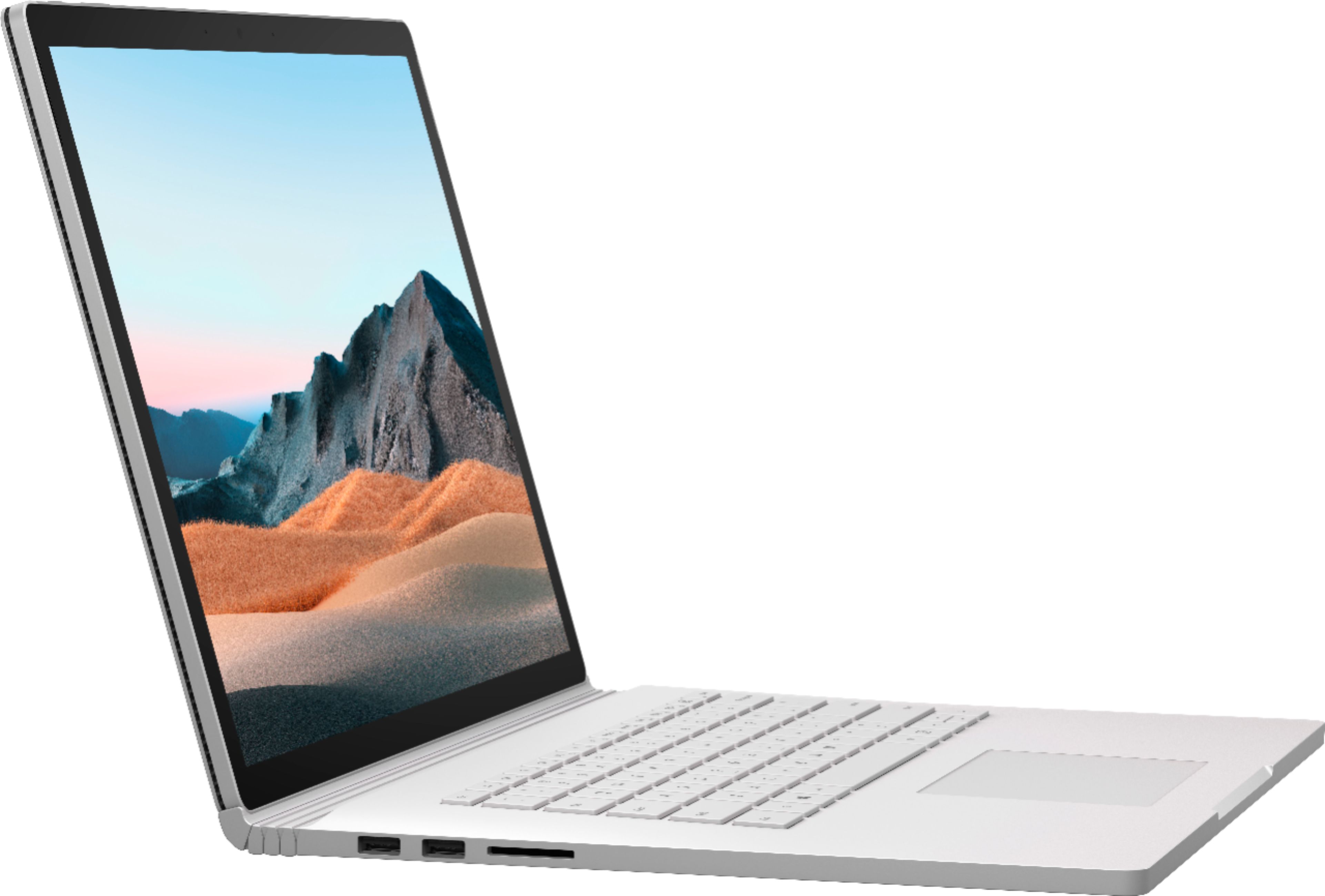

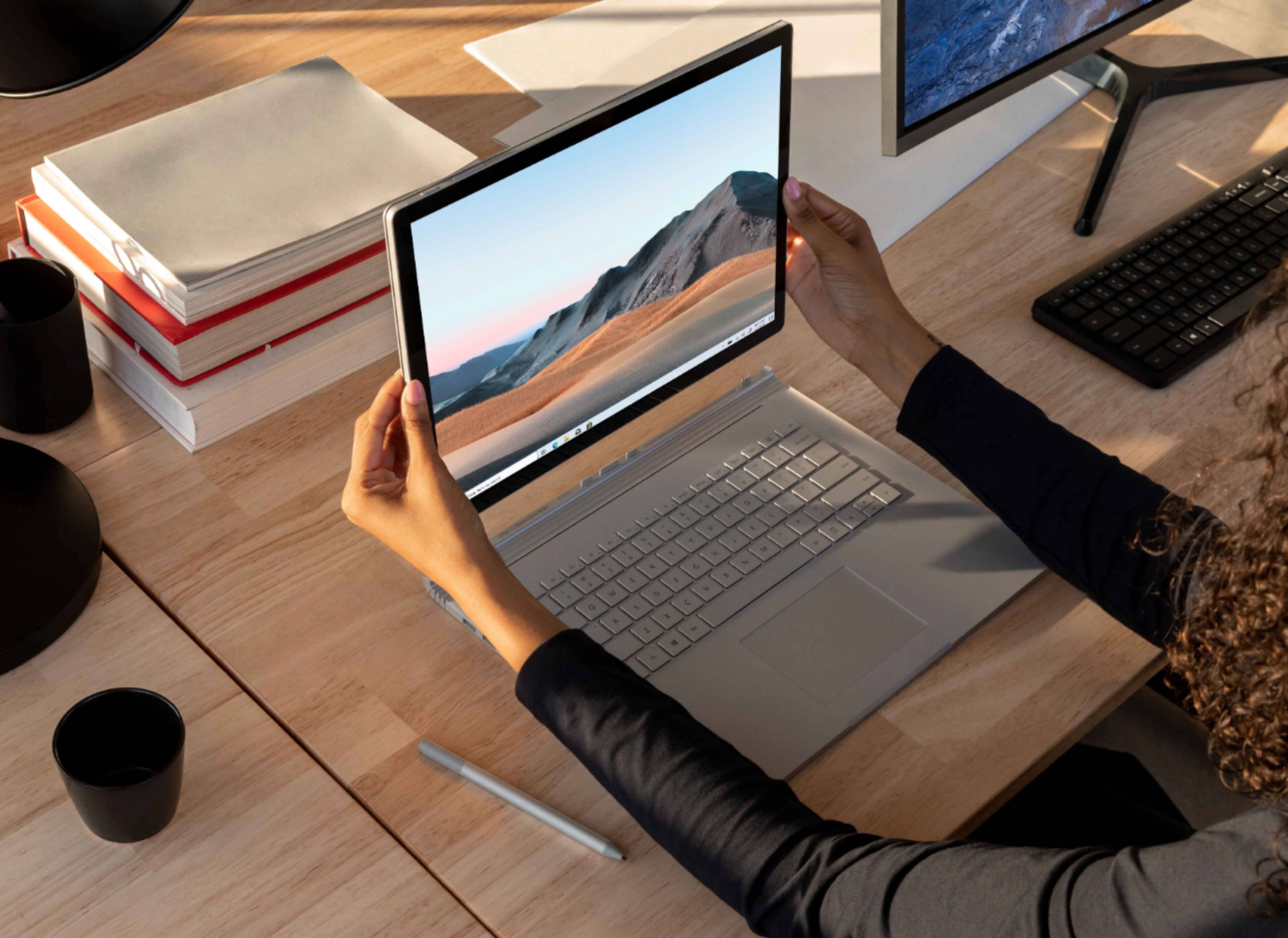
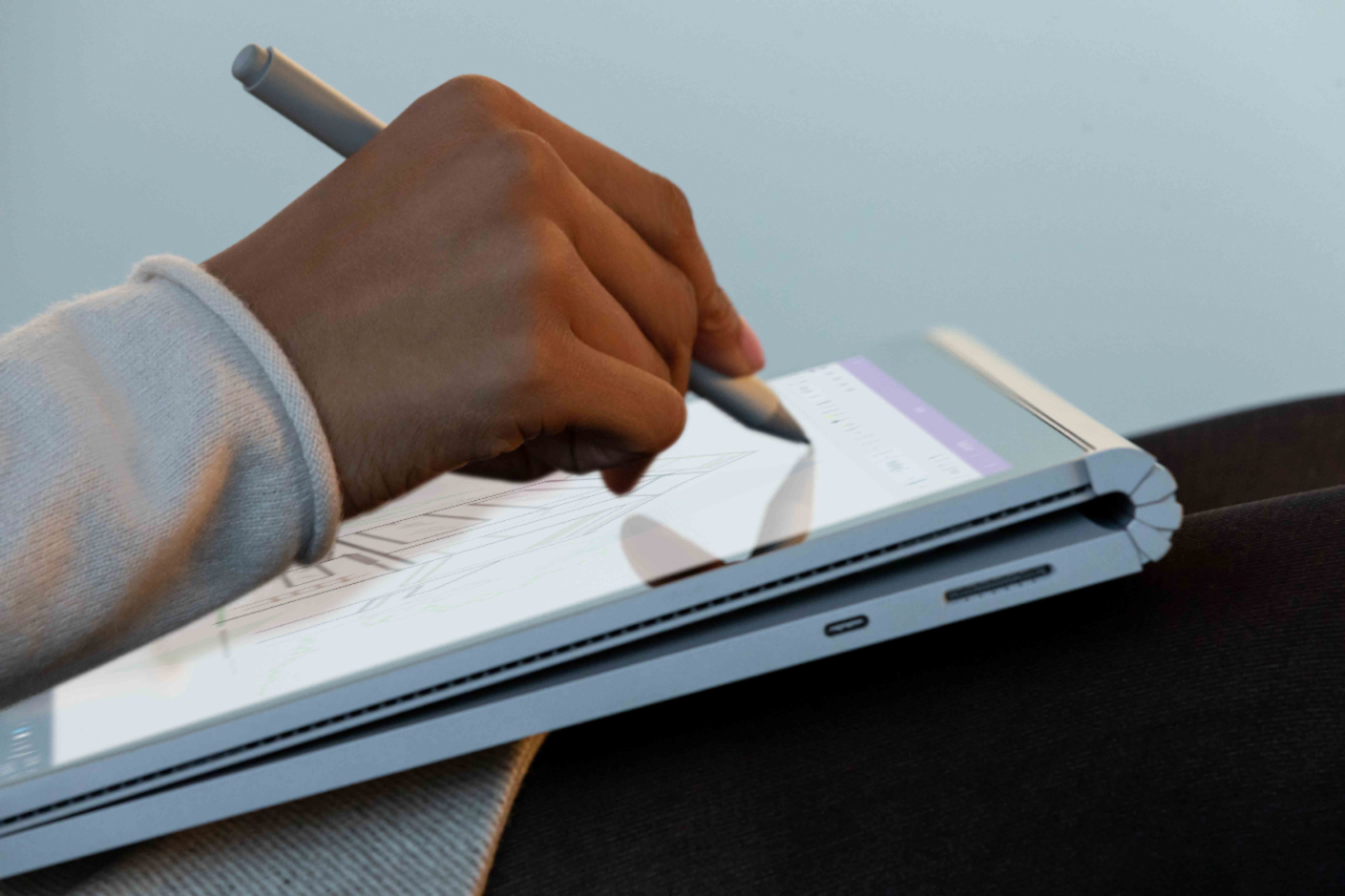

- Model:
- SMN-00001
- SKU:
- 6408385
Rating by feature
- Battery Life
Rating 4.0 out of 5 stars
- Speed
Rating 4.2 out of 5 stars
- Display
Rating 4.3 out of 5 stars
Customers are saying
Customers consistently note the excellent battery life and high-quality keyboard as major strengths of the Surface Book 3. The fast SSD and ease of use are also frequently praised, along with the versatility offered by the tablet mode. However, some customers mention the high price and relatively heavy weight as potential drawbacks. A few users also commented on the placement of the headphone jack and hinge design.
This summary was generated by AI based on customer reviews.
- Pros mentioned:Battery lifeCons mentioned:Price
Amazing laptop
||Posted . Owned for 2 weeks when reviewed.This reviewer received promo considerations or sweepstakes entry for writing a review.This is an amazing computer capable of handling pretty much anything you throw at it. I was skeptical at first because of the high price. At the end of the day, you get what you pay for. It's fast, snappy and battery lasts longer than any other laptop I've ever owned (including high priced chromebooks). It also charges up pretty fast. Screen is bright enough and excellent. It's also big enough to fit all I need it to, but not so huge it becomes a burden to carry around. It's also light enough to take anywhere. I love features like the face recognition and the detachable top. So far, after a few weeks, I'm loving it.
I would recommend this to a friend - Cons mentioned:Hinge
Deeply flawed but good enough for me
||Posted . Owned for 3 weeks when reviewed.This reviewer received promo considerations or sweepstakes entry for writing a review.I bought this computer for the form factor and after using it that is the only part of it that works well. If you want this form factor there aren't other options outside of the surface book line up and this will do just about everything you need. Overall I would describe the computer as buggy, deeply compromised and expensive. The keyboard feels cramped and the lack of a number pad seems like a lazy choice especially given the amount of dead space on both sides of the keyboard. The screen resolution causes numerous issues, 4k on a small screen causes usability issues with many applications (especially CAD applications) and really hurts performance, on external monitors I have issues with some applications not knowing how to scale. Windows tablet mode still needs some serious work, but I have found Word's math mode to be one of the few times tablet mode really comes in handy. The hinge doesn't fold back as much as I would want. There is also an issue with the screen brightness flickering whenever it is unplugged, this can be fixed by downloading an Intel driver and disabling a portion of the low power mode. The computer also seems to have poor cooling even compared to most other large and powerful laptops. The IO is outdated and far less than I would want, the docking station is a must if you want to run dual monitors even if only using 1080p monitors. Also to take advantage of the form factor you need to buy the $100 pen and for quality of life the docking station is a strong need this will set you back about $300 and is proprietary. At current prices you could buy an IPad Pro (a better tablet) and a more powerful laptop or a high end desktop with drawing tablet for the same price as this, which narrows who this laptop actually makes sense for. This only really makes sense for a couple specific use cases. If you really like the form factor and can justify the price I would recommend, otherwise you are better off getting a different computer.
I would recommend this to a friend - Pros mentioned:Battery life, Keyboard quality, Processor speed

One of a Kind
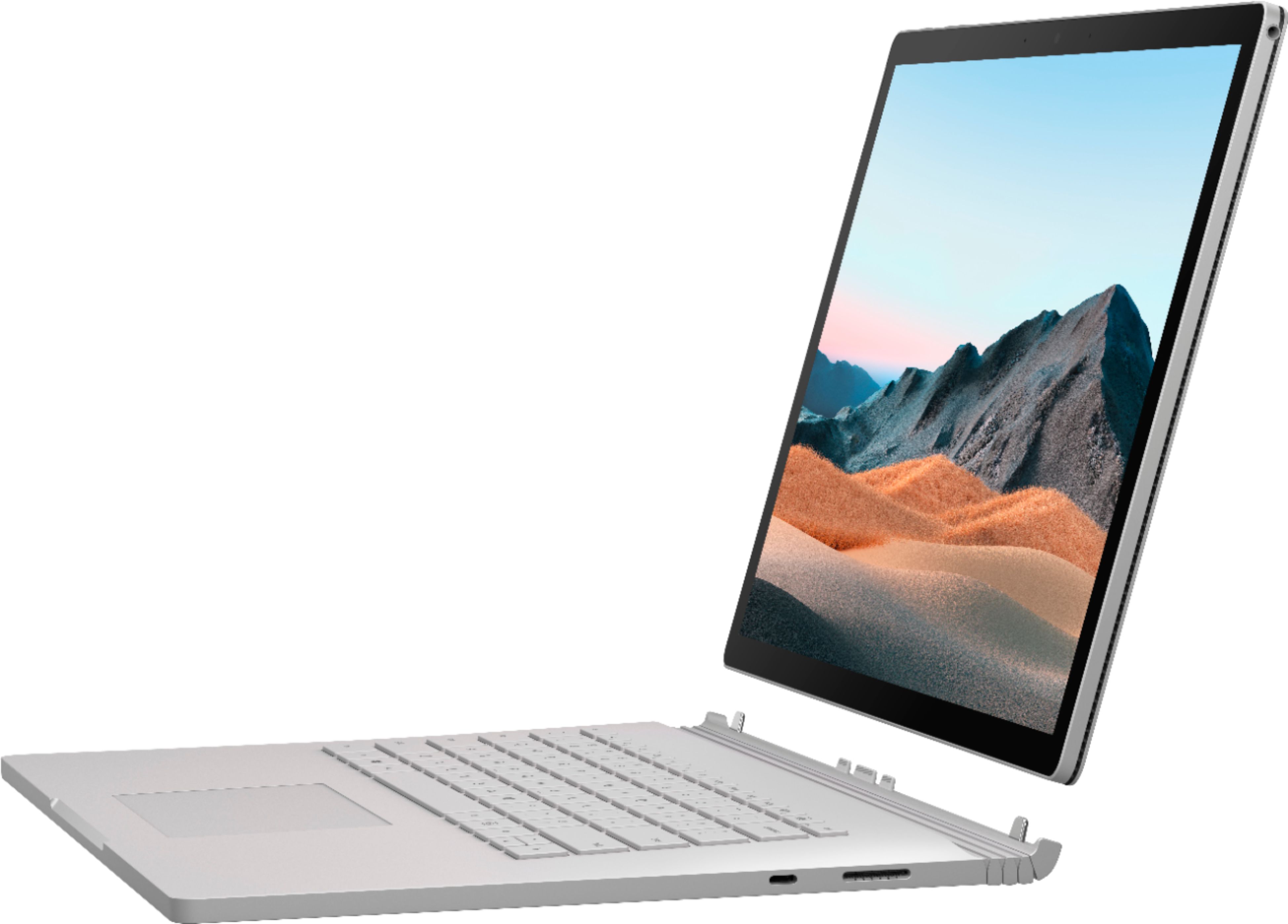
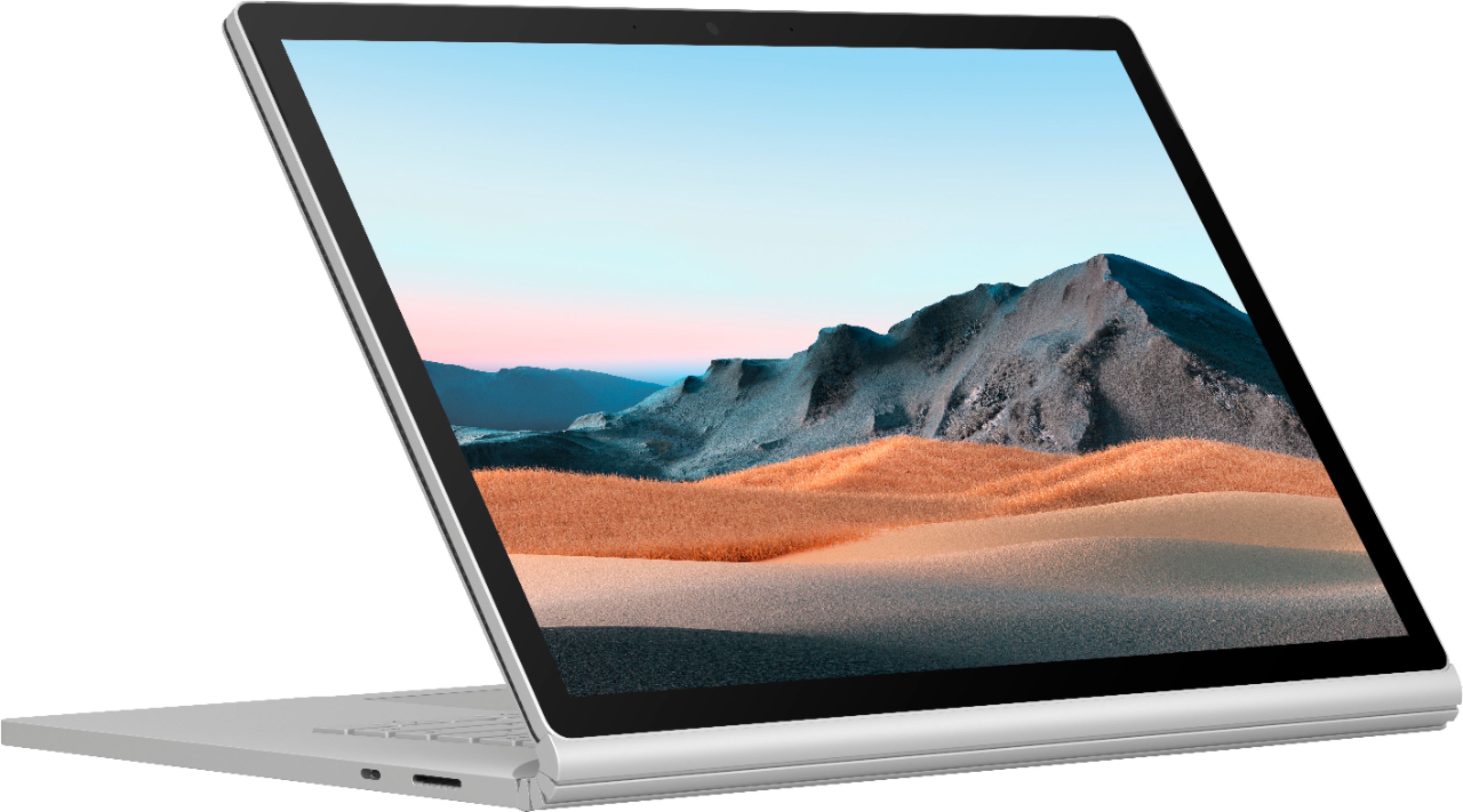
|Posted .This reviewer received promo considerations or sweepstakes entry for writing a review.This is a kind of distinctive device to review. One thing to keep in mind is that it is a unique piece of hardware. There are several things that most people look for in a laptop, especially in a premium one. These things are performance, features, and build quality. This Surface Book 3 knocks these all out of the park. Now obviously everyone's use case is different and what I enjoy from using this device might not be enough for you. **Reviewers in this invitation-only program are provided products for the purpose of writing honest, unbiased reviews.** Performance, this one is a little subjective depending on what your workflow looks like. Suffice to say that it is a very powerful laptop and will breeze through most tasks. This laptop is a beast in most areas, fast 512GB drive, 32GB RAM, NVIDIA GeForce 1660 Ti with Max-Q, and Quad-Core Gen 10 i7 processor. Again, this device handles just about any task without issue. I’m using this laptop to streamline my workflow when I am working on projects in Adobe’s Creative Cloud. I tend to spend most of my time in Photoshop with some time in Premiere Pro. Both apps run well and render all my projects with little issue. Now, the only thing that I have heard folks discuss is that the processor in here is not desktop-grade, it’s a more power-efficient processor that helps to keep thermals in check. Due to this amazing device, transforming between a tablet and a laptop, it needs to be able to house most of its components behind the beautiful 15” PixelSense display. So, if you need that extra processing power which might save you a little bit of time in compiling or rendering projects, then you will be giving up on the versatility of this device. I think the majority of creatives would be able to easily get their work done on this rig without any issues and benefit by its ability to change how you work on projects. Just a quick example of how well this laptop performed for me, lately I have been working on a project that is just shy of 2GB in size in Photoshop. The project has a dozen layers, each with many assets, textures, etc. This Surface Book 3 can open that file in less than 15 seconds, and once open, it has no issues or stutters working in the file or moving in and out of other programs while working on this large PS file. The Surface Book 3 handles this in stride, staying quiet and cool. Features- this device is jam-packed full of them. The most obvious one being the ability of the screen detaching from the base to become a powerful tablet. The screen paired with the Surface Pen is a delight to get work done. Whether you are using the pen for art, notes, or annotating documents, the feel of the Surface Pen on the screen is amazing. I have used other tablets and their pencils, and they feel great, but they don’t compare to this setup. It feels like there is some friction between the Pen and screen and with no noticeable delay in pen input, so it almost feels like you are writing on paper. I love that you can flip the Pen and use the eraser end to erase. It takes a couple of seconds from pressing the detach button to having it off its base, and about the same for it to lock back in place when you are returning to the traditional laptop setup. The keyboard is great to type on. It feels comfortable and is not very noisy. I’ve been able to type out some work without waking up my wife. A huge bonus for me is the built-in webcam. I’ve had to work from home since March and subsequently have had to be part of a lot more video calls. The 5.0MP, 1080p HD video front-facing camera has been great. It does a great job of making my video calls look a lot more natural and clear. All of this on a battery that is rated to last a tad over 17 hours, although in my usage I’ve had it go just an hour shy of that mark with moderate use. Build quality, this one is an easy win. Microsoft has been earning its reputation of late on building quality products. This is my first Surface Book, so to me this is amazing, and one of the best pieces of tech I have ever used. I know some folks were bummed that the design has stayed the same from the previous Surface Book, but honestly, it’s an amazing design so I don’t see the harm. The entire system feels lighter than you’d expect and sturdier. The keyboard deck is stiff with little give, the hinge looks indestructible, and the screen has just enough bezel to be able to hold the screen in tablet mode without accidentally interfering with what you are working on. The vents to disperse heat are cleverly hidden to keep the entire system looking very sleek. This device will get any job you send its way, completed. The design and versatility will let you tackle most tasks in new and unique ways. The processing power, SSD, RAM, and dedicated graphics card is nothing to sneeze at and will fly through most tasks. This is a great computer, and as stated at the beginning of this year, unique. This is an easy recommendation for anyone looking to streamline their workflow. It’s honestly hard to describe how much my workflow has changed since I started using this Surface Book 3. Suffice to say that I have been using my iPad less and less. I find that I’m ok just carrying this one device as opposed to a laptop and iPad Pro like in the past. The only downside I can foresee is having to ever move to a more traditional laptop experience, now that this has me spoiled.
I would recommend this to a friend - Cons mentioned:Weight
Really a beast
||Posted . Owned for 1 month when reviewed.This reviewer received promo considerations or sweepstakes entry for writing a review.One of the beast of an era. Easy to follow the instructions for getting started. Bought as an anniversary gift and really loving it. Little heavy compared to surface laptop
I would recommend this to a friend - Pros mentioned:Battery life, Keyboard quality
Nothing Quite Like It
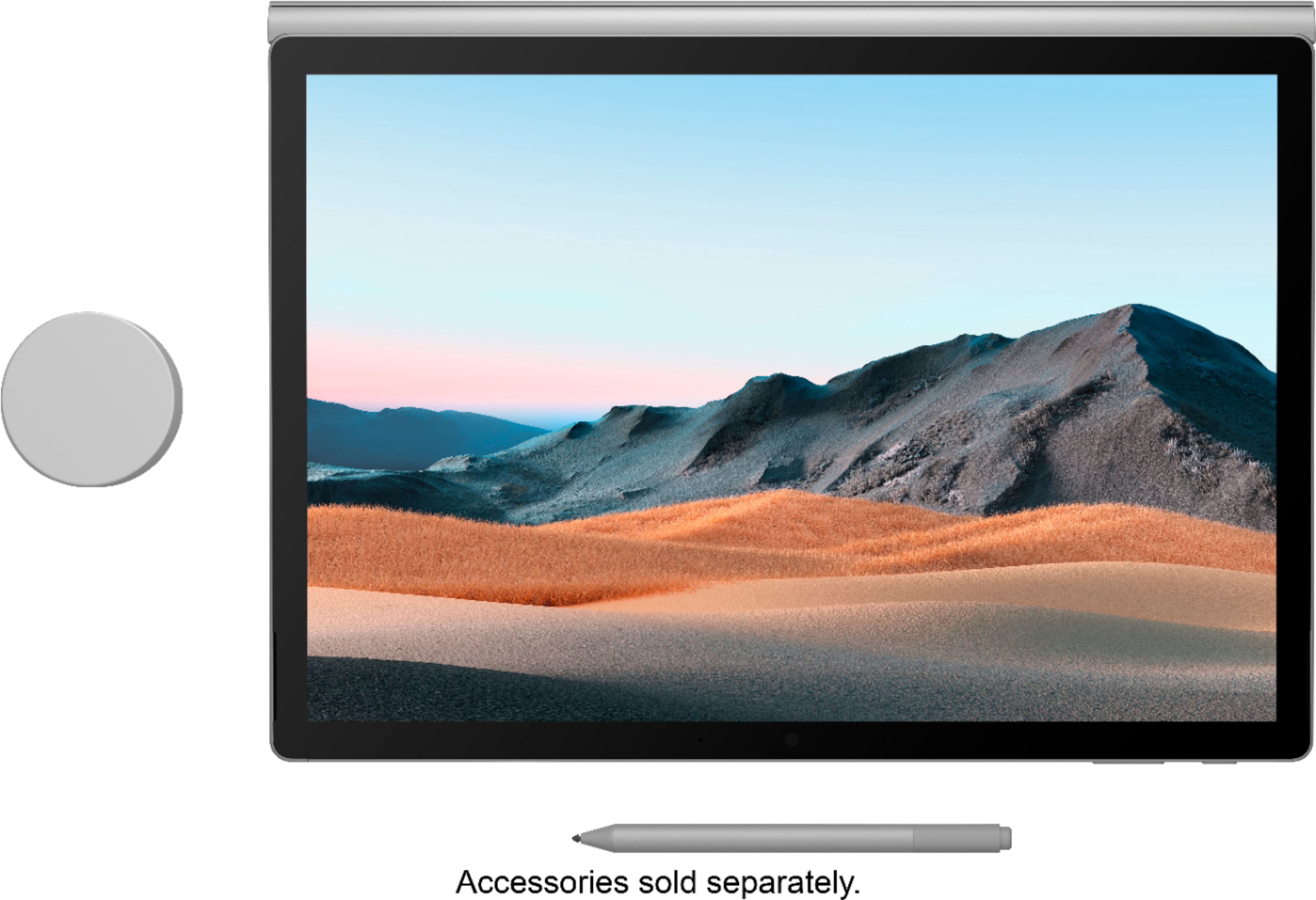
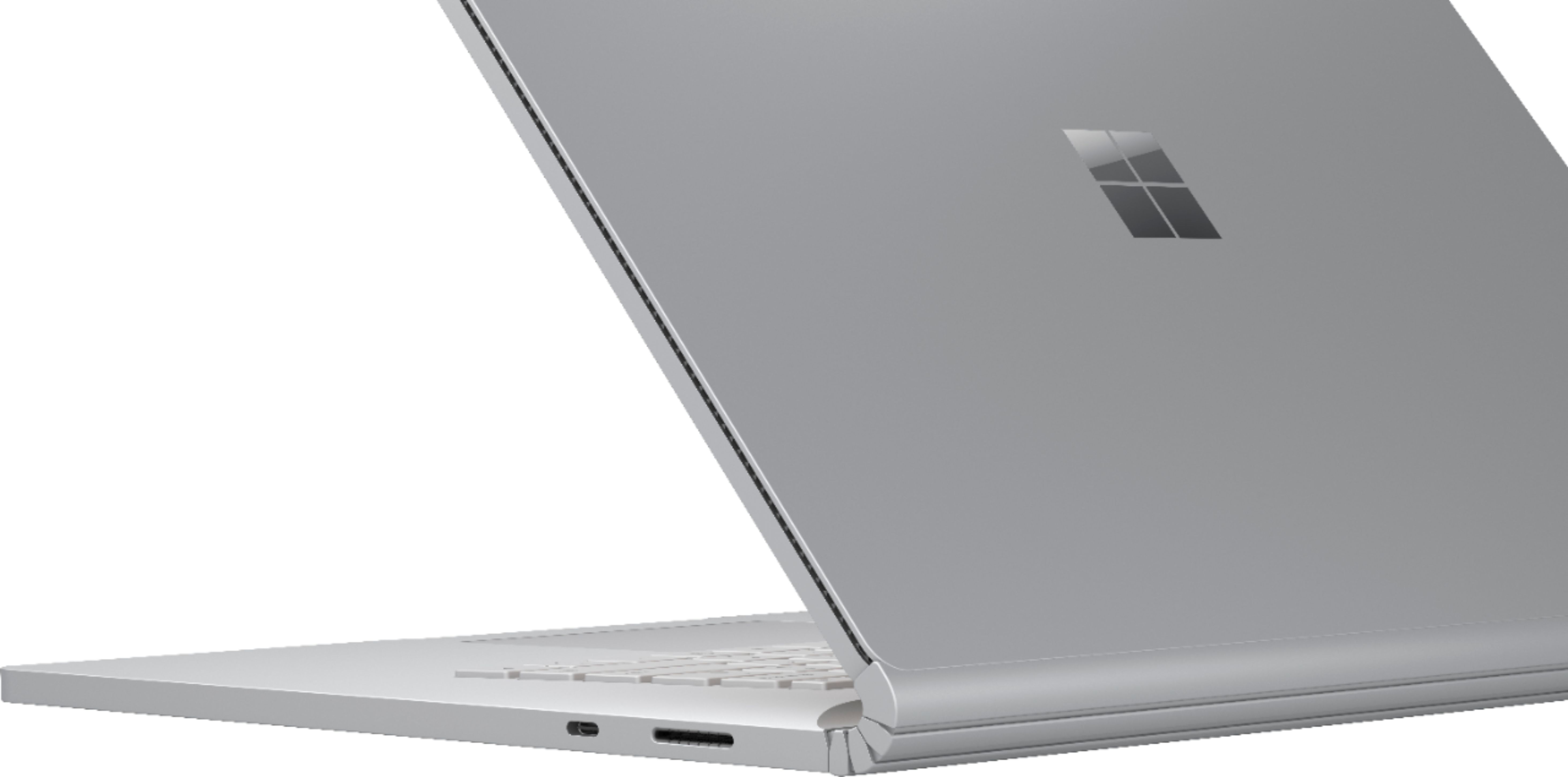
|Posted .This reviewer received promo considerations or sweepstakes entry for writing a review.Note: I am part of the Best Buy Tech Insider Network. Reviewers in this invitation-only program are provided products for the purpose of writing honest, unbiased reviews. I love the Surface Book 3. It’s not for everybody and it does have its shortcomings with some dated ports and an underwhelming for this size 4-core processor, but it’s a unique device that does what it sets out to do and is great for getting work done especially in applications that can utilize the Nvidia graphics. The design of the Surface Book 3 is mostly unchanged since the original model from 2015, but I still think it holds up and it’s instantly recognizable next to other laptops. The markings on the device are minimal aside from the silver Microsoft logo on the back of the screen, so you get that nice Apple-esque aesthetic. The design of the hinge is such that the screen doesn’t fold completely flat onto the keyboard and you’re left with a noticeable gap at the hinge that you can see straight through. It’s an interesting quirk that I really don’t mind that much as hinge feels extremely robust, but it makes it look a bit chunky next to a Dell XPS or MacBook Pro. It looks nice on its own as a table as well. My photo shows the Surface Pen, which is not included and I purchased myself separately, but I’d recommend it for drawing and note-taking. The specs on the Book 3 I received are all top shelf for the most part. Everything is about as up-to-date as it can be with a 10th generation i7 processor, 32GB of super fast 3733Mhz RAM, a 512GB SSD, and Nvidia GTX 1660 Ti graphics with 6GB of GDDR6 memory. Wireless includes WiFi 6 and Bluetooth 5. The processor is only a 4-core 15W i7, which is disappointing in this price range as you’d typically see 45W 6 or 8 core processors in other laptops, but the design of the Book 3 means most of the guts have to live behind the screen, so I can understand how a higher wattage processor might not be feasible. Still, not having a 6 or 8 core option is a bit of letdown. The Nvidia graphics also live in the keyboard base, so when using this in tablet mode the Book 3 reverts to the integrated Iris Plus graphics. The port selection on the Book 3 is okay, though a little dated. You get 2 USB-A ports, 1 USB-C, a full size SD card reader, and the Surface Connector. All the USB ports are 3.1 Gen 2 and unfortunately the USB-C port is not Thunderbolt 3. It’s a disappointing omission and it limits your options for docks to just what Microsoft has available. As it stands today there are still a lot of USB-A devices out there and the SD reader is extremely useful for photography, but I do wish Microsoft had taken a more modern approach this time around as the external ports stand in stark contrast to the modern internals. The display is nice. It’s not the eye-popping OLED that you see on some other laptops, but it looks great and gets decently bright. To my eye the colors seem accurate and well balanced as well. The 3240x2160 resolution fits the 15” screen nicely and the taller 3:2 aspect is especially useful for getting work done. The bezels around the display aren’t the smallest by today’s standards, but they’re far from egregious and they’re necessary for using the Book 3 as a tablet. The speakers are okay, but not great. The sound is clear, but they don’t get very loud - I generally had to have them around 75-100% most of the time and even 100% wasn’t always loud enough; I’d recommend headphones. The microphone is good. On the video call I was on people said I occasionally sounded quiet, but I’m going to chalk that up to issues with the system controllering the microphone volume and not the microphone itself. Both the front and rear cameras are excellent for a laptop; the front camera might be the best built-in laptop webcam I’ve seen. So many (even high end) laptops seem to default to terrible 720p webcams, so this is a fairly low bar to clear, but it’s nice to see a quality webcam at a time when they’re getting a lot more use. The keyboard and trackpad are both great. The keys are appropriately spaced with good travel and everything is where I’d expect it to be; I was able to get typing right away and never found myself hunting for a particular key. The trackpad is the best I’ve used on a Windows laptop and the experience was on par with my wife’s MacBook Pro. Clicks and gestures all register without any problems. It doesn’t feel cramped, but I do wish it was a little bit bigger just because the space is there to do it. Performance for me has been great. As mentioned before, the i7 processor that comes in the Book 3 is only the 15W quad core model, but for my normal multitasking and the programs I use it’s been more than fine. Using my CAD software I was able to load in and work with multiple assemblies more quickly than I typically could with the desktop I use, so the 1660 Ti and 32GB of RAM is definitely doing their jobs there (my desktop uses a 7th gen i7 and Nvidia Quadro P600 for reference). I also loaded Adobe Creative Cloud and Photoshop and Illustrator both ran great. And while it’s certainly not the go-to for gaming, the 1660 Ti is more than capable of running most games without too many sacrifices at 1080p or 1440p. The 15” model even has native built-in support for Xbox Controllers (using Microsoft’s standard, not Bluetooth). Battery life with the keyboard base connected has been great for me. I’ve been able to make it through most every day very comfortably starting from a full charge. The batteries on the Book 3 are split between the screen and the keyboard base, but it seems like maybe 60-70% of battery comes from the keyboard, and I definitely felt a bit of battery anxiety using it in tablet-only mode. Separating the screen from the keyboard and reconnecting them take about a second. It’s not quite the instantaneous satisfaction of pulling the keyboard off the Surface Pro, but it’s not bothersome at the same time. The transition has been seamless for me so far and it seems to prevent you from detaching in times when the graphics card is in use, which is nice. I will say the Surface Book 3 feels like a laptop first and a tablet second; Windows is certainly usable in tablet only mode and lots of applications have touch-oriented controls or touch-screen modes, but Windows as a whole is still a desktop/laptop oriented operating system and most of the experiences are still built around that. And using the 15” screen as a tablet is also pretty unwieldy no matter what the UI experience is. Being able to pop the screen out and reconnect it to the base in different positions is a useful trick though for when you want to present something or folding the screen down into an angled surface for drawing. Overall I’m still really happy with the Surface Book 3. The ports are a letdown and the CPU could be better, but overall this is a stellar device in almost every other regard. From a pure specs perspective you could do better for the price, but I think the Book 3 is more than the sum of its parts and provides a unique experience you just won’t find anywhere else. My official rating is 4.5 stars.
I would recommend this to a friend I love Open Box
||Posted . Owned for 3 weeks when reviewed.This reviewer received promo considerations or sweepstakes entry for writing a review.I bought an open box laptop that was as good as new! Just for a better price!
I would recommend this to a friend- Pros mentioned:Battery life, Keyboard qualityCons mentioned:Weight
It's Great, so why 3 stars?
|Posted .This reviewer received promo considerations or sweepstakes entry for writing a review.Reviewers in this invitation-only program are provided products for the purpose of writing honest, unbiased reviews. I was elated to receive the Microsoft Surface Book 3 and become a convert. It is beautiful aesthetically and started up right out of the box. I appreciate that I do not have to have any extra dongles all over the place that constantly disconnects and ruin workflows. Such a plus for those who are creatives or content heavy. It has two USB-A slots, an SD card slot and one USB-C slot. It does not have a micro SD slot. The initial setup was a bit annoying, but not a big deal. It was annoying because you had to add an email address, create a Microsoft account, and go through other prompts as security measures before you could begin using the computer. I find that being able to just setup a password would have been efficient and much simpler, instead of being forced into creating a Microsoft account. I do love the face detection feature (Windows Hello face sign-in) to log into the computer. It is super fast and so far has been very accurate. If it does miss your face, or if someone else is trying to log into it, it will prompt you to use your password or another form of security. My favorite part and why I was super excited to have this for my workflow, was because I can detach the screen and use it as a tablet or flip it around and use it as a notebook. I love the versatility of this 3-in-1, and the display is so big. I’m able to easily scale what I’m working on. However, if you’re working with certain apps like those from Adobe suite and you want to detach the screen, it will provide a prompt that details that you should save and close out of specific apps or detach anyway and possibly lose unsaved data. I haven’t seen it do it prompt for any native applications so far. The batteries lasts for a long time. You are able to charge the computer or charge the tablet portion of the laptop. A full charge was about 2 hours. I attempted to test the length of the battery running multiple programs, with all factory settings and my usual daily use, but unfortunately my counter reset sometime during my test and I wasn’t able to, but it was a few days before the battery was at 0%. The display and its clarity is gorgeous, and quite impressive, especially while viewing 4K videos. I love that it’s touch screen too. It makes navigating some features so much simpler and faster. When detached and used as a tablet, it is still very fast and extremely responsive. I haven’t experienced any lag when opening applications, switching activities, using the touchscreen, etc. I anticipate purchasing the Surface Pen to see how it can improve my workflow and how well it will work with apps such as Lightroom, Photoshop and Illustrator. 15in. is quite large so I would’ve hoped that the trackpad would have been much larger. It's tiny for its size, and I do not like the feel or how hard and loud the click is when pressed. It is very responsive and smooth. Tons of wasted space. Could’ve added additional speakers for a true surround effect, especially because it has Dolby Atmos. However, I do like the keys. They are smooth, backlit and there isn’t any loud clicking when keys are pressed. Also, It’s quite heavy as a laptop/notebook, but more manageable as a tablet. So why 3 stars? The reason for 3 stars is not because it isn’t good, because it’s great. But because I wanted to strictly convert to using the Microsoft Surface Book 3 for my work with editing, and post processing photos and videos. I use several programs from Adobe suite daily and running the programs can be quite much and memory heavy, which can slow down a laptop dramatically. Although, I haven’t experienced stalls or lagging, I am having issues with workflow between a couple of the apps, strictly on this laptop, that I’m not experiencing with my other laptop or phones. It doesn’t seem to be an issue with the applications. So for right now, until we can figure this out I’m still finding myself using my other laptop to complete the main part of my work. Which defeats the purpose of my needs or what I was aiming to accomplish with the Surface Book 3. If it wasn’t for that it would have a strong 4 possibly 5 stars. If you made it to the end, thank you for reading my review. I do recommend this as it is fantastic for everything else I have used it for. Also the 3-in-1, touchscreen, speed, reliability, battery life and some other features are amazing. As a reminder stated above, I received this product for my unbiased and honest review which was 100% based on my needs and what I was searching for from the Surface Book 3.
I would recommend this to a friend - Pros mentioned:Battery life, Ssd
Exceptional graphics and battery life!
|Posted .This reviewer received promo considerations or sweepstakes entry for writing a review.Let me start by saying that I belong to the Best Buy Tech Insider Network Program – an invitation-only product reviewer program where I am provided products for the purpose of writing honest, unbiased reviews. Truth be told, the product is NOT free to me, but I do receive a substantial discount. Because of this, I only select products to review that I can really use – daily – and I really wanted a Surface Book 3! OK – that’s out of the way, onto the review. If you read no further than this paragraph, know that the Surface Book 3 is an extremely capable and versatile convertible. I use Microsoft Visio for creating complex and detailed diagrams and this machine handled the zooming, panning with ease. I also use 3D landscape design programs to render landscaping views, and again the Surface Book 3 with its Nvidia 1660 handled that with ease. Although the CPU is NOT the fastest at 1.3 GHz, the features of the Surface Book 3 make this an awesome convertible to own! Onto more details: My Surface Book has the 15” touch screen and awesome graphics that makes everything look super crisp! I’ve got the 32GB RAM & 512GB Toshiba SSD – both rockin’ fast! First thing I did after unboxing was charge it and update it. Then, I ran a performance test using Passmark Performance Test v10. I do this with all my machines so I can see how they stack up. See the graphic below for how it tested. Overall – it was FAST, but not as FAST as I expected. CPU – although Microsoft included a nice i7 processor, I believe they didn’t pick a faster one due to power/heat issues of this thin tablet. I have other laptops (perhaps not a fair comparison) that have much faster processors, so they rate higher in the testing of course. I screenshot of the performance test is included. The SSD drive is super fast! 2D and 3D graphics dragged down the over all score, but I had some resolution issues during DirectX testing. I have found a few minor “inconveniences” however. The first being that since I wear an Apple Watch with a magnetic band, I find it mildly annoying that my wrist/watch “sticks” to the keyboard. I know I’m not supposed to rest my wrists on the keyboard, but it still annoys me. The second inconvenience is that the keyboard is so large. I guess it needs to be that big to match the size of the 15” monitor, but take a look at the picture and it is just so – so plain. I love the convertible feature – and use it more than I would have expected. Both the front and back cameras are awesome – just used them for Skype, Webex and Zoom calls today. Nice clear picture and audio – both the speaker and microphone! As for accessories, I plan to invest in a Surface Pen to make using the touchscreen even more productive. I already have the Surface Arc mouse and love it and the surface dock. These are must haves in my mind. Battery life has been phenomenal compared to my other laptops and devices – I’ve already went a full 12 hours without a charge and there is life remaining. I believe you can get the full 16 hours depending on your usage and screen brightness. Again, you can’t go wrong with such a capable device. If you use a computer all day long, make presentations to customers and want to impress with stellar graphics and power – it’s an easy choice! I gave only 4 stars because of the slower 4 core processor as compared to what is available today, noting that more cores and speed would likely have a negative affect on battery life.
I would recommend this to a friend Don’t Buy This: DEAD & UNFIXABLE after 1 Year!
||Posted . Owned for 11 months when reviewed.This reviewer received promo considerations or sweepstakes entry for writing a review.Very expensive, inconsistent piece of equipment. I have owned this Surfacebook 3 for ONE year, ONE Month and 28 days. I am the only one who uses it. I use it for work. It has completely died on me twice. I am in complete shock because I just left Best Buy’s Geek Squad where the rep took 5 minutes to look at it and told me “we can’t turn it on either - unfortunately with these Surfacebook computers once they go dark you can’t fix them.” I previously owned a reasonably priced Dell laptop for 10 years and a cheap $249 ASUS laptop for 10 years too…I would recommend either of them over this computer.
No, I would not recommend this to a friendPowerhouse Performance in an Elegant Design
|Posted .This reviewer received promo considerations or sweepstakes entry for writing a review.Laptops are becoming a more important part of our lives again as it becomes normal to do more things at home and on the go - outside of a traditional classroom or office. The Surface Book 3 has made another convincing argument why Laptops are an essential part of our routines and so far my time with this 15 inch laptop, I am very impressed! SET UP / APPEARANCE: - Right from the get go, the unboxing is very satisfying! The packaging is minimalistic which makes everything nice and clean. - The inside contains the PC and the charging chord. The charging chord is a proprietary Microsoft chord that is 127W which is crazy powerful! It also has a USB port on the charging block so you could add your cellphones charger to it as well which is nice. Also, the Surface Book 3 can charge via USB-C which I think is a great feature if you are invested in a USB-C ecosystem. - Set Up is fairly easy, I really think Microsoft has come a long way in this category. They take you through step by step on options and it's mostly ready to go right out of the box! - For the 15 inch model your first impression is "This is Big" but comparatively speaking, it's really a small sized laptop for its screen size. It's light, easy to pick up and bring along, and is thin but still has to be thick enough to house the USB ports it has. And I know other laptops are going with a bezel-less laptop screen design, but I think the bezel is necessary when using it in tablet mode. - In terms of the appearance, I think it’s a beautiful design. I know Microsoft didn't make much changes from the Surface Book 2, but I am fine with that. Other companies don't drastically overhaul the design of their laptop every release so why should the Surface Book 3 when it's already a clean design? FUNCTIONALITY: - The most intriguing part of this laptop is the detachable display. To me that is its big selling point and it really pays off! After utilizing the detach button, you wait 2 seconds, and its ready to detach. And the "Tablet" portion is so light and feels great in the hands. Of course, you can reattach with the screen reversed to harness the full power of the computer but still use it as a tablet. - One of my favorite small features is the "Windows Hello" which basically uses the camera to see your face and unlock the computer. Its fast, smooth, and really easy to use! - The Keyboard is probably the best laptop keyboard I've ever used! It has great feedback while still having a slim profile and I am a fan of not having a keypad because it centers the keyboard better and makes everything flow better. Plus it has backlight keyboard for night time use. - The trackpad is another aspect I really like about the Surface Book 3. I think it works pretty well and I'm glad they didn't go bigger. - Another big selling point of this, are the ports. It comes with two USB ports, one SD Card reader, one USB-C port, a headphone jack, and the Microsoft charging Port (which is on the keyboard or on the bottom of the tablet when detached). Having all of these are a huge plus, especially for adapting better for creators/designers/engineering/IT needs! - The two cameras are also the best cameras I have ever used on a laptop. I never understood how its felt for years now that Smartphones and Tablets have superior cameras to the ones on laptops, but the Surface Book 3 finally broke that trend. It's essentially to have a nice front camera for video conferencing or chatting, and the rear camera is really nice to have as well. - Lastly, the display its brilliant. I love the 3:2 display which makes gives it a better feel when on certain applications vs a widescreen display. Technically the display isn't quite 4K, but it can still play YouTube, Netflix, and Movies in HDR which is more important than 4K is to a laptop. Truly the screen is sharp, bright, vibrant, and I really enjoy using it. PERFORMANCE: - As far as performance goes, this thing is a true champion! I mean 32 GB of ram and a 512 GB solid state drive with it's NVIDIA graphics card? Really great specs from the get go. - I really tried to push the Surface Book 3's limits and had a hard time doing it honestly. I used Adobe Photoshop and Video editing software and it had no problem quickly loading my content as well as processing through it all when I was using the application. Not only that, but I ran CAD software on it to get some work done and it handled the application so smoothly and I never had any overheating issues either! I was really impressed with the Surface Book 3's processing power and being to able these large use applications with large data files the way that it did. - Speaking of the fan, Microsoft did a really nice job packing all this power but making sure it never feels to hot or gets overheated. The way the fans are positioned, the keyboard never feels too hot and the fans are never loud. - Another piece I really liked what the Surface Book 3's gaming capabilities. It was able to handle gaming and graphics processing at a high rate and I never felt the frame rate was poor or the game visuals weren't loading fast enough. I think this can handle video games very well without being overly bulky like gaming laptops usually are. WHAT ITS LACKING: - The most disappointing thing for me was the lack of a Microsoft Pen coming with the Surface Book itself. This is already a pricey laptop aimed towards high end performance needs and yet they don't include the Pen with it. Would have been nice to see them bundle it in. - I don't love the placement of the headphone jack. It is located on the top right corner of the display and seems awkward to use. Yes I understand most people use Bluetooth anyways, but it still isn't my favorite placement. - I wish the tablet portion of the laptop had a USB-C port on it. If someone is just using the tablet portion and wants to connect to an HDMI or add an accessory, they can't do that unless they connect it through the Surface Book docking station which uses the charging chord hook up. - There are a few software things I think Windows 10 can still improve on. Like if I am in portrait mode, why can't I snap applications to the top half and bottom half? But little things like that can be fixed with software updates and don't have any nagging issues with me really. BOTTOM LINE: - If you are feel you truly want the best Windows experience you can get in a compact form, the Surface Book 3 is the way to go! Whether you are designing, creating content, or want the best entertainment - you will not be disappointed. I have been so impressed with its easy of use, dual functionality with the tablet mode, and just overall feel of using this laptop everyday that I really think this should be at the top of people's lists. It will definitely be your daily do it all driver for years to come! “Reviewers in this invitation-only program are provided products for the purpose of writing honest, unbiased reviews.”
I would recommend this to a friendGreat laptop with serious performance ability
|Posted .This reviewer received promo considerations or sweepstakes entry for writing a review.DISCLAIMER: As a member of the Best Buy Tech Insider Network, I was given this item in order to use, test, and give my honest and unbiased review which you will find below. The Microsoft Surface Book 3 has come out with a few configurations in both the 13.5" and 15" models. This review will be for the Surface Book 3 15", 512GB SSD, 32GB RAM, with Intel Core i7-1065G7 10th gen chip. The package comes with the Surface Book 3, power supply + connecting cord and minimal paperwork. The Book 3 comes with a 1-year limited hardware warranty. PROS: ----------- * Incredibly sturdy and solid feel. Great look with sleek, matte finish, and chrome windows logo on top * All SSD "hard drive" in addition to 10th-gen i7 chip operates faster than traditional hard drives and has quick boot-up. * Both facing and rear cameras are very clear. When using Skype or Zoom, there is little-to-no distortion or fuzziness. * The facial recognition capabilities of the Book 3 is better than all other PCs I have had that used this function. To unlock, if you're in the vicinity, it unlocks quickly and easily. * Vents are conveniently located on the top of the unit in front of the screen (past the keyboard numbers) and are generally out of sight from the user as it's embedded in the crease. The unit can sit in your lap without having to worry with heat not having a way to be released from the bottom like many laptops. Vents are also included on the outer shell of the screen for when in separated mode. This is an incredibly great feature for vent placement. As always, less heat is better. * Screen can be removed and used as a tablet; however, understand that the screen does not just pop off. You must engage the "screen removal" icon in the taskbar area or you may damage the unit. Once disconnected, the screen can be rotated in any direction and auto-rotate will occur. Keyboard functions are available as well. Finger gestures are simple and worked without flaw. * Magnetic power cord attachment! You can attach the power cord with the cord facing towards or away from you due to the engineering of the cord itself. It pops right in the slot either way for the benefit of the user and cord management. See pictures I included. CONS: ----------- * Location of wired headphones jack. It is located on the side of the top-right part of the screen. If the Book 3 is open, then you have a wire hanging from the top-right corner which is awkward. Perhaps the bottom corner would be better so if disconnected from the hinge, you can still use the wired headphones easily. * The provided power cables do not have an attached velcro strap for cable management or for when packing up to travel. It would be nice to have a strap for keeping cables intact when putting in computer bag. PERFORMANCE: ------------------- I have mostly used photo and video-editing software on this laptop. I use an older version of Photoshop, Adobe Photoshop Elements 2020, but moreso CyberLink PowerDirector 15 (PD15) for video editing youtube and baseball videos. I have traditionally used a high-end gaming laptop for video editing as desktop components are usually more robust than laptops. That gaming desktop has 24GB RAM and runs Win10x64 w/AMD Ryzen 5 1400 Quad-Core processor at 3.20GHz. I put this laptop to the test and wanted to see which PC would complete a 1m11sec video production from MT2S to MPEG-4 1920x1080/30p (11Mbps) which included the original multi-trimmed video, transitions, layover graphics, and audio layover. The rendering took 2m25s for the desktop while the Book 3 took 2m31s. There was not much fan activity (if any) at the conveniently-located vents. Very little heat was created from the unit which was good. When using PD15 constantly, it kept up during transition creation and audio editing. There was no lag, and the Book 3 did not seem overworked as the fan rarely kicked in. When using Photoshop and PS Elements, the Book 3 didn't flinch. All functions worked quickly and without flaw - just as well as my gaming desktop. Having said that, I also did a little gaming using the Steam platform. I played Grid 2. It was an installed platform/program, not streaming. It did not lag in any way while I had BT ear buds cranking the audio to my ears. The Book 3 never faltered. Now unlike the video editing, when gaming, the fans did in fact did hit high speed, and took about a full 1-2 minutes to return to normal levels after I shut down the Steam gaming platform. In running Ookla Speed test app and nothing else running, I have a 1Gbs fiber line (1G up and down), and it pulled 590Mbs down and 550Mbs up using 802.11ac connection type on 5GHz channel. All "eco" settings were disabled for the wifi adapter to get maximum performance. These values are as good as any laptop or desktop available as far as wifi is concerned. This laptop does not feature an ethernet port, so wired access was not tested. OTHER OBSERVATIONS: ----------------------------------- * Ports include 2 x USB-A (version 3.1 Gen 2), 1 x USB-C® (version 3.1 Gen 2 with USB Power Delivery 3.0), 3.5mm headphone jack, Full-size SDXC card reader. If you need an ethernet port, you'll have to get a USB-C--to--Ethernet adapter. * I still like to use a mouse instead of the touchpad. The touchpad has the option to be turned off if a mouse is connected. This is a must-have so when typing, so when your thumbs accidentally touch the pad, the cursor does not move. * The Book 3 comes with 2 internal batteries... I'm assuming one in each piece so the screen can work as a standalone. * When closed, there is a magnetic "pull" as the screen touches the keyboard bottom area... then it more or less snaps shut with magnets. * Power and volume buttons are on the top left of the screen section. This is done in the event the screen is separated, you can still control the power and volume easily if the keyboard is not attached. CONCLUSION: =================== I don't know that there is a better Windows 10 laptop out there than the new Surface Book 3. Performance-wise, I haven't seen another laptop that can touch it. I had a "gaming laptop" from another manufacturer in the past, and as soon as nearly any program was opened, the fan on that unit would go full blast and struggle to keep up. This unit did not do that until it was pushed to the limit with a more involved gaming environment. But for audio/video/photo editing, this Book 3 didn't blink. I highly recommend this Book3 for performance-based apps and if you like having that detachable tablet feature. It is by far my favorite laptop I own. I was unable to test other advertised peripherals (ie. pen) as they were not included.
I would recommend this to a friendA Satisfying All-In-One Experience
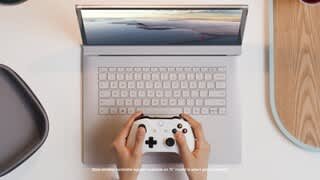
|Posted .This reviewer received promo considerations or sweepstakes entry for writing a review.Not strictly a tablet. Not only a laptop. The Surface Book 3 continues the Surface Book tradition of blending the two devices to provide an all-in-one solution for users seeking to create, play, and work in an ever-remote workspace. While the device is not without some quirks and questionable design decisions, it handled nearly every task I threw at it. It is currently my favorite portable Windows 10 device and I have absolutely no problem recommending it. I should disclose that I am a member of the Best Buy Tech Insider Program. Reviewers in this invitation-only program are provided products for the purpose of writing honest, unbiased reviews. Please keep reading for a more detailed breakdown of my experience so far. While this review is longer than I would like, I hope it helps others with their purchase decisions. Pros: First thing to point out, the Surface Book 3 looks largely the same as the Surface Book 2. The clam shell design from previous iterations is still present. The screen operates in a 3:2 aspect ratio which looks great when typing or working in Photoshop. It can be a bit problematic with gaming (more on that in a bit), but the screen is generally beautiful with great colors, contrasts, and black levels. It is a consistently beautiful display. The keyboard and touch pad are great. This is the best keyboard I have ever had on a laptop in terms of its responsiveness. The spring in each key just feels great. However, I really wish a number pad could have been worked into the design. If you work on a lot of spreadsheets, this may not be the most efficient keyboard or machine for you. Gaming was much better than I expected. The Surface Book 3 runs on a newer Intel 10nm Ice Lake processor. The processor was not the fastest in my testing, but it gets the job done. When combined with the included NVIDIA GTX 1660 Ti discreet graphics, I was amazed that the Surface played nearly every game I put in front of it. Doom Eternal ran at 60FPS for a good chunk of my testing when I played the game in 1080p at a 16X9 aspect ratio. Sea of Thieves looked and played great. On top of that, the Surface Book 3 15inch model comes with a built-in Xbox wireless controller adapter so you can easily sync your Xbox one wireless controller without the need to purchase a separate adapter. The strategy game, Warhammer: Total War 2 performed admirably enough, but this was the first game that showed me the limits of the Ice Lake CPU as performance could stutter a bit if enough units were on the battlefield. I ran some benchmarks and the device performed okay during various 3D Mark benchmarks. There are obviously faster gaming computers, but gaming performance on the Surface Book 3 exceeded my expectations. For the benchmark results, please see my photos. While I enjoyed the gaming, working with creative software like Adobe Photoshop is where the Surface Book 3 truly excels. The 32GB of Ram meant I never had to worry about running out of memory while I worked with high res layers in my projects. That is great for a laptop. I have run out of memory many times on my other computers. Afterwards, I have to go in and resize assets or compress layers before I can proceed. In addition, the 3:2 aspect ratio was great for working on books and word documents. The wireless adapter on the surface book 3 is 802.11ax compatible. With an up to date router, you can get some of the best Wi-Fi speeds currently available. If streaming or working remotely is important to you, I do not believe you can find a better device in terms of wireless connectivity. Cons: The battery life for the tablet is, quite frankly, not great. I got an hour and a half of web browsing and streaming before I needed to plug the tablet in. A digital artist wishing to work on the tablet from their couch, may need to be prepared to have their power cable nearby. Microsoft claims the computer should get 17.5 hours when connected to the base, my experience never bore that out. I did get more life than the tablet by itself and it has lasted much longer than I expected, but it was not anywhere close to 17.5 hours. On the subject of art, it’s not possible to bend the display back and have it lay perfectly flat against the base. I wish there were more connectivity options for USB. There are only two USB-A ports and they are all on the left side of the keyboard. If you are right-handed and use a wired mouse, you will have the cable wrapping around the device. There is no HDMI port. If you want to view your work on a TV, you will need to either use a USB-C to HDMI cable, cast your display wirelessly, or invest in a docking station. In addition, there is no wired networking or display port. If you need more device connectivity, you may have no other choice but to invest in a docking station. Docking stations are not cheap. On the subject of accessories, the official stylus is also not included by default. I’ve seen much cheaper computers and tablets come with their stylus by default. The power adapter is proprietary. It comes with a USB-A port built into the power brick which you can use to charge your phone, but because the adapter is proprietary, it could be an expensive replacement should it fail. And while you can charge the Surface Book via USB-C, the screen can only be charged by connecting it to the keyboard base or charging it with the included power adapter. Headphone jack placement is awkward. It is located on the top right corner of the screen. That means you may find your headphone cable constantly interrupting your view. If you wrap the cable around the back of the Surface, you have even less headphone cable. There is an 8.0MP camera on the back of the display. I don’t really see the purpose. Taking pictures like a tablet or a phone seems ridiculous to me. Windows 10 ver. 2004 has been out since late May, but to-date, I have not yet been able to install the update on the Surface Book 3. The Surface is still waiting for the update. If you were hoping to have a device with the latest version of Windows installed by default, this is not it. Speaking of updates, get ready for a lot of online updates out of the box. As mentioned above, the Surface Book 3 15” comes with a discreet NVIDIA GTX 1660 Ti graphics when connected to the keyboard base. However, the driver updates must come from Microsoft. When I launch Doom Eternal, the game tells me my graphics drivers are out of date and that I should download the latest drivers. From my reading, you should not download NVIDIA drivers from the NVIDIA site as this device is proprietary and not using drivers from Microsoft could cause software problems. The draw back here is constantly worrying if I have the latest and most compatible drivers for games. Out of date drivers can lead to graphical and performance problems in games. While I didn’t encounter any problems in my play sessions, the drivers are definitely a concern. Conclusion: The Surface Book 3 is an impressive computer. It functions well as a tablet with full software as opposed to apps. When connected to the keyboard base, the Surface Book 3 produced admirable speeds for gaming. The display and 32GB of memory made the device great for working on digital art and photo editing projects. I found a few of the design decisions to be a bit baffling, but they did not interfere with my overall enjoyment of the product. I believe Microsoft achieved the goal of creating a truly all-in-one device that can meet the needs of most users. It isn’t always a perfect experience, but I am enjoying it. 4.5/5
I would recommend this to a friendPortability with Power
|Posted .This reviewer received promo considerations or sweepstakes entry for writing a review.Feel and Finish: The outside is made of sturdy magnesium and provides a nice finish that resists marking. Your old school laptop feel with a sturdy flex hinge. One of the first thing you notice is the heavier weight. The keyboard is a big portion on this. (keyboard is 2lb 7oz. – tablet 1lb 13oz.) The Touch screen is glossy and offers a PixelSense display 3240 x 2160 resolution, 260ppi. Nice aspect ratio of 3:2 with nearly 4K Display Keyboard is large with nice keystroke and a nice touchpad. The hinge has a unique look. It does not open all the way flat, but you can remove the display and reattach backwards to then close the laptop with the screen to the outside. Operation / Connections: Set-up was very simple. Standard Windows 10 walk through. I recommend backing up or Syncing your old PC to One Drive, it makes life so much easier to transfer to the new computer. There is no fingerprint reader which I found a little surprising, but the face ID is almost instant, so I suppose I won’t miss it. Connections: 2 USB - 3 .1 ports and 1 USB-C - 3.1 port. I do miss the HDMI connection found on my prev. 2 in 1 You also have a headphone jack and full-size SD card reader. – I prefer the micro SD card slot that pushed in and remains flush with the computer which I feel is safer and won’t get knocked around. However, If you have a camera or other device that utilizes a standard SD you will be quite happy. The headphone jack is oddly located on the top right of the screen which creates a dangling cord across your keyboard or mouse area when docked. When used as a tablet, there is no issue. I prefer Bluetooth headphones, so I won’t experience this too often. Power cord is fantastic. It is magnetic, so all you have to do is get close to the connection and it connects itself. (to the keyboard or to the tablet direct when detached) Camera’s: - 5MP Front-facing 1080P and an 8.0MP Rear-facing AF 1080P. They work very nice so far. I have only taken a few outdoor shots with the rear facing camera and they turned out very good. The front facing cam I recently used for a Zoom meeting and it provided a crisp well balance video image, No complaints there. Battery : I experienced about a 4-hour average battery life when connected to the keyboard. (Mostly watching YouTube videos and Browsing etc.) When doing some heavy rendering of images, I got about 2 hours on the battery. You will get much less time when in tablet only mode. Maybe 2 hrs. Needless to say, the battery performance is a little underwhelming. You may experience more battery life if simply browsing the web and other light work, or perhaps more standby time. There are two batteries, one in the tablet portion and a larger one in the keyboard. The keyboard is also where you get the power of the NVIDIA GeForce GPU. Power /Speed: The processor and GPU do a great job rendering files and gaming. I downloaded and played some Modern Combat and had no issues at all, Graphics were sharp with no lag. For a laptop with removable screen I was impressed. Rendering images was much faster than my LG which has an Intel Core i7-8565U (1.8 GHz) 8th Gen processor. (Processor on SB3 is 10th gen 1.3 Ghz) Time to render on the LG was 75 sec. to the SB3 at 43 Sec. So the Surface book was a good 40% faster. Overall impressions; If you are an artist, developer, programmer (depending on how often you use that right CTRL key) or photographer that need mobility, you won’t be disappointed with the build and performance. This Surface Book 3 has the power for any task including gaming. What needs improvement? -The Speakers.. The quality of the sound is pretty good, but they do not get very loud at all. Not sure why they did not include a second pair in the keyboard. - I would also like to see a micro SD slot and USB C connection on the Tablet. You are provided no external connections / storage to the tablet itself, so if you want to transfer images off a device you must have your keyboard plugged in. - Battery – perhaps it goes hand in hand with high performance, but the battery life could be better. - Oh and did I mention that Microsoft does NOT include the Surface Pen with a computer that is approaching $3k, come on Microsoft, this is a ‘Surface’ after all, the drawing ability was one of the appeals of this line. I have heard the Surface Pen works well and my daughter, who is an artist, would have loved to test it. Perhaps another time. I also found it a little awkward to use the tablet when detached from the keyboard as there is no kickstand to rest upon. What I end up doing is attaching the tablet backwards on the keyboard and close flat. This also disengages the keyboard and mouse pad from accidental touches and gives you the extra battery life and GPU performance. What I do like about this is the keyboard is protected under the screen, not like my other 2 in 1 where I end up with the keyboard exposed toward your lap or table. I did notice the keyboard is missing the right CTRL key. This is quite annoying as I can no longer use one hand to hit CTRL P to print etc.. My LG 2 in 1 has the same key, but it only becomes a ‘menu’ key when you press the ‘Fn’ button. That makes way more sense to me. This is a bit on the heavier side when keyboard is attached (15” version). It weighs in at 4lb 4 oz. on my scale (Keyboard is 2lb, 7 oz. and the tablet is 1lb 13 oz.) My guess is due to the weight of the screen (Tablet) it may be necessary to have a heavier keyboard. Bottom Line: If you are NOT a gamer or have no need for this high-end processor and GPU, then you can probably find a less expensive and more portable option. But if your looking for a powerful versatile laptop capable of crushing your daily tasks, gaming or video editing.. well this laptop will do that for sure, but then Surface also provides you a removable drawing tablet where you can create until your heart is content. The longer I use it the more I like it even with some of the quirks mention above. The power and speed is amazing. I give it a 4 out of 5 stars. I have included a picture of the SB3 next to my LG Gram 14” so you can see the size difference with the different aspect ratio. ~Reviewers in this invitation-only program are provided products for the purpose of writing honest, unbiased reviews
I would recommend this to a friendGreat for Engineering and CAD Drafting.
|Posted .This reviewer received promo considerations or sweepstakes entry for writing a review.I am a reviewer in this invitation-only program and was provided this product for the purpose of writing an honest, unbiased review. A little background about myself. I am a registered Civil Engineer in the United States and I have been a designer, project manager, program manager for over 20 years. I have also been in the construction industry since I was a kid. So engineering in my DNA. With that said, I have used AutoCAD since Release 10 and I have used Land Development Desktop also know as Civil 3D since its inception. I received the Microsoft - Surface Book 3 15" Touch-Screen PixelSense™ - 2-in-1 Laptop - Intel Core i7 - 32GB Memory - 512GB SSD – Platinum and had to go through the setup and all the updates. That took about 4 to 5 hours total. I then used SiSoftware to benchmark the PC prior to testing functionality. This took about 2 hours to run the benchmark. It ran hot because it pushed the computer so I knew the software was doing its job. The benchmark came back showing that the PC met the specs as advertised. I then tested transfer speeds of USB to local Hardrive. Speeds are wicked fast due to Solid State HD and wireless transfer speeds are really fast as well per wifi 802.11 specs. I have a mesh network in my house and this computer is flawless with pickup signal and transfers. I moved on to test per industry use. I used AutoDesk 2018 and opened files and used 3D orbit to look at 3D renderings without any lag. Model space pan, zoom, regenerate was fine. No issues. Video card kept up and did not crash. Section views came out fine. No issues. I also opened up 300+ sheets (1 project) in Revu (BlueBeam) no problems. Was able to mark up and comment and take measurements and do quantity take offs just fine. I also used Adobe to open up the same 300+ sheet project. No problems. I then used stylus to do hand markups as part of my adobe review of various reports. It was nice to be able to use the stylus in conjunction to typing out my comments. The stylus can stick to the side of the Surface Book because there is a magnet on the right side. Pretty neat. I transferred 4K raw video and made a movie. No problems either. Image was nice and crisp. No lag. Did conversion from 4K raw to 1080 no issues either. This is my new High Powered PC that will run my AutoCAD from now on. My old PC dated back to 2013 and was at that time a gaming laptop and rhymes with “Bell” and was the extraterrestrial model. Tablet mode was really nice as well. Added feature with its high end specs just takes it to the next level. Well Done Microsoft. I would highly recommend this product for an Engineering use.
I would recommend this to a friendIt's good, should be great.
|Posted .This reviewer received promo considerations or sweepstakes entry for writing a review.Going from a 13.3" laptop; this 15.6" feels huge and spacious with both screen and keys. The pixel-sense resolution and clarity is quite impressive. When detached, the tablet is light given it's size. The speakers with Dolby Atmos work well and sound pretty convincing. I like that it's a 2 in 1 that literally changes functionality whereby the keyboard actually contains more than just a keyboard, (like the much needed extra battery power). I had heard such impressive battery numbers like 13hrs, sadly I'm lucky if I get 6 with mixed usage. Intensive programs which tax the processor like Lightroom classic or TurboCad severely drain the battery in tablet mode, I think I managed 1.5 hrs going from 100% down to 39% before I docked it. After picking up the charge from the base, it read 77%. One thing I haven't encountered in my other PCs is how the mouse pointer on this freezes for a few seconds; disconcerting to say the least. Using the aforementioned programs, I didn't encounter any long lag in rendering either: complex 3D drawings, complete with topographical overlays; or video editing while adjusting for color saturation on the fly. It tends to get noticeably warm though not hot, likely thanks to it's magnesium construction. It didn't come with a pen, not cool for something at this price point. Fortunately I have one from my old unit which works perfectly with this. I like using it for floor plans in tablet mode, sadly though, the battery won't hold up for long with that intensive application. The new 10th Gen Core i7 processor doesn't feel much faster than the 8th Gen i7 on my older unit. I would say on video rendering, it's a bit quicker, not blazing by any means. So why spend so much for this? I'm sure there are less expensive units and certainly cheaper versions of this; get it for it's true dual purpose form factor, for its rough and tumble design, for the possibility of having a trouble free unit that will make you more productive. Don't get it to surf the web and check emails or play games ( though you certainly could easily). I should note: reviewers in this invitation-only program are provided products for the purpose of writing honest, unbiased reviews.
No, I would not recommend this to a friend- Pros mentioned:Battery life, Ease of use, Keyboard quality
5 Stars If didn't require external "accesorries"
||Posted . Owned for 1 month when reviewed.This reviewer received promo considerations or sweepstakes entry for writing a review.The build quality & performance is pretty amazing. Its easy to use, removing the screen is a breeze, battery life is good (no laptop is great, regardless if they advertise it as such), picture quality is spot on! Cons: No Ethernet port, or port to hook up external monitor, if you want this function, you'll need to purchase $185+ Surface Dock (there are alternative options besides a Microsoft product) and/or a USB to Ethernet "accessory" (when did accessories become the actual important functions of a laptop? like an Ethernet port and/or external monitor connection? I made the mistake of not doing my homework before purchasing my laptop, but performance wise? its top notch!
I would recommend this to a friendBrand response from MicrosoftOutreachTeam
Posted .Hi there,
We appreciate your review. We're glad to hear you been enjoying the battery life and overall performance of your new Surface Book 3. We always appreciate getting honest feedback from the community and we'll be sure to share yours with the rest of our team.
Cheers,
Heather
Surface Customer Care
- Pros mentioned:Battery life, Processor speed
Sexy Workhorse!
||Posted . Owned for 2 months when reviewed.This reviewer received promo considerations or sweepstakes entry for writing a review.I work in real estate and needed a new laptop that could keep up with my demands. My old laptop was slow, sluggish, and too often embarrassing when making client presentations because it lacked the horsepower to do more than 1 thing at a time (software today consumes a lot of resources). I use PowerPoint with embedded videos, large CAD drawings, maps, 4k Drone videos, etc. which can bring a lesser computer to it's knees. I find that my Surface Book 3 easily handles the task, effortlessly switching between open programs, with remarkable speed. I like the versatility of having a removable screen (with a simple touch of a button) which can be an impressive part of my presentation, when used properly. The sound is loud and clear, whether I am presenting to a single individual or when I teach a classroom of 50 students! I am still learning how to incorporate the pen in my presentations. I have found that the side button is a little awkward for me to use, but that may just be from a lack of use. Hopefully it will improve. Not sure I would be so quick to opt for this in the future, but I could change my mind once I figure out how to incorporate it in my workflows. I spent a lot for my unit, opting for a better processor rather than the largest SSD drives. That proved to be a wise choice, as I don't think I will run out of storage any time soon. I use Photoshop and Lightroom for my photography and this hasn't been a problem. The charger is a little bulky to have to carry around in my bag, but I do find that the batteries will last for a long day and recharge quickly. The unit does get a little hot which can be a uncomfortable when wearing shorts. So, after only a couple of months of use, I think I made a great decision for myself. The unit is a little pricey, but it has enough horsepower and bells & whistles that I think will carry me for the next few years. It has impressed my clients enough that I may have sold 3 units (Hey Microsoft...do I get a commission!?). More importantly, I feel more confident and productive in my workflow using this tool which will translate into more sales. And that makes it a great value in my mind!
I would recommend this to a friendBrand response from MicrosoftOutreachTeam
Posted .Hello,
Thank you for letting us know how well your Surface Book 3 is working for you. We're glad that you're a fan of its versatile design and power, too. We hope you continue to enjoy using it.
Cheers,
Chuck
Surface Customer Care
- Pros mentioned:Battery life, Processor speedCons mentioned:Price
And excellent machine
||Posted . Owned for 1 week when reviewed.This reviewer received promo considerations or sweepstakes entry for writing a review.I do like to say that this laptop was a huge upgrade great battery life great speed power everything even does great with some light gaming on steam the only downside I would have to say is the volume which is a little hard don't listen to any good movies / music vids unless you got headphones on of course and the price which is extremely high but overall this is a pretty good machine I do highly recommend if you have the money!
I would recommend this to a friend - Pros mentioned:Keyboard quality, Processor speed
Great but...
||Posted . Owned for 1 month when reviewed.This reviewer received promo considerations or sweepstakes entry for writing a review.My first impression of this was it was great. Programs ran quick and I was impressed cause I honestly wasn't expect much. The speakers sound great. There are certain songs I listen to where I can hear sounds I never heard before. Now the picture is great on youtube you can play 4k quality but my issue is the colors don't look as bright compared to Apple. Also what's very disappointing is when you separate the screen from the keyboard, the keyboard can only be used when attached (even though there's a battery in it). You would think it would connect with bluetooth, but no. I am able to connect my apple keyboard and you connect your phone to get messages and take phone which is cool. It was a little difficult to remove and reattach the screen from the keyboard. I recommend watching youtube video. Other than that I'm happy with this but I do feel for the price I paid for it should come with 1tb of memory and a lot more than 1.3 ghz. I still have to test this out with a game to see how it handles.
No, I would not recommend this to a friend - Pros mentioned:Battery life, Keyboard quality
Perfect Laptop!
||Posted . Owned for 7 months when reviewed.This reviewer received promo considerations or sweepstakes entry for writing a review.Awesome laptop and 2 in one with touchscreen. Touchscreen just works. The colors on this are great. I really like the backlit keyboard and build quality is superb. I haven't heard any additional fan noise either. The keyboard is very comfortable and works well. I haven't used the screen only after detaching it for a long time but wanted to try it out to see it work and it worked well. I don't do any gaming as it's more of work, streaming, and home browsing laptop on the go anywhere in the home and beyond. The wifi works well and haven't had any issue with connectivity. Battery life is well as I've worked (word, excel, browsing, streaming) about 7 hours continuous on a bright screen prior to deciding to plug in. At the time of plugging in there was still around 20% left. The surface pen is also great for doing annotations or capturing screens easily and the button is configurable making it easy to do what you want. Surface isn't cheap but comparing to other laptops it suits my needs perfectly.
I would recommend this to a friendBrand response from MicrosoftOutreachTeam
Posted .Hello – Thank you for sharing your experience with Surface Book 3. We're delighted that you enjoy the touchscreen, keyboard and versatility. We hope you continue to enjoy using it. Cheers, Erica Surface Customer Care