Customer Ratings & Reviews






- Model:
- GA02307-US
- SKU:
- 6450821
Rating by feature
- Value
Rating 4.7 out of 5 stars
- Quality
Rating 4.7 out of 5 stars
- Ease of Use
Rating 4.6 out of 5 stars
Customers are saying
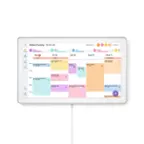
Customers commend the Nest Hub 7” Smart Touchscreen Display for its sound quality, ease of use, and convenient screen size, frequently praising its seamless setup and helpful Google Assistant integration. While some users noted occasional slow response times, the positive feedback on features like sleep tracking and smart home integration outweighs these concerns. Many appreciate the device's value for its price point.
This summary was generated by AI based on customer reviews.
- Pros mentioned:Ease of use, Sound quality

The best way to control your nest devices!
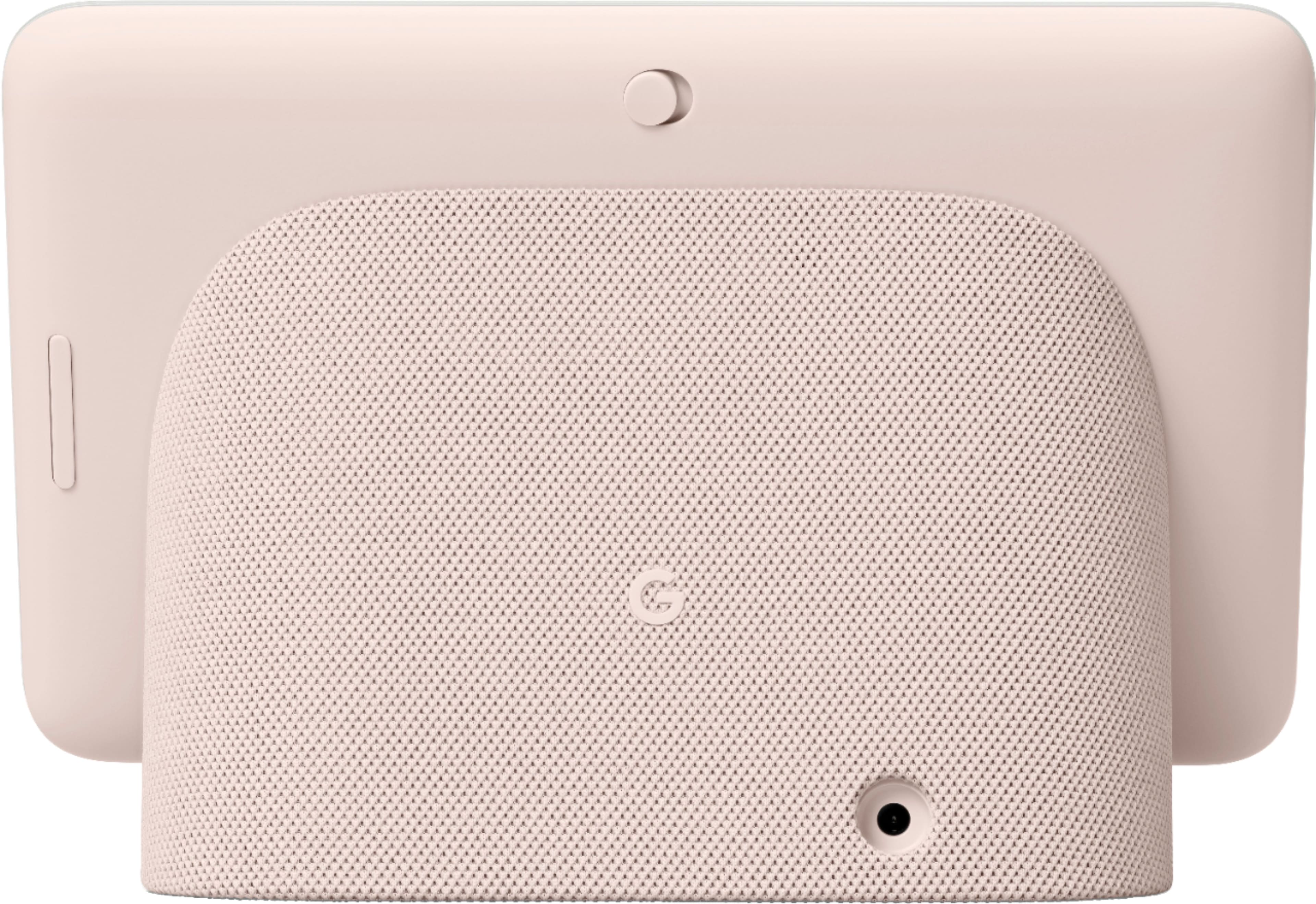
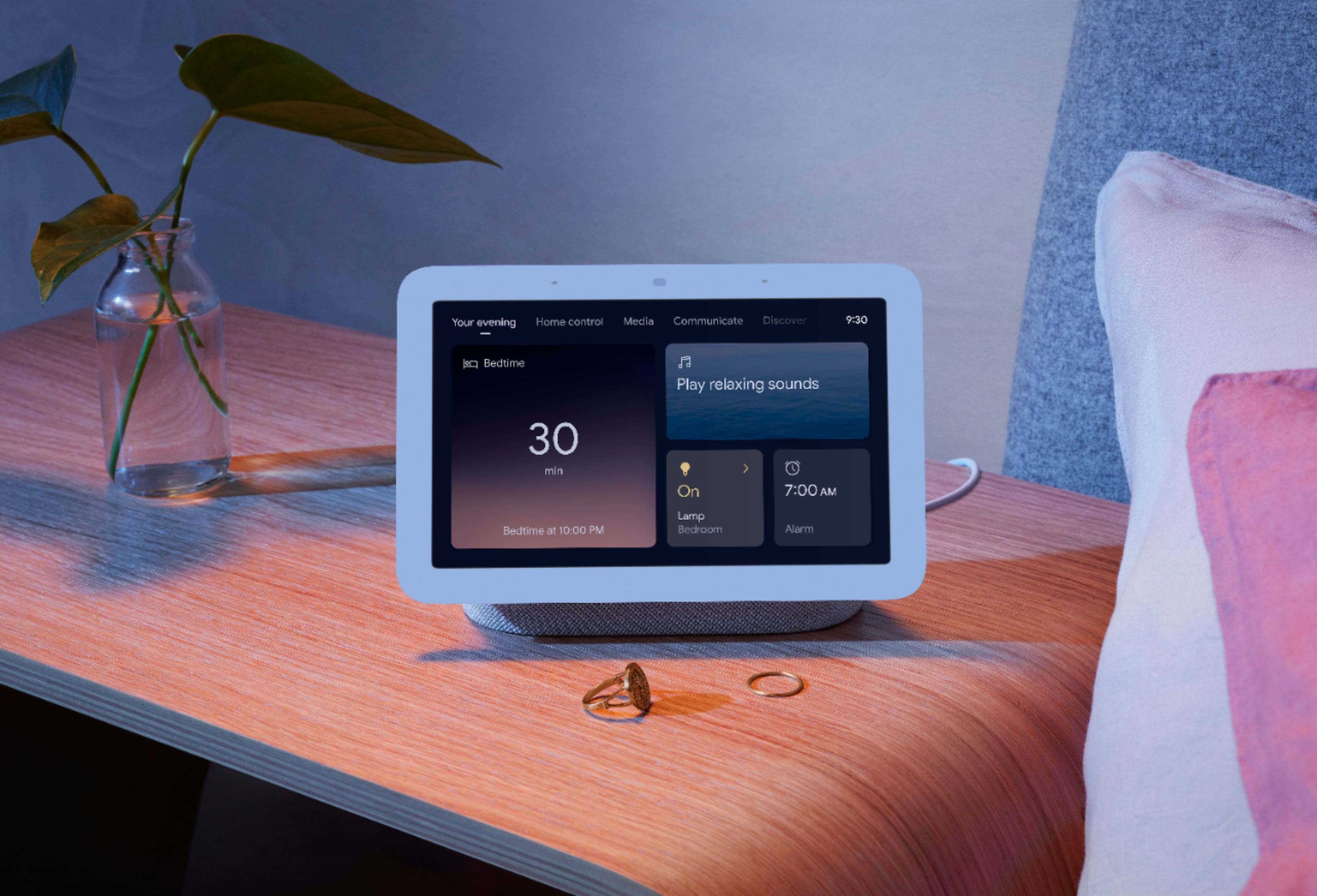
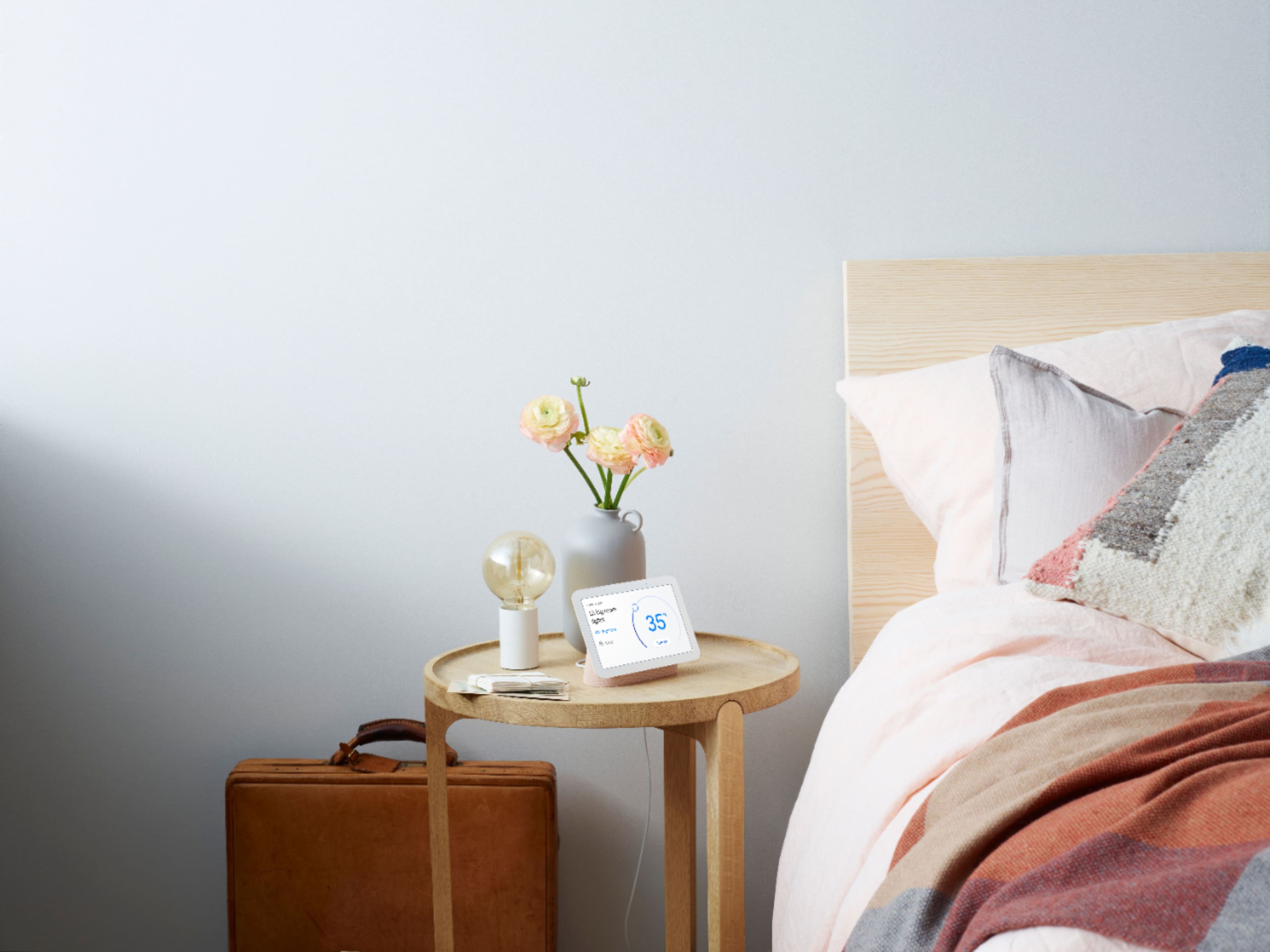
|Posted .This reviewer received promo considerations or sweepstakes entry for writing a review.I own quite a few Nest Devices (4 Nest Protects, 2nd Gen Nest Thermostat, 2 Indoor Nest Cameras). And now a 2nd Gen Nest Hub. I'm quite happy with this little device. I was surprised at how small it was. But the size does make it very convenient to be used in many locations. If fits perfectly on my night stand next to my bed. The packaging is quite simple. The display and a power cord... and that's it! The Good: The setup is as expected for any current generation tech device. Everything is setup through your mobile phone (requires the Good Home app). There a handful of setup screens to navigate through. But once you're done with that, there isn't much else needed. The display itself is very nice and quite responsive to touch gestures. It's also an Always-On display. When it doesn't detect any motion the clock is displayed. If it detects you've turned out the lights to go to sleep, it switches to a very dim clock display that eventually turns off. Waking up automatically when it detects motion. The audio is surprisingly good as well. Deep bass and great highs. It even has an equalizer so you can adjust the intensity of Base/Treble. The volume does go up quite loud. But doesn't go low enough for my bed time music tastes. I still have to use my phone (with the volume on 1) for my ambient music at bed time. Now for the best feature. Sleep Sensing. The Nest Hub will monitor you while you sleep. Recording 2 types of events. Audio and Motion. It will notate each time a Cough, Snore or Wake event occurs. My first night using this I was quite surprised at how much it says I snore. Nearly 6 hours of snoring! :( The data is displayed in a very easy to understand 3 bar graph (each category gets its own bar graph). It also shows you how early/late you went to bed and woke up (based on your sleep schedule). There is a physical switch on the back side of the device for turning the microphone on and off. A nice gesture from Google that they have privacy in mind. Controls are pretty easy to use. It has voice control: "Hey Google, how did I sleep last night?". "Hey Google, play me some ambient bed time sounds", It also supports hand gestures. And as I said above, the touch screen is responsive. Swiping from Left to Right returns you to the previous screen. Swiping up show the settings app tray (settings, turning sleep sensing on/of/etc). Swiping down shows the other apps (media, audio/video/games/etc) The Bad: Some settings seem too difficult to access. I remember setting up my bed time schedule. I wanted to change it, but I couldn't find it anywhere. I think consolidating or displaying all of the various settings from the main settings window would be useful. I'm not sure if I like or dislike that it doesn't have it's own internal power source. If you unplug it, the device turns off. And plugging it back in requires you to wait until it boots up again. I suppose this help keeps the cost down. And this device isn't meant to be mobile (it's permanently affixed to it's base). Overall: I really like this device. It streams Netflix, it tells me how I'm sleeping, it's small and light weight. I can see get another one of these for the kitchen. If you own a bunch of Nest devices, you definitely need to get one of these (they're pretty cheap too!). If you don't have any Nest devices, this would be a great way to get into the Nest family.
I would recommend this to a friend Pictures clock
||Posted . Owned for 1 month when reviewed.This reviewer received promo considerations or sweepstakes entry for writing a review.Nice pictures clock. Pictures goes back to pictures that I 4got about. Nice to go down memory lane.
I would recommend this to a friendGreat item for google users
||Posted . Owned for 1 month when reviewed.This reviewer received promo considerations or sweepstakes entry for writing a review.This is probally the best thing i used with google controlling it. makes my day to day so easy.
I would recommend this to a friendGreat hub
||Posted . Owned for less than 1 week when reviewed.This reviewer received promo considerations or sweepstakes entry for writing a review.Awesome. So useful. I don’t use all the features like watching Netflix or YouTube, but so useful as a home media controller & alarm clock.
I would recommend this to a friendSPANISH MOM FRIENDLY
||Posted . Owned for 2 weeks when reviewed.This reviewer received promo considerations or sweepstakes entry for writing a review.My favorite kitchen accessory! The English and Spanish feedback is flawless!
I would recommend this to a friendNice to have a home!
||Posted . Owned for 2 weeks when reviewed.This reviewer received promo considerations or sweepstakes entry for writing a review.Best home product I ever bought. Simple connection & ready to use device.
I would recommend this to a friendGreat Product
||Posted . Owned for 1 week when reviewed.This reviewer received promo considerations or sweepstakes entry for writing a review.Realy useful as a camera monitor for our kids helps us monitos them 24/7
I would recommend this to a friend- Pros mentioned:Screen size, Sound quality
Good functionality and promising new feature.
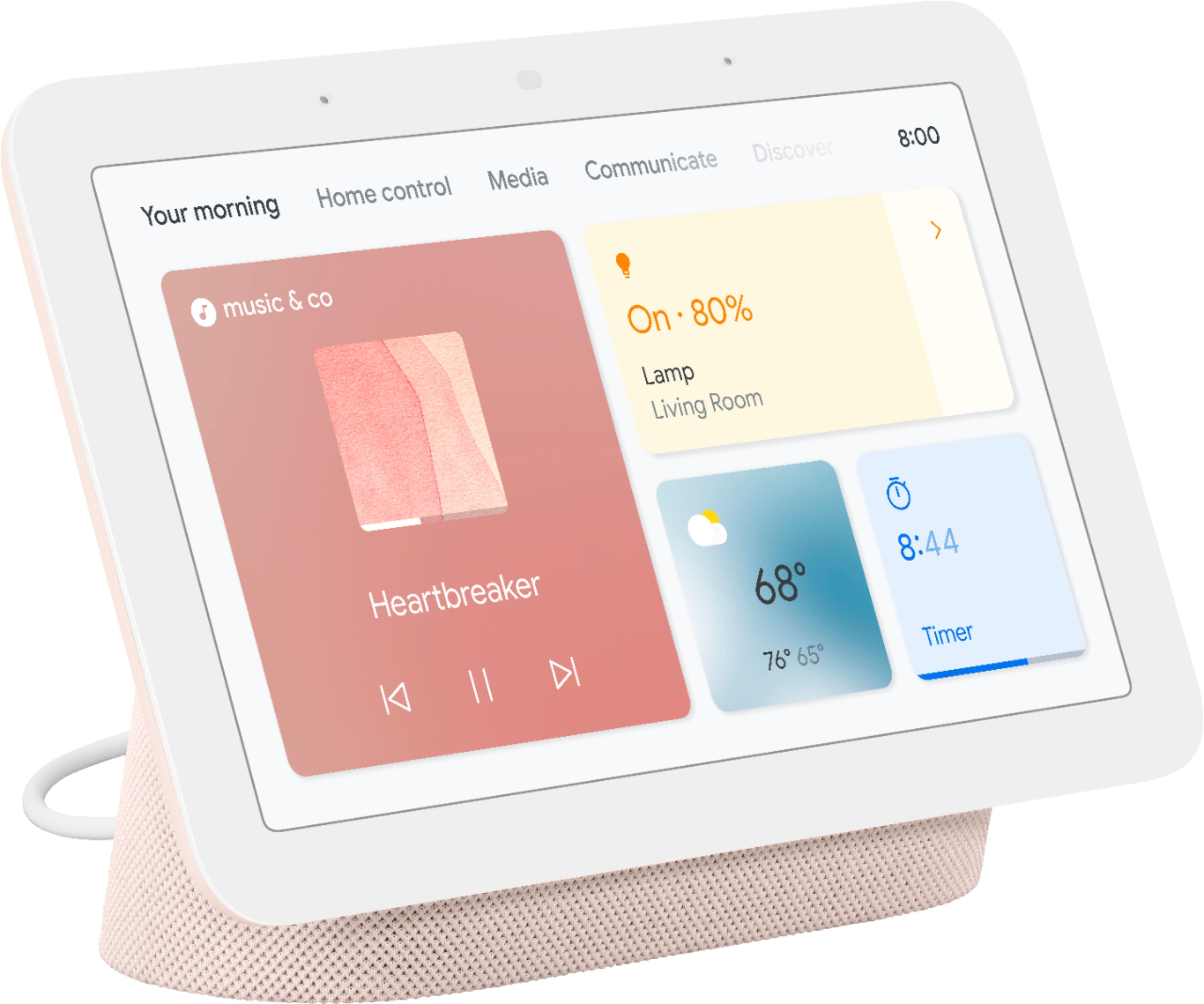
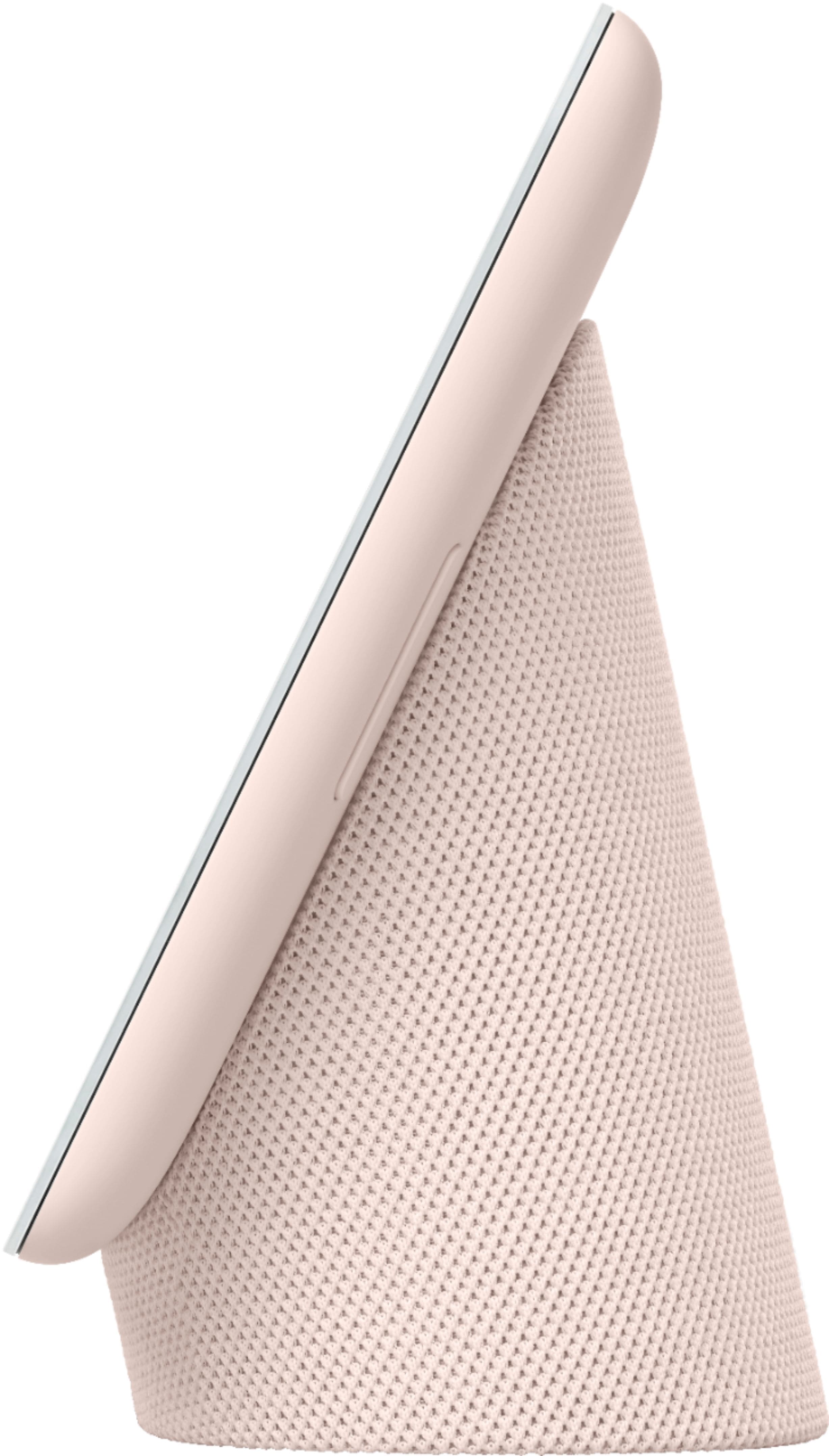
|Posted .This reviewer received promo considerations or sweepstakes entry for writing a review.I’ve been using voice-controlled hubs for a long time, but I am late to the smart display experience. To start, the Nest Hub 2 looks genuinely pleasant and classy. The light green textured base has some weight that allows decent stability. The glass-covered display is flushed with the bezels, which personally I think are on the thick side. On the “forehead,” you’ll see some sensors. There is also a volume rocker and a mic mute slider on the back. Setting it up requires a bit of know-how, but the device will walk you through every step. Keep in mind that you will need your phone or tablet (with a recent version OS). I did run into a few snags but once it was working, it’s smooth sailing. The 7-inch screen is flushed and is bright enough in a well-lit room. Although the resolution is low (1024X600), it is clear and has enough contrast to be appreciated. I watched a few videos, and it did the job well, although I would not go watching movies all day on it though. When not in use, the Nest doubles as a picture frame that you can set to display whatever album you choose. For music, podcasts, and audiobooks, there are plenty of options to choose from. The sound coming out of this small 1.7” speaker is rather full and natural. The bass does have some impact -even at high volumes, although it may not blow away any bass-heads out there. The midrange is well represented and clear, adding transparency to speech and most rhythm-based instruments. The treble is a bit soft but still is high enough to add clarity. The nest covers my small bedroom nicely, but some bass may get lost in a bigger space. Also, at above 80% volume (4), I did notice a bit of muddiness -especially in heavy rock and classical orchestra genres. Nevertheless, I thoroughly enjoyed listening to my podcasts and audiobooks as vocals are clear and natural. As a voice assistant, Google is usually on top of things. I noticed that it does have some difficulty with nuanced questions. The good thing is that the screen gives you options when a straight answer cannot be given. Coming from a voice-only assistant device, that’s a huge upgrade. As far as voice recognition, the Hub understood almost everything -even from across the room. Speaking of commands, it is nice to control any device connected to the Google Home ecosystem. I have a kitchen lamp, a speaker, and a Chromecast-enabled TV, and all worked as expected. You can always turn off the mic if the always-listening mode bugs you. I tried calling some people with Google Duo and it worked nicely, Unfortunately, the Nest Hub does not have a camera so video conferencing is not available for the other party, but you will be able to still see them. This may be a bummer for some, but in my case, since I use the Nest in my bedroom, I’d rather have it that way. Alarms work well with a few nifty options such as ambient sounds and lighting for both going to sleep and waking up. The alarm can be “shooshed” by waving your hand by the screen, which beats reaching for the snooze or telling it to shut up. The main feature that other smart displays do not have is Sleep Sensing, which basically tracks your sleeping patterns. Using a radar-like technology, the device can tell when you get to bed, go to sleep, how much you move, and if you snore. It also detects ambient light and room temperature. Setting it up can be a bit tricky or inconvenient if your nightstand is too high or low, as placement must be precise. I have a low-altitude bed and my stand is well above, so I had to do some rearranging to make this work. Once calibration is done, I found the app to be mostly in the ballpark in accuracy. There were a couple of nights that registered my partner in bed instead and gave the wrong reading. It can also register anyone’s snoring, but luckily, I am the only one who does that. Afterward, the app tells you how you slept, and in a few days, it gives you “advice” on how to sleep better. It may not be as accurate as wearing a smart wristwatch, but it is interesting to see. I must mention that this is being offered for free at the moment, and Google says that it may become subscription-based later, which makes me question how much value this may bring to the table. In the end, the Sleep Sensing technology may be a bit gimmicky and is perhaps in its infancy, and hopefully will get better with updates. I am not sure if a subscription may change my view on it, but I found it interesting since I do not like wearing a smartwatch to bed. Still, I find the device useful and charming. Sure, it almost seems like a glorified digital picture frame, but it does bring some new features, good sound, and functionality.
I would recommend this to a friend Waste of money
||Posted . Owned for 1 month when reviewed.This reviewer received promo considerations or sweepstakes entry for writing a review.Biggest piece of crap ever made! Won't even follow any of the Google routines!!! I would have expected Google and made something that's not a piece of junk. Can't figure out why Google routines won't even be followed when it says that it does do Google routines but every morning my alarm goes off and it refuses to follow any of the routines and won't turn my lights on won't play music it's just a waste of time and money do not buy this piece of junk!
No, I would not recommend this to a friendBrand response from Nest Support
Posted .Hi mechanic, thanks for your feedback. We're sorry to hear you're having issues with your Nest Hub not following routines. This is not the type of experience we want you to have, and we're here to help. We suggest contacting our support team so we can assist you and check on your Nest Hub to further investigate what's causing the issues you're having. We might need to perform some troubleshooting steps that may help resolve your concern. Reach out to us here anytime: https://support.google.com/googlenest/gethelp

Awesome!
||Posted . Owned for 1 week when reviewed.This reviewer received promo considerations or sweepstakes entry for writing a review.A great addition to the Smart Home experience, have multiples.
I would recommend this to a friendGreat
||Posted . Owned for 1 month when reviewed.This reviewer received promo considerations or sweepstakes entry for writing a review.Good product love having smart home inside my own home
I would recommend this to a friendBest purchase ever!
||Posted . Owned for 11 months when reviewed.This reviewer received promo considerations or sweepstakes entry for writing a review.Really great home assistant! Very quick an responsive
I would recommend this to a friendBEWARE - Google knows they eventually fail
||Posted . Owned for 6 months when reviewed.This reviewer received promo considerations or sweepstakes entry for writing a review.Theres a know problem with the google Home nest hub. Sounds like a software bug that makes your device completely unusable. I contacted them and they are aware of the problem and are “unable” to do anything about it, however , they continue to sell them knowing they have this issue. Sounds like the issue affects the google home nest hub first and second gen . For now second gen is covered, you just have to hope its not past the one year warranty.
No, I would not recommend this to a friendBrand response from Nest Support
Posted .Hello Migs, we really appreciate the review you shared. We're sorry to hear you have issues with using the Nest Hub (2nd gen), and that we’ve fallen short in providing you with your support needs. We’ll be using your feedback to work on improving our products and services, including how we handle customer concerns with care, accuracy, and efficiency. Meanwhile, we’re hoping for another opportunity to help you with your concerns. Please share with us your recent case number so we can continue our investigation here: https://support.google.com/googlenest/gethelp
- Pros mentioned:Price, Screen size, Sound qualityCons mentioned:Camera, Response time
Nest Hub is a Great addition to my home
||Posted . Owned for 1 month when reviewed.This reviewer received promo considerations or sweepstakes entry for writing a review.Pros: Unique sleep tracking feature that does not require a band Gestures for control Crisp 7-inch screen is a nice digital photo frame Automatically adjusts brightness to room lighting Supports Netflix, Disney+, and various streaming services Good sound quality Voice control with Google Assistant Control of other smart home devices Competitively priced at Best Buy Cons: No camera for video calls Sometimes a delay after giving a command
I would recommend this to a friendBrand response from Nest Support
Posted .Hey there, JackR. Thank you for choosing Nest Hub(2nd gen). We're glad to hear that your experience with the device has been awesome. We appreciate your feedback on not having a camera for video calls and have taken note. As for the delay, we recommend rebooting your device as this often will fix the issue. If you've done this step already or if the issue still persists, please reach out to our support team and let us help find a better resolution for you. You can contact us on our Google Help page here: https://support.google.com/googlenest/gethelp
Smart Home Companion
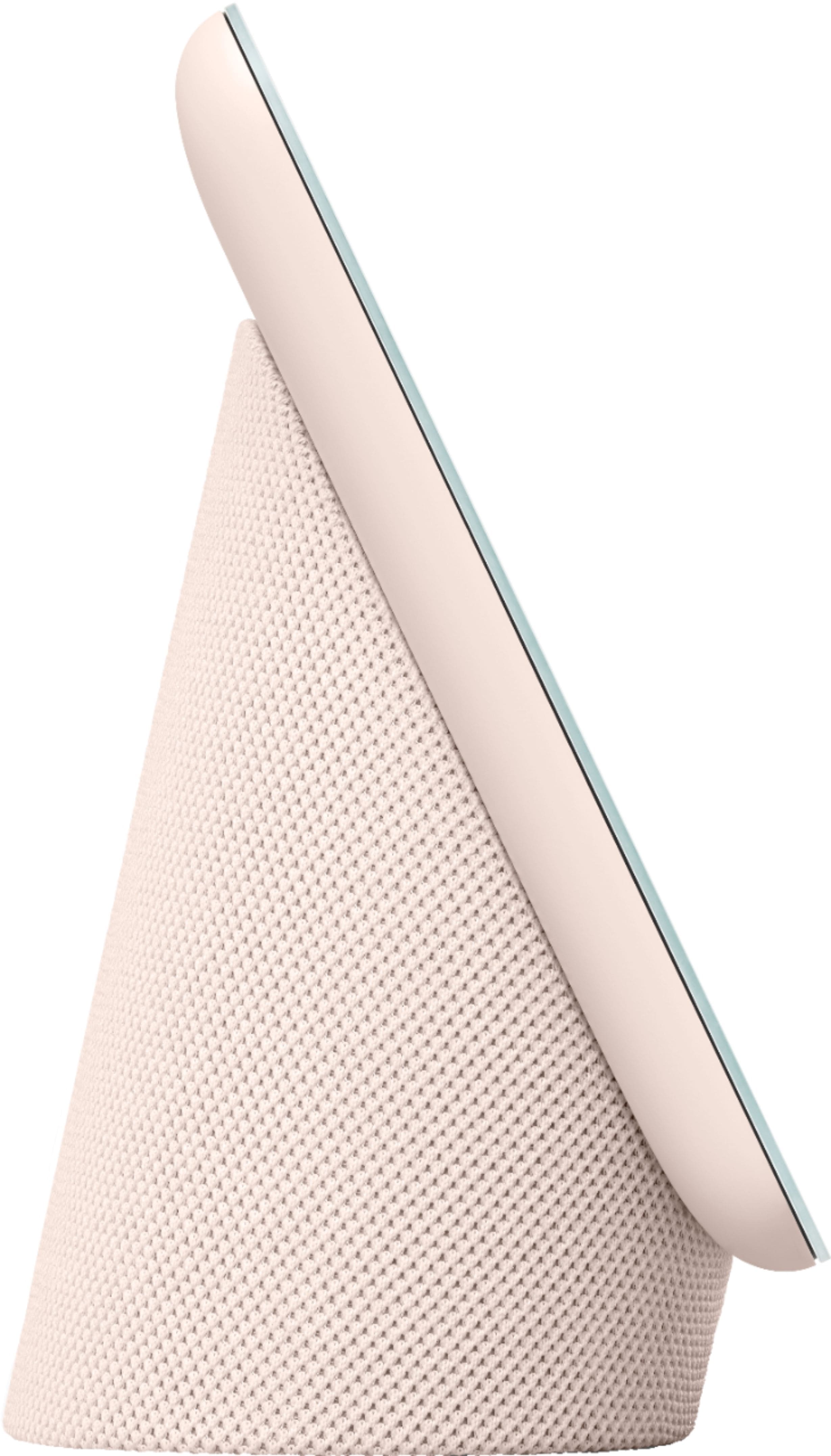
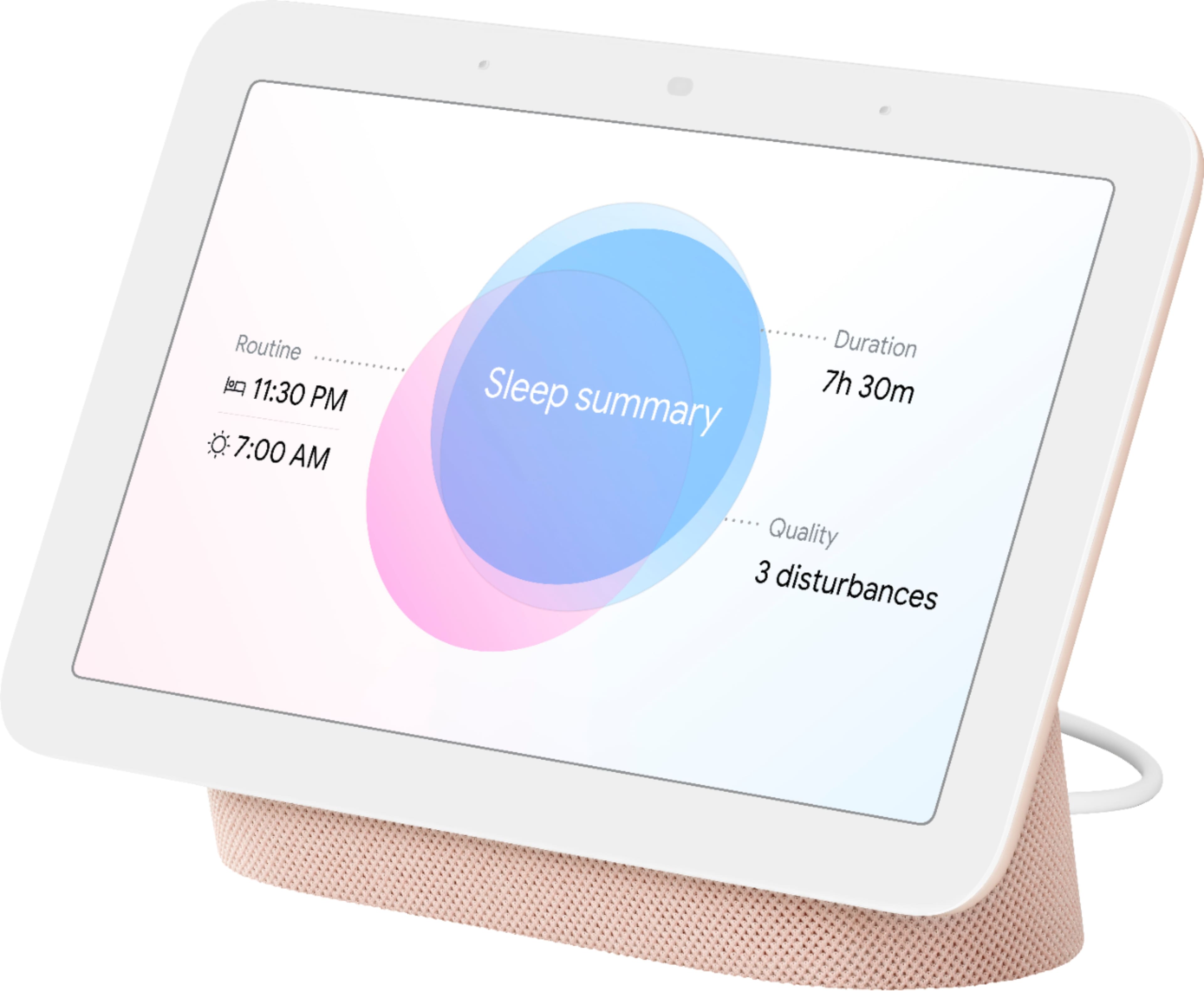
|Posted .This reviewer received promo considerations or sweepstakes entry for writing a review.---- Summary ---- Verdict: The phrase “if it ain’t broke, don’t fix it” certainly applies to the Nest Hub. Not much has changed from its predecessor, and that’s a good thing, but the sleep tracking, better audio, and edgeless glass display are welcome additions. For Google Assistant fans such as myself, owning a Nest Hub is a no-brainer. If you’re new to smart displays, this one won’t disappoint. Pros: - Compact design - Edgeless glass display - Easy to set up and use - Quick responses from Google Assitant - Controls smart home devices - Better audio than first-generation - Tracks sleep without a camera or wearable - Great digital photo frame Cons: - Quick Gestures don’t always work - Audio quality isn’t great ---- Review ---- Setup: Whether you’re new to the Nest Hub or adding another one to your home (like myself), the setup experience is simple and quick. After plugging it in, downloading and/or opening the Google Home app on your phone, and tapping the add button you’ll be presented with on-screen easy-to-follow instructions with animations. It makes the setup process a breeze, so I was done within a few minutes. Design: Not much has changed from the first-generation Nest Hub, and I think that’s a good thing. I like the modern, compact design with its fabric-covered base that is angled in a way that makes it seem as if the display is floating. It looks great on my nightstand and doesn’t take up much space. One notable change to the second-generation Nest Hub’s design is the new edgeless glass display. It looks better and is easier to clean than the framed display of its predecessor. Audio: Don’t expect to be blown away by the audio quality. Although it has 50% more bass than the first-generation Nest Hub (which is a noticeable improvement), the audio is still just okay. This isn’t a significant drawback in my opinion because the audio quality isn’t the focus of the Nest Hub. If audio quality is more important to you than a display, I recommend checking out the Nest Audio. That said, the Nest Hub produces clear audio that fills a small room, so I’d consider it adequate. Sleep Sensing: I was excited to try out the new Sleep Sensing feature. The idea of sleep tracking without a wearable device sounded outlandish to me, so I had my skepticism, but it seems to work very well. Using Soli radar technology, the Nest Hub can detect movement and breathing. For privacy reasons, I appreciate that there’s no camera involved. Disturbances like snoring and coughing or light and temperature changes in the room are also detected. With privacy in mind, the audio data is processed on the Nest Hub, not sent to Google’s servers. Additionally, the Sleep Sensing feature is completely optional, so you can always disable it. Checking my sleep summary has become part of my daily routine, and I have been surprised by how in-depth and accurate it is. There are many metrics like when you fell asleep and woke up, how long you snored, how many times you coughed, and even your respiratory rate. I’ve used wearable sleep tracking devices in the past, and I think the Nest Hub is just as good, if not better. Other Features: Having a Nest Hub adds convenience to my life at home and as an added bonus, it works well as a digital photo frame. I could go on and on about the many things it’s capable of, but I’ll just highlight some of my favorites. The Nest Hub connects to and lets me control all my smart home devices. Adjusting the thermostat, turning the lights on/off, or even starting my robot vacuum can all be done by simply asking Google. If family members are in a different room that has a Nest speaker, I use the broadcast feature so that I don’t have to yell in order to share a message with them. It’s also my source for weather, news, or quick answers. New to the second-generation Nest Hub is Quick Gestures, which allow you to pause/play music or video with a tap of the air in front of the display, or you can snooze an alarm with a wave of your hand. However, in my experience with this feature, it doesn’t always respond to my gestures on the first try, so hopefully, there will be an update to improve it. After experiencing the many features and hands-free help Nest provides, I don’t think I could ever go back to not having one in my home. This Nest Hub becomes the center of whatever room it’s in.
I would recommend this to a friendHey Google, play [any movie] does not WORK!!!
||Posted . Owned for less than 1 week when reviewed.This reviewer received promo considerations or sweepstakes entry for writing a review.This is a huge problem for me. The previous version has no problem. I say the same command and my movie will play. Except very choppy bc it is a dated model. Would LOVE to see this error worked out. The previous model would have gotten a 5 star review.
No, I would not recommend this to a friendBrand response from Nest Support
Posted .Hi aimstaind, thanks for taking the time to share your feedback with us, and we’re sorry to learn of your poor experience with the performance of your Nest Hub (2nd gen).
Your Nest display could be having trouble connecting to Google, and these simple steps may clear this issue out:
- Check your Wi-Fi network for possible congestion. Relieving some of your connected devices may help free up some bandwidth space.
- Check the distance between the Nest display and your router. Ensure that it is within a line of sight from your router.
- Check for wireless interference with other Wi-Fi hotspots or appliances and devices nearby.
- Restart Nest display and router to refresh the connection.
- Reset your Nest display. On the back of Nest Hub, press and hold both volume buttons together for about 10 seconds. Your Nest Hub will let you know that it's resetting.
We’re always looking for ways to create a better experience, and your feedback counts. And if you’d like to get in touch with us for additional assistance, you’ll find our contact details using this link: https://support.google.com/googlenest/gethelp
Can't tell time when there is no wifi
||Posted . Owned for less than 1 week when reviewed.This reviewer received promo considerations or sweepstakes entry for writing a review.When the device has no internet connection, it is unable to tell the time at all. What's the point of one of the core features of this device is to display the time? When your cellphone loses all connection, does it stop telling or showing you the time? No. There's no reason why this device cannot do the same.
No, I would not recommend this to a friendBrand response from Nest Support
Posted .Hi theogravity,
Thanks for taking the time to share your feedback with us. We're sorry to hear Nest Hub 2nd Gen didn't quite meet your expectations. Your feedback helps us improve our products and services. Nest Hub 2nd Gen and other Google Nest devices requires an active internet connection in order to work. This means you need to connect Google Home to Wi-Fi before you can use it to check the time, weather, play music, etc.
You can also visit this Google Nest Help page to learn more about the requirements for your Nest Hub 2nd Gen: https://support.google.com/googlenest/answer/7035987
- Pros mentioned:Screen size, Sound quality
Great addition to my home!
||Posted . Owned for 2 weeks when reviewed.This reviewer received promo considerations or sweepstakes entry for writing a review.I’ve been using the Google Nest Hub 7" for a while now, and it’s quickly become one of my favorite smart devices. The screen is the perfect size...not too big or bulky, but large enough to clearly see recipes, photos, and weather updates. I especially love the photo frame feature; it feels like having a digital picture frame that updates automatically with my favorite memories. The voice assistant is very responsive and makes it easy to control my lights, thermostat, and other smart devices without lifting a finger. I also use it in the kitchen daily...it walks me through recipes step by step, sets multiple timers at once, and even lets me play music or YouTube videos while I cook. The sound quality is surprisingly good for such a compact device, and the touchscreen is smooth and intuitive. It’s also handy as a bedside clock, with gentle alarms and the option to dim the screen at night. Overall, the Nest Hub 7" is reliable, sleek, and versatile. It makes my day-to-day routines easier and adds a nice touch of convenience and personalization to my home. Highly recommend it!
I would recommend this to a friend - Pros mentioned:Sound quality
Versatile useful bedside companion
|Posted .This reviewer received promo considerations or sweepstakes entry for writing a review.The Nest Hub 2 has all the usual features found on a sophisticated smart display. The only missing feature is a built-in camera which I am actually glad it does not have, especially for a device used in the bedroom and facing my bed. With the mic enabled, the wake phrase “hey google” allows voice commands for a wide range of options and smart home integrated controls. The 7-inch color touchscreen display also adds the benefit of touch sensitive controls if direct input is preferred. The sense feature also allows the use of touchless hand gestures to control media and silence alarms or the Google Assistant. Setup and operation are both straightforward but as always, I suggest thoroughly reading through the terms rather than merely accepting without reading. I opted out of binding arbitration after reading some parts of the language I wasn’t comfortable with. The on-screen menu system is intuitive and easy to navigate and the floating design display is responsive, vivid and bright. Backlight level can be set manually or set to dynamically change with lighting conditions. The display can be used primarily as a clock, information hub or even a digital photo frame while in standby. It can also play streaming media on demand. Sound isn’t bad for the size. Video and music quality both sound good and volume is sufficiently loud for small areas like a bedroom or den. The sleep sensing is the standout feature of the Nest Hub 2. It works reliably and seems accurate. After a brief calibration it will track sleep automatically and can tell when you fall asleep versus merely laying in the bed. The Soli sensor uses radar and other sensors to monitor movements and record breathing and sounds like coughs and snoring. All recorded sounds are stored on the device and are not uploaded to the cloud. Sleep data is uploaded to the cloud and can be viewed on either the device touchscreen or in the Google Fit app. The Fit app is easier to navigate, feels more user friendly and provides more in-depth sleep data. Sleep reports share info such as total time asleep, the amount of time it took to fall asleep, respiratory rate and environmental conditions like temperature, humidity and light levels. I included screenshots of a report that includes a couple hours spent awake in the pre-dawn hours before going back to sleep. Past and present sleep data can be accessed in the Fit app. Sleep data can also be accessed on the device but is more limited than using the app and some sleep features require mandatory enrollment in voice match to access from the device. Sounds and sleep data can be deleted at any time. Sound recording is useful for monitoring snoring and coughs to determine whether either poses a problem to restful sleep but also seems a bit creepy and invasive, especially if sharing a bed. I disabled it after realizing it had recorded my wife’s coughs and mistakenly attributed them to me. It felt somewhat invasive of her personal space and the idea of having all bedroom sounds recorded nonstop throughout the night seems a bit unsettling. Another thing that feels mildly disturbing is nonstop beaming of radio waves towards my head. For these reasons I only activate sleep sensing when I’m literally ready to fall asleep. I also only use sound recording if I have a specific concern about snoring. Otherwise, I keep it disabled most nights. Perhaps I’m overly paranoid and all of this is unnecessary but it makes me feel more at ease. Sleep sensing is currently being offered as a free preview for the next year at no charge. No credit card is required to activate the preview. Once the preview is over, a paid subscription will be required. The subscription rate is not yet available but I’m debating whether I will be willing to incur the expense of another subscription service after the preview. The fact that I already own a wearable that can track my sleep with no subscription required makes a paid subscription less appealing. It will all come down to the eventual price. The Nest Hub 2 is an excellent smart display that puts a wealth of features at my fingertips or a voice command away. The sleep sensing feature is reliable and seems to work well but I have to make myself feel more comfortable with the way it works. The hub provides quick access to my other smart devices like my Hue lights, Sonos speakers and more. The 7” size is perfect as a bedside clock and photo frame.
I would recommend this to a friend - Pros mentioned:Sound quality
Love this item for the money!
|Posted .This reviewer received promo considerations or sweepstakes entry for writing a review.Love this item for the money! Sleep sensing features: Ok.. at first I was a bit skeptical, I mean, my smartwatch tracks my sleeping already, and I rarely check to see how I am doing. But this 2nd generation of the Google Nest Hub really is well thought out and implemented. Not only does it sense how I am doing, and yes, it does work if there are two people in the bed, so long as it is about 2-3 feet away from the person whose sleep it is supposed to track, but if you say to it, “Ok Google, Sleep Jar”, when you go to sleep it will offer up several options of background noises to help you drift off. I have a bit of trouble sleeping, and who doesn’t these days. I would get options to have a loop of ocean waves, rain, even crickets. I didn’t find this feature till the 2nd day, and have found that going to sleep to the gentle sound of ocean waves calms me down. Most of the “sleep jar” options on hand only loop for an hour or so that I can tell, and then seem to eventually fade off. Now onto the sleep data itself. When you first tie the Nest together to your google account, it basically asks you a few questions, some of which are what time do you want to go to bed, and wake up everyday. Once you do that, calibrate the system to sense you by lying still in bed a few times. If you get to bed on time, it will basically sense you laying there, and it can tell when you have actually fallen asleep. The next morning, you can actually see how the quality of your sleep was, and it will even give you suggestions on how to get better sleep. In my case, that was how I stumbled upon the “sleep jar” sound options. The first night of sleep sensing, it tracked that it took me a while to fall asleep. In the morning, you can ask, “Ok Google, how did I sleep?”, and it will take you to 3 detailed pages on sleep, see my photos with this review, and will highlight if you snored, if you were actually asleep or just laying in bed, whether you got into bed too early or late, or got up too early or too late.It even sums up how long it took you to actually fall asleep that night. Now right now how useful any of this is, is really up to the consumer, but I for one can tell you I do have trouble getting quality sleep, and so far I can see this really helping me long term. However, this “sleep sensing” feature, while currently built into the Google Nest 2nd gen, will not be a “free” feature after a year. Google recently purchased FitBit, and google will begin charging for “sleep sensing” at some point in the future. No pricing has been announced. So just for sleep sensing features, I was pretty impressed, but then there is the rest of the smart display things you can do, almost all of them voice activated. Just say, “Ok Google, play The Clash” and yep it will take you to “Police On My Back”, or any other music you throw at it. It even does this with YouTube videos, or even google podcasts. Want to know the weather? “Ok Google, what’s the weather today”, and it will bring it up on the display, and verbally say it as well. I even said, to it, “Ok Google, holla at y’a boi” and I got quite the funny response back, wishing me well on my day. I happen to have a YouTube music premium subscription, and it works great with this, but it also allows you to put in Spotify, Apple Music and other streaming music services. I use the assistant to set timers all the time in my work from home office, for things like making sure things don’t burn in my kitchen… like coffee, etc.. “Ok Google, set a timer for 5 minutes” and boom, I don’t forget while in the midst of my work load. This is really great, and I can do it hands free! I did not have the 1st generation HUB, but the sound on this is quite decent. I wouldn’t listen to music all day on it, but it is nice to throw on some music while getting ready for the day in the morning, or a podcast, etc.. all while not having to touch a screen. It also looks pretty nice on my bedroom night stand, and when it senses you are going to bed, it will dim the clock really, really low. With my eyes closed I could not tell it was even on, but if I did open my eyes, I could see the time clearly. For those that are concerned with privacy, be known that there is no camera on this device. I love this! And, there is a physical slider to shut the MIC off if you want to. It really only listens for things like, “Ok Google”, and for sleep tracking snoring, etc, but it is good to know it is there. Highly recommended!! Just hoping the subscription pricing for sleep sensing is low enough for me to continue tracking.
I would recommend this to a friend