Customer Ratings & Reviews

- Model:
- B0B2BY4ZG7
- SKU:
- 11824211
Rating by feature
- Video Quality
Rating 4.7 out of 5 stars
- Mobile App
Rating 4.7 out of 5 stars
- Sound Quality
Rating 4.6 out of 5 stars
Small Upgrade
||Posted . Owned for 1 month when reviewed.This reviewer received promo considerations or sweepstakes entry for writing a review.I gave 4 stars because of the battery life. It only lasts a few weeks but my $50 one lasted months before i had to recharge it. So now i have to spend more money on batteries lol. But it does what it’s supposed to do.
I would recommend this to a friendBrand response from Ring
Posted .Hi ZLopez.
Thank you for taking the time to share your experience. We understand the importance of having a solid charge on your Ring Battery Doorbell so that you are able to have a longer time between charge cycles. Having longevity in a battery-powered security device is crucial when it comes to monitoring your home, especially if you are away for long periods of time. We are here to provide you with some education to resolve the battery life issue you mentioned in your review.
It sounds like the device is not performing as expected. There are some troubleshooting steps that you can take to ensure that you have your device set up for optimal battery-life performance. The more events captured by your Ring devices, the more your battery is used. Using "Live View" can also drain your battery faster. If your device is capturing an excessive number of events each day, you may need to recharge your battery sooner.
To prevent excessive activity, under "Motion Settings" for your device in the Ring app, you can:
Adjust your "Motion Sensitivity" slider to a lower sensitivity.
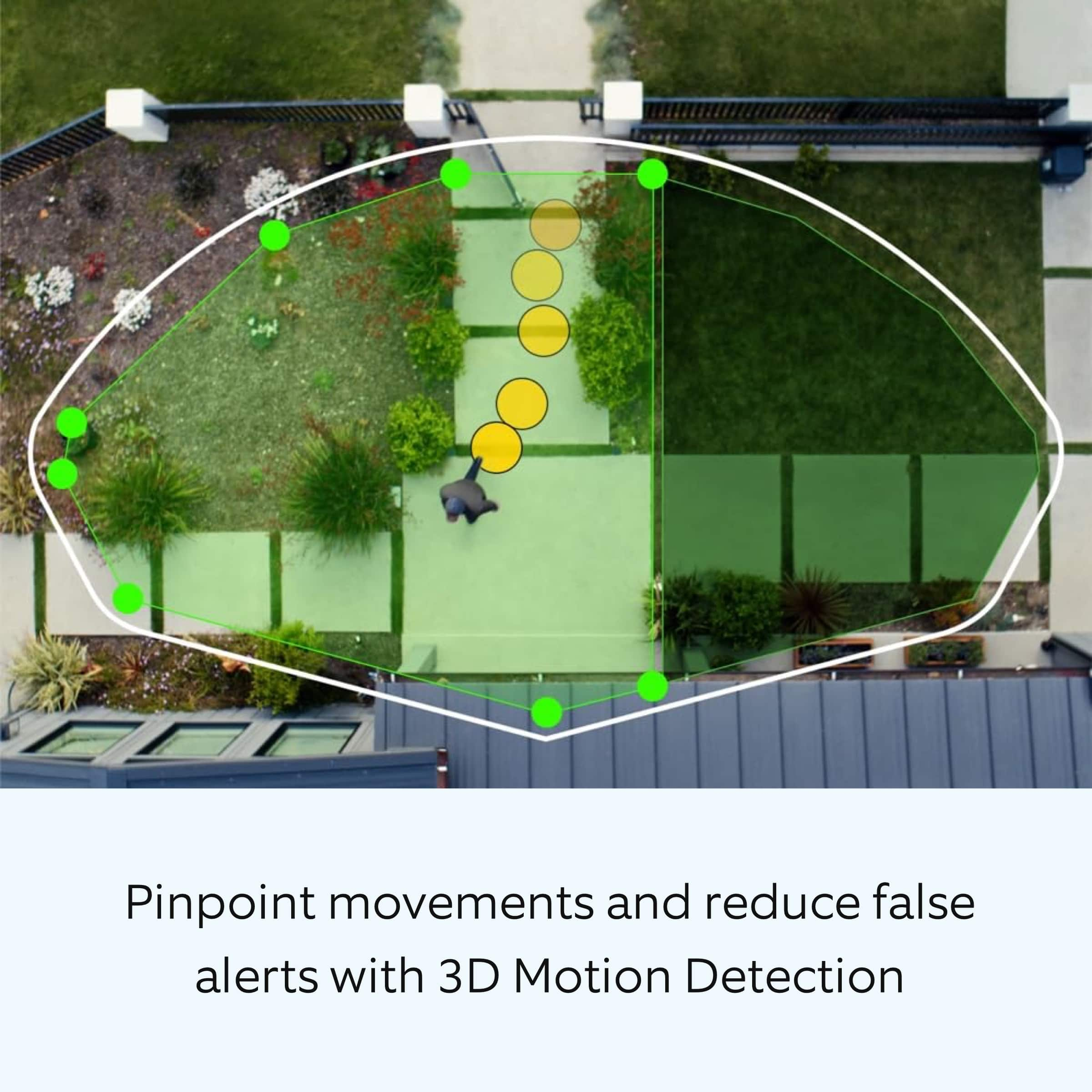
Redraw your "Customizable Motion Zones."
Change "Motion Frequency" to regularly or periodically.
You could also adjust the direction of your Ring device so it doesn't detect as much motion.
You can go to "Power Settings" in the Ring app to see what features may be draining your battery.
To access "Power Settings," open the Ring app:
Tap the menu (≡) on the top left of the dashboard.
Tap "Devices."
Tap the individual device (video doorbell or security camera) you want to check.
Tap "Power Settings" to check your "Battery Level" percentage and "Feature Power Usage."
Tap a feature to adjust "Snapshot Capture," "Motion Frequency," and "Video Recording Length.".
As cold weather sets in, lithium-ion batteries like those used in Ring Doorbells and Security Cameras may experience several issues, including trouble holding a charge, running out of power faster than normal, or losing functionality. Knowing at what temperature batteries will start to be impacted can help you take the necessary steps to keep your device working. When the temperature drops to:
36°F (3°C): The battery may not hold a charge as effectively, resulting in having to charge the unit more frequently.
32°F (0°C): The battery may not charge at all. Even hardwired configurations may not charge the battery.
-5°F (-20.5°C): The battery may stop working completely until temperatures warm up.
When it gets cold and your device's battery runs out, bring your entire device inside and charge the battery with a USB cord. This will allow your device to warm up while the battery charges.
If any additional information is needed regarding your Ring Battery Doorbell, please reach out to our community. Ring Community is our first peer-to-peer community forum, giving our customers the ability to help one another and share their feedback and experiences directly with Ring.
Thank you for being the best part of Ring! Have a wonderful day!
Sincerely,
Miyuki from Ring.
Ring
||Posted . Owned for 1 month when reviewed.This reviewer received promo considerations or sweepstakes entry for writing a review.I have multiple ring products around my house, and I really like this one because it has a better resolution of the camera will probably be upgrading the cameras around the house because of this one
I would recommend this to a friendRecommend
||Posted .This reviewer received promo considerations or sweepstakes entry for writing a review.Great purchase! Recordings are clear and the view is great.
I would recommend this to a friendGood camera but poor battery life
||Posted . Owned for 1 month when reviewed.This reviewer received promo considerations or sweepstakes entry for writing a review.Picture quality is good but not continuous in image. Battery life is terrible. I was led to believe it would have lasted longer. When I spoke to a neighbour that I got the wireless for the camera she said it will be a pain to constantly charge battery and she was correct. In addition the screw to hold the cover is tiny and there is only 1 in the packet.
No, I would not recommend this to a friendBrand response from Ring
Posted .Hi DoreenN.
Thank you for taking the time to share your experience with us. We understand how important it is for your Ring Battery Doorbell Pro to function consistently and reliably, so you are alerted to any wanted or unwanted activity in or around your home. The features and technology provided by the Ring Battery Doorbell Pro are incredibly valuable and help provide you with peace of mind about your home security. We are here to provide you with some information to resolve the issue you mentioned in your review.
It sounds like the device is not performing as expected. There are some troubleshooting steps that you can take to ensure that you have your device set up for optimal battery-life performance. The more events captured by your Ring devices, the more your battery is used. Using "Live View" can also drain your battery faster. If your device is capturing an excessive number of events each day, you may need to recharge your battery sooner.
To prevent excessive activity, under "Motion Settings" for your device in the Ring app, you can:
Adjust your "Motion Sensitivity" slider to a lower sensitivity.
Redraw your "Customizable Motion Zones."
Change "Motion Frequency" to regularly or periodically.
You could also adjust the direction of your Ring device so it doesn't detect as much motion.
You can go to "Power Settings" in the Ring app to see what features may be draining your battery.
To access "Power Settings," open the Ring app:
Tap the menu (≡) on the top left of the dashboard.
Tap "Devices."
Tap the individual device (video doorbell or security camera) you want to check.
Tap "Power Settings" to check your "Battery Level" percentage and "Feature Power Usage."
Also, it sounds like you did not find the security screws for the device in your package. The Ring Battery Doorbell Pro comes with the following screws included in the box:
* Mounting screws
* Security screw
* Short bracket screws
* Medium corner mounting screws
Please double-check the inside pocket of the packaging to ensure that the plastic bag with the screws is not hidden in the cardboard. If the screws are not included in the package, please contact our support teams.
Ring cameras are designed to record short clips triggered by motion, rather than continuous video. This means that once an event ends, the recording stops, and a new clip begins when motion is detected again. Because of this design, the video may sometimes appear to jump from one activity to another with less continuity.
In addition, Wi-Fi signal strength can also impact video performance. To improve continuity, we recommend following these steps in the Ring app: Tap the top menu (☰), then "Devices." Choose your device. Tap the "Device Settings" tile. Tap "Device Health." Under the "Network" section, you'll see your device's "Signal Strength." If your "Signal Strength" (RSSI) is amber or red, your Ring device likely has a poor connection to your location's wifi. Reboot your Ring doorbell or camera by following these steps: Open the Ring app. Tap the top menu (☰), then "Devices." Choose your device. Tap the "Device Settings" tile. Tap "Device Health." Scroll down and tap "Reboot This Device." Wait a few minutes for your device to reboot.
For more information on your Ring Battery Doorbell Pro, we invite you to reach out to our community. Ring Community is our first peer-to-peer community forum, giving our customers the ability to help one another and share their personal feedback and experiences with Ring. We look forward to hearing from you if we can be of any further assistance!
Thank you,
Miyuki from Ring.
Ring brings user satisfaction
||Posted . Owned for less than 1 week when reviewed.This reviewer received promo considerations or sweepstakes entry for writing a review.Very satisfied with the Ring doorbell. It was easy to install, and easy to recharge the battery.
I would recommend this to a friendExcellent doorbell camera
||Posted . Owned for less than 1 week when reviewed.This reviewer received promo considerations or sweepstakes entry for writing a review.The camera is incredibly clear and has a huge field of view . I’m very impressed
I would recommend this to a friendNo more crackheads!!!
||Posted . Owned for 1 month when reviewed.This reviewer received promo considerations or sweepstakes entry for writing a review.You can literally talk to the crackheads trying to break in as they do it!!!! Incredible. Kept them tied up long enough to get the KGB there before any items came up missing.
I would recommend this to a friendGreat camera!
||Posted .This reviewer received promo considerations or sweepstakes entry for writing a review.Easy to set up! And great resolution and quality def recommend it!
I would recommend this to a friendRing camera
||Posted . Owned for 3 weeks when reviewed.This reviewer received promo considerations or sweepstakes entry for writing a review.Works great. Image quality is solid. Easy to view images remotely.
I would recommend this to a friendGreat product and affordable prices.
||Posted .This reviewer received promo considerations or sweepstakes entry for writing a review.Compared to orher prices at other stores that i visited, this was the most reasonable price i could find. Very affordable and good quality. I also enjoyed the car side pick up option, which was very reliable.
I would recommend this to a friendIt’s only slightly better than to older model
||Posted .This reviewer received promo considerations or sweepstakes entry for writing a review.Works good but not that much better than the older model. I was expecting it to be much better for the price difference. I do like the battery charging and replacement way better than taking the whole camera off to charge it.
I would recommend this to a friendBrand response from Ring
Posted .Hi CrystalR.
Thank you for taking a moment to leave your review on the Ring Battery Doorbell Pro. At Ring, we believe that stronger communities are the key to safer neighborhoods. That is why we are driven to create products that help you protect what matters most at home and empower you to connect with your visitors from wherever you are. Together, we’ll make neighborhoods safer!
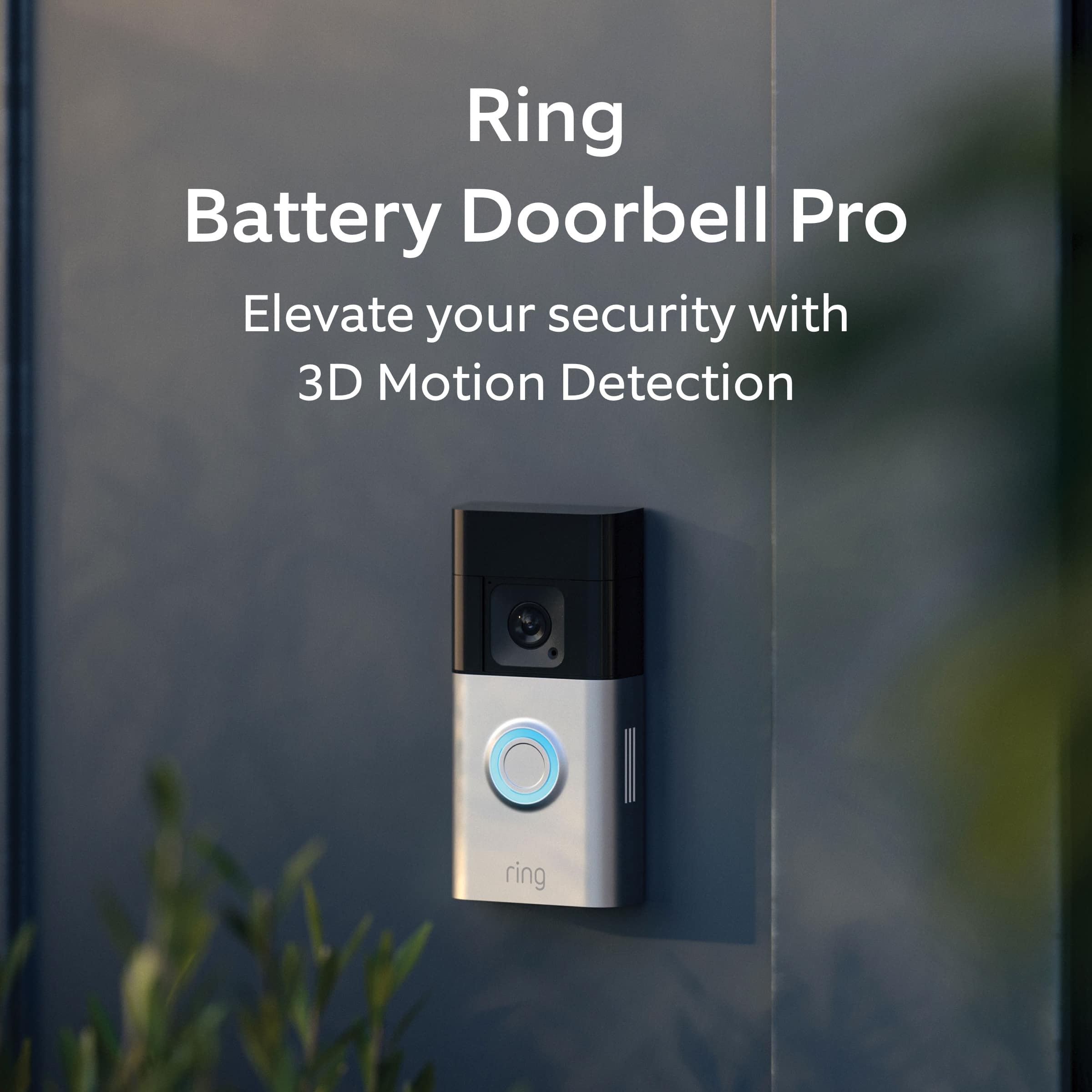
It sounds like the Ring Battery Doorbell Pro was not what you expected. We wanted to share with you some of the key features that the device offers. The Ring Battery Doorbell Pro is Ring’s most advanced battery-powered doorbell, loaded with cutting-edge image clarity and security features. The Battery Doorbell Pro offers 3D Motion Detection, 1536p video, Two-Way Talk & Quick Replies, Low-Light Sight with Color Night Vision and Alexa Greetings.
For more information on your Ring Battery Doorbell Pro, we invite you to reach out to our community. Ring Community is our first peer-to-peer community forum, giving our customers the ability to help one another and share their personal feedback and experiences with Ring. We look forward to hearing from you if we can be of any further assistance!
Thank you,
Miyuki from Ring.
Ring NOT Blink
||Posted . Owned for 1 month when reviewed.This reviewer received promo considerations or sweepstakes entry for writing a review.Fantastic. It works! I had First purchased Blink. Blink did not work well at all. Blink had terrible customer service. Avoid Blink go Ring!
I would recommend this to a friendLove it .
||Posted . Owned for 2 weeks when reviewed.This reviewer received promo considerations or sweepstakes entry for writing a review.Love it great quality on point with video recording
I would recommend this to a friendGreat doorbell: great build and solid app
||Posted . Owned for 1 week when reviewed.This reviewer received promo considerations or sweepstakes entry for writing a review.Very easily installation. I would recommend an extra battery to avoid any down time and just switch out the batteries when it is low. Video quality is great and it’s nice to get notifications on your phone when your doorbell rings. But, keep in mind this uses WiFi so either keep your router near the installation location or buy a WiFi extender.
I would recommend this to a friendCamera
||Posted . Owned for 6 months when reviewed.This reviewer received promo considerations or sweepstakes entry for writing a review.Great product absolutely the best camera ive bought
I would recommend this to a friendIntermittent chimes
||Posted . Owned for 3 weeks when reviewed.This reviewer received promo considerations or sweepstakes entry for writing a review.Replaced my Ring 3+ with this new one and was happy for a bit. Clarity is terrific. Overhead view also helps with perspective. But realized that we have a serious problem and can't figure out how to solve. The doorbell connects to out chimes perfectly. Shows connected and online. But after a day or so the chimes do not ring. App still shows online and connected but bell rings at the bell but not at the chimes. Have done all the online troubleshooting steps. Reconnected the chimes to the network. Factory reset the chimes and reconnected. Same results. The Ring 3+ worked flawlessly for years. Not sure what the issue is but at this point will check with BB service and if no joy will try an exchange to see if that takes care of it. It not will return and go back to my old trusty Ring 3+. I have said I would recommend,but that is only if we can solve this issue. A doorbell that does not ring inside is ot really a doorbell.
I would recommend this to a friendBrand response from Ring
Posted .Hi MiketheD.
Thank you for taking the time to share your experience with us.
We understand how important it is for your Ring Chime to work consistently and reliably. Being able to rely on the alerts to know when someone is at your Ring Battery Doorbell Pro is an essential feature of the Ring Chime. We are eager to provide you with a solution for the concern mentioned in your review.
It sounds like you are enjoying the features of the Ring Battery Doorbell Pro but have some concerns regarding your Ring Chime. When plugged into a standard wall socket, the Ring Chime should produce an audio signal whenever you receive an alert from a Ring device for motion and doorbell announcements. If you’re not hearing notifications from your Ring Chime, check your Audio Settings in the Ring app to make sure they’re turned up or turned on. Follow these steps to check this setting:
Open the Ring app.
Tap the menu (≡) in the top left.
Tap Devices.
Select your Chime.
Tap Audio Settings.
Tap Chime Alert.
Activate notifications by tapping the icons.
Tap Chime Tones.
Make sure the Chime Volume is turned up.
If you've checked all of the chime settings and you're still having trouble, please reach out to our support team for further assistance.
Ring Community was launched to help deliver the most current news and educational information to our neighbors. This online forum is divided into four categories: Product Boards, Ring Updates, Tips + Tricks, and a Moderators’ Corner. The Product Boards are where you can begin new topics with your questions or feedback; there is also a search option that helps you find topics that have already been posted by other neighbors.
All the best,
Nicole from Ring.
Good bell
||Posted .This reviewer received promo considerations or sweepstakes entry for writing a review.It is a good one and support 2.4 and 5G so i dont need to worry about wifi problem. I tried with plus but could to join my wifi. So, use pro... it is a good one.
I would recommend this to a friendRing the Bell
||Posted . Owned for 3 weeks when reviewed.This reviewer received promo considerations or sweepstakes entry for writing a review.Good Product. Works great and the technician at Best Buy was very helpful.
I would recommend this to a friendRing doorbell
||Posted . Owned for 3 weeks when reviewed.This reviewer received promo considerations or sweepstakes entry for writing a review.Love the Ring doorbell. We have the video camera also in front yard and back yard. We love that we get alerts whenever their is activy in our front yard or backyard. We love thatcwe can see in the video when a person rungs the doorbell.
I would recommend this to a friendPleasantly surprised!
||Posted . Owned for 1 month when reviewed.This reviewer received promo considerations or sweepstakes entry for writing a review.Item works well. I get a nice view from the camera. I wish the battery would stay charged longer. But overall very pleased.
I would recommend this to a friendBrand response from Ring
Posted .Hi WVTDUBU.
Thank you for taking the time to share your experience. We understand the importance of having a solid charge on your Ring Battery Doorbell Pro so that you are able to have a longer time between charge cycles. Having longevity in a battery-powered security device is crucial when it comes to monitoring your home, especially if you are away for long periods of time. We are here to provide you with some education to resolve the battery life issue you mentioned in your review.
It sounds like the device is not performing as expected. There are some troubleshooting steps that you can take to ensure that you have your device set up for optimal battery-life performance. The more events captured by your Ring devices, the more your battery is used. Using "Live View" can also drain your battery faster. If your device is capturing an excessive number of events each day, you may need to recharge your battery sooner.
To prevent excessive activity, under "Motion Settings" for your device in the Ring app, you can:
Adjust your "Motion Sensitivity" slider to a lower sensitivity.
Redraw your "Customizable Motion Zones."
Change "Motion Frequency" to regularly or periodically.
You could also adjust the direction of your Ring device so it doesn't detect as much motion.
You can go to "Power Settings" in the Ring app to see what features may be draining your battery.
To access "Power Settings," open the Ring app:
Tap the menu (≡) on the top left of the dashboard.
Tap "Devices."
Tap the individual device (video doorbell or security camera) you want to check.
Tap "Power Settings" to check your "Battery Level" percentage and "Feature Power Usage."
Tap a feature to adjust "Snapshot Capture," "Motion Frequency," and "Video Recording Length.".
For more information on your Ring Battery Doorbell Pro, we invite you to reach out to our community. Ring Community is our first peer-to-peer community forum, giving our customers the ability to help one another and share their personal feedback and experiences with Ring. We look forward to hearing from you if we can be of any further assistance!
Thank you,
Miyuki from Ring.