Customer Ratings & Reviews



- Model:
- QN32Q60CAFXZA
- SKU:
- 6537415
Rating by feature
- Picture Quality
Rating 4.8 out of 5 stars
- Sound Quality
Rating 4.5 out of 5 stars
- Brightness
Rating 4.8 out of 5 stars
Customers are saying
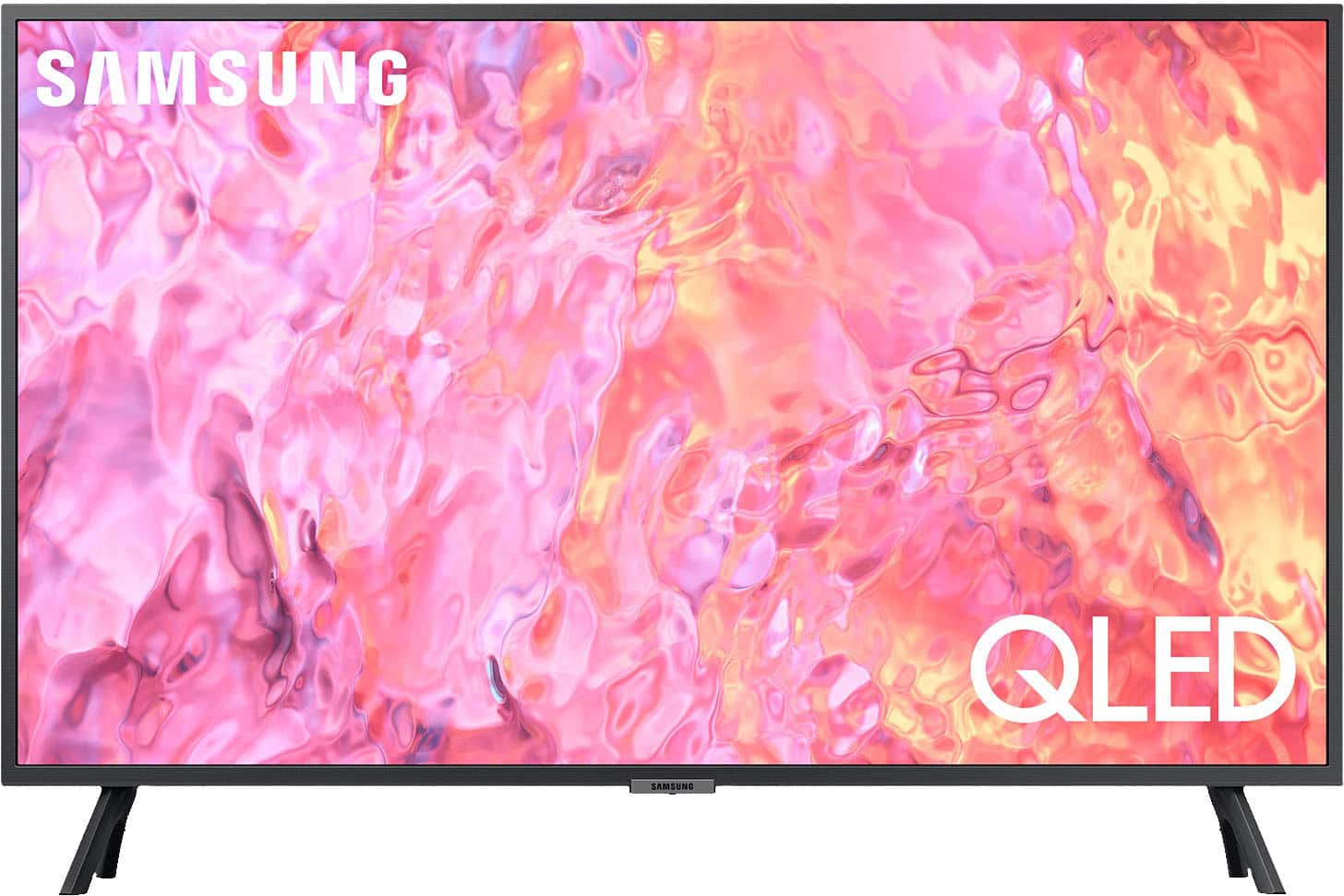
Customers commend the 32" Class Q60C QLED 4K UHD Smart Tizen TV for its exceptional picture quality, easy setup process, and compact size that fits perfectly in smaller spaces. While the smart TV features and vibrant colors receive positive feedback, some users express concerns about the limited viewing angles and the small and complex remote control.
This summary was generated by AI based on customer reviews.
Save your money
||Posted . Owned for 2 weeks when reviewed.This reviewer received promo considerations or sweepstakes entry for writing a review.Decent tv, typical Samsung with lack of adjustability in calibrating the colors. Save your money and get a lesser model from the cheaper competitors in this size range (32-45inch). The pictures not worth it.
No, I would not recommend this to a friendBrand response from Samsung
Posted .Jordan,
Thank you for sharing your thoughts on the picture quality of your Q60C TV. To ensure you’ve got the latest image quality updates, please confirm that your TV is up to date with the latest firmware version. You can check by going to: Home > Menu > Settings > Support > Software Update.
If the picture you’re seeing is still not to your liking after updating firmware, there are several picture settings you may want to try adjusting.
Go to Home > Menu > Settings > All Settings > Picture > Picture Mode
...and select the mode that best fits your usage:
1. Standard: Is the default mode suitable for general viewing environments
2. Dynamic: Makes the picture brighter and clearer in bright viewing environments
3. Eco: Provided to save energy
4. Movie: Suitable for watching TV or movies in a dark room
5. Filmmaker Mode: Provides source content just as the creators intended. If the image is defined as Filmmaker Mode, it’ll automatically switch to Filmmaker Mode while watching.
You can also fine-tune your picture with expert settings such as brightness, contrast, sharpness and more (All Settings > Picture > Expert Settings).
For further assistance with settings adjustments, please contact Samsung Customer Support at 1-800-SAMSUNG, 8AM - 12AM EST, 7 days a week. Our LiveChat agents are also available by clicking on the ‘Support’ link on our website.
~ Samsung Specialist
Good used purchase
||Posted . Owned for 1 month when reviewed.This reviewer received promo considerations or sweepstakes entry for writing a review.Used condition was supposed to be excellent. All good except for a small ding in the screen. If I waited a month I probably could have purchased a new one for less money.
I would recommend this to a friend32" 4K TV Just A Little Too Small for 4K
||Posted . Owned for 1 month when reviewed.This reviewer received promo considerations or sweepstakes entry for writing a review.I tried this TV for about a week and I decided to return. I think for the price just seems a little too much. The HD TV's that are under $200, are not twice as worse. They are just slightly worse.
No, I would not recommend this to a friendBrand response from Samsung
Posted .Vic867,
It’s unfortunate to hear of the issues that have caused you to return your Q60C TV. Your experience is very important to us and will be shared with our product team.
Should you ever decide to give Samsung TVs another try and have questions or need help with settings, setup, or features, please know we’re here to help. Call us at 1-800-SAMSUNG, 8AM - 12AM EST, 7 days a week.
LiveChat with an agent as well as manuals, software, and warranty info can be found at the ‘Support’ link on our Samsung website.
We hope to regain you as a customer in the future.
~ Samsung Specialist
If you need a suntan by this
||Posted . Owned for 3 weeks when reviewed.This reviewer received promo considerations or sweepstakes entry for writing a review.Burns too hot for a monitor screen . Your face will feel like it’s on fire. But a good screen if you’re using it for regular television viewing.
No, I would not recommend this to a friendBrand response from Samsung
Posted .Rayvc,
Thank you for purchasing the Samsung Q60C TV and for your review. Watching TV for an extended period of time causes the panel to generate heat. The heat from the panel is dissipated through internal vents running along the top of the TV. The bottom, however, may feel hot to the touch after extended use. This heat, however, is not a defect and does not affect the TV's functionality.
Should you ever have questions or need help, Samsung is here for you. Just give us a call at 1-800-SAMSUNG, 8AM - 12AM EST, 7 days a week. Our LiveChat agents are also available by clicking on the ‘Support’ link on our website.
~ Samsung Specialist
- Pros mentioned:Smart tv
Good TV - Bad BB Service!
||Posted . Owned for 1 month when reviewed.This reviewer received promo considerations or sweepstakes entry for writing a review.The TV is excellent. The Best Buy customer service is unacceptable. I purchased this TV online with a committed delivery date from Best Buy - 2-days; they immediately changed it to 2-weeks. So, I found the same TV (which, again, is excellent) on Amazon for $50 less & got it in 2-days; it has now taken 3 phone calls and 10-days for me to finally get my funds back from BB.
I would recommend this to a friendBrand response from Samsung
Posted .conchman,
It's unfortunate to hear of your installation experience. We recommend you contact Best Buy directly for assistance. You also may want to consider providing feedback to the Best Buy store where you made your purchase. We hope your issue is resolved quickly.
Should you ever need help or have questions on Samsung TVs, please reach Samsung Support at 1-800-SAMSUNG, 8AM - 12AM EST, 7 days a week. Our LiveChat agents are also available by clicking on the ‘Support’ link on our website.
~ Samsung Specialist
Samsung 32” OLED 4K TV review
||Posted . Owned for less than 1 week when reviewed.This reviewer received promo considerations or sweepstakes entry for writing a review.First my existing TV is a 32” 1080P TV. There really was nothing wrong with the old TV other than only 2 HDMI and a/b/g for witeless. The new TV had updated 3 HDMI and 5G (N) wireless. Setup was easy enough. Hint make sure you know your or have Samsung account prior to setup. I use 4K FireTV cube which delivered a fanatastic picture on the old TV. With the new TV it is so bright that i must fiddle with the brightness and contrast to the point the words and backgrounds are not readable. The dark colors they just got it wrong. The saturation is not warm and colors off. Changing modes does not help. The Built in speakers are very poor quality. I am extremly disappointed. Note software updates are current and I am using 4K HDMI cables. My Internet is 1GBe with fast wireless connections.
No, I would not recommend this to a friendBrand response from Samsung
Posted .RedLiner,
We appreciate your thoughts on the picture quality of Samsung’s Q60C TV. I see that you have already tried adjusting your image, but I did want to share the following adjustments with you, just in case:
Go to Home > Menu > Settings > All Settings > Picture > Picture Mode
...and select the mode that best fits your usage:
1. Standard: Is the default mode suitable for general viewing environments
2. Dynamic: Makes the picture brighter and clearer in bright viewing environments
3. Eco: Provided to save energy
4. Movie: Suitable for watching TV or movies in a dark room
5. Filmmaker Mode: Provides source content just as the creators intended. If the image is defined as Filmmaker Mode, it’ll automatically switch to Filmmaker Mode while watching.
You can also go to: Menu > Settings > All Settings > Picture > Expert Settings and configure the TV settings to your taste with functions such as Brightness, Contrast, Sharpness, Color, Tint (G/R), and many more.
Intelligent Mode also enables the TV to recognize and analyze the surroundings, noise, content, and your usage patterns to provide the best viewing experience. You can enable Intelligent Mode by going to Menu > Settings > All Settings > General & Privacy > Intelligent Mode Settings > Intelligent Mode.
Lastly, there are several sound settings you can adjust to suit your personal sound preferences.
Change the Sound Mode by going to: Settings > All Settings > Sound > Sound Mode
You can also customize sound by going to: Settings > All Settings > Sound > Expert Settings
If you need more help, Samsung is here for you. Please call us at 1-800-SAMSUNG, 8AM - 12AM EST, 7 days a week. Our LiveChat agents are also available by clicking on the ‘Support’ link on our website.
~ Samsung Specialist
S.A.
||Posted . Owned for 1.5 years when reviewed.This reviewer received promo considerations or sweepstakes entry for writing a review.I've been buying Samsung products for years but unfortunately the last purchase of 32'' Class Q60C QLED 4K UHD SMART TIZEN TV leaves me to wonder about their Quality control. Recently, after almost 1 and 1/2 years of sporadic viewing in bedroom at night the screen has gone blank and I still have audio. I've tried everything but no luck.
No, I would not recommend this to a friend- Cons mentioned:Remote control
Not impressed
||Posted . Owned for 3 months when reviewed.This reviewer received promo considerations or sweepstakes entry for writing a review.Samsung does not provide the cord necessary to charge the remote they want you to pay for it and I thought that was horrible. I also don’t like Samsung Customer Service, nothing but foreigners that don’t want help or don’t know to help.
No, I would not recommend this to a friendBrand response from Samsung
Posted .MicheleG,
Thanks for your review. While a USB-C charging cable/adapter is not included with the Solar Cell Remote, we recommend utilizing a Samsung-brand USB-C cable when charging the remote via a wired connection. You can also charge the solar cell by leaving the back of the remote facing up. It will charge with either sunlight or indoor light.
If there’s anything we can ever help with, please call us at 1-800-SAMSUNG, 8AM - 12AM EST, 7 days a week. Or visit us on the Samsung website and click on the ‘Support’ link for:
• LiveChat
• Manuals, Software, & Warranty Info
~ Samsung Specialist
Confusing TV
||Posted . Owned for 1 month when reviewed.This reviewer received promo considerations or sweepstakes entry for writing a review.It keeps forgetting channels, even when it was the last one watched the night before. Impossible to figure out how to find channels (broadcast TV) set in memory and if you go too far up or down with channel button you get into internet TV channels and can't find a way back to broadcast TV. There is no printed instruction manual so you can't try to "run" it while looking at (hard to find) digital instructions built into TV. Whoever designed this TV needs to take a class in basic teaching practices.
No, I would not recommend this to a friendBrand response from Samsung
Posted .Hi Scientist,
I'm sorry to hear of your experience with Samsung's Q60C TV. To further assist you in learning the various features, functions, and settings of your TV and remote, you can download the Q60C TV's User Manual, e-Manual, Remote Control Leaflet, and Quick Setup Guide on Samsung's website under ‘Support’ (top right corner) > Manuals & Software > TVs & Home Theater. From there, you can select the Q60C TV under QLED 4K TVs > C Model Lineup to download the guides you would like.
The e-Manual and Remote Guide are both also embedded into the TV itself under Menu > Settings > Support.
If you're still having difficulties viewing broadcasted channels, please know Samsung is here for you. You can reach us at 1-800-SAMSUNG, 8AM - 12AM EST, 7 days a week. Or visit us on the Samsung website and click on the ‘Support’ link for:
• LiveChat
• Manuals, Software, & Warranty Info
~ Samsung Specialist
BUYER BEWARE ESPECIALLY "OPEN BOX GUARANTEE"
||Posted . Owned for 2 months when reviewed.This reviewer received promo considerations or sweepstakes entry for writing a review.We purchased this as an open box purchase. The tv was rated "excellent." By Best Buy standards this means that this item was inspected by the Geek Squad and guaranteed to be flawless in appearance and work properly. We are building a home and didn't have the ability to hookup, so we put away until our home was ready. When installing, the tv has ghost images- hence the open box return, resell, defective product, guarantee not honored by Best Buy. They weren't flexible with 15 day return even though they guaranteed the item. Talked to store manager in Evansville, IN. and Best Buy customer service with no help. Anyone want to buy a tv- could give the same guarantee, but I wouldn't
No, I would not recommend this to a friendBrand response from Samsung
Posted .CraigT,
We appreciate you sharing your experience with Samsung’s Q60C TV. If purchased brand-new and unopened, please contact Samsung Customer Support and a representative will gladly help you. If purchased in open-box condition, we recommend contacting Best Buy directly for assistance. We hope your issue is resolved in a timely manner.
Should you have questions or concerns on usage or setup of your TV once your issue has been resolved, please call us at 1-800-SAMSUNG, 8AM - 12AM EST, 7 days a week. Our LiveChat agents are also available by clicking on the ‘Support’ link on our website.
~ Samsung Specialist
- Cons mentioned:Remote control
Charging Cable NOT Included
||Posted . Owned for 3 weeks when reviewed.This reviewer received promo considerations or sweepstakes entry for writing a review.Not able to use the TV because it did not come with w/a charge cable for the remote. Pay $400+ for a product, you expect to be able to use it out of the box & not have to buy something that should be included. Returned the next day. Even CS said they saw that a lot w/Samsung.
No, I would not recommend this to a friendBrand response from Samsung
Posted .Hi Pamela,
We appreciate your feedback on the Q60C TV and are sorry for the misunderstanding regarding the SolarCell Remote. Although a charging cable isn't included for the Solar Cell remote, please know the remote can easily be charged by sunlight from a window, ambient light from light bulbs, or from your 2.4Ghz band on your Wi-Fi router.
Should you ever decide to give Samsung TVs another try and have questions or need help with settings, setup, or features, please know we’re here to help. Call us at 1-800-SAMSUNG, 8 AM – 12 AM EST, seven days a week. LiveChat with an agent, as well as manuals, software, and warranty info, can be found at the ‘Support’ link on our Samsung website.
We hope to regain you as a customer in the future.
~ Samsung Advisor
customer
||Posted . Owned for 1 month when reviewed.This reviewer received promo considerations or sweepstakes entry for writing a review.I don't understand why it is taking so long to deliver this product. It was online for sale several days after I ordered it. It has now been over a month since purchase. Something is wrong with Best Buy's systems of service to customers. The Best Buy awards I earned will now expire worthless. I can't see purchasing more when I haven't received my primary purchase. Sincerely, Dick H
No, I would not recommend this to a friendTv review
||Posted . Owned for 1 month when reviewed.This reviewer received promo considerations or sweepstakes entry for writing a review.Sound went out but then returned. Called for assistance and person told me these tvs Samsung haven’t gotten great reviews. Would not recommend it to anyone and would not purchase another. This is my second Samsung in 4 years . Not good.
No, I would not recommend this to a friendBrand response from Samsung
Posted .SusamB,
It’s unfortunate to hear of the issues that have caused you to return your Q60C TV. Your experience is very important to us and will be shared with our product team.
Please know we’re always here to help, and we could’ve provided additional troubleshooting assistance to resolve any issues you were experiencing.
Should you ever decide to give Samsung TVs another try and have questions or need help with settings, setup, or features, please know we’re here to help. Call us at 1-800-SAMSUNG, 8AM - 12AM EST, 7 days a week.
LiveChat with an agent as well as manuals, software, and warranty info can be found at the ‘Support’ link on our Samsung website.
~ Samsung Specialist
Does not support popular apps
||Posted . Owned for 1 month when reviewed.This reviewer received promo considerations or sweepstakes entry for writing a review.This TV doesn’t support any apps with just a router. It needs a streaming device to avoid freezing and frequent paralysis.
No, I would not recommend this to a friendNot what I asked for
||Posted . Owned for 3 weeks when reviewed.This reviewer received promo considerations or sweepstakes entry for writing a review.I went to Best Buy and told TV specialist that I needed a basic TV for she shed. So, he told me this TV was the one I should get. He was wrong. This TV was way to advanced for what I was looking for.
No, I would not recommend this to a friendBrand response from Samsung
Posted .Fire2019,
I'm sorry to hear of your in-store experience, as well as concerns regarding your purchase. We recommend you contact Best Buy Customer Support or your local Best Buy store directly for assistance in correcting this situation. We hope your issue is resolved in a timely manner.
If there’s anything we can ever help with, please call us at 1-800-SAMSUNG, 8AM - 12AM EST, 7 days a week. Or visit us on the Samsung website and click on the ‘Support’ link for:
• LiveChat
• Manuals, Software, & Warranty Info
~ Samsung Specialist
Horrible picture and color quality… avoid
||Posted . Owned for 1 month when reviewed.This reviewer received promo considerations or sweepstakes entry for writing a review.This TV is horrible. I am a very loyal Samsung customer. I have purchased only Samsung TVs for over 20 years. The color on this model fades depending on where you are watching it in the room. Straight ahead the quality is good. As you move left or right in the room the color quickly fades to a very light green. Unbelievably disappoint in this TV. Complete waste of your money and should be avoided.
No, I would not recommend this to a friendBrand response from Samsung
Posted .TimvF,
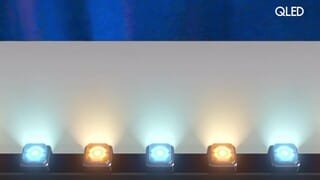
Thank you for your review of the Q60C QLED TV and for sharing your thoughts on the viewing angle. Your Q60C is designed with Dual LED technology which allows the TV to balance color and brightness more accurately than conventional Edge Lighting arrangements. Samsung TVs with Dual LED also produce a wider viewing angle, making it better for everybody watching. Starting with our 55” Q80C, our models feature a Wide Viewing Angle designed to let you see the full picture with brilliant color — no matter where you're sitting. From our QN90C Neo QLED Series on up, our models feature Ultra Viewing Angle allowing you to see every detail at any angle. Ultra Viewing Angle gives you the consistent detailed picture, even when sitting off to the side.
Should you ever have questions or need help, Samsung is here for you. Just give us a call at 1-800-SAMSUNG, 8AM - 12AM EST, 7 days a week. Our LiveChat agents are also available by clicking on the ‘Support’ link on our website.
~ Samsung Specialist
- Cons mentioned:Remote control
Poor handheld Remote
||Posted . Owned for 1 month when reviewed.This reviewer received promo considerations or sweepstakes entry for writing a review.Handheld Remote control is a pain to use. Not enough instructions. Voice cannot understand directions easily.
No, I would not recommend this to a friendBrand response from Samsung
Posted .RogerTerracina,
Thank you for sharing your thoughts on the SolarCell Remote. To assist you in learning the various functions and settings of your new SolarCell remote, you can download the SolarCell Remote Guide directly from Samsung’s website under ‘Support’ (top right corner) > Manuals & Software > TVs & Home Theater. From there, you can select the Q60C under QLED 4K TVs > C Model Lineup.
The Remote Guide is also embedded in your TV under: Menu > Settings > Support
If you need more help, Samsung is here for you. Please call us at 1-800-SAMSUNG, 8AM - 12AM EST, 7 days a week. Our LiveChat agents are also available by clicking on the ‘Support’ link on our website.
~ Samsung Specialist
Samsung TV
||Posted . Owned for 1 month when reviewed.This reviewer received promo considerations or sweepstakes entry for writing a review.Very dissatisfied with this TV. You never know when you turn it on whether it will go to the station I want or Samsung plus. I’m a victim of the programs they want to push. I made a few color corrections and Samsung plus over rode the changes. Too many times and just a few weeks I have owned this TV have I had to figure out how to get out of Samsung plus and their advertising. I will never buy anything from Samsung again.
No, I would not recommend this to a friendBrand response from Samsung
Posted .BarbaraM,
While your Q60C TV may currently default to Samsung’s TV Plus app, please know you can choose what your TV does when you turn it on by going to Menu > Settings > All Settings > General & Privacy > Start Screen Option
1) Enabling Start with Smart Hub Home automatically launches Smart Hub when the TV is turned on. Navigate to this option to enable or disable the feature.
2) If Autorun Last App is set to on, the last used app is automatically run when you turn on the TV. You can turn this function on or off by pressing the Select button in the current menu.
To ensure you've got the latest performance enhancements, please be sure you're running the most recent firmware version on your TV. You can check this by going to: Home > Menu > Settings > Support > Software Update.
I hope these tips help. Should you need further assistance, please call Samsung Customer Support at 1-800-SAMSUNG, 8AM - 12AM EST, 7 days a week. Our LiveChat agents are also available by clicking on the ‘Support’ link on our website.
~ Samsung Specialist
Line done side after a week
||Posted . Owned for 1 month when reviewed.This reviewer received promo considerations or sweepstakes entry for writing a review.Within a few weeks, line down the side on the screen and will return once store has in stock
No, I would not recommend this to a friendflimsy cheap plastic housing
||Posted . Owned for 2 weeks when reviewed.This reviewer received promo considerations or sweepstakes entry for writing a review.poor quality construction. the screen malfunctioned and best buy's customer service refused to return it even though I brought back the next day. since i couldn't return a bad tv i trashed it on their parking lot so they can enjoy their profits amid the rubble!
No, I would not recommend this to a friendBrand response from Samsung
Posted .MohamedS,
It’s unfortunate to hear of the issues that have caused you to return your TV. Your experience is very important to us and will be shared with our product team.
Please know we’re always here to help, and we could’ve provided additional troubleshooting assistance to resolve any issues you were experiencing.
Should you ever decide to give Samsung TVs another try and have questions or need help with settings, setup, or features, please know we’re here to help. Call us at 1-800-SAMSUNG, 8AM - 12AM EST, 7 days a week.
LiveChat with an agent as well as manuals, software, and warranty info can be found at the ‘Support’ link on our Samsung website.
~ Samsung Specialist