Main Content

Customer Ratings & Reviews
Your price for this item is $199.99
The comparable value price is $249.99

Customer reviews

Rating 4.6 out of 5 stars with 384 reviews

Rating Filter

Rating by feature

  • Battery Life

    Rating 4.2 out of 5 stars

  • Durability

    Rating 4.7 out of 5 stars

  • Comfort

    Rating 4.7 out of 5 stars

Pros mentioned filter

Cons mentioned filter

93%would recommend to a friend
The vast majority of our reviews come from verified purchases. Reviews from customers may include My Best Buy members, employees, and Tech Insider Network members (as tagged). Select reviewers may receive discounted products, promotional considerations or entries into drawings for honest, helpful reviews.
Page 2 Showing 21-40 of 384 reviews
  • Rated 5 out of 5 stars

    Samsung 7 watch

    |
    |
    Posted . Owned for 2 weeks when reviewed.
    This reviewer received promo considerations or sweepstakes entry for writing a review.

    Great color similar features so far great no charge block included

    I would recommend this to a friend
  • Rated 5 out of 5 stars

    New watch

    |
    |
    Posted .
    This reviewer received promo considerations or sweepstakes entry for writing a review.

    Love it, broke my other watch, and this one is a great upgrade from the frontier.

    I would recommend this to a friend
  • Rated 5 out of 5 stars

    Galaxy 7 watch

    |
    |
    Posted .
    This reviewer received promo considerations or sweepstakes entry for writing a review.

    It's amazing, like new it was just like they said im the description!

    I would recommend this to a friend
  • Rated 4 out of 5 stars

    Good watch for Samsung owners

    |
    |
    Posted .
    This reviewer received promo considerations or sweepstakes entry for writing a review.

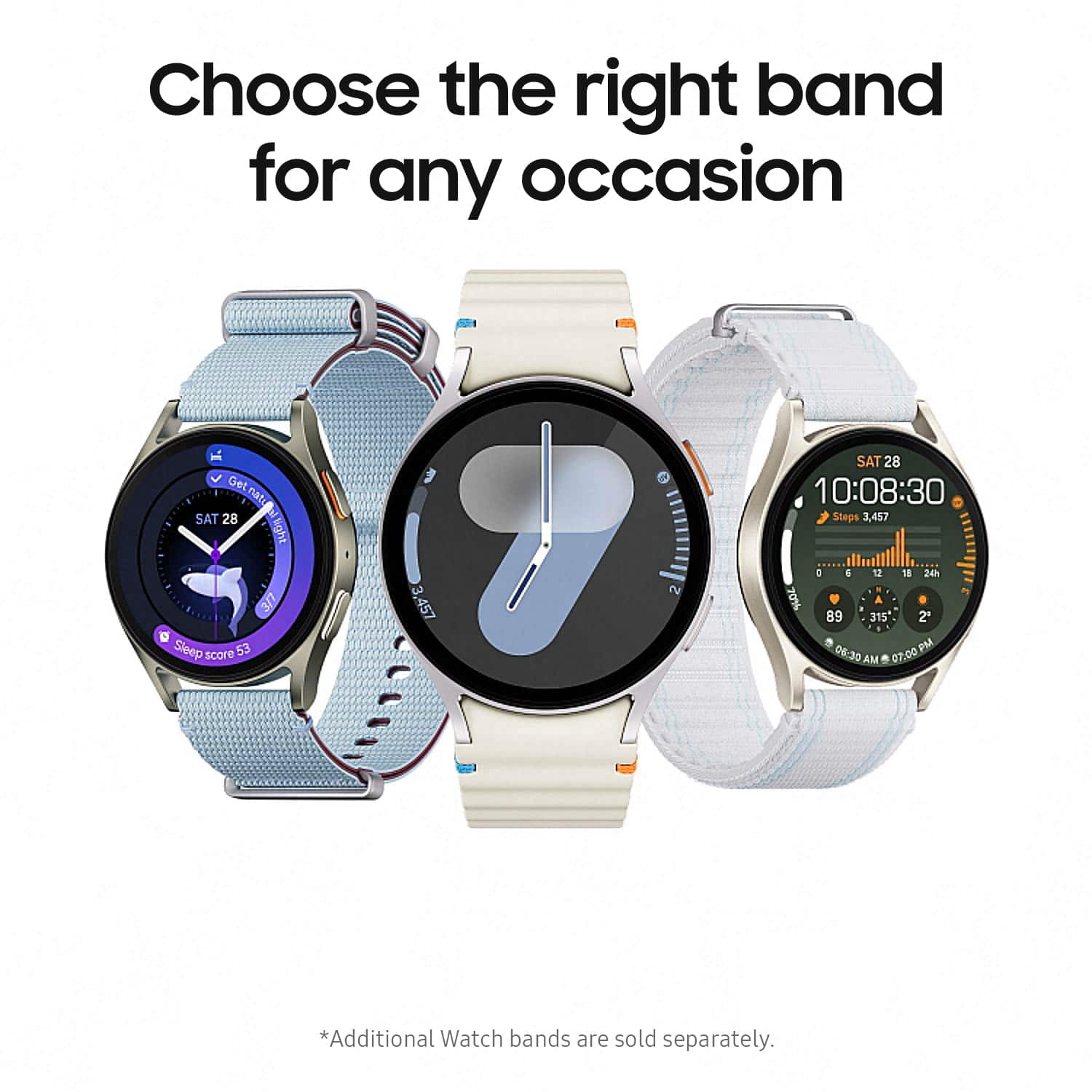
    The watch is really good, I bought it for $162, a good deal. I have no idea on smartwatches, just wanted for its health related features. I would've rated 5 stars, the representative from samsung did not mention any strap options cause I didn't like the sporty one, I would've got the athleisure one.

    I would recommend this to a friend
  • Rated 5 out of 5 stars

    Love this watch!

    |
    |
    Posted . Owned for 3 weeks when reviewed.
    This reviewer received promo considerations or sweepstakes entry for writing a review.

    Love this watch! Does everything I need and more! Easy syncing to my phone..

    I would recommend this to a friend
  • Rated 5 out of 5 stars

    A must buy.

    |
    |
    Posted . Owned for 1 month when reviewed.
    This reviewer received promo considerations or sweepstakes entry for writing a review.

    I bought this for my wife for our anniversary, she was skeptical that there wont be any difference between this and the old one she was using but after trying this, she fell inlove within a day. The battery life is amazing and it feels comfortable. she loves it and I'm glad i got it for her.

    I would recommend this to a friend
  • Rated 5 out of 5 stars

    Works Great!

    |
    |
    Posted . Owned for 3 weeks when reviewed.
    This reviewer received promo considerations or sweepstakes entry for writing a review.

    Works perfectly for what I need it for. It monitors my heartrate for my medical needs which I was able to set my heartrateon the watch homescreen for easier monitoring.

    I would recommend this to a friend
  • Rated 5 out of 5 stars

    Watch of a time

    |
    |
    Posted . Owned for 3 weeks when reviewed.
    This reviewer received promo considerations or sweepstakes entry for writing a review.

    Just what i was wllooking for. Perfect for tracking my health and steps while keeping me on time. Super comfortable and easy to charge. Stays charged for up to two day on a single charge.

    I would recommend this to a friend
  • Rated 5 out of 5 stars

    Galaxy watch

    |
    |
    Posted . Owned for 1 month when reviewed.
    This reviewer received promo considerations or sweepstakes entry for writing a review.

    Ive only had it for a few weeks, but im loving this watch.

    I would recommend this to a friend
  • Rated 5 out of 5 stars

    Galaxy watch 7

    |
    |
    Posted .
    This reviewer received promo considerations or sweepstakes entry for writing a review.

    Awesome watch. Far better battery life than my galaxy 5 watch.

    I would recommend this to a friend
  • Rated 5 out of 5 stars

    Awesome Watch

    |
    |
    Posted . Owned for 1 week when reviewed.
    This reviewer received promo considerations or sweepstakes entry for writing a review.

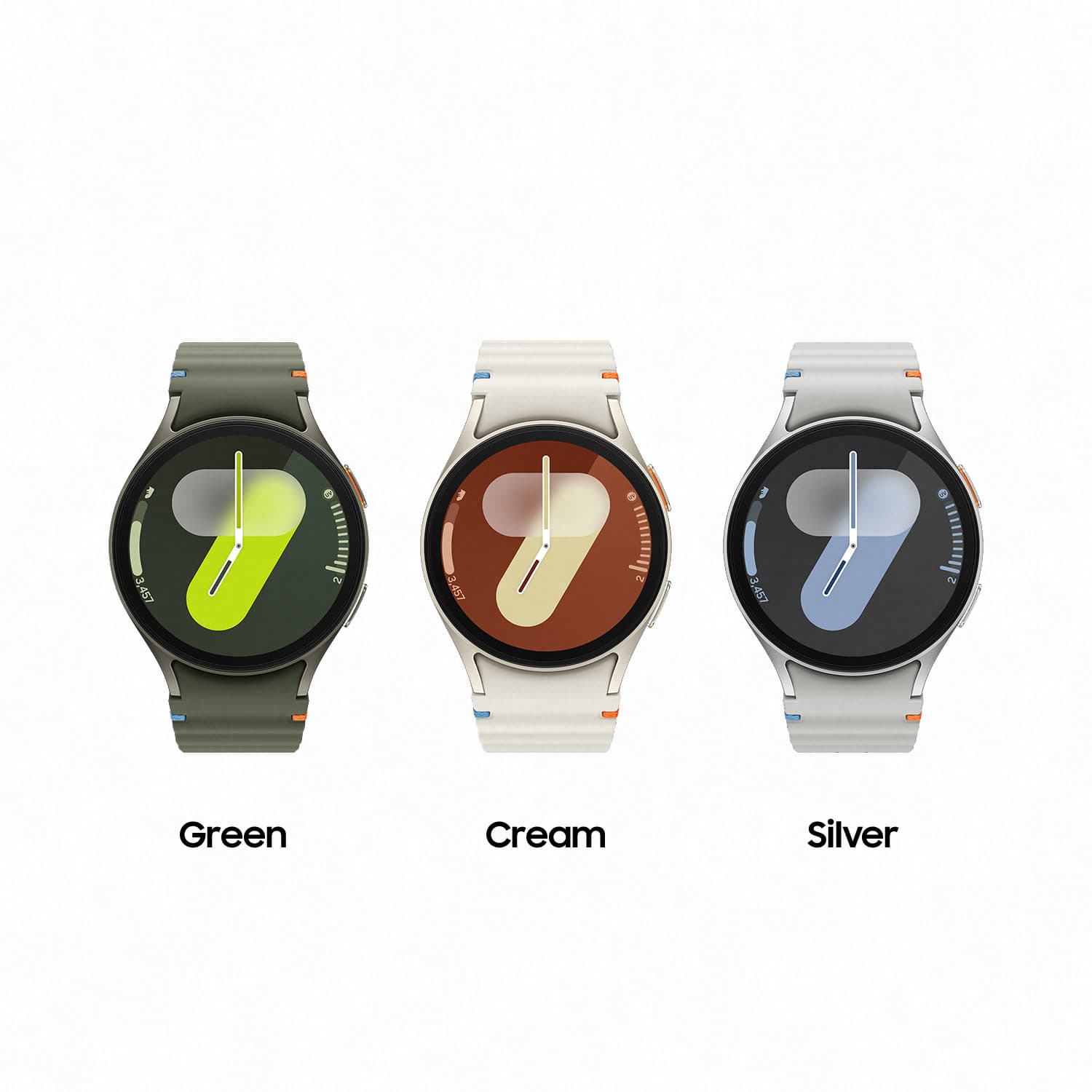
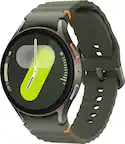
    I love this watch. It has a super long battery life and its very sleek. Comfortable and i love the green color.

    I would recommend this to a friend
  • Tech Insider Network Member

    Rated 5 out of 5 stars

    Great Updated Smart Watch Option

    |
    Tech Insider Network Member
    Posted .
    This reviewer received promo considerations or sweepstakes entry for writing a review.

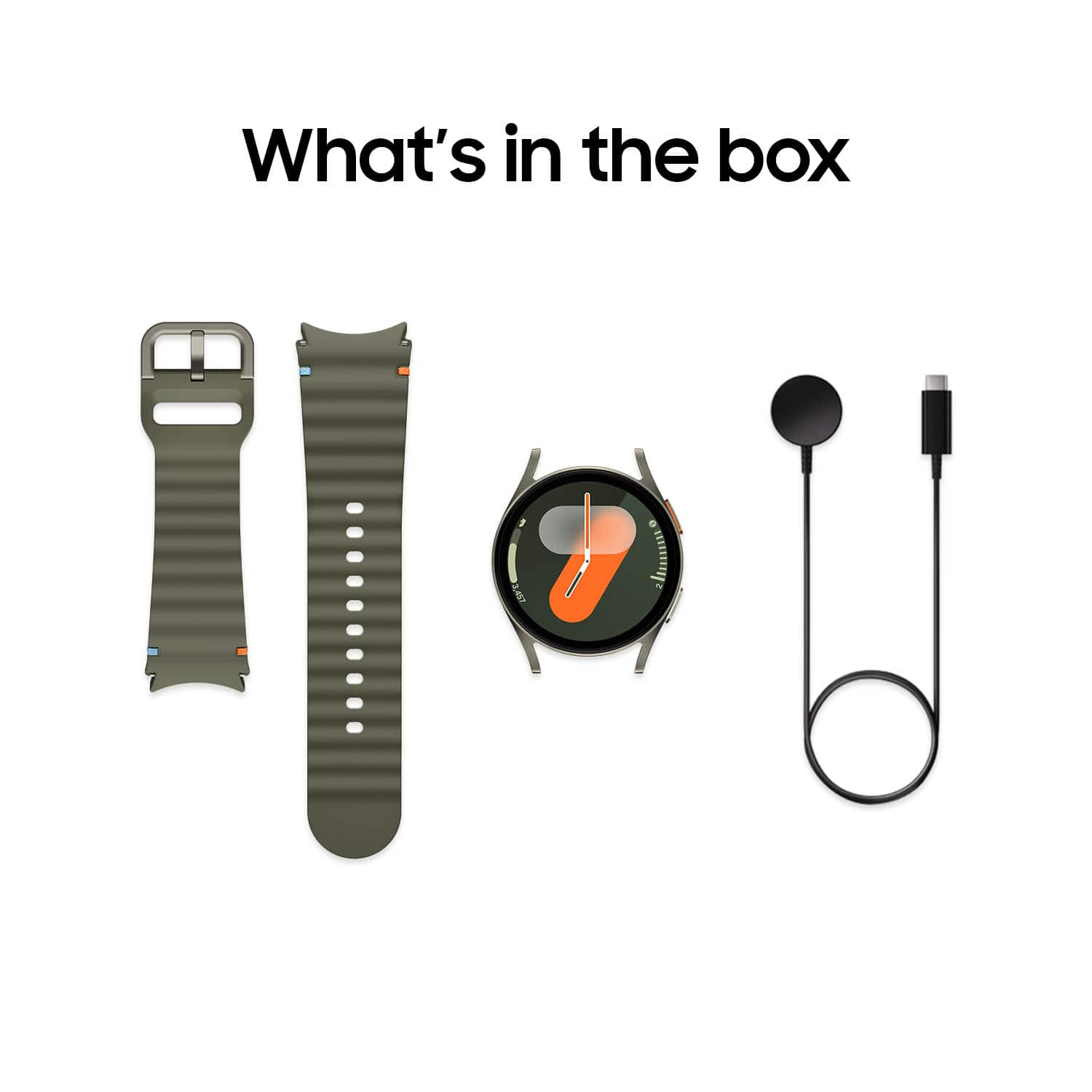
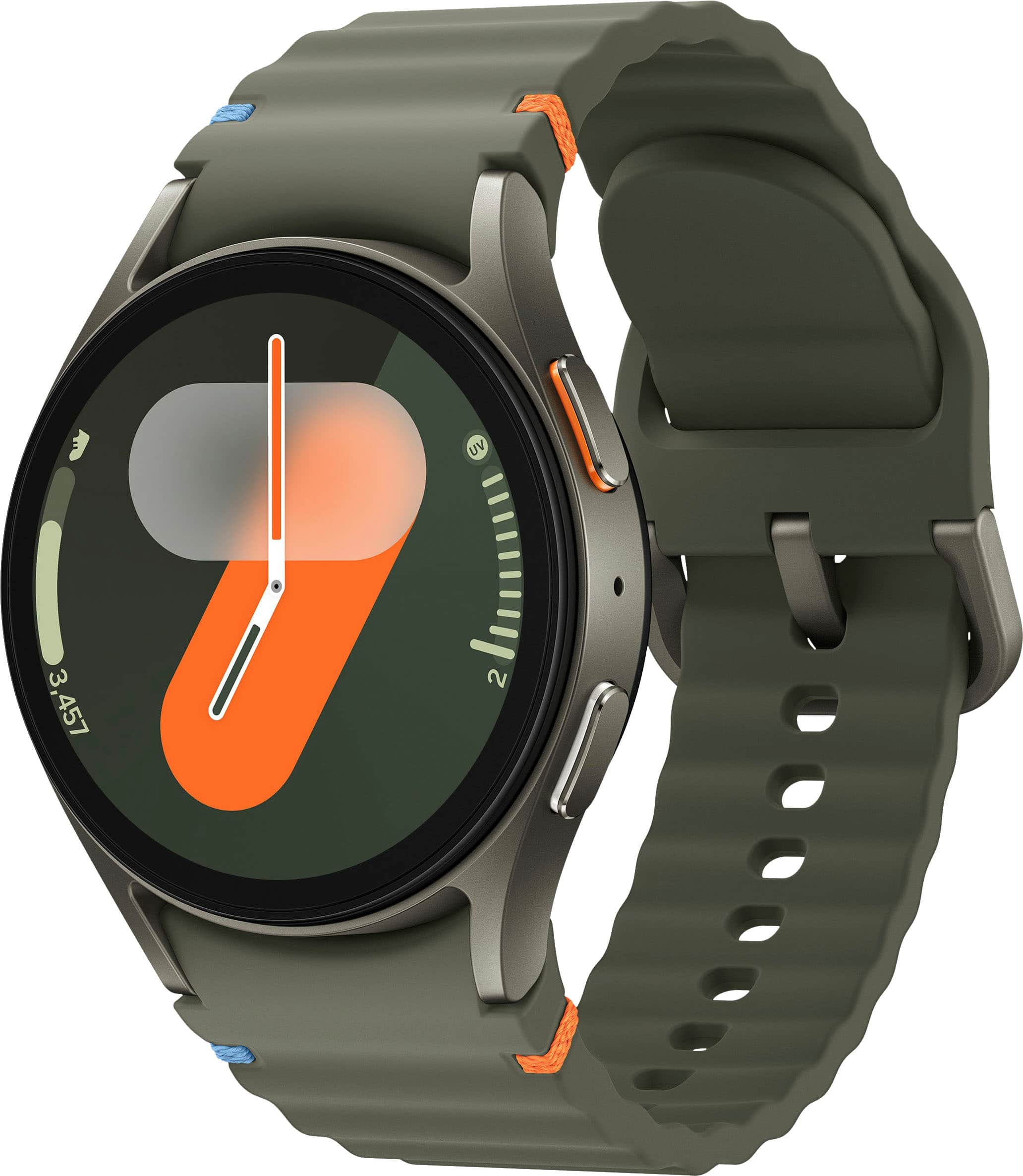
    I've owned two previous Samsung Galaxy smart watches, as companion accessories for my Samsung Galaxy phone. The quality of these smart watches is great. They are well made, and have many useful features one would expect. The modern-looking design of this Samsung Galaxy 7 smart watch is classically stylish. The dark matte metallic green color of the aluminum watch body, and 'sporty' design of the adjustable silicone band are really nice, with the orange and blue accents on the band being merely decorative. The buckle isn't uncomfortable either. And maybe it's just me, but I feel as though the ribbed design of the band will allow my skin to "breathe" as I wear the watch. Now, I'd read some speculative news stories (before the Samsung Galaxy Watch 7's release), which mentioned concerns that this new watch was going to be noticably thicker than the previous model. When comparing it to my current watch, I really don't see (or feel) much of a difference. As a matter of fact, I find the Galaxy Watch 7 much more comfortable to wear. After setting up my new watch (and adding it as an additional watch in the Galaxy Wearable app), I found there to be several new watch face choices available, and quickly chose my favorite. Customizing these smart watches with a fun and/or useful watch face, installing and arranging placement of desired apps, tiles, and quick panel choices, is an enjoyable process. And once done, you're all set. Your new Samsung Galaxy Watch 7 works in conjunction with your smart phone. As for my personal experience with the watch, so far, I'm noticing it to be more responsive than my other Samsung Galaxy watches, which is definitely a desirable improvement. The only thing that bothers me a bit, is the "invisible bezel" feature. Adjusting the volume during a call, for instance, is always a chore. I never got the chance to try one of the previous watches which had a 'physical rotating bezel', but I wonder if that feature might have been a better fit for me. While I've had the LTE versions of the Galaxy watch before, this one is simply the Bluetooth/Wi-Fi model. That's fine by me. It's super convenient when working around the house or out in the yard, to leave my mobile phone in the house and still be able to receive calls and messages on the watch. (As long as the Wi-Fi remains in range and connected.) Overall, this Samsung Galaxy Watch 7 is a solid performer, and a worthy option for those wanting to upgrade their current smart watch. Recommend.

    I would recommend this to a friend
  • Tech Insider Network Member

    Rated 4 out of 5 stars

    Great watch-somewhat limited on non-Samsung phones

    |
    Tech Insider Network Member
    Posted .
    This reviewer received promo considerations or sweepstakes entry for writing a review.

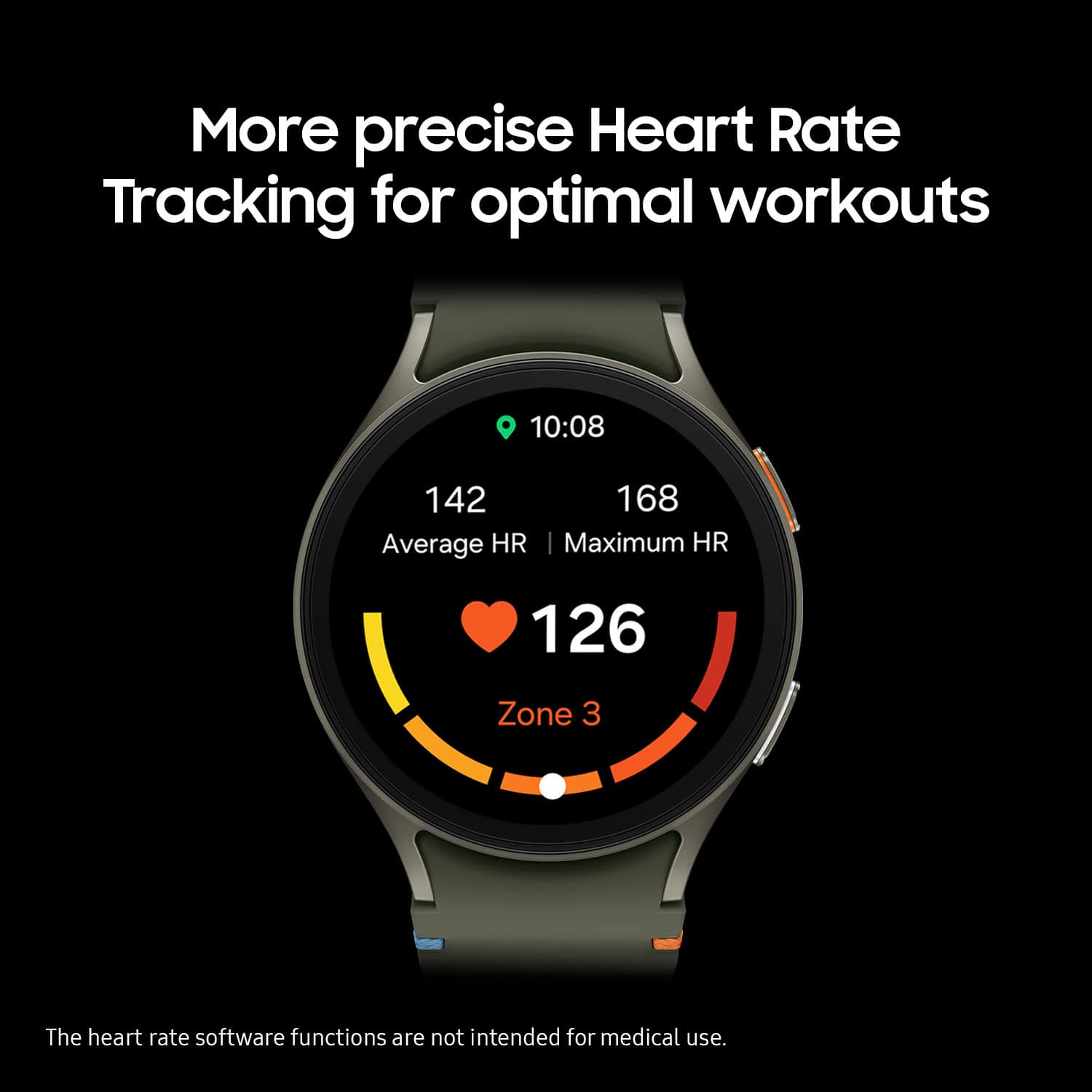
    I’ve spent the past week wearing and tinkering around on the new Galaxy watch 7, and came away mostly satisfied with the newest smart watch offering from Samsung. The 7 is among the upper tier of the current Galaxy watch line, surpassed only by the flagship Galaxy Watch Ultra.  I was offered the 40mm green case and sport band for review. I normally opt for slightly larger case size when I’m purchasing a smartwatch, but I like the sleek unobtrusive look of the 40mm case. It’s a nearly perfect size, stylish and doesn’t seem visually small or undersized, even on a thicker wrist. I also like that isn’t huge and utilitarian looking like some of the 46-49mm watches I see people wearing. The feel and function of the 7 is reminiscent of my previous Galaxy Watch, so it’s also familiar to navigate. The sport band is soft and comfortable enough for 24X7 wear. It remains comfy while working out and sleeping. The watch ships with a USB wireless charging base but no AC adapter.  The OLED screen has great brightness, sharpness, and visibility, even in bright sunlight. Samsung offers numerous watch faces and customization options for the screen. Complications and widget shortcuts provide handy data and app access. Sound and vibration are both adequate for detectable alerts in even moderately loud environments.  The Galaxy watch is quite easy to setup with an Android phone, especially a Galaxy phone. I downloaded the Galaxy wearable app, followed the prompts to set up and sync the watch, and went from unboxing to fully set up and functional in minutes. The wearable app allows management of the watch for firmware updates, tweaking system settings, adjusting personal preferences, changing face appearance and content, and accessing watch tracked and reported data like health and fitness.  The Watch 7 has the usual phone interaction tools like texting, phone, remote control, mail, and companion watch apps. However, many people like myself are seeking smart watches well equipped with strong health tools. The Galaxy Watch 7 contains health and wellness features such as ECG, heart rate/afib alerts, SpO2 levels, sleep tracking, monthly cycle tracker, fitness and wellness tracking, body composition and more. The fitness tracking has been reliable as far as step count accuracy and properly recording physical activities. Fitness feedback offers coaching tips, encouragement, awards, and achievement milestones for hitting goals. The AI fitness enhancement offers more granular fitness tracking and feedback along with improved biometric monitoring for the heart and other areas, but is only available on Samsung phones. The Watch 7 has robust sleep tracking. It tracks individual sleep stages, heart rate, oxygen levels, detects snoring, and even detect if sleep apnea is present. Sleep statistics and stages align accurately enough with another wearable’s results and the watch 7 can help improve sleep, recovery and readiness through coaching.  Battery life was an area of concern for me based upon early whispers I’d heard about the GW7. I have not encountered any shortened battery life issues and get a full day and night of 24x7 wear between charging. And even then, the watch isn’t fully depleted, I’m more or less topping off for the night since it’s worn 24x7.  I could likely stretch it to a couple days 24x7 wear per charge but not much longer. I can only assume maybe a software update was pushed since that early feedback because I’ve had no issues with battery life whatsoever.  I also have no issues with Bluetooth connectivity or NFC. I haven’t lost connection between watch and phone yet.   The only downside I have encountered with the watch so far is that some features only work properly with Samsung phones. On the plus side, at least the watch is still mostly functional with non-Samsung phones and isn’t essentially useless like a certain model smartwatch is on a different brand phone. However, I strongly advise prospective buyers carefully examine all specs and compatibility with your current phone before purchase. I was going to buy a second Watch 7 for a close family member who was admiring this one but I changed my mind after discovering the much needed ECG won’t work with their phone without modding. Some people feel comfortable bypassing limitations through mods, but I’m not one of them.   The Galaxy Watch 7 may not be a fancy as the Ultra, but it shares the majority of features that most wearers will ever use or even need. Aesthetically, the watch is just the right size and has an attractive non-boring design. It has so far been acceptably reliable, and does much of what the Ultra does but at a way more wallet friendly price. I don’t like that some of the features only work with Samsung phones, but that’s a Samsung decision. That being said, even though I checked that I would recommend the watch to a friend, I would only do so if they have a Samsung phone or don’t need the features that won’t work on non-Samsung phones.

    I would recommend this to a friend
  • Tech Insider Network Member

    Rated 5 out of 5 stars

    So much functionality!

    |
    Tech Insider Network Member
    Posted .
    This reviewer received promo considerations or sweepstakes entry for writing a review.

    I am very pleased with my overall experience with the latest Galaxy Watch. For starters, the watch looks great, the 40mm face suits me perfectly for my medium-size hands. I enjoy the graphite casing and green straps, which can be easily replaced to suit your preference. Even the orange accents look great in my opinion. The watch looks both sleek and sporty. The 1.3” Super AMOLED display is simply gorgeous and highly customizable. Everything looks crisp, and the colors pop. It is also quite bright, which is great for daylight viewing. Now, this watch is jam-packed with features, and took me a while to go through them. As watch is just works. I can customize whatever information I need displayed on the fly. As a media hub, I can communicate through text, most apps, and make and receive calls. Texting is intuitive, albeit a bit constrained due to the small size of the keyboard. The good thing is that there are AI responses ready to go and most are context accurate. The call quality is not bad at all. Although it is best to bring the watch close, I could keep my hands on the wheel while driving and still be heard. The hand gesture answering is cool but hit-or-miss. There are plenty of apps or tiles to make it even more versatile. Camera control, GPS, compass, Bixby, media player, calculator, weather, find my phone, and many more! There is even more optimization through the Wearables App. There, you can customize the face, notifications, add apps, tiles, quick panel settings, and more. The watch7 integrates very well into the Samsung ecosystem. The best feature in my opinion is the health-oriented monitoring and check-ups. There are so many things to track, such as the basics: heart rate, sleep, stress, steps, calorie burning, and even temperature. There are also more advanced and in-depth health checks such as energy score, goals, sleep issues, ECG/EKG, stress, and hydration and food tracking. Some activities are automatically tracked, while others must be selected, such as rock climbing. The watch is not always accurate, especially when walking, and the GPS route tracking cuts off occasionally, but overall, it still provides great insights and encouragement. If there is something to complaint about, it is the battery life. It is claimed that it can last up to 40 hours, but based on my use case, at most it has lasted was about 16 hours. most times it has less than 10% at night, when I need it to track my sleep. So, I try to charge it at least once in the middle of the day when I am not active. The only way to extend battery life is to put it in power saving mode. Other than the battery life, I am extremely pleased with the everyday experience. The Watch7 is so much smoother than before, and it has become an essential part of my wardrobe.

    I would recommend this to a friend
  • Tech Insider Network Member

    Rated 4 out of 5 stars

    Nice upgrade from last years version

    |
    Tech Insider Network Member
    Posted .
    This reviewer received promo considerations or sweepstakes entry for writing a review.

    The reason I started getting smart watches was not the same reason most people got them. I wasn't interested in the health tracking nor the workout monitoring. I do my tracking with other apps on a tablet since I don't want to wreck a $1800 phone or a $400 watch. I scratched up my first watch pretty bad on my first lifting session. For devices that are marketed for fitness you should expect that the make them rough enough to withstand a work out. Ditch pretty with the cheapest aluminum you can find and add ruggedness and function. So, why did I get a watch. As phones tried finding ways of making the battery last longer and slim them down one thing that they nerfed was a good vibrator motor. These new phones can barely be felt while in your pocket where old phones could be felt strongly and even heard as they vibrate. So a watch was used mainly for notifications as they came in. It's still the main reason I use watches, but I did add bike riding a few years ago. With the help of QZ App and Heart Rate for Bluetooth I have a perfect riding companion. Still won't even think about wearing one of these watches while around bars and plates. I've had Samsung watches since the old Classic. Each version after that was always the steel or titanium, whatever was the hardest metal they made them in. I did get a Watch5, but it didn't survive a small knock against the wall and dented the edge and pushed it into the glass. Even cheap $20 watches took better dings than that watch did. Now I've got the Watch7. I kinda want the Ultra, but I don't like the rectangular shape. So classic watch shape it is with the Watch7. Setting up the new watch and transfering all my apps and customizations was pretty easy. After all was done, it was like I was looking at my old watch with a few screens that needed to be moved and changed. Otherwise I was ready to go in no time. The first two days had abysmal battery life. I'd use up 60-80% a day. Third day it dropped to about 50% and now it's at 40%. I don't turn on AOD and I have heart rate measuring continuously. I do have hourly chime, no sound, and vibrate only - strong zig-zag. With my other Galaxy Watch I'd get about 3 days before I need to charge when it hits under 40%. This is roughly 14hrs of use and off at night. The Watch7 has a smaller battery and body so there's no way I'd expect it to match my larger watch. Still, at 40% a day it does pretty good. One change I don't like is that you can't charge the watch while it's off. Once it hits the charger it powers on. Now the biggest nag is the "Get Busy" notification that occurs every day, all day, and is so annoying. There's no way to turn it off. I'm at work, I'm not gonna start working out. That's my evening task and I do it when I'm ready. I don't need a dumb device to keep bugging me about getting up. Fix this ASAP. This would be the one reason I'd toss the watch. If they don't remove this or allow the option to turn it off I don't think I'll be getting another Samsung watch. Micromanaging is something I don't deal well with, especially not from a dumb watch. The other negative is the gap in screen between the body. In the pick you can see some gunk that gathered in it. I've tried using a toothbrush, a sheet of aluminum, toothpick, and a sheet of paper. I just can't get in there to get the dirt out. Also there's a nick in the body near the dirt - get a body protector ASAP if you get this watch. Aluminum and the world don't mix very well.

    I would recommend this to a friend
  • Tech Insider Network Member

    Rated 5 out of 5 stars

    Subtle evolution

    |
    Tech Insider Network Member
    Posted .
    This reviewer received promo considerations or sweepstakes entry for writing a review.

    The Galaxy Watch 7 doesn't reinvent the wheel when compared to the Watch 6. But its subtle refinements still make it an excellent upgrade. The new processor and sensors seem to be a good improvement over previous the models. For my experience though, the most notable thing is just how snappy and smooth navigating the watch feels. There would be an occasional hitch or hiccup sometimes on the Watch 6 for me, but I have yet to experience that with the Watch 7. - Setup - Getting the watch paired with your phone and everything configured is as smooth and seamless as ever. You turn on the watch, it asks you to get the Wear app, and then guides you through the process. It only takes a couple of minutes before you're up and running. - Experience - As I mentioned previously, the Watch 7 feels very snappy, and I have yet to experience any slowdown or issues with the software. It just works. Adding tiles to the home screen, replying to texts, swiping through notifications, it all feels fast and great. - Battery Life - I'm getting almost exactly 24 hours of battery life with the Watch 7. I could definitely squeeze a bit more life out of it, if I compromised on some settings, but I like how it's setup. The biggest way to extend battery life would be for me to disable the always on screen. I like having the always on screen for quick glances, without even changing my wrist, and still being able to see the time, or any other quick information. I do wish it lasted a bit longer, but it will easily make it through the day. - Watch bands - Worth mentioning, swapping watch bands is as easy as ever. The button-release clasp on the newer watch bands is a very welcome improvement. This started with the Watch 6, and I'm glad that it's on the 7 as well. It's much easier to just push a button to release the band, rather than trying to fiddle with those tiny pins. The included band is very comfortable and looks nice as well. - Pros - Easy setup, comfortable to wear all day, snappy performance, nice display - Cons - Battery life isn't bad, but I do wish it would last longer.

    I would recommend this to a friend
  • Tech Insider Network Member

    Rated 5 out of 5 stars

    Almost Perfect Smart Watch, Short Battery Life

    |
    Tech Insider Network Member
    Posted .
    This reviewer received promo considerations or sweepstakes entry for writing a review.

    I wanted an upgraded smart watch, as my current one was showing its age and didn’t track all the health metrics I wanted accurately. I picked up the Samsung Galaxy 7 watch as I’ve heard the Galaxy Watches have had great health tracking features and worked great when paired with a Samsung phone, which has been the only smartphones I’ve used. Pros: - Tons of Features! - Flat against wrist. - Magnetic charger. Cons: - Universal Gestures is not on by default. - Battery life with all features on is barely a day. - Watch face is big, even the 40mm is too big for smaller wrists. Setup: Setting up the Samsung Watch 7 was very straight forward, there is a quick start guide in the package. First off, press and hold the power/home button (orange outlined button) for a few seconds to power on the watch. Then on your phone download and open the Galaxy Wearable app, Samsung phones come pre-installed with this app. This will walk you through the setup steps, it will take 10-15mins in total to get through all the steps, if you have previously setup a Samsung Wearable device you will be able to skip some steps. Once the watch is done with the initial setup, you will be guided into the Samsung Health app if you accept the health tracking to configure more settings related to health tracking. This was my first smart watch with apps I needed to install, I added Gmail and WhatsApp so I could read the notifications. Installing the apps was a smooth experience, though initially this was a little slow over Bluetooth but connecting to the Wi-Fi directly quickly sped up the download. I found having the watch attached to Wi-Fi was nice, but as I’ll mention later the battery life suffered so much, I opted to keep Wi-Fi off to save power. The included charger is great, as it is magnetic on both the charging side and base which makes it easy to use a wall charger without the charger falling to the floor as you can stick it to any metal nearby. Additionally, with the USB-C charging it is future focused and works with faster charging than standard USB-A ports. Feel and Use: I found navigation on the Galaxy Watch 7 to be intuitive, with a few swipes I was able to navigate the menus quite reliably. The screen is very responsive for navigating, but the best part is the simple gestures that allow you to navigate through the menus without touching the screen. Double pinching your finger and thumb together will answer calls, dismiss notifications or capture pictures with the camera app open on your phone. It takes a little practice to get each down, but once you have the hang of the double pinch it changes everything! This is where my first complaint of the Galaxy Watch 7 is that the universal gestures are not enabled by default. These gestures really make a difference when interacting with the watch while doing almost anything, because you do not need to use your other hand to get into the watch settings. Gestures are even more important if you turn on power saving mode (which you will want to) which disables the always on display so you either need to have the gestures on to turn the display on or use your other hand to turn the display each time you want to interact with the watch. The watch lays flat against the wrist, even with a large face the watch didn’t feel like it stuck out too far wrist. I often would bang other watches against everything because they were just a little too bulky for me. The 40mm watch face still feels big compared to my older watch, though the 44mm model was huge on my wrist, which is on the smaller side at about 6.625in (about 170mm). So, if you have a small wrist, this watch will feel big! Battery Life: The battery life on the Galaxy Watch 7 is not good with the default power settings, which is a rather big inconvenience. Leaving the default power options on will net you maybe a day at most of battery life. That is 24 hours. This means usually in the middle of the day or while you are sleeping, the watch will run out of juice. Having a battery life that lasts more than a day is a big must for me, as I want to track my health metrics such as sleep at night and resting heart rate during the day. Having the watch die for any duration at either time will cause an issue for accurate readings, not to mention defeat the purpose of being a convenient access to notifications on my phone. But with Power Savings mode turned on, you can get 40 hours out of the battery which is much more manageable. I found that I could get by charging every other day during the middle of the day while at my desk, which works for me. The only trade off that I found inconvenient with Power Savings mode was the disabling of the wake with gestures, which meant you couldn’t turn on the screen just by raising your wrist. This would be a hassle, except with Universal Gestures you have the option to turn on the screen by making a fist twice. It took a little practice, but after getting used to the gesture it wasn’t an issue. The other tradeoffs that might matter were disabling of the Always On display and Wi-Fi, plus reduced processing power, but none of these impacted my use of the watch over the total battery life. Health Metrics: Health metrics are the main reason I switched to the Galaxy Watch 7. The standard suite of metrics is tracked from Steps, Heart Rate, Workouts, and Sleep. I found the Sleep tracking was much more informative with the sleep cycle data than my prior watch, showing when the cycles happened in better detail than my prior smart watch. This has helped me figure out some sleeping habits to tweak to help get better sleep. Additionally, Blood Oxygen levels can be tracked, with a breakdown that focuses on the Oxygen levels while sleeping. There are some additional features if you install the Health Monitor app, such as the ECG and Sleep Apnea diagnostic test. If you’ve been clinically diagnosed with the condition, you shouldn’t use the Sleep Apnea feature as it’s not meant for tracking just pre-diagnosis. I didn't have to spend much time to get the workout tracking working as I wanted, with the default settings more or less being what I wanted. I did have to adjust the quick select options, to have treadmill running instead of outdoor running but that was simple. The watch easily tracks most activities, picking up on when I take the dog out for a walk every time so far, even if there are longer pauses while walking. Between the default and power saving mode, I really didn’t notice any performance difference outside the Always On Display and Wake Up Gesture being disabled. The rest of the features worked as I’d prefer in the Power Saving mode and gave me enough battery life for my use. Phone Companion: I found that the call answering, notifications, and other paired apps worked well on the phone, even in Power Saving mode. I mainly only need the watch to notify me when I’ve got a call, message, or specific email. It does that, but also allows me to answer or access those messages from the watch if I need to. Though navigating an email or long message on the watch face is a bit tedious, just being able to read the sender and subject is enough for me. Conclusion: I will be adding this to my recommendations for smart watches, though I do hope there will be future updates to change some feature behavior and options, which I am hopeful for due to recent updates already released to address battery life concerns. The watch pairs perfectly with a Samsung Phone, which is no surprise, but I would highly recommend keeping that pairing for the best experience. The biggest drawback will be the battery life, but about 2 days works for me with the extra features. Overall, I am glad I got the Samsung Galaxy Watch 7 and will be figuring out the other cool features in the coming months.

    I would recommend this to a friend
  • Tech Insider Network Member

    Rated 4 out of 5 stars

    Useful When It Suits Your Needs

    |
    Tech Insider Network Member
    Posted .
    This reviewer received promo considerations or sweepstakes entry for writing a review.

    Samsung’s Galaxy Watch7 (GW7 henceforth) is the latest generation in their Watch line of smartwatches. It comes in two sizes at 44mm and 40mm. But the unit reviewed here is the 40mm size. Rather than listing out the features and specs, I’ll defer that to Samsung’s product page. The GW7 felt small compared to the Watch 5 Pro that I’ve been using for the past couple of years. And because of its smaller size, the battery life suffers because of it. I set to have continuous heart rate and stress level measurement, with always on display on, and wearing it to sleep for two nights. The result is an estimated 1.5 days worth of battery life before it either shuts down or goes into extreme watch-only mode. I then decided to run a second battery test with many of the above settings but with these changes or additions – brightness set to about 75%, no adaptive brightness, screen timeout at 30 seconds (15s before), and _not_ wearing the watch during sleep. Starting at 100% in the morning, it went through the entire day without much hassle. However, in an attempt to use it for 2 days, there was not enough battery life to last until the end of the second day. Tweaking the settings will be necessary to get it to last two full days before needing a full recharge. To test the recharge speed, the watch started with 7% remaining. The charger is plugged to an Anker Prime 67W and timed for 30 minutes. At the end of 30 minutes, battery level is at 61%. At least the speed remains the same as my previous watch. It’s just a shame the battery didn’t last for two whole days of usage unless you take some power saving measures (ie. lowering the brightness, turning off always-on display). The GW7 does a decent job in keeping tabs on my heart rate as well as the occasional walking exercise I do. Health data can now be synchronized across health platforms and is no longer limited to being stuck on Samsung Health platform. This is thanks to the Health Connect app by Google. The watch apps can be limiting due to its size but certain functions can be useful at times. Unfortunately, the ECG is restricted to Samsung phones and it’s an annoying drawback. I cannot understand locking such a feature behind Samsung phones. Sleep tracking is naturally available but will take a bite out of the watch's battery life. The default wristband is yet another change. While I do like the band having more holes in order to fit around your wrist, I am not a fan of how the tail(?) ends up slipping under the band. The silicon material makes it difficult to tuck it in, especially under humid or moist environments. Fortunately, it is easy to switch out the band for another, especially a 3rd party one. I had leftover extra bands for future use in the Watch 5 Pro and they fit in perfectly with the GW7. So if you do want to change the wristband for a different one, there are plenty of choices around, especially if it’s advertised as compatible with the Watch 5 Pro. Overall, I think the GW7 is a decent buy. However, the caveat here is that it only applies if you do not have a smartwatch or have one that’s getting there in age. There are potential ways to reduce the overall cost, especially if you’re looking to upgrade. And you can get away with 2 days of use with a tiny bit of effort, which is necessary if you opt for the 40mm size instead of the 44mm. Would I recommend it? Honestly, it’s hard to say. The Good: latest generation hardware, smooth UI/UX The Bad: smaller size means smaller battery, ECG restricted to Samsung phones, the new wristband The Ugly: forgetting to charge the watch and having to force it into extreme power save (watch only) mode

    I would recommend this to a friend
  • Tech Insider Network Member

    Rated 5 out of 5 stars

    Takes time to setup, but it's a great smart watch

    |
    Tech Insider Network Member
    Posted .
    This reviewer received promo considerations or sweepstakes entry for writing a review.

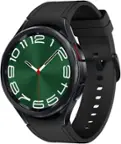
    The Galaxy Watch 7 is a nice watch with loads of features. First, the hardware. The Galaxy Watch 7 has a metallic body, with a round glass face, and a rubbery strap. The strap has orange and baby blue threads wrapped around a set of cutouts on each strap in an asymmetrical fashion (I’m personally not a fan of this and wish they hadn’t done it). The strap itself is a curious shade of green that’s right on the edge of being a dark grey. The back of the watch has a sensor array for tracking things like your heart rate, and the buttons along the right-hand side of the watch face (outlined in orange and white - again, not my first choice for colors) also contain sensors for body composition scanning. Battery life isn’t impressive. I get about a day and a half per charge. I’m not using this to track my sleep (having things on my wrist actually keeps me from getting to sleep), so I’m just charging it overnight each night. Setting up the watch was a bit of a challenge for me. The setup prompts you to install not just one, but several apps. I’m not even certain if all of them were necessary. The “Smart Switch” app prompted me to connect two phones together to transfer data and apps. I think it was referring to my watch, but I opted to just skip past this step completely. Skipping it doesn’t appear to have negatively impacted my experience at all. One of the apps that was referenced appeared to only be for Samsung phones. Again, skipping this one didn’t negatively impact my experience at all. By default, I wasn’t receiving any notifications on my Pixel phone. I found that I was able to go into the watch and app settings and manually turn on notifications for all of the apps that I care about. Notifications on this watch are handled very subtly. When you get a notification, you get a short little vibration (adjustable in the settings) followed by an orange dot on the left side of the screen. You can then flick left to view your notifications. I’m not sure if I prefer this to the “in your face” auto-displayed notifications or not. The watch face can be customized within the app, and there are a variety of options to choose from (including making your own). The watch comes with a fair amount of bloatware. I’m still figuring out what can be removed and what I need to keep. I installed Google Fit for monitoring my fitness as it was compatible, and I already have an account setup and am familiar with the interface. My preferred music streaming service seemingly isn’t compatible with this watch yet. At the time of this review, a lot of the third party watch face apps that I found weren’t compatible with this watch yet either. The body composition scanning isn’t great. I found that 4 out of 5 times, it gets to exactly 67% complete and then fails. When it does work, the results are radically different from my body composition scale (I WISH the watch’s body fat percentage was correct - I’d look absolutely shredded). Steps appear to be fairly accurate, and I haven’t noticed any anomalies with the heart rate monitoring. The auto-workout detection is great. Within a few minutes of light jogging on the treadmill, the watch prompts that I’m exercising and starts monitoring. It tries to retroactively record when I started, but I found that it was a little overly generous (giving me an additional five minutes of exercise - probably the time I spent walking across the gym and getting onto the treadmill). The assistant function seems to work well. I swapped the assistant from the default Bixby to Google without any issues. I have it setup to trigger with a long press of the top button, and it seems to work well and understand me clearly. By default, the volume was very VERY low, but I turned it up to a reasonable volume in settings. I also like the fact that I’m able to pair my calendar with this watch to keep track of appointments and tasks. In summary, this is a very nice and feature-rich smart watch. The initial setup is a little overly complicated. But once setup, this is a great watch for fitness tracking and day to day productivity.

    I would recommend this to a friend
  • Tech Insider Network Member

    Rated 5 out of 5 stars

    Professional Twist on Smart Wear

    |
    Tech Insider Network Member
    Posted .
    This reviewer received promo considerations or sweepstakes entry for writing a review.

    As someone deeply embedded in a different tech ecosystem, I've consistently relied on my other smartwatch for daily activities, never quite mixing it with my professional life. However, the allure of the Galaxy Watch7 in deep green and its classy round shape has made me reconsider. Unlike the typical tech-savvy look of 'other' smartwatches, the Galaxy Watch7 exudes a more traditional, professional vibe, making it a perfect accessory for work. I use an Android phone daily for work, and integrating the Galaxy Watch7 into my routine seemed like a logical step. Although my phone is not a Galaxy model, which led to a somewhat fragmented setup process involving multiple app installations and permission pop-ups, the effort was worthwhile. This hiccup in the setup process could likely be smoothed out for Galaxy phone users, with likely a more seamless integration within the Samsung ecosystem. The interface of the Galaxy Watch7 was surprisingly familiar, echoing many features of my 'other' smartwatch. This similarity was a double-edged sword; while it made the transition less daunting, it also left me longing for more originality, especially in the watch faces. I found myself instinctively reaching for a non-existent crown to navigate messages, a testament to my muscle memory from the 'other' device. However, Samsung’s use of all four swiping directions is a key difference that I appreciated quickly. The physical aspects of the watch, like changing bands, presented a slight learning curve. The traditional mechanical pin used to secure the bands might raise durability concerns for more rugged activities—definitely a departure from the integrated slide-in channels I'm accustomed to. Yet, I suppose it mirrors the classic watch design that has stood the test of time. During work hours, the watch proved its mettle by allowing me to efficiently multitask, handling texts and notifications with ease. The fitness features were a bonus, particularly during my afternoon workouts. The heart rate monitor matched the accuracy of both my 'other' watch and gym machines, although getting used to the controls, like swiping to end a workout, did take some getting used to. Overall, the Galaxy Watch7 has earned its place on my wrist during work hours, striking a fine balance between professional aesthetics and smart functionality. It’s a nice companion for anyone looking to blend traditional watch style with modern smartwatch capabilities, even if it does come with a slight learning curve for those outside the Samsung family.

    I would recommend this to a friend
Sponsored