Customer Ratings & Reviews
- Model:
- 8116150
- |
- SKU:
- 4441001
Customer reviews
Rating 3.7 out of 5 stars with 75 reviews
(75 customer reviews)to a friend
Customers are saying
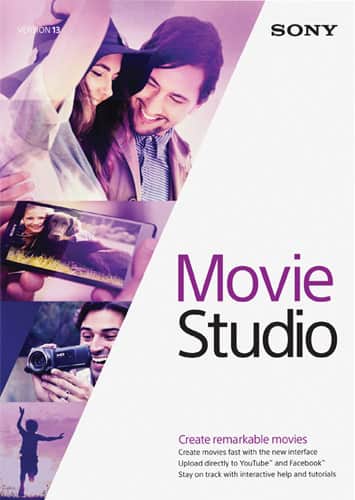
Customers are positive about Movie Studio 13's user-friendly interface and comprehensive video editing capabilities. They appreciate the great tutorials that make it easy to learn and use the software. Customers also feel that the price is reasonable for the features and quality of the software.
This summary was generated by AI based on customer reviews.
- Pros mentioned:Price
Rated 5 out of 5 stars
It's great
||Posted .This reviewer received promo considerations or sweepstakes entry for writing a review.I like the program. I really liked the price for how it works.
I would recommend this to a friend Rated 3 out of 5 stars
Not too easy to figure out
||Posted .This reviewer received promo considerations or sweepstakes entry for writing a review.I have added videos and can't crop and edit the way I thought I could. Not I have a product that I can use the way that I thought I could.
No, I would not recommend this to a friendRated 1 out of 5 stars
This is NOT as easy as it boasts
||Posted .This reviewer received promo considerations or sweepstakes entry for writing a review.Returned it; successfully thanks to the wonder de customer service at Best Buy. Impossible for a beginner to master with FIVE HOURS invested.
No, I would not recommend this to a friendRated 3 out of 5 stars
So far no problem
||Posted .This reviewer received promo considerations or sweepstakes entry for writing a review.It's OK to beginner's video editing software but not as good as Adobe premiere. I recommended to my high school son.
I would recommend this to a friendRated 3 out of 5 stars
Difficult to Use
||Posted .This reviewer received promo considerations or sweepstakes entry for writing a review.Difficult program to use for what we wanted. Goal was to create a video of my military career while putting it to music.
I would recommend this to a friendRated 3 out of 5 stars
Ok, but not high end
||Posted .This reviewer received promo considerations or sweepstakes entry for writing a review.Lacks ability to crop and save a section of a video. That is one of the things I miss.
No, I would not recommend this to a friendRated 5 out of 5 stars
I love it!
||Posted .This reviewer received promo considerations or sweepstakes entry for writing a review.This product is amazing! I love it so much! Not only is it very easy to use, it also gives me amazing results! I have so much fun using it!
I would recommend this to a friendRated 1 out of 5 stars
The Best Buy ad was misleading
||Posted .This reviewer received promo considerations or sweepstakes entry for writing a review.The Best Buy ad said you can burn a dvd with this software and it is not correct. A different Sony software program is required to burn after editing a video. I called Sony. So I returned the software and got my money back
No, I would not recommend this to a friendRated 2 out of 5 stars
This was just ok
||Posted .This reviewer received promo considerations or sweepstakes entry for writing a review.I was trying to avoid spending the major money for other products for my video editing but i ended up buying the premium adobe products in the long run. SO you get what you pay for so i would just go with adobe for the little bit extra money.
No, I would not recommend this to a friendRated 1 out of 5 stars
Garbage
||Posted .This reviewer received promo considerations or sweepstakes entry for writing a review.This product is absolute garbage don't purchase it!!!
No, I would not recommend this to a friendRated 5 out of 5 stars
Perfect for YouTube and home videos
||Posted .This reviewer received promo considerations or sweepstakes entry for writing a review.I use this software daily. I upload videos to YouTube and every now and then I'll do videos to show the family.
I would recommend this to a friendRated 1 out of 5 stars
Bad Product
||Posted .This reviewer received promo considerations or sweepstakes entry for writing a review.Do not buy it. I got ThinkStation S30 with 16 GB ram and Xeon proxessor and 2 GB video card, still this software can't produce good wuality video. My simple 2012 macbook pro does 1000% better job.
No, I would not recommend this to a friendRated 1 out of 5 stars
Not user friendly
||Posted .This reviewer received promo considerations or sweepstakes entry for writing a review.This Sony movie is not user friendly... Ive had it for 2months and I still don't know how to work it
No, I would not recommend this to a friend- Pros mentioned:Ease of use
Rated 4 out of 5 stars
My daughter enjoys it
Posted .This reviewer received promo considerations or sweepstakes entry for writing a review.I purchased this for my teenage daughter. She's had no problems using it for her YouTube videos and it works fine on her Windows 8.1 machine. I would recommend it for home movies
I would recommend this to a friend Rated 1 out of 5 stars
Slightly better than Windows Movie Maker
Posted .This reviewer received promo considerations or sweepstakes entry for writing a review.I have Sony Movie Maker 10 Platinum but wanted a lighter version because I am not a power user. So when I saw this one for $50, I figured it would work pretty much the same but maybe a little less bulk. Well most of the functionality is there, but what they have disabled on this stripped down version makes it so annoying to use that it is almost unusable. The first and most annoying lockout is that you can't change the size of your work space. Meaning that if you want to see more tracks, you can't shrink the preview panel. If you use multiple video tracks to inlay text or pictures or a sound track, you have to keep scrolling up and down in the track field to see where tings line up. You can shrink the vertical width of the tracks to see more tracks, but then it becomes very difficult to select specific tracks to edit. It is so hard to keep track of your project if you have more than one video track going on. The other annoying feature is not being able to see how big your rendered file will be depending on the file type you want to use. If you want to see the difference in file sizes if you rendered in WMV vs. MPG, you can't just select the file type and find out, you just have to render the projects to see how big the files are. There is a default file type that has an estimated size, but it is never the file type I want to use. For the price, it is just slightly better than Windows Movie Maker and does give quite a few more features such as picture-in-picture and chroma keying (green screen), but just very frustrating to use.
No, I would not recommend this to a friend