Customer Ratings & Reviews


- Model:
- SARS3S
- SKU:
- 10095903
Rating by feature
- Value
Rating 4.3 out of 5 stars
- Quality
Rating 4.6 out of 5 stars
- Ease of Use
Rating 4.6 out of 5 stars
Hard pass…
||Posted . Owned for 1 month when reviewed.This reviewer received promo considerations or sweepstakes entry for writing a review.Not worth the price... sound quality is ok. I can sit behind you and make sounds that sound better. Just kidding… but seriously it’s not worth it.
No, I would not recommend this to a friendBrand response from SonyListens
Posted .Hi 123rs, Thank you for the feedback on your experience with your SARS3S Wireless Rear Speakers. We regret to hear you feel that the sound quality did not meet your expectations. Depending on the input signal and the sound mode setting, surround sound processing may not work effectively. The surround effect may be subtle, depending on the program or disc. To ensure optimal surround sound effect, try setting the sound effect that is tailored to sound sources to a different Sound Mode option. You may refer to this link for more information: https://support.am.sony.com/release/Help_5024835112.pdf (see page 72)
Take movies, shows, sports, and music to the next level by adding to your cinematic surround sound atmosphere. These rear speakers automatically connect to your HT-A7000 or HT-A5000 soundbar right out of the box, bringing crystal-clear, room-filling sound into any home theater environment. Thanks for choosing Sony! -Sam
rear surround
||Posted . Owned for 2 weeks when reviewed.This reviewer received promo considerations or sweepstakes entry for writing a review.they are connected during the test mode and sound great when i run the sound test. but other than that they dont play anything. theyre connected, but do nothing
No, I would not recommend this to a friendBrand response from SonyListens
Posted .Hi IanH,
We regret to hear if you find the volume not as loud as you would have liked and it hasn't performed to your standards. Allow us to help you and turn your experience around. To ensure that you are getting the most out of your Sony soundbar, make sure to toggle on the "Immersive AE" remote button to upscale the entire audio systems' performance or run Sound Field Optimization so that the soundbar can calibrate its performance to your environment, and that it sounds like it was engineered to be in your room.
Note:
• The Rear speaker plays surround sound as part of the multi-channel sound or processed from the 2-channel sound. However, because of the characteristics of the rear speaker, the sound may be low depending on the playback source.
• Depending on the combination of the setting of SOUND FIELD and input signal, surround sound processing may not work effectively. The surround effect may be subtle, depending on the program or disc.
• To play multi-channel audio, check the digital audio output setting on the device connected to the speaker system. For details, refer to the operating instructions of the connected device.
If there is no sound or the sound from the Rear speaker is too low, you may also find this link helpful: https://www.sony.com/electronics/support/sound-bars-home-theater-systems-sound-bars-surround-speakers/sa-rs3s/articles/00274538
If you need further assistance regarding your concern, please email us at [email protected] with the following details:
Name:
Best Buy Username:
Model Number:
Issue:
Telephone Number:
Sincerely,
Jess
Good quality surround sound speakers
||Posted . Owned for 3 weeks when reviewed.This reviewer received promo considerations or sweepstakes entry for writing a review.Nice and loud. Great for surround sound! Great addition for A5000 sound bar.
I would recommend this to a friendBrand response from SonyListens
Posted .Hi Dondon, Perfect! Thank you for taking the time to write such an amazing review of your experience with your new SA-RS3S Sony rear speakers! We are extremely pleased to hear you're enjoying the excellent sound quality and that adding these wireless rear speakers for the HT-A5000 Soundbar improves your overall home theater experience. Take movies, shows, sports, and music to the next level by adding to your cinematic surround sound atmosphere. These rear speakers automatically connect to your HT-A7000, HT-A5000, or HT-A3000 soundbar right out of the box, bringing crystal-clear, room-filling sound into any home theater environment. Thank you so much for your purchase and for choosing Sony! -Jess
Sony
||Posted . Owned for 1 month when reviewed.This reviewer received promo considerations or sweepstakes entry for writing a review.Great sound, way better than samsung. Works great with ps5 ans brvia tv
I would recommend this to a friendBrand response from SonyListens
Posted .Hi Gilgamesh, Fantastic! Thank you for telling us about your experience with your SA-RS3S Sony rear speakers. We're extremely pleased to hear it works great with your Soundbar, BRAVIA TV, PS5, and you like the excellent audio quality. Glad to know you feel like you are entirely surrounded by incredible, immersive audio with these wireless rear speakers. Take movies, shows, sports, and music to the next level by adding to your cinematic surround sound atmosphere. These rear speakers automatically connect to your HT-A7000, HT-A5000, or HT-A3000 soundbar right out of the box, bringing crystal-clear, room-filling sound into any home theater environment. Thank you for choosing Sony! -Jess
Okay but not impressed
||Posted . Owned for 4 months when reviewed.This reviewer received promo considerations or sweepstakes entry for writing a review.Okay but only tweets its good but not much sound effects
I would recommend this to a friendIt wasn’t a good investment
||Posted . Owned for 1 month when reviewed.This reviewer received promo considerations or sweepstakes entry for writing a review.I can not hear a sound from them, I was expecting I better quality sound, but not
No, I would not recommend this to a friendBrand response from SonyListens
Posted .Hi JorgeAGM,
Thanks for reaching out to us with your concern. We're sorry to hear that you're not having the best experience with these speakers. Make sure to update the software version of the TV for optimum performance. If no sound or only a very low-level sound is heard from the optional speaker, please follow the troubleshooting steps on the link below to resolve this issue:
https://helpguide.sony.net/ht/a5000/v1/en/contents/TP1000429368.html
To ensure sound is being output from both the speaker system and the optional rear speakers, press the IMMERSIVE AE to turn on the Immersive Audio Enhancement function, the speaker system upmixes audio signals, and sound is output from all speakers. For this, you may refer to the guidelines below:
• Depending on the combination of the setting of SOUND FIELD and input signal, surround sound processing may not work effectively. The surround effect may be subtle, depending on the program or disc.
• To play multi-channel audio, check the digital audio output setting on the device connected to the speaker system. For details, refer to the operating instructions of the connected device.
If the issue persists, you can also try performing a factory reset on the soundbar then connect your soundbar to WIFI and do software update on sound bar then connect the SA-RS3. This will also update software on the rear speakers and may help resolve the issue.
Should you need further assistance, you can email us at [email protected] with the following details:
Name:
Best Buy Username:
Model Number:
Issue:
Telephone Number:
Sincerely,
Jess
Small in stature big in sound
||Posted . Owned for 3 weeks when reviewed.This reviewer received promo considerations or sweepstakes entry for writing a review.These were the perfect finalizing piece to my theater room.
I would recommend this to a friendBrand response from SonyListens
Posted .Hi KyleCog, That's fantastic! We're extremely pleased to hear these wireless rear speakers completes your surround sound experience and it tailors audio to your space. You’re now able to enjoy immersive, engaging cinematic surround sound experience in your home. Take movies, shows, sports, and music to the next level by adding to your cinematic surround sound atmosphere. These rear speakers automatically connect to your HT-A7000, HT-A5000, or HT-A3000 soundbar right out of the box, bringing crystal-clear, room-filling sound into any home theater environment. Thanks for leaving us such a great review! -Jess
Not good
||Posted . Owned for 2 weeks when reviewed.This reviewer received promo considerations or sweepstakes entry for writing a review.Completely useless. Not loud enough, too much money. Sony didnt do a good job on these. Do not buy !
No, I would not recommend this to a friendBrand response from SonyListens
Posted .Hi BuntzKh,
We regret to hear that you are not satisfied with the sound quality of the SARS3S rear speaker. The SARS3S plays surround sound as part of the multi-channel sound or processed from the 2-channel sound. However, because of the characteristics of the rear speaker, the sound may be low depending on the playback source. On the soundbar remote control, press the REAR (rear speaker volume) + button to turn up the volume. If Night mode is set to ON, set it to OFF. You may also find this link helpful:
https://www.sony.com/electronics/support/sound-bars-home-theater-systems-sound-bars-surround-speakers/sa-rs3s/articles/00274538
Hope this helps. If still not resolved or you need further assistance, please email us at [email protected] with the following details:
Name:
Username:
Model Number:
Issue:
Telephone Number:
Or contact our product support team via phone call or chat through this link:
https://us.esupport.sony.com/support/s/support-contact?language=en_US&category=ht
Sincerely,
-Ralph
Mr
||Posted .This reviewer received promo considerations or sweepstakes entry for writing a review.I bought these speakers open box in excellent conditions and when I tried to connect them to my Sony soundbar 8 the right speaker did connect no problem, but the left one refused to connect no matter what I tried.
No, I would not recommend this to a friendBrand response from SonyListens
Posted .Hi VictorK, thanks for sharing your experience with the Sony - SA-RS3S! We're truly sorry to hear the left speaker is not connecting properly to your Sony BRAVIA Theater Bar 8, we understand how frustrating this may be. Here are some steps that can help you to get both of them working:
1- Reset the speakers, you'll need to press the power button on both of them at same time for 5 seconds and then disconnect them from the power for 5 minutes.
2- Power reset the soundbar, while you're resetting the speakers, you can also unplug the soundbar for 5 min from the power outlet. After 5 minutes have passed, power everything back on
3- Download the Bravia connect app on your phone, and then go to [Settings] - [Wireless Speaker Settings] - [Wireless Speaker Connection]
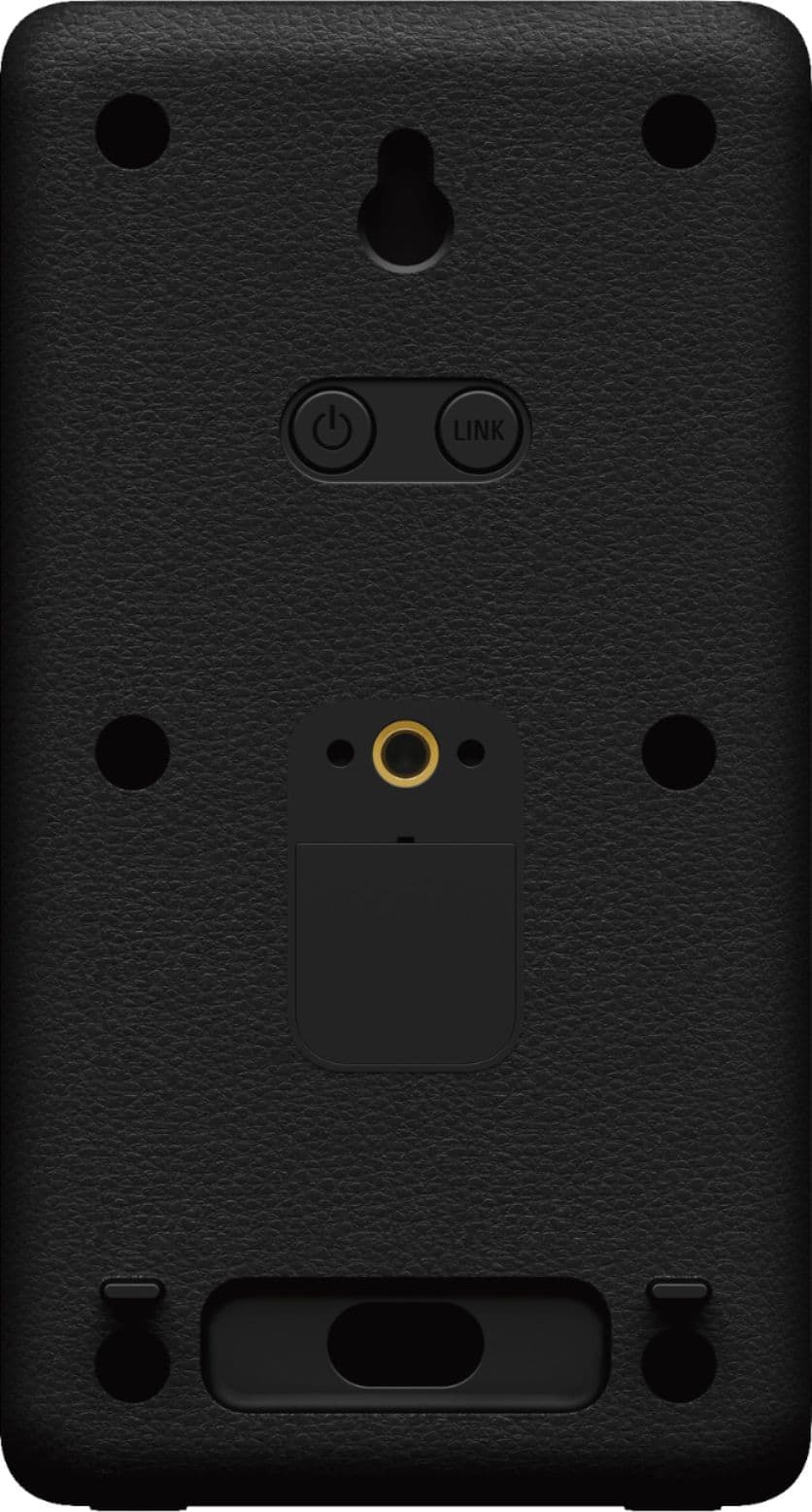
4- Press the LINK button on both speakers at the same time, the green light starts flashing twice
5- The connection should be stablished successfully and both units should be working with your Soundbar
We hope these steps help you, if some reason the issue still persist, please email the information below to [email protected] so we can better assist you.
Full Name:
Best buy username:
Telephone Number:
Model Number:
Issue/Concern:
Thank you for considering Sony products! Regards, -Dominick
Worth adding as rear speakers for Atmos experience
||Posted . Owned for 1 month when reviewed.This reviewer received promo considerations or sweepstakes entry for writing a review.Sounds great as rear speakers especially on Dolby Atmos
I would recommend this to a friendBrand response from SonyListens
Posted .Hi Sumanth, Amazing! Choosing these wireless rear speakers will definitely be worth it. Thank you for telling us about your experience with your SA-RS3S Sony rear speakers. We hope that the additional speakers enhances your home theater system so that if feels like you are entirely surrounded by incredible, immersive audio. Thank you for choosing Sony! -Jess
Great Surround Speakers
||Posted . Owned for 2 weeks when reviewed.This reviewer received promo considerations or sweepstakes entry for writing a review.Adds alot of sound to my system. High price but woth it
I would recommend this to a friendBrand response from SonyListens
Posted .Hi Wd65, Awesome! Thank you for telling us about your experience with your SA-RS3S Sony rear speakers. We hope that the additional speakers enhances your home theater system so that if feels like you are entirely surrounded by incredible, immersive audio. Take movies, shows, sports, and music to the next level by adding to your cinematic surround sound atmosphere. These rear speakers automatically connect to your HT-A7000, HT-A5000 or HT-A3000 soundbar right out of the box, bringing crystal-clear, room-filling sound into any home theater environment. Thank you for choosing Sony! -Jess
Great!
||Posted . Owned for 3 weeks when reviewed.This reviewer received promo considerations or sweepstakes entry for writing a review.These speakers make the surround sound very good!!
I would recommend this to a friendBrand response from SonyListens
Posted .Hi Zappermom, Amazing! We're truly delighted to hear you're enjoying the excellent sound quality and adding these wireless rear speakers for the Sony A-Series Soundbar improves your overall home theater experience. Take movies, shows, sports, and music to the next level by adding to your cinematic surround sound atmosphere. These rear speakers automatically connect to your HT-A7000, HT-A5000, or HT-A3000 soundbar right out of the box, bringing crystal-clear, room-filling sound into any home theater environment. Thank you for choosing Sony! -Jess
Buy something else instead
||Posted . Owned for 3 weeks when reviewed.This reviewer received promo considerations or sweepstakes entry for writing a review.Was expecting the sound quality to be a lot better than it actually was. Synched it with the sound bar but noticed no audible difference between the sound with or without these speakers
No, I would not recommend this to a friendBrand response from SonyListens
Posted .Hi Sobain, thanks for choosing and purchasing our product. We're sorry to hear that you have an issue with your Sony unit. The Rear speaker plays surround sound as part of the multi-channel sound or processed from the 2-channel sound. However, because of the characteristics of the rear speaker, the sound may be low depending on the playback source. On the Soundbar remote control, press the REAR (rear speaker volume) + button to turn up the volume. If Night mode is set to ON, set it to OFF. You can find this link helpful in your issue:
https://www.sony.com/electronics/support/sound-bars-home-theater-systems-sound-bars-surround-speakers/sa-rs3s/articles/00274538
If you require any additional support with regard to this product, please email us at [email protected] with the following details: Name: Username: Model Number: Issue: Telephone Number:
~Earl

Surround yourself in a blanket of sound!
|Posted .This reviewer received promo considerations or sweepstakes entry for writing a review.This pair of speakers is an optional extension of Son'y new flagship series of soundbars. I highly recommend getting this additional rear speakers to extend the sound stage and clairity of your surround sound system. This will make movies much more entertaining! The rear speakers are simple to setup as they automatically pair to the soundbar when you turn them on. See the included review of the primary HT-A7000 soundbar below to understand how the entire system functions, I highly recommend getting both the optional rear speakers and subwoofer to compliment the entire system. Additional soundbard review: This compact soundbar gives you a 7.1.2 experience! With two up-firing speaker for overhead sound, two beam tweeters, five front speakers for winder surround, and a built-in subwoofer, you can’t ask for more in such a compact size. Utilizing Sony’s Surround Engine and S-Force PRO Front Surround, this system created virtual surround sound that comes from all around you, so you can enjoy the full immersion of your Dolby Atmos and DTS:X content. If you have any doubts on how well their Surround Engine works, find Sony’s demo video on YouTube showcasing the technology, it will blow you away! Technology size, this soundbar has endless connection options (HDMI, USB, Optical and Analog, Bluetooth, Wi-Fi streaming, Spotify Connect, Chromecast, Apple Airplay 2, and more), and supports up to 8K HDR pass-through content. Combined with High-Resolution Audio for crystal clear precision or their 360 Reality Audio, you can submerse yourself in an amazing live concert or studio session experience. Your music comes to life like never before! Sony utilizes Edge-AI (Artificial Intelligence) combined with DSEE Extreme (Digital Sound Enhancement Engine) to upscale compressed digital music files in real time giving you unmatched sound quality. Upon setting the system up, you can let the system auto-configure all the settings for you using their Sound Field Optimization system. It uses the built-in microphones to intelligently measure the position of each speaker in your room. This fine tunes all of the sound technologies to deliver you the best experience possible. Setting up the soundbar takes no time at all, it’s almost ready to go straight out of the box. Simply plug it in, connect to your TV using the HDMI eARC connection and power it on. The quick on screen guide will run you through an auto configuration and have you listening in no time. Additionally, it has the capability to connect via USB, optical, or analog connections. It’s a little over 51 inches wide, 3.25 inches tall, and just over 5.5 inches deep. It’s total power output is 500 watts. I cannot stress more how much this device will blow you away. It has amazing clarity, hard to believe surround sound, and the compatibility is outstanding. I’ve listened to a wide arrange of content, from 4K Dolby Vision/Atmos movies, full surround concerts, or plain boring 2 channel content that is brought alive by the DSEE processing, this device does not disappoint. If you’re looking to expand this system even more, make sure you purchase the optional rear wireless speakers, and optional wireless larger subwoofer. The devices connect automatically and extend your listening pleasure even further.
I would recommend this to a friendAwful reception, do not buy.
||Posted . Owned for 1 month when reviewed.This reviewer received promo considerations or sweepstakes entry for writing a review.Awful reception, do not buy. No matter how these are positioned or how many times you run the wireless speaker channel optimization, theubcintinuebto cut out.
No, I would not recommend this to a friendBrand response from SonyListens
Posted .Hi Nope, We are sorry to hear that the SARS3S did not meet all of your expectations. May we contact you to help? If so, please email the below information to [email protected]
Apologies if you disclosed some of this information in your review and to customer service, we just want to ensure that we have your accurate details at the time of communication.
Full Name:
Username:
Telephone Number:
Model Number:
Issue:
Regards,
Carl
What a joke!
||Posted .This reviewer received promo considerations or sweepstakes entry for writing a review.What a joke, paired with Sony 5000 sound bar and Sony 200w woofer in a 16'x18' room. Adjusted sound volume on these rear speakers to max and can't hear anything unless you get your ears within 2 or 3 feet. Will be returning.
No, I would not recommend this to a friendBrand response from SonyListens
Posted .Hi noneyab,
We regret to hear that you are having a low volume issue with your Sony SA-RS3S wireless speakers. This is definitely not the customer experience we want you to have. If the speakers are still with you, we can follow the suggestions below to isolate and hopefully resolve this issue:
- Turn off the speakers then turn them on again.
- Make sure the right and left rear speakers are connected correctly. “REAR R” is for the right, “REAR L” is for the left.
- If the power indicator on the rear speaker flashes slowly in green or lights in red, try moving the rear speaker to a location near your HTA5000 so that the power indicator on the rear speaker lights in green.
- Press REAR + (Volume) on the remote control of a compatible model to increase the volume of the rear speakers.
- If there is an obstacle between the HTA5000 and the rear speakers, move or remove the obstacle or locate the HTA5000 and the rear speakers as close as possible.
- Play several different content from different sources to further test the audio.
If you are still having the same issue, you can email us at [email protected] with the following details:
Name:
Best Buy Username:
Model Number:
Issue:
Telephone Number:
Sincerely,
Vincent
Rear
||Posted . Owned for 1 month when reviewed.This reviewer received promo considerations or sweepstakes entry for writing a review.Never paired to the Sony 7.1.2 . Think it’s over priced regardless
I would recommend this to a friendBrand response from SonyListens
Posted .Hi Rear, We're sorry to hear you're having an issue pairing your wireless rear speaker to your Sony soundbar. Let's try to resolve this issue by following the troubleshooting steps on the link below:
https://helpguide.sony.net/ht/a7000/v1/en/contents/TP1000201188.html
If you are unable to resolve your concern, please email us at [email protected] with the following details:
Name:
Username:
Model Number:
Issue:
Telephone Number:
Sincerely,
Sam
Not so good!
||Posted . Owned for 3 weeks when reviewed.This reviewer received promo considerations or sweepstakes entry for writing a review.Not happy with the product. Not able to get that Dolby Atmos experience.
No, I would not recommend this to a friendBrand response from SonyListens
Posted .Hi Kumar,
Thanks for reaching out to us with your concern. We're sorry to hear if the surround effect cannot be obtained. Make sure to perform software update on the connected soundbar then connect these SA-RS3S rear speakers. This will also update software on the rear speakers and should resolve the issue.
To ensure sound is being output from both the speaker system and the optional rear speakers, press the IMMERSIVE AE to turn on the Immersive Audio Enhancement function, the speaker system upmixes audio signals, and sound is output from all speakers. For this, you may refer to the guidelines below:
• Depending on the combination of the setting of SOUND FIELD and input signal, surround sound processing may not work effectively. The surround effect may be subtle, depending on the program or disc.
• To play multi-channel audio, check the digital audio output setting on the device connected to the speaker system. For details, refer to the operating instructions of the connected device.
You can also set the speaker distance from your listening position and their output level, etc. to obtain the best possible surround sound.
For more on "Speaker Settings", refer to this link: https://helpguide.sony.net/ht/a5000/v1/en/contents/TP1000381248.html
If you are still having the same issue, you can email us at [email protected] with the following details:
Name:
Best Buy Username:
Model Number:
Issue:
Telephone Number:
Sincerely,
Jess
...
||Posted .This reviewer received promo considerations or sweepstakes entry for writing a review.Most terrible system possible, the rear speakers have independent powerhouse the same as the subwoofer but all the components are trying to pair simultaneously to the soundbar. Do not buy this system
No, I would not recommend this to a friendBrand response from SonyListens
Posted .Hi Avoncustomer,
We are sorry to hear you are experiencing some wireless function issues. Please allow us to help you and turn this into a better experience. If Wireless Transmission (optional subwoofer/rear speakers) is unstable, we recommend to not place metal objects other than a TV around the speaker system.
These rear speakers automatically connect to your HT-A7000, HT-A5000 or HT-A3000 soundbar right out of the box, bringing crystal-clear, room-filling sound into any home theater environment. However, if you cannot connect the speakers to a compatible model automatically or you use multiple compatible models and want to specify the compatible model for connecting the speakers, perform the manual connection. For more information, please refer to the troubleshooting steps on the manual below.
https://www.sony.com/electronics/support/res/manuals/5011/25ba7aa1f75e8d2cc5defccfee5539b4/50115271M.pdf
If the issue is still unresolved after following the steps above, please email the below information to [email protected].
Name:
Best Buy Username:
Model Number:
Issue:
Telephone Number:
Sincerely,
Jess
Great addition to the soundbar system
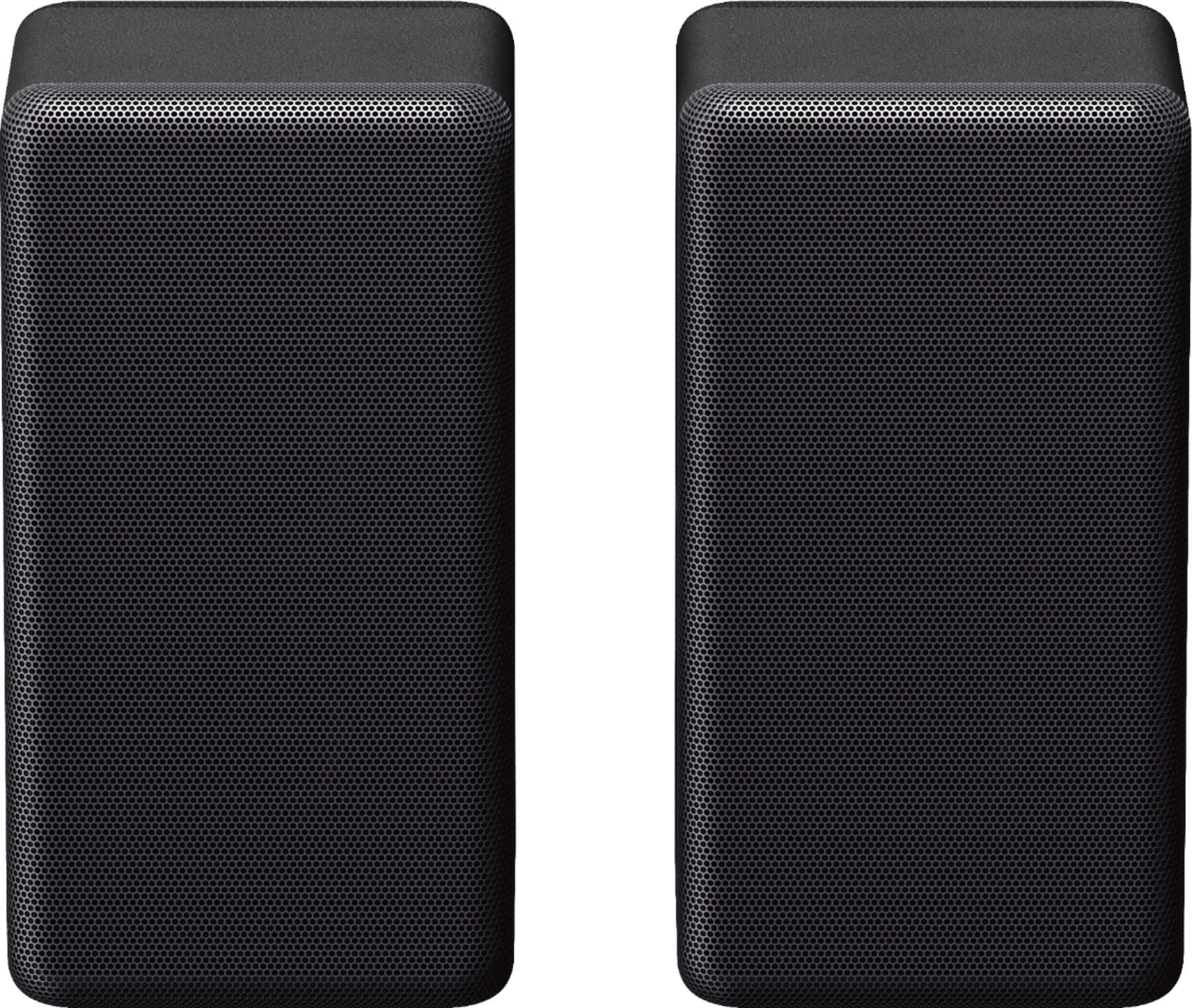
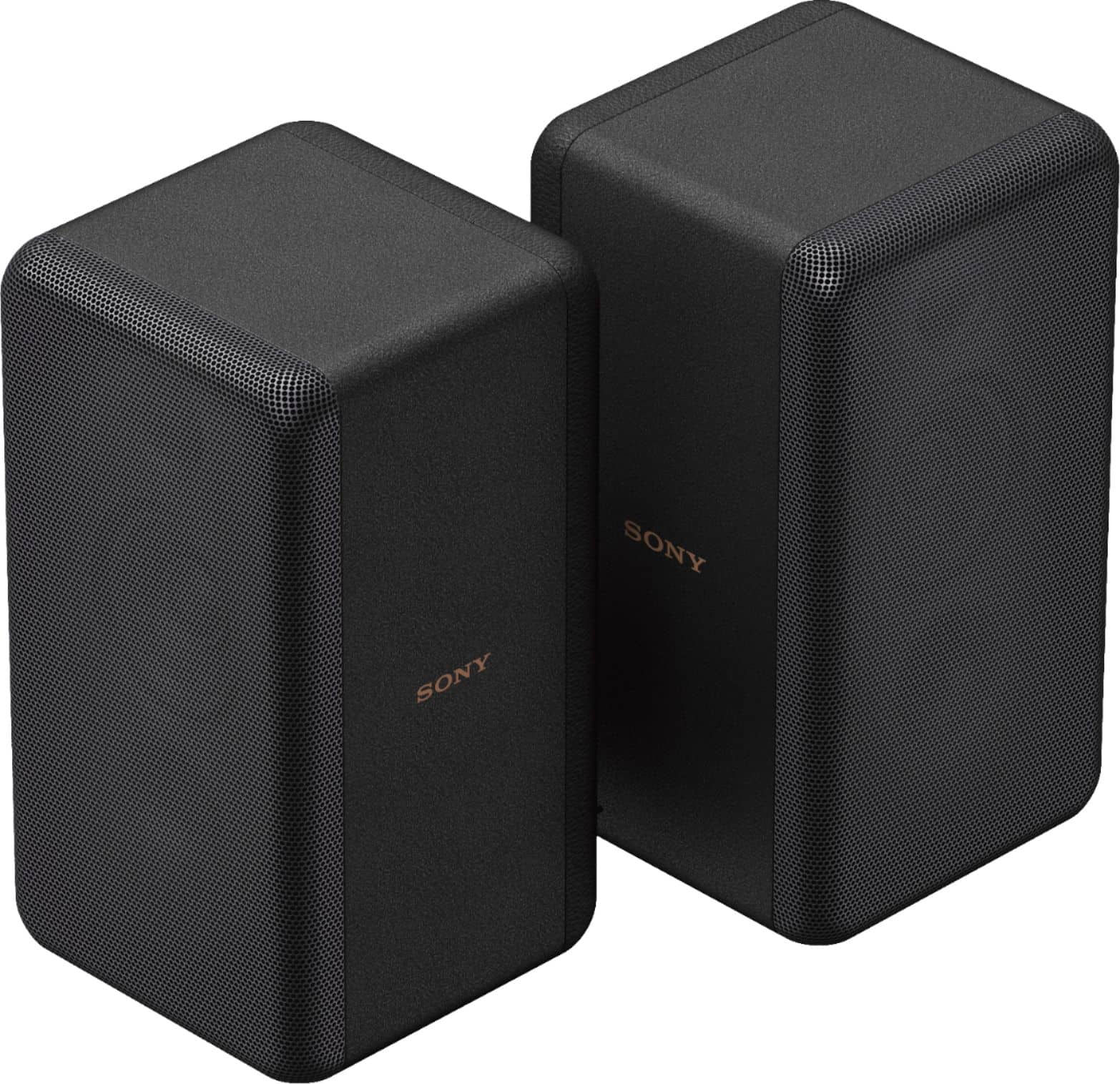
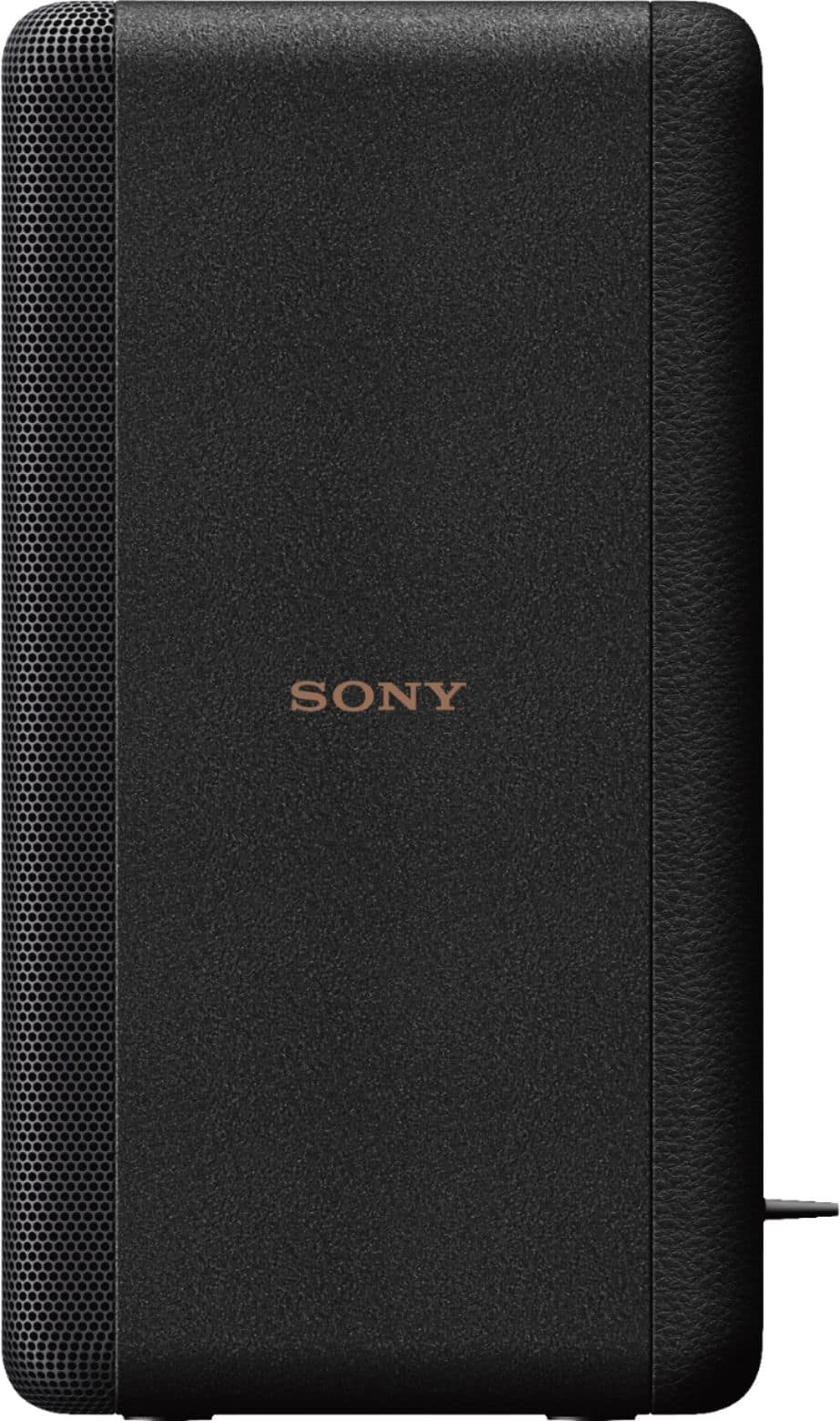
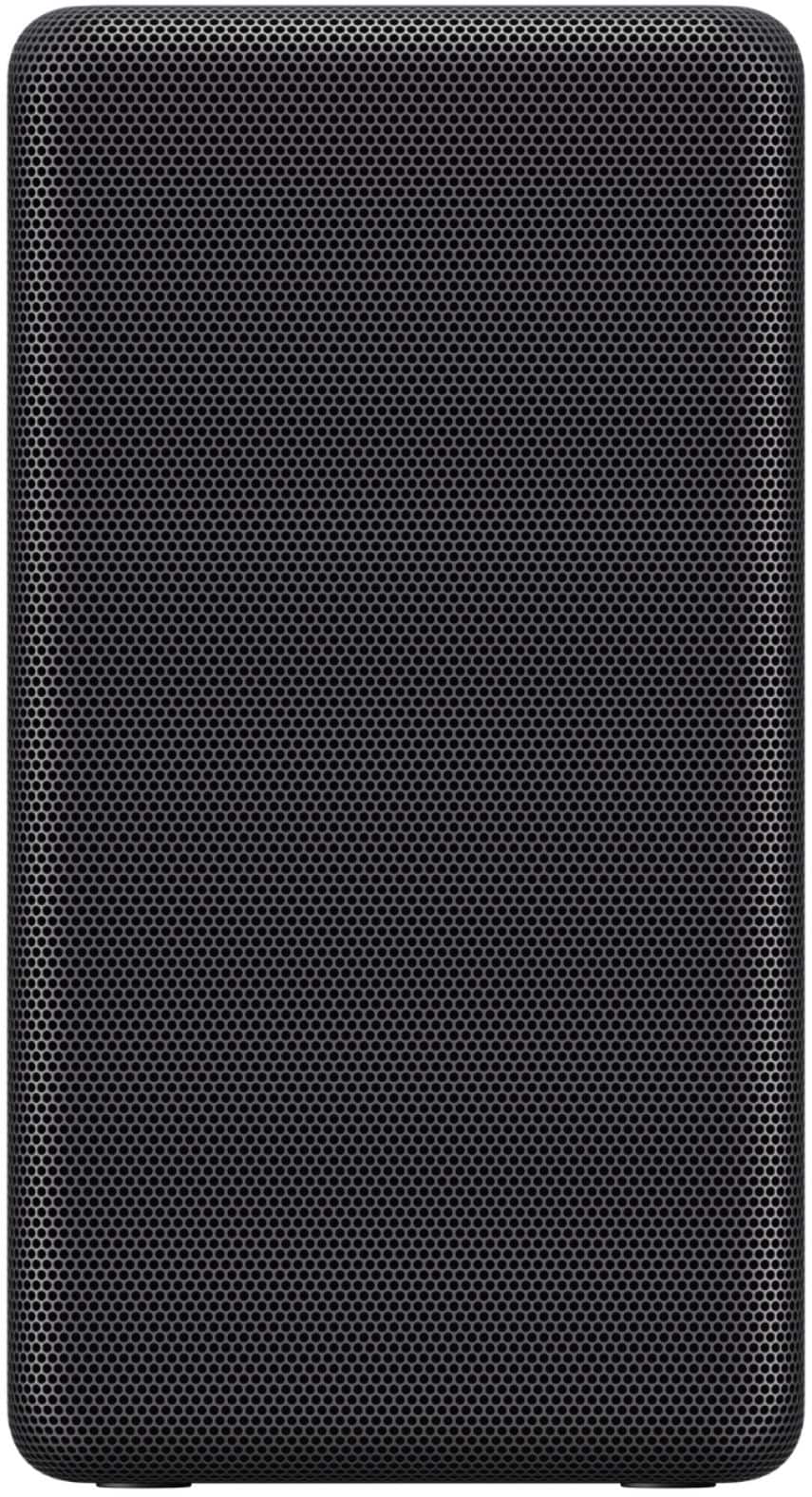
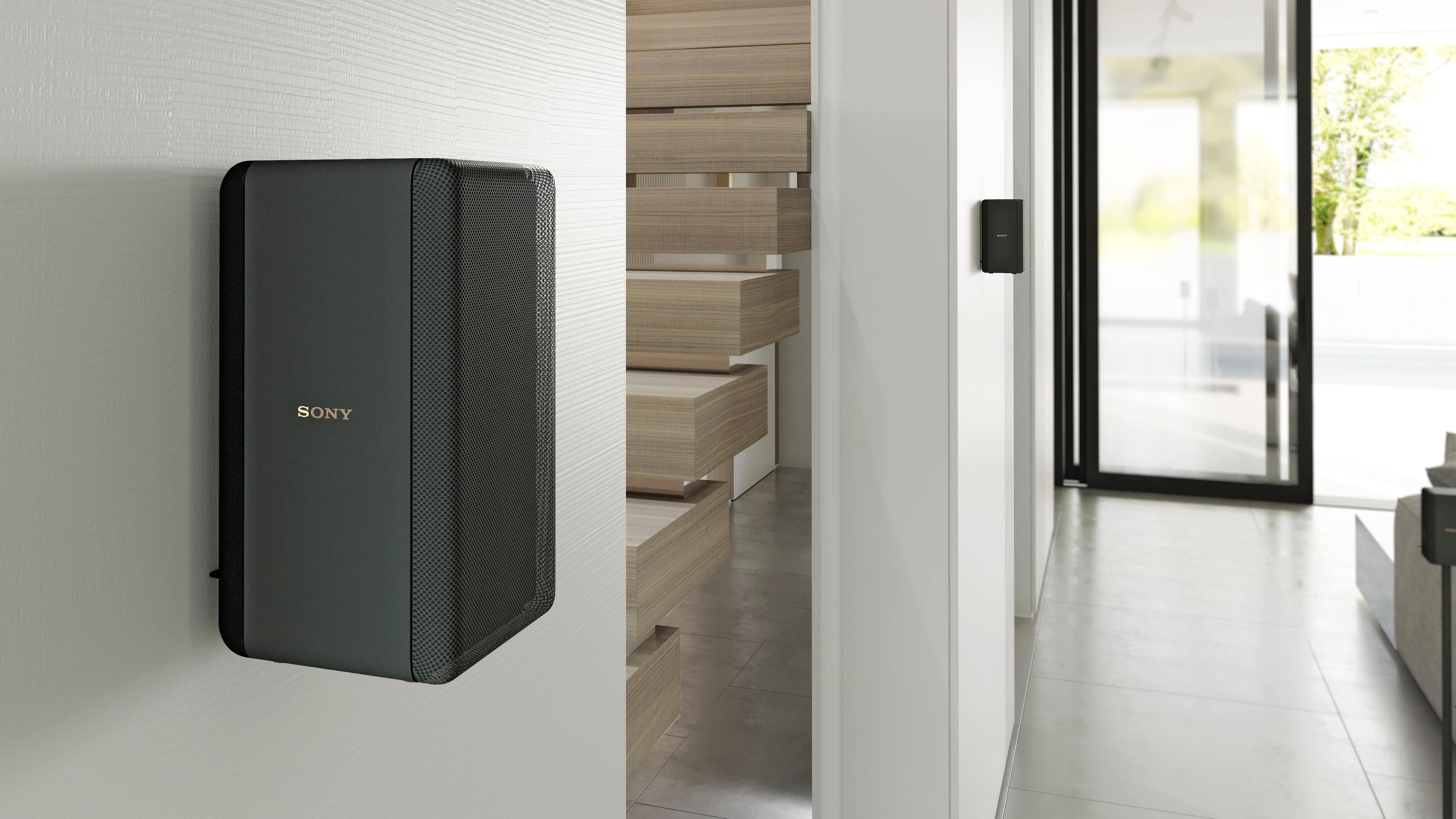
|Posted .This reviewer received promo considerations or sweepstakes entry for writing a review.This pair of mini rear speakers are a great add on to the A7000 Sony Soundbar system. They are about 6 inches in height and 3.5 in width. These speakers really complete the set as they provided that true surround sound to your tv set up. Just like anything, these speakers have pros and cons, but there are more pros in my opinion. Let's start with the good stuff. To begin with, they are extremely easy to set up. The set up is wireless and it will sync up with the soundbar very easy. One thing you have to watch out for, make sure these speakers are compatible with the HT-A7000 soundbar. This caution is given to you in the first paragraph of the owner's manuel. If you are into watching many movies, then adding these speakers will make a difference as you get to enjoy those extra background sounds that are often missed without these types of speakers. Each speaker comes with a 6 foot power cord. You can mount these speakers, but since they don't come with real lengthy cords, it is highly recommended that you mount them too high as you will lose some of that surround sound. They are simplistic in their design, but they definitely look good. I like that they are small because depending on your set up, you can easily hide them from view. Overall, if you are going to invest in the Sony HT-A7000 soundbar, you might as well complete the set and get the mini surround sound speakers to really get that movie theatre sound in your home.
I would recommend this to a friend