The vast majority of our reviews come from verified purchases. Reviews from customers may include My Best Buy members, employees, and Tech Insider Network members (as tagged). Select reviewers may receive discounted products, promotional considerations or entries into drawings for honest, helpful reviews.
Page 1 Showing 1-4 of 4 reviews
Rated 5 out of 5 stars
Simple to Use
|
|
Posted . Owned for less than 1 week when reviewed.
This reviewer received promo considerations or sweepstakes entry for writing a review.
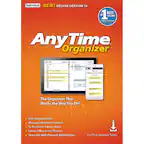
I was trying to get organized and I wanted some type of expense reporting solution. Between my job, my company, and personal receipts, it was a challenge to sort everything. This software gets the job done and does it with ease. Instead of a cloud-based solution, everything resides on my machine for free. I have separate baskets for each category (work, company, personal). The software recognized my scanner and allows me to hit "scan" from within the program. I also take pictures with my phone, save them to my personal cloud, and they instantly show up to be reviewed on my desktop. I just have to save them to the program's inbox. When I open each receipt, the software has OCR to figure out the vendor, date, and amount. While not perfect, it is accurate about 75% of the time, and it easily allows me to fix an error. Considering it is performing OCR on pictures taken by my phone in random lighting conditions, I am impressed it does as well as it does.
After all the receipts are added, I can easily generate expense reports and export them along with copies of all the receipts in PDF format. When combined with the main FileCenter program, it is simple to attach the reports to my job's expense report form and create one nice, clean expense report. Instead of sending my manager multiple files, I can send one PDF that has the company form, a summary of the expenses, and copies of each receipt. No one can lose part of it and claim I never sent it. While there are cloud-based solutions that might work better for some people, this works great for me.
I would recommend this to a friend
Rated 5 out of 5 stars
Excellent
|
|
Posted . Owned for 2 weeks when reviewed.
This reviewer received promo considerations or sweepstakes entry for writing a review.
This software was easy to set up and use and has been a huge help keeping track of finances.
I would recommend this to a friend
Rated 5 out of 5 stars
Receipt program
|
|
Posted . Owned for 3 weeks when reviewed.
This reviewer received promo considerations or sweepstakes entry for writing a review.
This is a great way to keep up with my receipts for personal and business.
I would recommend this to a friend
Rated 3 out of 5 stars
Could be better
|
|
Posted . Owned for 3 weeks when reviewed.
This reviewer received promo considerations or sweepstakes entry for writing a review.
Wanted this to replace neat. Its just not ready for prime time. Not bad and has some uses just not as clean of gui as neat