Customer Ratings & Reviews
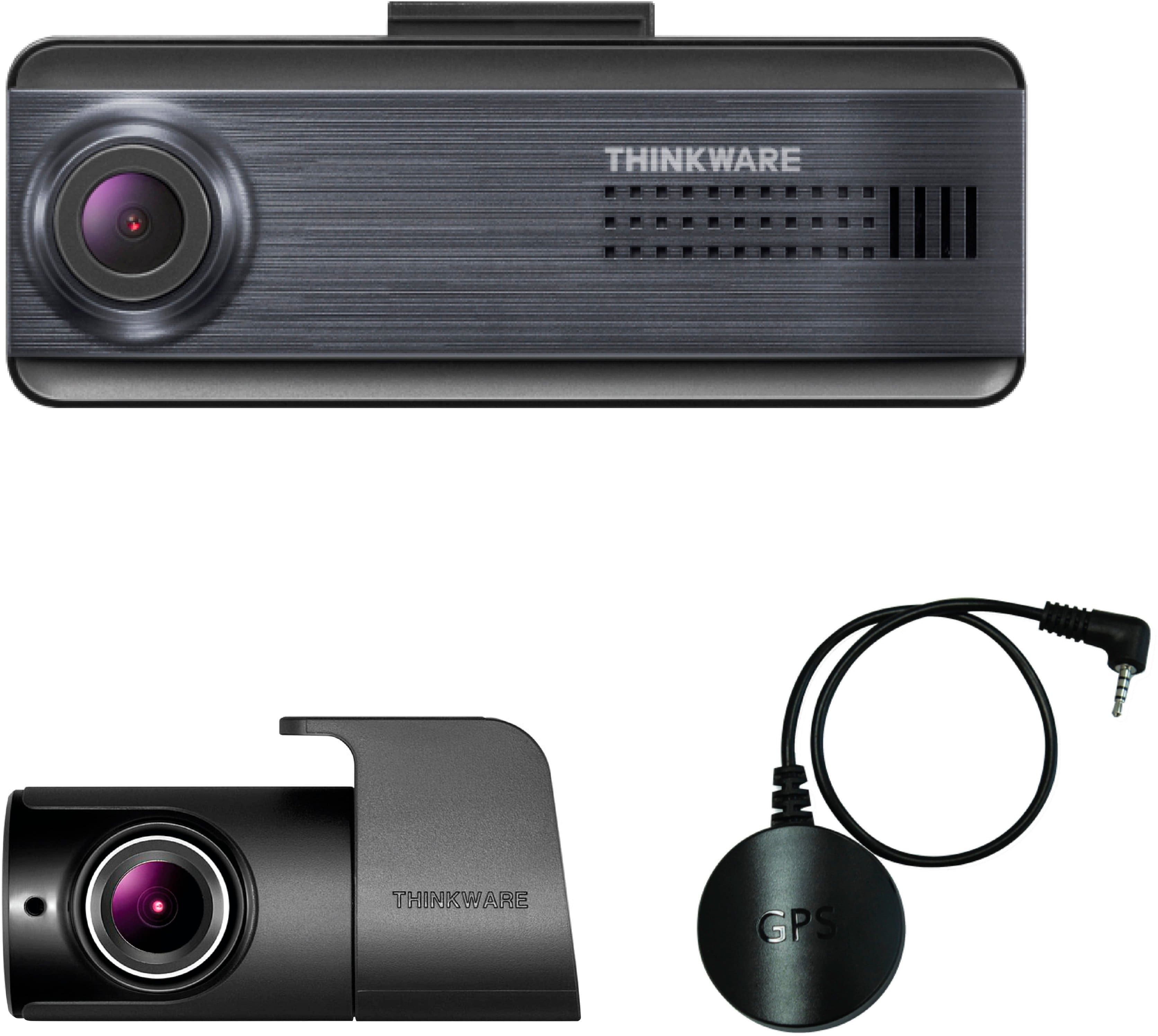
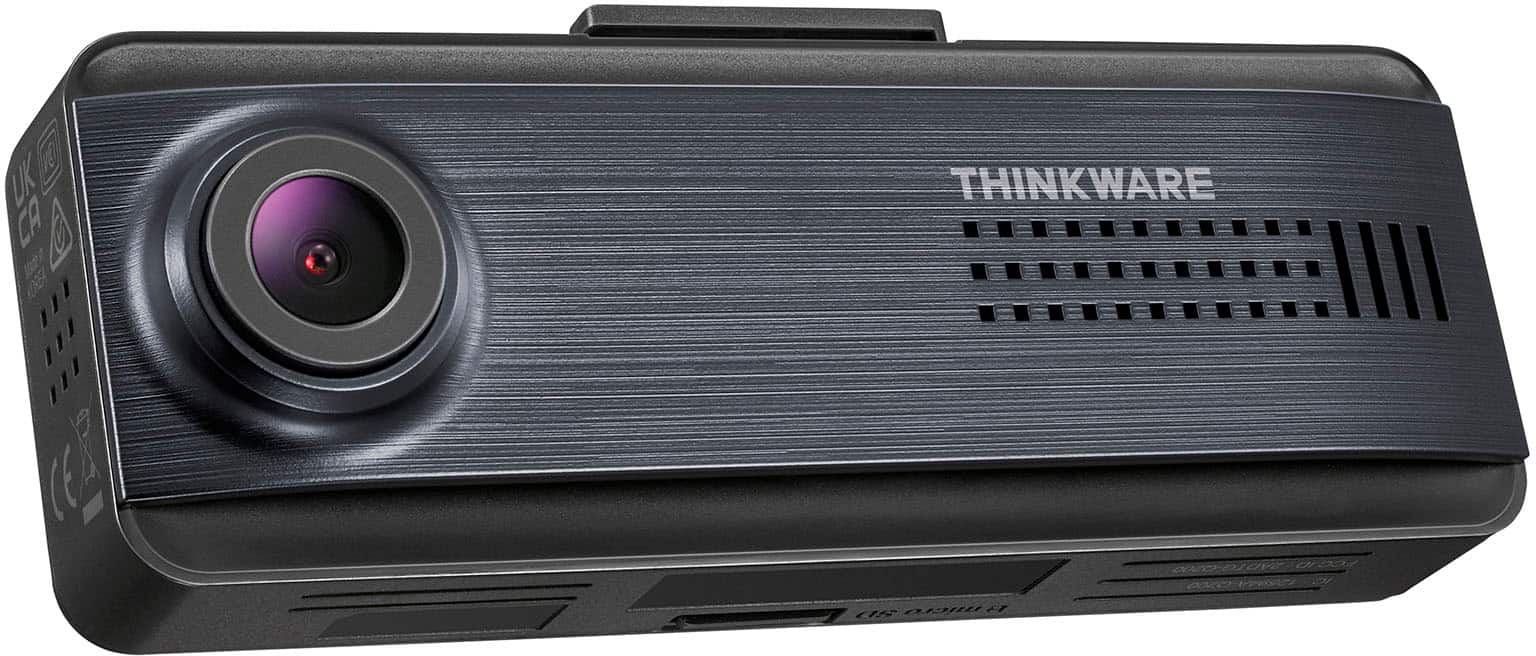
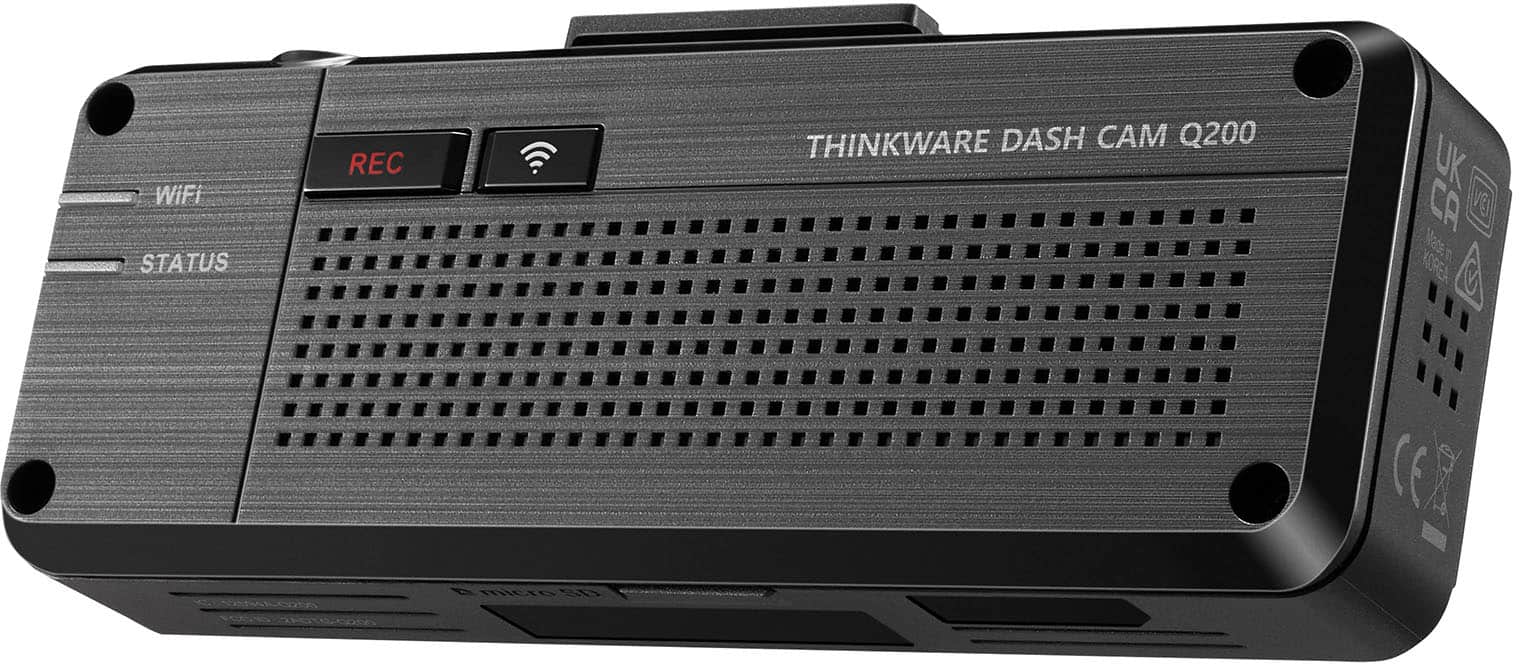
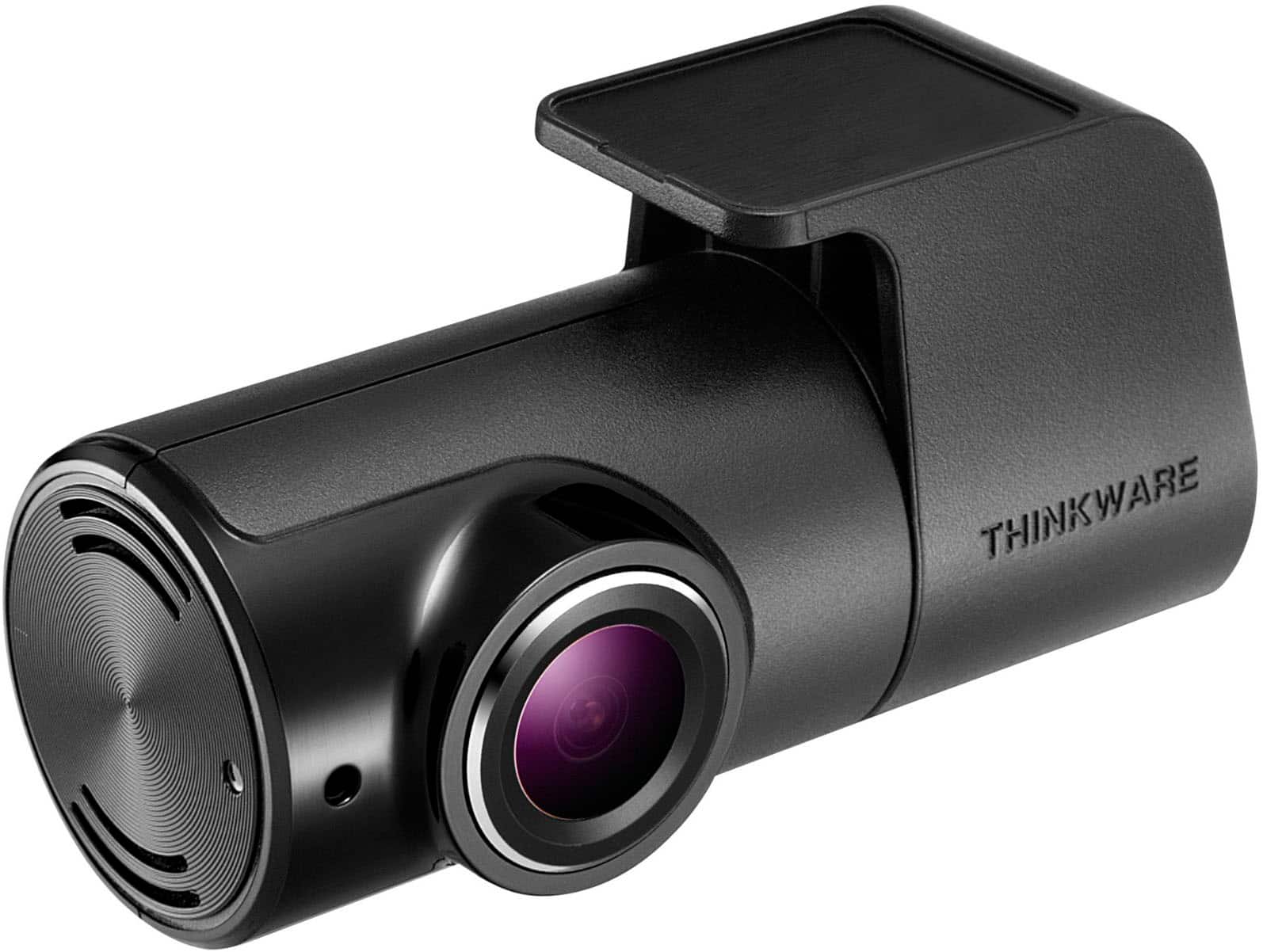
- Model:
- TW-Q200DCHG
- SKU:
- 6576703
Rating by feature
- Value
Rating 4.5 out of 5 stars
- Quality
Rating 4.5 out of 5 stars
- Ease of Use
Rating 4.4 out of 5 stars
Customers are saying
Customers highly value the Q200 2K Front & 1080p Rear Dash Cam's excellent video quality, ease of use, and GPS functionality. Many appreciate the parking mode and the overall performance, noting that the camera is easy to install and has a compact design. While some users experienced challenges with app connectivity and rear camera settings, the positive feedback on video resolution and night vision capabilities outweighs these concerns. The small size and sleek design are also frequently praised.
This summary was generated by AI based on customer reviews.
- Pros mentioned:Gps, Video quality
Worked like expected straightaway after install
||Posted . Owned for less than 1 week when reviewed.This reviewer received promo considerations or sweepstakes entry for writing a review.I owned an earlier model Thinkware and it worked great for years, so I chose to buy another (different model) for my new Jeep. I had Geek Squad install it (good job guys). I've downloaded a few videos using my phone and everything worked fine. The only issue I had was the transition from it being connected to the phone via Bluetooth to connected via the Wifi hotspot (which is required in order to playback video clips). Initially I didn't know the default password for the wifi and had to google it. But once I got that, it took a couple tries to connect and it finally did. Once past that, the transition happens seamlessly, although a little slowly, so you have to have patience. I know others don't like having to use the app to access their videos ( you could take the sd chip out and go plug it into your laptop or PC in the house) but, it works fine. One thing I don't like is the number of permissions absolutely required in order for the app to even start. They need to provide a readily visible detailed explanation of the reason it needs EVERY permission. Even good reputable companies need to acknowledge that the world wide web has gotten increasingly hostile, and should be upfront about EVERY, I repeat EVERY permission requirement, and don't make us DIG for it!
I would recommend this to a friendBrand response from Thinkware Product Expert
Posted .Hello, thank you for taking the time to write to us a feedback.

- Pros mentioned:Gps, Video quality
Dash camera
||Posted . Owned for 2 weeks when reviewed.This reviewer received promo considerations or sweepstakes entry for writing a review.A dash camera is an essential tool for anyone looking to enhance their driving safety and security. Many drivers rave about the peace of mind a dash cam provides, knowing that any incidents or accidents are automatically recorded with clear, high-quality footage. The camera’s wide-angle lens captures a broad view of the road, while its continuous loop recording ensures that important moments are always stored, even during long trips. Dash cams are praised for their reliability, with many models offering features like motion detection, GPS tracking, and night vision, making them useful in a variety of conditions. Whether for protecting yourself in case of an accident, or just for capturing memorable road trips, a dash camera is a great investment that provides added security and convenience.
I would recommend this to a friendBrand response from Thinkware Product Expert
Posted .Hello, thank you for taking the time to write positive feedback for us.
- Pros mentioned:Gps, Video quality

Drive Smarter
|Posted . Owned for 2 weeks when reviewed.This reviewer received promo considerations or sweepstakes entry for writing a review.The Thinkware Q200 2K Front and 1080p Rear Dash Cam with GPS and Wi-Fi is a must-have for modern drivers seeking peace of mind on the road. Its sleek dark blue design is both stylish and discreet, blending seamlessly into your vehicle’s interior. This dash cam delivers exceptional video quality, with 2K resolution for the front camera and 1080p for the rear, ensuring every detail is captured day or night. The built-in GPS adds a layer of functionality, allowing you to track your routes and speeds, while Wi-Fi connectivity makes it easy to view and share footage directly from your smartphone. The intuitive setup and advanced features like motion detection and parking surveillance make it perfect for daily commutes or long road trips. If safety, style, and cutting-edge tech are what you’re looking for, the Thinkware Q200 is a standout choice!
I would recommend this to a friendBrand response from Thinkware Product Expert
Posted .Hello, thank you for taking the time to write positive feedback for us.
- Cons mentioned:Sensitivity
Decent Dash Cam
|Posted . Owned for 1 week when reviewed.This reviewer received promo considerations or sweepstakes entry for writing a review.Good buy, the only thing I don’t like about it is you have to be connected to the camera to get access to the recordings on your phone. Great if you don’t want the most expensive but also not the cheapest. and it comes with front and back cameras. It’s nice and sleek, I opted for this one because I don’t like the ones with the screens attached. The app also lets you customize the sensitivity, whenever I went across a bridge, it would register it as a small impact and start recording. All of this can be changed in the app.
I would recommend this to a friendBrand response from Thinkware Product Expert
Posted .Hello, thank you for taking the time to write to us a feedback.
- Pros mentioned:Ease of use, Video quality
Thinkware Q200–Best value for your money
||Posted . Owned for 2 months when reviewed.This reviewer received promo considerations or sweepstakes entry for writing a review.Thinkware Q200 is an amazing dashcam. Easy to use and download as needed. Front camera image is excellent as well as the rear cam is excellent too!!! Excellent value. I personally drive 25,000 miles a year. Just buy it and have Best Buy install it. Totally worth your money. We have installed it in every family car now.
I would recommend this to a friendBrand response from Thinkware Product Expert
Posted .Hello, thank you for taking the time to write positive feedback for us.
- Pros mentioned:Ease of use, Video quality
Thinkware Q200
||Posted .This reviewer received promo considerations or sweepstakes entry for writing a review.The Thinkware Q200 Dash Cam offers a compelling blend of performance, ease of use, and value, making it a standout choice for drivers seeking reliable video evidence without breaking the bank.
I would recommend this to a friendBrand response from Thinkware Product Expert
Posted .Hello, thank you for taking the time to write positive feedback
Second purchase of this cam bundle!
||Posted .This reviewer received promo considerations or sweepstakes entry for writing a review.This is the second time I have purchased this same front/rear dash cam set. Both times I have had the cams installed and hardwired by Best Buy automotive employees, and the process is flawless. The cams work perfectly and look great with the professional installation, almost no visible wires. No problems at all, and my most recent install is in a brand new vehicle. The staff have all been great and I trust them completely and recommend the install through Beat Buy as well. The cams give peace of mind while driving and even when the vehicle is parked. Additional safety features are optional and can be toggled on/off in the app. User friendly settings and video quality is great.
I would recommend this to a friendBrand response from Thinkware Product Expert
Posted .Hi there! We are glad to hear that your Thinkware dash cam works fine. Feel free to contact us for any dash cam related inquiries.
One Year Later, Still Going Strong
||Posted .This reviewer received promo considerations or sweepstakes entry for writing a review.I have left my complete informative review on amazon, even though purchased through BestBuy. On year later, and the camera front/ back works as anticipated. No issues. Very reliable. Hardwired to the car's internal circuity.
I would recommend this to a friendBrand response from Thinkware Product Expert
Posted .Hello, thank you for taking the time to write us a review, and we really appreciate it.
Mini Cooper Country Man
||Posted . Owned for 2 months when reviewed.This reviewer received promo considerations or sweepstakes entry for writing a review.Super clear video from both cameras! The GPS feature is a nice touch, and I love that it connects to my phone so easily. It’s compact, looks clean on the windshield, and gives me peace of mind while driving. Great buy.
I would recommend this to a friendBrand response from Thinkware Product Expert
Posted .Hello! Thank you for writing us a feedback. We are glad to hear that your Thinkware dash cam works fine. Feel free to contact us for any dash cam related inquiries.
- Pros mentioned:Video quality
Thinkware Dash Cam
|Posted . Owned for 3 months when reviewed.This reviewer received promo considerations or sweepstakes entry for writing a review.I love this dash cam it provides front and rear camera, also picks up audio of inside and outside the car!!
I would recommend this to a friendBrand response from Thinkware Product Expert
Posted .Hello, thank you for taking the time to write positive feedback.
- Pros mentioned:Ease of use
Dashcam
||Posted . Owned for 2 weeks when reviewed.This reviewer received promo considerations or sweepstakes entry for writing a review.Good items and easy to installed Very friendly please purchase
I would recommend this to a friendBrand response from Thinkware Product Expert
Posted .Hello, thank you for taking the time to write positive feedback
Peace of Mind
||Posted .This reviewer received promo considerations or sweepstakes entry for writing a review.Super excited the get this amazing product it’s amazing to finally have a peace of mind
I would recommend this to a friendBrand response from Thinkware Product Expert
Posted .Hi there! We are glad to hear that your Thinkware dash cam works fine. Feel free to contact us for any dash cam related inquiries.
- Pros mentioned:Ease of use, Video qualityCons mentioned:Rear camera

Great quality &packed with features/accessories
|Posted .This reviewer received promo considerations or sweepstakes entry for writing a review.Summary: Overall, great quality and overall safety features. There are a few points I feel could be done better, but this is a great purchase for a front and rear dash cam that is easy to set up. Pros: -Build quality -1440P resolution -Easy set up -Easy to use app Cons: -App (desktop and phone) feel outdated -Rear camera might need extra work -Separate GPS module -Website needs work -Speaker sounds muffled Unboxing: The bundle is packed with items! Inside you will find the front and rear camera, 32GB Micro SDHC UHS1 Class 10 card, extra adhesive, a front window adhesive mount, a GPS module (with adhesive), a hardwire cable connection, a DC lighter power cable, a long cable for front to rear connection, a plastic stick to assist with routing the cables. There was no documentation, only a card with QR codes. Set up: I took out the included Micro SD card, which I was surprised was of decent quality and capacity, and downloaded the latest firmware from the website onto it. I also used the QR codes for setup information but the link was broken. I suggest just going to www.thinkware.com and navigating from there. I started with the front module. I was unable to ensure it was centered as recommended due to my dash set up so I had to place it offset. I do not believe the safety features (explained later) work too well unless centered. The adhesive is extremely sticky so make sure to align it properly the first time. For cable routing, I used a hardwired approach to my ground and jumpers. This is not too hard so long as you can identify your jumpers. The plastic tool made moving weather stripping and molding very easy. After a test run, it worked great, did a firmware update from the file I installed and was ready to go. I realized I forgot the GPS so I plugged that in and installed it to the right a few inches away. I was surprised the GPS is not built in as it requires extra cable routing and another module that is somewhat unsightly. I highly recommend using it since you won’t get location or speed information in your videos without it, it is not for navigation. The device supports up to 256GB MicroSD card expansion. Next, I set up the rear camera. This was a bit more tricky, especially if you are installing on a hatch such as a hatchback or SUV. It is easiest on a sedan or any other car where the rear windshield does not move. If you want to properly install it on a hatch, mount it and route the cable through the electrical cable tubing which you might have to remove. Getting the long cable seamlessly to the front camera is also a challenge that might require some creativity if you want it to be invisible. You might want to consider professional installation for this. Once all set up, both cameras work great and are easy to view in the phone or mobile app. Daily use: The device works effortlessly and mostly invisibly as it should. I set mine up to do parking recording which requires hard wiring or the optional OBD connector. This will allow you to do continuous recording, timelapse, or incident detected recordings while parked. There are also safety features you can set up such as collision detection (fast or slow), lane departure warning and more. I left mine off since my unit is not perfectly centered which can lead to false alarms. You might not also need this if you have similar built in features in your car. I am not a fan of the speaker on the device which sounds low quality and muffled when talking to you. After recording, it is easy to get videos off your device. Either take out the Micro SD card and plug it into your computer where you can get the direct file or use the Thinkware Dashcam PC viewer to browse. Or, you can connect via Bluetooth and Wi-Fi directly with the app. Both apps feel old and in need of a redesign, but they are functional and get to the point. They both allow you to see front and rear video in sync which is extremely helpful for any analysis. The PC app also displays relevant speeds and X, Y, Z accelerometer data. They also make downloading and export easy.
I would recommend this to a friendBrand response from Thinkware Product Expert
Posted .Hello, thank you for taking the time to write to us a feedback.
- Pros mentioned:Gps
A Capable Complete set dash cam
|Posted .This reviewer received promo considerations or sweepstakes entry for writing a review.I am a dash cam owner and this is the first time I hear about Thinkware. So far it lives up to its potential but with a few minor drawbacks. This Q200 dash cam is well constructed and has a discrete slim design for the front and back cameras. It comes with a camera lens with 125 degrees field of view that can record at 1440P at 30FPS. The rear camera records at 1080P. It has built-in Wi-Fi, Bluetooth, SD Card reader, parking surveillance mode, advanced driver assistance system (ADAS), built-in speaker, external GPS, and night vision recording. The main camera is very slim which makes it easy to conceal behind the rearview mirror. Installation is pretty straightforward if you decide to use the 12V cigarette lighter adapter that is included. However, if you choose the hardwiring or the OBD2 route it will require professional installation unless you know how to do it. The OBD 2 is simple, the hard part is hiding the wires. The main difference between the 12V adapter and hardwiring is that you will get continuous recording when the car is off, with hardwired or OBD2. The OBD2 wiring has to be purchased separate. The rear camera just take1 simple cable connection and the cable is very long. Both cameras are glued to the glass with 3M tape that is attached to the base. I would have preferred suction cups which are easier to remove if you need to relocate the cam. To access the camera you are required to download the Thinkware app. The pairing process is very simple. Once paired you can access the camera menus and view/download recordings or live feeds. Included with the cam is a 32GGB micro SD card if you prefer to view the videos on your computer. You will be required to install another thinkware software and external plugin on your computer to view the recordings. The Thinkware software file is inside the SD card and you will be prompted with an external link for the video plugin. That software is also easy to use as well. The Camera does a good job with the recording front and back. However, despite its 1440P QHD and 1080P for the back the videos show a little granny. The built-in speaker that works in conjunction with ADAS and prompts some information about the cam, it is not very loud. I honestly would have preferred a small LCD screen instead of the speaker. The reason for that is, if you need to view the live recording you will have to use your phone which will make you take your eyes off the road. If you have a small LCD screen all you need to do is take a quick peek, that is my opinion. Another thing that I found to be annoying is the amount of cables that are to be connected to have full functionality. The camera will have a power cable, rear cam cable and the GPS cable. Also the GPS has to be glued to the windshield as well unless you find a place to hide it. Overall the camera does what it is supposed to do and does it well despite the few drawbacks that I mentioned. You will get a full camera set for the price point and plenty of installation options. You get front and rear cameras, 12V adapter, hardwiring kit, 32GB micro SD card, external GPS antenna, spare mounting tape, rear camera cable, trim tool and manual.
I would recommend this to a friendBrand response from Thinkware Product Expert
Posted .Hello, thank you for taking the time to write to us a feedback. We appreciate your long writing review.
- Pros mentioned:Gps, Video qualityCons mentioned:Rear camera, Screen
Good dashcam for the price
|Posted .This reviewer received promo considerations or sweepstakes entry for writing a review.This dashcam replaced an 8 year old ThinkWare X500 dual channel dashcam that has served me well, and saved me from having to have my insurance or myself, pay for a new windshield a few years ago. I man mowing his yard drove it over his gravel driveway and slung rocks into my truck leaving a large round spidering crack in the top middle of my windshield and breaking the glass lens to the left fog light. The dashcam captured the rocks flying through the air and their impacts and the results of them. Everyone needs a dashcam. Setup to WiFi via BT was easy. OBD II clipped right on to the truck’s computer port to power the cam. I have a 2017 Honda Ridgeline. Lots of options in the mobile app. See photo of 6 screen shots. Lacks option to brighten rear camera in mobile app, but has it in PC app. If you have an older Thinkware camera and plan on reusing the existing mount, you may not be able to. Mount hinge sizes are different. Also, I had to relocate the camera to the other side of the rearview because my previous dashcam, a Thinkware X500, has the camera part on the left side of it. The power connector is different too. Voice prompt sounds tinny and distorted but is understandable in a quiet vehicle, but not so much if you’re playing music, talking, noisy road, window down. Not much of a problem since it only talks when you get in your vehicle and start it up. Tells you about any incidents. Opening your door and shutting it will create an incident. The rear camera to the Q200 looks the same as the old one from 2016, however the older camera uses a micro USB connector at both ends. The new camera uses a TSR style phone jack at either end. I put the new camera in the same location as the old one after I removed the adhesive. GPS option uses a separate antenna, whereas my X500 has GPS built in. Lacks a screen on the back, uses phone app Can view live and playback with app. Live view can be slow and stutter. Sometimes it just froze. Sometimes it went to a black screen. Restarting the app got it working again. Video quality when played back on a PC with a large screen, looked good for a dashcam. Better than my 2016 vintage Thinkware X500, I expected even better since it’s newer, but dashcams have to keep file sizes small as possible with as much clarity as possible. It succeeds in that area. The cam gets high shutter speeds with good light, sunny days are perfect, produces very detailed stills when paused with edge to edge clarity in daytime lighting. See photos. That’s what you want. Nighttime video is pretty good too. Especially in town with street lights, as expected. In the country, headlights do a satisfactory job on low beams and a good job on high. if you own a car with LED headlights, even better. Records to MP4 file format. Again, see photos. The camera also records audio. It’s set to record audio in the app by default. You can turn audio recording off. Since it has GPS, it records your speed and location. You can have your speed made visible on the video, or not. However, I’m pretty sure that it’s imbedded in the file along with other GPS data. Also imbedded in the video file is X, Y, Z axis data. It shows that data in a graph at the bottom of the screen in the Thinkware viewing PC software. You can also have it show the rear view camera or your location on a map in the PC app in the top right corner during playback. You can swap primary view between front and back too. You have zoom options and playback speed options. There are 4 folders that contain video files. CONTinuios REC, MANual REC, TIMElapse REC EVENT REC. The folder names are pretty obvious as to what is in them. I found Time Lapse to be pretty cool. While parked at work, the rear camera was triggered to record every vehicle and person that passed within its view. It acted like it recorded every other frame than normal. It might as will have recorded at the usual frame rate because that wasn’t much of a reduction and it looked weird and shaky. Stills were perfect though. There are many options in the app. One is how low the battery voltage can drop before it cuts the camera off. I had my old X500 setup where it lost power when the vehicle was shut off. If had the ignition set to accessory the X500 powered up, but when I started the vehicle the power would drop enough for long enough that the X500 shut off and had to me manually restarted. If I didn’t catch it, then I was driving with the dashcam off. I believe that setting will prevent that from happening when connected with a switched power port. If you use the ODB II connector or uninterrupted power with the direct connection power cable, I doubt it would happen anyways. And I can verify that it doesn’t shut down like that when using the ODB II connector and power cable. Comes with 2 plastic pry tools to pry off screw covers and pry up interior automotive trim The only bad things I encountered were: No Manual. Must go to Thinkware site. Site is not the easiest to navigate. Instant pop-up wanting your email as soon as you go to it is VERY annoying. Lacks an option to brighten rear camera in mobile app, but has it in PC app during playback. Conclusion: I think this is a very good dashcam for the price. I think some improvements could and need to be made concerning the WiFi connection for live view. Recording is rock solid no matter what live view shows.
I would recommend this to a friendBrand response from Thinkware Product Expert
Posted .Hello, thank you for taking the time to write to us a feedback. We appreciate your long writing review.
- Pros mentioned:Gps, Video quality
Great for teenage drivers & overall peace of mind
|Posted .This reviewer received promo considerations or sweepstakes entry for writing a review.This review of the Thinkware Q200 dash cam is based on a week of use installed in a 2012 Range Rover Sport SUV. Overall, the thing that really stands out is the installation, settings, and configuration flexibility that allow this camera to be used in numerous different ways. TL:DR: The camera is easy to set up and use, intuitive app and desktop interfaces, with 2k resolution videos that give ~120 degree field of view placement. Options include recording parking impact events, motion events, and driving events, plus decent night time resolution. I found the most value from this cam in monitoring a teenage driver, but can see this as a good option for most needs such as accident investigations, parking lot events, and the entertainment value from other drivers. In the box is the front camera with a microsd card installed, rear camera and mount (one piece), GPS receiver, windshield mount, three power options (12v power cable, OBDll power cable, fuse panel power cable), wiring harness, trim tool, and mounting tape. The installation is highly customizable, if you aren't comfortable with removing trim to run wires, you can easily power the dash cam off of the 12V accessory port power cable. You could also run the rear camera without dropping the headliner to run the wires, but cable management is a bit messy, pending vehicle type. The other customizable aspect is that you can run only the front camera, with GPS and rear camera as optional, pending your needs. If you use the full kit, you'll have a power wire coming from either OBDll port, fuse panel, or accessory port, a short (~8") cable from front camera to the GPS receiver, and a very long cable from front camera to rear camera. The differences in the power connections used determines if the camera will monitor when the car is off / parked, and while on, or only when the car is on. Setup is intuitive, however if you need to view the manual, the easiest way to get help files is to install the companion Thinkware Dash Cam app. The app allows for settings adjustment, user guide, support, and live view or playback of files, more on the app below. For this specific vehicle, I mounted the front camera mount directly behind the rearview mirror, with the GPS receiver adhered directly above it, and used the trim tool to press the wiring through the channel under the headliner and down the column. The front camera slides into place on the mount, with enough force to ensure the camera footage does not bounce independent of the vehicle. Ideally you'll power on and use the live view from the camera to assist in mounting placement. To do this, install the Thinkware app, power on the camera, and pair then follow the in app alignment guidance. The app is ok, a bit slow to connect to the dash cam, but overall intuitive and works as expected. Options within the app are settings, dash cam info, live view, video library, user manual, and resource center. Unfortunately the smartphone must be connected to the cam while powered to see live view, adjust settings, or review the video library, unless you have downloaded a file. This is fairly typical of the majority of the dash cam apps out there, so not necessarily a negative. The upside is that the app allows a lot of customization in the type of events that are recorded, sensitivity, night vision, thermal protection, battery protection, and voice. I was not a fan of the different verbal notifications such as every time it connects / disconnects from the app, or the "Have a safe drive" comment every time the vehicle is started, luckily, voice can also be disabled. See photos for details of app settings. Lastly is the playback. If you are connect to the camera via the app, you can access the file library or view the camera feed real time. If you want to have files available when not connected, you must download them via the app or transfer files via the microsd card to your computer. I tried both, the process works well, but I didn't find that the desktop interface added much value, other than seeing the recording on a larger monitor. See photos for examples of both interfaces. The cam records a file every minute, and will output two files, a front and rear view, with the same time stamps. Note that the GPS receiver is required to have a speed stamp added to the recording files. If a rear cam is not connected, the software will automatically only list one file. The playback files are of 2k resolution, time / date / speed stamped, with enough details to decipher license tags that are near by, details alongside roads, and identifying details of people walking within a few feet of the front or rear of the vehicle (pending cam placement). See photos for examples of front and rear resolution. Overall, I found that I really like this dash cam for recording a newly licensed teenage driver. I mounted the rear cam on the dash pointing back at the driver, so it was easy to review any unexpected front camera images such as swerving, files where there were incident flags, or "I have no clue where that car came from" statements and the corelating rear camera images of what the driver was doing at the time these events occurred, as well as date, time, and speed. If you don't have a teenage driver, lucky you, but this is still a great cam for peace of mind if an accident occurs or keep watch over your vehicle when parked.
I would recommend this to a friendBrand response from Thinkware Product Expert
Posted .Hello, thank you for taking the time to write to us a feedback.
- Pros mentioned:Video quality
Thinkware will take care of everything you need
|Posted .This reviewer received promo considerations or sweepstakes entry for writing a review.I have the infamous KIA Sportage 2020, it is one of the affected brands by the nonsense TikTok challenge “Kia boys.” 2 weeks ago, someone broke into my car and tried to steal it. I assume it was a kid that probably panicked when the alarm went off. However, the window and the whole ignition was destroyed. So, it was time to get a device that allows me to video record my surroundings and since mostly kids are doing this, they could probably be deterred to do it once they see the camera installed. On top of that my daughter started college and the city we live in has a high rate of accidents. So, the THINKWARE Q200 Front Rear Camera Bundle was exactly what I was needing. For some time I was always willing to get a Dash Cam, this is my first Dash Cam. I thought to configure and install it would be rocket science. However if I knew how easy it was to install and configure it, I would’ve gotten one a long time ago, and honestly, the installation was easier than I thought. Once its installed, you don’t need to do anything else, the camera does everything that you have previously set up. So, let’s say basically it is a matter of trust. The camera by itself will record videos of the events you have set up in the app, either while on movement, car accident, or while in Parking Surveillance Mode by sensing movement in front or rear camera or sense a hit. By default, it will record 15secs before and after the event, and you can adjust these setting on the app. Thinkware has been in the market for a long time and has a good reputation for been reliable and efficient. This is an entry level 2 channel model, which means that you can have access to the unit through the app while you are close to the camera with your cell phone, first through the BT connection and finally through WIFI, so you can have a live view, but while you are doing that the recording will be disable. If the Camera is within the WIFI range, you can always reach the camera. My room is just above the driveway where I park my car, and I was able to get a live view of the cameras while the camera was on. So, it has good range. The way you can see the videos is either through the app, or by taking the SD card out and using your computer to see the videos that are recorded in the SD Card. There is also a SW for either Windows PC or Mac that you can download and check the videos. But for what I was looking for, I mean, to sense, capture, and record videos of surrounding or crash events, this bundle is more than enough. On other higher-level models, you can have the Thinkware Connected Cloud service, GPS Integrated antenna, and even a screen. You can also buy a separate Battery so your car battery will not be depleted in case of extreme activity while in Parking Surveillance mode. There is also a setting in the app where it will disable the camera function when the battery goes down to a preset minimum voltage previously set threshold. The unit comes with the mounts, mounting tape, for both the rear and front camera, a 32Gb Sd Card, and external GPS Antenna, and the 3 hardwiring cable options. The included external GPS antenna, will track your speed and the videos will show your distance information, and other features that are tied to some of this new terminology that I learned like ADAS. ADAS is comprised of 4 Alerts. Front Vehicle Departure Warning, Front Collision Warning, Lane Departure Warning, and Forward Collision Warning. You can set up those, however many cars are including this kind of features so I will only use the video record events feature. Things that I like the most, you don’t need to get any subscription for services or features, like some other brands. With Thinkware you have all the features you need for what you paid. Both Cameras looks great, the size, the simplicity to install, configure and use the app. Other brands I have seen the camera are bigger, but this one from the interior has a size that feels comfortable to the eye. It’s easy to install and to understand the different concepts involved with Dash Cam, intuitive. And basically, with some minor changes for my personal preference, I just let the system work with the preset settings and that will do the work. 2K resolution video is more than enough for me, and that saves storage space. You can clearly get the license plate number of the other cars either front or rear. For night events, it uses super night vision 2.0 technology, this feature will be active either when you are driving, or while it’s in Parking Surveillance Mode. So, I was able to see clearly at night even in full darkness. It comes with a 32GB SD card, that is a plus, and it can go up to 256GB. Colors and video capture response are great, and the Thinkware Dash Cam Link App is intuitive and super easy to install and adjust the settings. To be honest, of all the apps with BT and WIFI related configuration devices I have installed so far, this one was the smoothest. The first thing I recommend to do is to download the manual. It can be downloaded from the THINKWARE web site, and take your time reading it, it won’t take more than 10 min, but it is worth it, because you will have a better idea on how it works and how to proceed. The one I have got is the bundle, that comes with everything you need to finish the installation and put it to work. For the wiring that is needed to power on the device, it comes with 3 options, a 12-volt Car Charger where you can easily start using the camera asap, but you won’t have the “Parking Surveillance mode” feature, the Hardwiring cable and OBD-II Power Cable for an easy plug and play connection. I went with the Hardwiring cable, and it was not too hard to identify the correct fuses in the fuse box and attach the Battery and ACC connector of the cable to the fuse, the Instruction Manual explains well how to do it on pages 12-13. With a multimeter or a Probe Tester Power Circuit you can identify the fuse that is always powered and the ACC. If you don’t want to attach a cable to the fuse you can get a Fuse tap kit. If you don’t feel confident, an expert can do it for you, I think Best Buy offers this service through the Geek Squad. Then you must decide where exactly you are going to place the camera, so in that way you will know where to route the cable and you also will need to run another cable for the rear camera from the front camera. I was able to do it by myself and I am not an expert in this matter. Basically, you will be hiding the cable into the trim of the car with the trim tool that is provided with this set. But if you don’t want to hardwire you can use the Car Charger Adapter connecting into your cigarette lighter socket and you are good to go. Once you finish the HW installation and put the key ignition on, you will hear a voice saying, “Please have a safe drive today.” From that point, the recording event process will start working. Then you install the APP. You can Scan the QR code located at the right top side of the box, or you can look for the “Thinkware Dash Cam Link” app in the Apple or Play Store. Questions like access to location, pics, and video, Battery Optimizer etc. Then you will select the product you are installing, Q200, Pairing BT process will start. Once it’s found, you will select the Language, Time zone and Country. And finally, it will ask you to download and install the latest firmware. The voice command will tell you that the firmware update process has started and once its finished, finally will tell you “Have a safe Drive.” In the app, you click on the “Connect to Dashcam” on the top right of the app and once its connected you have several options. “Live View”, “Settings” and “Dash Cam info”. With Live View, the first time, it will ask you to align the camera from the hood line view with blue lines for vertical and green for horizonal. Dash Cam will show you the model, name (you can change this one), Memory Size (32GB), and GPS Status. Settings will show you all the main features you want to set, like Camera Sensor sensitivity, Battery Mode, Time to start or stop recording once an event happens, etc. Below these settings, you will find another 3, main page, and probably the most important, the access of the video footage of the front or rear camera. You will see them either in separate view or all view at once, and you can sort them by date or time. And the third one, which looks like a 4-dot square, is to access the support, where you can find the Firmware update tool. You can also record videos manually by pressing the “Rec” button that is located at the back of the camera. The next button, “Wi-Fi” will allow you to connect your camera over Wi-Fi, with your phone. Once its pressed, you will look for on the Wi-Fi list, the Wi-Fi “Thinkware” device. However, this process was fully automated in my case. Another feature that stands out is the Safety Feature “Parking Surveillance Mode” where you can have a 24/7 surveillance for impact and motion recording, with 2 settings to protect your battery life, Smart Parking mode and Energy Saving Mode. The first one will place the camera in battery saving mode either on extreme heat or when the battery is close to cutting off its power, when it reaches the preset threshold, and the second one is when the camera will go on standby mode while on Parking Surveillance Mode only triggered by impacts. If you are like me, and you are looking for a Dash Cam that records and reports events and videos during either day or night, with great image resolution, clear license plate numbers, either while you are commuting or while parked and you are away, with the Safety feature Parking Surveillance mode, your car will be protected 24/7. And all of that at a very affordable price. The Thinkware Q200 is what I was looking for. All I must do is leave the camera to do all the work, and I feel very confident that when I need the video on any unfortunate event, I will find it there in the SD card.
I would recommend this to a friendBrand response from Thinkware Product Expert
Posted .Hello, thank you for taking the time to write to us a feedback. We appreciate your long writing review.
Best investment you can make
||Posted . Owned for 1 week when reviewed.This reviewer received promo considerations or sweepstakes entry for writing a review.I love ❤️ my front and rear dash cam Im telling all my friends and family to buy one.
I would recommend this to a friendBrand response from Thinkware Product Expert
Posted .Hello, thank you for taking the time to write to us a positive feedback.
- Pros mentioned:Gps, Parking mode
A Must Have
|Posted .This reviewer received promo considerations or sweepstakes entry for writing a review.The THINKWARE Q200 is an excellent choice for anyone looking for a new or a starter dashcam. The front camera is a 2K HD resolution and the rear camera is a Full HD, so youll get clear video of your drive or any vehicle incidents you get involved in. The camera has what THINKWARE calls Super Night Vision 2.0, which captures clear video quality even in low light or night time recording. It comes with a GPS attachemnt so your recodings will have location stamps. There are a few different safety features for recording your drive like Forward Collison and Lane Departure but my favorite is the Parking Mode which is capable of continuous recording when your vehicle is parked. The cameras have mutliple options to power them on, in the box it comes with a 12v car plug-in and hardwires to connect them to your car's battery, if you're wanting to use Parking Mode though you'll need to hardwire it directly to your battery so that the camera is constantly powered. I got the additional OBD-II cable and while it is a seperate purchase, I absolutely reccomend you buy it to avoid having to run any wires into your dashboard and up to your battery. I installed my Q200 myself and it was fairly easy, it was my first time installing a dashcam and I was surprised at how easy it was. If you are a bit anxious about doing the installation yourself, then feel better knowing that THINKWARE has installation instructions on their website for the power supply, the front camera, and the rear camera. If you just dont want to take any chance of a mistake then you can always set an appointment with GeekSquad Auto and get a pro to install it. You can live view, download stored videos, and manage the settings of your cameras from the companion THINKWARE Dash Cam Link App. Nowadays its an absolute must to have a dashcam, there are too many crazy drivers out there and having video proof can be the only thing keeping your from getting the runaround by the other party and their insurance company. I love my new THINKWARE Q200 and I absolutely reccomend it.
I would recommend this to a friendBrand response from Thinkware Product Expert
Posted .Hello, thank you for taking the time to write to us a feedback. We appreciate your long writing review.
- Pros mentioned:Parking mode, Video quality
Excellent front/rear dashcam complete setup!
|Posted .This reviewer received promo considerations or sweepstakes entry for writing a review.I’ve wanted a dashcam for a while, and the Thinkware Q200 offers a great feature set at an attractive price for a front and rear channel dash camera. This bundle includes the front dashcam, rear camera, hardwire kit, OBDII Power kit, GPS antenna, rear camera to front camera cable, 32GB SD Card, and the most essential piece of all – the trim tool. I installed this camera in my 2019 BMW 5 series, which took me about three hours, but I suspect I could get it done in two hours if I had to do it again. I mounted the front camera just to the right of the rearview mirror, and I was able to tuck the cabling under the headliner. I used the hardwire power kit, and a quick Google search gave me a fuse breakout that showed where to obtain both constant and switched power. The power connection fits neatly down the A-pillar to the fuse box on the right footwell. The rear channel camera cable was able to go along the top of the A-pillar, under the weatherstripping into the headliner to the rear of the car, where I was able to tuck the cable neatly into the headliner and under the center high mount stop light access panel and finally into the rear camera. There was quite a bit of cabling excess in the rear, so I suspect this cable would reach the rear of even the most extended SUVs. I mounted the GPS unit near the front camera on the windshield – and even though the GPS antenna was mounted under some of the dark detail on the top of the windshield, it performs flawlessly. I was able to tuck the excess GPS cabling up into the headliner as well. The provided trim tool was invaluable in getting trim pieces pulled back just enough to tuck the cable in and then restore those trim pieces under bits of weatherstripping. One of the first things I noticed about this unit was the lack of a screen. Most dashcams have a screen, but how often do you actually look at the screen of your dashcam? The lack of a screen makes this unit very compact, which means it takes up less real estate on your windshield and provides less distraction while driving. I am an Apple iPhone user, so the initial setup of the unit is completed by downloading the Thinkware DashCam Link app from the App Store. Once you download the app, you have to press one of only two buttons on the dashcam itself – the button with the radio waves / Wi-Fi indicator. Once you press that, the app finds the camera and establishes a connection to let you modify the webcam's settings. You can get a live view and guidance arrows on your phone that help you adjust the dashcam for optimum field of view by moving the camera to align lines on the live view with the hood line and center point of the hood. Basic settings include the spoken language of the voice alerts, recording settings, and battery protection settings for parking mode. By default, the camera records both channels in continuous priority, which, to my understanding, records one-minute videos in a first-in, first-out continuous loop. You can also set the camera to incident priority, where if the camera detects an impact to the vehicle, it will record a 10-second video before/after the impact and store it in a different folder on the memory card. Camera brightness settings can be adjusted, including brightness and whether the “Super Night Vision” feature is active, which makes a considerable difference in recordings at night. Another neat feature is parking mode –if the camera is wired to a source of continuous power, it will keep the camera’s shock sensor on and start recording when a shock to the vehicle is detected. There are various features you can use to prevent battery drain, such as 24/48/72 hour timeouts and low battery input voltage thresholds, and they were even smart enough to include a winter mode with selectable months to raise the battery voltage threshold voltage a bit to ensure you have enough power left for cold starts. The camera has some safety features that counter features built into modern vehicles, such as lane departure and forward collision warnings. If you have a car with these options, this is probably not a huge selling feature, but if you don’t, the functionality is there. There are a few knobs and switches to adjust those, including speed thresholds, sensitivity, etc… The other neat feature is speed camera warnings if you have the GPS antenna installed. You can go to the Thinkware site and download a database file to transfer to the memory card with a list of areas with safety cameras. The camera will provide an audible warning if you are approaching a safety camera so you can take the appropriate action. My area does not contain these, so I have not heard any alerts yet, but it’s nice to know that they should alert me if I pop by one in an unfamiliar area. After all of the bells and whistles, the dashcam is ultimately about recording events and having solid evidence visible enough to discern precisely what happened. Recordings from the front camera in daylight are great – videos are vivid, but license plates are not readable if you’re moving at high speed. The view of the rear camera is similar, but obviously in less resolution. The videos that come off the rear camera in my installation are darker, but I believe this is due to a small amount of window tint in the glass from the manufacturer. All in all, this camera should provide enough quality to give a good picture of what happened in an incident. You can download the videos to your phone via a Wi-Fi connection to the camera or by taking the memory card out of the camera and browsing the file structure on a computer. One minute of front QHD video is about 100 MB, and the rear camera is about 70MB/minute. A few quirks of this unit are that it says, “Please have a safe drive today!” when it’s initially turned on. It’s neat but wears out pretty quickly, and the only way I could find to disable it was to turn the system volume down to 0/Off. The camera also hounded me with a voice alert, reminding me when I forgot to put the memory card in. You will also need to fine-tune the sensitivity on the continuous mode incident recording from the out-of-the-box setting– this system detects incidents while driving. My car has a bit of a firmer suspension, and any bump would cause the camera to beep and record that as an incident. All in all, this is a solid pick for a front and rear dashcam system, and the bundle comes with everything you need to start recording quality footage.
I would recommend this to a friendBrand response from Thinkware Product Expert
Posted .Hello, thank you and we appreciate your time to write to us a long feedback.