Customer Ratings & Reviews




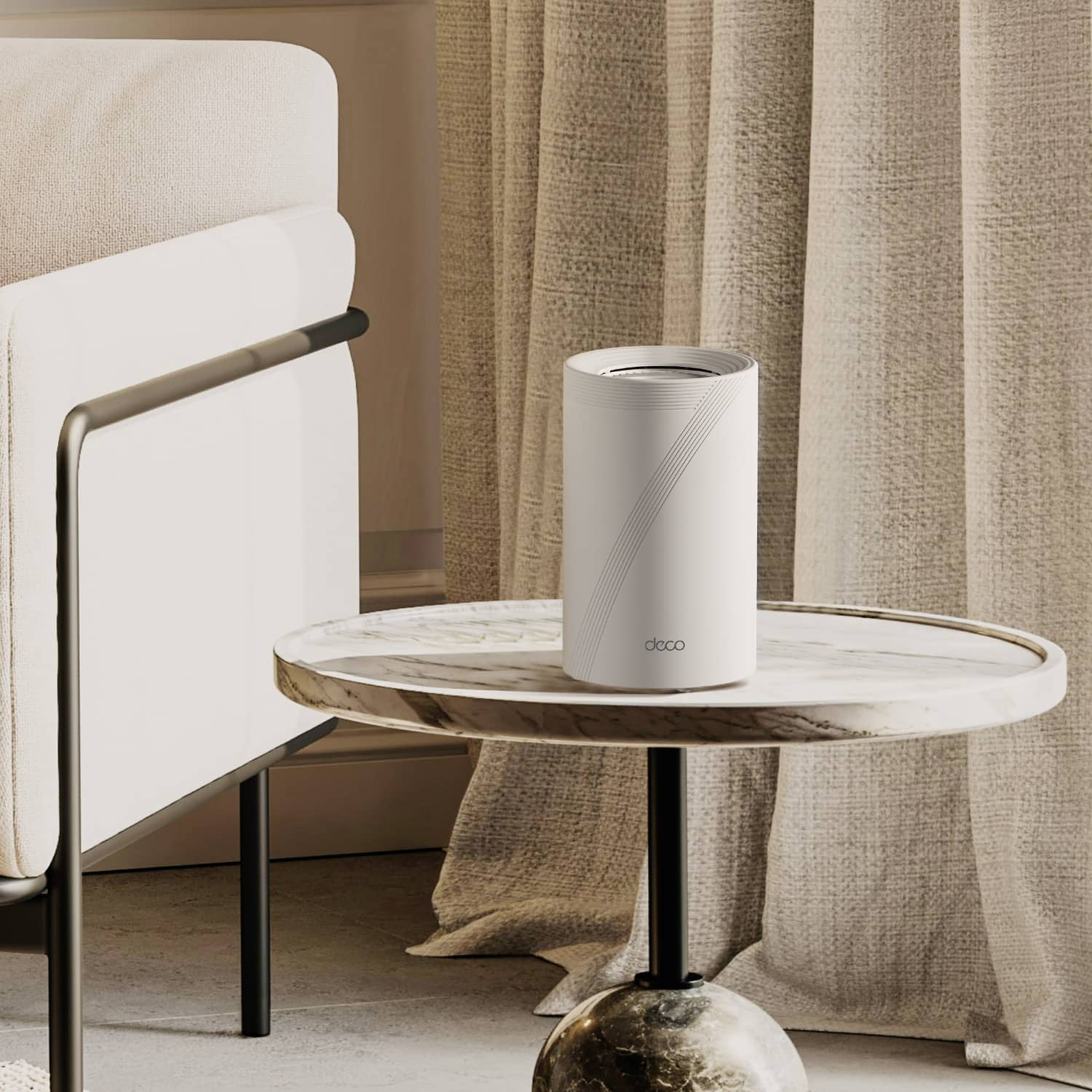

---
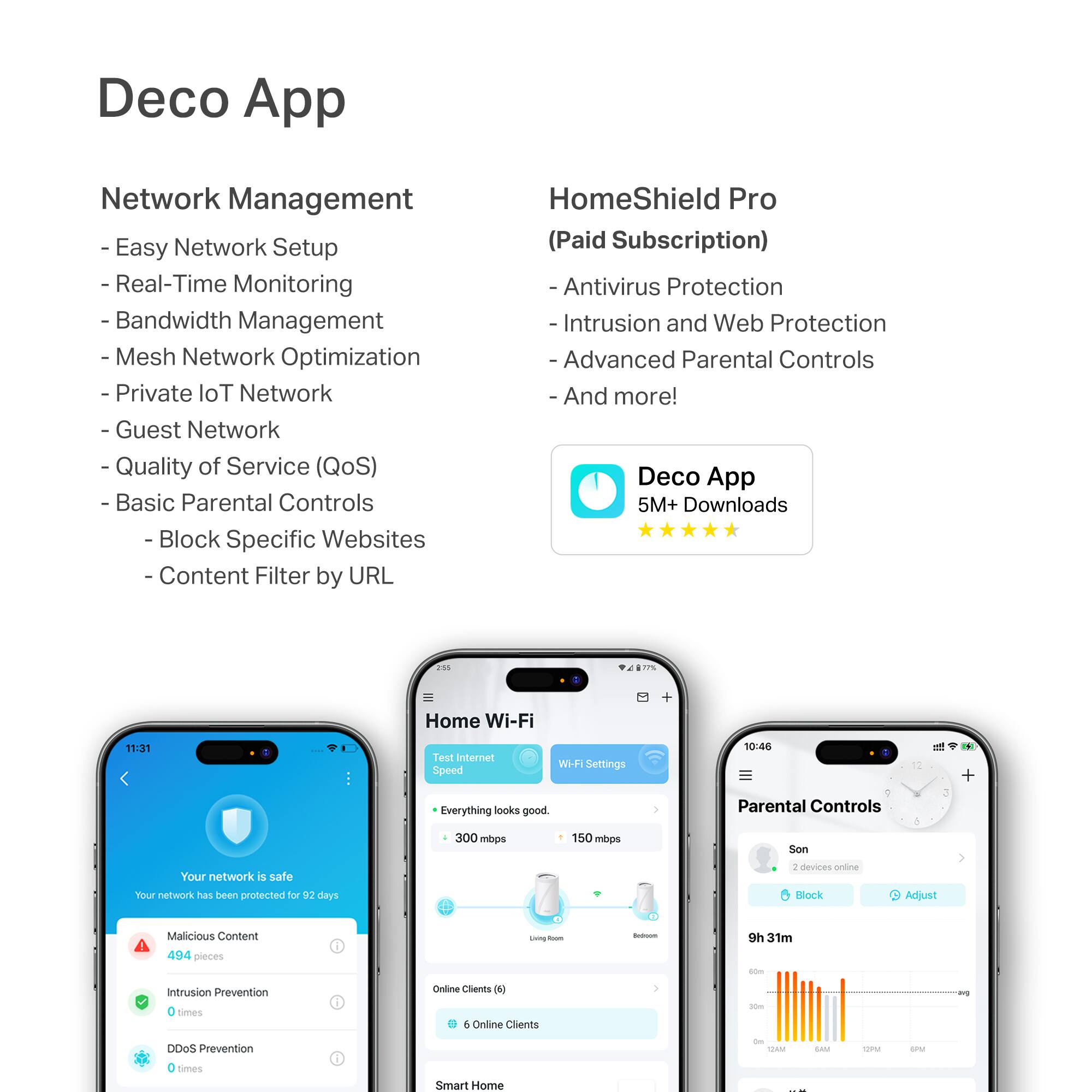
**HomeShield**
HomeShield is a built-in service, available in all HomeShield routers and Deco mesh products.
- Router Security Scan
- Wireless Security Scan
- IoT Device Identification
- Basic Parental Controls
- IoT Protection*
- Web Protection*
- Intrusion Prevention*
- Antivirus Protection*
*Included with HomeShield premium subscription service](https://pisces.bbystatic.com/image2/BestBuy_US/images/products/e694b39c-722e-42d5-85ac-b2246585c272.jpg)






- Model:
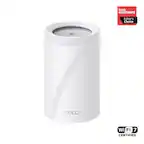
- Deco BE65 Pro(2-pack)
- |
- SKU:
- 6582067
Customer reviews
Rating 4.6 out of 5 stars with 387 reviews
(387 customer reviews)Rating by feature
- Setup4.8
Rating 4.8 out of 5 stars
- Range4.8
Rating 4.8 out of 5 stars
- Signal Strength4.7
Rating 4.7 out of 5 stars
Customers are saying
Customers express satisfaction with the Deco BE65 Pro's speed, performance, and extensive coverage, highlighting its easy setup and reliable connectivity. Users also appreciate the user-friendly interface, improved range, and strong signal strength. The sleek design is another positive aspect, although a few customers noted that the units are quite large.
This summary was generated by AI based on customer reviews.
- Pros mentioned:Performance
Rated 5 out of 5 stars
Excellent performance and reasonable price!
||Posted . Owned for 1 month when reviewed.This reviewer received promo considerations or sweepstakes entry for writing a review.Excellent performance and reasonable price! I don't have any wife weak spot in my house anymore.
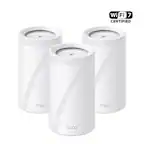
This review is from TP-Link - Deco BE65 Pro BE11000 Tri-Band Wi-Fi 7 Whole Home Mesh Router System (3-pack) - White
I would recommend this to a friend - Pros mentioned:Speed
Rated 5 out of 5 stars
Great quality for the price.
||Posted . Owned for 2 weeks when reviewed.This reviewer received promo considerations or sweepstakes entry for writing a review.Great set of Wi-Fi modes. We had recently upgraded to fiber optic internet and needed something to handle the speeds but also be future proof with wifi 7. Great range as well as we have a brick house.
This review is from TP-Link - Deco BE65 Pro BE11000 Tri-Band Wi-Fi 7 Whole Home Mesh Router System (3-pack) - White
I would recommend this to a friend Rated 5 out of 5 stars
Great! Easy installation and good performance.
||Posted .This reviewer received promo considerations or sweepstakes entry for writing a review.I bought these to replace a WiFi 6 TP-Link mesh system. The issue I was having on WiFi 6 system was speed loss on my router acting Deco and then the subsequent speed lost as it jumped to the next Deco. This BE-65 WiFi 7 system solved all that. Previously I was getting -30% loss at the router and another 30% at the next jump. This system is MUCH better. I’m now only losing around 5% at the router and maybe another 5% at the next jump. I’m very pleased with this system and I love the app. I would definitely purchase it again.
This review is from TP-Link - Deco BE65 Pro BE11000 Tri-Band Wi-Fi 7 Whole Home Mesh Router System (3-pack) - White
I would recommend this to a friend- Pros mentioned:Performance, Setup
Rated 5 out of 5 stars
Well worth the purchase.!
||Posted . Owned for 3 weeks when reviewed.This reviewer received promo considerations or sweepstakes entry for writing a review.Very pleased so far. Easy to set up. Used in bridging mode with my ISP router. Works great.
This review is from TP-Link - Deco BE65 Pro BE11000 Tri-Band Wi-Fi 7 Whole Home Mesh Router System (3-pack) - White
I would recommend this to a friend Rated 5 out of 5 stars
Fast and easy upgrade
||Posted .This reviewer received promo considerations or sweepstakes entry for writing a review.Paired this TP-Link BE11000 with my Xfinity gateway, and setup was quick and painless. Coverage and speeds are noticeably better, especially in rooms that had weak signal before. Everything stays stable, even with multiple devices connected. Great option if you want faster, future-proof Wi-Fi without replacing your existing gateway.
This review is from TP-Link - Deco BE65 Pro BE11000 Tri-Band Wi-Fi 7 Whole Home Mesh Router System (3-pack) - White
I would recommend this to a friendRated 5 out of 5 stars
Great upgrade to my previous outdated mesh
||Posted .This reviewer received promo considerations or sweepstakes entry for writing a review.Massive upgrade from outdated mesh WiFi. Had a Google Nest OG and upgraded to Deco B65 that I purchased on Black Friday. Went from 50-80 Mb/s on the Nest to 600 Mb/s to 1.0 Gb/s on wireless without back-wiring (or whatever you call it) with good signal strength throughout my home using the 3 nodes included in the purchase. App is intuitive, set up was easy and I honestly have no complaints thus far.
This review is from TP-Link - Deco BE65 Pro BE11000 Tri-Band Wi-Fi 7 Whole Home Mesh Router System (3-pack) - White
I would recommend this to a friend- Pros mentioned:Setup
Rated 5 out of 5 stars
A huge up grade up from my night hawk.
||Posted . Owned for 2 months when reviewed.This reviewer received promo considerations or sweepstakes entry for writing a review.I went from a night hawk mr80 with many problems. The deco wifi mesh system is a amazing mesh system as well the app is very useful and intuitive. My internet speed has increased as well and it was very simple to setup just plugged it into my modem and it started working instantly with no problems or malfunction. I would give more than five stars but that is all the app allows me to give.
This review is from TP-Link - Deco BE65 Pro BE11000 Tri-Band Wi-Fi 7 Whole Home Mesh Router System (3-pack) - White
I would recommend this to a friend - Pros mentioned:Ease of use, Speed
Rated 5 out of 5 stars
Excellent mesh system!
||Posted . Owned for 1 week when reviewed.This reviewer received promo considerations or sweepstakes entry for writing a review.Fantastic! This mesh system was so easy to set up. I had an existing WiFi network set up but once these were brought online, my network was detected and I just named it the same and it just worked. The app is very easy to use too. And the speed .. wow!
This review is from TP-Link - Deco BE65 Pro BE11000 Tri-Band Wi-Fi 7 Whole Home Mesh Router System (3-pack) - White
I would recommend this to a friend Rated 5 out of 5 stars
Mesh Router
||Posted . Owned for 2 weeks when reviewed.This reviewer received promo considerations or sweepstakes entry for writing a review.This is what we needed in our home for smooth connections with each device!
This review is from TP-Link - Deco BE65 Pro BE11000 Tri-Band Wi-Fi 7 Whole Home Mesh Router System (3-pack) - White
I would recommend this to a friend- Pros mentioned:Speed
Rated 5 out of 5 stars
Bad to the Bone
||Posted .This reviewer received promo considerations or sweepstakes entry for writing a review.Works great and easy to use had the google wifi mesh version 2 and it was great for the first year but now it sucks bought thess bad boys and noght and day my download speeds went from 700 to 1.3gbps these work
This review is from TP-Link - Deco BE65 Pro BE11000 Tri-Band Wi-Fi 7 Whole Home Mesh Router System (3-pack) - White
I would recommend this to a friend Rated 5 out of 5 stars
Great WiFi Router System
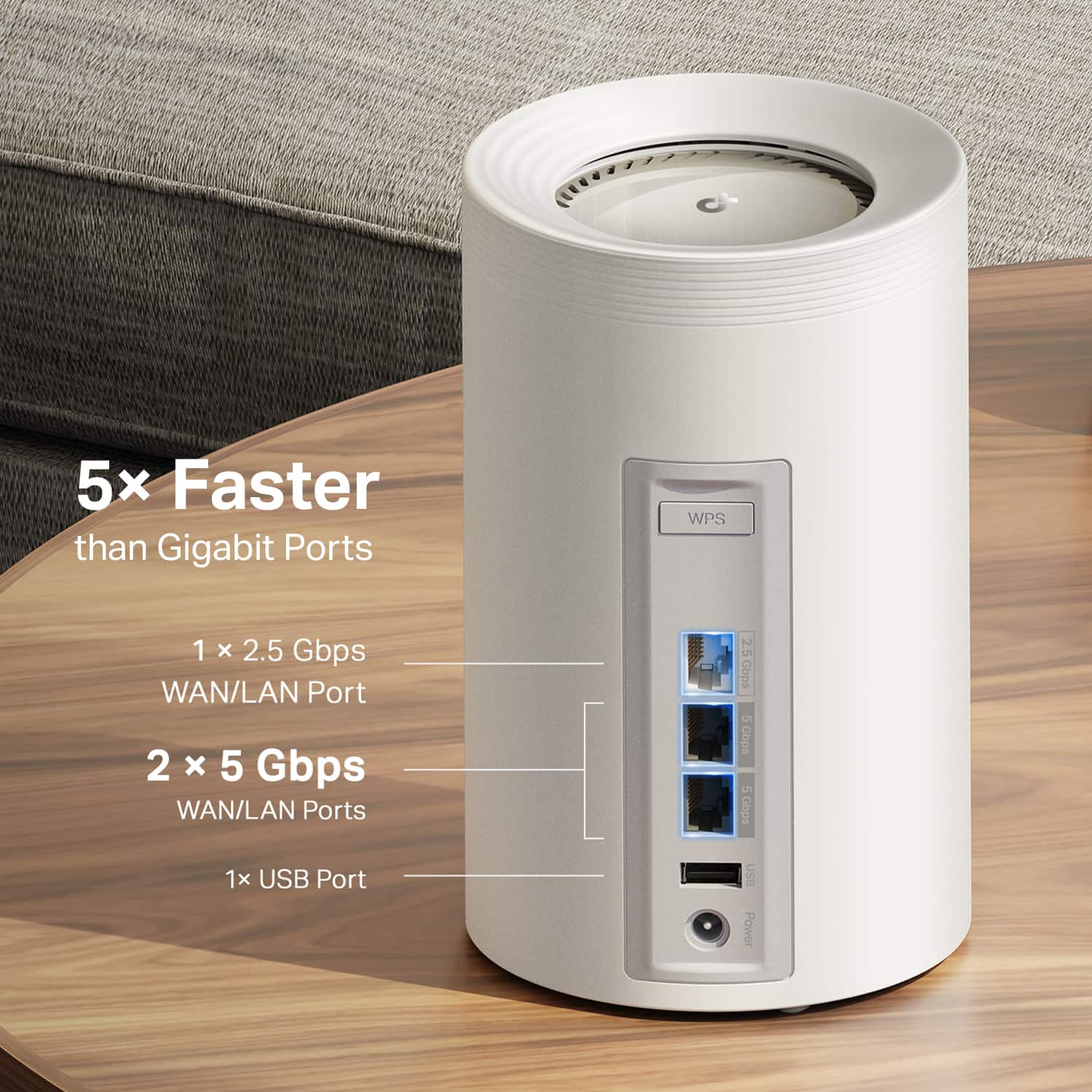
||Posted . Owned for 1 week when reviewed.This reviewer received promo considerations or sweepstakes entry for writing a review.I was initially unsure whether to purchase the Orbi 770 or the Deco BE65 Pro. The Orbi costs $450 more than the Deco system. Ultimately, I decided to buy both to compare their performances. Both systems were equally good, but the Deco had a significant advantage: you can connect the BE25 or BE23 units to extend coverage, and they can be bought for under $100. In contrast, the Orbi Satellite costs $379. In total, the Deco 3-pack plus one extra BE25 cost me $500 less than the Orbi, and I can confidently say that the internet speed is the same for both. I found the Deco to have more features, including 5G Ethernet ports and a USB port. Additionally, the Deco's basic security plan is free, while the Security Plus plan is quite affordable. If you’re trying to decide between the Orbi 770 3-pack and the Deco BE65 Pro 3-pack, I strongly recommend going with the Deco. TP Link Deco also offers a two-year warranty, which is a great bonus. With Deco, you can connect up to 200 devices, whereas Orbi supports only 100 devices.
This review is from TP-Link - Deco BE65 Pro BE11000 Tri-Band Wi-Fi 7 Whole Home Mesh Router System (3-pack) - White
I would recommend this to a friendRated 5 out of 5 stars
Would buy again
||Posted . Owned for 1 month when reviewed.This reviewer received promo considerations or sweepstakes entry for writing a review.Would buy again…I had WiFi issues from my house that the strength of the signal was weak.when I bought this set up…my WiFi issues is resolved and now I can reach my WiFi outside my house…I currently now have 6 cameras set up without any issues
This review is from TP-Link - Deco BE65 Pro BE11000 Tri-Band Wi-Fi 7 Whole Home Mesh Router System (3-pack) - White
I would recommend this to a friendRated 5 out of 5 stars
Excellet performance
||Posted . Owned for 1 month when reviewed.This reviewer received promo considerations or sweepstakes entry for writing a review.I’ve been using this setup for a few weeks now, and I’m really happy with the WiFi performance, even though my modem is just a basic WiFi 6 device. My WiFi 7 routers still get better results. I’m making sure my WiFi setup is future-proofed. The mesh network works perfectly as I move around the house; my devices automatically connect to the satellite, which gives me a better signal. The app is easy to understand, and I find it very straightforward, even though I’m not a tech-savvy person.
This review is from TP-Link - Deco BE65 Pro BE11000 Tri-Band Wi-Fi 7 Whole Home Mesh Router System (3-pack) - White
I would recommend this to a friend- Pros mentioned:Performance, Setup
Rated 5 out of 5 stars
AMAZING!!!
||Posted . Owned for 1 week when reviewed.This reviewer received promo considerations or sweepstakes entry for writing a review.Love my new mesh system!! Set up was so easy and took less than 10 minutes. I’ve always had top end routers and this is by far my favorite.
This review is from TP-Link - Deco BE65 Pro BE11000 Tri-Band Wi-Fi 7 Whole Home Mesh Router System (3-pack) - White
I would recommend this to a friend Rated 5 out of 5 stars
Much better then eero pro 7
||Posted . Owned for 2 weeks when reviewed.This reviewer received promo considerations or sweepstakes entry for writing a review.This replaced the eero pro 7 that gave me nothing but problems. Lot better app and better range. Setup went easy, and you can get a lot more control with this over the eero. No disconnects like I had before and at the time of this review not one problem, it just works. I’m very happy with the looks of the units and how they blend in compared to my last mesh system.
This review is from TP-Link - Deco BE65 Pro BE11000 Tri-Band Wi-Fi 7 Whole Home Mesh Router System (3-pack) - White
I would recommend this to a friendRated 5 out of 5 stars
Decco worth a look
||Posted . Owned for 1 month when reviewed.This reviewer received promo considerations or sweepstakes entry for writing a review.I was apprehensive thinking "could this mesh" satisfactorily replace my older Orbi. I wasn't familiar with the brand, and my Orbi setup was great, I tend to be loyal in my purchases. But, the Orbi price point was more than I was willing to spend. This new setup exceeds all of my expectations at a decent price point. Easy setup, and future proof. Extremely pleased with my purchase thus far. Buy confidently
This review is from TP-Link - Deco BE65 Pro BE11000 Tri-Band Wi-Fi 7 Whole Home Mesh Router System (3-pack) - White
I would recommend this to a friendRated 5 out of 5 stars
Crazy fast speeds
||Posted .This reviewer received promo considerations or sweepstakes entry for writing a review.This wifi 7 deco be65 pro have boosted my home network speed to next level. I have connected from AT&T router 5 gigport to this be65 pro and connected rest of the nodes to a 5Gb switch. I am seed crazy speed even on my mobile 900mbps. If your phone support wifi 6e or wifi 7 this is of next level.
This review is from TP-Link - Deco BE65 Pro BE11000 Tri-Band Wi-Fi 7 Whole Home Mesh Router System (3-pack) - White
I would recommend this to a friendRated 5 out of 5 stars
Good mesh system
||Posted . Owned for 8 months when reviewed.This reviewer received promo considerations or sweepstakes entry for writing a review.If you spent extra money on getting fast internet you need this mesh. I tried wifi 7 extenders very little improvement in speed. Wifi 7 is a little ahead of it's time but if you have 6e device you will see the difference.
This review is from TP-Link - Deco BE65 Pro BE11000 Tri-Band Wi-Fi 7 Whole Home Mesh Router System (3-pack) - White
I would recommend this to a friend- Pros mentioned:Coverage
Rated 5 out of 5 stars
Easy setup, great product
||Posted . Owned for 1 month when reviewed.This reviewer received promo considerations or sweepstakes entry for writing a review.It took me a total of 10 minutes to get this mesh system up and running. Have been using for a couple of months. We have a 1.5 story home and the coverage is fantastic. Would recommend this for any one looking for a great mesh system.
This review is from TP-Link - Deco BE65 Pro BE11000 Tri-Band Wi-Fi 7 Whole Home Mesh Router System (3-pack) - White
I would recommend this to a friend Rated 5 out of 5 stars
Excellent Mesh router
||Posted . Owned for less than 1 week when reviewed.This reviewer received promo considerations or sweepstakes entry for writing a review.This is my first mesh router and I could not be happier with the the BE1100. I got this in sale for $499.99 and at this price point you can't beat it. I also did research and this model was highly recommended by a number of tech websites. Set up: Prerequisites - you need to download the TP-Link Deco app to set up and configure the router. There is a GUI but offers no functionality. The second and the first thing you need to do upon set up is create a TR-Link account. There is no way to by pass. This maybe an issue for some but I have had other TP-Link product so I already had an account. As for the set up I did have a couple of issues. At first I could not get the router to join the internet. Partially this was my fault for not following the instructions. You need to reboot your modem before this the router would connect. You also must only plug in one cable initially to the 2.5 port. What I found is that the router does not have a defined LAN port. I plugged in two devices to the router at set up. This confused the router, Once I just plugged in a single cable, I connected right away. It also took a couple of tries to get the other two secondary routers to be recognized by the leader. You only need to create a single SSID. The router will determine the best band for each device automatically. Speed: First I also upgraded my cable modem to the Arris S34. I have 3 floors. I sent up the lead router in the living room and then one in the home office and bedroom. Using my cell which supports Wifi 6 & 6E Living room - 1.4 Mbps down, 350 Mbps up Bedroom - 1000 - 1.1 Mbps down and same upload Office - 900 Mbps down and 300 Mbps up Other devices depending on their network cards got lower results but still very good. Other thoughts: One of the annoying thing that was happening was my devices were switch to the router that did not have the best single strength. For example, the home office devices were connecting to the bedroom router instead of the one in the office. To fix this I manual changes the router preference for the devices to the office router and did the same with the other devices that do not move around the house. The other thing to know is if you like to tinker and configure your router than this may not be for you. You can only do minimal configurations in the app. If your looking to plug it it in and leave it alone this is for you.
This review is from TP-Link - Deco BE65 Pro BE11000 Tri-Band Wi-Fi 7 Whole Home Mesh Router System (3-pack) - White
I would recommend this to a friend
People also viewed
- $399.99Your price for this item is $399.99
- $199.99Your price for this item is $199.99$249.99The comparable value for this item is $249.99
- $1,268.99Your price for this item is $1,268.99$1,299.99The comparable value for this item is $1,299.99
- $699.99Your price for this item is $699.99
- $349.99Your price for this item is $349.99
- $549.99Your price for this item is $549.99
- $699.99Your price for this item is $699.99
- $199.99Your price for this item is $199.99$249.99The comparable value for this item is $249.99
- $279.99Your price for this item is $279.99$299.99The comparable value for this item is $299.99
- $399.99Your price for this item is $399.99
- $209.99Your price for this item is $209.99$299.99The comparable value for this item is $299.99
- $299.99Your price for this item is $299.99
- $299.99Your price for this item is $299.99
- $499.99Your price for this item is $499.99
- $599.99Your price for this item is $599.99
- $159.99Your price for this item is $159.99$179.99The comparable value for this item is $179.99
- $349.99Your price for this item is $349.99
- $199.99Your price for this item is $199.99$349.99The comparable value for this item is $349.99
- $279.99Your price for this item is $279.99
- $449.99Your price for this item is $449.99