Customer Ratings & Reviews
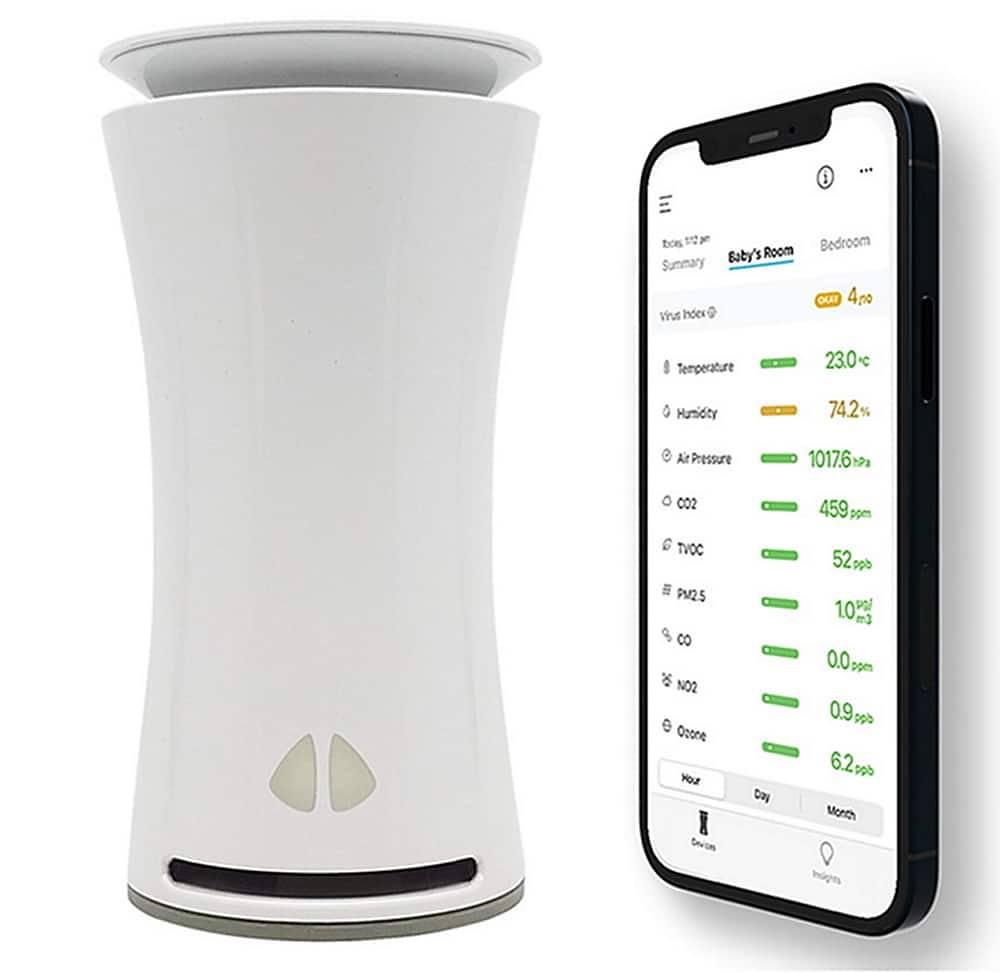
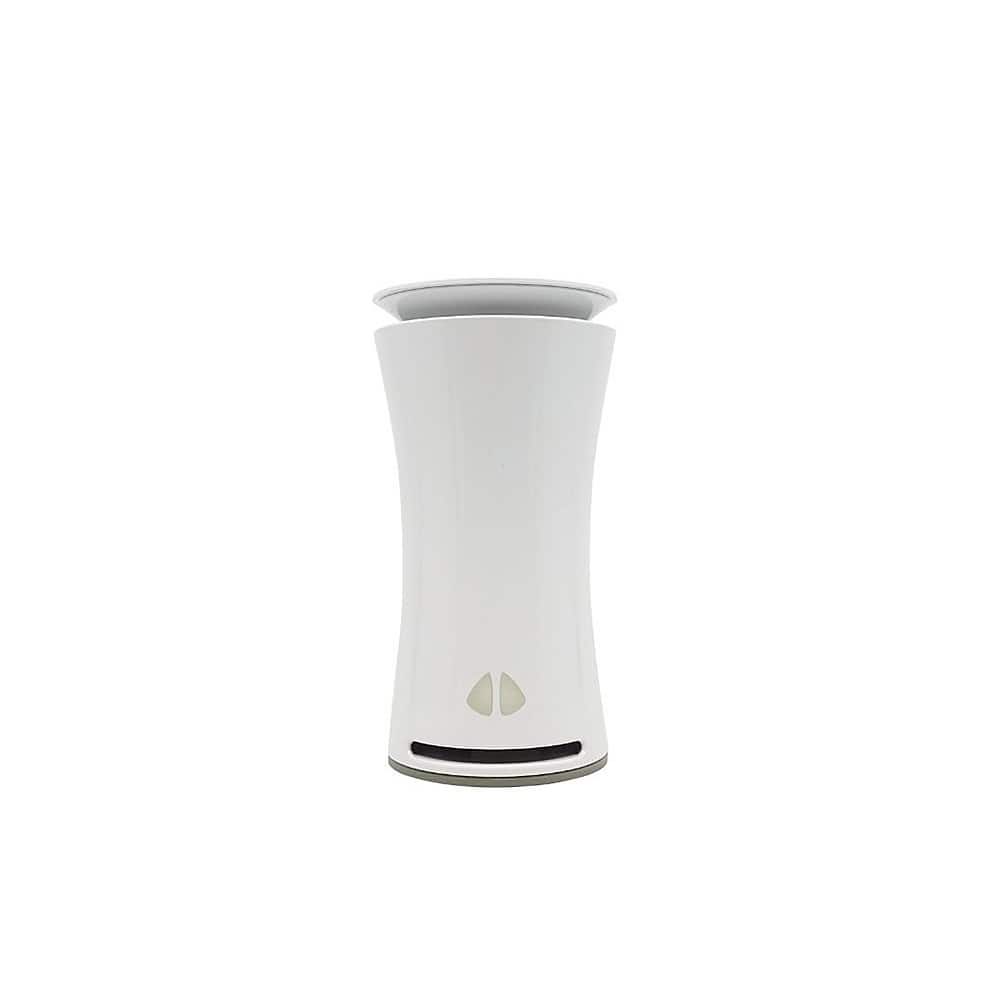
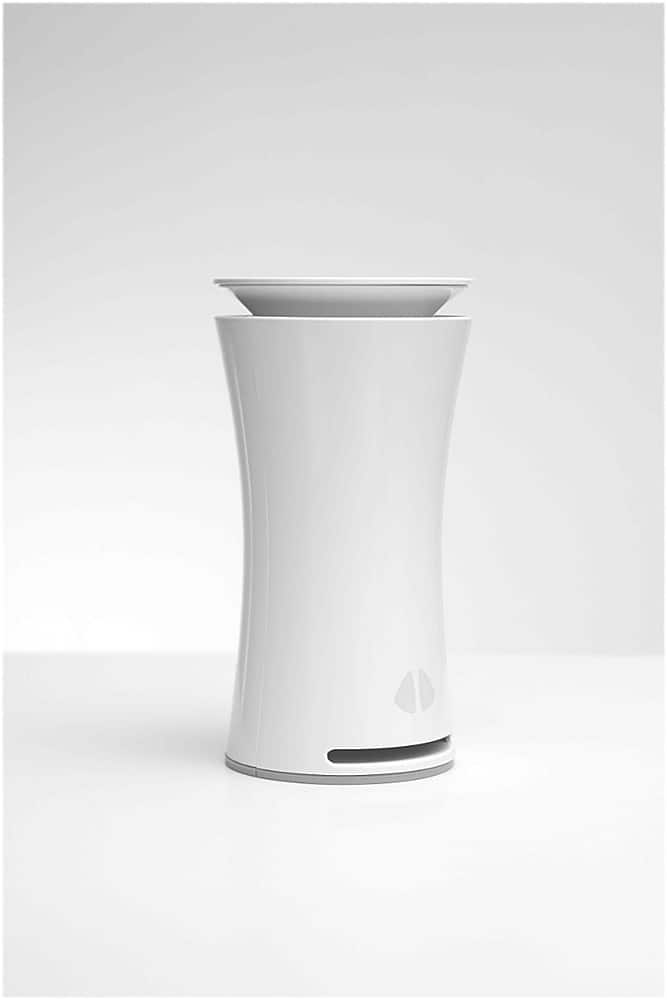
- Model:
- UHOO-IAS1-M-C-US
- SKU:
- 6419011
Rating by feature
- Value
Rating 3.3 out of 5 stars
- Quality
Rating 3.7 out of 5 stars
- Ease of Use
Rating 4.0 out of 5 stars
Customers are saying
Customers are enthusiastic about the Smart Indoor Air Quality Monitor's ability to track air quality, including carbon monoxide and particulate matter levels. They also praise the device's ease of setup and the user-friendly app. The virus index feature, which assesses the likelihood of virus spread, is another appreciated feature. Overall, the monitor receives positive feedback for its effectiveness in improving indoor air quality.
This summary was generated by AI based on customer reviews.
- Pros mentioned:Air quality
An easy tool for monitoring air quality
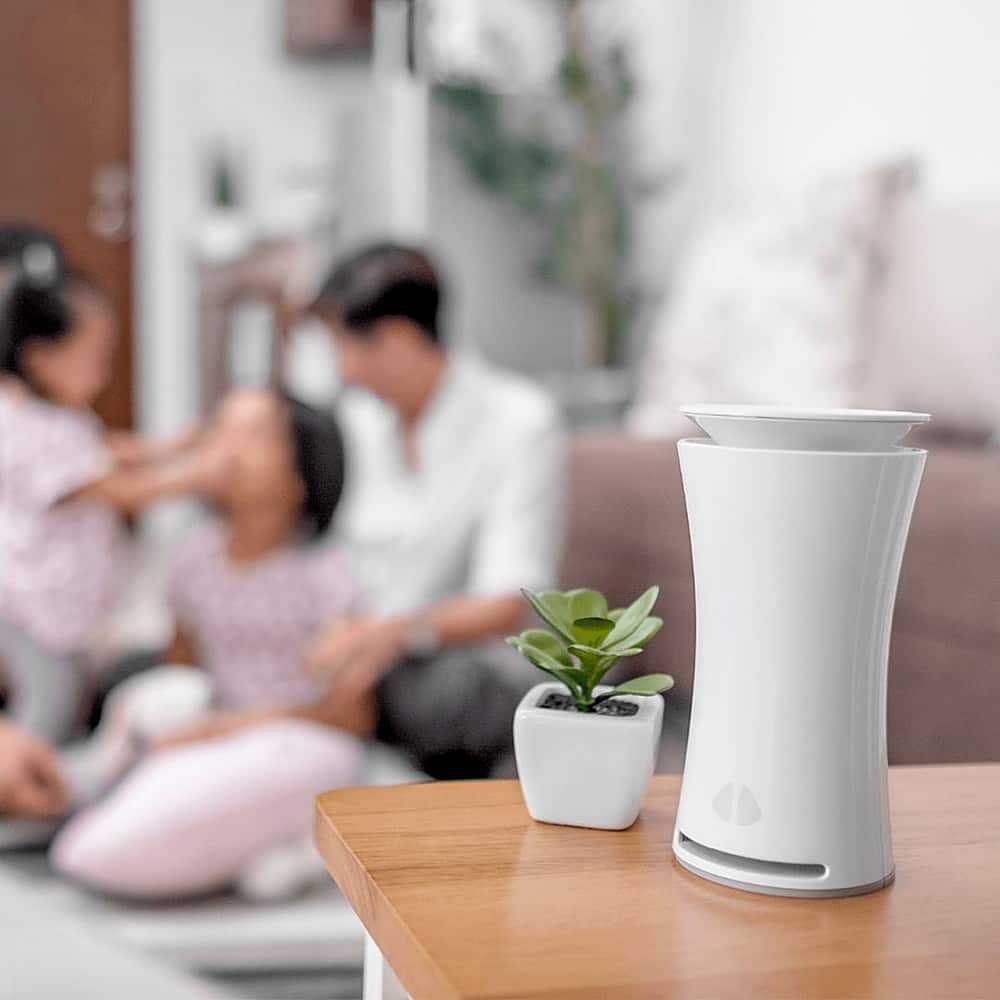
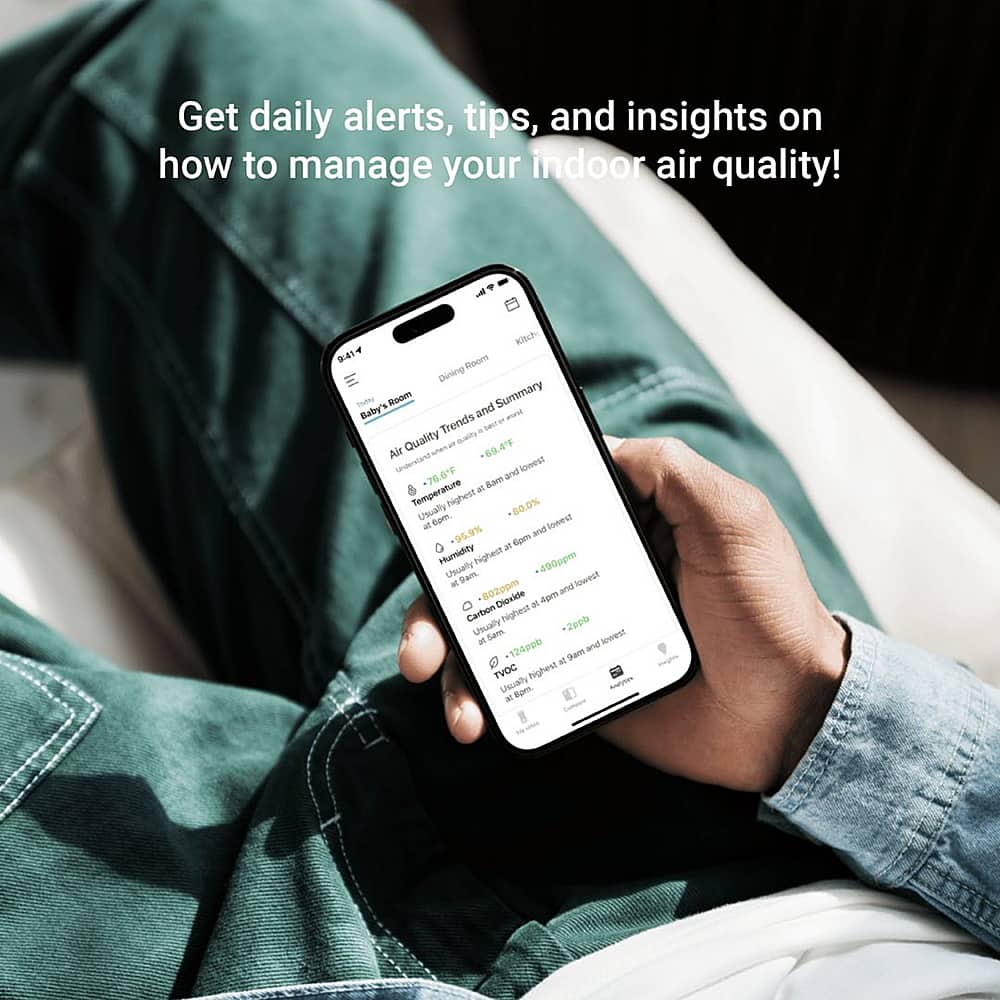
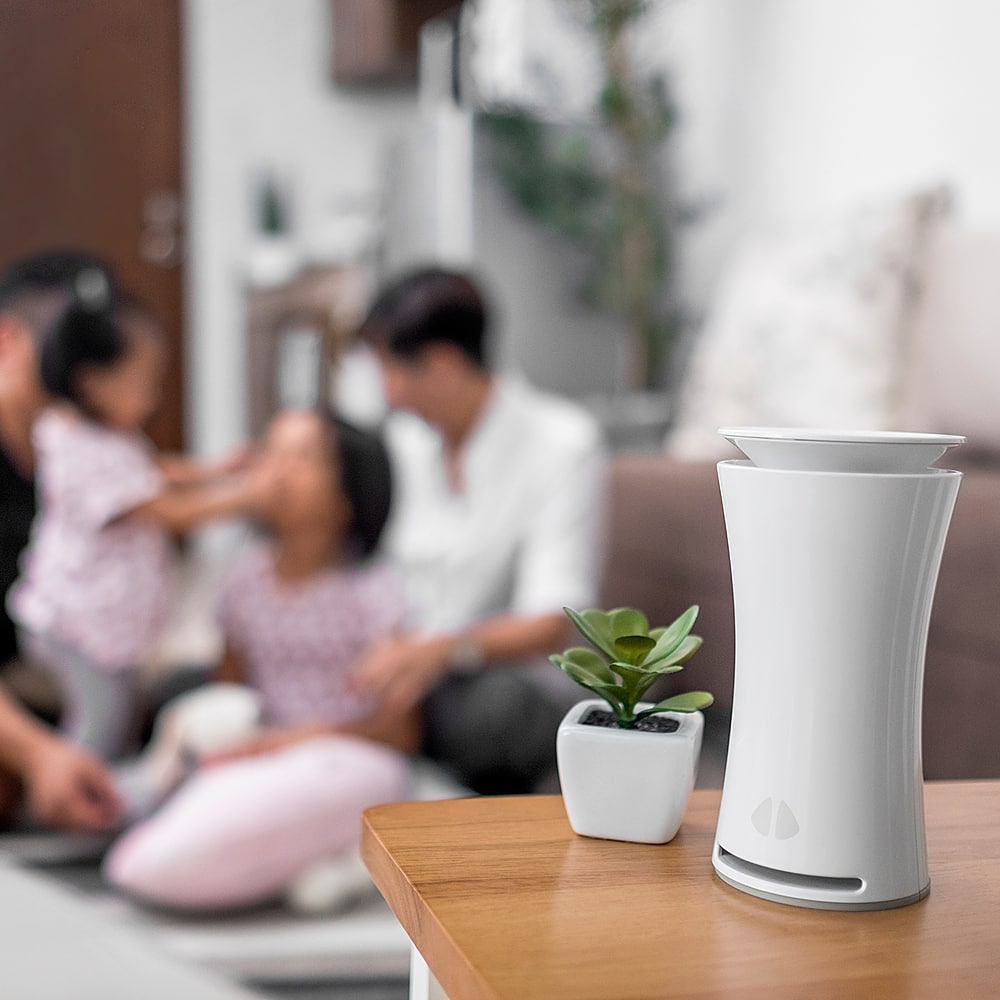
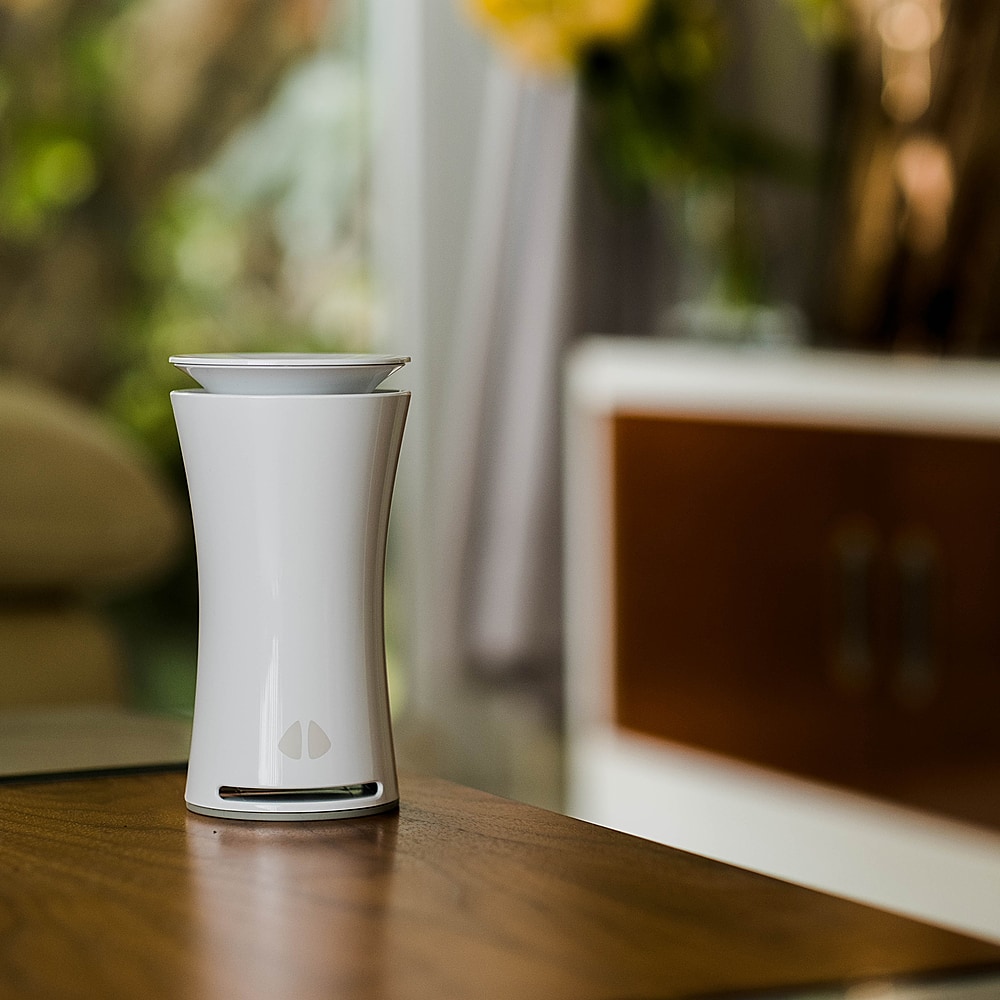
||Posted . Owned for 1 week when reviewed.This reviewer received promo considerations or sweepstakes entry for writing a review.I found myself getting headaches regularly recently. Working from home these days and living under the stress of 2020 circumstances, I wanted to identify the source of my discomfort. A friend recommended I buy the uHoo Air Quality Monitor. The cute little plastic tower looks like a cross between a vase and a wifi router. There was very little to setup besides plugging it in, downloading the app, and following the instructions from my phone. The app displays 10 air quality readings including a "virus index." When you click on the "Insights" tab it gives you notifications such as "CO2 levels are high" and then suggests opening a window. I'm not sure air quality was the source of my headaches, but it is nice to be reminded to pay attention to your air quality and then get tips on how to improve it. My favorite tip said to increase indoor humidity by growing tropical plants with large leaves.
I would recommend this to a friend - Pros mentioned:Air quality, Carbon monoxide, Particulate matter

Very helpful with family members with asthma
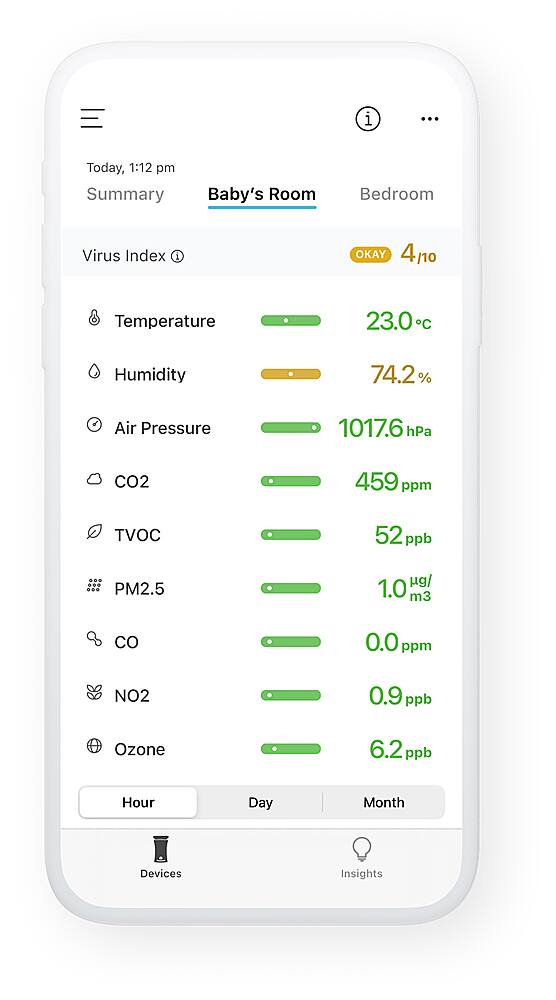
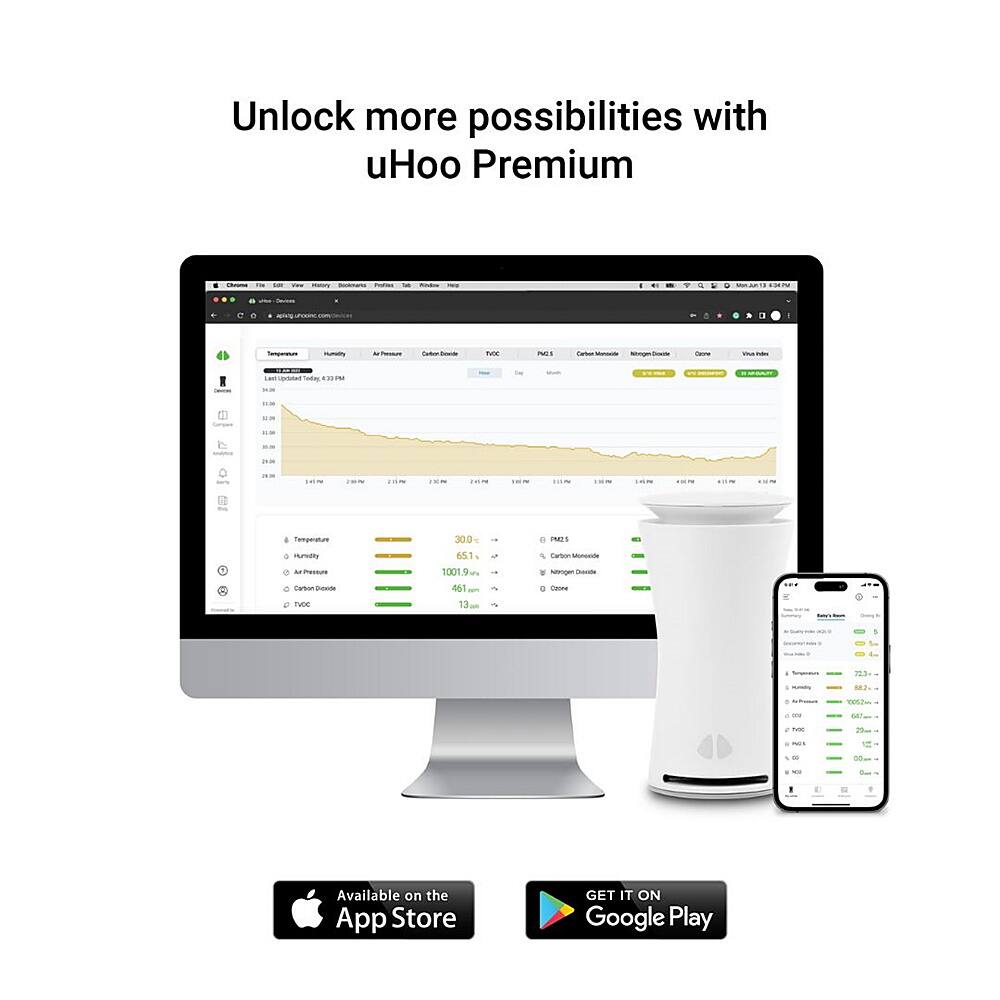
|Posted .This reviewer received promo considerations or sweepstakes entry for writing a review.PROS: - The app makes setup quick and easy - Provides very detailed information - Monitor is quite small and blends in - Customizable alerts (if there is carbon monoxide for example) - Works with Google Assistant, Nest, and Amazon Alexa CONS: - Can't connect to a 5GHz network - Requires you to enable location services in phone to setup - Takes a couple days to complete calibration for CO2 (for me at least) -- SETUP -- Setting up the uHoo air quality monitor is (for the most part) quite quick and simple when using the app (which is required). uHoo does a good job of helping you with each step in the process, even switching your phone from your home network to connecting to the uHoo. My only complaint about the setup process is that you need to enter your time zone AND allow the uHoo to access you phone location to complete the setup process. uHoo claims this is to help ensure the calibration is as accurate as possible. Thankfully, you can revoke the app's location access in your phone after the air quality monitor has completed both the setup and calibration. -- FEATURES -- The uHoo air quality feature helps to track: - Virus index - Temperature - Humidity - Air pressure - CO2 - VOC - Particulate matter - Carbon monoxide - Nitrogen dioxide - Ozone uHoo not only provides real-time information on each item above, but you can customize your own alert settings to notify you if any/all items are above a safe quantity (especially helpful for carbon monoxide). It did take a couple days for the CO2 sensor to complete calibration for me (which is why it's so high in my screenshot for the first couple days). I don't use Amazon Alexa or Google Assistant (I have a "dumb" home), but you can pair up the uHoo air monitor, allowing you access information from your Amazon Alexa or Google Assistant if you have it (and don't want to use the uHoo app on your phone). -- BOTTOM LINE -- My wife and son both have asthma, so it's very helpful to have so much detailed information on the air everyone is breathing in. The uHoo air monitor allows us to make adjustments (turn on/off our humidifier, maybe the home air filters need to be changed early, windows should be left open longer/shorter, etc) to help keep everyone as healthy/happy as possible. I'm especially looking forward to the uHoo monitor to assist with winter air monitoring.
I would recommend this to a friend - Pros mentioned:Air quality, Carbon monoxide
A worthy investment to know what you're breathing
|Posted .This reviewer received promo considerations or sweepstakes entry for writing a review.With the Covid pandemic still firmly in place, we are spending much more time in our homes than ever before. Scientists have warned us for a long time that indoor air quality can actually be worse than outdoor air, and especially now, we need to be aware of what we are breathing indoors. uHoo hopes to help with this issue. uHoo is an air quality sensor device no larger than a small flower vase, that sits in your home and when connected to wifi, will alert you via an app as to the overall air quality in your home. The device contains nine sensors to detect room temperature, humidity, dust, carbon dioxide, nitrogen dioxide, VOC chemicals, carbon monoxide, ozone, and air pressure. It also has an added “Virus index” which measures conditions in the room and lets you know how likely viruses may spread in the air based on conditions. Setup is almost easy, but the wifi connection is a bit back-and-forth. The device will work on 2.4 ghz wifi, as well as “mesh” 2.4/5 ghz systems, but will not work on dedicated 5 ghz systems; unfortunately it doesn’t spell this out for you until you get pretty far along and try to connect it to a 5 ghz system, and then makes you go back to do it all over again using another route. That could be done better. But once it’s connected, and you’ve downloaded the app and created an account, you will be able to see a list on one page of all of the sensor readings in the area the uHoo is located in. A couple of them need to calibrate for up to 48 hours to give their most accurate readings. Once you have had the system up and running over time, it will also provide you with graphs for each item so you can see how each individual sensor’s readings go up and down in a given space over time. The app has the main “devices” area which is your main readout screen, and also an, “insights” area which as of the time of this writing, shows nothing except a blank screen. The top of the app has an info button that once presses will take you to an area describing what each sensor reading is measuring, and you can swipe-left through each of them for a better understanding of what each compound is. If a reading is in the safe zone, it appears in green on the main page. Orange is medium and it will give you tips in the info area as to how to improve the air, and any measurement in red (bad) will instruct you as to what to do as you should take that as a potentially dangerous reading depending on the compound in question. uHoo claims this will work with IFTTT-enabled smart devices to help keep your air cleaner (such as enabled air purifiers, humidifiers, etc) but I wasn’t able to test this feature. It will also work with Alexa and Google assistant. Not having other scientific devices to double-check this, it’s hard to know if the readings are precise or not, but I did some simple tests. As an example, I turned off my fan and air purifier in the room uHoo is in, and the readings for dust and carbon dioxide did begin to go up, telling me to open a window to improve air flow, etc. Placing it near a lit fireplace, the amount of carbon monoxide did rise a bit as well, so the sensors do seem to be working. As someone who has lung issues, it’s nice to have something that gives me detailed views of what I’m breathing. The deduction of one star in my rating is simply because of the price, as well as the power cable being a bit short to me as I’d like to see something that can stretch further for more options in placement. Is it work the up to $400 retail price? For someone like myself, it very well may. It’s an investment, but a worthwhile one for anyone concerned about what they’re breathing in their home. Always of course, check for sales to possibly save some, though. So, it’s a gadget that has value and in my opinion, worth it.
I would recommend this to a friend - Pros mentioned:Air quality, Carbon monoxide, Particulate matter
Indoor Air Quality Peace of Mind
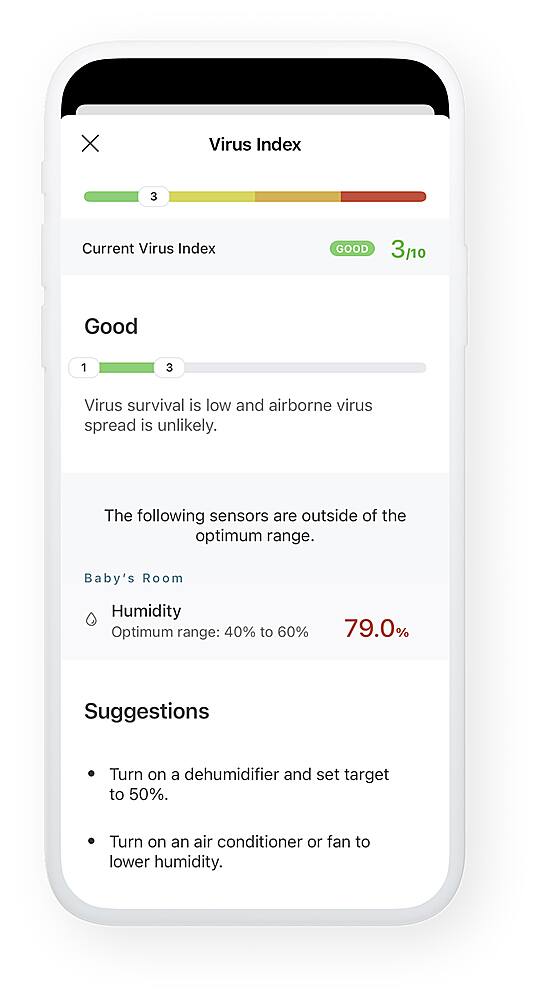
|Posted .This reviewer received promo considerations or sweepstakes entry for writing a review.To be honest, I wasn’t sure what to expect from a unique product like this. I knew I wanted it because I have family and friends that have asthma and airborne allergies, and I also care for a couple of indoor cats. My main concern was the amount of particulate matter in my home, but I was super surprised to understand the other 8 things that can be going on. First, the uHoo app and device setup was a breeze...on iOS. At first, I tried setting it up on my Android device, but had very little luck getting past the hand-off to wifi. Anyway, you’re going to have to set up an account on the uHoo app and add the uHoo itself. You’ll be able to add more than one uHoo, so if you choose down the road. If you were wondering, you’re gonna have to keep it plugged in full time. There are a few sensors inside that will need a few days to calibrate itself, so pick a good spot and leave it alone! It has 9 areas of monitoring; I won’t go through each one as you can read about that on your own and determine what’s most important to you. Again, I wasn’t expecting various levels of monitoring from this little device. But here’s the best part about uHoo and its app: if any of the 9 monitoring warning thresholds are met, the app will notify you immediately, no matter where you are, and suggest ways to mitigate the warning levels. In many cases, it will suggest you run an air purifier, run the A/C or open some windows for fresh air. I mean, how else would you easily know your CO2 and NO2 levels are climbing? What about a CO leak? And that, in itself, is worth the price of admission. The uHoo also has a 1-10 virus index, 1 being best and 10 being worst. It takes into account all 9 sensor readings and presents a virus index assessment, meaning how likely a virus is able to survive in your home and how likely an airborne virus is able to spread. During a time of virus crisis, this is another way of mitigating your COVID-19 risk. For us geeky types that are truly interested in the data, the app presents graphs of each sensor and its readings throughout a day. I honestly don’t care about the numbers, but more about the trending; for instance, why does my air pressure readings spike around 9AM-12PM and from 7PM-10PM for the past week? Turns out that during the statewide flex alert, the electrical company was putting my Nest Thermostat in Eco Mode, effectively turning it off between 12PM-8PM. It was only when my A/C was on, the air pressure was up in my home. I know, pretty geeky stuff. Finally for tech savvy, there’s a bit of smart home integration. It has Google Assistant and Alexa integration, which seems to be the trend nowadays for most new devices. But with IFTTT, you could potentially purchase a smart air purifier that would trigger on if the uHoo detected high PM2.5 levels. The uHoo’s price is in the upper range of its class and it can get a little costly if you need a 2nd or 3rd in your home. That being said, I wouldn’t mind picking up another for my home. I currently keep mine in the family room, where we mostly congregate throughout the day.
I would recommend this to a friend - Pros mentioned:Air quality, Carbon monoxide, Particulate matter
Shows what can't be seen
|Posted .This reviewer received promo considerations or sweepstakes entry for writing a review.It's an interesting little device, not much to it on the outside - just a white cylinder with holes on top and the bottom and a USB power cable. On the inside however it holds an impressive sensor array - temperature, humidity, air pressure, Carbon Dioxide, VOC, Particulate Matter (2.5), Carbon Monoxide, Nitrogen Dioxide and Ozone! It's an impressive combination! If you are to look at the commercial HVAC products - CO2 sensor alone would cost 2/3 of this device. What does it do? Normally in my case - it just reports all green (in the middle of a Texas summer), however on a rainy or cool day - it clearly shows CO2 levels creeping up.. I did not think of it before I've got a way to actually monitor it. Now I can just turn on a ceiling fan if I see CO2 levels creep up in my master bedroom or open a window to air out the room. It's a very good investment for anyone who thinks of looking at the indoor air quality for whatever reason. Getting headaches? Asthma? Allergies? Start with the air you breathe, it's possible that solution to your problem has nothing to do with medications! Few negative points: - there is no way to get information of this device locally, like, let's say - MQTT server. Sure there is Google and Alexa integrations and IFTTT, but I do prefer local access. - No Apple Home Kit integration...
I would recommend this to a friend - Pros mentioned:Air quality, Carbon monoxide
A must if you care about indoor air quality
|Posted .This reviewer received promo considerations or sweepstakes entry for writing a review.I want to say right up front, as an HVAC contractor, I think that every home needs one of these. Especially if you have natural gas or propane appliances in your home. This includes a furnace (split system or package), water heater, fireplace, wall mounted or freestanding gas heater stove, cooktop or oven. Kerosene heaters too. It could save your life. What it does: uHoo has 9 dedicated indoor air quality sensors: Temperature Humidity Carbon Dioxide (CO2) Total Volatile Organic Compounds (tVOC) Dust (PM2.5) Carbon Monoxide Ozone Nitrogen Dioxide Air Pressure It uses these to monitor the levels of each item in a room of your house. You can change locations but it will need time (a few days) to acclimate to each location. You can even use it outside but you will need to make sure it’s in a dry space where rain won’t reach it. From what I can tell it takes a sample every minute and plots it on a graph. You can view the graphs by the hour, day and month. In the month view it shows the minimum, maximum and average. You can set an alert in the app to warn you when a level gets too low or too high. Please see screen shots. I have professional test gear to test the Temperature, Humidity, Carbon Monoxide and air pressure (barometer) and they are dead on accurate. I’m not going to go into all the health effects of the nine items uHoo monitors. That would make this review way too long. The app gives a basic overview of each item. Looking at the temperature graph and the humidity graph you can see when your air conditioning is cycling on and off from the peaks and valleys. You can also look at a month graph and see if your system is keeping up. Say you have a refrigerant leak in your air conditioning system. You would see that the run times are longer over time and not reaching the set point as fast or eventually not at all. This is the same type of graphic info as refrigeration systems at super markets use which was invaluable to me when I used to be a commercial refrigeration tech High Carbon dioxide CO2 levels can cause you problems like sleepiness and headaches to name a couple. I discovered my CO2 levels were getting high at times. Cracking a window made a big difference and brought it down. It did have a very small effect on increasing the humidity. Cooking can run your CO2 levels up too. Carbon Monoxide has stayed at zero on my uHoo and my professional CO tester reads the same. This is the most important item it reads out and why I wrote what I did in my opening statement. Ozone and Nitrogen Dioxide can cause health problems and make existing ones, like asthma, worse. This tracks those. Pretty much everything uHoo tracks can cause some sort of negative health issue at varying levels for each. At high levels they can be deadly. Especially if you have asthma, COPD or other pulmany issues and even non pulmany issues. I highly recommend researching all the things that uHoo tracks beyond temperature and humidity and how they can affect you. Setup and App: uHoo doesn’t come with a manual. It just tells you to go download and install the app. The app will take you through setting it up on your smartphone and WiFi network. It will ask you to turn on location (GPS) during setup. You do not need to turn location on when you use the app after it’s been set up. Once set up it will need time to acclimate to its location and certain sensors will need time to auto calibrate. It tells in the app if they are calibrating. My uHoo didn’t work when I set it up. I tried several times by resetting and reinstalling it including uninstalling and reinstalling the app. I ended up talking to customer support and an engineer. Turned out my problem was my internet connection. I have satellite internet via Dish Network (Exede) and the long ping time in excess of 670ms was timing it out. Adjustments were made and it’s worked perfect since. They were outstanding with their customer support as this took some time to figure out. I would highly recommend this product and will recommend it to my HVAC customers too.
I would recommend this to a friend WORKS WELL - ALREADY FOUND AIR QUALITY ISSUES
|Posted .This reviewer received promo considerations or sweepstakes entry for writing a review.WORKS WELL - ALREADY FOUND AIR QUALITY ISSUES REVIEW: UHOO - SMART INDOOR AIR QUALITY MONITOR Best Buy Tech Insider Network SUMMARY: Was not sure what to expect, but it seems to work well detecting all the invisible stuff in the air. Within a few days of setting it up I started to get alerts about my air quality. Specifically, in my case about CO2 moving into the “yellow” zone. At first, I did not believe it, since the readings were all over the place from 300 to 1200 and I could not correlate it anything. I even went as far as to purchase a cheaper CO2 meter just to check the uHOO device and sure enough it was reading correctly. Finally, I think I have narrowed it down to my hot water heater directly below my home office. Every time my son was taking a shower within a few minutes CO2 readings started spiking. Since he keeps irregular work hours it was a little hard to pin down. OK back the review. UNBOXING: (see picture) INITIAL IMPRESSIONS: My package was not sealed. Maybe it was an open box. The outside box was fine, but inside was cheap packaging. Not what I would expect from an expensive device like this. There was a single card in the box in broken English telling me to go to a website for setup instructions. Can someone tell me what “The socket-outlet shall be installed near the equipment and shall be easily accessible.” Means? Of course, the socket (outlet?) needs to be near the unit, as the cord is only so long. Seems like unnecessary advice for a special card insert. So, they must be telling me something else? Maybe [Make sure you can easily access the outlet to plug it in?]. Again, unnecessary advice. It wont work unless it is plugged in, so of course you have to be able to plug it in to use it. So, the broken English and poor interior packaging made me doubt the quality of the unit, which made me doubt the readings which led me to spend an extra $100 on a second device to check the first device. SETUP: Like everything else these days you have to download an app on the phone to use it [sigh]. The set up was more painful than needed. If you have ever installed older Alexa Devices this is the same type of setup. First you have to browse to this device, make it your default WIFI Device, then give it your credentials, then turn off your blue tooth because it is getting confused, then turn off your Mobile data because it is getting confused, and so on, until eventually you get it working. Then you have to wait several days (I think it was about 4 days in my case) while it was calibrating. ONCE IT WAS WORKING: You have to do everything on your phone. There is no Web Browser counterpart. So, I’m trying to read trends on a 5 inch screen which only shows and hour at a time or a day at a time or a month at a time. It makes it really hard to pin down when readings changed over time to identify a root cause of the air quality issue. This is the trend of all “modern” only app enabled devices so it is more of a pet peeve of mine. I don’t want to do “Everything” from my phone. Give me an “export to Excel” feature or “print a detailed report”. The app works well, I can scroll around and view history going back weeks or Months. I don’t know how long it will keep history or what level of detail. Again, it would be nice to access this on a website. I think these should be “past 24 hours”, or “past 30 days” instead of “Today” or “This Month”. I’m trying to look at trends by I have to keep jumping between months and days to try to “remember” a trend from day to day. I can’t get a contiguous trend of the past 24 hours. Only 1200 am to 11:59pm. ADVANCED SETTINGS I have not tried it yet, but this device says it is IOT (Internet of Things) enabled. In theory I could set up a recipe in IOT portals such as “When C02 is above 1000 run the fans on my furnace”. Or, ask Alexa, what is the CO2 in the room. Though I can’t imagine ever doing that. It already gives alerts, so I don’t see IOT doing anything important for me that I would want to automate. BEST FEATURES: Small Size Attractive Long History of Readings, not just current readings SUMMARY: The primary reason I would recommend this unit is the long history of readings. However, the lack of a Web Based Interface and only an App on a phone takes away a little from the usefulness of the history. I am a little nervous of the overall long term quality just from initial impressions unboxing, and setting up the device. Even after several weeks I still have lingering doubts in my mind and keep double checking readings with my second unit. (so far both units are within 10% of each other). They are not scientific lab grade measurements, so I would not take the readings as absolute value just for watching trends (is air getting better or worse). I think you would do well with this unit. However, there are many similar units in the marketplace that, for a little more will also check for things like RADON or for a lot less, give you point in time (current) readings. If you need trends and history this is probably the unit to get.
I would recommend this to a friend- Pros mentioned:Carbon monoxide
Monitor Your Air Quality
|Posted .This reviewer received promo considerations or sweepstakes entry for writing a review.I got this air quality monitor with the main purpose to test the quality of the air at work. I work in a warehouse environment and the air quality is quite poor and I wanted to know just how poor it was. My only problem was that my employer blocked port 8466 so I was never able to get setup at work. I hope to try again in the near future using my phone as a hotspot. If that works, I will post a comment adding to this review. I took the uHoo home and set it up in our house. Setup was fast and easy and after just a few minutes the readings started showing up in the app. I was expecting everything to look good but soon learned we had elevated CO2 levels. The app gave us an idea what could cause the higher than normal CO2 levels in the house and after a few days we were able to get the levels down. I attached two screenshots from the app on my Android phone with a before and after reading to show the changes we were able to make to improve our air quality. If you want to know if the air in your house is healthy, this instrument will give you a good idea where you stand. It gave me a nice piece of mind knowing my family was living in a home with good air quality. I only wish it didn’t need port 8466 to work properly. This won’t be a problem for at home use since you can unblock the port if your router blocks it, but will be a problem if you’re trying to setup a monitor in a work environment and don’t have the ability to unblock that port.
I would recommend this to a friend Great peace of mind; needs more export options
|Posted .This reviewer received promo considerations or sweepstakes entry for writing a review.## Some things to know upfront - The "virus index" does not test for the existence of COVID-19 in your home. - In my experience, the CO2 sensor reading was high for the first 4-5 days. - The unit does not test for radon. ## Setup To be honest, I was a little turned off by the setup process. For some reason, it required my GPS location in order to setup the WiFi and timezone, but even after granting the app access to my location (and iOS 14's new "general" location was not accepted by the app), I still needed to configure my WiFi and timezone manually. I reviewed uHoo's privacy policy and nothing nefarious stood out to me, but I still wonder why the app was so adamant on knowing my location. Other than needing location information, the setup process was standard for many other devices: create an account, connect to the device's own WiFi network to enter your home WiFi information, and then wait for everything to sync up. Many of the sensors require at least 24 hours to calibrate (in fact, my CO2 sensor did not seem to be accurate until 4 days later). Unfortunately, moving the unit to a new room -- or simply power cycling the device -- can require another multi-day calibration period. The unit is powered with a Micro USB cable and includes a 5V 2A USB wall plug. ## Performance After the calibration period, I was happy to see that the air levels in my home showed in the "green zone" in the app, meaning they were within "normal" limits. It is interesting to see how responsive the unit is: after using an aerosol product, for example, I get an alert a few minutes later stating that the TVOC levels are high (they quickly fall down shortly after). Using the graphing feature of the uHoo app, I can also see some interesting items such as an increase of CO2 levels overnight, which makes sense as I placed the uHoo unit in the bedroom. The graphs are a little hard to navigate: swiping across the graph will sometimes advance to the next hour/day/month, other times it will simply tell you what the value was at the time you touched. One thing I wished the unit tested for is the radon level in the home, but unfortunately the uHoo unit does not have a sensor for radon. For many people, radon is tested once when buying a home, and found to be either normal or is mitigated, then never tested again. However, radon levels can fluctuate throughout the year, so it would be nice if the uHoo until could report on this so you know if your mitigation system needs adjusted. The app includes push notifications and can alert you when any level moves to the yellow or red zone. However, if a reading is borderline, the app will send several notifications each time the level goes over the threshold. For example, overnight my CO2 levels may go into the "yellow" zone, dip back down, then go back into the "yellow" zone several times in an hour (making me grateful for "Do Not Disturb" mode on my iPhone). It would be nice if the push notifications could be set so you would only receive them once an hour, for example. Unfortunately, the data can only be accessed inside the app as there is no web portal to login to and access the information. Also, there is no way to export your data to a spreadsheet (the IFTTT integration is for alerts only). ## Features - Several sensors: The uHoo unit can test for temperature, humidity, carbon dioxide, VOCs (airborne chemicals), particle matter, nitrogen dioxide, carbon monoxide, ozone and air pressure. - Mitigation tips: If one of the sensors go into the yellow or red threshold, the app will give you tips on what to do about it (although, many of the tips are to "open a window" or "remove the source"). - No light: I was a bit worried about placing this in the bedroom at first as the unit lights up when initially powered on. But, thankfully, after the setup process, the light on the unit turns off (although, I thought the blue LED looked kind of cool, so I wish there was a way to turn it on when I'm not sleeping). - Alexa and Google Assistant compatibility: In addition to the uHoo app, you can link your account to Alexa and then say something like, "Alexa, ask uHoo for a summary". - Virus Index: The unit tries to estimate how well a virus could survive in your home and how the air quality might affect you if you do get sick. However, it is important to note that this uHoo unit does *not* test for the existence of viruses, so it does *not* detect if COVID-19 is present in your home. - IFTTT integration: The IFTTT triggers for uHoo are limited to when a sensor reaches a threshold, so unfortunately, the IFTTT integration does not provide a means to log your hourly data to Google Sheets. However, you could configure an IFTTT event to turn on an air purifier, for example. ## Summary Although the setup process could be streamlined, the uHoo Smart Air Indoor Air Quality Monitor performs well and can detect changes in air quality within minutes. Push notifications are quick and provide general guidance on how to mitigate the issue. Unfortunately, it is not possible to export your data at this time. Regardless, it is nice to have some peace-of-mind of the indoor air quality with many of us spending more time at home.
I would recommend this to a friend- Pros mentioned:Setup
Cool Unit, but Maybe Needs Some Work
|Posted .This reviewer received promo considerations or sweepstakes entry for writing a review.The uHoo Smart Indoor Air Quality Monitor is one of those gizmos that you don’t know that you need until you get one. The unit is designed to detect allergens and toxins in the air. I suffer from allergies year-round, I have dogs, and I have children. There is a lot of stuff in our air so I was curious as to what this would measure. The unit was easy to set up. You take it out of the box, plug it in, download the app from your favorite app store, and off you go. You follow the prompts in the app to set up. You will need to let the unit run for about three days before you start to see accurate results. This thing monitors stuff I didn’t realize were things. What’s a TVOC? PM2.5? I’m not sure, but the uHoo monitors it. I have CO2 monitors in the home and have never had one go off. However, the uHoo alerted me via push notification that my CO2 levels were higher than recommended. The next day, I had the windows open for a while and the level went down. What became annoying, though, was a stream of constant alerts. It told me that the humidity was high and that I should turn my thermostat down. I did so. Then it alerted me that my home was colder than usual and to turn my thermostat up. Huh? This went back and forth until I finally shut off the push notifications. It was too much. Seems to me it is a little too sensitive, maybe? It also defeats some of the purpose if I have to turn off the notifications because there are too many of them. It’s the app that cried wolf. Now, how will I know if I’m in a danger zone? For that reason, I took off one star. It’s a really interesting item to have, but it might need a bit of tweaking to be really helpful.
I would recommend this to a friend - Pros mentioned:Air quality
Great sensor suite supported by a great App!
|Posted .This reviewer received promo considerations or sweepstakes entry for writing a review.I am a member of Best Buy’s Technical Insider Network, TIN for short. Reviewers in this invitation-only program are provided products for the purpose of writing honest, unbiased reviews. This is a neat little device. I was not expecting much when I opened the box. The device is about the size of a soda can. There are slits in the devise for air flow. There are no fans. There are operational lights that are only lit during initial setup with your wi-fi network and the mobile app. You place this in a room, plug it in, and forget about it for a few weeks while it collects air quality metrics. The device itself may be the most boring piece of technology I own but, after two weeks of collecting metrics, it has got me thinking about the air quality in my basement. Normally, with most IoT devices I have owned, the device represents a “great promise” of some amazing “I need this in my life” feature. And then the accompanying app is either some marketing gimmick, after thought, or simply falls of making a good product great. Uhoo does not hide the fact that their product is a paperweight. The magic is in the sensors and the app. In my opinion, they did a great job with the app. There is room for improvement that I will go later. So, what does it do? The uHoo collects 9 air quality factors every minute: temperature, relative humidity, dust, carbon monoxide, nitrogen dioxide, VOCs, carbon dioxide, ozone, and air pressure. Current readings for all nine air quality factors can be viewed at any time from the app’s home screen. Each quality factor can be viewed individually by hour, day, or month as you scroll through the home screen. Touching the title of each quality factor puts the focus on that one quality factor; giving you access to every data point collected from today all the way back to the earliest data points. The graphs break down by Month, Day, and Minute. Moving your finger along the graph will give you the exact reading for any given data point. The app allows for the setting of alerts, adjustment of measurement thresholds, and will offer suggestions based on insights uncovered through the metrics. For example, at the bottom of the home page is a button labeled “Insights”. After two weeks, the insights offered two tips: Adjust my room temperature to make it more comfortable and adjust the room temperature or add a dehumidifier to reduce the chances of mold growth. I agree that I probably could have figured those two out on my own. However, the detector is measuring more than just temperature and humidity. You will find attached multiple charts for Carbon Dioxide with this review. I have a monthly chart, a few day charts in different orientations, and an hourly chart. Each give me similar, but slightly, different kinds of information. If you look at the charts, you will notice that the Carbon Dioxide seems to climb, then falls off sharply, and then steadily goes up again. A single graph over a day is not a pattern. But, if I keep seeing the same, or similar pattern over time, then I must ask myself what is happening in my basement to cause the Carbon Dioxide to fluctuate like it does. I was able to correlate the increase in CO2 to the frequency of showers. I have a boiler system. Showers force my furnace to kick on to maintain the water temperature for the shower. The CO2 rises slightly when around the same time furnace kicks on to heat the water. I will concede that a correlation is not causation. And I will need more closely track when showers are taken. Then, much harder, track when and for how long, the furnace runs. The key take-away is that it is getting me to think about my home in ways I had not considered before. So, who cares! Furnace runs, burns fuel, and sucks up the oxygen in the room to keep the flame running. Anyone who graduated first grade knows that fire needs oxygen. Well, I spend time in my basement for things other than watching my furnace run. The basement is sealed during cold days and days where the humidity is high. The furnace burns oxygen. I burn oxygen. I eventually feel groggy after spending a few hours in my basement. Part of the issue may be the lack of fresh oxygen entering the environment. I used to think the issue was fatigue. Or carbon monoxide. Well, now I have some metrics that may a different story. Metrics can be actionable. Perhaps I add some plants to the environment to keep up the oxygen. This reduces the competition between my furnace and my lungs for the limited oxygen supply. And I have a device that can give me some tangible metrics to support changes to my environment that would otherwise have gone unnoticed. I also know carbon monoxide is not my problem. A cheap detector can tell me the same thing. But you only know that a cheap detector is working when it goes off. Now I can see what is actually going on over time. What else am I going to find as I study the additional air quality factors and notice other correlations. As great as the app is, there is room for improvement that I hope uHoo chooses to implement. I would like to able to review multiple metrics simultaneously so I can identify other patterns. For example, and I am just making this up, is there a correlation between humidity and VOC levels? As is, I can only look at one graph at a time. There is no website, that I am aware of, that will allow to me further manipulate the data to tell a more complete story of the air quality in my room. Even an export feature to Excel would be helpful. I would also like to view metrics over a custom defined period of time. By default, the app will only allow a full month displayed as the largest unit of time. I can view all of August on September 4th but not the last two weeks of August including September 1 through 5 which are part of the final week of August. I am interested in seeing a year’s, or multi-years, worth of data. It is all about how metrics are gathered, used, and interpreted. When was the last time you bought a product that gave you the possibility of applying big data analytics to your own home? Normally, you have to pay someone lots of money to do it for you. I did not test this unit with the smart home apps like Alexa, Google Assist, IFTTT, Mediola, or Conrad Connect. The only device I have is Alexa. And the last thing I need is Amazon sending me marketing material for dehumidifiers and high oxygen producing basement shrubs that doubles as wi-fi hotspot for smart cat doors. The device itself is a boring, quiet, paperweight. Set it and forget it. The app is robust for a mobile app. It could be better if there were other ways to access and manipulate the data. I think Ohuu has a winner here. Thank you for reading my review.
I would recommend this to a friend Peace of mind
|Posted .This reviewer received promo considerations or sweepstakes entry for writing a review.Full disclosure- I didn’t even realize something like this existed, or it would be something I want in my home… But with everything going on in the world lately-we are more conscious of our surrounding and more than ever. Setup was simple as I expect setups to be nowadays, no need to complicate things with the technology we have and this was nice and easy. Installed the app and we were good to go in under 5 minutes. I started getting readings right away, but the device did give me a fair warning that it was still calibrating so the levels may be off a bit… I checked the app the next day it seemed the everything had leveled off then and the device was calibrated. It’s been slow and steady, but I’ve been turning my home into more and more of a smart home, and this is a nice addition. I use Wi-Fi cameras, thermostat, Alexa devices, etc. because I like to know what’s going on in my home when I’m not around. But this is something that give me peace of mind while IN my home… I like that. Overall, it’s a nice device that does exactly what it is supposed to do… Tell you what’s going on in your home… You may not like what you see, maybe certain levels are too high or low, but that’s not the devices fault, it’s just relaying the information!
I would recommend this to a friendGreat Unit -- Will buy more of them
||Posted . Owned for 3 weeks when reviewed.This reviewer received promo considerations or sweepstakes entry for writing a review.After owning two of these for a month, I can attest to their usefulness and the readings seem very reasonable. I have two other air monitoring units by other manufacturers. While this model is much more expensive, the uHoo app dominates the others (some don't have apps or connect to WiFi). It's great to be able to see all the room data in one spot. This air quality monitor looks at more data items than most other air monitors -- CO is particularly unique. Once I brought an air purifier to the room, the air quality improved tremendously, so the uHoo sensor is working properly. I'm going to be buying more of these to place in other parts of the house. While they are expensive, the number of measurements and simplicity of a single app is a big plus. There is some minor setup to get it tapped into your WiFi. I had no problems getting it to work, but some people have had to fuss a little more and so it could be a minor hassle for you. But once it's set up, it's great. Any unit from another brand that connects to your WiFi will have to go through a similar process. I had much more hassle with a different manufacturer compared to uHoo. The clean "Apple-look" means it's not so in your face like other brands with displays and looks nice sitting in living areas, etc. Or if you put in your bedroom, you don't have unwanted lights at night.
I would recommend this to a friendQuick and convenient setup & usage
||Posted . Owned for 1 month when reviewed.This reviewer received promo considerations or sweepstakes entry for writing a review.This device offers a lot of info about air quality and provides remote access anywhere to this device. It’s easy to customize the thresholds and alerts. Like the free remote access and no subscription. The only issue I’ve had is elevated TVOC levels at night from an unknown source; while customer support was quick to address my concern, it is unclear what precisely the uHoo is detecting.
I would recommend this to a friendExpensive BUT smart purchase
||Posted . Owned for 8 months when reviewed.This reviewer received promo considerations or sweepstakes entry for writing a review.Simple connection and hook up. Have had this product for well over 6 months and can say thus far I am pleased with it. It has changed a few habits for our home as a result of monitoring the air more closely. Price point is high. That gave me pause in the beginning. However, it has helped pinpoint a few items.
I would recommend this to a friendPacked with sensors and seems very accurate
||Posted . Owned for 3 weeks when reviewed.This reviewer received promo considerations or sweepstakes entry for writing a review.I was a little hesitant to believe all the different data points could be accurately recorded by a device at this price point. After having this running almost a month, I can confirm it is as advertised. There was an unfortunate incident with a friend’s dog with stomach issues that left a gift near the sensor, and boy did those VOCs spike! CO2 rises slightly when air is still and multiple people congregate (I have it next to a couch in living room). PM2.5 saw a serious spike before battening down the hatches with all the recent wildfires (in CA). I’ve yet to tie it into anything like AC or air purifier since I don’t have any automation in place. The app interface is decent and the data logging is nice, though I’d like the be able to set custom ranges in addition to the preset hour/day/month intervals.
I would recommend this to a friend- Pros mentioned:Air quality
Works well
||Posted . Owned for 1 year when reviewed.This reviewer received promo considerations or sweepstakes entry for writing a review.This thing really works right away. If someone lights a cigarette in the house , it shows up on the monitor in minutes. Good quality also.
I would recommend this to a friend - Pros mentioned:Ease of use
Uhoo
||Posted . Owned for less than 1 week when reviewed.This reviewer received promo considerations or sweepstakes entry for writing a review.Setup was quick and easy. App works well and is easy to understand.
I would recommend this to a friend Low quality, definitely can tell corners were cut
||Posted . Owned for 1 week when reviewed.This reviewer received promo considerations or sweepstakes entry for writing a review.Purchased it because it was the only sensor in the market and checked for so many factors in one device. But purchased 2 other different monitoring sensors to verify. For this device I had to setup 5 times because it kept erroring out and gave a light show shortly after it "successfully joined" my WiFi network. Looks like a device that's been made back in 2013 because it does not support 5GHz WiFi and uses a micro USB connector.. I understand these devices are for informational purposes and are not accurate but it should be able to measure decrease and increase, along with matching highs and low periods. Its been 1 week and just in the past 2 days the CO2 readings suddenly spiked and are almost double of what the other 2 systems are reading while in the same room. I think it might be a faulty sensor but with all the questionable readings this device is giving and hassle to setup. I think I rather return and not get a replacement.
No, I would not recommend this to a friendNot accurate
||Posted . Owned for 1 month when reviewed.This reviewer received promo considerations or sweepstakes entry for writing a review.Easy to use but NO2 readings are way off and that I was told that it takes time to calibrate which sounds sketchy and precision is what we want from this product so it doesn’t achieve what it needs to. Returned.
No, I would not recommend this to a friend