Customer Ratings & Reviews






- Model:
- WDBVXC0080HWT-NESN
- SKU:
- 5990209
Rating by feature
- Value
Rating 3.8 out of 5 stars
- Quality
Rating 4.1 out of 5 stars
- Ease of Use
Rating 3.8 out of 5 stars
Customers are saying
Customers praise the My Cloud Home 8TB Personal Cloud for its easy setup process, with many saying it is simple enough for anyone to use. The storage capacity is also well-received, with users appreciating the ability to store all of their photos and videos in one place. While some users have concerns about compatibility and price, the overall sentiment towards the product is positive.
This summary was generated by AI based on customer reviews.
"Maybe" hold off!?
||Posted .This reviewer received promo considerations or sweepstakes entry for writing a review.So, I had an original WD MyCloud (2TB) NAS unit which had started to fail - had it +/-4 years and for the most part performed well - although I'm not sure how long they should last. At any rate, I went to my local BB store and was directed over to this unit - which I assumed was a newer (larger) upgrade - it said WD My Cloud on the packaging - and I bought it. Soon to find out, the WD My Cloud "HOME" and older WD my Cloud are two completely different drives. WD My Cloud is a NAS unit (Network Attached Storage) and in short functions like a network server attached to your PC. You need to setup users and can give anyone/no one access to any part of the drive (short version) The WD My Cloud "HOME" is (for a lack of better terminology) an supped-up external USB drive with cloud access. Immediate problem I see is limited shared access. We use Dropbox (a lot) and love the fact you can share "folders" across different users (again simplified). With WD My Cloud Home you could share a file but not pieces of a whole directory. Again, I'm over simplifying the differences but if you want a "personal" cloud drive that works like DropBox - THIS IS NOT the answer.
No, I would not recommend this to a friend- Pros mentioned:Storage
Single point storage solution
||Posted . Owned for 4 months when reviewed.This reviewer received promo considerations or sweepstakes entry for writing a review.Single solution for all the personal storage related issues
I would recommend this to a friend Limited usefulness
||Posted . Owned for 2 months when reviewed.This reviewer received promo considerations or sweepstakes entry for writing a review.This unit does attach to the network and provides storage for some devices, but the application for MacOs relies on a utility that was discontinued years ago. If you want this drive to be as handy as a network volume it won’t be.
No, I would not recommend this to a friendBrand response from Western Digital Team
Posted .Hello,
We would like to gather more information. We request you kindly open a support ticket at (https://support-en.wd.com/app/askweb) to elaborate on the issue and, our support team will get in touch with you at the earliest.
- Cons mentioned:Interface, Speed
Garbage.
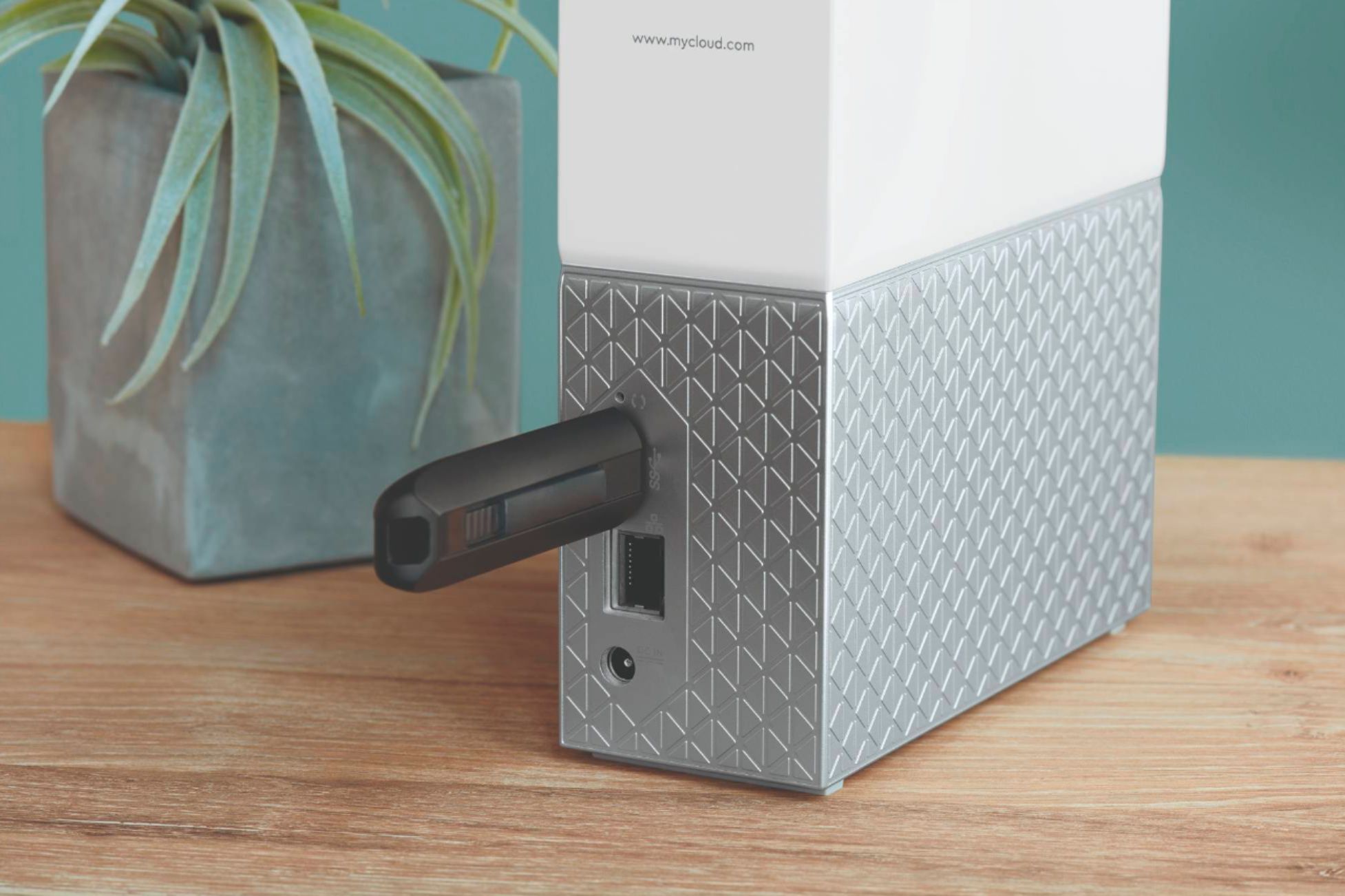
||Posted .This reviewer received promo considerations or sweepstakes entry for writing a review.If you're looking for a network storage device, DO NOT GET THIS. To access the drive, you have to run a special app on your computer that maps it as a network drive. There is no other way to map the drive. You can also use a special Android/iOS app, but since you can't set up shares on the drive itself, you can't browse the disk with any app that can access Windows/SMB shares. Unlike its slightly older cousin, the WD My Cloud, there is no web interface for this device. You can't rename the device. You can't connect by FTP or SSH. The only way to change settings on the device is by going to the MyCloud website, and God help you if that ever goes under. It has a USB port, but 1) you can't use that to copy files *from* the device to a USB disk, and 2) the only thing you can do with it is plug in a USB disk and transfer *every file on that disk* into a backup folder on the My Cloud Home. You cannot choose specific files or folders, and you cannot browse the plugged-in drive on your computer. And last but not least: the god-awful speeds. I have a gigabit home network, and even with that, it took 5 hours to copy 150GB to the disk and *16 hours* to copy it back *off* of the disk. And the case is basically impregnable, meaning that if you want to return the disk, you have no choice but to transfer your data back over the network. I couldn't even play media off of the disk because of how slow it was; it just kept buffering. I return this within 2 days of purchase.
No, I would not recommend this to a friend - Cons mentioned:Security
Save data to exposed floppies before this drive
||Posted .This reviewer received promo considerations or sweepstakes entry for writing a review.Seriously, if you have a need to get to your data reliably and instantly, i think floppy disks with the protective cover cut off is most areas would be more reliable than this drive. Please note, this is my experience with customer service and this drive since November 2017, until June 2018. This drive ran me just over $300 and while the size and speed when it works is good, it's so unreliable, i think i would have better odds wrapped in Chum swimming safely off of seal island than relying on this drive for my data to be available. issue 1 - the drive will not show ONLINE if you're not logged into the MYCLOUD system. No idea why, but if you don't log in (manually) from the Systray icon, you're drive will not be accessible. Issue 2- If you reboot the PC, login is required, again. it may randomly show back up as available at some point (10 minutes, an hour, who knows). It's a HORRIBLE design Issue 3 - if you want to create a Share, you can't just have the drive name\share. (if the drive was named "John_ext_drive" the share would be \\John_ext_drive\ShareFolder). the share it creates is about 64 alpha-numeric characters long. It's INSANE. So if you want to give someone access to that new Share, you have to copy that long path, and send it to them via EMAIL (because you will never remember it) in order for them to access it. But don't lose connection from the Agent in the Systray to the drive...or it fails. Issue 4 - There is no granular security on any of the folders. If you setup the drive, you are the OWNER of the drive. You can grant people access, but only by using EMAIL to grant it. Meaning when you create a shared folder for little Suzie to save her homework to, you have to create the folder and assign it to an email address to send the very long share link to. I'm not sure of the person who designed this horrible software/interface for this drive, but they have no idea how people really use drives. the ONLY scenario this could possibly make sense is if i was giving total strangers access to this drive (made for personal use by the way) for a fee where they can access just the folder i designate, while only being on my network, but not anyone i want to include in anything else....all the while hoping the WD Systray agent doesn't fail. Avoid this drive. The MyBookLive was a better rendition of a home drive that may have shares created easily, and with granularity as well as identifying possible types of data for organization and (possibly) QoS to help streaming movies not be impacted by someone looking at word documents from another folder. I can't click the "I DO NOT RECOMMEND" button strong enough for this drive, without breaking my mouse.
No, I would not recommend this to a friend - Pros mentioned:StorageCons mentioned:Speed
Reliable and great cloud usage for work
||Posted .This reviewer received promo considerations or sweepstakes entry for writing a review.I use for work. I upload large files of photos and videos. Takes some time, but speed not bad. I've been wanting this for a long time and so happy I finally bought it. I upload photos to the HD from home and then show clients photos from office without carrying my drive that I left at home. However, videos don't seem to display at work either because I don't have the right app or file is way to large. Overall great.
I would recommend this to a friend - Pros mentioned:Ease of use, Remote access
Easy to install and access
||Posted . Owned for 1 month when reviewed.This reviewer received promo considerations or sweepstakes entry for writing a review.Super easy to get up and running. Can be accessed from any device on home network and also from the internet. I have shared files with others using a link to My Cloud device. My only concern now is how to back it up - I really don’t want to buy a 2nd device to do that but may have to.
I would recommend this to a friend - Cons mentioned:Interface, Speed
It's alright
||Posted .This reviewer received promo considerations or sweepstakes entry for writing a review.The my cloud home line is alright. I like some of the functions like auto backups of other cloud services. But the interface is almost too basic. I would like a little more customization options and would also like to be able to plug this device directly into a computer for high speed transfers. None the less it works but there are cheaper solutions out there.
No, I would not recommend this to a friend - Pros mentioned:Ease of use, Storage
Great item
||Posted . Owned for 6 months when reviewed.This reviewer received promo considerations or sweepstakes entry for writing a review.I use this all the time to watch movies anywhere and it also stores alot of pictures very easy to use
I would recommend this to a friend - Pros mentioned:Ease of use, Storage
Amazing
||Posted . Owned for 2 weeks when reviewed.This reviewer received promo considerations or sweepstakes entry for writing a review.Amazing piece of equipment. Just what I was looking for in a hard drive and cloud service. It copies content from my other devices seamlessly and the app is great. I like being able to access everything from multiple devices. I think I will buy another one at some point. Getting it on sale was a huge bonus.
I would recommend this to a friend - Pros mentioned:Storage
Best bang for the buck
||Posted . Owned for 3 weeks when reviewed.This reviewer received promo considerations or sweepstakes entry for writing a review.Perfect storage box for personal data. Free space on my computer allowing it to function better. Pass word protection would be nice, but the o0pen portal allows family easy access for their own personal storage needs. also it is cheaper than paying for external cloud space.
I would recommend this to a friend - Pros mentioned:Ease of use, Performance
Trusty reliable backup for Time Machine
||Posted . Owned for 3 weeks when reviewed.This reviewer received promo considerations or sweepstakes entry for writing a review.I use this drive for Time Machine backups on MacOS. I like it, I also have a 4TB version that has been backing up my computers for a few years. This drive worked right out of the box, it was easy to set up.
I would recommend this to a friend - Cons mentioned:Interface
Failed in less than 1 year
||Posted .This reviewer received promo considerations or sweepstakes entry for writing a review.Purchased this due to the price and ease of use, but was disappointed how little control I have over it. You pretty much have to use the webpage for any type of management. You can set up a local account and use file explorer but even that is very limited. Seemed to be working okay until one day it was inaccessible. Went through all the recommended troubleshooting but it simply would not respond. I contacted the manufacturer's support desk and they replaced it with another one. I had quite a bit of data on the old one which luckily was backed up elsewhere but now I have to trust them to wipe the drive before it's sent for recycling or whatever they do with it. The other issue I have is, I purchased a Geek Squad extended warranty which clearly states that if the device is replaced by the manufacturer to call them to update the serial number to the new device. I called and got the overseas support desk and they didn't seem to know what I was talking about, and somehow the call "disconnected" while they were speaking. This happens I know, as I work in a call center, too. So I called back, same support desk, different agent, and again the call dropped while the agent was speaking. Didn't really matter as this one was telling me to go to the store for assistance (smh). I called a third time and went a different support route and got a domestic support person who after over 20 minutes of hold music, told me that since I went through the manufacturer, I didn't need to update the serial number and to just keep all the correspondence. I reminded the agent what the policy on their site states, but she assured me it would be fine. I then asked for her last name for my records and she refused to give it to me. So I'm fairly sure they will refuse to support the new device if (or most likely, when) it fails outside the manufacturer's warranty.
No, I would not recommend this to a friend - Pros mentioned:Ease of use, Storage
Handy online storage.
||Posted .This reviewer received promo considerations or sweepstakes entry for writing a review.Easy to use and quick up and downloading. Having my files available anywhere is pretty great. So far, it's been a good investment.
I would recommend this to a friend - Pros mentioned:Ease of use, Storage
I keep coming back to this one
||Posted .This reviewer received promo considerations or sweepstakes entry for writing a review.I've had the need for a lot of storage in my day. This is the drive I keep going back to. Highly recommended and easy to use.
I would recommend this to a friend - Pros mentioned:Ease of use, Remote access
Home cloud services!
||Posted .This reviewer received promo considerations or sweepstakes entry for writing a review.Easy installation, love the ability to have my own personal cloud accessible remotely. Easy to use desktop and phone app.
I would recommend this to a friend Not sure how to rate this
||Posted . Owned for 1 week when reviewed.This reviewer received promo considerations or sweepstakes entry for writing a review.I am really unsure how to rate this drive. I bought it solely to use as a NAS drive for Plex. Plex is one of the pre-installed applications that comes with this drive. For whatever reason, I could not get Plex to work properly. I spent a good deal of time over a period of four days with Western Digital support. The support representatives were quite helpful, but in the end, things were still not working. On a follow-up call to WD, I was told the drive was defective. I returned the drive to Best Buy and got a new one without hassle. It has been working perfectly for Plex since. However, the drive loses Wi-Fi connectivity even though it is plugged directly into my router. I have reset the drive a half dozen times over the past couple weeks. This is disheartening, and I hope it improves as it is probably too late to return the drive a second time. I would say that Western Digital support is helpful and friendly and I had no problem dealing with them.
No, I would not recommend this to a friend- Pros mentioned:Ease of useCons mentioned:Speed
Great for simple streaming set-up!
||Posted .This reviewer received promo considerations or sweepstakes entry for writing a review.After weeks of searching for the right product I settled on the WD - My Cloud Home. My Situation: I have so much media stored on my computers from over the years I wanted an easier way for friends and family to access - I was already running Plex Media Server from my home laptop (with this I would no longer need to keep my laptop running). Pros: -Easy Set-up (It connects to Ethernet port on your router, if your like me and use Google Wifi you'll need an Ethernet switch) -Small -Works as intended Cons: -No FTP -Your mobile app is more useful than the desktop app -Slow transfer speeds unless plugged directly into Ethernet port Would recommend, the cons are nit-picky and I knew about them going in. Great for sharing media with 9 or 10 people.
I would recommend this to a friend - Pros mentioned:StorageCons mentioned:Speed
Awesome in home storage
||Posted . Owned for 6 months when reviewed.This reviewer received promo considerations or sweepstakes entry for writing a review.Use this to store copies of all my photos in my home. Cloud based storage is good but slow. So now I have an additional copy at home and can see my photos quickly since its on my home lan. 8TB should last me a long time. Plus if you add a second unit one backs up to the other, just in case of failure.
I would recommend this to a friend - Pros mentioned:Storage
Good, not great
||Posted .This reviewer received promo considerations or sweepstakes entry for writing a review.This product does exactly what it states. It allows me to have a personal cloud storage system that I do not have to pay a subscription for. Unfortunately, it was not quite as simple as advertised to set up. It wasn't difficult, but it also wasn't quite plug and play. It also is missing some features I was hoping for. If you need a personal storage system that is fairly easy to use, this is a great product.
I would recommend this to a friend