Customer Ratings & Reviews
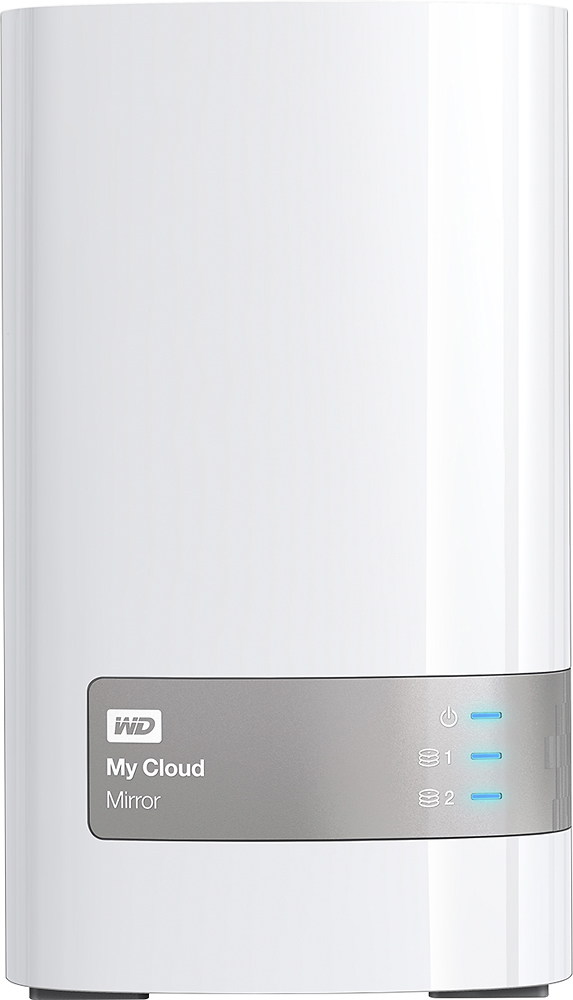
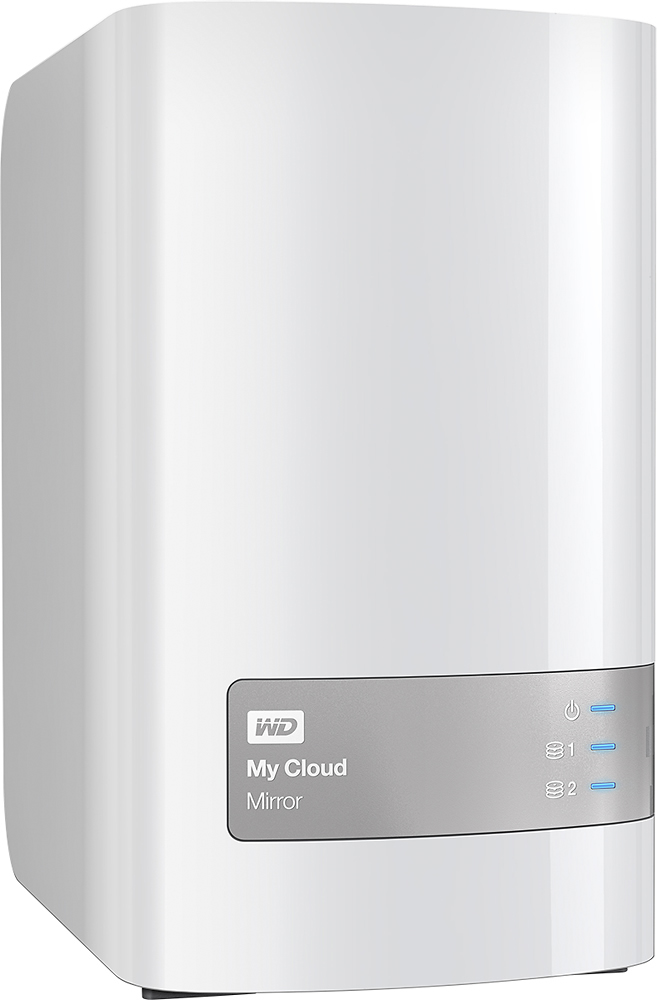
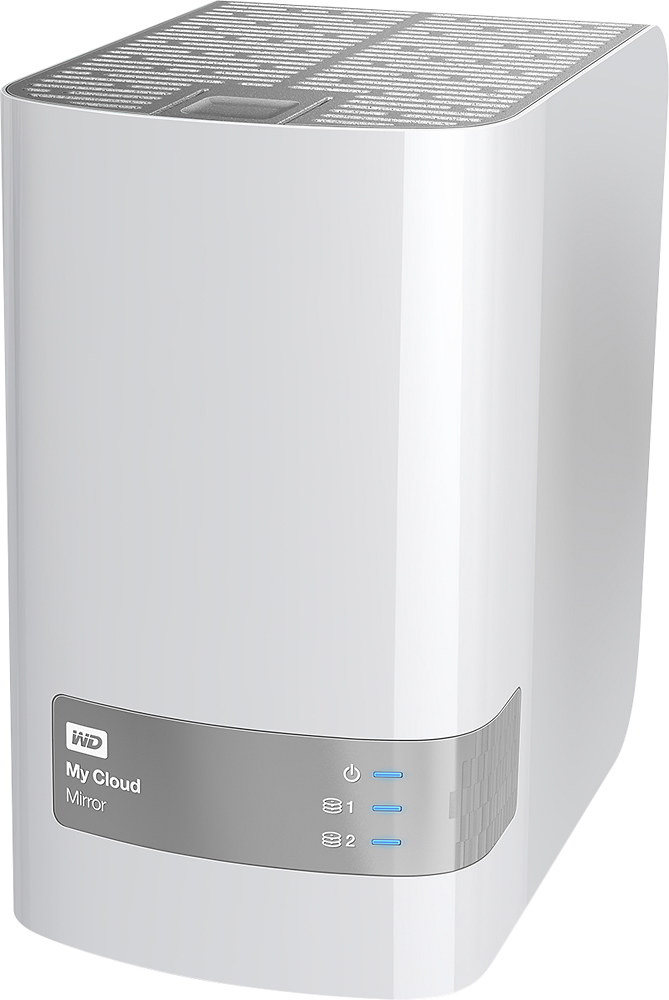

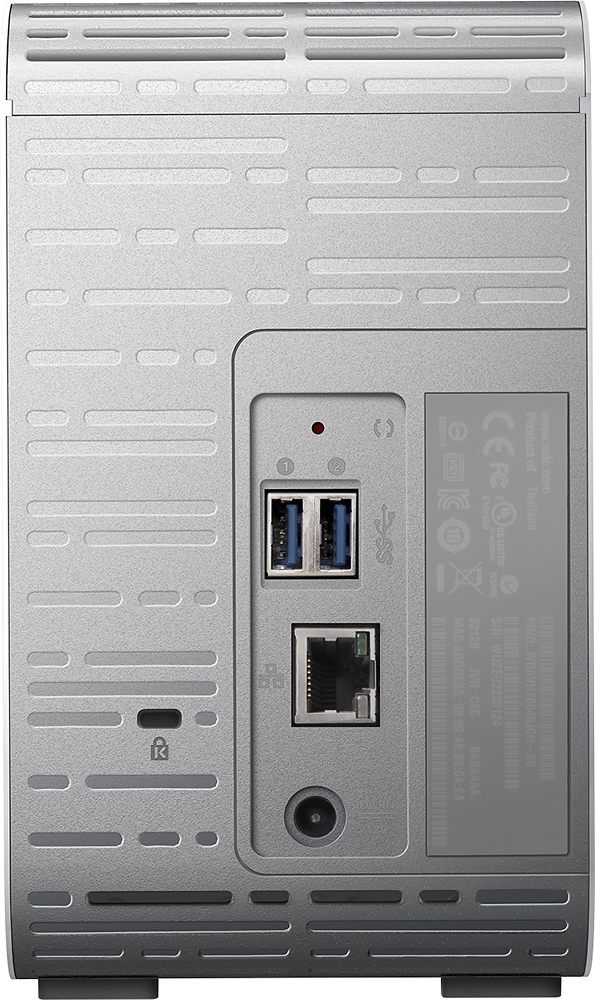
- Model:
- WDBWVZ0040JWT-NESN
- |
- SKU:
- 4561420
Customer reviews
Rating 4.4 out of 5 stars with 140 reviews
(140 customer reviews)to a friend
Customers are saying
Customers have good things to say about the My Cloud Mirror 4TB Personal Cloud Storage's ease of use, ample storage capacity, and reliability. Many appreciate its RAID capabilities, providing data redundancy and peace of mind. Setup is also reported as straightforward. However, some users mention that the device's processing power could be improved for tasks such as media streaming.
This summary was generated by AI based on customer reviews.
Rated 2 out of 5 stars
Worked OK for 1 month
||Posted .This reviewer received promo considerations or sweepstakes entry for writing a review.Setting up was not too challenging. Backing up my hard drive took a long time and I never got confirmation back up was complete. I still don't know if my data is backed up. After the last firmware update, my computer can't find the device and it now has red lights blinking all over the place. Not sure what is going on. I wasting precious time during my holidays to troubleshoot this thing. Looking for answers online has been painful and with no concrete solutions. Very disappointing.
No, I would not recommend this to a friend- Pros mentioned:Raid, StorageCons mentioned:Processor
Rated 5 out of 5 stars
Very good little NAS at a decent price with the ab
||Posted .This reviewer received promo considerations or sweepstakes entry for writing a review.The WD MyCloud Mirror is a fairly powerful albeit small storage system (two disk bays). The unit I have is the 4Tb version. I also have a WD MyCloud EX2 and the main difference between this model and the EX2 is that this model uses cheaper NAS hard drives, not the Western Digital Red drives the EX2 comes with (which in my opinion are far better drives). Initial setup is very simple. Just attach it to your router and go through some questions. If you want to dig deeper however there are a whole host of options available to you including which system you want for your drives (it defaults to RAID 1 but you can set it to striped if you prefer more disk space at the expense of the auto backup). Digging deeper into the options the MyCloud Mirror gives you, you can turn on media server capabilities (Twonky which is a DNLA application that works well), cloud access (this basically means you can access the device from anywhere and there are a few apps you can download for Android, Iphone, iPad etc. like the WD Photos app which work fairly well), setup the device for iSCSI (basically like having another Hard drive attached to your computer), VLAN, SNMP, port forwarding and a whole host of other options. All of these options are made available through an easy to use web interface. If this is on your home network, one tip I would give is to give this device a static IP address rather than the default DHCP address. This way it is very easy to go to the web interface for the device (just type in the IP address) and you can also get access to any share on the device very easily as well by mapping a drive to \\StaticIP\ShareName. By default there is an admin user with a few shares created but you can very easily create your own users with their own shares, put them in groups for easier management etc. It works quite similarly to the way Windows does File Shares for permissioning and is quite easy to grasp. I have a Microsoft MSDN subscription which gives me access to basically all of the Microsoft Software for development purposes. I use the MyCloud Mirror mainly as a store for the ISO files that I download from MSDN. From there it is very easy to use these ISO's on any computer on my network, a central storage place if you like. I also use it to back up the thousands of photographs I take which I mainly store on my MyCloud EX2, but use this as a backup should that device completely fail (in theory this should not be necessary due to the RAID configuration, if one drive goes bad then I should still be able to get my photos off the second drive however better being safe than sorry), and I can access these pictures from anywhere using the WD Photos app on my phone and iPad. Hardware specs for the MyCloud Mirror won't astound anyone but they are enough (1.2GHz processor and 512Mb RAM) to cope with what this device does (it basically just stores and serves files). Surprisingly the specs are slightly lower than the MyCloud EX2 (1.5GHz processor) however the price is also slightly cheaper. You do get two fast USB 3 ports for expansion or to backup your files. The drives that are in the device are very easily replaceable if you wish to put in larger drives at a later stage. There is very little I can fault with this device except that it only has two bays. I prefer having more like my Drobo devices. Apart from that overall a great little device with enough options to suit almost any situation and the ability to easily get to your files from anywhere (both on your network and from the internet). Given the choice between the MyCloud Mirror and the MyCloud EX2, I would go with the EX2 as I much prefer the drives in that unit however this is a very good unit in and of itself. Update: Great news. Western Digital has contacted me (see comments section below) and are guaranteeing that these units will have WD Red drives in them (now that is great customer service). This was my main niggle with the My Cloud Mirror and the main reason I gave it 4 stars instead of 5. As such, with WD's new guarantee, I'm amending my rating accordingly.
I would recommend this to a friend - Pros mentioned:Ease of use, Storage
Rated 5 out of 5 stars
GREAT PRODUCT long time user
||Posted .This reviewer received promo considerations or sweepstakes entry for writing a review.I bought this unit out of fustration, due to the fact of Hard Drives failing (ssds too) and the fact that i have hundreds of GBs of photos, hundreds to thousands GBs of videos and a couple hundred GBs worth of family photo, and also business work. I tried many years to find something that worked for me, but always resulted in either not haveing the flash drive or hard drive when i needed it, or it was lost, or i grabed the wrong one. At the time of the purchase i was on the fence about getting it due to the price. Well 7 months into using I was all in, and LOVED the unit. in 7months of using at home, on vacation (accessing it thru the web) and being able to access my own personal cloud via my android phone, ipad, or even a public computer it was great. So great i purchased a 12TB drive. Now here is the only complaint. Western Digital has no system in place to easily migrate you files, and settings over to the new drive (if it is bigger). They have a system in place if you decide to go from a larger drive to a smaller size, but not vs versa. Love it, and anyone else that has photos, or important documents GET IT, you wont regret it.
I would recommend this to a friend - Pros mentioned:Ease of use, StorageCons mentioned:Processor
Rated 2 out of 5 stars
Nice try, but no cigar!
||Posted .This reviewer received promo considerations or sweepstakes entry for writing a review.This unit is easy to use, setup and operate. It may be fine for the casual user. But with it's inferior processor and RAM, it is GLACIERLY SLOOOOOOOOWWW!!! At least compared to the speed we expect from our devices these days. It seems for several days the processor and RAM was at constantly at about 70-80% usage. Even when seemingly sitting idle. My guess is it was constantly trying index the 1TB of files I tried to pour into it. It does ok, if it only has one task to perform at one time. While trying to backup a USB drive, directly connected to the WD NAS, it takes 10 or 15 seconds to bring up the file directory in Finder for browsing. I use this for a photography business and need to transfer large groups of large files quickly. The MyCloud doesn't cut it for my needs. So, I returned it, and upgraded to a quad core 8GB RAM NAS. I'm much happier now. Plus I can now use RAID 5, SSD cache, and dual ethernet. So, in summary, if you just want to free up some space on your computer and won't need your NAS to perform multiple tasks at high speed, then this is a great unit! Western Digital is a trustworthy name in the storage industry. Otherwise, take a look at what QNAP has to offer.
No, I would not recommend this to a friend Rated 4 out of 5 stars
Works Good - Doc needs help
||Posted .This reviewer received promo considerations or sweepstakes entry for writing a review.I did a lot of research before buying the My Cloud Mirror. I concentrated on functionality, not so much on it's documentation. I regret that a bit. The product works (so far) as designed, but the doc is lacking. I followed the incredibly brief 3 steps on the card included with the enclosure and discovered I was missing a lot of information and left with a device not working well. I called tech support and they were very helpful and patient. Turns out some of my problem is their install software doesn't support WIndows 10 so well plus their instructions on resetting the device aren't very accurate. Bottom line though is I'm up and running and so far think the WD My Cloud was the correct choice. I choose this over the Seagate due to various online comparisons.
I would recommend this to a friend- Pros mentioned:Setup
Rated 4 out of 5 stars
Overall Good Product
||Posted .This reviewer received promo considerations or sweepstakes entry for writing a review.Good product overall. Pretty easy to setup. Cloud setup is very easy and painless. Software is pretty good. Two types are offered....one to sync and one for backup which includes version sets. Had a bit of problem with backup software when it's set to backup all the time, it won't let the PC go into sleep/hibernation. I never had that problem with other acupuncture products.
I would recommend this to a friend - Pros mentioned:Raid
Rated 5 out of 5 stars
great and stable cloud drive
||Posted .This reviewer received promo considerations or sweepstakes entry for writing a review.I used it mostly as a media DLNA device and it works well with my Roku 3 device. Speed for copying is fast and I replaced the 2TB drives with 3TB drives. So far, extremely quiet operation with no issue. I mirrored my data with RAID-1 so only have 3TB usable but I rather be safe than sorry.
I would recommend this to a friend - Pros mentioned:Ease of use, Setup
Rated 5 out of 5 stars
Great Product
||Posted .This reviewer received promo considerations or sweepstakes entry for writing a review.Product was fast and easy to setup, no glitches and easy to use
I would recommend this to a friend - Pros mentioned:Ease of use
Rated 5 out of 5 stars
Great for Photo Storage
||Posted .This reviewer received promo considerations or sweepstakes entry for writing a review.This is super easy to use as photo storage and to access your photo library from your smartphone. Ideal to free up all the space that videos and photos take up on your phone and easy to share access to your photo library to your family members. I have not tried storing music on it. The app is easy to use and you can sort by date.
I would recommend this to a friend - Pros mentioned:Storage
Rated 4 out of 5 stars
So far so good
||Posted .This reviewer received promo considerations or sweepstakes entry for writing a review.I have NOT fully set this up yet but for the price it seems like a good buy. Out of the box it's set up as a 2TB cloud w/2TB as an exact copy. You can use it as a 4TB cloud without a backup. It is two 2TB drives not one 4TB drive
I would recommend this to a friend - Pros mentioned:Ease of use
Rated 5 out of 5 stars
Great product
||Posted .This reviewer received promo considerations or sweepstakes entry for writing a review.I really, really like this product. i wish i had bought it sooner. Makes my life easier and I feel assured all my information for work is backed up, safe, and can be accessed from anywhere by me.
I would recommend this to a friend - Pros mentioned:Ease of use
Rated 4 out of 5 stars
Great NAS
||Posted .This reviewer received promo considerations or sweepstakes entry for writing a review.Easy to setup and use storage device. Gave it 4 stars only because it seems to have a difficult time being recognized by Win 10 at times. This could be Win 10 issue for all I know.
I would recommend this to a friend Rated 4 out of 5 stars
Great storage! Now I feel ok with my data
||Posted .This reviewer received promo considerations or sweepstakes entry for writing a review.Awesome product! I feel my data is safer and I can access them everywhere. I travel a lot and it's very useful to me. Another useful feature is sync. Very useful !
I would recommend this to a friend- Pros mentioned:Ease of use, Reliability
Rated 5 out of 5 stars
2nd MyCloud Drive, 1st Mirror
||Posted .This reviewer received promo considerations or sweepstakes entry for writing a review.The MyCloud drives have overall bee great. This is a huge step up in speed and reliability from my first generaation MyCloud drive. The old drive was takig a long time to boot (hours sometimes) and this drive does not have this problem. If one of the drives fails, you can swap it out and rebuild a copy (mirror) an it would be like nothing went wrong, which gives an extra layer of peace of mind. The videos/pictures/etc are accessible via smat tv's. The share content is acessible off network by web or android app.
I would recommend this to a friend - Pros mentioned:Ease of use
Rated 5 out of 5 stars
Completely storage for whole family
||Posted .This reviewer received promo considerations or sweepstakes entry for writing a review.The WD MY CLOUD MIRROR 4TB PERSONAL CLOUD STORAGE is extremely easy to connect to one's home Wi-Fi network an the whole family can easily make two private back-up copies from every device. What could be better?
I would recommend this to a friend - Pros mentioned:Ease of use
Rated 5 out of 5 stars
Easy to use
||Posted .This reviewer received promo considerations or sweepstakes entry for writing a review.Very easy to set up. Biggest thing is I didn't want to have to install software to reach the NAS. Didn't have to. Just mapped a drive letter to it & off I go.
I would recommend this to a friend - Pros mentioned:Raid, Setup
Rated 5 out of 5 stars
Terrific Upgrade
||Posted .This reviewer received promo considerations or sweepstakes entry for writing a review.My external drive failed and so I bought this rather than buy another external drive. It did not cost much more than an external drive ($100) but it is way more convenient as I back up two Macs to it. I also use the Plex server that the drive supports to stream movies and music. This is a RAID 1 solution (two identical drives) that are mirror images of each other. The set up was easy and it works very well. A++ product.
I would recommend this to a friend - Pros mentioned:Reliability
Rated 4 out of 5 stars
Nice Product to back up data.
||Posted .This reviewer received promo considerations or sweepstakes entry for writing a review.I bought for my home use and it works great and I will definitely recommend to my friends.
I would recommend this to a friend - Pros mentioned:Ease of use, Raid
Rated 5 out of 5 stars
Perfect for my needs and easy setup
||Posted .This reviewer received promo considerations or sweepstakes entry for writing a review.I recently had my data backup external hard drive die. This replacement has 2 drives that use RAID to mirror one to the other, so even if one of the drives dies, I won't lose my data like before. It is simple to setup and has been working great for several weeks. A very reasonable, redundant, data backup for all the devices in your network.
I would recommend this to a friend - Pros mentioned:Ease of use
Rated 5 out of 5 stars
Easy
||Posted .This reviewer received promo considerations or sweepstakes entry for writing a review.Basically a plug and play device. All you need to do is download device apps and it does the rest. I have iOS and Windows devices.
I would recommend this to a friend