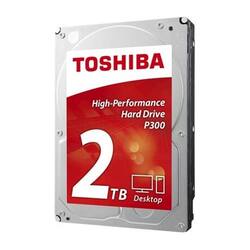
Toshiba - 2TB Internal SATA Hard Drive for Desktops
- Key Specs
- Storage Drive Type: HDD (Traditional, mechanical hard disk drives are the most common type of storage because they're relatively inexpensive and offer huge capacities. However, they also generate both noise and heat. Solid state drives, also known as SSDs, are many times faster than hard disk drives and have no moving parts to wear out, but typically offer less capacity for the same price.)
- Rotational Speed: 7200 revolutions per minute (The rate at which the hard drive spins its platters. The higher the rotational speed, the faster the drive can read and write data.)
- Interface(s): SATA (Refers to the types of connections that devices use to interact and communicate with each other.)
- General
- Product Name: 2TB Internal SATA Hard Drive for Desktops
- Brand: Toshiba
- Model Number: HDWD120XZSTA
- Performance
- Storage Drive Type: HDD (Traditional, mechanical hard disk drives are the most common type of storage because they're relatively inexpensive and offer huge capacities. However, they also generate both noise and heat. Solid state drives, also known as SSDs, are many times faster than hard disk drives and have no moving parts to wear out, but typically offer less capacity for the same price.)
- Rotational Speed: 7200 revolutions per minute (The rate at which the hard drive spins its platters. The higher the rotational speed, the faster the drive can read and write data.)
- Compatibility
- Internal Or External: Internal
- Interface(s): SATA (Refers to the types of connections that devices use to interact and communicate with each other.)
- Bare Drive: true (Drive is sold without any pre-installed software.)
- Minimum System Requirements: PC: Windows 10,Windows 8.1,Windows 8 ,Windows 7; Mac:OS X
- Features
- Security Features: None
- Data Encryption: false
- Usage: Everyday computing
- Memory
- Cache Buffer Size: 64 megabytes (The data capacity of the cache buffer (or disk buffer) that acts as temporary memory for the drive. The cache holds the most recently and frequently used data to save the drive the extra step of pulling it from permanent storage every time it's needed, which helps increase the drive's overall speed.)
- Dimensions
- Product Height: 1 inches (The out of box height of the item. Height is measured as the vertical distance from the bottom of the item to the top as it would be primarily used or placed.)
- Product Width: 4 inches (The out of box width of the item. Width is measured as the horizontal distance from one side of the item to the other as it would be primarily used or placed.)
- Product Weight: 15.9 ounces (The out of box weight of the item.)
- Other
- UPC: 889661023975
Improve Mac and PC performance with this 2TB Toshiba hard drive. Its 7200-rpm speed helps your older computer meet modern demands. A 6-Gbps transfer rate lets you save your data in a hurry, while the read/write cache increases performance. This Toshiba hard drive has shock sensors to shield data against impact.
- 2TB storage capacity: Provides ample storage space for your music, movies and other files.
- SATA lll interface: Offers simple connection to your computer.
- NCQ (Native Command Queuing): Provides efficient organization to incoming commands to increase performance.
- Compatible with PC and Mac: For wide-ranging installation options
Whats Included
- Toshiba 2TB Internal SATA Hard Drive for Desktops
Q: Will this drive work in my 2010 iMac 27 in? If not what Drive do I need?
A: Be advised...After I conducted my research it might be likely that the drives that were utilized for this computer might have the older pins for an ATA hard drive. Just be sure when you pop the old one out that it has the smaller SATA cable connection. A SATA connection is no more than 3/8" wide and doesn't look like it has two rows. If you see the two rows of pins you will most likely need an ATA hard drive. I really don't think that Apple would have put that kind of old technology in a 2010 model. Difference between transfer rates is ATA-133 GB/s and SATA-600 GB/s. That particular model can support 2TB. https://www.youtube.com/watch?v=D3BRqLKerXk That is the video on youtube that shows you how to change the hard drive. Looks like this hard drive is a go. You might have to get that power connector adapter in order to reinstall the temperature sensor for your hard drive.
A: Yes, as long as you DISKPART partition it before you install it into the laptop. Also, it might be helpful if you are utilizing an updated Windows version or equivalent because for that model Windows Vista. Windows website says that it supports it even if it is Windows Vista. Check out the link below. https://support.microsoft.com/en-us/help/2581408/windows-support-for-hard-disks-that-are-larger-than-2-tb
A: No, however "AOMEI partition assistant" is a good freeware program among other similar ones that will clone or copy the files on the drive.



















