ViewSonic - VX2476-SMHD 23.8" IPS LCD FHD Monitor (DisplayPort VGA, HDMI) - Black
ViewSonic - VX2476-SMHD 23.8" IPS LCD FHD Monitor (DisplayPort VGA, HDMI) - Black
Screen Size
23.8"More Buying Options
Related Item

Highlights
- Key Specs
- Refresh Rate: 75Hz (The number of frames per second the device can produce natively without enhancement. Higher rates help produce smooth, seamless pictures.)
- Maximum Resolution: 1920 x 1080 (Maximum resolution refers to the highest number of pixels that a screen can process and display. Higher resolution signals produce more detailed images.)
- Response Time: 4 milliseconds (The speed at which pixels can change colors is called response time. It is measured in milliseconds (ms).)
- Panel Type: IPS (Technology that affects response time and image quality.)
- Synchronization Technology: Not Applicable (Generally, these technologies allow syncing between a computer/console game's frame rate and the device's refresh rate for a smoother display without tearing.)
- Screen Size: 23.8 inches (Size of the screen, measured diagonally from corner to corner.)
- Display Connector(s): 1 x DisplayPort, 1 x HDMI (The number and type of connectors used to connect to an external display.)
- General
- Brand: ViewSonic
- Model Number: VX2476-SMHD
- Product Name: VX2476-SMHD 23.8" IPS LCD FHD Monitor (DisplayPort VGA, HDMI)
- Color: Black
- Operating System Compatibility: Not Applicable
- Display
- Refresh Rate: 75Hz (The number of frames per second the device can produce natively without enhancement. Higher rates help produce smooth, seamless pictures.)
- Maximum Resolution: 1920 x 1080 (Maximum resolution refers to the highest number of pixels that a screen can process and display. Higher resolution signals produce more detailed images.)
- Native Resolution: 1920 x 1080 (Native resolution of a screen refers to its single, fixed resolution. Sometimes screens must scale an image up or down in order to fit the native resolution. This can cause a loss of resolution or detail.)
- Contrast Ratio: 1000:1 (Measured difference between a displayed image's brightest whites and darkest blacks. The larger the first number, the more detail and color that can be displayed.)
- Response Time: 4 milliseconds (The speed at which pixels can change colors is called response time. It is measured in milliseconds (ms).)
- Display Type: LED
- Panel Type: IPS (Technology that affects response time and image quality.)
- Synchronization Technology: Not Applicable (Generally, these technologies allow syncing between a computer/console game's frame rate and the device's refresh rate for a smoother display without tearing.)
- Aspect Ratio: 16:9 (The measurement of the width of a screen compared to the height of a screen, expressed as a ratio.)
- Curved Screen: false
- Brightness: 250 candela per square meter (A measure of the total light output.)
- Screen Size: 23.8 inches (Size of the screen, measured diagonally from corner to corner.)
- High Dynamic Range (HDR): false (An HDR-compatible 4K TV or other HDR-compatible product displays HDR video content when it's available from sources like 4K Ultra HD Blu-ray Discs and 4K streaming services.)
- Horizontal Frequency: 82 kilohertz (Also known as "horizontal scan rate," this measurement describes the number of horizontal lines displayed per second and is used to calculate a screen's refresh rate.)
- Horizontal Viewing Angle: 178 degrees (The maximum angle at which the display can be viewed with acceptable visual performance from either side.)
- Vertical Viewing Angle: 178 degrees (The maximum angle at which the display can be viewed with acceptable visual performance from above or below.)
- Touch Screen: false (Touch-screen devices make navigating more intuitive. Using a touch-screen display, you can do things such as tap to select, hold and drag to move items, swipe to scroll, and pinch to zoom.)
- Connectivity
- Number of DisplayPort Inputs (Total): 1
- Number of HDMI Inputs (Total): 1
- Display Connector(s): 1 x DisplayPort, 1 x HDMI (The number and type of connectors used to connect to an external display.)
- Compatibility
- Wall Mountable: false (The product is able to be secured to a wall. Some products are designed ready to mount, while others may require additional hardware/accessories for installation.)
- Voice Assistant Built-in: No (A digital assistant built into the device that uses voice commands to answer questions and control smart devices.)
- Features
- Tiltable: true
- Adjustable Stand Height: false
- Anti-Glare: true (Product has features, such as a matte finish, that reduce the likelihood for screen glare.)
- Eye Relief Features: Low blue light, Flicker free
- Built-In Webcam: false
- Integrated Speaker(s): true
- Dimensions
- Product Height With Stand: 16 3/10 inches
- Product Height Without Stand: 4 1/2 inches
- Product Width: 15 3/5 inches (The out of box width of the item. Width is measured as the horizontal distance from one side of the item to the other as it would be primarily used or placed.)
- Product Depth (With Stand): 8 23/100 inches
- Product Depth Without Stand: 1 3/10 inches
- Product Weight: 6.55 pounds (The out of box weight of the item.)
- Stand Included: true
- Power
- Power Consumption: 21 watts
- Power Saving/Off Mode: 0.3 watts (This mode will turn the display and/or the device off, or into a standby mode, after a preset length of time with no activity to conserve power.)
- Certifications Listings & Approvals
- ENERGY STAR Certified: true (Devices carrying the ENERGY STAR service mark, such as computer products and peripherals, kitchen appliances, and other products, generally use 20% to 30% less energy than required by federal standards.)
- EPEAT Qualified: true (The Electronic Product Environmental Assessment Tool (EPEAT) was designed to provide an environmental assessment tool for purchasers. In order to qualify for EPEAT, a product must meet all 23 required criteria.)
- EPEAT Level: Gold (The Electronic Product Environmental Assessment Tool (EPEAT) was designed to provide an environmental assessment tool for purchasers. In order to qualify for EPEAT, a product must meet all 23 required criteria. Products are rated Bronze, Silver or Gold based on how many of 28 optional criteria they meet (below 50%, 50%, 75%).)
- Warranty
- Warranty - Parts: 3 year limited
- Warranty - Labor: 3 Year Limited
- Other
- UPC: 766907848410
Style and substance go hand-in-hand with the ViewSonic VX2476-smhd 24 (23.8 viewable area) Full HD monitor. SuperClear IPS panel technology, wide viewing angles, and best-in-class screen performance deliver outstanding visual clarity great for vibrant entertainment and gaming. A premium ID includes an ultra-slim profile, unique desktop stand, and a sleek edge-to-edge frameless screen, that when combined with vivid 1920x1080 resolution and dual speakers, deliver an immersive viewing experience for home entertainment and multimedia applications. Versatile HDMI, DisplayPort, and VGA inputs keep you connected to your favorite devices, while the modern, flush-mount frameless bezel design makes a standout statement in any home.
- Full HD: 23.8in screen size with 1920 x 1080 resolution provides a native display of Full HD video sources without any degradation due to down-sampling technologies
- Viewable Screen Size and Panel Type: 23.8in screen size with LED backlight that enhances the display performance to deliver an outstanding color range and contrast ratio
- LCD Display: Enjoy stunning, luminescent visual images with LCD display
- Brightness: View your content easily in well-lit areas with 250 Nit brightness
- Contrast Ratio: 80,000,000:1 contrast ratio provides great execution for displaying the darkest black and brightest white
Whats Included
- VX2476-SMHD 24" IPS 1080p Frameless LED Monitor HDMI, DisplayPort
- AC/DC Adapter (1.5m)
- Power Cable (1.5m)
- VGA Cable (1.5m)
- HDMI Cable (1.5m)
- Audio Cable (1.5m)
- Quick Start Guide
- ViewSonic Wizard CD-ROM
Q: What is the brightness of this monitor?
A: This monitor has a brightness of 250 cd/m².
Q: Is this monitor certified to use less energy?
A: Yes, this monitor is ENERGY STAR certified for energy efficiency.
Q: What is the contrast ratio of this ViewSonic monitor?
A: This monitor has a dynamic contrast ratio of 80,000,000:1 and a typical contrast ratio of 1,000:1.
Q: Does this monitor have built-in speakers?
A: Yes, this monitor has 3-watt built-in speakers for stereo sound.
Q: What is the response time on this monitor?
A: The response time for this monitor is 7 ms.
Q: What type of inputs does the ViewSonic monitor have?
A: This monitor has HDMI, VGA, and DisplayPort inputs.
Q: Does the monitor 24 or 27 have VESA mounting?
A: No, the monitor 24 or 27 have no VESA mounting.
Q: How many hz
A: If you are referring to the refresh rate, then it is 75 Hz.
Compare similar products
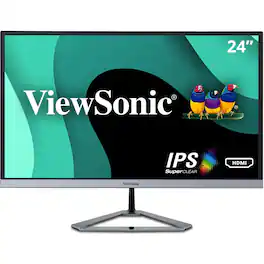
Style and substance go hand-in-hand with the ViewSonic VX2476-smhd 24 (23.8 viewable area) Full HD monitor. SuperClear IPS panel technology, wide viewing angles, and best-in-class screen performance deliver outstanding visual clarity great for vibrant entertainment and gaming. A premium ID includes an ultra-slim profile, unique desktop stand, and a sleek edge-to-edge frameless screen, that when combined with vivid 1920x1080 resolution and dual speakers, deliver an immersive viewing experience for home entertainment and multimedia applications. Versatile HDMI, DisplayPort, and VGA inputs keep you connected to your favorite devices, while the modern, flush-mount frameless bezel design makes a standout statement in any home.
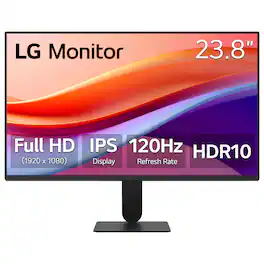
The 24" class (23.8" screen) Full HD (1920 x 1080) IPS monitor delivers sharp, vibrant visuals from virtually any angle—ideal for working...and even playing from home. Whether you're tackling emails, browsing the web, or managing projects, this monitor helps you stay clear, focused, and productive. Its ultra-slim bezels and 3-side virtually borderless design bring a clean, modern look to any home office setup. The sleek stand adds a floating feel that’s perfect for dual monitor workstations or minimal desk spaces. A 120Hz refresh rate ensures smoother scrolling and frame transitions, while 1ms Motion Blur Reduction (MBR) keeps fast-moving visuals crisp—great for multitasking or after-hours gaming. With HDR10 and up to 99% sRGB color gamut coverage, this LG monitor delivers vivid, accurate color across everything from video calls to creative projects. Whether you're outfitting a new home office or upgrading your current work-from-home setup, the LG 24U41YA-B monitor offers the clarity, speed, and style you need to stay productive and inspired.
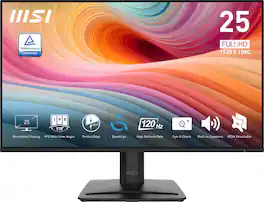
24.5-Inch Monitor PRO MP251 E2 maximizes focus and saves space. EyesErgo technology nurtures well-being through reduced strain and ergonomic design. We are elevating visuals and productivity with seamless hardware and software integration and embracing 100Hz refresh rate for future work.

Odyssey G5’s lightning-fast 165Hz refresh rate ensures flawlessly smooth action scenes even in games with high frame rates. The Odyssey G5 range allows you to make the most out of the games you love to play, at a fantastic price point.
| Pros for ViewSonic - VX2476-SMHD 23.8" IPS LCD FHD Monitor (DisplayPort VGA, HDMI) - Black | |||
|---|---|---|---|
| Picture Quality | Overall Performance, Refresh Rate, Size, Resolution, Setup | Overall Performance, Refresh Rate, Resolution, Connectivity, Design | Picture Quality, Refresh Rate, Size, Curvature, Performance |
| Cons for ViewSonic - VX2476-SMHD 23.8" IPS LCD FHD Monitor (DisplayPort VGA, HDMI) - Black | |||
| There were no cons for this product— | Audio Output, Button Layout | There were no cons for this product— | Stand, Speakers, Ghosting, Connectivity, Price |
Specs
Reviews
Customers are saying
Customers are enthusiastic about the VX2476-SMHD monitor's picture quality. Many comments praise the sharpness and clarity of the display, considering it excellent value for the price.
Customer Images
The vast majority of our reviews come from verified purchases. Reviews from customers may include My Best Buy members, employees, and Tech Insider Network members (as tagged). Select reviewers may receive discounted products, promotional considerations or entries into drawings for honest, helpful reviews.
- Rated 5 out of 5 stars
Great monitor, but lousy sound
I love this monitor. I work contract and a company gave me a monitor to use, think it was the one right below this model, but saw the thing that it was supposed to help your eyes looking at a screen for 8 hours a day. I got another assignment and they gave me Dell. This monitor is much better than the Dell in viewing and I use my monitor as my main monitor and the Dell as my 2nd (3rd if you count the laptop) monitor. The color is nicer than the Dell too (although like the monitor stand for the Dell, it's adjustable, this one isn't. The only thing I'd rate this monitor as a 1-2 stars is the sound. It's pretty awful. The tone doesn't seem too bad, but it's so quiet it's not worth changing your computer/laptop speakers over to it. It sounds like it comes from the back, so unless that's where you need them, not worth changing over. I don't think most of us buy monitors for their sound anyways, so it's pretty much a non-factor
Icechips Posted
- Rated 5 out of 5 stars
Hdmi Monitor
Amazing monitor and loved the display. Good quality for the price.
Karthik Posted
- Rated 5 out of 5 stars
Good product, Bad user guide
The monitor is working just fine. However, there was no user guide in the box, nor any information on what the buttons on the bottom of the monitor are for. I will have to search the internet to obtain the information and make the monitor more useful for me.
Review2 Posted