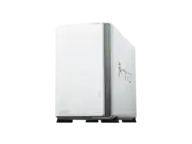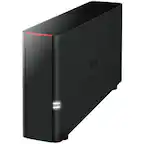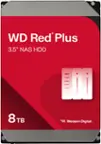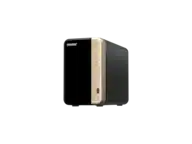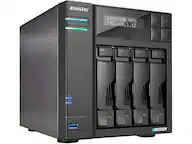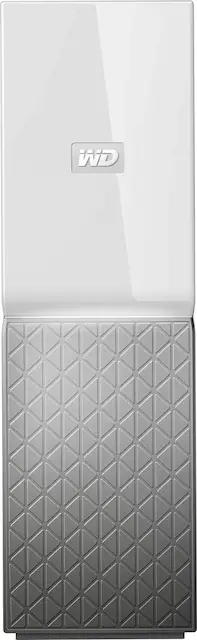
WD - My Cloud Home 8TB Personal Cloud - White
- Key Specs
- Security Features: None
- Storage Capacity: 8000 gigabytes (Measured in megabytes (MB), gigabytes (GB) and terabytes (TB), this is the amount available for storing files, music, movies, photos and more. The total includes the capacity of the hard disk drive and solid state drive if both are included on the computer.)
- Number Of Drives Included: 1
- Number of Bays: 1 (Each bay, or enclosure, holds an individual drive.)
- Processor Model: Not Applicable (Your computer's processor is like its brain. Working in combination with system memory, the power of the processor determines the complexity of software you can run, how many programs you can have open at the same time, and how fast those programs will run. Most computers feature an AMD, Intel or Snapdragon processor.)
- General
- Product Name: My Cloud Home 8TB Personal Cloud
- Brand: WD
- Model Number: WDBVXC0080HWT-NESN
- Color: White
- Security
- Security Features: None
- Features
- Storage Capacity: 8000 gigabytes (Measured in megabytes (MB), gigabytes (GB) and terabytes (TB), this is the amount available for storing files, music, movies, photos and more. The total includes the capacity of the hard disk drive and solid state drive if both are included on the computer.)
- Number Of Drives Included: 1
- Number of Bays: 1 (Each bay, or enclosure, holds an individual drive.)
- Power Supply: AC adapter
- Ports
- Number of RJ-45 Ports: 1 (An RJ-45 port, or jack, is an 8-pin connection between a device and a local area network (LAN), using an Ethernet, or RJ-45, cable.)
- Number of USB Ports (Total): 1
- Processor
- Processor Brand: Not Applicable
- Processor Model: Not Applicable (Your computer's processor is like its brain. Working in combination with system memory, the power of the processor determines the complexity of software you can run, how many programs you can have open at the same time, and how fast those programs will run. Most computers feature an AMD, Intel or Snapdragon processor.)
- Compatibility
- System Requirements: Apple MacOS, Microsoft Windows, Android, Apple iOS (The software that a product must have for it to be able to integrate with another product.)
- RAID Support: None (A Redundant Array of Independent Disks (RAID) includes a collection of separate disks that your computer recognizes as one disk unit. Each configuration offers a different level of mirroring, striping and read/write speeds.)
- Ethernet Standard: 10/100/1000 (Each standard is a variation of the IEEE 802.3 set of computer networking technologies known as Ethernet. New versions evolved to include higher bandwidth, different physical media, and other new and improved features. Standards are often denoted by speeds (in Megabits per second). For example, a 10/100/1000 Ethernet port transmits at 10 Mbps, 100 Mbps, and 1000 Mbps (1 Gbps).)
- Memory
- Type of Memory (RAM): Not provided (Each type of RAM delivers a different level of speed, bandwidth, energy efficiency and performance.)
- Dimensions
- Product Height: 6.9 inches (The out of box height of the item. Height is measured as the vertical distance from the bottom of the item to the top as it would be primarily used or placed.)
- Product Width: 2.1 inches (The out of box width of the item. Width is measured as the horizontal distance from one side of the item to the other as it would be primarily used or placed.)
- Product Weight: 36.3 pounds (The out of box weight of the item.)
- Other
- UPC: 718037848464
Store plenty of files with this 8TB My Cloud Home device. It lets you back up and sync files from your phone and computer, and it has a USB port for fast importing of files from hard drives and flash drives. This My Cloud Home device lets you search for files with the included MyCloud app.
- 8TB storage capacity: Provides ample space for storing documents, photos, music and more in one central place.
- Gigabit Ethernet port: Provides a high-speed Internet connection.
- On-the-go access with the My Cloud Home mobile app, desktop app or MyCloud.com: Allows you to access, upload and share those photos and videos from anywhere with an internet connection using My Cloud Home apps for mobile, desktop and web.
- Time Machine compatible: Back up your entire system directly to the drive.
- Compatible with Apple MacOS, PC, Android and Apple iOS: For flexible installation options.
Whats Included
- Personal cloud storage
- Ethernet cable
- AC adapter
- Quick Install Guide
Q: Can this be used to stream videos on a local network to a device like a roku?
A: Yes, I use mine as PLEX server and a NAS.
Q: Can another external drive be plugged in to the my cloud for expanded storage?
A: I asked Western Digital about this and was told no.
A: It does NOT have any wireless broadcasting on its own. Once it’s connected to your router via Ethernet, it will show up as a new drive to use as a backup storage device using Windows or the Mac OS. As an independent Apple tech, I set these up for many clients without ever creating a WD account and simply use it as a wireless Time Machine backup device. If you don’t have a wireless router and still want to use it as a wireless backup device, you could setup a wireless router without connecting it to the internet and create a wireless network for the sole purpose of having a backup drive. There are also other products that have a wireless feature connected to a drive as well, but I don’t think they are as large a capacity as this WD’s 8TB offering at this time (2018).
A: Hello, This drive can not be connected to a desktop PC via ethernet port. This drive connects to your Internet router. There's no way to map this drive to your network computers like a regular shared drive/folder. I hope this helps.
Q: Can this be used to make and store complete back ups of my iPhone ?
A: Hi, Thank you for contacting us. Please be informed that the My Cloud Home device is compatible with iPhones, and users can manage it through the My Cloud Home Mobile App for iOS. For more information, please visit . Additionally, you can find the backup instructions at (https://support-en.wd.com/app/answers/detailweb/a_id/29991).
A: Hello Meux, Please note that WD Discovery Desktop application is now end of support so you could enable the local network access from dashboard and map the device to access it locally on your computer. Please follow the KBA mentioned below: "How to Enable Local Network Access to Data on My Cloud Home Using the Dashboard with Cloud Services": https://support-en.wd.com/app/answers/detailweb/a_id/34991/kw/local%20network%20access If you have any specific concerns or need more clarification, please feel free to contact us by opening a ticket directly at https://support-en.wd.com/app/askweb our support team will contact you as soon as possible.
A: Hello, Please be informed that sonos can access a My Cloud Home Local Area Network (LAN) Samba (SMB) Shares using the Universal Naming Convention (UNC) directory path. Please refer to the following link to Setup Sonos for a My Cloud Home : https://support-en.wd.com/app/answers/detailweb/a_id/15790 If you are facing any issue while using then we would recommend you to please open a support ticket on a given mentioned link : https://support-in.wd.com/app/askweb our support team will get in touch with you at the earliest.
A: Hello Avital, Please be informed that My cloud home device needs to connected with the router directly using an ethernet cable. You could simply login to home.mycloud.com to access it remotely. To access it under your local network please refer to the following link: https://support-en.wd.com/app/answers/detailweb/a_id/34991/kw/local%20network%20access .en.wd.com/app/answers/detailweb/a_id/34991/kw/local%20network%20access .For more information about the drive refer to the User Manual: http://products.wdc.com/library/UM/ENG/4779-705163.pdf -Need Help? Please see our "'Contact Us" page for information. -Need Help? Please see our "'Contact Us" page for information.