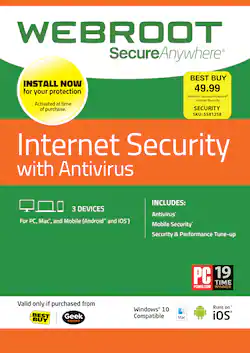
Webroot - Internet Security + Antivirus 2018 (3-Device) (1-Year Subscription)
- Key Specs
- Software Format: Physical (Physical software requires a disc, cartridge, etc. be inserted into the gaming console or computer to download and/or operate the software. Digital software allows for downloading and/or playing the software on the gaming console or computer without a physical disc, cartridge, etc. Physical (Download Code Only) software is purchased in physical form with a code that allows for downloading and/or playing the software on the gaming console or computer without a physical disc, cartridge, etc.)
- Subscription Period: 1 Year
- General
- Product Name: Webroot Internet Security + Antivirus 2018 (3-Device) (1-Year Subscription)
- Brand: Webroot
- Publisher: Webroot
- Model Number: WEB803800F100
- Features
- Protection Type(s): Malware, Phishing, Spyware/adware, Virus
- Real-Time Protection: true
- E-mail Security: true
- Firewall Type: None (The method the firewall uses to filter and process data to increase network security, primarily by blocking malicious traffic requests while allowing legitimate traffic through.)
- Language(s): English
- Compatibility
- Software Format: Physical (Physical software requires a disc, cartridge, etc. be inserted into the gaming console or computer to download and/or operate the software. Digital software allows for downloading and/or playing the software on the gaming console or computer without a physical disc, cartridge, etc. Physical (Download Code Only) software is purchased in physical form with a code that allows for downloading and/or playing the software on the gaming console or computer without a physical disc, cartridge, etc.)
- Requirements
- Subscription: true
- Subscription Period: 1 Year
- Hard Drive Space Required: 0.015 gigabytes
- Other
- UPC: 667208101405
Keep your computer safe from viruses and malware with Webroot Internet Security Plus for PC. Super-fast scans detect threats in real time without slowing your computer’s performance, so you can keep working or browsing. Webroot Internet Security Plus for PC also includes identity theft protection, which encrypts usernames, passwords and account numbers to safeguard against phishing attacks.
- Blocks viruses and malware: Cloud-based antivirus software provides comprehensive internet security protection for your PC or Mac without slowing you down.
- Identity theft prevention: Defends you against identity theft by protecting private information like usernames, passwords, account numbers, and more.
- Safer web browsing: Total security software proactively scans the internet to block phishing, ransomware, and other malicious attempts to steal your money and personal information.
- Never slows you down: Scans your computer for viruses and malware in seconds, and uses almost no storage space thanks to cloud-based architecture.
- Optimizes your system: Eliminates traces of online activity, cleans away unnecessary files, and identifies potential system issues.
Whats Included
- Webroot Internet Security + Antivirus 2018 (3-Device) (1-Year Subscription)
A: I asked geek squad techs same question. They said I could use any antivirus, malware, spyware program i wanted. Didn't have to use webroot. They did say stay away from McAfee antivirus software as software has gone down hill and not very effective. .
A: Lee, you do not need to uninstall Webroot from a previous computer before transferring. Once you have your 20 digit keycode, go to this link on the Computer you wish to install on: https://www.webroot.com/us/en/home/products/geeksquad-dl Please contact our Technical Support Team directly if you have any issues: Support Number: 1-866-612-4227 M-F 7am−6pm MT Send us a Support Ticket: https://detail.webrootanywhere.com/servicewelcome.asp -Webroot Community Support-
A: https://www.webroot.com/us/en/support/support-home
Q: How do I get the "Invitation code" to activate webroot on my I phone? The product key does not work.
A: I would definitely take it back to the store!! Could be some glitch..
A: The one I purchased covers 3 devices for 3 years.
Q: how to renew my Webroot subscription?
A: undefined
Q: How do I install Webroot on my new computer?
A: undefined






















