Yamaha - SR-B20A Sound Bar with Built-in Subwoofers and Bluetooth - Black
FREE shipping to
More Buying Options

Specifications
- Wireless ConnectivityBluetoothApp CompatibleYes
- Key Specs
- Wireless Connectivity: Bluetooth (The manner in which a device sends data to another device over a short distance without the use of wires or cables.)
- App Compatible: true (The product can be connected to a program or software application on a mobile device, which then receives collected data from the product.)
- General
- Brand: Yamaha
- Model Number: SR-B20ABL
- Product Name: SR-B20A Sound Bar with Built-in Subwoofers and Bluetooth
- Color: Black
- Connectivity
- Wireless Connectivity: Bluetooth (The manner in which a device sends data to another device over a short distance without the use of wires or cables.)
- Number of HDMI Inputs (Total): 0
- Number of USB Inputs: 0
- Number of HDMI Outputs (Total): 1
- Features
- App Compatible: true (The product can be connected to a program or software application on a mobile device, which then receives collected data from the product.)
- Dimensions
- Product Height: 2.13 inches (The out of box height of the item. Height is measured as the vertical distance from the bottom of the item to the top as it would be primarily used or placed.)
- Product Width: 35.88 inches (The out of box width of the item. Width is measured as the horizontal distance from one side of the item to the other as it would be primarily used or placed.)
- Product Depth: 5.13 inches (The out of box depth of the item. Depth is measured as the distance from the front of the item to the back as it would be primarily used or placed.)
- Product Weight: 7.1 pounds (The out of box weight of the item.)
- Included
- Remote Control Included: true
- Certifications Listings & Approvals
- ENERGY STAR Certified: false (Devices carrying the ENERGY STAR service mark, such as computer products and peripherals, kitchen appliances, and other products, generally use 20% to 30% less energy than required by federal standards.)
- Warranty
- Warranty - Parts: 1 year
- Warranty - Labor: 1 year
- Other
- UPC: 027108959160
Give your movies, TV shows and games the great sound they deserve. This ultra-slim SR-B20 sound bar fits discreetly in front of your TV or on a shelf or can be rotated for a low-profile wall mount. Setup is a breeze with a simple connection to your TV while Bluetooth lets you wirelessly stream from your mobile devices.
- Simple setup: Setup with a simple connection via HDMI or optical inputs.
- Clear, dynamic, full-range sound: Enhance the sound of the thinnest TVs with this one-piece sound bar from the company that makes hi-fi components and knows true sound.
- Built-in subwoofers: Dual built-in subwoofers plus bass reflex port and “Bass Extension” processing deliver exceptional low-end performance without the need for a separate subwoofer box.
- Subwoofer output: Ready for more bass? A subwoofer output allows you to easily add a subwoofer.
- Clear Voice: Clear Voice sound mode allows you to hear dialogue better by bringing conversation to the forefront.
- DTS Virtual:X virtual 3D surround sound: Experience immersive entertainment with DTS Virtual:X virtual 3D surround sound. Feel spacious and lifelike effects that envelop you into your favorite movies and games.
- Stream your favorite music with Bluetooth: Wirelessly connect up to two devices with Bluetooth, to hear music right from your sound bar. Designed or easy operation with quick switching between paired devices.
- Simple setup: Setup with a simple connection via HDMI or optical inputs.
- Clear, dynamic, full-range sound: Enhance the sound of the thinnest TVs with this one-piece sound bar from the company that makes hi-fi components and knows true sound.
- Built-in subwoofers: Dual built-in subwoofers plus bass reflex port and “Bass Extension” processing deliver exceptional low-end performance without the need for a separate subwoofer box.
- Subwoofer output: Ready for more bass? A subwoofer output allows you to easily add a subwoofer.
- Clear Voice: Clear Voice sound mode allows you to hear dialogue better by bringing conversation to the forefront.
- DTS Virtual:X virtual 3D surround sound: Experience immersive entertainment with DTS Virtual:X virtual 3D surround sound. Feel spacious and lifelike effects that envelop you into your favorite movies and games.
- Stream your favorite music with Bluetooth: Wirelessly connect up to two devices with Bluetooth, to hear music right from your sound bar. Designed or easy operation with quick switching between paired devices.
Whats Included
- SR-B20A Sound Bar with Built-in Subwoofers and Bluetooth
- SR-B20A Sound Bar with Built-in Subwoofers and Bluetooth
Q: Is this sound bar Alexa compatible?
A: You can connect alexa to it via bluetooth but by itself it is not alexa enabled
Q: What is the subwoofer for? What do subwoofers do?
A: without getting too technical it provides the low volume rumble for audio. (deep bass). the bar has built in small subwoofers, but you can also add a separate detached subwoofer for even more bass and rumbles.
A: I don’t notice much of a difference
Q: Does this model have a treble/bass control to permit selection to preferred tone level ?
A: Yes, both the included remote or the App have control for the standard volume and Bass volume. So it is possible to increase or decrease the bass level independently.
Q: Can this be mounted to a Samsung TV?
A: I have it hooked up to my Samsung and it works great.
Compare similar products

Give your movies, TV shows and games the great sound they deserve. This ultra-slim SR-B20 sound bar fits discreetly in front of your TV or on a shelf or can be rotated for a low-profile wall mount. Setup is a breeze with a simple connection to your TV while Bluetooth lets you wirelessly stream from your mobile devices.

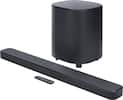
The Bose TV Speaker is a small soundbar that clarifies speech and improves overall TV sound. Inside there are two full-range drivers angled to deliver wide, spatial sound, while the center tweeter specifically focuses on clarifying speech. And built-in Dolby decoding enhances the audio capabilities of your TV Speaker to deliver a more realistic and satisfying listening experience. Designed with simplicity in mind, a single connection to your TV has you up and running in no time. This connection can be either an optical audio cable (included) or an HDMI cable (sold separately). At just over 2″ (5 cm) tall, this TV Speaker is small enough to fit just about anywhere. Place it in front of your TV or mount it to the wall. Plus small LED lights on the front turn on and/or change color when certain features are enabled or when the volume is adjusted. The Bose TV Speaker also has HDMI-CEC, which allows the TV and soundbar to communicate when connected by an HDMI cable. So when you turn the TV on, the soundbar will automatically turn on too, and you can even continue using your current TV remote to control the volume of the soundbar. However, the Bose TV Speaker also has its own remote. On it, you can pair your Bluetooth device to wirelessly stream your favorite music or podcasts, enable Dialogue Mode to further elevate center vocals, or add a bass boost for some extra depth. And the Bose TV Speaker is Roku TV Ready certified. Meaning, it’s designed to work seamlessly with a Roku TV. When connected to a Roku TV via an HDMI cable, you’ll enjoy smooth, automatic setup, easy access to the TV Speaker sound settings in the Roku TV on-screen menu, and compatibility with the Roku TV remote. If you’re looking for even more bass or just want to expand your system, you can add a subwoofer for more theater-quality home theater sound. The Bose TV Speaker requires a wired connection and is compatible with the Bose Bass Module 500 or 700 (Bose Bass Module Connection Cable sold separately).

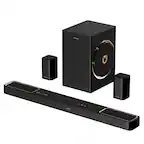
All-in-one immersion. This sleek, single-body Dolby Atmos sound bar has two subwoofer drivers built in, giving you rich bass without the need for a separate sub. Perfect for smaller living rooms, bedrooms and dens, it delivers surprisingly spacious and clear sound.

The sound bar for those with small spaces or minimalistic tendencies. The compact Yamaha SR-C20ABL sound bar fits easily in whatever space is available and can be wall-mounted for even more possibilities. Setup is easy with a simple connection to your TV while Bluetooth lets you stream wirelessly from your mobile devices.
| Pros for Yamaha - SR-B20A Sound Bar with Built-in Subwoofers and Bluetooth - Black | |||
|---|---|---|---|
| There were no pros for this product— | Sound Quality, Ease of use, Size, Bass, Setup | Sound Quality | There were no pros for this product— |
| Cons for Yamaha - SR-B20A Sound Bar with Built-in Subwoofers and Bluetooth - Black | |||
| There were no cons for this product— | Remote Control, Compatibility, Price, Heat | There were no cons for this product— | There were no cons for this product— |
Specs


Reviews
Customer Images
The vast majority of our reviews come from verified purchases. Reviews from customers may include My Best Buy members, employees, and Tech Insider Network members (as tagged). Select reviewers may receive discounted products, promotional considerations or entries into drawings for honest, helpful reviews.
- Rated 5 out of 5 stars
GREAT SOUND BAR – ALMOST PERFECT
REVIEW: YAMAHA - SR-B20A SOUND BAR WITH BUILT-IN SUBWOOFERS AND BLUETOOTH - BLACK Best Buy Tech Insider Network GREAT SOUND BAR – ALMOST PERFECT Full disclosure I am a Yamaha Hi-Fi enthusiast. I think that Yamaha makes great sounding equipment from musical instruments to receivers to soundbars (Jet Skis too!). This is the 3rd Yamaha soundbar that I own, and it is the best of them all so far. Especially when paired with a Subwoofer (optional), it can more than hold its own on family Movie night. Overall, especially for the price, you likely won’t be disappointed. This is a very good bar at this price point and probably even worth 2X-3X more. I would much rather have a high quality (sounding) bar like the SR-B20A than a bad sounding system with a bunch of cheap speakers. I just returned another 5.1.4 soundbar that cost 5X the amount in favor of the SR-B20A. Give this bar a try before you move onto really expensive units that don’t add that much to the sound experience. BEST FEATURES - Easy to use and decent sized Remote - Easy to use simple App for a Remote (I prefer it over the remote) - Sub Woofer Out for added bass if desired - Multiple Sound Formats Supported - Strong overall sound stage - Built in Power Supply (no brick just a cord) SETUP Everything works as expected and was easy to setup and use. For modern use, for the most part, you just connect your existing TV ARC HDMI port to the same on the Yamaha SR-B20A. My 6 year old TV instantly recognized the soundbar which allowed me to control the volume with the TV remote, without any additional setup. I find the android app helpful for fine tuning the sound field (movie, standard, clear voice, bass, etc). I use it more than the remote, even though the remote is also perfectly good. MINOR NOTE 1: There is no 3.5 mm analog port on the soundbar. Generally, you don’t need it unless you are connecting very old devices. You could, if needed, for about $20 get a converter that converts analog to optical or bluetooth. MINOR NOTE 2: The bar is really designed to be wall mounted and would look best that way. It works fine on a shelf (as I use it), but then you can’t see the volume lights and controls that are on the top. If you use the APP as your primary remote then this is not an issue. Additionally, typically your TV remote would be used to control the volume. I did not find any real difference when leaning the bar against the wall instead up flat on a shelf. A hard surface below the bar really highlights the bass from the built in subwoofer. THE APP: is really easy to use, and I like it more than the remote. The remote is good, but the app lets you see the current state of your settings instead of only toggle on/off. It is cool in that the same app auto senses “which” Yamaha bar you are close to and changes available buttons to match the capability of that specific bar. I do wish it had a custom “favorite mode”. For example, to watch a movie, 1 Press for Movie Mode, then 1 Press for Surround, then 1 Press for Voice enhancement, then 4 Presses to max out subwoofer, etc. Then to switch back to every day TV I need to turn all those setting off again. Not a big deal, but it would just a nice to have feature on the app. TESTING I ran three tests for music (vinyl and mp3), every day TV Watching, and action movies. MUSIC / VINYL (BLUETOOTH) – Right off the bat is my first little let down. No analog input. I had to use an analog to Bluetooth adapter. Overall, it was better (crisper) than my older similar class, Yamaha ATS-1030 soundbar (about 7 years old). I cranked the SR-B20A up to over 100db and it still sounded great. MUSIC / MP3 (BLUETOOTH STREAM FROM ALEXA) – Very Good / Competent sound throughout the full volume range. Using the remote setting for stereo music makes a good difference in Left/Right separation. I will say the SR-B20A very slightly underperformed my old Yamaha ATS-1030 in the bass department. Listening to Eric Clapton / BB-King – “Riding with the King” the low end was not as pronounced. It was still very good, don’t get me wrong, just not thumping like the older Yamaha bar. Once I activated a separately purchased subwoofer, it was very impressive. Almost as good as a stand-alone receiver with high end speakers. TV VIEWING IN 10 X 20 ROOM (HDMI-ARC) – The SR-B20A excels at everyday TV viewing (HDMI-ARC From the TV). I had to turn down the bass to -4 for everyday use, but especially with Clear-Voice enabled, the sound was great and not too much bass. MOVIE VIEWING (HDMI-ARC) – My go to movie for testing audio is The Avengers. There was good bass and clear vocals, and explosions were good overall. Eventually, I hooked up my old SubWoofer (Yamaha YST-SW012 8-Inch). This really made all the difference for the movie. This is almost as good as my 10 year old 7.1 Yamaha receiver and full size speakers. (minus the rear surround sound of course). If my full receiver (Yamaha RX-V1400) and large speakers rates a 9/10 for movies, then this bar with an optional sub-woofer is at least 8.5/10. Without optional subwoofer I would still rate it 8/10 compared to my full stereo. That is a really good rating for a fraction of the price. After testing the SR-B20A I decided to declutter my family room, and to move my AV receiver and big speakers to the basement and then just use the bar for everyday sound. (it is that good). One last note on Movies. While the bar does decode DTS:Virtual X, it does not decode ATMOS. Since it is not an ATMOS system, that is not huge deal breaker, but it would have been nice to have it as a supported format. I have looked very hard and tried (and returned) several ATMOS bars. They all have various problems and are very expensive. On top of that, their poor rear and height speaker performance makes the soundstage worse than a simple 2.1 bar like this SR-B20A. For my needs the SR-B20A outperforms other expensive ATMOS systems for everyday use. OVERALL IMPRESSION I also have the little brother to the SR-B20A, which I use for a small room and small TV. While that other unit (SR-C20A) does a good job at everything, it does not excel in many areas other than medium to low volume music and everyday TV listening. For a few $ more (range +$20-$40 more), the SR-B20A is easily double the performance of its little brother. It gets louder with less distortion and has deeper bass, even without an additional subwoofer. The SR-B20A supports more decoding formats natively (DTS Virtual X for example). It is just a better all-around bar. The only drawback I have with this bar is the lack of an analog input. (but I will get over it). SUMMARY / CONCLUSION / RECOMMENDATION I would definitely recommend the SR-B20A for a fantastic everyday listening experience. If you are into strong bass this bar is very good as is. If you pair the SR-B20A with a powered subwoofer (I suggest Yamaha of course) then you are not that far away from a mid-level receiver in terms of movie listening experience. For pure music only listening, I still prefer a full receiver and full-sized speakers over a bar. However, you can’t beat the bar for the convenience of everyday use, including movies and Music.
This review is from Yamaha - SR-B20A Sound Bar with Built-in Subwoofers and Bluetooth - Black
Posted by TheOffice1234
- Rated 4 out of 5 stars
Solid Performer
The Yamaha SR-B20A is a solid basic sound bar. This sound bar is inexpensive, doesn’t have a lot of frills, and delivers good sound. • Simple operation – no wifi, which means it has no voice assistant like Alexa or Google. But it does have Bluetooth so you can stream music from you phone or other devices to the sound bar. • Optional app mimics the included remote control. The app gives better visual cues of the settings so recommend using that, especially as the settings on the sound bar only have LED lights - see attached screenshot. • The LED lights have three settings: Off, Low and High. One quirk is when you toggle the dim settings on the remote or app, it takes two to three seconds for the sound bar to make the adjustment. Because everything else is instant, you might think the dim button doesn’t work, but give it a few seconds. • Two built-in sub woofers are excellent and can sometimes even feel too bassy. • Overall sound is excellent for small to medium sized rooms. I especially like the Clear Voice setting that emphasizes speech. • The sound bar itself has a small profile and sizes nicely with my 43” TV. It can also be mounted if needed. • Quick start guide is included in the box and the full manual can be downloaded from Yamaha’s website. This sound bar should be on your short list.
This review is from Yamaha - SR-B20A Sound Bar with Built-in Subwoofers and Bluetooth - Black
Posted by ricks
- Rated 5 out of 5 stars
Rich Full Sound
I am a self-proclaimed audiophile; I think that music is a part of our life that helps express our moods and feelings. I picked up the Yamaha SR-B20A to mount in my 28x16 shop in my backyard, I have spent a lot of time there since the pandemic hit. The sound quality is pretty amazing right out of the box. The SR-B20A fills a space with a rich full sound. There is no real need for an external Subwoofer, since there are dual subwoofers built in with dual reflex ports. Stream your favorite music from any streaming device to give your ears what they deserve. Connections: You can connect the Sound bar to your audio source by either Optical cable, HDMI, or Bluetooth. If your TV has a HDMI jack labeled ARC then you will only need to connect the HDMI cable. If your TV does not have the ARC HDMI port, then you will have to connect the HDMI cable and the Optical cable. If you are using with HDMI control function, the soundbar should come on when you turn the tv on. When you use the Bluetooth connection just select and pair and you’re ready to go. Remote: The remote has some basic features, but it also has a lot of nice upgrades when it comes to the audio output. There are 4 listening modes, Standard, Movie, Game and Stereo. These modes are self-explaining, but all except for Stereo have Surround Playback active. There are also 3 main adjustments, 3D Surround, Clear Voice and Enhanced Bass. 3D Surround elevates the surround sound to multiple levels and heights giving a greater sound experience. Clear Voice makes it easier to hear when there is a lot of background noise and sound effects. Enhanced Bass creates a more powerful Bass experience. Besides a Volume Control there is also a Bass Control on the remote App: Besides the Remote, Yamaha has an app that controls the functions of the soundbar, like the remote would. It has the Input, the sound settings, the sound program, led indicators, volume bass control. The one thing that I feel is missing is an equalizer, when streaming music, having to switch between apps to adjust the Treble, Mids. and Bass is an issue. Most of the Streaming services do not have an equalizer since most audio components have one. It would be a great benefit if they were to come out with some presets or an adjustable equalizer.
This review is from Yamaha - SR-B20A Sound Bar with Built-in Subwoofers and Bluetooth - Black
Posted by UnkinB