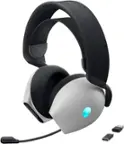
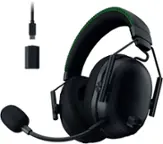
Alienware - Pro Wireless Over-the-Ear Gaming Headset for Windows, PS5, PS4, Switch and Mobile - Lunar Light
Color
Lunar Light Alienware - Pro 75% Wireless Mechanical Gaming Keyboard with RGB Back Lighting - Lunar Light$199.99

More Buying Options
Related Item

Specifications
- Noise Cancelling (Active)YesSound ModeDolby AtmosConnection TypeWireless, WiredWireless ConnectivityBluetooth, Radio Frequency (RF - 2.4 Ghz/Low Latency)True WirelessNoMaximum Wireless Range100 feet
- Key Specs
- Noise Cancelling (Active): true
- Sound Mode: Dolby Atmos
- Connection Type: Wireless, Wired
- Wireless Connectivity: Bluetooth, Radio Frequency (RF - 2.4 Ghz/Low Latency) (The manner in which a device sends data to another device over a short distance without the use of wires or cables.)
- True Wireless: false (These headphones not only lack wires between the device and headphones, they also lack wires between the headphones themselves. (true wireless is really only possible with in-ear headphones))
- Maximum Wireless Range: 100 feet
- Water Resistant: false (Resists some degree of water penetration.)
- Built-In Microphone: true
- Carrying Case: false
- Microphone Features: Noise cancelling, Detachable
- Headphone Fit: Over-the-Ear
- Adjustable Headband: false
- Battery Life: 75 hours (Battery life will vary depending on the product configuration, product model, applications loaded on the product, power management setting of the product and the product features used by the customer. As with all batteries, the maximum capacity of this battery will decrease with time and usage.)
- Battery Charge Time: 0.25 hours (Battery charge time will vary depending on the product configuration, product model, applications loaded on the product, power management setting of the product and the product features used by the customer. Charging time will likely decrease with time and usage of the battery.)
- Compatible Platform(s): Windows, Android, iOS, PlayStation 4, PlayStation 5, Nintendo Switch
- Voice Assistant Built-in: Not Applicable (A digital assistant built into the device that uses voice commands to answer questions and control smart devices.)
- General
- Brand: Alienware
- Model Number: BBY-AWProH-L
- Product Name: Pro Wireless Over-the-Ear Gaming Headset for Windows, PS5, PS4, Switch and Mobile
- Color: Lunar Light
- Audio
- Noise Cancelling (Active): true
- Sound Isolating: true
- Impedance: 32 ohms (Describes the resistance of an electric signal throughout the system. Devices with low impedance require less power to deliver optimal signals but are more at risk for damage from overloading. Higher impedance requires more power but is more protected from overload damage.)
- Volume Limiting Function: false
- Sound Mode: Dolby Atmos
- Connectivity
- Connection Type: Wireless, Wired
- Wireless Connectivity: Bluetooth, Radio Frequency (RF - 2.4 Ghz/Low Latency) (The manner in which a device sends data to another device over a short distance without the use of wires or cables.)
- True Wireless: false (These headphones not only lack wires between the device and headphones, they also lack wires between the headphones themselves. (true wireless is really only possible with in-ear headphones))
- Bluetooth Version: 5.3 (The Bluetooth specification formalized by the Bluetooth Special Interest Group. All versions of the Bluetooth standard are backwards compatible with previous versions.)
- Maximum Wireless Range: 100 feet
- Connector Size: USB-C
- Features
- Water Resistant: false (Resists some degree of water penetration.)
- Built-In Microphone: true
- Carrying Case: false
- Microphone Features: Noise cancelling, Detachable
- Body Metrics Measured: Not Applicable
- Lighting Type: None
- High Resolution Audio: Yes (Hear music the way musicians and sound technicians intended it to be heard. Products that support hi-res audio deliver audio signals with a dynamic range and bandwidth far greater than that of a standard CD so you'll be able to enjoy pure music with outstanding sound quality. The device supports high-resolution audio signals, which more closely resemble the quality of music as it was originally recorded, with more texture and detail than can be heard via typical music streaming services or CDs.)
- Design
- Headphone Fit: Over-the-Ear
- Style: Gaming
- Adjustable Headband: false
- Foldable Design: false
- Power
- Rechargeable: true
- Battery Life: 75 hours (Battery life will vary depending on the product configuration, product model, applications loaded on the product, power management setting of the product and the product features used by the customer. As with all batteries, the maximum capacity of this battery will decrease with time and usage.)
- Battery Charge Time: 0.25 hours (Battery charge time will vary depending on the product configuration, product model, applications loaded on the product, power management setting of the product and the product features used by the customer. Charging time will likely decrease with time and usage of the battery.)
- Battery Capacity: 750 milliampere hours (The amount of energy stored in the battery.)
- Compatibility
- Compatible Platform(s): Windows, Android, iOS, PlayStation 4, PlayStation 5, Nintendo Switch
- Voice Assistant Built-in: Not Applicable (A digital assistant built into the device that uses voice commands to answer questions and control smart devices.)
- Dimensions
- Product Height: 8.1 inches (The out of box height of the item. Height is measured as the vertical distance from the bottom of the item to the top as it would be primarily used or placed.)
- Product Width: 5.9 inches (The out of box width of the item. Width is measured as the horizontal distance from one side of the item to the other as it would be primarily used or placed.)
- Product Length: 3.6 inches (The out of box length of the item. Length is measured as the longest dimension of the item.)
- Product Weight: 0.7 pounds (The out of box weight of the item.)
- Warranty
- Warranty - Parts: 2 years
- Warranty - Labor: 2 years
- Other
- UPC: 884116469759
Professional-grade wireless gaming headset featuring 50mm graphene-coated drivers, 2-Mic AI Noise Cancellation and Active Noise Cancellation. Engineered with input from professional esports athletes.
- Tailor your sound: Alienware Command Center allows you to customize your preferences and sound experience through the integration of Dolby Atmos technology.
- Active Noise Cancellation: The AWPro allows you to stay immersed in the game and team communications with ANC technology. Block out distracting noises and stay dialed in.
- Audio quality endorsed by the pros, 50mm Graphene-Coated Drivers: Superior audio right out of the box. Experience clearer audio and immersive sound with High-Res certified digital audio. Tuned with professionals: Bass, mids, and highs were tuned using pro input to be optimized for competitive gaming. Lightweight and responsive, the gold standard of professional gaming audio drivers deliver clarity without distortion.
- Connectivity: Tri-mode connectivity via 2.4GHz, Bluetooth and USB
- Battery life: Up to 75 hours via Bluetooth across devices* and platforms or 70 hours via 2.4GHz (with ANC off)**.
- Versatile Platform Compatibility: Connect to your PC, PlayStation 4, PlayStation 5, Nintendo Switch or mobile device utilizing the USB-C wireless dongle, Bluetooth and USB connection options.
Whats Included
- Alienware Pro Wireless Gaming Headset
- USB-C Wireless Dongle
- USB-A to USB-C Adapter
- USB-A to USB-C Cable
- Documents
Disclaimers
- *Over Bluetooth connection with ANC off at default media playback volume. Based on testing completed July 2024 at a Third-Party Testing Facility.
- **Over 2.4GHz connection with ANC off at default media playback volume. Based on testing completed July 2024 at a Third-Party Testing Facility. Actual battery life will vary based on settings and usage.
Q: What are the dimensions of the headset?
A: The headset has a height of 8.1 inches, a width of 5.9 inches, and a depth of 3.6 inches.
Q: What is the weight of the headset?
A: The product weight is 0.7 pounds.
Q: What is the battery capacity of the headset?
A: The battery capacity of the headset is 750 milliampere hours.
Q: Does the headset have any other features besides noise cancellation?
A: Yes, the headset has other features besides noise cancellation. It features 50mm graphene-coated drivers and was engineered with input from professional esports athletes.
Q: What is the weight of the headset?
A: The product weight is 0.7 pounds.
Q: What is the manufacturer's warranty for the headset?
A: The manufacturer's warranty for parts and labor on the headset is 2 years.
Q: Does the headset have active noise cancellation?
A: This headset does offer active noise cancellation.
Q: Is the headset compatible with PCs?
A: This headset is compatible with the Nintendo Switch. It is unclear from the provided information whether it is compatible with PCs.
Compare similar products

Professional-grade wireless gaming headset featuring 50mm graphene-coated drivers, 2-Mic AI Noise Cancellation and Active Noise Cancellation. Engineered with input from professional esports athletes.

Alienware Tri Mode Wireless Gaming Headset is built for long, comfortable gaming sessions and offers tactile audio precision with Dolby Atmos.

Transport yourself into the soundscape like never before, as the Arctis Nova Pro Wireless brings legendary sound and Multi-System Connect to work with two systems. Connect PC, PlayStation, or Switch and swap between systems. Neodymium Magnetic Drivers with 360° Spatial sound set a new standard in gaming headsets. Enjoy an ultra-detailed soundscape of crystal clear highs, pinpoint mids, and deep bass. Never hit pause with hot-swap dual batteries for unlimited gaming, and even mix in Bluetooth audio from your phone to hear calls and music simultaneously with your game. Experience Almighty Audio to hear sound like never before.

Get the non-stop comfort you need for all-day competitive play with the Razer BlackShark V2 HyperSpeed—a wireless ultra-lightweight esports headset. Designed for maximum performance and minimal weight, experience a level of clarity and power that never gets in the way of your game.
| Pros for Alienware - Pro Wireless Over-the-Ear Gaming Headset for Windows, PS5, PS4, Switch and Mobile - Lunar Light | |||
|---|---|---|---|
| Sound Quality, Comfort, Battery Life, Connectivity, Weight | Sound Quality, Comfort, Battery Life, Connectivity | Sound Quality, Battery Life, Comfort, Connectivity, Software | Sound Quality, Comfort, Battery Life, Weight, Fit |
| Cons for Alienware - Pro Wireless Over-the-Ear Gaming Headset for Windows, PS5, PS4, Switch and Mobile - Lunar Light | |||
| Portability | There were no cons for this product— | Price, ANC, Bass, Ear Cups | Price, Connectivity, Microphone, Compatibility |
Specs
Reviews
Customer Images
The vast majority of our reviews come from verified purchases. Reviews from customers may include My Best Buy members, employees, and Tech Insider Network members (as tagged). Select reviewers may receive discounted products, promotional considerations or entries into drawings for honest, helpful reviews.
- Rated 4 out of 5 stars
Comfortable, Feature-Packed Headset
There was a time when Alienware was known for its over-the-top, flashy products with excessive amounts of RGB and bulky designs. With its new Pro gaming headset, its clear the company went back to the drawing board to come up with an accessory that would appeal to almost every gamer or PC user. This Pro headset is lightweight, incredibly comfortable, and delivers very good audio quality and battery life. === DESIGN AND COMFORT === - I'm a big fan of the minimalist design of the Alienware Pro headset, especially since I tend to wear a headset most of the day for both work and gaming. The sleek and slim look of the Pro headset means I can confidently wear it while on video calls and not worry about getting strange looks. - The first thing I noticed was how plush the earcups and headband are. The padding has just the right amount of give without being too soft or firm. The material of the earcups and headband is very soft and smooth. - Compared to other gaming headsets I've used, the Alienware Pro is very lightweight. I've worn it for hours on end and can barely tell it's there. - The clamping force is also nicely balanced and I have not experienced any fatigue or pressure when wearing the headset. - The headband is very easy to adjust for different head sizes. The earcups smoothly glide up and down with minimal resistance. - The microphone attaches to the left earcup. While I'm glad it can be easily removed when not needed, I miss the retractable microphone I had on my previous headset. When the microphone is attached to this headset, it's hard to push or angle it out of your line of sight when not needed. So I usually end up detaching it and leaving it on my desk until needed for gaming or a video call. - The physical controls on the earcups are intuitive and easy to access. The left earcup is where you'll find most of the controls, including the volume dial, microphone mute button, a button to control noise cancellation, the USB-C port, and slot for the microphone attachment. The right earcup has only the power switch and a toggle to move between 2.4 GHz and Bluetooth connections. === AUDIO QUALITY, CONNECTIVITY, AND SOFTWARE === - The Alienware Pro headset can connect to your devices via 2.4 GHz (using the included USB dongle) or Bluetooth. My biggest complaint about this headset is that you can't use both connections simultaneously -- a huge limitation if you want to hear audio (or take calls) from your computer and phone at the same time. My previous headset had this feature and I loved not having to manually swap connections when I received a call on my iPhone while listening to audio on my computer. - You can also use the headset over a wired USB-C connection, which allows for high-res audio. - I'm no audiophile, but this headset sounds excellent to me. It can get incredibly loud without any noticeable distortion. Highs seem very detailed and bass is very deep. However, at higher volumes, the bass tends to fade away and higher frequencies take over. So the sweet spot for volume seems to be right around 40 to 60 percent for a balanced mix of lows and highs. - Games sound incredible with this headset. Playing Alan Wake 2, I can hear footsteps and voices as if they are right behind me. The music and dialog in Indiana Jones and the Great Circle sounds clear, rich, and full. - Microphone quality is mediocre at best. I recorded myself to test, and my voice sounds very flat and robotic, like a cheap call center headset. It's fine for casual use and gaming, but I wouldn't count on this to record your podcasts. - The Alienware Command Center software can be used to change certain settings on the headset such as the noise cancelling transparency level and microphone volume, but it doesn't offer much else besides that. I was hoping there would be some options for audio customizations. === NOISE CANCELLING AND BATTERY LIFE === - The active noise cancelling feature of the Alienware Pro headset gets the job done, but it certainly does not come close to matching the best ANC headphones offered by other mainstream brands. Importantly, it successfully cancels out the fan noise from my PC as well as other low-frequency sounds around my house (such as my air conditioner and tower fan). But it doesn't do as well with higher frequencies such as voices or clicks from my mechanical keyboard. This wouldn't be the headset I would grab to bring on an airplane, but the ANC works well enough for home use. - Battery life on this headset is remarkable. Alienware claims that the headset will last up to 70 hours when connected over the 2.4 GHz connection, and 75 hours when on Bluetooth. This seems accurate to me -- after a full 8 hour day with the headset on and connected to my PC via 2.4 GHz, the battery level reported in the Alienware Command Center was at 87 percent. === OVERALL == I'm very impressed by the Alienware Pro headset. It has a sleek, comfortable design that will appeal to almost anyone. Notable drawbacks include the lack of a simultaneous 2.4 GHz + Bluetooth connection, poor microphone quality, and mediocre noise cancellation. But these things do not detract from the excellent design, audio quality, and battery life of the headset. Hopefully, Alienware will continue this trend with its other gaming accessories: a focus on the basics without the flashy and gimmicky features.
This review is from Alienware - Pro Wireless Over-the-Ear Gaming Headset for Windows, PS5, PS4, Switch and Mobile - Dark Side of the Moon
Posted by ryanmcv
- Rated 5 out of 5 stars
"Zero Compromise on Quality and Creature Comfort"
The Alienware Pro Wireless Gaming Headset is a top-tier choice for the professional gamer and music enjoyer who wants zero compromise on quality and creature comforts Am a huge fan of the minimalistic styling of these headphones. Matte black, soft touch finish with simple Alienware logos is a far cry from the flashy Alienware designs of the past. The subdued design of these headphones makes clear that they are aimed at both gaming and general usage. They are stylish and can be worn just about anywhere. Memory foam, leatherette earcups are comfortable even for long gaming sessions. Have always been a fan of the comfort of headbands on Alienware headsets. The headband on this is no different. At 315 grams, these headphones are relatively lightweight. Have worn these headphones continuously for over 4 hours comfortably during my testing. To note, earcups are not on a swivel which somewhat limits portability and comfort, especially if wearing the headphones around your neck. Graphene coated 50mm drivers have a frequency response range from 20Hz-40KHz. Headphones sound great out of the box for both gaming and music listening. Active Noise Cancellation is superb and is leaps and bounds above earlier iterations of headphone ANC. There is no feeling of discomfort or pressure on the ears with ANC on. This is the first gaming headset I have reviewed which has ANC, a striking feature which reinforces that these headphones are aimed at both gamers and a general audience seeking high quality sound. Headphones have a decent level of passive noise isolations as well even with ANC off as well. Built-in controls on the headphones include buttons for power, volume, mic, connectivity and noise cancellation modes. These buttons/switches are located on the bottom of the device and have positive tactile response. A large bonus in my book, as I enjoy the convenience of controlling these key functions via physical buttons. Headset connects via Bluetooth 5.3x, or with the included 2.4GHz USB dongle. The dongle connects via both USB-C and USB-A with an included adapter. Backwards compatibility is a huge plus! Battery life is advertised to be 75 hours on Bluetooth and 70 hours on 2.4GHz with ANC off. Dell also claims that the headphones can gain up to 8 hours of playback time with only 15 minutes of fast charging. Of course, these are in perfect conditions with ANC off but is impressive, nonetheless. I am a big fan of the detachable boom mic included with the headset. Microphone quality is strikingly good, and the ability to detach is perfect for storage and using the headphones on the go. Headset also features AI Noise Cancellation to cut down on background noise. Alienware Command Center Software allows for customization of headphones. Great app. If you are looking for top tier headphones which are versatile in and out of the gaming sphere, look no further than the Alienware Pros.
This review is from Alienware - Pro Wireless Over-the-Ear Gaming Headset for Windows, PS5, PS4, Switch and Mobile - Dark Side of the Moon
Posted by vrs99
- Rated 3 out of 5 stars
Decent Sound, But Software Needs More Polish
📦 UNBOXING: Inside the box, you’ll find the headset, a USB-C to USB-A cable for charging and wired usage, a 2.4GHz Wireless USB-C dongle, a USB-C to USB-A adapter, a detachable boom microphone, and some documentation. 💪 BUILD: The build of the Alienware Pro Wireless Gaming Headset appears to be largely plastic, but it does not feel cheap or flimsy. It has a nearly metallic feel, but couldn’t find any documentation that suggests anything other than plastic. With the Lunar Light model, the outer shell reminds me a lot of the Lunar Light model of their laptops. I used to have an Alienware x14 in this same color, and really enjoyed it, so if you’re already an Alienware laptop user, this will be an aesthetic match. The Alienware logo is prominent on the exterior of each ear cup, which might be a little gaudy for some, but I don’t find it too offensive. On the Lunar Light version, the logo is silver which blends in a bit more with its white exterior. There is no RGB lighting on this headset, and I prefer it this way since I find it to otherwise be a waste of battery. The microphone is detachable from the left side of the headset, which can then fallback to the onboard microphones at the cost of vocal clarity. So if you’re the kind of person who uses an external microphone or if you want to have your face unobstructed during a video call, this is a pleasant feature. And if you want to use it as a portable headphone around the house or out and about, this gives a bit more versatility without making it overtly obvious that you’re wearing a gaming headset. ⚙️ CONTROLS: On the left ear cup, there is the mute button, a volume dial to control your game audio, and an ANC button to toggle between ON/OFF and Transparency modes. If you connect the detachable microphone, you’ll also find that there is an LED indicator on the end of the microphone that glows red to indicate the microphone is muted. In my experience, the LED is far more noticeable in darker lighting conditions than it is in bright daylight conditions. On the right ear cup is the power switch, an LED status indicator, and a wireless switch to use the 2.4GHz dongle, Bluetooth, and the Bluetooth pairing mode. Overall, these are pretty intuitive controls. However, it should be pointed out that there is no ability to interact with playback over Bluetooth other than the volume dial. Since there isn’t a multifunction button, you can’t play/pause or skip tracks from the headset; you’ll need to do those from your phone. It’s a bit of a strange omission given that most wireless gaming headsets at this price point usually have some capability for this, but Alienware opted not to. It should also be mentioned that you cannot simultaneously pair to the 2.4GHz dongle and a Bluetooth device; it’s one or the other. I personally prefer it this way, but I understand that others may feel differently. ☁️ COMFORT: Comfort on the Alienware Pro Wireless Gaming Headset is quite good in my experience. The ear pads are plush, oval shaped and don’t apply a ton of pressure on my head, while the headband is also plush and flexible to support larger and smaller head shapes, alike. My ears don’t touch the drivers, so there’s plenty of room for me, so I can use these for hours without any discomfort. And thanks to its 315g weight, it doesn’t apply a whole lot of downward pressure on your scalp, so it shouldn’t create discomfort for those who often find that to be a contentious part of headphone designs. Out of the box, this headset was quite comfortable, and that comfort was consistent as I continued to use it. 🎧 SOUND QUALITY: The Alienware Pro Wireless Gaming Headset includes a license to Dolby Atmos for Headphones when the headset is connected. This is especially important because how you set it up in the Dolby Access app can really determine how good your audio experience will be. I configured the headset with a Custom profile with a flat EQ and with “Surround Virtualizer” and “Volume Leveler” both disabled. I like to use this configuration especially for music listening, and since I don’t particularly enjoy virtual surround very much. With this configuration, I would say the bass response is still elevated, but not nearly as much as many other gaming headsets I’ve tested. The midrange response is also respectful without bloat from the bass, delivering plenty of clarity for music and games, alike. The treble leans a bit on the brighter side, but without overdoing it and causing listener’s fatigue. So for those who want something that can function as both a headset for gaming and for music, I do think the Alienware Pro Wireless Gaming Headset is up to the task. Dolby Atmos for Headphones can help you tailor the experience to your preferences while using the headset in wired USB or 2.4GHz wireless modes. Unfortunately, the experience takes a downturn when used in Bluetooth mode because of a dynamic compressor which constantly changes the volume levels during playback. This makes listening to music a more erratic, distracting listening experience—which is really unfortunate since it could otherwise be a good headphone for portable use. You can get around this by using the wireless dongle or a wired USB connection with mobile devices, but I imagine most folks wouldn’t want to do that. I did report this to Dell, but didn’t receive a response. 🔊 ANC / AMBIENT SOUND: The ANC on the Alienware Pro is decent, but also not a significant improvement from the great passive noise isolation that the headset already provides. When I put the headset on, I do feel a clear and obvious difference in background noise. While the passive noise isolation does a good job attenuating higher frequency noise, the addition of ANC helps also reduce droning noises present in the lower midrange and bass frequencies. This could be especially helpful for tuning out droning noise from an open window, a noisy fan, or an HVAC system. When playing audio even at lower volumes, it’s hard to hear anything outside of the headset thanks to its excellent noise isolation. Once no audio is playing, there is an audible noise floor which thankfully stops after 30 seconds of inactivity. If you’re hoping to use these as ANC headphones to block out noise while studying, doing work, or chores, then these will be reasonably good for that. The Transparency mode is also decent, and uses the onboard microphone to let in outside noise if you need to be aware of your surroundings. 🎙️ MICROPHONE QUALITY: Microphone quality is decent, but not class-leading. In my testing, the detachable microphone sounds notably better than using the integrated microphones, but the integrated microphones are no slouch, either. The detachable microphone focused more on midrange frequencies of speech to ensure that speech clarity is prioritized over fidelity. But it still sounds like an eSports-oriented gaming headset, with a focus on clearly hearing your teammates during competitive games. If you opt to detach the microphone, you can rely on the onboard microphone which will yield more room echo and a more distant sounding voice. So if you are speaking quietly, your audience may find it harder to understand you. But if you speak loud and clear, it’s a pretty decent sounding microphone. Mic noise cancellation seems to be very good in my testing. Even with louder keyboard noises or other background noises, the microphone really did not pick them up. So rest assured your teammates will hear you, and not what’s going on in your home. 💿 SOFTWARE: As with all Alienware products, you can interface with it via the Alienware Command Center, but there’s not much to control here. You can control headset volume and the Hybrid Active Noise Cancellation (ANC) which has options for “Off”, “On” and “Transparency”. There is also a “Transparency level” slider from 1 to 5 to customize your ambient sound experience. However, it’s worth noting that as of the latest firmware 2.9 (Dongle) and 3.9 (Headset), increasing the Transparency Level might lead to an audible anomaly in one or both ears while ANC is set to “On”. So I recommend using a lower setting if you encounter this issue. I experienced this behavior on two different units, and Dell is investigating a remedy to the issue with no expected fix date. You can also control the microphone volume or mute it entirely, and engage the sidetone with levels from 1 to 5. Sidetone is only engaged whenever you’re using software that is actively using the microphone, so you won’t hear yourself outside of that context. Even so, I do find that the sidetone is quieter than other options on the market, even at max volume. 🔋 BATTERY: Battery life is quite good on the Alienware Pro. Alienware claims up to 75 hours on Bluetooth, 70 hours with the 2.4GHz dongle, and 35 hours on 2.4GHz with ANC. Because the ANC mode isn’t a significant improvement over the passive noise isolation, I think a lot of people could use it without ANC to prioritize battery stamina. And with a quick 15 minute fast charge, you can get up to 8 hours of playback with ANC off. 🧐 CONCLUSION: The Alienware Pro Wireless Gaming Headset chooses to provide the essential features in hardware and software without creating a bloated experience. The word “Pro” means something different in the context of this headset because it was designed with input from eSports gamers in competition environments. But for a general purpose gamer, I do feel like it is a bit more barebones in that it doesn’t provide physical controls for toggling sidetone or for music playback. And the Bluetooth mode has some DSP applied to it that makes listening to music an erratic, unpleasant experience. While I do hope that this can be remedied in a future update, in its current state, I think the Alienware Pro needs some refinements in software and firmware to make each of its limited features pleasant and reliable.
Posted by Xephyroth