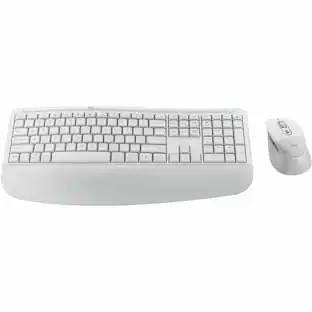
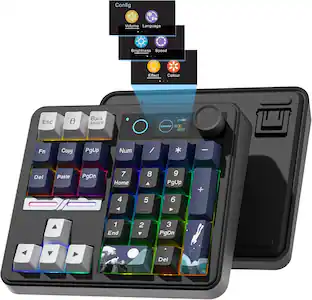
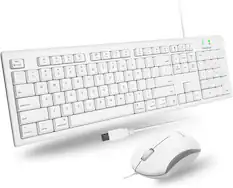
Alogic - Echelon USB-C Rechargeable Wireless Mouse & Compact Keyboard for Mac - Bluetooth/RF 5.0 - White
Reviews coming soon
About this product
Alogic Echelon USB-C Rechargeable Wireless Mouse and Compact Keyboard For Mac - USB Type A Wireless Bluetooth/RF 5.0 2.40 GHz Keyboard - White - USB Type A Wireless Bluetooth/RF Mouse - White - Cut, C
Features
Wireless Bluetooth/RF Keyboard with USB Type A
USB Type A Wireless Bluetooth/RF 5.0 2.40 GHz Keyboard
White
USB Type A Wireless Bluetooth/RF Mouse
White
Cut, Copy, Paste, Power, Home, Select All Hot Key(s)
Specifications
- Form FactorCompact (60%)Connection TypeWireless
Reviews
This product doesn't have any reviews yet.

Compare similar products

Alogic Echelon USB-C Rechargeable Wireless Mouse and Compact Keyboard For Mac - USB Type A Wireless Bluetooth/RF 5.0 2.40 GHz Keyboard - White - USB Type A Wireless Bluetooth/RF Mouse - White - Cut, C

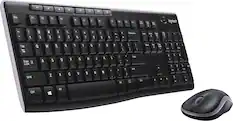
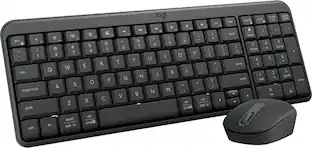
Connect easy and breeze through daily tasks using the Logitech MK250 Bluetooth wireless combo. Connect in seconds without the need for a dongle. The space-saving keyboard design includes a numpad, providing full functionality in a compact form. Enjoy a smooth ambidextrous mouse shape and deep-profile, comfortable keyboard keys in a spill-resistant design. Made to last, MK250 is made by Logitech, a brand known for quality since 1981, and made to last with recycled plastic. MK250 combines practicality and durability in one compact, full-featured solution.

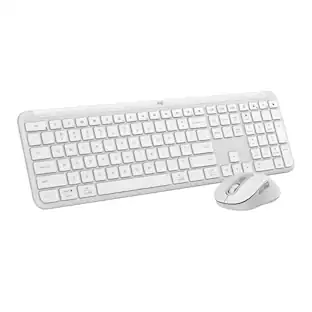
Type and click across computers effortlessly with the Logitech MK955 Signature Slim Wireless Keyboard and Mouse Combo made out of recycled plastic. Make work-life magic with customization and shortcuts that keep you in control of your wireless mouse and keyboard. Enjoy fast, precise scrolling and a familiar laptop-style keyboard feel that allows you to work even smarter with the Logi Options+ App’s custom shortcuts. Quiet keyboard typing and mouse clicking give you more focus and less disturbance to others. Connect wirelessly with Bluetooth or the included Logi Bolt USB receiver, and stay concentrated for longer with up to 36 months of battery life for the wireless keyboard and 24 months for the wireless mouse for larger hands.

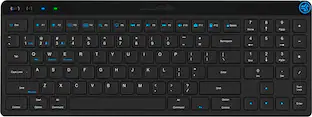
The JBuds Wireless Bluetooth Keyboard gives you pro-level performance in a stylish package. In addition to standard hotkeys and a numerical pad, use our JLab Work App to program your own shortcuts and save up to three unique user profiles. Whether you’re in the work zone or in game mode, connect to whichever device you prefer and have easy access to the functions you use most.
| Pros for Alogic - Echelon USB-C Rechargeable Wireless Mouse & Compact Keyboard for Mac - Bluetooth/RF 5.0 - White | |||
|---|---|---|---|
| There were no pros for this product— | Connectivity, Ease of Use, Noise Level, Key Feel, Overall Performance | Keyboard Quality, Connectivity, Noise Level, Battery Life, Ease of Use | Keyboard Quality, Connectivity, Battery Life, Key Feel, Portability |
Specs
Be the first to ask a question.
We’ll try to get your question answered within 24 hours by a Best Buy customer or brand representative.
Customers often buy these together

Ingnok - 15.6" Portable Monitor for Laptop - FHD 1080p USB-C with Adjustable Stand, Mini HDMI and VESA
Holiday Deal$79.99The price was $109.99
Turtle Beach - Stealth Pro Multiplatform Wireless Noise-Cancelling Gaming Headset for PS5, PS4, PC, Mac & Mobile - Black
Clearance$197.99The price was $329.99



![The text on the image reads:
"esc FI In - ! 1 tab caps lock shift F2 2 Q A F3 # 3 W S Z F4 $ 4 E D X P F5 % 5 R F C F6 A 6 T G V logi ins F12 FM F0 HI F9 FB F7 + ( ) - = * - & 0 8 9 7 { ] P [ ] I O Y U : I K L ; H J ? > < / M 2 B ctrl alt cmd3 opt page page end down home up del 1 * I back clear 8 9 7 I pg up home / + 5 6 4 enter 2 3 1 dn Pg shift end 0 del ins enter ctrl fn start opt alt cmd3t"
The text is a list of keyboard shortcuts for various functions, such as esc, tab, caps lock, shift, and more. The shortcuts are organized in a way that makes it easy for users to remember and use them while typing.](https://pisces.bbystatic.com/image2/BestBuy_US/images/products/01258616-55c7-44c0-8173-e2f6983190ee.jpg;maxHeight=232;maxWidth=233?format=webp)


More to consider
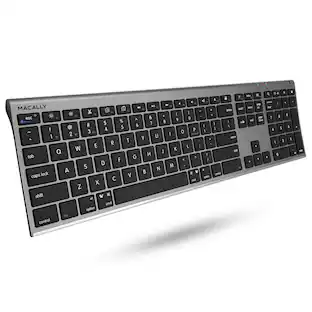
Macally Wireless Bluetooth Keyboard for Mac - Compatible Apple Keyboard or MacBook Pro/Air, iMac
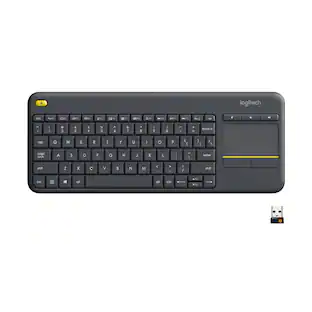
$49.99The price was $59.99Logitech K400 Plus TKL Wireless Membrane Keyboard for PC/TV/Laptop/Tablet with Built-in Touchpad
Holiday Deal$29.99The price was $34.99

Explore tech essentials Sponsored
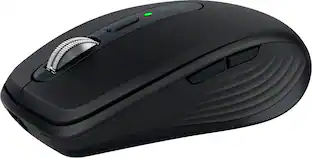
Logitech MX Anywhere 3S Wireless Bluetooth Optical Fast Scrolling Mouse with Programmable Buttons
$69.99The price was $89.99
Keep exploring
GravaStar Mercury V60 Pro Special Edition 60% Wired Hall Effect Gaming Keyboard
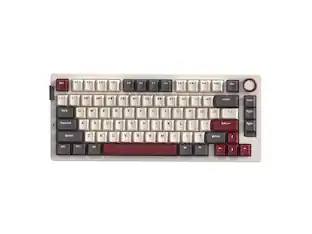
$199.95The price was $299.95GravaStar Mercury K1 Pro Wireless Mechanical Gaming Keyboard, 75% Layout, RGB Backlit, Hot-Swappable
$199.95The price was $259.95