ASUS - ProArt 27" 5K IPS Professional Monitor with HDR (DisplayPort, HDMI) - Black
Customers are saying
Customers often highlight the exceptional color accuracy, noting it is superb right out of the box. They also appreciate its flexible connectivity, ample port count, high resolution, and adjustability. However, some customers find the speaker quality to be underwhelming and express a desire for a higher refresh rate.
Screen Size
27"Highlights
27-inch 5K (5120 x 2880)
LuxPixel AGLR display with IPS 178° wide viewing angle panel
International Color Standard
99% DCI-P3 and 100% sRGB wide color gamut
Calman Verified
Factory calibrated for excellent Delta E < 2 color accuracy
Extensive Connectivity
DisplayPort over USB-C with 96W Power Delivery, DisplayPort, HDMI and USB hub
Light Sync Solution
Ambient Light Sensor and Backlight Sensor for reliable color performance from the start
Built-in Auto KVM
Allows for effortless switching between two connected laptops or PCs with a single keyboard and mouse
Ergonomic Design
With tilt, swivel, pivot and height adjustments for a comfortable viewing experience
Green Sustainability
Paper packaging and energy-efficient environmental standards
- Refresh Rate60HzMaximum Resolution5120 x 2880 (5K)Response Time5 millisecondsPanel TypeIPSSynchronization TechnologyNot Applicable
Reviews
Rating 4.5 out of 5 stars with 58 reviews
- Color Accuracy (42)
- Connectivity (9)
- Port Count (9)
- Resolution (6)
- Adjustability (4)
- Speaker Quality (11)
- Refresh Rate (6)
Customer Images
The vast majority of our reviews come from verified purchases. Reviews from customers may include My Best Buy members, employees, and Tech Insider Network members (as tagged). Select reviewers may receive discounted products, promotional considerations or entries into drawings for honest, helpful reviews.
Compare similar products

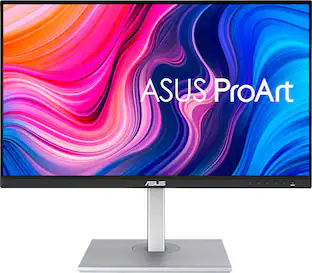
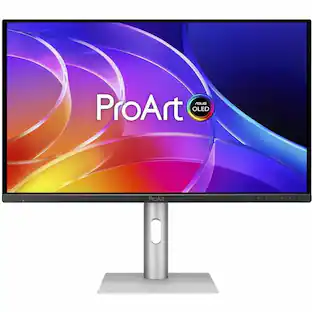
ProArt Display PA27JCV is a 27-inch 5K HDR monitor designed for professional content creators. This Calman Verified display boasts a wide gamut with 99% DCI-P3, 100% sRGB and 95% Adobe RGB coverage, and it’s factory calibrated to Delta E<2 for exceptional color accuracy. Built-in Auto KVM allows for convenient, effortless switching between two connected laptops or PCs using a single keyboard and mouse. To ensure brightness and color temperature accuracy, ambient light and backlight sensors automatically adjust visual settings. Plus, a USB-C port offers DisplayPort support and enables superfast data transfers and 96-watt power delivery via a single cable.
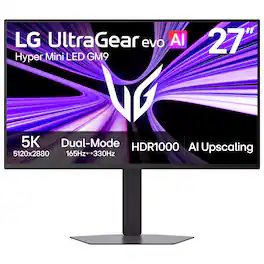
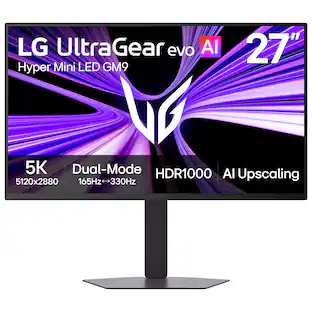
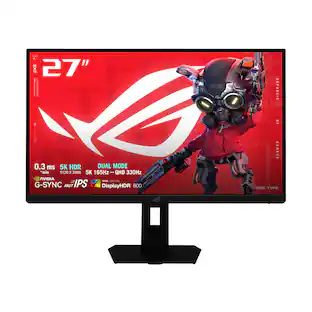
Powered by UltraGear evo’s next-generation Hyper Mini LED¹ technology, the GM9 (27GM950B-B) 27-inch 5K (5120×2880) gaming monitor delivers extraordinary clarity, brightness, and speed. With over 14 million pixels, VESA DisplayHDR 1000, and up to 1250 nits peak brightness, games appear vivid and detailed with brilliant highlights and deep contrast. Precision backlighting with 9,216 LEDs helps suppress blooming while revealing finer textures across bright and dark scenes. AI Upscaling² enhances content toward 5K resolution without requiring a GPU upgrade, while 218 PPI pixel density keeps text, HUDs, and game details exceptionally sharp. Dual-Mode refresh rates let you switch between 5K at 165Hz for reponsive, cinematic gameplay or QHD at 330Hz for ultra-fast competitive gaming, supported by a 1ms (GtG) response time and NVIDIA G-SYNC Compatible³ and AMD FreeSync Premium technologies. Next-gen connectivity including DisplayPort 2.1⁴ (UHBR20), USB-C with 90W power delivery, and HDMI 2.1 supports high-performance PCs and consoles, while AI Scene Optimization, AI Sound, and built-in speakers help create a smarter, more immersive gaming setup.
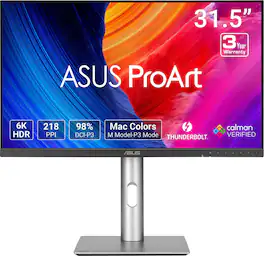
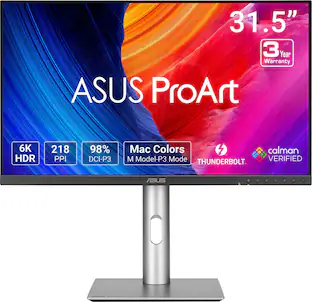
ASUS ProArt Display PA32QCV is a 31.5-inch 6K HDR monitor designed for professional content creators. This Calman Verified display boasts a wide gamut with 98% DCI-P3 coverage and Delta E<2 color accuracy. The ProArt Preset feature now includes the new M Model-P3 mode to deliver seamless and consistent colors when working with MacBook devices. Dual Thunderbolt™ 4 ports support daisy-chaining and enable superfast data transfers and 96-watt power delivery via a single cable.

4 times the resolution of full HD 1080p with HDR for stunning details and image quality. IPS technology is optimized for the finest image quality with 178° wide-viewing-angle.
| Pros for ASUS - ProArt 27" 5K IPS Professional Monitor with HDR (DisplayPort, HDMI) - Black | |||
|---|---|---|---|
| Color Accuracy, Connectivity, Resolution, Port Count, Adjustability | Build Quality, Display Resolution | Resolution, Display Quality | Color Accuracy, Resolution, Build Quality, Connectivity, USB-C |
| Cons for ASUS - ProArt 27" 5K IPS Professional Monitor with HDR (DisplayPort, HDMI) - Black | |||
| Refresh Rate, Speaker Quality | Local Dimming Performance | There were no cons for this product— | Refresh Rate, Speakers |
Specs
What type of warranty does it have?
Answered by ASUS AnswersThe ASUS ProArt PA27JCV Professional Monitor comes with a 3‑year manufacturer warranty.
is this product returnable with a members plus for 60 days?
Answered by ASUS AnswersThe ASUS PA27JCV monitor should be returnable within 60 days under My Best Buy Plus, but to be certain, please contact Best Buy support at 1‑888‑237‑8289 to confirm your specific purchase details.
What is the Adobe RGB color space coverage.... 80%, 95%, 100%, etc?
Answered by ASUS AnswersThe ASUS ProArt Display PA27JCV provides 95% Adobe RGB color space coverage.
What is the response time of this monitor?
The response time is 5 milliseconds.
This question and answer was generated by AI based on customer and product data.What is the resolution of this monitor?
The monitor has a 5K resolution (5120 x 2880).
This question and answer was generated by AI based on customer and product data.

Customers often buy these together
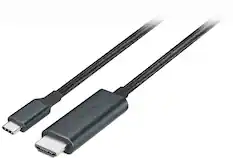
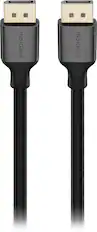
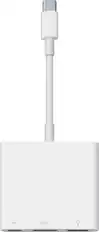
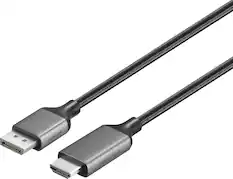
Monitor and Video Cables




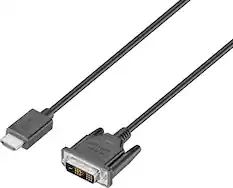

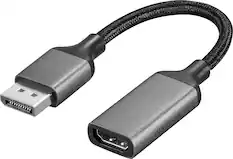

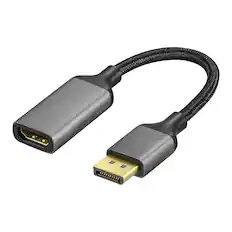

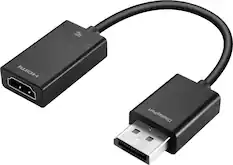


More to consider
 $329.99The price was $399.99
 $1,099.99The price was $1,999.99
 Top Deal$899.99The price was $1,199.99
 Top Deal$299.99The price was $369.99





Explore related products Sponsored
 $269.99The price was $299.99
- $1,099.99The price was $1,999.99


Discover related products
 $1,599.99The price was $1,799.99
 $12.99The price was $13.99
 $143.99The price was $144.99
 $239.00The price was $275.00










Keep exploring
 $329.99The price was $499.00
 $189.99The price was $299.99
 $197.99The price was $199.99
 $75.59The price was $88.55
 $1,499.99The price was $2,101.91